Categories
Featured Info

Mark Your Calendars: Apple WWDC 2023 Begins June 5, What To Expect

Apple is all set to continue its tradition of hosting the Worldwide Developers Conference (WWDC) this year. The event, scheduled to begin on June 5, promises to be a significant milestone for the tech giant. The conference will take place at Apple Park in California, and invitations have already been given to developers and the media. Also Read | Apple BKC Retail Store India Sneak Peak

Apple’s Most Anticipated Event Yet

This year’s WWDC holds great importance for Apple, possibly being its most significant event to date. Speculations suggest that the company may unveil its first-ever headset, marking its entry into a new product category. If rumors and leaks are to be believed, Apple’s mixed reality headset will feature groundbreaking advancements, making it a highly sought-after and expensive device.

New Operating Systems And Potential Hardware Releases

Alongside the headset, Apple will focus on its core strength by introducing new versions of its operating systems, including iOS 17, macOS 14, watchOS 10, and tvOS 17. Moreover, WWDC 2023 might also witness the introduction of Apple’s latest lineup of hardware. There are swirling rumors that a range of Mac devices could debut at the conference, adding to the excitement and anticipation.

Also Read | Thieves Get Crafty, Tunnel Into Apple Store To Steal Over 400 iPhones Worth Millions

How To Watch The WWDC 2023 Keynote?

The Apple WWDC keynote is slated to begin on June 5 at 10 AM PT (10.30 PM IST). Attendees will be able to watch the event live on YouTube and the Apple website as well as in person. Viewers can also access the event through the Apple TV app on their iPhone, iPad, or Mac, or by using the Apple TV streaming box.

Developer-Centric Events And Opportunities

In addition to the keynote, Apple has planned various developer-centric events during WWDC 2023. The Platforms State of Union will provide app developers with access to new tools and features introduced by Apple. Furthermore, the Design Awards ceremony will recognize and reward developers for their outstanding efforts and technical expertise. Developers will also have the opportunity to interact with Apple’s experts, learning new tricks and building new apps for success on the App Store.

Apple’s WWDC 2023 is poised to be an exciting and pivotal event for both developers and Apple enthusiasts. With the potential launch of a groundbreaking headset, the introduction of new operating systems, and the anticipation of hardware releases, this conference promises to deliver innovation and new opportunities for the Apple ecosystem.

Also Read | From New York To Tokyo: Five Best Apple Stores Around The World
Categories
Accessories Featured Info

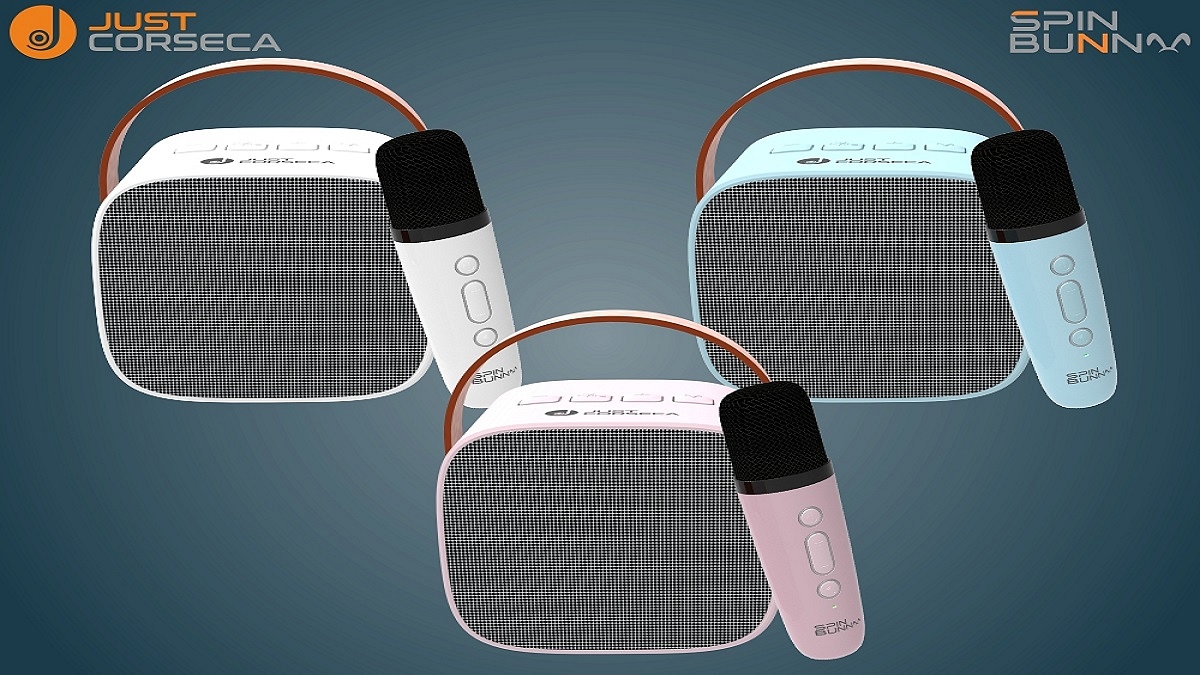
Just Corseca Announces Spin Bunny Karaoke Wireless Speaker At Rs. 3,999

Key Highlight

  • Just Corseca releases Spin Bunny karaoke wireless speaker
  • It has a portable design available in exciting color options
  • It comes at an affordable price of Rs. 3,999

Just Corsecaintroduced Spin Bunny, the ultimate portable karaoke speaker with wireless Bluetooth connectivity. This multifunctional audio companion is perfect for all your audio needs, whether you’re at home, on the beach, by the pool, or camping in the woods. Also Read | Skyball Introduces First Home Audio Product Line-up: Check Price, Features

Designed For An Active Lifestyle

The Spin Bunny is meticulously designed to suit the user’s active lifestyle, boasting a highly compact form factor and a convenient handle for extreme portability. It’s the ultimate entertainment package that delivers great features despite its small size.

Seamless Connectivity And Versatile Usage

Equipped with the latest Bluetooth V5.0 technology, the Spin Bunny ensures uninterrupted connectivity, allowing you to enjoy your favorite music and even attend voice calls when paired with your smartphone. Its 2-inch 5-Watt dynamic driver provides rich and immersive sound, whether you’re listening to music or watching movies. You can play music directly from your smartphone or laptop, or load your preferred MP3 onto a TF card for music on the go.

Also Read | List Of Best Bluetooth Party Speakers To Buy In India In 2022

Elevate Your Party With Karaoke Fun

The Spin Bunny comes with a rechargeable wireless microphone powered by a 500mAh battery. You can transform your gathering into an instant karaoke party and take your celebrations to new heights. Simply gather a few willing participants, and Spin Bunny will elevate the atmosphere.

Party All Night Long

Thanks to its powerful 2,000mAh internal battery, you can carry your party wherever you want and enjoy non-stop fun all night long.

Pricing And Availability

The Just Corseca Spin Bunny Karaoke Wireless Speaker is available in three trendy colors: Blue, White, and Pink. It comes at an affordable price of Rs. 3,999. It comes with a 12-month warranty and can be purchased from the official website Corseca.in, as well as popular e-commerce platforms such as Amazon, Flipkart, and Myntra. You can also find the product at various online and offline retail stores across India.

Also Read | OnePlus TV Sound Issue: How To Fix No Audio Issue With OnePlus Smart TV Speakers

Categories
Apps Featured How To Mobile

Use UPI On Your Feature Phone With Ease: Here’s How

Key Highlights

  • One of the most widely used digital payment systems in India is UPI
  • Users of smartphones can make UPI payments using a variety of apps
  • Users using feature phones can also send money using UPI

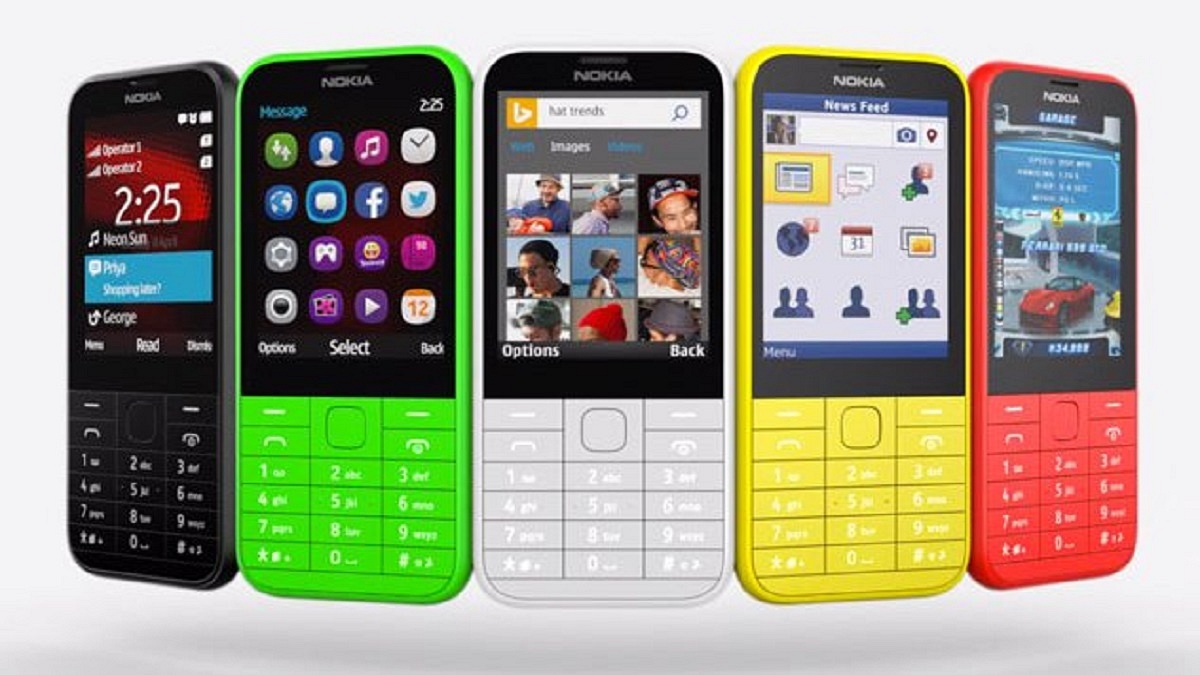
In today’s digital age, UPI has become a crucial mode of payment. While UPI is widely known among smartphone users, it’s crucial to understand that even feature phone users can now leverage this convenient payment method. To cater to the needs of feature phone users, the National Payments Corporation of India (NPCI) introduced 123PAY, a UPI facility designed specifically for them. With the use of this service, users of feature phones can create a UPI ID and carry out UPI transactions without a smartphone. This development holds great significance as there are approximately 400 million feature phone subscribers in the country, promoting financial inclusivity.

Also Read | PhonePe UPI Lite: What Is It? How To Send Up To Rs. 200 Without UPI Pin On PhonePe?

How To Create A UPI ID On A Feature Phone

To enable feature phone users to have UPI functionality, the process of setting up a UPI ID is straightforward. Here are the steps:

Step 1: Dial *99# on your feature phone.

Step 2: Select your bank’s name and provide the necessary information, such as the last six digits of your debit card and the expiry date.

Step 3: Set up a secure UPI PIN.

Step 4: Once completed, your UPI ID will be activated.

How To Make UPI Payments On Feature Phones

If you want to make payments using your UPI ID on a feature phone, follow these steps:

Step 1: Dial the IVR number 080451 63666.

Step 2: Select your preferred language.

Step 3: Choose the bank linked with UPI.

Also Read | Need Help With Zomato UPI Payments? Here’s A Step-by-Step Tutorial

Step 4: Press ‘1’ to confirm the details.

Step 5: Press ‘1’ again to send money using your mobile number.

Step 6: Enter the recipient’s mobile number.

Step 7: Confirm the details and enter the amount.

Step 8: Enter your UPI PIN and authorize the money transfer.

Transaction Limits For Feature Phones Using UPI

To ensure security and manage risk, certain transaction limits apply to UPI payments on feature phones:

Per day transactions limit: Rs 1,00,000

Per transaction limit: Rs 5,000

Also Read | UPI Money Transaction Limit In India: Here’s The Limit Of Transactions You Can Do Via GPay, PhonePe, Paytm Daily

Users of feature phones can now take advantage of UPI payments without a smartphone thanks to NPCI’s introduction of 123PAY. By following a few simple steps, feature phone users can create a UPI ID and seamlessly carry out transactions.

Categories
Accessories Featured Info

Skyball Introduces First Home Audio Product Line-up: Check Price, Features

Key Highlights

  • Skyball’s first range of high-performance home audio products has been released
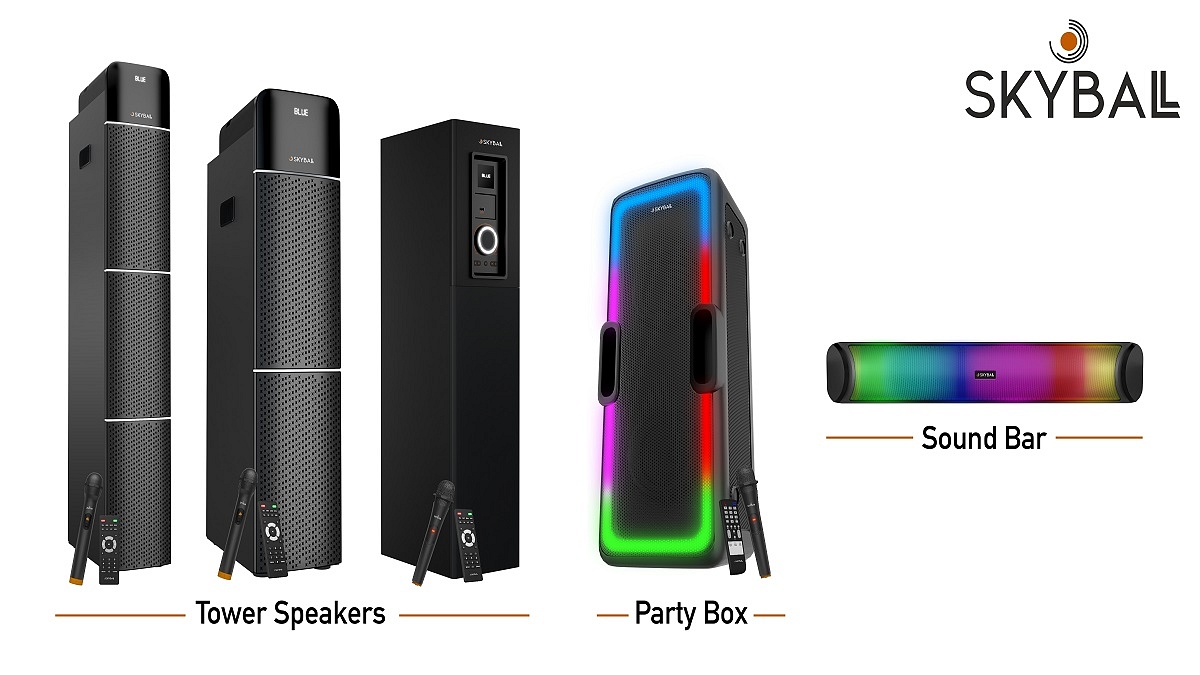
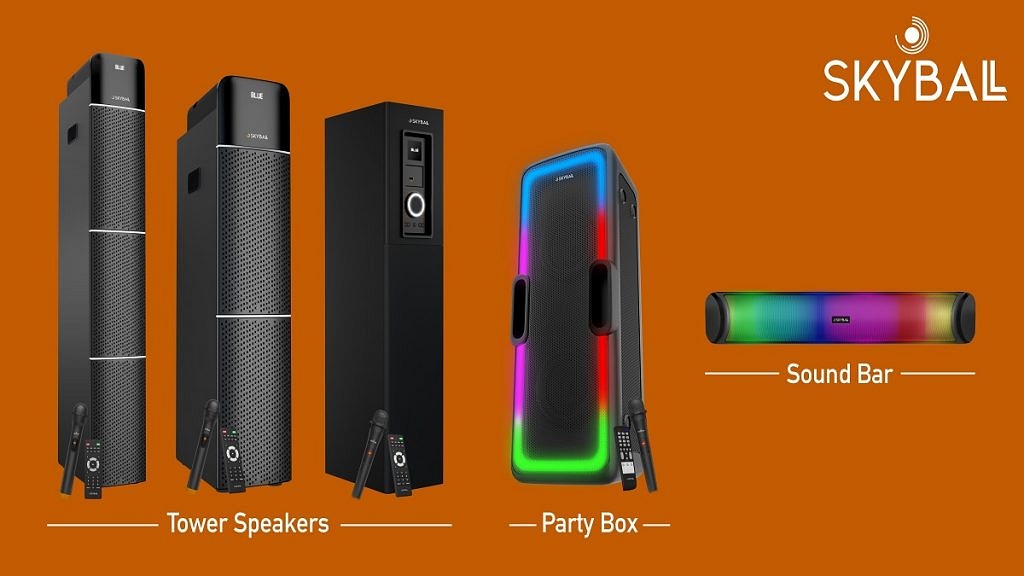
  • The new product line includes Mini Soundbars, Party Speakers, and Tower Speakers
  • High-quality audio with a starting price of under Rs. 2,999

Skyball has unveiled its inaugural range of home audio products. The launch of Skyball’s home audio line-up is a response to the increasing demand from music enthusiasts who seek a top-notch audio experience. The product range includes diverse speakers, all featuring visually appealing designs that seamlessly blend with any home interior, elevating the ambiance. Also Read | Here’s The List Of Best Smart Home Gadgets You Can Buy In India

Make in India: Locally Manufactured Audio Products

Skyball has created its audio products in cutting-edge domestic facilities in keeping with the Make in India initiative. These products are created using cutting-edge technology and premium materials to ensure pristine audio delivery, long-lasting durability, and reliability.

Skyball’s Product Range

Mini Sound Bar Neo20

This portable music bar features 16W pure sound output and an elegant full flaming light design. It offers various connectivity options, including USB, TF, Bluetooth 5.0, and AUX. With a 3.7V/2000mAh battery, the portable soundbar provides up to six hours of uninterrupted music playback. Additionally, it includes a built-in mic for convenient hands-free calling.

Party Box 600

The Party Box 600 is a compact party speaker that produces 60-Watt Super Bass Sound output. This speaker can transform your home into a disco night with its multi-party RGB light effect. It supports multiple connectivity options, such as Bluetooth 5.0, USB, TF, and AUX. The speaker has a full control top panel, a 7.4V/5200mAh battery, and can play music continuously for up to six hours. It also features a wireless UHF mic for enjoyable weekend karaoke sessions.

Also Read | Best Smart Speakers Under Rs. 5,000: Check The List Here

Party Pillar Tower Speakers

The Party Pillar 1300, 1200, and 1100 are ultimate tower music systems that can turn your home into a vibrant party hub. These tower speakers boast premium acoustic wooden cabinets housing high-quality drivers, tweeters, and woofers, providing an immersive audio experience. They offer seamless connectivity options such as Bluetooth 5.0, FM, USB, AUX, and even HDMI-ARC in the case of Party Pillar 1300 and 1200. The party speakers have a wireless high-end UHF mic and a fully functional remote control.

Pricing And Availability

Mini Soundbar Neo20Rs. 2,999
Party Box 60Rs. 12,999
Party Pillar 1300Rs. 12,999
Party Pillar 1200Rs. 10,999
Party Pillar 1100Rs. 8,999

Skyball’s new range of home audio products is now available for purchase in India on Amazon.in. Each audio product comes with a one-year service warranty.

Also Read | List Of Best Bluetooth Party Speakers To Buy In India In 2022

Categories
Featured Mobile

Unfolding Innovation: Top Three Foldable Smartphones Making Waves In India

Key Highlights

  • The Indian market offers a range of impressive foldable phones, combining cutting-edge technology and sleek design
  • Top contenders include the Samsung Galaxy Z Fold series, Tecno Phantom V Fold, and more
  • These foldable phones redefine mobile multitasking and deliver a premium smartphone experience

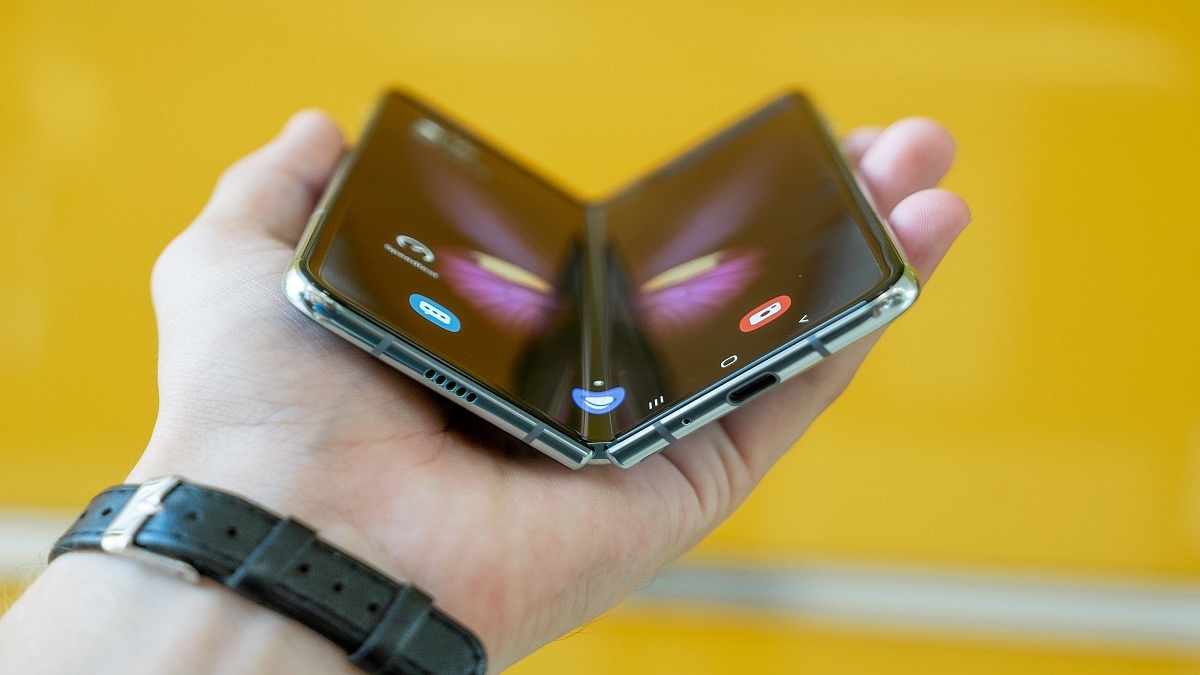
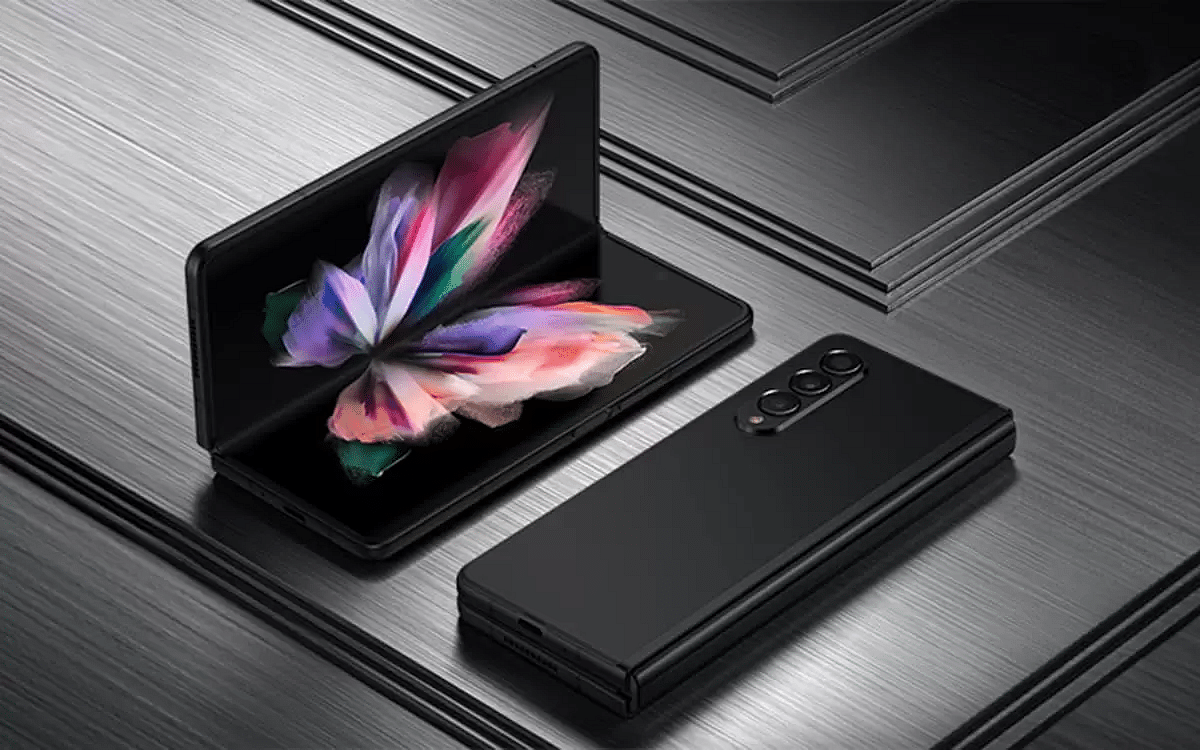
In the world of smartphones, foldable devices have emerged as innovative and versatile options. With their flexible displays and advanced features, foldable phones are gaining popularity in India. These cutting-edge devices offer a unique blend of style and functionality, allowing users to switch seamlessly between compact and expansive screen sizes. From Samsung’s flagship models like the Z Fold series to the Microsoft Surface Duo 2 and other contenders, the market for foldable phones in India is witnessing a surge of exceptional choices that cater to diverse preferences and needs. Also Read | Upgrade To A Curved Display: Four Best Smartphones To Buy In 2023

Samsung Galaxy Z Fold 4

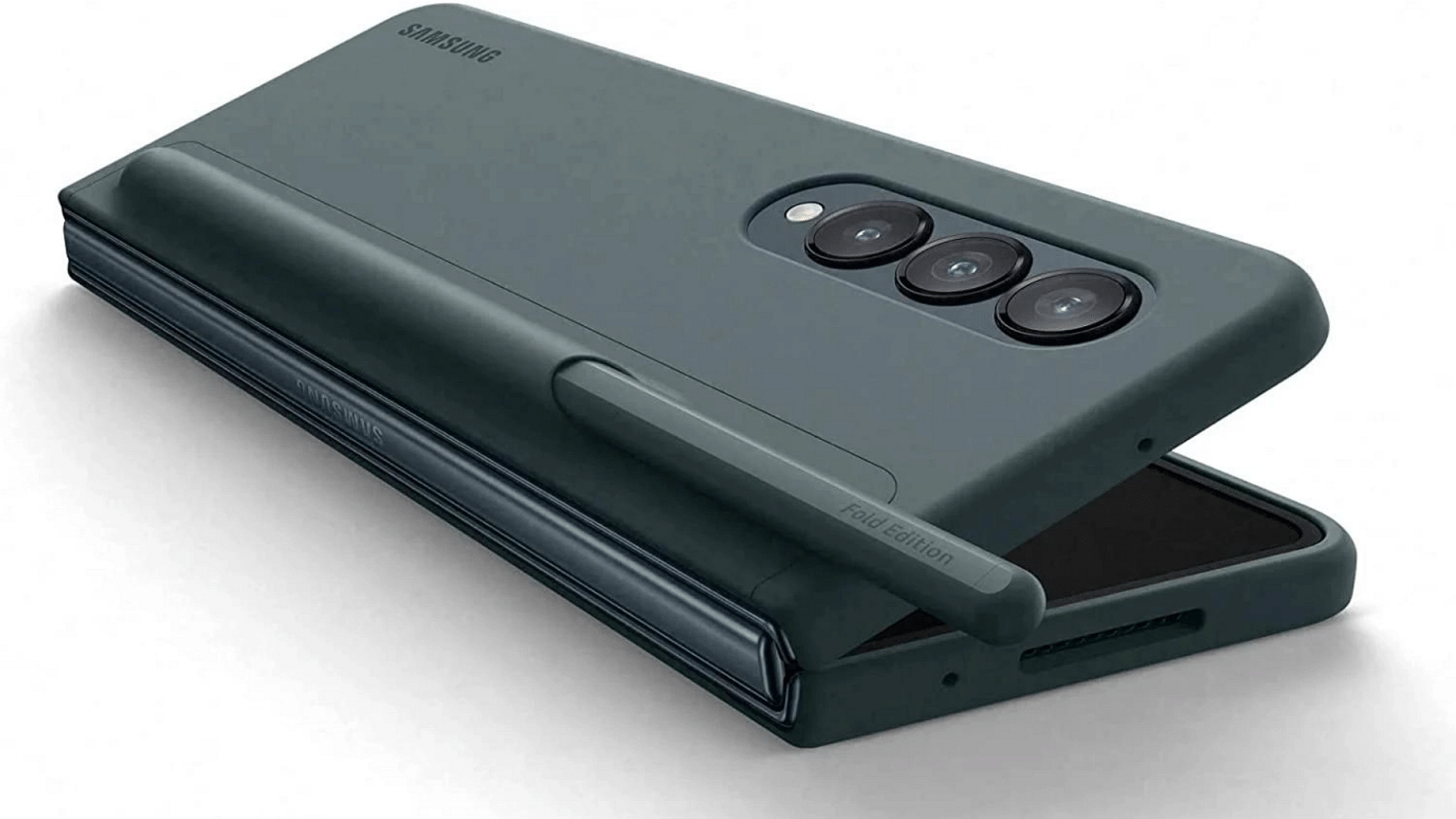
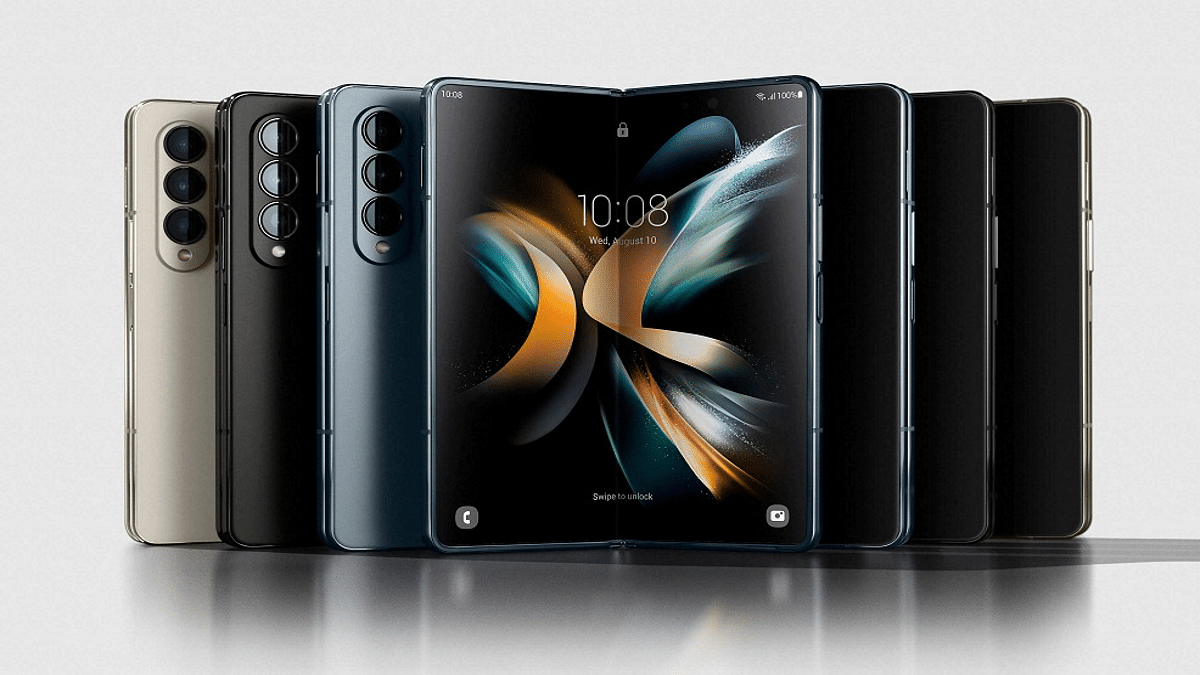
This Samsung folding phone, being one of the latest models, stands out as one of the finest foldable devices offered by Samsung in India. It enhances the already impressive Z Fold 3 by introducing additional hardware features such as an improved selfie camera, a stronger hinge, and slimmer bezels. Furthermore, it incorporates the latest Qualcomm Snapdragon 8+ Gen 1 chip, resulting in improved battery life and enhanced photo processing capabilities. Additionally, this foldable phone boasts an array of multitasking features, including an app tray and triple split screen, elevating the overall user experience to a higher level of smoothness.

Display6.2 inches (folded), 7.6 inches (unfolded)
ProcessorQualcomm Snapdragon 8+ Gen 1
RAM/Storage12GB RAM, 256GB Storage
OSOneUI 4.1 based on Android 12
Battery4,400mAh
PriceRs. 1,54,998
Buy LinkAmazon

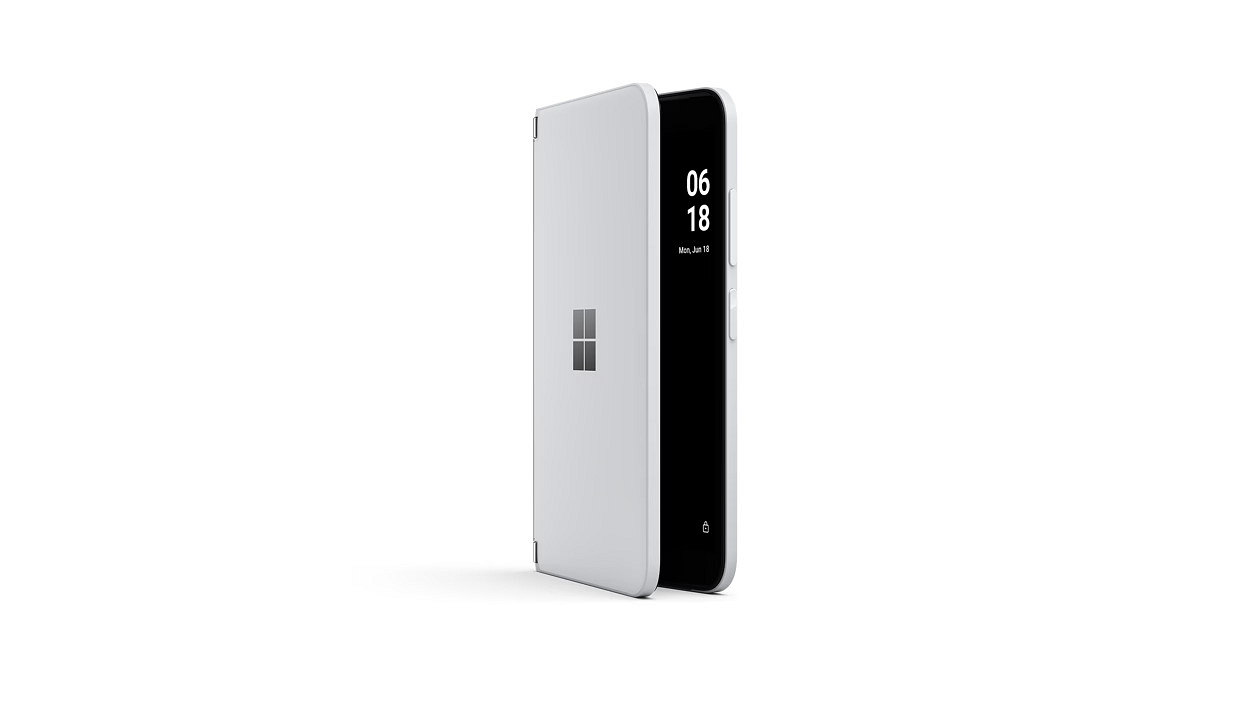
Microsoft Surface Duo 2

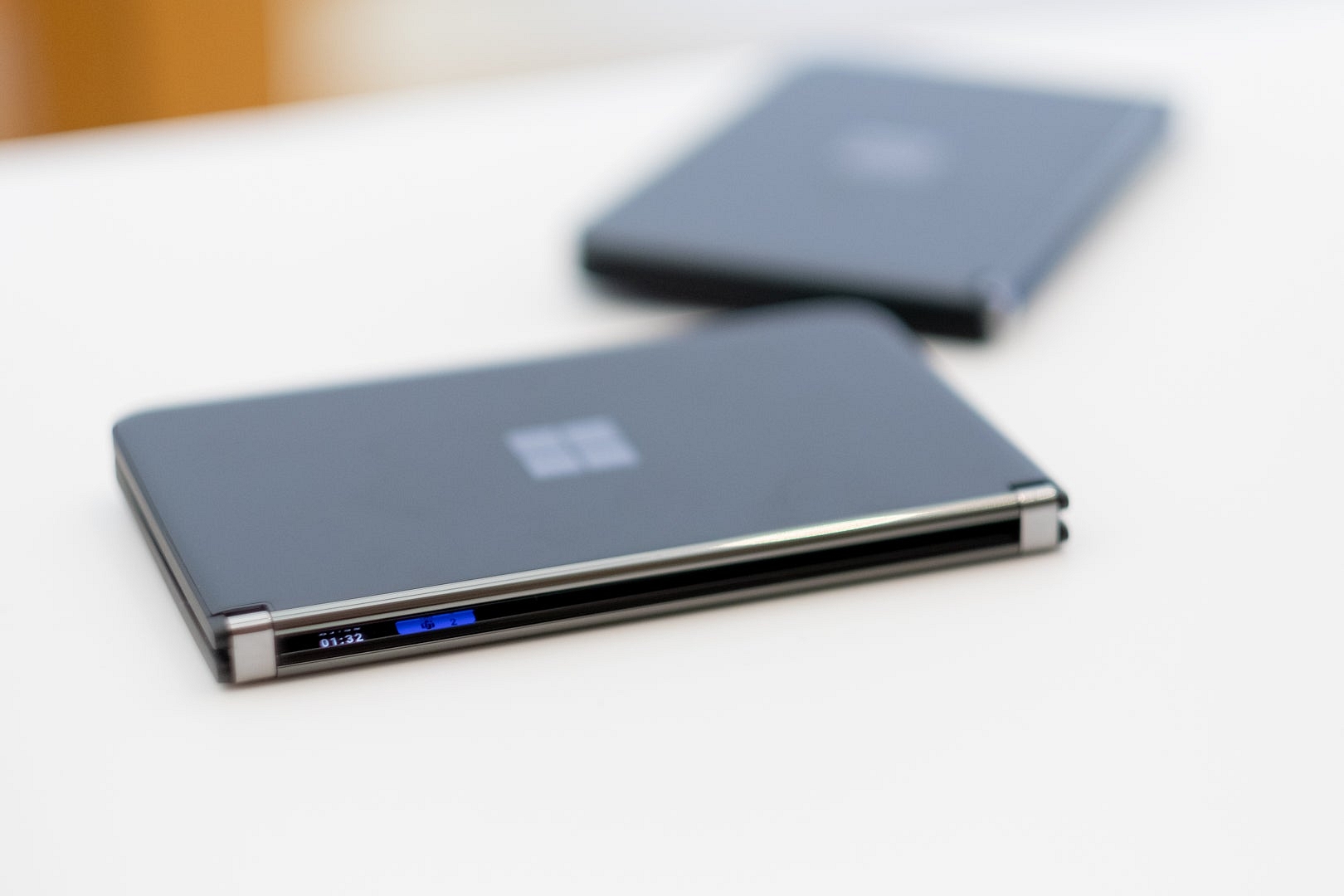
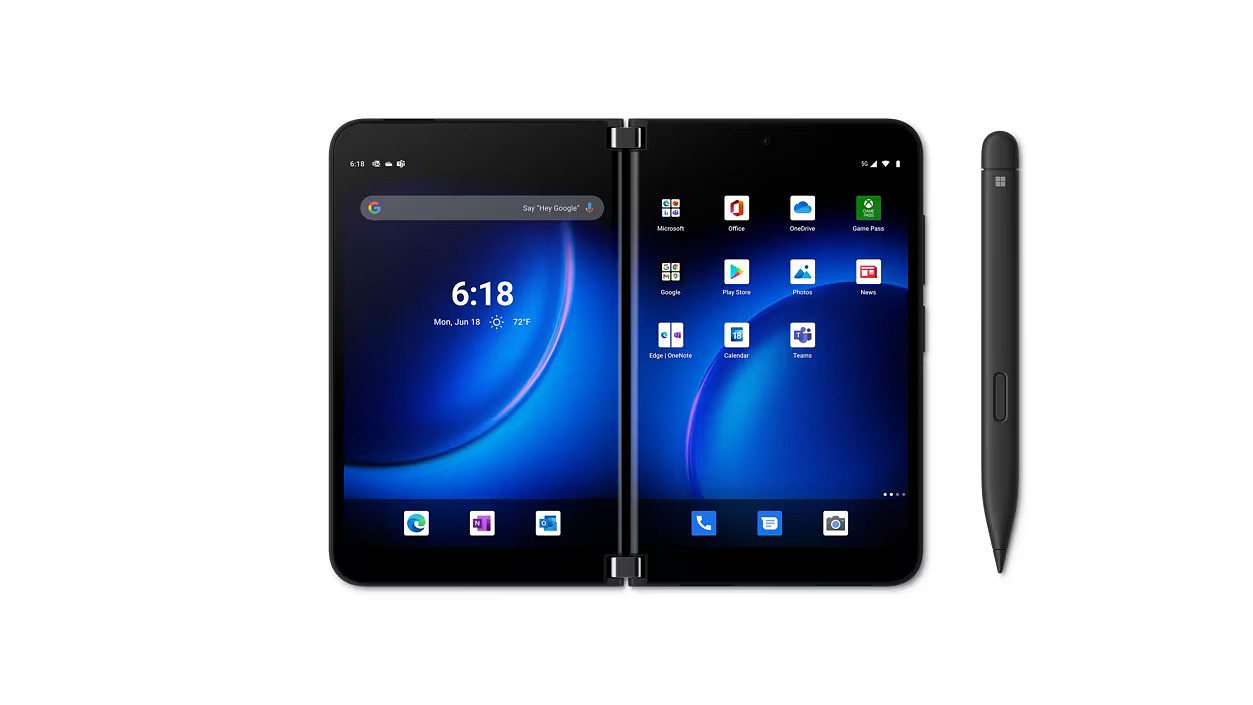
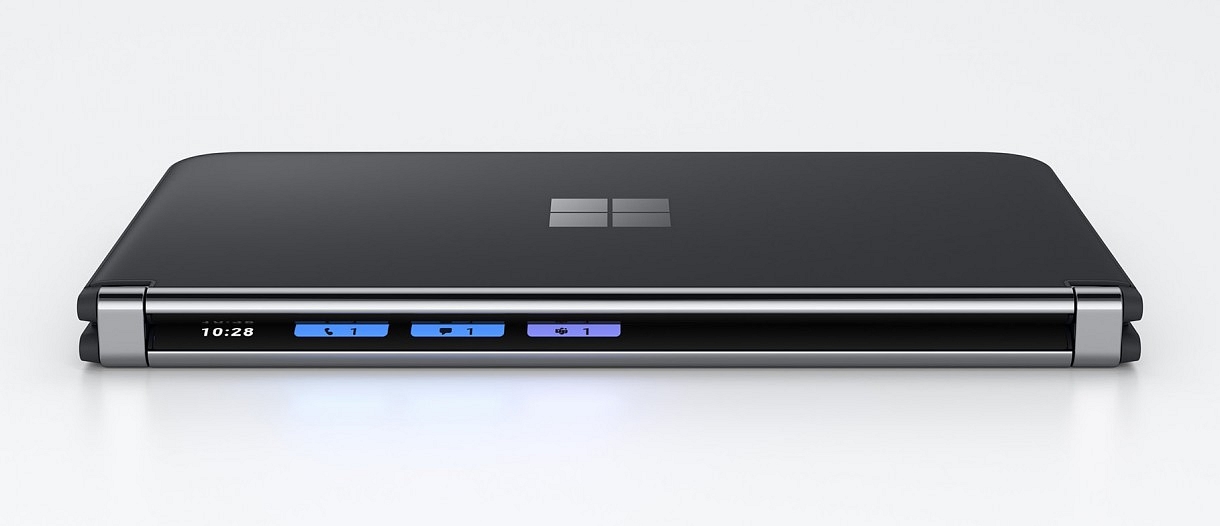
The Microsoft Surface Duo 2 is an advanced dual-screen smartphone, ideal for personal and professional purposes. It has a high-powered Qualcomm Snapdragon 888 processor at its core, ensuring great speed and seamless performance. With the added advantage of 5G connectivity, users can effortlessly stream, browse, and work from any location. The device boasts two 5.8-inch AMOLED displays that combine to form a unified 8.3-inch PixelSense Fusion display. This innovative configuration empowers users to maximize productivity by simultaneously running multiple applications, taking notes while reading, or enjoying a video while browsing the internet.

Display5.8 inches (folded), 8.3 inches (unfolded)
ProcessorQualcomm Snapdragon 888
RAM/Storage8GB RAM, 256GB Storage
OSAndroid 11
Battery4,449mAh
PriceRs. 1,19,990
Buy LinkAmazon

Also Read | Samsung Galaxy Z Flip 4 5G vs OPPO Find N2 Flip: Best Foldable Smartphone for 2023

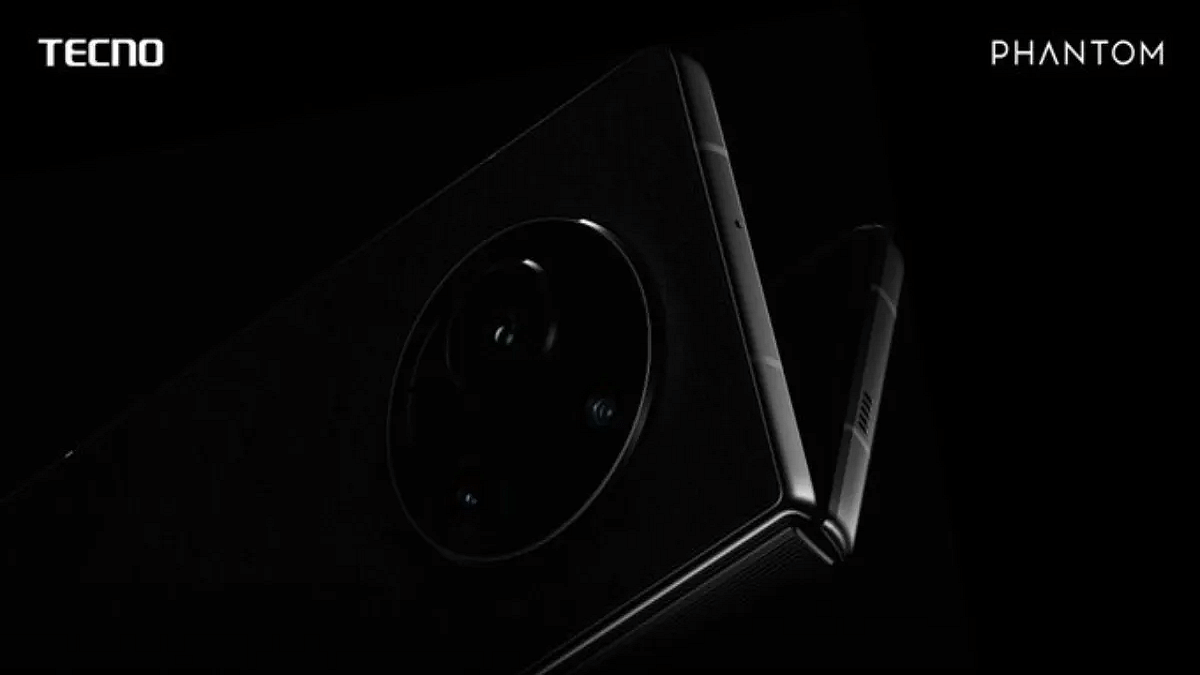
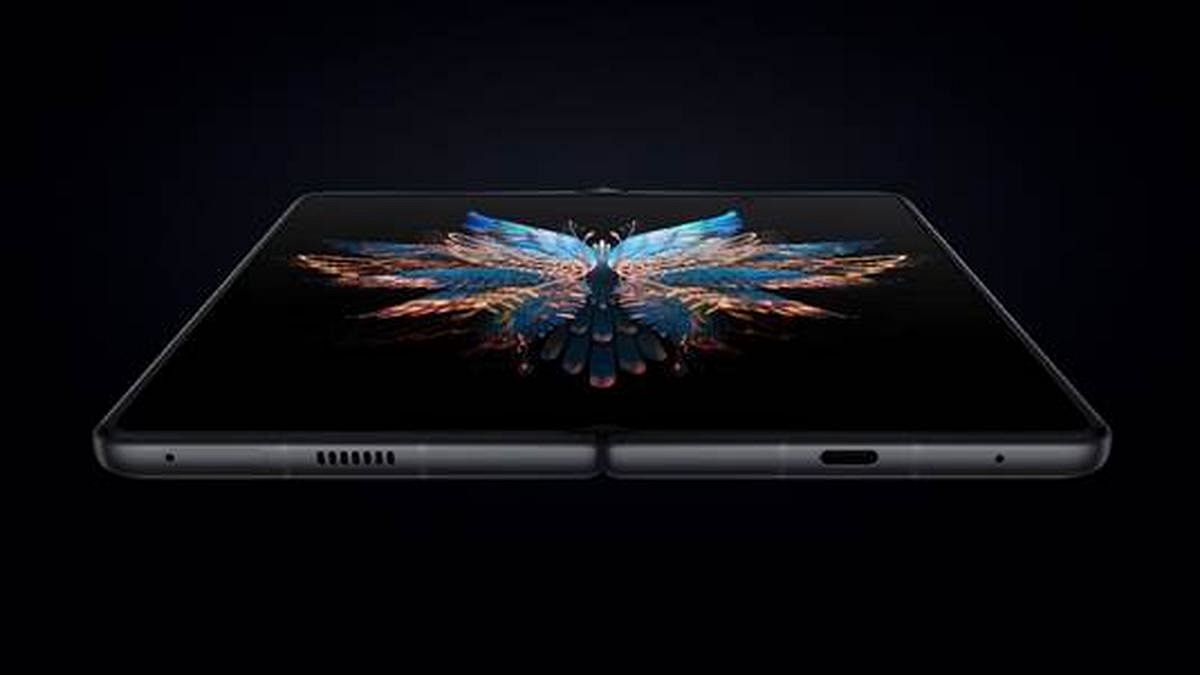
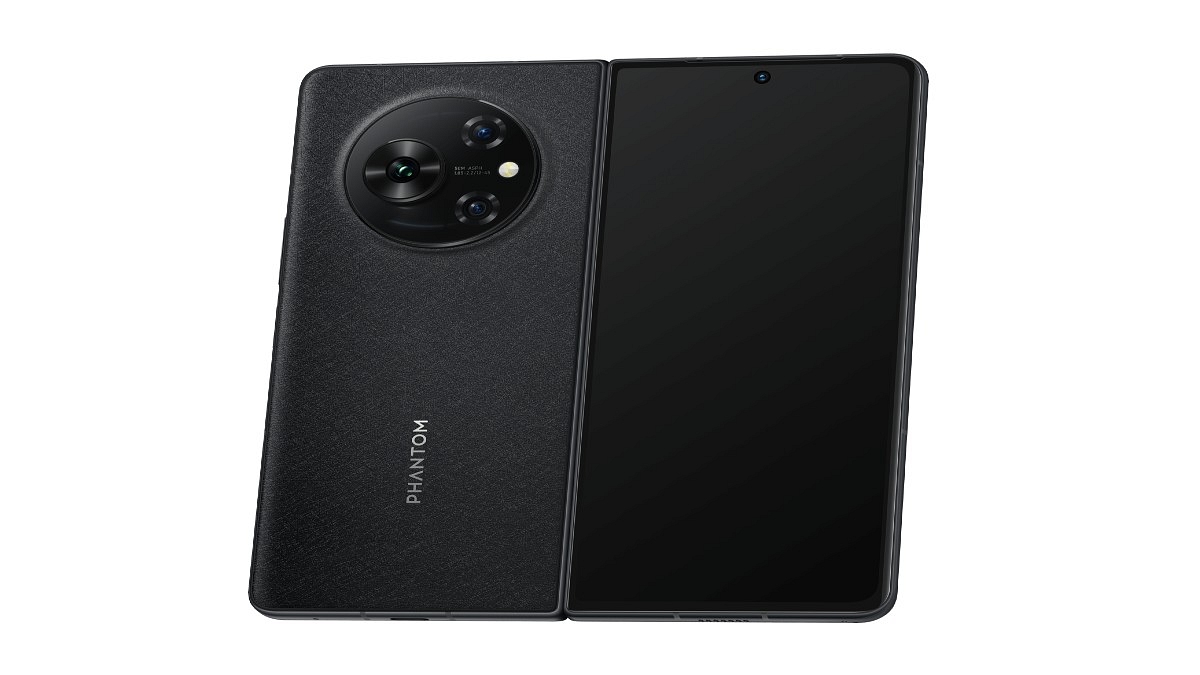
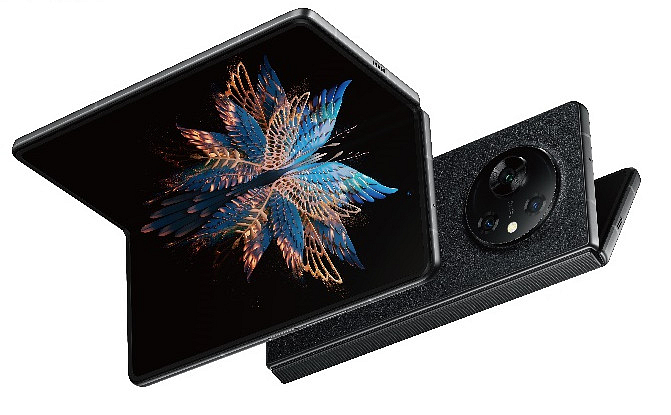
Tecno Phantom V Fold 5G

The Tecno Phantom V Fold 5G is equipped with an expansive 6.42-inch LTPO AMOLED cover display, featuring a full-HD+ resolution. When the phone is unfolded, you’ll be greeted with an even larger 7.85-inch main LTPO AMOLED display, boasting a resolution of 2,000×2,296 pixels. Both displays offer a smooth user experience with their high 120Hz refresh rate. As for the processor, the V Fold is bundled with the MediaTek Dimensity 9000+. It comes with a single option of 12GB RAM, and you can choose between 256GB or 512GB storage capacities.

Display6.42 inches (folded), 7.85 inches (unfolded)
ProcessorMediaTek Dimensity 9000+
RAM/Storage12GB RAM, 512GB Storage
OSAndroid 13
Battery5,000mAh
PriceRs. 88,888
Buy LinkAmazon

Also Read | Best Phones With Fast Charging Under Rs. 15,000

Categories
Apps Featured How To

How To Book Your Uber Ride 90 Days In Advance: A Step-by-Step Guide

Key Highlights

  • Riders will now be able to book Uber rides 90 days in advance
  • Riders can cancel for free up to 60 minutes prior to the pickup, according to Uber
  • Prior to booking, riders who are scheduling the ride can view the cost

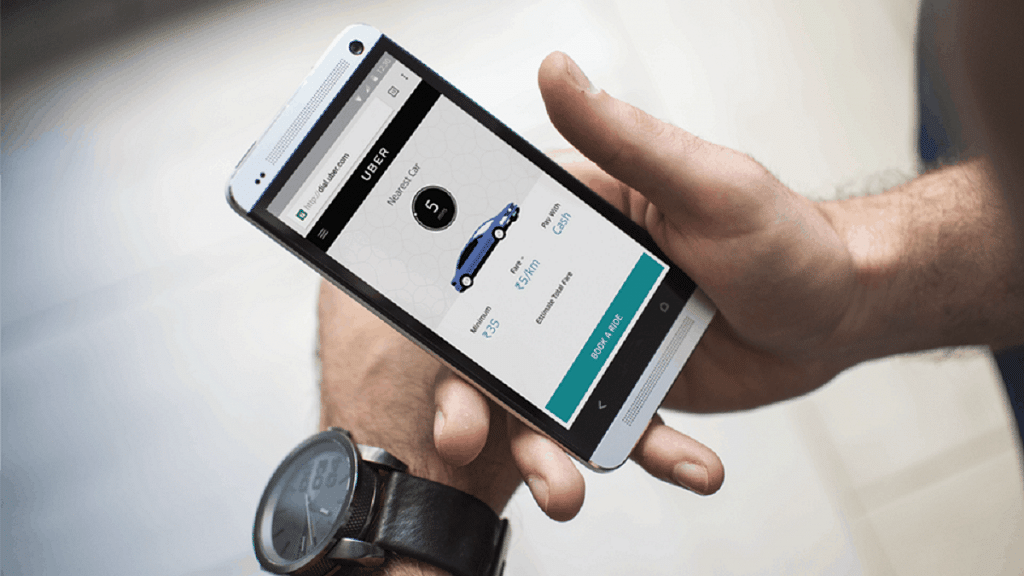
Uber has launched a new feature called Uber Reserve, allowing users to book cab rides up to 90 days in advance. Similar to the process of booking flights and hotels, riders can now plan their trips and secure Uber rides well ahead of time. This feature is currently available in the United States and Canada.

Also Read | Book An Uber Ride Using WhatsApp: Follow These Steps

Booking Rides In Advance With Uber Reserve

To facilitate advanced bookings, Uber Reserve provides users with the upfront price and advanced details about their assigned driver. According to an official blog post, Uber has begun rolling out this feature, enabling riders to schedule rides up to 90 days in advance. This allows for better trip planning and eliminates last-minute transportation concerns.

Steps To Book Uber Rides In Advance

Here’s a step-by-step process for booking Uber rides 90 days in advance:

Step 1: Open the Uber app on your device.

Step 2: Look for the “Uber Reserve” option and tap on it.

Step 3: Select the desired date and time for your pickup.

Also Read | From Ola To Rapido: Top Five Ride-Hailing Apps In India

Step 4: Review the details and price of the ride before confirming the booking.

Step 5: Keep in mind that you have the option to cancel the reservation for free up to 60 minutes before the scheduled pickup time.

Additionally, Uber offers some new features for users, such as Directions to Pickup and Walking ETAs. With the Directions to Pickup feature, the app provides step-by-step in-app directions to guide you to the designated Uber pickup area. This feature is currently available at over 30 airports worldwide, with plans for expansion. The Walking ETA feature helps you estimate the time it will take to walk from the gate to the baggage claim area. It will soon be available in more than 400 airports globally.

Also Read | From The Road To The Air: Uber Now Offers Flight Booking From Its App

Uber’s Advanced Booking And Features

By following these steps, users can take full advantage of Uber’s new features and easily book rides up to 90 days in advance. With Uber Reserve, riders can secure their transportation well ahead of time, gaining peace of mind and eliminating last-minute worries.

For the tech geeks, stay updated with the latest cutting-edge gadgets in the market, exclusive tech updates, gadget reviews, and more right on your phone’s screen. Join Giznext’s WhatsApp channel and receive the industry-first tech updates.

Categories
Apps Featured How To

Simplify Your Sharing Experience: How To Use Nearby Share On Windows

Key Highlights

  • Google makes Nearby Share available for Windows desktops and laptops
  • Nearby Share for Windows is still in beta, but anyone can download and use it
  • Files can be wirelessly and quickly transferred from an Android device to a Windows PCs using Nearby Share for Windows

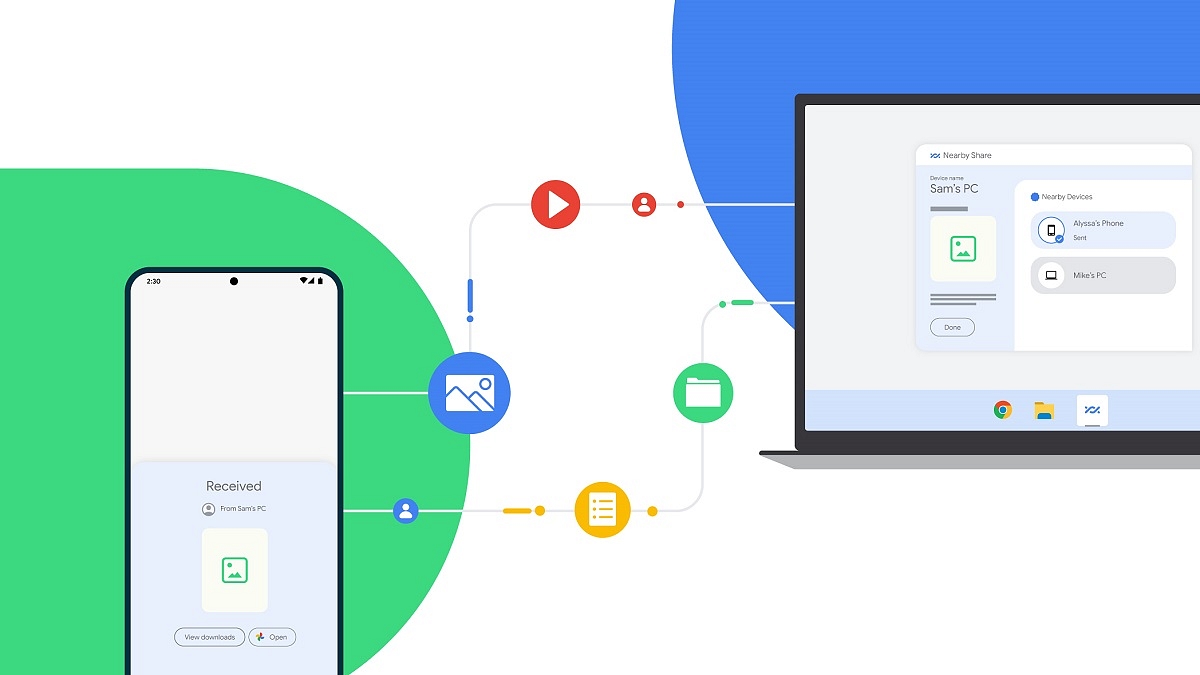
Google’s Nearby Share on Android offers fast and simple file transfers between Android devices. As for Apple users, AirDrop enables quick file sharing between iPhone, iPad, and Mac devices. However, when it comes to Windows PCs, users often rely on third-party alternatives or use P2P file-sharing websites, as well as the traditional wired transfer method. Thankfully, there’s no longer a need to resort to such inconvenient approaches, as Google has recently introduced Nearby Share for Windows, which functions flawlessly on Windows 11 machines. In this article, we will guide you through the process of wirelessly sharing files in a matter of seconds between an Android phone and a Windows PC.

Also Read | Want To Create A New Folder In Windows 11? Here Are Simple Ways To Do It

Steps To Share Files Between Android And Windows Via Nearby Share

It is important to mention that Nearby Share for Windows is currently in beta but accessible to everyone. Google anticipates receiving direct feedback on the feature from the general public. Here are the steps to follow:

Step 1: Launch a web browser on your Windows PC.

Step 2: Visit the Nearby Share Beta for Windows website.

(Please note that the app is compatible with Windows 10 64-bit and higher versions and does not support ARM devices.)

Step 3: Click on ‘Get Started with Beta’ to initiate the app download.

Step 4: After downloading, install and open the app.

Also Read | Worried About Laptop Privacy: Best Windows Laptop With Fingerprint Reader Biometrics

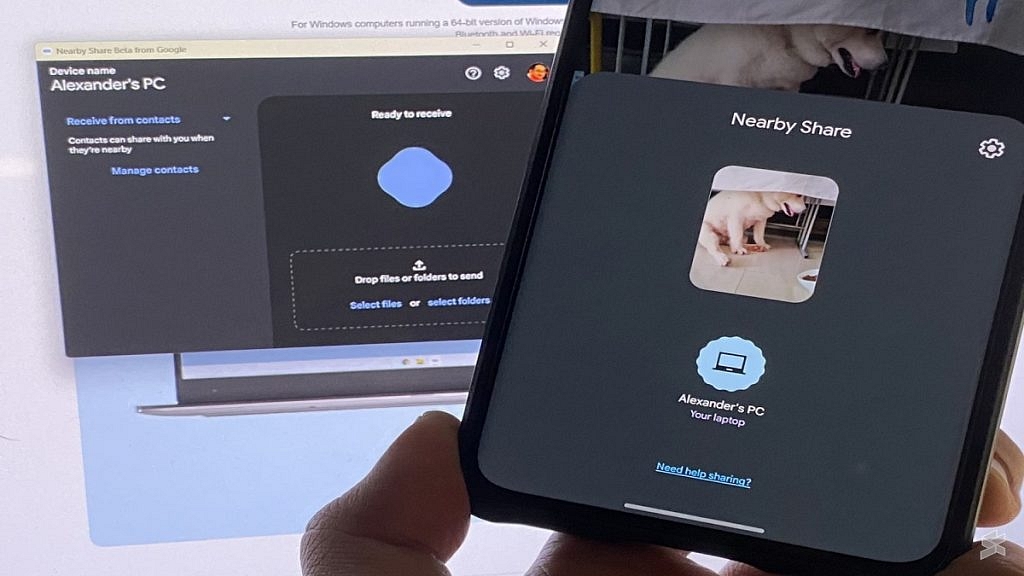
Step 5: Sign in with your Google account and grant the app all necessary permissions. Choose between ‘Everyone’ or ‘Contact’ from the dropdown menu, based on your preference. Selecting ‘Everyone’ allows anyone near your PC to share files with it.

Step 6: Open the gallery on your Android phone, select the desired media (photos, videos, or other files), and tap the Share button.

Step 7: Choose ‘Nearby Share’ from the available options and wait for your PC to appear on the screen.

Step 8: Tap on your PC, and the selected media will be swiftly transmitted to it. You can also utilize this process in reverse by sending files from your Windows PC to your Android phone. Be aware that as the Windows app is in beta, you may encounter certain issues. However, Google aims to address these problems as it prepares the stable version.

For the tech geeks, stay updated with the latest cutting-edge gadgets in the market, exclusive tech updates, gadget reviews, and more right on your phone’s screen. Join Giznext’s WhatsApp channel and receive the industry-first tech updates.

Categories
Apps Featured

100+ Creative And Memorable YouTube Channel Name Ideas For Unboxing

Key Highlights

  • Key to unboxing video success: a standout YouTube channel name
  • Memorable names set you apart and attract viewers
  • Our list offers attention-grabbing options for your unboxing videos

Finding the perfect YouTube channel name for your unboxing videos is crucial for establishing your brand and attracting a loyal audience. A catchy and memorable name can set you apart from the competition and give viewers a sense of what to expect from your content. Whether you’re unboxing tech gadgets, beauty products, or toys, we’ve compiled a list of creative and engaging YouTube channel name ideas that will make your unboxing videos stand out in the vast sea of content. Also Read | YouTube Channel Naming Ideas: 100+ Best Names For YouTube Educational Channels

Catchy YouTube Channel Name For Unboxing

Unbox UniverseUnbox OasisUnboxify World

Unboxing ExtravaganzaUnboxing DelightsUnbox Masters
The Unbox ShowThe Unbox LoungeThe Unboxing Guru
Unbox ManiaUnboxing GaloreUnbox Sensei
Unveil & RevealUnboxify It!Unbox Haven
Unbox ExplorerUncover the MysteryUnveil Marvels
The Unboxing ZoneThe Unbox VaultThe Unbox Empire
UnboxifyUnboxing JunctionUnbox Frenzy
Unbox PioneersLets UnboxUnboxing World
Trendy YouTube Channel Name For Unboxing

Unboxing UnleashedUnbox CentralThe Unbox Corner
Unbox ManiacUnbox DreamersUnbox Revolution
Unbox and BeyondUnboxify NationUnbox Haven
Unbox PhenomenonUnbox PursuitUnboxify Studio
The Unboxing ChroniclesThe Unboxing ExperienceUnbox Zen
Unbox SavvyUnbox QuestThe Unbox Depot
Unveil WondersUnveil TreasureUnbox Savants
The Unbox EnigmaUnbox SenseUnveil Excellence

Also Read | 100+ Best DIY YouTube Channel Name Ideas In 2023

Amazing YouTube Channel Name For Unboxing

Unbox FusionUnveil SpectacleUnbox Fusion
The Unboxing JunctionUnbox VisionUnveil Rapture
Unbox ProsThe Unbox AuthorityUnboxify Oasis
Unbox SerendipityUnbox LegendsUnbox Maestros
Unboxify XperienceUnboxify ChroniclesThe Unbox Universe
Unbox SensationUnbox PhenomenaUnbox Revolution
The Unboxing LabUnbox ParadigmUnboxify Masters
Unboxify EliteThe Unboxing GalleryUnveil Majesty

Cool YouTube Channel Name For Unboxing

Unboxify PhenomenonUnboxify RealmUnboxify Enigma
Unveil SymphoniesUnveil MarvelUnveil Valhalla
The Unbox FactoryThe Unboxing LabThe Unbox Empire
Unbox EnthusiastsUnbox AcademyUnbox Magicians
The Unboxing ManiaUnveil EmporiumUnveil Odyssey
Unbox ExpertsThe Unbox SanctuaryThe Unboxing Oasis
Unboxify EnigmaUnbox ProsUnbox Visionaries
Unbox QuestUnboxify XpertsUnbox Nexus
Unboxify SanctuaryUnveil UtopiaThe Unboxing Dream

Choosing the right YouTube channel name for your unboxing videos can greatly impact your success in the digital realm. A well-crafted name can draw attention, build anticipation, and reflect the essence of your content. Feel free to mix and match words or add your own creative touch to these suggestions. Good luck with your YouTube channel!

Categories
Apps Featured How To

Need Help With Zomato UPI Payments? Here’s A Step-by-Step Tutorial

Key Highlights

  • Zomato has launched Zomato UPI in India
  • Selected users can access Zomato UPI as part of a pilot program
  • This new feature has been introduced via a collaboration with ICICI Bank

Zomato has introduced its own unified payments interface (UPI) services in India to enhance customer payment convenience. In collaboration with ICICI Bank, Zomato now enables users to make UPI payments directly on their platform, offering a secure transaction experience. To add an extra security layer, users can set a security PIN for UPI transactions. This move comes at a time when merchant payments on UPI in India are projected to reach $1 trillion by FY26.

By launching Zomato UPI, the online food delivery platform aims to streamline the payment process for users, eliminating the need to switch between different payment apps like Google Pay, PhonePe, and Paytm.

Also Read | Hungry But Low On Budget? Here Are The Top Four Cheapest Food Delivery Apps In India

Zomato has provided instructions for users to apply for Zomato UPI via the iMobilePay app, as stated on their support page. The company also allows users to link their existing bank accounts to Zomato UPI, offering flexibility for those who prefer not to create a new UPI ID.

Currently, Zomato UPI is in its pilot stage and is accessible only to a limited number of users. However, Zomato plans to gradually expand this service to all its users in the future. If you happen to be one of the fortunate users with access to Zomato UPI, here’s a guide on how to use this feature.

How To Use Zomato UPI?

Follow these steps to use Zomato UPI and experience hassle-free transactions:

Step 1: Launch the Zomato app on your device.

Step 2: Navigate to the profile section within your Zomato account.

Also Read | Want To Make Paytm UPI Payments To Non-Paytm Users? Here’s The Trick

Step 3: Scroll down until you find the Zomato UPI feature.

Step 4: Tap on the ‘Activate Zomato UPI’ option.

Step 5: Choose your preferred Zomato UPI ID, which will serve as your unique identifier.

Step 6: Select the mobile number associated with your Zomato account.

Also Read | Everything You Should Know About Airtel And Axis Bank Credit Card: Here’s How To Use

Step 7: Connect your bank account to securely link it with Zomato UPI.

By following these simple steps, you can unlock the convenience of Zomato UPI, enabling seamless payments directly within the app. Enjoy a safe and streamlined payment experience with Zomato UPI, eliminating the need for external payment apps.

For the tech geeks, stay updated with the latest cutting-edge gadgets in the market, exclusive tech updates, gadget reviews, and more right on your phone’s screen. Join Giznext’s WhatsApp channel and receive the industry-first tech updates.

Categories
Apps Featured How To

Magnify Anything, Anywhere: Learn How To Use Your iPhone As A Magnifying Tool

Key Highlights

  • The Magnifier app helps you zoom in to the details of an object near you
  • Users can also adjust the image brightness and contrast, as well as apply color filters
  • There’s also the option to freeze one or more frames to review them

Our iPhones have replaced many tools and gadgets, including cameras, calculators, flashlights, notepads, GPS units, and compasses. Now, there’s another item your iPhone can replace—a magnifying glass. Today, we’ll explore the iPhone’s Magnifier app, a handy tool that magnifies objects or text using your iPhone’s camera.

Also Read | Invisible Messages On iPhone: How To Send Invisible Messages Using iMessage On iPhones?

The Magnifier App On iPhone

The iPhone’s Magnifier app turns your iPhone or iPad into a magnifying glass. This lets you zoom in on nearby objects or text. By utilizing your iPhone’s built-in camera, Magnifier enlarges the objects or text, enhancing visibility for your convenience.

How To Turn On Magnifier App

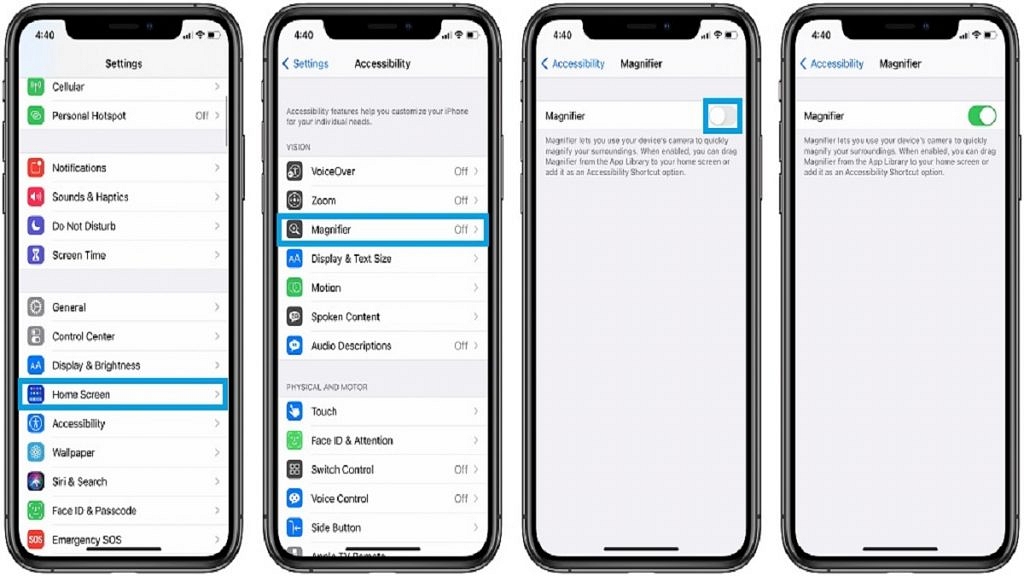
Enabling Magnifier is a simple process. Follow these steps:

Step 1: Go to Settings > General > Accessibility.

Step 2: Tap on “Accessibility.”

Step 3: Choose “Magnifier.”

Step 4: Activate the switch next to Magnifier.

Step 5: To enable automatic adjustment of brightness and contrast based on ambient light, toggle the switch next to Auto-Brightness.

Also Read | iOS Tips And Tricks: How To Setup And Use AutoFill For Contact Cards And Credit Cards In Safari On iPhones And iPads

How To Use Magnifier App

After enabling Magnifier, tap the button on the right side of your iPhone three times to activate it. For older iPhone models, press the home button to turn on the magnifier.

The Magnifier feature functions similarly to the iPhone’s camera app. Point it at the text or object you wish to magnify and take a picture. Adjust the magnification level by dragging the slider or lock the focus by tapping the lock button. In Magnifier, you can apply filters, activate the flashlight, freeze-frame the image, and zoom in or out using the available options.

For the tech geeks, stay updated with the latest cutting-edge gadgets in the market, exclusive tech updates, gadget reviews, and more right on your phone’s screen. Join Giznext’s WhatsApp channel and receive the industry-first tech updates.