Categories
Featured How To Telecom

Want To Block Unwanted Calls? Here’s How To Activate DND On Jio

Key Highlights

  • Activate DND on your Jio connection to effectively reduce spam voice calls and text messages
  • You can choose from multiple convenient methods to activate DND on Jio, including SMS, IVR, and more
  • Activating DND is completely free of charge, and you won’t incur any fees from your telecom service provider

Do Not Disturb or DND is a service offered by telecom service providers in India, including Jio, to help customers block unwanted calls and messages from telemarketers and advertisers. This free service is designed to reduce spam and safeguard privacy. In this article, we will guide you through the process of activating DND on your Jio connection. Also Read | Want To Install Jio TV On Your Smartphone? Here’s The Step-By-Step Guide

Methods To Activate DND On Jio

Three convenient ways to activate DND on Jio are via SMS, IVR, or online. Follow the steps below:

Activating DND via SMS

Step 1: Open the text messaging app on your phone and compose a new message.

Step 2: Type “START 0” in the text box and send it to 1909.

Step 3: You will receive an instant SMS confirming your request for DND activation.

Step 4: Follow the instructions provided in the SMS to complete the activation process.

Also Read | Want To Port Your Vodafone Number To Jio? Here’s How To Do It

Activating DND via IVR

Step 1: Dial 1909 from your registered Jio number.

Step 2: Follow the instructions given through the interactive voice response (IVR) system to activate DND on your number.

Activating DND via Jio Website
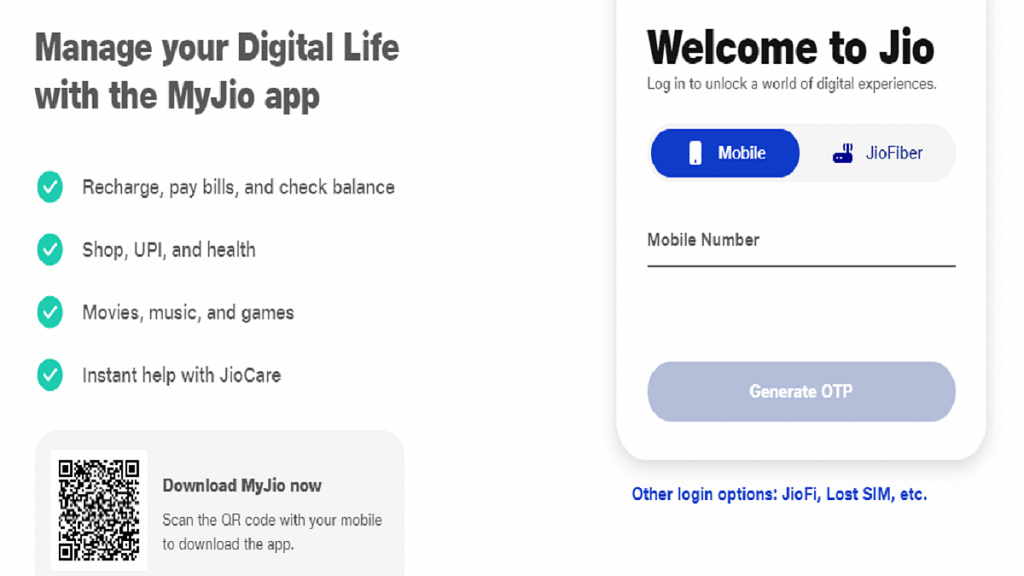
Step 1: Visit the Jio website or open the My Jio app and log in using your mobile number.

Step 2: Navigate to the Settings tab and select the “Do Not Disturb” option.

Step 3: Follow the instructions provided to activate DND on your number.

Activating DND Using MyJio App

Step 1: Launch the MyJio app on your device and log in using your registered Jio mobile number.

Step 2: Tap on the Menu icon and go to “Profile & other Settings.”

Step 3: Select “Do not Disturb” from the options.

Step 4: Tap on “Set Preference.”

Step 5: Customize your preferences for call and SMS blocking and submit the request.

Important Points To Consider When Activating DND
When activating DND on your Jio mobile number, remember the following:

  • DND may take up to seven working days to become fully effective. During this period, you might still receive some promotional calls and messages.
  • DND does not block calls and messages from your contacts or essential services such as banks or healthcare providers. You will need to register separately with each of them to continue receiving their communications.
  • Activating DND is free of charge, and your telecom service provider will not impose any fees for this service.

Also Read | JioCinema Brings In HBO And WB Shows With The Launch Of Premium Subscription Plan: See Price
Categories
Featured How To Mobile

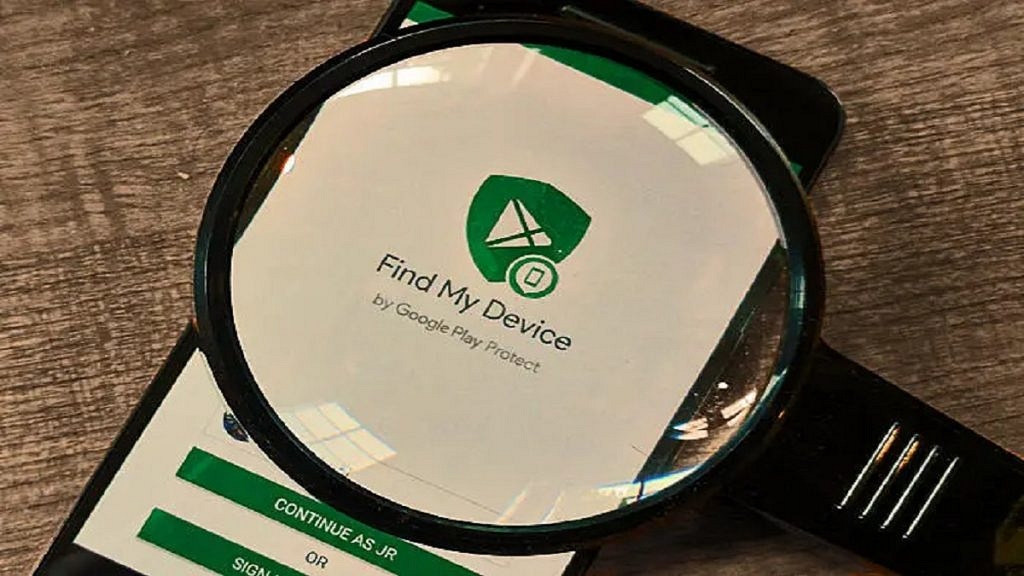
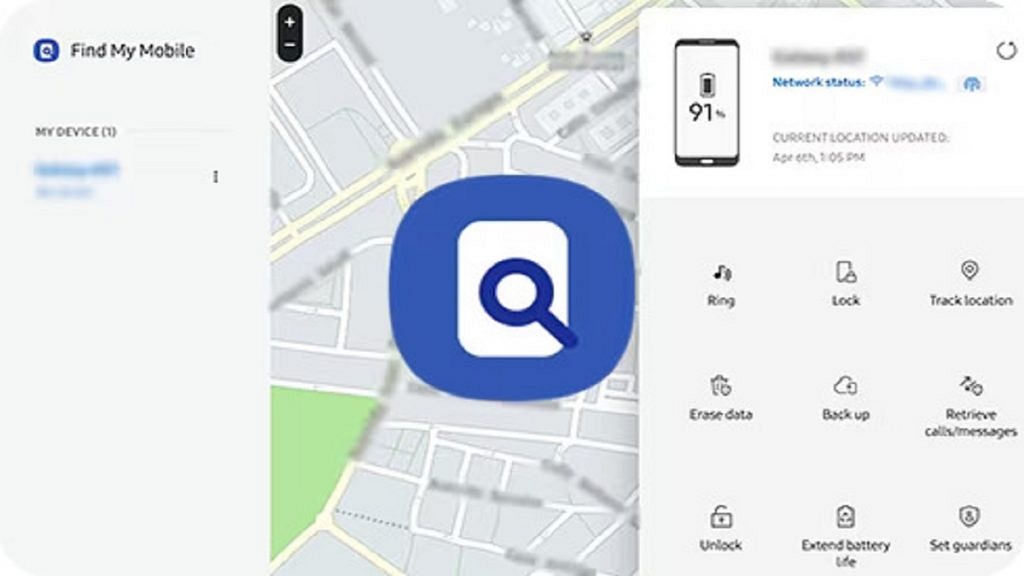
Lost Your Samsung Smartphone? Learn How To Track It Using Find My Mobile And Find My Device

Key Highlights

  • With the help of Find My Mobile and Find My Device, you have the tools to track and recover your lost Samsung phone
  • Find My Mobile is specifically designed to locate and track lost or misplaced Samsung smartphones
  • Enable these features in advance to be prepared in case of any unfortunate incidents

Losing or misplacing your Samsung smartphone can be a worrisome experience, but don’t worry, we’ve got you covered. In this article, we will explore different methods to help you locate your lost Samsung phone. By following the steps outlined below, you can trace its last location using Google Maps, activate ringing even if the phone is on silent mode, and remotely lock it. Let’s dive in and find out how you can retrieve your lost Samsung smartphone. Also Read | Here’s How You Can Recover Lost Or Deleted Data In Windows 11 Laptops, PCs

How To Find Your Lost Samsung Smartphone Through Find My Mobile

Samsung’s proprietary tool, Find My Mobile, is specifically designed to locate and track lost or misplaced Samsung smartphones. This tool can track your device, even if it is not connected to the internet, by using your Samsung account. Here’s how you can use it:

Step 1: Visit Samsung’s official SmartThings website on a phone or laptop.

Step 2: Sign in to the website using the same Samsung account associated with your lost phone.

Step 3: From the left menu, select your lost device.

Step 4: Wait for the website to display your Samsung phone’s last known location.

Step 5: If the device is online, you can track it in real-time; otherwise, you’ll only see its last location.

Step 6: When the battery reaches 20 percent and the “Send last location” feature is enabled, the device will automatically send its location to the Find My Mobile server to alert you.

Step 7: The “Track location” feature, when enabled, provides location alerts every 15 minutes, and the tracking history is stored for seven days.

Step 8: Even if the lost or stolen Samsung phone is offline and lacks internet access, Find My Mobile can still show its location if the Offline finding feature is enabled. This feature uses other Samsung devices via Bluetooth to create a chain and notify you of the phone’s location.

Also Read | How To Find Or Track Lost Apple AirPods Easily: Step By Step Guide

How To Find Your Lost Samsung Smartphone Using Find My Device

If you didn’t enable the Find My Mobile feature on your Samsung phone, you can use Google’s Find My Device service. Follow these steps to begin the search for your lost Samsung smartphone:

Step 1: Visit Google’s official Find My Device website or download the app on another Android phone.

Step 2: Sign in using the same Google account associated with your lost phone.

Step 3: Once signed in, you will be able to view its location as the tool automatically activates location access and mobile data.

Note that Find My Device does not offer an offline tracking feature at present. However, it provides several options to safeguard your data. These include resetting the data, signing out of the Google account, and playing a loud sound to help locate the phone when it is nearby.

Also Read | Tecno Phantom V Fold Vs Samsung Galaxy Z Fold 4: Price, Full Specs Comparison

Categories
Apps Featured

Running Low On Google Storage? Five Best Techniques To Clear Your Gmail Space

Key Highlights

  • Gmail provides 15GB of free storage to store emails, attachments, files, photos, and more
  • Once this storage limit is reached, you may encounter restrictions on sending or receiving emails and accessing certain G Suite apps
  • To free up space in your Gmail account, you can employ various methods such as deleting unread emails, targeting large emails, and more

Gmail offers 15GB of free storage for files, photos, and more. However, once your storage is full, you may encounter limitations such as being unable to send or receive new emails or access certain G Suite apps. To increase your Gmail storage capacity, you have the option to subscribe to Google One, which offers additional storage plans starting at Rs. 130 per month. This allows you to seamlessly add more space to your Google account. This article provides guidance on how to clear storage in your Google/Gmail account. Here are five effective methods:

Also Read | Gmail Useful Tricks: How To Add, Customize Digital Signatures On Gmail

Delete Unread Emails: Streamline Your Inbox

Unread emails can quickly accumulate, especially from promotional emails. By deleting all unread emails at once, you can free up space and declutter your Gmail inbox.

Delete Large Emails: Targeting Space-Consuming Messages

Instead of solely deleting old emails, focus on identifying and removing emails with large file sizes. This method helps you reclaim storage by specifically targeting space-consuming messages.

Delete Old Emails: Effortless Storage Cleanup

Deleting old emails is an easy way to clear Gmail storage. You can either delete individual emails or delete entire conversation threads, depending on your preference.

Also Read | Struggling With Message Composition? Let Google Magic Compose’s AI Assist You! Here’s How

Clean Google Photos: Optimizing Media Storage

Aside from emails, Google Photos and Drive also contribute to your Gmail account’s storage usage. Clearing out unnecessary images and videos, starting with duplicates, can create additional space. Sorting media by upload date can help identify and remove duplicate files.

Clean Google Drive: Removing Redundant Files And Folders

Similarly, you can follow a similar approach to clean up your Google Drive. Identify and select unnecessary and outdated files, such as PDFs, DOC files, and APKs, and delete them to move them to Google Trash.

By implementing these methods, you can effectively clear storage in your Gmail account, ensuring optimal functionality and ample space for your email and file storage needs.

Also Read | Gmail Tips And Tricks: How To Secure Your Google Account With Two-Factor Authentication

Categories
Featured Info

Indian Users Targeted By DogeRAT Android Trojan: Guard Your Personal And Financial Data

Key Highlights

  • A new type of remote access virus called DogeRAT poses as trustworthy entertainment and banking applications.
  • The TRIAD team at CloudSEK found that the malware was aimed at Indian users.
  • It is particularly harmful because it impersonates popular apps like YouTube, Netflix, ChatGPT, etc.

CloudSEK, an AI cybersecurity company, has recently discovered DogeRAT (Remote Access Trojan), an open-source Android virus. This malware is mainly transmitted through compromised websites and unofficial app marketplaces, putting businesses at risk by stealing personal and financial information. Also Read | Android Tips And Tricks: Here’s How To Make Your Smartphone More Useful

Capabilities Of DogeRAT: Data Theft And Remote Access

DogeRAT is a complex Android malware that not only steals personal data but also provides remote access to the infected device. It bombards users with unwanted advertisements and can take control of the victim’s device to send spam, make unauthorized payments, modify files, access call logs, and even capture photos using both front and back cameras.

Upon activation, DogeRAT gains access to a wide range of information and capabilities, including call records, audio recordings, SMS messages, media files, and images.

Counterfeit Apps And DogeRAT Malware Campaign

Further investigation has revealed the presence of numerous counterfeit apps targeting Android users in sectors such as finance, gaming, and entertainment. This discovery has brought the DogeRAT malware campaign to light.

The campaign has also exposed the distribution of updated Remote Access Trojans (RATs) and repurposed malicious apps, enabling the proliferation of low-cost and easily executable scam schemes.

Also Read | WhatsApp Chat Lock Privacy Feature Released For Android, iOS: How To Lock WhatsApp Chats Using This New Feature?

Precautions To Protect Against DogeRAT Trojan

To safeguard your Android device from the DogeRAT Trojan, it is essential to take the following precautions:

  1. Avoid clicking on unknown links or opening attachments from unfamiliar sources.
  2. Keep your device’s software up to date by promptly installing Android updates and patches provided by your device vendor, as they often include critical security enhancements.
  3. Utilize a reliable security solution to protect your device from malware and other threats.
  4. Exercise caution when faced with urgency, fear, or greed tactics employed by scammers to deceive victims. Do not open attachments or click on links in communications or offers if you are unsure about them.
  5. Educate yourself about malware to improve your ability to detect and avoid it.
  6. Refrain from sideloading apps from untrusted sources, websites, or public forums.

Mitigating The Risk Of DogeRAT And Similar Threats

Users can improve the security of their Android devices and lessen the risk posed by DogeRAT and related attacks by practicing caution and putting certain preventive measures in place. It is worth noting that another malware called ‘Daam’ is currently affecting Android devices, stealing browsing history and exposing call records. The Indian Government has already issued an advisory on the Daam malware.

Also Read | WhatsApp Security Code: What Is It? How To Get WhatsApp Security Code Notification On Android, iPhones, And Laptop/ PC?

Categories
Accessories Featured Info

Amazon Echo Pop Smart Speaker Unveiled In India: Check Out Price And Features

Key Highlights

  • Amazon launched its Echo Pop smart speaker in India
  • The Echo Pop integrates Amazon’s renowned voice assistant, Alexa
  • This smart speaker is priced at Rs. 4,999 in India

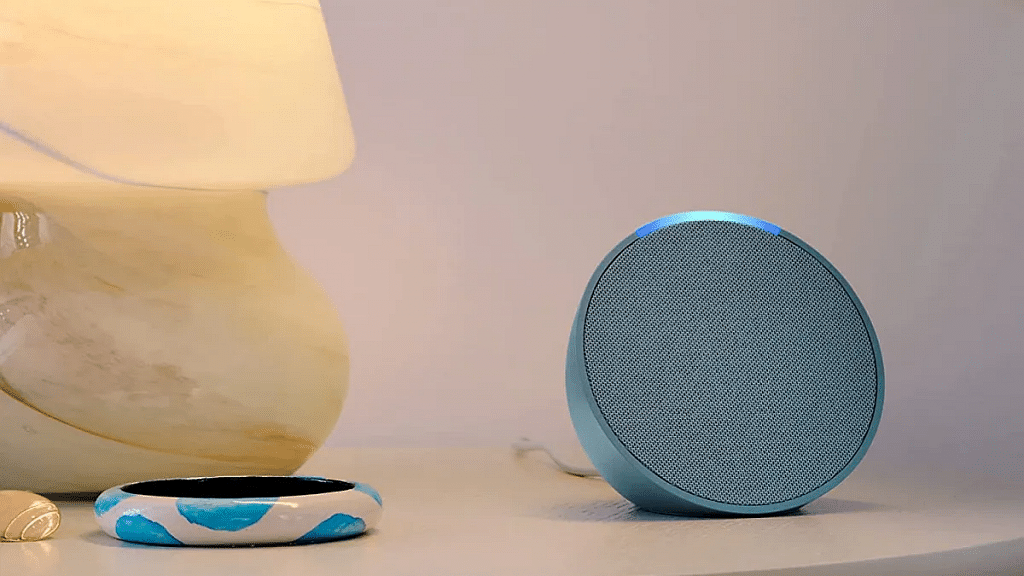
Amazon’s commitment to updating its Echo smart speaker range in India persists. And the most recent addition is the Echo Pop, which was unveiled at a global event earlier this year. The Echo Pop showcases a design reminiscent of table clocks, featuring a mesh exterior housing built-in speakers and a microphone to capture your voice commands for Alexa. Notably, Amazon introduces a new processor with the Echo Pop, guaranteeing swift and responsive interactions. Also Read | Best Smart Alarm Clocks To Buy In 2023

Amazon Echo Pop Specifications

Sound And Processor

With its front-facing directional speaker, the Amazon Echo Pop delivers powerful sound and well-balanced bass, ensuring a great audio experience. Equipped with Amazon’s AZ2 Neural Edge processor, this smart speaker boasts faster response times for Alexa commands.

Voice-Controlled Convenience

You can harness the full potential of Amazon Echo Pop by utilizing hands-free voice commands through Amazon Echo’s built-in functionality. Enjoy a seamless experience when playing music, requesting bedtime stories, checking cricket scores, setting reminders, and more.

Seamless Music Streaming

You can experience the convenience of connecting to popular music streaming apps like Spotify and Apple Music, enabling a vast library of music at your command. Additionally, the Echo Pop offers Bluetooth support, allowing you to play music directly from your phone, eliminating the need for Wi-Fi connectivity.

Also Read | Four Best Smart Water Bottles To Beat The Heat

Smart Home Integration

You can transform your living space into a smart home hub with the Echo Pop. Control smart devices such as lights and electrical appliances from renowned brands like Wipro, Syska, and Xiaomi. Moreover, you can effortlessly connect non-smart appliances via smart plugs, expanding your control over various devices.

Price And Availability In India

The newly launched Amazon Echo Pop, a smart speaker with a semi-sphere form factor, is now available in India. Priced at Rs. 4,999, it can be conveniently purchased online from Amazon or offline from Croma, Reliance Digital, Poorvika, and Amazon devices kiosks across the country.

Colors And Design

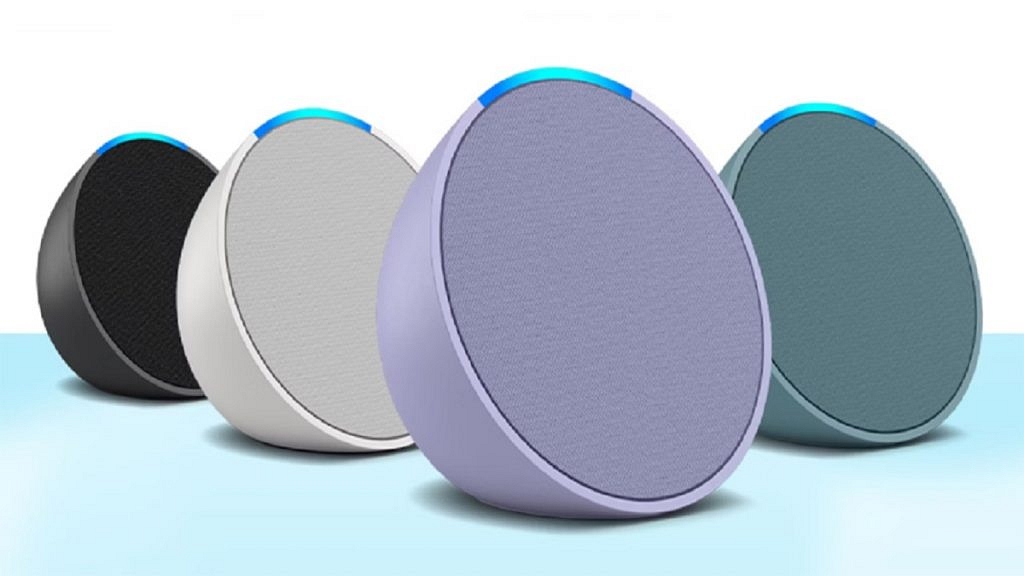
The Amazon Echo Pop has a unique semi-sphere design that will make it stand out from the crowd. You can choose from an array of four different colors, including the vibrant Green and Purple, as well as the classic White and Black.

Also Read | Best Smart Speakers Under Rs. 5,000: Check The List Here

Categories
Featured How To Mobile

Here’s How To Change Icon Colors On MIUI Launcher With Material You

Key Highlights

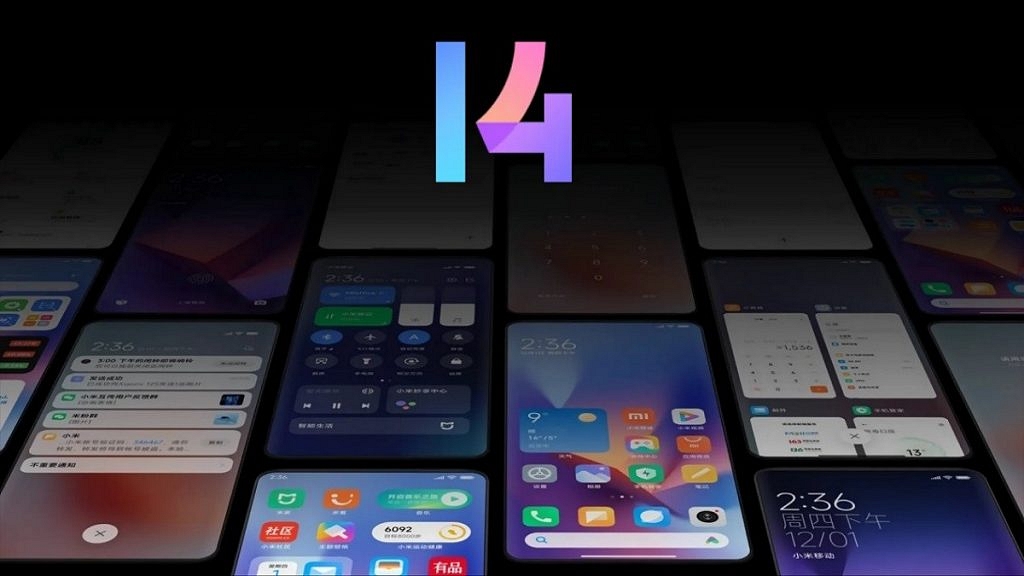
  • MIUI 14 features a covertly added function that lets users change the colors of the icons on the MIUI Launcher
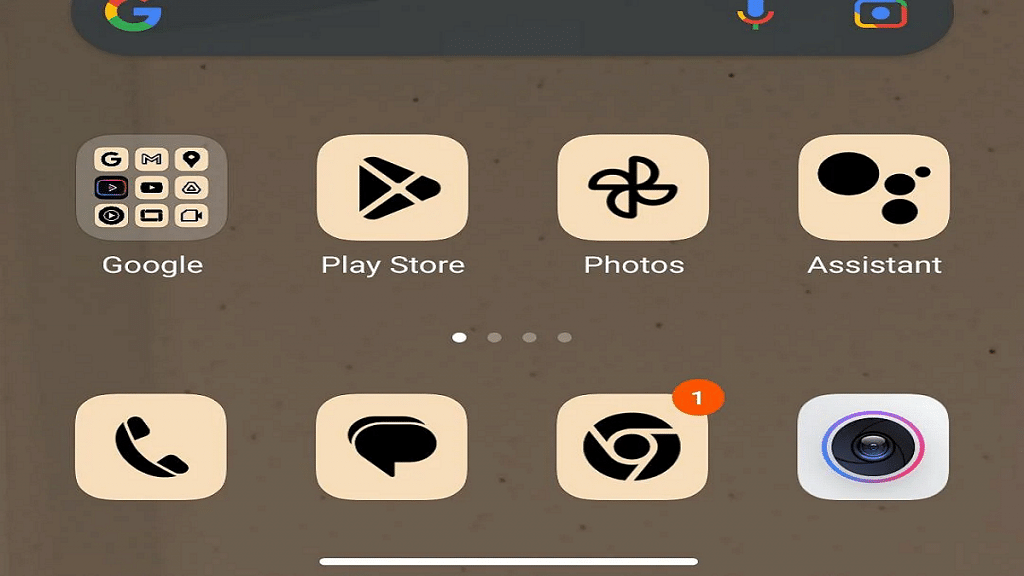
  • Users can choose from Blue, Green, Purple, and Brown colors
  • For some reason, the option is included under the Icon size settings

With the introduction of Google’s Material You design guidelines, Android received a much-needed visual revamp, refreshing its appearance from the previous Android 11 version. Various OEMs swiftly incorporated the bold UI design into their own Android skins, adding unique customizations.

While Material You has gained widespread support across almost every Android skin, one exception is MIUI. Xiaomi’s custom skin has yet to offer a complete system-level integration of Material You, with most of its apps still retaining their appearance from a couple of years ago. However, this is gradually changing. Also Read | Magnify Anything, Anywhere: Learn How To Use Your iPhone As A Magnifying Tool

MIUI 14 Unveils Icon Color Customization

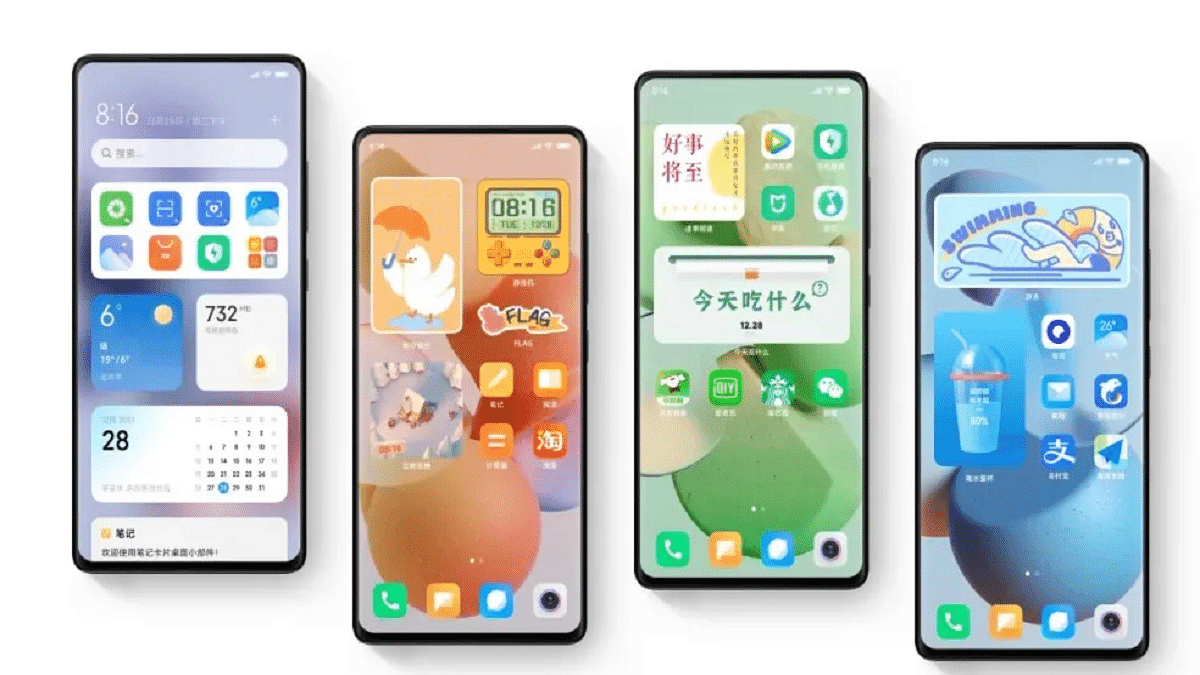
The Android 13-based MIUI 14 features a covertly added function that lets users change the colors of the icons on the MIUI Launcher. Users can choose from Blue, Green, Purple, and Brown, and once a color is selected, supported app icons on the home screen and app drawer immediately adopt a more cohesive look, similar to Google Pixels and other Android skins.

The Limitations: Unsupported Icons And Wallpaper Palette

It’s worth noting that not all app icons are currently supported, so those seeking a true Material You experience may prefer to exclude unsupported icons from the home screen.

However, one particular aspect of Xiaomi‘s implementation is that the icon colors do not respond to the wallpaper palette. Instead, users are limited to selecting preset colors, meaning manual wallpaper changes are necessary to align icon colors with the current wallpaper.

Also Read | Gmail Help Me Write Feature: What Is It? How To Use?

How To Change Icon Colors On MIUI Launcher: Step-by-Step Guide

Despite these quirks, changing the color of home screen icons on MIUI Launcher is possible by following these steps:

Step 1: Long press on the home screen.

Step 2: Tap the settings icon.

Step 3: Select “More.”

Step 4: Adjust the “Background color” setting under “Icon size” by navigating there.

Keep in mind that this option is only available on MIUI 14 based on Android 13, as older versions do not include this feature.

Also Read | How To Upload And Use Animated Emojis As Telegram Profile Picture On Android, iOS

Categories
Featured Gaming

BGMI Strikes Back: What’s New In The Game? A Closer Look At The Changes

Key Highlights

  • Krafton brings a host of new features and adjustments to enhance the gaming experience
  • From the captivating Nusa map to the option of customizing blood color, players have plenty to look forward to
  • Also, the introduction of playtime limits emphasizes responsible gaming practices

After much anticipation, the highly popular BGMI (Battlegrounds Mobile India) version 2.5 is now available for Android and iOS devices. With over 100 million active players and 130 million downloads on the Google Play Store, BGMI has solidified its position as a leading mobile game. In compliance with the Government of India, Krafton has introduced several changes that have slightly transformed the game’s overall experience. Also Read | 100+ Stylish BGMI Names For Boys And Girls: Here’s How To Change Clan Name

Nusa Map

BGMI introduces the Nusa map, a compact 1×1 vacation island in a tropical region. With fast-paced gameplay lasting just eight minutes, players can expect an exciting and immersive experience. Standout features include unique traversal systems and the ability to install lifts within hotel structures in the “New City” area. Additionally, the map offers thrilling attractions such as zorb balls, swimming pools, flammable structures, and destructible jars.

Green Blood

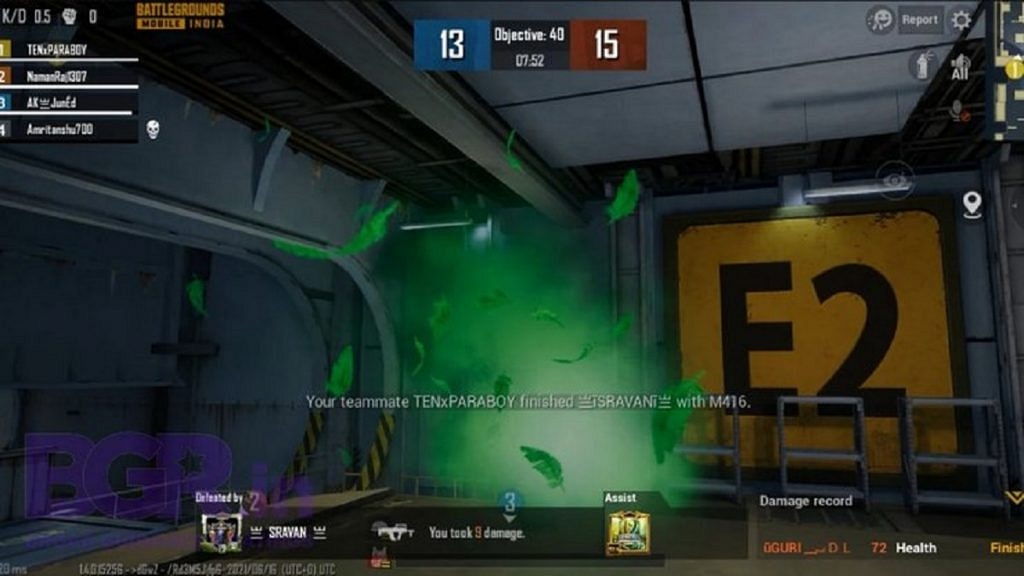
In line with regulatory requirements, BGMI replaces the traditional red blood with green blood when players eliminate opponents. This adjustment reduces the game’s level of gore. Moreover, the colorblind mode option in the settings menu allows users to customize the blood color, choosing from options such as yellow, pink, or even orange.

Also Read | List Of Best Graphic-Hungry Games For Android Smartphones?

Free Permanent Costumes

Krafton offers free and permanent costumes to returning and new players to celebrate its return. While custom costumes typically require real money, select costumes will be available for free for a limited time. However, players must complete certain tasks, including surviving in a game for over five minutes, entering the cheer park, adding new friends, and more, to unlock these limited-edition collectibles.

Limited Playtime

In consideration of player well-being, BGMI now implements playtime limits. Players under the age of 18 can access the game for a maximum of three hours per day, while those above 18 have a limit of six hours. Notably, the game does not display the remaining time, promoting a healthier balance between gaming and other activities.

Also Read | Best Game Settings For BGMI, PUBG For A Premium Gaming Experience On Android, iOS

Categories
Apps Featured How To

Struggling With Message Composition? Let Google Magic Compose’s AI Assist You! Here’s How

Key Highlights

  • Magic Compose was introduced by Google during Google I/O 2023
  • Only RCS conversations can presently use Google Magic Compose
  • Google Magic Compose has seven different methods for rewriting messages

Google unveiled the Magic Compose beta at the Google I/O 2023 event, and it has now commenced the rollout of this feature. Powered by generative AI, Magic Compose assists users in composing text messages. The initial rollout is prioritized for premium Google One subscribers in the United States who are also part of the Messages beta program on the Play Store. Also Read | Gmail Tips And Tricks: How To Secure Your Google Account With Two-Factor Authentication

Accessing Magic Compose And Its Features

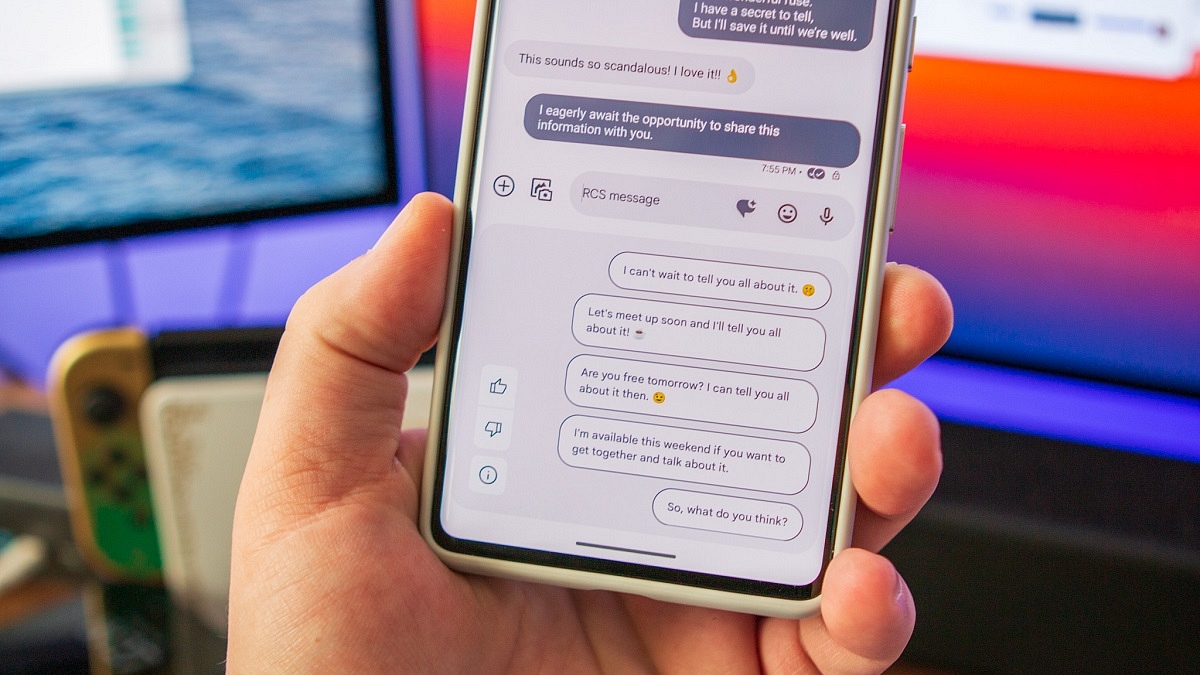
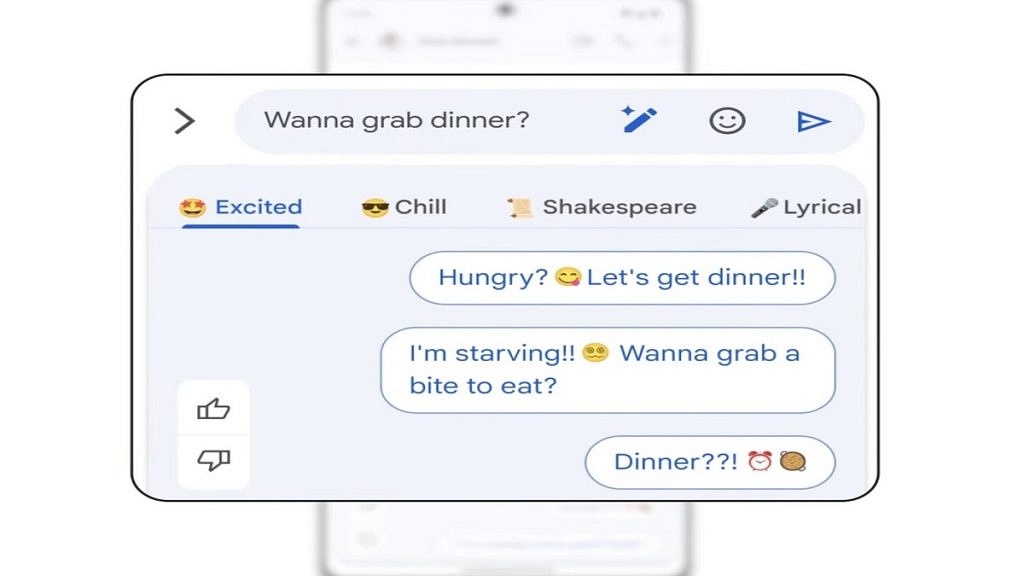
Magic Compose is currently available for RCS conversations in the Messages app. Beta users who have received the feature can enable it from the app’s settings menu. Once enabled, users can use Magic Compose to engage in conversations and rephrase their messages in various tones and styles.

Using Magic Compose Styles

To access Magic Compose, users can tap the pencil icon located next to the typed message. They will then be able to rewrite their message using any of the seven available styles, including Remix, Excited, Chill, Shakespeare, Lyrical, Formal, and Short.

Privacy Considerations

Before using this feature, users should be aware that Google sends up to 20 of their most recent messages, including emojis, reactions, and URLs, to its servers for generating responses. As a result, end-to-end encryption may be compromised. However, Google clarifies that it does not store messages or employ them for training its machine-learning models. Messages with attachments, voice messages, and images are not sent to Google servers, although image captions and voice transcriptions might be transmitted.

Also Read | Google Photos Hacks: How To Edit Videos And Adding Effects Such As Filters On Google Photos

How To Enable And Use Magic Compose

To enable Magic Compose, follow these steps:

Step 1: Open the Google Messages app.

Step 2: Open or start an RCS conversation.

Step 3: Click on “Message suggestions.”

Step 4: To opt in, click “Try it.” To keep Magic Compose turned off, tap “No thanks.”

Step 5: Click on the rewrite suggestions icon to access style options.

Step 6: Choose a style to view rewrite suggestions.

Step 7: Select the desired suggestion, optionally editing the message.

Step 8: Click “Send.”

Google Introduces Search Labs For Early Experiment Access

In addition, Google has announced the introduction of Search Labs, an initiative allowing users to participate in early testing of experiments prior to widespread availability. Users who have joined the waitlist at Google Search Labs will receive email notifications when they can try out Labs experiments, which include the Search Generative Experience, Code Tips, and Add to Sheets.

Also Read | Google Pay Expands Payment Options In India With UPI Payments Using RuPay Credit Cards

Categories
Apps Featured

100+ Funny YouTube Channel Name Ideas To Make You Smile

Looking for a chuckle-inducing YouTube channel name? Look no further! In this collection of rib-tickling suggestions, we’ve compiled a list of hilarious and catchy channel name ideas that are sure to make your viewers giggle. From puns to wordplay and clever combinations, these names are designed to tickle funny bones and leave a lasting impression. Whether you’re planning a comedy skit channel, a prank extravaganza, or a humorous commentary series, these suggestions will add a dash of humor to your online presence. Get ready to make your viewers laugh out loud with these side-splitting YouTube channel name ideas! Also Read | 100+ Brilliant YouTube Channel Name Ideas For Pranksters

Trendy YouTube Channel Name Idea For Comedy

Guffaw GardenThe Prank PalaceComedy Colony
Comedy CrewGiggle GardenLaugh Lounge
Laugh LibraryThe Humor HiveHumor Hideaway
The Funny FortressComedy CoveComedy Carousel
Haha HangoutLaugh LegendsThe Joke Joint
Joke MastersFunny FactoryHaha Headquarters
Comedy CollectiveJokevilleThe Giggle Gallery
LOL LaboratoryGiggling GeniusesChuckle Circus

Catchy YouTube Channel Name Idea For Comedy

Comedy ComradesHaha HangoutLaugh Legends
Laugh LandJoke MastersFunny Fiesta
Funny FusionComedy ConnoisseursHilarious Hideout
Jokers JunctionLOL LaboratoryJoke Vault
Guffaw GardenThe Prank PadThe Giggle Gang
Comedy CrewGiggle GalaxyComedy Coalition
Laugh LibraryThe Humor HavenChuckle City
The Funny FortressComedy CastleThe Joke Depot

Also Read | 100+ Best DIY YouTube Channel Name Ideas In 2023

Hilarious YouTube Channel Name Idea For Comedy

Haha HuddleThe Chuckle ChestThe Humor Hub
Comedy CabaretGag GaloreComedy Corner
Laugh LoversComedy ChroniclesLaugh-a-Thon
Funny FiascoLaugh LabFunny Fusion
Jokers UnitedThe Funny FarmChuckles and Guffaws
Giggle GeeksHaha HeadquartersHilarious Heights
Comedy CartelJokesters AnonymousJoke Junction
The Prank PartyGiggling GurusComic Central

Attractive YouTube Channel Name Idea For Comedy

The Giggle GazetteComedy ChaosComedy Craze
Comedy CarnivalLOL LegendsFunny Frenzy
Laugh LoungeThe Comedy CaperChuckle Channel
Humor HeadquartersThe Prank PatrolHilarious Hacks
Crack Me UpGiggles GaloreLaugh-a-Palooza
The Jokers’ LairComedy ClubhouseThe Funny Files
Funny FestLaugh Out LoudComedy Kingdom
Haha HavenThe JokestersJokes R Us
FunnyFlixComedy CentralThe Laugh Factory

Feel free to mix and match words or add your own creativity to come up with the perfect funny YouTube channel name that suits your content and style.

Also Read | 100+ Creative And Memorable YouTube Channel Name Ideas For Unboxing

Categories
Accessories Featured Info

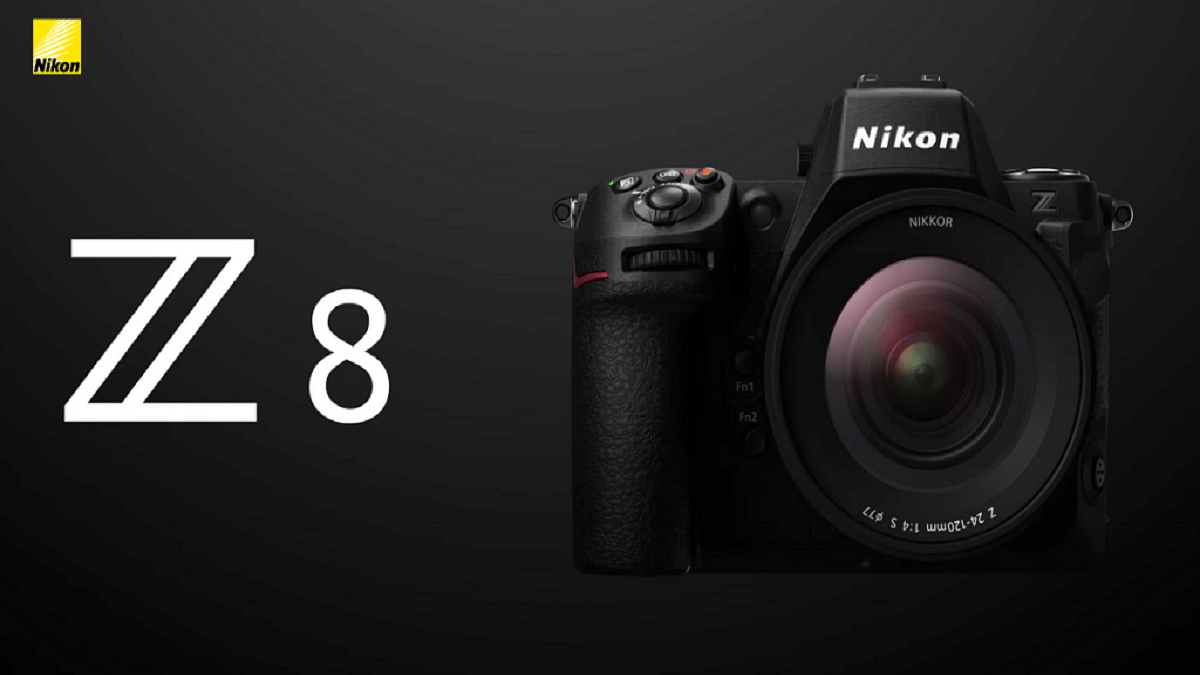
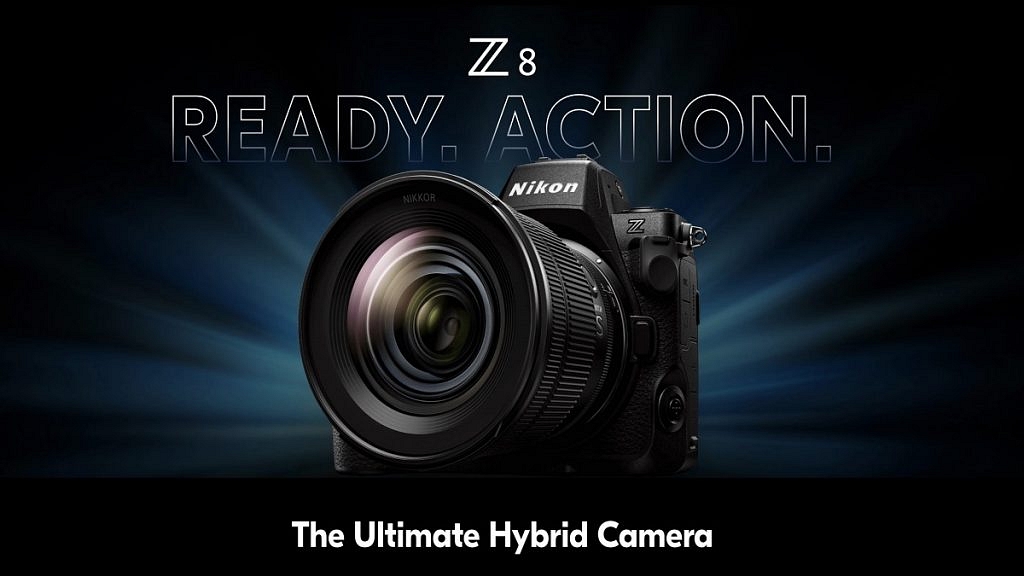
Nikon Z8 Mirrorless Camera Arrives In India With Unmatched Features

Nikon India has recently unveiled the Z8, a mirrorless camera that combines great video and still photography capabilities within a compact and portable body. This cutting-edge camera delivers reliable performance while incorporating advanced technology from Nikon’s flagship model, the Z9. Let’s delve into the remarkable features of this camera. Also Read | The Essential Guide to DSLR Cameras Under 50,000 in India

Designed For Creative Storytellers

The Nikon Z8 is specifically crafted for creators who aspire to narrate their stories through visually captivating imagery. With its versatile and compact video recording system, this camera supports a wide range of accessories, minimizing the need for additional equipment during shoots. Its impressive features enable users to produce stunning visuals effortlessly.

High-Res Zoom And Convenient Video Recording

Equipped with the High-Res Zoom function, the Z8 camera allows for up to 2x zoom of the focal length during 4K UHD and Full HD video recording, enhancing the versatility and flexibility of capturing dynamic shots. Additionally, it boasts a 4-axis tilting monitor, supports various video formats, and provides extended recording times, offering up to 125 minutes in 4K UHD/60p and up to 90 minutes in 8K UHD/30p.

Innovative Pre-Release Capture And Enhanced Autofocusing

One notable feature of the Z8 camera is the Pre-Release Capture function, which permits users to record footage up to 1 second before or 4 seconds after pressing the shutter button, ensuring that no precious moment is missed. The camera’s autofocusing system excels at detecting approximately 3 percent of the human face size in the frame, featuring multiple AF modes to adapt to various shooting scenarios. Moreover, the AF system exhibits an extended detection range in low-light conditions and supports HLG (HEIF) format for 10-bit still images, enabling richer tonal gradation.

Also Read | Best Apps To Detect Hidden Camera For Android And iOS

Unleashing Portrait Photography Potential

For portrait enthusiasts, the Z8 camera offers an array of features to enhance their craft. These include skin softening, portrait impression balance effect, and color temperature adjustments, enabling photographers to achieve professional-quality portraits. Additionally, the camera is built to be environmentally friendly, dust-and-drip resistant, and equipped with a VR lock and dual coating for the optical filter and image sensor, safeguarding against potential damage.

Real-Live Viewfinder And Powerful Vibration Reduction

Capturing fast-moving subjects is a breeze with the Real-Live Viewfinder of the Z8 camera, as it eliminates blackout, providing uninterrupted visuals throughout the shooting process. The camera’s powerful Vibration Reduction (VR) ensures stability in shots, resulting in sharper and clearer images. Furthermore, the MB-N12 Power Battery Pack extends the number of shots and recording time, while the camera’s two USB terminals allow for convenient power delivery and data communication.

Price And Availability

Starting today, the Nikon Z8 will be available for purchase both online and offline through authorized retailers, priced at Rs. 3,43,995. This camera promises to elevate the art of visual storytelling by empowering creators with its advanced features and compact design.

Also Read | Top Four Polaroid Cameras For Every Occasion