Categories
Featured Gaming

Poki Games: Here Are The Best Five Online Games To Play For Free

Key Highlights

  • Poki offers a diverse collection of free online games that cater to different tastes and preferences
  • From classic platformers like Fireboy and Watergirl to addictive endless runners like Subway Surfers, Poki has something for everyone
  • With its easy-to-use interface and smooth gameplay, Poki is a great choice for casual gamers

Are you fond of playing games online every time you pick your phone? If so, then you are at the right place. Poki Games is the most popular website in the USA that offers a vast collection of games for both mobile and desktops. There is something for everyone because there are so many different genres to pick from. In this article, we’ll talk about Poki Games and the best five games that are sure to keep you entertained. Check them out!

What Is Poki Games?

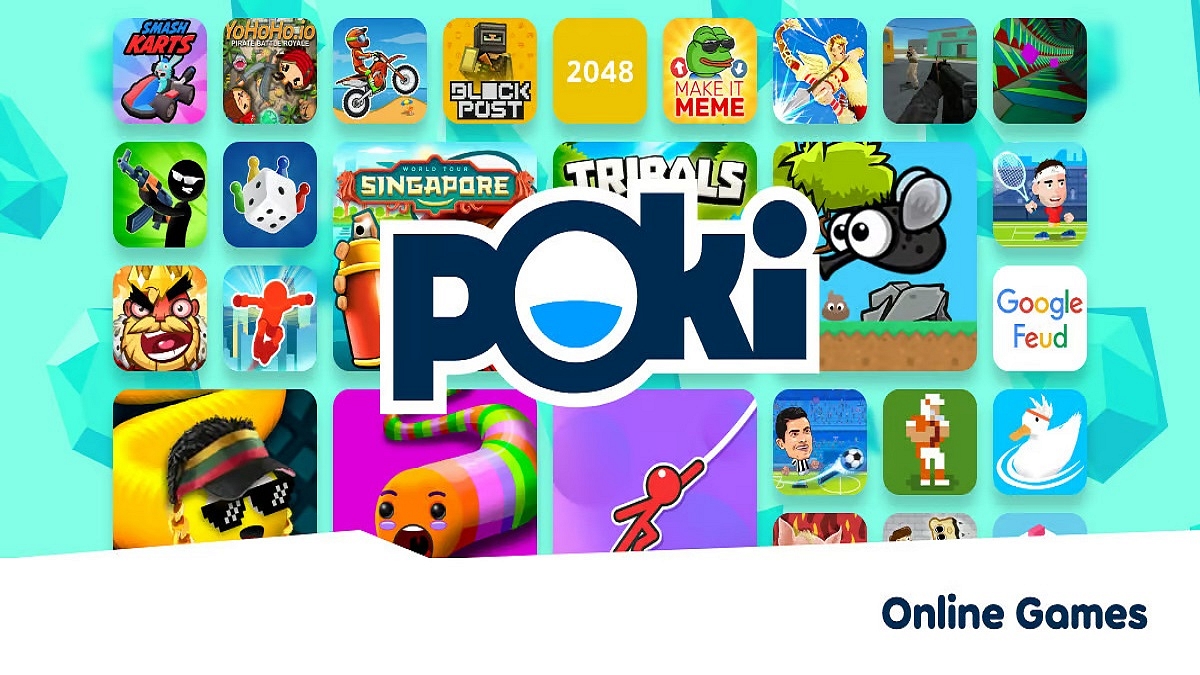
Poki is a popular gaming website that offers a wide range of free online games. The games span a variety of genres, from puzzle and strategy games to action and adventure games. Simply visit the website, choose a game, and begin playing to play a game on Poki. Due to the fact that the games are browser-based, no downloads or installations are needed.

Also Read | Garena Free Fire: Here’s The Best Game Settings Tips And Guide

Subway Surfers

Subway Surfers is a popular endless runner game that is available on multiple platforms, including Poki. In the game, players take on the role of a graffiti artist who is running through the subway while avoiding obstacles and collecting coins. The graphics are colorful and vibrant, and the gameplay is fast-paced and addictive.

Moto X3M

Moto X3M is a physics-based motorcycle racing game that is sure to get your adrenaline pumping. In the game, players navigate through a series of increasingly difficult levels while performing stunts and avoiding obstacles. With its challenging gameplay and smooth controls, Moto X3M is a great choice for anyone who loves racing games.

Also Read | Best Train Simulator Games For PC Gaming Enthusiasts

Fireboy and Watergirl

Fireboy and Watergirl is a classic platformer game that has been around for years, but it still holds up as one of the best games on Poki. In the game, players control two characters – Fireboy and Watergirl – and must navigate through a series of levels while avoiding obstacles and solving puzzles. The game’s unique mechanics and challenging levels make it a great choice for anyone who enjoys platformers.

Slither.io

Slither.io is a simple yet addictive game where players control a snake-like creature and try to eat as many pellets as possible while avoiding other players. The game is easy to learn but difficult to master, and the competitive aspect makes it even more engaging. With its simple graphics and fast-paced gameplay, Slither.io is a great choice for anyone who wants a quick and fun gaming experience.

Also Read | Best ‘Call of Duty’ Games To Download And Play: Check Out The List

Cut the Rope

Cut the Rope is a puzzle game that challenges players to cut ropes and use physics to get a piece of candy to a little creature named Om Nom. The game’s cute graphics and engaging gameplay make it a great choice for all ages. With its challenging levels and clever puzzles, Cut the Rope is a game that will keep you coming back for more.

Poki offers a wide variety of free online games, but these five games are some of the best. From endless runners to puzzle games, there is something for everyone on Poki. So whether you’re looking for a quick distraction or a long-term gaming addiction, these games are sure to satisfy.

For the tech geeks, stay updated with the latest cutting-edge gadgets in the market, exclusive tech updates, gadget reviews, and more right on your phone’s screen. Join Giznext’s WhatsApp channel and receive the industry-first tech updates.


Categories
Featured Gaming Info

Krafton Announces Indian Version Of Road To Valor Empires: Pre-registrations Live

Key Highlights

  • Krafton unveiled a new PvP game Road to Valor: Empires in India
  • The pre-registration for the game has begun
  • Road to Valor: Empires will be available to play in March 2023

The makers of the popular battle royale game New State Mobile, Dreamotion and Krafton have announced pre-registration for an entirely new Indian version of the real-time PvP strategy game Road to Valor: Empires. In order to give the Indian gaming community an immersive experience, Krafton redesigned the game specifically for the Indian market. This included adding a number of new updates including full-fledged Hindi language support. The pre-registration period for the game has begun, and those who are interested can sign up to receive early access when it is officially released in March 2023. Let’s take a quick look into the game:

Also Read | List Of Best Graphic-Hungry Games For Android Smartphones?

Pre-registrations Opens For Android And iOS

Players can now be able to pre-register for the Indian version of Road to Valor: Empires. They can go to the Apple App Store for iOS or the Google Play Store for Android to pre-register for the game. A “Long Spear Warrior” will also be given to fans who pre-register for the game’s release, according to Krafton. Although the title has not yet been given a specific release date, it is expected to come out sometime in March 2023.

Road to Valor: Empires Gameplay

The Road to Valor: Empires’ gameplay involves creating and commanding armies made up of several factions and units, as well as selecting heroes from various myths such as Arthena (the goddess of war), Odin (the king of Asgard), and Caesar, to suit various play preferences.

Also Read | Fortnite WinterFest 2022 Rewards: How To Redeem Rewards In Fortnite WinterFest 2022 Chapter

It also includes some India-specific updates such as the ability for players to create custom rooms to watch and play with other players. Custom Rooms allow players to invite other players into quick 2v2 matches and see the top players. They can also buy the optional starter pack which offers some exclusive rewards for Rs. 29.

Aimed at both casual and serious gamers, Road of Valor: Empires regularly receives new characters and civilizations, hosts esports tournaments and several in-game events.

Also Read | Fortnite Chapter 4 Hacks: How Can You Level Up Super Fast In Fortnite Chapter 4 Season 1

Categories
Apps Featured Info

YouTube To Allow Creators To Upload Podcasts Directly Via App: Here’s How

Key Highlights

  • A new feature that YouTube is exploring could enable podcasters to upload their episodes
  • The feature will provide users with a new platform to reach a wider audience and engage with them
  • Users will also be able to measure their podcasts in analytics where they can see a set of tabs with performance, audience, and revenue insights

YouTube has some good news for podcasters. The video streaming service is now beta-testing a new feature that would enable podcasters to post their episodes in the future update of the app. Also, it will give them a new platform to connect with and engage a larger audience.

The feature, which is also known as “YouTube feature experiments,” will allow users to upload podcasts and evaluate them on the YouTube Studio, according to a report by Podnews. On the PC, podcast performance, audience numbers, and revenue insights will all be displayed.

Also Read | YouTube Channel Name Ideas: 100+ Cool And Attractive Usernames For Boys

How Will YouTube Users Upload Podcasts?

Those who have signed up for the beta testing on YouTube will be able to upload podcasts under the “create” option. Currently, expanding the Create button allows creators to upload videos, create text posts, and start live streams.

Additionally, a new “Podcasts tab” in the Content menu would allow creators to access podcasts. You can convert an existing playlist to a podcast using a new option in the three-dot menu.

Also Read | How To Migrate YouTube Channel And Videos To A Different Account

A new ‘Podcast’ tab will be added to the list, and the Content menu will also be updated. Users will now be able to set their current playlists on YouTube as podcasts. The option to set playlists as podcasts will be found in the three-dot menu, however, it is currently unknown what that option will be called.

According to the IANS report, the company also stated that only a “small number” of creators will see the changes, but only on desktops.

Earlier this month, the “Go Live Together” feature, which allows creators to co-livestream and invite a guest via phone, was further introduced by the video streaming platform.

For the tech geeks, stay updated with the latest cutting-edge gadgets in the market, exclusive tech updates, gadget reviews, and more right on your phone’s screen. Join Giznext’s WhatsApp channel and receive the industry-first tech updates.

Categories
Featured Gaming Info

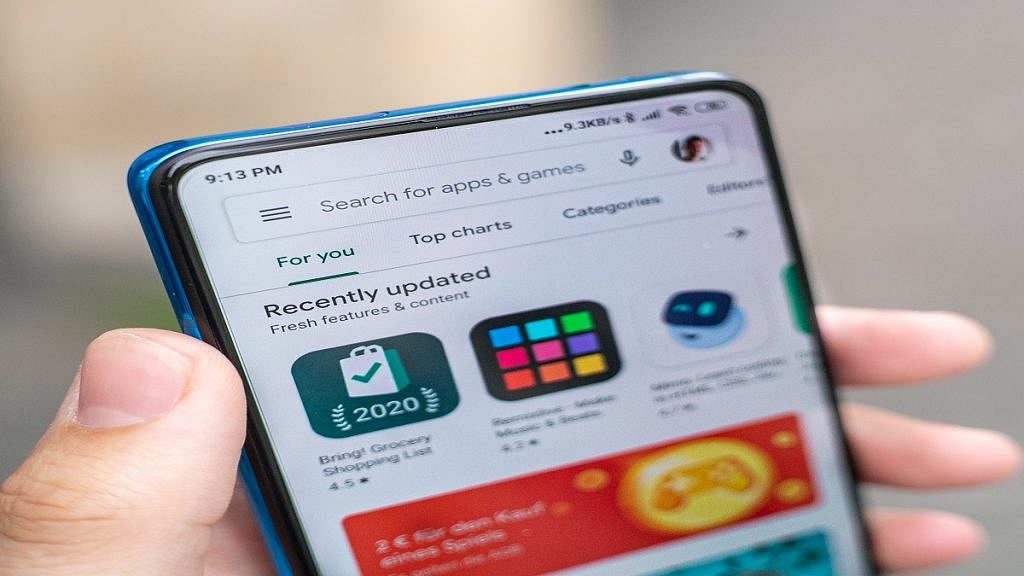
Google Play Store Takes Down Angry Birds Classic Mobile Game: Here’s Why

Key Highlights

  • “Rovio Classics: Angry Birds” delisted from the Google Play Store
  • Rovio says the game lacks microtransactions
  • The game will still be accessible on iOS under the new name “Red’s First Flight”

Last week, Rovio made the announcement that the “Classic” version of Angry Birds would no longer be available on the Google Play Store, effectively shutting off Android users. “Rovio Classics: Angry Birds” will be removed from the Google Play Store as of today, February 23. As a result, Android users will no longer be able to purchase the “Classic” version of Angry Birds, while those who had paid $0.99 for the game will still have access to it. Also Read | Gamers Rejoice: List Of Top Trending Action Adventure Games You Should Play

Angry Birds “Classic” was released on March 31, 2022. So, it was accessible for a shorter period of time than a year. This is a re-release of the first iteration of Angry Birds, one of the most popular games ever released for mobile devices. The original version of the game was delisted long ago as Rovio focused on free-to-play spinoffs and sequels. As of February 22, the only paid app that Rovio distributes on the Play Store is Angry Birds “Classic.”

Why Is ‘Rovio Classics: Angry Birds’ Shutting Down?

In a statement shared on Twitter, Rovio claims that after “reviewing the business case” for this game in particular, it has decided to discontinue distribution because of the “impact on our wider games portfolio.”

Also Read | Cool Names For Gamers: Top 100 Best Boy Gamer Names To Choose From

Even though it isn’t stated explicitly, the logic behind this is rather obvious. Angry Birds “Classic” is a one-time purchase on Android for an ad-free game that also lacks microtransactions. Other Rovio games like Angry Birds 2, rely on these microtransactions and advertisements to turn a profit, and it’s quite clear that Rovio sees this one-time purchase version of the game as a threat to those versions.

The beauty of this situation is that while Angry Birds “Classic” has been completely removed from Android, it remains available on iOS under the new name “Red’s First Flight”. Rovio also renamed the game “Rovio Classics: AB” on the Play Store. This looks like a pretty obvious attempt to fill in the title.

Also Read | Indus Battle Royale Game Is India’s Take On PUBG, Fortnite: How To Pre-Register, System Requirements

Categories
Accessories Featured Reviews

OnePlus Buds Pro 2 Review: Hitting The Right Notes?

Pros

  • Spatial audio with Android
  • Decent sound quality
  • Fast Pair and multipoint Bluetooth

Cons

  • No on-device volume controls

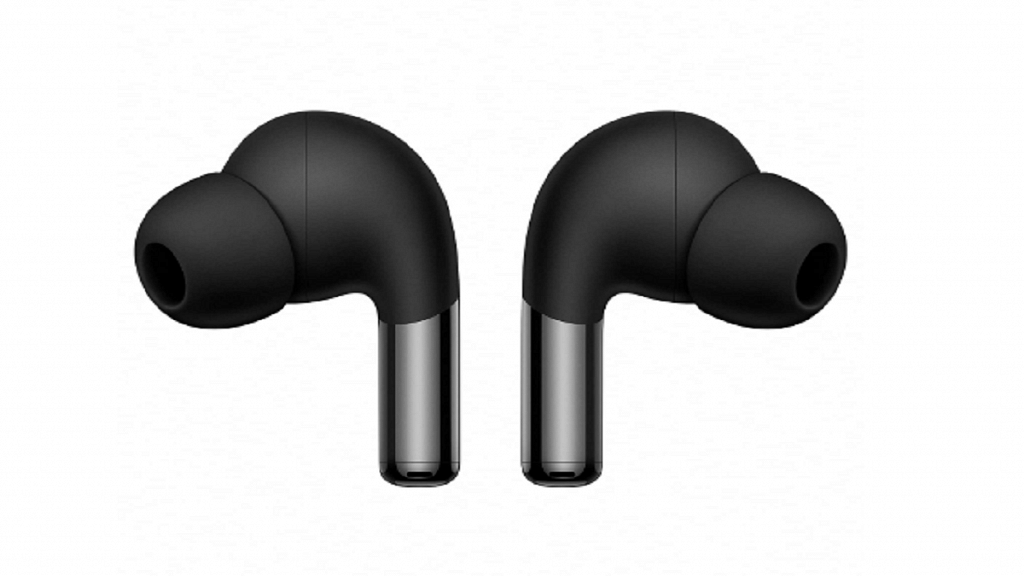
The OnePlus Buds Pro 2 is among the many gadgets OnePlus recently unveiled at its Cloud 11 event. These second-generation wireless earphones support adaptive noise cancellation, dual audio drivers co-created by OnePlus and Dynaudio, lossless Hi-Res audio, head-tracking features, and wireless charging.

The OnePlus Buds Pro 2, a successor to the OnePlus Buds Pro, seems to be a step in the right direction. While I’ve had a lot of fun with the audio quality itself, the inclusion of spatial audio truly takes the cake. I’ve been plugging it in for a while, so let’s see whether it made me dance to its tunes or not. Let’s find out in this review:

Also Read | How To Connect OnePlus Buds True Wireless Earbuds With Smart TVs and Laptops?

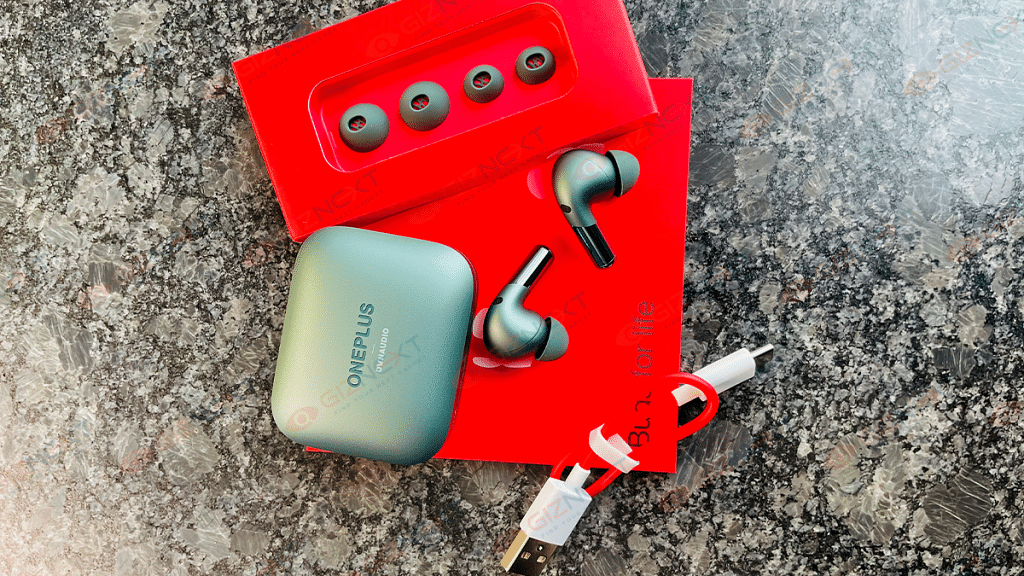
What’s Inside The Box?

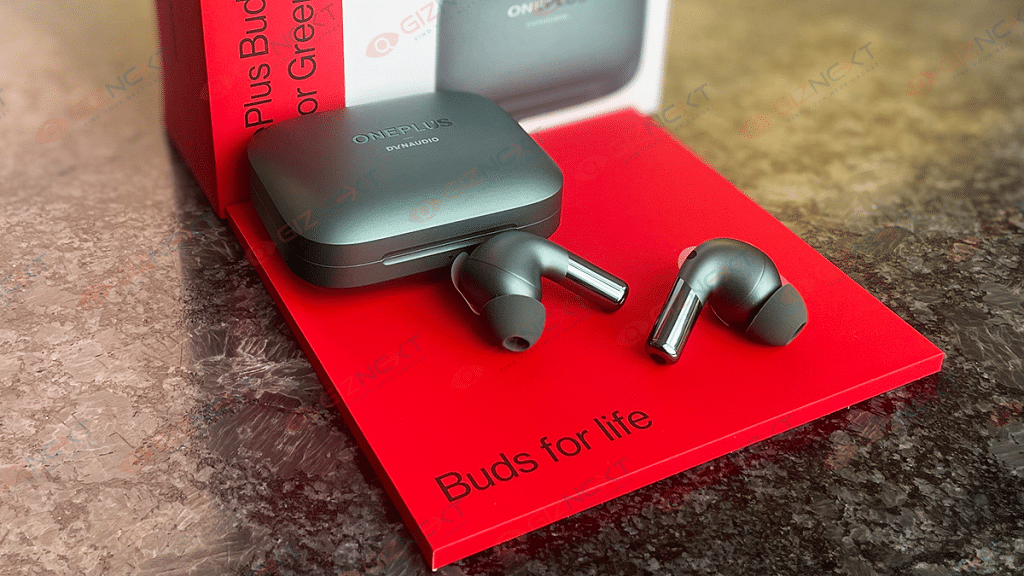
  • OnePlus Buds Pro 2 (Arbor Green)
  • Ear tips in small and large sizes (Medium sized tips pre-installed)
  • USB Type-C charging cable
  • User guide
  • Safety and warranty card
  • Red Cable Club Welcome Card

Design

The OnePlus Buds Pro 2 come in a familiar rectangular charging case with rounded corners. The case is light and compact that can easily fit in your pocket. It has a matte finish which makes it less likely to scratch and attract fingerprints or smudges. The Dynaudio logo is inscribed beneath the OnePlus logo on the top of the case and on the case’s underside as well as. A tiny LED indication that glows in the red and green color on the front serves as a guide for pairing and charging. At the back, there is a USB Type-C charging port.

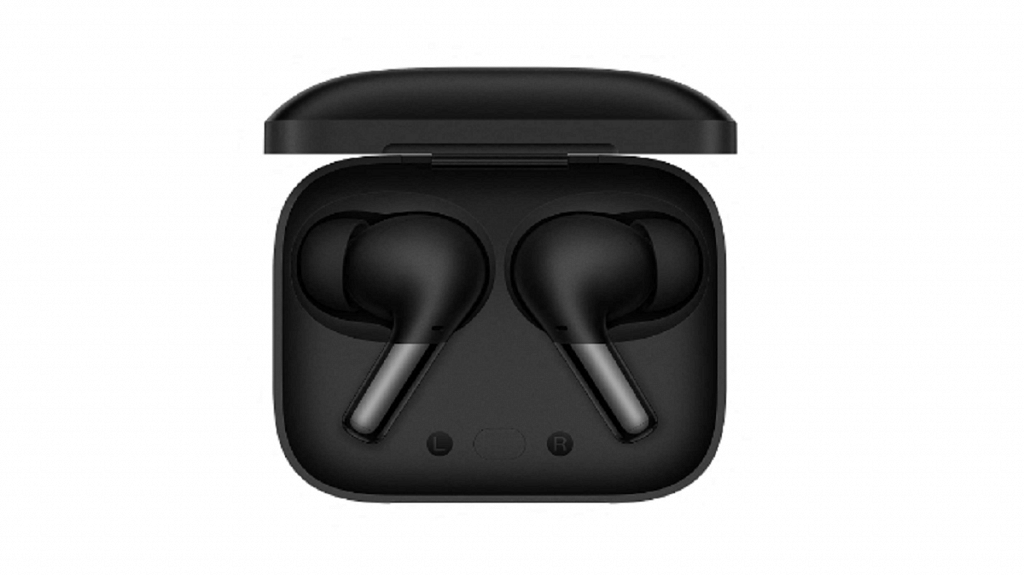
When you open the case, you can see the marked slots for the Left and Right earbuds. At the center, there is a function button. Strong magnets are used to hold the buds in place.

Just like the case, the earbuds’ design is similar to that of the earlier model. These are in-ear buds with a small stem sticking out of the earbud. The headset is made of plastic; however, it has two types of finishes. It has a matte finish on the top half and a glossy surface on the bottom half that is easily fingerprinted. The matte finish makes the earbuds easy to use and handle.

On the stems of the earpieces are pressure-sensitive controls. Compared to basic touch controls, this is far more accurate. You can access the playback controls and noise cancellation settings by quickly squeezing the stem. As you take the earbuds out of your ears, they automatically pause and resume playing thanks to an optical sensor for wear detection. The earpieces have a comfortable in-canal fit that ensures proper passive noise isolation. They’re also lightweight and, in my opinion, definitely one of the most comfortable in-ear buds I’ve used in the last year.

The icing on the cake is the Arbor Green color that we received as a review unit. It looks really great on both the earbuds themselves and the case. The OnePlus Buds Pro 2 also comes in a matte black finish but the green really stands out.

Overall, the earbuds offer great build quality and fit perfectly in ears, so they won’t fall out easily during outdoor activities like running, cycling, or while boarding a crowded metro. Besides, the earbuds have IP55 ratings for dust and water resistance. Therefore, it can withstand splashes and light rain. The case is also IPX4 rated for water resistance.

Audio Performance

The OnePlus Buds Pro 2 is powered by Dolby Atmos. This delivers a wide soundstage experience enabled by the Spatial audio feature which can be configured for either a fixed position or head-tracking. With audio streaming services like Amazon Music, Spotify, and YouTube Music, the spatial audio feature is compatible. The finest audio streaming platform, however, is Apple Music because it is the only one that natively supports Dolby Atmos and lossless audio for a Hi-Fi spatial sound experience.

The OnePlus Buds Pro 2 nonetheless dazzles with a rich sound signature. With crystal-clear vocals and a good amount of powerful bass, the audio quality is crisp. Highs are good, but the mid-range is average.

With a strong bass, fine trebles, and clear vocals, it has a balanced output. OnePlus and Dynaudio collaborated to develop dual audio drivers for the earphones. In addition to the default graphic equalizer, Dynaudio also tunes three more custom graphic equalizers. The outcome is a top-notch experience.

Also Read | OnePlus 10T Review: Speed Performance And Reliability At Its Best

ANC And Call Performance

In terms of noise cancellation, the ANC muffles background noise which generally helps in most cases. The change is noticeable when you are listening outside. It performs admirably given the price. Also, this features a Transparency mode that enables you to hear background noise so that you can identify the environment and any potential dangers. When you take out a single earbud, it can turn on the transparency mode automatically.

Coming to the call noise cancellation, it combines three ENC microphones and an AI-powered noise reduction algorithm to reduce outside noise. This does a good job in reducing wind and road/traffic noise.

Connectivity And Fast Pairing

For HD sound quality on supported devices, the OnePlus Buds Pro 2 supports Bluetooth 5.3 with LHDC 4.0 Hi-Res audio codec and AAC codec. For OnePlus phones (6 and later), pairing is quite simple. Just open the charging case for the earbuds, put it close to the OnePlus phone, turn on Bluetooth, and then follow the onscreen instructions. Besides, non-OnePlus users can download the OnePlus HeyMelody app for pairing.

There is also a fast pair option that works on the latest Android phones. If you have multiple devices connected to the same account, the OnePlus Buds Pro 2 can connect to them with little to no effort. Additionally, the Buds Pro 2 features multipoint pairing that allows you to connect to two devices simultaneously. All in all, this has worked out pretty well.

Also Read | How Can You Pair OnePlus Buds, Nord Buds TWS With Apple Macbook Laptops (All Models)

Battery

The battery life of the OnePlus Buds Pro 2 is decent, offering up to 10 hours of playback time on a single charge. The overall battery life is increased to 38 hours when combined with the charging case. Since I don’t use ANC frequently, I can get away with nine hours on a single charge. You’re estimated to be approximately six with it on, which is still good. Despite not being plugged in consistently every few days or so, they haven’t actually died on me in the days that I’ve been using them.

Final Verdict

The OnePlus Buds Pro 2 are some of the first Bluetooth earbuds on the market to support Google’s new spatial audio surround sound technology for Android. Support for simultaneous connections to two devices is a rare but welcome feature. The comfortable fit, decent battery life, and nice, compact body make it easy to carry around. The lack of onboard volume control is a bit of a disappointment though. Overall, the OnePlus Buds Pro 2 is one of the best TWS buds for Android device users in this price range (Rs. 11,999).

Also Read | OnePlus Nord Buds Review: Fairs The Competitions?

Categories
Featured Home Appliances

Best Front Load Washing Machine With Dryer In India

Front-load washing machines have become a popular choice for households in India due to their efficient cleaning performance and ease of use. When it comes to front-load washing machines with dryers, there are many options available in the Indian market. This article will discuss some of India’s best front-load washing machines with dryers.

ModelPrice
LG 9kg 5 Star Inverter Wi-Fi Fully-Automatic Front-Load Washing MachineRs. 40,699
Bosch 8kg Inverter Fully-Automatic Front-Load Washing MachineRs. 36,599
Samsung 8kg Inverter Fully-Automatic Front-Load Washing MachineRs. 36,490
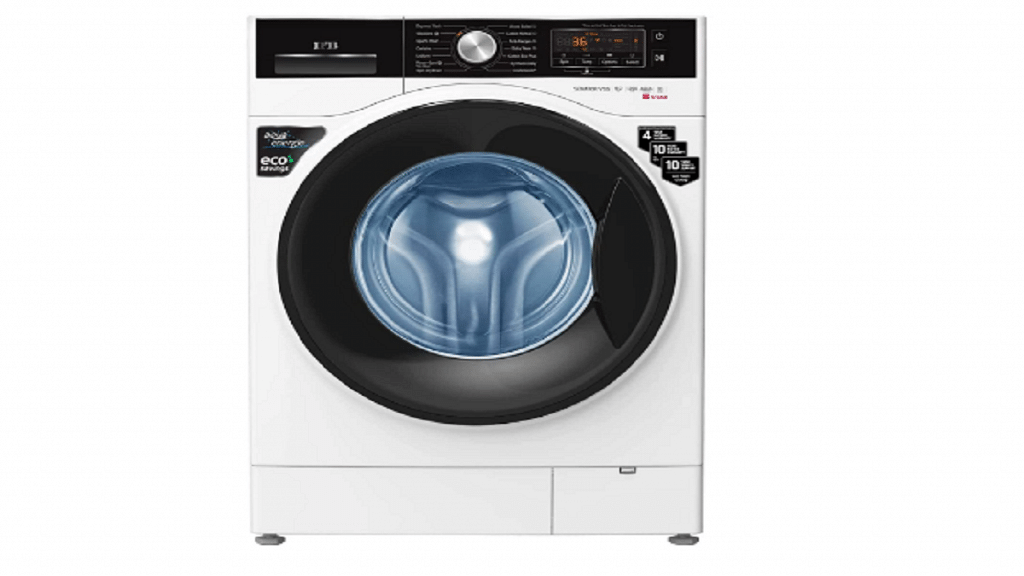
IFB 8 kg 5 Star Fully-Automatic Front-Load Washing MachineRs. 36,990

Also Read | Best Top-Loading Washing Machines To Buy Under Rs. 10,000: Here’s Our List

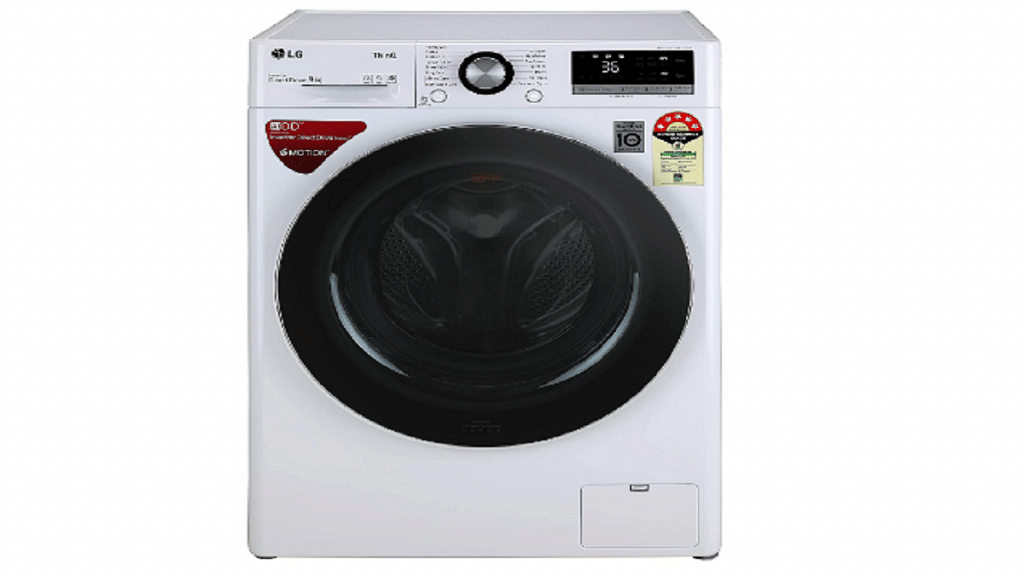
LG 9kg 5 Star Inverter Wi-Fi Fully-Automatic Front-Load Washing Machine

This LG washing machine is equipped with a 6-motion Direct Drive technology that provides an efficient wash and has a capacity of 9kg. It also comes with a dryer function that can dry clothes up to 50 percent faster. The machine has an inverter technology that saves energy and is Wi-Fi enabled for remote control.

Bosch 8kg Inverter Fully-Automatic Front-Load Washing Machine

The Bosch Fully-Automatic Front-Loading washing machine has a capacity of 8kg and is equipped with VarioDrum technology that ensures gentle and efficient cleaning. It also has an EcoSilence Drive technology that reduces noise and vibration. The machine comes with a dryer function that can dry clothes up to 95 percent faster.

Also Read | Semi-Automatic Washing Machines Under Rs. 15,000: See All Details Here

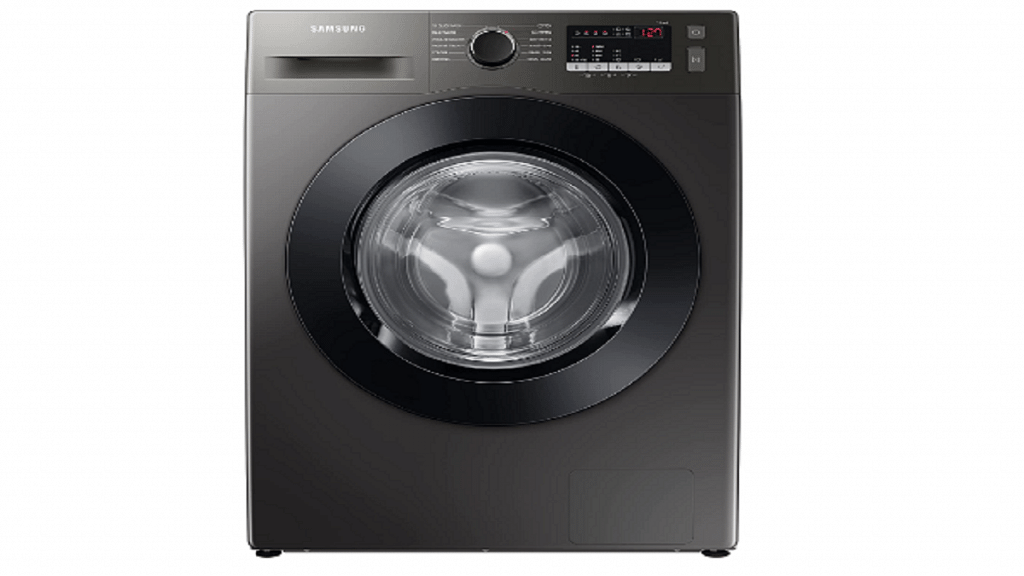
Samsung 8kg Inverter Fully-Automatic Front-Load Washing Machine

The Samsung Fully-Automatic Front-Load washing machine has a capacity of 8kg and is equipped with digital inverter technology that provides a powerful yet quiet performance. It also comes with a dryer function that can dry clothes up to 50 percent faster. The machine has a ceramic heater that prevents calcium build-up and ensures long-lasting performance.

IFB 8 kg 5 Star Fully-Automatic Front-Loading Washing Machine

This IFB Fully-Automatic Front-Loading washing machine has a capacity of 8kg and is equipped with a 3D wash system that ensures efficient cleaning. It also comes with a dryer function that can dry clothes up to 100 percent faster. The machine has an inbuilt heater that provides hot water for efficient cleaning and is 5-star rated for energy efficiency.

Also Read | Looking For Portable Washing Machines? Here Are The Best Five Choices

Categories
Apps How To

Now Reply To Instagram Posts Using GIFs In Comments: Here’s How

Key Highlights

  • Instagram now allows users to post GIFs in comments
  • GIFs can convey a wide variety of emotions, reactions, and feelings
  • Currently, this feature is rolling out to select users around the world

GIFs can convey more than words which is probably why they are so popular in today’s conversations. They are available for every situation and mood. Instagram, the popular photo and video-sharing app, has added a ton of new features. One of them allows users to annotate posts and stories with GIFs.

According to the latest sources, the GIFs are taken from the online GIF database GIPHY. Instagram users have been able to share GIF stickers in stories, but not in replies. The feature is reportedly being implemented gradually and can be rolled out more widely in the coming weeks. Here are the steps to help you add GIFs for stories and posts. Also Read | Want To View Instagram Story Secretly Without Notifying Contacts Or Followers: Here’s How

How To Post GIFs In Instagram Comments?

Step 1: Open Instagram on your device and tap the “add comment” button on an Instagram post.

Step 2: Tap the GIF button to search for and select a GIF from the app’s extensive library.

Step 3: GIFs from the GIPHY library will be visible.

Step 4: Now click on your chosen GIF and hit enter.

Also Read | Instagram Dynamic Profile Photo Feature: What Is It? How To Use?

Users can search for a specific GIF that relates to their comment or browse and choose from popular GIFs. You might have to wait a little while before using the feature since it is currently being rolled out to select users worldwide.

With this feature, Instagram’s comments section gains a new level of engagement that enables users to connect with posts and other users in a more playful, imaginative manner. Users can now use GIFs to, for instance, bring humor to a chat, express their reactions to an article, or just make their comments stand out.

In addition to enabling GIFs in comments, Instagram has also launched a brand-new feature called Instagram Channels which is modeled after Telegram’s channel concept. This feature allows users to create, participate in, and share content with large audiences. This feature is also on a slow rollout and will soon be available to all creators.

Also Read | Instagram Privacy: How To Hide Online/ Active Status, Last Seen On Instagram

Categories
Info Tablet

Android Tablet Launched Round-Up: Best Mobile Tablets Launched In 2023

In recent years, the tablet market has been flooded with new devices, each claiming to offer the latest and greatest features. However, some stand out above the rest. Here are a few of the best tablets launched this year that you can consider buying. Let’s take a look:

 TCL Tab 8 LEOnePlus PadLenovo Tab P11 5GOPPO Pad 2 (Expected)
Display8-inch LCD11.61-inch IPS LCD11-inch IPS LCD11-inch IPS LCD
ChipsetMediaTek quad-coreMediaTek Dimensity 9000Qualcomm Snapdragon 750G 5GMediaTek Dimensity 9000
RAM / Storage3GB / Up to 32GB8GB / 128GB8GB / 256GB8GB / 128GB
Camera5MP rear + 5MP front13MP Primary13MP rear + 8MP front13MP
OSAndroid 12Android v13Android 11Android v12
Battery4,080mAh9,510mAh7,700mAh8,550mAh

Also Read | Buying A New Tablet: Here’s The List OF Best Tablets With Keyboard In India

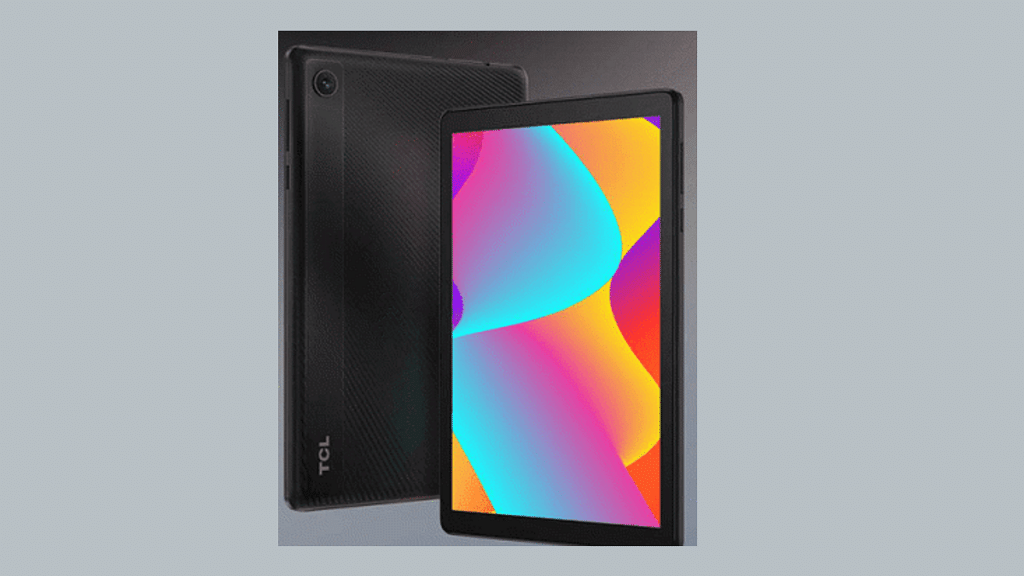
TCL Tab 8 LE

During CES 2023, TCL unveiled its brand-new Android tablet, the TCL Tab 8 LE. The tablet has an 8-inch LCD screen with a 1280 x 800-pixel resolution. The MediaTek MT8766 quad-core processor and 3GB Memory power the slate. Its storage is 32GB, but it can be increased to 512GB with a microSD card. In the US, the TCL Tab 8 LE has been released with a price tag of $159 (around Rs. 12,000).

OnePlus Pad

The recently released OnePlus Pad sports a massive 11.61-inch 144Hz 10-bit IPS LCD screen with a 7:5 aspect ratio and Dolby Vision compatibility. It has the MediaTek Dimensity 9000 chipset and is the first device to have a Cortex X2 processor with a 3.05GHz maximum clock speed. Up to 12GB of RAM and 128GB of UFS 3.1 storage are available on the OnePlus tablet. Although OnePlus hasn’t released an official price, it may cost approximately Rs. 40,000. The tablet will be available for pre-order sometime in April.

Also Read | Best Tablets Powered By Qualcomm Snapdragon Chipset In India: Here’s The List

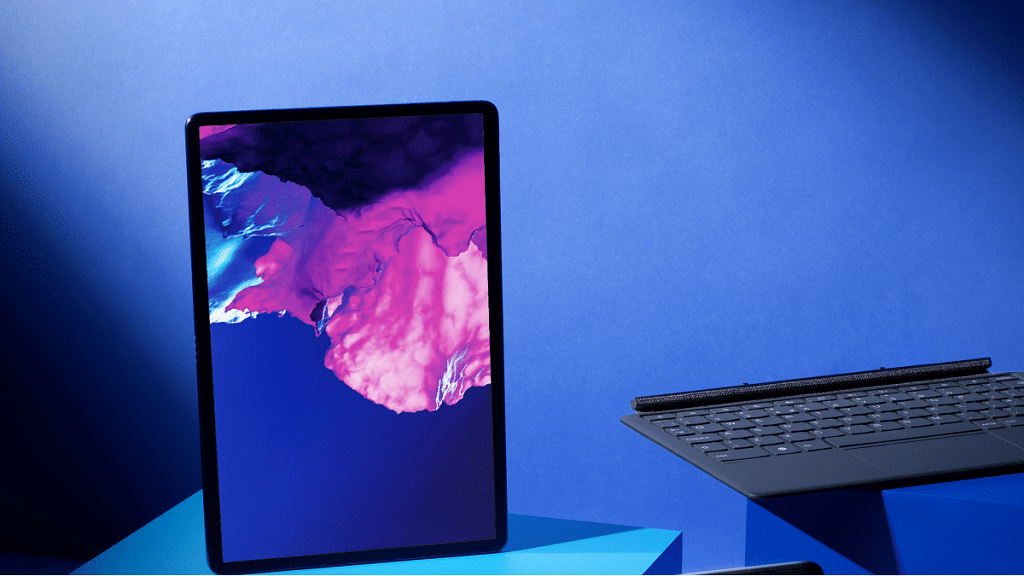
Lenovo Tab P11 5G

Lenovo recently unveiled the Tab P11 5G tablet. It sports an 11-inch 2K IPS LCD display with support for Dolby Vision and a quad-speaker setup with Dolby Atmos enhancements. The Qualcomm Snapdragon 750G CPU powers the tablet and offers 8GB of LPDDR4x RAM and up to 256GB of inbuilt UFS 2.1 storage. It has a microSD card slot that enables users to increase the storage capacity to 1TB. The 6GB RAM, 128GB storage, and 256GB storage versions of the Tab P11 are available on the Lenovo website and Amazon for Rs. 29,999 and Rs. 34,999, respectively.

OPPO Pad 2

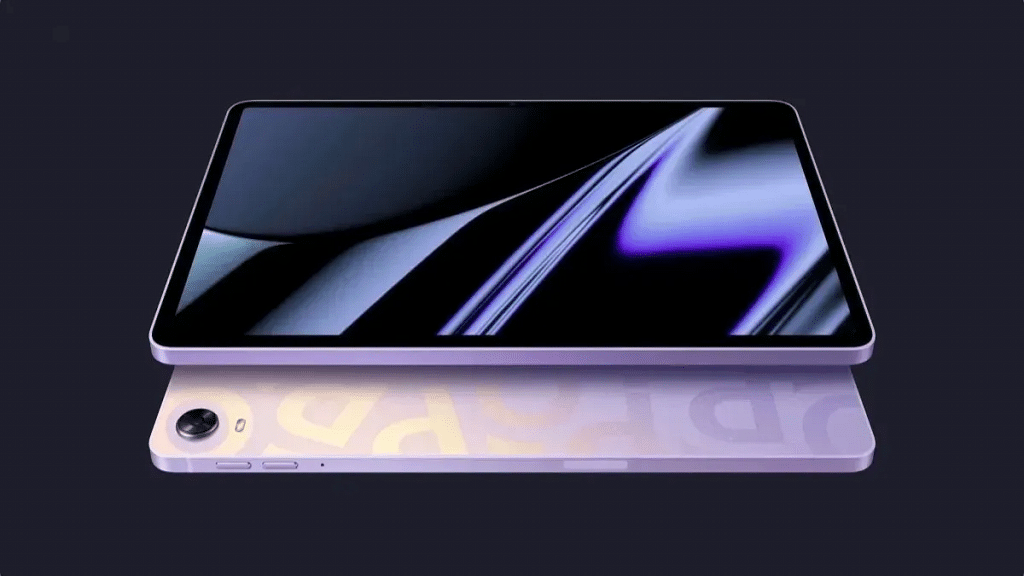
The OPPO Pad 2 is a new, high-end Android tablet that has not been released by the company. Yet, details about it have leaked before of time, highlighting the improvements it would make over its predecessor. According to reports, the tablet would have a display bigger than the 11-inch panel found on the previous generation OPPO Pad. The new display panel will feature a 2800 x 2000-pixel resolution and support Dolby Vision, HDR10+, and a 144Hz refresh rate. The tablet will get the MediaTek Dimensity 9000 SoC which will be paired with 8GB or 12GB of RAM. It is expected to be priced at Rs. 31,990 in India.

Also Read | Need A Tablet For Graphic Designing? List Of Best Tablets For Illustration and Graphics Designing Tasks

Categories
Apps How To Laptop

WhatsApp Web Video Calling On MacBook Laptops: Step By Step Guide

Key Highlights

  • WhatsApp web supports video and audio call feature
  • Making WhatsApp video calls on a Mac is a simple and easy process
  • Users must allow WhatsApp to access the camera and microphone

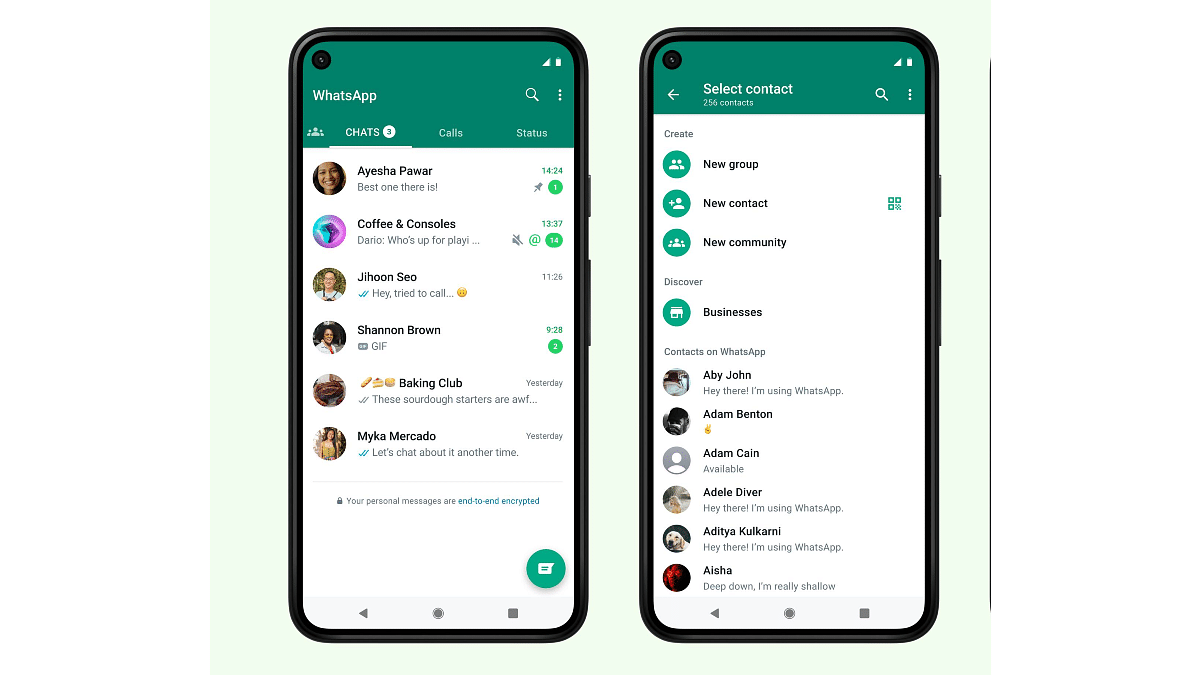
WhatsApp is a widely popular messaging app used by millions of people worldwide. It offers a range of features, including audio and video calls, file sharing, and instant messaging. If you’re a Mac user and want to make video calls on WhatsApp, you’ll be happy to know that the process is straightforward. In this article, we’ll walk you through the steps to make WhatsApp video calls on your Mac.

Also Read | Now Send Up To 100 Images And Videos At Once On WhatsApp: Here’s How

How To Make WhatsApp Video Calls On Mac

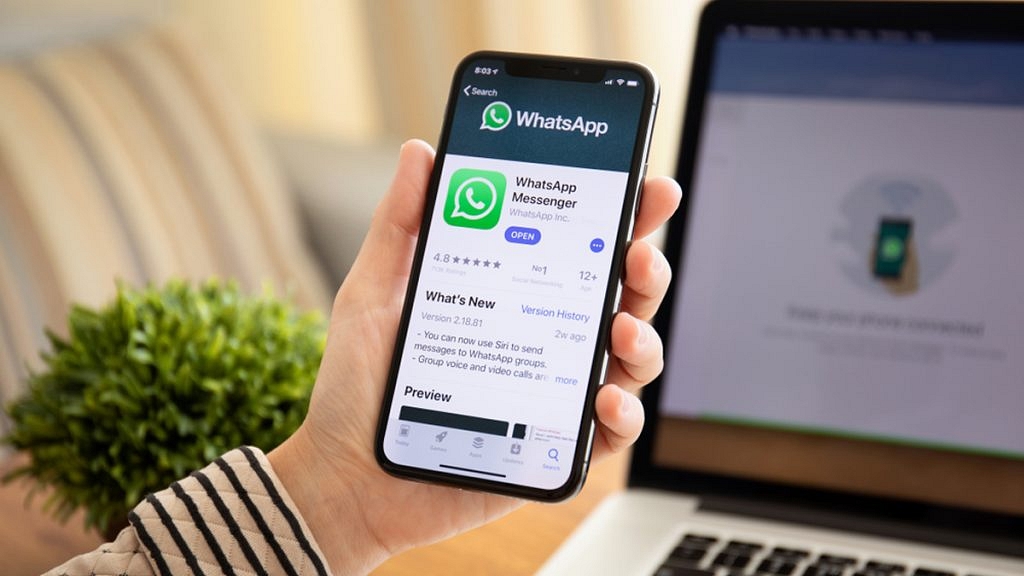
Step 1: You need to download and install the WhatsApp desktop app for Mac.

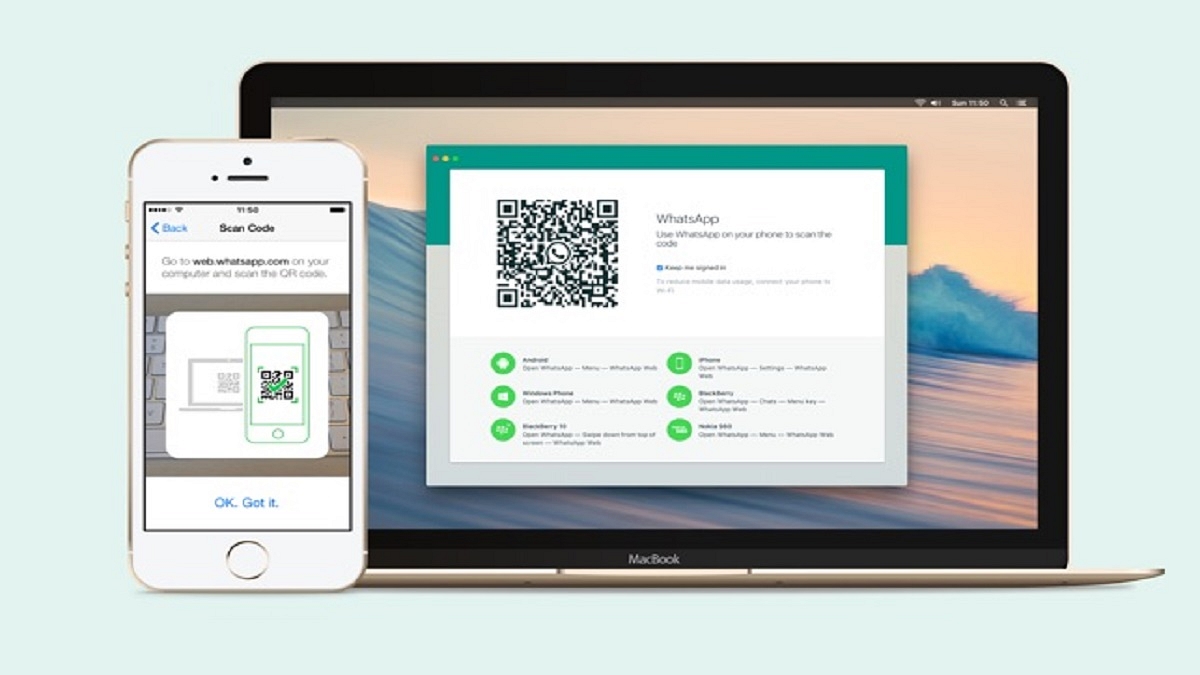
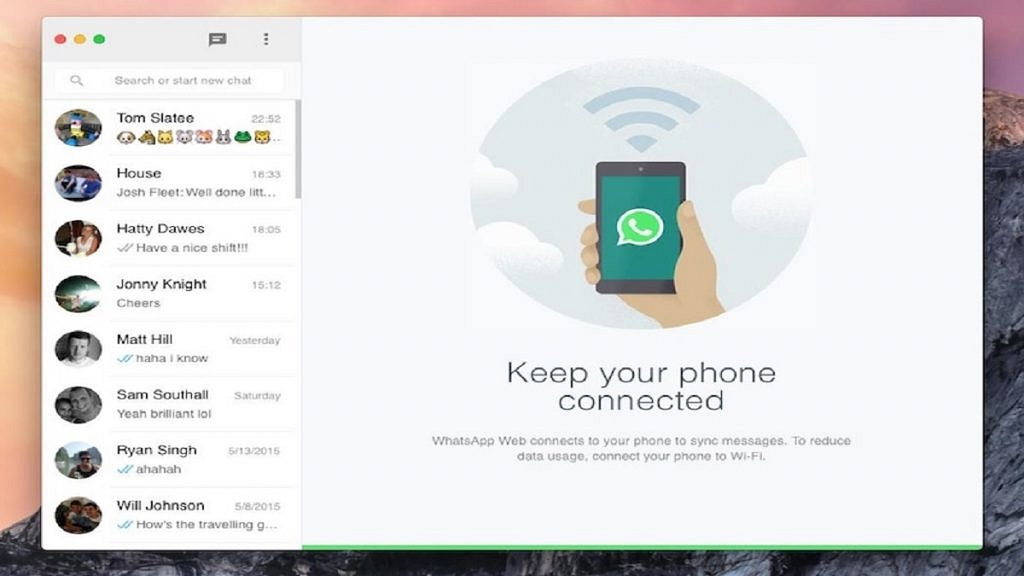
Step 2: After installing the WhatsApp desktop app, open it and log in to your account by scanning the QR code on the screen using your phone’s WhatsApp app. Once you’re logged in, you’ll see the familiar WhatsApp interface on your Mac.

Step 3: To make a video call, select the contact you want to call from your chat list. You can do this by clicking on the chat icon located in the top-left corner of the screen.

Step 4: Once you’re in the chat, click on the video camera icon located in the top-right corner of the screen to start the call.

Note: Users must allow WhatsApp to access the camera and microphone when they see a popup.

Also Read | WhatsApp Web Video Calling: How To Make/ Answer WhatsApp Video Calls On Windows Laptops/ PCs

During the video call, you can adjust the audio and video settings by clicking on the gear icon located in the top-right corner of the screen. Here, you can choose the camera and microphone you want to use, as well as adjust the video quality and bandwidth settings.

Overall, making WhatsApp video calls on a Mac is a simple and straightforward process. By downloading the WhatsApp desktop app and logging in to your account, you can easily make video calls to your friends and family from your Mac. Whether you’re using it for work or personal use, WhatsApp offers a convenient way to stay connected with others.

Also Read | WhatsApp Privacy: How To Setup And Use WhatsApp With Landline Number

Categories
Apps How To

Send Up To 100 Images And Videos At Once On WhatsApp: Here’s How

Key Highlights

  • WhatsApp users can now send up to 100 images and videos in a single message
  • Earlier, WhatsApp had a limit of up to 30 photos and videos
  • Sending documents over WhatsApp now allows for the addition of subtitles

Are you sick of WhatsApp only allowing you to transmit 30 images at a time? The Meta-owned messaging app now lets its users send more than 100 images and videos in a single message. Formerly, a total of 30 images and videos could be sent simultaneously. WhatsApp has recently made the feature available to Android users, though. The limit has been increased to 100 as of the most recent update, WhatsApp for Android version 2.22.24.73, allowing users to share more media at once.

Also Read | WhatsApp Web Video Calling: How To Make/ Answer WhatsApp Video Calls On Windows Laptops/ PCs

How To Send 100 Images In WhatsApp In One Go?

Here’s how to share 100 images and videos on WhatsApp in one go:

Step 1: Open WhatsApp and select the chat you want to send the photos to.

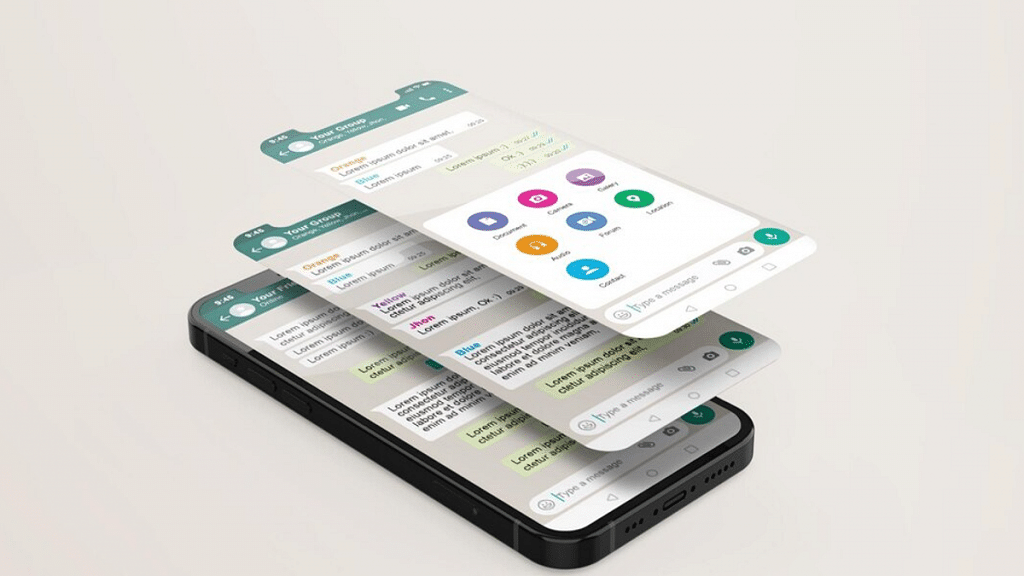
Step 2: Tap on the attachment icon (the paper clip) located at the bottom of the screen.

Step 3: Select “Gallery” from the list of options.

Step 4: Choose the folder where your photos are stored.

Step 5: Select the first photo you want to share by tapping on it.

Step 6: Press and hold the first photo until it is highlighted.

Step 7: Tap on the other photos you want to share. You can select up to 100 images and videos.

Also Read | WhatsApp Transcript Feature Will Save You From Hearing Lengthy Voice Messages: How To Use?

Step 8: Once you have selected all the photos you want to share, tap on the “Send” button.

Step 9: Wait for the photos to upload and send them to your chosen recipient.

That’s it! You have successfully shared 100 images in WhatsApp in one go. It’s worth noting that the process may differ slightly depending on the version of WhatsApp you are using and the type of device you have.

Additionally, if you are sending a large number of photos or if the recipient has a slow internet connection, the upload and send process may take some time. However, in general, sharing photos and images on WhatsApp is a quick and easy way to stay in touch with friends and family, no matter where they are in the world.

For the tech geeks, stay updated with the latest cutting-edge gadgets in the market, exclusive tech updates, gadget reviews, and more right on your phone’s screen. Join Giznext’s WhatsApp channel and receive the industry-first tech updates.