Categories
Info Mobile

Latest Android Phones Launched In India This Week: Nokia, Vivo, iQOO, Tecno

India is one of the fastest-growing smartphone markets in the world, with a large and diverse consumer base. In the last week, several new smartphones have been launched in the country, offering consumers a wide range of features and capabilities. From high-end devices with top-of-the-line specs to more affordable options with impressive features, here are the smartphones that were launched this week in India.

Also Read | Best Phones With Fast Charging Under Rs. 15,000

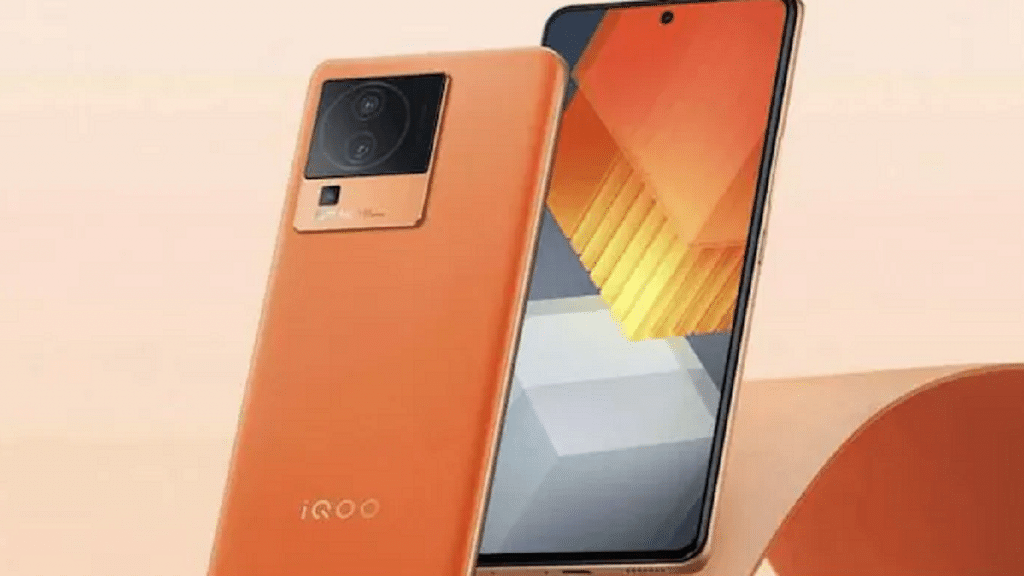
 iQOO Neo 7Nokia X30Tecno Pop 7 ProVivo Y56
Display6.78 inches AMOLED6.43 inches AMOLED6.56 inches IPS LCD6.58 inches
ProcessorMediatek Dimensity 8200Qualcomm Snapdragon 695 5GMediatek Helio A22MediaTek Dimensity 700
Rear Camera64MP + 2MP + 2MP50MP + 13MP13MP + QVGA depth sensor50MP + 2MP
Selfie Camera16MP16MP5MP16MP
OSAndroid 13, Funtouch 13Android 12Android 12, HIOS 12Android v13, Funtouch OS
Battery5,000mAh4,200mAh5,000mAh5,000mAh

iQOO Neo 7

The iQOO Neo 7, which succeeds the last year’s iQOO Neo 6, has been introduced in India. It has a 6.7-inch Full-HD+ screen with a refresh rate of 120Hz and a touch sampling rate of 300Hz. It is the first phone in India to be powered by MediaTek Dimensity 8200 processor. The 8GB RAM + 128GB storage version of the iQOO Neo 7 starts at Rs. 29,999 in India.

Nokia X30 5G
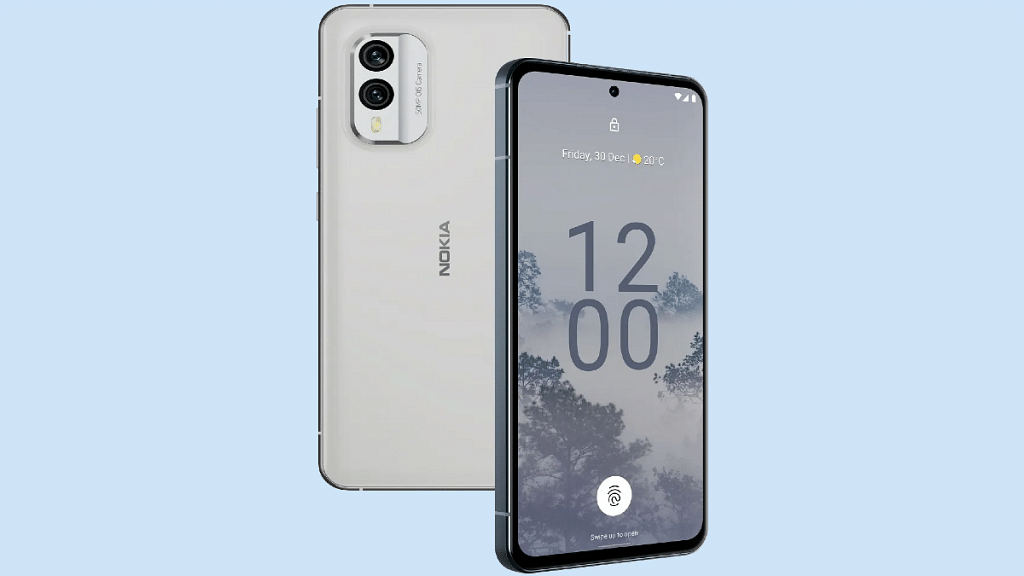
The Nokia X30 was introduced in India and instantly became the most expensive phone with the 5G-enabled Qualcomm Snapdragon 695 SoC. The 6.43-inch FHD+ AMOLED display with a 90Hz refresh rate, 50MP primary camera, and 4,200mAh battery with 33W rapid charging is among the smartphone’s prominent features. It will be available for purchase through the Amazon and Nokia websites starting on February 20 at a limited-time pricing of Rs. 48,999.

Tecno Pop 7 Pro
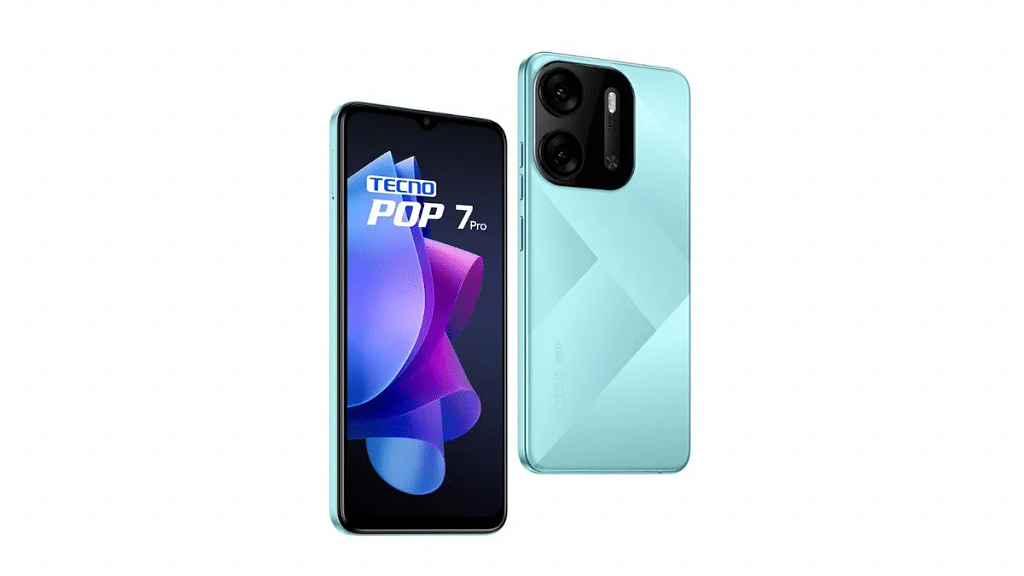
Tecno Mobile has launched the Tecno Pop 7 Pro, the company’s next budget smartphone in India, as the successor to last year’s Pop 6 Pro. It retains the 6.56 HD+ display with 120Hz touch sampling rate, and 2GHz Quad-Core MediaTek Helio A22 processor, but this now comes with 2GB and 3GB RAM variants. The cost of the smartphone is set at Rs. 6,799 for the 2GB + 64GB model and Rs. 7,299 for the 3GB + 64GB model. Beginning on February 22, the smartphone will be available on Amazon.

Vivo Y56 5G

According to reports, the Vivo Y56 has been quietly introduced through offline retailers in India. The device includes a 6.58-inch display, Android 13 OS, MediaTek Dimensity 700 SoC, a 5,000mAh battery, and support for 5G networks. According to a popular offline retailer Mahesh Telecom, the Vivo Y56 5G is available through offline stores in India. As per Mahesh Telecom, the price of the smartphone is Rs. 19,999 for the single 8GB/128GB model.

Also Read | Best Smartphones With Dolby Atmos To Buy In India
Categories
Info Mobile

Oppo Find N2 Flip Finally Debuts Globally: Here’s The Primary Contender It’s Going Up Against

Key Highlights

  • Oppo Find N2 Flip, Oppo’s first-ever flip phone, launched globally
  • The smartphone comes with a primary foldable OLED screen and a dual-camera system
  • The Oppo Find N2 Flip to take on the Samsung Galaxy Z Flip 4

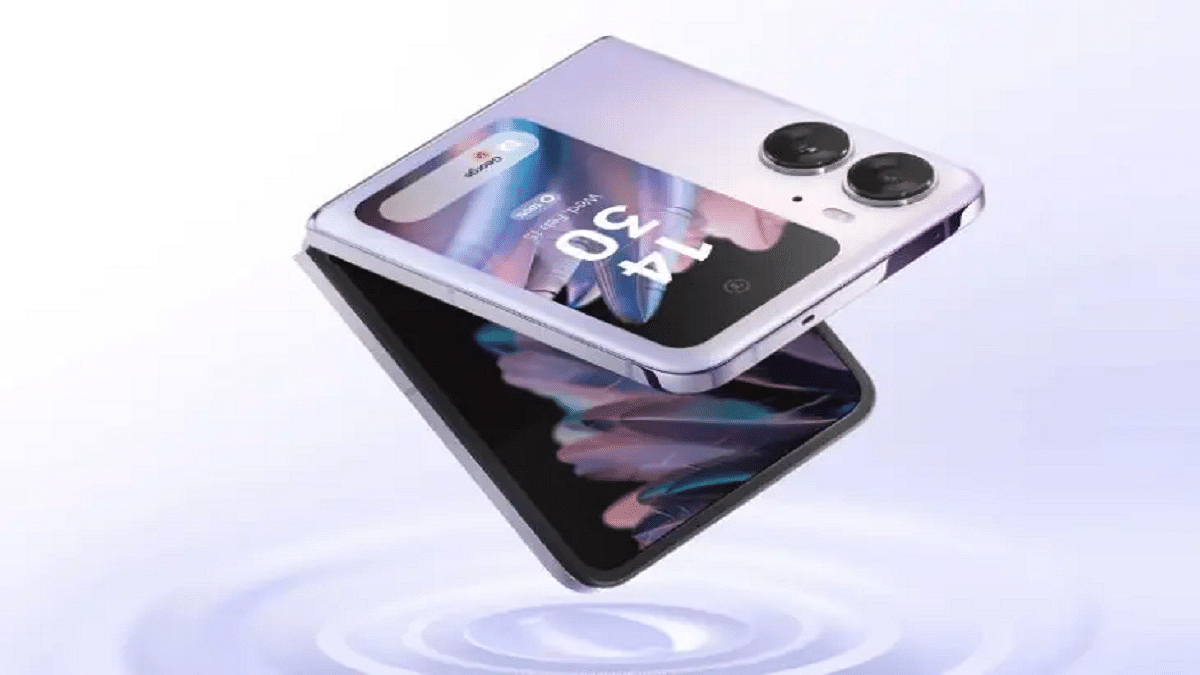
The Oppo Find N2 Flip has officially been launched globally. The device was initially announced in China at Oppo INNO Day 2022 in December and is the company’s first clamshell folding smartphone. The Find N2 Flip aims to bring competition to the foldable smartphone market, especially the Samsung Galaxy Z Flip 4. Here is all the information you need to know about Oppo’s newly launched foldable phone.

Also Read | Best Smartphones With Dolby Atmos To Buy In India
Oppo Find N2 Flip Specifications

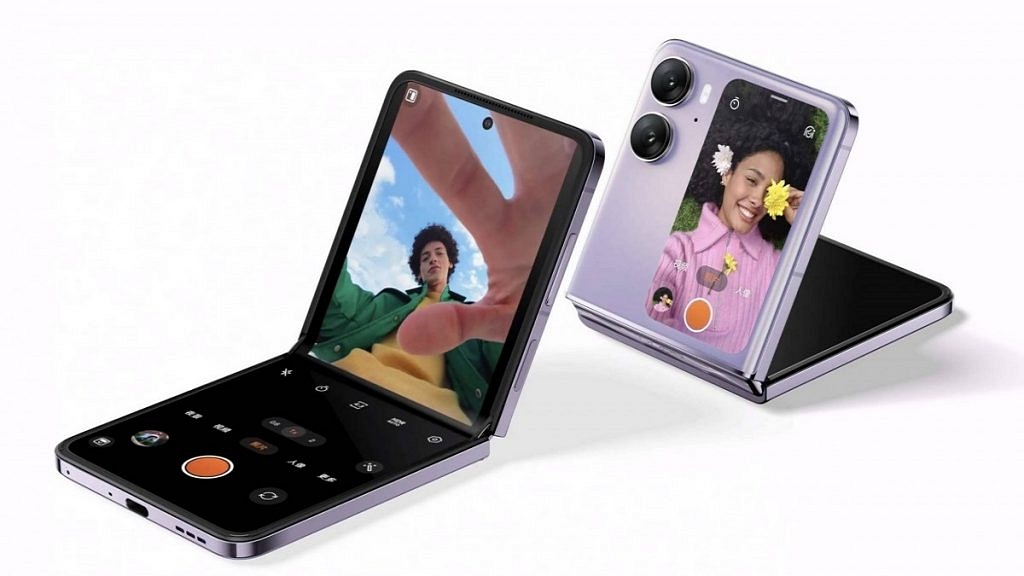
The Oppo Find N2 Flip features a 6.8-inch AMOLED LTPO primary display with a peak brightness of 1,600 nits. The display refresh rate can range from 1Hz to 120Hz. The MediaTek Dimensity 9000+ SoC, along with 8GB of LPDDR5 RAM and 256GB of UFS 3.1 storage, power the device. Oppo’s Flip smartphone also features an integrated MariSilicon X NPU for improved image processing.

Optics on the Find N2 Flip include a dual-camera system with a 50MP Sony IMX890 primary sensor and an 8MP Sony IMX355 ultrawide camera with a 112-degree field of view that was co-engineered with Hasselblad. While the main cameras can also be used to take selfies thanks to the large cover screen, the inner display includes a 32MP selfie camera on top.

Also Read | Best Super AMOLED Display Smartphones Under Rs. 25,000 In India

The Oppo Find N2 Flip also features a 4,300mAh battery with 44W rapid charging which is the highest battery capacity of any Flip phone.

Oppo Find N2 Flip Vs Samsung Galaxy Z Flip 4

 Oppo Find N2 FlipSamsung Galaxy Z Flip 4
Display6.8 inches AMOLED LTPOFoldable Dynamic AMOLED 2X
ProcessorMediatek Dimensity 9000+Qualcomm Snapdragon 8+ Gen 1
Rear Camera50MP + 8MP12MP + 12MP
Selfie Camera32MP10MP
OSAndroid 13, ColorOS 13Android 12, upgradable to Android 13, One UI 5.1
Battery4,300mAh3,700mAh

Oppo Find N2 Flip Price

The Oppo Find N2 Flip is priced at £849 (around Rs. 84,500) in the UK for the 8GB/256GB variant. The smartphone comes in Astral Black and Moonlit Purple color options. Additionally, the smartphone is available in other regions in Europe. The phone will also be coming to the Indian market soon. Oppo Find N2 Flip prices in India are expected to start at under Rs. 80,000.

Also Read | Best Smartphones With Snapdragon 888 Chipset To Buy In India

Categories
Accessories How To

Forgot Your Amazon Alexa Password? Here’s How To Change And Reset It

Key Highlights

  • Alexa devices are protected by Amazon passwords
  • If someone knows your Amazon password, they can access your Alexa recordings
  • Alexa users can change and reset their passwords

Amazon Alexa is a smart virtual assistant that allows you to manage your daily tasks and routines with just your voice. However, like any other online account, it is important to ensure that your Amazon Alexa account is secure. Changing and resetting your Amazon Alexa password regularly is one way to ensure your account’s security.

Also Read | Want To Download A Product Invoice From Amazon India? Here’s How

How To Change Amazon Alexa Password

To change your Amazon Alexa password, you need to follow these steps:

Step 1: Open the Amazon Alexa app on your mobile device.

Step 2: Click on the “More” button in the lower-right corner of the screen.

Step 3: Choose “Settings” and then select “Account Settings”.

Step 4: Tap on “Login with Amazon” and enter your Amazon login credentials if prompted.

Step 5: Tap on “Change password” and enter your current password followed by your new password.

Step 6: Confirm your new password and tap on “Save Changes”.

Your Amazon Alexa password will now be updated, and you will need to use the new password the next time you log in to your account.

Also Read | Don’t Remember Password For WhatsApp Encrypted Backup? Here’s What You Can Do

How To Reset Amazon Alexa Password

If you have forgotten your Amazon Alexa password, you can reset it by following these steps:

Step 1: Go to Password assistance.

Step 2: Enter the email address or mobile number linked to your Amazon account when required, then click Continue. To authenticate your request, it will send you an email or SMS containing a One Time Password (OTP). This depends on the verification option you’ve selected.

Step 3: Enter the received OTP and choose Continue.

Step 4: Create a new password.

Step 5: A new password is activated as soon as you generate it. All Amazon-related accounts linked to the same email address must use your new password.

Once you have completed these steps, your Amazon Alexa password will be reset, and you will be able to access your account with your new password. This will also change the password for your Amazon account.

For the tech geeks, stay updated with the latest cutting-edge gadgets in the market, exclusive tech updates, gadget reviews, and more right on your phone’s screen. Join Giznext’s WhatsApp channel and receive the industry-first tech updates.

Categories
Apps Info

Internet Explorer Is Officially Dead: Microsoft Retires Iconic Web Browser After Decades Of Service

Key Highlights

  • Microsoft disabled the desktop version of Internet Explorer
  • Users will now be directed to Edge when they try to use Explorer
  • In a subsequent upgrade, Microsoft also plans to remove visual references like the Internet Explorer taskbar icon

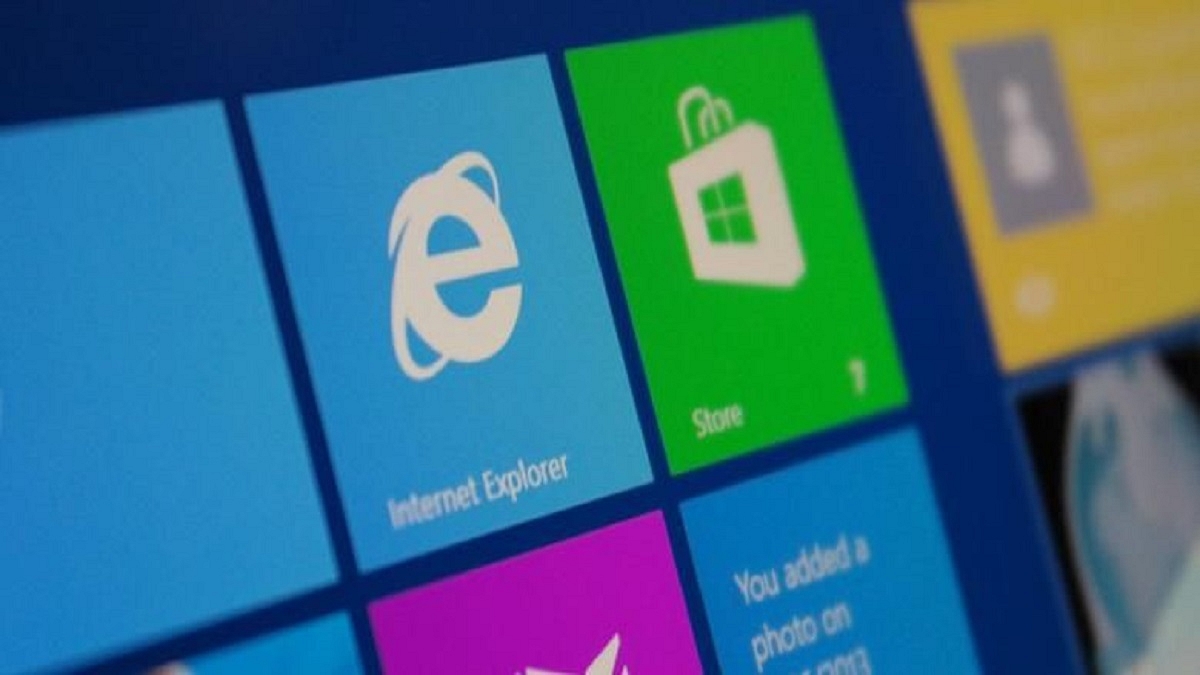
On Valentine’s Day, Microsoft broke the heartbreaking news that Internet Explorer would no longer be supported. Microsoft revealed on Tuesday that it had permanently disabled the desktop version of Internet Explorer on some editions of Windows 10 and upgraded its more recent browser, Microsoft Edge.

The company stated that all further consumer and commercial devices that weren’t already switched from Internet Explorer to Microsoft Edge will also be impacted. Users will now be directed to Edge when they try to use Explorer.

Also Read | Effortless Typing In Laptop/PC: Here’s How To Use Voice Typing Feature On Windows 11 To Type Without Keyboard

However, the underlying technology that powers Internet Explorer, the MSHTML and Trident engine will continue to remain supported. The company says Edge’s IE mode will be supported until at least 2029. Windows 11 comes pre-installed with Microsoft’s Edge browser which is powered by Chromium, the report shared.

Microsoft Retires Internet Explorer

Microsoft Internet Explorer was first released in 1995 for Windows-based devices. There were 11 different iterations of Internet Explorer, with the most recent one arriving in 2013. However, the web browser has become out of date after over three decades, prompting Microsoft to take action to eliminate it.

Also Read | Google Sheets Tips And Tricks: How To Add ChatGPT Extension To Google Sheets

Microsoft announced in 2015 that Microsoft Edge would take its place as the default browser for Windows 10. Internet Explorer was officially retired by the company in June of last year but Windows 10 users weren’t able to access the web browser until the Tuesday update.

The start menu’s and task bar’s visual elements and icons for Internet Explorer 11 will likewise gradually disappear in June.

“With a growing number of websites no longer supporting Internet Explorer, Microsoft Edge offers a faster, more secure, and more modern browsing experience that can still open legacy, Internet Explorer-dependent sites when needed,” the company said in its announcement.

Also Read | How To Archive Emails In Microsoft Outlook: Here’s The Step-By-Step Guide

Categories
Apps How To

Instagram Privacy: How To Hide Online/ Active Status, Last Seen On Instagram

Key Highlights

  • Instagram allows its users to hide their activity status on the platform
  • Instagram’s online activity status can be disabled on Android and iOS devices using the privacy settings
  • Hiding active status on Instagram is easy and simple

Instagram is a social media platform that allows users to share photos and videos with their followers. However, sometimes you might want to hide your online status from your followers or other users. This could be because you want to take a break from social media or because you don’t want to appear online to certain people. Fortunately, Instagram offers a way to hide your online status.

Also Read | Want To View Instagram Story Secretly Without Notifying Contacts Or Followers: Here’s How

Steps To Hide Your Online Status On Instagram

Hiding your online status on Instagram is a simple and effective way to take a break from social media or control who can see your activity on the app. By following these simple steps, you can easily turn off your activity status and enjoy a more private Instagram experience. Also, make sure that the Instagram app is updated to the latest version on your smartphone.

Step 1: On your Android and iOS smartphone, open Instagram.

Step 2: Click on your profile at the bottom right corner.

Step 3: In the upper right corner, tap on the Hamburger icon.

Step 4: Now, open Settings.

Step 5: Tap on the Privacy option.

Also Read | Instagram Dynamic Profile Photo Feature: What Is It? How To Use?

Step 6: Scroll to the bottom, look for the Activity Status tab and tap on it.

Step 7: Now, there are two options: Show Activity Status and Show When you’re Active Together. The latter is for chats. So, if you’ve already started a conversation (via chat) with someone you follow, you can see if they’re online in the same chat. The former disables or enables the activity status completely. Disable the first option as it will automatically disable the second option.

It’s important to note that even if you hide your online status, your followers will still be able to see your posts, stories, and profile. They just won’t be able to tell if you’re currently active on the app or not.

For the tech geeks, stay updated with the latest cutting-edge gadgets in the market, exclusive tech updates, gadget reviews, and more right on your phone’s screen. Join Giznext’s WhatsApp channel and receive the industry-first tech updates.

Categories
Info Mobile

Tecno Pop 7 Pro With Helio A22 Processor India Launch On February 16: Budget Phone Under Rs 10,000?

Key Highlights

  • Tecno Pop 7 Pro is set to launch on February 16 in India
  • The brand has confirmed the release date through its official social media handles
  • The phone is expected to feature a 6.56-inch HD+ display and the MediaTek Helio A22 processor

Tecno is preparing to introduce the Tecno Pop 7 Pro in India after doing so earlier this month in Africa. Tecno took to its official social media handles to confirm the launch of the Tecno Pop 7 Pro in the nation. On February 16, the Tecno Pop 7 Pro is going to launch in India. It has the MediaTek Helio A22 chipset, a 5,000mAh battery, and a 13MP main camera.

Also Read | Tecno Camon 19 Review: A Well-Rounded Mid-Range With A Stylish Design

Tecno Pop 7 Pro India Launch Date

Tecno will introduce the Tecno Pop 7 Pro in India on February 16. It is still unknown whether the Indian version will be the same as the one introduced in Africa or if some changes will be made. However, we won’t have to wait too long to find out everything about the device. The Tecno Pop 7 Pro will likely be sold via Flipkart in India.

Tecno Pop 7 Pro Specifications

Display6.56 inches
ProcessorMediaTek Helio A22 | 3 GB
Rear camera13MP
Selfie camera5MP
Battery5,000mAh

The 6.56-inch HD+ display on the Tecno Pop 7 Pro includes a waterdrop notch at the top and a standard 60Hz refresh rate. An octa-core MediaTek Helio A22 processor, along with 3GB or 4GB of RAM and 64GB of internal storage, powers the Tecno Pop 7 Pro. There is also a physical fingerprint scanner on the back.

A 5MP selfie camera is integrated underneath the device’s notch. The phone’s 13MP primary camera on the back is joined by a QVGA depth sensor and an LED flash.

The Tecno Pop 7 Pro is pre-installed with HiOS 12, an Android 12-based operating system. Last but not least, the Tecno Pop 7 Pro includes a 5,000mAh battery with 10W charging support.

Also Read | Tecno Camon 19 Pro Mondrian Edition Full Review: Unique Color Changing Design, Powerful Cameras Steal The Show

Categories
Info TV

TCL S Series Google And Android TVs Launched In India: Feature-Rich Smart TVs Under Rs. 15,000

Key Highlights

  • TCL has announced the launch of new S Series Google and Android TVs in India
  • The company launched the industry’s first 32-inch Bezel-less Google TV and Android 11 TV
  • The product features HD resolution with built-in Google voice assistant and much more

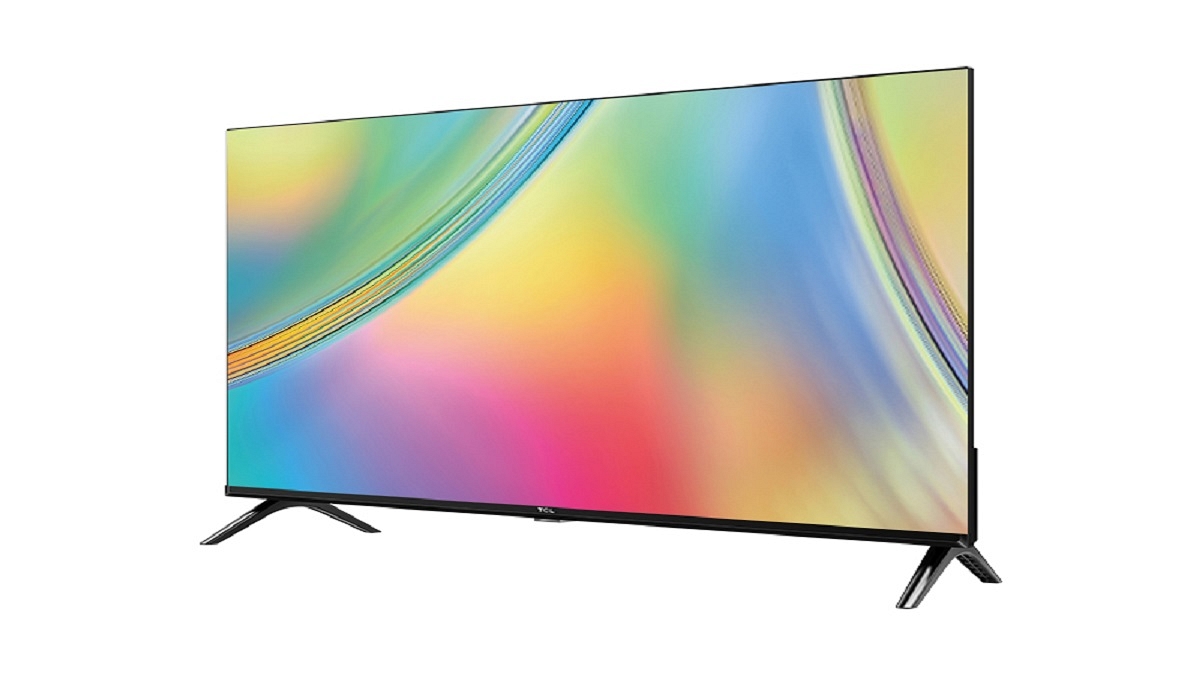
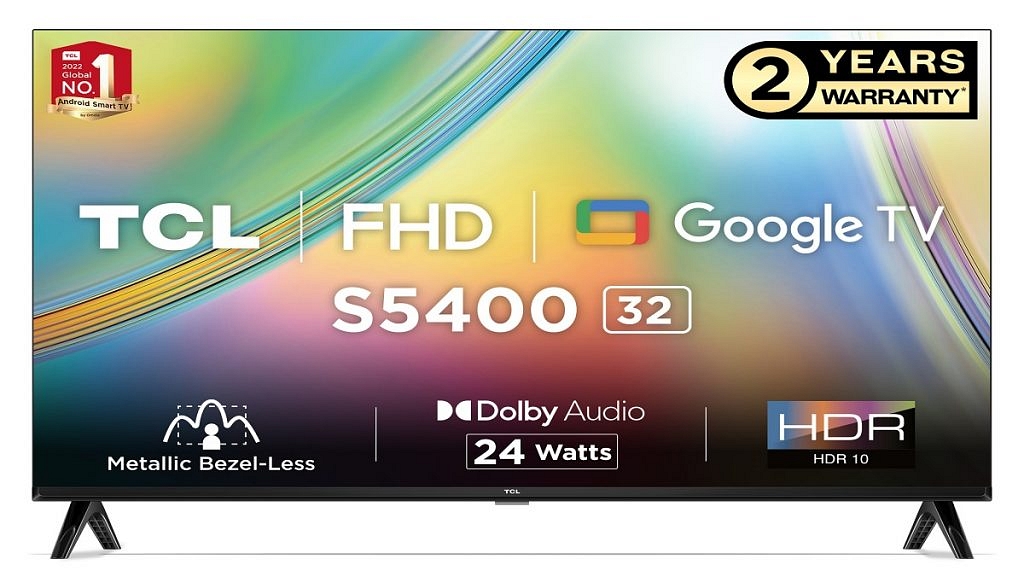
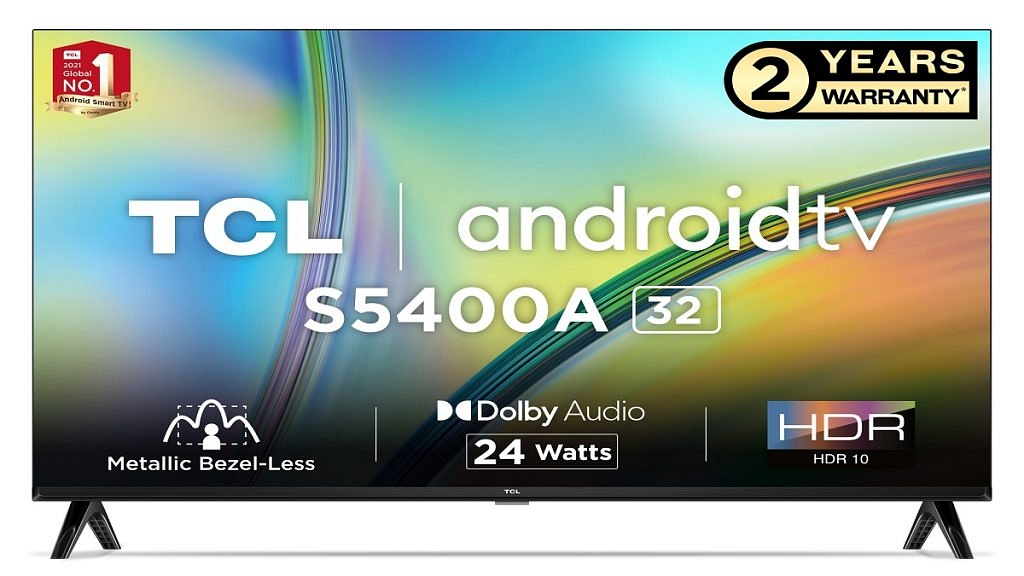
The launch of TCL’s renowned S series of Google and Android TV in India was recently announced. With its HD resolution and a wealth of smart features, the launch promises to provide its customers with a first-class experience. The three recently released S series TV models, the S5400 Google TV, the S5400A Premium A+, and the S5403A, all have a lightweight, compact design that exudes style.

Also Read | Best Smart TVs To Buy On EMI And Zero Down Payment: Samsung, OnePlus, And More

TCL S5400 32-inch FHD Google TV Specifications

Viewers can find new movies and TV series from their subscriptions and content on the new S5400 32-inch FHD Google TV. Using Google Watchlist, viewers can now add content to their libraries. Google Kids mode also provides security with kid-specific profiles and appropriately filtered content. The TCL TV further has a Chromecast built-in that enables the casting of music, videos, and apps from any device to the TV.

TCL S5403A And S5400A 32-inch HD Android 11 TV Specifications

TCL S5403A and S5400A 32-inch HD Android 11 TV have an A+ HD-ready display. With access to more than 7,000 apps and 7,00,000 shows and movies in one location, the next-generation Android TV has speed and security upgrades. The TV features Chromecast built-in, Google Play games, Google Play movies and TV, and Google Play Store.

The entire series is powered by Dolby Audio. An integrated 24W speaker system is built into each TV. Additionally, it has an intelligent sound mode that allows for a variety of sound settings depending on the content selected including Standard, Dynamic, Music, Movie, Voice, Game, and Sports sound modes.

The next-gen Google TV and Android 11 TV also boast micro-dimming features. This analyzes TV content in 2,304 separate zones and intelligently adjusts brightness and darkness. The dynamic color enhancement in TV features a 1.07 billion color display. The TVs enable faster streaming with efficient connectivity via 5.0 Bluetooth, Wi-Fi, HDMI x 2, and USB 2.0.

Also Read | Best Smart TVs For Zoom Meetings In 2022

While the Android 11 TV is equipped with a 64-bit quadcore processor, G31MP2 GPU, 8GB storage, and 1GB RAM, the Google TV has 16GB storage, 1.5GB RAM, and a 64-bit Quad Core processor.

Price And Availability

TCL’s S5400 Google TV is available at offline retail and brand stores as well as leading marketplaces including Amazon and Flipkart with price starting at Rs. 15,990.

On the other hand, S5400A and S5403A start at Rs. 13,490 and Rs. 13,990, respectively, with additional cashback. Variant S5400A is available at Amazon and Flipkart as well as Online Brand Store while S5403A is available at offline retail & brand stores across India. Both the models S5400 and S5403A also offer exciting offers with up to 10 percent instant cashback.

Also Read | Smart TV Buying Guide: Best Smart TVs With Voice Control Feature In India In 2022

Categories
Accessories Gaming Info

Nokia 5000GC Advanced Gaming Controller Coming Soon: Leak Reveals First Look

Key Highlights

  • Nokia Game Controller 5000 leaked on retailers and official platforms
  • StreamView has the device listed on its official website
  • It has a microphone, a Hey Google button, and more features

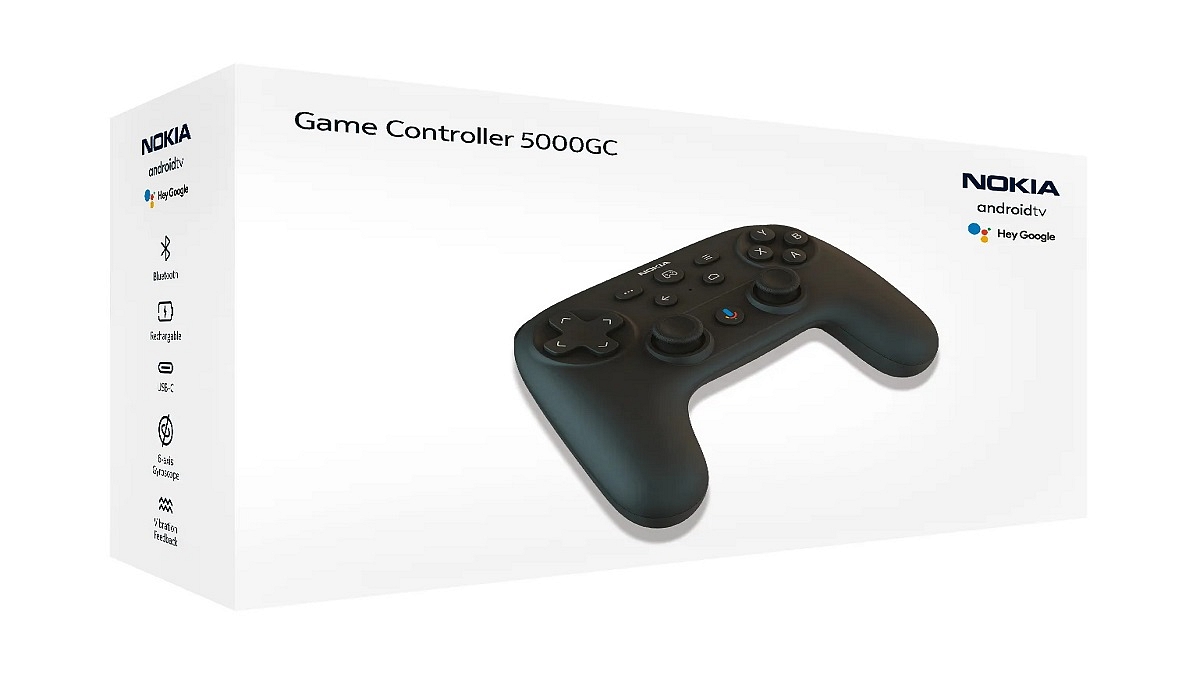
The Nokia Game Controller 5000 (GC5000) has been leaked on retailers and official platforms before its official release. It is the first-ever Nokia-branded game controller. Prior to its debut, StreamView has the product mentioned on its official website. StreamView is a licensee of the Nokia brand, but the listing is now hidden. Here’s everything you need to know:

Also Read | Best Games On Xbox Game Pass That Are Worth Playing

Nokia Game Controller 5000GC Leaked Specifications

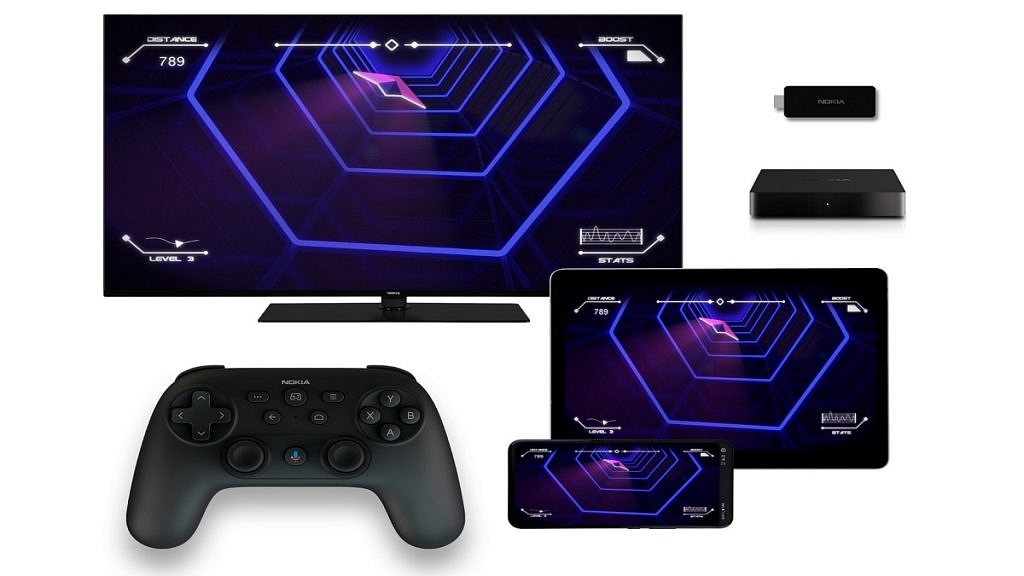
The Nokia GC5000 has an ergonomic design that improves grip when playing games. With a 14-hour battery life, it provides improved comfort for prolonged use. The controller’s battery can be fully recharged over USB-C in two hours. The Nokia Gaming Controller 5000 is compatible with Android TVs, Android streaming devices, and Android smartphones. It works with Google Assistant to help users browse menus and find games. Also Read | Best Train Simulator Games For PC Gaming Enthusiasts

The Nokia GC5000 features haptic feedback for a realistic gaming experience. Additionally, a 6-axis gyroscope is provided for quick turning and easy control. The GC5000 also features a microphone, a Hey Google button, and Bluetooth 5.0 connectivity. A USB adaptor is included in the packaging, and the battery capacity is 650mAh.

Some product images and specifications of the Nokia GC5000 have been added to the listing. However, neither a price nor release information for the Nokia GC5000 has been disclosed by StreamView.

Nokia Game Controller 5000GC Launch And Price Details

The Nokia Game Controller 5000 was listed by the retailer with a price tag of €52.90 ($57). Details about the official release date of the product are not yet available. However, we expect the launch of the Nokia Game Controller 5000 to be imminent.

Also Read | Sony Announces PlayStation Plus Games For February 2023: Here’s The List

Categories
Apps Info

WhatsApp Transcript Feature Will Save You From Hearing Lengthy Voice Messages: How To Use?

Key Highlights

  • For lengthy voice notes, WhatsApp users will get a transcription feature soon
  • WhatsApp transcription feature is meant only for iOS so far
  • WhatsApp’s transcription feature was first spotted back in 2021

Have you ever received a voice message on WhatsApp that was too long to hear? Or perhaps you’re outside and not carrying your earbuds? Don’t worry! A new WhatsApp feature that will transcribe audio messages into text is on its way to help you with this.

According to WABetaInfo, WhatsApp’s iOS app’s most recent beta (23.3.0.73) adds a transcription feature for audio messages. Even if users are using that version, the functionality isn’t currently available to them because it’s still in development. This feature seems to have been enabled by WABetaInfo by digging deep into the app and flipping a switch.

Also Read | WhatsApp Allows Users To Search Messages By Date: Here’s How To Do It

A screenshot of the “introduction screen” which describes when the transcription is not accessible has also been made public by WABetaInfo. As far as we can tell, transcriptions will be able to handle several languages but in order for them to function, the user will first need to manually choose the language of the audio messages. In other words, WhatsApp won’t recognize it if the transcription language is different from the language of voice communication.

The report added that the transcriptions are completed entirely on the device by downloading the required language packs. They are never shared with Apple or WhatsApp, guaranteeing that only you have access to the information in your voice notes. It’s important to keep in mind, though, that this feature might only be accessible on iPhones running more recent iOS versions.

When Will You Get The Feature?

WhatsApp tracker, the WABetaInfo confirmed that the ability to transcribe voice notes is currently under development and will be released in future updates. You should therefore keep an eye out for the next update.

Also Read | Want To Read Full WhatsApp Messages Without Seen Or Blue Tick: Here’s The Hidden Hack

Categories
Apps

List Of Best ChatGPT Extensions You Can Use For Google Chrome

Key Highlights

  • There are many ChatGPT extensions for Google Chrome
  • ChatGPT currently has more than 100 million users
  • All the extensions listed are necessary to be logged in to ChatGPT

There is no need to introduce ChatGPT. With 100 million users in just two months after launch, it is currently the most popular thing on the internet and will only grow in popularity.

From mobile devices to web browsers, ChatGPT is increasingly being integrated into multiple platforms. Google Chrome, one of the most popular online browsers, seems to have many extensions that allow users to use ChatGPT all the time. These add-ons have proven to be helpful in many ways. Here is a list of Chrome extensions powered by ChatGPT that you should try. Also Read | Here’s How To Use The Viral AI Chatbot ChatGPT: A Step-By-Step Guide

ChatGPT Writer

With the help of this addon, ChatGPT can be used to write emails or messages in response to a few brief instructions. According to the developers, the tool generates high-quality responses and is compatible with practically all websites.

When a user clicks to reply to an email, the ChatGPT Writer icon will appear next to the Send button. Tap the icon to display a dialog box that says ” Briefly enter what you want to reply:” and the dialog box below it. Users can use the Generate button to submit prompts such as “write a reply in a casual manner.” Users will instantly receive a response which they can then incorporate into their reply.

Merlin

This Chrome add-on lets you use ChatGPT on any website including search engines, Gmail, Twitter, LinkedIn, Google Sheets, and others. To access the Merlin Box after installing the extension, use Ctrl + M on a Windows or CMD + M on Mac to select any content. You can use this tool to compose answers, summarize articles, and shorten texts. The developer claims that users can use Merlin Box for all Google queries.

Share GPT

Users can bookmark and share ChatGPT instructions with just a few clicks with this addon. After installing the ShareGPT extension, you will see a share button below the command prompt. Options to share and bookmark are displayed when you click the button.

YouTube Summary With ChatGPT

By using ChatGPT, Glasp’s free Chrome addon can create transcripts and summaries of YouTube videos. After installing the extension, you’ll see a “Transcript & Summary” box at the top right of your YouTube page. For anyone looking to learn more quickly and efficiently from YouTube tutorials, the plugin is a terrific addition.

Also Read | Google Bard CHatGPT Killer Goes Official? What Is It? How To Use?