Categories
Apps Featured How To

Instagram Rolls Out 20-Track Reels: Here’s How To Use It Like A Pro

Key Highlights

  • Instagram now lets you add up to 20 music tracks to a single Reel
  • Align audio with text, stickers, and clips to the Reel
  • Update your app to create and edit your Reel with multiple tracks

Instagram users in India have a new way to enhance their creativity with the introduction of the Multi Audio Tracks on Reels feature. This update allows users to add up to 20 music tracks to a single Reel. The announcement was made via an Instagram post, stating, “Starting today, you can add up to 20 tracks to a single reel and visually align audio with elements like text, stickers, and clips while you’re editing in the app.”

Also Read | The Insta-Famous Five: Check Top Five Most-Followed Instagram Accounts

The new feature not only enables the addition of multiple audio tracks but also allows users to align these tracks with visual elements like text, stickers, and clips. This alignment ensures that the audio and visuals are perfectly synchronized. According to Instagram’s Head, Adam Mosseri, this feature is designed to provide more creative freedom for users.

Focus On Short-Form Videos

Instagram’s shift towards enhancing short-form video content has been evident. Mosseri has previously stated that long-form videos are less compatible with Instagram’s core mission of connecting people with friends. Short-form videos, such as Reels, facilitate more interaction and content sharing among users. By focusing on short-form content, Instagram aims to strengthen its community by encouraging more engagement.

Steps To Add Multiple Audio Tracks To Your Reel

To make the most of this new feature, follow these simple steps:

Step 1: Ensure your Instagram app is updated to the latest version on your Android smartphone or iPhone.

Step 2: Launch the app on your smartphone.

Step 3: Tap the Plus icon at the bottom of the screen, then select the Reels option.

Step 4: Capture the video content you wish to share.

Step 5: Swipe up to enter the editing mode.

Step 6: Tap the ‘Tap to add Audio’ option.

Step 7: Select the first track you want to add and adjust its length.

Step 8: Repeat the process to add up to 20 tracks, adjusting the length of each as needed.

Step 9: Add stickers, text, and other elements to your Reel.

Step 10: Once satisfied with your edits, tap the Share button to post your Reel on Instagram.

Also Read | How To Remove A Single Image From Instagram Carousel

Conclusion

With the ability to add up to 20 audio tracks to a single Reel, Instagram users in India now have more tools at their disposal to create engaging and dynamic content. This feature, combined with the platform’s focus on short-form videos, aims to foster greater creativity and interaction among users.

For the tech geeks, stay updated with the latest cutting-edge gadgets in the market, exclusive tech updates, gadget reviews, and more right on your phone’s screen. Join Giznext’s WhatsApp channel and receive the industry-first tech updates.
Categories
Comparison Featured Mobile

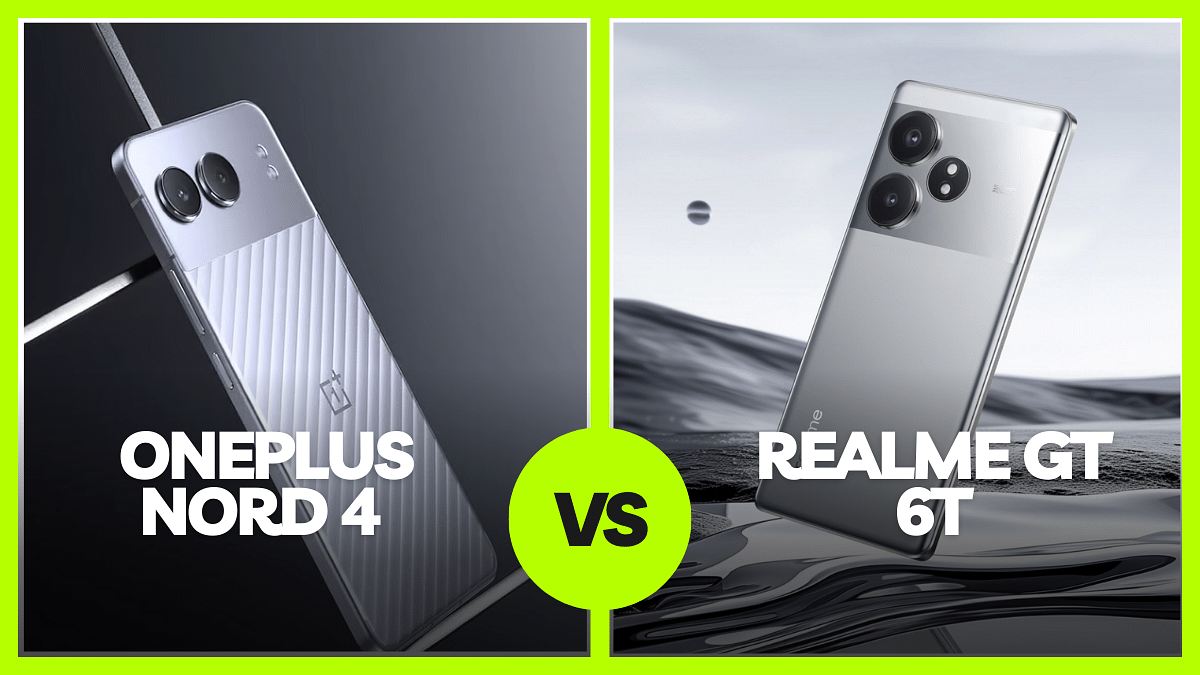
OnePlus Nord 4 vs Realme GT 6T: Clash Of The Mid-Range Titans

Key Highlights

  • The mid-range smartphone market is competitive with daily launches
  • OnePlus Nord 4 and Realme GT 6T are two strong contenders
  • Both offer strong performance in the mid-range segment

The mid-range smartphone market is becoming increasingly competitive with new launches happening daily. If you’re in the market for a powerful mid-range phone, the OnePlus Nord 4 and Realme GT 6T are two strong contenders. Here’s a comparison to help you decide which one suits your needs better.

Also Read | OnePlus Nord CE 4 Lite 5G vs Realme Narzo 70 Pro 5G: Feature Face-Off In The Budget Segment

SpecsOnePlus Nord 4Realme GT 6T
Display6.74-inch AMOLED6.78-inch AMOLED
ChipsetSnapdragon 7+ Gen 3Snapdragon 7+ Gen 3
RAMUp to 12GBUp to 12GB
StorageUp to 256GBUp to 512GB
Rear Camera50MP main sensor, 8MP ultra-wide50MP main sensor, 8MP ultra-wide
Front Camera16MP32MP
Battery5,500mAh, 100W fast charging5,500mAh, 120W fast charging
OSOxygenOS based on Android 14Realme UI based on Android 14
AI FeaturesAI Note Summary, AI Audio Summary, AI Writer, AI Linkboost, AI Best FaceAI Eraser only

Design

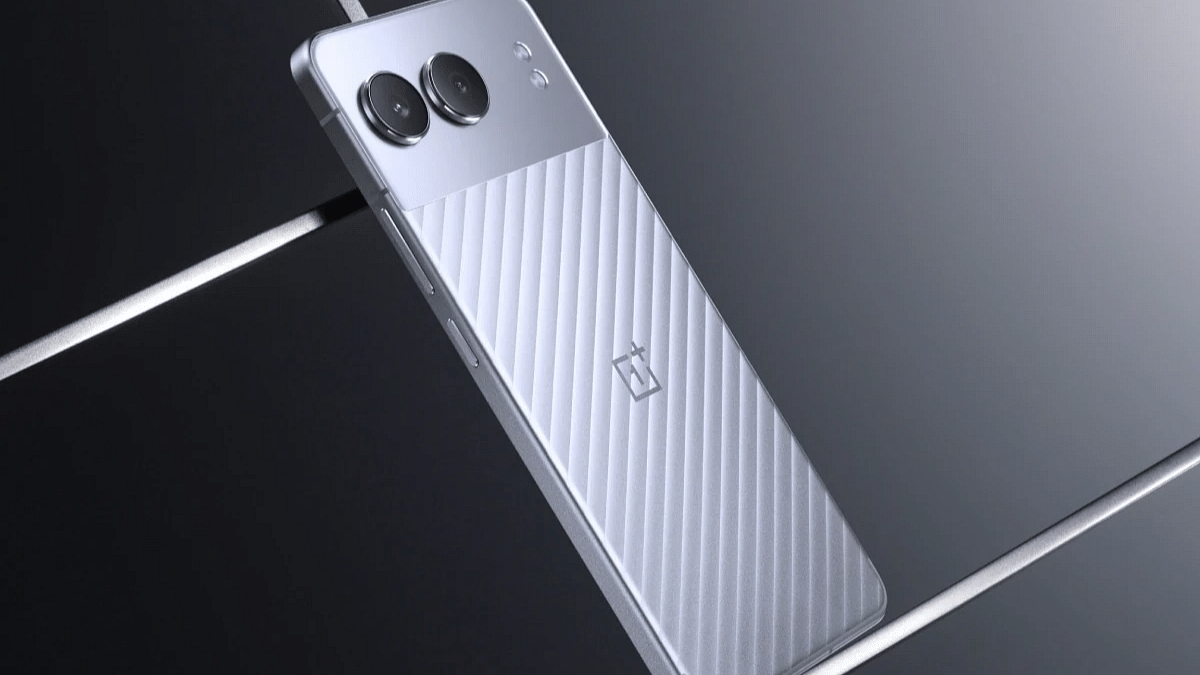
The OnePlus Nord 4 stands out with its premium design. It features a mix of glass and metal. The metal frame extends into the back panel, giving it a durable unibody feel. The camera sensors are placed on a super-reflective glass panel that doubles as a mini mirror.

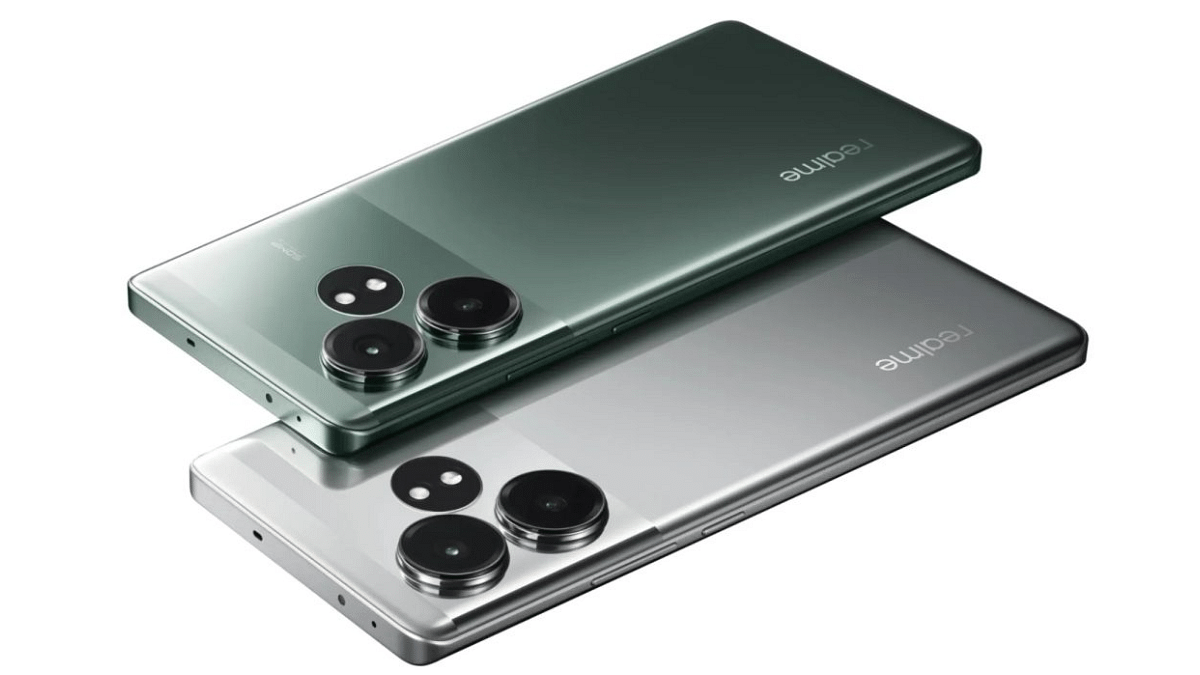
On the other hand, the Realme GT 6T feels slightly lighter and sleeker in hand, thanks to its curvier design. However, it has an all-plastic build, which might not feel as premium as the Nord 4’s glass and metal construction.

Display

The Realme GT 6T sports a 6.78-inch display that is significantly brighter than the Nord 4’s 6.74-inch panel. The GT 6T’s screen hits around 2,000 nits, while the Nord 4 reaches up to 2,150 nits peak brightness. Indoors and outdoors, the GT 6T appears brighter, but the Nord 4 still offers good visibility.

Both phones feature 120Hz AMOLED displays, but the GT 6T’s display has LTPO technology and is curved, making content viewing more enjoyable. The GT 6T also has sleeker bezels and Gorilla Glass Victus 2 protection, whereas the Nord 4 uses Panda Glass.

Performance

Both phones are powered by the 4nm Snapdragon 7+ Gen 3 processor and come with up to 12GB RAM and 256GB storage. More storage possibilities are available with the GT 6T thanks to its 512GB model. Android 14 is used by both devices; the GT 6T uses Realme UI and the Nord 4 uses OxygenOS.

However, the Nord 4 comes with more bloatware—11 preloaded apps compared to the GT 6T. OnePlus has a significant advantage with six years of software update support, including four years of OS updates and six years of security patches. In contrast, the GT 6T supports only three years of major OS updates and four years of security patches.

The Nord 4 also has several useful AI features like AI Note Summary, AI Audio Summary, AI Writer, AI Linkboost, and AI Best Face, which are not available on the GT 6T. Both phones offer AI Eraser.

Camera

The cameras on both phones are identical, with an 8MP ultra-wide sensor and a 50MP Sony LYT 600 primary sensor. The GT 6T has a 32MP front camera, while the Nord 4 features a 16MP shooter. Videos up to 4K at 60 fps can be captured by either phone’s rear camera or front camera at 30 fps.

Battery

The OnePlus Nord 4 and Realme GT 6T are powered by a 5,500mAh battery. However, the Nord 4 supports 100W fast charging, while the GT 6T offers slightly faster 120W charging.

Also Read | Realme 12+ 5G vs Nothing Phone 2a: Which Mid-Range Marvel Should You Pick?

Pricing

ConfigurationOnePlus Nord 4Realme GT 6T
8GB + 128GBRs. 29,999Rs. 30,999
8GB + 256GBRs. 32,999Rs. 32,998
12GB + 256GBRs. 35,999Rs. 35,998
12GB + 512GBRs. 39,998

Final Verdict

Choosing between the OnePlus Nord 4 and Realme GT 6T depends on your priorities. If you prefer a more premium design, longer software support, and useful AI features, the Nord 4 is a solid choice. However, if you want a brighter display, sleeker design, and faster charging, the GT 6T might be the better option. Both phones offer great performance and features, making either a good pick in the mid-range segment.

For the tech geeks, stay updated with the latest cutting-edge gadgets in the market, exclusive tech updates, gadget reviews, and more right on your phone’s screen. Join Giznext’s WhatsApp channel and receive the industry-first tech updates.
Categories
Apps Featured How To

WhatsApp Rolls Out ‘Favorites’ Filter: What It Is And How To Use

Key Highlights

  • Favorites filter lets users easily find important contacts
  • Add and reorder favorites directly from the chats
  • WhatsApp is testing a feature to transcribe voice messages into text

WhatsApp is rolling out a new “Favorites” filter. This feature will allow users to mark specific contacts and groups as favorites, ensuring they appear at the top of the calls and chats tabs. The rollout is gradual and will be available across all platforms, including Android, iOS, web, and desktop versions, in the coming weeks.

Also Read | WhatsApp Tips & Tricks: How To Unblock Yourself And Regain Access

Understanding WhatsApp Favorites Filter

The Favorites filter is an addition to the existing chat filters on WhatsApp, which currently include “All,” “Unread,” and “Groups.” This new filter is intended to help users quickly find the people and groups they interact with the most. By setting contacts as favorites, users can easily access these important chats and calls without having to search through their entire list of active conversations and call logs. In the calls tab, the option to add a favorite will be prominently displayed at the top of the call logs.

How To Use The Favorites Filter

Using the new Favorites filter is simple:

Step 1: Add Favorites in chats

  • Open the chats screen
  • Select the “Favorites” filter
  • Choose the contacts or groups you want to mark as favorites

Step 2: Add Favorites in calls

  • Go to the calls tab
  • Tap “Add favorite”
  • Select the desired contacts or groups

Step 3: Manage Favorites

  • Navigate to Settings
  • Go to “Favorites”
  • To manage and reorder your favorite contacts and groups, choose “Add to Favorites”

Upcoming Feature: Voice Message Transcription

In addition to the “Favorites” filter, WhatsApp is also working on a new transcription feature for voice messages. This feature, powered by Meta AI, is currently being tested by a select number of Android users in some regions. It will provide users with a textual transcription of voice notes, making it easier to understand the content of voice messages without having to listen to them.

Also Read | WhatsApp Tips And Tricks: Easy Ways To Record WhatsApp Video Calls

Conclusion

With the introduction of the “Favorites” filter and the potential addition of voice message transcription, WhatsApp continues to improve its user experience. These new features are set to make communication on the platform more efficient and user-friendly.

For the tech geeks, stay updated with the latest cutting-edge gadgets in the market, exclusive tech updates, gadget reviews, and more right on your phone’s screen. Join Giznext’s WhatsApp channel and receive the industry-first tech updates.
Categories
Featured Smart Watch

OnePlus Watch 2R Alternatives: Top Three Picks For Your Next Smartwatch

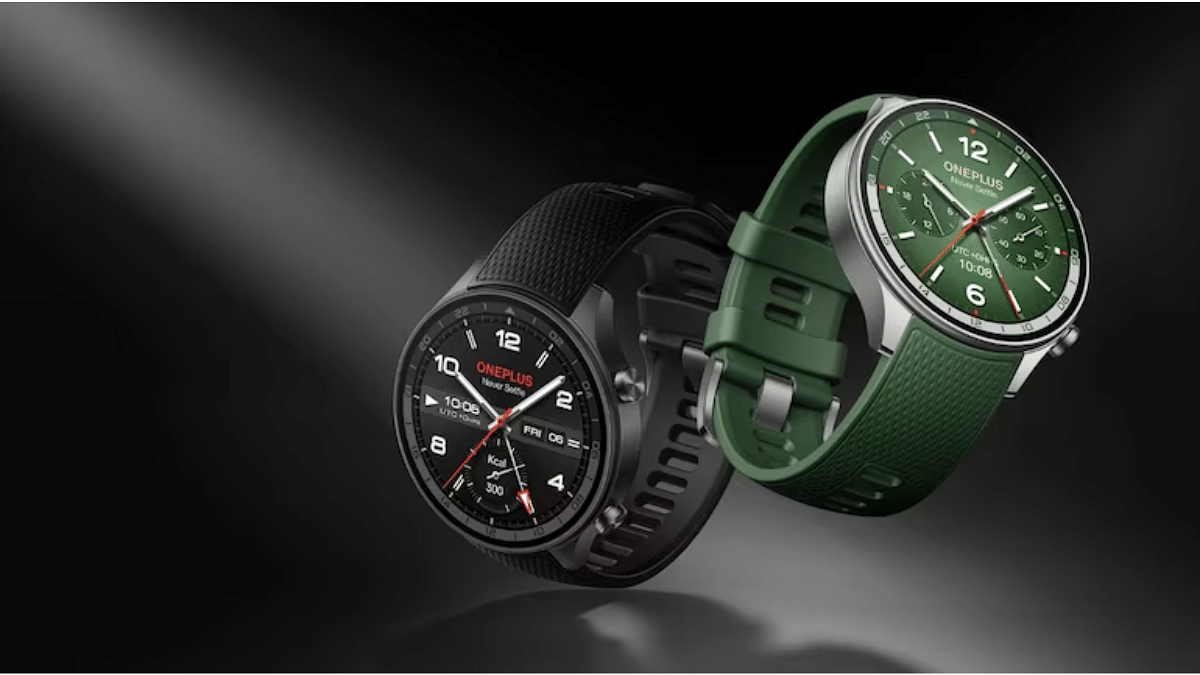
Looking for alternatives to the OnePlus Watch 2R? Released alongside the OnePlus Nord 4 and Nord Buds 3 Pro, the OnePlus Watch 2R features a circular design with sapphire crystal glass and an aluminum frame, complemented by silicone straps. It promises up to 12 days of battery life in Power Saving Mode. Priced at Rs. 17,999 in India, it comes in Forest Green and Gunmetal Gray color variants. Explore other options if you’re considering a smartwatch upgrade beyond OnePlus’s latest offering.

Also Read | Fitbit Versa 2 Vs OPPO Watch Vs Noise Colorfit Pro 2: Which Smartwatch Wears The Crown?

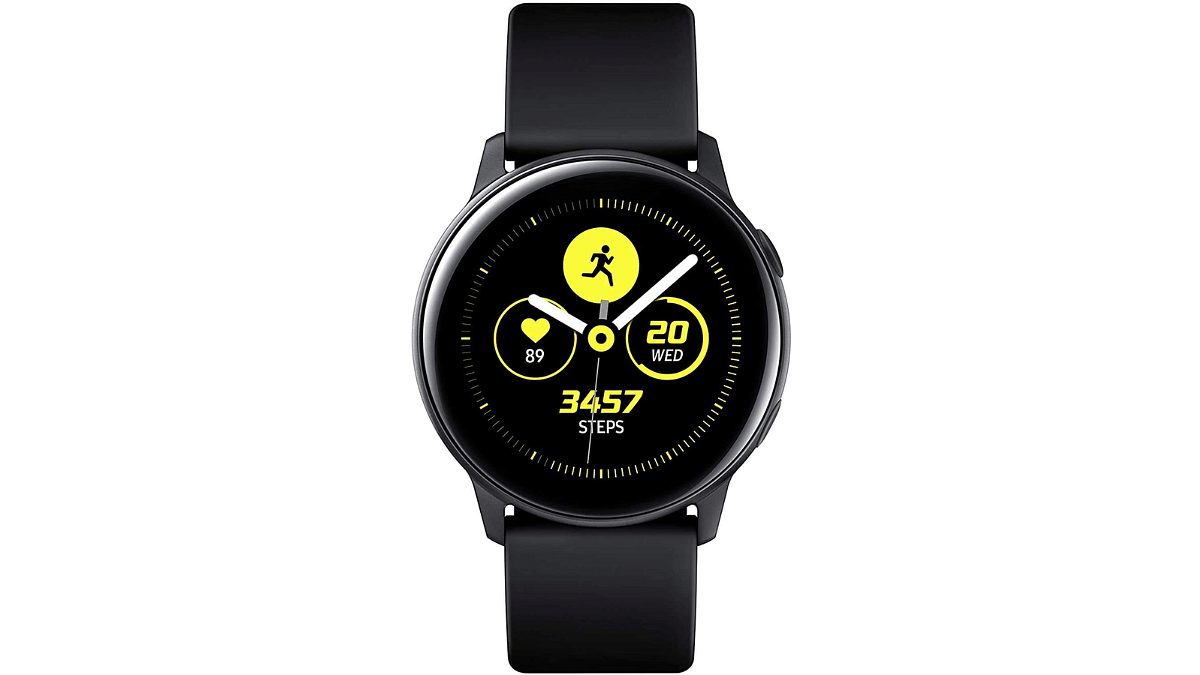
Samsung Galaxy Watch Active

The Samsung Galaxy Watch Active is designed for those focused on an active lifestyle. With comprehensive health tracking including heart rate, sleep, stress, and exercise, it offers a round AMOLED display and a stylish design. It’s compatible with both Android and iOS devices.

DisplayAMOLED
ConnectivityBluetooth
Strap MaterialSilicone
Compatible OSAndroid, iOS
Battery LifeUp to 45 hours (typical use)
Special FeaturesHeart rate monitoring, Exercise tracking, Sleep tracking, Stress tracking

Samsung Galaxy Watch Active: Price

PriceRs. 19,990
Buying LinkFlipkart

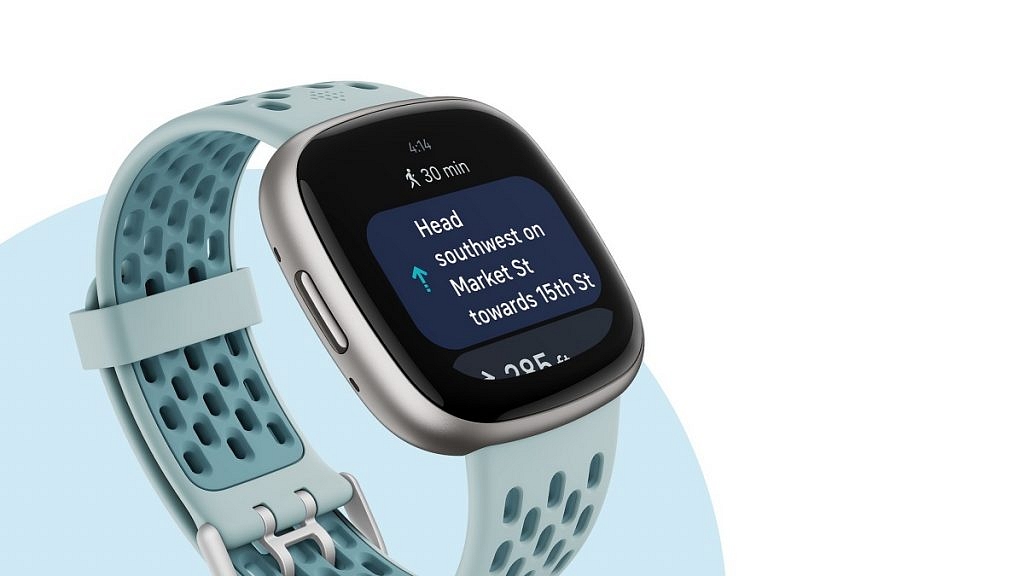
Fitbit Versa 4

The Fitbit Versa 4 combines fitness tracking with smartwatch features, making it a versatile choice. Priced competitively, it excels in health monitoring with features like real-time workout intensity tracking and 40+ exercise modes.

DisplayAMOLED
ConnectivityWi-Fi, Bluetooth
Strap MaterialSilicone
Compatible OSAndroid, iOS
Battery LifeUp to 6+ days depending on use
Special FeaturesActive Zone Minutes, Built-in GPS, Notifications, Alexa integration

Fitbit Versa 4: Price

PriceRs. 19,929
Buying LinkAmazon

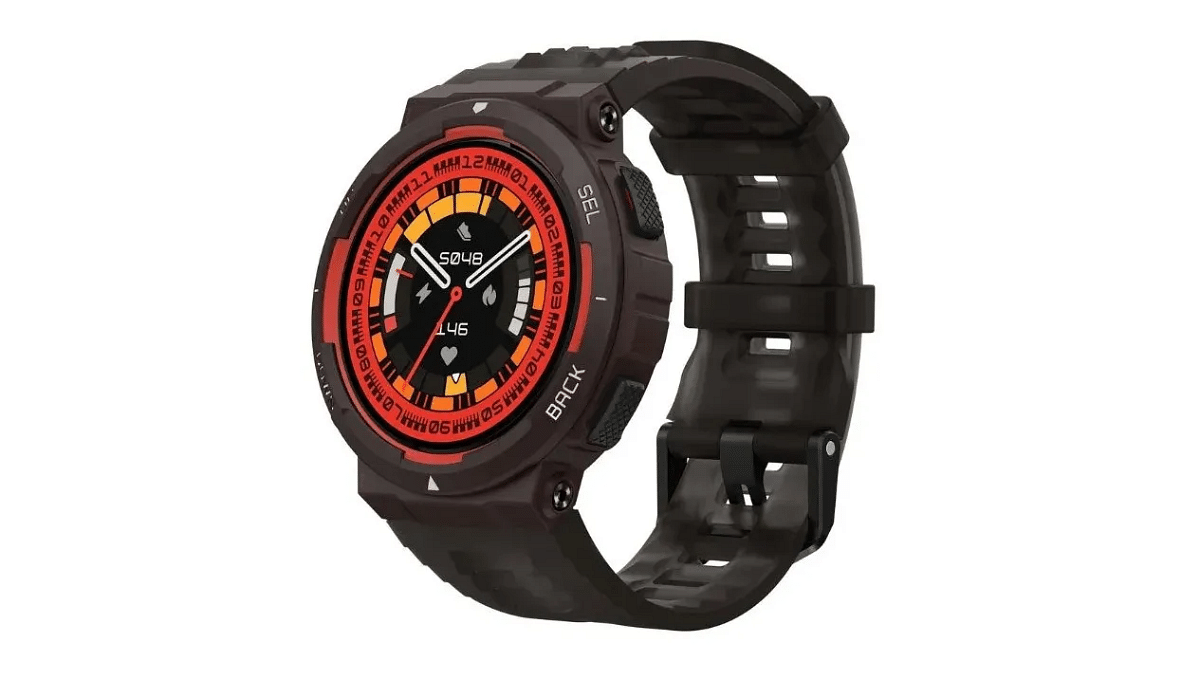
Amazfit Active Edge

For those seeking a budget-friendly option, the Amazfit Active Edge stands out. It features a long battery life of up to 16 days, a 1.32-inch LCD screen, and comprehensive health tracking including heart rate, SpO2, stress, and sleep monitoring. It supports a wide range of sports modes and comes with water resistance up to 10 ATM.

DisplayLTPO LCD
ConnectivityBluetooth 5.0
Strap MaterialSilicone
Compatible OSAndroid 7.0, iOS 14.0 and above
Battery LifeUp to 16 days (typical use), up to 24 days (battery saver mode)
Special FeaturesHeart rate monitoring, SpO2 monitoring, GPS, Water resistance

Amazfit Active Edge: Price

PriceRs. 12,999
Buying LinkAmazon

Also Read | Crossbeats Ignite Surge Vs Armour Dive Smartwatch Comparison: Best Bluetooth Calling Smartwatch Under Rs. 4,000

Conclusion

These alternatives provide a range of features from fitness tracking to smartwatch capabilities, catering to different preferences. Whether you prioritize advanced health metrics, battery life, or compatibility, these options offer something for everyone considering alternatives to the OnePlus Watch 2R.

Categories
Accessories Featured

OnePlus Nord Buds 3 Pro Alternative: Three Competitive Rivals To Consider

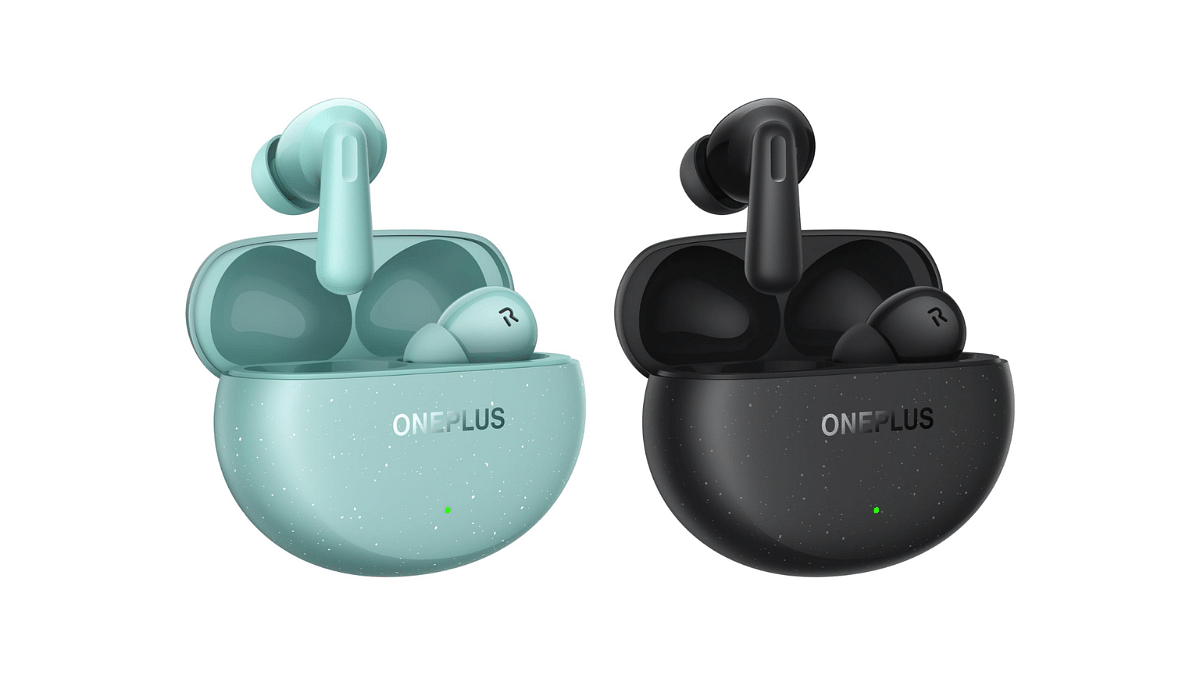
In the bustling world of wireless earbuds, OnePlus has made waves with its latest offering, the Nord Buds 3 Pro. These earbuds promise premium features like ANC, long battery life, and a sleek design. However, if you’re exploring alternatives to these buds, several other brands offer compelling options tailored to different preferences and needs.

Also Read | OnePlus Nord Buds Review: Fairs The Competitions?

OnePlus Nord Buds 3 Pro: Key Specs

Audio12.4mm Titanized Dynamic Drivers
ConnectivityBluetooth 5.4
Audio CodecsSBC, AAC
Active Noise Cancellation (ANC)Up to 49dB noise reduction
CaseIP55 Dust and Water-Resistant
Battery (Case)440mAh
Total Listening TimeUp to 44 hours
ColorsStarry Black, Soft Jade

OnePlus Nord Buds 3 Pro: Price And Availability

PriceRs. 3,299
AvailabilityJuly 20 onwards

Realme Buds Air 6

Realme Buds Air 6 TWS earbuds appeal to users seeking immersive sound and robust noise cancellation capabilities. Powered by LHDC 5.0 and equipped with a 12.4mm deep bass driver, these earbuds deliver high-resolution audio with minimal latency (55ms).

Key Specs:

AudioLHDC 5.0, 12.4mm Deep Bass Driver
ConnectivityBluetooth 5.3
Battery LifeUp to 40 hours
Weight46 grams
Special FeatureGoogle Fast Pair, 6-Mic Call Noise Cancellation, 50 dB ANC, Google Assistant, IP55 Dust & Water Resistant

Realme Buds Air 6 TWS Earbuds: Price

PriceRs. 3,299
Buying LinkAmazon

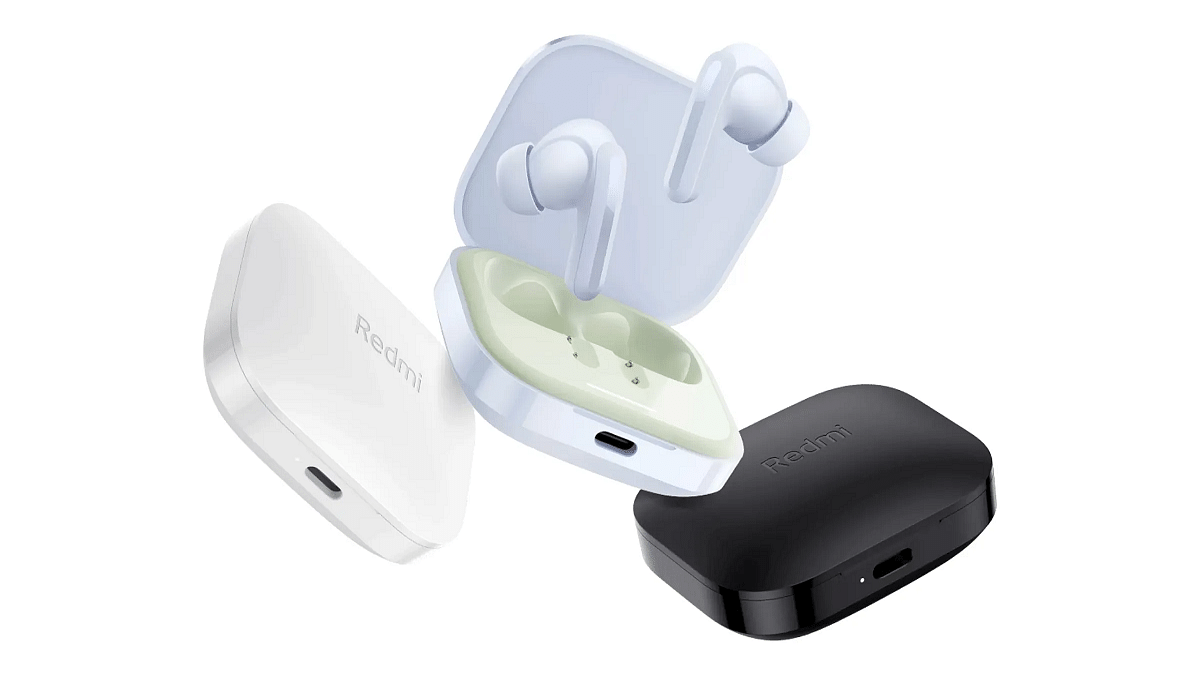
Redmi Buds 5

Redmi Buds 5 stands out as a strong alternative for those prioritizing effective noise cancellation and clear call quality. With hybrid noise cancellation offering up to 46dB of noise reduction, these earbuds excel in minimizing ambient sounds.

Key Specs:

Audio12.4mm Dynamic Driver
ConnectivityBluetooth 5.3
Battery LifeUp to 38 hours
Weight42 grams
Special FeatureQuad Mic with AI Call Enhancement, Noise Cancellation, Lightweight, Fast Charging

Redmi Buds 5: Price

PriceRs. 2,699
Buying LinkAmazon

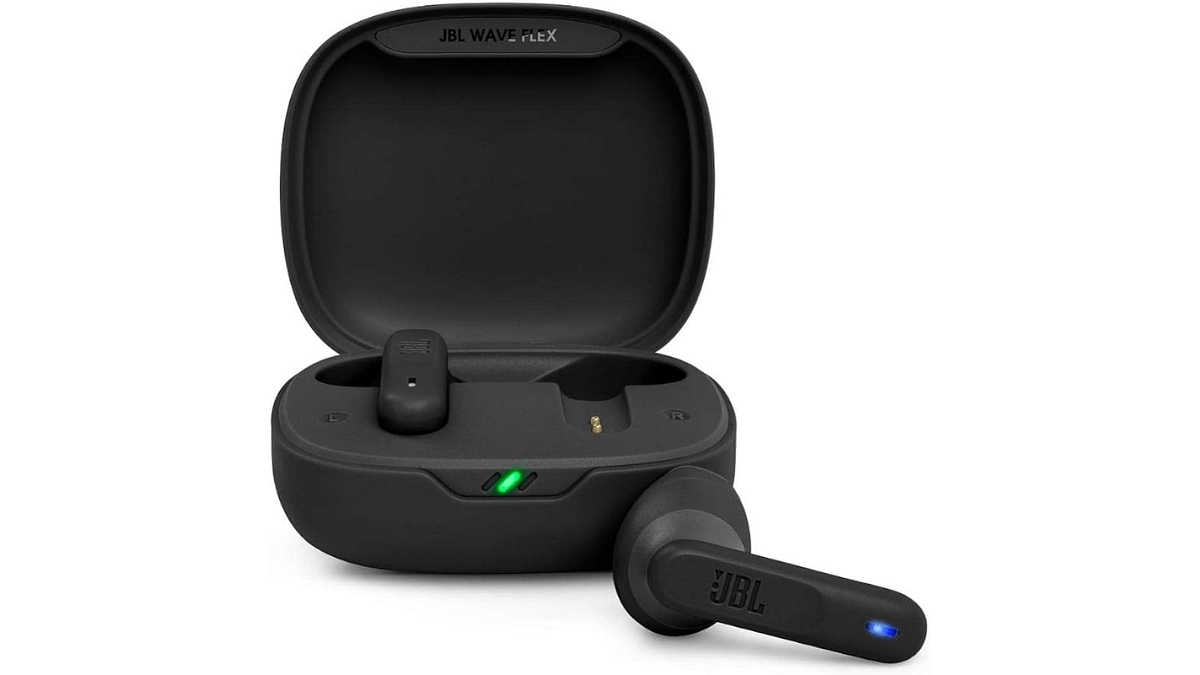
JBL Wave Flex in-Ear Wireless Earbuds TWS

For music enthusiasts and active individuals, JBL Wave Flex in-Ear Wireless Earbuds TWS present a great alternative with their emphasis on deep bass and decent sound quality. These earbuds feature 12mm drivers delivering JBL’s signature deep bass sound, enhancing the music listening experience.

Key Specs:

Audio12mm drivers with JBL Deep Bass Sound
ConnectivityBluetooth 5.2
Battery Life32 hours
Weight58 grams
Special FeatureGoogle Fast Pair, Mono and Stereo modes, JBL Headphones App compatibility, Hands-free calls with VoiceAware, Smart Ambient, Talk Thru, Ambient Aware, IP54 (earbuds), IPX2 (charging case)

JBL Wave Flex: Price

PriceRs. 2,599
Buying LinkAmazon

Also Read | Mivi Duopds K1 Vs Wings Phantom 345 Budget TWS Comparison: Best Earbuds Under Rs. 1,500

Conclusion

Alternatives to the newly launched OnePlus Nord Buds 3 Pro cater to different preferences. Whether you prioritize immersive sound, robust noise cancellation, or deep bass, options like Realme Buds Air 6, Redmi Buds 5, and JBL Wave Flex offer similar features at competitive prices.

Categories
Featured Info Mobile

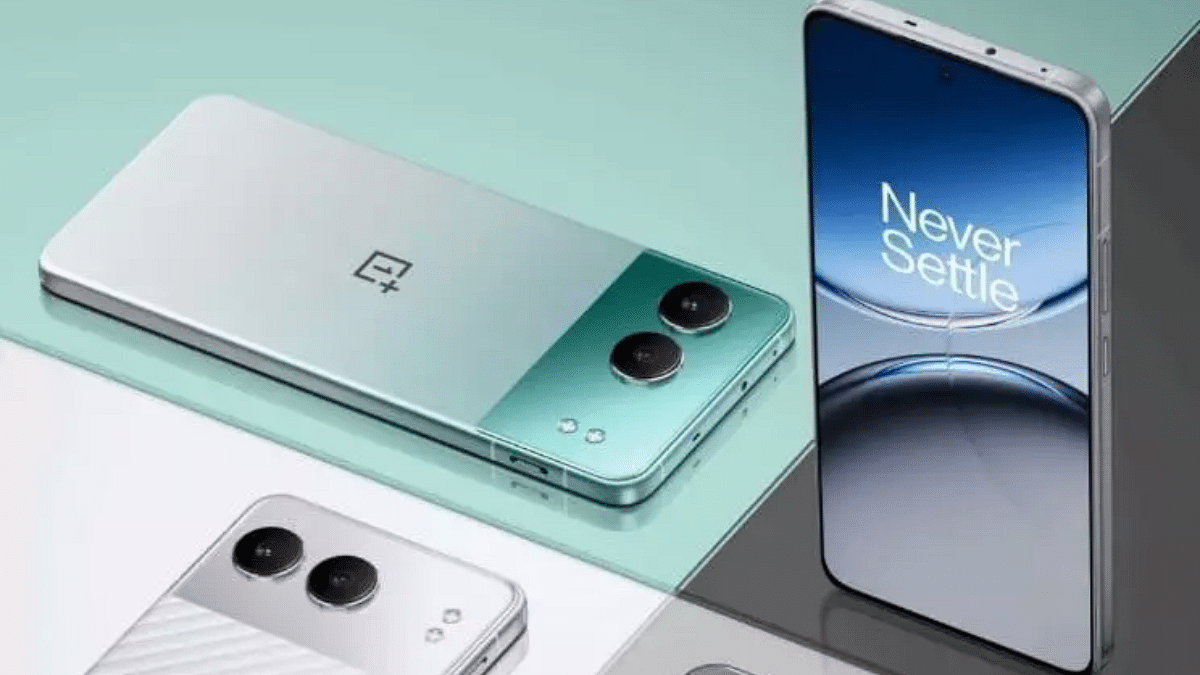
OnePlus Nord 4 Alternatives: Top Three Latest Rivals To Look Out For

Key Highlights

  • OnePlus Nord 4 launched starting at Rs. 29,999
  • Alternatives from Vivo, Motorola, Realme provide diverse features
  • Each brand caters to different preferences

The OnePlus Nord 4 has made its debut in India today. It features a sleek design and promising long-term software updates. While it shines as a notable mid-range smartphone, it might not meet everyone’s specific preferences. If you’re in search of a similarly priced alternative that caters to your unique needs, you’re in the right place. Let’s explore the top alternatives to the OnePlus Nord 4. But first, look at its key specs and pricing details.

Also Read | OnePlus Nord CE4 Lite 5G Smartphone Review: Balanced Features For Everyday Use

OnePlus Nord 4 Key Specs

Display6.74-inch 1.5K 120Hz flat OLED, 2160Hz PWM dimming
ProcessorSnapdragon 7+ Gen 3 SoC
RAMUp to 12GB
StorageUp to 512GB
Rear Camera50MP LYT-600 wide-angle (OIS) + 8MP IMX 355 ultra-wide
Front Camera16MP
Battery5,500mAh, 100W SuperVOOC fast charging
OSOxygenOS 14.1 based on Android 14
ConnectivityNFC, BT 5.4, Wi-Fi 6E
Special FeaturesOnePlus Alert Slider
Color OptionsObsidian Midnight, Oasis Green, Mercurial Silver

OnePlus Nord 4: Price

ConfigurationPrice
8GB + 128GBRs. 29,999
8GB + 256GBRs. 32,999
12GB + 256GBRs. 35,999

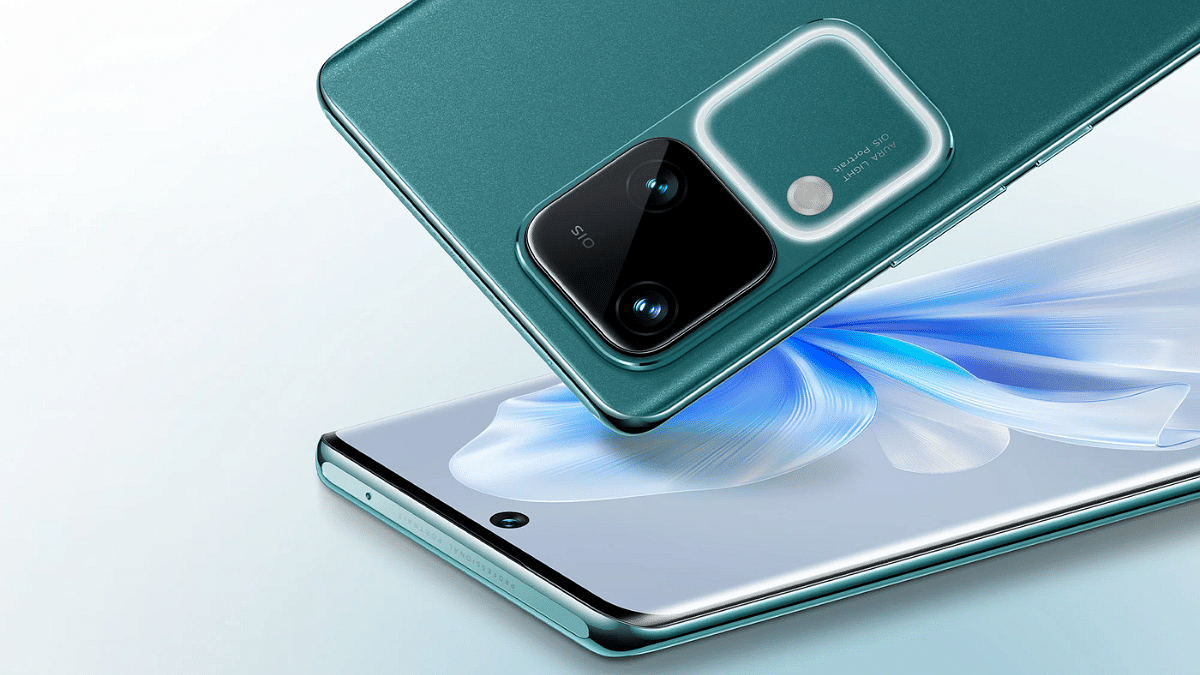
Vivo V30 5G

The Vivo V30 5G is a great alternative for those who prioritize camera performance. It features an impressive camera setup and a decent 3D curved OLED display.

Display6.78-inch 3D-Curved OLED, 120Hz Refresh Rate
ProcessorSnapdragon 7 Gen 3
Rear Camera50MP (OIS) + 50MP Ultra-Wide
Front Camera50MP
Battery5,000mAh, 80W Fast Charging
Other FeaturesStereo Speakers, IP54 Water and Dust Resistant

Vivo V30 5G: Price

ConfigurationPrice
8GB + 128GBRs. 33,999
8GB + 256GBRs. 35,999
12GB + 256GBRs. 37,999
Buying LinkFlipkart

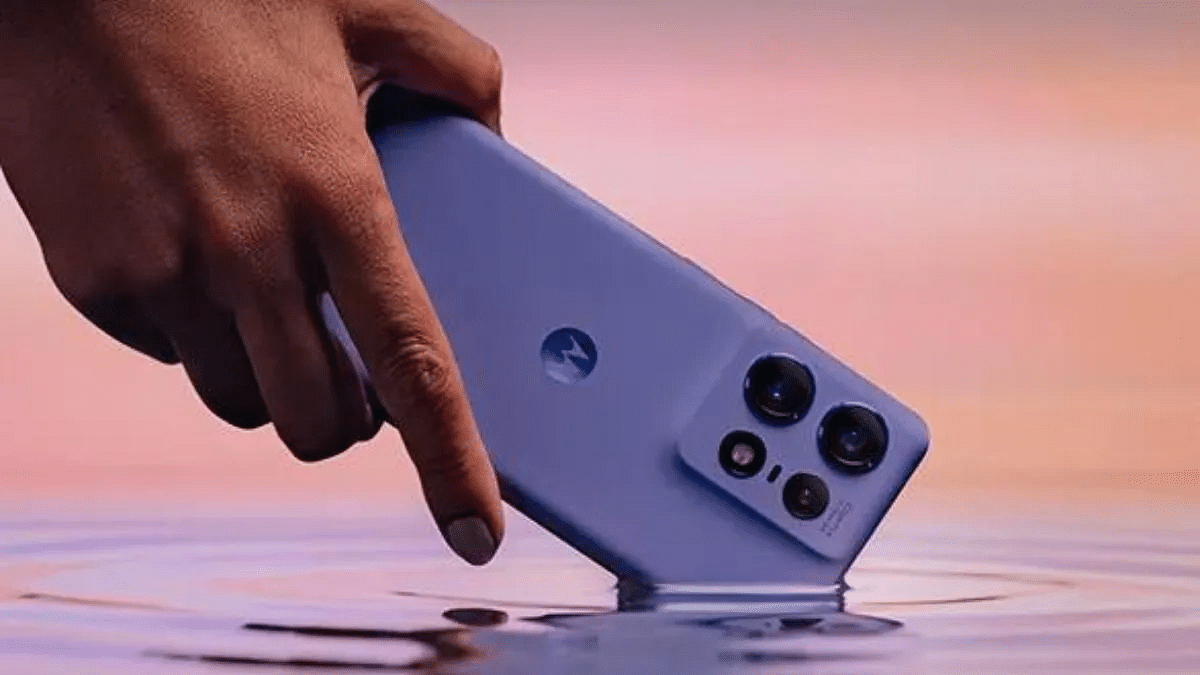
Motorola Edge 50 Pro

The Motorola Edge 50 Pro stands out with its telephoto lens and 144Hz refresh rate display, making it ideal for photography enthusiasts.

Display6.7-inch 3D Curved pOLED, 144Hz Refresh Rate
ProcessorSnapdragon 7 Gen 3
Rear Camera50MP (OIS) + 13MP Ultra-Wide + 10MP Telephoto 3x (OIS)
Front Camera50MP
Battery4,500mAh, 125W Fast Charging (50W Wireless)
Other FeaturesStereo Speakers, IP68 Water and Dust Resistant

Motorola Edge 50 Pro: Price

ConfigurationPrice
8GB + 128GBRs. 29,999
12GB + 256GBRs. 31,999
12GB + 512GBRs. 35,999
Buying LinkFlipkart

Realme GT 6T

The Realme GT 6T offers similar performance to the Nord 4 at a lower price point, with a plastic build and a curved OLED display.

Display6.78-inch 3D Curved LTPO OLED, 120Hz Refresh Rate
ProcessorSnapdragon 7+ Gen 3
Rear Camera50MP Sony LYT600 (OIS) + 8MP Ultra-Wide
Front Camera32MP Sony IMX615
Battery5,500mAh, 120W Fast Charging
Other FeaturesUSB-C 2.0, In-display Fingerprint Sensor, IP65 Water and Dust Resistant

Realme GT 6T: Price

ConfigurationPrice
8GB + 128GBRs. 30,999
8GB + 256GBRs. 32,999
12GB + 256GBRs. 35,999
Buying LinkAmazon

Also Read | Realme GT 6T First Impressions: Potential Flagship Killer?

Conclusion

While the OnePlus Nord 4 offers decent features and solid performance, the market is rich with alternatives from Vivo, Motorola, Realme, and more. Each brand provides unique strengths, ensuring there’s a perfect match for every user’s preference and budget.

For the tech geeks, stay updated with the latest cutting-edge gadgets in the market, exclusive tech updates, gadget reviews, and more right on your phone’s screen. Join Giznext’s WhatsApp channel and receive the industry-first tech updates.

Categories
Apps Featured How To

iOS 18 Public Beta: Check Steps To Install On Your iPhone For Early Access

Key Highlights

  • Apple’s ambitious update revolutionizing iPhone interactions
  • Public Beta available now for early access to new features
  • Install on secondary devices due to potential bugs

At WWDC 2024, Apple unveiled iOS 18, their most significant release to date. This update promises to transform iPhone user interactions with a range of new features. The iOS 18 public beta is now available for download on supported devices. This allows users to get an early look at the improvements. However, since it’s a beta version, it might come with bugs and other issues. It is advised to install it on your primary device. If you decide to go ahead, ensure you thoroughly back up your data to avoid potential problems.

Also Read | From iOS 18 To macOS Sequoia: Key Announcements At WWDC 2024

Supported iPhones For iOS 18

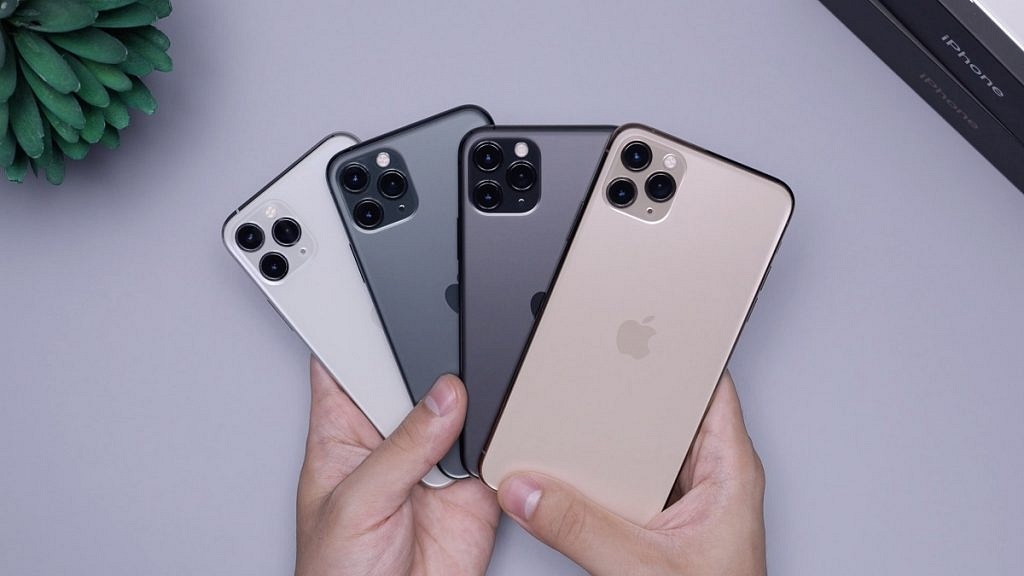
The following iPhone models can receive the iOS 18 update:

  • iPhone 15 Series
  • iPhone 14 Series
  • iPhone 13 Series
  • iPhone 12 Series
  • iPhone 11 Series
  • iPhone XS
  • iPhone XS Max
  • iPhone XR
  • iPhone SE (2nd generation or later)

How To Install iOS 18 Public Beta

To download iOS 18 public beta on a compatible iPhone, you’ll need an Apple ID. Follow these steps:

Step 1: Go to beta.apple.com and register your Apple ID for the public beta program.

Step 2: After that, open the Settings app.

Step 3: Go to General > Software Update.

Step 4: Look for the iOS public beta in the beta updates section and select “Update Now.” The iOS 18 public beta is approximately 6.98 GB.

Step 5: Once the download is complete, tap on “Install.” Your iPhone will restart, and iOS 18 will be ready to use.

Also Read | iOS 18 To Bring AI Features: What’s In Store For Your iPhone This Fall?

What To Expect After Installation

After installing iOS 18, you might not notice significant changes immediately. One of the first noticeable updates is the redesigned Control Centre. However, other new features are waiting to be explored. The much-awaited Apple Intelligence features are not currently accessible but should become available in September. Since this is a beta version, it’s best to install it on a secondary device to avoid any potential disruptions to your primary phone usage.

For the tech geeks, stay updated with the latest cutting-edge gadgets in the market, exclusive tech updates, gadget reviews, and more right on your phone’s screen. Join Giznext’s WhatsApp channel and receive the industry-first tech updates.

Categories
Featured Mobile

Samsung Galaxy Z Fold 6 Alternatives: Our Top Three Picks

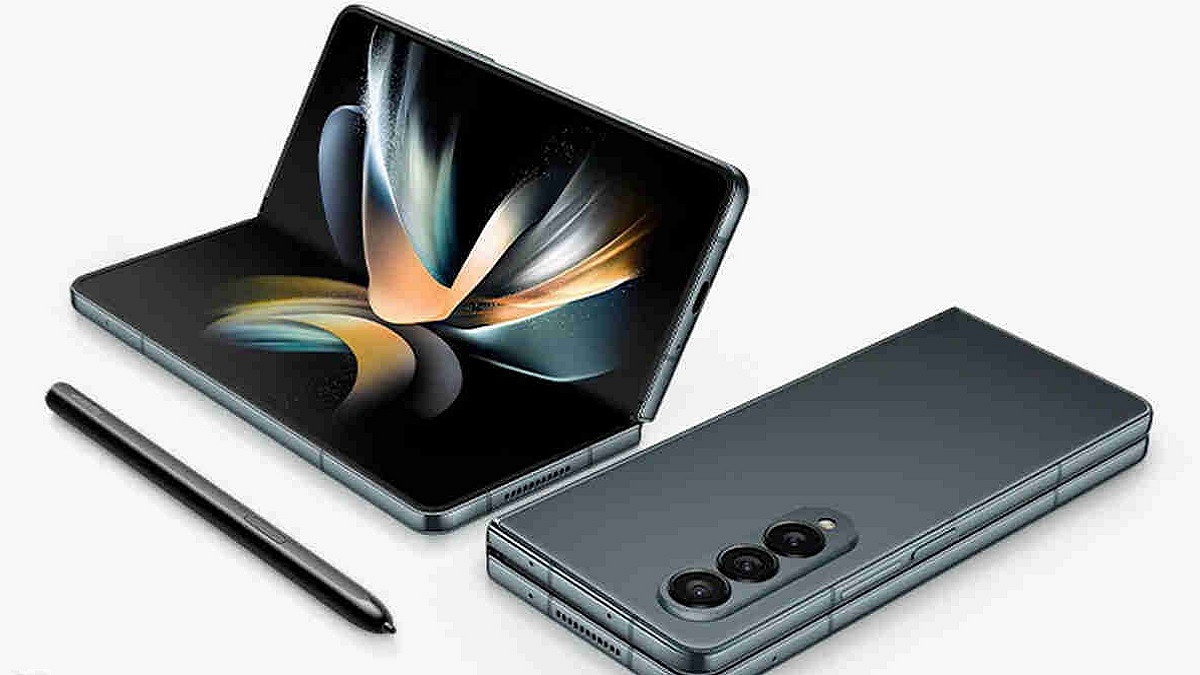
At their Unpacked presentation, Samsung officially unveiled the Galaxy Z Fold 6. The foldable smartphone offers a brighter 7.6-inch internal display, a Snapdragon 8 Gen 3 processor, and AI features like Note Assist and Circle to Search. The base 256GB model of the Galaxy Z Fold 6 Rs. 1,64,999. However, its premium price tag might make some people look for other options. Luckily, there are several alternatives on the market that offer similar foldable experiences. Here are four three contenders to consider.

Also Read | Samsung Galaxy S24 Ultra Top Alternatives: Google Pixel, OnePlus, And More

ModelPrice
OnePlus OpenRs. 1,39,999
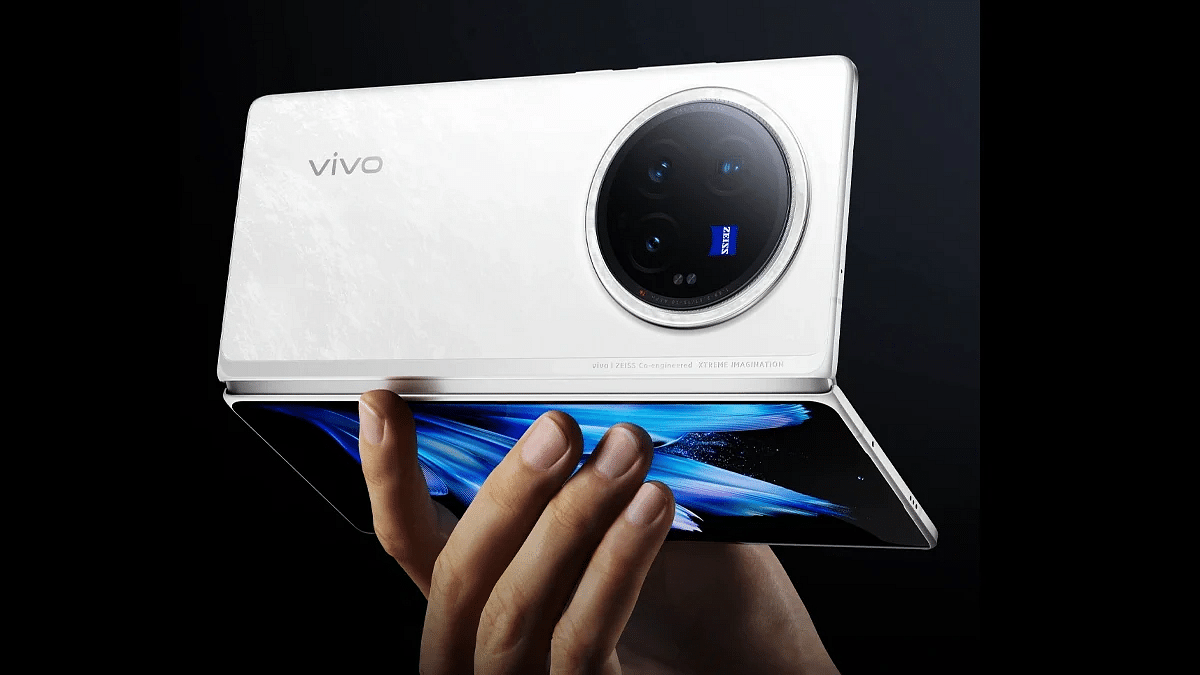
Vivo X Fold 3 ProRs. 1,59,999
Samsung Galaxy Z Fold5Rs. 1,54,999

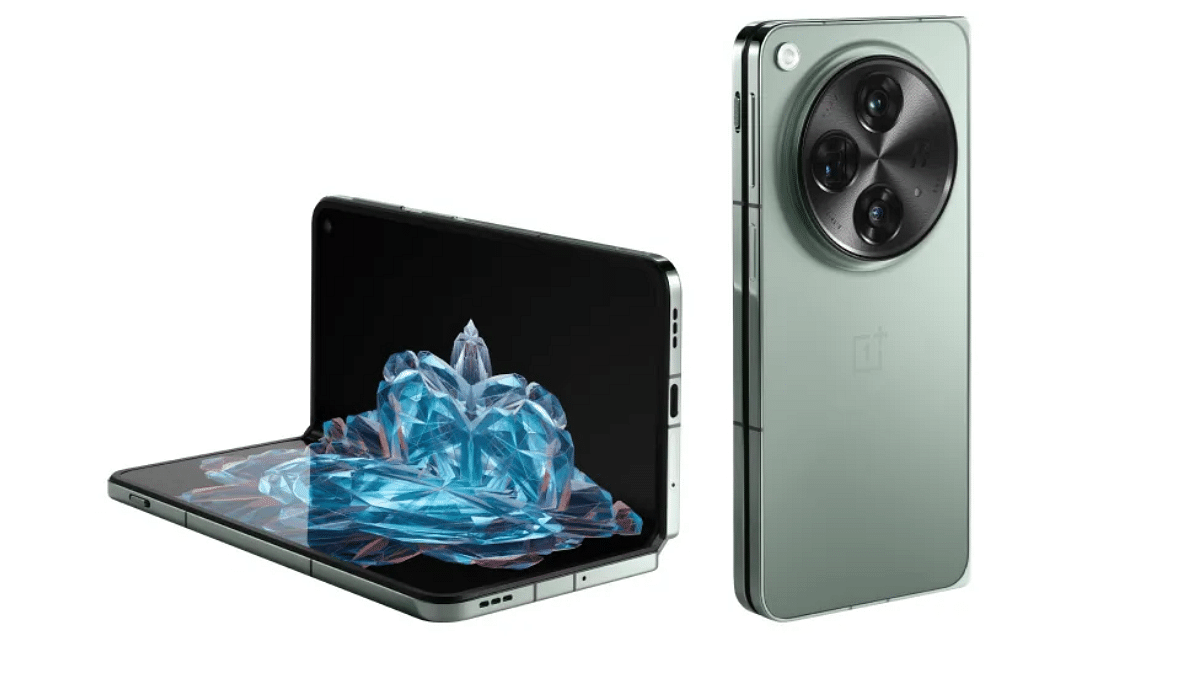
OnePlus Open

Known for their high-quality smartphones at competitive prices, OnePlus brings the same philosophy to their foldable. The OnePlus Open features a sleek design with a sturdy hinge mechanism, making it feel robust and durable.

Main Display7.82-inch 2K AMOLED, 120Hz Refresh Rate
Cover Display6.31-inch 2K AMOLED, 120Hz Refresh Rate
ProcessorSnapdragon 8 Gen 2
RAM16GB
Storage512GB
Camera48MP + 64MP (3x zoom) + 48MP
Front Camera20MP + 32MP
Battery4,805mAh, 67W wired fast charging
OSAndroid 13 with OxygenOS 13.2

Vivo X Fold 3 Pro

The Vivo X Fold 3 Pro is another strong contender. Vivo has packed this device with top-notch features and a premium design.

Main Display8.03-inch AMOLED, 120Hz Refresh Rate
Cover Display6.53-inch AMOLED, 120Hz Refresh Rate
ProcessorSnapdragon 8 Gen 3
RAM16GB
Storage512GB
Camera50MP (OIS) + 64MP (OIS, 3x zoom) + 50MP
Front Camera32MP + 32MP
Battery5,700mAh, 100W wired, 50W wireless
OSFuntouch OS 14 based on Android 14

Samsung Galaxy Z Fold5

While considering alternatives, it’s worth mentioning the Samsung Galaxy Z Fold5, especially if you’re looking at the Z Fold6. The Z Fold5 offers a near-identical experience to its successor but at a potentially lower price point.

Main Display7.6-inch Foldable Dynamic AMOLED 2X, 120Hz Refresh Rate
Cover Display6.2-inch Dynamic AMOLED 2X, 120Hz Refresh Rate
ProcessorSnapdragon 8 Gen 2
RAM12GB
Storage512GB
Camera50MP + 10MP (3x zoom) + 12MP
Front Camera4MP + 10MP
Battery4400mAh, 25W wired, 15W wireless, 4.5W reverse wireless
OSAndroid 13, upgradable to Android 14, One UI 6.1

Also Read | Samsung Galaxy S24+: Top Alternatives That Will Compete With The Upcoming Samsung Flagship

Conclusion

SpecsGalaxy Z Fold6OnePlus OpenVivo X Fold 3 ProGalaxy Z Fold5
Main Display7.6-inch Dynamic AMOLED 2X7.82-inch 2K AMOLED, 120Hz Refresh Rate8.03-inch AMOLED, 120Hz Refresh Rate7.6-inch Foldable Dynamic AMOLED 2X, 120Hz Refresh Rate
Cover Display6.3-inch Dynamic AMOLED 2X6.31-inch 2K AMOLED, 120Hz Refresh Rate6.53-inch AMOLED, 120Hz Refresh Rate6.2-inch Dynamic AMOLED 2X, 120Hz Refresh Rate
ProcessorSnapdragon 8 Gen 3Snapdragon 8 Gen 2Snapdragon 8 Gen 3Snapdragon 8 Gen 2
RAM12GB16GB16GB12GB
Storage1TB512GB512GB512GB
Camera50MP + 12MP + 10MP48MP + 64MP (3x zoom) + 48MP50MP (OIS) + 64MP (OIS, 3x zoom) + 50MP50MP + 10MP (3x zoom) + 12MP
Front Camera10MP + 4MP20MP + 32MP32MP + 32MP4MP + 10MP
Battery4,400mAh with 25W charging4,805mAh, 67W wired fast charging5,700mAh, 100W wired, 50W wireless4400mAh, 25W wired, 15W wireless, 4.5W reverse wireless
OSAndroid 14 with One UI 6.1.1Android 13 with OxygenOS 13.2Funtouch OS 14 based on Android 14Android 13, upgradable to Android 14, One UI 6.1

Modern features are available on the Samsung Galaxy Z Fold 6, albeit at a premium cost. Other options are the Vivo X Fold 3 Pro and the OnePlus Open, which provide competitive performance, strong build, and great displays. For a foldable device at a possible cheaper price, the Galaxy Z Fold 5 is still a good option.

For the tech geeks, stay updated with the latest cutting-edge gadgets in the market, exclusive tech updates, gadget reviews, and more right on your phone’s screen. Join Giznext’s WhatsApp channel and receive the industry-first tech updates.

Categories
Accessories Featured

Samsung Galaxy Buds 3 And Galaxy Buds 3 Pro: Key Differences

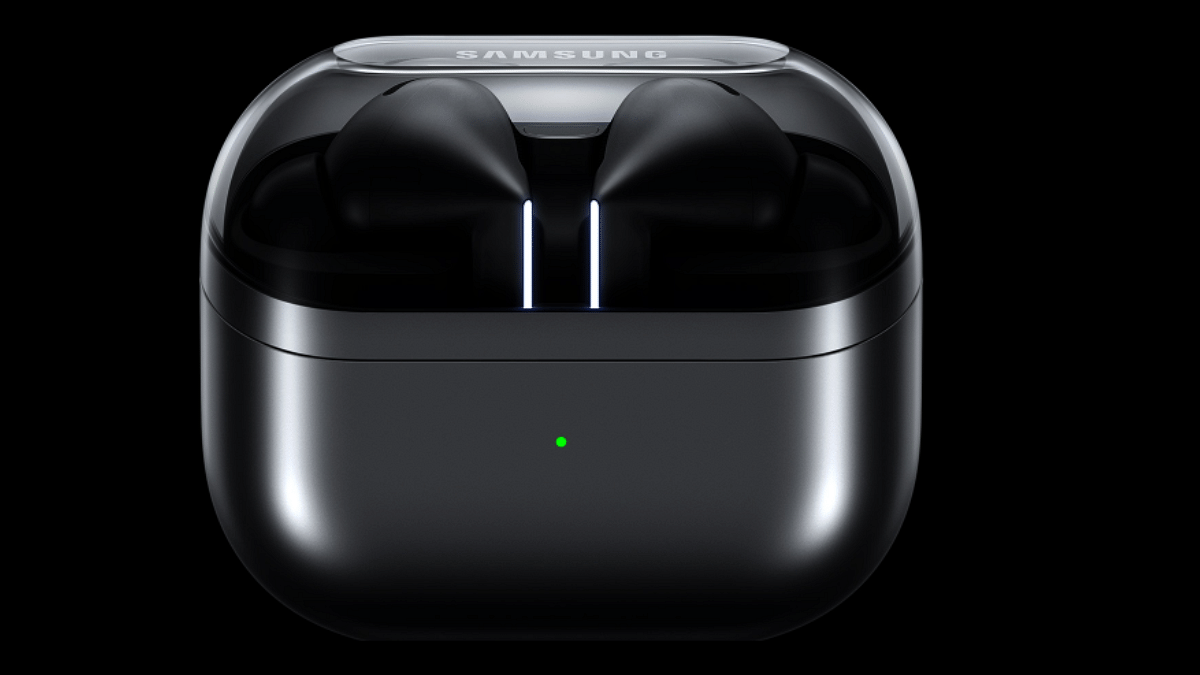
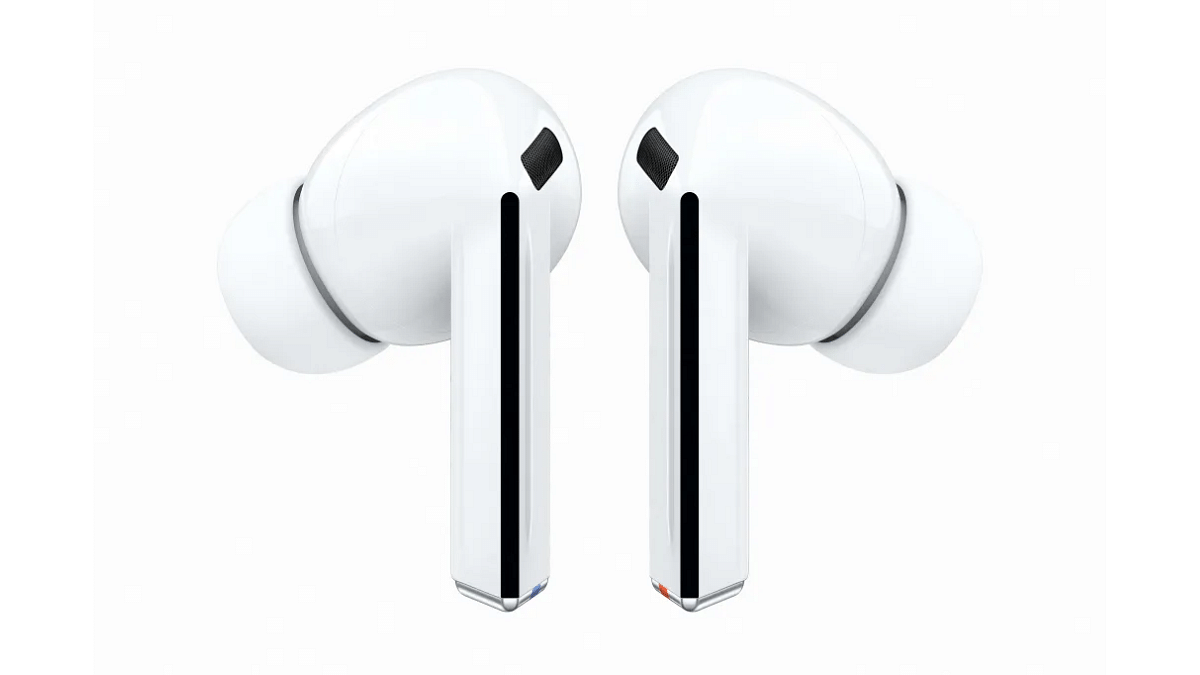
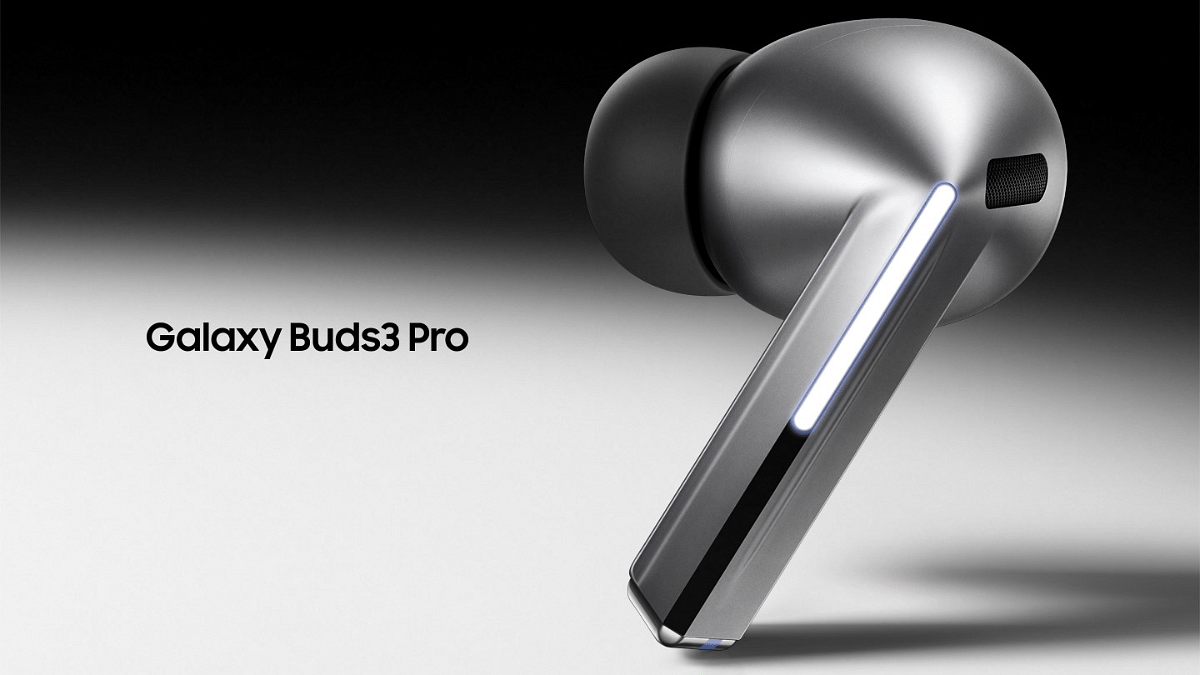
Samsung has just released its newest wireless earbuds, the Galaxy Buds 3 and Galaxy Buds 3 Pro. They were launched today at the Galaxy Unpacked event in Paris, along with the new Fold 6 and Flip 6 phones. Both the Galaxy Buds 3 and Buds 3 Pro are high-quality wireless earbuds, but there are some important differences between them. Let’s look at what makes them different and what features they share.

Also Read | Samsung Galaxy Unpacked 2024 Key Notes: Samsung Galaxy Z Fold 6, Galaxy Z Fold Top Highlights

Design And Dimensions

Both the Galaxy Buds 3 and the Galaxy Buds 3 Pro are available in Silver and White. Both the Galaxy Buds 3 and Galaxy Buds 3 Pro have an IP57 rating for water resistance. The Buds 3 have dimensions of 18.1 x 20.4 x 31.9mm for the earbuds and 58.9 x 48.7 x 24.4mm for the charging case. The Buds 3 Pro are slightly different, with earbud dimensions of 18.1 x 19.8 x 33.2 mm. Both variants have the same size for the charging case.

Microphones And Audio Quality

Clear voice calls and efficient noise cancellation are ensured by the Voice Pickup Unit and three microphones included with both variants. The Galaxy Buds 3 feature a 1-way 11mm dynamic driver. In contrast, the Galaxy Buds 3 Pro boast an improved 2-way system with a 10.5mm dynamic driver and a 6.1mm planar driver.

Ultra High-Quality 24-bit Hi-Fi sound is supported by both the Buds 3 and Buds 3 Pro. They also offer 360 Audio with Direct Multi-Channel support. These features require compatible Samsung devices running One UI 4.0 or higher.

ANC And Ambient Sound

Both models feature ANC and Ambient Sound modes. The Galaxy Buds 3 Pro include a Voice Detect feature, which switches to Ambient mode and lowers media volume when you speak, making it easier to have conversations without removing the earbuds.

Battery Life

Up to five hours of music playback with ANC turned on and up to 24 hours with the charging case are available for the Galaxy Buds 3. With ANC off, you get up to six hours of playback and a total of 30 hours with the case. For talk time, the Buds 3 provide up to 3.5 hours with ANC on and up to 18 hours in total.

With ANC turned on, the Galaxy Buds 3 Pro have a little longer battery life—up to six hours of music playback and up to 26 hours when the case is used. With ANC off, you get up to seven hours of playback and a total of 30 hours with the case. For talk time, the Buds 3 Pro offer up to 4.5 hours with ANC on and up to 20 hours in total.

Connectivity And Compatibility

Both models use Bluetooth 5.4 and support Auto Switch, AAC, and SBC codecs. They are compatible with Android devices running version 10 or higher with more than 1.5GB of memory.

Also Read | Samsung Introduces New BioActive Sensor For Upcoming Galaxy Watch 7: Functionality Explained

Conclusion

While the Galaxy Buds 3 and 3 Pro have many of the same features, the Pro variant has Voice Detect, better audio quality, and a longer battery life. If you are looking for premium sound and a few extra features, the Galaxy Buds 3 Pro might be worth the extra investment.

For the tech geeks, stay updated with the latest cutting-edge gadgets in the market, exclusive tech updates, gadget reviews, and more right on your phone’s screen. Join Giznext’s WhatsApp channel and receive the industry-first tech updates.
Categories
Featured Info

Google To Offer Dark Web Monitoring Service Free: Here’s How To Activate

Key Highlights

  • Google offers free dark web monitoring for all users starting this month
  • Visit the “Results about you” page to use the service
  • If alerted, freeze credit cards and change passwords regularly

Starting later this month, Google will offer free dark web monitoring to all its consumer account holders. This initiative addresses the growing number of data breaches, providing a tool for individuals to track their personal information and prevent misuse.

Also Read | How To Toggle On Dark Mode On Facebook Mobile App: Step By Step Guide

Google’s Dark Web Report: What It Does

Google’s “dark web report” feature scans for leaked personal information, such as names, phone numbers, addresses, and email accounts. This report is accessible via the “Results about you” page on myactivity.google.com. If your personal data is found on the dark web, Google will alert you, enabling you to take preventive measures.

How To Access Google’s Dark Web Monitoring

Previously exclusive to Google One members, the dark web monitoring service will now be available to all users. To use this service, users must visit Google’s “Results about you” page. This page already allows users to sign up for alerts if their personal information appears in search results, with options to delete this information in certain cases. By expanding the service, Google aims to help more people stay informed and secure in the face of increasing cyber threats.

Dark Web And Its Threats

The dark web is a hidden part of the internet, not indexed by standard search engines and available only through specialized browsers. It is often used by hackers as a marketplace for selling personal data obtained from various attacks on websites, financial institutions, and medical facilities. Indicators that your data may be on the dark web include unsolicited emails, texts, calls, unfamiliar purchases on your credit card, and alerts about unauthorized login attempts or password changes.

How To Protect Yourself If Your Data Is Compromised

If Google’s monitoring service finds your information on the dark web, experts recommend taking several steps to protect yourself. First, freeze any exposed credit cards to prevent unauthorized transactions. Regularly change your passwords and ensure they are strong and unique for different accounts. It’s also wise to review your bank statements and credit reports for any suspicious activity.

Also Read | Fed Up With Scam Calls? Here’s How To Use Chakshu Portal For Reporting Fraud

Conclusion

Google’s decision to extend dark web monitoring to all users is a significant step towards enhancing online security for everyone. With cyber threats on the rise, having access to tools that monitor and alert you about potential data breaches is crucial. By staying vigilant and taking proactive measures, you can better protect your personal information in this increasingly digital world.

For the tech geeks, stay updated with the latest cutting-edge gadgets in the market, exclusive tech updates, gadget reviews, and more right on your phone’s screen. Join Giznext’s WhatsApp channel and receive the industry-first tech updates.