Say hello to Shweta, a tech fan who's hooked on keeping up with all things tech. When she's not exploring the latest gadgets, she's diving into a good book, clicking photos as an amateur photographer, or enjoying classic movies and music. With her love for both tech and creativity, Shweta adds her own touch to tech news in a way that's easy to understand and enjoy.
Do not click on links in messages from unknown senders
Report any suspicious messages to the authorities
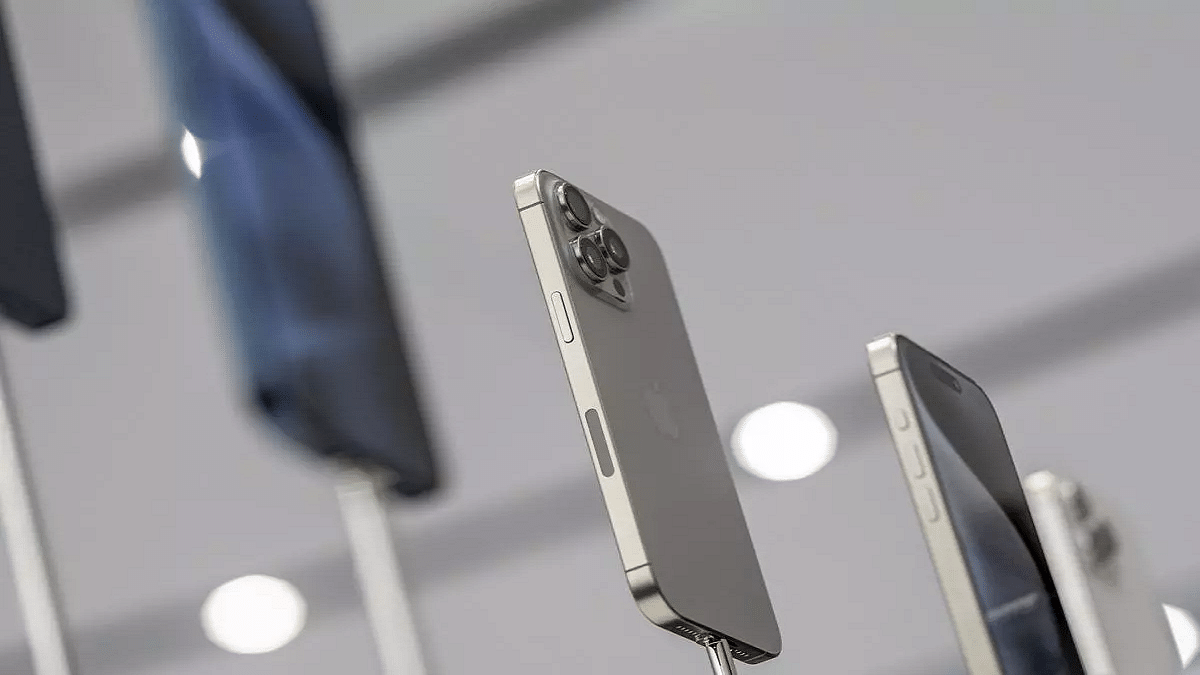
In today’s age of machine learning and artificial intelligence, con artists have found new ways to exploit technology to deceive unsuspecting victims. Cybercriminals are increasingly targeting smartphone users, especially iPhone users, through sophisticated scams. The Indian government’s cyber agency, Cyberdost, has recently issued a warning about a new fraud scheme specifically aimed at iPhone users.
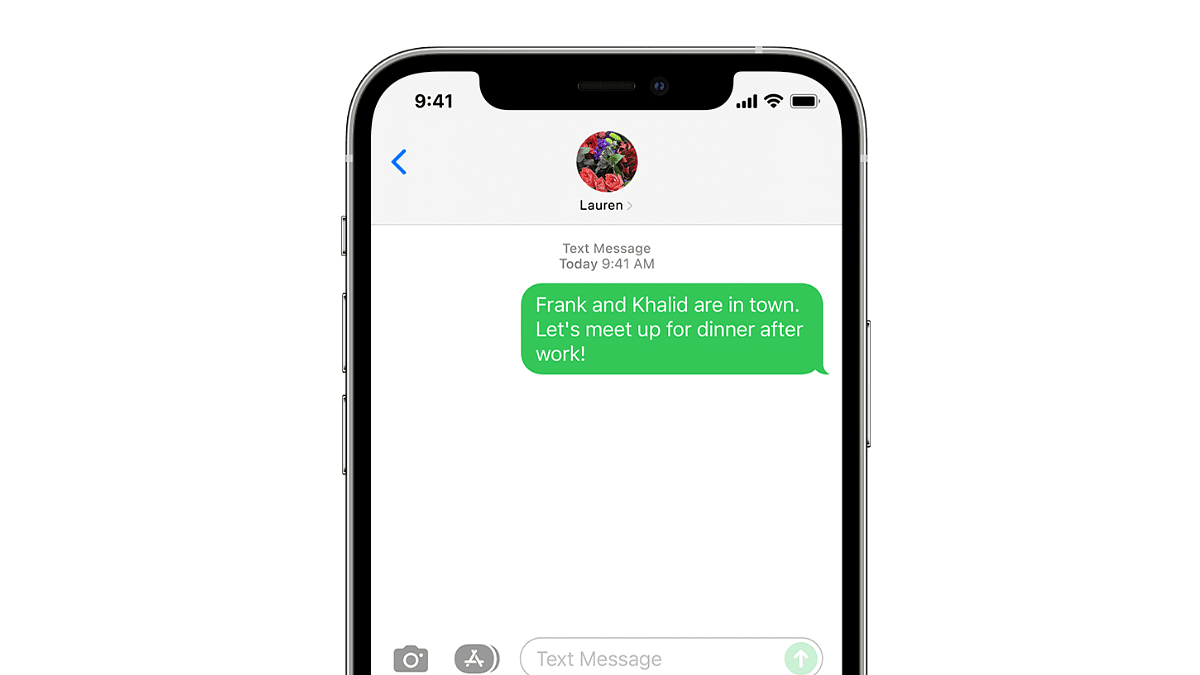
Cyberdost has identified a scam where iPhone users receive messages via iMessage, claiming there is an issue with a package delivery due to an incorrect address. The fraudulent message urges receivers to respond within 24 hours so as to avoid the parcel being returned. This also includes a web link. The scam is designed to create a sense of urgency, prompting users to click on the link without thinking.
Cyberdost’s Warning
Cyberdost’s tweet highlights the transnational nature of this scam, alerting iPhone users to be cautious. The tweet states: “New Transnational #Scam Alert: #iPhone users are learnt to be receiving scam messages via #iMessage regarding package / courier from random accounts. Clicking on suspicious links may be avoided and read receipts may be disabled for such messages.”
How The Scam Works
The message typically comes from random accounts and informs the recipient about a supposed delivery issue. The aim is to trick users into clicking on the provided link, which can lead to phishing websites designed to steal personal information or install malware on the device.
Protect Yourself: Essential Tips
To avoid falling victim to this scam, follow these important tips:
Do Not Click on Suspicious Links: If you receive a message from an unknown sender with a link, do not click on it. Instead, verify the legitimacy of the message through other means.
Disable Read Receipts: For messages from unknown senders, disable read receipts to prevent scammers from knowing if you have read their message.
Ignore Urgent Requests: Legitimate companies will not pressure you to respond urgently or threaten to return a package. Be wary of messages that create a sense of urgency.
Protect Your Personal Information: Never share your bank account information, passwords, or send money to unknown individuals.
Reporting Scams
If you receive such messages, report them to the appropriate authorities. By reporting these scams, you can help prevent others from falling victim. Additionally, ensure your iPhone’s security settings are up to date and be cautious of unsolicited messages.
As cybercriminals become more adept at using technology for fraudulent purposes, it is crucial to stay informed and vigilant. By following these safety tips and being aware of common scam tactics, iPhone users can better protect themselves from becoming victims. Remember, always verify the source of a message before taking any action, and never share your personal information with unknown parties.
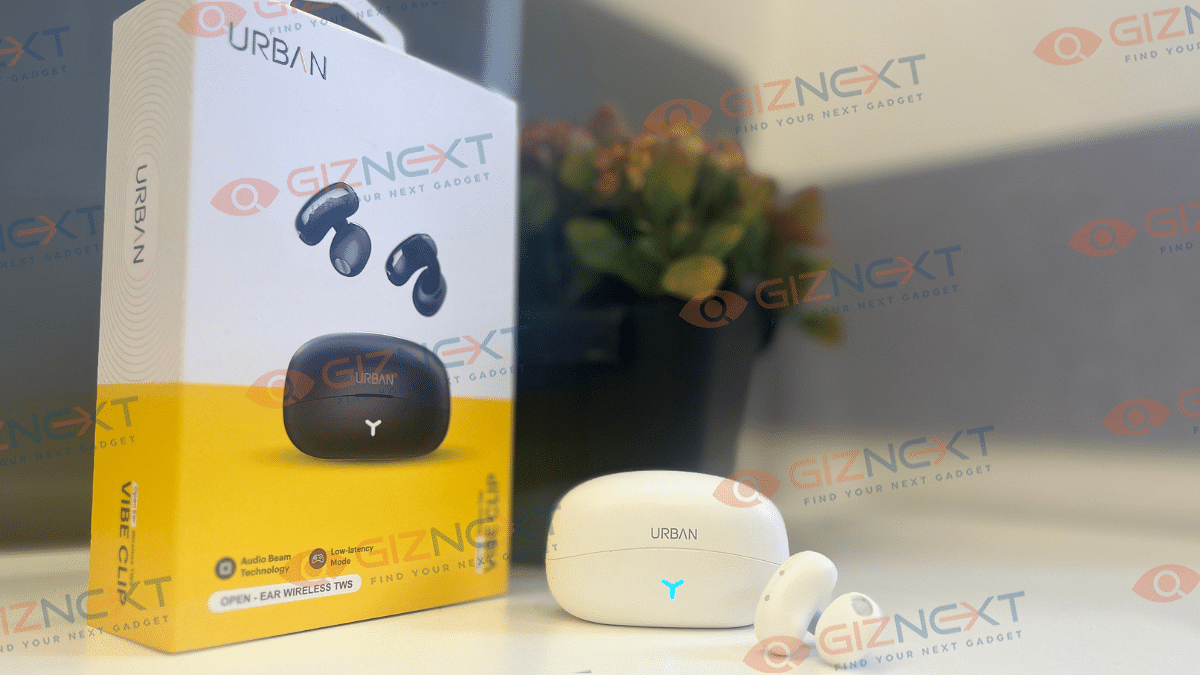
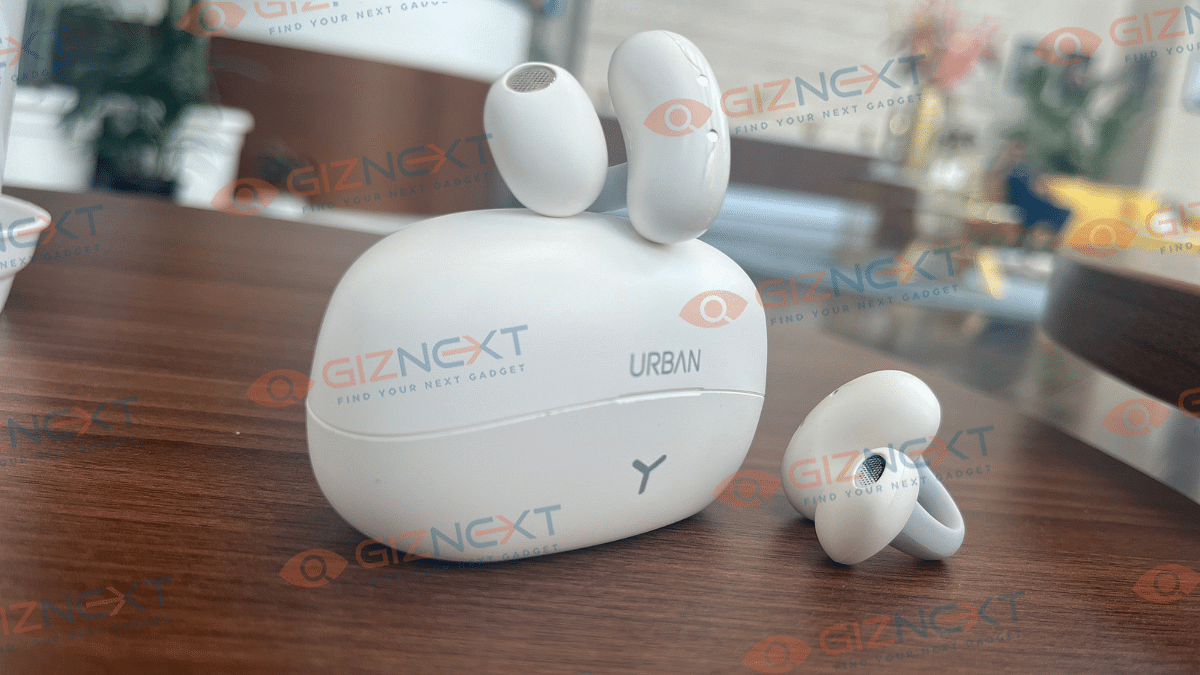
Homegrown brand Urban has just added three new members to its Vibe series. They’ve launched three wireless TWS Earbuds: Urban Vibe Clip, Urban Vibe Loop, and Urban Vibe 2. The Vibe series is designed to be ear-friendly, preventing any damage from prolonged use. Urban sent me the Vibe Clip for review, and I’ve been using it for a few days now. Here’s what I think about it and whether it’s worth buying. Let’s dive in.
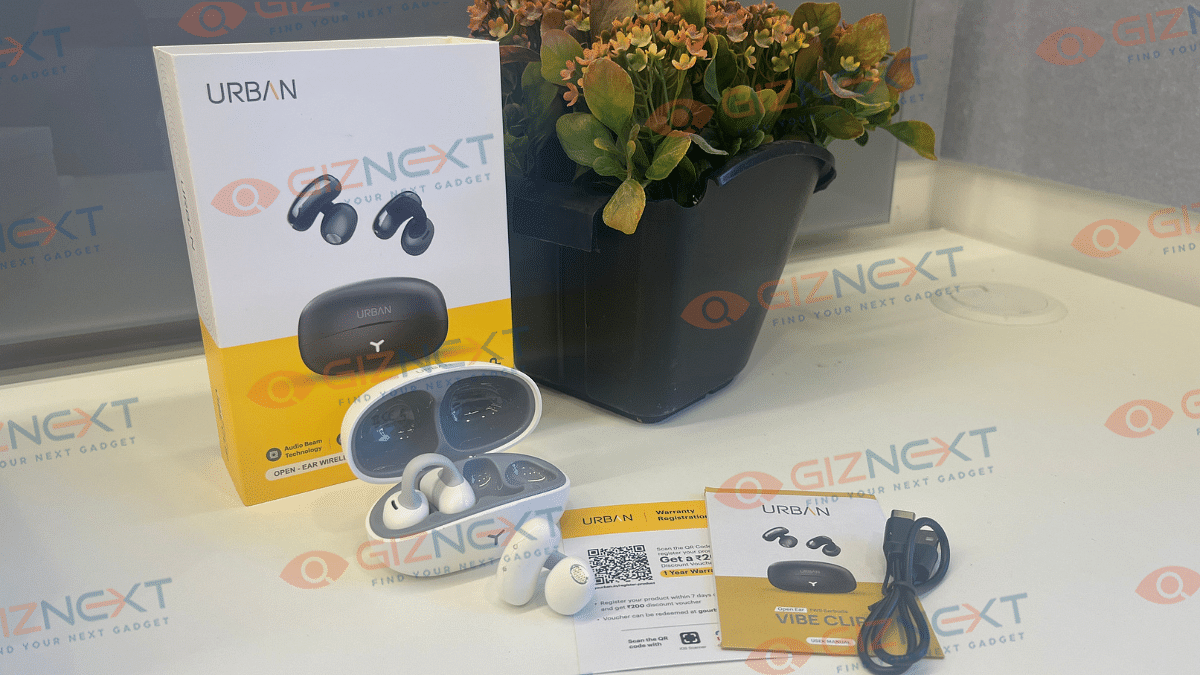
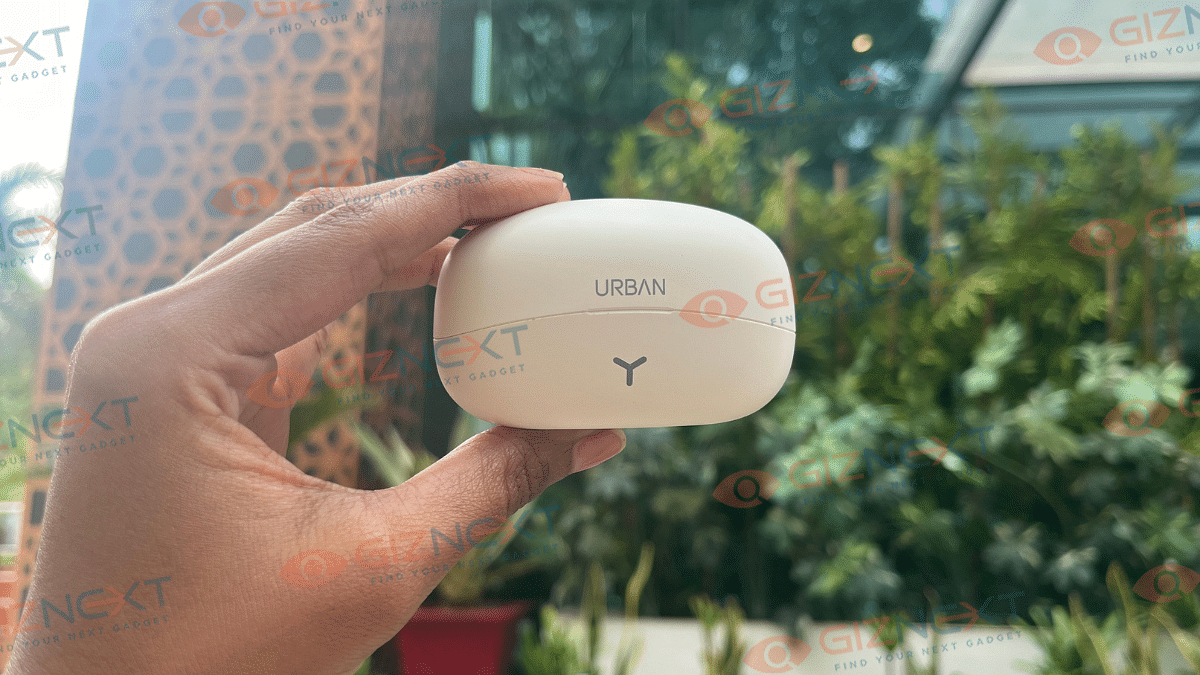
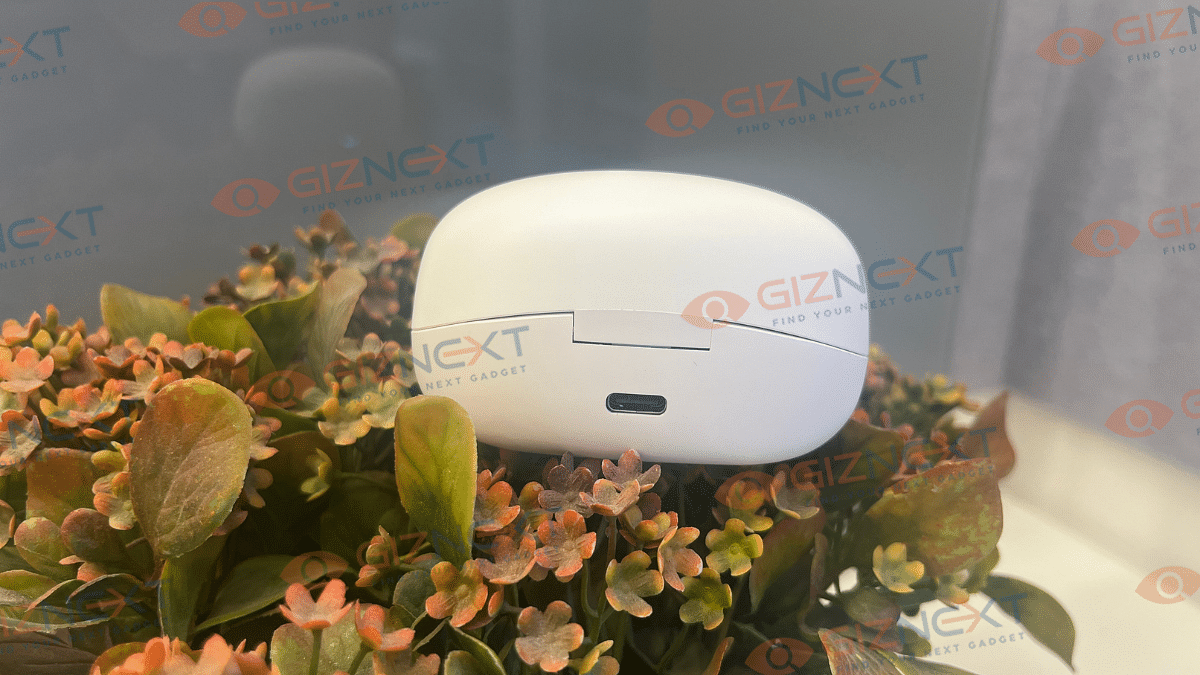
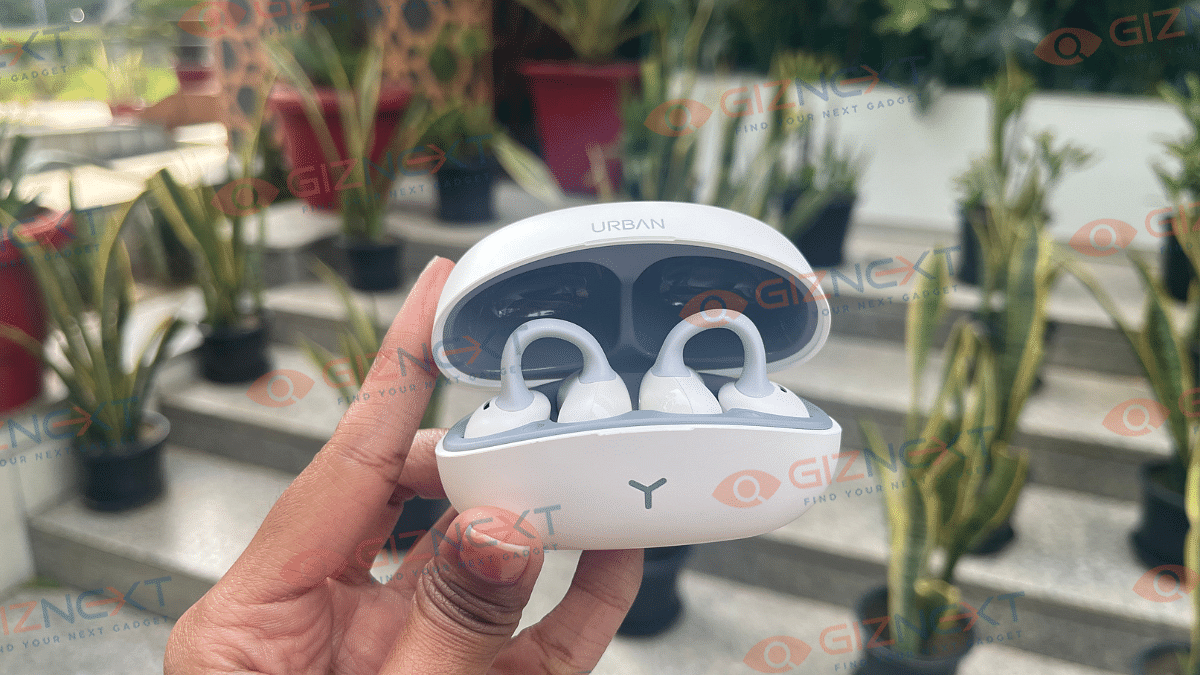
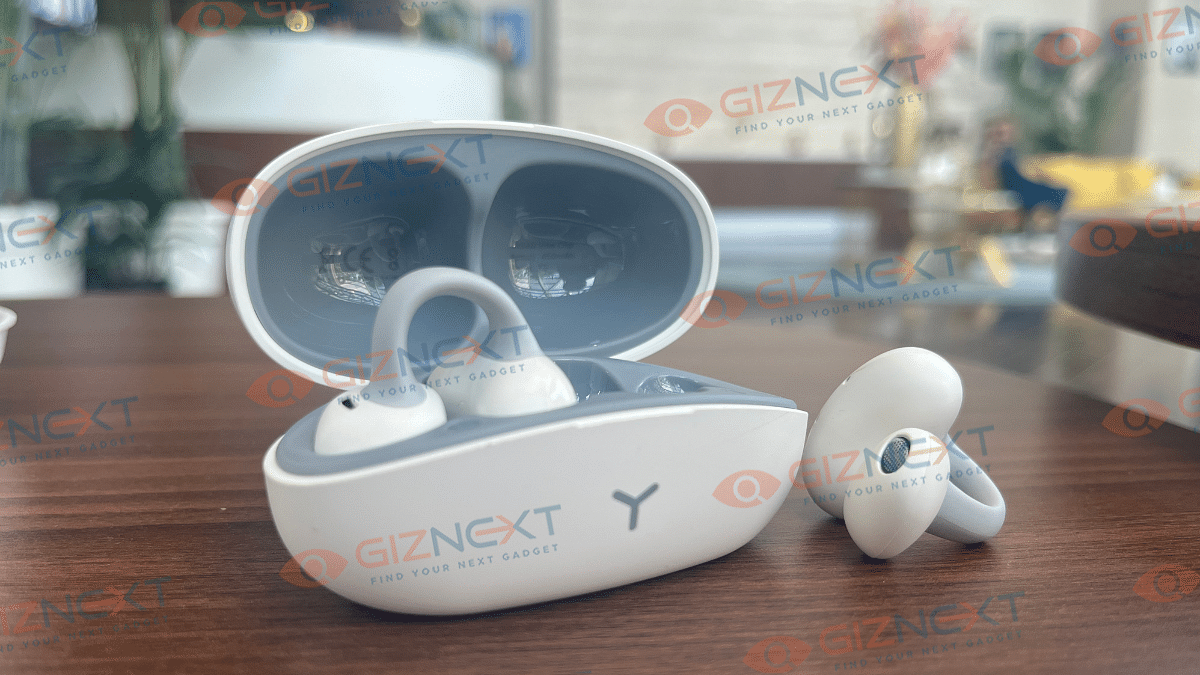
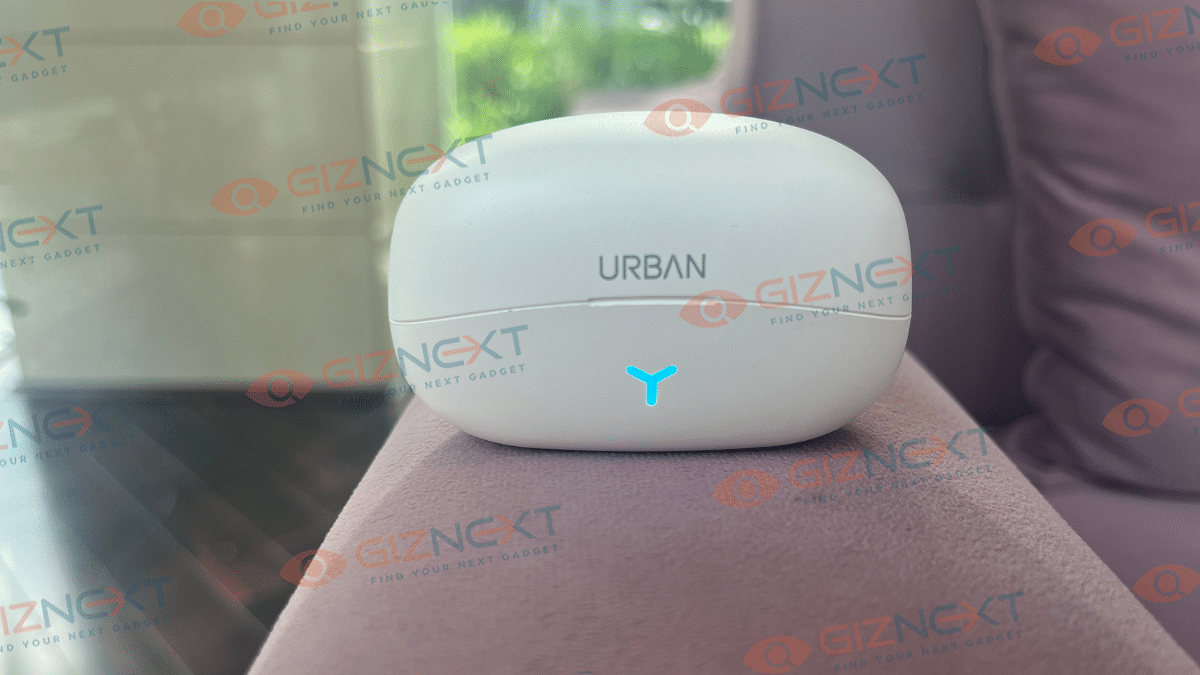
The moment you get your hands on the Urban Vibe Clip, you’ll notice its impressive build quality. The case itself is a blend of sturdy construction and decent-looking design. On the front, you’ll find the stylish Urban branding, accompanied by a handy light indicator at the bottom. On the back of the case, you’ll find a Type-C connector that ensures fast and efficient charging. The indicator light on the case blinks blue slowly during charging, stays steady blue when the earphones are charging, and turns off when fully charged. However, the case is bulky, and some may not like it.
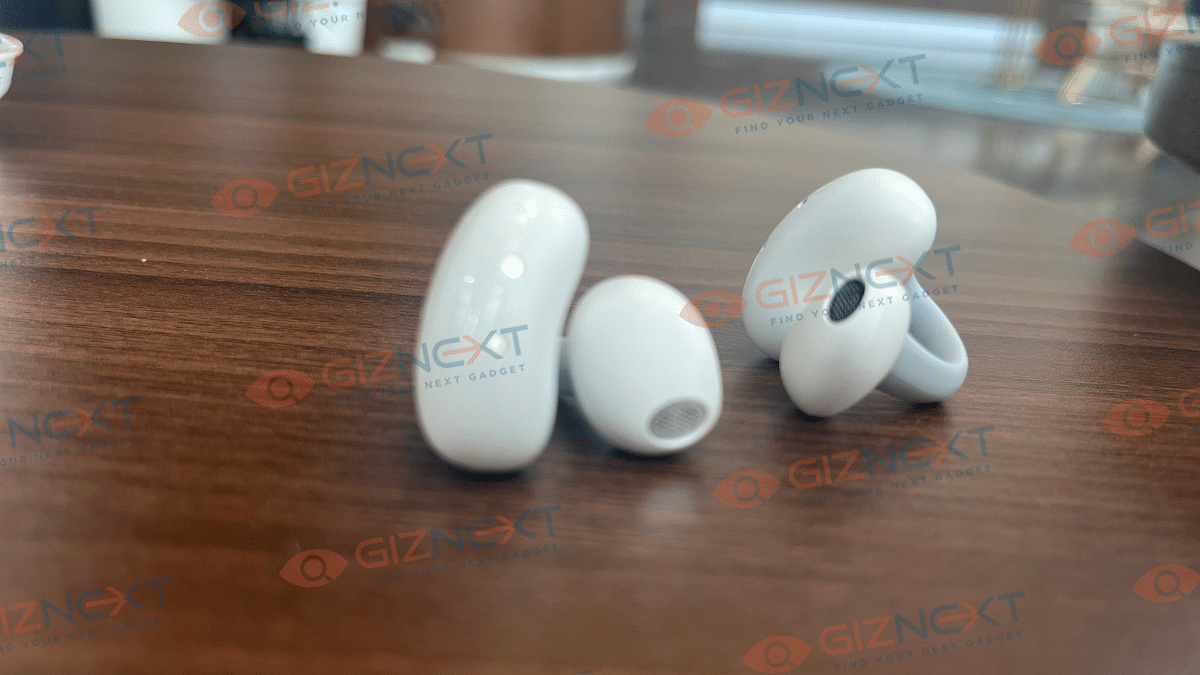
Open the case, and you’re greeted by the left and right TWS. They’re a striking combination of matte and glass finishes, giving off a premium vibe. If I talk about the design, it’s truly unique, living up to its name “Vibe Clip.” These earbuds clip onto your ears provide a secure fit. They won’t fall out, no matter what you’re doing – be it running, jumping, or just walking around.
The open-ear design comprises two parts: the barrel housing the electronics and the speaker driver unit, connected by a flexible rubber joint. Placing the barrel at the back of your ear and wrapping the rubber part around the side ensures a comfortable fit.
Overall, the Urban Vibe Clip combines aesthetics with functionality. This offers a design that not only looks good but also ensures comfort and secure wearability for all-day use.
When it comes to connectivity, the Urban Vibe Clip doesn’t disappoint. It features the latest Bluetooth 5.4V, ensuring a stable and quick connection with your devices. I connected it with my iPhone and didn’t encounter any trouble at all. The earbuds come equipped with 13mm drivers and I must say that the sound quality was impressive. One of the standout features is Urban’s Air Beam technology, which takes connectivity to the next level.
Additionally, the earbuds offer Environmental Noise Cancellation (ENC), making them perfect for walks in the park or any noisy environment. I wore the earbuds in a crowded place like a packed metro and in a quiet room, and the audio quality remained consistently top-notch. The inclusion of four microphones along with ENC ensures that your voice is always heard clearly during calls, regardless of the noise level around you.
For gamers, there’s a low-latency mode that provides Panoramic 3D Sound, enhancing your gaming experience. The Smart AI sound amplifier and advanced microphone ensure crystal clear audio during calls and other uses.
Touch sensors on the earbuds allow you to play, pause, and skip tracks effortlessly. The earbuds also support voice assistants, making it easy to control your music and get information on the go.
Overall, I found the Urban Vibe Clip to be a decent and good choice. It offers a range of features that cater to both casual listeners and gamers alike.
Pairing Process
To pair with your device, open the charging case and remove the earphones. They power on automatically. Enable Bluetooth on your device, find the pairing name, and connect. Once paired, they will reconnect automatically for future use.
Powering on/off, pairing, answering calls, rejecting calls, controlling music playback, and accessing voice assistants are all in-built with the Urban Vibe Clip. Game mode and music mode switching is available by pressing the MFB button, and voice assistant activation is simple with a 2-second press.
Long-Lasting Battery Life
One of the most impressive aspects of the Urban Vibe Clip is its battery life. The company claims up to 50 hours of playback time with the power case, and it nearly lived up to the claims. On a single charge, you can enjoy up to 2-3 days of usage even with heavy usage. This means you can go for days without needing to recharge. This makes these earbuds perfect for long trips or busy days when you don’t have time to constantly charge your devices.
The Urban Vibe Clip Open Ear Wireless TWS offer a unique design, decent build quality, and a host of smart features that make them a top choice for anyone looking for high-quality earbuds. However, the regular price of the Urban Vibe Clip is quite high at Rs. 7,999, which might be too expensive for some potential buyers. While it is currently available at an introductory offer price of Rs. 1,999 on its official website, this offer is for a limited time. Once the offer ends, it may not be feasible for everyone to spend such a substantial amount on these earbuds. Nonetheless, for those who can take advantage of the introductory price, the Urban Vibe Clip provides a great blend of aesthetics and functionality.
For the tech geeks, stay updated with the latest cutting-edge gadgets in the market, exclusive tech updates, gadget reviews, and more right on your phone’s screen. Join Giznext’s WhatsApp channel and receive the industry-first tech updates.
Microsoft employees in China and Hong Kong must switch from Android to iPhones by September 2024
The switch enhances security using Apple’s Face ID and Microsoft’s apps
Microsoft will provide iPhone 15s and set up collection points for employees
In a significant policy shift, Microsoft has announced that all employees in China will be required to switch from Android smartphones to iPhones by September 2024. This directive was communicated through an internal memo to staff members in both mainland China and Hong Kong, as reported by Bloomberg.
One of the primary reasons for this mandatory change is the absence of the Google Play Store in mainland China. Unlike in Hong Kong, where the Play Store is accessible, mainland Chinese users have depended on app stores operated by domestic brands such as Huawei and Xiaomi. Recently, Microsoft has restricted access to these platforms, necessitating a shift to a more universally accessible solution.
Ensuring Seamless Authentication
To ensure secure and efficient access to work systems, Microsoft is providing employees with iPhone 15 devices. The iOS ecosystem, with its available App Store in China, allows employees to use essential Microsoft applications like the Microsoft Authenticator password manager and the Identity Pass app without issues. These applications, which support Apple’s Face ID for biometric authentication, are crucial for verifying employee identities when logging into work computers or phones.
Dedicated Collection Points
Microsoft is setting up dedicated points within its facilities in China where employees can collect their new iPhones. This systematic approach is aimed at making the transition as smooth as possible for all staff members, ensuring they have the necessary tools to continue their work without interruption.
Heightened Cybersecurity Concerns
This directive comes in the wake of increasing cybersecurity threats faced by Microsoft. Earlier this year, the company disclosed a cyberattack by the Russian state-sponsored hacking group, Midnight Blizzard, which targeted several U.S. government agencies. This attack, characterized as a targeted reconnaissance mission, underscored the need for enhanced security measures. By transitioning to iPhones, Microsoft aims to bolster its cybersecurity defenses, leveraging the robust security features of Apple’s devices.
The decision to switch to iPhones reflects a strategic move by Microsoft to ensure consistent and secure access to its services in a complex geopolitical landscape. While it addresses immediate security and accessibility concerns, this shift also underscores the broader challenges tech companies face in navigating international markets with varying regulatory and operational environments.
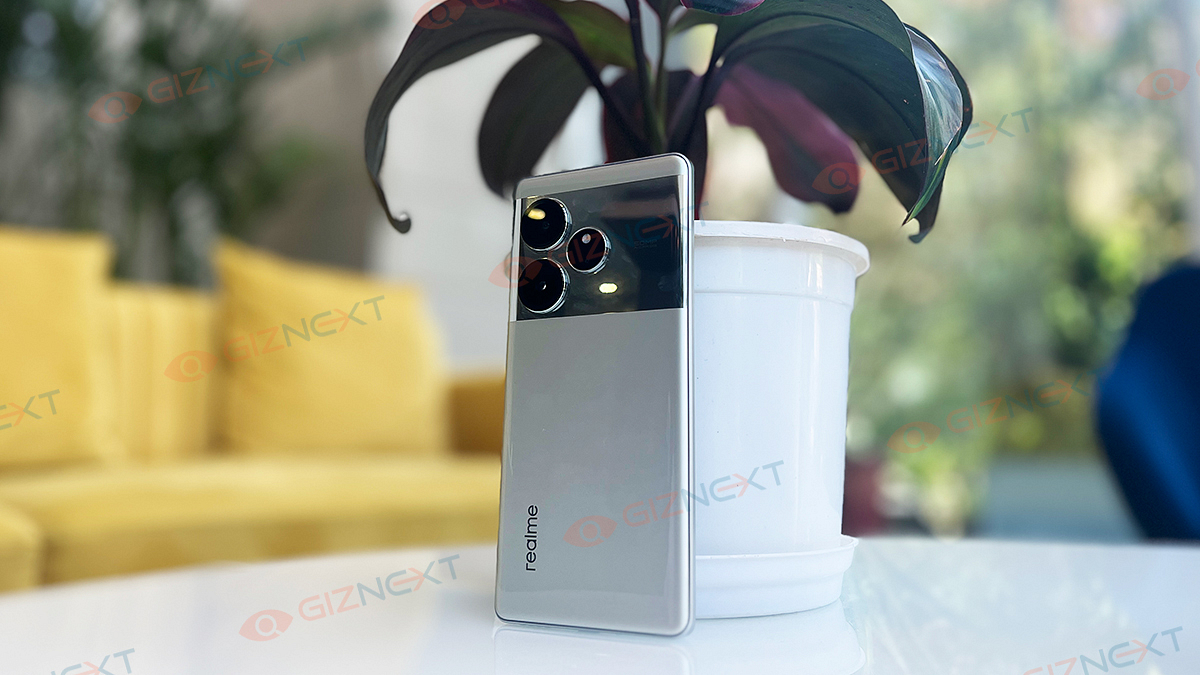
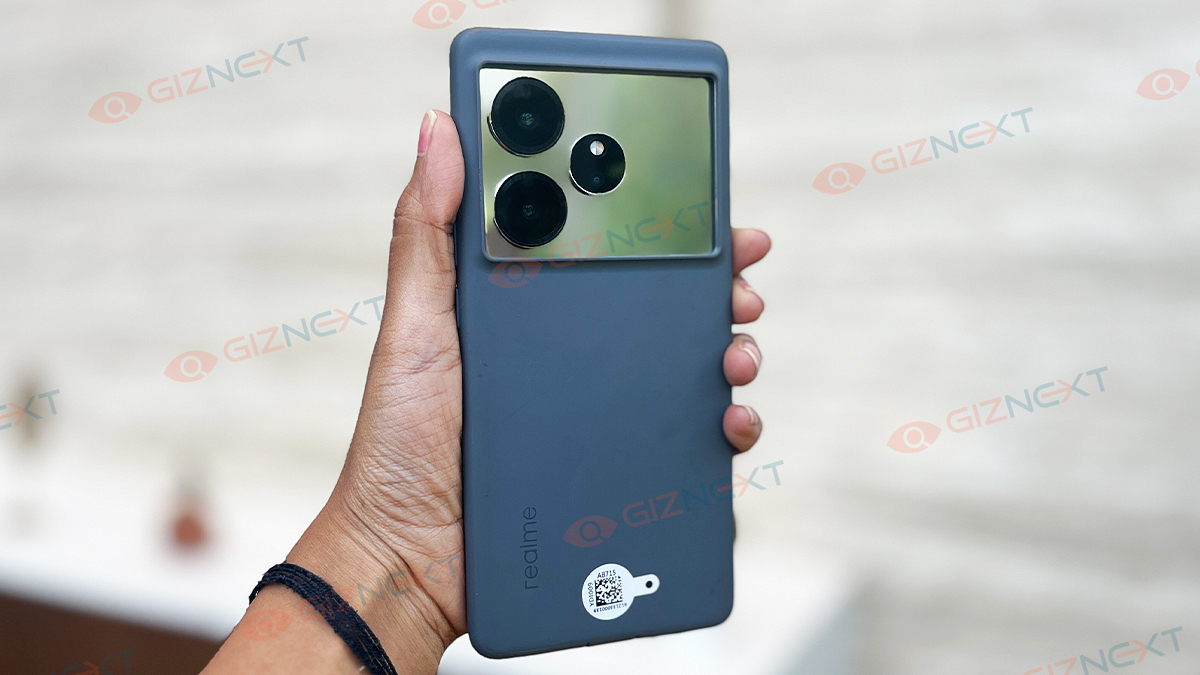
Ready to meet the latest game-changer in the premium segment? Realme, a brand you probably know for its budget-friendly marvels, is now stepping up its game with the Realme GT 6. Starting at Rs. 35,999, this beast packs the brand-new Snapdragon 8s Gen 3 chipset, a 5,500mAh battery, and lightning-fast charging. Plus, it’s got some cool AI features to boot. But will this live up to the hype? I am here going to explore what makes the Realme GT 6 a top contender in the world of high-end smartphones.
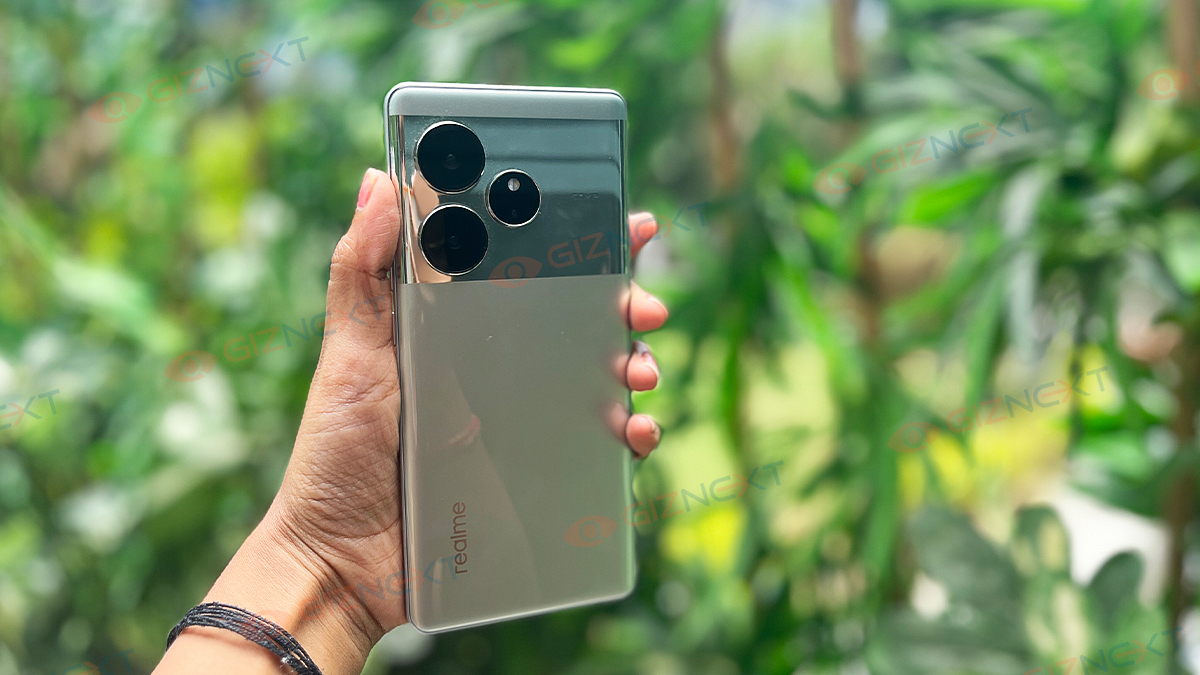
In terms of aesthetics and ergonomics, the Realme GT 6 nails it. For a larger phone, it’s surprisingly comfortable to hold and use.
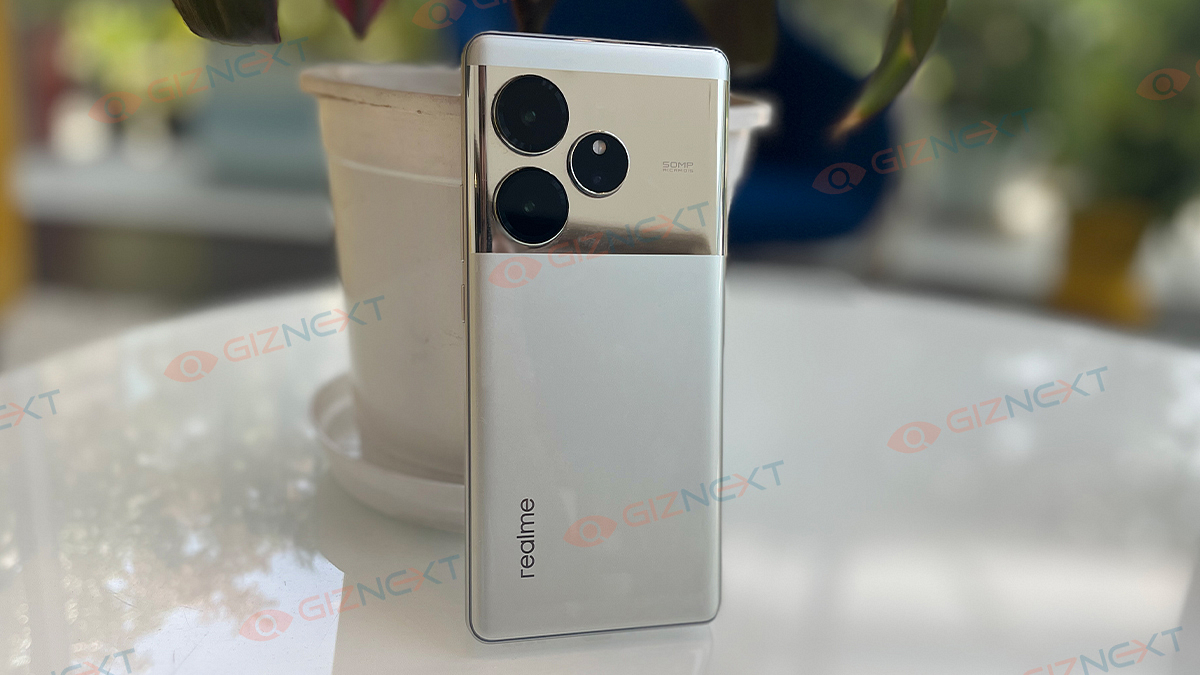
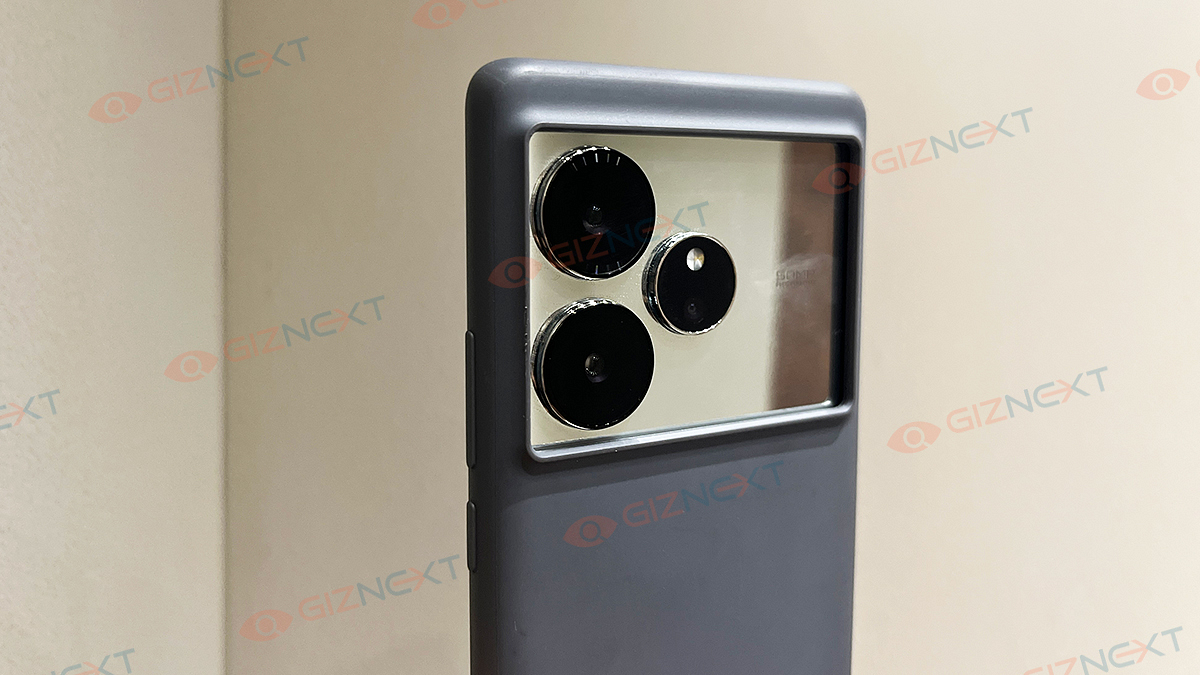
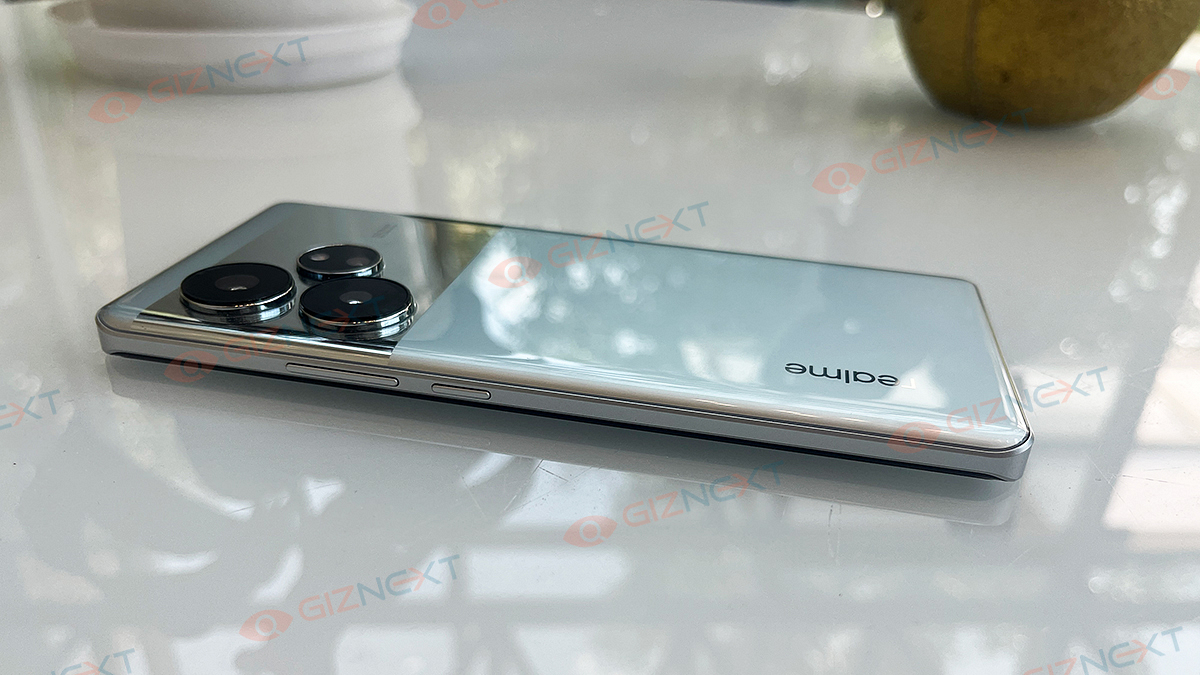
On the back, the smartphone flaunts a sleek, horizontal, mirror-like rectangular frame for its cameras. And mind it, this shiny frame is a magnet for fingerprints, smudges, and dust. The rest of the back cover is made from sturdy plastic. The camera placement on one side causes the phone to wobble when laid on its back without the included TPU cover.
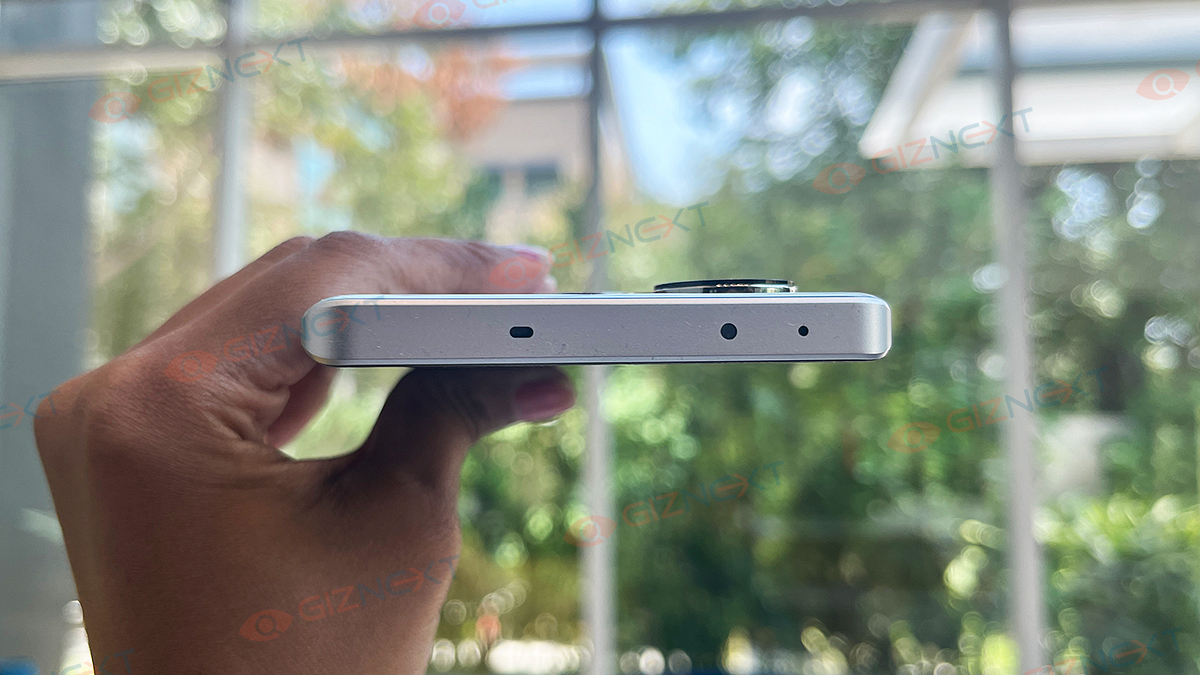
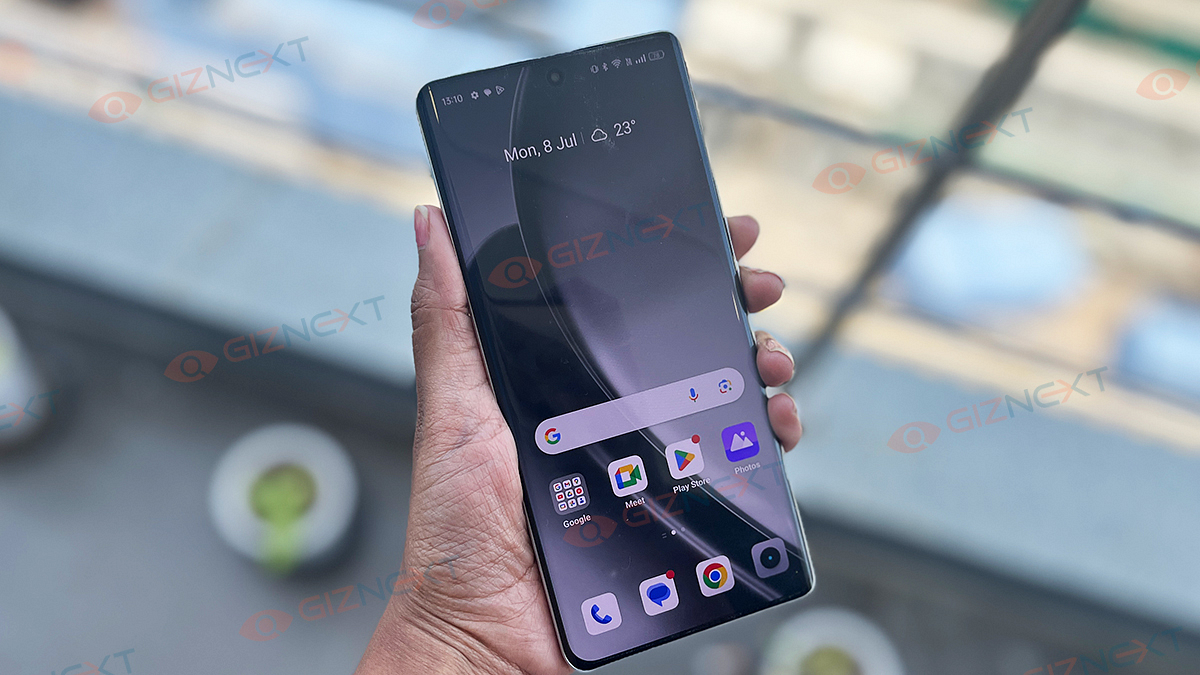
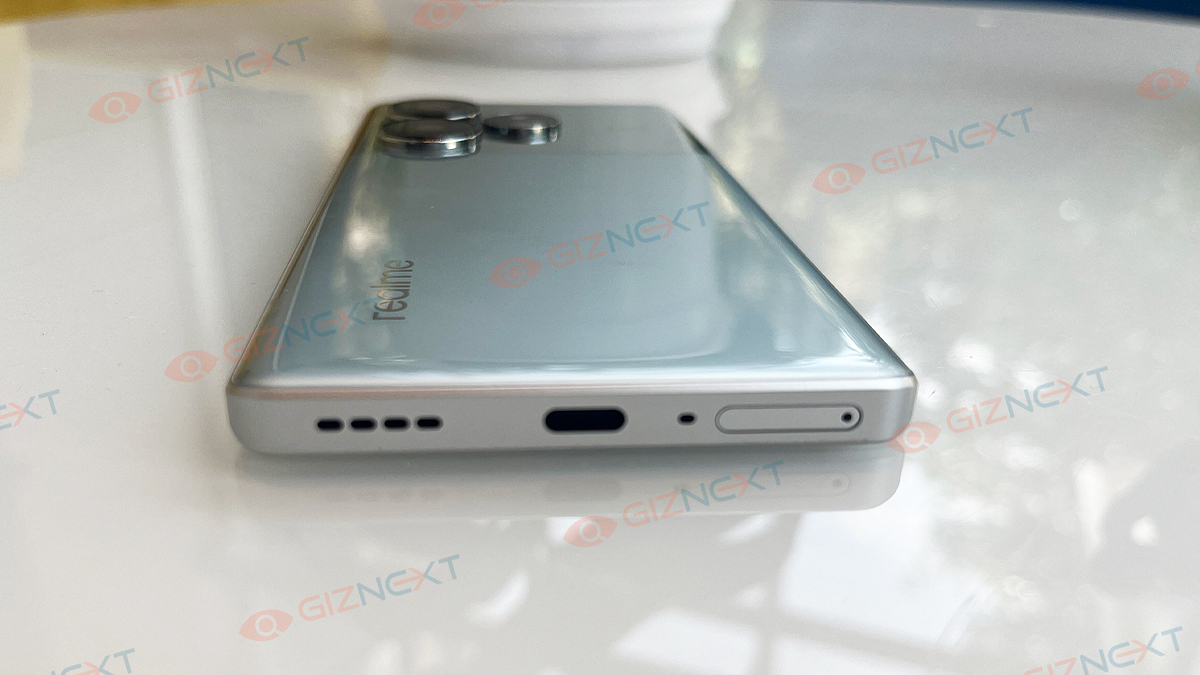
The front of the phone is just as impressive with its curved glass and minimal bezels, making the display a visual treat. On the right side of the frame, you’ll find the volume and power buttons, which are smooth to operate and easily accessible. The bottom features a USB Type-C port, a dual SIM tray, and a speaker grille, all neatly arranged. Overall, Realme has designed a phone that looks and feels premium, despite a few minor design quirks.
Display
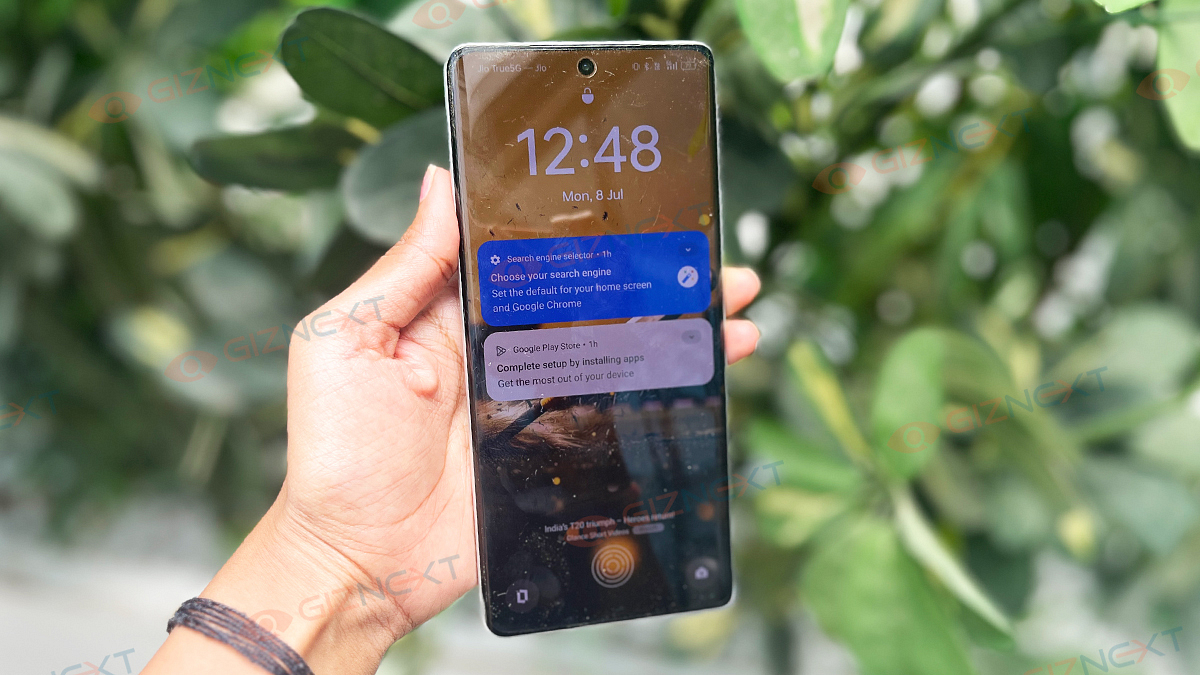
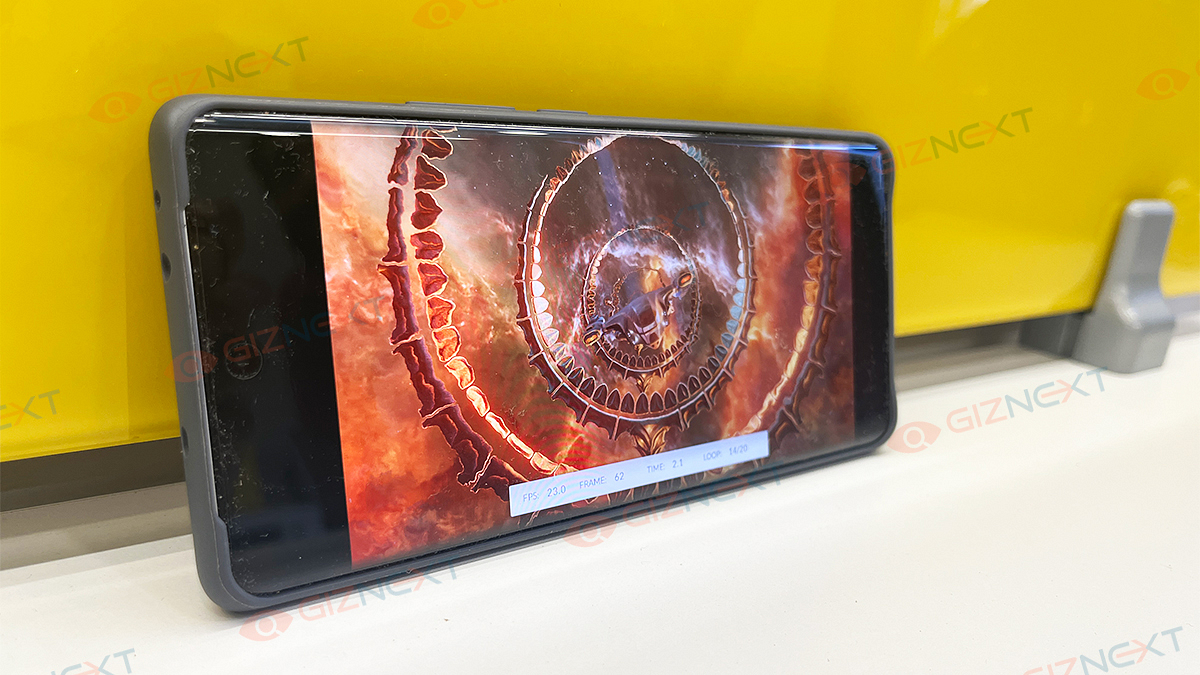
The Realme GT 6 offers a 6.78-inch AMOLED display. This screen isn’t just big, it’s brilliant. It has 1-120Hz adaptive refresh rate. But the showstopper here is its 6,000 nits peak brightness. While finding content that fully utilizes this might be tricky, the phone’s 1,600 nits high brightness mode ensures you won’t have any issues, even under the brightest sunlight. Features like ‘Bright HDR video mode’ and ‘Extra brightness’ make brightness anxiety a thing of the past.
The display is sharp, vivid, and perfect for media consumption. Whether you’re watching videos, playing games, or just scrolling through social media, the Realme GT 6 delivers a great visual experience. You can choose from Vivid, Natural, and Pro screen color modes, and the Nature Tone Display feature adjusts the screen based on ambient lighting.
The multimedia experience is further enhanced by the great sounding stereo speakers. With HDR10 support, streaming your favorite shows on Netflix, YouTube, and Amazon Prime Video is a treat. The display settings offer options like Video Color Boost. This enhances colors in select apps and an Image Sharpener to ensure everything looks crisp and clear. In short, the Realme GT 6’s display is a powerhouse that brings your content to life in a vibrant and immersive way.
The Realme GT 6 stands tall as one of the few smartphones in India equipped with the Qualcomm Snapdragon 8s Gen 3 SoC. And let me tell you, the performance is nothing short of stellar. From heavy multitasking to graphic-intensive gaming, this phone breezes through everything I threw at it. No hiccups, no lag, just smooth sailing.
You get 16GB of RAM and 512GB storage on board. Even with default apps running in the background, around 9GB of RAM remains free. The Dynamic RAM Expansion feature boosts this further by using built-in storage as additional RAM, offering up to 12GB of extra space when needed.
For gamers, the Realme GT 6 is a beast in its own league. I tested it with top-tier games like BGMI and Call of Duty, and the performance was flawless. Its Iceberg Vapor Cooling System and 120 fps support keeps the gameplay smooth and the device cool, even during intense gaming sessions.
Running on Realme UI 4.0, based on Android 14, the user experience is polished and intuitive. Next AI features like AI Smart Removal and AI Smart Loop enhance productivity by automating tasks like photo editing and content sharing.
Benchmark Performance
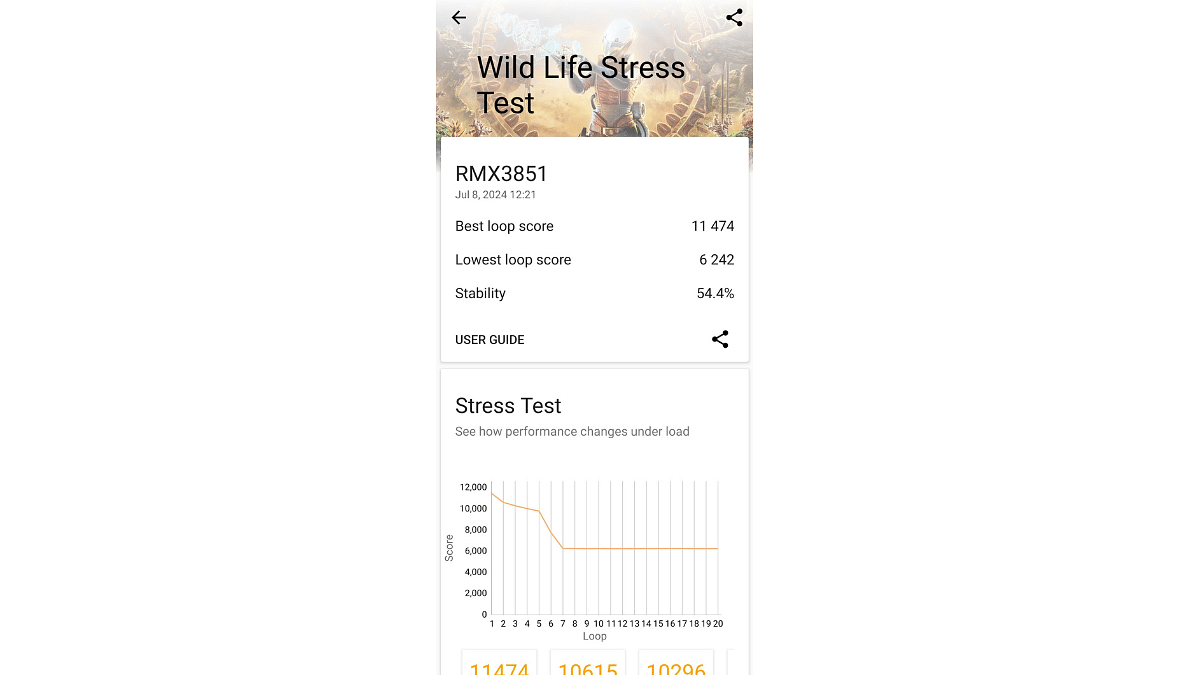
The Realme GT 6 is one of the first handsets equipped with Snapdragon 8s Gen 3-powered to enter our workspace. And we couldn’t wait to put it through its paces. We tested this unit with 3D Mark and Geekbench 6 platforms and got promising results in both the tests.
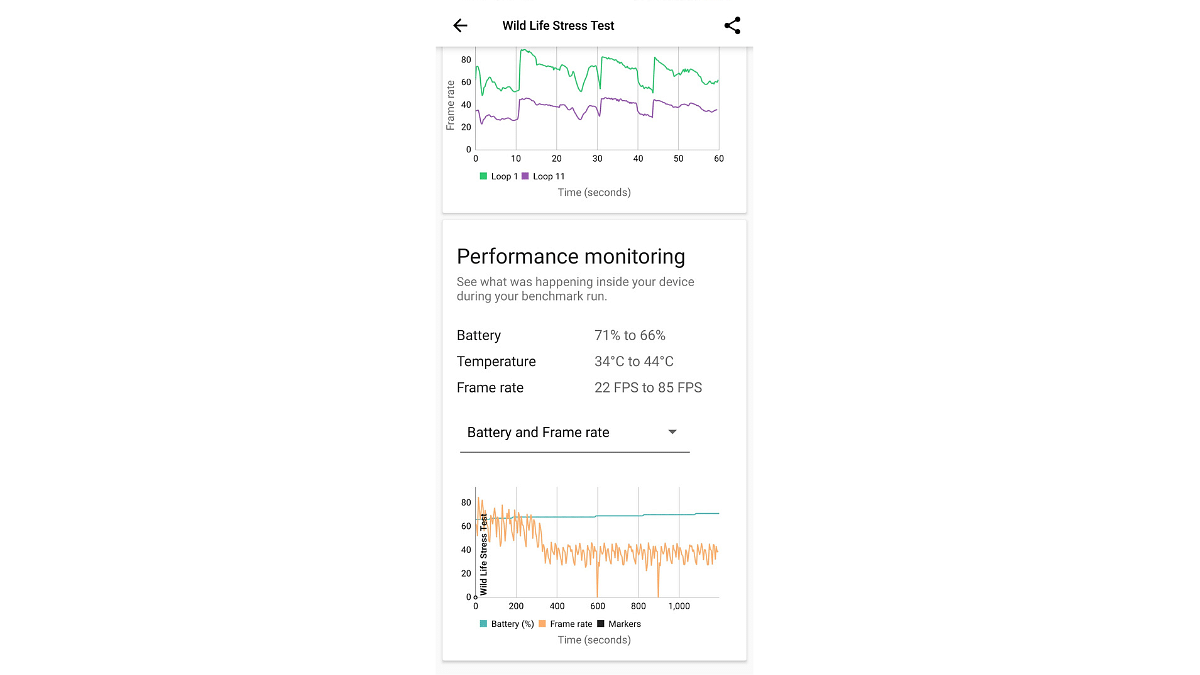
Starting with the Wild Life Stress test, it scored 11,474 in Best Loop score, while in the lowest loop test it logged 6,242 points. Overall, it achieved 54.4 percent stability in this test with the temperature shooting up from 34 to 44 degrees (not much when considering extensive usage), thanks to the cooling solution.
Talking about its Geekbench results, the Realme GT 6 smartphone didn’t disappoint. It recorded a single-core benchmark score of 2,001 and a multi-core benchmark score of 5,170. These numbers highlight the phone’s ability to handle everything from everyday tasks to intensive workloads with ease. Overall, the handset fared well in the benchmark tests establishing itself as a potent performer.
Camera
The camera system on the Realme GT 6 is nothing short of impressive. Equipped with a main 50MP Sony LYT-808 sensor, this phone captures great photos with good detail and vibrant colors. The 50MP telephoto lens adds versatility, delivering high-quality zoom shots, while the selfie camera features a 32MP Sony IMX615 sensor for sharp and clear selfies.
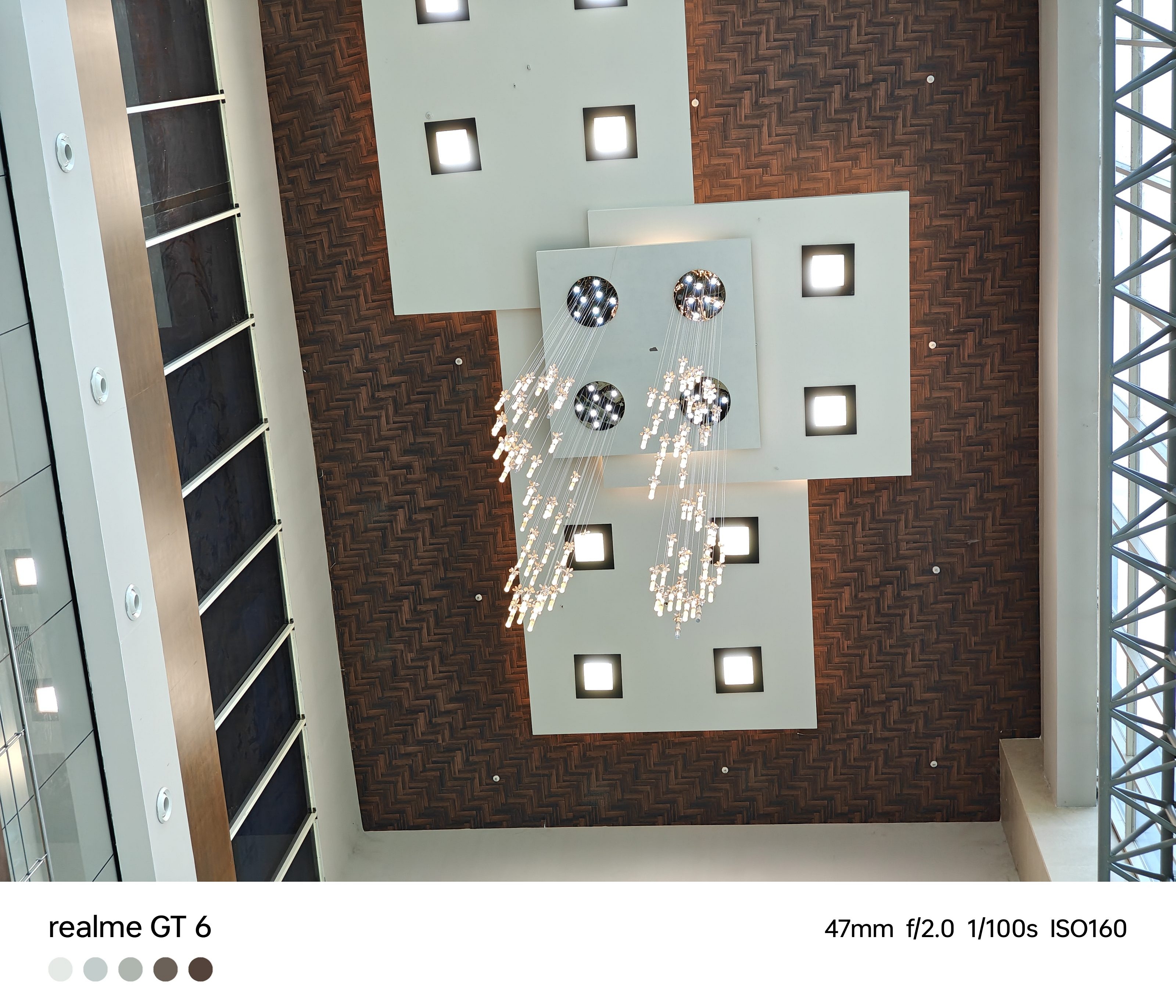
The star of the show is undoubtedly the primary camera. It captures images with accurate colors and plenty of detail, especially in well-lit conditions. Even when you zoom in, the images seems to be clear. In low-light scenarios, the primary camera still performs admirably, capturing good photos in default mode and even brighter images when you switch to the dedicated Night mode.
Dynamic range handling is impressive, and the colors are spot on. The ultra-wide lens performs well, though its performance dips in low light. The telephoto lens is great for portraits but produces average-quality images in low light. The 32MP front-facing camera delivers sharp selfies with a nice background blur, although stabilization could be improved.
The ultra-wide-angle camera is handy for capturing larger subjects that aren’t too far away. This offers images with lower resolution and slightly darker tones compared to the primary camera. But without noticeable warping around the edges. In low-light conditions, the ultra-wide lens struggles, so I often found myself relying on the primary camera.
For subjects that are far away, the telephoto camera on the Realme GT 6 captures sharp images at 2x optical zoom, with an additional 4x zoom option. However, the colors in telephoto shots are slightly less vivid than those from the primary camera.
AI features like the HyperTone Image Engine and AI Smart Removal elevate the camera experience, making it easy to capture and edit good photos.
The front camera is perfect for selfies and video calls, offering decent quality and acceptable background blur. The Realme GT 6 can record videos in 4K, 1080p, and 720p at both 30fps and 60fps. The video quality is good for everyday use, although it struggles a bit in low-light conditions.
Battery
What good is a good phone if it can’t keep up with you, right? The Realme GT 6 comes packed with a robust 5,500mAh battery that’s ready to power through your day. With heavy use, think binge-watching, gaming, and non-stop scrolling, this smartphone easily lasts a full day. But if you’re more of a typical user, you’re looking at up to two days on a single charge. I managed to squeeze out close to eight hours of screen-on time even with heavy usage. Impressive.
The Realme GT 6 supports 120W SuperVOOC fast charging, which is like having a superpower. You can juice up to 50 percent in just about 10 minutes. And a full charge? Less than half an hour. Whether you’re running out the door or just forgot to charge overnight, this phone’s got your back.
There’s more. The GT 6 comes with smart charging features too. You can stop charging at 80 percent to extend battery life. Also, you can use smart rapid charging to speed things up when the battery’s running critically low.
The Realme GT 6 is here to play in the big leagues. With a Snapdragon 8s Gen 3 engine, a vibrant 6.78-inch AMOLED display, and a battery that keeps up with your binge-watching marathons, this phone is a powerhouse. Price starts at Rs. 35,999, it’s packed with cool AI features and lightning-fast charging. Sure, it has a few quirks, but it’s a premium thrill ride you won’t want to miss.
Google Weather to show actual dates in the 10-day forecast
iOS 18 will display actual and feels-like temperatures prominently
Both updates enhance user experience with more detailed information
Google and Apple are both rolling out updates to their weather apps, aiming to make it easier for users to plan their days and weeks. Here’s a look at what’s changing in Google Weather and Apple Weather, and how these updates could benefit you.
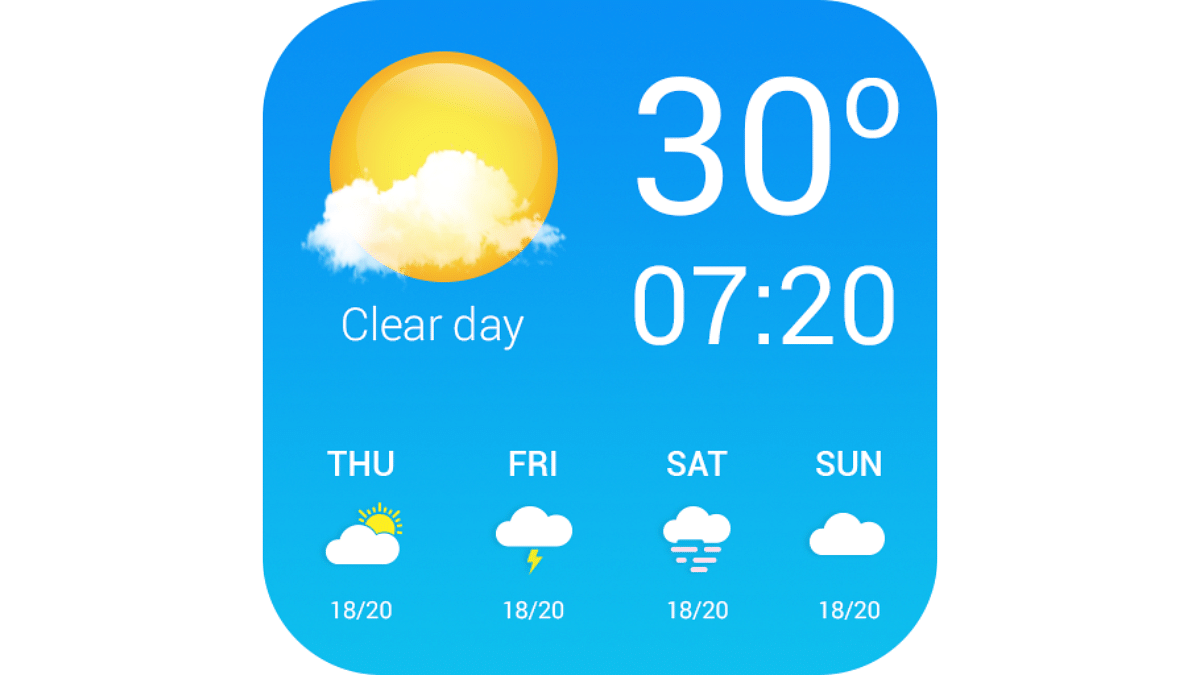
Google is making a small but significant tweak to its Weather app. Previously, the 10-day forecast displayed only the days of the week, like “Today,” “Sunday,” and “Monday.” Now, the forecast will include actual dates along with the days. This change might seem minor, but it can be very helpful for long-term planning. When you look at the forecast beyond the current week, having specific dates can prevent confusion and make it easier to plan activities or trips.
This update is part of Google app version 12.25. While Google Weather hasn’t seen many updates since its redesign in 2023, this new feature shows Google’s commitment to improving user experience. Along with this change, Google is also leveraging first-party forecasting models. This means that Google Weather is using more accurate and reliable data for its forecasts.
Another exciting development is the potential addition of radar features and more widgets for all Android devices. Currently, Pixel phones and At a Glance weather icons have already received updates, but these new features could soon be available to a wider range of Android users.
Apple Weather Update
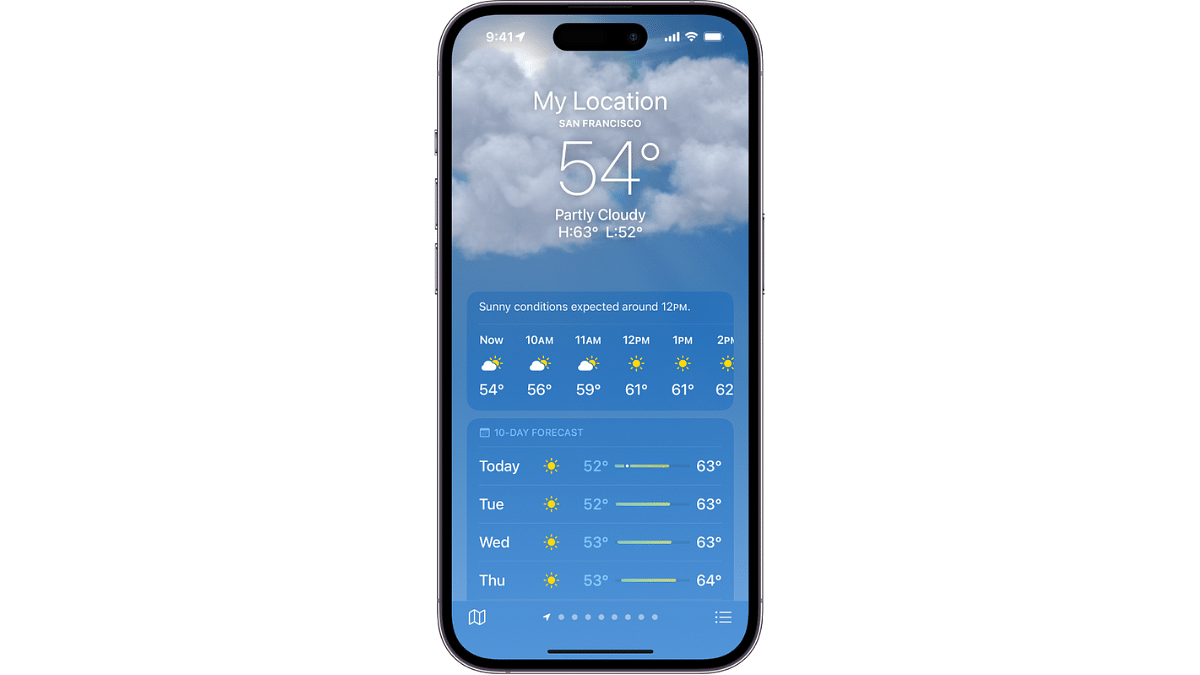
Apple is also enhancing its Weather app with the upcoming iOS 18 release. One of the major new features is the display of both the actual and “feels-like” temperatures. The actual temperature will be shown in a large font, while the feels-like temperature will be displayed below it in a smaller font and a different color. This addition helps users get a better understanding of how the weather feels, which can be particularly useful in extreme weather conditions.
Another useful feature in Apple’s update is the integration of home and work locations. By default, the Weather app will now add your home and work addresses to the list of tracked locations. This means you can easily check the weather for these important places without having to manually enter the addresses each time. This integration simplifies the process and ensures you are always updated about the weather conditions where you spend most of your time.
Both Google and Apple are making their weather apps more user-friendly with these updates. Google’s inclusion of dates in the 10-day forecast helps with long-term planning, while Apple’s detailed temperature display and automatic location tracking make it easier to understand and monitor the weather. Whether you use Google Weather or Apple Weather, these new features aim to provide a more streamlined and informative experience, helping you stay prepared for whatever the weather brings.
Select ‘Shuttle’ in the Uber app and confirm your ride
Track the shuttle, arrive on time, and enjoy a comfortable journey
Get dropped at a designated point
Traveling in Delhi-NCR can be a hassle with crowded buses, long metro rides, and driving through peak traffic. Uber Shuttle offers a comfortable, safe, and convenient alternative. Here’s how you can use this service to enjoy a stress-free commute.
Uber Shuttle is a new service designed to meet the needs of Delhi-NCR’s daily bus commuters. It aims to reduce road congestion and carbon emissions by using private bus fleets. These buses are air-conditioned and operate on predefined routes, connecting business districts with residential areas. Each shuttle bus can accommodate 19 to 50 passengers and is operated by local fleet partners using Uber’s technology.
How To Book Your Ride
Booking an Uber Shuttle is easy and can be done through the Uber app. Here’s a step-by-step guide:
Request:
Step 1: Open the Uber app and enter your destination.
Step 2: Select the ‘Shuttle’ option.
Step 3: Review your fare, choose your preferred route, and pick-up timing.
Step 4: Once you’re ready, tap on the request button. The app will provide you with the driver and bus details 25 minutes before your journey.
Pickup:
Step 1: You can track the shuttle’s location via the app before your pickup time.
Step 2: Walk to the designated pickup spot shown on the map and ensure you arrive at least 5 minutes before your trip. The driver will wait for a maximum of 2 minutes at the pickup spot, so punctuality is crucial.
Step 3: Board the bus and enjoy your ride.
The air-conditioned bus will take you to your destination in comfort, allowing you to relax or even catch up on some work during the journey.
Drop off:
The driver will drop you at the designated drop-off point. You can use the Uber app to see walking directions to your final destination from there.
Uber Shuttle: Features
One of the standout features of Uber Shuttle is the ability to pre-book seats up to a week in advance. This ensures you have a reserved spot, making your commute stress-free. Additionally, you can track the bus’s live location and route through the app, providing real-time updates on the estimated time of arrival (ETA). This feature helps you plan your journey better and reduces the anxiety of waiting.
Free Ride: What’s The Catch?
Enjoy your first four rides on Uber Shuttle for free. This gives you a chance to experience the comfort and convenience of the service without any cost. After the initial four rides, the fare remains affordable, making Uber Shuttle a budget-friendly option for daily commutes.
Whether you’re traveling to work or back home, Uber Shuttle offers a reliable and efficient alternative to traditional public transport. So, next time you plan your commute, give Uber Shuttle a try and experience the convenience firsthand.
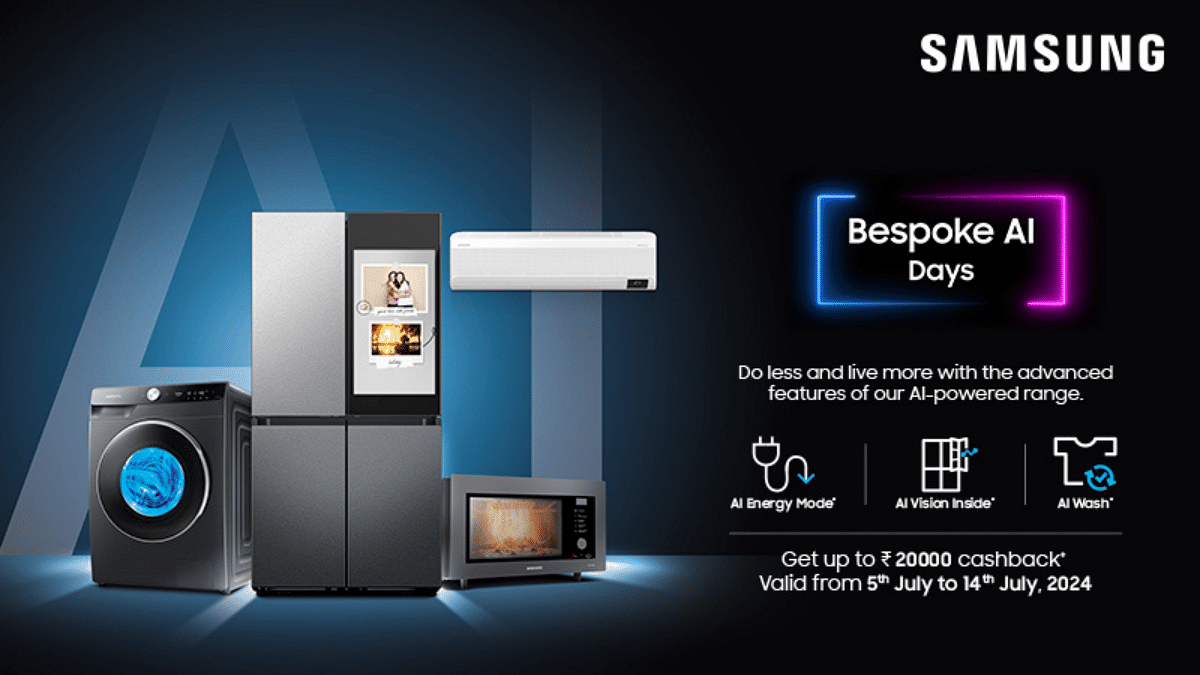
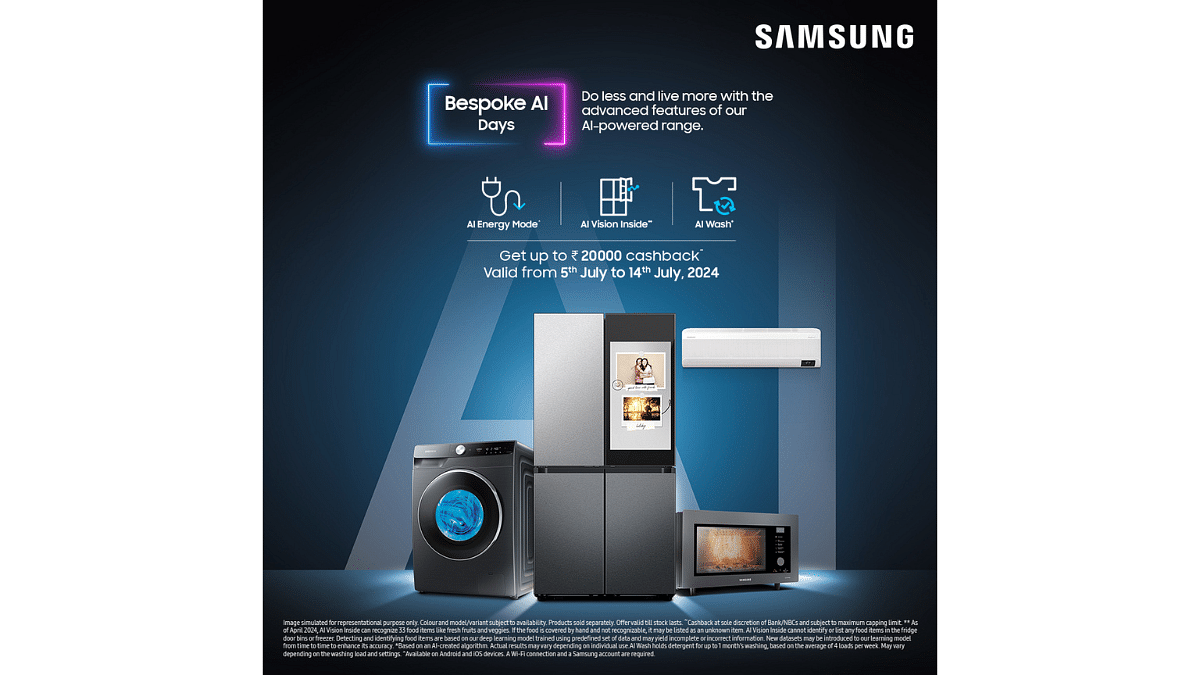
Samsung has announced the launch of ‘Bespoke AI Days,’ offering deals on its range of AI-powered digital appliances. This initiative, which runs from July 5 to July 14, 2024, aims to make advanced AI technology more accessible to consumers.
The new range of Bespoke AI appliances by Samsung is designed to simplify daily tasks through AI integration, enabling users to save time and focus on more meaningful activities. The campaign’s ethos, “Do Less, Live More,” perfectly captures this sentiment.
During the ten-day promotional period, customers can enjoy exclusive offers, including significant cashbacks and zero down payment options. For instance, buyers of Samsung’s AI-powered EcoBubble washing machines can receive up to Rs. 9,000 cashback. Similarly, those purchasing the Bespoke AI Microwave Oven can benefit from Rs. 12,000 cashback.
Home Appliances With AI
The promotions cover a variety of AI-powered appliances, including:
Refrigerators: Models like the 4 Door Bespoke AI Family Hub+, 4 Door Bespoke AI Convertible French Door, and 4 Door AI Convertible French Door come equipped with an AI vision camera that recognizes up to 33 food items and suggests recipes based on stored ingredients. These refrigerators also feature a smart food management system that alerts users when food items are nearing expiration.
Washing Machines: The AI EcoBubble models come with AI Control, learning and adapting to users’ laundry habits for optimized wash cycles. The AI Wash feature customizes wash recipes based on the load’s weight, fabric type, and soiling level.
Air Conditioners: Samsung’s AI-powered Windfree air conditioners feature a welcome cooling function, allowing users to cool their homes remotely. The AI Geo fencing technology lets users set commands to turn appliances on or off when they are within a specified range.
These AI appliances also come with Smart Diagnosis technology, which allows them to self-diagnose issues and notify users via a smartphone app for quick troubleshooting.
The AI Power mode in these devices uses intelligent algorithms to optimize energy usage based on patterns, offering substantial energy savings – up to 10 percent in refrigerators, 20 percent in air conditioners, and an impressive 70 percent in washing machines.
Available on Samsung.com, leading retail stores, and other online platforms, the ‘Bespoke AI Days’ offers provide a great opportunity for modern Indian households to embrace smart living with advanced AI technology.
Solitaire OPS computers use new components for high performance
These devices are certified with BIS, CE, FCC, and RoHS
They are available on the Government e-Marketplace for easy procurement
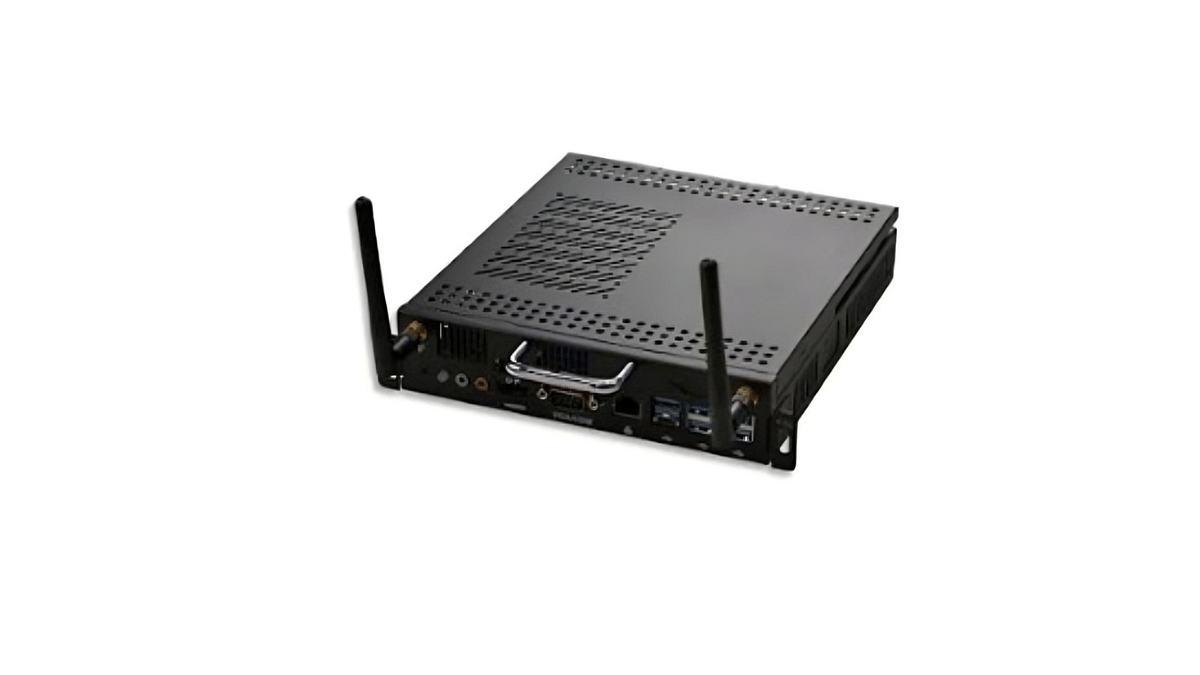
Supertron Electronics has introduced a full range of Solitaire OPS (Open Pluggable Specification) computers. These are tailored for Interactive Flat Panel Displays (IFPD) and Signage Panels. These devices cater to the growing demand in both educational and commercial sectors. Here’s a closer look at its top features.
Solitaire OPS computers are designed to enhance the functionality of IFPD and Signage Panels. These devices are particularly valuable in educational settings, where interactive technology can significantly improve learning outcomes. The integration of advanced technological features makes Solitaire OPS a versatile and powerful tool for both educators and businesses.
2. High-Quality Components
One of the standout features of Solitaire OPS is its use of brand-new components. Unlike other products that might use refurbished or less reliable parts, Solitaire OPS guarantees good quality. This focus on new components translates to better performance, longer lifespan, and fewer technical issues. This provides users with a dependable solution for their interactive display needs.
3. Complimentary Three-Year License
Each Solitaire OPS device comes with a three-year license for Digital Canvas Interactive Software. This software is essential for high-quality interactive whiteboard capabilities on the Windows platform. With this inclusion, users can enjoy a comprehensive interactive experience without the need for additional software purchases, making it a cost-effective solution for schools and businesses.
4. Extensive Configurability With Latest CPU Options
Solitaire OPS offers extensive configurability, featuring a range of CPU options including Intel Core i3, Core i5, and Core i7 from the latest generations. This variety allows users to choose the most suitable configuration based on their specific needs and budget. Whether it’s for basic applications or more demanding tasks, Solitaire OPS can be customized to meet diverse requirements.
5. Certification And Compliance With Quality Standards
These devices are certified with BIS, CE, FCC, and RoHS. This ensures compliance with the highest standards of quality and safety. This certification provides users with the assurance that Solitaire OPS devices meet rigorous regulatory requirements.
Solitaire OPS products are available on the Government e-Marketplace (GeM). This availability makes it easier for educational institutions and government bodies to acquire high-quality interactive solutions, further enhancing the educational infrastructure.
Your Instagram username is crucial for brand’s first impression
A catchy name can attract followers interested in trading tips
Explore creative usernames to stand out
Choosing the right Instagram username for your stock market business is crucial. It’s your first impression and sets the tone for your brand. Whether you’re sharing trading tips, market analysis, or financial news, a catchy and memorable username can attract followers and build your audience. In this guide, we’ll explore creative and professional Instagram username ideas that reflect the essence of your stock market business. Get ready to stand out in the crowded social media landscape with a name that resonates with traders and investors alike. Let’s check them out.
Remember, some of these usernames might already be taken, so feel free to modify them to fit your unique brand. A great username can make a significant impact on your online presence. Choose wisely, and watch your stock market business grow on Instagram.
Google’s Gemini AI helps users draft emails easily
Available for Gemini Enterprise, Business, Google One AI Premium, Workspace Labs users
Enhances email writing efficiency and saves time
Google has introduced AI feature to help users draft emails with ease. This new functionality, known as Gemini, is available to users with Gemini Enterprise and Gemini Business add-ons, as well as to personal account holders through Google One AI Premium. Additionally, it’s accessible through Google Workspace Labs, an early access testing program.
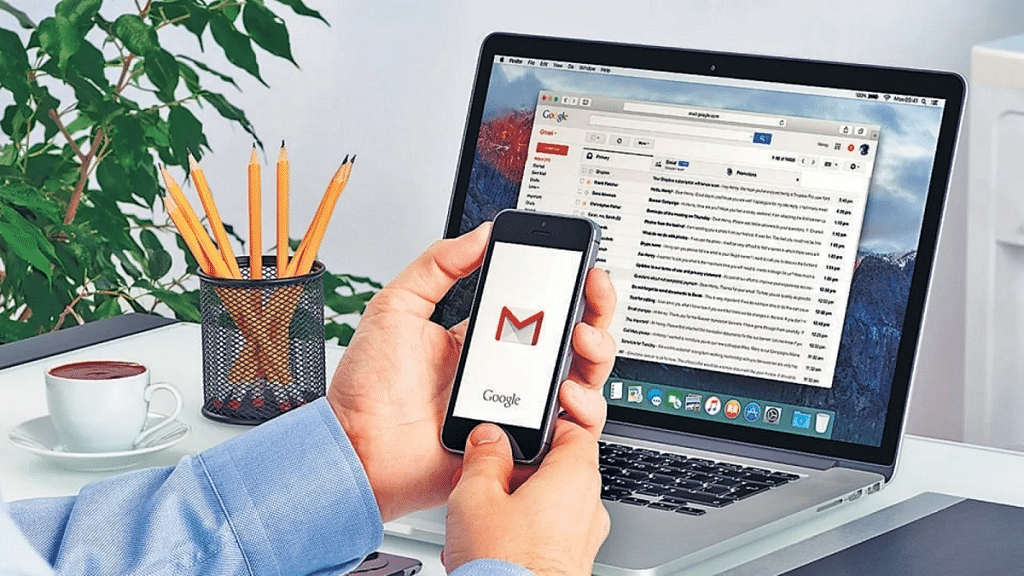
Gemini in Gmail controls AI to draft messages based on user prompts. This feature is designed to streamline email writing, making it easier and faster to communicate effectively. Users who are eligible will notice a “Help me write” button in Gmail. This button can be used to craft a new draft using a freeform prompt and then refine the draft as needed.
How To Draft An Email Via Gemini In Gmail
Here are simple steps to help you use Gemini in order to draft your emails:
Step 1: Start by opening Gmail on your computer. You can either compose a new email or reply to an existing email thread.
Step 2: In the top left corner of Gmail, click on “Compose” to start a new email.
Step 3: In the bottom left corner of the new email window, you’ll see the “Help me write” button. Click on it to activate Gemini.
Step 4: Type a prompt into the provided space. This could be as simple as “Draft an email to invite my friend to dinner,” or any other directive.
Step 5: Click on the option “Create” to let Gemini generate a draft according to your prompt.
How To Recreate Your Response
If you’re not satisfied with the initial response, you can click “Recreate” to generate a new version. Gemini offers several refining options:
Shorten: You can reduce the length of the draft.
Formalize: This makes your draft more formal.
Elaborate: This will add more details to build upon the text.
I’m Feeling Lucky: This will add creative details to the draft.
Once you’re happy with the draft, click “Insert” to place it into your email.
Important Considerations
While Gemini is a powerful tool, it’s important to note that its suggestions don’t represent Google’s views and shouldn’t be attributed to the company. Users are advised not to rely on Gemini for medical, legal, financial, or other professional advice. The feature is designed to assist with drafting emails but should not be considered a substitute for professional counsel.
Gemini in Gmail is a great tool for anyone looking to simplify their email writing process. By providing prompts and refining drafts, it can help users create polished emails quickly and efficiently. Whether you’re composing a formal email or adding creative touches to your message, Gemini makes the process seamless and enjoyable.