Say hello to Shweta, a tech fan who's hooked on keeping up with all things tech. When she's not exploring the latest gadgets, she's diving into a good book, clicking photos as an amateur photographer, or enjoying classic movies and music. With her love for both tech and creativity, Shweta adds her own touch to tech news in a way that's easy to understand and enjoy.
Use tools like Canva and Adobe Spark for professional thumbnails
Use bright colors, expressive faces, and minimal text for visual appeal
Include branding and test designs to see what attracts more viewers
Creating engaging YouTube thumbnails is essential for attracting viewers to your videos. Thumbnails are the first impression potential viewers get of your content, and a well-designed one can significantly increase your click-through rate. Here are some simple tools and tips to help you create eye-catching YouTube thumbnails.
Canva: It is a user-friendly graphic design tool that offers a wide variety of templates specifically for YouTube thumbnails. It has drag-and-drop features, making it easy to add images, text, and other elements to your thumbnail.
Adobe Spark: This provides professional-grade design options while remaining accessible for beginners. It offers a variety of customization options to help you create unique thumbnails.
PicMonkey: This is another great tool for creating thumbnails. It provides photo editing tools and templates for designing engaging thumbnails.
Fotor: This is a photo editing and graphic design tool that is perfect for creating YouTube thumbnails. It offers numerous templates and easy-to-use editing features.
Snappa: It is a simple yet powerful design tool. It offers a wide range of templates, high-quality images, and graphics to make your thumbnails stand out.
Tips For Creating Eye-Catching Thumbnails
Use High-Quality Images: The quality of your thumbnail image is crucial. Always use high-resolution images to ensure your thumbnail looks professional and appealing.
Keep It Simple: One should avoid using too much text or images on their thumbnails. A simple, clean design with a clear focal point is more likely to attract viewers.
Use Bright Colors: Bright, contrasting colors can make your thumbnail stand out. Users can use different colors that complement each other as well as grab attention.
Include Faces: Thumbnails that have faces attract more audiences. If possible, include a close-up of a face with an expressive emotion. This helps create a connection with potential viewers.
Add Text Sparingly: If you include text, make sure it is easy to read and not overwhelming. Use large, bold fonts and keep the text to a minimum. A few words that highlight the main topic of the video are enough.
Use Branding: You can include your brand’s colors, logos, or other elements consistently in your thumbnails. This helps create a consistent look across your channel and makes your videos recognizable.
Test and Analyze: Try to use different designs to test which ones get the most clicks. If you want to track your thumbnail’s performance and adjust your strategy according to the results, you can use YouTube Analytics.
Creating engaging YouTube thumbnails doesn’t have to be complicated. By using the right tools and following these simple tips, you can design thumbnails that attract more viewers and increase your video’s click-through rate. Remember, a good thumbnail can make a significant difference in the success of your videos, so take the time to create something eye-catching and professional. Happy designing.
Koo is closing due to high technology costs and failed partnerships
Launched in 2020, Koo let users communicate in local Indian languages
Koo’s founders are open to future opportunities and promise a comeback
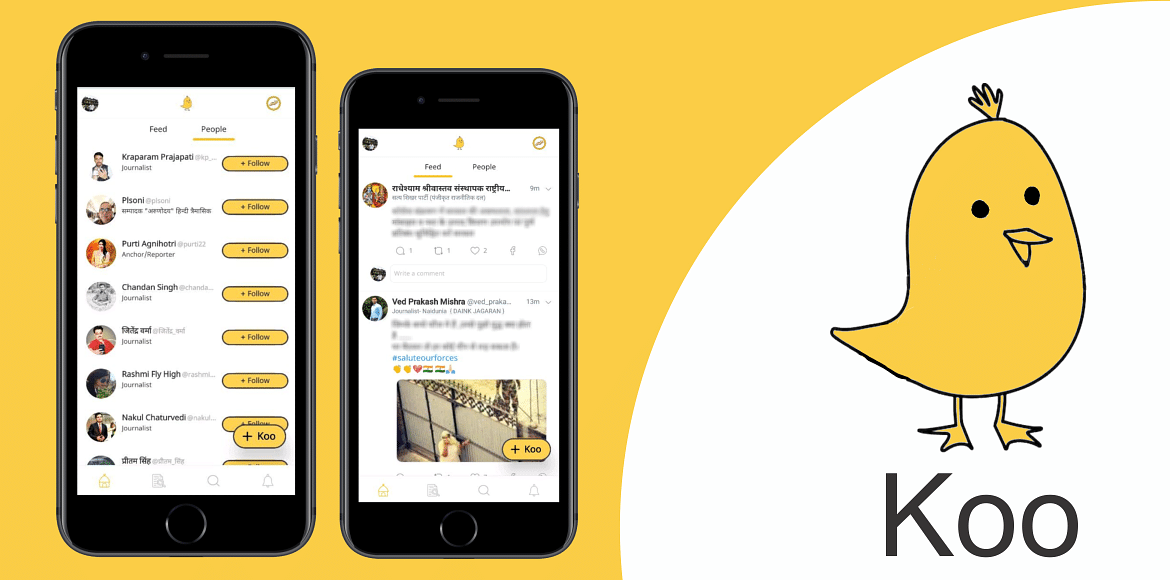
Koo, the Indian social media app, is shutting down. The company’s co-founder, Mayank Bidawatka, announced this on LinkedIn. He said, “we will be discontinuing our service to the public”. This news came just hours after a report by The Morning Context revealed that talks between Koo and DailyHunt about a possible acquisition had failed.
Mayank Bidawatka explained that they tried to partner with many big companies, but these talks didn’t work out. “While we would’ve liked to keep the app running, the cost of technology services to keep a social media app running is high and we’ve had to take this tough decision,” he wrote.
A Brief History Of Koo
Koo was launched in March 2020 by Aprameya Radhakrishna and Mayank Bidawatka. The app quickly gained attention by winning the AatmaNirbhar App Innovation Challenge, organized by the Government of India, in August 2020. Koo was seen as India’s answer to Twitter, promoting the use of Indian-made products and services.
In April 2023, Koo began cutting down its workforce to manage expenses. Over the year, they reduced their 260-member team by 30 percent, laying off around 80 employees.
What Made Koo Unique?
Koo aimed to allow users to communicate in local Indian languages, filling a gap where most social media platforms, especially Twitter in India, were English-dominated. “We saw a big gap between the languages the world speaks and the fact that most social products, especially X/Twitter in India are English dominant. In a world where 80 percent of the population speaks a language other than English, this is a strong need. We wanted to democratize expression and enable a better way to connect people in their local languages,” said Bidawatka.
The Struggle For Funding
Despite its unique features and potential, Koo struggled with funding. “We built a globally scalable product in a fraction of the time that X/Twitter did, with superior systems, algorithms, and strong stakeholder-first philosophies. Koo used to have a 10 percent like ratio, almost 7-10x the ratio Twitter had – making Koo a more favorable platform for creators,” Bidawatka explained. At its peak, Koo had about 2.1 million daily active users and around 10 million monthly active users, including many VIPs.
Future Hopes
Even though Koo is shutting down, the company is still looking for a good deal. Bidawatka said they are open to sharing their technology with someone who has a great vision for India’s role in social media. He also mentioned the possibility of turning Koo into a digital public good to enable social conversations in native languages worldwide. Despite the shutdown, the founders promise a comeback. Bidawatka concluded by saying, “you will see us back in the arena one way or another”.
The shutdown of Koo marks the end of an ambitious project to create an Indian alternative to Twitter. While the app had many successes, the high cost of technology and lack of funding ultimately led to its closure. However, the founders remain hopeful for a future return.
Free Medical Insurance of up to Rs. 5 lakh per year for low-income families
Eligibility is based on SECC data, focusing on families who are BPL
Apply online or offline with basic documents and track status on the PMJAY website
Ayushman Bharat Yojana (ABY), also known as Pradhan Mantri Jan Arogya Yojana (PMJAY), is a significant health insurance program launched by the Indian government in 2018. This scheme provides free medical insurance to low-income families, covering up to Rs. 5 lakh annually per family. Here’s what you need to know about its benefits, eligibility criteria, and application process.
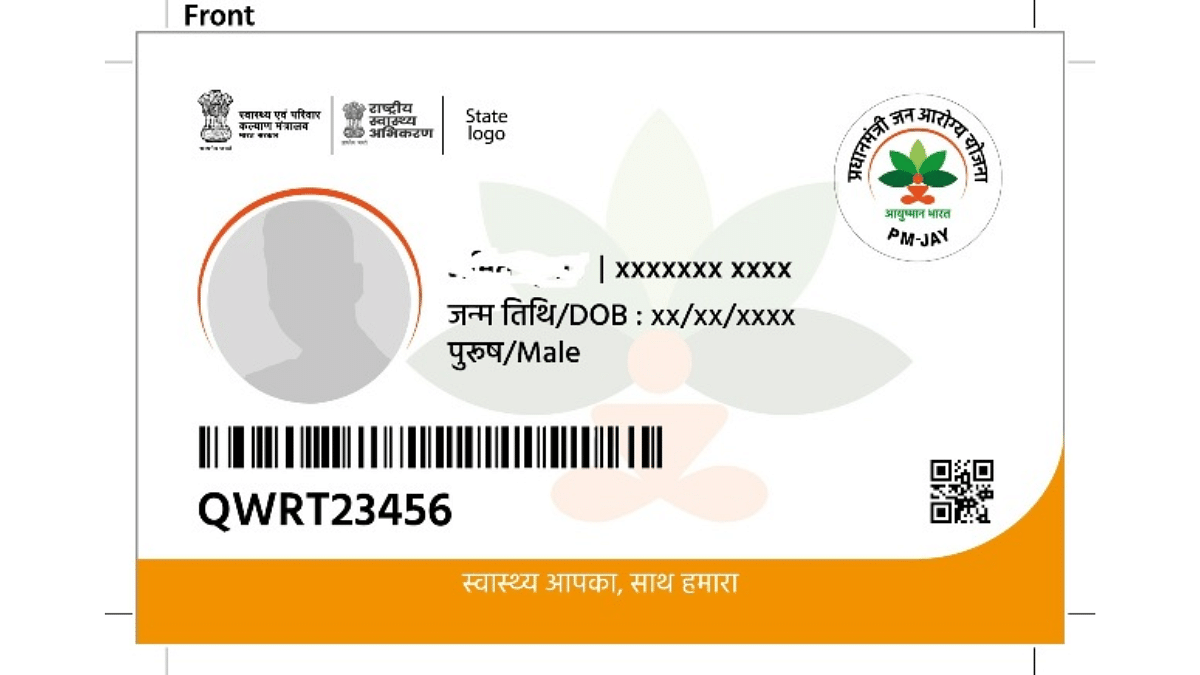
Ayushman Bharat Yojana is a lifeline for low-income families in India. It offers cashless hospitalization coverage of up to Rs. 5 lakh per year for each family. This coverage includes both serious (secondary) and critical (tertiary) care. The program covers a wide range of treatments and surgeries, such as knee replacements, heart bypass surgeries, cancer treatments, and care for chronic conditions. It also includes pre and post-hospitalization expenses, ensuring a complete healthcare experience for beneficiaries.
Eligibility Criteria
Families qualify for Ayushman Bharat Yojana based on Socio-Economic Caste Census (SECC) data. This data categorizes families into different income brackets, focusing on those living below the poverty line (BPL) and those identified as deprived based on specific socio-economic indicators. In urban areas, specific occupational groups like street vendors, construction workers, domestic workers, and sanitation workers are also included. Note that eligibility criteria may vary slightly across different states in India.
Required Documents
Applying for Ayushman Bharat Yojana is simple and requires a few basic documents:
ID Proof: Aadhaar card or another government-issued ID.
Family Details: Ration card to verify family information and economic background.
Income Proof (optional): Some states may require an income certificate.
Proof of Address: Utility bills or other documents confirming your residence.
How To Apply For Ayushman Bharat Yojana
Follow these steps to apply for Ayushman Bharat Yojana:
Step 1:Check Your Eligibility
Online Verification: Visit the Ayushman Bharat PMJAY website, click on “Am I Eligible,” and enter your mobile number, state, and captcha code to check your eligibility.
Offline Verification: Go to the nearest Common Service Center (CSC) or an empaneled Ayushman Bharat hospital. Use your Aadhaar card or ration card details to verify eligibility with the help of trained personnel.
Step 2:Choose Your Application Method
Online Application: Visit the PMJAY website, look for the “Register” or “Apply” section, and enter your details. Upload scanned copies of all required documents and submit the application.
Offline Application through CSCs: Visit a CSC, where the operator will help you complete the application form, verify your documents, and submit the application electronically.
Offline Application at Ayushman Bharat Hospitals: Many empaneled hospitals have helpdesks to assist with the application process. Present your documents, and the hospital staff will help you enroll.
Step 3:Track Your Application Status
Use the PMJAY website to track your application status by entering your mobile number and captcha code.
After successful verification and enrollment, you will receive an Ayushman Bharat Card (PMJAY card). Present this card at empaneled hospitals when seeking treatment.
Ayushman Bharat Yojana aims to provide comprehensive healthcare to millions of low-income families across India, reducing the financial burden of medical expenses.
In the ever-evolving world of budget smartphones, OnePlus has introduced its latest contender: the OnePlus Nord CE4 Lite 5G. Priced at Rs. 19,999, this new model aims to capture the hearts of everyday users with its impressive upgrades and affordable price tag. Boasting an AMOLED display for vibrant visuals and a larger battery for extended use, the Nord CE4 Lite promises a premium experience without breaking the bank. But, does it truly stand out in a crowded market? Let’s explore the features and performance of the OnePlus Nord CE4 Lite to see if it lives up to its hype in this review.
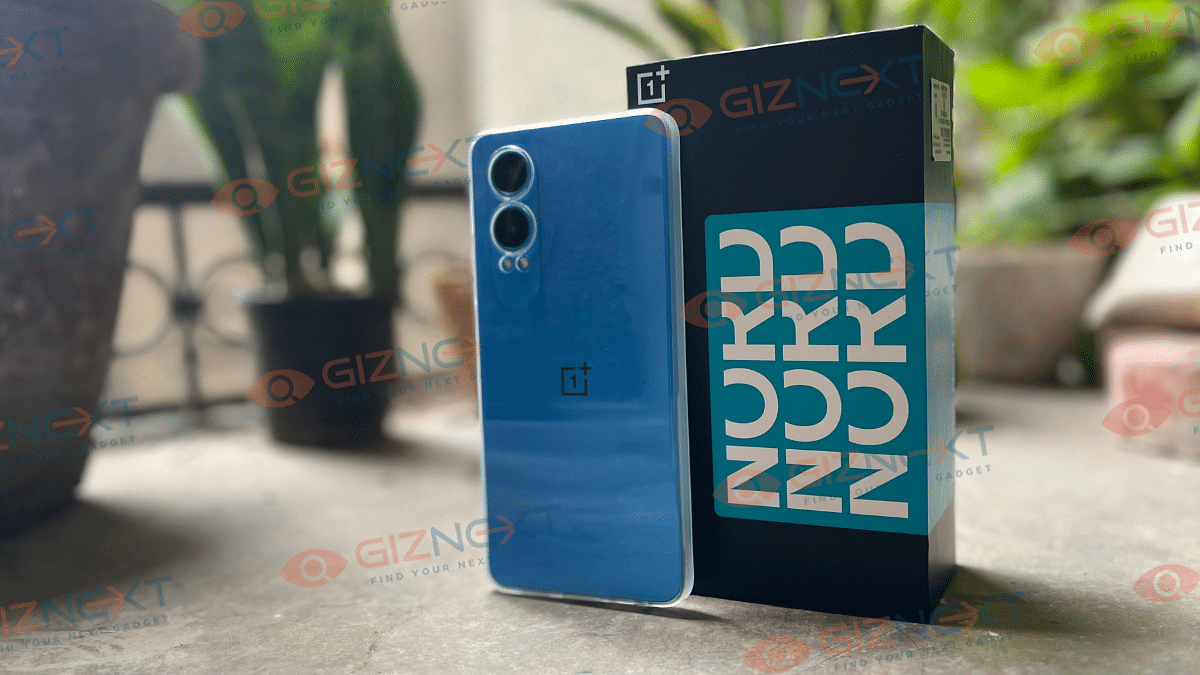
The OnePlus Nord CE4 Lite 5G features a sleek and minimalist boxy design, with slightly rounded corners and flat edges that make it comfortable to hold. At 191 grams and a thickness of 8.1mm, the handset feels a bit heavy, but not to the point of causing fatigue during use.
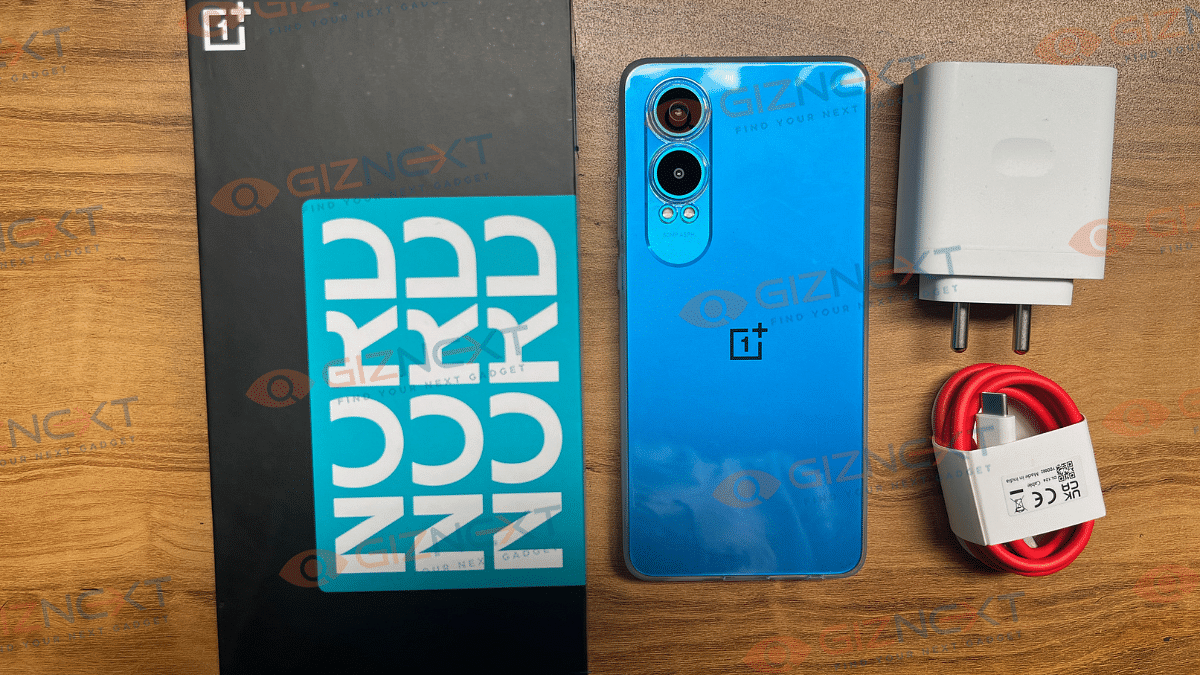
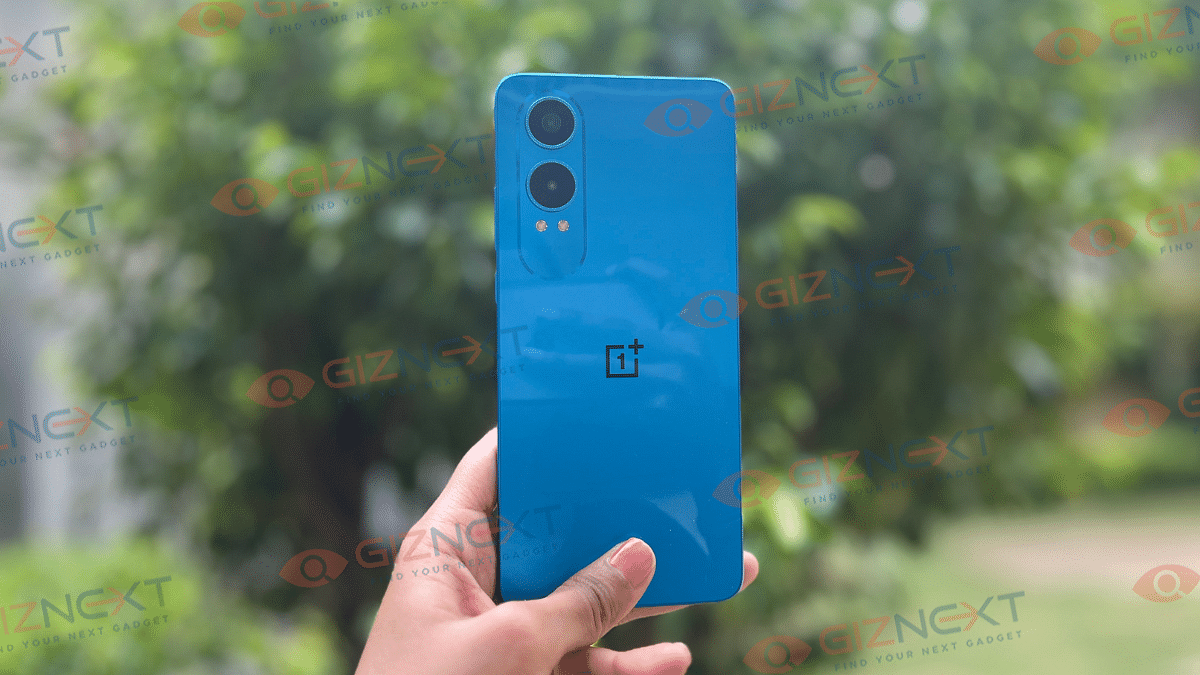
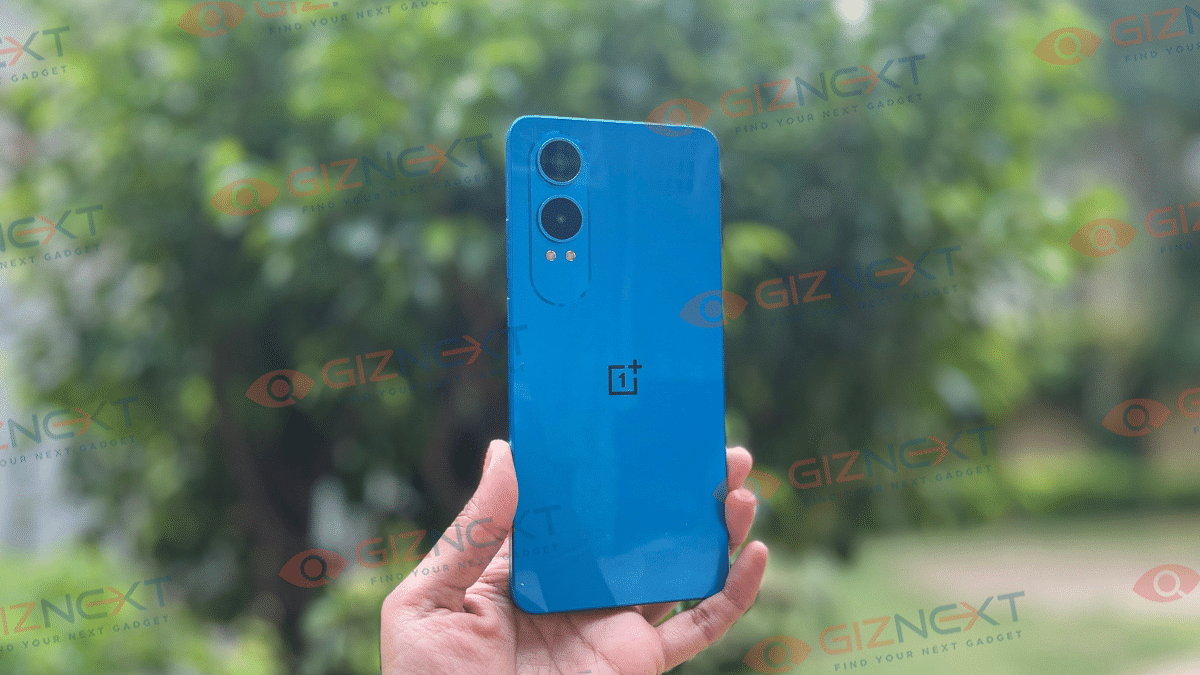
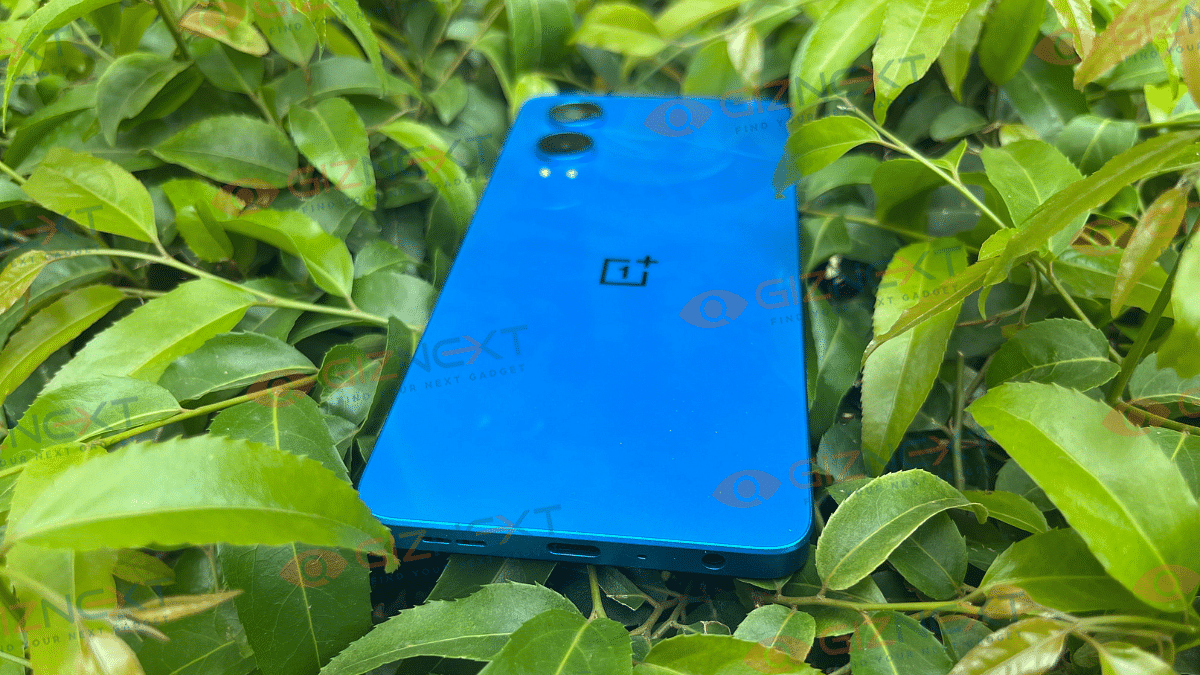
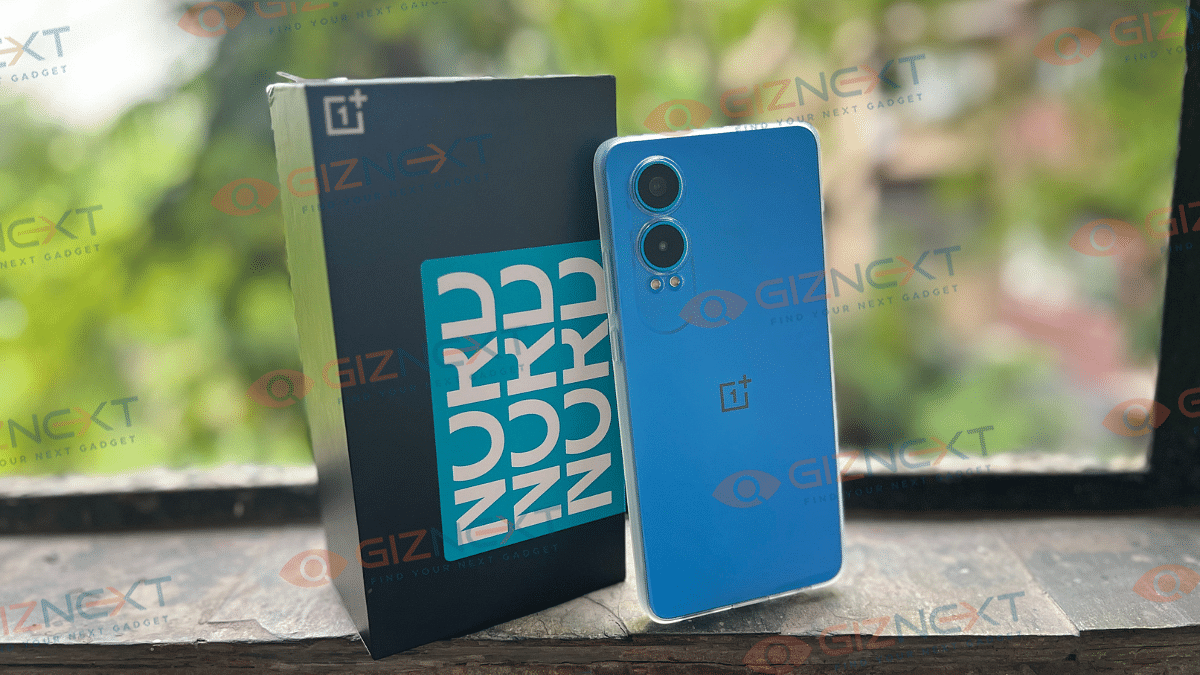
The OnePlus Nord CE4 Lite 5G is available in three colors: Mega Blue, Ultra Orange, and Super Silver. I have the Mega Blue variant, which can surely make someone blind. Personally, I found the color quite loud. The glossy back gets covered in fingerprints quickly, making it look messy after a while. Thankfully, OnePlus includes a clear protective case in the box to help keep it clean.
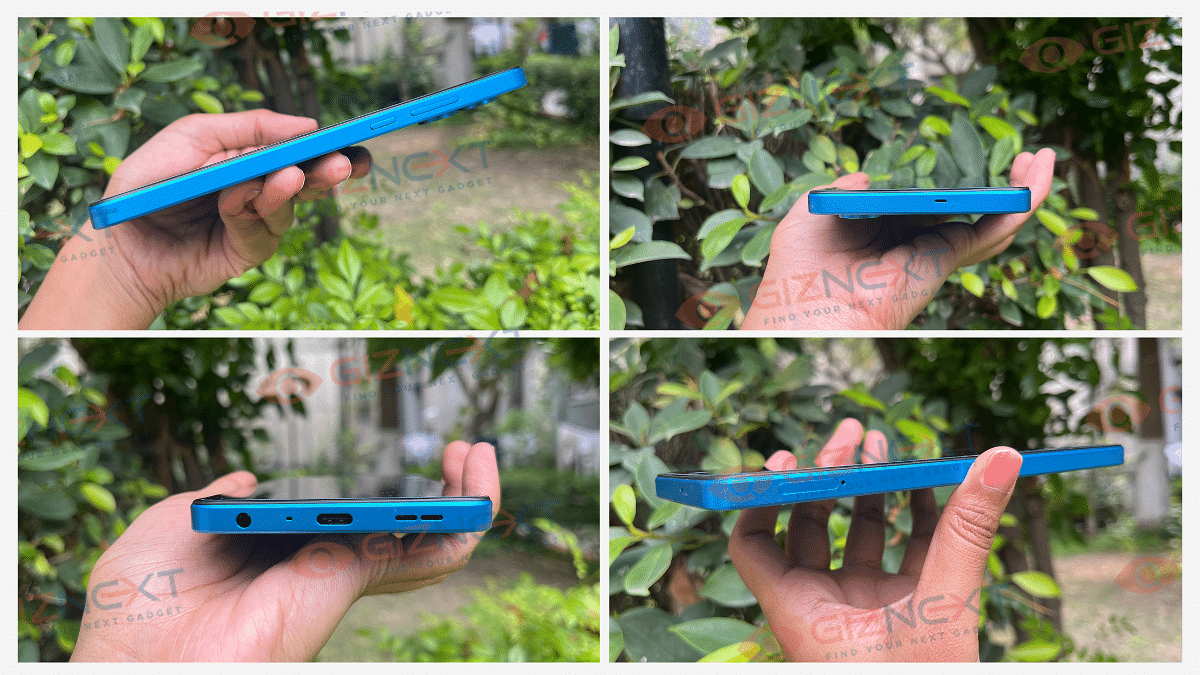
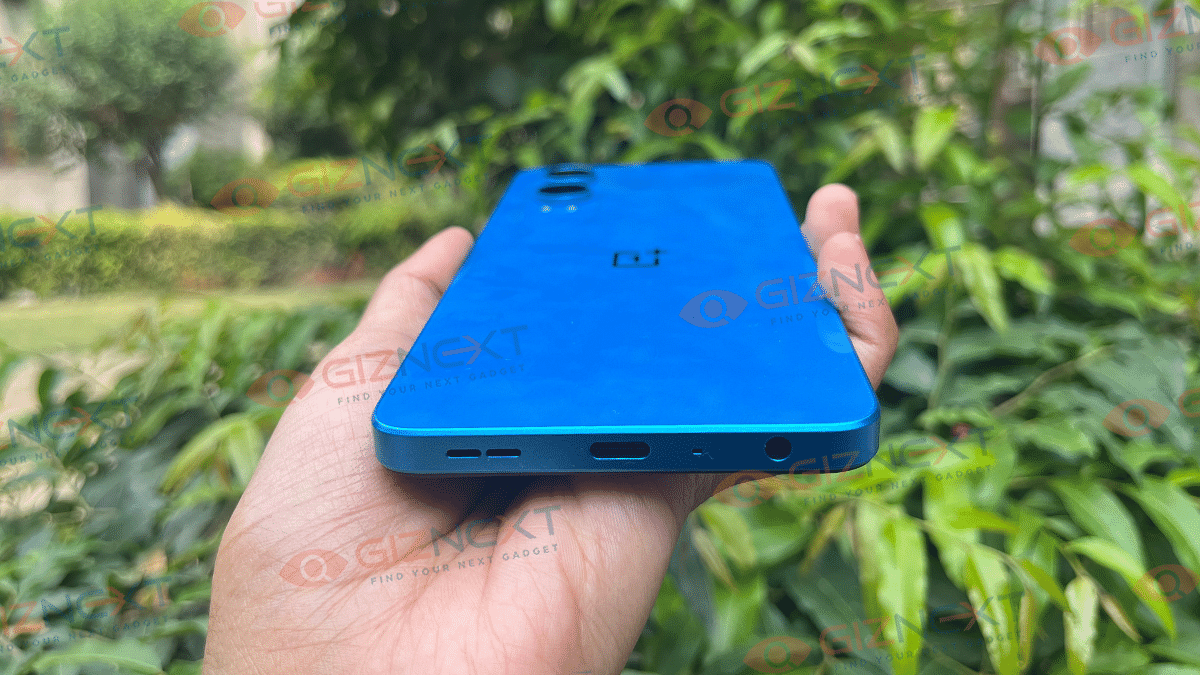
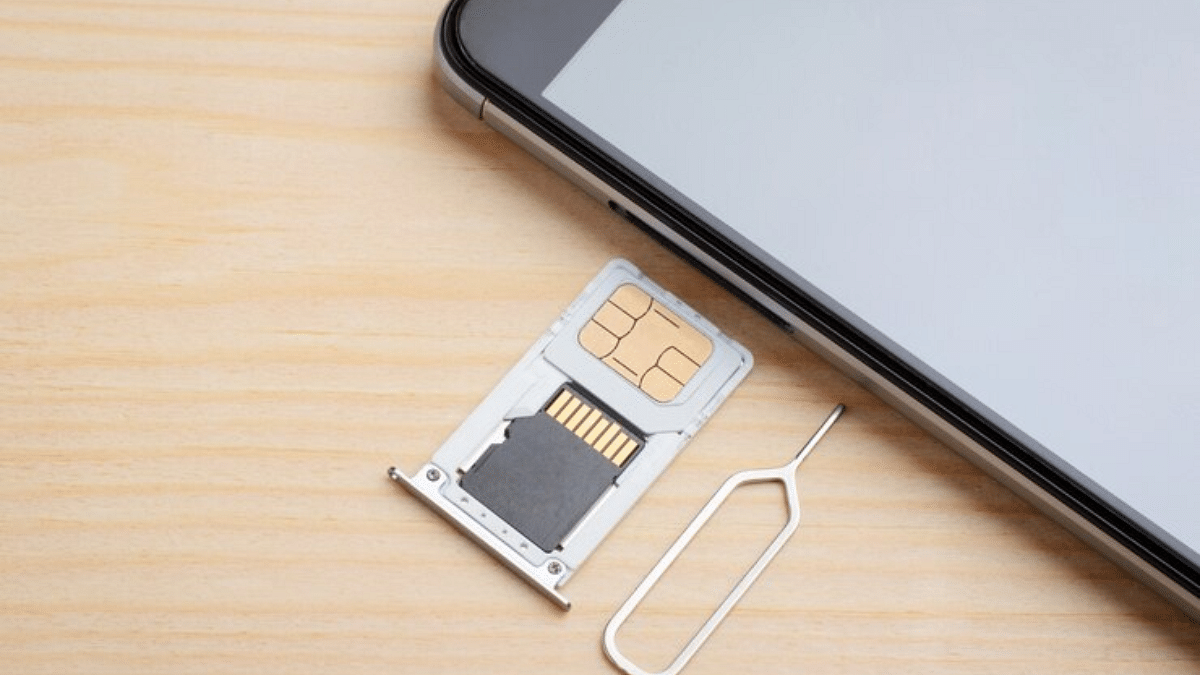
The button placement is pretty practical. The power button and volume rockers are on the right side, and the dual SIM slot is on the left. On the bottom, you’ll find the 3.5mm audio jack, primary microphone, USB Type-C port, and loudspeaker grill. The camera setup on the back is neatly arranged with a dual-camera module and an LED flash within a pill-shaped boundary. The iconic “1+” logo sits in the center, adding to its sleek look.
One feature I really appreciate is the IP54 certification for protection against water splashes and dust. It’s good to know that the phone has some official protection against everyday mishaps. However, the company continues to skip the alert slider, which is a feature I’ve come to expect from OnePlus phones, even in their budget models. I look forward to seeing it in future iterations.
There are a few additional features worth mentioning. The phone has an in-display fingerprint sensor, which is a bit slower than a capacitive one but still gets the job done. It also offers a stereo speaker setup, though it lacks Dolby Atmos and an infrared sensor. Overall, the Nord CE4 Lite has a premium feel and some nice features, even if it does have a few minor drawbacks.
Display
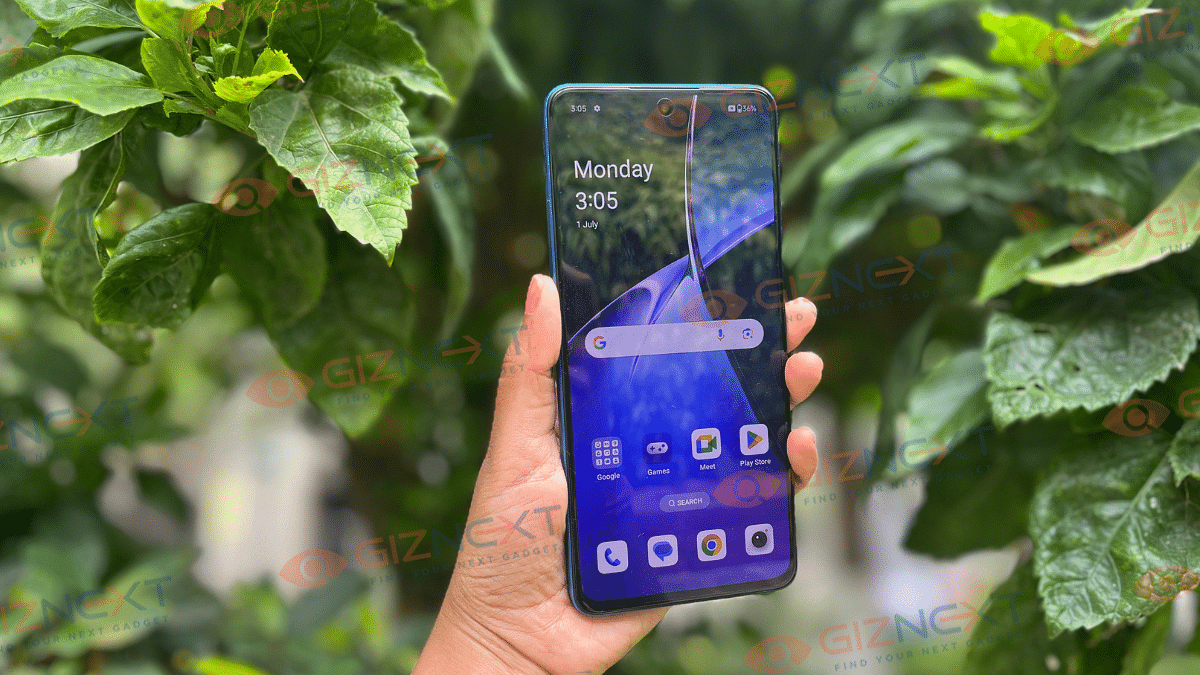
The OnePlus Nord CE4 Lite 5G features a 6.67-inch 120Hz AMOLED screen with a sharp resolution of 1080 x 2400 pixels. This means everything looks clear and detailed, whether you’re watching videos or browsing photos.
One thing that stands out is its brightness. It can reach up to 2100 nits in certain parts of the screen, which is great for watching HDR videos. In everyday use, I found it bright enough even in sunny conditions. The option to switch between 60Hz and 120Hz refresh rates is handy; 120Hz makes scrolling through apps and playing games super smooth.
The display also supports Aqua Touch technology to improve touch responsiveness when the screen is wet. From my experience, this feature works decently, although it’s not perfect. Colors on the screen are vibrant, and you can choose between vivid and natural color modes to suit your preference.
Overall, the OnePlus Nord CE4 Lite’s display is impressive for its price range. Whether you’re binge-watching shows or playing games, it delivers a sharp and enjoyable viewing experience.
Let’s talk about how the OnePlus Nord CE4 Lite 5G performs. It runs on Qualcomm’s Snapdragon 695 5G octa-core chipset, which, while three generations old, proves to be reliable for everyday tasks. From switching between apps to handling calls and multimedia content, the Nord CE4 Lite performs smoothly. It can handle popular apps and games like Candy Crush and Angry Birds decently, although it struggles with newer, graphics-intensive games.
The smartphone, featuring 8GB of RAM and virtual RAM extension, along with 258GB in the top variant that I’m reviewing, offers decent responsiveness. It enhances app loading speeds and supports up to 26 apps running in the background seamlessly. For everyday use, whether it’s scrolling through social media, messaging, or making calls, the Nord CE4 Lite is a dependable companion.
On the software side, it runs OxygenOS 14 based on Android 14. The software experience is clean, with minimal bloatware (about nine pre-installed apps), including popular ones like Candy Crush and LinkedIn, all of which can be uninstalled. OxygenOS provides a relatively clean interface compared to other Chinese smartphones, though it could benefit from fewer pre-loaded apps.
Overall, the OnePlus Nord CE4 Lite 5G offers solid performance for everyday tasks, making it a practical choice for users who prioritize usability and reliability.
Camera
While many smartphones boast multiple camera setups, the Nord CE4 Lite 5G keeps it simple with a primary 50MP Sony LYT sensor with OIS, complemented by a 2MP depth sensor for portrait shots. For selfies and video calls, there’s a 16MP front camera.
During my testing, the primary camera performed well in daylight, capturing clear images suitable for social media. However, details can be lacking when zoomed in. Portrait mode impresses with good edge detection and a decent bokeh effect.
In low light, the camera struggles a bit. Night mode helps but takes a few seconds to process, requiring a steady hand.
Coming to the front camera, which does well in daylight but falters in low light. It produces satisfactory bokeh shots with decent edge detection. Selfie enthusiasts might find the color accuracy off, with a warm hue in indoor shots. The front camera also offers smoothing features, which some may like, though I prefer editing options post-capture.
One downside is the lack of an ultrawide sensor, limiting you to digital zoom up to 10X, with noticeable quality loss after 5X zoom.
5x Zoom
10x Zoom
Video recording at 1080p/30fps is supported on both the rear and front cameras, with OIS and EIS for stability. However, OIS performance diminishes in low light conditions.
Overall, the OnePlus Nord CE4 Lite 5G’s cameras are suitable for everyday use and social media. But they may not meet the expectations of photography enthusiasts seeking advanced features or exceptional low-light performance.
Battery
With its 5500mAh battery, the OnePlus Nord CE4 Lite 5G is a powerhouse. On a typical day, it easily lasts a full day and can stretch to one and a half days with moderate use, perfect for staying connected without constantly hunting for a charger.
What’s more impressive is its 80W SuperVOOC fast charging. You can go from zero to 50 percent in less than 30 minutes, and a full charge takes just 50 minutes. This means less downtime and more time enjoying your phone.
Whether you’re a heavy user or just need something reliable, the Nord CE 4 Lite’s battery and fast charging make it a top contender in its class.
Priced at Rs. 19,999 for the 8GB + 128GB model and Rs. 22,999 for the 8GB + 256GB model, the OnePlus Nord CE4 Lite 5G offers more than meets the eye. I really liked its sleek design with flat edges and the crisp AMOLED display that makes everything look sharp. The speakers are loud, and having a 3.5mm audio jack is a nice touch for enjoying music and videos.
For gaming, it does a decent job but could be better. The camera performs okay in daylight but isn’t the phone’s standout feature. However, if you’re into watching lots of content, the bright display and long-lasting battery make it a great choice.
Overall, the OnePlus Nord CE4 Lite 5G is a good buy for anyone looking for a reliable phone that won’t break the bank. It offers solid performance and nice features for everyday use.
Amazon Prime Day 2024 offers exclusive discounts on global and Indian brands
Prime Video features 14 new shows and movies in multiple languages
Prime members enjoy perks like ad-free music, early access to podcasts, more
Amazon Prime Day is back in India on July 20 and 21, 2024. This two-day sale is exclusive to Prime members, offering great deals, big savings, and exciting new product launches. Here’s everything you need to know about this year’s Prime Day.
During Prime Day, Prime members get exclusive discounts on products from top global brands, Indian brands, and small businesses. Expect thousands of products on sale, including new launches from over 450 brands like Samsung and OnePlus.
Special Offers On Bank Cards
Prime members can save more with special offers on ICICI Bank and SBI credit/debit cards. These offers include 10 percent savings and additional discounts on EMI transactions. The Amazon Pay ICICI Bank credit card, which is free for life, offers 5 percent cashback for Prime members and 3 percent for non-members.
On Prime Day, all customers get an extra 5 percent instant discount. New Prime members signing up for the Amazon Pay ICICI Bank credit card can receive up to Rs. 2,500 in welcome rewards, while non-Prime members can get up to Rs. 2,000 in rewards plus a free 3-month Prime membership.
Full Entertainment On Prime Video
Prime Video will entertain with 14 new shows and movies in multiple languages. Highlights include new seasons of popular series like “Mirzapur Season 3” and “The Boys Season 4.” For anime lovers, Prime Video has introduced Crunchyroll, available for an add-on subscription of Rs. 79 per month. Prime members can also enjoy up to 50 percent discounts on other popular video streaming services.
Music And Podcasts
Music enthusiasts can enjoy “Desi Vibes,” a playlist of trending Indian music. Prime members get early access to podcasts like “Be A Man Yaar Season 2” and “Cyrus Says,” available a week before other platforms. They also enjoy ad-free music, unlimited offline downloads, and access to over 100 million songs in 20 languages. New Prime members can also get Rs. 150 cashback this Prime Day.
Only Prime members can access these deals, new launches, and entertainment offerings on Prime Day. Amazon Prime membership also provides benefits like same-day delivery on over one million products and one-day delivery on over four million products. Members get unlimited 5 percent cashback on purchases using the co-branded ICICI credit card and early access to deals and shopping events. Additionally, members can access a rotating selection of e-books, magazines, and comics with Prime Reading. They also enjoy monthly free in-game content and benefits with Prime Gaming.
This Prime Day promises a lot of excitement and savings. Don’t miss out on these exclusive deals and entertainment options. Mark your calendars for July 20 and 21, and make sure you’re a Prime member to take full advantage of all the offers.
YouTube allows users to request the removal of AI-generated content that mimics them
YouTube reviews requests based on factors like public interest and AI labeling
Content creators have 48 hours to act on complaints before YouTube’s review process starts
In today’s world, AI is becoming a big part of our technology. However, with this growth, there are also growing concerns about privacy. For example, Meta has been criticized for tagging all images on Instagram as “AI image,” causing problems for artists. Similarly, YouTube has faced issues due to AI. To address these concerns, YouTube has introduced a new policy to protect its users’ privacy.
YouTube’s new policy allows users to ask for the removal of AI-generated or fake content that mimics their face or voice. This change is part of YouTube’s commitment to responsible AI, which they announced in November. Before this policy, users had to request the removal of such content by claiming it was misleading. Now, they can ask for removal directly as a privacy violation.
How To Request Removal
According to YouTube’s updated Help documentation, users need to make first-party claims to request removal, except in certain cases. These exceptions include situations where the person affected is a minor, doesn’t have access to a computer, or is deceased.
YouTube’s Review Process
It’s important to note that YouTube won’t remove the content immediately after a request. The platform will review the complaint and consider various factors before deciding. These factors include:
Whether the content is labeled as AI-generated
Whether it uniquely identifies a person
Whether the content could be seen as parody, satire, or something valuable to the public
Whether it involves a public figure in sensitive situations like illegal activities, violence, or endorsements
Time For Content Creators To Act
YouTube will give the user who uploaded the content 48 hours to address the complaint. If the content is removed within this time, the complaint will be closed. If not, YouTube will start a review process. YouTube has also warned that, if necessary, it will not only remove the video but might also delete the individual’s name and personal information from the title, description, and tags of the video.
Blurring Faces And Other Options
Users can blur faces in their videos, but simply making the video private is not enough. This is because the video could be made public again at any time. YouTube has also clarified that just labeling content as AI-generated does not protect it from removal. The content must still follow YouTube’s Community Guidelines.
YouTube’s new policy is a step towards ensuring user privacy in an age where AI is increasingly used in creating content. By allowing users to request the removal of AI-generated content that mimics them, YouTube aims to address privacy concerns while still considering the value and public interest of such content.
New Mobile Number Portability rules from July 1, 2024, aim to prevent SIM swap fraud
They introduce a seven-day waiting period for issuing UPCs after a SIM swap
These changes enhance security and protect users’ phone numbers
Starting today (July 1, 2024), the Telecom Regulatory Authority of India (TRAI) will implement new rules for Mobile Number Portability (MNP). These changes aim to make mobile phones safer from fraud. One of the key changes is a seven-day waiting period for issuing Unique Porting Codes (UPCs). This is an important move to stop scammers from using your number without permission.
The new rules are designed to fight a type of scam called SIM swap fraud. In this scam, criminals get a new SIM card for your number and use it to steal your personal data or money. The new rules make it harder for scammers to do this by adding more checks before a UPC is issued.
Key Changes
Seven-Day Waiting Period: If you get a new SIM card, you have to wait seven days before you can get a UPC. This is to make sure that the request is genuine and not a scam.
Stricter Criteria for UPC: There are now stricter rules to get a UPC. If you request a UPC within seven days of a SIM swap, your request will be rejected.
Why TRAI Changed The MNP Policy
TRAI implemented these changes to safeguard mobile users from fraud. By adding a waiting period after a SIM swap, they hope to stop scammers from easily getting a UPC and stealing your number. This change is meant to make the MNP system safer and more reliable.
How Mobile Number Portability (MNP) Works
MNP allows switching mobile service providers without changing your phone number. To do this, you need a Unique Porting Code. The UPC is like a special key that allows you to move your number from one network to another.
Security Through The New MNP Policy
The new rules are a proactive step by TRAI to keep your mobile number safe. By delaying the UPC issuance after a SIM swap, they add an extra layer of security. This makes it harder for scammers to port your number without your permission. The waiting period gives enough time to detect and stop fraudulent activities.
Benefits Of The New Rules
Enhanced Security: The waiting period makes it harder for scammers to quickly use your number.
Consumer Protection: It helps protect your personal and financial information.
Trust in MNP System: With these changes, people can trust the MNP process more.
The new MNP rules starting from July 1, 2024, are a significant step towards making mobile phone usage safer. By adding a seven-day waiting period for UPC issuance, TRAI aims to protect users from SIM swap fraud. This change ensures that only genuine requests for number portability are processed, keeping your mobile number and personal information secure.
Water damage to phones during the rainy season can be costly and frustrating
Simple precautions can keep your phone dry and functional
Using protective gear and mindful habits ensures your device remains safe from water damage
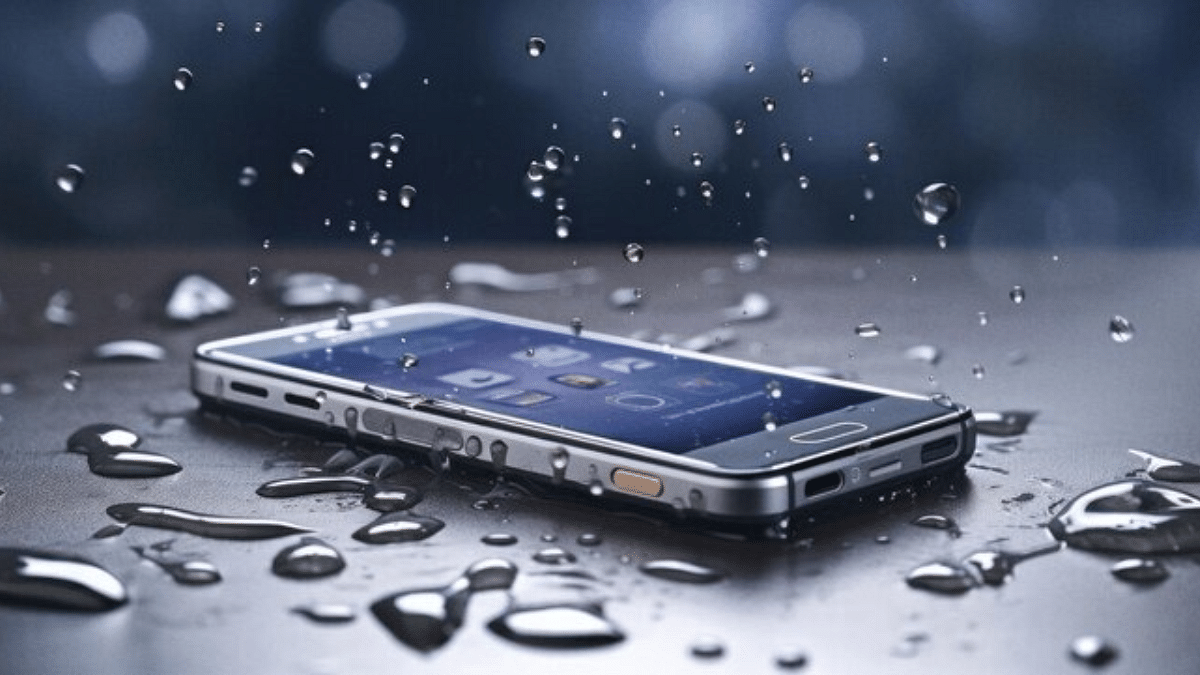
Keeping your phone safe during the rainy season is crucial. Water damage can be costly and frustrating, but with a few simple precautions, you can protect your device. Here are five essential tips to ensure your phone stays dry and functional during rainy days.
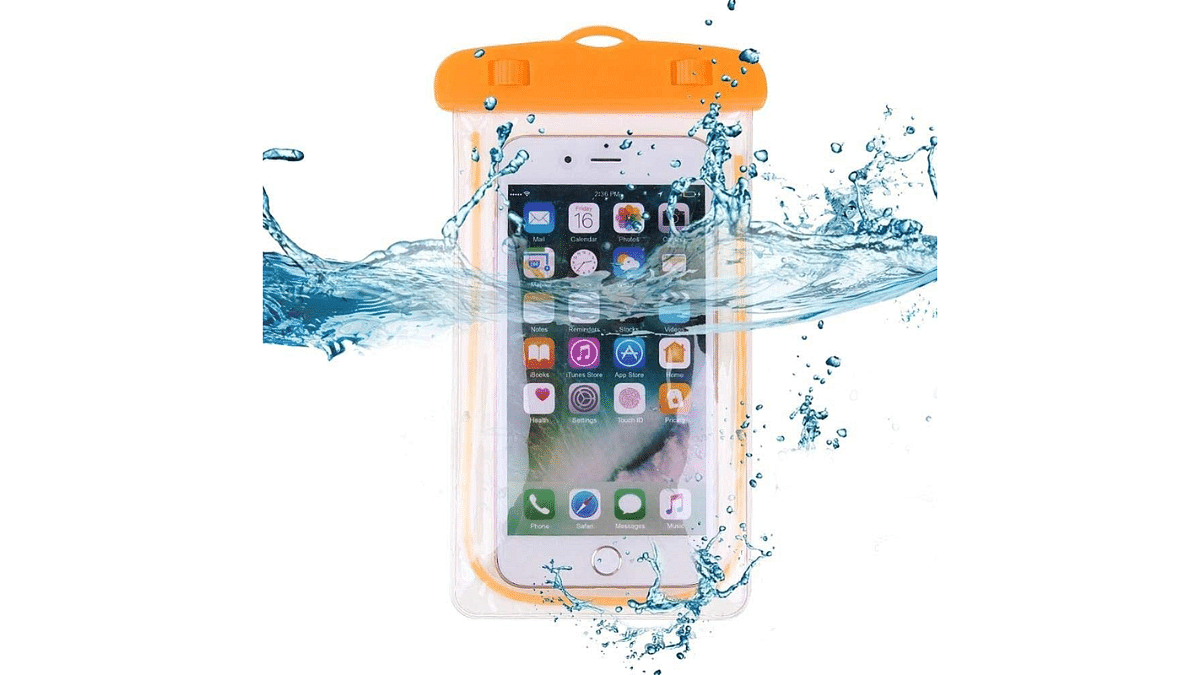
A waterproof phone case is one of the best investments you can make to protect your phone from rain.
Seal Protection: Look for cases that fully seal your phone.
Ease of Use: Ensure the case allows access to buttons and ports.
Durability: Choose a case that can withstand drops and impacts.
A good waterproof case will keep your phone dry even if it gets submerged in water. These cases are designed to block out moisture while still allowing you to use your phone normally. They come in various styles and prices, so you can find one that fits your needs and budget.
2. Keep Your Phone In Ziplock Bag
A simple and cost-effective method to protect your phone is to use a ziplock bag.
Accessibility: You can still use the touchscreen through the bag.
Transparency: Choose a clear bag for better visibility.
Portability: Ziplock bags are lightweight and easy to carry.
While it might not be as stylish as a waterproof case, a ziplock bag can provide temporary protection in unexpected downpours. This quick fix is perfect for those moments when you don’t have a waterproof case on hand.
3. Avoid Using Your Phone In The Rain
Sometimes the best way to protect your phone is to avoid using it in the rain altogether.
Plan Ahead: Make calls or send messages before heading out.
Stay Sheltered: Find cover before using your phone.
Hands-Free Options: Use a Bluetooth headset if you need to talk while walking.
By minimizing your phone’s exposure to rain, you can prevent water from seeping into its sensitive components. If you must use your phone, try to do so under an umbrella or inside a sheltered area.
4. Use A Phone Umbrella Or Hood
Small, portable umbrellas or hoods specifically designed for phones can be very useful.
Attachment: These devices attach to your phone to keep it dry.
Convenience: They are easy to carry and set up.
Protection: They provide an extra layer of defense against rain.
Phone umbrellas or hoods can be found online or in stores that sell phone accessories. They offer a convenient way to keep your phone dry without limiting its functionality.
5. Keep Your Phone In An Inner Pocket
Storing your phone in an inner pocket can significantly reduce its exposure to rain.
Close Fit: Choose pockets that are snug to prevent the phone from falling out.
Layered Clothing: Wear jackets or coats with multiple layers for extra protection.
Water-Resistant Fabrics: Opt for clothing made from water-resistant materials.
An inner pocket, especially in a waterproof jacket, can provide a safe haven for your phone. This method is simple yet effective, ensuring your phone stays dry and safe from the elements.
Protecting your phone during the rainy season doesn’t have to be complicated. By using a waterproof case, ziplock bag, or phone umbrella, and by being mindful of when and where you use your phone, you can keep it safe from water damage. Simple habits, like storing your phone in an inner pocket, can also go a long way in ensuring your device remains dry and functional no matter the weather.
eSIM is a digital SIM for activating a cellular plan
Get a code from your carrier, follow on-screen instructions on your old iPhone
Keep your plan and data on your new iPhone seamlessly
If you’ve recently upgraded to a new iPhone, you may want to transfer your eSIM from your old device to the new one. An eSIM, short for embedded SIM, is a digital SIM card that enables you to activate a cellular plan without requiring a physical SIM card. Here’s a simple guide to help you transfer your eSIM easily.
First, confirm that your new iPhone supports eSIM technology. Many modern iPhones, including the iPhone XS, iPhone XR, iPhone 11, and iPhone 12 series, are equipped with eSIM functionality. Check your new iPhone’s specifications to confirm.
Step 2: Back Up Your Data
Before transferring your eSIM, it’s important to back up your data on both your old and new iPhones. Ensure you don’t lose any important information by creating backups of your devices using iCloud or iTunes.
Step 3: Contact Your Carrier
Next, contact your cellular carrier to inform them about your plan to transfer the eSIM to your new iPhone. They will guide you through the process and may provide you with a QR code or activation code required for the transfer.
Step 4: Start The Transfer On Your Old iPhone
With the information from your carrier ready, you can start the transfer process on your old iPhone. Navigate to Settings > Cellular > Add Cellular Plan. Follow the on-screen instructions to enter the activation code or scan the QR code provided by your carrier.
Step 5: Prepare Your New iPhone
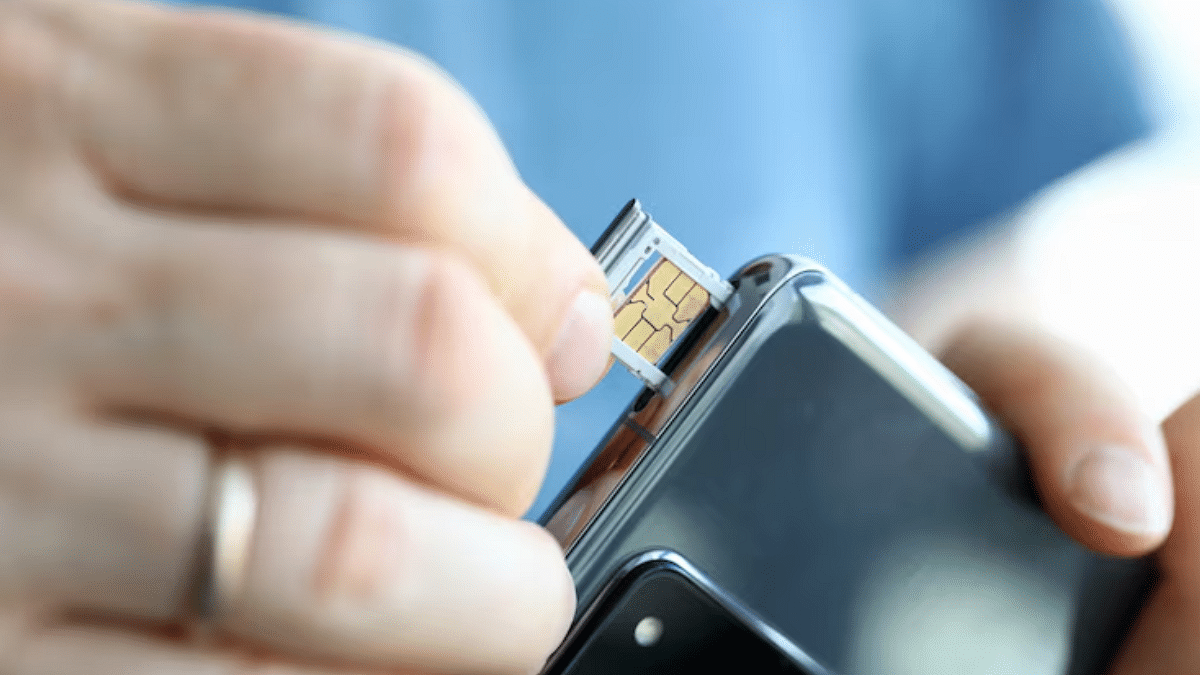
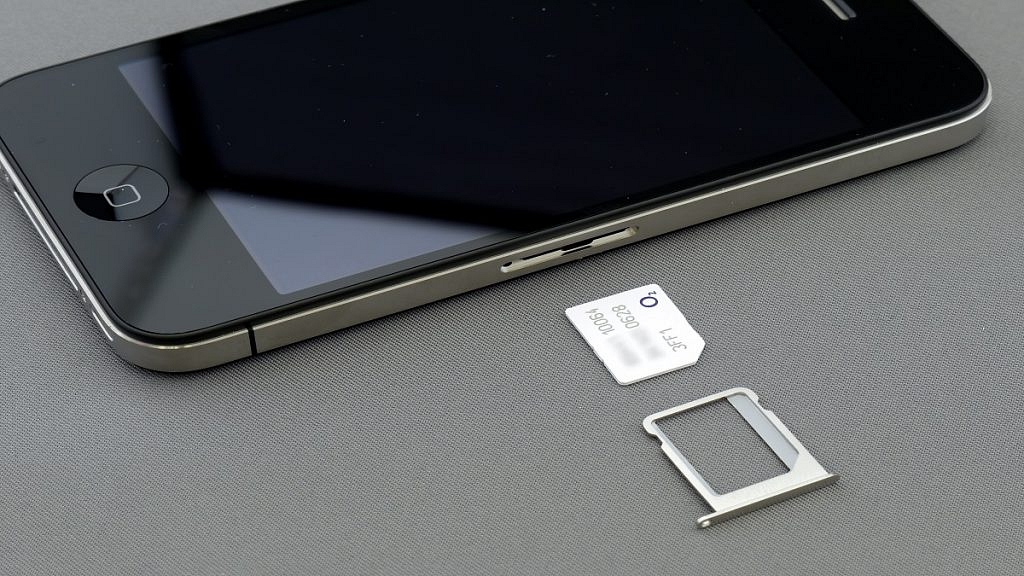
After adding the eSIM to your old iPhone, turn off both devices. Insert the physical SIM card into your new iPhone, power it on, and follow the setup instructions until you reach the Apps & Data screen. Select the option to transfer data from your old iPhone and proceed with the setup.
Step 6: Activate The eSIM On Your New iPhone
Once the setup process on your new iPhone is complete, go to Settings > Cellular > Add Cellular Plan. Activate the eSIM by following the prompts using the QR code or activation code from your carrier.
By following these simple steps, you can transfer your eSIM from your old iPhone to your new one without any hassle. This process ensures that you retain your existing cellular plan and data, making your transition to the new device smooth and convenient.
Character.ai now offers voice calls with AI characters
Users can choose different voices and switch between talking and texting
This feature was announced shortly after OpenAI delayed its GPT-4 voice mode
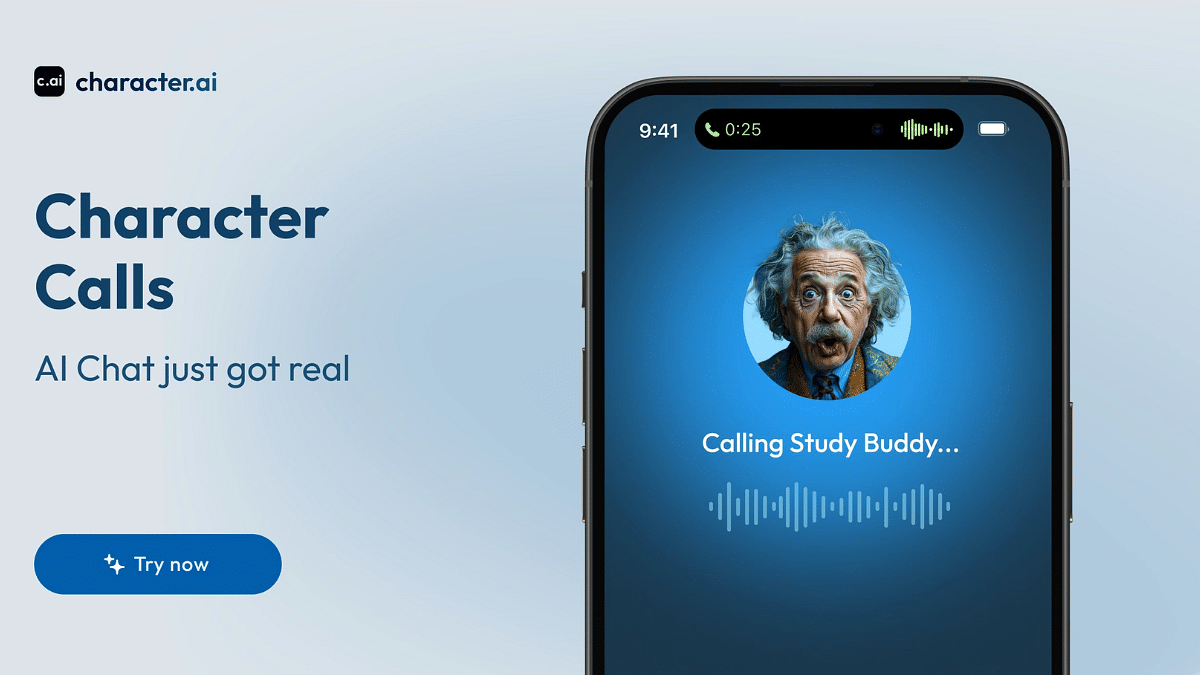
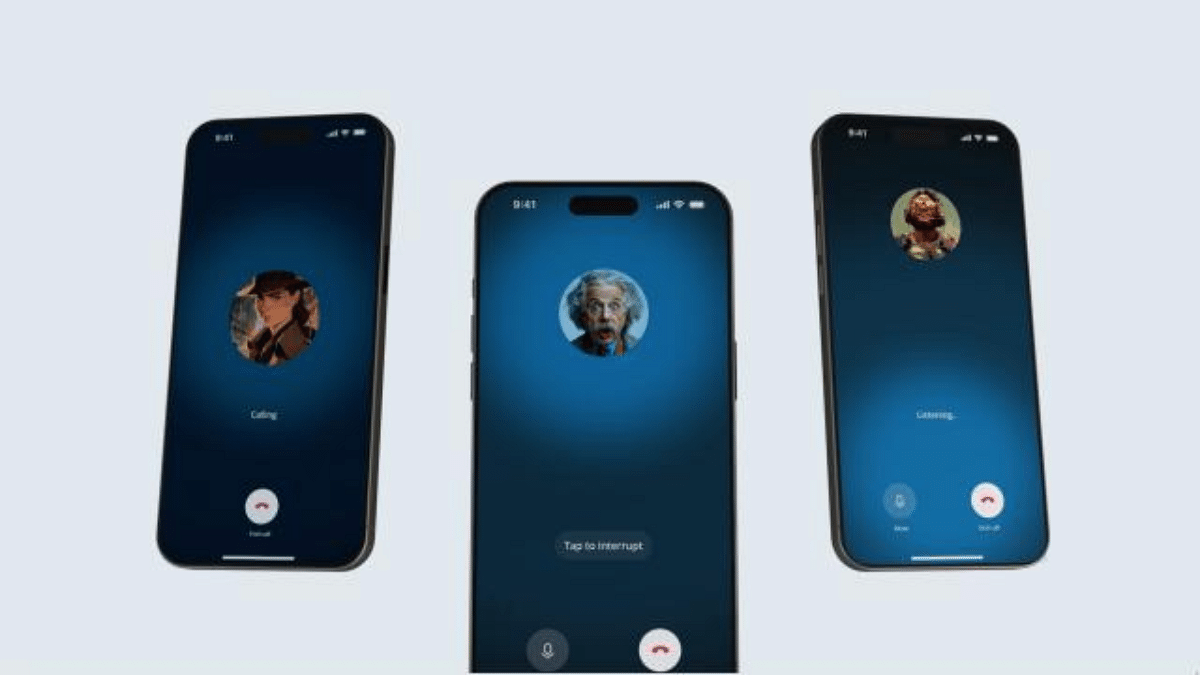
AI startup Character.ai has launched a new feature called Character Calls. This allows users to have voice conversations with their AI characters. Previously, users could only chat with these AI characters by typing messages. Now, they can actually talk to them over a call. The company announced on Thursday that this feature is free for all Character.ai app users.
Character.ai lets users create personalized AI characters. These characters can be based on celebrities or influencers. With the new calling feature, users can call these AI characters anytime. “Character Calls represents a significant milestone in our journey towards enhancing where, when, and how you can interact with Characters,” the company stated in its blog post.
The AI startup believes this new feature will make the characters even more useful. They say that the AI characters can help with many tasks. For example, they can help you practice a new language, prepare for interviews, or even make role-playing games more fun.
How To Use Character Calls
Using Character Calls is simple. The company says that the calls have low latency. This means that conversations will flow smoothly without long waits. You can also interrupt the AI character anytime by tapping a button.
Users can choose from a variety of voices, accents, and personalities for their AI characters. The characters can speak in many languages, including English, Spanish, Portuguese, Russian, Korean, Japanese, and Chinese. If you prefer texting over talking, you can switch between the two modes anytime.
Comparing With Previous Features
In March, Character.ai launched a similar feature called Character Voice. This feature lets users hear the AI characters speak, but it does not allow for real-time conversations like Character Calls does.
Competition In The AI Space
The Character Calls announcement comes just one day after OpenAI delayed its advanced voice mode for GPT-4 by a month. Meanwhile, Google is working on a similar idea. Google’s new chatbots will be modeled after celebrities and YouTube influencers. These chatbots will offer an experience similar to talking with a celebrity and will use Gemini LLMs technology.
The new Character Calls feature from Character.ai is a big step forward. It offers users a new way to interact with AI characters. Whether you find it cool or creepy, this new feature is set to change how we use AI in our daily lives.