Categories
Apps Featured

100+ Trendy Instagram Username Ideas For Marketing

Key Highlights

  • A good Instagram username can be a game-changer
  • A creative handle is crucial for establishing a brand identity
  • It helps in fostering engagement and driving business success

In the dynamic realm of digital marketing, a compelling Instagram username can be a game-changer. Crafting a unique and memorable handle is crucial for establishing a brand identity that resonates with your target audience. This introduction explores the significance of thoughtful Instagram usernames in marketing strategies, emphasizing their role in creating brand recognition, fostering engagement, and ultimately driving business success. Unlock the potential of your online presence with creative and strategic username ideas tailored for effective marketing on the visually-driven platform of Instagram.

Also Read | Best 100+ Instagram Names for Film and Cinema Fans

Creative Instagram Marketing Username Ideas

TrendCraftedCoBrandVistaTrendTrove
ImpactInfluxPixelPromoteEngageExpress
PromoPioneerBuzzBuilderHQThriveTactics
SocialSprintAdMomentumXBrandBurstHQ
AdvertAlchemyInsightInstaInstaInfluenceX
BrandBuzzProPromoPaladinAdAdeptify
TrendTacticianMarketMingleSocialSynergy
MarketMagnetPixelPersonaTrendTitanic

Unique Instagram Marketing Username Ideas

PixelPulseCoPixelPanoramaBrandBloomCo
PromoPinnacleBrandBespokePixelProphetX
BrandBlitzkriegAdApexHQAdAlchemyHQ
AdMaverickXSocialSculptorSocialStrive
InsightIntuitionPromoPrestigePromoPulsePoint
MarketMystiqueMarketMomentumXMarketMatrix
TrendTraverseInsightInsurgeInsightIllumina
EngageEmissaryTrendTorchTrendTrailblaze

Also Read | Best 100+ Creative Instagram Names For Productivity And Life Skills Mentors/ Influencers

Catchy Instagram Marketing Username Ideas

TrendTraverseHQSocialSurgeXTrendTwist
InsightInstinctXAdAvalancheHQInsightImpressX
MarketMomentumCoPixelProximaMarketMagnetize
PromoPulseXpressBrandBeyondCoPromoPinnacleCo
PixelPlungeAdAdeptXpressSocialSculptX
InsightInspireXTrendTactileBrandBridges
SocialSpireXPromoPrismMarketMingleCo
BrandBurstXPixelPioneerCoAdAuroraHQ

Also Read | 100+ Best Instagram Names For Pet Parents

Innovative Instagram Marketing Username Ideas

BrandBespokeXPixelPioneerHQAdAlchemyXpress
SocialSculpturePromoPrestigeXMarketMatrixX
InsightIlluminaXTrendTrailblazerBrandBridgesX
PixelPlungeXpressAdAdeptXplorerSocialSpireHQ
PromoPrismXMarketMingleXpressInsightImpressXpress
TrendTwistXBrandBeyondXPixelProximaX
EchoElevateApexAmplifySereneSpectrum
VistaVortexQuantumQuotientElevateEssence

Feel free to mix, match, or modify these ideas to align with your brand’s identity and marketing goals. Meanwhile, for the tech geeks, stay updated with the latest cutting-edge gadgets in the market, exclusive tech updates, gadget reviews, and more right on your phone’s screen. Join Giznext’s WhatsApp channel and receive the industry-first tech updates.


Categories
Featured Gaming How To

Level Up Your Minecraft Skills: Step-by-Step Guide On How To Rename Items

Key Highlights

  • You can personalize your Minecraft items
  • This will make your items stand out in the blocky world
  • Renaming your items will show your creativity in Minecraft gameplay

Renaming items in Minecraft is a simple yet powerful feature that allows players to personalize their gameplay experience. Whether you want to give your enchanted sword a unique name or organize your inventory with custom labels, renaming items adds a personal touch to the game. Here’s a step-by-step guide on how to rename items in Minecraft. Also Read | Minecraft Alternative Games: Best Sandbox Games You Should Check Out

How To Rename Items In Minecraft

To begin, you’ll need an anvil—an essential tool for item renaming. Anvils can be crafted using three iron blocks and four iron ingots. Once you have your anvil, place it in a convenient location within your world.

Step 1: Gather the items you want to rename. This could include weapons, tools, armor, or any other item with a nameable tag.

Step 2: Renaming items in Minecraft requires experience points (XP). The cost varies depending on the number of characters in the new name. Ensure you have enough XP to cover the renaming cost.

Step 3: Right-click or tap on the anvil to open the renaming interface. You’ll see two input slots: one for the item you want to rename and the other for the item’s name.

Also Read | How To Download Minecraft On PC And Mobile Phone: Steps Inside

Step 4: Drag the item you wish to rename into the left slot of the anvil. This action will display the item’s current name (if any) and its enchantments.

Step 5: In the right slot, delete the existing name (if any) and type the desired new name for your item. Keep in mind that the character limit varies, and longer names will cost more XP.

Step 6: Once you’ve entered the new name, take a moment to ensure it’s correct. Renaming is irreversible, so accuracy is crucial. If everything looks good, drag the renamed item from the anvil to your inventory.

Step 7: As you finalize the renaming process, a specific amount of XP will be deducted from your experience bar. Make sure you have enough XP to cover the cost, or the renaming won’t be successful.

Step 8: Congratulations! You’ve successfully renamed your item. Now, whenever you use or view the item in your inventory, it will display the custom name you’ve chosen.

Renaming items in Minecraft is a creative way to make your gear stand out, add a touch of humor, or simply stay organized. Whether you’re a seasoned player or just starting your Minecraft journey, mastering the art of renaming items can enhance your overall gaming experience. So, go ahead, unleash your creativity, and give your favorite items names that reflect your unique style in the blocky world of Minecraft.

Also Read | Want To Make A Book In Minecraft? Here’s How

Categories
Apps Featured Info

Reliance’s JioCinema Welcomes Pokemon Content To Its Platform

Key Highlights

  • JioCinema has collaborated with The Pokemon Company
  • This aims to show Pokemon’s popular children’s shows and movies
  • The Pokemon Series will be dubbed into three Indian languages

In a strategic move to enhance its content offerings, the entertainment unit of India’s Reliance has entered into a partnership with The Pokemon Company. This collaboration aims to showcase Pokemon’s popular children’s shows and movies on the JioCinema platform. Also Read | Pokémon Go Tips & Tricks: 10 Ways To Catch Rare And Legendary Pokémon

Exclusive Streaming Deal For Indian Audience

The deal, inked this month, designates JioCinema’s streaming app as the “exclusive” platform in India for over 1,000 episodes and approximately 20 movies from the renowned Japanese anime series. While the financial details remain undisclosed, sources reveal that the content will be dubbed into three Indian languages, widening its appeal to a broader audience.

Pokemon’s Global Franchise Lands On JioCinema

Pokemon, known for its global multi-billion dollar media franchise encompassing trading cards, games, TV shows, and movies, finds a new home on JioCinema. Viacom18, the entertainment joint-venture led by Indian billionaire Mukesh Ambani, operates JioCinema. However, both Viacom18 and The Pokemon Company have refrained from commenting on the deal.

Also Read | Pokemon Unite: Here’s How To Download And Play On Your Phone

Strategic Move Amidst Streaming Market Competition

With an eye on the rapidly growing Indian streaming market, estimated to be worth $7 billion by 2027, Mukesh Ambani’s focus on child-focused content represents a strategic move. Competing with streaming giants like Netflix and Amazon, Ambani has recently set his sights on Disney’s Hotstar app, offering free streaming of cricket matches.

Extensive Children’s Content Expansion

JioCinema is set to bolster its children’s content library by approximately 3,000 hours. This expansion includes content from Entertainment One, Animaccord, Cartoon Network Studios, and DreamWorks. These additions will be facilitated through Viacom18’s existing content deals and integration with its other streaming app, Voot Kids. Notably, JioCinema’s deal with Pokemon marks a significant partnership, surpassing the previous presence of some Pokemon content on Voot.

Content Partnerships

This move follows Viacom18’s earlier agreement with Warner Bros Discovery Inc. in April. The partnership aimed to enrich JioCinema’s content library with more Hollywood and international offerings, featuring hit series such as “Succession” and “Game of Thrones.”

Also Read | Catch ‘Em All In Hindi: Pokémon Go’s Latest Language Addition

Categories
Info

‘123456’ Tops The List Of Most Used Passwords In India

Key Highlights

  • NordPass has disclosed the most popular passwords in India
  • Financial service platforms boast the strongest passwords
  • The weakest passwords are also used on streaming accounts

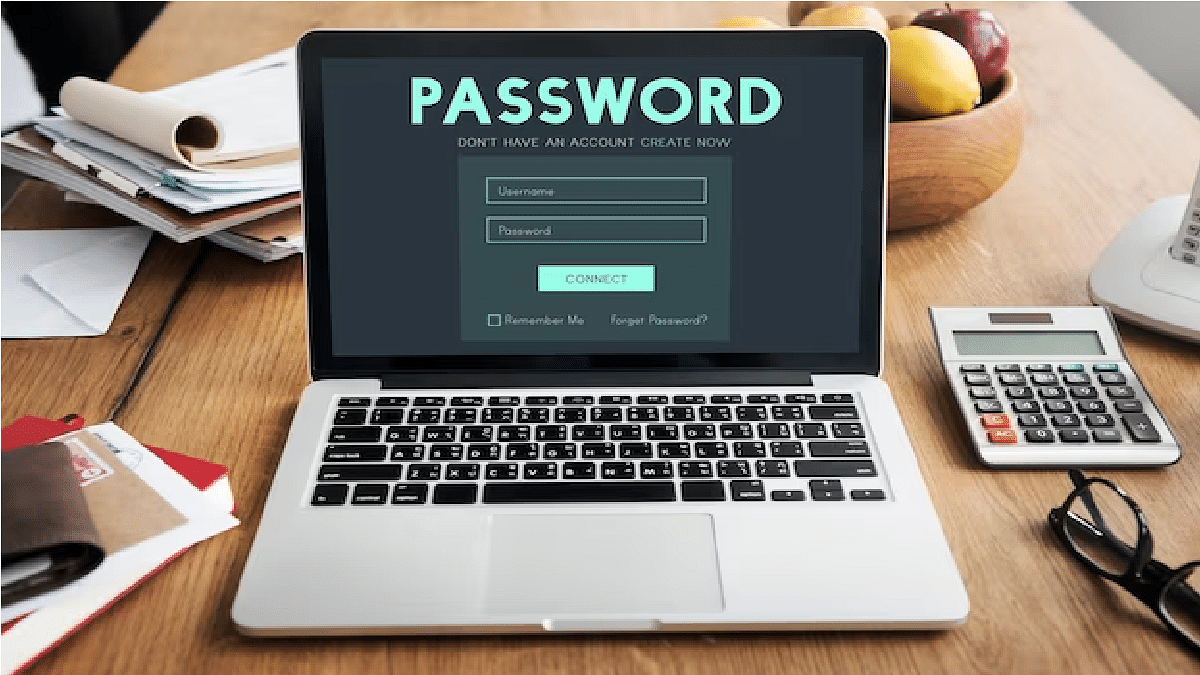
In the ever-evolving digital landscape, the safeguarding of personal information remains a paramount concern, and at the forefront of this cyber-defense stands the humble password. Despite the continuous emphasis on the importance of strong, unique passwords, a recent revelation by NordPass exposes the prevailing trends in India’s password choices, exposing common choices that compromise security. Let’s check them out. Also Read | How To Sign In To Your Google Workspace Accounts Without Passwords: A Step-by-Step Guide

Most Common Passwords In India

  1. 123456
  2. admin
  3. 12345678
  4. 12345
  5. password
  6. Pass@123
  7. 123456789
  8. Admin@123
  9. India@123
  10. admin@123
  11. Pass@1234
  12. 1234567890
  13. Abcd@1234
  14. Welcome@123
  15. Abcd@123
  16. admin123
  17. administrator
  18. Password@123
  19. Password
  20. UNKNOWN

Also Read | Forgot Your Amazon Alexa Password? Here’s How To Change And Reset It

Insights from NordPass Survey

Financial service platforms boast the strongest passwords while streaming accounts harbor the weakest. The prevalence of “admin” as the second most-used password is attributed to its default status, often neglected for modification.

Numeric Fascination

Numbers, especially “123456,” dominate India’s password choices, aligning with a global trend where 31 percent of the world’s commonly used passwords involve numerical sequences. Geographical affiliations echo in choices, exemplified by “India@124.”

Browser-Saved Password Risks

Contrary to belief, passwords stored in browsers lack security. NordPass warns that 70 percent of passwords in its list can be cracked in less than a second, emphasizing the need for more secure storage methods.

Security Recommendations

As we navigate towards a potential passwordless future, the importance of resilient passwords cannot be overstated. In the interim, users are advised to embrace complexity in their password choices and consider two-factor authentication where possible, adding an extra layer of security to their digital identities.

In the ever-expanding digital realm, where information is both currency and vulnerability, the choice of a password becomes a critical decision, shaping the defense against cyber threats. NordPass’s insights provide a valuable snapshot of India’s current password landscape, urging users to strike a balance between familiarity and security in their digital practices.

Also Read | Netflix Begins Password Sharing Crackdown In India: Should You Be Worried?

Categories
Comparison Featured Home Appliances

The Battle Of Warmth: Convection Heaters vs. Radiant Heaters – Which One Wins?

Key Highlights

  • Convection heaters and radiant heaters are two popular options
  • Convection heaters offer even heat distribution for larger spaces
  • Radiant heaters provide targeted warmth for quick solutions

Choosing the right type of heater can significantly impact the comfort and efficiency of heating in your space. Convection heaters and radiant heaters are two popular options, each with its unique set of advantages. Understanding their differences can help you make an informed decision tailored to your heating needs. Also Read | Looking For Affordable Room Heaters For Winters: Here’s The List Of Best Room Heaters Under Rs. 2,000 In India

Convection Heaters: Efficient And Even Heat Distribution

Convection heaters operate on the principle of air circulation. These heaters warm the air in a room, creating a convection current that circulates the heat evenly. They typically come with a fan to enhance the airflow, ensuring consistent warmth throughout the space. One of the notable advantages of convection heaters is their ability to maintain a stable temperature, making them ideal for larger areas.

Radiant Heaters: Focused And Immediate Heat

Radiant heaters, on the other hand, emit infrared radiation that directly heats people and objects in their line of sight. Unlike convection heaters, radiant heaters provide sudden warmth, making them a quick solution for heating specific zones. This targeted approach is beneficial in situations where you need warmth in a particular area without waiting for the entire room to reach a comfortable temperature.

Energy Efficiency: A Key Consideration

When it comes to energy efficiency, both types of heaters have their merits. Convection heaters are known for their ability to maintain a consistent temperature using less energy over extended periods. On the other hand, radiant heaters excel in efficiency when it comes to spot heating, offering a quick solution that minimizes energy consumption.

Also Read | Get Rid Of Chilling Winters: What All You Should Check Before Buying A New Room Heater This Winter

Space, Design Considerations

The choice between convection and radiant heaters may also be influenced by the layout and design of your space. Convection heaters, with their even heat distribution, are well-suited for open areas and rooms with regular layouts. Radiant heaters, being more focused, are excellent for spaces with specific heating requirements, such as drafty rooms or areas with high ceilings.

Noise Levels And Maintenance

Consideration of noise levels and maintenance is crucial, especially for those who prioritize a quiet and hassle-free heating experience. Convection heaters with fans may produce some noise during operation, whereas radiant heaters, lacking moving parts, tend to be quieter. Additionally, radiant heaters often require less maintenance due to their simple design.

Conclusion

The choice between convection and radiant heaters depends on your specific heating needs and preferences. Convection heaters offer even heat distribution for larger spaces, while radiant heaters provide targeted warmth for quick solutions. Energy efficiency, space considerations, and maintenance requirements are essential factors to consider when making the decision, allowing you to tailor your heating solution to suit your unique circumstances.

Also Read | Winter Buying Guide: Here Are The BestInstant Water Geysers/ Heaters In India Under Rs. 5,000

Categories
Featured Info Mobile

Good News Alert! Apple Extends Free Satellite Service For iPhone 14 Users

Key Highlights

  • Apple has expanded Emergency SOS’s free satellite service availability
  • Users of iPhone 14 are eligible for an additional year of free service, for a total of three years
  • The cost at the end of the free time has not yet been determined

In a recent announcement, Apple’s CEO, Tim Cook, revealed that iPhone 14 users will enjoy an additional year of complimentary access to the emergency SOS feature. Originally, buyers of a new iPhone 14 received two years of this emergency service at no cost upon activation, with the deal slated to conclude in November 2024.

In a change of plans, Apple has opted to provide an additional two years of free service. Consequently, if you activated your iPhone 14 before November 15, 2023, you now have a total of four years of complimentary Emergency SOS via satellite service. This extension offers users an extended period to use the feature without incurring charges. Also Read | Car Troubles? Your iPhone Has The Solution: Here’s How To Use Visual Lookup

Emergency SOS Satellite Communication Feature: A Recap

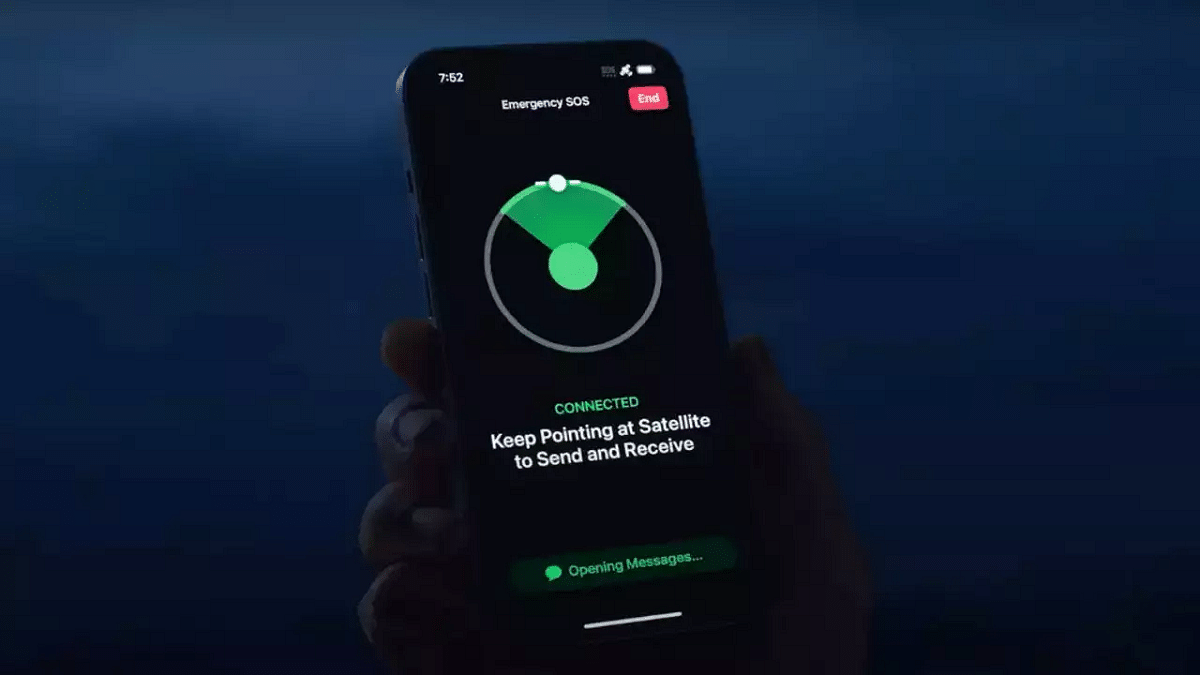
Launched with the iPhone 14, the Emergency SOS satellite communication feature enables users to share their location and send messages to emergency services from areas with no network coverage using Apple’s FindMy app.

Extended Free Service For iPhone 14 Users

Originally providing two years of free service after activation, Apple’s extension means that iPhone 14 users can now benefit from the Emergency SOS satellite feature for an additional year, granting them extra time to appreciate the service without incurring charges.

Also Read | Use Your iPhones To Find Recipes: Here’s How To Use Visual Look Up Feature

Global Availability And Exclusions

While the service has expanded to 16 countries and regions beyond its initial launch in the United States and Canada, it remains unavailable in India. Despite this, Apple’s growing efforts in India suggest that the service might be introduced soon, contingent on obtaining the necessary permissions and licenses from the government.

Outlook For iPhone 15 Users

Users of the iPhone 15 lineup will maintain their two-year free access to the Emergency SOS service, facilitated through a partnership between Apple and satellite operator Globalstar. Unlike iPhone 14 users, the service extension does not apply to iPhone 15 users, with their free access set to conclude in September 2024.

Apple’s Roadside Assistance Feature

In addition to the extended satellite service, Apple introduced a roadside assistance feature earlier this year, allowing smartphone users to connect with the American Automobile Association for help in the United States.

Also Read | Resident Evil 4 India: iPhone, iPad, And Mac Release Details Unveiled

Categories
Apps Featured How To

From Hindi To Korean: Learn How To Change Languages In Netflix

Key Highlights

  • Netflix offers content in multiple languages
  • Netflix allows you to watch content in your native tongue
  • The language of Netflix can be changed with a few easy steps

Netflix provides a variety of movies and TV shows in numerous languages, encompassing both international and regional Indian languages such as Hindi. Switching between these languages allows you to customize the app for your convenience or that of your peers. When you change the language, it adjusts all aspects of the streaming service, including search, rows, collections, and payment, to the language of your preference. Here are simple steps to guide you through changing the language on Netflix. Also Read | How To Create And Manage Multiple Netflix Profiles: Step-By-Step Guide

Step-by-Step Guide: How To Change Language On Netflix

Follow these simple steps to customize your language settings on Netflix, whether you’re using a smartphone or laptop.

Step 1: Login and Profile Selection

Access your Netflix account and choose the profile for which you wish to adjust the language.

Step 2: Navigate to Account Settings

Click on the menu icon in the upper right corner and select “Account” to reach your account settings page.

Also Read | Netflix For Fitness Enthusiast: Collaborates With Nike To Stream Workout Videos On Its OTT App

Step 3: Language Preferences

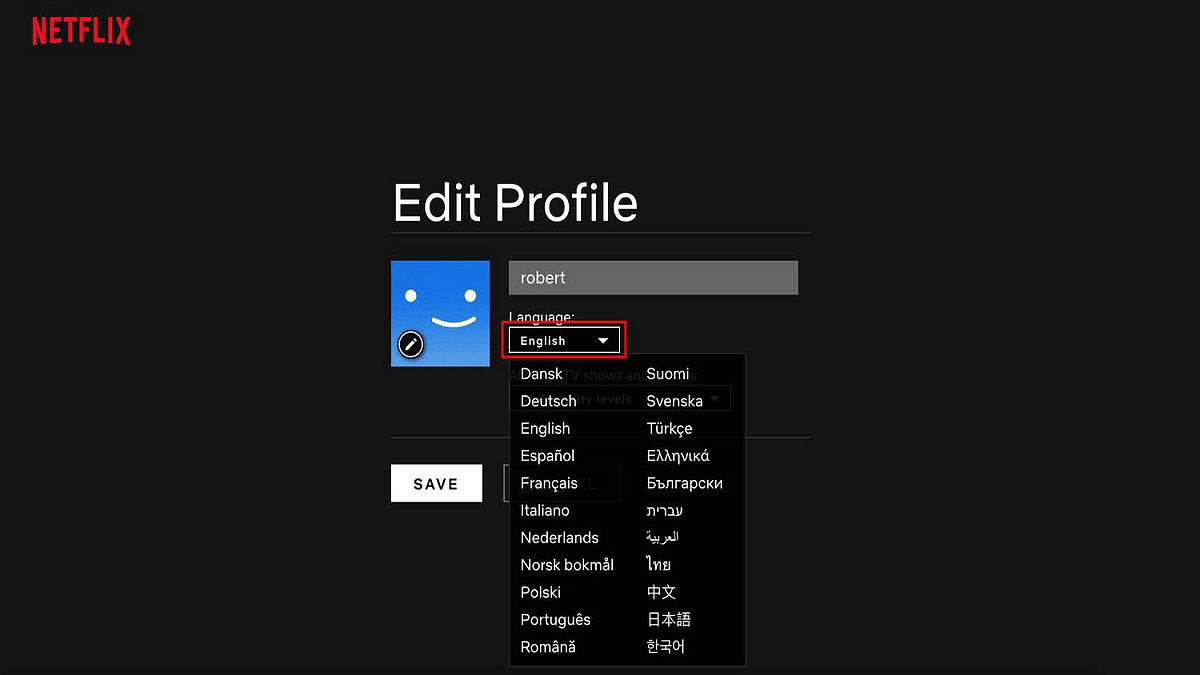
Locate the “My Profile” section and click on “Language.” A list of available languages will appear, and you can use the search box to find a specific language.

Step 4: Select Your Preferred Language

Choose the language for your Netflix interface and content. A confirmation message will verify the successful update of your language preference.

Step 5: Apply Changes and Explore

Return to the home screen and search for your desired content. Note the updated audio and subtitle language options. Additionally, individual titles can have customized language settings by clicking the speech bubble icon in the playback bar.

Netflix simplifies language customization, allowing users to enjoy content in their preferred language or delve into new languages and cultures. Maximize your streaming experience with these user-friendly language adjustment features.

Also Read | Netflix Begins Password Sharing Crackdown In India: Should You Be Worried?

Categories
Apps Featured How To

Instagram Close Friends Feature Takes Center Stage In Main Feed: How To Use

Key Highlights

  • Close Friends feature expands on Instagram’s main feed
  • Posts and reels can now be shared with Close Friends by users
  • Users now have the option of selecting ‘Everyone’ or ‘Close Friends’

Instagram is expanding its Close Friends feature, bringing it to the main feed to facilitate the exclusive sharing of reels and photos among small groups. Meta-CEO Mark Zuckerberg himself announced this update, emphasizing the platform’s commitment to authentic social interactions. Also Read | 100+ Catchy Instagram Username Ideas For Poetry Enthusiasts

Close Friends: A Brief History

Introduced several years ago, the Close Friends feature initially received little attention. Users shared their daily activities with close contacts, but Instagram recognized the importance of extending this feature to include videos and photos for a more meaningful social experience.

A Step Towards Authentic Social Connections

The latest update aims to make social interactions more genuine, positioning Instagram in competition with apps like BeReal. While other platforms like X (formerly Twitter) once had a similar feature called Circles, Instagram’s commitment to enhancing user connections sets it apart.

Android And iOS Compatibility

The Close Friends feature is now available on the stable versions of the Instagram app, accessible on both Android and iOS devices. Users who don’t see the feature immediately are encouraged to check for updates as it may be rolling out gradually.

Also Read | Meta Finally Allows Deleting Threads Account Without Instagram: Here’s How To

How To Use Close Friends Feature: Step-By-Step Guide

For those eager to employ the Close Friends feature on the main feed, follow these simple steps:

Step 1: Update the App: Ensure your Instagram app is on the latest version.

Step 2: Create Your Post: Tap the Plus (+) button at the bottom center, create your post (photo or reel), and tap Next.

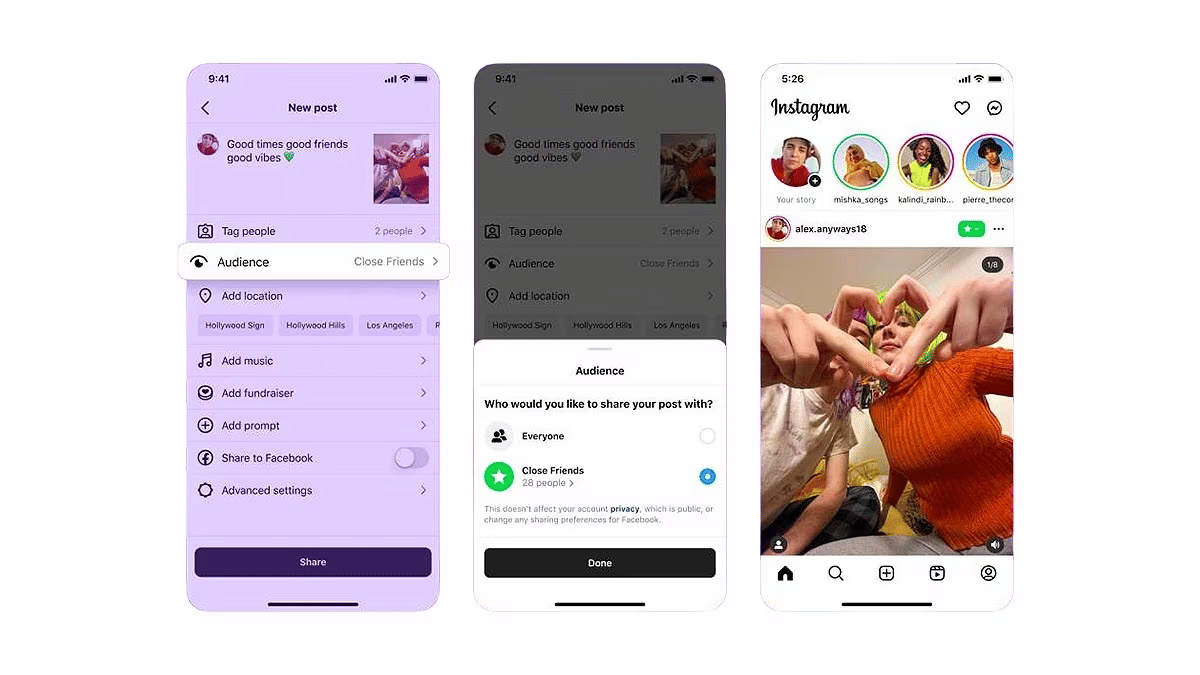
Step 3: Adjust Audience Settings: On the final Share page, navigate to the ‘Audience’ tab. Choose between ‘Everyone’ and ‘Close Friends.’ Select ‘Close Friends’ to limit visibility.

Step 4: Finalize and Share: Tap Done, then select Share in the top right corner. Your post or reel will now be exclusively visible to close friends, marked by a distinctive green Close Friends icon at the top right.

By following these steps, users can enhance their Instagram experience by sharing moments more intimately with their Close Friends.

Also Read | How To Use Instagram’s New Song Lyrics Feature In Reels: A Step-By-Step Guide

Categories
Accessories Featured

Children’s Day Special: Four Innovative Gadgets For Tech-Savvy Kids

Key Highlights

  • India celebrates Children’s Day on November 14 every year
  • The day honors the birth anniversary of former Prime Minister Jawaharlal Nehru
  • There are many gadgets that you can gift your tech-savvy kids

As India gears up to celebrate Children’s Day on November 14, which honors the birth anniversary of former Prime Minister Jawaharlal Nehru, let’s embark on a journey into the world of creative and educational gadgets tailored for tech-savvy kids. In today’s dynamic landscape, fostering a passion for technology and learning becomes an invaluable present. Let this Children’s Day become a fusion of excitement and education, laying the groundwork for a future where limitless curiosity guides the way. Also Read | Christmas Gifting Ideas: Best Premium Gadgets To Gift This Christmas

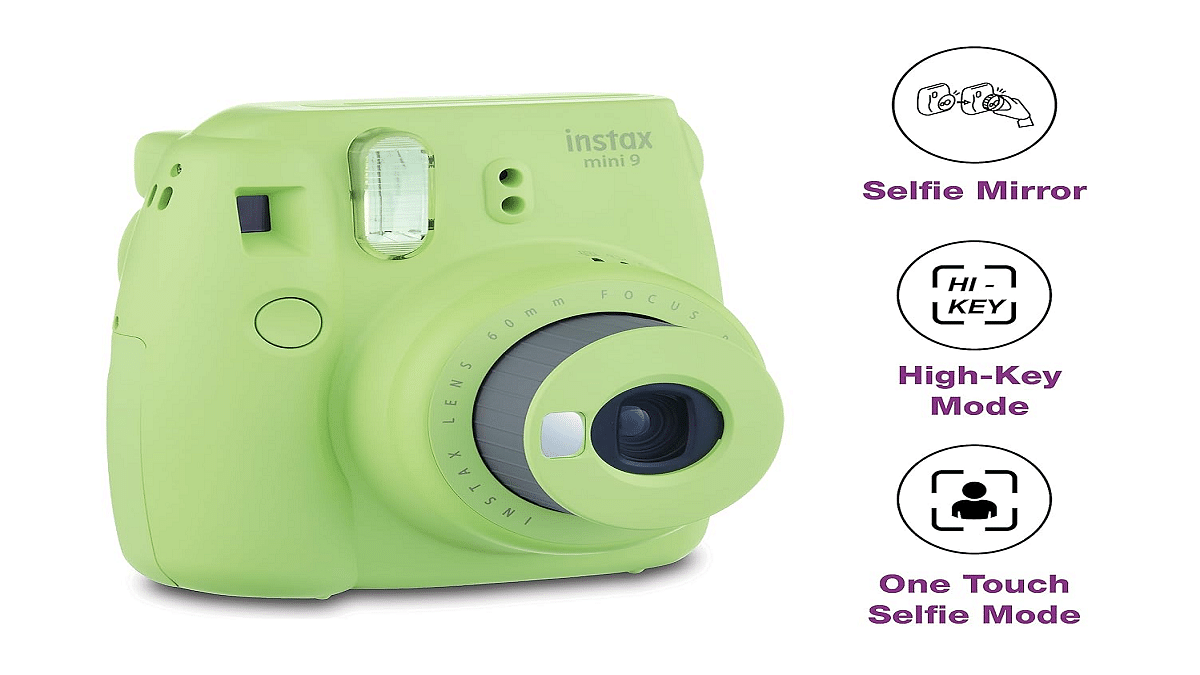
Fujifilm Instax Mini 9 Camera

Parents who want to cut down on screen time and children who love taking pictures may find the Fujifilm Instax Mini 9 Camera to be a refreshing combination of classic charm and modern twist. Take selfies and record moments with loved ones, friends, or your pet. Use the prints for school projects or do-it-yourself crafts. This camera creates great 3-inch film prints in an instant. Remember to stock up on film for uninterrupted creativity!

PriceRs. 4,799
Buying LinkAmazon

POWMEE P10 Kids Headphones with Microphone

Children can enjoy every sound with amazing clarity thanks to the POWMEE P10 Kids Headphones with Microphone, whether they are taking online classes or watching their favorite cartoons. Specifically designed for kids, these headphones feature a unique switch controlling volume between 85Db and 94Db. The built-in microphone facilitates seamless online learning and communication from the comfort of home.

PriceRs. 2,505
Buying LinkAmazon

JBL Junior POP by Harman

With the JBL Junior POP Portable Bluetooth Speaker, you can introduce your children to a world of musical joys. Compact enough to fit in a child’s hand and available in various vibrant colors, this speaker comes with a button strap for easy attachment to clips, car seats, or stroller handles. Whether it’s podcasts, nap time meditations, or music, let the sound adventure begin!

PriceRs. 2,500
Buying LinkAmazon

My First Lab Duo-Scope Microscope

Kids are fascinated by close-up views, especially when it involves intriguing and sometimes gross objects. The My First Lab Duo-Scope Microscope is not only sturdy and user-friendly but also unlocks the curiosity of young minds. Imagine the excitement when your child sees a tiny world up close, perhaps even a detailed examination of a bug.

PriceRs. 17,592
Buying LinkAmazon

Also Read | Best Smart Gadgets Under Rs. 5,000

Categories
Apps Featured How To

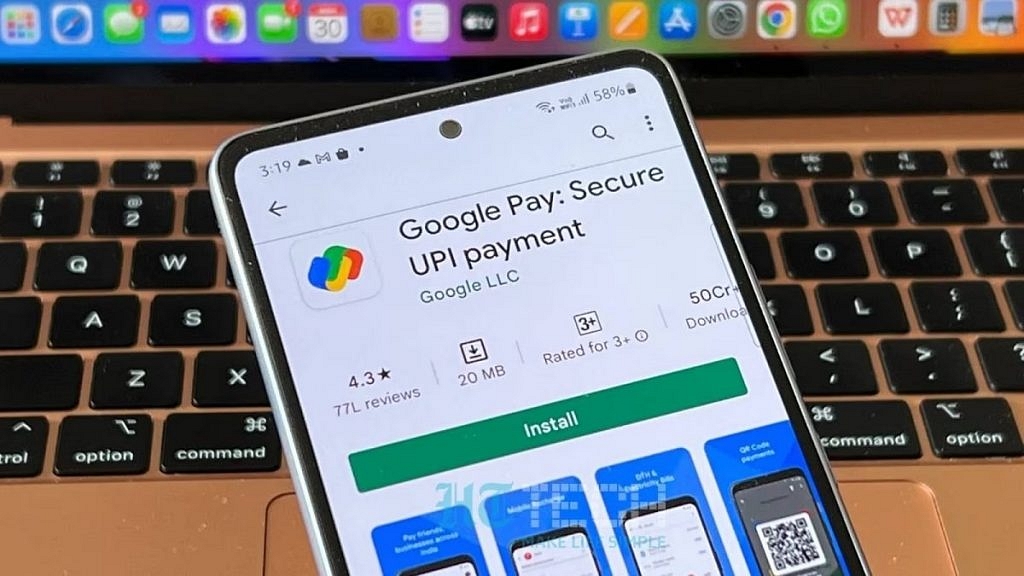
Step Into Safety: Learn How To Change Your UPI PIN On Google Pay And PhonePe

Key Highlights

  • It’s crucial to reset your UPI PIN periodically as a security precaution
  • You must enter your current UPI PIN to reset it
  • Resetting your UPI PIN with Google Pay and PhonePe is easy

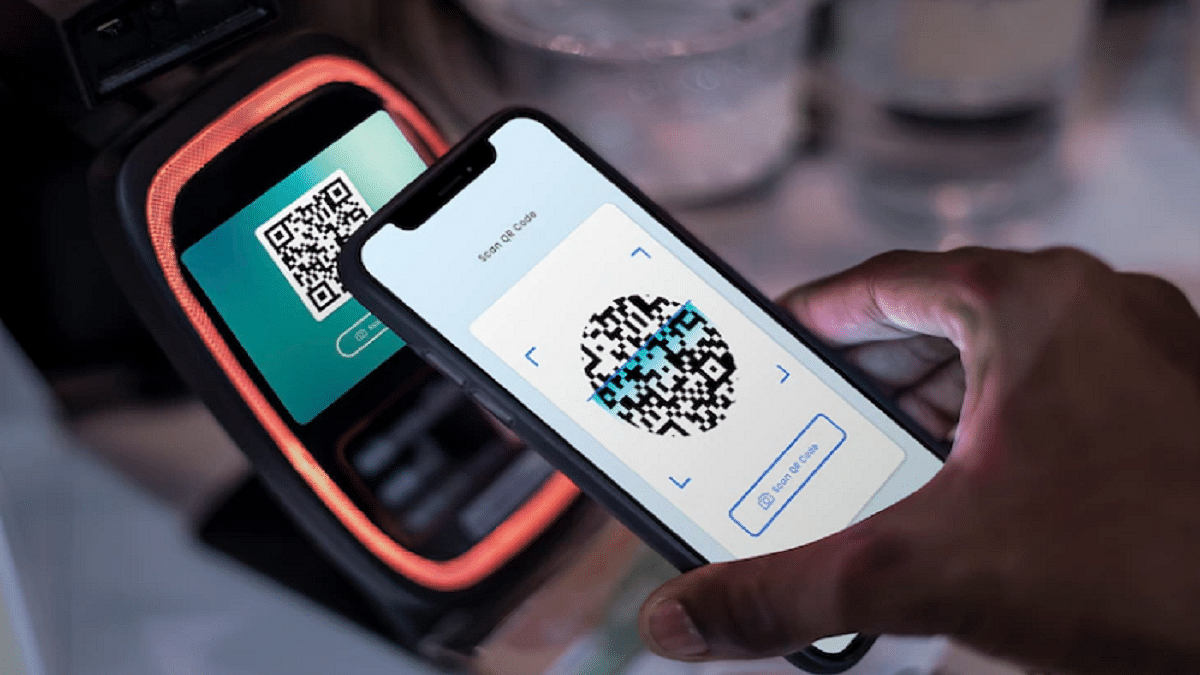
Cashless transactions via QR code scanning have become common in the UPI era. While UPI offers speed and reliability, the rise of online scams emphasizes the importance of periodically resetting or changing your UPI PIN for enhanced security. This guide will walk you through the steps to reset or change your UPI PIN on popular platforms like Google Pay and PhonePe. Also Read | How To Update And Change Mobile Number On Aadhaar Card Online

Google Pay: Step-by-Step Guide

Step 1: Ensure you have the latest Google Pay app version installed.

Step 2: Open the Google Pay app on your smartphone.

Step 3: Tap on your profile photo located in the top right corner.

Step 4: Select the “Bank account” option.

Step 5: Choose the specific bank account linked to your Google Pay.

Step 6: Tap on the three dots and locate the “Change UPI PIN” option.

Step 7: Enter your existing UPI number and proceed.

Step 8: Input the new UPI PIN.

Step 9: Re-enter the new PIN to confirm the change.

Also Read | Google Play Country Settings Modification: How To Change Country Settings In Google Play Using Android For Payments And Other Apps

PhonePe: Step-by-Step Instructions

Step 1: Launch the PhonePe app on your Android or iOS device.

Step 2: On the home screen, click on the picture of your profile.

Step 3: Locate the “Payment Methods” section by scrolling down.

Step 4: Select the relevant bank account.

Step 5: Choose “Reset UPI PIN.”

Step 6: Enter the information for your debit or ATM card linked to the bank account.

Step 7: Proceed by entering the OTP received.

Step 8: Provide your existing UPI PIN and continue.

Step 9: Enter the new UPI PIN.

Step 10: Confirm the new PIN by re-entering it.

You may proactively protect your UPI transactions and guarantee the security of your financial transactions on PhonePe and Google Pay by following these procedures.

Also Read | No Card? No Problem: Here’s How To Withdraw Cash From ATMs Via UPI