Categories
Auto Tech Featured

Winter Care Tips For Electric Vehicles: How To Keep Your EV Healthy In Cold Weather

Key Highlights

  • Maintaining your EV is essential in winters
  • Keep your EV plugged in to maintain battery health
  • Switch to winter tires for better traction and handling

As the winter season sets in, electric vehicle (EV) owners need to pay extra attention to ensure the optimal performance and longevity of their vehicles. Cold weather can affect the efficiency and range of EVs, and proper care is essential to lessen potential issues. Here are some essential tips to keep your electric vehicle healthy during the winter months. Also Read | Bajaj Chetak, Hero Vida V1 Electric Scooter Prices Hiked In India: How Much They Cost Now?

Maintain Battery Health
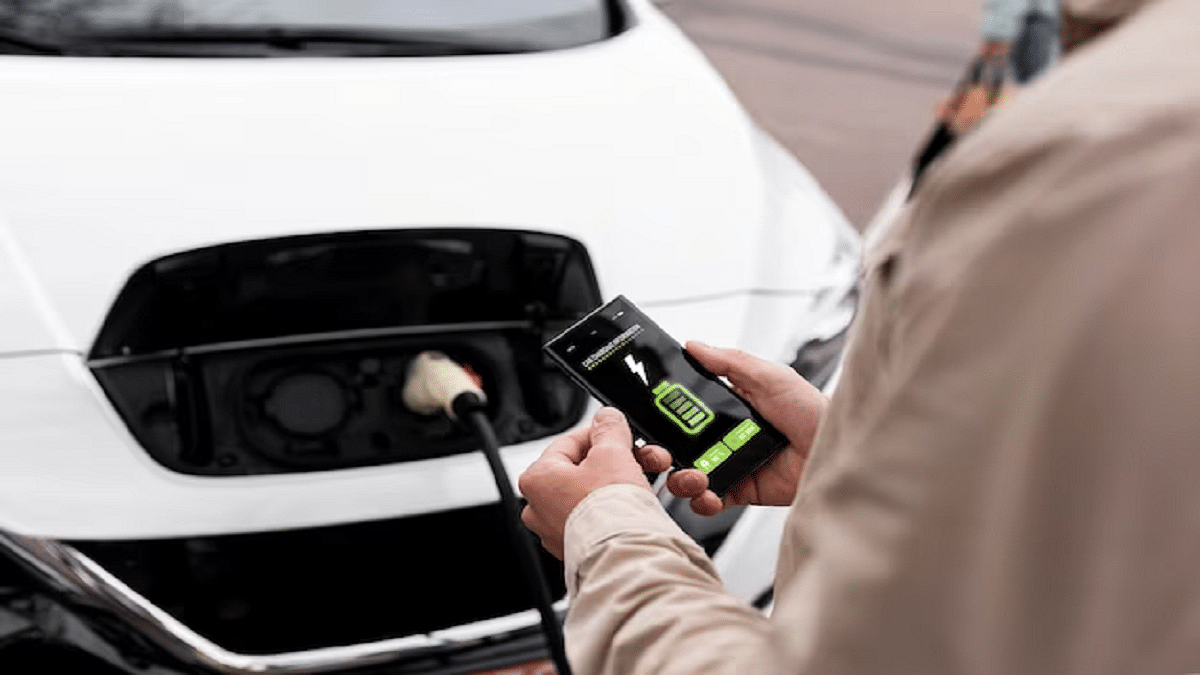
The battery is the heart of an electric vehicle, and cold temperatures can affect its performance. To maintain optimal battery health, keep your EV plugged in whenever possible. Many EVs have pre-conditioning features that allow you to warm up the battery while the vehicle is still connected to the charger. This helps improve efficiency and range in cold weather.

Charge Smartly

Charging habits can significantly impact battery life, especially in winter. Avoid letting the battery level drop too low, as this can lead to reduced efficiency and potential damage. Charge your EV regularly and aim to keep the battery level within the recommended range. Additionally, use a Level 1 or Level 2 charger at home for a slower, gentler charge, which can be beneficial for the battery in cold weather.

Preconditioning

Take advantage of your EV’s pre-conditioning feature. This allows you to warm up the cabin and battery while the vehicle is still plugged in, using electricity from the grid instead of draining the battery. Preconditioning not only ensures a comfortable interior but also improves overall efficiency during your drive.

Invest In Winter Tires

Winter tires are designed to provide better traction in cold, icy, and snowy conditions. Switching to winter tires can enhance your EV’s stability and handling, reducing the risk of accidents. Improved traction also means less strain on the vehicle’s powertrain, leading to better overall efficiency.

Also Read | Top Budget Electric Vehicles You Can Buy In 2023

Keep An Eye On Tire Pressure

Cold weather can cause tire pressure to drop, leading to decreased efficiency and handling. To guarantee optimum performance, check and maintain the recommended tyre pressure on a regular basis. Underinflated tires can also have a negative impact on the vehicle’s range, so it’s essential to keep them properly inflated.

Protect Exterior Components

Salt, snow, and ice can take a toll on your EV’s exterior components. Wash your vehicle regularly to remove salt and other corrosive materials. Additionally, apply a protective wax or sealant to the paint to create a barrier against harsh winter elements. This helps preserve the vehicle’s appearance and structural integrity.

Mind The Range

Cold weather can reduce the range of electric vehicles due to increased energy consumption for heating. Plan your trips accordingly, considering the potential decrease in range. If you’re traveling long distances, be sure to account for charging stops and plan routes with available charging stations.

Emergency Kit

Prepare for unexpected situations by keeping an emergency kit in your EV. Include items such as a blanket, extra clothing, non-perishable snacks, and a flashlight. In case you experience a breakdown or get stranded in cold weather, having essential supplies on hand can make a significant difference.

Giznext Verdict

Taking proactive steps to care for your electric vehicle during the winter months is crucial for maintaining its performance, efficiency, and overall health. By following these tips, you can ensure that your EV continues to serve you well, even in the coldest of weather conditions. Stay informed, plan ahead, and enjoy the benefits of an electric vehicle throughout the winter season.

Also Read | MG Comet EV Vs Tata Tiago EV Vs Citroen eC3 Budget Electric Car Comparison: Which Is The Best?

Categories
Featured Info Mobile

Infinix Smart 8 HD Smartphone Set To Launch On December 8: Check Expected Features

Key Highlights

  • Infinix Smart 8 HD to launch on December 8
  • The smartphone is the successor to the Smart 7 series
  • It features a 6.6-inch HD+ Sunlight Readable display

Infinix is all set to unveil the Smart 8 HD, the successor to the widely acclaimed Smart 7 Series. This latest addition vows to bring about a significant shift in the budget smartphone land, boasting a sleek and premium design along with numerous enhancements compared to its predecessor. Let’s check out the expected features. Also Read | Infinix Smart 7 Review: Worth It On A Budget?

Display Technology

One of the most noteworthy features of the Smart 8 HD is its display, which aims to set a new benchmark in the segment. The smartphone introduces a groundbreaking 90Hz punch-hole display, providing users with a smooth and responsive screen experience. The 6.6-inch HD+ Sunlight Readable display, with a peak brightness of 500 Nits, ensures optimal visibility even in bright conditions, enhancing the overall user experience.

Design And User-Friendly Features

The Infinix Smart 8 HD boasts a premium design that includes a textured back panel. In a move aimed at enhancing user convenience, Infinix has incorporated a side-mounted fingerprint sensor, a pioneering feature in its segment. Additionally, the smartphone comes equipped with UFS 2.2 storage and Type C charging for added functionality.

Also Read | Infinix Note 12i Smartphone Review: Ticks All Boxes Under Rs. 10,000

Infinix Smart 8 HD: Launch Date

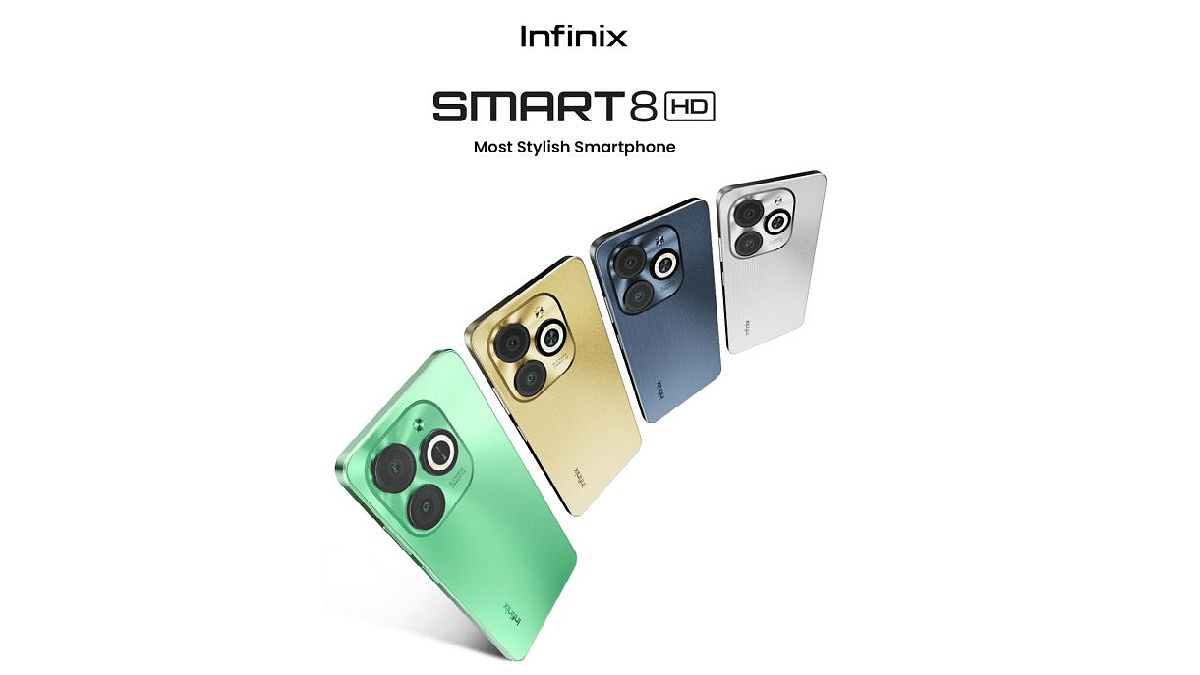
The Infinix Smart 8 HD will be available in four color variants: Crystal Green, Shiny Gold, Timber Black, and Galaxy White. The anticipation surrounding the device is deep, as it is set to hit the market on December 8, raising the bar for budget smartphones. Infinix is poised to make a significant impact with the Smart 8 HD, promising a blend of style, functionality, and innovation in the budget smartphone arena.

Also Read | Infinix Smart 7 HD Review: Capable Budget Phone For Light Usage

Categories
Featured Gaming

BGMI Hacks For Beginners: Best PUBG Tips Every Newbie Should Know

Key Highlights

  • Newcomers should prioritize landing spots strategically
  • In squad matches, effective communication and teamwork are key
  • Use voice chat and quick communication features

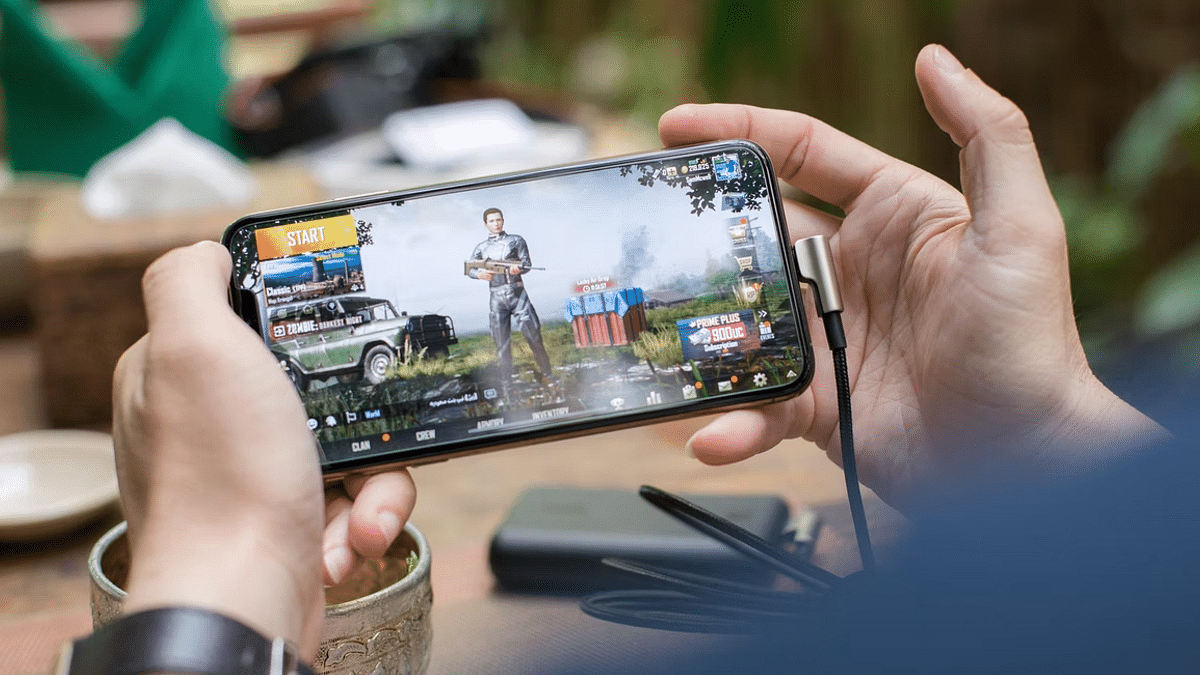
Battlegrounds Mobile India (BGMI) has taken the mobile gaming world by storm, providing an immersive battle royale experience on smartphones. For beginners entering this intense world of survival, it’s essential to grasp some fundamental BGMI hacks and tips to enhance their gameplay. Here’s a complete guide to help newcomers navigate the battlegrounds successfully.

Also Read | Best Game Settings For BGMI, PUBG For A Premium Gaming Experience On Android, iOS

Mastering The Basics: Dropping And Looting

The game begins with a parachute drop onto the island. Choose your landing spot wisely; high-traffic areas may yield better loot but increase the risk of early confrontations. Once landed, quickly loot buildings for weapons, ammo, and supplies. Understanding the map and prioritizing loot acquisition sets the foundation for a successful match.

Smart Movement: Evade And Conquer

Effective movement is key to survival. Use the crouch and prone features to make yourself a smaller target, especially in open areas. Additionally, mastering the art of leaning behind cover during gunfights provides a tactical advantage, making it harder for enemies to land shots.

Optimal Weapon Usage: Choose Wisely

BGMI offers a variety of weapons, each with unique characteristics. Try a variety of weapons to choose your favorite loadout. Generally, a combination of a long-range and close-quarters weapon is recommended. Learn to control recoil for better accuracy, and always keep an eye on your ammunition.

Also Read | Pokémon Go Tips & Tricks: 10 Ways To Catch Rare And Legendary Pokémon

Map Awareness: Navigate Strategically

Understanding the map is crucial for survival. Be aware of the shrinking play zone and move towards the center to stay within safe boundaries. Familiarize yourself with popular landmarks, and use them for navigation. A good grasp of the map also helps in predicting enemy movements and planning ambushes.

Teamwork And Communication: Stick Together

BGMI offers both solo and team gameplay. In squad matches, communication is paramount. Use voice chat or quick communication features to coordinate with your team. Sharing loot, strategizing, and providing cover fire for teammates can be the difference between victory and defeat.

The Art Of Stealth: Silent Kills

Mastering stealth is a vital BGMI hack. Move quietly, avoid unnecessary gunfire, and use headphones to detect enemy footsteps. Utilize the prone feature in grassy areas for concealment. Silent kills and maintaining a low profile increase your chances of survival.

Continuous Learning: Watch And Analyze Gameplay

To improve, watch experienced players on platforms like YouTube or Twitch. Analyze their strategies, decision-making, and positioning. Understanding the gameplay of seasoned players can provide valuable insights and help you refine your own skills.

Also Read | Tired Of Audio Warnings In BGMI Simulation Game? Here’s How To Get Rid Of Them

In conclusion, BGMI offers a dynamic and challenging gaming experience. By incorporating these essential hacks and tips, beginners can enhance their gameplay, survive longer, and increase their chances of emerging victorious in the battlegrounds. Remember, practice makes perfect, so keep honing your skills, adapt to the ever-changing battlefield, and enjoy the thrilling journey in BGMI.

For the tech geeks, stay updated with the latest cutting-edge gadgets in the market, exclusive tech updates, gadget reviews, and more right on your phone’s screen. Join Giznext’s WhatsApp channel and receive the industry-first tech updates.

Categories
Apps Comparison Featured

Hotstar vs Netflix vs Amazon Prime Video: The Best OTT Platform?

Key Highlights

  • Netflix offers a budget-friendly plan for users in India
  • Disney+ Hotstar provides a complimentary subscription plan that grants access to a selection of limited shows and movies
  • Amazon Prime combines streaming service with additional Prime perks at a competitive price

In the ever-evolving world of digital entertainment, the competition among Over-The-Top (OTT) platforms is fierce, with Hotstar, Netflix, and Amazon Prime Video emerging as the frontrunners. Each platform boasts a unique set of features, exclusive content, and user experience, making the decision of choosing the best OTT platform a daunting task.

Also Read | Free Netflix, Disney+ Hotstar, And Amazon Prime Access: Here’s How To Get With JioFiber Plans

The Variety Of Content

When it comes to content, these platforms offer a diverse range of shows, movies, and documentaries.

  • Netflix is renowned for its extensive library of original content, including critically acclaimed series like “Stranger Things” and “The Crown.”
  • Amazon Prime Video follows closely with a mix of originals and an impressive collection of Bollywood and regional content.
  • Hotstar, on the other hand, stands out for its vast array of live sports, including cricket, making it a go-to platform for sports enthusiasts.

User Interface And Experience

The user interface plays a pivotal role in enhancing the streaming experience.

  • Netflix is celebrated for its in-built and user-friendly interface, making navigation simple.
  • Amazon Prime Video excels in personalization, offering custom-made recommendations based on viewing history.
  • Hotstar, with its clean and simple layout, ensures users can effortlessly find their favorite content.

Exclusive Features

Each platform brings something unique to the table in terms of exclusive features.

  • Netflix leads with the ability to download content for offline viewing, catering to users on the go.
  • Amazon Prime Video shines with its additional benefits, including free shipping on Amazon purchases and access to Kindle books.
  • Hotstar’s USP lies in its live streaming of major sporting events, setting it apart as the preferred choice for sports aficionados.

Also Read | Want To Cancel Your Disney+ Hotstar Subscription? Here’s How

Subscription Plans And Pricing

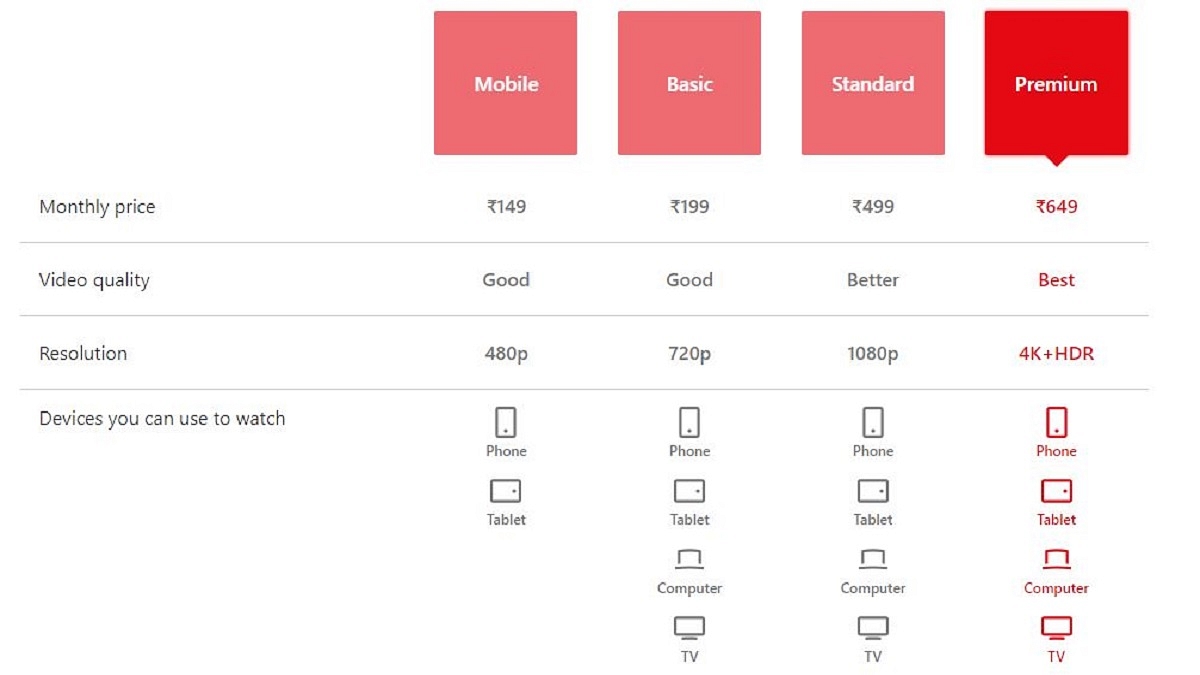
Affordability is a key factor for many users when choosing an OTT platform. Netflix offers a range of subscription plans, giving users the flexibility to opt for the one that aligns with their budget. These plans are valid on a monthly basis. Although long-term or annual plans are not part of Netflix’s offerings, the platform does provide a complimentary 30-day trial for new users. With the Premium plan, users can concurrently stream on four devices, two with the Standard plan, and one with the Basic and Mobile plans.

Amazon Prime Video combines its streaming service with additional Amazon Prime perks at an attractive price. You have the option to select from three Amazon Prime membership plans – monthly, quarterly, and annually. Securing a Prime membership is crucial, as it serves as the key to unlocking Prime Videos and various other services including shopping benefits, a Prime music subscription, and early access to deals provided by Amazon India.

PlanPrice
Monthly Prime (1 month)Rs. 299
Quarterly Prime (3 months)Rs. 599
Annual Prime (12 months)Rs. 1,599

Hotstar, offering a distinctive blend of complimentary and premium content, serves a broad audience. With a premium subscription, you gain access to the entire library of Disney+ Hotstar. The highest-tier subscription enables concurrent streaming on up to four devices and provides the added benefit of viewing content in 4K resolution.

PlanPrice
Disney+ Hotstar Premium (1 month)Rs. 299
Disney+ Hotstar Super (12 months)Rs. 899
Disney+ Hotstar Premium (12 Months)Rs. 1,499

Also Read | Here’s How To Download Videos From Netflix, Amazon Prime, And Disney+ Hotstar

Which One To Choose?

In the battle of Hotstar vs Netflix vs Amazon Prime Video, there is no one-size-fits-all answer. The choice ultimately depends on individual preferences, content preferences, and budget constraints. While Netflix leads in original content, Amazon Prime Video sweetens the deal with additional perks, and Hotstar dominates the sports streaming arena. Assessing the unique offerings of each platform will undoubtedly lead to finding the perfect OTT companion for your entertainment needs. So, buckle up, grab some popcorn, and embark on a thrilling digital entertainment journey.

For the tech geeks, stay updated with the latest cutting-edge gadgets in the market, exclusive tech updates, gadget reviews, and more right on your phone’s screen. Join Giznext’s WhatsApp channel and receive the industry-first tech updates.

Categories
Apps Featured How To

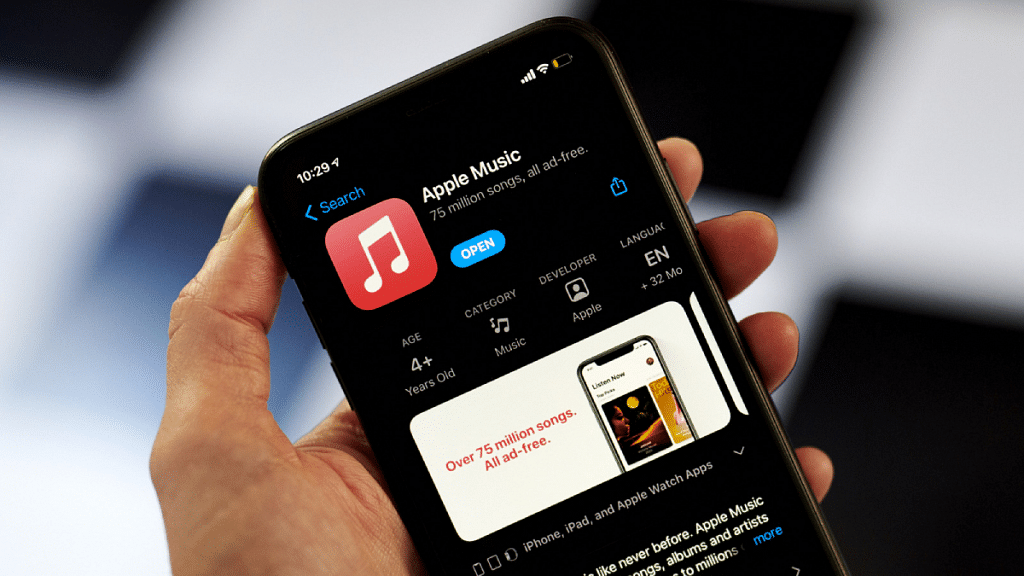
Apple Music Tips And Tricks: Here’s How To Create Collaborative Playlists

Key Highlights

  • Apple Music lets you create and share playlists
  • For this, users must have iOS 17.2 or later installed
  • This feature allows you to co-create, modify, and enjoy playlists with friends and family

Discover a new dimension of music-sharing with Apple Music’s latest feature—Collaborative Playlists. This innovative addition allows users to co-create, modify, and enjoy playlists with friends and family, opening up exciting possibilities for musical exploration and shared experiences.

Also Read | Spotify Tips & Tricks: How To Tune Into Podcasts In Your Native Language

Getting Started

To embark on this musical journey, ensure your device is updated to iOS 17.2 or later, and you have an active subscription to Apple Music. Once prerequisites are met, invite fellow Apple Music enthusiasts to join in the playlist creation and customization.

Step-by-Step Guide: How To Create Apple Music’s Collaborative Playlist

Step 1: Open the Music app on your iPhone and navigate to the Library section at the bottom of the screen.

Step 2: Within the Library, tap on Playlists. Here, you can either create a new playlist or select an existing one to transform it into a collaborative masterpiece.

Step 3: Tap on the Collaborate button or the three dots icon in the top-right corner. Choose the Collaborate option to initiate the shared playlist experience.

Step 4: Toggle on “Approve Collaborators” if you wish to control who can join the playlist. If disabled, anyone with the link gains immediate access.

Step 5: Tap on “Start Collaboration” and share the generated link or QR code through Messages, Mail, AirPlay, or other preferred methods.

Also Read | How To Maximize iPhone Battery Health: Tips & Tricks

Step 6: To add or remove collaborators, tap on the Collaborate button or three dots icon. Select “Manage Collaboration” for comprehensive control.

Step 7: Monitor playlist access, approve or reject joining requests, and remove collaborators by swiping left on their name and selecting “Remove.”

Step 8: When you’re ready to conclude the playlist sharing experience, tap on “Stop” to halt collaboration.

Also Read | iOS Tips And Tricks: How To Download Offline Maps On Apple iPhones, iPads?

Benefits Of Collaborative Playlists

  • Enhance your music enjoyment by embracing collaborative playlists
  • Create multiple playlists, inviting anyone with Apple Music to join
  • Personalize each playlist by editing your name and photo through the “Edit” option next to your name.

In summary, Apple Music’s Collaborative Playlists offer an engaging and interactive way to share the joy of music with others, fostering a sense of community and exploration.

For the tech geeks, stay updated with the latest cutting-edge gadgets in the market, exclusive tech updates, gadget reviews, and more right on your phone’s screen. Join Giznext’s WhatsApp channel and receive the industry-first tech updates.

Categories
Featured Info Tablet

Baatu Technologies Unveils Enable Tab, India’s First And Safest Smart Tabs For Kids: Details

Key Highlights

  • Baatu Technologies has launched the Enable Tab for kids
  • This smart tablet can be purchased from Amazon, Flipkart, or the Company’s Website
  • The price of Enable Tab is Rs. 15,999

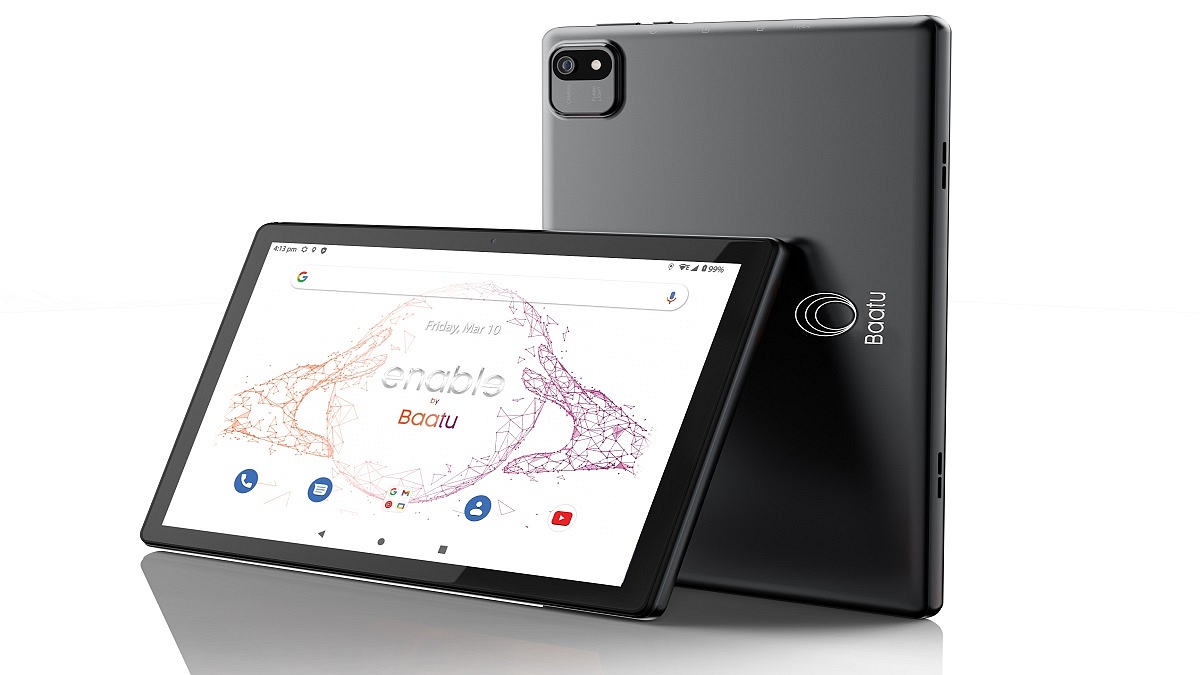
Baatu Technologies has introduced the ‘Enable Tab,’ India’s leading parental control tablet equipped with the advanced Android 12 operating system. This device, designed to secure children in the digital world, was officially launched on November 20, 2023, and is now available for purchase. Also Read | Best Tablets To Buy For Seniors With Dementia: List Inside

Price And Availability

The Enable Tab is available for sale on Baatu Tech’s official website and major e-commerce platforms such as Amazon and Flipkart. The price of Enable Tab is Rs. 15,999. As a special launch offer, Baatu Tech is extending exclusive benefits to customers, including referral bonuses and Rs. 500 ‘direct purchase’ discount.

Empowering Digital Parenting With Artificial Intelligence

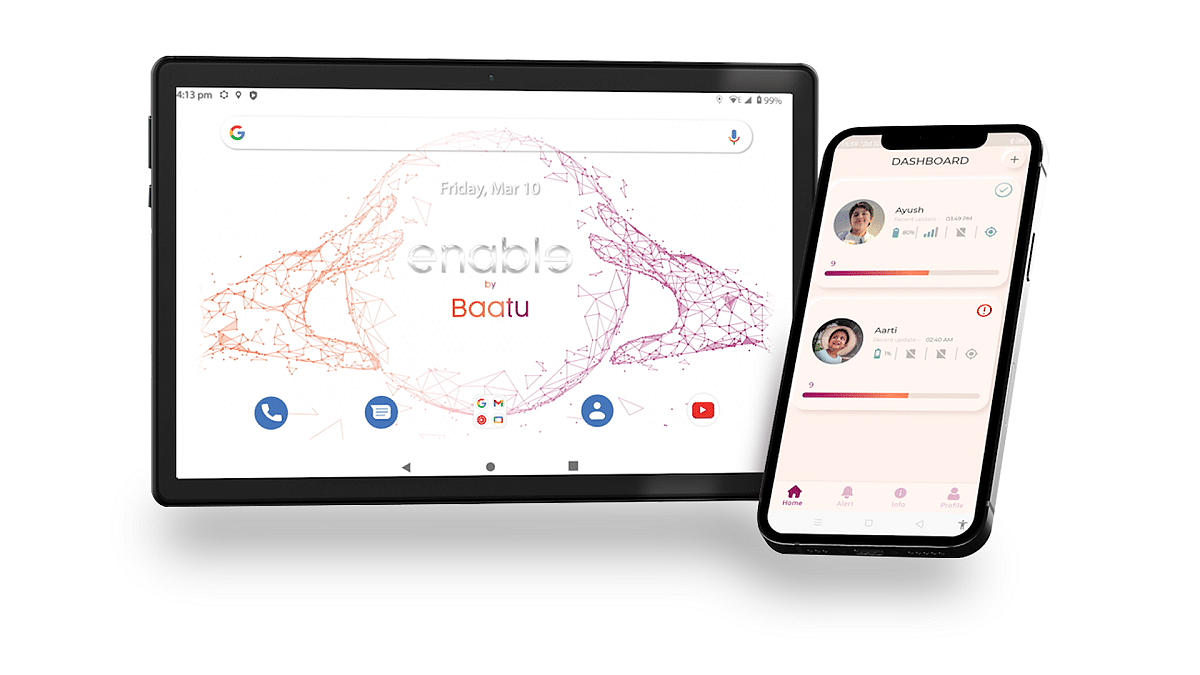
The ‘Enable Tab’ harnesses the power of AI to elevate digital parenting capabilities. AI, being the trend of the season, plays a crucial role in the tablet’s functionality, particularly in identifying inappropriate content. The device’s standout feature is the AI models’ ability to detect and alert parents about potentially harmful material, ensuring a secure online environment for children. The parental control system establishes a seamless link between the “Baatu Parenting App” and the ‘Enable’ tab, providing comprehensive insights into children’s online activities. The device operates only when connected to the parenting app, ensuring every online minute is supervised and secure for your child.

Also Read | Best Tablet With Calling Feature To Buy In India

Security Features

Baatu Tech prioritizes the security and privacy of children by implementing end-to-end encryption, guaranteeing the protection of personal information from being used for advertising purposes. Key features include geo-fencing, screen time monitoring, app control/monitoring, inappropriate content identification, battery level monitoring, call usage statistics, text monitoring, and call whitelisting.

Suicide Alert Feature

Recognizing the need to address critical concerns about online safety, including mental health, the ‘Enable Tab’ introduces a suicide alert feature. AI algorithms identify potential signs of distress in children’s online activities, going beyond traditional parental control measures. This groundbreaking functionality provides parents with timely alerts and resources to intervene and support their children during vulnerable moments.

Other Features

Beyond its role in child safety, the ‘Enable Tab’ is a versatile tablet suitable for students, professionals, and families with busy lifestyles. Boasting a large and clear 10.1-inch HD display, a potent MediaTek processor, dual cameras, supreme speakers, and a long-lasting 6,000mAh battery, it can handle anything thrown its way.

Also Read | Need A Tablet For Graphic Designing? List Of Best Tablets For Illustration and Graphics Designing Tasks

Categories
Featured How To Mobile

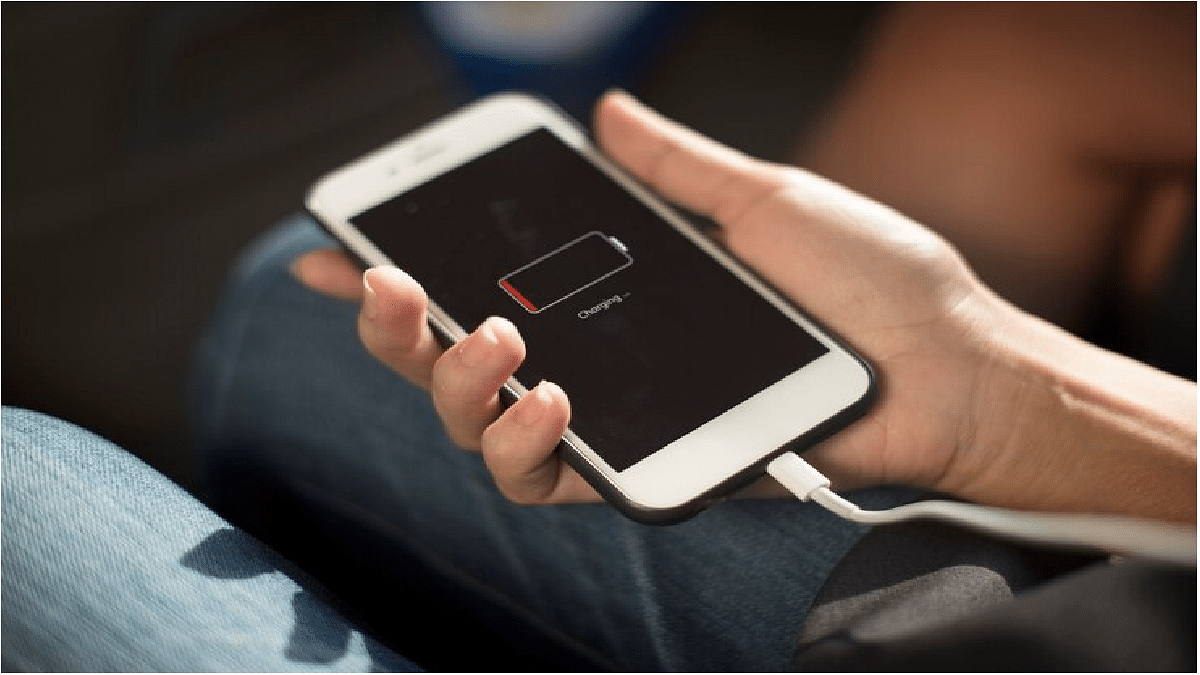
How To Check And Enhance iPhone Battery Health: A Step-by-Step Guide

Key Highlights

  • iPhone battery health is essential for longevity
  • Users overlook the health of the device’s battery

In the fast-paced world of technology, our smartphones have become crucial tools, and the iPhone is no exception. One critical aspect that often gets overlooked is the health of the device’s battery. Checking and optimizing iPhone battery health is essential for ensuring longevity and peak performance. In this article, we’ll explore the steps to check your iPhone battery’s health and provide tips on optimizing its usage.

Also Read | iPhone Tips And Tricks: How To Answer Call Without Touching Your Phone

How To Check Battery Health Of Your iPhone

To check your iPhone’s battery health, follow these steps:

Step 1: Go to “Settings”.

Step 2: Navigate to “Battery” and select “Battery Health.”

Step 3: Here, you’ll find the Maximum Capacity percentage, indicating the current capacity of your battery compared to when it was new. A higher percentage suggests a healthier battery.

Additionally, you’ll see the “Peak Performance Capability” section. This feature informs you if your iPhone is operating at peak performance and if it has experienced unexpected shutdowns due to a degraded battery. If your battery is significantly worn out, it may recommend a replacement.

Understand Maximum Capacity

Maximum Capacity is a vital metric as it reveals how much charge your battery can hold compared to its original capacity. Over time, batteries naturally degrade, and a lower maximum capacity is indicative of wear and tear. If your iPhone’s battery health is below 80%, it might be time to consider a battery replacement to maintain optimal performance.

Also Read | iOS Tips & Tricks: Learn How To Set Up Your Contact Poster On iPhone

Tips To Optimize iPhone Battery Usage

Beyond monitoring battery health, taking proactive steps to optimize battery usage can extend the lifespan of your iPhone’s battery.

Manage Background App Refresh

Disable unnecessary background app refresh to prevent apps from updating content in the background, conserving battery power.

Adjust Screen Brightness

Lowering screen brightness or enabling auto-brightness helps reduce power consumption. Additionally, consider reducing the screen timeout duration.

Update iOS

Regularly updating your iPhone’s operating system ensures that it receives the latest performance improvements and battery optimizations.

Enable Low Power Mode

Activating Low Power Mode temporarily reduces power consumption by disabling certain features, providing extended battery life during critical moments.

Manage Push Notifications

Limiting push notifications or adjusting their frequency can contribute to power savings. Review and disable unnecessary notifications in the settings.

Also Read | iPhone Tips & Tricks: Here’s How You Can Measure Height Using An iPhone Camera

Avoid Extreme Temperatures

Exposure to extreme temperatures, both hot and cold, can negatively impact battery health. Avoid leaving your iPhone in direct sunlight or extremely cold environments.

Monitoring your iPhone’s battery health is a proactive approach to ensuring its longevity and optimal performance. By understanding key metrics like Maximum Capacity and taking steps to optimize battery usage, you can make the most of your iPhone’s capabilities while minimizing the need for frequent battery replacements. Regular maintenance and thoughtful usage habits contribute to a seamless and efficient smartphone experience.

For the tech geeks, stay updated with the latest cutting-edge gadgets in the market, exclusive tech updates, gadget reviews, and more right on your phone’s screen. Join Giznext’s WhatsApp channel and receive the industry-first tech updates.

Categories
Featured Info Telecom

ACT Fibernet Unveils Four Broadband Plans In Delhi: Check Features, Prices

Key Highlights

  • ACT Fibernet introduces four new broadband packages for Delhi users
  • The plans include DELACT Welcome Plus, DELACT Grand, DELACT Welcome Stream, and ACT Platinum Promo
  • It ranges from Rs. 649 to Rs. 1,499

Broadband service provider ACT Fibernet has introduced four new broadband plans tailored for users in Delhi. The plans, named DELACT Welcome Plus, DELACT Welcome Stream, DELACT Grand, and ACT Platinum Promo, are designed to offer fast connectivity, bundled entertainment, and unlimited data at affordable rates. Additionally, some plans include upgraded Wi-Fi 6 Mesh routers for enhanced speed and support for multiple devices. Also Read | How To Get 1Gbps Speed From ACT Fibernet Broadband Plans

DELACT Welcome Plus: Affordable Connectivity With Entertainment

  • Priced at Rs. 649 per month, the ACT DELACT Welcome Plus plan provides users with 50 Mbps speeds and unlimited data
  • The plan includes a router and an entertainment pack featuring popular services like Disney+ Hotstar, Zee5, 300+ Live TV Channels, SonyLiv, and YuppTV

DELACT Welcome Stream: Seamless Streaming With Netflix Inclusion

  • Available for Rs. 699 monthly, the ACT DELACT Welcome Stream plan offers 50 Mbps speeds and unlimited data
  • Subscribers to this plan receive a router, along with a subscription to the popular streaming service Netflix

Also Read | How To Free Netflix From Airtel Broadband Plans: See Details Here

ACT Platinum Promo: High-Speed Connectivity With Wi-Fi 6 Router and Netflix

  • Priced at Rs. 1,049 per month, the ACT Platinum Promo plan provides decent speeds of up to 250 Mbps, unlimited data, and a Wi-Fi 6 router
  • The plan also includes a Netflix subscription, offering a seamless streaming experience for multiple connected devices

DELACT Grand: Ultimate Speeds And Entertainment Bundle

  • The DELACT Grand plan, priced at Rs. 1,499 monthly, offers a high speed of 400 Mbps along with unlimited data
  • Subscribers enjoy a Mesh router and access to subscriptions for Netflix and the Entertainment Pack, featuring Disney+ Hotstar, Zee5, SonyLiv, 300+ TV channels, and more

Separately, Reliance recently confirmed the successful demonstration of India’s inaugural satellite-based giga fiber service, JioSpaceFiber, during the Indian Mobile Congress (IMC). This groundbreaking innovation aims to provide internet access even in remote areas lacking reliable cellular connectivity, further expanding connectivity options across the country.

Also Read | Easy Ways To Recharge Your Excitel Broadband: Here’s How

Categories
Apps How To

How To Add Catchy Music And Text To Your Moj Videos: A Step-by-Step Guide

Key Highlights

  • Music is a powerful tool for shaping the mood of your Moj videos
  • Users can add texts that align with their aesthetic
  • Can also customize the font, color, and position

In the dynamic realm of short-form video content, Moj has captivated millions, offering a platform to unleash creativity and engage audiences authentically. Enhancing your Moj videos with catchy music and text can significantly amplify their allure, allowing you to express yourself, share relatable stories, and showcase unique talents in an entertaining and new way. This guide takes you through the process step by step on how to add music and texts to your Moj videos.

Also Read | Moj Filters Unleashed: Here’s How To Transform Ordinary Videos In Five Simple Steps

Moj Videos: How To Add Music And Text

Step 1: Clarify the type of video content you want to create. Whether it’s a dance performance, lip-sync, cooking demonstration, or a unique concept, having a clear theme is crucial.

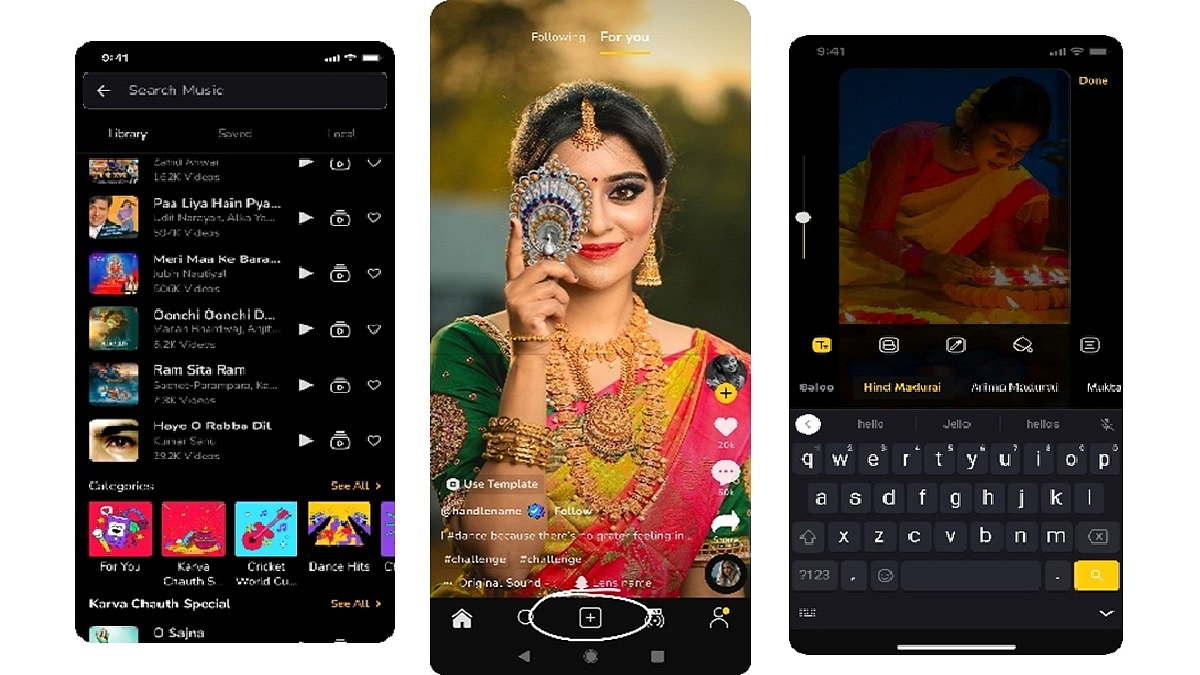
Step 2: Open the Moj app on your device and locate the “+” sign at the bottom of the screen. If you’re recording a new video, ensure optimal lighting and clear audio. Frame your shot, hit the record button, and let your creativity shine, as Moj encourages free self-expression.

Step 3: Music plays a pivotal role in shaping the mood of your video. Select the video you wish to upload, tap the “Music” icon on the bottom menu, and explore the extensive song library. Choose a song that complements your video’s theme, adjusting the starting point and duration as needed. Click ‘Done’ to proceed.

Also Read | Master Moj’s 90-Second Guide: How To Edit Captivating Videos In No Time

Step 4: Tap on the “Text” icon at the bottom after selecting your music. Choose a text style that aligns with your video’s aesthetic. Enter your desired text and customize the font, color, and position. Adjust the text overlay duration using the timeline feature.

Step 5: Moj provides various editing tools to enhance your video further. Trim your footage, adjust the speed, and apply filters for a unique visual touch. Experiment with these tools until you achieve a result that satisfies your creative vision.

Also Read | Need To Save Moj Videos For Later? Learn How To Download For Free

Step 6: Before sharing your masterpiece on Moj, preview it for perfection. Tap ‘Next’ to seamlessly share your enhanced video with friends and family, contributing to the vibrant community’s joy and creativity.

Incorporating catchy music and expressive text into your Moj videos elevates their appeal, allowing you to share your creativity and unique talents with the Moj community. Follow this step-by-step guide, and you’ll be well on your way to standing out as a Moj video superstar.

For the tech geeks, stay updated with the latest cutting-edge gadgets in the market, exclusive tech updates, gadget reviews, and more right on your phone’s screen. Join Giznext’s WhatsApp channel and receive the industry-first tech updates.

Categories
Featured Mobile Reviews

Vivo V29 Pro Review: A Camera-Centric Smartphone Worth Considering

Pros

  • Stylish design
  • Fast charging
  • Good performance
  • Aura light

Cons

  • Bloatware
  • No stereo speakers

Vivo has upgraded its popular V series with the new Vivo V29 Pro, as the successor to V27 Pro. The V27 Pro was known for its unique wedding-style portrait mode. Now, with the V29 Pro, Vivo has added a feature called Aura Light to boost camera performance in tricky lighting conditions. But, is this enough to impress potential buyers? We got a Vivo V29 Pro for review earlier this month, used it for more than a week, and here’s what we think about the phone. Also Read | Vivo V29e Review: The Smartphone’s Camera Steals The Show

What’s Inside The Box?

  • Vivo V29 Pro handset (Himalayan Blue color)
  • Silicon case
  • USB Type-C Cable
  • 80W FlashCharge wall adapter
  • SIM ejector tool
  • Quick start guide
  • Warranty information

Design

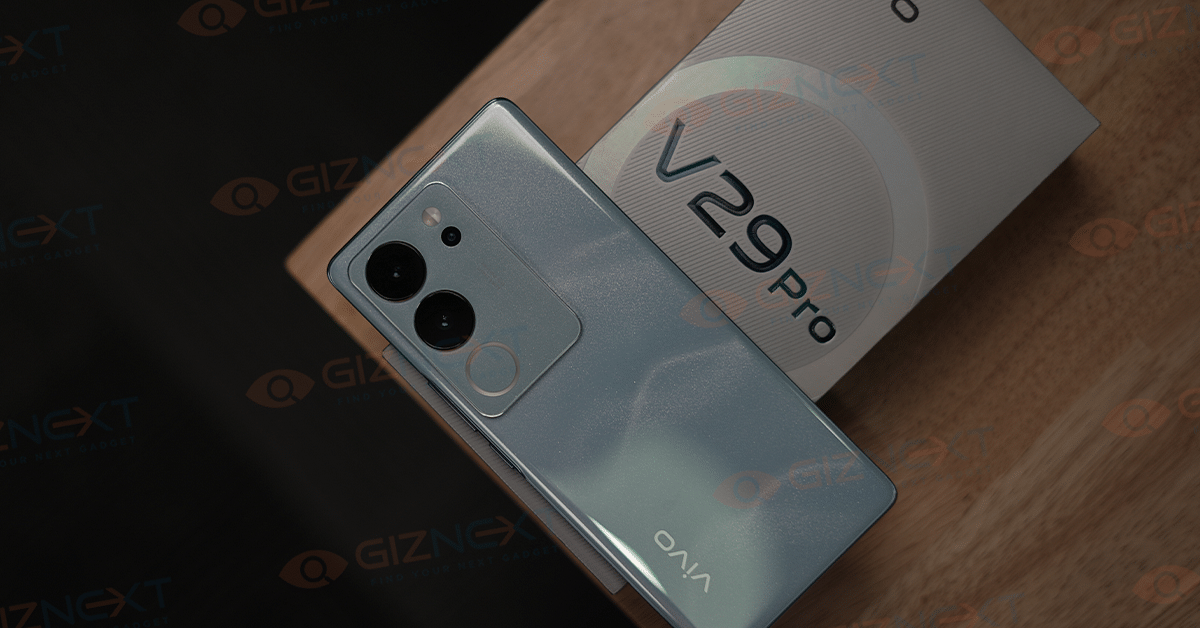
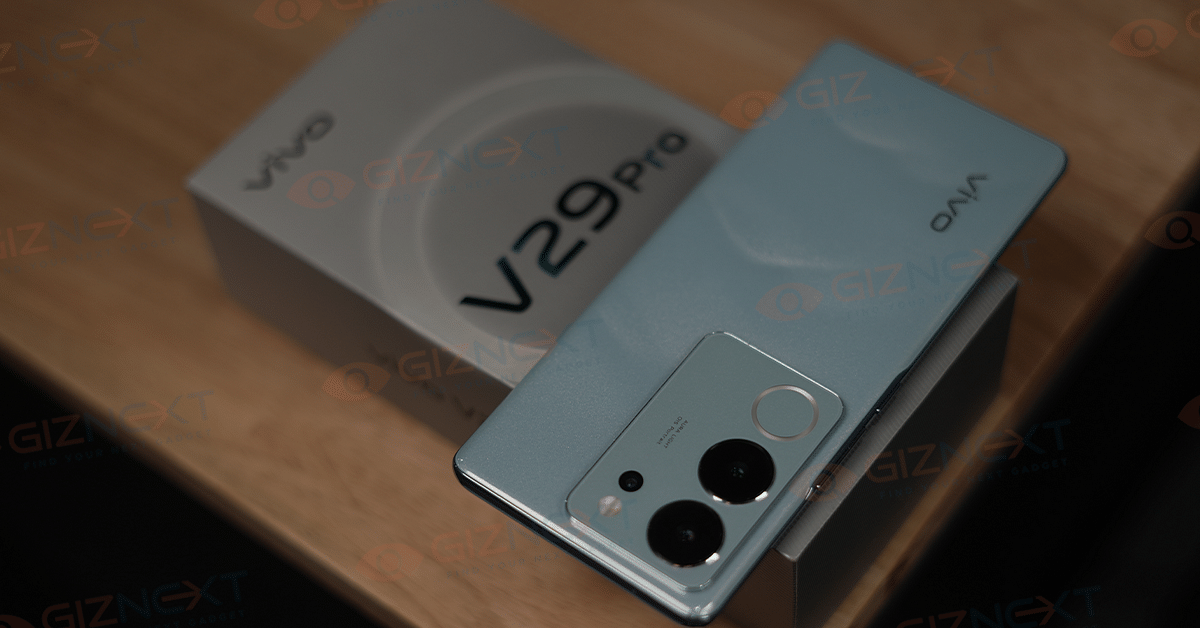
Vivo is popular for making smartphones with beautiful designs, and V29 Pro is no exception. The smartphone offers a sleek and stylish design that truly stands out in the crowd. Vivo has introduced an innovative 3D magnetic particle design on the back panel, using 15 million micron-sized magnetic particles to create a specific pattern, resulting in a unique light and shadow effect.

The Himalayan Blue color variant that we have displays a multi-layered pattern that evokes the beauty of the Himalayan range. While you may not notice it immediately, the floating mountain pattern becomes more appealing over time. It features a prominent camera island with a triple camera set-up, a ring light, and an LED flash.

The phone also features a 3D borderless curved screen, providing a premium look. The curved edges and slim side profile ensure a comfortable feel when holding it for long periods. It comes with a silicon case in the box for added protection.

The side frames are made of plastic, with the right edge housing the volume rocker and power button, both offering good tactile feedback. At the bottom edge, you find a Type-C charging port, SIM tray, and a set of speakers.

Display

The Vivo V29 Pro comes with a 6.78-inch FullHD+ AMOLED display, offering a refresh rate of up to 120Hz. The screen is vibrant and remains visible even in direct sunlight. However, the adaptive brightness feature, which adjusts the display based on ambient lighting, operates a bit slowly. Nevertheless, the display showcases vivid colors and strong contrast. The two-sided curved display enables gesture navigation, yet it’s important to note that not all apps are optimized for curved displays, leading to issues like the timeline bar overlapping with the curved edges.

Featuring an in-display fingerprint scanner, the V29 Pro provides fast and accurate biometric authentication. While Vivo offers various animation options for fingerprint scanning, the scanner works most efficiently without them.

Performance

Vivo continues to use the MediaTek Dimensity 8200 chipset, a processor with a solid performance history. Paired with either 8GB or 12GB of RAM and offering 256GB of storage, the smartphone offers good performance.

In day-to-day use, the device displays smooth performance across various tasks such as calling, social media usage, video streaming, gaming, and emails. Notably, it maintains a cool temperature during operation. The smartphone handles graphically intense games like Call of Duty Mobile and BGMI at Very High graphics settings and Ultra frame rates. It also handles Genshin Impact decently, meeting the demanding performance requirements of the game, making the V29 series a suitable choice for gaming enthusiasts.

Running on Android 13 with Funtouch OS 13, the Vivo V27 Pro, like its predecessors, is expected to receive two years of Android updates and three years of monthly security updates. Funtouch OS brings software enhancements, personalization options, privacy features, and controls. However, it comes with pre-installed apps, including game folders, which may contribute to phone clutter. This is a common issue with Chinese phone brands, not exclusive to Vivo.

Also Read | Vivo V27 Smartphone Review: A Shutterbug’s Delight

Camera

The Vivo V29 Pro maintains the rectangular camera module on its back housing three sensors, namely a 50MP OIS-enabled primary camera, a 12MP portrait camera with 2x zoom, and an 8MP angle ultra-wide camera.

The Smart Aura Light setup has seen improvements, featuring brighter LEDs and a broader range of tones. The V29 Pro allows users to adjust the Smart Aura light’s intensity from warm red to cool white with simple gestures in the camera app, accessible under the flash adjustment settings. However, it’s worth noting that the Camera app’s user interface could benefit from improvement as navigating certain options can be overwhelming.

Once accustomed to it, the Vivo V29 Pro provides numerous options for customization. Daylight photos with HDR exhibit natural enhancement and sharpness, thanks to the 50MP primary camera that delivers a balanced mix of contrast, shadows, and saturation. For those preferring more natural colors, options to disable HDR and AI-powered color detection are available. Portrait shots with the primary camera (1x zoom) and the 12MP portrait camera both showcase improved edge detection and sharpness.

In portrait mode, the V29 Pro offers various “styles,” including a Wedding mode that enhances facial details while keeping the background bright and blurry. When paired with the Smart Aura Light, especially for close-ups, the results can be impressive.

The Smart Aura Light proves useful in low-light environments, although it may soften facial details. Nonetheless, it still achieves a pleasing blurry background effect, particularly appreciated by users. The primary camera can record 4K30fps videos with stabilization, but there’s no video recording option in portrait mode.

Battery

The battery performance of the Vivo V29 Pro is impressive, despite its 4,600mAh rating. During our usage, the device consistently lasted a full day with some battery percentage remaining at the end.

Our daily activities involved scrolling through Instagram reels, listening to music on Spotify, watching videos on YouTube, and more. Additionally, the phone supports 80W fast charging, an improvement from the V27 series’ 66W. This capability allows the V29 Pro to charge from 0 to 100 percent in just 48 minutes.

Final Verdict

The Vivo V29 Pro makes for a good recommendation overall, although opinions on the software experience are varied. It particularly appeals to individuals seeking a camera-centric smartphone within the Rs. 40K price range. The V29 Pro impressively enhances colors and certain scenes, allowing users to effortlessly share photos on their preferred social media platforms without the need for extensive editing. Beyond its camera capabilities, the phone delivers lag-free performance and great battery life, coupled with fast charging speeds.

Also Read | Vivo T2 Pro Review: A Feature-Rich Smartphone On A Budget