Categories
Featured Info TV

Infinix Introduces New 55-inch And 65-inch W1 QLED TV Series: All Details

Key Highlights

  • Features a bezel-less design
  • Ultra HD Resolution and 1.07 billion colors
  • Integrate with the Apple Home ecosystem

Infinix is set to revolutionize home entertainment with the launch of the Infinix W1 QLED TV series, featuring two size options: 55-inch and 65-inch. These TVs are priced at Rs. 37,990 and Rs. 47,990. Also Read | Best 55-inch High-Res Smart TVs Under Rs. 40,000 In 2023

Two Variants, One TV: Meet the 55W1 and 65W1 4K QLED TVs

Infinix presents the 55W1 and 65W1 4K QLED TVs, offering 4K resolution visuals with a palette of 1.07 billion colors. Users can enjoy vibrant imagery illuminated by up to 320 nits of brightness and HDR10 support, while sound is delivered through 20W Box Speakers enhanced with Dolby Audio. Powered by a Realtek Quad Core Processor, these TVs are equipped with 1.5GB RAM and 8GB ROM.

Control And Connectivity

Users can control these TVs with the Magic Remote featuring AI Voice, and stay connected through dual-band Wi-Fi and Bluetooth 5.0. They offer versatile connectivity options, including three HDMI ports (including 1 ARC), two USB ports, an optical LAN, and a 3.5mm jack.

Design, Display

The Infinix W1 QLED TV boasts a sleek, bezel-less design that blends with your interior decor and elevates your living space’s ambiance. Available in vibrant reds, soothing greens, and enigmatic blues, this TV is not just a viewing device; it’s a statement piece that adds sophistication to your surroundings.

In addition to this, these TVs offer Ultra HD Resolution and 1.07 billion colors. The Infinix W1 QLED TVs offer unparalleled clarity with a 94% DCI P3 wide color gamut and HDR10 support.

Gaming Experience

The Game Dashboard feature turns your TV into a gaming command center, offering smoother gameplay with 60 FPS and enhanced visuals.

Also Read | Infinix 24Y1 Vs Blaupunkt Sigma TV Comparison: Best Cheapest 24 Inch Smart TV Under Rs. 10,000 In India

Powered By webOS Hub

This OLED TV, powered by the webOS hub, integrates Apple and Android connectivity. Access your favorite apps, streaming services, and content effortlessly on a decent QLED display that delivers vivid, lifelike visuals.

Intelligent Entertainment

Powered by AI, this TV recommends content based on your viewing history and popular trends. ThinQ Voice and the Magic Remote enable effortless control with your voice or simple air gestures.

Immersive Audio

With up to 20-watt speakers, Clear Voice Pro, and customizable Sound Modes, the Infinix W1 QLED TV offers Dolby Audio, providing a cinematic audio experience.

Special Offer

The Infinix W1 QLED TV is now available with an extra 10% discount for ICICI and Axis Bank customers.

Also Read | Redmi 43-in 4K UHD Vs Oneplus TV 43-in 4K UHD Budget Smart TV Comparison: Best TV For Your Living Room

Categories
Featured Info Laptop

Amazon Great Indian Festival Sale 2023 Kickstarter Deals On Laptop: Up To 40% Off

Key Highlights

  • Amazon Kickstarter deals offer up to 40% discount on laptops
  • You can get top-notch laptop brands such as HP, Apple, ASUS, and more
  • These laptops are designed to enhance productivity

The highly anticipated Amazon Great Indian Festival Sale 2023 is scheduled to start on October 8, with early access for Prime members starting on October 7. Before the sale goes live, you can take advantage of the current Kickstarter deals on the best laptop brands. Also Read | Amazon Great Indian Festival Sale: Deals You Must Grab On Smart TVs

Kickstarter Deals On Best Laptop Brands

Before the grand launch of the Amazon Great Indian Festival Sale 2023, delve into the Kickstarter deals featuring renowned laptop brands. These exclusive offers extend to all, including gamers, students, and professionals seeking their ideal laptops. Additionally, one can enjoy bank discounts by using their SBI card to receive an instant 10% discount on their purchase.

Amazon Sale 2023: Top Laptop Brands

ModelPrice
Lenovo IdeaPad Slim 3Rs. 39,290
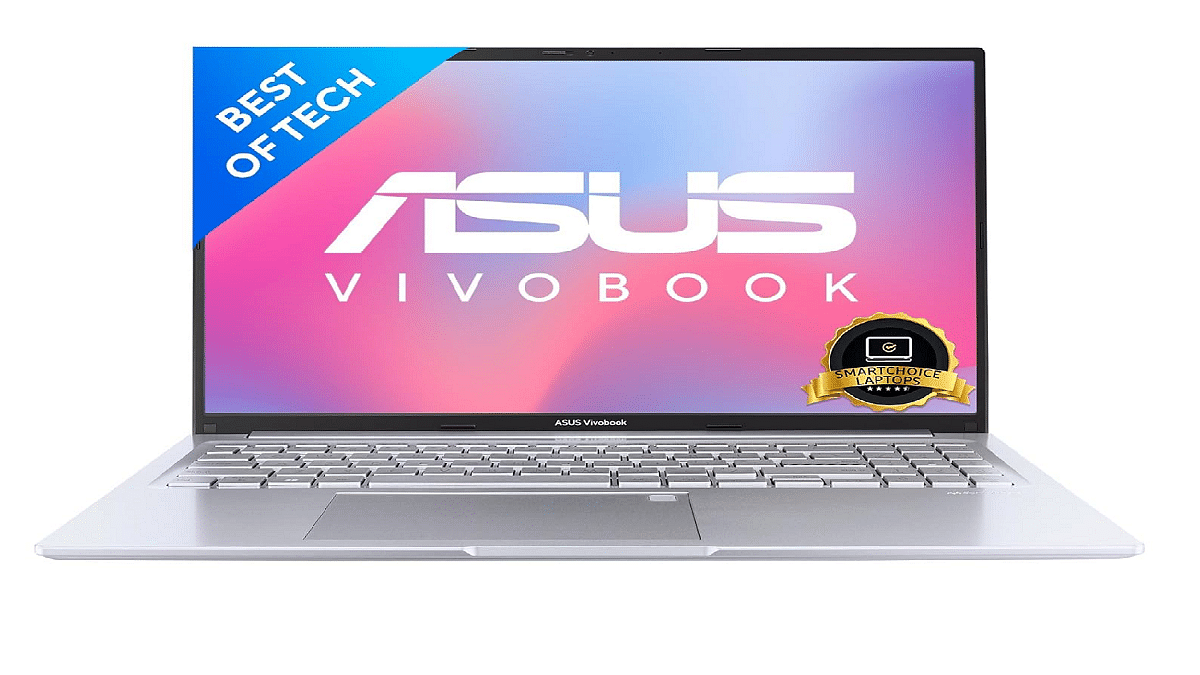
ASUS Vivobook 16XRs. 49,990
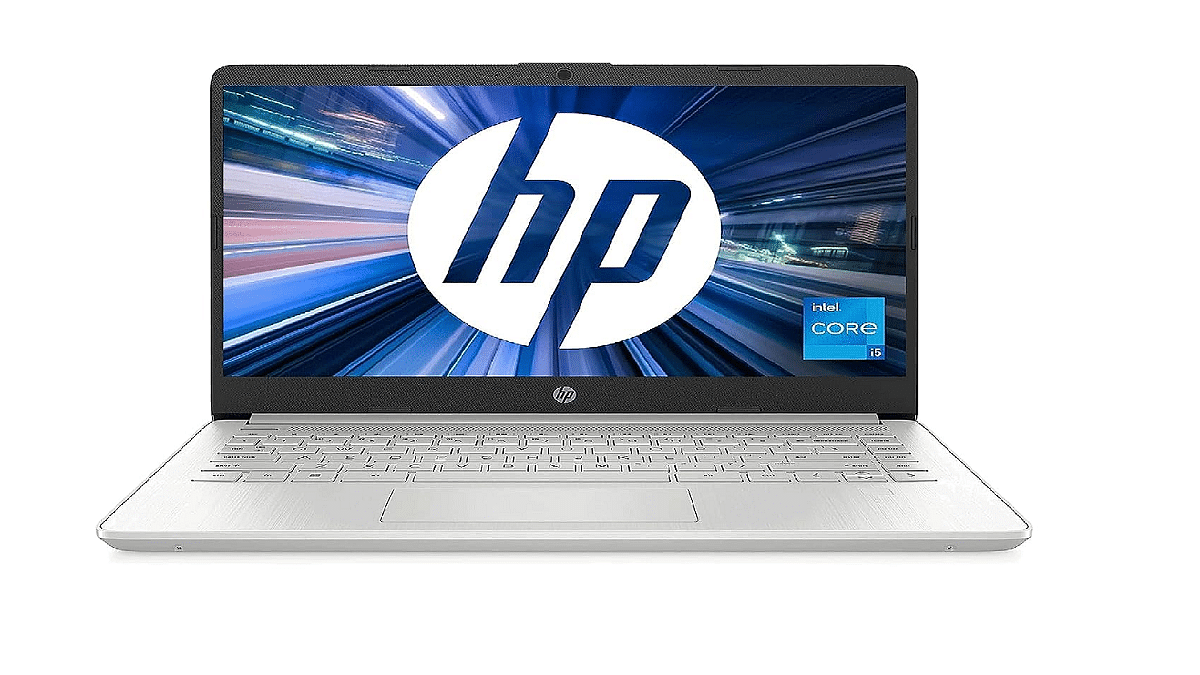
HP Laptop i5Rs. 55,990
MSI GF63 ThinRs. 54,990

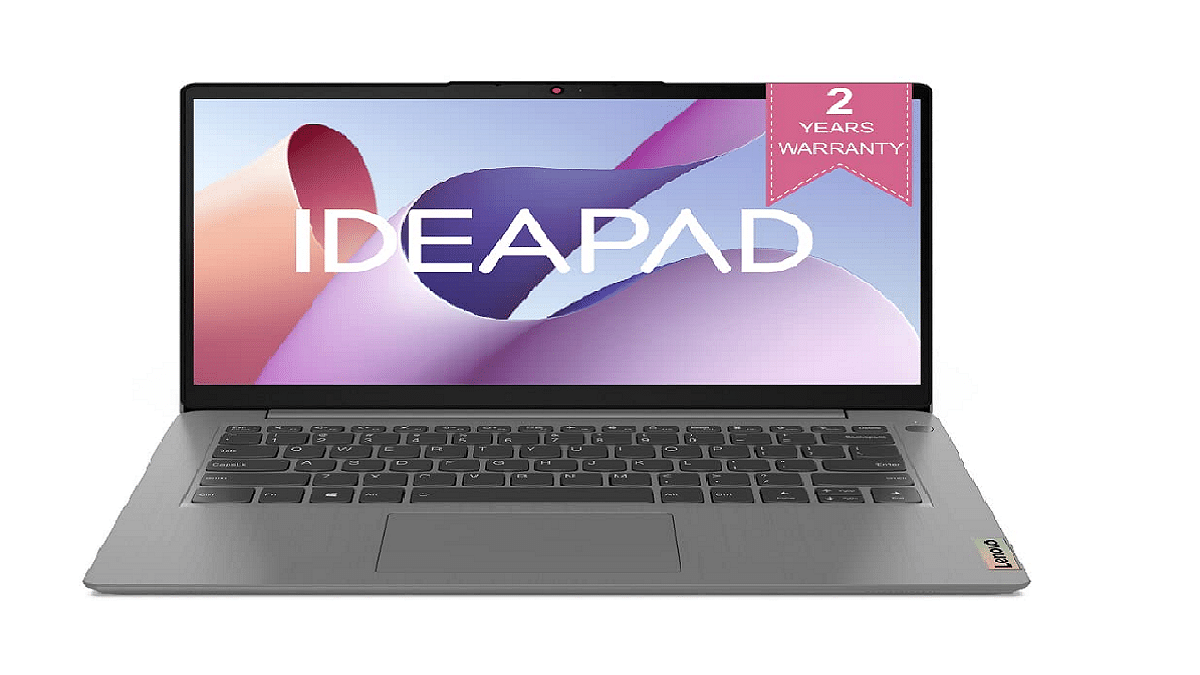
Lenovo IdeaPad Slim 3

Seize the opportunity to own the Lenovo IdeaPad 3 at a 21% discount during the Amazon Great Indian Festival Sale 2023 Kickstarter deals. This portable laptop boasts an ultra-thin, stylish design, a 15.6-inch display, an 11th-generation Intel Core i3-1115G4 processor, 8GB DDR4-2666 RAM (upgradable to 12GB), and a 256GB SSD for storage, making it an ideal choice for various tasks. Priced at Rs 39,290.

Also Read | Top 5 Best Laptops with SSD under Rs 50,000 in India – Check Out The Price and Details

ASUS Vivobook 16X

Explore the Amazon Great Indian Festival Sale 2023 Kickstarter deals on the ASUS Vivobook 16X and enjoy a 28% discount. This slim and lightweight laptop, equipped with an AMD Ryzen 5 processor, offers improved productivity and speed. It features a backlit keyboard for working in dim lighting and provides up to eight hours of battery life. Priced at Rs 49,990.

HP Laptop i5

Get a 22% discount on this HP laptop during the Amazon Great Indian Festival 2023 Kickstarter deals. This laptop offers multiple wireless connectivity options, fast charging capabilities, and a micro bezel display for a broader viewing experience. With a 512GB SSD, it’s perfect for multitasking without lag. Priced at Rs 55,990.

MSI GF63 Thin

The MSI GF63 Thin, a gaming laptop with a sleek design and robust hardware, is available for just Rs. 54,990, down from its original price of Rs. 92,990. This laptop boasts an Intel Core i7-11800H processor, a 144Hz display, 16GB RAM, 512GB NVMe SSD, and Nvidia GeForce GTX 1650 for a great gaming experience.

Also Read | Best Laptops Under Rs.45,000 For Online Learning In 2023

Categories
Apps Featured How To

Google Introduces Emoji Reactions To Gmail For Android: Here’s How To Use It

Key Highlights

  • Gmail users get an emoji reactions feature on its platform
  • This feature is currently available exclusively for Android users
  • It is set to expand to other platforms in the near future

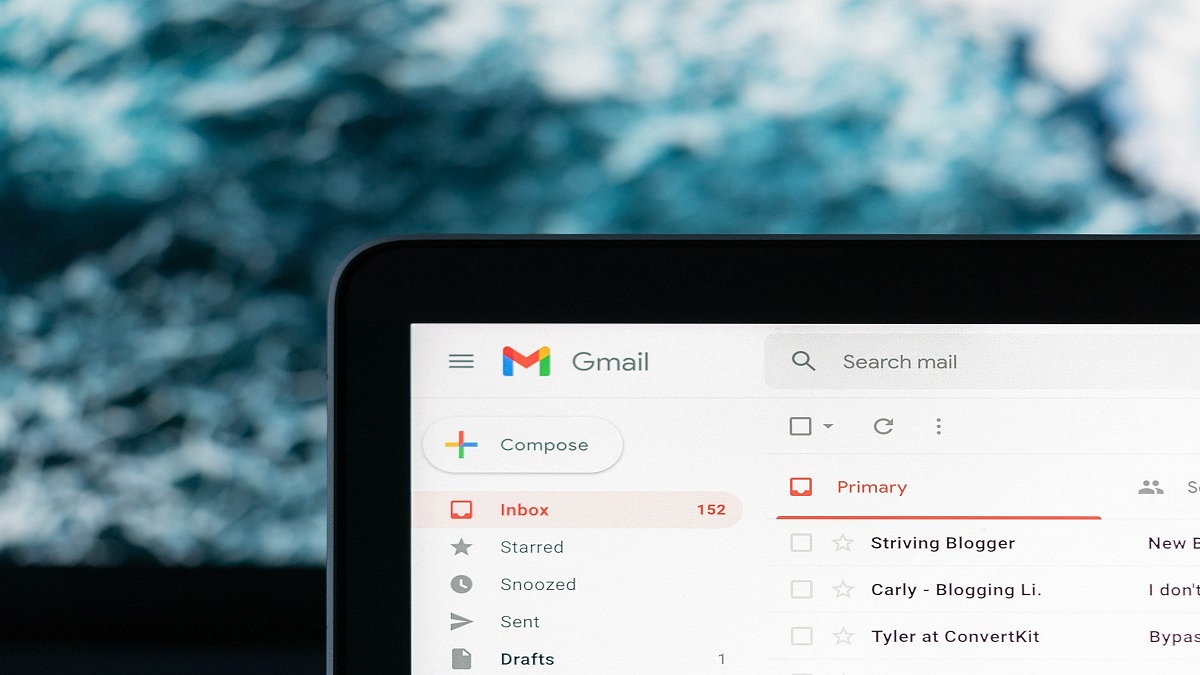
Google has followed the long-standing requests of Gmail users by introducing emoji reactions to the platform. This feature, currently exclusive to Android devices, offers a novel way to respond to emails with a touch of personalization. While Android users are the first to embrace this feature, it is expected to expand its reach to iOS and web platforms in the near future. Also Read | From Chaos To Clarity: Five Proven Methods To Keep Your Gmail Inbox Organized

How To Add An Emoji Reaction On Gmail

To engage with this new feature, Android users can follow these steps:

Step 1: Ensure that you are using an Android device, such as a smartphone or tablet.

Step 2: Open the Gmail app on your Android device.

Step 3: Navigate to the email you wish to respond to using an emoji reaction.

Step 4: Locate the ‘Add emoji reaction’ option situated beneath the email message. You will find a smiling emoji icon next to it.

Step 5: Google provides a selection of emojis for you to choose from in the emoji picker. Pick the one that best conveys your response.

Also Read | Running Low On Google Storage? Five Best Techniques To Clear Your Gmail Space

Things To Keep in Mind

While this new feature adds a layer of expressiveness to Gmail, there are some conditions to consider:

School and Work Accounts: Users with school or work accounts may not have access to the emoji reaction feature.

Gmail App Version: It’s important to keep your Gmail app up to date. Older versions may display an unusual message when someone reacts via Gmail.

Third-Party Apps: If you access your Gmail messages through third-party apps like Microsoft Outlook, emoji reactions may not be visible.

Frequency Limit: Gmail imposes a limit of 20 replies to the same message for emoji reactions. Additionally, this feature does not apply to group email lists.

Exploring Emoji Reactions

Emoji reactions on Gmail offer a spectrum of expressiveness. Some reactions are vibrant and entertaining, like the confetti reaction, which fills your Gmail page with virtual confetti. Others are more subtle, taking up minimal screen space. This range of reactions allows users to choose the one that best suits their mood or message.

Also Read | Gmail Tips And Tricks: How To Secure Your Google Account With Two-Factor Authentication

Categories
Featured Info Telecom

Vodafone Idea Upgrades Max Family Postpaid Plan With Data Sharing And Night-Time Unlimited Data

Key Highlights

  • Vi has upgraded its postpaid family plans
  • Vi is providing extra data perks on select family plans
  • Users can get up to 25GB of extra data from Vi

Vodafone Idea, also known as Vi, introduced new features to its Max Family postpaid plan, expanding the benefits for users. These additions include Data Sharing and Night-Time Unlimited Data, aimed at providing more value to customers subscribing to the company’s postpaid offerings.

Also Read | Premium Mobile Number: Here’s How To Get It From Vodafone-Idea

Data Sharing Feature

Vi’s latest offering allows users to boost their existing data plans by adding extra data, ranging from 10GB to 25GB. Notably, this feature permits primary and secondary family plan members to share the additional data allocation. In simpler terms, primary users can share the extra data they receive based on their plan with other family plan members.

Night-Time Unlimited Data

In addition to Data Sharing, Vi has extended Night-Time Unlimited Data benefits to Vi Max Family Postpaid Plans. This enhancement provides users with unlimited data access from 12 AM to 6 AM.

Also Read | How To Stop/ Deactivate Airtel, Vodafone, BSNL, JIO SIM Flash Messages On Android, iOS?

Plan Details

With these new features, Vi Max Family Plans offer large data quotas and additional perks:

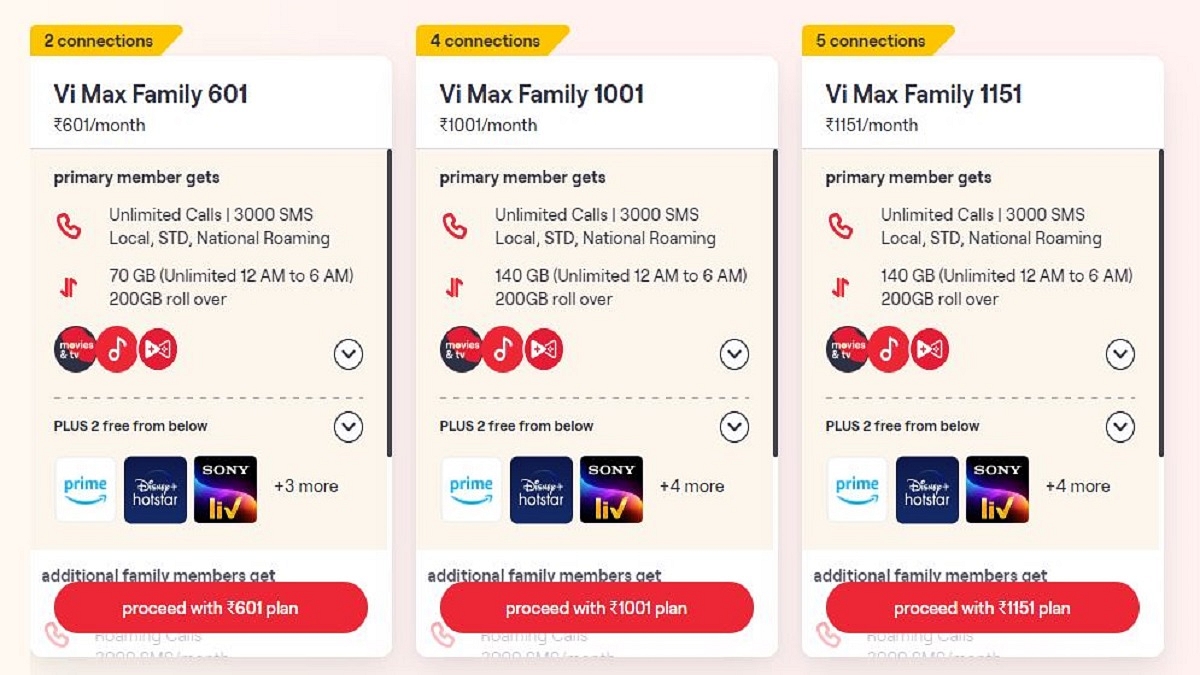
Vi Max Family 601 Plan

  • Price: Rs. 601 per month
  • Connections: Two
  • Features: Unlimited calls, 3,000 SMS, 70GB of unlimited data (12 AM to 6 AM), 200GB data rollover, Vi Movies and TV subscription, Hungama Music in Vi app, Vi Games, subscriptions to Disney Plus Hotstar for a year, Sony LIV for a year, and Amazon Prime for six months.
  • Additional Users: Unlimited calls, 3,000 SMS, 40GB data, and 200GB data rollover. The latest announcement includes an extra 10GB of data.

Vi Max Family 1001 Plan

  • Price: Rs. 1001 per month
  • Connections: Four
  • Features: Unlimited calls, 3,000 SMS, 140GB of unlimited data (12 AM to 6 AM), 200GB data rollover, Vi Movies and TV subscription, Hungama Music in Vi app, Vi Games, subscriptions to Disney Plus Hotstar for a year, Sony LIV for a year, and Amazon Prime for six months.
  • Additional Users: Unlimited calls, 3,000 SMS, 40GB data, and 200GB data rollover. The latest announcement includes an extra 20GB of data.

Also Read | Airtel Xstream AirFiber: How To Buy And Set Up Wireless Home Wi-Fi Connection

Vi Max Family 1151 Plan

  • Price: Rs. 1151 per month
  • Connections: Five
  • Features: Unlimited calls, 3,000 SMS, 140GB of unlimited data (12 AM to 6 AM), 200GB data rollover, Vi Movies and TV subscription, Hungama Music in Vi app, Vi Games, subscriptions to Disney Plus Hotstar for a year, Sony LIV for a year, and Amazon Prime for six months.
  • Additional Users: Unlimited calls, 3,000 SMS, 40GB data, and 200GB data rollover. The latest announcement includes an extra 25GB of data.

These enhancements to Vi Max Family Postpaid Plans provide users with more data, flexibility, and entertainment options, making these plans even more appealing.

For the tech geeks, stay updated with the latest cutting-edge gadgets in the market, exclusive tech updates, gadget reviews, and more right on your phone’s screen. Join Giznext’s WhatsApp channel and receive the industry-first tech updates.

Categories
Featured Info Printers

Fujifilm India Unveils Six A3 Multifunction Printers, Apeos Series: Check Key Features

Key Highlights

  • Fujifilm India launches Six A3 Multifunction Printers
  • These printers boast inflexible usability, enhanced security features
  • High-resolution printing of 1,200×2,400 dpi

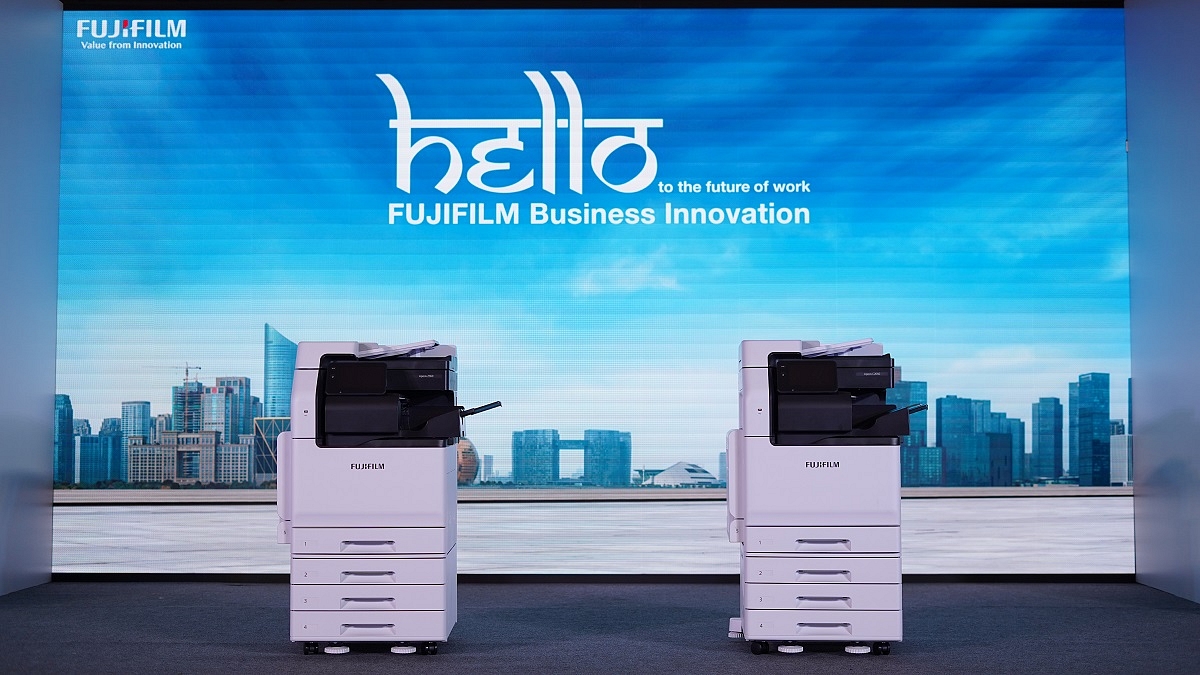
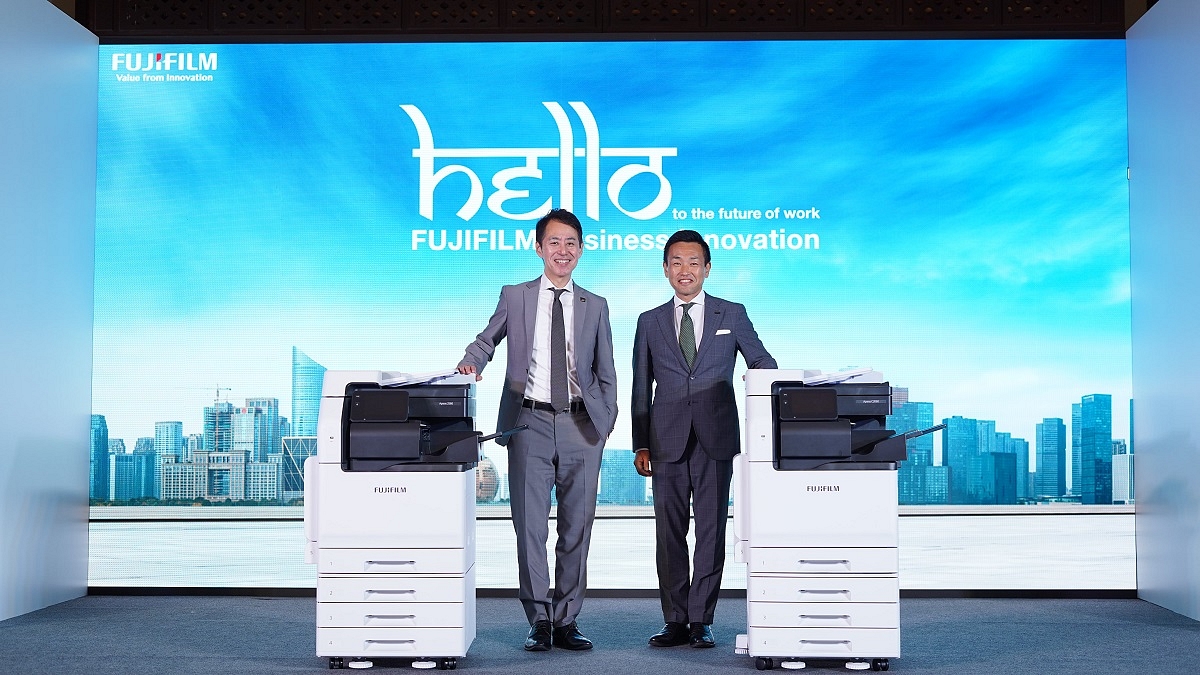
Fujifilm India has introduced the A3 multifunction printers, Apeos series, marking their debut in the Indian market. These printers, developed by Fujifilm Business Innovation Corp., will be available for purchase starting from September 27, 2023.

Also Read | Best Monochrome Laser Printers To Buy In India

Fujifilm India will offer A3 color multifunction printers, including Apeos C3060, C2560, and C2060, as well as A3 monochrome multifunction printers, Apeos 3560, 3060, and 2560. These printers are designed with a strong focus on productivity, reliability, and the increasing demands of the modern work environment. They boast inflexible usability, enhanced security features, and user-friendly operation to facilitate success in India.

Features Promoting Office Efficiency

Equipped with standard features such as a single-pass duplex document feeder, searchable OCR (optical character recognition), and NFC (Near Field Communication) printing, these printers are aimed at boosting overall office efficiency across diverse industries, ranging from enterprises and corporations to SMEs and government organizations.

Customer-Centric Approach

Priyatosh Kumar, Head of Graphic Communications at Fujifilm India, emphasized the company’s customer-centric approach and its aim to enhance job efficiency, quality, productivity, and cost management for customers. He noted that the printer business expansion is a natural extension of Fujifilm India’s strong portfolio of products serving various industry segments.

Also Read | Best 3D Printers To Buy In India: Top Choices For Home And Work Use

Masatsugu Naito, President of FUJIFILM Business Innovation Asia Pacific Pte. Ltd., expressed enthusiasm about entering the Indian market, stating, “With India’s rising economy and its attractive location for all industries, we are excited to enter this market through FUJIFILM India and provide our years of expertise in enabling digital transformation to all businesses in India.”

Key Features Of Fujifilm Apeos C3060, C2560, C2060, And Apeos 3560, 3060, 2560

  • High-resolution printing of 1,200×2,400 dpi (1,200×1,200 dpi for some models) with image enhancement technology.
  • Single-pass duplex scanning and automatic document feeding at 80 pages per minute for improved work efficiency.
  • Advanced scanning functions, including searchable OCR, automatic page orientation correction, and blank page removal.
  • Robust security features to protect data from malicious intent, with strong encryption for data storage and transmission and measures to prevent unauthorized access or information leakage.

Also Read | Best Wi-Fi Enabled Ink Tank Printers Under Rs. 20,000 In India

Categories
Featured Info Mobile

Philadelphia Apple Store Looted, iPhone 15 Security Shines: Here’s How

Key Highlights

  • People looting PhiladelphiaApple Store video goes viral
  • They loot demo units of the iPhone 15 series
  • They soon abandoned the stolen products

A viral video showcasing the looting of an Apple Store in Philadelphia has captured the attention of many. In this article, we will delve into the details of the incident and explain why it ultimately ended in failure.

Also Read | Thieves Get Crafty, Tunnel Into Apple Store To Steal Over 400 iPhones Worth Millions

The Looting Scene

In the now-infamous video, a group of individuals is seen ransacking an Apple Store, gleefully seizing what they believe to be a treasure trove of iPhones. Laughter fills the air as they storm into the store, enthusiastically snatching up the products. Amidst the chaos, one person even enthusiastically shouts, “free iPhones.”

However, what these looters managed to lay their hands on were not the coveted, fully functional iPhones sold to customers. Instead, they unwittingly targeted demo units meant solely for display purposes. These demo units may closely resemble regular iPhones in appearance and functionality, but they are armed with security features specifically designed to thwart theft.

Security Measures

Apple’s security measures for these demo units proved to be the looters’ failure. These iPhones are equipped with tracking capabilities that allow Apple to remotely monitor and control them if stolen. This includes setting off alarms, rendering the devices unusable, and even activating the camera to gather evidence.

Also Read | How To Maximize iPhone Battery Health: Tips & Tricks

It appears that the looters were unaware of these security measures initially, as many of them were observed abandoning the stolen goods shortly after the theft. Numerous iPhones and iPads were reportedly discarded on the streets, marking a hasty retreat from their ill-conceived heist.

Alarm Activation

A particularly incriminating moment during the incident was captured when one of the individuals filmed the crime in progress. An alarm on the iPhone in their possession was triggered, displaying a message urging its return to the Apple Walnut Street location. The message also indicated that the device had been disabled and was being actively tracked.

Adding to the looters’ misfortune, the green indicator light on the iPhone signaled that its camera was in use, recording their actions. This further underscored the futility of their attempt.

In the end, the looters’ ambitious endeavor to steal iPhones and iPads from the Philadelphia Apple Store turned out to be a loud failure. Their lack of awareness regarding the demo units’ security features, coupled with the swift activation of alarms and cameras, ensured that justice swiftly caught up with their vague incident.

Also Read | Apple Hacks: Here’s How To Hide And Unhide Your Photos On iPhone

Categories
Apps Featured How To

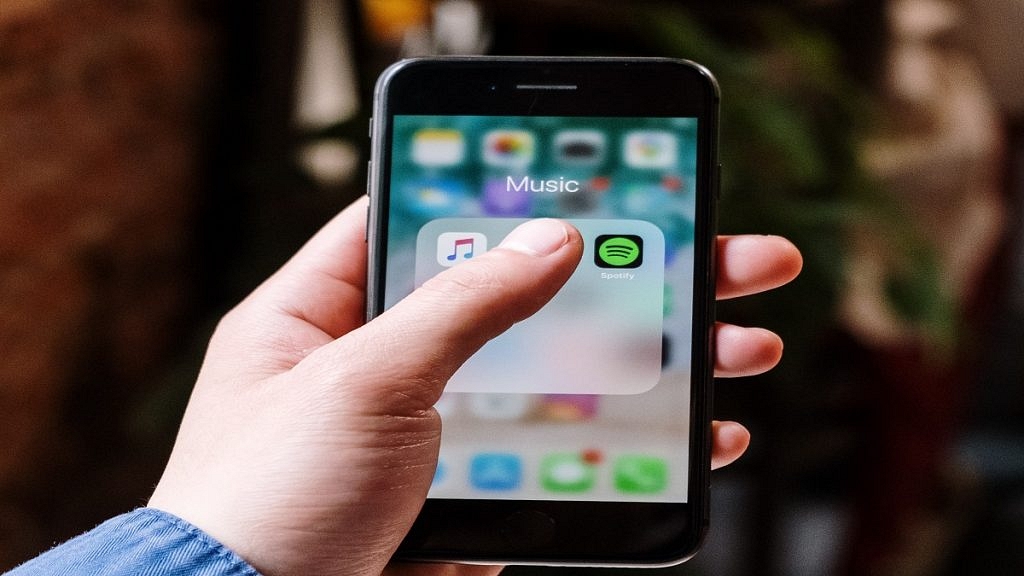
Spotify Tips & Tricks: How To Tune Into Podcasts In Your Native Language

Key Highlights

  • Spotify introduces new AI-powered feature
  • It helps to translate podcasts into listeners’ language
  • The feature is available for Premium and Free users

Spotify is making a significant leap by introducing an innovative AI-powered feature that promises to break language barriers for podcast enthusiasts. This feature, known as Voice Translation, leverages OpenAI’s cutting-edge voice-generative technology to translate podcasts into the listener’s preferred language while preserving the unique speaking style of the original host.

Also Read | Want To Download Songs On Spotify For Offline Playback? Here’s How

Expanding Podcast Availability

In the past, many podcast enthusiasts who weren’t fluent in English faced limitations in accessing a plethora of English-language podcasts. With Spotify’s Voice Translation, this barrier is shattered. Now, podcast episodes previously available exclusively in English will become available in various languages, each retaining the distinctive speech characteristics of the original speaker.

Initial Rollout

Spotify is gradually rolling out this groundbreaking feature, starting with the Spanish language. In the weeks to come, it plans to extend Voice Translation support to French and German languages. Initially, this feature will be available for select episodes in the catalog and future releases.

Diverse Podcast Content

Spotify’s platform already hosts an array of popular podcasts, including those from renowned podcasters like Dax Shepard, Monica Padman, Lex Fridman, Bill Simmons, and Steven Bartlett. The company has ambitious plans to include even more shows, such as “Dax Shepard’s eff won with DRS,” “The Rewatchables” from The Ringer, and a new original podcast by Trevor Noah slated for launch later this year.

Availability To All Users

One of the most appealing aspects of Voice Translation on Spotify is its accessibility. Both Premium and Free users can enjoy this feature. Spotify is taking a phased approach to its release, with Spanish translation available immediately, followed by French and German translations in the near future.

Also Read | Best Instagram Features That Are Worth Trying

How To Use Voice Translation On Spotify

If you’re eager to explore this feature, here’s a step-by-step guide on how to make the most of Voice Translation on Spotify:

Step 1: Open the Spotify app or download it from the Google Play Store or Apple App Store if you haven’t already.

Step 2: Use the search bar at the top to find your favorite podcast and tap to open it.

Step 3: Once you’ve chosen the podcast, select the specific chapter you want to listen to and navigate to the “Now Playing” view.

Step 4: Scroll down to find the “Listen to the audio translation – Spanish (or any other available language)” option and tap the Play button.

With Spotify’s Voice Translation, language will no longer be a barrier to enjoying your favorite podcasts, opening up a world of diverse content for listeners around the globe.

Also Read | Are You A Music Lover? Here’s The Best Music Apps In India

Categories
Featured Info Laptop

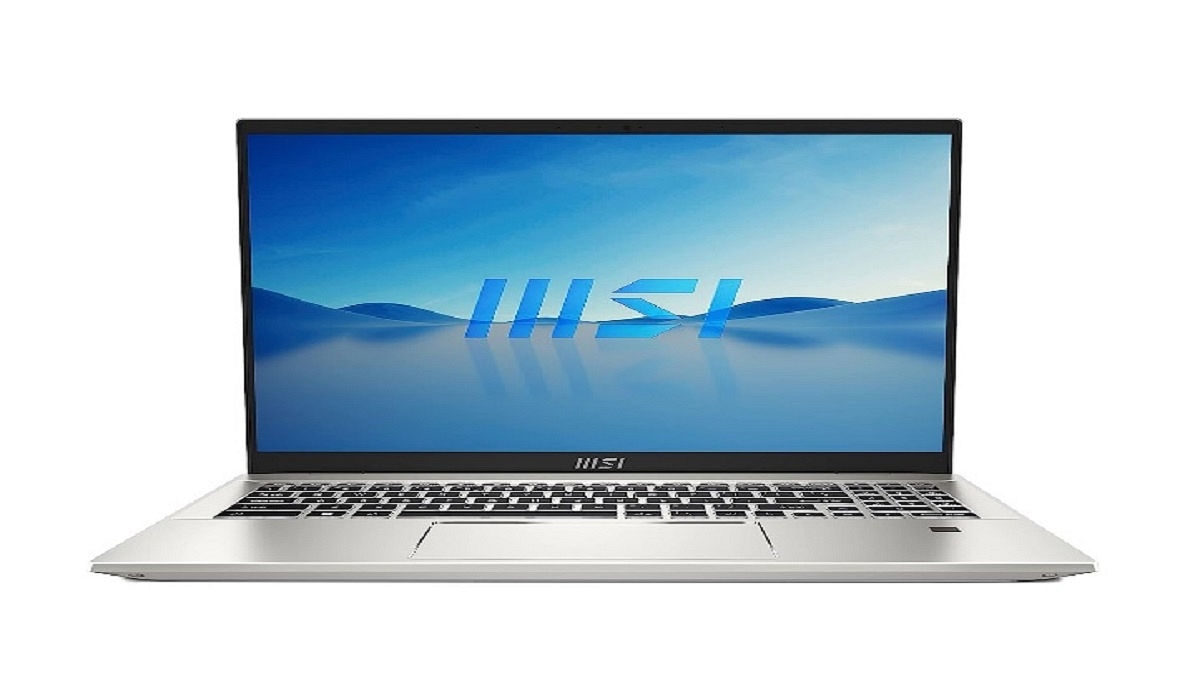
MSI Festive Offers: Grab Up To 40% Discount On Gaming And B&P Laptops

Key Highlights

  • MSI announced its ‘Festival of Lights Sale’
  • Discounts up to 40% on Gaming and Business & Productivity series of laptops from Oct 1 till Nov 15
  • Bundle offers on offline purchases at MSI brands till November 30

MSI announced its ‘Festival of Lights Sale’ as part of Diwali celebrations. This festive extravaganza, in collaboration with Amazon and Flipkart, showcases an array of offers and unprecedented discounts on MSI’s extensive range of gaming and business & productivity series laptops. These deals and exclusive bundle offers will be available at authorized Brand stores, Reliance Digital, and all MSI-authorized physical resellers until November 15, 2023.

Also Read | Flipkart Big Billion Days Sale 2023: Big Bank Discounts And Offers Teased For Shoppers

Special Bundle Offers And Discounts

MSI extends bundle offers and discounts at its brand stores and authorized retail outlets until November 30. This includes a complimentary $30 US Steam wallet on the purchase of MSI Raider, Titan, Vector, and Stealth laptops. Furthermore, customers investing in an MSI Creator, Summit, or Prestige series laptop will receive a Rs. 3,000 Amazon gift card as an added perk. Lastly, those opting for an MSI Modern series laptop stand a chance to win a Rs. 1,000 Amazon gift card, along with the possibility of receiving MSI gaming mice M99 and M88 with laptop purchases.

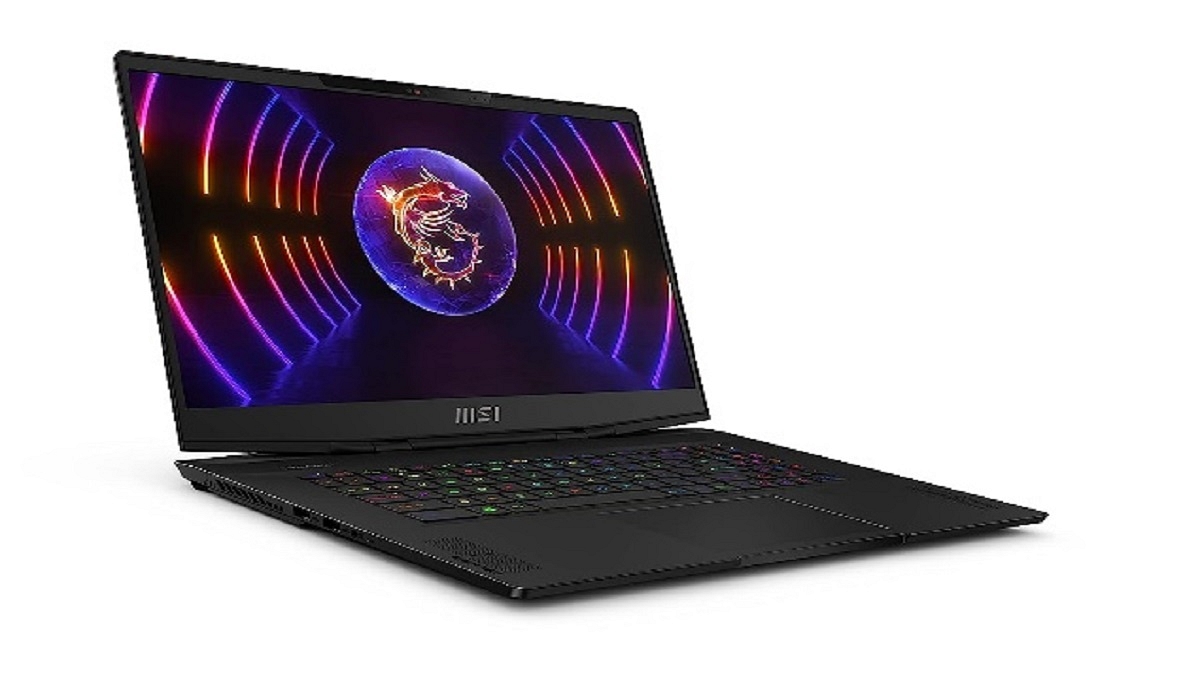
MSI Stealth Series: High-End Gaming Laptops

The MSI Stealth series starts at an attractive price point of Rs. 1,29,990.

DisplayUp to 13th Gen HX Gen. Intel Core i7 Processor
ProcessorUp to 16-inch 16:10 QHD+ (2560 x 1600), 240Hz, 100% DCI-P3, IPS-level panel
Graphics CardUp to RTX 4070, GDDR6 8GB
RAMUp to DDR5 16GB*2
Storage1TB
KeyboardPer-Key RGB gaming keyboard by SteelSeries

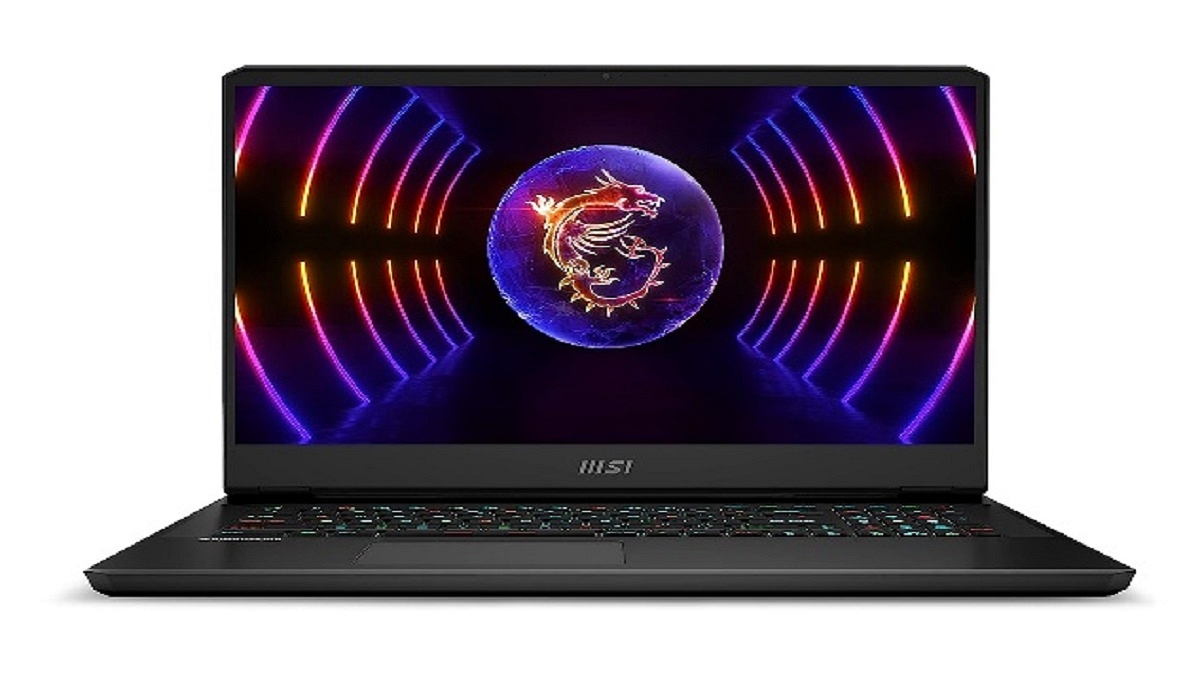
MSI Vector GP Series: Performance Gaming Laptops

The MSI Vector GP series starts at a competitive price of Rs. 1,85,990.

Vector GP77 Specs:

DisplayUp to 17.3-inch QHD (2560 x 1440), 240Hz DCI-P3 100% typical
Processor13th Gen. Intel Core i9/i7 Processor
Graphics CardUp to RTX 4090, GDDR6 16GB
RAMUp to DDR5 16GB*2
StorageUp to 2TB
KeyboardPer-Key RGB gaming keyboard by SteelSeries

Also Read | Best Laptops Under Rs.45,000 For Online Learning In 2023

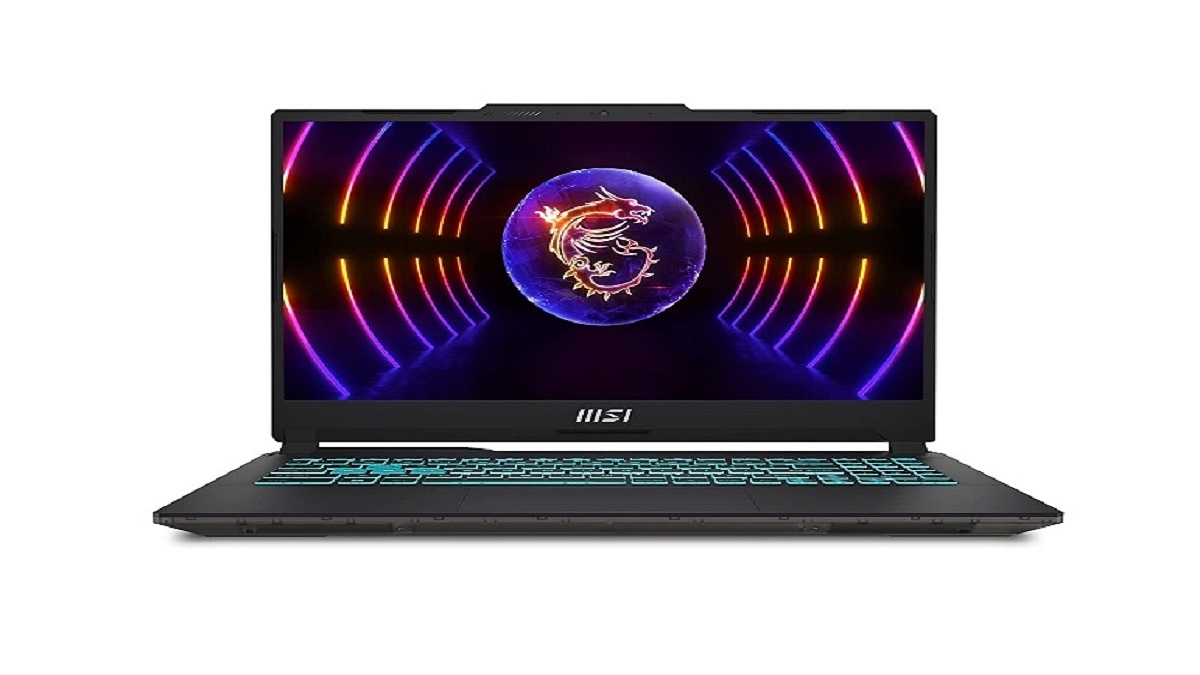
MSI’s Cyborg, Thin, Pulse, Sword, Katana Series: Mainstream Gaming Laptops

MSI’s Cyborg, Thin, Pulse, Sword, and Katana series laptops are priced starting at Rs. 46,990.

Cyborg 15 Specs

Display15.6-inch FHD (1920 x 1080), 144Hz 45% NTSC IPS-Level
ProcessorUp to 12th Gen. Intel Core i7/i5 Processor
Graphics CardUp to RTX 4060, GDDR6 8GB
RAMUp to DDR5 8GB*2
StorageUp to 512GB
KeyboardBlue Backlit Gaming Keyboard

Business And Productivity Laptops

MSI’s Business and Productivity series of laptops start at Rs. 29,990.

Prestige 16 Specs:

Display14-inch FHD+ 60Hz, 1.5W 100% sRGB
Processor13th Gen. Intel Core i7 Processor
Graphics CardIris XE graphics/ RTX 4050/2050, GDDR6 4GB
RAMLPDDR5 16GB
Storage1TB
KeyboardSingle backlight Keyboard (White)

Also Read | Amazon Great Indian Sale Offers Revealed: Grab 75% Off On Popular Earbuds, Headphones, And More

Categories
Featured How To Mobile

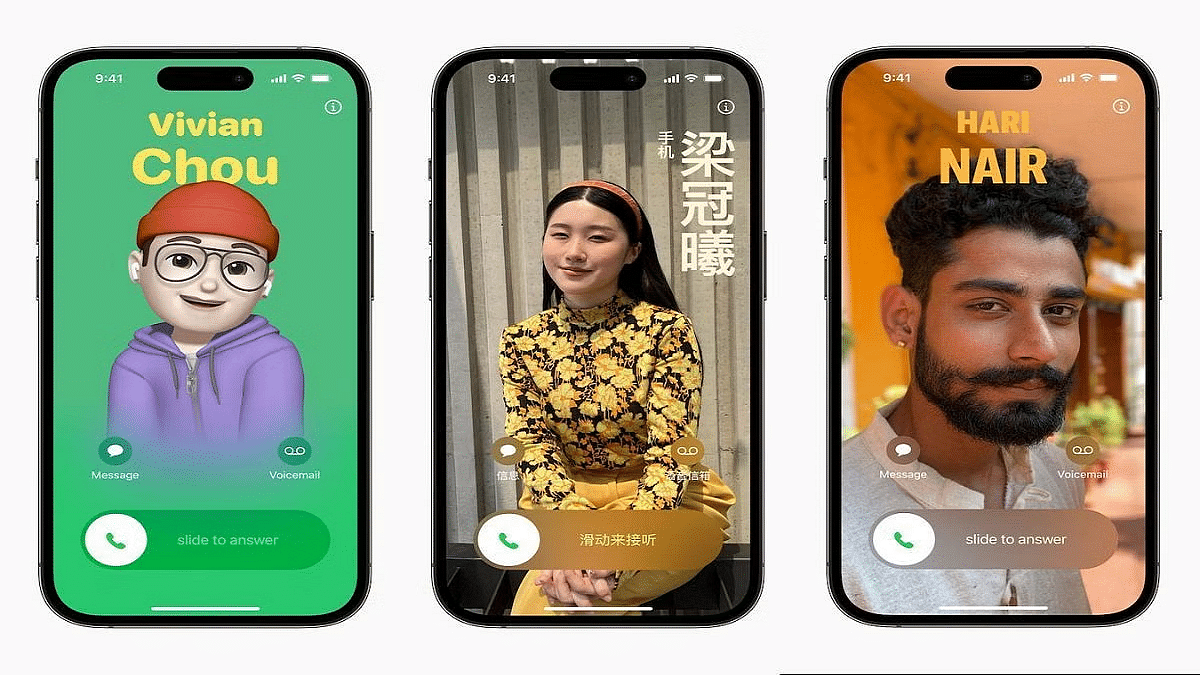
iOS Tips & Tricks: Learn How To Set Up Your Contact Poster On iPhone

Key Highlights

  • iPhones now have a new Contact Posters feature
  • Users of Contact Posters can choose to make their contact information public
  • Users can connect their Contact Poster and Medical ID

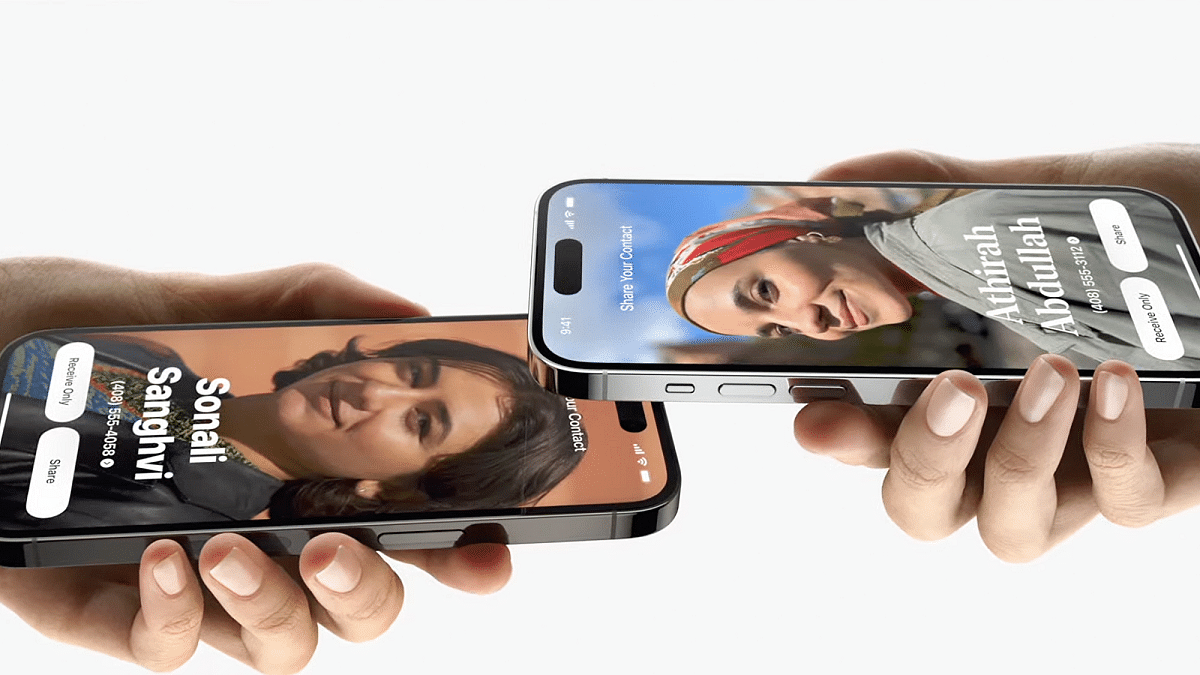
Apple recently launched iOS 17, introducing a range of new features for supported iPhones, including Standby mode, Offline mode, and Contact Posters. Among these, Contact Posters stand out as a unique offering, allowing users to create personalized calling cards displayed when they make calls to other iPhones. Importantly, Contact Posters are associated with your contact number or email address and can only be viewed by contacts you authorize.

Also Read | iOS Tips And Tricks: How To Change Or Set A Customized Background In Safari Web Browser On iPhones

How To Create Your Contact Poster

To use Contact Posters effectively, you’ll need to manage sharing settings and create your Contact Poster. Here’s a step-by-step guide:

Step 1: After updating to iOS 17, open the Contacts app.

Step 2: Look for the new “My Card” tab and select it.

Step 3: Within “My Card,” choose “Contact Photo & Poster.”

Step 4: Enable Contact Poster sharing by toggling the switch. Keep in mind that if you leave this off, others won’t be able to view your Contact Poster.

Step 5: When you attempt to enable sharing, you’ll encounter two options: “Automatically share your Contact Poster with existing contacts” or “Always Ask before sharing your Contact Poster.” Select your preferred option.

Also Read | iOS 17 Live Voicemail: How To Use It On Your iPhone

Now, let’s explore the customization options for your Contact Poster:

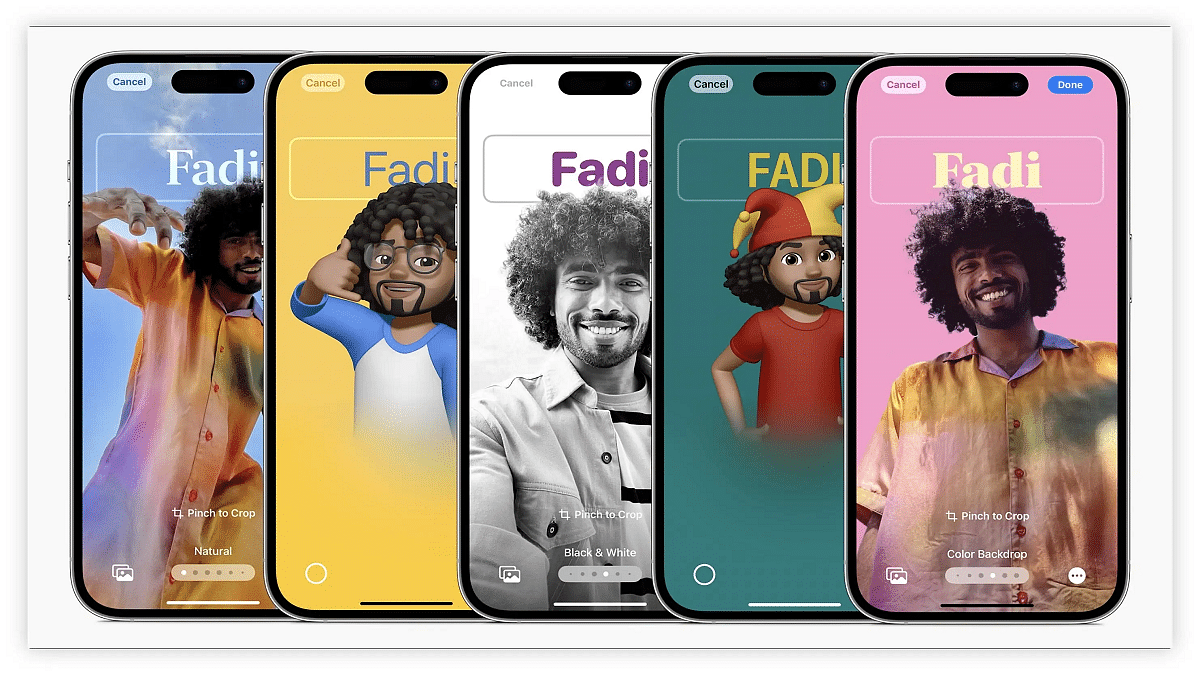
Step 1: To begin, choose a photo. Alternatively, you can opt for the Memoji feature, a virtual avatar of yourself (you may need to create one if you haven’t already).

Step 2: Once you’ve made your photo or Memoji selection, you can add various personal details to your Contact Poster. This includes your name, pronouns, nickname, social media handles, alternative contact numbers, address, personal notes, and email.

Step 3: Furthermore, you have the option to create a Medical ID and link it to your Contact Poster.

By following these simple steps, you can easily create and personalize your Contact Poster on iOS 17. This feature adds a unique touch to your calls and enhances your contact interactions.

Also Read | iOS Tips And Tricks: How To Setup And Use AutoFill For Contact Cards And Credit Cards In Safari On iPhones And iPads

Categories
Featured How To Mobile

Android Tricks: Here’s How To Enable Earthquake Alerts On Your Phone In India

Key Highlights

  • Google is introducing Earthquake Alerts for Android in India
  • Users who use this function will receive earthquake alerts in their area
  • It will be compatible with Android OS 5 and newer OSes

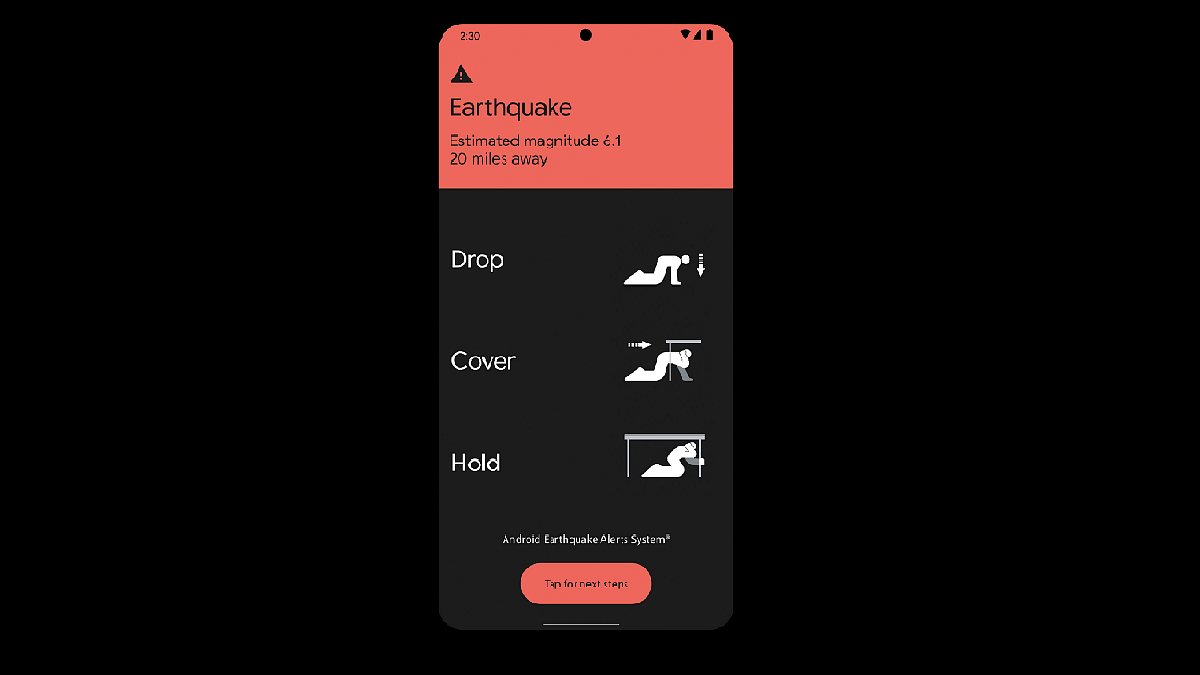
Google has introduced Earthquake Alerts on Android smartphones in India through a partnership with the National Disaster Management Authority (NDMA) and the National Seismology Center (NSC). This system harnesses smartphone data to detect early signs of earthquakes and notify users in affected areas.

Also Read | Want To Get Weather Alerts On Your iPhone? Here’s How To Do It

How It Works: Smartphone Seismometers

In a blog post, Google explained that Android smartphones are equipped with accelerometers that act as mini seismometers. When a charging phone detects initial earthquake tremors, this data is relayed to Google’s servers. If multiple phones detect similar shaking simultaneously, the system estimates the earthquake’s occurrence, epicenter, and magnitude. Subsequently, alerts are sent to nearby phones.

Two Types Of Alerts For Android Users

Android users will receive two types of alerts based on smartphone data:

Be Aware Alert: This alert is designed to inform users about light shaking, providing additional information upon tapping the notification. It respects the user’s volume, Do Not Disturb, and notification settings.

Take Action Alert: Geared toward warning users before they experience moderate to heavy shaking, this alert interrupts Do Not Disturb settings, activates the screen, and emits a loud sound to prompt users to take protective measures.

Also Read | How To Use Missed Call Alert Feature: Check All Steps Here

How To Enable Earthquake Alerts On Android Phones

While Google is rolling out this feature to Android devices running Android 5 and newer OS versions, users must manually enable it. Here are the steps to activate Earthquake Alerts on Android smartphones in India:

Step 1: Turn on mobile data or Wi-Fi on your Android phone.

Step 2: Open the Settings app.

Step 3: Access Safety & emergency settings.

Step 4: Choose the Earthquake Alerts option.

Step 5: If you can’t find Safety & emergency, navigate to Location, then Advanced, and finally Earthquake alerts.

Step 6: Toggle the Earthquake Alerts option to enable it.

Google’s Earthquake Alerts aim to enhance safety and preparedness for seismic events among Android users in India.

Also Read | Google Maps Location Sharing Alert Notification: How To Notify Your Contacts Of Your Arrival And Departure Using Maps