Categories
Apps Featured Info

Instagram Faces Threat As TikTok Nears Launch Of Its Own Photo-Sharing App

Key Highlights

  • TikTok launching TikTok Notes: a new photo-sharing app
  • The app will automatically share public TikTok photo posts
  • It is said to be a potential Instagram competitor

TikTok, the popular app for making and sharing short videos, is gearing up to introduce a new app that could challenge Instagram. The app, called TikTok Notes, is designed for sharing photos along with captions. Also Read | Instagram Tips To Create The Best Bio For Boys

What’s Happening

In a notification sent to users, TikTok announced the upcoming launch of TikTok Notes. This new app will automatically share both existing and future public photo posts from TikTok to TikTok Notes. Users will have the option to choose whether they want their photos shared on the new platform.

TikTok Notes: Details

TechCrunch reported that a new web address (photo.tiktok.com) briefly appeared online, leading to a page prompting users to open posts in the TikTok Notes app. The page also displayed an image suggesting that users will be able to add captions to their photos.

TikTok’s Statement

In response to inquiries, TikTok stated that it is exploring ways to allow its community to express creativity through photos and text in a dedicated space. However, the company did not specify when the app will be released.
Rumors about a TikTok photo-sharing app surfaced last month when code within the TikTok app hinted at an upcoming app named TikTok Photos.

Also Read | Snapchat unveils tiktok clones for india

Implications

With the imminent launch of TikTok Notes, the competition between TikTok and Instagram is expected to intensify. TikTok Notes is likely to attract users quickly as it will automatically include photos already shared on TikTok, thus avoiding the challenge of building an initial user base.

Conclusion

As TikTok moves closer to launching its photo-sharing app, TikTok Notes, it could mark a significant shift in the social media landscape. Users can anticipate a new platform for sharing their creativity through photos and captions, potentially reshaping how they engage with visual content online.


Categories
Apps Featured Info

Ready To Float And Feast? Swiggy Now Delivering To Dal Lake Houseboats

Key Highlights

  • Swiggy delivers to Dal Lake houseboats via Shikharas
  • Over 300 restaurants are available on Swiggy in Srinagar
  • Swiggy partners with IRCTC for train food delivery in select cities, with expansion plans to 59 more stations

Swiggy, the food delivery giant, now brings meals right to your doorstep, or rather, your houseboat, on the famous Dal Lake in Srinagar. To accomplish this, delivery partners hop on the traditional Shikharas, navigating the serene waters to reach these unique floating accommodations. Also Read | Top 5 Alternatives To Blinkit For 10-Min Delivery In India 2024

Partnership With Shikara Operators

In a bid to cater to the needs of tourists and locals alike, Swiggy has teamed up with Shikara operators, ensuring timely deliveries to the scenic houseboats. The operators receive compensation for the additional time taken for these deliveries, as stated in a Swiggy press release.

Expanding Swiggy’s Reach

According to Sidharth Bhakoo, National Head of Business at Swiggy Food, this initiative underscores Swiggy’s commitment to providing unmatched convenience, regardless of where their customers are located. Since starting its services in Srinagar in 2022, Swiggy has enlisted over 300 restaurants, providing a diverse range of delicious cuisines.

Swiggy’s Collaboration With IRCTC

Swiggy doesn’t stop at houseboats; it’s also making waves in the railway catering sector. Teaming up with the Indian Railway Catering and Tourism Corporation (IRCTC), Swiggy aims to deliver food to train passengers in Bengaluru, Bhubaneshwar, Visakhapatnam, and Vijayawada. Over the next six months, they plan to extend this service to 59 more train stations, providing travelers with an array of food options.

Sanjay Kumar Jain, the head of IRCTC, revealed that they’re already facilitating food delivery at approximately 350 major stations where trains make extended stops. Working with 17 different companies, including Zomato, IRCTC has generated significant revenue by serving meals to around 60,000 passengers daily, without any complaints.

Also Read | Gogoro Partners With Swiggy For Electric Scooter Deliveries In India

Future Plans

Initially, Swiggy will roll out its railway delivery service in the four aforementioned cities. This collaboration marks IRCTC’s second foray into food delivery partnerships, having previously teamed up with Zomato to offer pre-ordered meals at stations in New Delhi, Prayagraj, Kanpur, Lucknow, and Varanasi.

Categories
Apps Featured Info

Google Upgrades Find My Device Network: Five Features You Need To Know

Key Highlights

  • Enhanced security and privacy in Find My Device
  • Offline device location and Bluetooth tag tracking
  • Integration with Nest devices and accessory sharing for easier tracking

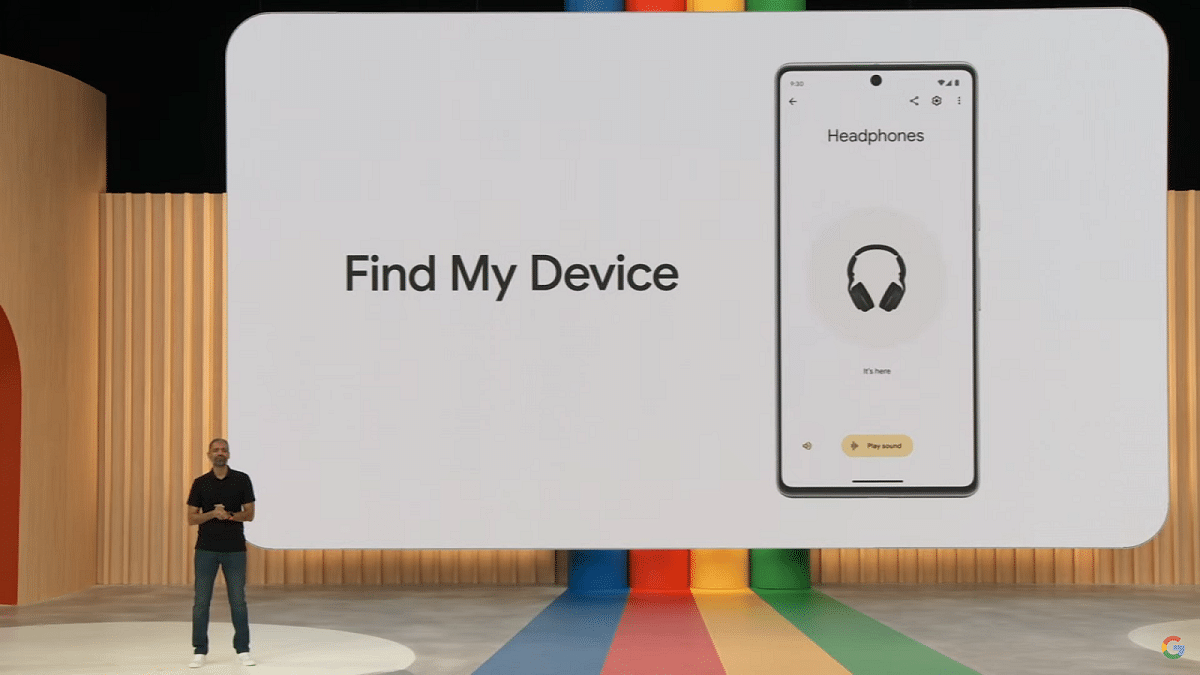
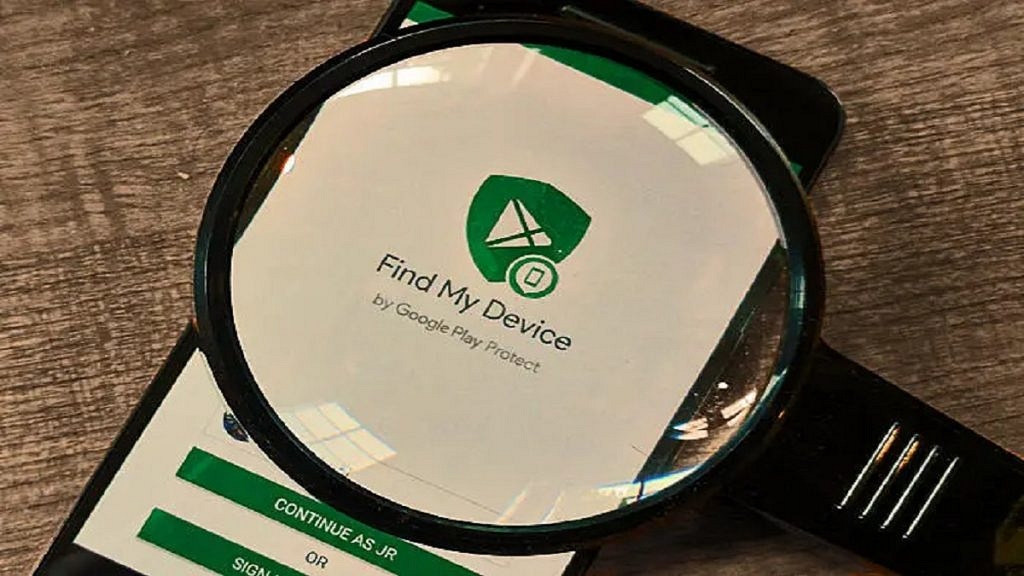
Google has introduced a major upgrade to the Android device tracking system with the global rollout of the new Find My Device. Starting its journey in the United States and Canada, this innovative system uses a vast network of over a billion Android devices to help users quickly and securely locate misplaced devices and everyday items. Also Read | Lost Your Samsung Smartphone? Learn How To Track It Using Find My Mobile And Find My Device

Enhanced Security and Privacy

Find My Device prioritizes security and privacy with multiple layers of protection, including end-to-end encryption of location data and aggregated device location reporting. These measures ensure that users’ personal information remains safe while providing them with unparalleled control over their connected devices.

Compatibility

The new Find My Device app is compatible with devices running Android 9 and above, steering in a new era of device tracking and security.

Find My Device: Key Features

1. Locate Offline Devices

Owners of compatible Android devices can easily locate their devices even when they’re offline. Through the app, users can ring their devices or track their locations on a map, ensuring that even the most subtle gadgets can be found. Pixel 8 and 8 Pro users benefit from specialized hardware that allows device location even when powered off or with a depleted battery.

2. Track Everyday Items With Bluetooth Tags

Find My Device now supports tracking everyday items like keys, wallets, or luggage using Bluetooth tracker tags from brands like Chipolo and Pebblebee. These tags, integrated into the app starting in May, offer compatibility with unknown tracker alerts across Android and iOS, protecting users against unwanted tracking. More Bluetooth tags from eufy, Jio, Motorola, and others are expected to be released later this year.

Also Read | How To Find Or Track Lost Apple AirPods Easily: Step By Step Guide

3. Find Nearby Items

The new “Find nearby” button helps users locate their lost devices or everyday essentials when they’re closer than expected.

4. Pinpoint Devices At Home With Nest

Find My Device now integrates with Nest devices, allowing users to determine a lost device’s proximity to their home Nest devices, streamlining the search process significantly.

5. Share Accessories With Friends And Family

Users can now share accessories like house keys, TV remotes, or luggage with friends and family, enabling collaborative tracking efforts and ensuring everyone remains vigilant and prepared for potential losses.

Categories
Apps Featured Info

Spotify’s New: Personalized Playlists Made Simple With AI Prompts

Key Highlights

  • Spotify launches AI playlists for personalized music
  • Users can create playlists with prompts
  • AI tailors playlists based on user preferences

Spotify, known for its AI DJ feature, now brings artificial intelligence to playlist creation. Users can generate playlists by simply typing prompts. This beta feature initially rolls out to Android and iOS users in the U.K. and Australia. Here’s all that you need to know. Also Read | Learning On Spotify? This Music Streaming App Testing Video-based Courses

Customized Playlists For Every Mood

Beyond traditional requests based on genre or time, Spotify’s AI allows for more unique prompts like “songs to serenade my cat” or “beats to battle a zombie apocalypse.” These prompts can reference anything from places to emojis. The best playlists combine genres, moods, artists, and decades.

Personalized Recommendations

Spotify tailor playlists based on users’ tastes and preferences. After generating a playlist, users can refine it by requesting changes like “less upbeat” or “more pop.” They can also remove songs they don’t like.

Technology Behind The Scenes

Spotify employs large language models (LLMs) to understand user intent and personalization technology to create personalized playlists. The company uses third-party tools for its AI and machine learning.

Development and Testing

Hints of AI playlists surfaced in October 2023. Spotify confirmed testing in December 2023 after a TikTok video showcased the feature. Users can find the feature in the “Your Library” tab by tapping the plus button (+) and selecting “AI Playlist.”

Also Read | Spotify Tips & Tricks: How To Tune Into Podcasts In Your Native Language

How To Use

If users need prompts, Spotify suggests ideas like “get focused at work with instrumental electronica” or “explore a niche genre like Witch House.” To save a playlist, users tap “Create.”

Spotify ensures the AI doesn’t respond to offensive prompts or those related to current events or specific brands.

Conclusion

Spotify’s AI investments include the global expansion of AI DJ and exploring AI applications in summarizing podcasts and creating AI-generated audio ads. The company is also researching AI tech for cloning podcast hosts’ voices.

Before AI playlists, Spotify introduced Niche Mixes, allowing users to create personalized playlists using prompts. However, it lacked AI technology and sophisticated language understanding.

Categories
Accessories Apps Featured Info

Blinkit Brings Sony PlayStation 5 Slim To Your Doorstep In Just 10 Minutes: Details

Key Highlights

  • PS5 Slim now available in India via Blinkit
  • It comes in both disc and disc-less variants
  • Price starts at Rs. 44,990

Sony recently unveiled its latest gaming console, the PlayStation 5 Slim, as a follow-up to the popular PS5 released in 2020. Initially exclusive to the US market, this sleek console is now making its way to Indian shores. Unlike its predecessor, which faced severe stock shortages for years, the PS5 Slim is readily available in India through Blinkit, promising quick and hassle-free delivery right to your doorstep. Also Read | Sony PlayStation Plus Subscription Costs Increased In India

PS5 Slim Now On Blinkit

Starting April 5, Blinkit is offering the Sony PlayStation 5 Slim for Indian gamers, delivering it in just a matter of minutes. This convenient service means you can order the console from the comfort of your home, eliminating the need to wait in long lines or deal with uncertain stock availability. However, delivery times may vary depending on your location.

Sony PlayStation 5 Slim: Features

The PlayStation 5 Slim is available in both disc and disc-less variants, offering a 30 percent reduction in size and 25 percent less weight compared to its predecessor. Boasting 1TB of built-in storage, expandable options are also available through external SSDs.

Design-wise, the console features four cover panels instead of two, with slits on each side for a distinctive appearance. The top sports a glossy finish, while the bottom retains the matte look of the original PS5. Sony has also added a bulge on the side to house the disc drive, which can be removed and replaced. Additionally, a digital version without a disc drive is available.

Also Read | Best Gaming Consoles To Buy

Price and Accessories

The PlayStation 5 Slim with a disc drive is priced at Rs. 54,990, while the disc-less Digital Edition costs Rs. 44,990. Each console comes with a horizontal stand included in the box, but vertical stands are sold separately this time around. Unlike the 2020 PS5, which included a single stand for both orientations, users now have the option to purchase a separate stand for vertical positioning.

Categories
Apps Featured How To

Google Podcasts Shutting Down: Here’s How To Move Your Subscriptions

Key Highlights

  • Google Podcasts is closing down, starting in the US
  • Users should transfer their subscriptions to YouTube Music or another service
  • Google plans to improve podcast experience on YouTube Music by 2024

Google Podcasts, a popular app with over 500 million downloads on the Play Store, will no longer be available for streaming in the US starting from April 2. Last year, Google announced the closure of Google Podcasts through a blog post, as the company wanted to focus more on audio and video podcasts via YouTube Music. Although the app is shutting down in the US, it will stop functioning for users in other parts of the world by later this year. Also Read | Google’s Big Shift: What’s Really Happening To Gmail In August 2024?

Why Google Podcasts Is Closing?

Google has been sending reminders via in-app notifications and has also placed a warning on the app’s home page, urging users to transfer their data to YouTube Music or another podcast service.

How To Transfer Your Subscriptions To YouTube Music?

To transfer your Google Podcast subscriptions to YouTube Music, follow these steps:

Step 1: Launch the Google Podcasts app on your Android or iOS device.

Step 2: Click on the Home tab.

Step 3: Look for the Google Podcasts app shutdown notification.

Step 4: Click on “Export Subscriptions.”

Step 5: Select “Export to YouTube Music” under the Export Subscriptions option.

Step 6: You will be redirected to the YouTube Music app and asked to choose a Gmail account.

Step 7: Once selected, your subscriptions will be added to the YouTube Music app.

Note that it may take some time for all your subscriptions to be transferred.

Content Migration

However, not all podcasts you listen to will be migrated to the YouTube Music app. Some users might encounter a “Content is unavailable” message in certain cases. You can manually add a podcast by entering the show’s RSS feed link.

Also Read | Google’s Latest Math Solver App ‘Photomath’ Hits Play Store: Key Features

Google’s Future Plans

Google explained its decision to discontinue the Google Podcasts app in a blog post, citing increased investment in the podcast experience on YouTube Music. The aim is to enhance the platform for both fans and podcasters by offering unique YouTube-only features related to discovery, community, and audio/visual switching by 2024.

Conclusion

With Google Podcasts shutting down, it’s important to transfer your subscriptions to YouTube Music or another podcast service. Follow the steps provided to ensure you don’t lose access to your favorite shows.

Categories
Apps Featured Info

No Sign-Up Needed: OpenAI Enables Account-Free ChatGPT Access

Key Highlights

  • ChatGPT is now accessible without needing an OpenAI account
  • Users can opt out of data usage for improving the AI chatbot
  • Certain features like saving chat history still require an OpenAI account

ChatGPT, a widely used AI chatbot, has always been free, but required users to have an OpenAI account. However, OpenAI has recently made an important announcement: users will no longer need an account to chat with ChatGPT. Here’s all you need to know. Also Read | Considering ChatGPT Plus? Here’s Why And How To Subscribe

No Account Needed

ChatGPT

In a recent blog post, OpenAI explained that users can now interact with ChatGPT without having to sign in. However, OpenAI may still use the questions and conversations with ChatGPT to improve its capabilities. If users prefer not to contribute to this improvement, they can easily opt out by adjusting the settings in the chatbot.

Some Features Still Require An Account

While the ability to chat with ChatGPT is now account-free, certain features still require users to have an OpenAI account. These features include saving and reviewing chat history, receiving voice responses, and sharing generated results with others. Additionally, access to paid versions and other OpenAI products, such as DALL-E 3, still demands signing in.

Extra Safeguards

OpenAI has also implemented additional measures to ensure the safety and appropriateness of ChatGPT interactions. Although specific details were not provided, OpenAI is actively working to enhance safeguards and maintain ChatGPT’s utility and safety for all users.

Gradual Rollout

With over 100 million users across 185 countries engaging with ChatGPT every week, OpenAI anticipates a gradual rollout of the no-account feature. Users in certain regions may still encounter prompts to sign in, but OpenAI assures that the feature will become universally accessible over time.

Also Read | Google Gemini Advanced vs ChatGPT Plus: A Head-to-Head Comparison

Conclusion

This update represents a significant improvement in accessibility and convenience for ChatGPT users worldwide. With the elimination of the account requirement, more people can now seamlessly engage with ChatGPT for various purposes. OpenAI remains committed to enhancing ChatGPT’s functionality while ensuring user privacy and safety.

Categories
Apps Featured Info

X’s ‘Click Here’ Viral Trend: What Is It And Why It’s Sparking Debate

Key Highlights

  • Users share ‘Click Here’ images, sparking debate
  • Misuse of ‘ALT’ text criticized for accessibility concerns
  • Urgent call for proper alt text usage to aid visually impair

Since last Saturday, X (formerly Twitter) has been abuzz with the viral “Click Here” trend, captivating users’ attention. While many have eagerly embraced this trend, others are left bewildered by its emergence. Notably, major political parties such as the Bharatiya Janata Party (BJP), Aam Aadmi Party (AAP), and Congress have actively participated in this trend through their official X pages. Here’s all you need to know. Also Read | X (Twitter) To Soon Allow Video, Audio Calling Without Any Phone Number

What Is The ‘Click Here’ Trend?

This new trend sees thousands of users sharing images featuring a simple white background with the bold statement “Click here” displayed prominently. Accompanying the text is a diagonal arrow pointing towards the “ALT” text located in the bottom left corner of the picture.

Explanation Of The “ALT” Text

The “ALT” text is a feature introduced by X in 2016, formerly known as Twitter. It allows users to add descriptions to the photos they share on the platform, aiming to make images accessible to visually impaired individuals. X highlighted the importance of this feature in a blog post, emphasizing inclusivity on their platform.

Some users have expressed concern over the misuse of the “ALT” text feature. They argue that repurposing this text for unrelated content goes against web content accessibility guidelines (WCAG).

How To Use This Feature

X’s blog post also provides guidance on utilizing this feature. Users can enable it through the “compose image descriptions” option in the app’s accessibility settings. This allows for the addition of descriptions to images, enhancing accessibility for visually impaired individuals who utilize assistive technology such as screen readers and braille displays. Descriptions can be up to 420 characters in length.

Also Read | Elon Musk’s Twitter: Genuine Followers Or Fakes Dominating the 153 Million?

‘Click Here’ Trend: What’s The Criticism?

In a 2023 BBC article, criticism arose against the “Click Here” trend, notably when major brands like McDonald’s and Red Bull embraced it. The trend’s misuse of accessibility technology for meme-sharing among sighted users raised concerns, deviating from its original purpose of aiding visually impaired individuals.

Conner Scott-Gardner’s correspondence with McDonald’s highlighted this, stressing the importance of alt text as a vital accessibility feature. He criticized the selective usage of alt text for convenience rather than its intended purpose. The controversy prompted discussions on the necessity for content creators to incorporate alt texts properly, echoing concerns raised in a 2022 New York Times article. Research findings underscored widespread neglect of alt text implementation, indicating the urgency for improved awareness and adherence to accessibility standards.

Categories
Apps Featured How To

WhatsApp Fake Messages: Don’t Get Tricked! Here’s How To Identify And Avoid Them

Key Highlights

  • Stay cautious of unknown calls and urgent requests on WhatsApp
  • Verify the caller’s identity before disclosing any personal information
  • Activate two-factor authentication and promptly report any suspicious activity

In India, the number of cybercrimes, especially on platforms like WhatsApp, is increasing. Scammers are always finding new ways to trick people, often using WhatsApp calls to get sensitive information like banking details. But there are things you can do to protect yourself from these scams. Also Read | Fed Up With Scam Calls? Here’s How To Use Chakshu Portal For Reporting Fraud

Understanding Scams: What You Need To Know

Scams are illegal schemes where people try to trick you into giving away personal or financial information. It can occur in various settings, and anyone can become a victim. Our goal is to help you recognize and protect yourself from these tricky schemes.

How To Spot WhatsApp Scams

  • Be Careful with Unknown Calls: If you get a call from a number you don’t know on WhatsApp, be extra careful. It’s best to avoid answering if you’re not sure.
  • Verify the Caller: Before sharing any personal info, make sure you know who you’re talking to. Ask questions to confirm their identity.
  • Watch Out for Urgent Requests: Scammers often try to rush you into giving them information by creating a sense of urgency. Don’t fall for it. Take your time and think before you share anything.
  • Avoid Suspicious Links: If someone sends you a link and you don’t know them well, don’t click on it. It might redirect you to a fraudulent website aimed at stealing your information.
  • Use Two-Factor Authentication (2FA): Turning on 2FA adds an extra layer of security to your WhatsApp account. This makes it harder for scammers to hack into your account.

Also Read | Scammed On The Internet? Here’s How To Report Online Scams Via India’s Cyber Crime Portal

What To Do If You Encounter A WhatsApp Scam

  • End the Conversation: If you suspect someone is trying to scam you, stop talking to them immediately. Avoid providing any information or money under any circumstances.
  • Block and Report: Block the person’s number to stop them from contacting you again. You can also report them to WhatsApp so they can take action against the scammer.

By following these simple tips, you can protect yourself from WhatsApp scams and stay safe online. Remember to always be cautious and think twice before sharing any personal information.

Categories
Apps Featured How To

IPL 2024 Live Matches Streaming Free On JioCinema: Here’s How To Watch

Key Highlights

  • IPL 2024 streaming live on JioCinema for free
  • It offers multi-language live streaming options
  • Stream on mobile and Smart TV with JioCinema app

The 16th edition of the Indian Premier League (IPL) is currently going on, presenting an exciting clash among ten teams vying for the championship. Each team will face off twice in a round-robin format, with the top four advancing to the playoffs. The opening match between Chennai Super Kings and Royal Challengers Bangalore set the tone for the tournament. Also Read | Best Action Games For Android

Free Live Streaming: IPL 2024 On Mobile And TV

Wondering how to catch all the action without spending a penny? You’re in luck! IPL 2024 is available for free streaming on JioCinema. Viacom 18 has secured the digital rights for the Indian subcontinent, allowing cricket enthusiasts to watch matches on their mobile phones and Smart TVs at no cost. Additionally, Star Sports will broadcast the IPL matches on television.

How To Watch IPL 2024 On JioCinema

Watching IPL 2024 on JioCinema is simple. Here’s how to get started:

  • Download JioCinema App: Head to the Google Play Store or Apple App Store on your mobile device.
  • Search for JioCinema: Look for the JioCinema app and download it.
  • Installation: Install the app on your Android or iOS device.
  • Access IPL Matches: Once installed, open the app and tap on the IPL banner to start streaming the matches for free.

Also Read | JioCinema Brings In HBO And WB Shows With The Launch Of Premium Subscription Plan: See Price

Best Recharge Plans For IPL Streaming

To enjoy uninterrupted IPL streaming, consider these prepaid plans from Reliance Jio:

  • Rs. 219 Plan: 14 days validity, 3GB/day data, unlimited voice calls, 100 SMS/day, Jio app suite subscription.
  • Rs. 399 Plan: 28 days validity, 3GB/day data, unlimited voice calls, 100 SMS/day, Jio app suite subscription.
  • Rs. 749 Plan: 90 days validity, 2GB/day data, unlimited voice calls, 100 SMS/day, Jio app suite subscription.
  • Rs. 999 Plan: 84 days validity, 3GB/day data, unlimited voice calls, 100 SMS/day, Jio app suite subscription.
  • Rs. 1,499 Plan: 84 days validity, 3GB/day data, Netflix Basic subscription, Jio app suite subscription.

With these plans, you can enjoy IPL 2024 matches without worrying about data limits. So, get ready to witness cricketing brilliance and cheer for your favorite teams as they battle it out for glory!

Also Read | Best Games On Xbox Game Pass That Are Worth Playing