Windows 11 allows users to restore older versions of files
Users can restore older versions of files from backups
Users can also restore older versions from previous versions of files
Although Windows 11 is a powerful operating system, there are times when data loss may occur. Virus attacks, complex disc problems, unanticipated power outages, program crashes, and insufficient backups are some common causes. Well, not to worry if you accidentally deleted a file on Windows 11. Your data can still be recovered in a number of ways. Contrary to popular opinion, Windows 11 frequently allows for the manual recovery of deleted files. This blog post will go through how to quickly and simply recover essential documents and data from lost files on Windows 11. Also Read | How To Check Available RAM Slots On Windows: A Step-By-Step Guide
Steps To Restore Deleted Files Via Backup
Step 1: Click on the Start button.
Step 2: Open the Control Panel. For that, scroll down and click on it.
Step 3: Now, choose the option System and Maintenance.
Step 4: Select the Backup and Restore option.
Step 5: Select the option to “Restore my files” after that, and then proceed as directed on the screen to finish the procedure.
Steps To Restore Backup Of A File Through A Previous Version
Step 1: Click on the Start button.
Step 2: Open the Computer app.
Step 3: Go to the folder where the file or folder once resided, right-click on it, and then choose the Restore Previous Versions option.
Step 4: Right-click the drive and choose to Restore previous versions if the folder was on the drive’s top level such as C:\.
Step 5: In the event that the file or folder is part of a library, right-click it where it is saved rather than in the library. And you are done.
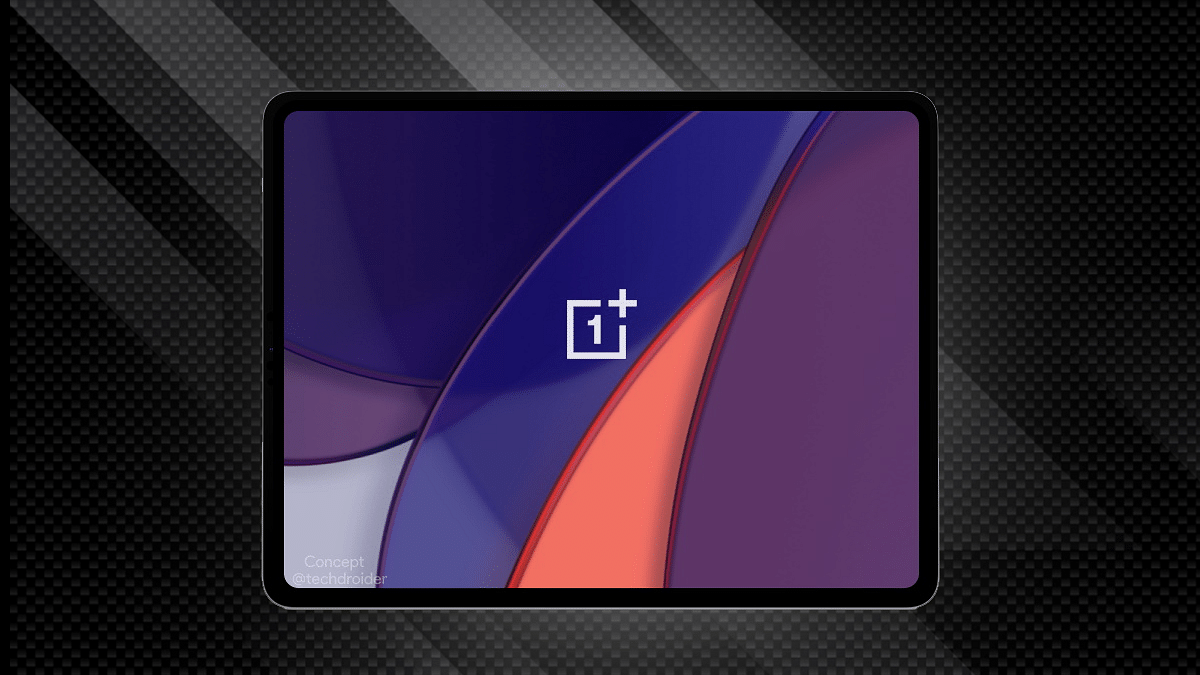
OnePlus’ first ever Android tablet is all set to make its debut in India and probably the global markets soon. Just a few weeks ago, the OnePlus Pad tablet’s internal testing reports surfaced online. Rumors are rife the OnePlus tablet will be debuting alongside the OnePlus 11 5G and OnePlus Q2 Pro QLED TV in February 7 in India. In the latest development, the official first look of the OnePlus Pad tablet has been shared by the company.
OnePlus Pad Tablet First Look Teased Officially
OnePlus has shared a glimpse of its upcoming Android tablet called the OnePlus Pad tablet. The teaser image doesn’t reveal the complete design but shows the Halo Green color option. But this wouldn’t be the only color option in which the OnePlus Pad tablet will be launched. We Will get to see other shades too.
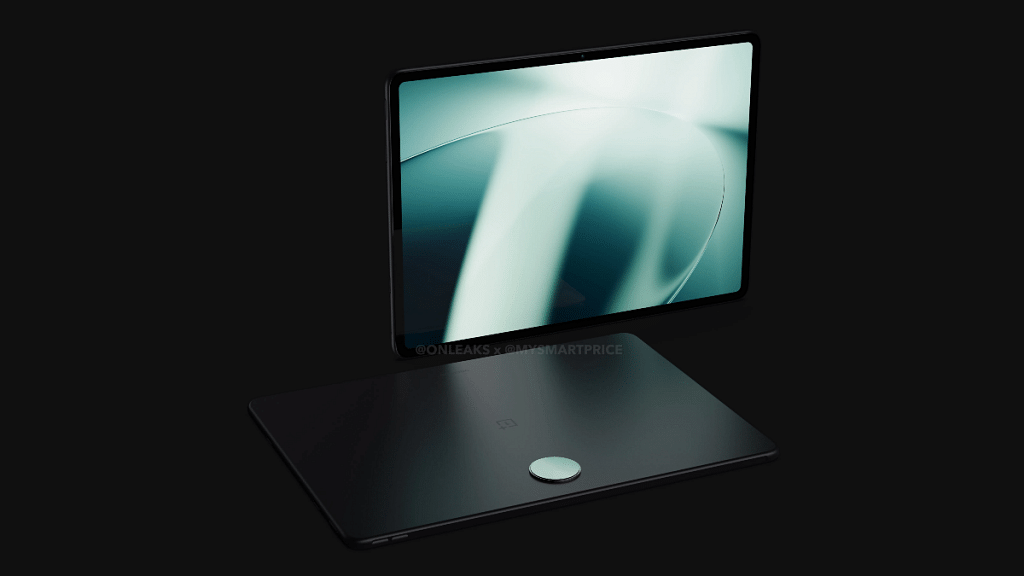
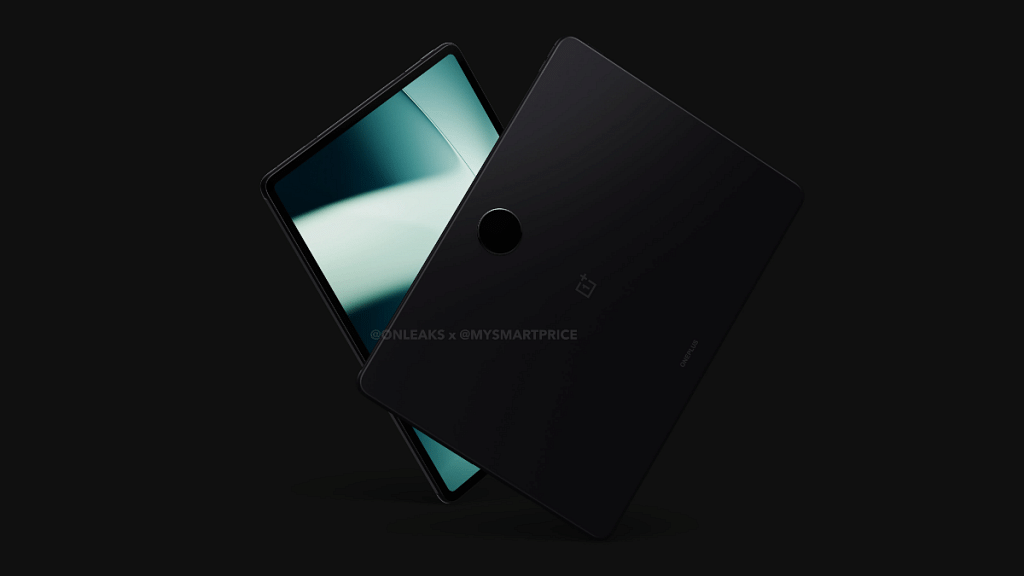
Besides the official teaser, a recent leak via Mysmartprice on collaboration with tipster @Onleaks revealed the OnePlus Pad’s complete design language including the built material. As per the leak, the OnePlus Pad tablet will be featuring a metal unibody design which will make it both durable and premium.
The tablet will come with a circular camera module at the rear below which the OnePlus logo will be inscribed. The stylus casing is likely placed on the left panel, while the volume keys are on the right spine. Upfront, the OnePlus Pad tablet’s leaked render images show the selfie camera housing on the top right edge. Bezels also seem fairly thin which will complement the large screen profile of the tablet.
The OnePlus Pad tablet is rumored to launch with a large 11.6-inch display. It is not clear just yet if the panel technology will be IPS or OLED. However, we could see a 2k or 2.5k resolution support. The exact number of rear camera sensors are also not yet confirmed but at least one 13MP main camera is rumored to be present on the OnePlus Pad tablet.
Some leaks have suggested a Snapdragon 865 chipset and up to 8GB RAM packed inside the OnePlus Pad tablet. The rumor mill has indicated the presence of 45W fast charging support as well
Coca-Cola phone should make its formal debut in India soon
It appears to contain a dual-rear camera configuration
The rumored said to be a rebranded version of the Realme 10 series
The world’s most recognized brand, Coco-Cola, is introducing a smartphone. In the next few weeks, the Coca-Cola phone should make its formal debut in India. To manufacture the Coca-Cola Android smartphone, the soft drink company looks to be collaborating with a smartphone manufacturer, most likely from China. The leak which offers a glimpse of the Coca-Cola smartphone hints at some of the specifications and features. Let’s check out all the available information on the Coca-Cola phone. Also Read | Tecno Phantom X2 vs Realme 10 Pro 5G Vs OPPO Reno 9 Pro Full Comparison: Best Latest Premium Mid-Range 5G Smartphones Of 2022
Coca-Cola Phone Design Leaks
According to reports, Coca-Cola is working with an unknown smartphone manufacturer to create its device which is covered in the brand’s signature Red color.
[Exclusive] Here's the all new #Cola Phone 😍 Can confirm that the device is launching this quarter in India. Coca-Cola is collaborating with a smartphone brand for this new phone. Feel free to retweet.#ColaPhonepic.twitter.com/QraA1EHb6w
The Cola Phone’s rear panel is shown in the lone image that was leaked in the tweet. The smartphone appears to contain a single LED flash and a dual-rear camera configuration. The Coca-Cola Phone or the Cola Phone should launch in India this quarter, claims a new leak about the device.
Cola Phone: A Rebranded Realme 10?
There’s an actual Colaphone Global Twitter account that follows a total of eight other accounts, all of which are smartphone brands. One of the speculative scenarios is that the Cola phone will be a rebranded version of the Realme 10 series with a strong chance of it being the vanilla Realme 10 model.
Although the image of the Cola Phone doesn’t confirm, the design, camera arrangement, and volume rockers imply that Realme and Coca-Cola may have collaborated together. Coca-Cola has opted to brand what seems to be a Realme 10 smartphone.
Cola Phone: Expected Specifications
The MediaTek Helio G99 processor, along with a Mali G57 GPU, up to 8GB of RAM, and 128GB of internal storage, may power the Cola Phone if its report of being a Realme 10 model is true. A 6.4-inch Full HD+ AMOLED display with a 90Hz refresh rate and Corning Gorilla Glass 5 protection can be present on the smartphone.
The Realme 10 has a 50MP main camera and a 2MP monochrome sensor. Equipped with a 5,000mAh battery unit that supports 33W SuperVOOC charging via the Type-C port.
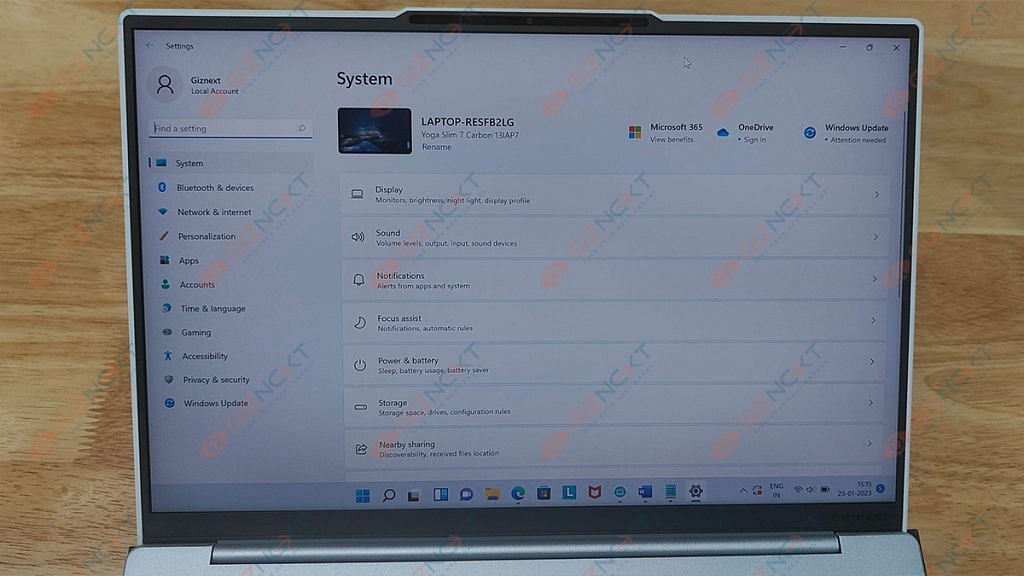
When it comes to high-end Windows laptops, Lenovo is one of the reputed brands. The company is consistently focusing on high-end ultraportable notebooks in the market with powerful battery backup. The Yoga series laptops are the brand’s bet in this segment. We at Giznext got to review the Lenovo Yoga Slim 7i Carbon. Does this laptop have a chance in a market that is being steadily dominated by MacBooks? Let’s find out in this review.
What’s Inside The Box?
Lenovo Yoga Slim 7i Carbon Notebook
65W USB Type-C charger
USB Type-C to Audio jack adapter
Some paperwork
Design
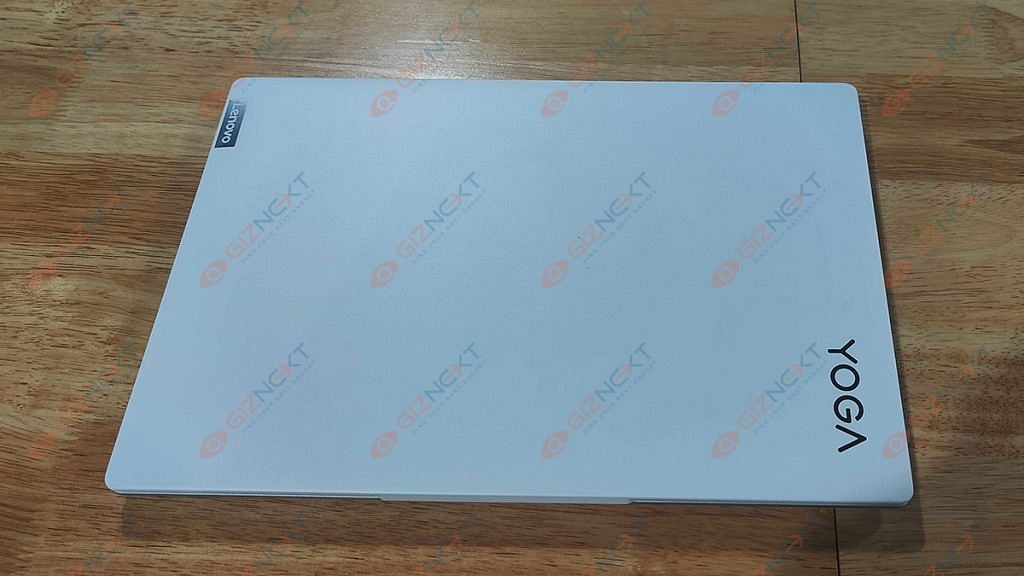
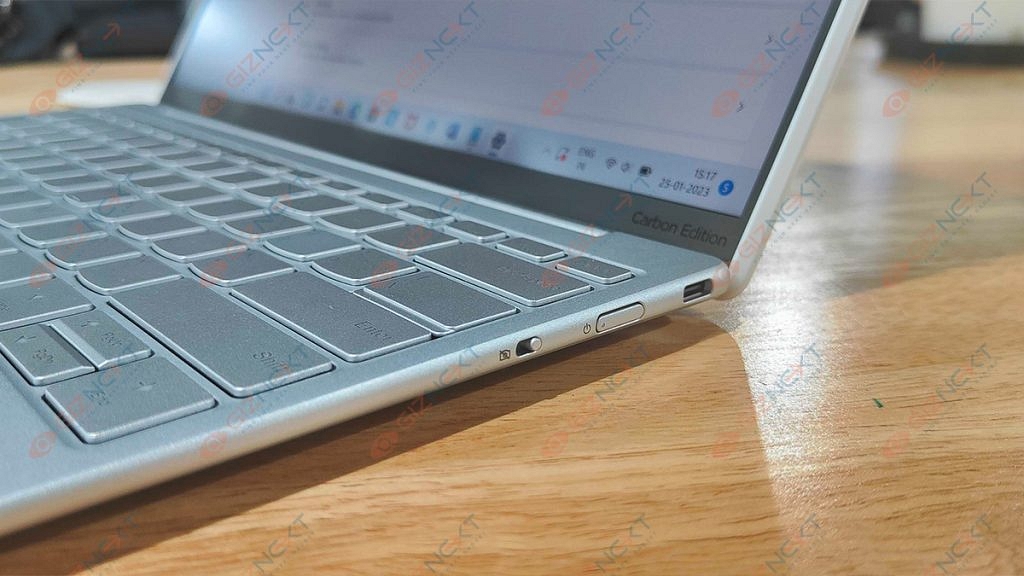
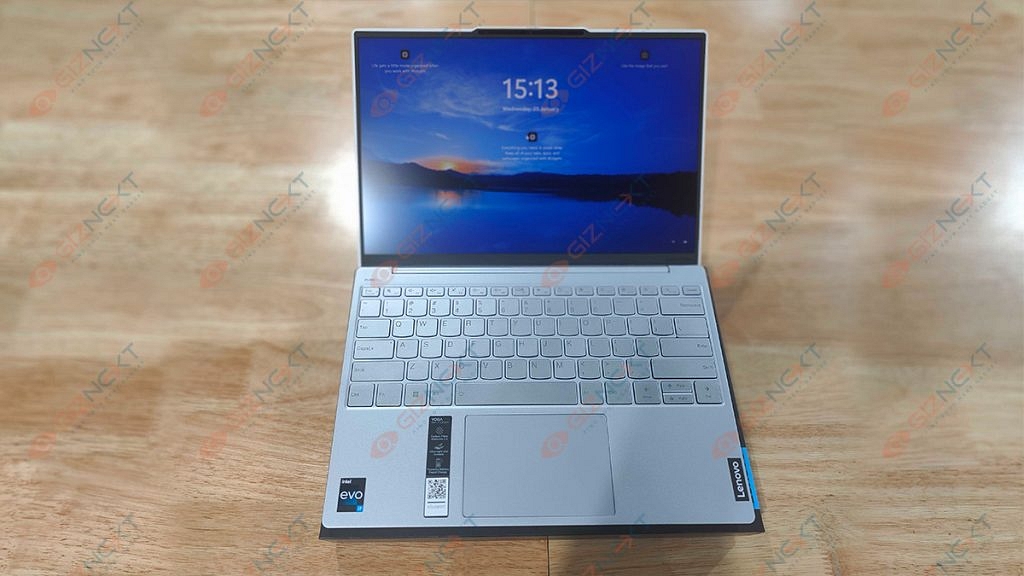
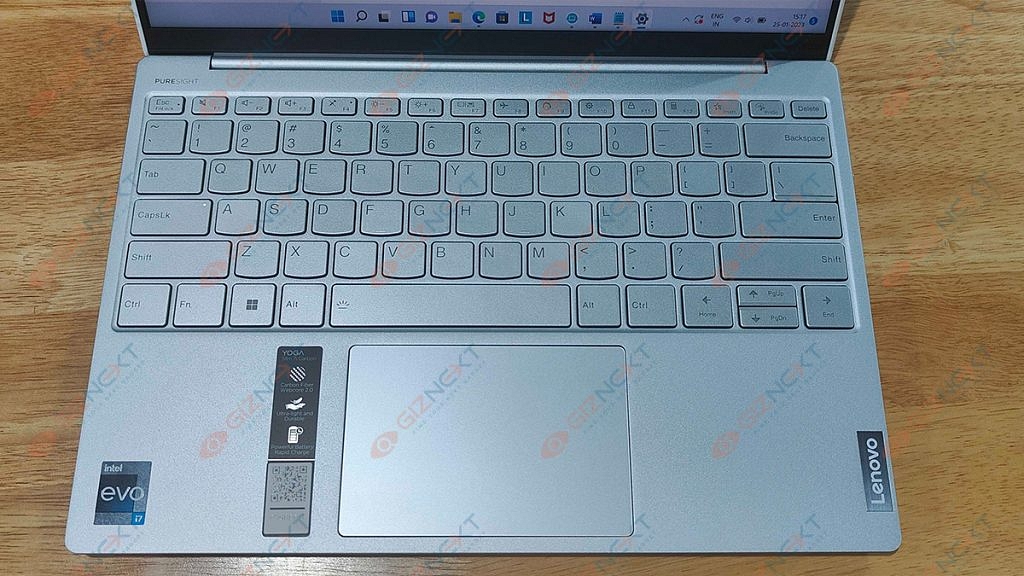
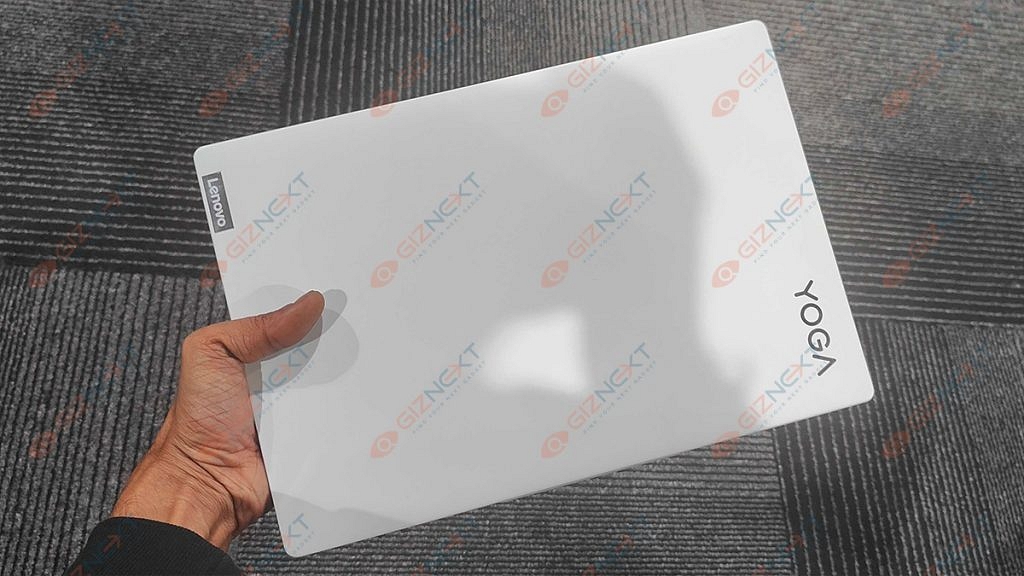
The Lenovo Yoga Slim 7i Carbon is an attractive laptop. As the name suggests, it’s a portable laptop made for those who work on the go and need to swiftly tuck it into a bag or case as they sprint from one meeting to the next.
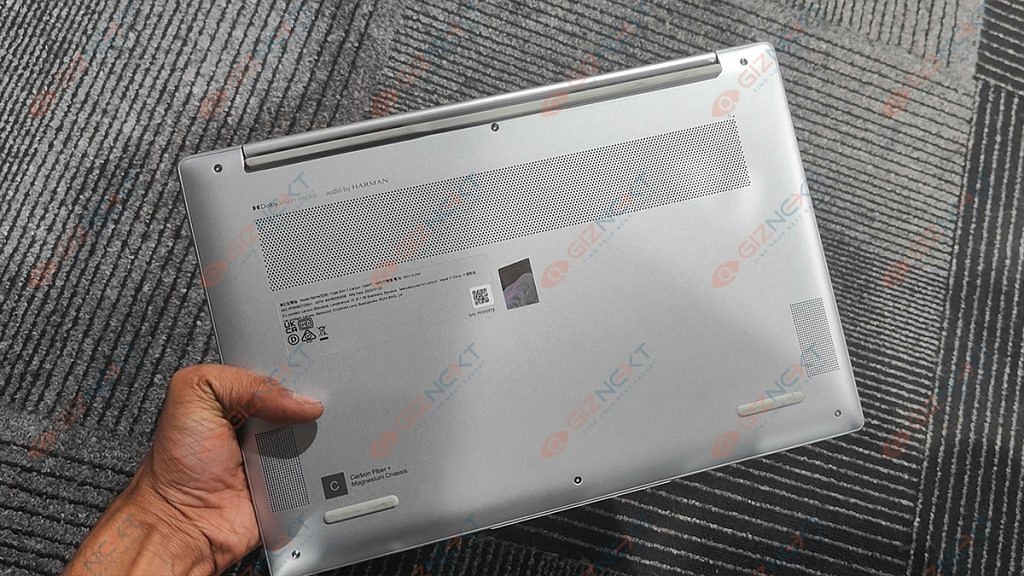
Lenovo claims that the base is an alloy of magnesium and aluminum while the lid is composed of carbon fiber. Opening this device’s lid is a super satisfying experience. Thanks to the notch, it folding up or closing the lid is a fluid experience. The hinges are smooth and support a 180-degree fold. The top bezel of its matte display which has very thin bezels houses the HD Web camera, IR face scanner, and ToF sensor.
On the left side, you get a Thunderbolt 4 connector; on the right, there is a USB Type-C 3.2 (Gen. 2) port and a Camera E-shutter. Flip the laptop over to reveal two speaker cutouts and ventilation grilles. Hot air is exhausted through a vent between the base and the lid.
Display
Coming to the display, the Lenovo Yoga Slim 7i Carbon has a QHD IPS 90Hz panel which helps the screen stand out and contributes to the device’s overall minimalist and slim design. The screen size of this Lenovo yoga laptop measures 13.3 inches and comes with a resolution of 2560 x 1600 pixels. The screen ratio is 16:10 and the pixel density is 227 PPI. The laptop’s dimensions are 0.11 x 0.11 mm.
The viewing angles are comfortable. The wide hinge makes it easy to adjust the screen on the Yoga Slim 7i Carbon, although you might notice a fair bit of wobble here. Rubberized feet on the bottom raise the deck slightly away from the desk, allowing the twin fans to push heated air out of the vent.
Although this is a Yoga device, it should be noted that the Slim 7i Carbon lacks a 360-degree hinge that would let the screen to completely spin around to enable various usage modes. However, the display does fold entirely flat to a desk.
Hardware Performance
This Lenovo Yoga Slim 7i Carbon has a Core i5-1240P or a Core i7-1260P, which are both powerful alternatives for such a tiny package. We got the Intel Core i7-1260P version for review. In terms of graphics, you get integrated Iris Xe graphics. The most advanced option features 16GB of 4800MHz LPDDR5 RAM. There is just one M.2 PCIe x4 slot available for Gen 4 SSDs. It fits both 42 and 80-mm drives.
This combination offers great performance for the intended use and we experienced no lags or stutters. For intended uses like MS Office, web browsing, or light photo editing, this CPU is too powerful. However, it lacks the power to handle intensive operations like 3D modeling or video editing. It would have been nice if Lenovo had an i5-powered model of this laptop available in India that could have handled all intended duties quite well.
We can conclude that the Yoga Slim 7i Carbon easily completed routine office duties for day-to-day professional needs. Chrome, with ten open tabs, including one for a YouTube playlist, didn’t really notice the laptop freeze up until roughly five hours of work.
Keyboard & Sound
We find a surprisingly good unit. The keys fire back quickly, and the keycaps are nice and wide. It doesn’t matter if you have giant Jack Reacher-style super-sized hands, getting acquainted is no problem. The keycaps do feel a little thin which makes us wonder how they may withstand a year or two of typing.
Naturally, it has a slightly shorter key travel. But you can get the most out of it thanks to the clicky feedback of individual keys. Also, it’s bright enough to cut through glare on a sunny day, and if you’re working late or somewhere dark, you can dip things down, and turn on the keyboard backlight.
The trackpad is good and is layered with a glass surface which offers a smooth gliding experience. In addition, the 70 by 105 mm size is respectable for this form factor.
Speaking of experience with audio delivery, the Lenovo Yoga Slim 7i Carbon’s speakers are quite good. The notebook’s Harman speakers produce a sound of very good quality and a pretty loud volume. Its low, mid, and high tones are clear of deviations. Thanks to the loud and clear audio, you wouldn’t always need to pair any external speaker while watching movies or shows.
Battery
This laptop has great battery life. There is a 50Wh battery pack. It can be used for approximately eight hours of video playback or more than nine hours of web browsing. It doesn’t use much battery when in sleep mode which generally plagues most Windows laptops. The battery lasts for roughly six to seven hours even when the brightness is adjusted to above 80 percent. You can effortlessly reach 10 hours when the brightness is decreased.
The laptop comes bundled with a 65W Type-C PD charger and it can be charged through either port. But it does take well over two hours to fully recharge.
Final Verdict
I really enjoyed my time with the Lenovo Yoga Slim 7i Carbon 13IAP7. Priced at Rs. 1,19,990, this laptop relies heavily on its weight and form factor. However, the Yoga Slim 7i Carbon is one of the most stunning lightest laptops I have ever used. It offers solid performance for the size and has a decent screen that would not disappoint anybody who looked at it. Lastly, you hardly ever need to charge the laptop because the battery just lasts forever. I can suggest the Lenovo Slim 7i Carbon to anyone searching for a sleek and reliable ultrabook because it accomplishes what it is designed to do quite well.
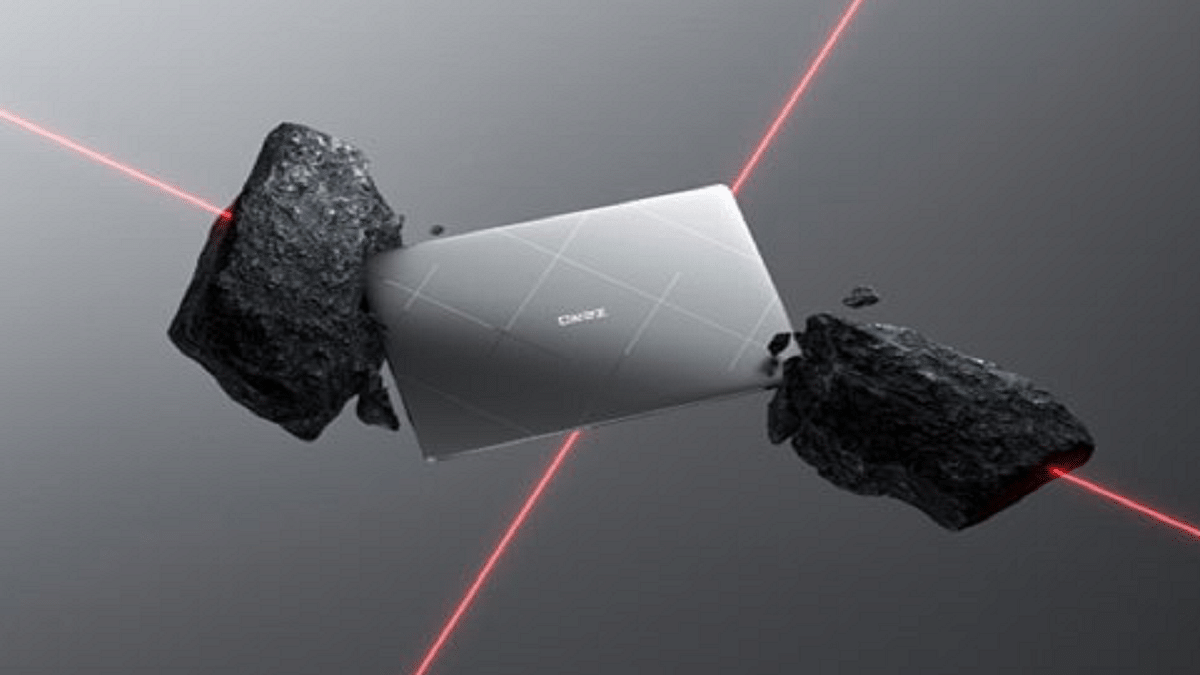
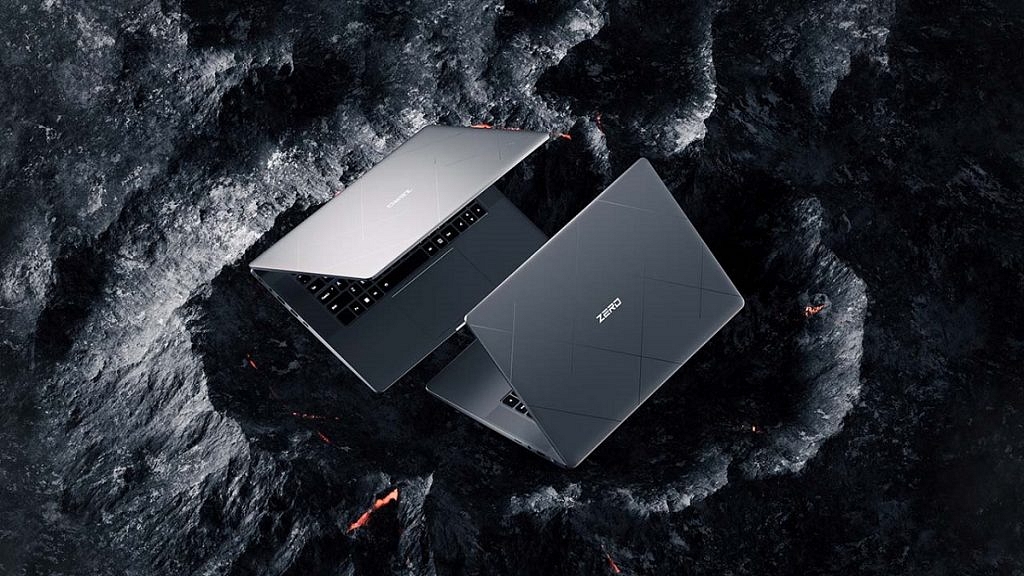
The Infinix Zero Book notebook is scheduled to launch on January 31
It will be priced higher than any of the Infinix laptops already on the market
The device will be available in four configurations
Infinix will launch the Note 12i in India on January 25 according to information provided over the weekend by Indian online retailer Flipkart. The Infinix Zero Book Ultra and the Zero 5G 2023 series are the next two devices that the company will introduce after the Note 12i. The notebook is expected to go on sale on January 31 while the country’s debut of the Zero-series phone is set to release on February 4. Here you can find everything you can expect from the Infinix Zero Book series of notebooks.
The upcoming Zero Book series of notebooks, which are geared toward creators, will be more expensive than any Infinix laptop already in the Indian market.
The highest configuration model will cost under $1,100 (about Rs. 90,000), which is a startlingly low price considering that notebooks with this configuration are typically priced at around Rs. 1,50,000 in India.
Infinix Zero Book Ultra Specifications
The device will include options for 12th-generation Intel Core H processors, including the Core i5, Core i7, and Core i9, to give a great performance. The Zero Book series will have PCIe 4.0 SSD storage and LPDDR5 RAM.
The Zero Book series’ first generation will be available in four configurations: Core i5 with 16GB of RAM and 512GB of storage, Core i7 with 16GB of RAM and 512GB of storage, Core i9 with 32GB of RAM and 1TB of storage, and Core i9 with 32GB of RAM and 1TB of storage.
The India prices of the OnePlus 11, Buds Pro 2, and Keyboard have been liked
These devices are likely to launch in India on February 7
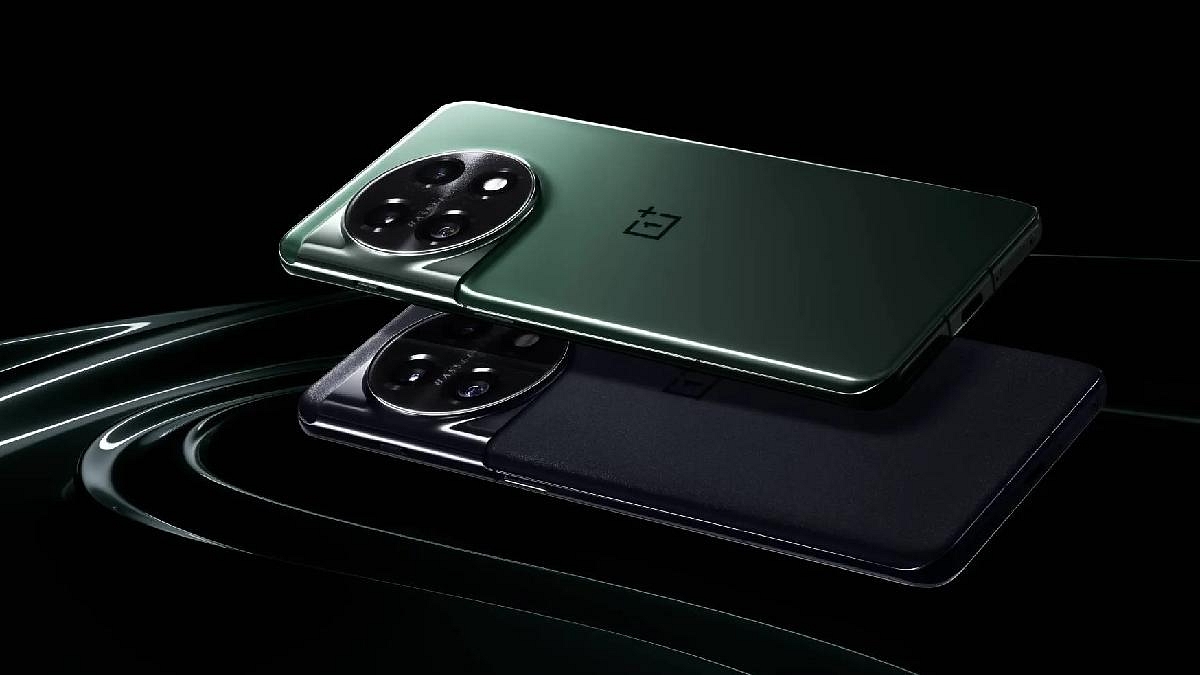
OnePlus 11 will likely come with a starting price of Rs. 54,999
The OnePlus 11 is available for purchase in China where customers find it fairly well-liked. When the device debuts on February 7 in the global market, it will probably respond similarly. Even though the OnePlus 11’s international release is a few weeks away, a recent report disclosed its India pricing. The price of the upcoming OnePlus Keyboard and OnePlus Buds Pro 2 has also been made public. Here are some specifics. Also Read | How To Connect OnePlus Buds True Wireless Earbuds With Smart TVs and Laptops?
OnePlus Buds Pro 2 And Keyboard India Prices
According to a recent Pricebaba report, the OnePlus 11 will cost Rs. 54,999 for 12GB of RAM and 256GB of internal storage. You might have to pay Rs. 59,999 and Rs. 66,999 for the 16GB + 256GB and 16GB + 512GB models, respectively.
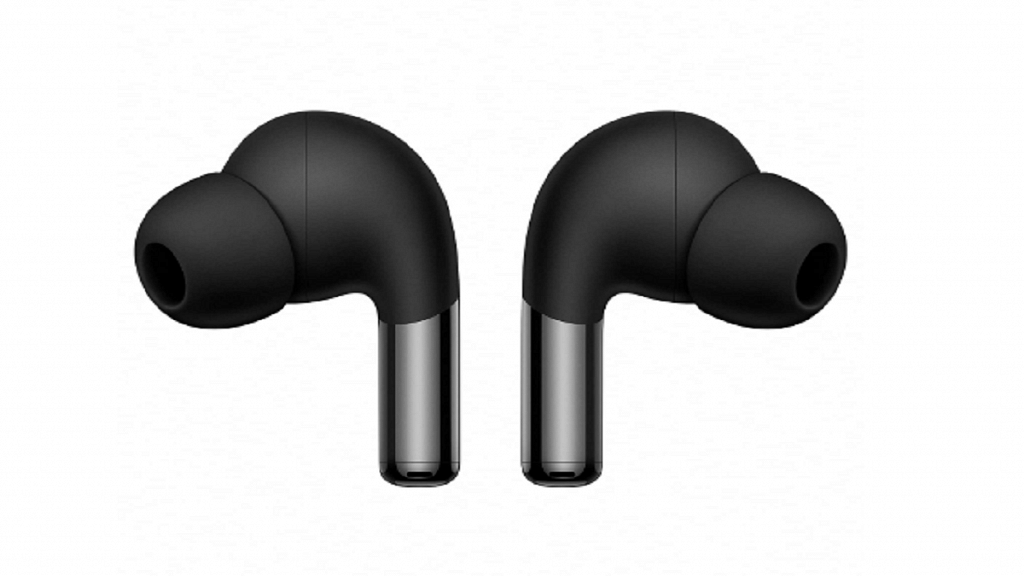
The leak also discloses the cost of the OnePlus Keyboard and the future OnePlus Buds Pro 2. The first Keyboard from the company will be priced at Rs. 9,999. When placing a preorder for the keyboard, Red Cable Club members will get a special price, insiders told Pricebaba. The second-generation OnePlus Buds Pro 2 might cost Rs. 11,999 in India.
OnePlus Buds Pro 2 Features
OnePlus has revealed that the OnePlus Buds Pro 2 is one of the first TWS earbuds to adopt Google’s signature spatial audio feature developed for Android 13. This creates a multi-dimensional experience within a pair of tiny earbuds.
The OnePlus Buds Pro 2 will support iOS and Android operating systems and have Bluetooth version 5.3. The true wireless earbuds come with Dolby Atmos spatial audio support and a Dynaudio tuning feature. In addition, it has three microphones for call noise cancellation and dual microphones for active noise cancellation.
OnePlus Keyboard Features
The OnePlus Keyboard will be white in color. The Function key, Backspace key, Del key, Page Up and Page Down buttons, and a Red colored button that may be the Power key are all visible. According to the OnePlus website, the keyboard will have a “Double gasket-mounted design,” a unique layout, and a specific profile.
Advanced, customizable features like hot-swappable switches and adaptable, open-source firmware are fully supported by the keyboard. Hot-swappable switches provide quick and easy switch replacements. The keyboard supports RGB lighting as well.
Samsung Galaxy Book 3 Pro, Galaxy Book 3 Ultra specs leaked again
Both laptops will use 13th Gen Intel Core processors
AMOLED display and QHD+ display on both
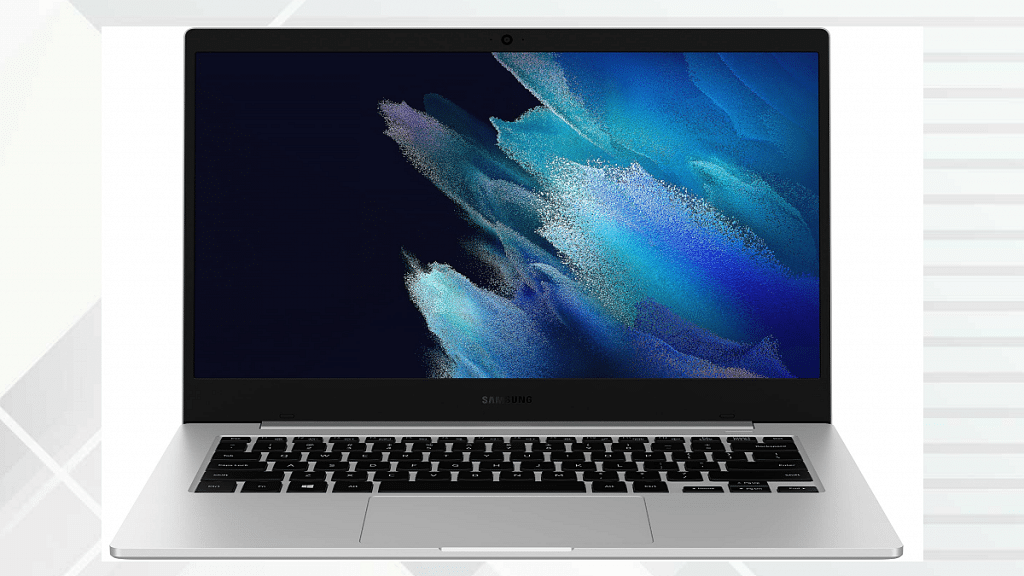
Samsung is ready to host this year’s mega event to launch its new range of consumer gadgets. The Galaxy Unpacked event 2023 scheduled for February 1 will be a centre stage for a slew of new products including the highly anticipated Galaxy S23 flagship smartphone series and the Galaxy Book 3 series laptops including the Galaxy Book 3, Galaxy Book 3 Pro, Galaxy Book 3 Ultra, and the Galaxy Book 360 convertible. Just a few days ago, the Galaxy Book 3 Pro and the Galaxy Book 3 Ultra’s features were specifications were leaked by Mysmartprice. Now, another tipster has reiterated the Galaxy Book 3 and the Galaxy Book 3 Ultra’s key specifications.
Samsung Galaxy Book 3 Pro Leaked Specifications
Samsung Galaxy Book 3 Pro
Specifications
Display
14-inch/ 16-inch, AMOLED, QHD+ resolution
Chipset
Intel 13th Gen Core i5-1340p, Core i7-1360P
Windows
Windows 11
Battery
63Whr, 76Whr
Weight
0.87 kg, 1.6KG
A tweet shared by tipster called Snoopy Tech on Twitter has leaked the Galaxy Book 3 Pro and the Galaxy Book 3 Ultra’s specifications. Starting with the low-end model, i.e., the Galaxy Book 3 Pro, it will be launched with dual screen sizes including 14-inch and 16-inch models. Both variants will be using an AMOLED screen with an 1800 x 2800 pixels WQXGA+ screen resolution and 120Hz refresh rate.
The Samsung Galaxy Book 3 Pro laptop will be packed with an Intel 13th Gen Core i5-1340p and Core i7-1360P chipsets. Both upcoming laptop variants will ship with Windows 11 Home edition OS. Battery capacity inside the Galaxy Book 3 Pro’s 14-inch is said to be a 63Whr unit, while the 16-inch model is said to accommodate a 76Whr battery capacity.
The Galaxy Book 3 Pro is further rumored to measure 30.44 x 19.98 x 1.12 cm in dimensions and weigh around 0.87 kg. These stats are for the 14-inch variant of the upcoming laptop. The 16-inch Galaxy Book 3 Pro is expected to weigh slightly heavy at 1.6kg. The color variants tipped are Graphite and Beige.
The Samsung Galaxy Book 3 Ultra is likely to come in a single 16-inch screen size. The display type will be AMOLED and the screen resolution is said to be 1800 x 2800 pixels WQXGA. Similar to the Galaxy Book 3 Pro, the Ultra variant’s panel will also support 120Hz refresh rate.
According to the leak, Samsung will be introducing the Galaxy Book 3 Ultra in two different configurations. The base model will come with a 13th Gen Intel Core-i7 13700H chipset, while the top-end model will ship with a 13th Gen Intel Core i9-13900H chipset. The former will integrate an RTX 4050 GPU (6GB) and 16GB RAM. Whereas, the latter will come with Nvidia GeForce RTX 4070 GDDR6 GPU (8GB) and 32GB RAM.
The Jio network comes with the company’s suite of apps
There is no official app to play Jio TV on a PC or desktop
You can install the Jio TV application on your smartphone and watch all the Live TV channels for free
On JioTV, customers can watch their preferred TV series and movies on their smartphones, laptops, and Smart TVs. It is one of the best entertainment platforms. The app is an online streaming platform where you can watch free live cricket events as well as your favorite movies and TV shows, particularly Indian daily dramas.
The JioTV app is available for free on Android and iOS devices. However, a Jio SIM is required to use the app. We have also covered how to use the app without a Jio SIM in case you don’t have one. Also Read | JioTV App On Laptop: Here’s How To Install And Use
Steps To Install Jio TV On Android Smartphone
Step 1: Download the Jio TV app from the Google Play store.
Step 2: Open My Jio TV and sign in with your Jio number to finish the signup procedure. An OTP verification will follow.
Step 3: You can now choose a language and grant access to the media and storage on your phone.
Step 4: After then, you can use your smartphone to watch every live concert for free.
Note: To use Jio TV, you either need a Jio SIM or the login information for an existing Jio TV account.
How To Use Jio TV Without Jio Sim?
Step 1: Install the JioTV app on your Android or iOS smartphone from the respective app stores.
Step 2: Now open the app and select the Jio ID option instead of Jio Number and here enter your Jio ID and password. These details can be fetched from Jio’s website in case you previously had access to the Jio SIM card.
Step 3: If not, you might ask your pals who own Jio SIMs for credentials. You can access these credentials by logging into your Jio account on the MyJio app or the website.
Jio TV cannot be accessed on any Windows or macOS desktop or laptop, though. There isn’t yet a specific app for these devices; one is being developed.
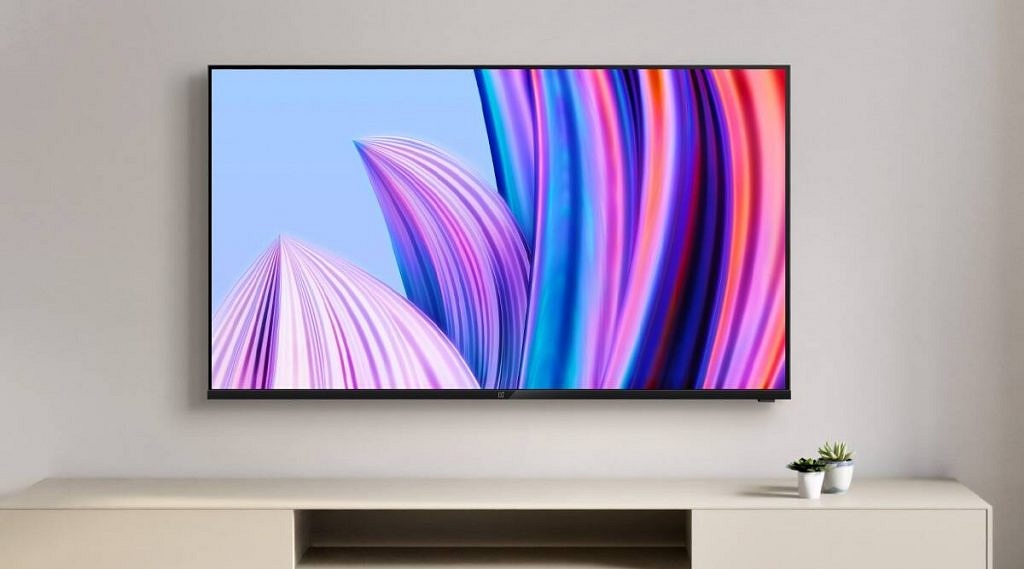
OnePlus is expected to launch the OnePlus TV Q2 Pro QLED in India soon
The OnePlus Q2 Pro QLED Smart TV series has screen options of up to 65-inch
The exact launch date of the OnePlus Q2 Pro QLED TV is unknown
OnePlus is preparing to launch the OnePlus 11 in India. At the Cloud 11 launch event in India, the company will also introduce its high-end truly wireless stereo earbuds, the OnePlus Buds Pro 2. On February 7, both gadgets are expected to go on sale.
Additionally, OnePlus is also working on another high-end product. Later this year, the OnePlus Q1 Pro smart TV series, which debuted back in 2019, will finally get a refresh. It is anticipated that the company will soon introduce the OnePlus TV Q2 Pro QLED in India.
The company has not issued any official statements. However, a recent report by 91Mobiles has provided some information regarding the OnePlus smart TV that will soon be released. Let’s look at the OnePlus TV Q2 Pro QLED specifications, release date, and other information that is currently known. Also Read | OnePlus TV Y1s Pro Vs Xiaomi MI TV 4X: Best 43-inch Smart TV Model Under Rs. 30,000 In India
OnePlus Q2 Pro QLED TV Specifications And Price
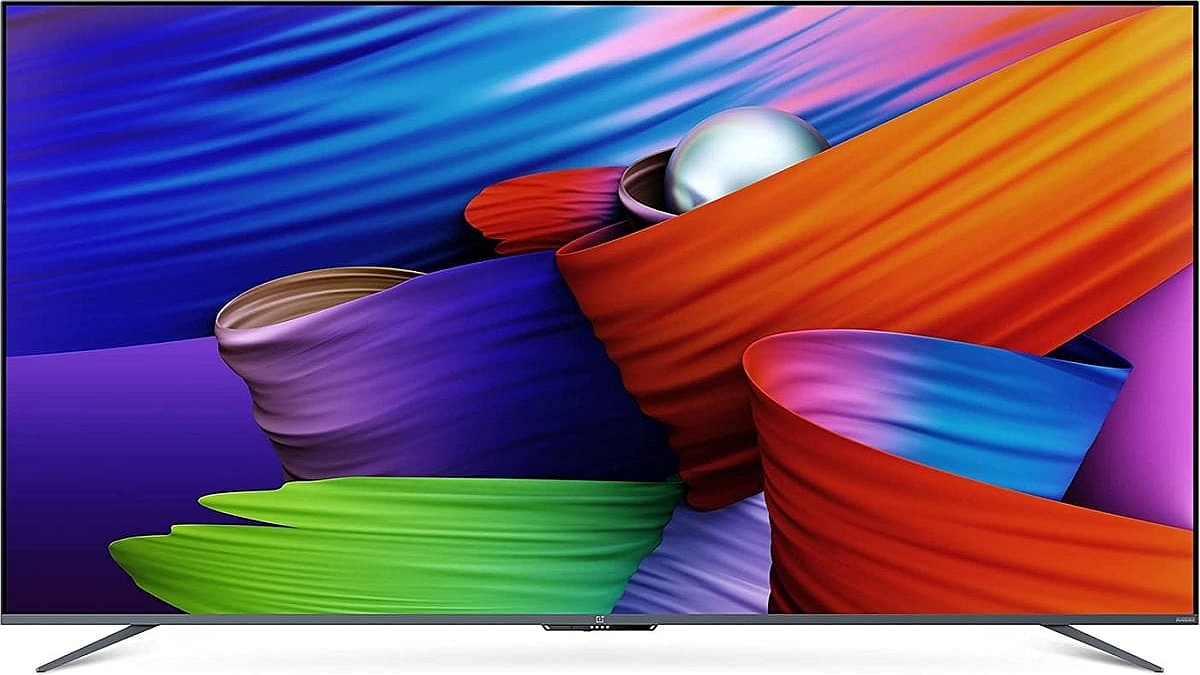
The OnePlus Q2 Pro QLED TV is reported to have a 65-inch QLED panel with 4K resolution and a high 120Hz refresh rate for smooth animations. Its predecessor had a 55-inch 4K panel with support for Dolby Vision.
According to the report, Google TV would be implemented on top of the OnePlus Q2 Pro’s own proprietary firmware. Additionally, the brand’s own content curation tool OxygenPlay is referenced. The TV reportedly has a Dolby Atmos-tuned 70W speaker. The motorized soundbar that was visible on the OnePlus Q1 Pro’s bottom may or may not come with the new TV. The Smart TV is also said to come with 3GB of RAM and 32GB of storage.
Details regarding the TV’s design and pricing are not available now. It can be assumed that smart TVs will adopt a frameless design and use high-quality materials for the housing. It is said to support various apps such as Netflix, Prime Video, Hotstar, and other OTT platforms.
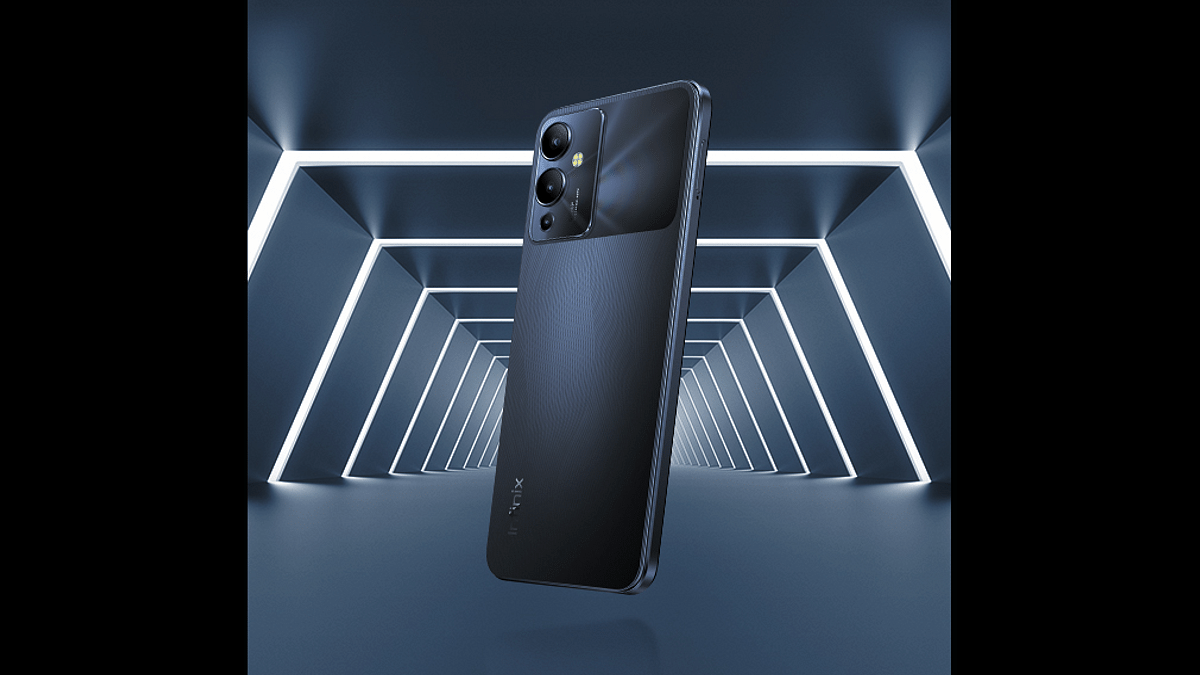
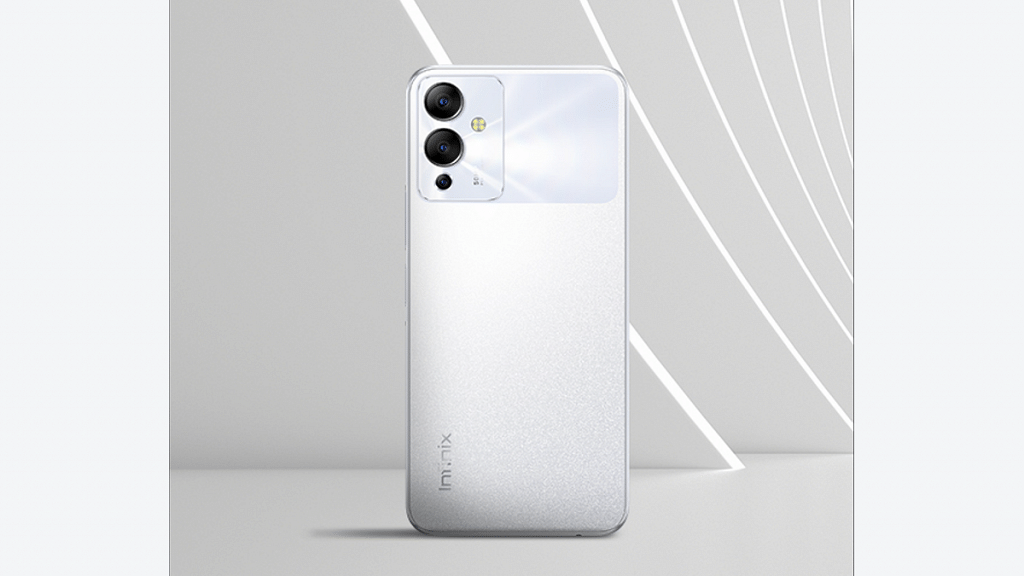
Infinix is all set to add up a new model to its popular Note series called the Note 12i. The company has announced the upcoming mid-range Android phone’s launch for the Indian market next week. The online availability of the third Infinix Note 12 series phone has also been confirmed ahead of the official launch. How does the Infinix Note 12i differ compared to its siblings? Read on below”
Infinix Note 12i Official India Launch, Availability Announced
The Infinix Note 12i is set to break covers on January 25 in the Indian market. The confirmation for the upcoming Infinix Note 12 series phone has been announced by the company itself. Infinix has partnered with e-commerce giant Flipkart for the sale of Note 12i.
Ahead of the Infinix Note 12i’s next-week India launch, the product page has been uploaded on Flipkart. The online listing has mentioned the key specifications of the handset. The features listed confirm an identical spec sheet as the international model which was debited back in 2022 in the global markets.
Neither Infinix, nor any of the leaks have shared the pricing details of the Note 12i. But, considering the fact the upcoming phone will be packed with mid-range hardware, a price label under Rs. 15,000 is speculated.
Speaking of the features, the Infinix Note 12i is expected to debut in India with the octa-core Helio G85 chipset. The mid-range MediaTek gaming processor is likely to be combined with 4GB RAM. The Inifnix Note 12i will also feature 3GB virtual RAM memory making the total RAM capacity 7GB.
There will also be an advanced 10-layer graphene cooling module that will enhance heat dissipation with extensive tasks and gaming. The phone will boot on Android 12 OS and feature XOS 12 user interface.
Inifnix will use the same tall 6.7-inch AMOLED display on the Indian variant of the Note 12i. It will support the same 1080p FHD resolution, 1000 nits peak brightness, and Widevine L1 certification. The Infinix Note 12i will be housing three cameras inside the rectangular module at the back. The sensors onboard will be a 50MP main lens, a portrait, and an additional AI lens. A 5,000 mAh battery will compere the Infinix Note 12i’s spec-sheet with 33W fast charging support.