Categories
Featured Mobile

OnePlus 11 India Launch Event Ticket Availability: Price, How To Buy

Key Highlights

  • On February 7th, OnePlus 11 5G and OnePlus Buds Pro 2 will be launched in India
  • The Indira Gandhi Arena in New Delhi will host the launch event

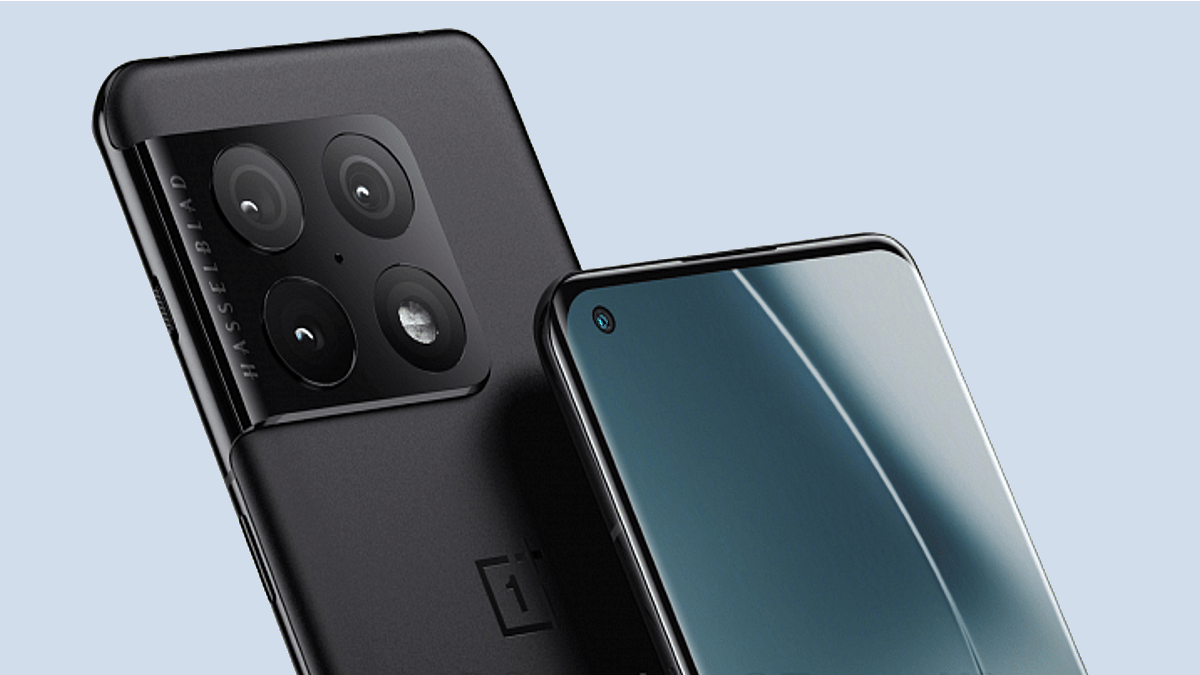
OnePlus brand has just revealed that it’s allowing all OnePlus fans to be among the first to experience its latest top-of-the-line OnePlus 115G before the official launch on February 7th in India. The OnePlus Buds Pro 2 TWS are also tagging alongside the upcoming OnePlus flagship. The OnePlus 11 5G India launch event will take place in New Delhi, and community members and fans are invited to watch the event live by purchasing an early bird ticket for the OnePlus 11 5G launch event. The brand is making the tickets available through Paytm Insider. Here is information about purchasing launch event tickets.

Also Read: Google Pixel Launch Event: Pixel 7 Series, Pixel Watch To Launch On October 6

OnePlus 11 5G Cloud 11 India Launch Event: Price, How To Buy Tickets

The OnePlus 11 5G Cloud 11 launch event is being hosted for the audiences and the media at Indira Gandhi Arena in New Delhi. Early bird tickets are currently made available at Paytm Insider for a price of Rs 599. Interested users can purchase the tickets via Paytm Insider. A complimentary ticket is available for individuals who have previously attended any of the OnePlus physical launches. However, OnePLus has mandated use of the hashtag #IAmComingBack once the picture of an old event pass is uploaded or shared on Twitter.

OnePlus further clarified that Red Cable Club members could purchase Privé coupon codes for 20 RedCoins which would allow them to save Rs 200 when purchasing tickets on Paytm Insider.

OnePlus 11 India Launch Event New Delhi: What To Expect

All the event attendees will be among the first to try out the newest OnePlus products, such as the OnePlus 11 5G and the OnePlus Buds Pro 2, in the experience zones. Each participant will also get a hamper of OnePlus goods and gift cards.

Additionally, 11 fortunate participants will get a OnePlus 11 5G unit for free. OnePlus also added that fans would get the chance to pamper themselves at the Cloud 11 launch event by purchasing the OnePlus 11 5G and OnePlus Buds Pro 2.

OnePlus 11 5G Price In India (Expected)

The smartphone has three variants—12GB+256GB, 16GB+256GB, and 16GB+512GB—available in China, each costing RMB 3999 (about Rs 48,000), RMB 4399 (about Rs 52,900), and RMB 4899 (around Rs 59,000), respectively. According to China’s rates, the phone’s starting price in India should be approximately Rs 50,000.

OnePlus 11 5G Key Specifications

Model OnePlus 11
Display6.7-inch
Camera50MP+48MP+32MP(rear)
16MP(front)
Chipset Qualcomm Snapdragon 8 Gen 2
Battery5000 mAh
Fast Charging  100W

Also Read: OnePlus Ace 2 Latest MIIT Certification Reveals Key Details: Is It OnePlus 11R In India And Global Markets?

Categories
Featured Tablet

TCL Tab 8 LE Budget Android Tablet Debuts At CES 2023: Full Specs, Price

Key Highlights

  • TCL Tab 8 LE debuts at CES 2023
  • MediaTek MT 8766 chipset under the hood
  • Features 5MP front and rear camera
  • Price around Rs. 12,000

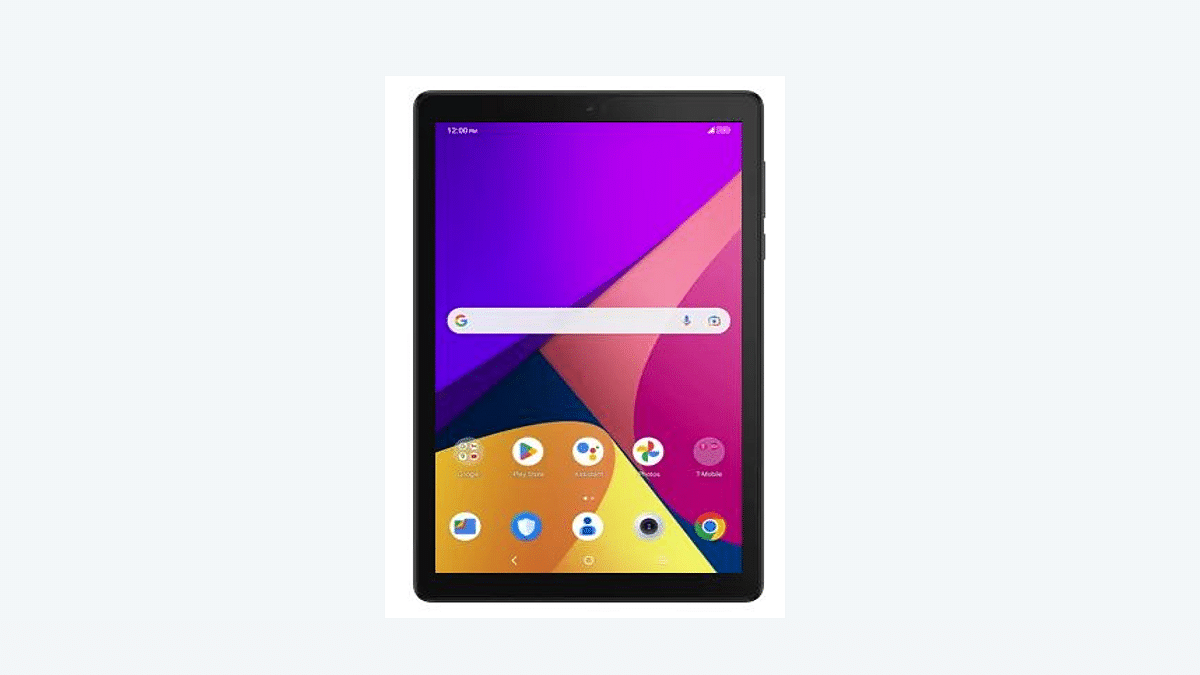
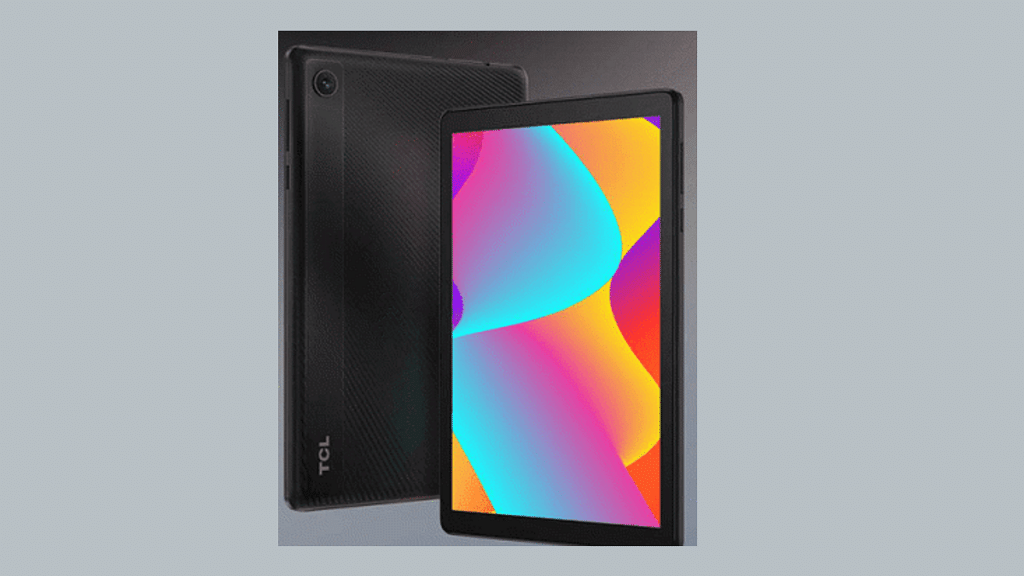
At the CES 2023, tech OEMs are showcasing new-age technologies and products such as tablets, smartphones, laptops, and others. TCL has also showcased several new smartphones and tablets. One of the offerings for the budget audiences introduced by TCL is the Tab 8 LE Android tablet. The TCL Tab 8 LE brings entry-level features such as an LCD screen, 3GB RAM configuration, and more.

TCL Tab 8 LE Full Specifications

TCL Tab 8 LEFull Specifications
Display8-inch LCD
Camera5MP rear 5MP front
ChipsetQuad-core MediaTek MT 8766
RAM+ Storage3GB/ 32GB
Battery4,080 mAh

The TCL Tab 8 LE has been introduced at the CES 2023 event with the MediaTek MT 8766 chipset. This budget quad-core chipset from MediaTek will be clubbed with 3GB RAM for multitasking. For storage, it will offer up to 32GB built-in storage capacity and will also support up to 512GB expandable microSD card support.

TCL has used an 8-inch display for the Tab 8 LE. It is an LCD screen that will have 800 x 1280 resolution and a standard 60Hz refresh rate. The TCL Tab 8 LE’s camera hardware is standard. It has a single 5MP rear camera. Up front as well, this Android tablet has a 5MP camera that captures selfies and can also be used for video calling.

The connectivity features will include both Wi-Fi and LTE support. It is integrated with a nano SIM card slot. It also features Bluetooth 5.1, GPS, and 4G LTE network support. There is a USB Type-C port. The TCL Tab 8 LE uses a 4,080 mAh battery for fuel. Charging speeds are unspecified, but the tablet likely comes with standard charging support.

Also Read: 2022 Wrap-Up: List Of Best Android Tablets Launched Under Rs. 20,000 In India In 2022

TCL Tab 8 LE Price

The TCL Tab 8 LE has been launched with a price label of $159. This is roughly around Rs. 12,000 when translated to Indian currency. TCL has currently confirmed the Tab 8 LE’s availability via T-Mobile and Metro in the US. However, there is no confirmation for its launch in the global markets. But TCL has been expanding its budget tablet lineup globally. This increases the possibilities of the Tab 8 LE’s arrival in India and the remaining regions.  

Also Read: Honor Pad V8 Pro Tablet Key Specs Leaked Again: Dimensity 8100 5G Chipset, Up To 12GB RAM, 144HZ Display Confirmed

Categories
Apps How To TV

YouTube Video Playback Error On TV: How To Fix Error Code 3, Error Code 5 Issue With YouTube TV App

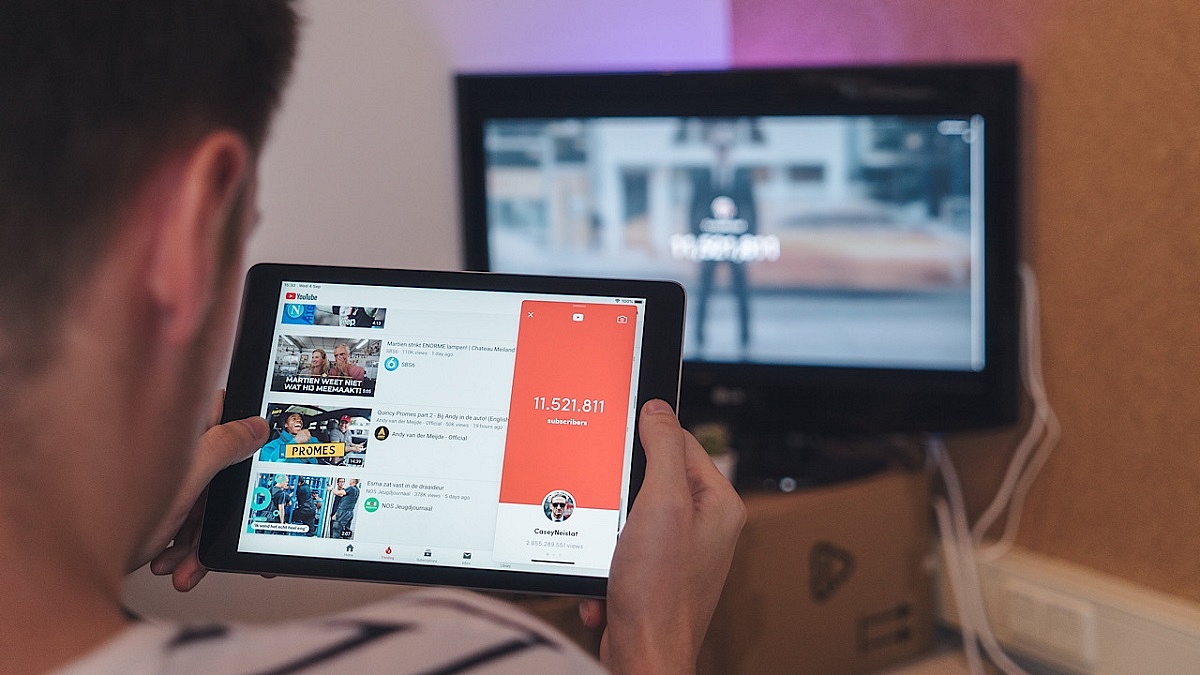
YouTube has logged itself as the primer entertainment source for smartphone and laptop users. But with the availability of smart TVs, it also is now has taken up the big screen market too with a storm. Most new-age TVs are pre-installed with the YouTube TV app. Users can log-in with the registered e-mail address to access premium content without any ads.

If you own a smart TV that has Wi-Fi network support, you can log-in to the app and stream videos in just a few taps. While streaming videos via YoutTube is a hassle-free experience, a random issue is frequently reported by smart TV users while playing videos on YouTube. The common issue or error code which has been known to disrupt the YouTube streaming experience is Error Code 3 and Error Code 5.

These two YouTube Error codes are seen across smart TVs of all makes and kinds. Thankfully, both Error Code 3 and Error Code 5 on YouTube aren’t hardware related. This definitely saves you a visit to the repair center and also replacement concerns. But what exactly are YouTube Error Code 3 and Error Code 4 and how can you fix them? Read details below:

Also Read: YouTube Account Hacked: What Should You Do? How You Can Protect Your YouTube Account If Hacked?

What Are YouTube Error Code 3 And Error Code 5?

YouTube Error Code 3 and Error Code 5 are playback-related issues with the YouTube TV app. These error codes force stops video playback and also the app. As mentioned above, this isn’t any hardware-related issue and can often be fixed with just a few troubleshooting steps.

The major reasons for this playback error are the unstable internet connection and corrupted cache files of the YouTube TV app. In some cases, disrupted YouTube server services are also known to cause Error Code 3 and Error Code 4 playback errors in the YouTube TV app.

Also Read: Remove Copyright Claim On Your YouTube Video: Here’s How

How To Fix YouTube TV Error Code 3, Error Code 5 Playback Issues?

Step 1: Check the internet connection. Unstable connections bring up this error.

Step 2: Slow internet speeds could also be a reason. Try to check the internet speed on other devices and then re-launch the app (once speeds are good).

Step 3: Check for any pending TV or app updates. If there is any, make sure you update both TV and the app firmware to the latest version. This should fix the issue.

Step 4: If it’s a server side error, you will have to wait until the services are restored.

Step 5: Clear app cache data from the TV settings.

Step 6: Reboot the TV and the issue should be fixed.

Also Read: 100 Best YouTube Channel Names For Travel Vloggers

Categories
Featured How To Mobile

Invisible Messages On iPhone: How To Send Invisible Messages Using iMessage On iPhones?

Key Highlights

  • Apple allows users to send invisible messages to their contacts
  • The feature is available in Apple’s iMessages app
  • Apple’s messaging app users also have the option to edit or even recall it

Apple’s iMessages app has a host of features that make the plain and simple messages app incredibly useful. Additionally, the app contains elements that bring excitement and pleasure to otherwise dull text messages. For instance, iMessages users can send memojis and messages with light effects on their iPhones and iPads. Also, after 15 minutes of sending a message, users of Apple‘s messaging app have the option to edit or even recall it.

Did you know that iMessages contains a feature that enables users to chat with their contacts via invisible messages? Users can essentially send messages in a jumbled format that the recipient can only read. After a message is sent, nobody, not even the sender, can decode it, preventing prying eyes from snooping in on users’ private discussions. So, in order to communicate with a friend invisibly, follow these steps:

Also Read | iPhone Tips & Tricks: Here’s How You Can Measure Height Using An iPhone Camera

Steps To Send An Invisible Message On Apple iPhone

Step 1: On your iPhone, open the iMessages app.

Step 2: Open a new chat or an existing chat where you want to send the invisible message.

Step 3: In the chat box, type your message or add any images. A Memoji can also be added.

Step 4: Now, touch and hold the Send button.

Step 5: To preview the outcome, tap the grey dots next to the “Send with invisible ink” option.

Step 6: The Slam, Loud, and Gentle settings are also available, and you can preview their impacts.

Step 7: Touch the Send button to send the message once you have selected the effect of your choice.

Users of Apple’s iMessages can also modify the effect for the entire message screen. Send with Echo, Send with Spotlight, Send with Balloons, Send with Confetti, Send with Love, Send with Lasers, Send with Fireworks, and Send with Celebrations are just a few of the eight effect possibilities available to users.

Also Read | iOS Tips And Tricks: How To Setup And Use AutoFill For Contact Cards And Credit Cards In Safari On iPhones And iPads

Categories
Featured Leaks Mobile

OnePlus Ace 2 Latest MIIT Certification Reveals Key Details: Is It OnePlus 11R In India And Global Markets?

Key Highlights

  • OnePlus Ace 2 clears MIIT Certification
  • OPPO PHK110 model number and 1.5k display tipped
  • Official launch in April 2023

OnePlus is globally popular for its flagship OnePlus smartphone series. The brand has also started offering premium mid-range phones to the masses with the Nord series. However, in its hometown, the company also has a China-specific smartphone lineup which is getting refreshed soon. The OnePlus Ace lineup is all set to receive its second-generation model dubbed OnePlus Ace 2. But OnePlus isn’t restricting the Ace 2 to the Chinese markets but will also bring it to the international markets and India. Know all details here:

OnePlus Ace 2 Global Launch As OnePlus 11R: What Are The Specs?

The OnePlus Ace 2 has cleared its certification from the Chinese Ministry of Industry and Information Technology (MIIT). The certification listing has been reported by Notebookcheck. The second-generation OnePlus Ace handset carries the OPPO PHK110 model number. This MIIT website listing has also detailed the key specs of the Ace 2 in addition to the model number.

If we believe the latest reports, the OnePlus Ace 2’s official launch is planned for April 2022. However, this handset wouldn’t be restricted to the Chinese markets and is rumored to be announced in India and global regions as a part of the OnePlus 11 series. In the remaining markets, the OnePlus Ace 2 will be launched as the OnePlus 11R.

Rumors are rife that the OnePlus Ace 2 aka the OnePlus 11R (globally) will be a premium mid-tier Android phone similar to its predecessor, i.e., the OnePlus 10R. The expected spec sheet is mentioned below:

Also Read: OnePlus Call Being Recorded Notification: How To Stop Call Is Now Recording Message On OnePlus 10T, 10 Pro, OnePlus 9, 8 Series

OnePlus Ace 2/ OnePlus 11R Leaked Specifications

The OnePlus Ace 2 or the OnePlus 11R will be launched with the same design language as the recently launched OnePlus 11 5G. OnePlus will be trimming down on the hardware compared to the vanilla OnePlus 11 5G model. The brand will be sourcing displays for the Ace 2 from BOE.

The company or the leaks haven’t specified the display size or panel type that will be packed inside the OnePlus 11R/ Ace 2, but a 1.5K screen resolution is tipped. The chipset powering the OnePlus Ace 2 is also a mystery just like the remaining hardware such as the battery and camera. But we are expecting some information to emerge before April 2023.

Also Read: OnePlus TV Sound Issue: How To Fix No Audio Issue With OnePlus Smart TV Speakers

Categories
Apps Featured How To Smart Watch

How To Access Google Maps Without Phone On Wear OS

Key Highlights

  • Google brings a major update to Wear OS smartwatches
  • Google Maps navigation now works on Wear OS 3 without a phone
  • The feature requires an LTE connection in the smartwatch

Google has just released a significant update for Wear OS smartwatches that will increase their portability. The wearable platform can now provide turn-by-turn navigation on your wrist using Google Maps. The best thing is that the feature doesn’t require a phone to be synced with the smartwatch.

As long as the device is compatible with the feature to work, users can now use this feature on their Wear OS-powered smartwatches. Google first discussed this feature a few months ago. The new version is accessible if your Wear OS smartwatch supports SIM-supported standalone LTE connectivity which is required.

Also Read | Google Maps Tips & Tricks: Here’s How To Check Air Quality Index In Your Area

Additionally, you must have an LTE plan that provides constant connectivity, a crucial component of turn-by-turn directions. The smartwatch must first be linked to the phone once in order to activate this feature; after that, further actions will begin automatically.

You can disable the phone mirroring feature from the phone’s settings to keep it just available on the wristwatch, even if the feature is accessible on both the phone and the smartwatch (through the phone).

Steps To Use Google Maps’ Navigation Feature Without A Phone

If you have a Wear OS 3 smartwatch, here are step-by-step instructions on how to use Google Maps navigation features without your phone.

Step 1: On your Wear OS 3-powered smartwatch, open the Google Maps app.

Step 2: Click on Search and enter the name of your destination.

Step 3: Select your mode of transportation. From here, you can view your ETA.

Step 4: Start your walk, car, or bicycle trip.

According to Google’s support page, users can also enable mirroring on their Android phone and connected smartwatch to begin navigation on their phones before leaving their phones behind and letting their watches take over.

Also Read | Google Maps On Apple Watch: How To Setup And Use Google Maps For Navigation On Apple Watch

Categories
Comparison Mobile

Lenovo ThinkPhone By Motorola Vs OnePlus 11 5G Flagship Phone Comparison: Which Is More Practical?

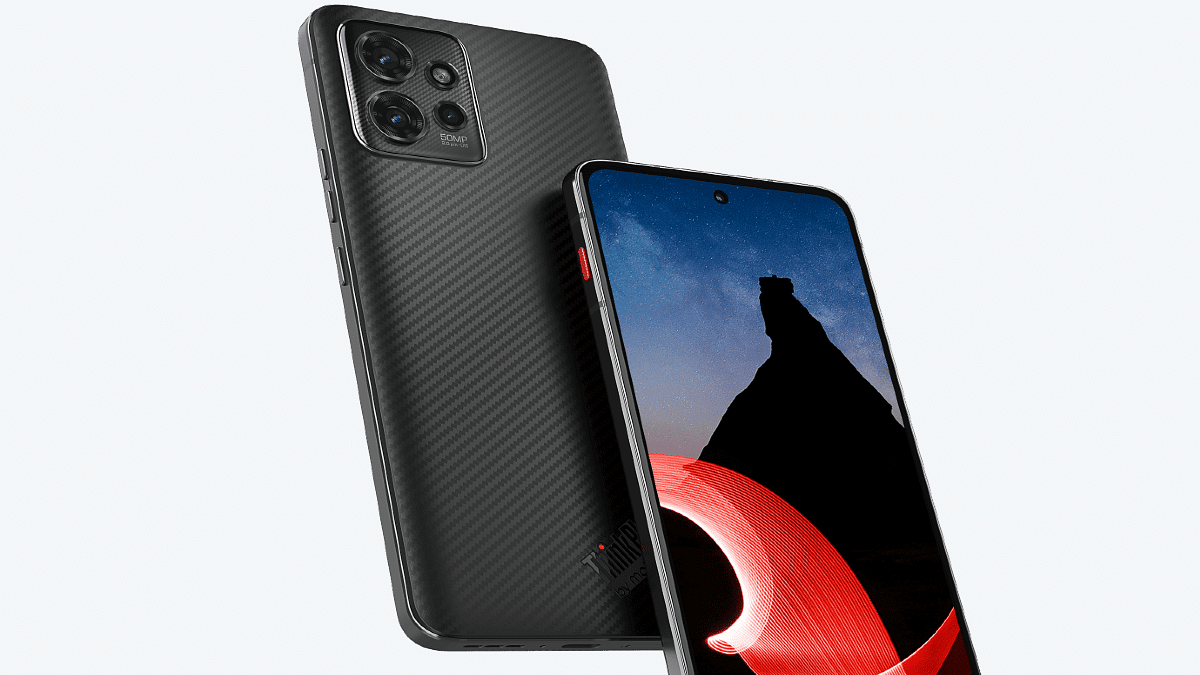
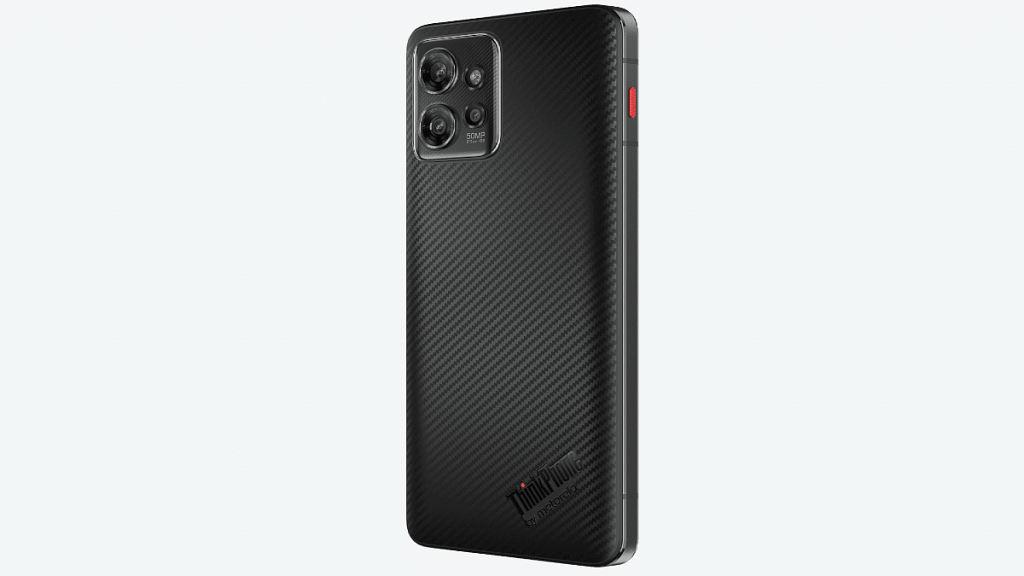
2023 has kickstarted with the launch of some of the best flagship smartphones in the market. Brands like OnePlus, Lenovo, and Tecno have introduced their new range of phones equipped with top-of-the-line chipsets, display, and camera hardware. The latest Lenovo ThinkPhone by Motorola has arrived as a rugged phone with futuristic hardware such as the Snapdragon 8+ Gen 1 processor and 68W fast charging.

The top-notch hardware and the rugged design that makes the ThinkPhone a hard-to-miss deal also bring it some heat from the OnePlus 11 5G and other flagship phones. How do these two premium phones compare overall? Read on below:

Lenovo ThinkPhone By Motorola Vs OnePlus 11 5G: Display Features

ModelLenovo ThinkPhone By MotorolaOnePlus 11 5G
Display6.6-inch P-OLED6.7-inch LTPO3 AMOLED
Camera 50MP triple50MP triple
ProcessorSnapdragon 8+ Gen 1Snapdragon 8 Gen 2
Battery5,000 mAh/ 68W5,000 mAh/ 100W

The Lenovo ThinkPhone By Motorola has a 6.6-inch display which is a P-OLED panel with 1080 x 2400 pixels screen resolution and 399 PPI pixel density. This rugged phone’s display also supports HDR10+ certification and has a Corning Gorilla Glass Victus layer.

The OnePlus 11 5G is a step ahead on the display game with the 6.7-inch LTPO3 AMOLED screen with 1440 x 3216 pixels screen resolution and 120Hz refresh rate. Just like the ThinkPhone, the OnePlus 11 5G also has an HDR10+ certification but a higher 1300 nits peak brightness. While the OnePlus 11 5G has a better display, the ThinkPhone isn’t far behind in the display game. With the added MIL-STD-810H compliant design, the latter definitely is more practical for outdoor use.

Also Read: OnePlus 11 5G Vs iQOO 11 5G: Latest Flagship Mobile Comparison

Lenovo ThinkPhone By Motorola Vs OnePlus 11 5G: Camera Specifications

The Lenovo ThinkPhone by Motorola flaunts a triple-lens rear camera module featuring a 50MP main camera sensor, a 13MP secondary sensor, and a 2MP depth sensor. The OnePlus 11 5G gets more powerful camera hardware at the rear featuring a 50MP main camera sensor with an f/1.8 aperture, a 32MP telephoto sensor, and a 48MP ultrawide sensor.

The selfie sensor on both phones is a 16MP lens. However, the ThinkPhone also has a 32MP selfie camera variant. Overall imaging experience will be superior with the OnePlus 11 5G. The ThinkPhone will offer a good camera experience with daylight imaging.

Also Read: OnePlus Call Being Recorded Notification: How To Stop Call Is Now Recording Message On OnePlus 10T, 10 Pro, OnePlus 9, 8 Series

Lenovo ThinPhone Vs OnePlus 11 5G: Chipset, Battery

The ThinkPhone employs the Snapdragon 8+ Gen 1 processor, while the OnePlus 11 5G runs on the Snapdragon 8 Gen 2 mobile chipset. The former gets Adreno 730 GPU, while the latter comes with Adreno 740 GPU support. The OnePlus 11 5G has up to 16GB RAM compatibility, while the Lenovo ThinkPhone by Motorola comes with up to 12GB RAM support.

Both ship with up to 512GB storage options. The Lenovo ThinkPhone gets its power from a 5,000 mAh battery unit combined with 68W fast charging. The same 5,000 mAh battery is also used by OnePlus 11 5G but the fast charging support is 100W.

Also Read:

Lenovo ThinkPhone Vs OnePlus 11 5G: Flagship Phone You Should Choose?

Out of the OnePlus 11 5G and the Lenovo ThinkPhone by Motorola, the former packs some extra punch. However, the ThinkPhone is also close to the OnePlus 11 5G in terms of performance but has a durable body with military-grade certification which makes it practical for outdoor use.

Also read: WhatsApp Call Recording: Here’s How You Can Easily Record Call On Android And iOS

Categories
Featured Info Mobile

Realme 10 Series Expanded With Realme 10 India Launch: Helio G99 SoC, 50MP Camera Announced Starting At Rs. 12,999

Key Highlights

  • Realme 10 is powered by the MediaTek Helio G99 Processor, 6.4-inches Super AMOLED display, and more
  • It will be available in two stunning colors – Clash White and Rush Black
  • The device will be up for sale on January 15, 12.00 A.M. onwards on realme.com, Flipkart, and mainline channels

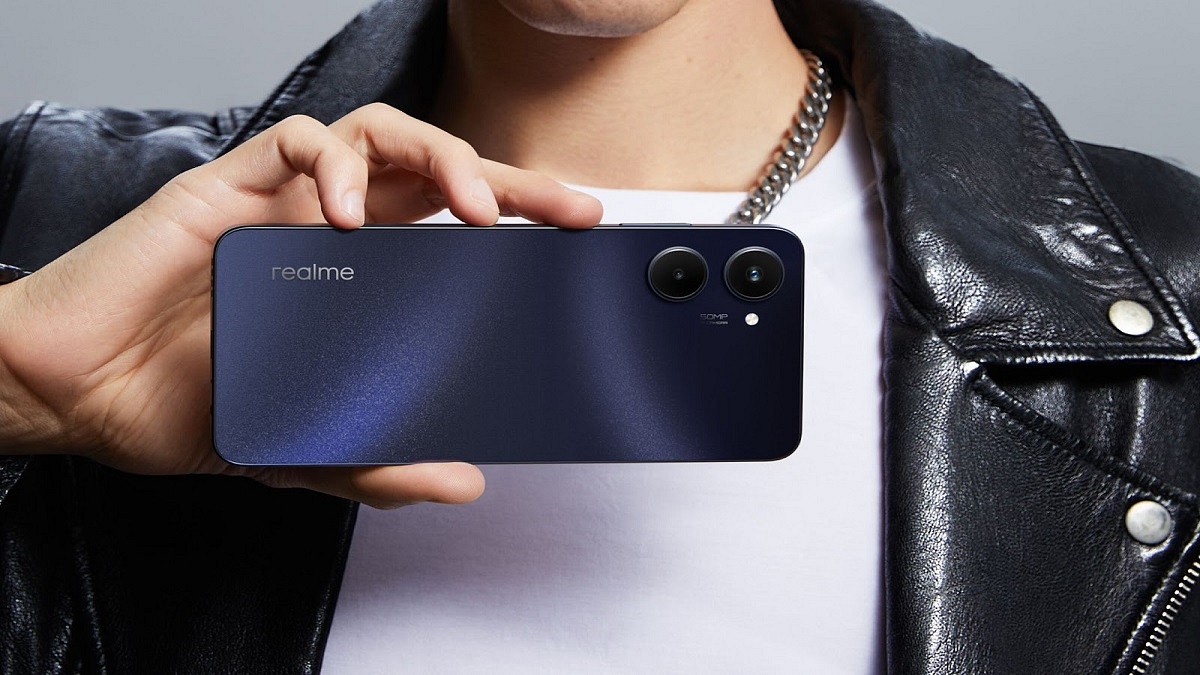
The Realme 10, an affordable and budget-friendly smartphone from Realme, has finally been released in India. Today at 12:00 A.M., the company had a live-streamed smartphone launch event on its YouTube channel.

With a 7.95mm ultra-thin and 178g ultra-lightweight design, the Realme 10 is the segment’s thinnest smartphone. This allows for a smoother grip for gamers and is also quite comfortable to carry around. Also Read | Tecno Phantom X2 vs Realme 10 Pro 5G Vs OPPO Reno 9 Pro Full Comparison: Best Latest Premium Mid-Range 5G Smartphones Of 2022

Realme 10: Specifications

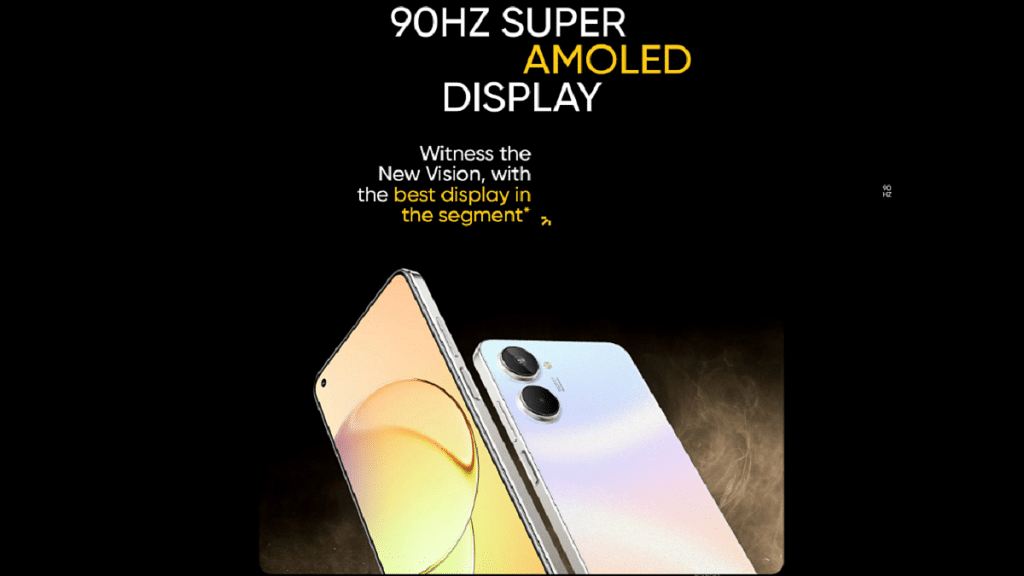
The Realme 10 features a massive 6.4-inch display and an 84.4 percent screen-to-body ratio. It has a maximum 360Hz touch sampling rate and a 90Hz Ultra Smooth Display with five adaptable levels of refresh rate for a fluid experience.

The Realme 10 is equipped with the MediaTek Helio G99 processor. Two high-performance Arm Cortex-A76 processors running at 2.2GHz make up the processor’s octa-core CPU. Up to 4,266 Mbps LPDDR4X RAM and a UFS2.2 storage device are supported by the chipset.

It has a cutting-edge 50MP primary camera, a 2MP black-and-white portrait lens, and a 16MP selfie camera. The primary camera has a 50MP Ultra HD sensor, an F1.8 aperture, a 77° field of view, and a 2MP B&W portrait lens. Additionally, the Realme 10 camera has a 4cm ultra-close Macro Lens with an F2.4 aperture and 88.8° FOV for exploring the microscopic world.

Display6.4-inch Super AMOLED
ProcessorMediaTek Helio G99
Rear Camera50 MP + 2 MP
Selfie Camera16MP
Battery5,000mAh

The device comes with a 5,000mAh battery and a 33W SuperVOOC charge. The battery can be charged to 50 percent with the SuperVOOC technology in just 28 minutes using high voltage and low current.

Realme 10: Price And Availability

There are two storage options for the Realme 10 that cost Rs. 13,999 (4GB + 64GB) and Rs. 16,999 (8GB + 128GB). On January 15 from 12 a.m. onward, there will be the first sale on realme.com, Flipkart, and traditional outlets. Customers can get the Realme 10 (4GB + 64GB) for Rs. 12,999; additionally, purchasers can take advantage of a flat Rs. 1,000 instant discount on ICICI Debit Cards, Credit Cards, and EMI purchases on Flipkart and realme.com. It comes in two colors: Rush Black and Clash White.

Also Read | Realme 10 Pro Plus Vs iQOO Z6 Pro Vs Moto G82: Best Mid Range 5G Phone In 2022 In India

Categories
Featured Leaks Mobile

OPPO Reno 8T Arriving In India As Rebadged Oppo F23: Expected Price, Specifications

Key Highlights

  • The OPPO Reno 8T is expected to arrive soon in India
  • The smartphone will probably be released in 4G and 5G versions
  • The 5G version is most likely to make its debut as the OPPO F23 5G in India

With the launch of the Reno 8 series in 2022 and the more recent Reno 9 series, the OPPO Reno series has been steadily growing. Even leaks concerning the upcoming Reno 10 series are now starting to appear. The brand may still release another smartphone in the popular lineup, according to rumors. Reno 8T is the name of the device in question, and a new leak has made its specifications and a few intriguing facts available.

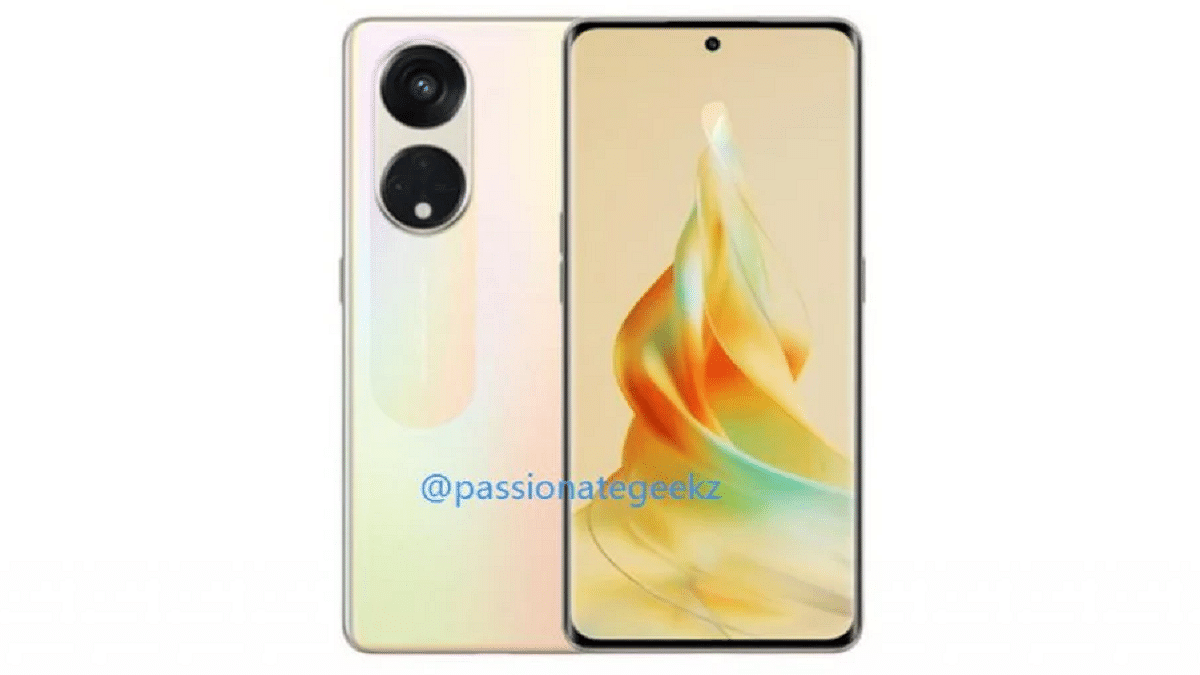
Paras Guglani, a tipster, predicts that OPPO will introduce the Reno 8T in India in the form of the F23 series. In India, the smartphone is most likely to be introduced as the OPPO F23 5G. Guglani also shared an image that shows how the new OPPO smartphone will look. Let’s look at the OPPO Reno 8T, also known as the F23 5G, specifications, features, and other information that is currently known.

Also Read | OPPO Reno7 Pro 5G Long Term Review: A Good Investment?

OPPO Reno 8T Launch In India

The OPPO Reno 8T launch date is unknown. However, information on the phone’s launch schedule in India has surfaced even before it makes its debut in international markets.

OPPO Reno 8T Specs

The tipster also disclosed that the phone will be powered by the Snapdragon 695 SoC. Additionally, the smartphone will support 67W fast charging.

Guglani additionally shared a design rendering of the phone that shows both its front and rear. The front of the phone has a curved screen. There is a hole-punch cutout at the top middle of it. The top bezel and chin are also relatively narrow.

The volume keys are located on the left edge of the phone, and the power button is located on the right edge. The two big circular perforations are housed in pill-shaped apertures on the rear panel which is finished in gold color. The lower cutout features an LED flash and a few small cutouts, while the top cutout has a single lens. The secondary sensor appears to be housed in one of the two smaller circular perforations, while the other appears to be a dummy sensor.

Also Read | OPPO K10 5G Full Review: It’s A Mixed Bag

Categories
Featured Info Laptop

Windows 7, Windows 8.1 Breathe Last: Time To Upgrade To Windows 11 By January 10

Key Highlights

  • Beginning January 10, 2023, Microsoft will no longer provide any support for Windows 7 and Windows 8.1
  • Before security support expires, users of Windows 7 and Windows 8.1 must update to Windows 11
  • Originally, Microsoft withdrew the security support for Windows 7 and Windows 8.1 in 2020

There is bad news if you are using Windows 7 or 8.1. Microsoft will stop providing all security updates from January 10. However, this information is relevant to individuals who paid for Microsoft’s Extended Security Update Program which gave regular users access to these operating systems back in 2020. The company has since recommended users to upgrade to Windows 10 or 11.

The January 10 deadline falls to the launch of Microsoft Edge 109, the last version of the browser to support Windows 7 and Windows 8.1. Even when support is dropped, the browser will function but it will be prone to bugs and security problems. Also, support for the WebView2 tool will be discontinued on January 10. Also Read | Effortless Typing In Laptop/PC: Here’s How To Use Voice Typing Feature On Windows 11 To Type Without Keyboard

Windows 7, Windows 8.1 Support Will Be Completely Discontinued

Three years ago, Microsoft initially stopped providing security updates for Windows 7 and Windows 8.1. Some users who have purchased the Microsoft Extended Security Update program can still use these operating systems. The company is reminding customers that Windows Server 2012 for Windows 8.1 support will cease on January 10, 2023. While Windows Server 2012 and Windows Server 2012 R2 extended support for all editions will expire on October 10.

Readers should be aware that Microsoft Edge 109, the last version of the browser to support Windows 7 and Windows 8.1, will be released on January 10. The browser will still function on these versions, but it won’t be able to receive security updates, leaving it open to bugs and security risks.

Windows laptop users should upgrade to Windows 11 as soon as possible. The update includes numerous enhancements and features. Through its Microsoft Store, it also adds support for Android applications. Go to Settings and select Windows Update to update your machine to the most recent version of Windows. Choose “Check for updates” below, and then click “Download” to get Windows 11.

Also Read | Want To Create A New Folder In Windows 11? Here Are Simple Ways To Do It