Categories
Leaks Mobile

Tecno Pop 6 Pro Smartphone Launching Next Week In India: See Price And Specifications Here

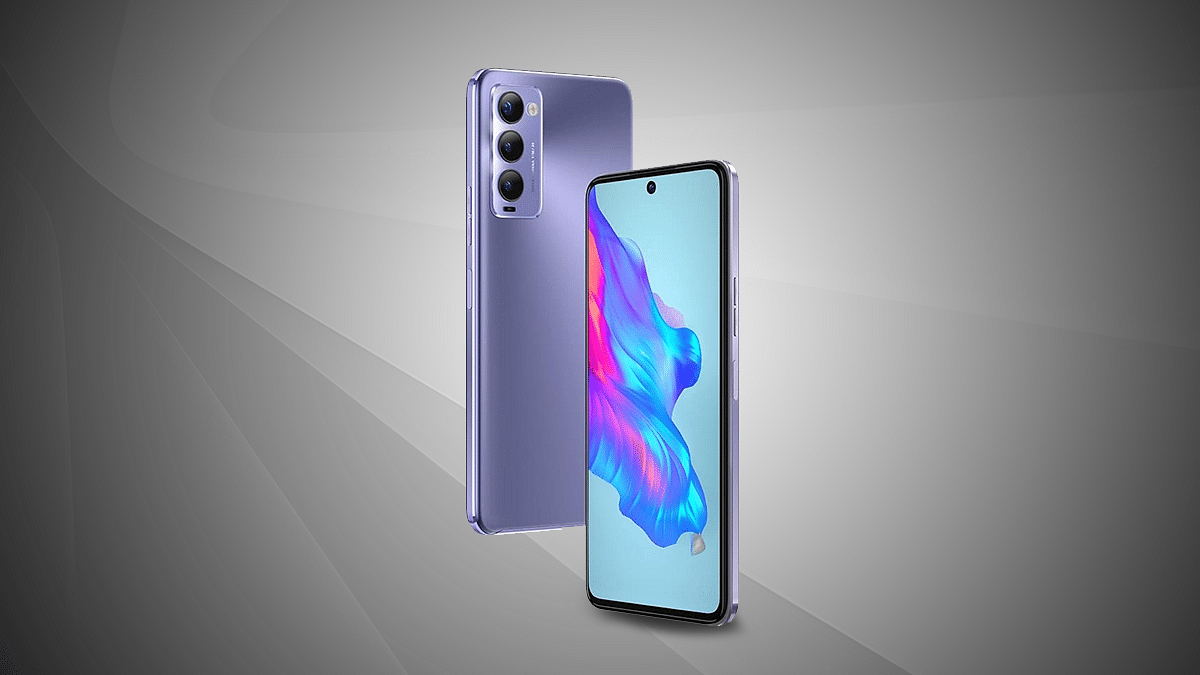
After launching Pop 6 Pro in Bangladesh, Tecno is all set to launch the same smartphone in India. In fact, the microsite of the Tecno Pop 6 Pro budget phone is already live on Amazon, which confirmed the details of the device.

The microsite says that the device is coming soon; however, the launch date has not been announced by the company. However, a new report in MSP shared that the device will be launched in India next week. But, Amazon revealed all specifications of the device.

Tecno Pop 6 Pro Smartphone: Specifications

The Tecno Pop 6 Pro will have a 6.6-inch HD+ display, 120Hz touch sampling rate, waterdrop notch, and 720 × 1612 pixel resolution. In addition, the device has a 60Hz screen refresh rate, and a quad-core processor; however, Tecno has not shared the details of the SoC yet.

The smartphone comes with 2GB of RAM and 32GB of storage configurations and runs on HiOS 8.6 which is based on Android 12 Go Edition. On the optics front, the device has a dual- camera at the back, including 8MP primary camera along with a secondary AI lens. You will also find a 5MP camera for selfies and video calls.

The device will be powered by a 5,000mAh battery unit, but there is no word on the charging capabilities. In addition, the device will have Bluetooth, GPS, 8.75mm thickness, dual-SIM, 4G, WiFi, and OTG. Also, the smartphone is priced at BDT 10,490 which is close to Rs. 8,000.

On the other hand, several reports claim that the device is expected to be much lower in India. Moreover, it will be available in two color options such as Peaceful Blue and Power Black.

Tecno Pop 6 Pro Smartphone: Launching Next Week In India

The Tecno Pop 6 Pro will be launched in India next week, which start from September 26th to September 30th. However, the exact launch date has not been shared or announced at the moment. It is important to note that the company is also teasing the launch of the device in the country via its official Twitter account.

Categories
Featured Info Mobile

YouTuber Crashes His Car To Test iPhone 14’s Crash Detection Feature

Key Highlights

  • A YouTuber tested iPhone 14 Pro crash-detection feature
  • TechRax posted a 6:27-minute video on his YouTube channel

How far will you go to test a new iPhone feature? In order to test the new iPhone 14 Pro crash-detection feature, a YouTuber went to all extremes. The test demonstrates how the iPhone 14 Pro responds to what Apple refers to as a “severe car crash.”

TechRax, a YouTuber who tests out new tech features and has over 7 million subscribers, published a 6:27-minute video. In a car with no one inside, he tried to simulate a few car crash accidents. To test the accuracy of the new iPhone 14 Pro crash detection feature, he equipped a car with a GoPro camera and a remote-control system, then drove it into abandoned cars in a field.

Does iPhone 14 Pro’s Crash Detection Feature Work?

In a video posted on YouTube by the TechRax channel, a brand-new iPhone is seen being fastened to the headrest of the passenger seat of a 2005 Mercury Grand Marquis sedan while being operated via remote control. The car then collided with a pile of rusted-out, old cars.

The YouTuber was surprised that the car detection feature did not work instantaneously. However, about 10 seconds later, a notification stating “It appears like you have been in a crash” appeared on the phone.

When the iPhone detects a severe car crash, it will automatically initiate an emergency call after 20 seconds unless you cancel it. The iPhone will play an audio message for emergency services if you are not responsive, alerting them to the severity of the incident and providing them with your latitude and longitude as well as a rough search radius.

The safety feature is then put to the test a second time by the YouTuber, and once more it correctly detects a crash and is prepared to initiate a call to emergency services. According to Apple, Crash Detection is intended to identify “severe car crashes,” such as rollovers and front-, side-, and rear-end collisions involving sedans, minivans, SUVs, and other passenger cars.

According to Apple, Crash Detection is on by default. In our previous coverage, we have listed down the simple steps on how you can activate the car detection feature on your iPhone 14 which you can read here.

Categories
Comparison Featured Tablet

Xiaomi Pad 5 Vs Lenovo Tab P11 Pro Vs Galaxy Tab S7 FE: Premium Mid-Tier Tablet You Should Buy!

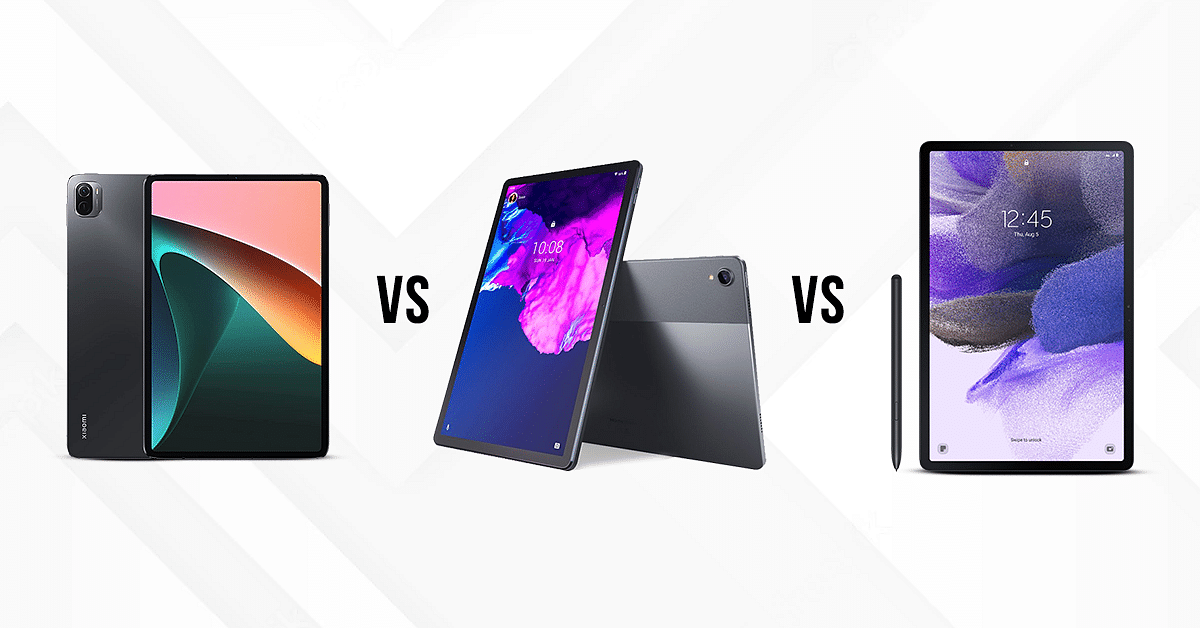
Tablets have emerged as effective alternatives to other tech gadgets in recent times, specifically smartphones. As a result, an upsurge has been witnessed with new tablet launches in the market. One of the latest top brands in the tablet industry is Xiaomi which is giving Lenovo and other popular tablet OEMs a hard run for the money. Similarly, Samsung has also launched many entry-level tablets in the market and has also seen its expertise with the flagship Android tablets. Today, we are going to carry out a comparison between the Xiaomi Pad 5, Lenovo Tab P11 Pro, and the Galaxy Tab S7 FE

Xiaomi Pad 5 Vs Lenovo Tab P11 Pro Vs Galaxy Tab S7 FE: Full Spec Sheet Comparison

Display Specifications 

The Xiaomi Pad 5 features an 11-inches screen which is an IPS LCD Panel with a resolution of 1600 x 2560 pixels. It has a pixel density of 275 PPI and a refresh rate of 120Hz which ensures smooth performance. Having a brightness of 500nits, it offers decent sunlight legibility when outdoors. 

The Lenovo Tab P11 Pro is equipped with an 11.5-inches display, Instead of the standard LCD screen, this tablet offers a high-res OLED display with a brightness of 500nits which ensures a clear picture outdoors. In order to prevent eye fatigue, it is low-blue-light certified. It allows superior quality streaming with its 2K screen resolution of 2560 x 1600 pixels. 

The Samsung Galaxy Tab S7 FE is also a premium mid-range Android tablet that features a 12.4 inches TFT panel. This display on this Samsung tablet delivers a resolution of  2560 x 1600 pixels. It has a maximum brightness of 430nits, which ensures clear visuals. 

Overall, the Lenovo Tab P11 Pro stands at the top in the display department since it operates on 2K resolution and has an OLED with high brightness. 

Camera Features 

The Xiaomi Pad 5 is packed with a 13MP rear camera, which captures vivid quality shots. 

The rear camera on the Pad 5 tablet also allows you to record cinematic 4K videos at 30fps and 1080p videos at 30fps. It has an 8 MP front camera, which features Auto Focus, HDR, and Panorama shooting modes for enhanced selfies. ‘

The Lenovo Tab P11 Pro is packed with a powerful set of dual cameras, both in the front and the rear end. It has a 13MP +5MP front camera (with autofocus and fixed focus). It also has a dual front camera, which includes an 8MP+8MP with fixed focus. 

The Galaxy Tab P11 has an 8MP rear camera and a 5MP front camera. It also allows the users to record UHD 4K videos at 30 fps. 

Considering all the camera aspects, the Lenovo Tab P11 Pro came out to be the best since it has dual cameras both up front and back. The Xiaomi Pad 5 and Galaxy Tab S7 FE offer decent camera hardware for general photography. 

Chipset Comparison 

The Xiaomi Pad 5 operates on the Qualcomm Snapdragon 860 chipset octa-core, which can handle intensive tasks with ease. The Pad 5 is available in two variants, both of which feature 6GB RAM along with 128GB and 256GB of onboard storage respectively. However, it does not feature expandable storage support. 

The Lenovo Tab P11 Pro houses the Qualcomm Snapdragon 730G chipset under the hood with an octa-core architecture. This premium range Lenovo tablet has 6GB RAM and 128GB of native storage space. It also allows an expandable memory of up to 256GB via a microSD card slot. 

The Galaxy Tab S7 FE runs on the Qualcomm Snapdragon 750G chipset with an octa-core CPU cluster. It is available in three variants including 4GB RAM + 64GB ROM, 6GB RAM+128GB ROM, and 8GB RAM+256GB. It also allows an expandable memory of up to 1TB via a microSD card slot. 

Overall, the Xiaomi Pad 5 is an efficient performer but does not allow an expandable memory. This feature is best available in Galaxy Tab S7 FE, which allows the users to expand the memory up to a whopping 1TB. 

Battery and Fast Charging 

The Xiaomi Pad 5 is equipped with an 8720mAh battery, which is accompanied by a 33W fast charging technology. One single charge can take up to two hours (zero to 100 percent) and can support up to 16 hours of video playback. 

The Lenovo Tab P11 Pro is furnished with an 8600mAh battery and can be recharged with a 20W charger, this tablet takes about four hours to refuel.

The Galaxy Tab S7 FE is equipped with a 10,090mAh battery, which can support up to 13 hours of video playback. It can get completely changed within 3 hours. 

The Xiaomi Pad 5 comes out to be the top performer since it offers faster quick charging. However, the Galaxy Tab S7 FE has the biggest battery module that will ensure a longer backup.

Final Verdict: Which One Should You Choose?

On carrying out a deep analysis, the Xiaomi Pad 5 stands at the top of the podium. However, the Lenovo Tab P11 Pro offers tough competition in the display and the camera department. The Xiaomi Pad 5 is inexpensive and cost-effective. But, if you want a better camera quality, the Lenovo Tab P11 Pro is a clear alternative. 

Categories
Tech Gadgets

Instagram Group Chat: How To Start Group Chat On Instagram, Add Members, Send Private Media

Instagram is getting popularity as one of the best social media platforms for mobile and desktop users in the global market. Since Meta acquired this photo-sharing app, we have seen some major overhauls with the UI and features. Instagram has been rapidly working to improve the user experience and has added a myriad of features in a bid to offer the same.

Instagram has evolved from being just a photo-sharing app and now lets users share short videos and stories. The company has also added the Direct messaging feature which allows the users to chat without leaving the app. The company has made it an end-to-end platform for a secure messaging experience and has also added support for direct calling (both voice and video).

Also, there aren’t many limitations with the direct messaging feature and you can also make use of the group chatting feature to talk to multiple of your friends simultaneously. You would need to create a group in order to initiate a group chat, video, or voice call. If you are unaware of the steps to start a group chat on Instagram, this step-by-step guide article is what you need to go through. Read on here:

Steps To Initiate Group Chat On Instagram

Step 1: You can start a group chat using the Instagram mobile app for Android and iOS devices. Launch the app on your respective smartphones and move to step 2.

Step 2: Go to the direct messaging section. Click on the messenger option from the top left corner.

Step 3: Now, select the square with a pencil icon which is for adding group chat members.

Step 4: Tap the users’ profile with whom you would want to initiate the group chat.

Step 5: Once you perform these steps, the group chat window will be created.

Step 6: You can now start chatting with your group and send photos and videos from your gallery or Instagram feed.

Step 7: You can also take care of your privacy by selecting the View once and Allow replay option. Tap on send once done.

How To Add More Members To Instagram Group Chat

Step 1: Go to the Direct Messaging option on the Instagram app.

Step 2: Now, open the group chat where you want to add the additional members.

Step 3: Right next to the Members tab, you’ll see the Add people option. Tap on it.

Step 4: Now, scroll to the users you want to add to the group chat.

Step 5: Tap on Next and the new users will be added to the group.

Categories
Leaks mobile Tech Gadgets

OnePlus 11 Pro 5G Smartphone Specifications Tipped; Might Launch With Snapdragon 8 Gen 2 SoC

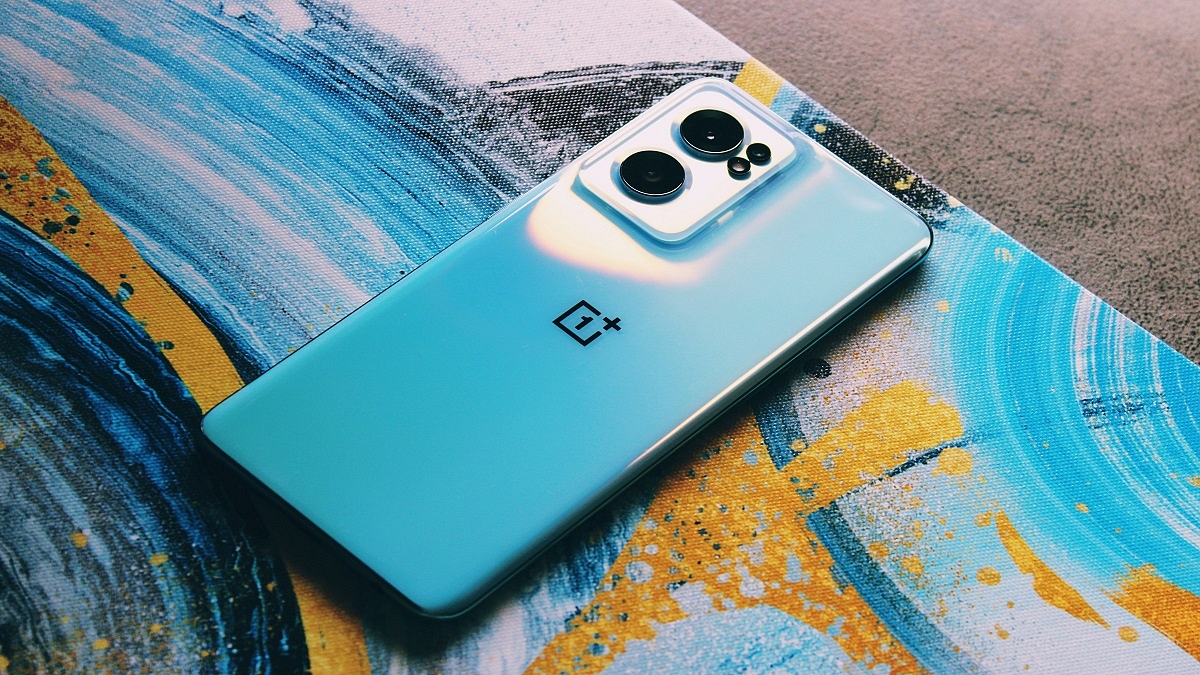
Chinese smartphone maker OnePlus is likely to bring a new smartphone soon. In fact, the full specifications of the OnePlus 11 Pro 5G have been shared 91Mobiles in collaboration with tipster Steve Hemmerstoffer. Earlier, SmartPrix shared its CAD renders with the same tipster.

Notably, the device is expected to be launched in China by the end of this year. However, the smartphone will be available in early 2023 in other markets and India. The company has not shared anything on the upcoming launch, but rumors suggest that it will have Snapdragon 8 Gen 2 mobile platform.

OnePlus 11 Pro 5G Smartphone: Expected Specifications

According to the 91 Mobiles report, the OnePlus 11 Pro will have a 6.7-inch AMOLED display, 120Hz refresh rate along with curved edges, and Quad HD+ resolution. The OnePlus 11 Pro will have Snapdragon 8 Gen 2 that is likely to be launched in November.

The report claims that there will be two variants such as 8GB of RAM and 128GB of storage and 16GB of RAM and 256GB of storage. However, there is no update on the 12GB RAM variant. In addition, the display punch-hole of the OnePlus 11 Pro might have a 16MP camera for selfies.

There will be a 50MP main sensor along with OIS support, 32MP telephoto camera, 48MP ultra-wide lens, 32GB telephoto camera along with 2x optical zoom.

The OnePlus 11 Pro will have a 5,000mAh battery along with 100W charging, an in-screen fingerprint scanner, WiFi 6E, Bluetooth 5.2, GPS, USB Type-C port, an alert slider, dual SIM, and 5G support. Additionally, the device will have OxygenOS 13 which is Android 13 OS.

OnePlus 11 Pro 5G Smartphone: Expected Launch Date

It is important to note that there is no update on the launch of the OnePlus 11 Pro 5G on the global market. The smartphone is expected to be launched by the end of this year but will be launched in the first quarter of the next year in the global market.

Categories
Comparison Featured TV

Realme Smart TV 4K Vs OnePlus TV Y1 Vs Acer AR50AP2851UDFL LED 4K TV Comparison: Best Smart TV Under Budget

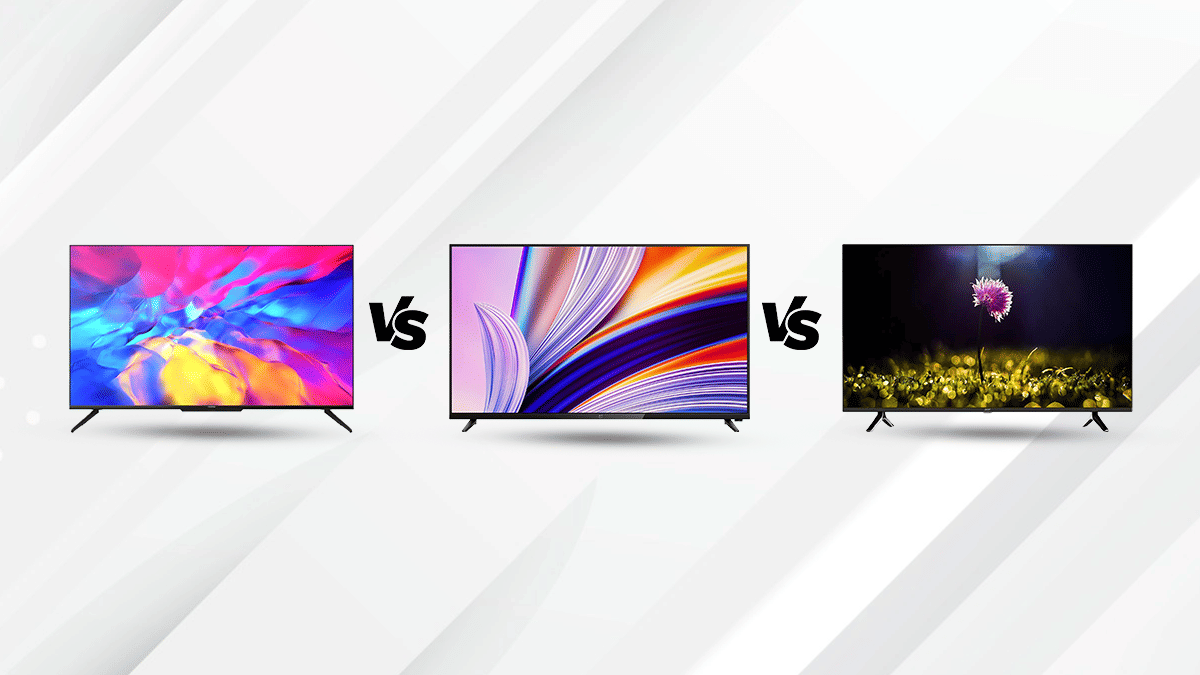
There are multiple television brands in the market offering numerous options for the audience. So in case, you’re having trouble finding a suitable TV with advanced features, this comparison article can be an aid in your decision. The Realme Smart TV starts at Rs. 29,999, whereas The OnePlus TV 43Y1s Pro starts at a price of Rs. 25,999, and the Acer AR50AP2851UDFL starts at a price of Rs. 29,999

Design And Display

The Realme Smart TV 4K 43-inch is a modern high-end product equipped with the some advanced technologies. It flaunts a large screen size measuring 43-inch with a resolution of 3840 x 2160 pixels. The Realme smart TVs display has a 16:9 aspect ratio, 178° viewing angle, and 1.07 billion colors for a great visual experience. It is equipped with Dolby Vision and Chroma Boost for enhanced picture quality.

The OnePlus 43-inch TV 43Y1s Pro is a Smart TV has resolution of 1920 x 1080 Pixels, that offers great performance in an elegant minimalist package. Featuring 93% DCI-P3 color gamut and HDR, the visual quality becomes  better.The Acer AR50AP2851UDFL 50-inch LED 4K TV comes with a  screen resolution of 3849 x 2160 Pixels. This TV is ideal for home entertainment with the advanced picture and audio quality. With its large screen and high-quality performance; you can easily do your daily activities like watching videos, viewing photos, and browsing the web.

OS And Features

The Realme Smart TV 4k 43inch runs on Android 10 TV OS. The 4K smart TV ships with Dolby ATMOS support  for realistic audio effects. The Smart TV comes with a bunch of built-in apps like Netflix, Amazon, and more. It also comes with google assistant.

The OnePlus TV 43Y1s Pro is a Smart TV that runs on Android 9.0 and supports a 64-bit Quad-Core chipset with Cortex A53 architecture. The OnePlus TV 43Y1s lets you connect with multiple devices and has features such as Dolby Audio surround sound, built-in Google Assistant ,and Alexa. It also has a built-in Chromecast that allows streaming content from a phone or tablet wirelessly.

The Acer AR50AP2851UDFL is equipped with 64-bit Quad Core processor. This TV features google assistant and Chromecast compatibilty, Acer has equipped this TV with 2GB RAM and 16GB of internal storage. It offers standard connectivity options such as HDMI, USB ports, Blu-rays speakers and so on.


Categories
Comparison Featured Tablet

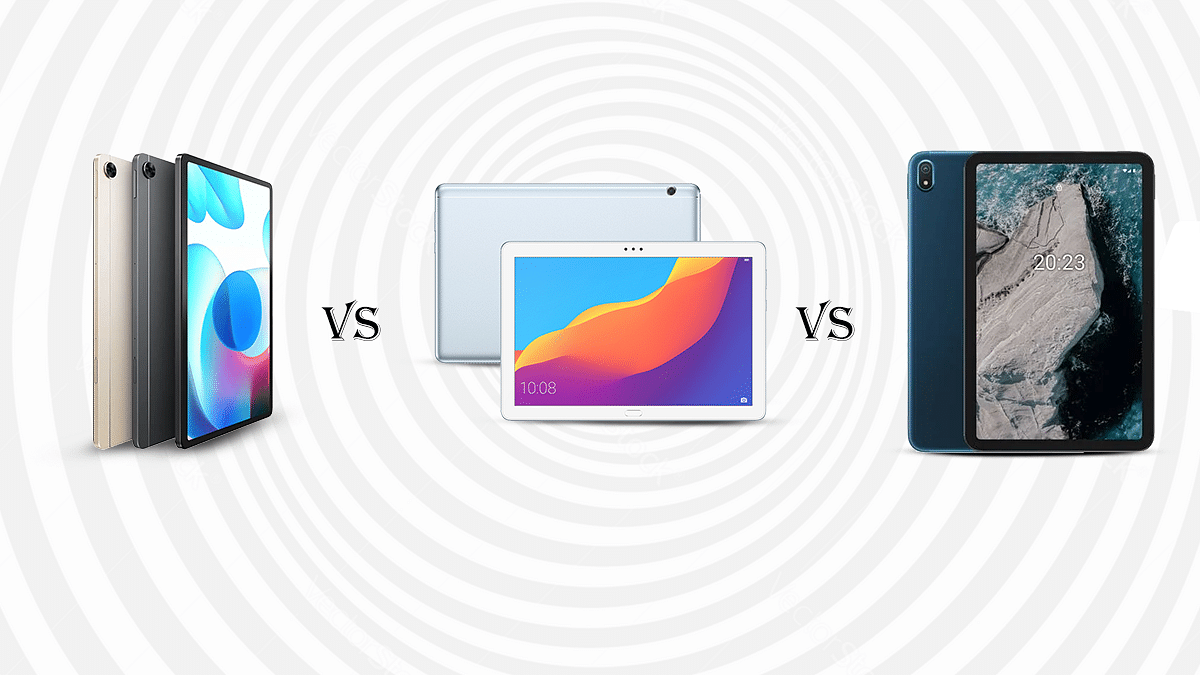
Realme Pad Vs Honor Pad 5 Vs Nokia T20:The Best And Affordable Tablet To Buy In India

The tech market has recently witnessed an upsurge in the entry-level tablets. The OEM’s have been vigorously manufacturing multiple affordable and cost-effective tablets with excellent features. Among them, Realme and Honor have been upgrading their portfolios, by launching new tablets. The former recently forayed in the tablet industry, while the latter is revamping its business with the Honor Pad 5 in India. 

Nokia has also been one of the top performing tablet and smartphone manufacturers and has secured a strong foothold in the Indian market. We are going to compare the Realme Pad, Honor Pad 5 and Nokia T20 affordable tablets in this article. Read on here:

Display Specifications 

The Realme Pad features a screen of 10.4-inches which is an LCD panel. It has a resolution of 2000×1200 pixels and a screen-to-body resolution of 82.5 percent. It has a typical brightness of 360 nits, and the feature of sunlight mode which allows good visibility outdoors.

The Nokia T20 has a 10.4 inches screen, which operates on al 2K resolution of 1200 x 2000 pixelsThis budget Nokia Tablet’s display has a brightness of 400 nits, which is higher, when copmpared to the Realme Pad. It is specifically curated to minimize eye-fatigue with itslow blue light certification.

The Honor Pad 5 is furnished with a 8-inch wide Full HD screen, which delivers rich visuals. It has a resolution of 1920 x 1200 pixels and a pixel density of 283PPI. Moreover, it has a screen-to-body ratio of 74.63 percent. 

Overall, the Nokia T20 and the Realme has an upper hand which ensures crisp and clear output. 

Camera Features 

The Realme Pad features an 8MP HD camera, both in the front and the back. The front camera can capture wide-angle shots, of up to 105 degrees. Moreover, it has a dual-mic setup to ensure a crisp voice during voice and video calls. The face recognition feature can instantly unlock the tablet. 

The Nokia T20 is packed with an 8MP auto-focus front camera and a 5MP front camera with fixed focus. It captures decent shots with good details. 

The Honor Pad 5 is equipped with an 8MP front and back camera, which supports HDR, Digital Zoom, auto flash and CMOS image sensor, which caprtures excellent shots. 

All three tablets offer a basic camera hardware that is suitable for general photography. 

Chipset Comparison 

The Realme Pad houses a gaming processor i.e the Helio G80 based on a 12nm octa-core fabrication. Apart from that,this mid-range Android tablet is available in two different variants, the first one with 3GB RAM and 32GB of storage and the second one with 4GB RAM and 64GB of ROM. Also, it has an additional feature of expanding memory support of up to a whopping 1TB via external microSD card. 

The Nokia T20 operates on the Unisoc T610 which is also an octa-core chipset for entry-level devices. The Nokia T20 is available in two variants, the first one features 3GB RAM and 32GB of internal storage and the second one comes with 4GB of RAM along with 64GB of onboard storage. It also allows an expandable memory of up to 512GB via a microSD card slot. 

The Honor Pad 5 operates on the in-house Kirin 710 processor. The octa-core chipset is combined with 3GB of RAM and 32GB of ROM, which can be expanded up to 512GB via a microSD card slot. 

After taking all the aspects into consideration, the Realme Pad comes out to be the best performer both in terms of chipset and performance. The Nokia T20 and Honor Pad 5 have similar features except Nokia features a much more efficient chipset than the latter. 

Battery and Fast Charging Capabilities 

The Realme Pad is equipped with a 7100mAh Li-ion battery. It is accompanied by an 18W fast charger that takes about three hours to completely charge it. It can allow up to 12 hours of continuous video streaming with one single charge. 

The Nokia T20 offers a huge 8200mAh battery that supports 15W fast charging.However, it comes with a 10W charger. It takes about three hours to completely recharge the tablet, that allows up to ten hours of video streaming.

Unlike other tablets, the Honor Pad 5 features a standard battery of 5100mAh. It is supported by a quick charging technology and one complete charge can offer up to 10 hours of video playback. 

Overall, the Nokia T20 offers the biggest battery among the three. However, as per the company claims the Realme Pad can support up to 12 hours of video play, which is more than the Nokia T20 and the Honor Pad 5. 

Final Verdict- Which One Should you Choose?

When compared, we came to the conclusion that Realme Pad will be the best choice. However, the Nokia T20 has an upper hand in the battery and display display department. Overall, the Realme Pad is an absolute value for money and is a resourceful tablet. 

Categories
Featured Info Laptop

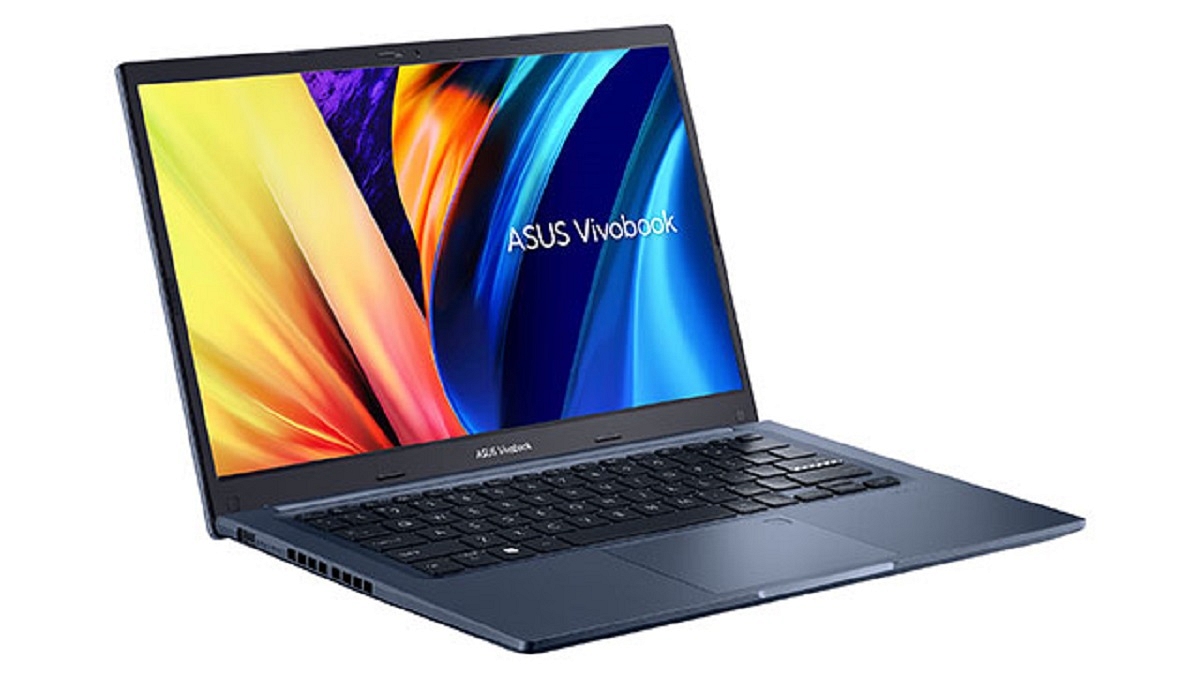
Asus Launches Vivobook 14 Touch (X1402) In India On Flipkart: Check Features, Price

Key Highlights

  • Asus unveils Vivobook 14 touch on Flipkart
  • The laptop is powered by the 12th Generation Intel Core i5-1240P processor
  • It will be available at a starting price of Rs. 49,990

Asus announced the arrival of the Vivobook 14 touch (X1402) in India on Flipkart. The new Vivobook 14 (X1402) from Asus expands the country’s selection of Vivobooks by offering a touch screen and technologically advanced adaptability in a stylish package.

The Asus Vivobook 14 touch (X1402) is designed to deliver comfort, convenience, and exceptional battery life. The newly-launched laptop is designed for young people and working professionals. It offers exceptional performance while allowing users to multitask in a small package. Here is all the information you need to know about the just released laptop:

Asus Vivobook 14 Touch (X1402) Specifications

An Intel Core i5-1240P processor powers the Asus Vivobook 14 Touch (X1402). It has 512GB of PCIe Gen 3 SSD storage space and up to 16GB of RAM. Users can multitask on the Asus Vivobook 14 touch (X1402) without any latency or disruptions. It is a compact and lightweight device with a 19.9mm thickness and is military-grade certified with MIL-STD 810H parameters. It weighs only 1.4kg.

The laptop’s Full HD 14-inch IPS display has slim bezels, an immersive screen-to-body ratio of 82 percent, and a comfortable wide 178-degree viewing angle. A full-length backlit chiclet keyboard, a 42WHrs battery with 65W fast charging, and a dedicated fingerprint scanner for secure biometric verification are further features.

Additionally supported by the Vivobook 14 touch (X1402) are full-sized HDMI 1.4, USB 2.0, 2 x USB 3.2 Gen 1 (Type-A), and a 3.5mm audio connector.

Asus Vivobook 14 Touch (X1402) Price And Availability

The Asus Vivobook 14 is equipped with the latest 12th Generation Intel Core i5-1240P processor which is priced affordably starting at Rs. 49,990. It will be offered on the online storefront Flipkart. The Vivobook 14 is available in two pleasing color options, i.e., Quiet Blue and Icelight Silver.

Categories
Tech Gadgets

Google Chat Latest Update Adding Support To Send Multiple Videos, Photos Simultaneously: How To Use

Highlights

Google Chat gets a new update

Users will be able to send up to 20 videos and images simultaneously

Mass update rollout awaited

Google is one of the biggest providers of mobile services and apps. The brand is making our lives easier with its services and tools covering most aspects such as multimedia, navigation, lifestyle, and health. Google has also tried its hand in the social media space and messaging. For the latter, it offers Google Chat which is an improved app dedicated to messaging. Going forward, Google plans to replace Hangouts with Chats. In the meanwhile, Google has updated the Chat app with new features. Below are the details:

Google Chat Getting Updated With This New Features

A new report by 9To5Google has revealed Google Chat’s upcoming update rollout. Going by the information shared by the publication, Google will be adding support to share multiple images as well as videos to the Chats app. The company currently allows users to send a single image or video to any contact.

However, the latest update is now letting users easily send more than one image or video to their contacts. Therefore, it was quite a task to send multiple photos or videos at once using Google Chat. This is one of the primary reason why Google Chat is still not as popular as WhatsApp and similar popular instant messaging applications.

Since Google is shutting down Hangouts and improving the messaging experience with Google Chat, we are expecting this app to become more successful in the coming years. The report also mentions Google has started releasing this update to the Chat app for Android users. However, the company is dishing out this update in a phased manner and will possibly be done with the mass rollout going forward.

How Can You Send Multiple Images And Videos Using Google Chat?

You don’t have to perform any special steps to send multiple images or videos using Google Chat. Rather, the method is similar to how you would send a single video or image. Just open the chat window and go to the media option, and select the images that you want to send to the contact. Similarly, you can select multiple videos simultaneously and share them with the desired contacts. It is worth adding that Google has added support to send up to 20 images and videos simultaneously from the gallery.

Categories
Featured Info Mobile Tablet

Samsung NO MO’ FOMO Festival Sale: Top Deals On Galaxy Phones, Tablets, And Wearables

Key Highlights

  • Samsung announced NO MO` FOMO festival sale
  • Offers for mobile phones, TVs, tablets, and more are up for grabs
  • Additional discounts are available for first-time Samsung Shop app users

The No Mo’ FOMO sale has been announced by Samsung India in light of the forthcoming Indian festivities. Massive price cuts of up to 57 percent on Galaxy smartphones, up to 48 percent on Samsung TVs, and an additional Rs. 4,500 off on initial purchases made through the new Samsung Shop app are all being offered by the company.

The discounts are available across a variety of product categories including smart wearables, laptops, tablets, accessories, and even digital appliances. However, the discounts are only available on Samsung Exclusive Stores, Samsung.com, and the new Samsung Shop App. Here are all the details regarding Samsung’s NO MO’ FOMO sale:

Discounts On Galaxy Smartphones

The flagship Galaxy Z series and Galaxy S series, as well as the great mid-range Galaxy A series and affordable Galaxy M and F series, will all receive discounts of up to 57 percent.

Customers purchasing specific Galaxy S series and Galaxy A series devices would receive a 50 percent discount on covers, while those purchasing the Wireless Charger Duo which costs Rs. 5,199 coupled with a Galaxy Z series phone will cost only Rs. 499.

Deals On Tablets And Wearables

Customers can save up to 55 percent when buying Galaxy tablets, wearables, and accessories. During the NO MO’ FOMO sale, several new Galaxy laptop models are available for up to a 30 percent discount. When using their debit and credit cards from ICICI Bank and HDFC Bank, they will additionally receive a cashback of up to 15 percent.

Offers On Samsung TVs And Free Galaxy S22 Ultra/ Galaxy A32

Customers can get up to a 48 percent discount on Samsung TVs, including the Frame, UHD, and QLED TVs, by combining various offers. Also, those who buy the 75-inch, 85-inch, and 95-inch Neo QLED TVs will receive a free Galaxy S22 Ultra priced at Rs. 1,09,999 as an additional bonus. Besides, Samsung Galaxy A32 will also be up for grabs when buying select Neo QLED, QLED, The Frame, and UHD TVs.