Categories
Info Tech News

Best Nova Launcher Themes For Homescreen in 2021

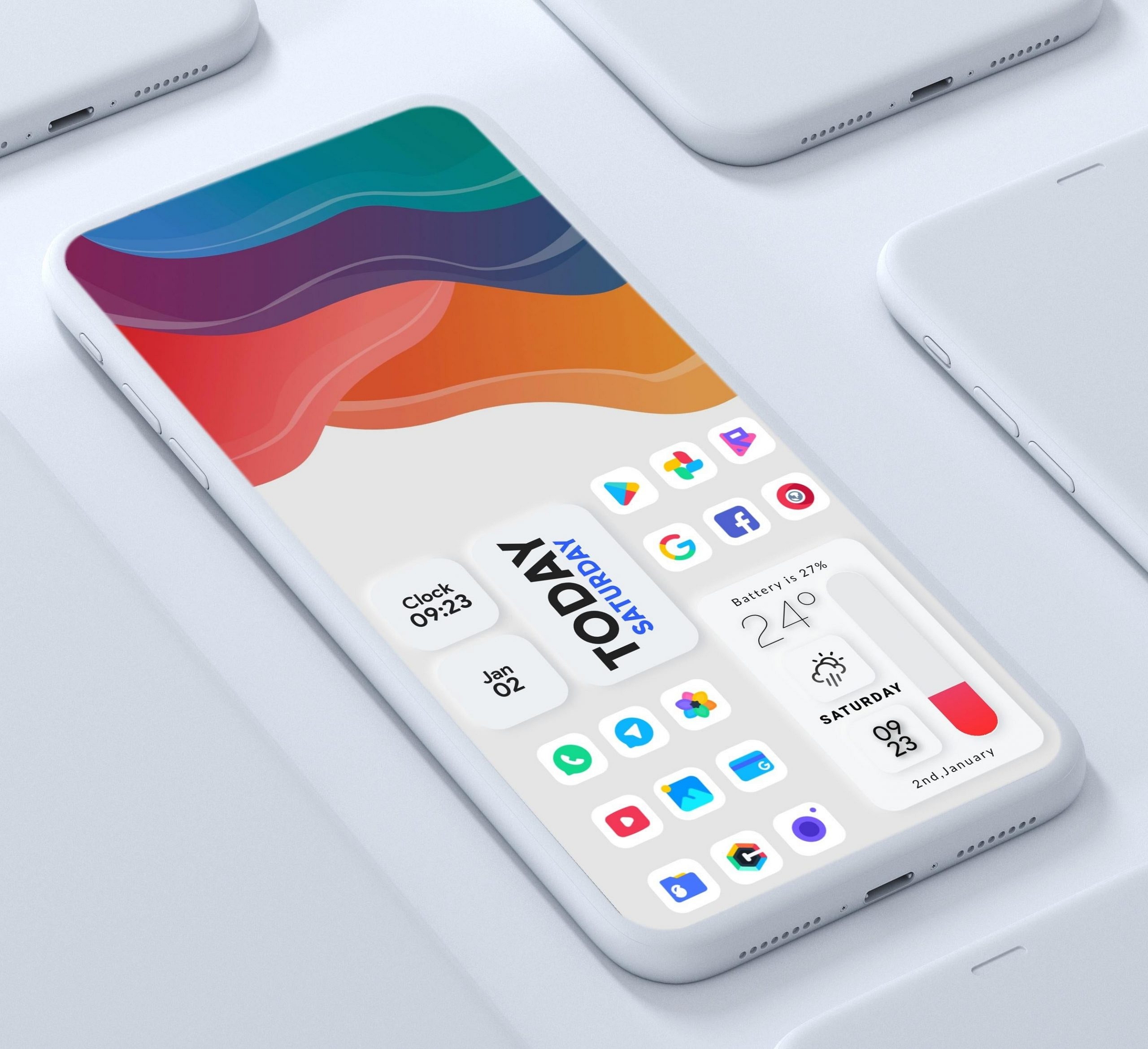
In today’s modern world, everyone wants to have their own unique customized theme on their smartphone. NOVA launcher is becoming quite popular among Android users. Best Nova Launcher Themes allows you to customize your smartphone theme significantly, which is not allowed in the original settings.

 This application has no theme options, but users can give their own touch to the NOVA launcher by adding their own icon packs. We have gathered for you the best NOVALauncher themes app for Android 2021, which will help you customize your screen.

Candycons Nova Launcher Theme

Many Android users recommend CandyCons because it provides excellent detailing and a slight texture of every single icon. The icon pack for this app follows Google’s Material Design color palette, which exactly matches the Android user interface.

It is equipped with 1,127 high-quality icons and 20 HD wallpapers. This app has given a lot of attention to various Google apps such as chrome or google photos.

Also read: How to mirror your Android or iPhone screen to Firestick

Glim

Glim is equipped with a vibrant and colorful icon package for Nova Launcher and includes many unique themed HQ icons. It can support a dock and also consist of numerous icons sections. The topic also has an intelligent symbol request tool and many other features. This app has frequently been located on the list of having one of the best Nova Launcher icon packs.

Lines

Unlike other mainstream themes and icon packages, Lines is an entirely unique application because it doesn’t conform to Google’s material design. This app can create hollow outlined icons for your application. 

 The icons here are combined with over 200 carefully selected matching wallpapers and have about 2100 icons organized into similar analog clock widgets, each of which blends perfectly with the theme.

MOONRISE

Another popular free theme application is Moonrise which also has a pretty unique icon collection that will help you to customize your home screen. This application can turn your home screen into a controlled and personalization screen. It also helps you change icons, layouts, animations, and much more.

 This theme app for Android has a unique icon pack that always mimics the true colors of moonlight or the essence of dawn.

The icons here are combined with over 60 carefully selected wallpapers and over 1050 icons.

Delta

With over 10,000 downloads, this app is still one of the best Nova launcher themes. It has a collection of over 2,000 icons to choose from and supports over 20 launchers. It is an excellent App for those who like minimalistic icons without any high contrast colors.

 This app is equipped with brightly shaded pastel-colored icons combined with some in-house wallpapers to make your Android device look beautiful.

Conclusion

One of the main reasons for the increase in Android users is android customization. These changes can range from changing the wallpapers to modifying the entire operating system using custom ROMs. 

In particular, among all the customizable things, people love to try out fresh and colorful themes. Whatever be the reason, Android icon packs and theme applications are thriving in the GooglePlay Store.

Categories
Info Tech News

Best Video Compressor apps for Android Phones

Whether you’re making a funny video with a friend or recording a great scene in nature, you might want to send it to someone to share your experiences. Alternatively, you can also upload it online. 

The problem is that some of the video file sizes are pretty large so that it will be a difficult task to upload or transfer the file. So, sometimes you need to compress a video before sending it. Here is a list of 7 Best Video Compressor apps for Android Phones that can be used for video compressing:-

  1. Videos and Movies Compressors App

Videos and Movies Compressor app is one of the most popular and convenient free video compression applications for Android. You don’t need to switch to another compression application to get the job done, as it supports almost all standard file formats. You can also share the compressed video files directly with your friends.

This app has the :-

  • Size: 29 MB
  • Total downloads: over 1L
  • Supported by: Android 
  • Developed by: Sociosoftware

Also read: How to mirror your Android or iPhone screen to Firestick

  1. Video Compress

Video compression on Android can be quite a daunting task. Fortunately, there are utility applications such as Video Compress from the Mel studio apps. You can also adjust its video quality, from high to low, for different levels of compression.

This app has the :-

  • Size: 22 MB
  • Total downloads: over 50L
  • Supported by: Android
  • Developed by: Mel Studio apps

  1. Video Dieter

Video Dieter is another video compression software that is quite popular among Android users. It allows you to save full-length videos to your device in a very decent size. 

Its snappy interface allows you to set the desired video quality as required in your output. Video Dieter also suggests adding your favorite music to your videos along with fast transcoding.

This app has the :-

  • Size: 2 MB
  • Total downloads: over 10L
  • Supported by: Android
  • Developed by: Outplay Lab, INC

  1. Video Compressor by Sunshine

Sunshine Video Compressor is also one of the best video compressors for Android because it can save multiple videos. It can compress large videos faster and save up to 90% of the phone’s memory space. 

You can save videos in Full HD, HD, and SD formats by entering compression settings. This application allows you to play videos in the application and share them instantly.

This app has the :-

  • Size: 25 MB
  • Total downloads: over 1L
  • Supported by: Android
  • Developed by: SPIKA INC

  1. Resize Video

 Resize video is an excellent application that can resize very long videos without affecting their quality. You can choose the video size of your choice and even trim the length of the video before starting the compression process.

 It is a free and easy-to-use Android video compressor, perfect for beginners with a perfect user interface. This app has the :-

  • Size: 22 MB
  • Total downloads: over 1L
  • Supported by: Android
  • Developed by: CodeEdifice

  1. VidCompact

VidCompact is a unique app that provides compression as well as conversion and cropping. All videos, regardless of size, can be compressed and stored on your device. 

You can trim or crop any video in any format. Apart from being efficient and fast, it also features various tools for cropping, editing, stabilizing, rotating, and much more. This app has the :-

  • Size: 22 MB
  • Total downloads: over 1Cr
  • Supported by: Android and IOS
  • Developed by: VideoShow EnjoyMobi Video Editor and Video maker INC

Best Video Compressor apps for Android Phones

  1. Video Compressor- Fast Compress Video and Photo

This is also a very popular video compressor for Android, allowing users to quickly do various activities like compress, convert, cut, shrink, extract, etc. It uses a hardware codec that enables high-speed compression.

 It is equipped with various tools for fast-forwarding video files, compressing images in batches, or extracting MP3s from video files. It offers options to compress video files between high quality, medium quality, and low quality.

 This app has the :-

  • Size:6.3 MB
  • Total downloads: over 50L
  • Supported by: Android 
  • Developed by: MobileIdea Studio

Conclusion

You can easily compress videos on your Android device using one of these free applications. 

Now you can send videos to your friends much faster and upload them to social media sites like Instagram, Facebook, Twitter, and Google very easily.

 Also, there is no need to use a computer or any other device. All this can be done through these free applications available on the Google Play store.

Categories
Info Tech News

Best fake Incoming Call Apps For Android phones

Usually, a call from an unknown number can make people go crazy and make them think a lot. But in today’s situation, we have lots of apps for android that can be used for getting fake calls. These applications are used for receiving fake calls any time anywhere. People can just schedule a preferred time to receive the call at that particular time, from one of the Best fake Incoming Call Apps For Android phones.

Fake incoming call apps are widely used among friends for doing pranks and make the moment enjoyable. These applications are created to make fun of people, especially friends, so using this application for illegal activities can be avoided. However, the terms and conditions will not allow people to use these applications after a certain limit. In this article, we have listed some fake incoming call apps for android which can be used for sending and receiving a fake call instantly at any time by just pressing the button.

Also read: See already deleted WhatsApp messages photos videos

Fake Incoming Call Apps For Android:

We have listed some apps to help users know the play store’s best fake incoming calling apps. By downloading the following apps, people can have uninterrupted fun.

  1. Dingtone

This app can act as both the texting and calling app so that people can sign, sync, and start texting and calling their loved ones. People can also get some calls for free by watching some advertisements on this application. This app is said to be the best among all the fake calling applications because of its usage. This fake application allows the user to set caller ID, name, number, and even a photo you prefer, so customizing fake calls has been made easy by using Dingtone. Therefore, Dingtone is the best fake calling app in the play store today.

  1. Fake prank calls

As the name implies, this application is suitable for pranks. People with very little technical knowledge or who can just follow the application’s instructions can easily use this app for pranks and receiving fake calls. As mentioned earlier, this app can also show the name, caller id, photo, and much more. All this information can be customized using the options in that application. Anyhow, none of the apps in the market can provide an original call, and for receiving a prank call in a better way, this app can help.

  1. Fake a call

This application is the oldest compared to all the apps in the play store. If people prefer to purchase this app, there will not be any problem because the free version of this app has a lot of ads. These ads will annoy people and will not allow them to explore the app completely. Scheduled calls have some time, and the ranges are 2 minutes, 1 minute, 30 seconds, 15 seconds, and 1 second.

Final words

We have seen some fake incoming call apps for android to make users purchase the best one. So now the choice is your people can choose the preferred apps according to their needs. Thank you for reading this article! I hope this article is informative.

Categories
Info Tech News

List of Free video chatting platforms Like Omegle

Omegle is a free online video chatting platform where you can interact with strangers all over the world. Omegle is the most popular for video chatting right now, but there are alternatives to Omegle, and you can check out this List of Free video chatting platforms and websites Like Omegle.

Free Video Chatting Platforms – Top 5 alternative sites to Omegle

  1. AdultFriendFinder

AdultFriendFinder is amongst the popular chat sites like Omegle where you can chat and interact with strangers. The best feature of this site is its security measures. AdultFriendFinder provides complete anonymity of your data.

The site has over 100 million users registered, which means you will find someone to interact with on this website. The website offers an optimized search engine that enables a safe chatting experience for every user.

Also read: How to mirror your Android or iPhone screen to Firestick

  1. OmeTV

OmeTV is another alternative to sites like Omegle that lets you interact with genuine people online. OmeTV is a better version of Omegle by providing you with a more polished and professional platform to have a genuine conversation with strangers.

OmeTV has over 1 million website visitors, which means you can always find someone to chat with, either day or night. The website monitors chat rules violations providing you with a safe and secure environment.

  1. HIYAK

If you are looking for websites like Omegle then you must check out HIYAK. It is well established for chatting online with strangers. HIYAK has a vast interactive community with a user-friendly and slick interface. You can enjoy quality time interacting with strangers on this platform.

Few other features of this website are that it gives you the option to filter your search based on gender and location. The website doesn’t tolerate violation of guidelines and reported users are banned and blocked from the website.

  1. ChatRandom

ChatRandom is an alternative website like Omegle out there that lets you video chat with strangers. Find a date or make new friends, this platform offers a vibrant range of communities of people across the globe.

With recent updates to the website, now you can get an optimized UI, an advanced matchmaking algorithm for both genders, and limit searches using an enhanced location filter. Meet someone new and find yourself on a date with ChatRandom.

  1. TinyChat

TinyChat is another video chatting platform similar to Omegle where you can interact with strangers. Also, the website uses chat room features where you can talk with multiple people in a group instead of a chatbox. To access these rooms, you will have to register and open an account.

You can even promote your room by upgrading to premium. You will find fewer scammers and people catfishing. This website has a massive chat community with chatrooms of all types.

Wrapping up

These were the top 5 Omegle alternatives for online video chatting with strangers. Now you can easily find a date for yourself or meet new friends online using these websites. These sites even have a mobile application for smartphones, so you can easily access it from your smartphone. Now interacting with strangers has been easier than ever.

Categories
Apps Tablet

Five Best iPad Apps For Instagram Enthusiasts

Key Highlights

  • Instagram is a highly popular social media platform known for its features such as connecting with friends through text messages and video calls, as well as sharing photos and stories
  • Instagram is officially available for Android, iOS, and Windows platforms, but it is not directly accessible for iPad users
  • These apps aim to provide iPad users with an optimized Instagram experience, making up for the lack of an official Instagram app for the iPad platform

Instagram is one of the most popular social media platforms that offer connecting with friends through text messages and video calls, sharing photos and stories. As we all know, Instagram is only available for Android, iOS, and Windows platforms excluding iPad users. Few substitute Instagram apps give the same feel as the official Instagram app with several enhanced features. Here is a list of the five best Instagram apps for the iPad. Also Read | How Can You Download And Watch Instagram Reels On Android, iOS Without Installing Third-Party Apps?

Flow For Instagram

Flow is a very useful app for Instagram for iPad users. It has several free as well as paid features that make it similar to Instagram. To access all the features of this application, you need to upgrade by paying $2.99 which is reasonable in exchange for the additional features you get. The paid features include a dark mode, access to multiple accounts, download photos and videos, and view them in your gallery. It is one of the best Instagram apps for iPad, which offers a smooth browsing experience and several other features.

Also Read | See already deleted WhatsApp messages photos videos

Insta Pad

Insta Pad is another Instagram app for iPad that provides users to easily search for their friends, celebrities, and content creators. Upgrade to the pro version by paying $2.99 to block ads, view photos and videos in full-screen mode, and get access to the geographical location of maps. View posts and videos from the people you follow and like, share, and comment on their posts easily in a single click.

Retro For Instagram

Retro is developed by Singapore-based company Tiny Whale which is only for iPad users. This app also gives you a smooth browsing experience without any ads. Like other apps, upgrade to the pro version for $2.99 to get pro features like more feeds, switch between multiple accounts, download videos, and photos in your gallery, etc. Search and follow your friends and favorite celebrities at ease, add bookmarks and save posts in favorites to watch later, and other exciting features.

Pinstagram

Pinstagram is famous among iPad users and is amongst the best Instagram apps that function similarly to Pinterest. You can browse photos and videos of your followers in retina mode. Similar to Pinterest, this application also allows you to bookmark your favorite photos and videos. It also gives you the option to explore various categories of posts and save them to watch later.

Pad Gram

Pad Gram is amongst the most popular Instagram apps and is used by several users. The features of this application are also quite similar to other applications mentioned above, with a user-friendly interface. Share posts, photos, and videos easily across different social media platforms. Most of the features of this application are free, but if you want an ad-free browsing experience, then upgrade to pro for $2.99.

Wrapping up

These were the top 5 Instagram apps for iPad that will give you the same features as Instagram and even more. Upgrading to Pro will give you the best browsing experience. You can try these applications until the Instagram app is available to iPad users.

Also Read | List Of Best Instagram Hashtags For Travellers

Categories
Info Tech News

Best real-life bus Simulator Games For PC

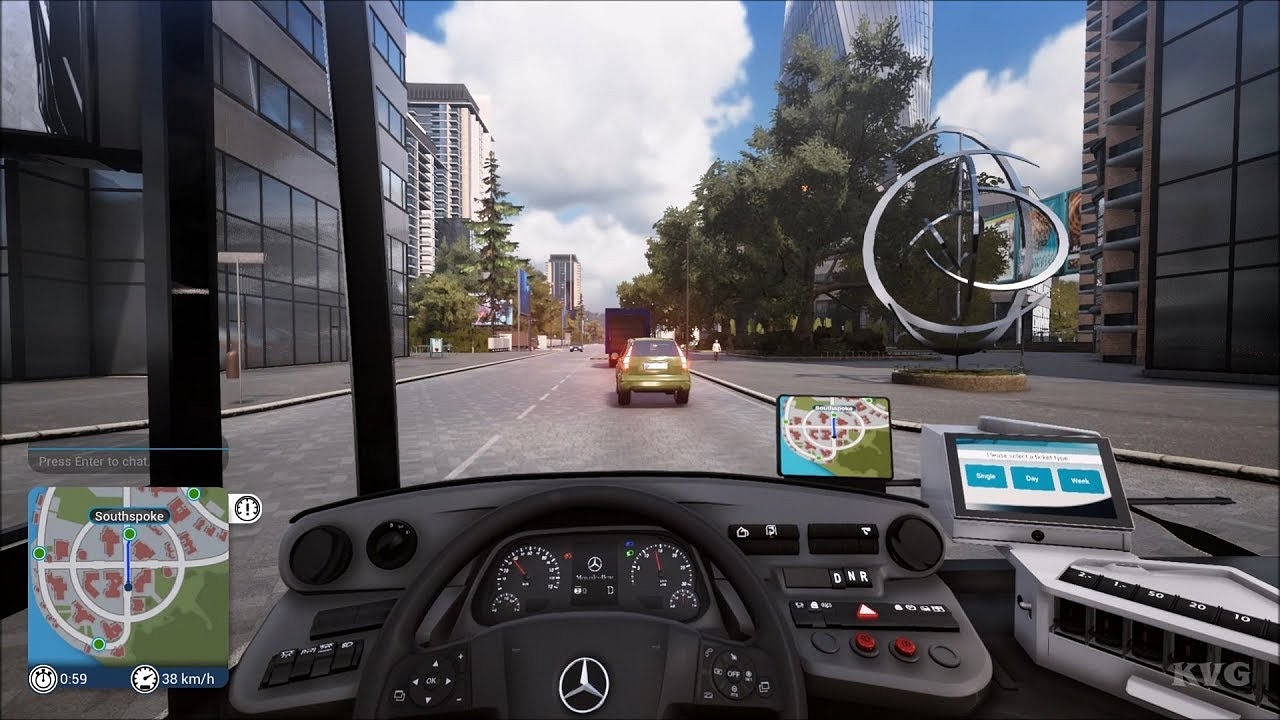
Bus simulator games for PC is a real-life simulation game where you can experience bus driving from a game. These games are ideal for kids and children that portray saving passengers inside the bus and help them reach their destination safely within the specified time limit. Here are the Best real-life bus Simulator Games For PC and some of these games are also available for smartphones as well.

Also Read: YouTube Channel Name Ideas: 100+ Cool And Attractive Usernames For Boys

Top 5 Bus Simulator Games

  1. Bus Driver

Bus Driver is the best-rated bus simulator game for pc. It was developed by Microsoft. The game has a large variety of buses that are based on real life. It begins with 5 tiers and six different routes.

To progress to the next tier, you need to complete four routes following the traffic rules, clearing the obstacles, and reaching the destination on time. Get a score of more than zero to successfully complete the mission.

  1. Desert Bus

Desert Bus is a continuous bus simulator game for PC. You have to make trips non-stop to get a high score. This simulator game doesn’t have a pause button, and to get a high score, you must keep playing with proper concentration.

As the timer goes up, the level gets difficult and a slight tilt can end your game. This game features the ride between Arizona to Nevada with a realistic visual without worrying about any traffic or signs.

Also Read: Best Websites For Perfect WhatsApp DP For Girls

  1. City bus Simulator 2010

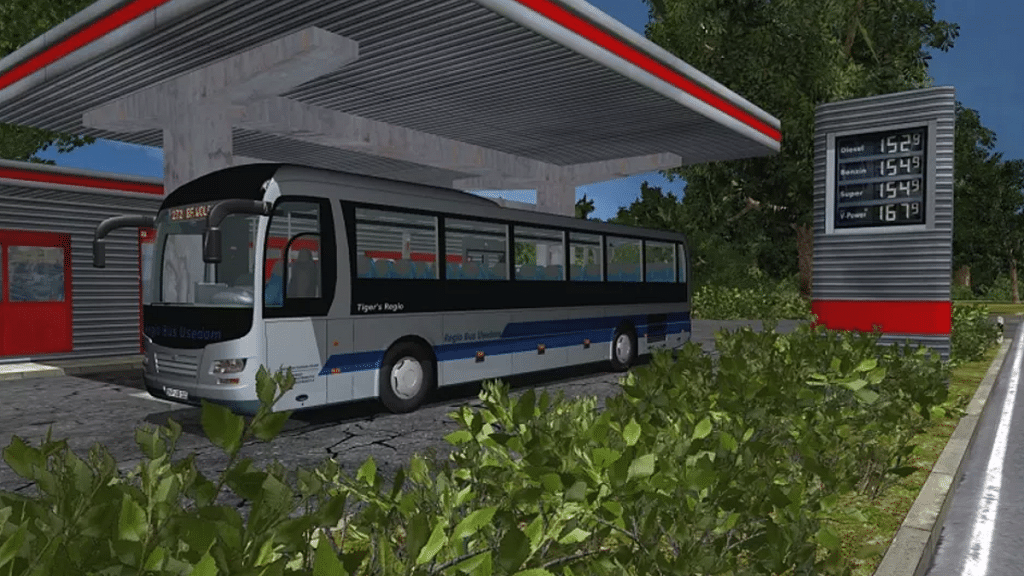
The City bus simulator 2010 was designed by TML studio in 2009 and has realistic bus designs. The game has several missions to keep you addicted to the game and features New York City from Times Square to Grand Central terminal.

You can enjoy views from different angles in and out of the bus. You can play a demo version of this game to experience a realistic bus simulator game on PC.

Also Read: Poki Games: Here Are The Best Five Online Games To Play For Free

  1. Fernbus Simulator

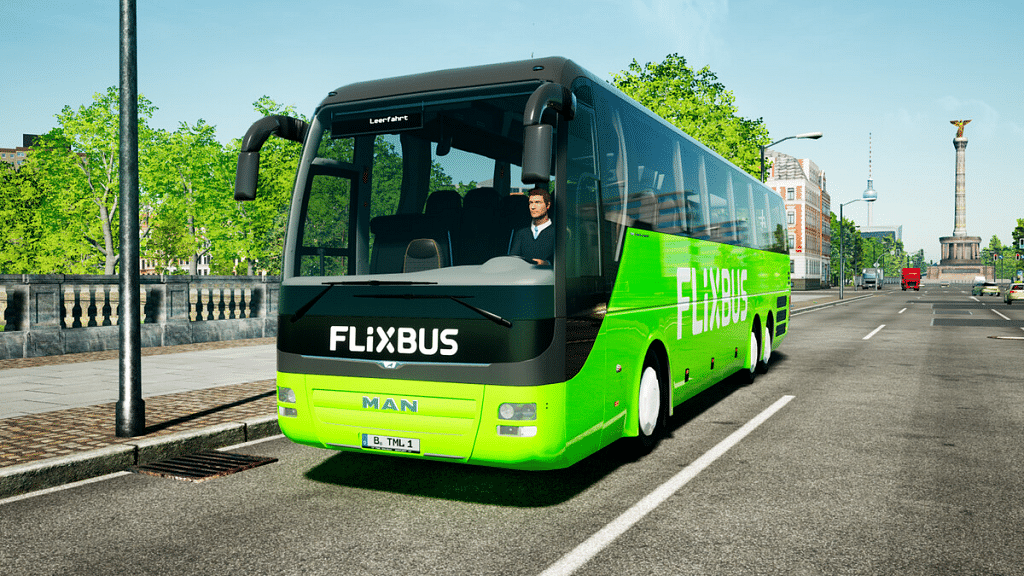
Fernbus Simulator is also designed by TML studio in 2016 after the progress of the city bus simulator 2010. It is a very famous intercity bus simulator game for PC in cooperation with FlixBus. Another realistic game with great graphics that allows you to travel across over 40 German cities.

The game represents the daily life of a bus coach driver that became worldwide famous across different platforms. Few bugs in the game lead to few criticisms by some players.

5.     Bus Simulator 2019

Bus Simulator 2019, developed by KishMish Game, was initially released in 2018. The game offers realistic visual graphics and gives you a modern experience of a bus simulator game. The game has a real city environment and gives you the feature to upgrade your vehicle as the game’s progress.

You have to complete missions by dropping passengers at their destination and get a variety of outfits that you can buy from the in-game store. The game is truly based on physics and gives you a real-life bus driving experience.

Also Read: How To Hard Reset Android Tablet Without Using Volume Button?

Wrapping up

These were the best bus simulator game for PC. Get a real-life bus driving experience in a realistic environment by playing these games. The game is perfectly suitable for kids without any non-violence activity.

Also Read: 100 Best Instagram Name Ideas For Graphic Designers

Categories
Info Tech News

5 best manga reader apps for android

Manga is one of the favorite comic series among comic lovers. Although it originated in Japan, it has been spreading across the world for a while now. And, it has grown into the most adored comic series ever. If you are into manga too, you will know the craze. But, they aren’t easy to find and that makes it difficult to enjoy manga. Don’t get disheartened because if you own a smartphone, you are all set to enjoy your manga. However, if you are confused about how to access it, let me mention a few best manga readers for your android phone: List of the 5 best manga reader apps for android phones

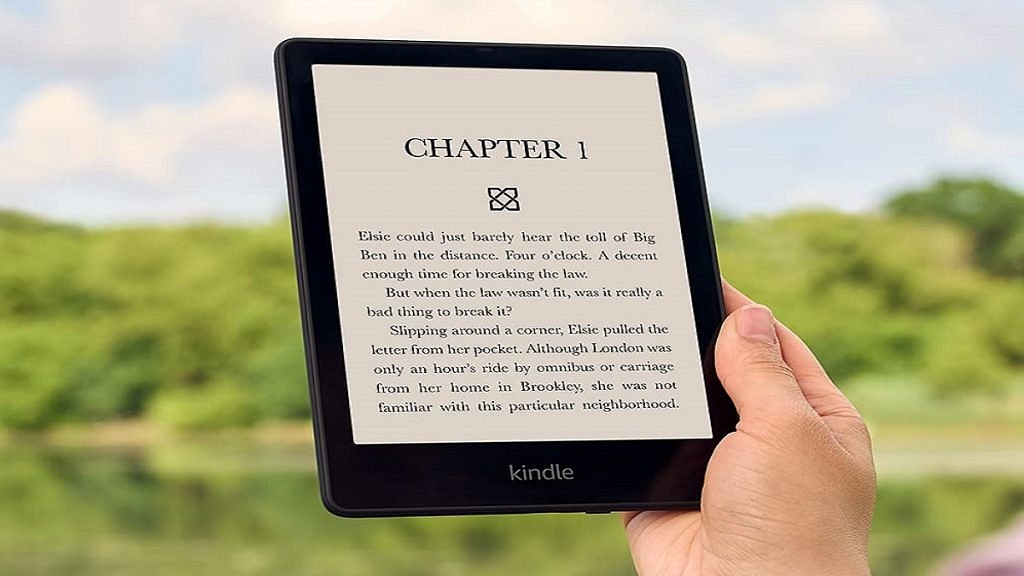
  1. Amazon Kindle

Amazon Kindle is one of the prominent ebook readers. It is most dominantly used by book readers. There is no way you haven’t heard about it before. Manga collection is available on Amazon Kindle. If you are into manga and not sure which platform to choose, Kindle is your quick go-to. Nook and Google Play Books are other alternate choices to indulge in some manga. All these are free, and it is easy to access manga on these apps. However, you can purchase and support manga writers.

Also Read: Lost Reliance Jio SIM Card? Here’s How To Block And Resume Your Jio Number

  1. Animo

Besides reading manga, if you would like to socialize with other manga fans, Animo is a good choice to find some of your peers. You can find lots of anime and manga fans here. Although you may not have full access to all manga reads, you will get some decent manga recommendations. The best part is that the app is all free to use, and there are no ads. Since there are no manga or anime apps, Animo can be a good replacement.

  1. VIZ Manga:

VIZ Manga is the best option to get started. There is literally nothing in manga comics that you can’t find here. From least popular manga to most hit series, VIZ Manga is a hub of manga comics for all manga lovers. You don’t even have to miss the new series because VIZ Manga keeps on adding the latest hits as soon as possible.

Also Read: Samsung Phone Sensors Secret Codes: What Is It And How To Check?

5 Best Manga Reader Apps For Android

  1. Crunchyroll Manga:

Although the number of manga lovers is increasing day by day, there are only limited official manga sources and platforms. Crunchyroll manga is one of those few sources. If you want to keep yourself updated with all the manga happenings, Crunchyroll manga is the one-stop destination. From accessing the hottest launches to the oldest delights, Crunchyroll Manga is a temple for manga lovers.

  1. ComicRack: 

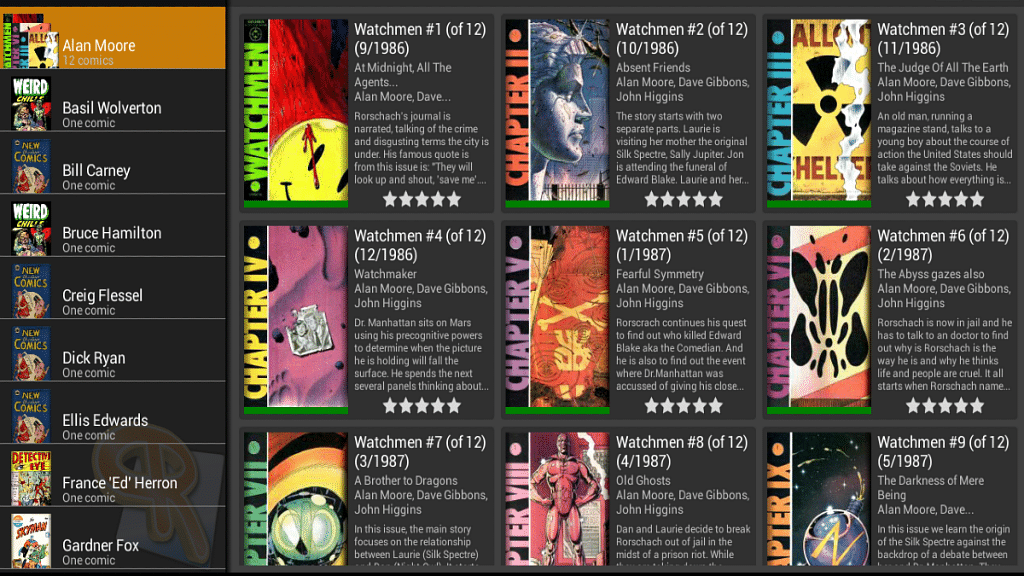
ComicRack is a fully-featured reader for manga lovers. The tools and wide range of features enhance your manga reading experience. You can optimize the colors, highlight, and save bookmarks too. It also allows you to divide unread, completed, and bookmarked comics. With ComicRack, hours of watching the screen are no more scary or harmful to your eyes.

Also Read: How To Download Or Transfer All Facebook Videos And Images Directly To Google Photos

Conclusion

It is difficult for manga readers to access the latest manga releases on the phone. But with these apps in your android, it is easier than before and doubles the fun. What else do you wish for other than indulging in some manga every day as a manga lover?

Also Read: Best Government Apps Offering AI Chatbot Support

Categories
Info Tech News

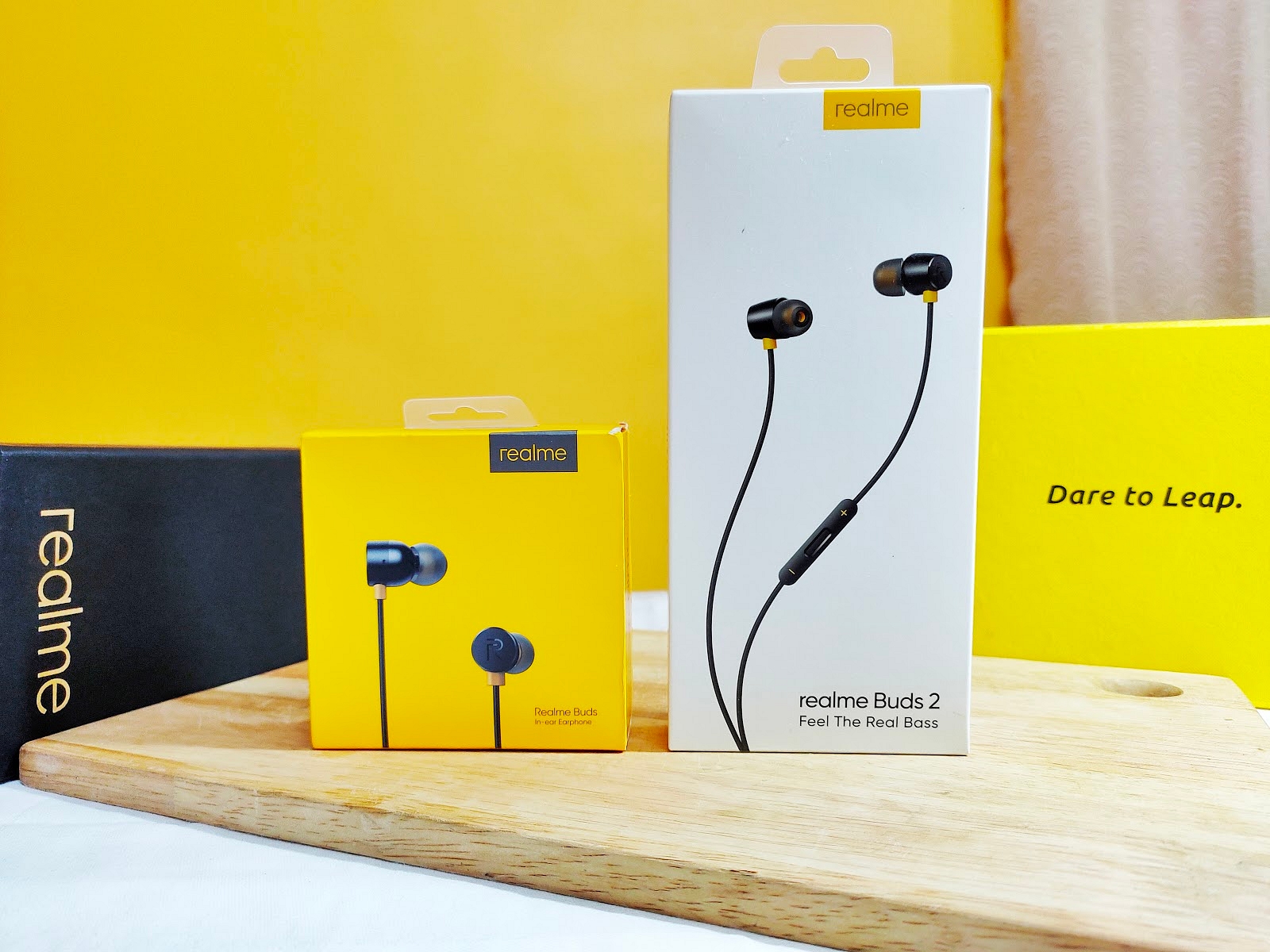
Detailed comparison of Realme buds Vs. Realme buds 2

People are very choosy about their smartphone accessories, especially when it comes to earbuds. Real me has started as a budget-friendly smartphone and is currently the talk of the town with the launch of its new earbuds. Real me buds and Real me buds 2 are hot selling cakes in the market. Although both the new models are receiving the same love and affection, there is confusion among the buyers as to which one is better. This article clears all your apprehensions. Read on to choose one: Realme buds Vs. Realme buds 2

Design 

The design of Realme buds 2 is sleek and sturdy. The earbuds are straight and fit well in your ears. The wire comes in both plain and braided fashion to avoid cutting off the wire. While Realme buds are of the same quality, their size is not optimized and may not fit all ears. Real me buds 2 have inbuilt magnets on the opposite side that help you attach the two buds.

Also read: Wrong Name Appears On Caller ID, How To Change Your Name In Truecaller?

Quality 

Sound quality is something people are very mindful of before purchasing new earphones. The sound quality alone justifies the cost of the earbuds. And, there is no compromise made in providing the listeners with the best bass audio.

The 11mm audio driver lets you listen to your music in peace while eliminating the disturbances and background noise for you. Coming to the bass quality, Realme buds 2 is superior to Realme buds. If you are a music lover, then Realme buds 2 will be your best choice.

Looks 

Both the Real me earbuds look classy and luxurious for their cost. The surface looks shiny and glassy, while the colors used are stronger and don’t go away easily even after a year of continuous usage. Realme buds 2 are straight and fit right in all sizes of ears. But, Realme buds classic is a bit oval-shaped.

Weight

Coming to the weight, Real me buds 2 is a bit on the heavier side. However, Realme buds are lightweight, and you can enjoy the music without feeling the heaviness in your ears. But, this is not the case with Realme buds 2. You can only enjoy the bass for some time because the earphones begin to hurt your ears after just an hour.

Realme buds Vs. Realme buds 2

Price 

The price of both Realme buds and Realme buds 2 is affordable and totally worth it for the quality of output it provides. While the Realme buds are currently costing at 399, Realme buds 2 is ranging around 599, which is totally economical and worth the buy.

Conclusion

As the music quality doesn’t vary much across these two models, the only major difference happens to be in the design and wiring. The cost difference is not much either. Despite the music quality being superior in Realme buds 2, Realme buds is a clever option for music lovers as it has a 14mm long driver, and the design is comfortable to use and carry with.

Categories
Info Tech News

Zili app belongs to which country, who is the developer, is it banned in India?

Zilli app is a platform for short videos of different content types. It provides its users the opportunity to use various features present in the app such as super zoom, boomerang, and puzzle videos for creating the content to upload. This app is a user-friendly application developed just for the users to easily develop video content. The user can also go through the content shared online by the other users. This app also lets the user share the videos present on the app as Whatsapp status. people have few questions  Zili app belongs to which country, who is the developer, is it banned in India?

What is the original country and company of Zili?

Zilli app was developed in 2019 by Xiaomi, which is a China-based company. The origin of this app was developed by China. This app gained a lot of attention in the entertainment business. This app was developed for entertainment purposes only as it provides features to form creative videos and also watch funny videos developed by others and shared online. According to the C.E.O. of Xiaomi, Lei Jun, they launched this app to “make life colorful”. This app can be found on the Play Store. 

Also read: How to Add Background Music to WhatsApp Status

Is the Zili App banned in India?

Many Chinese apps were banned in India in the year 2020 by the order of the Ministry of Home Affairs. India has banned some of the Chinese apps which were not safe for the private information of the user. But the Zili app is not banned in India. A list was released consisting of 59 apps in 2020. These apps were taken forward for choosing the apps to ban from India. 

This app is not banned from India but banning TikTok gave this Zili app a hand full of candy. This app became famous after the ban. As there were many apps that were listed in the banned app list people were searching for an app that is similar to TikTok. As we know, TikTok is very famous among every age group. There was a long list of the apps banned by India in 2020:

  1. Tiktok
  2. Shareit
  3. Kawai
  4. UC Browser
  5. Baidu Map
  6. Virus cleaner
  7. News dog
  8. UC News
  9. QQ mail
  10. QQ Music
  11. QQ News Feed
  12. Bigo live
  13. Mail Master
  14. QQ Player
  15. Photo wonder
  16. QQ Launcher
  17. QQ international
  18. QQ Security center
  19. DU Privacy
  20. U video

Zili app belongs to which country, who is the developer, is it banned in India?

And many more apps. Total 59 apps were banned in 2020 by India for their misuse of personal information.

Now, as TikTok was banned, people were searching for a new app. Zili worked fine for them. 

They were able to download the app easily through the Play store present on all the smartphones:

  1. You can just open the Play Store on your smartphones. 
  2. Then, search for “Zili”. You will find the search results.
  3. Now download the application. Then install the application on your smartphone.
  4. Then sign up in the app and proceed further with creating new and creative content. 
  5. You can choose to share the content you developed online. 

It is an app for some funny videos to watch and create.

Categories
Info Tech News

Fix Google Pay Error ‘Please Exit Any Apps That Might Be Drawing Over The Screen And Try Again’

The most famous digital wallet, Google pay provides you with the safest online transaction by adopting all means of security measures. You must have seen the message pop-ups on the screen ‘Please exit any apps that might be drawing over the screen and try again’ while setting a UPI ID, while making a transaction, and sometimes when you are scanning a QR code to make a payment.

This message might appear due to various reasons. To fix this issue, try closing the application, removing it from the background, and restarting your smartphone. If the message still appears, then here is how to fix the Google pay error.

  1. Disable drawing over the screen permission

There are several applications, like screen recorders that ask for permission to draw over the screen, and if Google pay is showing this error, then it may be because one of these apps is drawing over the screen while you are using Google pay. The advanced security measures of Google pay will not allow you to register or make payments if you don’t disable these applications.

  • Go to settings and open apps and notifications.
  • Now select special app access and search for display over the apps option.
  • Click on the option and disable the applications that have permission to draw over the screen.

Also read: How to Add Background Music to WhatsApp Status

  1. Disable floating windows feature

Some apps have floating windows like a Facebook messenger that might be the reason for showing this error. The security measures of Google pay also restrict registration and payment if applications are running with floating windows. Here’s how to disable the floating windows feature.

  • Go to settings and open app management.
  • Now select the Floating windows option and disable the floating windows feature.
  • Once done, now restart your phone, and the error must be resolved.
  1. Disable Virtual navigation keys

Sometimes using virtual navigation keys might be the reason why Google pay error is showing on the screen. The virtual navigation keys usually disappear while making payment but, if it doesn’t go then, you must disable it if you want to make transactions from Google pay.

You can use gestures to navigate your phone. Here’s how to disable Virtual navigation keys.

  • · Go to settings and search for navigation keys from the search bar.
  • · Now open the navigation keys option and disable virtual keys can be a hidden option. In many devices based on brands, you can hide navigation keys by enabling full-screen mode.
  1. Disable features like Quick ball, Reading mode, etc.

There are some features in your smartphone that can cause this Google pay error, like Quick ball, reading mode, etc. These features need to be displayed over the screen to work. You can try disabling these features to fix the Google pay error. You can easily turn off these features from your notification bar.

Wrapping up

These are the major reasons why Google pay error ‘Please exit any apps that might be drawing over the screen and try again’ showing on the screen. Follow the methods mentioned above to fix the Google pay error.