Categories
Comparison Tablet

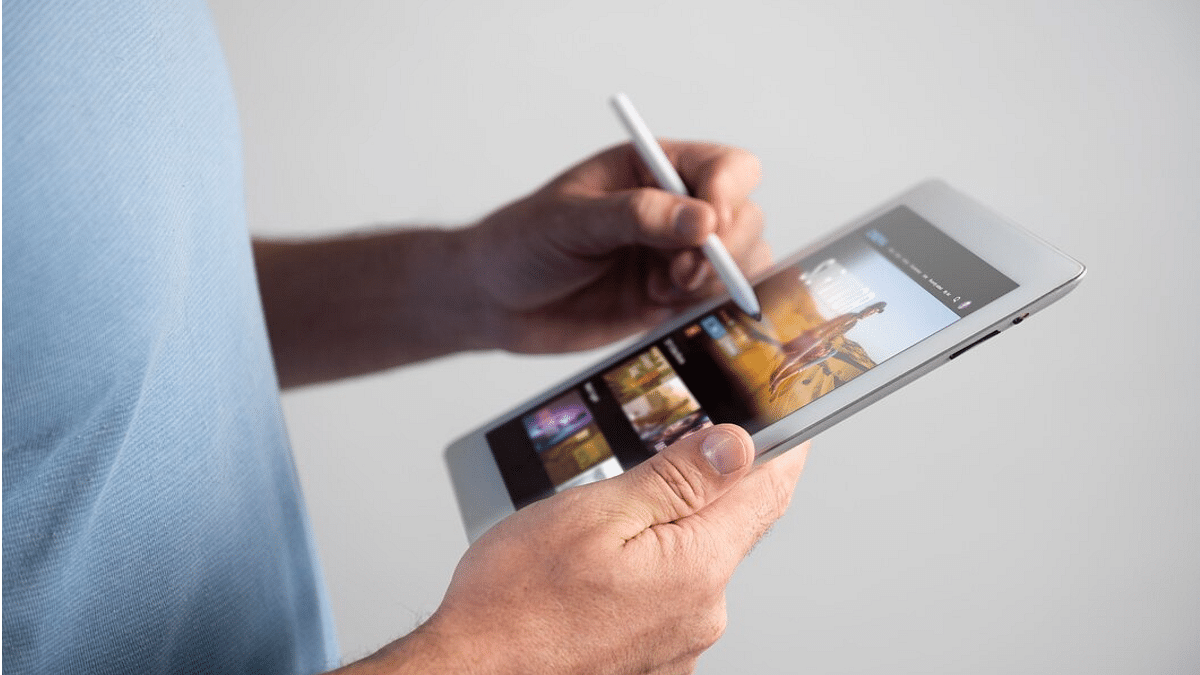
List Of Best Tablet With Stylus Pen Priced Under Rs. 25,000 In India

Key Highlights

  • Tablets are one of the most versatile gadgets available in market today
  • Options with stylus pen available under Rs. 25,000
  • Tablets powered by both Snapdragon and MediaTek processors available in this price bracket

Tablet industry has witnessed some rapid growth in the last decade and options with stylus pen can be purchased across different price spectrum. Popular OEMs like Xiaomi, Lenovo, Realme, and Samsung have also started offering options across various price brackets with capable hardware features.

This listicle has the best Android tablet options that you can purchase with stylus pen support under Rs. 25,000 price range.

Also Read: Oppo Find N3 Flip vs. Galaxy Z Flip 5: Foldable Phone Comparison

OPPO Pad Air Tablet

  • Features a 10.36-inch display with 2000 x1200 resolution support
  • Compatible with S Pen Stylus support for creative works
  • Equipped with an 8MP rear camera
  • Comes with a 5MP selfie camera
  • Uses Snapdragon 680 4G chipset
  • Has a 7,100 mAh battery pack
  • Available starting at Rs. 13,999 via Amazon

Realme Pad 2 Tablet

  • Latest tablet model from Realme with mid-range hardware
  • Equipped with an 11.5-inch LCD display with 2K screen resolution
  • Panel supports 120Hz refresh rate
  • Offers S Pen stylus support for productive tasks
  • Uses octa-core MediaTek Helio G99 processor
  • Features an 8MP rear camera module
  • Sports a 5MP selfie camera
  • Powered by an 8,360 mAh battery pack
  • Available starting at Rs. 19,999

Also Read: Need A Tablet For Graphic Designing? List Of Best Tablets For Illustration and Graphics Designing Tasks

Realme Pad

  • First Gen Realme Pad model supports Realme Pencil stylus pen
  • Features a 10.4-inch LCD display with WUXGA+ resolution
  • Gets its power by octa-core Helio G99 chipset
  • Comes with up to 6GB RAM and 128GB storage space
  • Offers an 8MP rear camera
  • Has a 5MP selfie snapper
  • Draws power from a 7,200 mAh battery pack combined with 18W fast charging
  • Price in India starts at Rs. 15,675

Also Read: Best Tablets Powered By Qualcomm Snapdragon Chipset In India: Here’s The List

Samsung Galaxy Tab S6 Lite

  • Premium mid-range option from Samsung
  • Equipped with the Exynos 9611 octa-core processor
  • Samsung S Pen Stylus pencil support
  • Rear camera module includes a single 8MP sensor
  • Front panel features a single 5MP selfie lens
  • Available with 4GB RAM and up to 128GB storage space
  • 7,040 mAh battery pack combined with 15W fast charging support
  • Available under Rs. 25,000

Also Read: Best Tablets Powered By Qualcomm Snapdragon Chipset In India: Here’s The List

Categories
Featured Info Mobile

Philadelphia Apple Store Looted, iPhone 15 Security Shines: Here’s How

Key Highlights

  • People looting PhiladelphiaApple Store video goes viral
  • They loot demo units of the iPhone 15 series
  • They soon abandoned the stolen products

A viral video showcasing the looting of an Apple Store in Philadelphia has captured the attention of many. In this article, we will delve into the details of the incident and explain why it ultimately ended in failure.

Also Read | Thieves Get Crafty, Tunnel Into Apple Store To Steal Over 400 iPhones Worth Millions

The Looting Scene

In the now-infamous video, a group of individuals is seen ransacking an Apple Store, gleefully seizing what they believe to be a treasure trove of iPhones. Laughter fills the air as they storm into the store, enthusiastically snatching up the products. Amidst the chaos, one person even enthusiastically shouts, “free iPhones.”

However, what these looters managed to lay their hands on were not the coveted, fully functional iPhones sold to customers. Instead, they unwittingly targeted demo units meant solely for display purposes. These demo units may closely resemble regular iPhones in appearance and functionality, but they are armed with security features specifically designed to thwart theft.

Security Measures

Apple’s security measures for these demo units proved to be the looters’ failure. These iPhones are equipped with tracking capabilities that allow Apple to remotely monitor and control them if stolen. This includes setting off alarms, rendering the devices unusable, and even activating the camera to gather evidence.

Also Read | How To Maximize iPhone Battery Health: Tips & Tricks

It appears that the looters were unaware of these security measures initially, as many of them were observed abandoning the stolen goods shortly after the theft. Numerous iPhones and iPads were reportedly discarded on the streets, marking a hasty retreat from their ill-conceived heist.

Alarm Activation

A particularly incriminating moment during the incident was captured when one of the individuals filmed the crime in progress. An alarm on the iPhone in their possession was triggered, displaying a message urging its return to the Apple Walnut Street location. The message also indicated that the device had been disabled and was being actively tracked.

Adding to the looters’ misfortune, the green indicator light on the iPhone signaled that its camera was in use, recording their actions. This further underscored the futility of their attempt.

In the end, the looters’ ambitious endeavor to steal iPhones and iPads from the Philadelphia Apple Store turned out to be a loud failure. Their lack of awareness regarding the demo units’ security features, coupled with the swift activation of alarms and cameras, ensured that justice swiftly caught up with their vague incident.

Also Read | Apple Hacks: Here’s How To Hide And Unhide Your Photos On iPhone

Categories
Featured Info Tablet

Samsung Galaxy Tab S9 FE, Tab S9 FE Plus Entire Specifications Revealed: 13MP Selfie Camera, 12GB RAM, And More

Key Highlights

  • Samsung Galaxy Tab S9 FE and Tab S9 FE Plus full features leaked
  • Wi-Fi+ LTE model will be launched
  • Official launch expected soon

Samsung‘s next product lineup is heading closer to launch. The South Korean tech giant will be launching the Galaxy Tab S9 FE tablet lineup along with the Galaxy S9 FE smartphone, and the Galaxy Buds FE TWS. A recent accidental website listing of the upcoming Galaxy FE products confirmed an imminent launch. In the latest development, the features and specifications of the Galaxy Tab S9 and the Galaxy Tab S9 FE have emerged online. Know all the details below:

Also Read: Samsung Galaxy S24+ Global Model Stops By Geekbench: Dexa-Core Exynos 2400 Chipset And More Tipped

Samsung Galaxy Tab S9 FE, Galaxy Tab S9 FE+ Full Leaked Specifications

ModelSamsung Galaxy Tab S9 FESamsung Galaxy Tab S9 FE+
Display10.9-inches12.1-inch
Rear camera 8MP8MP
Front Camera 5MP5MP
ChipsetExynos 1380Exynos 1380
RAMUp to 8GBUp to 12GB
Storage 128GB256GB
Battery 8,000 mAH10,090 mAh

The base Galaxy Tab S9 FE model is leaked with an LCD screen that will measure 10.9-inches and will support 2304 x 1440 pixels screen resolution. This variant will be powered by the in-house Exynos 1380 chipset which has been tipped by the previous leaks as well.

This new Galaxy tablet is expected to be available with up to 6GB RAM and 128GB storage space. It will feature an 8MP rear camera module for photography. The front panel is said to feature a bigger 13MP snapper for selfies and video calling. Battery pack for the standard Galaxy Tab S9 FE will be an 8,000 mAh unit combined.

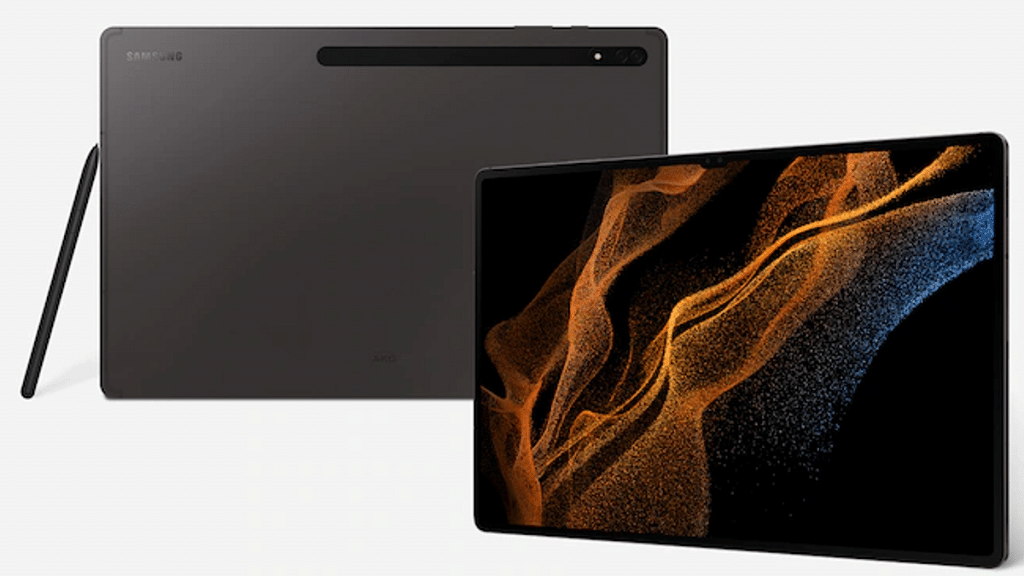
Galaxy Tab S9 FE (representational image)

The rumor mill has been spilling beans related to the standard Galaxy Tab S9 FE features and spec-sheet. This is the first time the spec-sheet of the Galaxy Tab S9 FE+ model has also been leaked entirely. This variant will be packed with a bigger 12.4-inch LCD panel that will support 1600 x 2560 pixels resolution.

The processor powering the Galaxy Tab S9 FE+ model will also use the same Exynos 1380 chipset as the standard model. But it is tipped to come with higher RAM and storage space, i.e, up to 12GB RAM and 256GB storage. Both models will get Android 13 OS firmware topped with a custom OneUI interface and also feature expandable storage support.

Optics on the Galaxy Tab S9 FE+ model will also be the same as the standard Galaxy Tab S9 FE variant. It will include an 8MP rear and a 13MP selfie lens. The battery pack inside the Galaxy Tab S9 FE+ model will also be bigger compared to the standard Galaxy Tab S9 FE model, i.e., a 10,090 mAh unit. Both tablet models could come with Wi-Fi only and Wi-Fi+ LTE options.

Also Read: Best Tablets With Stylus Pen Support To Buy In India

Categories
Featured Smart Watch

boAt Lunar Comet With 1.39-Inch Display, Bluetooth Calling Launched In India: Specs, Price

Key Highlights

  • Vibrant 1.39-Inch Circular Display
  • Bluetooth Calling and Wake Gesture
  • Affordable Pricing

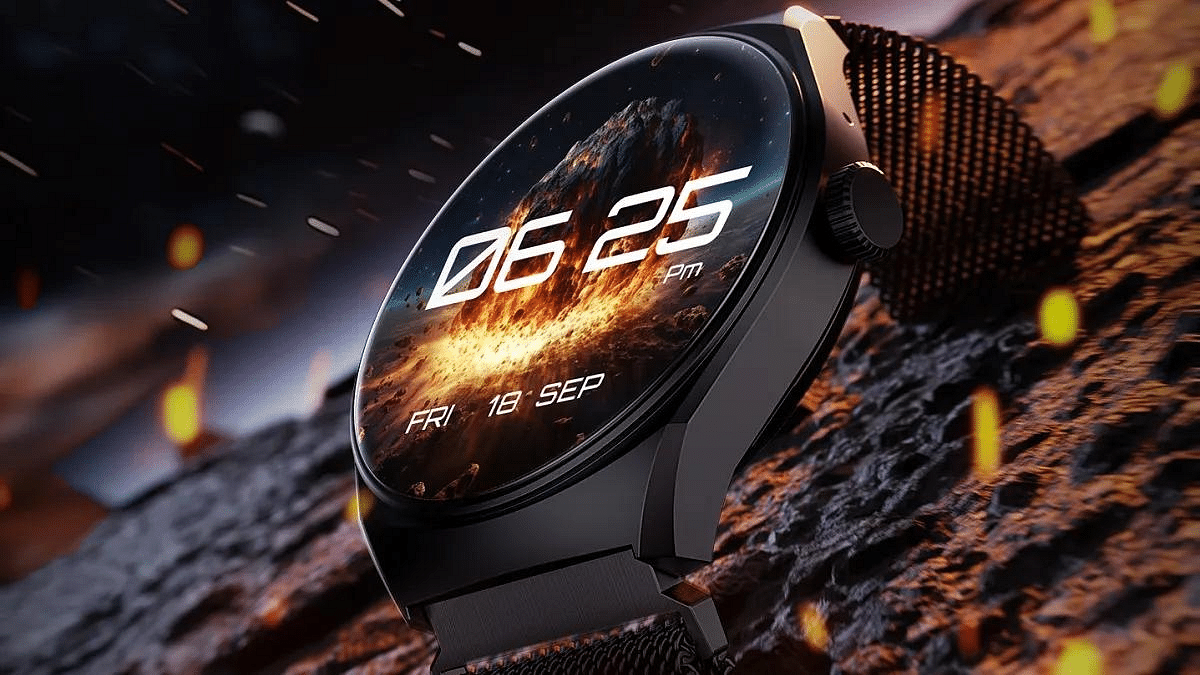
boAt has unveiled its latest smartwatch – the boAt Lunar Comet. After the success of the Lunar Mirage, this smartwatch comes with a 1.39-inch circular display, 240 x 240 pixel resolution, 500 nits peak brightness, Bluetooth calling and more.

In this article, we’ll delve into the boAt Lunar Comet’s key specifications and discuss its pricing and availability.

Also Read: Fire-Boltt Avalanche Metallic BT Calling Smartwatch Launched

boAt Lunar Comet: Specification

FeatureboAt Lunar Comet
Display1.39-inch Circular Display
Resolution240 x 240 pixels
Peak Brightness500 nits
Strap OptionsSilicone and Metallic
Wake GestureHands-Free Display Activation
Watch FacesOver 100 Customizable Watch Faces
Bluetooth CallingSupported with Microphone and Speakers
Health & Fitness FeaturesHeart Rate Tracking, SpO2 Monitoring, Menstrual Cycle, Sleep Monitoring
Water and Dust ResistanceIP67 Rated

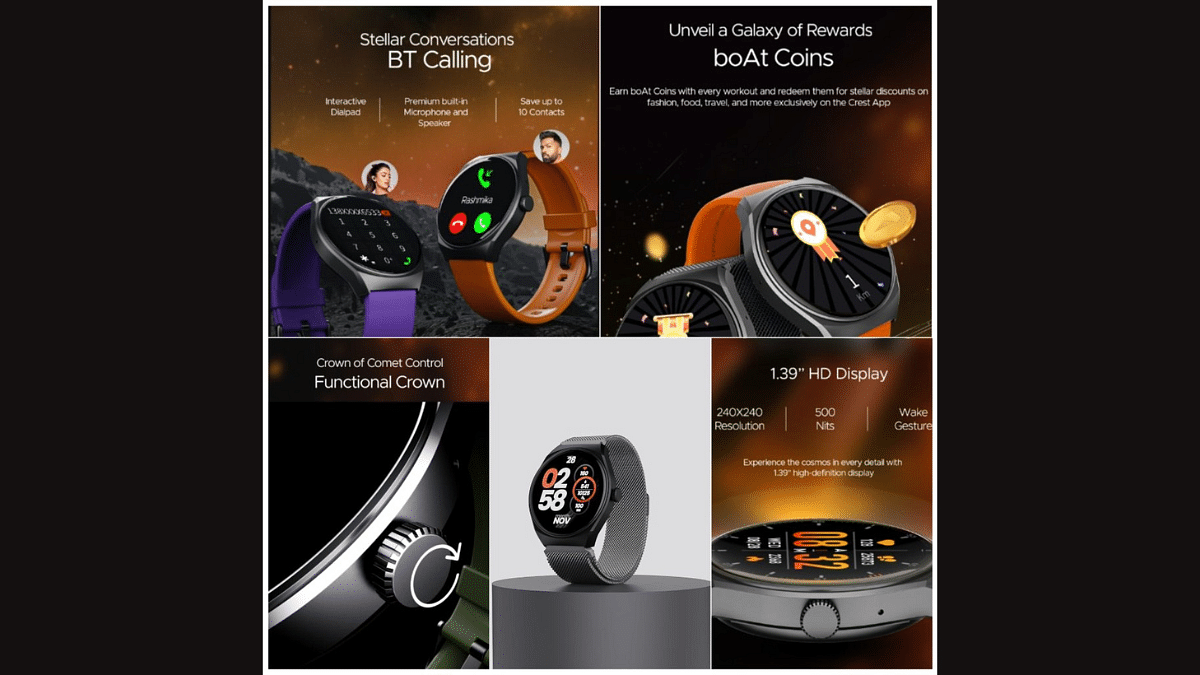
The boAt Lunar Comet boasts a 1.39-inch circular display, delivering a resolution of 240 x 240 pixels and a peak brightness of 500 nits. There is a functional crown on the right side. Whether you prefer a silicone or metallic strap, this smartwatch offers both options.

The smartwatch comes with a feature called Wake Gesture, a hands-free mechanism that activates the display when you raise your hand, eliminating the need for button presses. The watch offers customization with over 100 watch faces.

Also Read: Google Pixel Watch 2 Launched

The boAt Lunar Comet supports Bluetooth calling. The watch includes an array of health and fitness features such as heart rate tracking, SpO2 blood oxygen level monitoring, female menstrual cycle tracking, and sleep monitoring. Additionally, it offers convenient controls for music playback and camera functions. This watch comes certified with IP67 water and dust resistance. You can use the boAt Crest app for the smartwatch’s functionality.

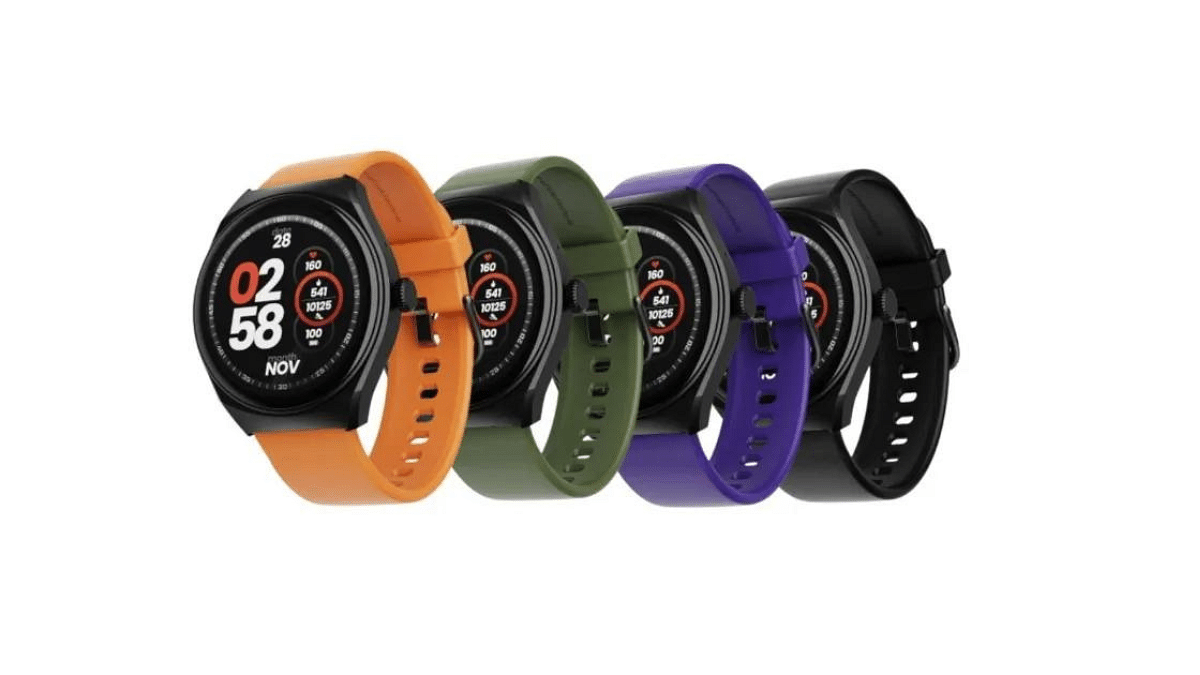
The smartwatch will be available in multiple colour options, including Active Black, Deep Purple, Olive Green, Royal Orange, and Metal Grey (with a metallic strap).

Also Read: Noise NoiseFit Crew Pro Bluetooth Calling Smartwatch Review: Ideal Feature-Packed Daily Wear

boAt Lunar Comet: Price, Availability

The boAt Lunar Comet is set to hit the market at the price of Rs.1,299. This budget-friendly smartwatch will be available through boAt’s official website and Amazon, making it easily accessible to consumers. The smartwatch is scheduled to go on sale on September 30, 2023.

Also Read: Fire-boltt Solaris Stainless Steel Smartwatch With BT Calling, AMOLED Display Launched In India: Price, Full Features

Categories
Featured Info Laptop

MSI Festive Offers: Grab Up To 40% Discount On Gaming And B&P Laptops

Key Highlights

  • MSI announced its ‘Festival of Lights Sale’
  • Discounts up to 40% on Gaming and Business & Productivity series of laptops from Oct 1 till Nov 15
  • Bundle offers on offline purchases at MSI brands till November 30

MSI announced its ‘Festival of Lights Sale’ as part of Diwali celebrations. This festive extravaganza, in collaboration with Amazon and Flipkart, showcases an array of offers and unprecedented discounts on MSI’s extensive range of gaming and business & productivity series laptops. These deals and exclusive bundle offers will be available at authorized Brand stores, Reliance Digital, and all MSI-authorized physical resellers until November 15, 2023.

Also Read | Flipkart Big Billion Days Sale 2023: Big Bank Discounts And Offers Teased For Shoppers

Special Bundle Offers And Discounts

MSI extends bundle offers and discounts at its brand stores and authorized retail outlets until November 30. This includes a complimentary $30 US Steam wallet on the purchase of MSI Raider, Titan, Vector, and Stealth laptops. Furthermore, customers investing in an MSI Creator, Summit, or Prestige series laptop will receive a Rs. 3,000 Amazon gift card as an added perk. Lastly, those opting for an MSI Modern series laptop stand a chance to win a Rs. 1,000 Amazon gift card, along with the possibility of receiving MSI gaming mice M99 and M88 with laptop purchases.

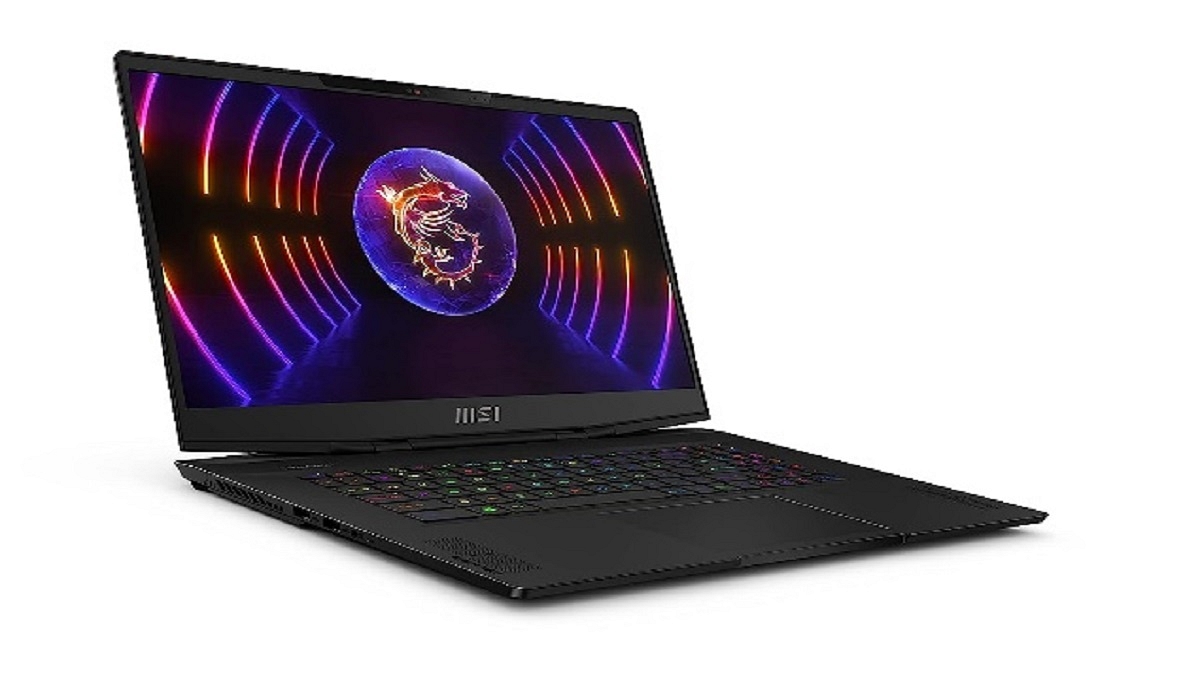
MSI Stealth Series: High-End Gaming Laptops

The MSI Stealth series starts at an attractive price point of Rs. 1,29,990.

DisplayUp to 13th Gen HX Gen. Intel Core i7 Processor
ProcessorUp to 16-inch 16:10 QHD+ (2560 x 1600), 240Hz, 100% DCI-P3, IPS-level panel
Graphics CardUp to RTX 4070, GDDR6 8GB
RAMUp to DDR5 16GB*2
Storage1TB
KeyboardPer-Key RGB gaming keyboard by SteelSeries

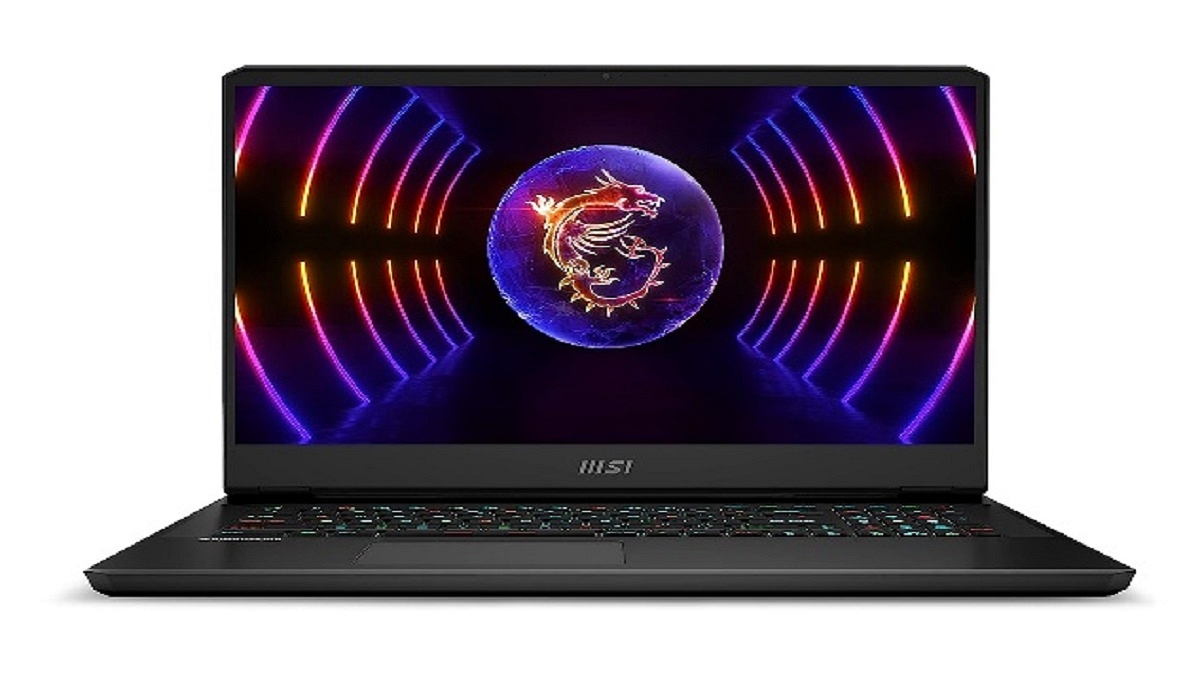
MSI Vector GP Series: Performance Gaming Laptops

The MSI Vector GP series starts at a competitive price of Rs. 1,85,990.

Vector GP77 Specs:

DisplayUp to 17.3-inch QHD (2560 x 1440), 240Hz DCI-P3 100% typical
Processor13th Gen. Intel Core i9/i7 Processor
Graphics CardUp to RTX 4090, GDDR6 16GB
RAMUp to DDR5 16GB*2
StorageUp to 2TB
KeyboardPer-Key RGB gaming keyboard by SteelSeries

Also Read | Best Laptops Under Rs.45,000 For Online Learning In 2023

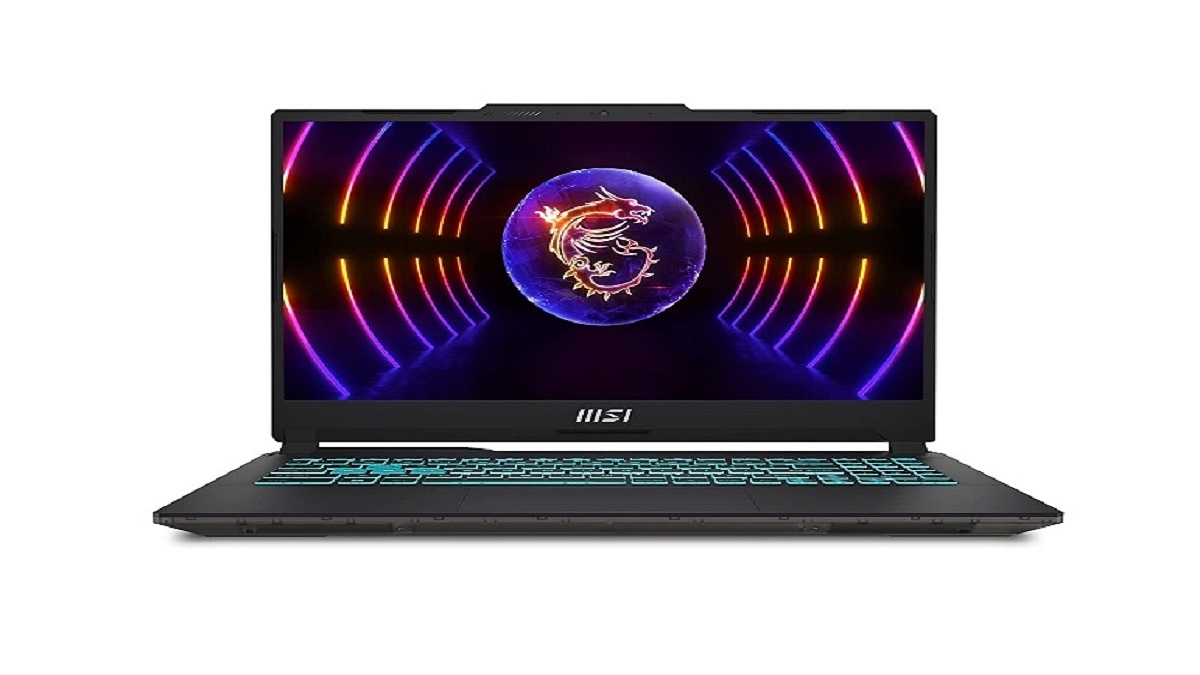
MSI’s Cyborg, Thin, Pulse, Sword, Katana Series: Mainstream Gaming Laptops

MSI’s Cyborg, Thin, Pulse, Sword, and Katana series laptops are priced starting at Rs. 46,990.

Cyborg 15 Specs

Display15.6-inch FHD (1920 x 1080), 144Hz 45% NTSC IPS-Level
ProcessorUp to 12th Gen. Intel Core i7/i5 Processor
Graphics CardUp to RTX 4060, GDDR6 8GB
RAMUp to DDR5 8GB*2
StorageUp to 512GB
KeyboardBlue Backlit Gaming Keyboard

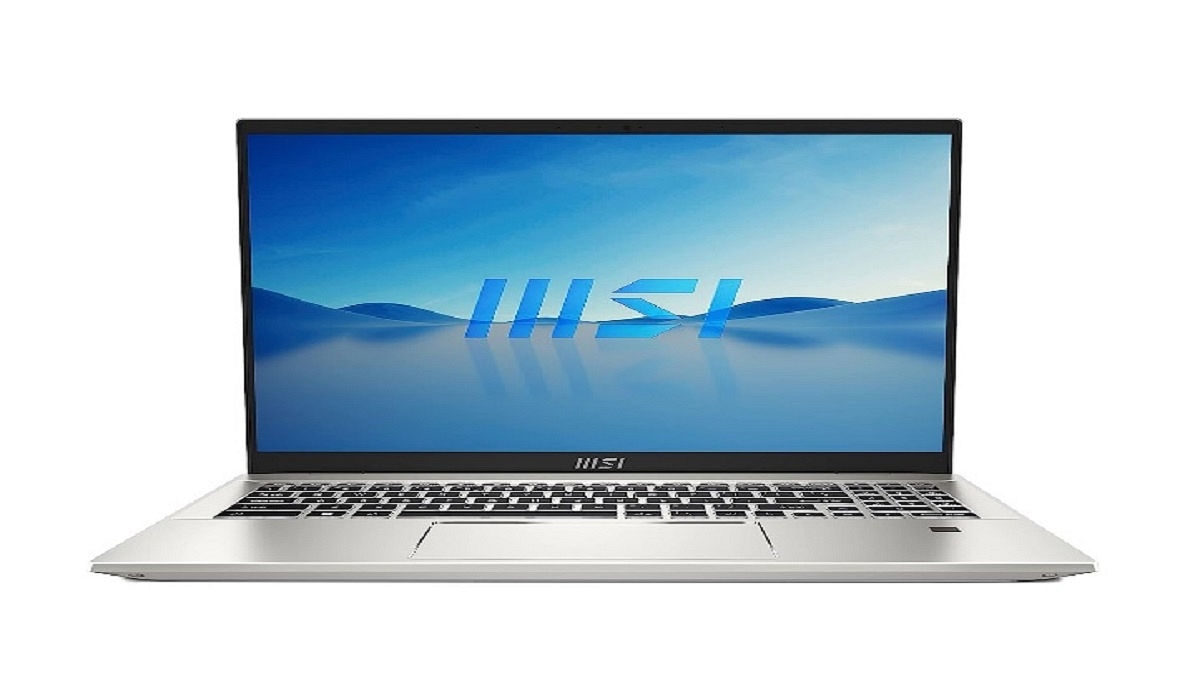
Business And Productivity Laptops

MSI’s Business and Productivity series of laptops start at Rs. 29,990.

Prestige 16 Specs:

Display14-inch FHD+ 60Hz, 1.5W 100% sRGB
Processor13th Gen. Intel Core i7 Processor
Graphics CardIris XE graphics/ RTX 4050/2050, GDDR6 4GB
RAMLPDDR5 16GB
Storage1TB
KeyboardSingle backlight Keyboard (White)

Also Read | Amazon Great Indian Sale Offers Revealed: Grab 75% Off On Popular Earbuds, Headphones, And More

Categories
Featured How To Mobile

iOS Tips & Tricks: Learn How To Set Up Your Contact Poster On iPhone

Key Highlights

  • iPhones now have a new Contact Posters feature
  • Users of Contact Posters can choose to make their contact information public
  • Users can connect their Contact Poster and Medical ID

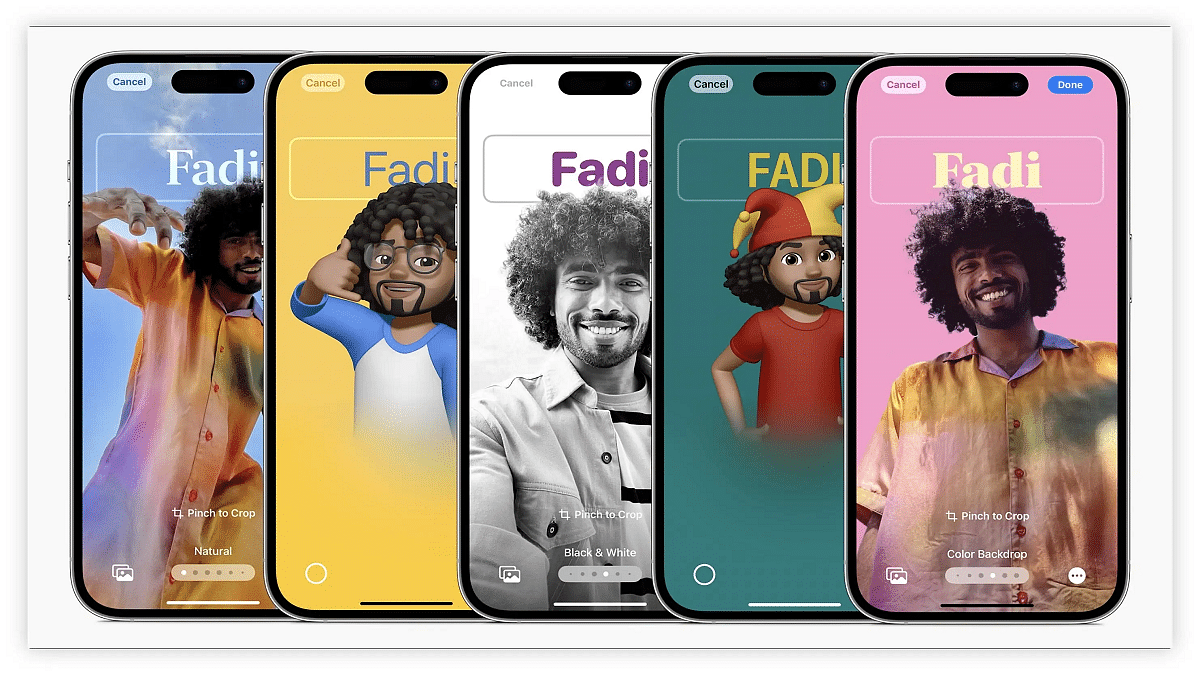
Apple recently launched iOS 17, introducing a range of new features for supported iPhones, including Standby mode, Offline mode, and Contact Posters. Among these, Contact Posters stand out as a unique offering, allowing users to create personalized calling cards displayed when they make calls to other iPhones. Importantly, Contact Posters are associated with your contact number or email address and can only be viewed by contacts you authorize.

Also Read | iOS Tips And Tricks: How To Change Or Set A Customized Background In Safari Web Browser On iPhones

How To Create Your Contact Poster

To use Contact Posters effectively, you’ll need to manage sharing settings and create your Contact Poster. Here’s a step-by-step guide:

Step 1: After updating to iOS 17, open the Contacts app.

Step 2: Look for the new “My Card” tab and select it.

Step 3: Within “My Card,” choose “Contact Photo & Poster.”

Step 4: Enable Contact Poster sharing by toggling the switch. Keep in mind that if you leave this off, others won’t be able to view your Contact Poster.

Step 5: When you attempt to enable sharing, you’ll encounter two options: “Automatically share your Contact Poster with existing contacts” or “Always Ask before sharing your Contact Poster.” Select your preferred option.

Also Read | iOS 17 Live Voicemail: How To Use It On Your iPhone

Now, let’s explore the customization options for your Contact Poster:

Step 1: To begin, choose a photo. Alternatively, you can opt for the Memoji feature, a virtual avatar of yourself (you may need to create one if you haven’t already).

Step 2: Once you’ve made your photo or Memoji selection, you can add various personal details to your Contact Poster. This includes your name, pronouns, nickname, social media handles, alternative contact numbers, address, personal notes, and email.

Step 3: Furthermore, you have the option to create a Medical ID and link it to your Contact Poster.

By following these simple steps, you can easily create and personalize your Contact Poster on iOS 17. This feature adds a unique touch to your calls and enhances your contact interactions.

Also Read | iOS Tips And Tricks: How To Setup And Use AutoFill For Contact Cards And Credit Cards In Safari On iPhones And iPads

Categories
Featured How To Mobile

Android Tricks: Here’s How To Enable Earthquake Alerts On Your Phone In India

Key Highlights

  • Google is introducing Earthquake Alerts for Android in India
  • Users who use this function will receive earthquake alerts in their area
  • It will be compatible with Android OS 5 and newer OSes

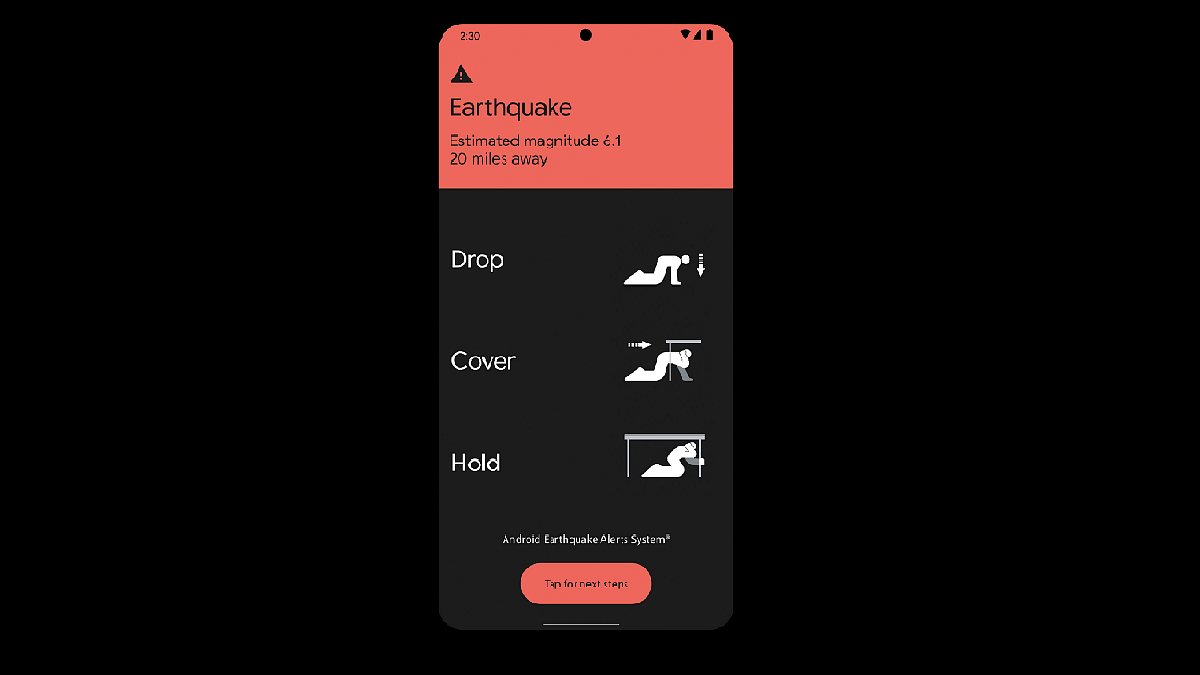
Google has introduced Earthquake Alerts on Android smartphones in India through a partnership with the National Disaster Management Authority (NDMA) and the National Seismology Center (NSC). This system harnesses smartphone data to detect early signs of earthquakes and notify users in affected areas.

Also Read | Want To Get Weather Alerts On Your iPhone? Here’s How To Do It

How It Works: Smartphone Seismometers

In a blog post, Google explained that Android smartphones are equipped with accelerometers that act as mini seismometers. When a charging phone detects initial earthquake tremors, this data is relayed to Google’s servers. If multiple phones detect similar shaking simultaneously, the system estimates the earthquake’s occurrence, epicenter, and magnitude. Subsequently, alerts are sent to nearby phones.

Two Types Of Alerts For Android Users

Android users will receive two types of alerts based on smartphone data:

Be Aware Alert: This alert is designed to inform users about light shaking, providing additional information upon tapping the notification. It respects the user’s volume, Do Not Disturb, and notification settings.

Take Action Alert: Geared toward warning users before they experience moderate to heavy shaking, this alert interrupts Do Not Disturb settings, activates the screen, and emits a loud sound to prompt users to take protective measures.

Also Read | How To Use Missed Call Alert Feature: Check All Steps Here

How To Enable Earthquake Alerts On Android Phones

While Google is rolling out this feature to Android devices running Android 5 and newer OS versions, users must manually enable it. Here are the steps to activate Earthquake Alerts on Android smartphones in India:

Step 1: Turn on mobile data or Wi-Fi on your Android phone.

Step 2: Open the Settings app.

Step 3: Access Safety & emergency settings.

Step 4: Choose the Earthquake Alerts option.

Step 5: If you can’t find Safety & emergency, navigate to Location, then Advanced, and finally Earthquake alerts.

Step 6: Toggle the Earthquake Alerts option to enable it.

Google’s Earthquake Alerts aim to enhance safety and preparedness for seismic events among Android users in India.

Also Read | Google Maps Location Sharing Alert Notification: How To Notify Your Contacts Of Your Arrival And Departure Using Maps

Categories
Featured Mobile

Vivo V29 Series India Launch October 4: Upcoming Models, Price, Features

Key Highlights

  • Vivo V29 Series to be updated with new models
  • Top-end V29 Pro model is confirmed to debut next month
  • Microsite created on official India website

Vivo is soon refreshing its camera-centric V29 series in India. The new models will include the Vivo V29 Pro and possibly the vanilla V29 as well. The latest models will be bringing along some dedicated India-centric camera features along with a premium design. Let’s find out more about the upcoming Vivo V29 series in India:

Vivo V29 Series New Models India Launch Date, Expected Price

The new Vivo V29 series models are set to launch on October 4 in India. The company is now adding the V29 Pro and also the vanilla V29 to the lineup. For reference, the V29 series already comprises of the V29e which was launched back in August this year in the country. The top-end V29 Pro is said to be an India-exclusive model in the V29 series.

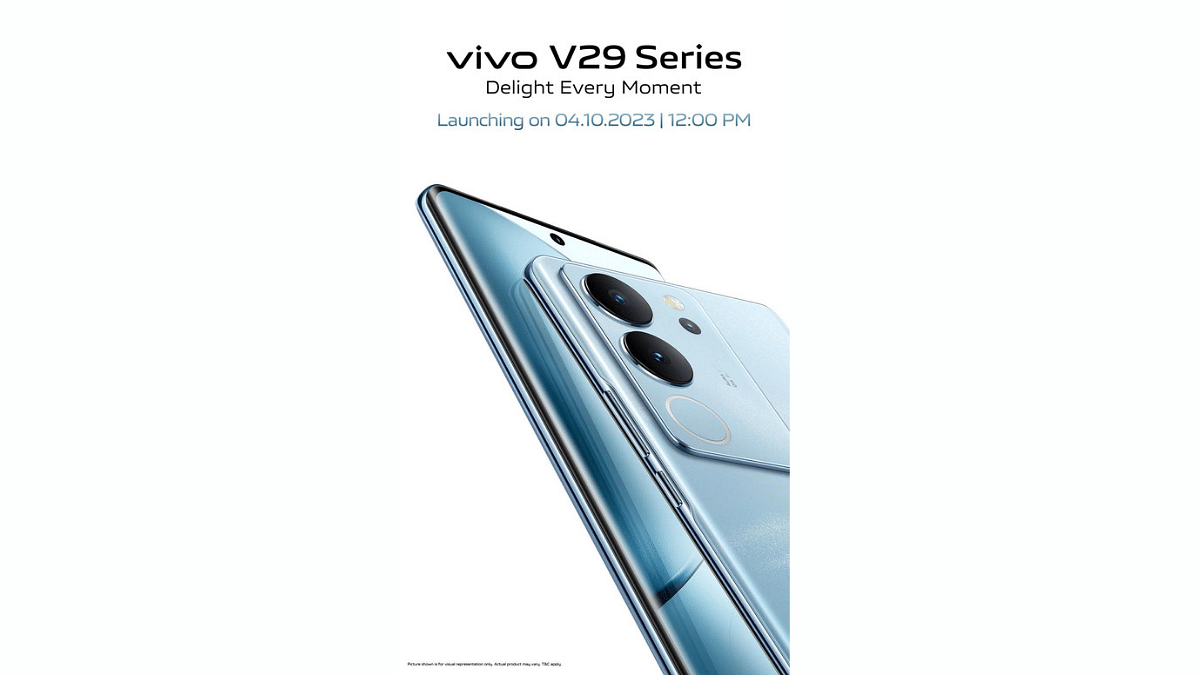
As for the launch date, the official Vivo India website has confirmed it to be October 4, 2023. Both Vivo V29 and the V29 Pro will be launched at 12 noon on the same date. The official Vivo V29 series microsite gives a good look at the design as well as some of the features.

Also, the product page listing hints availability via both online and offline retail partners in the country. We aren’t currently updated with the Vivo V29 series pricing information yet. The details could be tipped in the coming days.

Also Read: Vivo V29e Review: The Smartphone’s Camera Steals The Show

Upcoming Vivo V29 Series Spec-Sheet

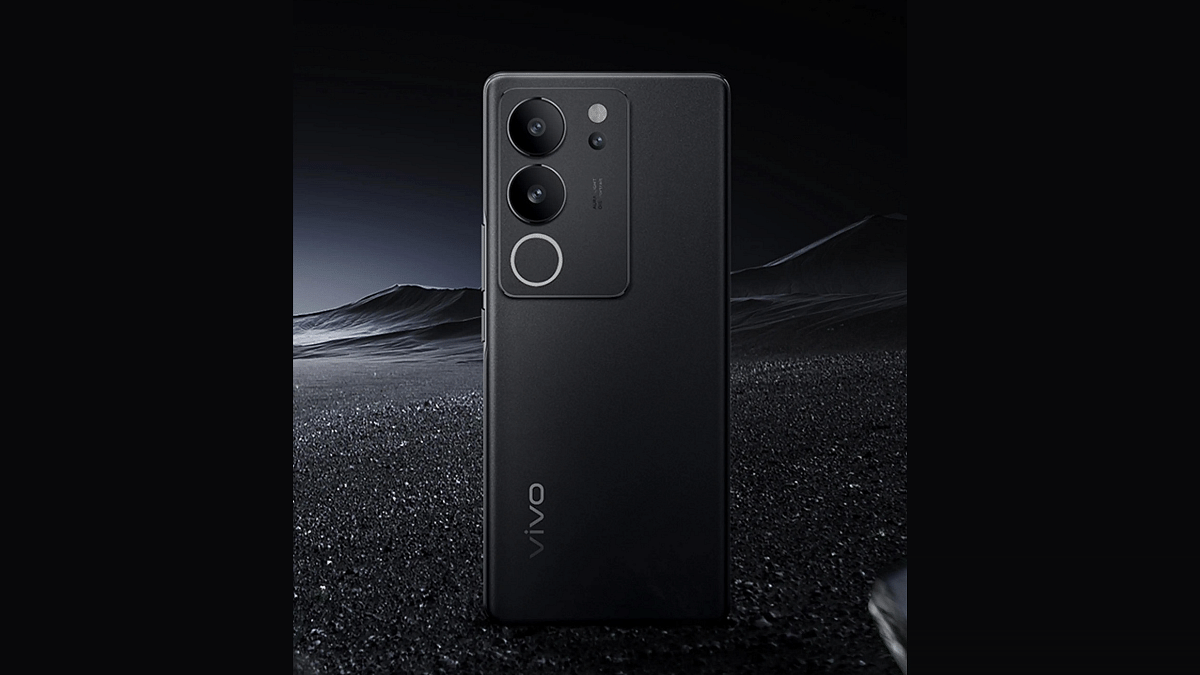
The Vivo V29 series product page listing showcases the design and also reveals the color variants that will be launched in the Indian market. While the microsite doesn’t mention which model is listed online, it is said to be the top end V29 Pro model. The upcoming variant’s back panel has a three camera setup which is housed inside two large circular rings.

The additional round flash ring is dubbed Smart Aura Light which is positioned right below the camera lenses. This specific model is said to come with India centric camera features where three different Wedding Portrait filters will be included. The V20 Pro’s rear camera will include a 2x pro portrait camera which could be a Sony IMX663 lens.

The Vivo V29 Pro is confirmed to sport a 3D curved display (possibly AMOLED) with a centrally aligned punch-hole camera cutout. The handset will be available in three different shades as per the website listing. The color options will include Himalayan Blue, Majestic Red, and Space Black out of which the Magestic Red variant is the one with color changing back panel. More hardware features would be teased officially soon on which we will keep you posted.

Also Read: Best Smartphones With Dolby Atmos To Buy In India

Categories
How To Info Laptop

5 MacBook Keyboard Shortcuts You Probably Didn’t Know

Do you own a MacBook? If so, you might be surprised to learn that there are some handy keyboard shortcuts that can make your life easier and more efficient. In this article, we’ll introduce you to five MacBook keyboard shortcuts that you probably didn’t know about.

These shortcuts will help you navigate your MacBook with ease and speed up your daily tasks.

Also Read: macOS Sonoma Now Available: Here’s Everything You Should Know Before Updating

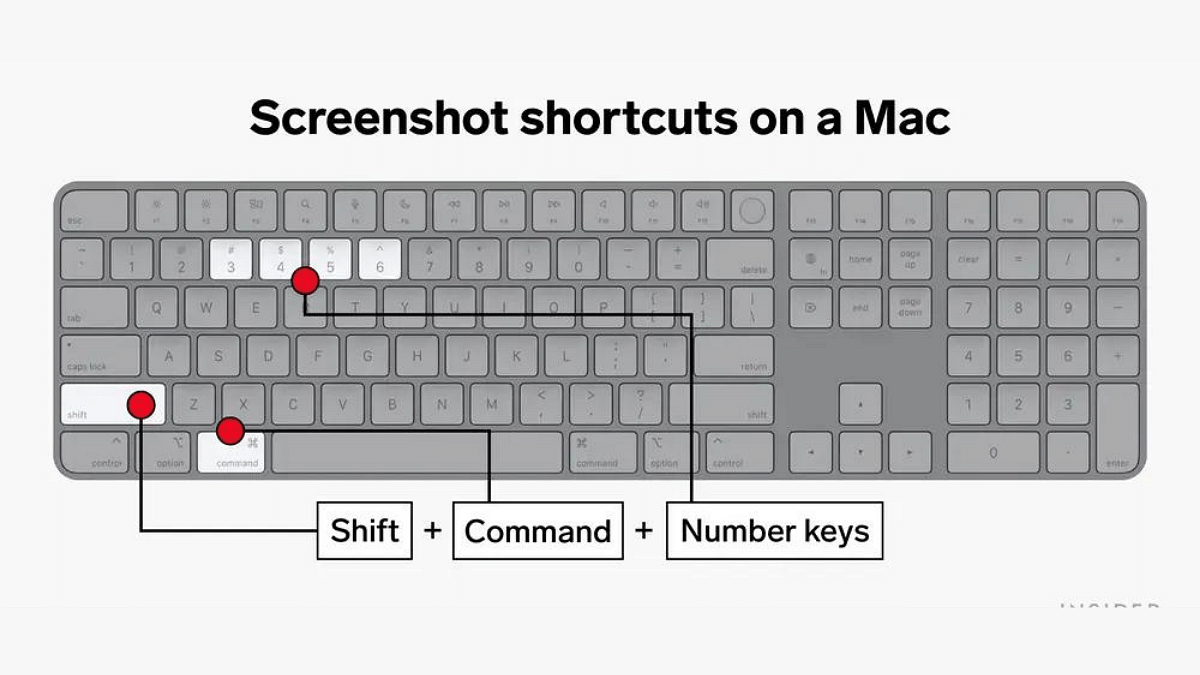
1. Take a Screenshot in Different Ways

Capturing your screen is a breeze with these shortcuts:

  • Shift + Command + 3: Takes a screenshot of your entire screen.
  • Shift + Command + 4: Let you select a specific area to capture.
  • Shift + Command + 4, then Spacebar: Captures a specific window or application.

Your screenshots will be saved on your desktop for easy access.

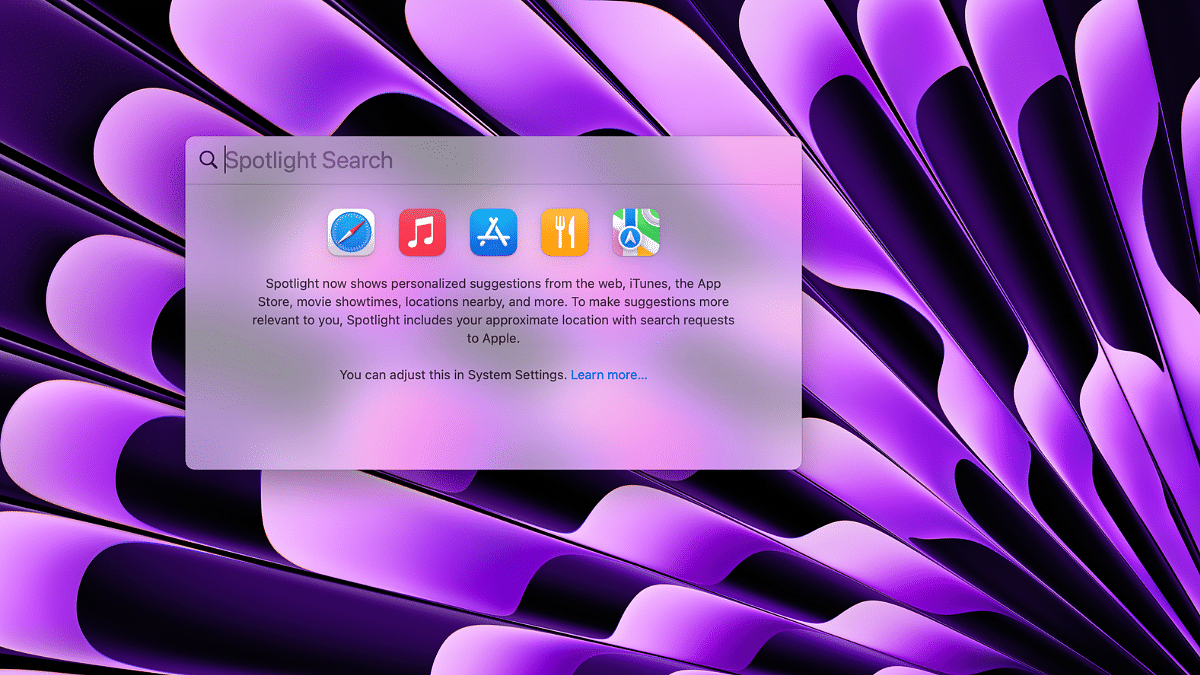
2. Quickly Access Spotlight Search

Spotlight Search is a powerful tool for finding files, apps, and more on your MacBook. To access it instantly:

  • Command + Spacebar: Opens Spotlight Search, allowing you to start typing your search query right away.

3. Navigate Between Applications

Switching between open applications is a breeze with this shortcut:

  • Command + Tab: Hold down the Command key and tap Tab to cycle through your open apps. Release the Command to switch to the selected app.

This is a faster way to multitask and switch between apps without using your mouse.

4. Minimize Windows in a Snap

Clear your cluttered screen quickly:

  • Command + M: Minimizes the active window, reducing it to the Dock.

Use this shortcut to tidy up your workspace without closing applications.

5. Zoom In and Out with Ease

If you’re struggling to read small text or want to see the big picture:

  • Option + Command + Plus (+): Zooms in on your screen.
  • Option + Command + Minus (-): Zooms out.

This can be handy when browsing websites or reading documents.

Also Read: How To Maximize iPhone Battery Health: Tips & Tricks

Categories
Featured Info TV

Hisense Unveils Latest TV Models U7K, U6K, And E7K In India: Check Prices, Features

Key Highlights

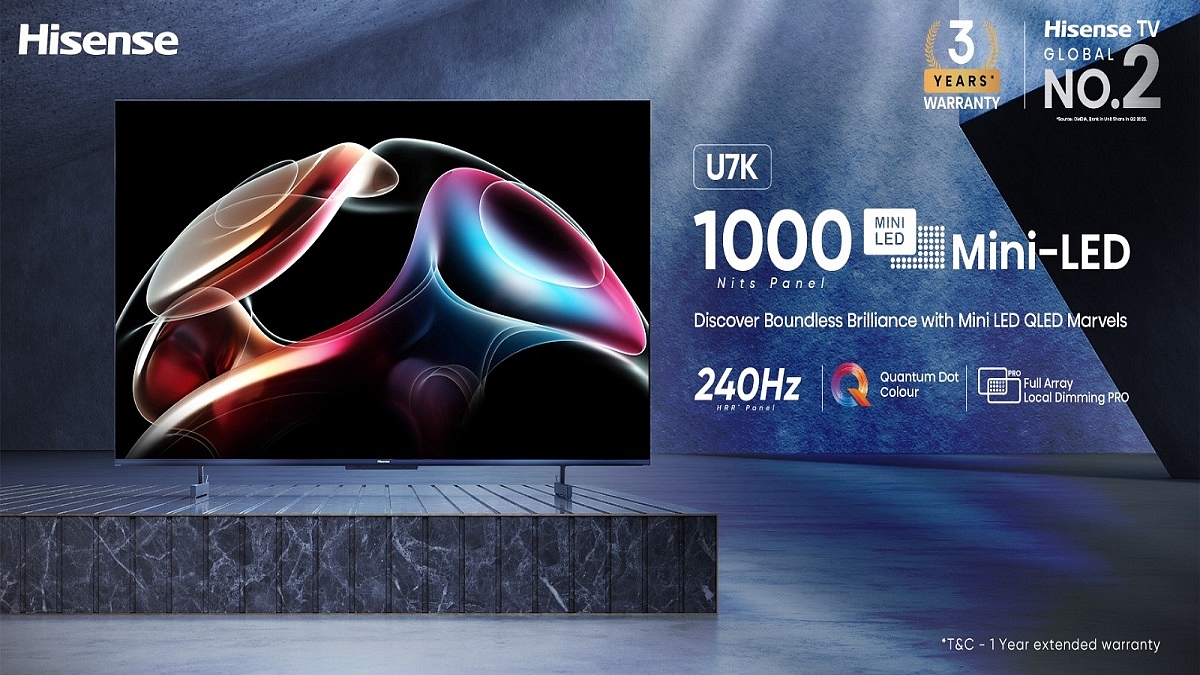
  • U7K has Mini LED Brilliance, QLED Display with Full Array Local Dimming Pro
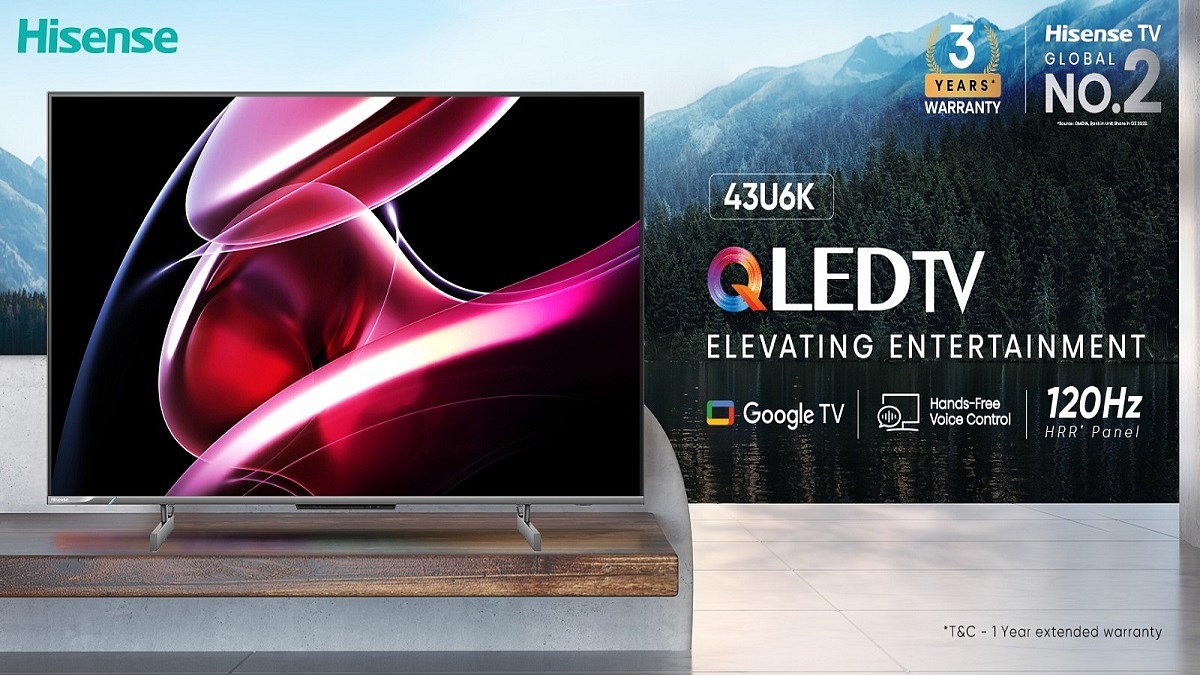
  • U6K delivers decent gaming with a QLED Display, 120Hz HRR Panel
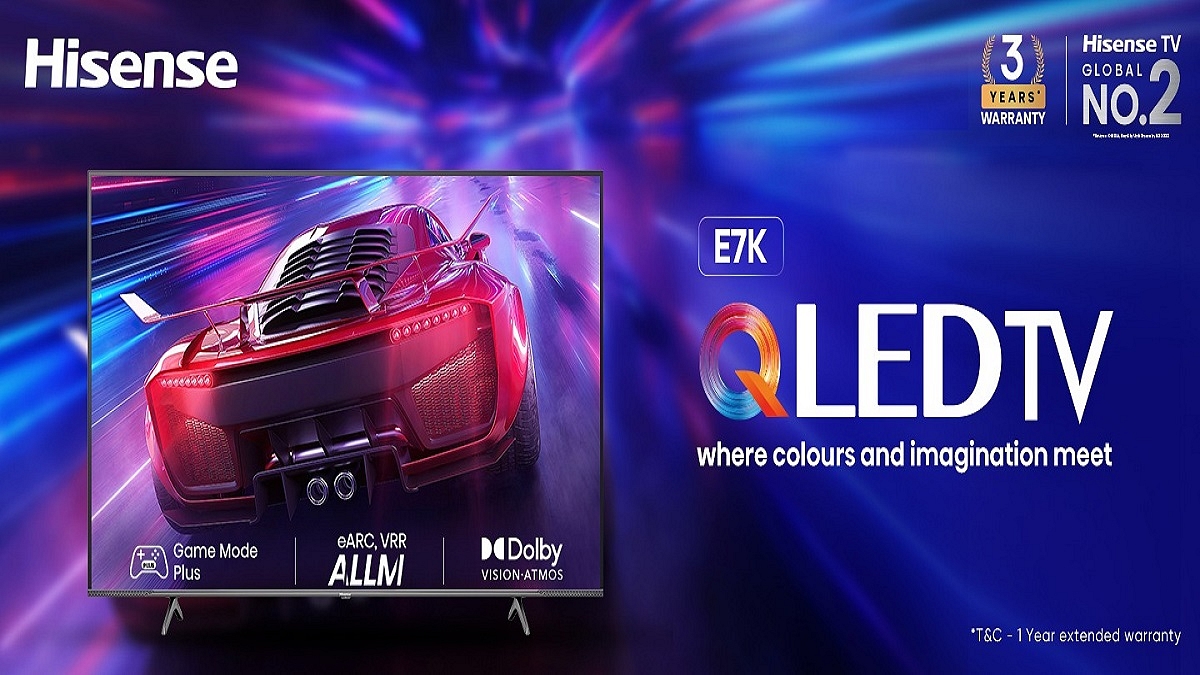
  • E7K features a QLED Display and Immersive Dolby Vision

Hisense India introduces the U7K, U6K, and E7K television models, bringing advanced smart TV technology to Indian consumers. Each television model showcases unique features and capabilities. With features like Mini LED brilliance, a billion-plus vibrant color palette, and intelligent AI enhancements, these TVs are poised to transform the way we enjoy content. Also Read | Best 55-inch High-Res Smart TVs Under Rs. 40,000 In 2023

Hisense U7K Specifications

  • Mini LED technology for brilliant visuals
  • Quantum Dot color technology for lifelike colors
  • Multiple HDR format support for stunning contrast
  • Gaming features like ALLM, e-ARC, and AMD FreeSync
  • Dolby Vision and Dolby Atmos for immersive audio-visual excellence
  • IMAX at Home is available on 75-inch and 85-inch models

Hisense U6K Specifications

  • QLED TV with exceptional colors
  • 120Hz HRR panel and Game Mode Plus for gamers
  • Dolby Vision and Dolby Atmos for cinematic experiences
  • AI Sports Mode for optimized sports viewing
  • Google TV integration for easy content access

Hisense E7K Specifications

  • Game Mode Plus with a 60Hz refresh rate for smooth gaming
  • Dolby Vision and Dolby Atmos for cinematic brilliance
  • AI Picture technology for stunning visuals
  • Quantum Dot color technology for vibrant colors

Also Read | Buying New Smart TV? List Of Best 32-inch Smart TVs Under Rs. 10,000 In India In 2023

Pricing Details

ModelStarting Price
U7KRs. 59,999
U6KRs. 26,990
E7KRs. 24,999

U7K

  • Available in four screen sizes: 55-inch, 65-inch, 75-inch, and 85-inch
  • Exclusively available on Amazon
  • Starting launch price: Rs. 59,999 (85-inch model: Rs. 1,39,999)
  • Inaugural launch offer: 1-year extended warranty, making it a comprehensive 3-year warranty

U6K

  • Available in the 43U6K model on Amazon and Flipkart
  • Prices start at Rs. 26,990
  • Inaugural launch offer: 1-year extended warranty, making it a comprehensive 3-year warranty
  • 55-inch and 65-inch models available exclusively in offline large-format retail stores this festive season

E7K

  • Available in screen sizes from 43-inch to 65-inch
  • Prices start from Rs. 24,999 (43-inch) to Rs. 49,999 (65-inch)
  • Inaugural launch offer: 1-year extended warranty, making it a comprehensive 3-year warranty
  • Exclusively available on Flipkart with competitive pricing.

Availability And Limited-Time Offer

These cutting-edge TVs are exclusively available on popular e-commerce platforms Flipkart and Amazon, as well as at major retail stores including Croma and Reliance Digital across India. Customers purchasing the new Hisense TV models between October 1 and November 15 will receive an additional one-year warranty, in addition to the standard 2-year warranty.

Also Read | Redmi 43-in 4K UHD Vs Oneplus TV 43-in 4K UHD Budget Smart TV Comparison: Best TV For Your Living Room