Categories
Featured Leaks Tablet

OnePlus Pad 5G Tablet Private Testing Begins In India: How Soon Is It Launching?

Key Highlights

  • OnePlus Pad enters testing phase in India
  • Codenamed Aries internally
  • Price range could be above Rs. 20,000

OnePlus will be bringing its first-ever Android tablet to the Indian market this year. The Chinese tech giant is set to venture into the tablet industry with the OnePlus Pad tablet. OnePlus and will be going up against other popular Chinese OEMs that have recently joined the tablet industry including OPPO, Xiaomi, Realme, and Vivo. The OnePlus Pad has been leaked throughout 2022 with no official launch timeline foreseen. Apparently, OnePlus will finally launch the OnePlus Pad in India and other global markets. At least, that’s what the latest sightings hint at. Look at the details below:

OnePlus Pad TabletExpected Key Specs
Display120Hz FHD+ AMOLED
CameraSingle rear and front
ProcessorSnapdragon 865
Fast Charging45W
Price Expected above Rs. 20,000

OnePlus Pad Enters Private Testing Phase In India

OnePlus has commenced private testing of the OnePlus Pad in India. The company has given the OnePlus Pad “Aries” internal codename to its upcoming Android tablet for the Indian market. This contradicts the previous rumors that suggested Reeves codename for the OnePlus tablet. Nevertheless, we are also not sure of the exact moniker of the first OnePlus tablet. It could either be dubbed OnePlus Tab or OnePlus Pad.

With the OnePlus tablet entering the private testing phase, we can safely assume an imminent launch. Possibly in the next few months. Unfortunately, OnePlus is silent as of now and hasn’t shared any details on the exact timeline for the tablet’s launch. In fact, there has been a delay in its arrival due to unknown reasons. But it will finally break covers this year.

If we consider all the past leaks, the OnePlus Pad or the OnePlus Tab tablet will be a premium mid-range tablet that would possibly compete against the Oppo Pad and Xiaomi Pad 5. Just like the availability, the upcoming OnePlus tablet’s pricing is also kept under wraps by the company. But the rumors have indicated a price range above Rs. 20,000 in India.

Also Read: OnePlus Call Being Recorded Notification: How To Stop Call Is Now Recording Message On OnePlus 10T, 10 Pro, OnePlus 9, 8 Series

OnePlus PadKey Specifications

The OnePlus Pad / OnePlus Tab specifications have been leaked several times in 2022. The expected specifications include an FHD+ OLED display and a 120Hz refresh rate. The upcoming OnePlus tablet will be launched with the premium octa-core Snapdragon 865 processor combined with up to 6GB RAM and 128GB storage. It is also expected to come with 45W fast charging support. These are rumored specs and some concrete information on the same will possibly be out soon.

Also Read: Call Recording Warning: Here’s How To Stop

Categories
Comparison Featured mobile

OnePlus 11 5G Vs iQOO 11 5G: Latest Flagship Mobile Comparison

OnePlus has unleashed its most powerful Android smartphone for the masses. The company has released the OnePlus 11 5G in its home country China with top-of-the-line specifications such as the Snapdragon 8 Gen 2 mobile processor and 50MP Hasselblad camera setup and more. The iQOO 11 5G which is another upcoming flagship phone in the Indian market is arriving as one of the biggest competitors of the newly launched OnePlus 11 5G. Which one will emerge as a winner if we compared these two premium Android phones? Read all details below:

OnePlus 11 5G Vs iQOO 11 5G: Display Comparison

ModelOnePlus 11 5GiQOO 11 5G
Display120Hz 6.7-inch LPO3 AMOLED144Hz 6.7-inch LTPO4 AMOLED
Camera50MP+32MP+48MP50MP+13MP+8MP
ChipsetSnapdragon 8 Gen 2Snapdragon 8 Gen 2
Battery5,000 mAh5,000 mAh
Fast Charging100W120W

The OnePlus 11 5G has been announced with an AMOLED display. The 6.7-inch screen on LTPO3 display supports 1440 x 3216 pixels screen resolution and 120Hz refresh rate. It also comes with HDR10+ certification, Always-on feature, and 1300 nits peak brightness. iQOO has used a slightly more powerful panel on nthe iQOO 11 5G compared to the OnePlus 11 5G.

The iQOO 11 5G packs a 6.78-inch display panel with 1440 x 3200 pixels screen resolution along with 144Hz refresh rate. Besides the higher refresh rate, the peak brightness is also better on the iQOO 11 5G at 1800 nits. While both OnePlus 11 5G and the iQOO 11 5G have a premium-class display, the latter will perform better with gaming and video playback.

Also Read: Call Recording Warning: Here’s How To Stop
OnePlus 11 5G Vs iQOO 11 5G: Camera Specification Comparison

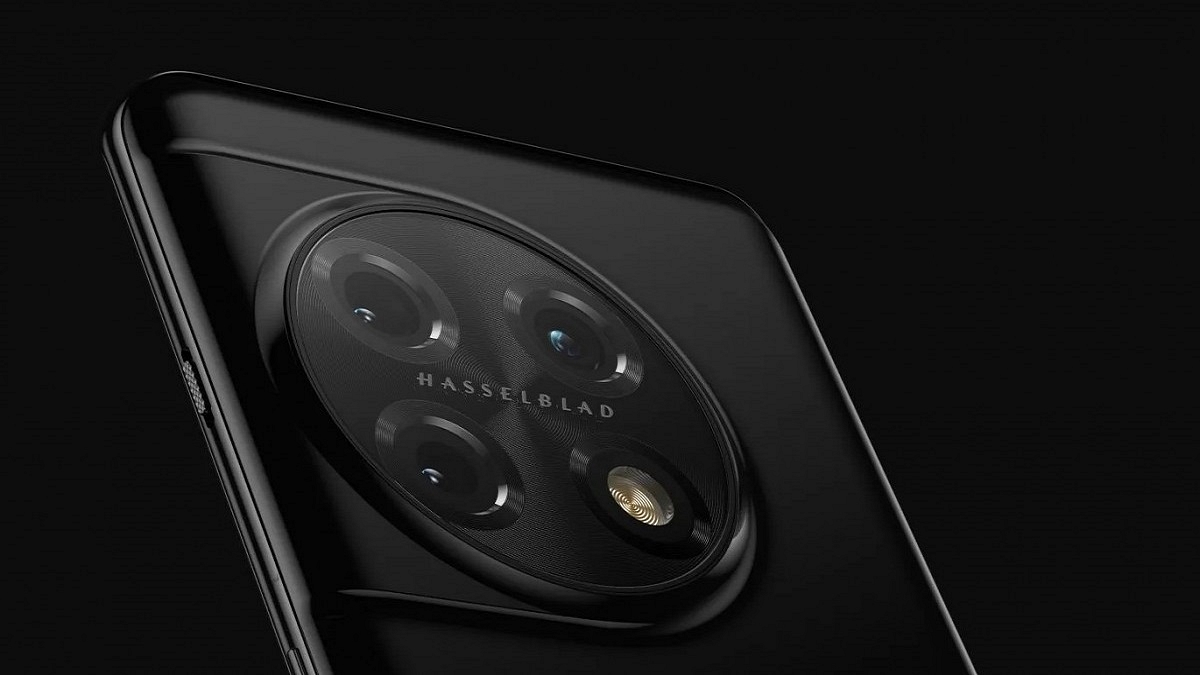
Speaking of the camera hardware, the OnePlus 11 5G offers a 50MP main wide camera with PDAF and OIS, a 32MP telephoto sensor with 2x optical zoom, and a 48MP ultrawide-angle sensor with 115-degree FoV. This is a Hasselblad series camera that promises a rich photography experience under all scenarios. A 16MP camera is used by this new-generation OnePlus phone with an f/2.4 aperture.

The iQOO 11 5G also jas a triple lens camera setup with the primary sensor being a 50MP lens with OIS and PDAF, 13MP telephoto sensor, and an 8MP ultra-wide angle lens.  This phone also features a 16MP camera for selfies and video conferencing. In the camera department, the OnePlus 11 5G will offer a slightly better experience compared to the iQOO 11 5G.

Also Read: OnePlus Call Being Recorded Notification: How To Stop Call Is Now Recording Message On OnePlus 10T, 10 Pro, OnePlus 9, 8 Series

OnePlus 11 5G Vs iQOO 11 5G: Battery, Chipset

The Qualcomm Snapdragon 8 Gen 2 processor works as the powerhouse for both iQOO 11 5G and the OnePlus 11 5G. This octa-core chipset is built on 4nm process and has Adreno 740 GPU support. Both these phones will boot on Android 13 OS out-of-the-box with a custom UI overlay.

The OnePlus 11 5G and the iQOO 11 5G are fully capable of handling the most demanding and extensive tasks with the flagship-grade Qualcomm processor. A 5,000 mAh battery drives both OnePlus 11 5G and the iQOO 11 5G. However, the former supports 100W fast charging, while the latter supports 120W support.

Also Read: OnePlus TV Y1s Pro Vs Xiaomi MI TV 4X: Best 43-inch Smart TV Model Under Rs. 30,000 In India

OnePlus 11 5G Vs iQOO 11 5G: Which One Is Best?

Both OnePlus 11 5G and the iQOO 5G can outperform the most high-end phones in the market. The competition is stiff between both these phones. However, for better optics, the OnePlus 11 5G has the required hardware, while the iQOO 11 5G will serve best for gaming.

Also Read: OnePlus Tech Support: How To Migrate And Restore Data From iPhone To New OnePlus Smartphone Using Clone App

Categories
Apps Featured mobile

Google Maps On Apple Watch: How To Setup And Use Google Maps For Navigation On Apple Watch

Key Highlights

  • Google Maps can be used on Apple Watch
  • iOS 10 or above and Watch OS 5 or above required
  • One can access ETA and step-by-step directions

Apple has a strong ecosystem of tech products and supported services. iOS is the driving force for all iPhones and iPads delivering a premium user experience. Apple has released some unique features to iOS that are accessible to all iPhone users. Specifically, the new-generation iOS is loaded with numerous user-oriented features to improve the modern lifestyle.

The navigation system with Apple iOS is also top-notch. However, some users still use Google Maps with their respective Apple devices. This might be the case for most Android users transitioning to Apple devices. It’s not just the Apple iPhone or the iPad with which you can use Google Maps but also Apple Watch. Using Google Maps on Apple Watch is a provision.

To use Google Maps, you can download the application n your respective Apple Watch smartwatch. This will allow seamless navigation between the phone and the Apple Watch while using the Google Maps application. As far as the functionalities are concerned, you can get the ETA and step-by-step directions. Also, Google Maps will work swiftly if your Apple devices are running on iOS 10 0r above and Watch OS 5 or above. Let’s now look at the steps to set up Google Maps on any Apple Watch:

Also Read: iOS 16 Tips And Tricks: How To Add Up To 15 Stops In Maps With iOS 16 Beta

How To Setup And Turn On Location Services In Google Maps On Apple Watch

Step 1: Open the Settings menu on your iPhone.

Step 2: Go to the Location Services option.

Step 3: Select Google Maps.

Step 4: Now, click on the Always Allow or Only While Using the App option.

Step 5: Go to your Apple Watch and launch the Google Maps application.

Step 6: Click on Home, Work, or Edit shortcuts to add destination shortcuts.

Step 7: Now, go to the iPhone and follow the on-screen guide to setup the Home and Work shortcuts.

Also Read: iOS Tips And Tricks: How To Download Offline Maps On Apple iPhones, iPads?

Steps To Use Google Maps On Apple Watch For Navigation

Step 1: Launch Google Maps on your Apple Watch.

Step 2: Select one of the saved shortcuts. The step-by-step directions will be displayed on the Apple Watch screen.

Step 3: If you wish to travel to a new destination using Google Maps on Apple Watch then tap on the Start (Arrow) option.

Step 4: You can start the navigation on your iPhone.

Step 5: Select the Current Trip option on your Apple Watch.

Step 6: Select ETA to know the expected travel time.

Also Read: Google Maps Location Sharing Alert Notification: How To Notify Your Contacts Of Your Arrival And Departure Using Maps

Categories
Apps Featured Info

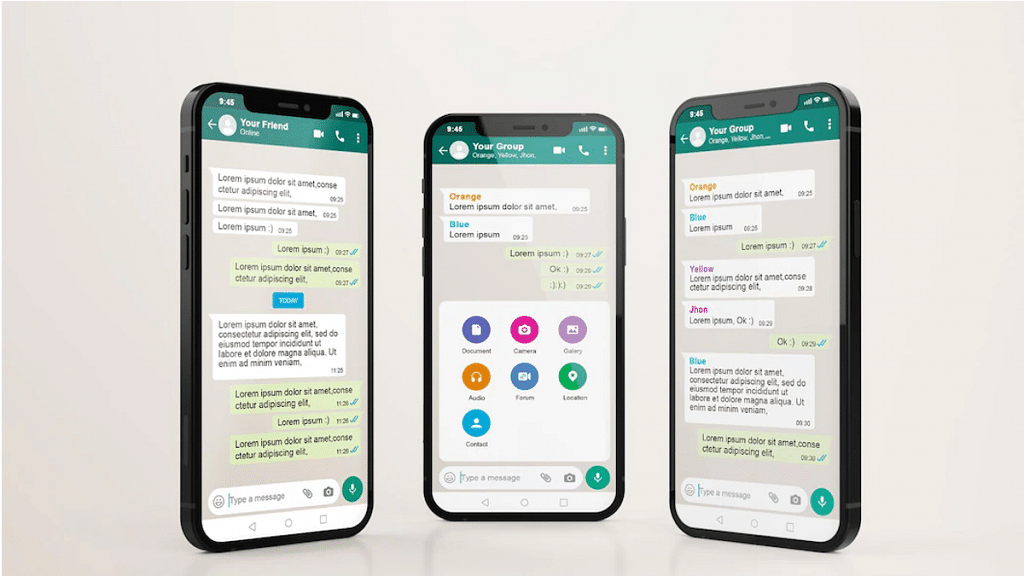
WhatsApp New Features 2023: List Of Best Upcoming WhatsApp Messaging, Security Features For Android, iOS, WhatsApp Web

key Highlights

  • WhatsApp releasing multiple new features for improved security and messaging experience in 2023
  • 6-Digit code feature will add additional security layer for private messaging
  • Status update reporting and multiple chat selection feature also in works

WhatsApp has proactively added several new features to its Android and iOS messaging applications and is offering an improved ecosystem for private and personal messaging. Besides end-to-end encryption, WhatsApp has released several other features that enhance the privacy aspects. The View once media message feature and security code are among the recent security features released by WhatsApp.

But the company is consistently testing additional features that are expected to release in 2023. The new set of tools and services are being developed to simplify the user experience keeping all privacy aspects intact. Some of the upcoming WhatsApp features have been teased officially, while others have been leaked and spotted with the beta builds. We have listed down some of the new WhatsApp features that will be announced in 2023.

Also Read: Do You Own This Samsung Phone? WhatsApp Is Ending Support For Multiple Samsung Phones

Status Update Reporting Option

WhatsApp Status is one of the most used features by audiences to share their thoughts via texts, images, or short videos. The company has been testing a new feature that will allow users to report any uploaded status that violates WhatsApp’s Terms and services. This new security feature has been spotted being tested with the WhatsApp desktop version and could soon be released in a stable OTA form. The WhatsApp Status Update report feature will possibly be released in the first half of 2023 for Android, iOS, and desktop versions.

Also Read: Here’s How to Set Long Videos as WhatsApp Status

Multiple Chat Selection For WhatsApp Desktop Version

WhatsApp has simplified the process of selecting multiple chats and performing some quick actions in a single chat window on iOS and Android. But now, the company will be making it easier for desktop users to select multiple chats simultaneously and either mute or delete the entire conversation. With this multiple chat selection feature, desktop users will also be able to mark messages read. The exact timeline for the release of the Select Chat feature is not confirmed by WhatsApp, but the current testing hints at its availability in 2023.

Also Read: How To Make Your WhatsApp Status Play Background Music

6-Digit Security Code Feature

Another upcoming WhatsApp feature spotted being tested with the beta build is the 6-digit code feature. This is an additional security layer that will be released for the WhatsApp application including Android, iOS, and the desktop version. The primary function of the 6-digit security code will be to secure the login process for the same WhatsApp account being used on other devices. This option will send a six-digit security code to the main WhatsApp device when you will log into other device using the companion mode feature.

Also Read: WhatsApp Self Message Feature Goes Official: How To Self-Chat On WhatsApp Using Android, iOS Devices

Search For Older Messages Using Date

WhatsApp currently allows users to search for any chat using a specific word or sentence. This might not be the best way to search through a pile of texts where words are repeated throughout the conversations. The upcoming Search feature will make it easy to find messages if you remember the date. WhatsApp is testing this new option that will allow users to directly enter the date and search for a specific message. The timeline for its release is 2023.

Also Read: Worried About WhatsApp Group Privacy? Top WhatsApp Security Features You Should Use Daily For Enhanced Privacy

Categories
Comparison Featured mobile

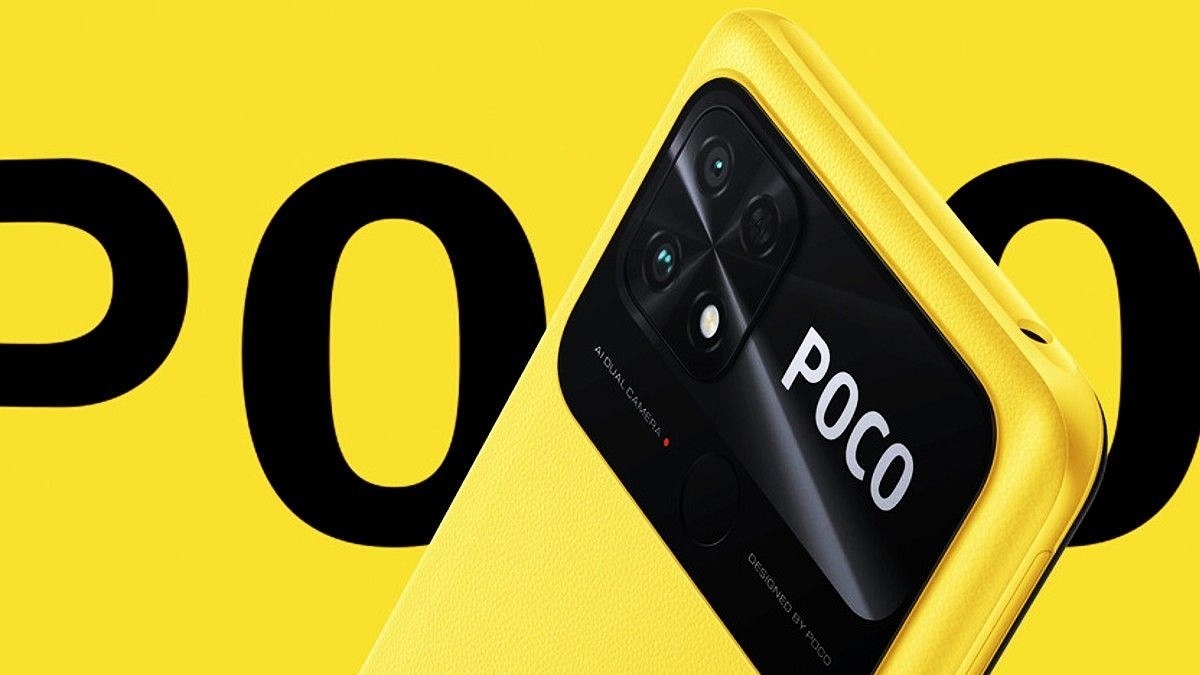
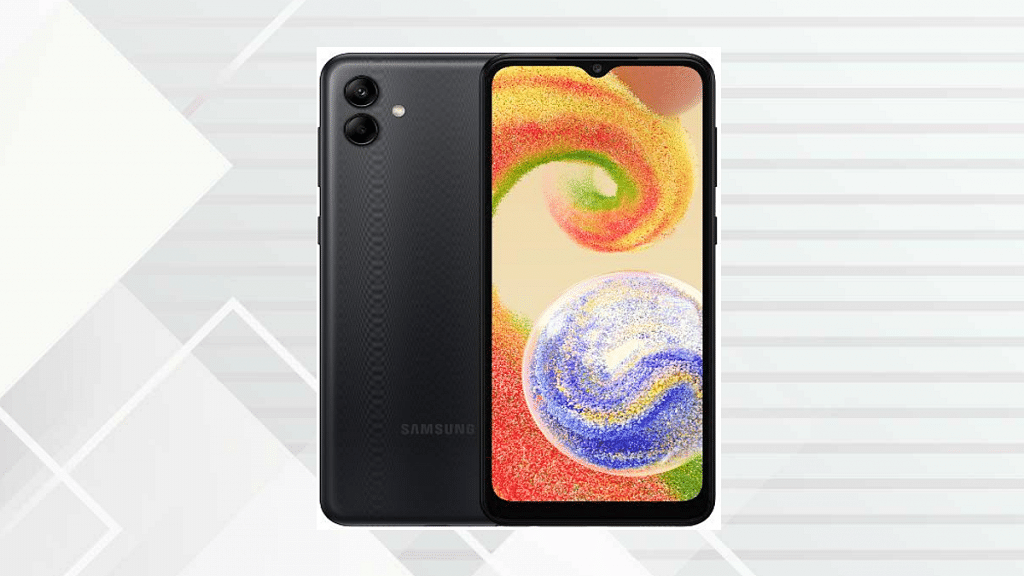
Samsung Galaxy F04 Vs Poco C50: Latest Entry-Level Android Phones Battle

We are officially in 2023 and new products have started making their debut in the Indian market. After Poco, Samsung has also revamped its budget smartphone lineup with the launch of the Galaxy F04. Similar to the Poco C50, the Galaxy F04 is also an entry-level Android phone priced under Rs. 10,000 in the country. In this article, we are doing a quick comparison between both these new budget Android phones that debuted in the first week of 2023 in India.

Samsung Galaxy F04 Vs Poco C50: Display Comparison

ModelSamsung Galaxy F04Poco C50
Display6.5-inch HD+6.5-inch HD+
Camera13MP dual rear, 5MP selfie8MP dual rear, 5MP selfie
ProcessorHelio P35Helio A22
Battery5,000 mAh5,000 mAh
PriceStarts at Rs. 7,499Starts at Rs. 6,499

Samsung has integrated an LCD screen inside the Galaxy F04 which measures 6.5 inches and supports 720 x 1600 pixels screen resolution. This is a standard display type that can be found on most entry-level Android phones. The Poco C50 also sports an LCD screen measuring 6.5 inches with 720 x 1600 pixels screen resolution and 20:9 aspect ratio. The refresh rate supported by both these budget phones is 60Hz. The overall viewing experience is the same on both smartphones and streaming videos is a decent experience on both handsets.  

Also Read: Samsung Galaxy F13 Vs OPPO A54 Vs MOTO G32: Best Affordable Android Smartphone To Buy In India

Samsung Galaxy F04 Vs Poco C50: Camera Hardware

Both these entry-segment budget Android phones are packed with a dual-lens camera system at the rear. The Galaxy F04’s optics include a 13MP main camera sensor at the back with an f/2.2 aperture and a 2MP additional sensor for depth lens with an f/2.4 aperture. It is capable of recording 1080p@30fps videos. For selfies, the Galaxy A04 employs a single 5MP front camera for selfies and video calling.

The Poco C50’s dual rear camera setup packs an 8MP main camera and a 0.8MP depth camera. This budget Android phone also features a 5MP selfie camera like the Samsung Galaxy F04. Both these phones offer a basic imaging experience, but the Galaxy F04 has better camera specs than the Poco C50.

Also Read: Poco C50 Vs Vivo Y1s: Trending Budget Smartphone Competition

Samsung Galaxy F04 Vs Poco C50: Chipset, Battery

The Samsung Galaxy F04 runs on the MediaTek Helio P35 chipset built using a 12nm fabrication process. It has the PowerVR GE8320 GPU support and up to 4GB RAM compatibility. The device comes with up to 64GB storage and will also feature expandable storage support. The Poco C50 uses the MediaTek Helio A22 processor which is also fabricated using a 12nm process.  This handset comes with up to 3GB RAM and 32GB storage.

Both these phones are designed to handle basic tasks such as media playback and web browsing without much difficulty. Both Galaxy F04 and the Poco C50 feature a 5,000 mAh battery unit but only the former comes with 15W fast charging support.

Also Read: Galaxy F23 5G Vs Redmi Note 11 Pro Plus Vs Poco X4 Pro 5G: This Should Be Your Pick Under Rs. 20,000

Categories
Featured Tablet

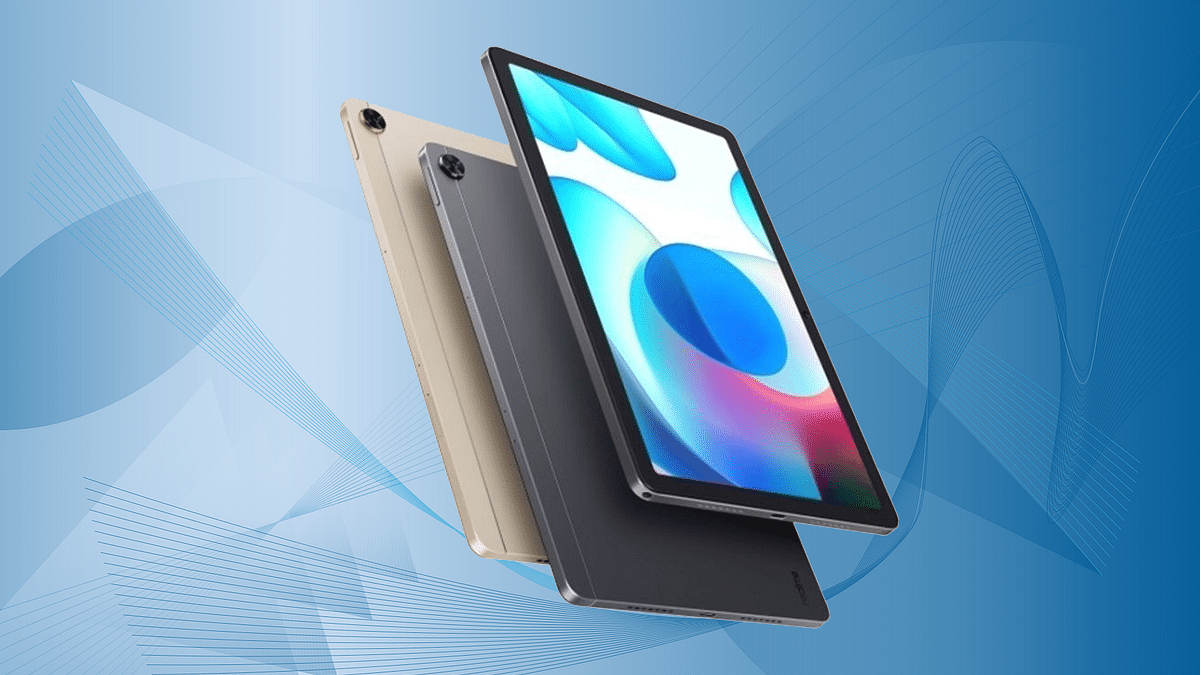
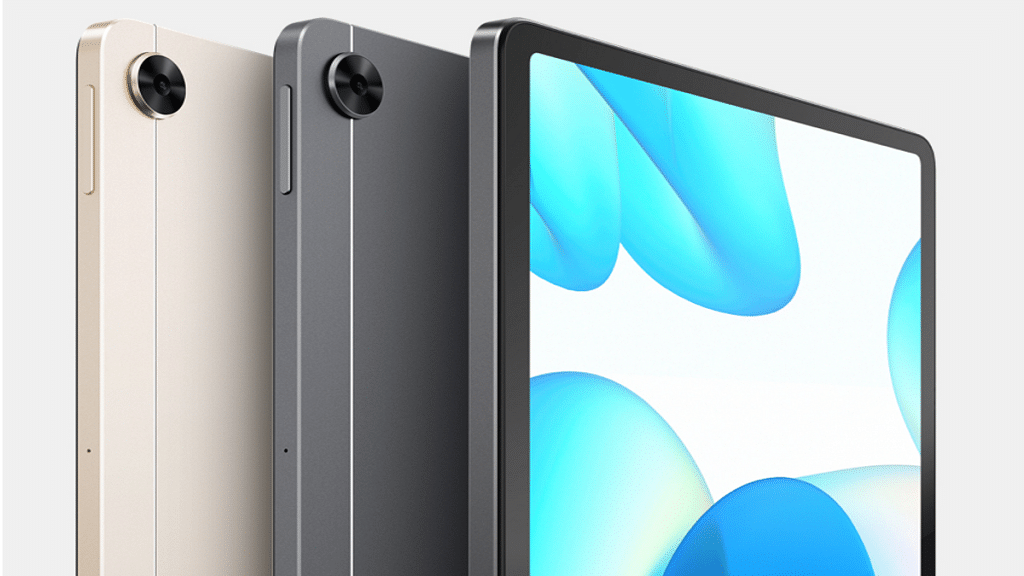
Realme Pad Slim Tablet New Variant Listed On Flipkart Ahead Of Anticipated January 9 Launch: What’s Changed?

Key Highlights

  • New Realme Pad slim tablet model spotted on Flipkart
  • Possible launch alongside Realme 10 on January 9 in India
  • 6GB RAM model listed
  • Will be available with both Wi-Fi and Wi-Fi+ LTE option

Realme is now ready to launch the standard Realme 10 in India next week in India. The second Realme 10 series handset will be debuting on January 9 in the country. Apparently, Realme is also bringing a new version of its first Android tablet, i.e., the Realme Pad to the Indian shores. Called Realme Pad slim, the new version is already listed on Flipkart which not just revealed the upcoming availability but also the key specifications.

Realme Pad Slim New Version Flipkart Listing Spotted

The Realme Pad slim which appears to be a new version of the standard Realme Pad released in 2021 is listed on Flipkart. Currently, the listing mentions “Coming soon” which hints at the upcoming launch possibly scheduled alongside the vanilla Realme 10 mid-range Android phone on January 9, 2023.

Realme has not made any official statements or announcements on the Realme Pad slim tablet’s next week launch. It’s the speculation based on the Flipkart listing with the coming soon tag. The pricing is not confirmed, but Flipkart could soon update the price column. Thankfully, the specifications of the handset have been listed alongside the product leaving a little to the imagination.

Also Read: Nokia T21 Vs Nokia T20 Vs Realme Pad Mini Tablet Comparison: Best Entry-Level Android Tablet For Daily Use

Realme Pad Slim Specifications

Realme Pad SlimKey Specifications
Display10.4-inch IPS LCD
ProcessorHelio G80
Camera8MP rear, 8MP front
Battery7,100 mAh, 18W
PriceNot announced

The Realme Pad slim specifications listed on the Flipkart page suggest no hardware tweak compared to the previous versions. It might have a slimmer profile compared to the previous-generation model but the spec sheet revealed by the Flipkart product page is identical to the vanilla Realme Pad tablet. That said, the Realme Pad slim Flipkart listing mentions a 10.4-inch IPS LCD display with 1200 x 2000 pixels screen resolution.

For optics, the Realme Pad slim tablet will pack an 8MP rear and an 8MP front camera. This standard imaging setup is present on the vanilla Realme Pad as well. The device will draw power via the MediaTek Helio G80 processor which will be combined with 6GB RAM and 128GB storage. Both Wi-Fi and Wi-Fi+ LTE variants will be available with the same 7,100 mAh battery capacity supporting 18W fast charging.

Also Read: Realme Pad Vs Lenovo Tab K10 Vs Moto Tab G20: Budget-Friendly Tablet You Should Consider

Categories
Apps Featured How To

WhatsApp Taking Up Too Much Space? Here’s How To Manage And Clean WhatsApp Data In Just A Few Taps

Key Highlights

  • WhatsApp’s popularity is attributed to its enhanced security, privacy features, and the ability to send and receive multimedia files
  • Managing WhatsApp storage is essential to optimize device performance and free up space occupied by unnecessary files
  • Deleting unwanted WhatsApp files can be done directly within the app

WhatsApp has become the most common messaging application for Android and iOS smartphones. Multiple features have been released by Meta for this popular smartphone including enhanced security and privacy, multimedia. One of the biggest reasons for WhatsApp’s never-ending popularity can be credited to the end-to-end encryption that makes texting, voice, and video calling secure. Also Read | WhatsApp Edit Message Feature Is Now Available For Android And iOS: How To Correct WhatsApp Message Spelling Errors And More

This added security and the ability to send and receive media files make it the favorite app for all smartphone users. Since sharing images and videos is a commonly used feature of WhatsApp, it definitely clogs up some space on smartphones. And if your device is getting packed with unrequired images, videos, and other documents from WhatsApp, you need to identify and delete those files.

This is also necessary to keep your device performance optimum since heavy apps are one of the biggest factors for slowing down handsets in terms of performance. There are multiple ways in which you can empty up space on your smartphones by removing WhatsApp files. But the easiest way is directly from within the app. This saves you from the hassle of performing complicated steps using the file manager app. But what are the steps to manage WhatsApp storage and delete unnecessary files and apps using the Android and iOS app? Take a look below:

Also Read | WhatsApp 2022 Recap: All New Privacy Features That Enhanced WhatsApp Security This Year

Steps To Manage WhatsApp Storage And Delete Unnecessary Files

Step 1: Open the WhatsApp application. Note, these steps can be performed on both Android and iOS smartphones.

Step 2: From the chat homepage, tap on the More option.

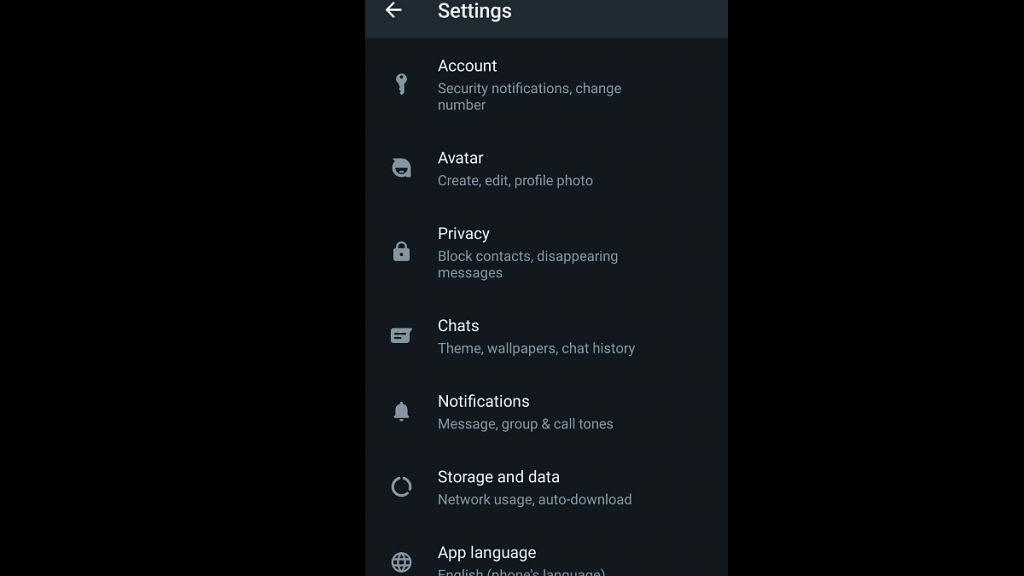
Step 3: Select Settings.

Step 4: Scroll down to “Storage And Data” option. Tap on it.

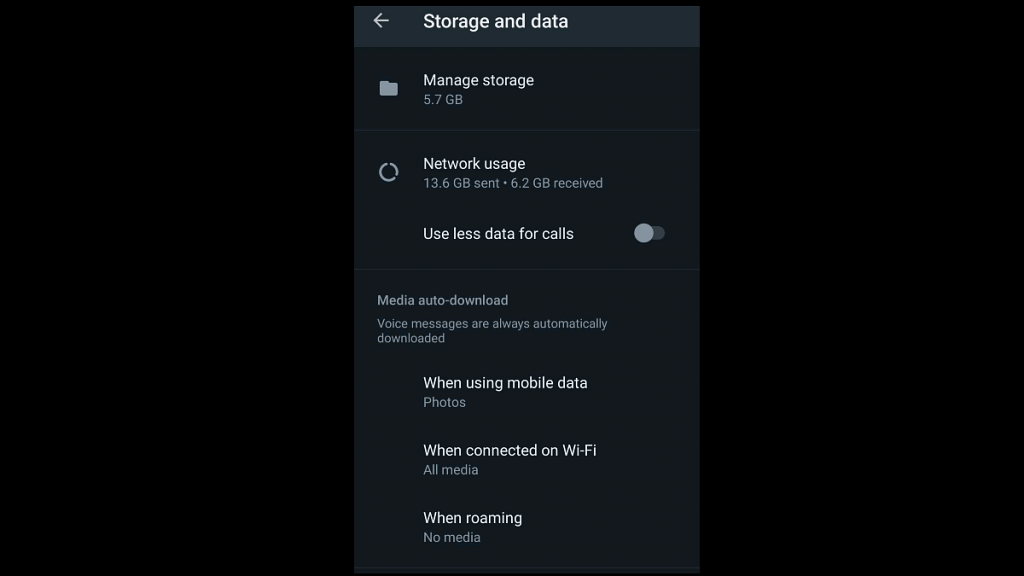
Step 5: You will see the “Manage storage” option on top. The exact device storage being consumed by WhatsApp will be displayed below this icon.

Step 6: Tap on the ‘Manage storage’ option to see all the files including images, document files such as PDFs, forwarded messages, and even chats with the storage space being consumed.

Step 7: Select all the media files and documents you wish to delete.

Step 8: Tap on the Delete (bin icon) option placed on the top right.

Step 9: Click on Delete from the pop-up box. This will clear up additional space on the WhatsApp Android and iOS apps.

Also Read | WhatsApp Security Code: What Is It? How To Get WhatsApp Security Code Notification On Android, iPhones, And Laptop/ PC?

Categories
Comparison Featured mobile

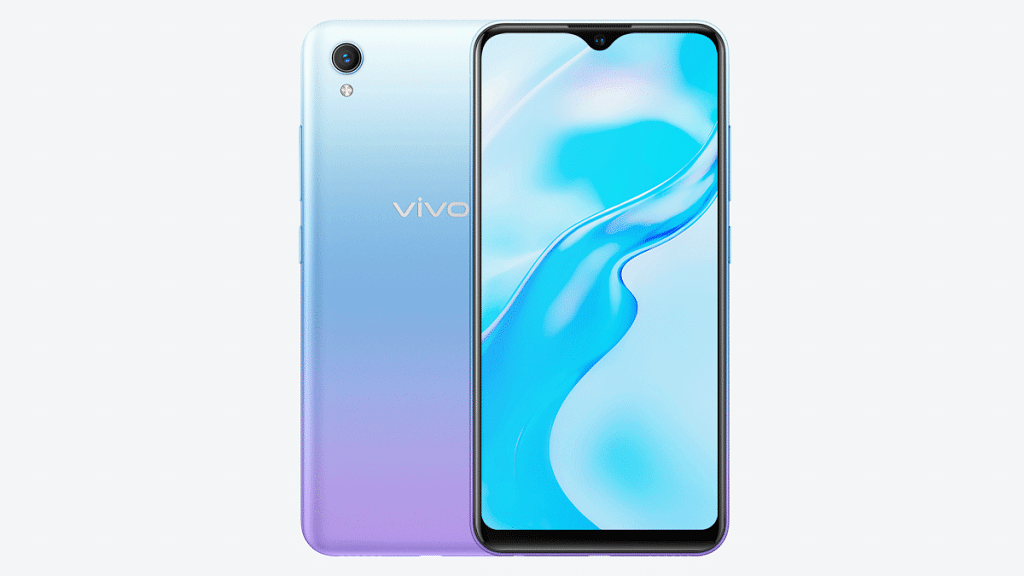
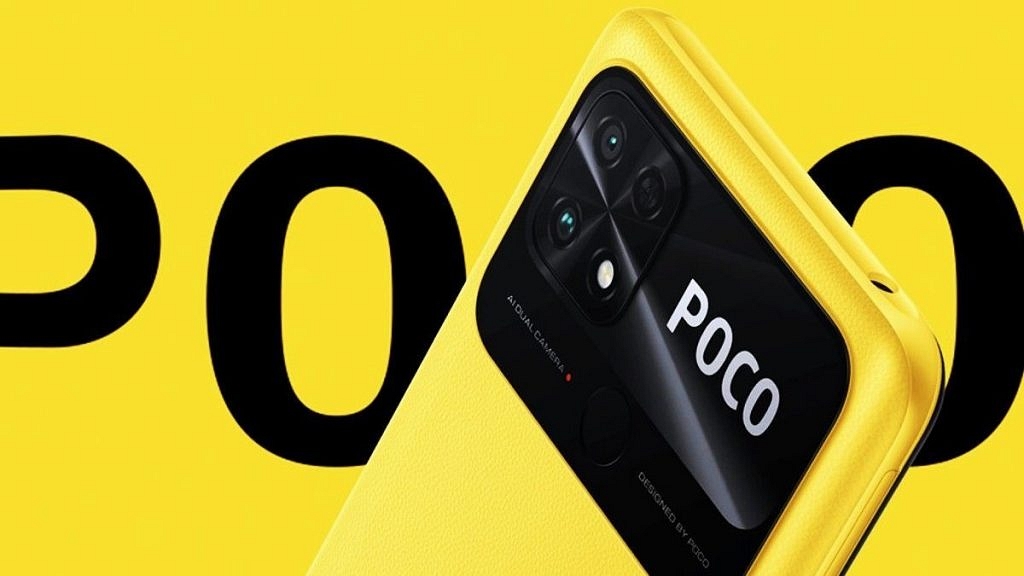
Poco C50 Vs Vivo Y1s: Trending Budget Smartphone Competition

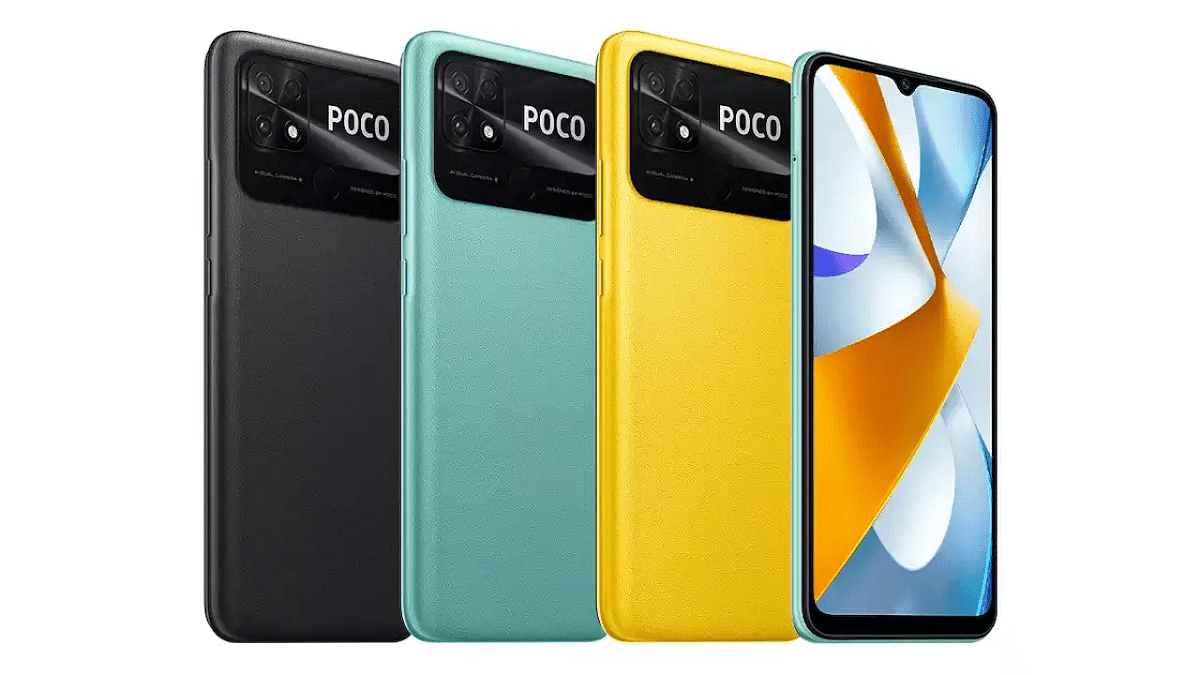
Poco has kickstarted 2023 with the launch of a new entry-level Android phone called the Poco C50. The newest addition to the budget Poco C series comes as an Android Go Edition phone driven by the entry-segment MediaTek Helio A22 chipset and an HD+ LCD screen. With an asking price of Rs. 6,499, the Poco C50 is one of the cheapest Android Go phones in the country that competes against the likes of Vivo Y1s. The latter is also a popular budget Android phone that can be bought at cheaper rates in India. Which out of the Poco C50 and the Vivo Y1s offers a premium user experience despite an affordable price tag:

Poco C50 Vs Vivo Y1s: Display Comparison

ModelPoco C50Vivo Y1s
Display6.2-inch HD+6.5-inch HD+
Camera8MP dual rear
5MP selfie
13MP main
5MP selfie
ProcessorHelio A22Helio P35
Battery5,000 mAh4,050 mAh
Pricestarts Rs, 6,499starts at Rs. 8,499

Since both these Android handsets are entry-level offerings they both are equipped with a standard screen display type and resolution. The Poco C50 features a 6.2-inch LCD screen that has a 720 x 1520 pixels screen resolution and 60Hz refresh rate. The Vivo Y1s offers a taller 6.5-inch LCD screen with 720 x 1600 pixels screen resolution and a 20:9 aspect ratio along with a 60Hz refresh rate. Despite the slightly taller frame, the panel quality on both these budget phones is decent with the viewing experience being optimum for daily viewing.

Also Read: Realme 10 Pro Plus Vs iQOO Z6 Pro Vs Moto G82: Best Mid Range 5G Phone In 2022 In India

Poco C50 Vs Vivo Y1s: Camera Specifications Differences

While the Poco C50 sports a dual rear camera setup, the Vivo Y1s offers a single camera setup. However, the latter takes a lead with a bigger main camera. The Poco C50 ships with 8MP + 0.8MP sensors (depth and portrait camera respectively). On the contrary, a 13MP main camera is used by the Vivo Y1s for photography.

The selfie snapper packed inside both of these Android Go Edition phones is a  5MP lens with an f/2.2 aperture. Photography experience would be basic with both these phones. But for an improved depth affect you would need to opt for the Poco C50.

Also Read: Infinix Zero 5G 2023 Vs Tecno Phantom X2 Vs Realme 10 Pro: Top Trending Affordable 5G Phones Comparison

Poco C50 Vs Vivo Y1s: Processor, Battery Comparison

Under the hood, the Poco C50 employs the MediaTek Helio A22 chipset based on 12nm fabrication. The Vivo Y1s also uses a MediaTek Helio chipset (Helio P35) which is also based on 12nm process. Both these handsets come with up to 3GB RAM and 32GB storage options and have expandable microSD card slot expansion provisions too.

If you wish to use the latest firmware, then the Poco C50 with Android 12 Go edition makes for a good pick. Whereas, the Vivo Y35 features older Android 10 OS. Battery capacity inside the Poco C50 measures 5,000 mAh which comes with standard 10W charging speeds, whereas, the Vivo Y1s ships with a smaller 4,030 mAh battery.

Also Read: Nokia T21 Vs Moto Tab G62 Vs Lenovo M10 Tab HD (2nd Gen) Tablet: Best Option For Budget Audience

Poco C50 Vs Vivo Y1s: Which One To Buy?

If we speak of the overall performance, the Poco C50 and the Vivo Y1s have a neck-to-neck competition. But the former offers a newer firmware and has support for Android Go apps that should allow a speedy performance in the longer run.

Also Read: Qualcomm Snapdragon 680 Vs MediaTek Helio G99 Chipset: Which Mid-Range SoC Fairs The Battle?

Categories
Chipset Comparison

Qualcomm Snapdragon 680 Vs MediaTek Helio G99 Chipset: Which Mid-Range SoC Fairs The Battle?

We have seen multiple new mobile processors getting announced in the last few years. 2022 has been eventful for the chipset brands and we have got to see new SoC for affordable, mid-range, and flagship smartphones and tablets. In India, the trend has seen an all-time high with mid-range and premium mid-tier mobile chipsets. MediaTek Helio G99 is a potent mid-range gaming chipset used by popular phones such as the Infinix Zero 20, Realme 10, and the Moto G72.

Qualcomm is also strengthening its portfolio with a new range of 5G mobile chipsets. However, it still has a stronghold in the affordable and mid-range segments with 4G processor. The Snapdragon 680 is one of the processors that competes head-on with the aforementioned Helio G99 SoC from MediaTek and has been used by several popular Android phones and tablets. Let’s quickly look at the comparison between the Helio G99 and the Snapdragon 680 4G’s CPU and GPU performance along with multimedia capabilities.

Qualcomm Snapdragon 680 Vs MediaTek Helio G99 Chipset: CPU Architecture

Chipset NameQualcomm Snapdragon 680MediaTek Helio G99
Fabrication6nm TSMC6nm TSMC
coresOcta-coreOcta-core
GPUAdreno 610Mali-G57 GPU
StorageeMMC 5.1, UFS 2.2UFS 2.2
MemoryLPDDR4xLPDDR4x

When we speak of the fabrication, a 6nm TSMC process is used by both MediaTek and Qualcomm for the Helio G99 and the Snapdragon 680 SoC respectively. While both these mobile processors come with an octa-core cluster design, the core clusters are different. The processor comes with four Cortex A-73 cores with 2.4GHz clock speed and four Cortex-A53 cores with 1.9Ghz clock speed.

MediaTek Helio G99 processor features dual Cortex-A76 cores with 2.2GHz clock speed and six Cortex-A76 cores with 2GHz clock speed. The frequency response range is 2400MHz delivered by the Snapdragon 680, whereas the Helio G99 offers 2200MHz clock speed. Performance delivery is good if we consider both these mobile processors and they can easily take on a different set of tasks swiftly.

Also Read: Qualcomm Snapdragon 695 Vs MediaTek Helio G96 Chipset: Best Mid-Range Android Mobile Processor

Qualcomm Snapdragon 680 Vs Helio G99 Chipset: GPU Architecture

Qualcomm has integrated the Snapdragon 680 chipset with the Adreno 610 GPU. This graphics processor unit delivers 1114MHz of GPU frequency and is deemed fit to render extensive graphics with fluid speeds. On the other hand, the MediaTek Helio G99 processor features a Mali-G57 MC2 GPU that comes with 2 execution and 32 shading units. This GPU packed inside the Helio G99 is also capable to render rich graphics with ease.

Also Read: Qualcomm Snapdragon 732G Vs MediaTek Helio G88 Chipset Comparison: Which One Fairs The Competition?

Snapdragon 680 Vs Helio G99 Processor: Memory, Multimedia (ISP)

The memory type used is same by both Snapdragon 680 and the Helio G99 processor. These processors employ an LPDDR4X memory type with the former offering 2133MHz frequency and the latter offering 4266MHz frequency. The maximum RAM allocation size for the Snapdragon 680 is 8GB, while the MediaTek Helio G99 has 10GB maximum RAM support.

Storage type supported by the Snapdragon 680 chipset is eMMC 5.1 and UFS 2.2, while the Helio G99 comes with UFS 2.2 storage type only. The maximum display resolution compatible with both these processors is 1080 x 2520 pixels. Whereas, the maximum camera resolution supported by the SD 680 is up to 64MP and up to 108MP with the Helio G99. While the Snapdragon chipset can record 1080P @60fps videos, the latter can record and playback 2K@30fps videos.

Also Read: MediaTek Helio G99 Vs Dimensity 700 Chipset Comparison: Best Budget Mobile Processor For Android Phones?

Categories
Auto Tech Featured

Heybike Tyson E-bike With 7-gear Cluster, 88km Range Announced: A Modern E-Bike Loaded With Features!

Key Highlights

  • Heybike Tyson e-bike launched with 88km range
  • Packs 48V 15A battery
  • Offers up to 45km/h top speed

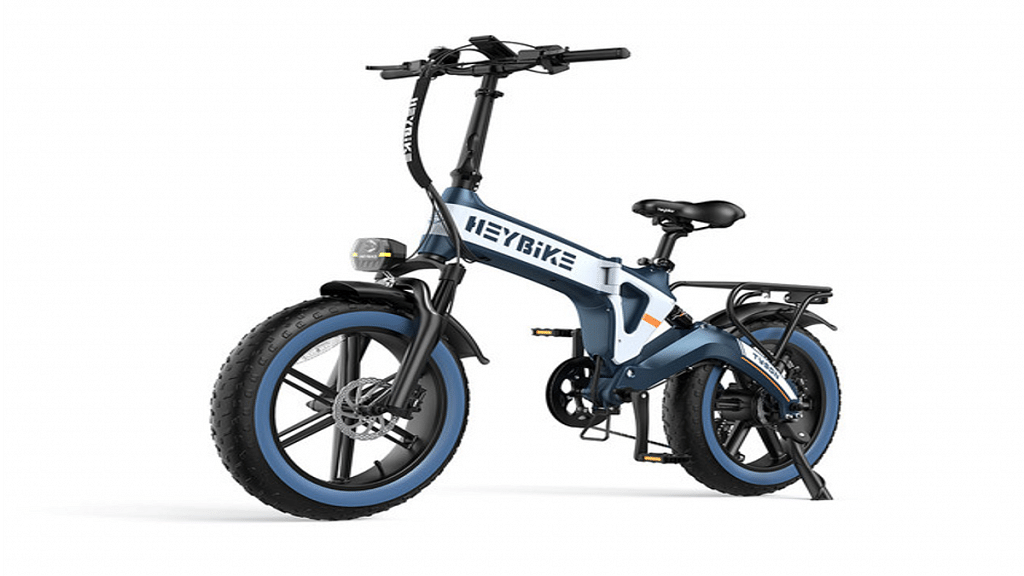
With the flourishing EV market globally, the automobile giants are rapidly shifting in this space. New electric cars, scooters, and bikes are getting released proactively in India and other markets. Adding to the lot is the latest Tyson foldable e-bike from Heybike. Heybike has launched a premium range e-bike with a powerful 720W motor and a foldable design.

Heybike Tyson E-Bike Key Specs, Features

Heybike Tyson E-BikeKey Specifications
Battery48v 15AH
Motor750W electric motor
Gear7-gear
PriceNot announced

The HeyBike Tyson E-bike is a modern e-bicycle integrated with a 750W electric motor. Heybike has released the new e-bike with a lightweight unibody frame that the brand claims is highly durable. However, the kerb weight of the Tyson e-bike is around 35 kg. Speaking of the remaining specs, a 48V 15AH battery is used as the powerhorse for the Tyson e-bike.

This battery churns out a total of 720Wh capacity. The Heybike Tyson e-bike can deliver around 88 km of range per charge. The e-bike is also integrated with a thumb throttle which with a full rev takes it to 32km/h or 45km/h top speed. Heybike has further added a 7-speed gear cluster that would generate the aforementioned up to 45 km/h top speed.

Heybike has used 4-inches thick tires in the Tyson e-bike. This will allow the e-bike to easily sail through rough terrains. In fact, the Tyson e-bike’s thick tire profile is capable of offering a premium riding experience through all kinds of terrain.

Furthermore, the braking is handled by hydraulic disc brakes both upfront and at the rear. The suspension system is handled by hydraulic fork suspension at the front and the rear. The Tyson e-bike is capable of easily handling 55kg load capacity at the rear rack.

Also Read: MBP M502N 500cc Naked Street-Style Bike Debuting At Auto Expo 2023: Expected Rivals, Price

Heybike Tyson E-bike Price, Expected Availability

Unfortunately, Tyson has not yet shared any word on the Tyson e-bike’s pricing. Also, its availability is not yet confirmed. Therefore, it would be hard to anticipate by when Heybike plans to bring the Tyson e-bike to the Indian and global retail stores.

Nevertheless, since the e-bike has gone official the brand could also soon confirm the remaining details including the price and sale details. We are keeping an eye on the developments and will update this post once the information is handy.

Also Read: Updated Tork Kratos Likely Debuting At Auto Expo 2023: What Should You Expect?