As the Assistant Editor, Sandeep is generating tech-oriented content and also monitoring the content published on the website. He has over six years of experience in tech journalism and has expertise in product reviews, news articles, listicles, and media campaigns.
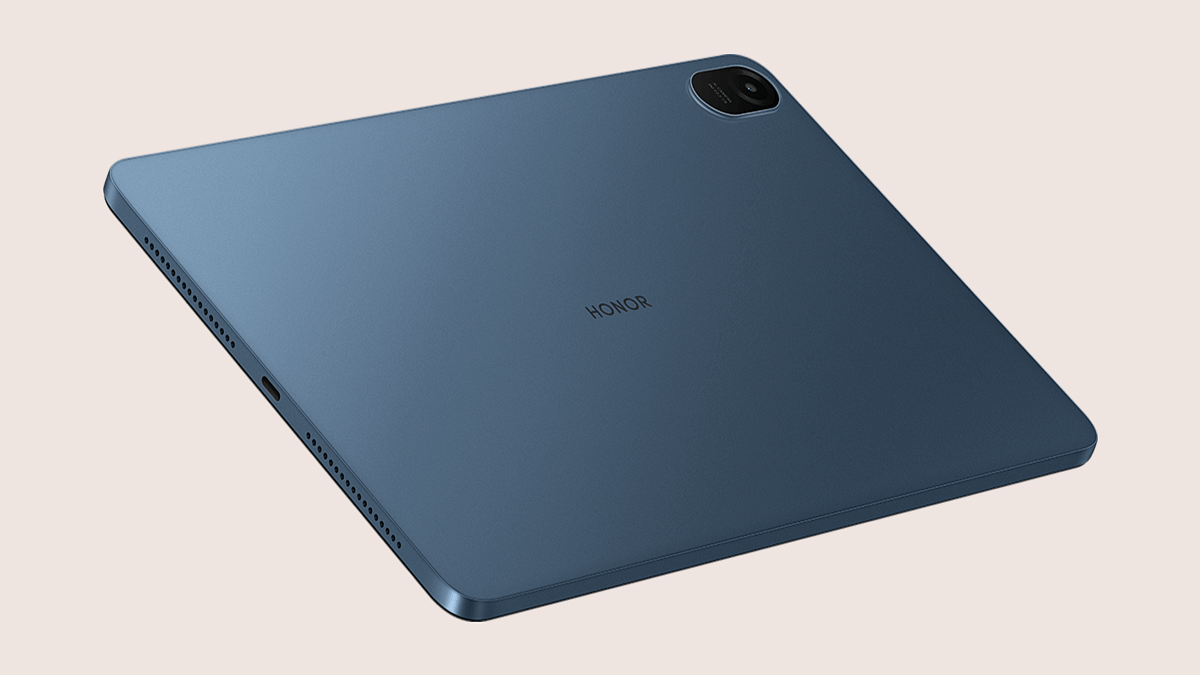
Honor might soon make a comeback in the Indian market. The brand has been silent for a while; specifically after parting ways with its previous parent company, i.e, Huawei. But instead of a smartphone, Honor is rumored to bring a new Android tablet for the Indian audience. The upcoming tablet is said to be the Honor Pad 8, announced recently in the international markets.
Honor Pad 8 Tablet India Launch Teased Officially
Honor is expected to revive its presence in the Indian market with the launch of the Honor Pad 8 tablet. This mid-range tablet was introduced earlier in July in the global markets. Honor has not announced the exact India launch timeline for the Honor Pad 8 tablet.
But, Honor has created a product page on its official India website which hints at an imminent launch. Furthermore, Honor will also be selling its upcoming mid-range Android tablet via online retailing giant Flipkart. The e-commerce portal is also expected to update a dedicated microsite for the Honor Pad 8 soon.
We will likely get the official launch details in the coming weeks. Our speculation is a launch ahead of the upcoming festive season in the country. Flipkart is already hosting the Big Billion Days sale on its platform and might introduce the tablet during the sale period itself.
But since this is our anticipation, we would suggest you consider this piece of information a grain of salt. We aren’t aware of the Honor Pad 8 tablet’s India pricing as of now. However, Honor is well known for its reasonable product pricing. We could see the Honor Pad 8 launch with an affordable price tag likely under Rs. 25,000 price range.
Honor Pad 8 Tablet India Specifications
The Honor Pad 8 will share the same spec sheet as its international model. Honor will launch the Pad 8 as the successor to the Pad 5. The chipset will be upgraded to the Qualcomm Snapdragon 680 octa-core processor. We also have seen the OPPO Pad Air with the same processor.
The Honor Pad 8 will be flaunting a bigger 12-inch display. Honor will be using an IPS LCD Panel which will support a 2K resolution of 1200 x 2000 pixels. The eight-speaker system will be one of the biggest highlights of the Honor Pad 8 tablet which will offer an immersive audio/video experience.
The Honor Pad 8 tablet will sport a single 5MP rear and a 5MP front camera. Power delivery will be taken care of by a 7,250 mAh battery unit aided by 22.5W fast charging.
Xiaomi is rumored to introduce the first-ever tablet with the Redmi moniker
The alleged Redmi Pad has now been spotted on one of the certification websites
It bears the 22081283G model number as per the TDRA certification website listing
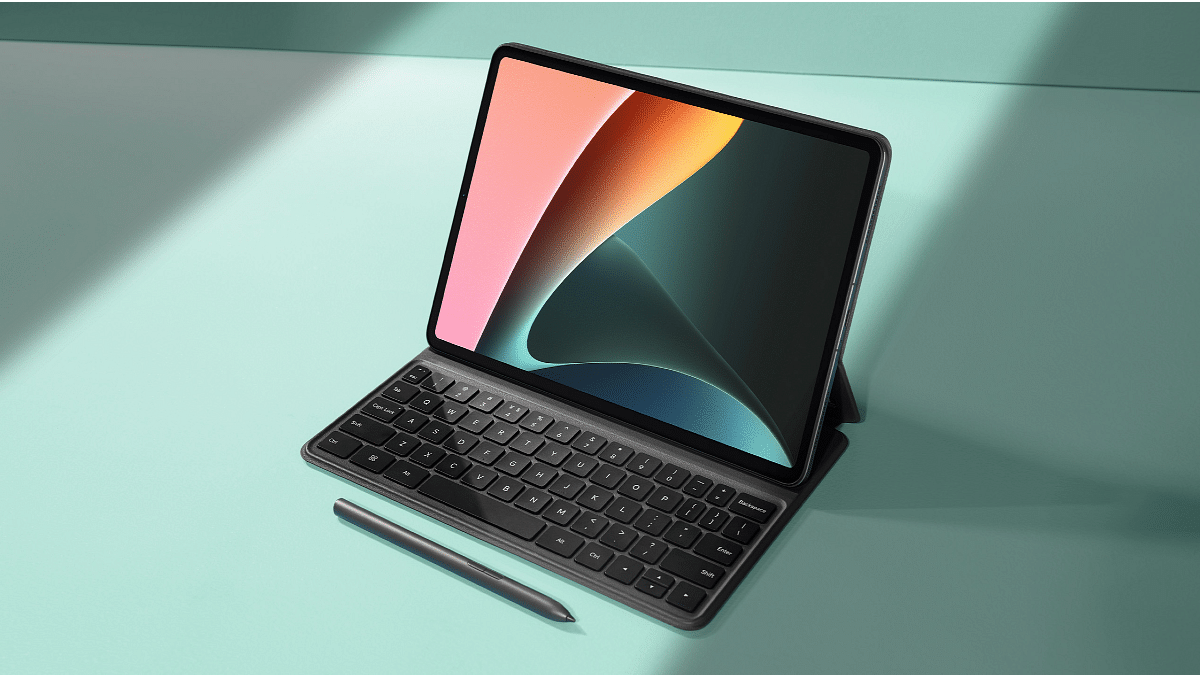
Xiaomi is gearing up to expand the flagship Xiaomi 12 series in the global markets including India. The Chinese tech giant is also rumored to introduce the first-ever tablet with the Redmi moniker during the launch event. Xiaomi has already raised the bar in the premium mid-range tablet market with the Xiaomi Pad 5 series tablets. With the Redmi Pad tablet, the brand could possibly rattle the affordable tablet market as well. The alleged Redmi Pad has now been spotted on one of the certification websites with some key specs. Also Read | Realme Pad Slim Tablet New Variant Listed On Flipkart Ahead Of Anticipated January 9 Launch: What’s Changed?
Xiaomi Redmi Pad Android Tablet Gets Certified Ahead Of Launch
The Xiaomi Redmi Pad has cleared its certification via UAE’s TDRA (Telecommunication and Digital Government Regulatory Authority). The Redmi Pad tablet bears the 22081283G model number as per the TDRA certification website listing. Since the tablet has appeared on other certification portals with the same model number, it is clear the product listing could be authentic and the launch is imminent. Tipster Abhishek Yadav shared the upcoming Redmi Pad tablet’s certification
The only information confirmed by the TDRA certification website related to the Redmi Pad tablet is the availability of the Wi-Fi variant. Previous leaks suggested the launch of a Wi-Fi+ LTE variant as well. This suggests Xiaomi is bringing both Wi-Fi only and a Wi-Fi+ LTE variant of the Redmi Pad tablet giving the audience a range of options to choose from.
If we go by the previous leaks, the Redmi Pad tablet will be a premium mid-range tablet that will be driven by the MediaTek MT8781 chipset which is an octa-core chipset built on a 6nm fabrication process. Xiaomi could launch this Redmi tablet with up to 4GB RAM and 128GB storage configuration. However, the exact details will be confirmed once the device is announced. It is likely to launch with Android 12 OS topped with a MIUI interface customized for tablets.
The handset is expected to be announced with an LCD screen. That’s a standard panel type smartphone and tablet OEMs are using for affordable and mid-range Android tablets globally. The Redmi Pad tablet’s screen will possibly offer a 2K screen resolution. The exact refresh rate is yet to be confirmed.
The rumor mill hints the Redmi Pad tablet might ship with a single 8MP AI camera at the rear. Xiaomi is rumored to use a 7,800 mAh battery along with 22.5W fast charging technology to keep this tablet’s processor ticking.
Qualcomm Snapdragon 8+ Gen 1 is the most premium Android mobile chipset
Apple A16 Bionic is another premium mobile chipset for iPhones
OnePlus 10T, iQOO 9T are a few Snapdragon 8+ Gen 1 phones
Apple iPhone 14 Pro and iPhone 14 Pro Max were recently announced with an A14 bionic chipset
Apple at its Far Out 2022 event has released the new-generation iPhone 14 series. The top-of-the-line iPhone 14 Pro and the iPhone 14 Pro Max are driven by the company’s in-house A16 Bionic chipset. Apple has used the latest flagship-grade mobile processor for power delivery on the aforementioned iPhone 14 models. The A16 Bionic chipset comes with improved CPU and GPU efficiency compared to the A15 Bionic which is used by the vanilla iPhone 14 and the iPhone 14 Plus.
On the other hand, Qualcomm also has one of the world’s most powerful mobile chipsets in the form of the Snapdragon 8+ Gen 1 SoC. This top-tier octa-core Qualcomm 5G chipset is currently driving some of the most powerful Android phones in the market including the OnePlus 10T, iQOO 9T, and the Motorola Edge 30 Ultra. How do these two flagship-grade mobile processors from Apple and Qualcomm compare in terms of CPU and GPU performances? Read out this comparison article for all the details:
Qualcomm Snapdragon 8+ Gen 1 Vs Apple A16 Bionic: CPU Architecture
Both Apple A16 Bionic and the Qualcomm Snapdragon 8+ Gen 1 processors have a strong CPU architecture. Qualcomm has fabricated the Snapdragon 8 Plus Gen 1 processor on a 4nm fabrication process. The same fabrication process (4nm) is used to design the Apple A16 Bionic processor. The SD 8 Plus Gen 1 chipset ships with the ARMv9-A instruction set and has around a 3200 MHz frequency range.
The octa-cores on this premium Qualcomm processor comprise a single Cortex X2 core with a 3.2GHz clock speed, three Cortex-A710 cores with a 2.75GHz clock speed, and four Cortex A-510 cores clocked at 2GHz. The Apple A16 Bionic processor has Hexa cores where two Everest cores are clocked at 3.46GHz, while two Sawtooth cores are clocked at 2.02GHz. This chipset also has the same ARMv9-A instruction set as the Snapdragon 8+ Gen 1 chipset.
Qualcomm Snapdragon 8 Plus Gen 1 Vs Apple A16 Bionic: GPU Comparison
The Qualcomm Snapdragon 8 Plus Gen 1 chipset has the Adreno 730 GPU integrated which is a part of the Adreno 700 GPU architecture. This chipset has a 900MHz GPU frequency, 1.1 Vulkan version, 2.0 OpenCL version, and 12 DirectX version. The Apple A16 Bionic processor ships with the Apple GPU for graphics which has six execution units. The GPU integrated inside both Snapdragon 8+ Gen 1 and the Apple A16 Bionic is potent to render extensive tasks smoothly and offer a premium gaming experience.
Qualcomm Snapdragon 8+ Gen 1 Vs Apple A16 Bionic: Memory, Multimedia (ISP)
Speaking of memory compatibility, both Qualcomm Snapdragon 8 Plus Gen 1 chipset and the Apple A16 Bionic processor support LPDDR5 RAM. However, the Qualcomm chipset supports a 3200MHz memory frequency, but the Apple A16 Bionic chipset offers a double 6400MHz frequency. This processor has maximum memory compatibility of 24GB, while the Apple chipset has just 8GB maximum memory support. The storage support is UFS 3.1 with the Snapdragon 8+ Gen 1 chipset and NVMe with the Apple A16 Bionic.
The Qualcomm Snapdragon 8 Plus Gen 1 chipset supports a maximum display resolution of 2160 x 3840 pixels and a 1x 200MP max camera resolution support. The Apple A16 Bionic offers a lower max display resolution of 1290 x 2796 pixels. While the SD 8 Plus Gen 1 can record and play up to 8K@30fps videos, the Apple A16 Bionic is capable of shooting and rendering 4K@30fps videos.
Qualcomm has added H.264, H.265, VP8, and VP9 video codecs and AAC, AIFF, CAF, MP3, MP4, and WAV audio codecs support on the Snapdragon 8+ Gen 1 chipset. On the other hand, Apple has added H.264, H.265, VP8, VP9, and Motion JPEG video codec, and AAC, AIFF, CAF, MP3, MP4, WAV, AC-3, E-AC-3, AAX, and AAX+ audio codecs on the A16 Bionic chipset.
Instagram is currently one of the best platforms for social media enthusiasts. This photo-sharing app owned by Meta has multiple user-oriented features most of which were released in the last few years. Amongst the most popular segments or features of Instagram are the Reels and Stories. Instagram has borrowed some of its trending features from its rivals including Snapchat and TikTok. However, over the years Instagram users are making the most of it and flooding the online space with new content.
With the public (if your account isn’t private). Whenever you upload a story on Instagram it is automatically visible to all of your contacts by default. But thanks to the enhanced privacy aspects, you can also block some of the unwanted users from whom you wish to keep your story upload hidden.
Hiding Instagram stories is one of the best ways to keep stalkers at bay. But you should know the right steps to hide your Instagram story from a specific person of contact added to your follower/ following list. How can you do so? Here in this article, we have listed all the steps. Take a look:
How To Hide Instagram Stories From A Specific Person Or Contact
Using Instagram Android/ iOS App
Step 1: Launch the Instagram application on your respective iPhones or Android smartphones.
Step 2: Tap on the profile option. On both Android and iOS, the profile picture icon is located on the bottom right of the app’s homepage.
Step 3: Click on the menu option (three horizontal lines).
Step 4: Tap on the Settings menu (gear icon).
Step 5: Now, select the Privacy tab.
Step 6: Scroll down to the Story option.
Step 7: Go to the Hide Story option.
Step 8: You can select either one or multiple users from whom you wish your Instagram story to be hidden.
Step 9: Tap on the backword arrow symbol to go back. The list of users blocked from viewng your Instagram status will be updated.
Step 10: You can also update this list after uploading the Story. Just tap on the three vertical dots option in the Instagram story and select the Hide your story option. Click on Hide and you have blocked all unwanted users from viewing your Instagram story post update.
Multiple Tablet brands have devices with SIM card support in India
Realme Pad X 5G, Lenovo Tab P11 Plus, Nokia T20 are a few examples
Like smartphones, tablets have also evolved majorly with the advancement in the technology space. We now have fast and reliable Android and iOS tablets that brings some new hardware technologies to the table for an unmatched user experience. The new-age tablets are also expanding the user possibilities beyond app usage to calling and texting using mobile networks.
And ever since smartphone brands have started populating the tablet market across the global regions, we are getting an increasing number of Wi-Fi+ LTE tablets that support both internets as well as voice calls using mobile networks. Of course, you would need to insert a mobile SIM card to use the mobile internet and general calling/ texting services. In India, we also have multiple such tablets that come with a SIM card slot allowing voice calling and mobile internet usage.
You can use the same SIM cards that you use with your smartphones with these tablets and access the same tariff plans. Upgrading to a SIM-card-supported tablet is good for both professional and general users. If you are already planning for the same, we have got you sorted. The following list has some of the best tablets in India that come with a SIM-card slot. Take a look:
Realme Pad X 5G Android Tablet With Sim Card And Voice Calling Support
The Realme Pad X 5G is one of the most recent Android tablets in India that comes with both Wi-Fi only and Wi-Fi+ LTE options. The LTE variant of the Realme Pad X 5G offers a SIM card slot with which you can easily use any SIM card of your preferred Telecom operator (Vodafone, Airtel, Jio, etc.)
Some of the key features of the Realme Pad X 5G tablet besides the SIM Card support included the premium mid-range Snapdragon 695 5G chipset combined with up to 6GB RAM and 128GB storage and a 10.95-inch LCD screen with 2K resolution. The Realme Pad X 5G is powered by an 8,340 mAh battery that is combined with 33W fast charging support. The Realme Pad X 5G LTE variant (with SIM Card support) can be purchased at Rs. 27,999 in India.
Lenovo Tab P11 Plus LTE Tablet With SIM Card And Voice Calling Support
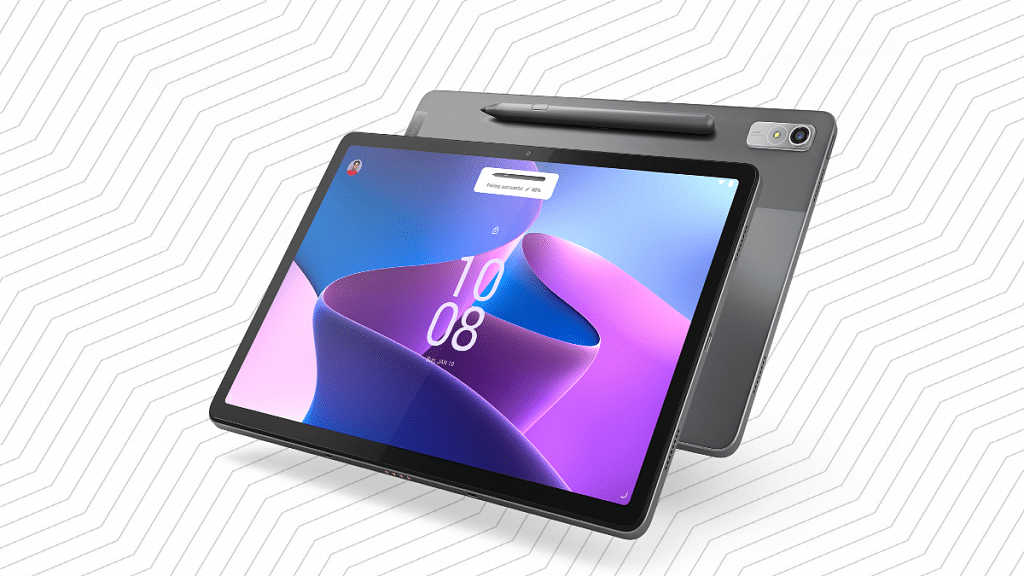
Lenovo has some of the best tablets to offer to the Indian audience. The Tab P11 Plus LTE variant is one of the best mid-range tablets Lenovo that ships with a SIM card slot. With the Lenovo Tab P11 Plus, you’ll be able to use any compatible SIM card for texting, calling, and mobile internet. This premium mid-range Android tablet draws its power from the octa-core MediaTek Helio G90T chipset which is combined with up to 6GB RAM and 128GB storage configuration.
This tablet offers a single 13MP rear camera and an 8MP front camera for selfies and video calling. It flaunts an 11-inch IPS LCD display and has a 7,700 mAh battery with fast charging support. You can buy the Lenovo Tab P11 Plus starting at Rs. 25,999 in India.
Samsung Galaxy Tab S6 Lite 2022 Sim Card-Enabled Tablet
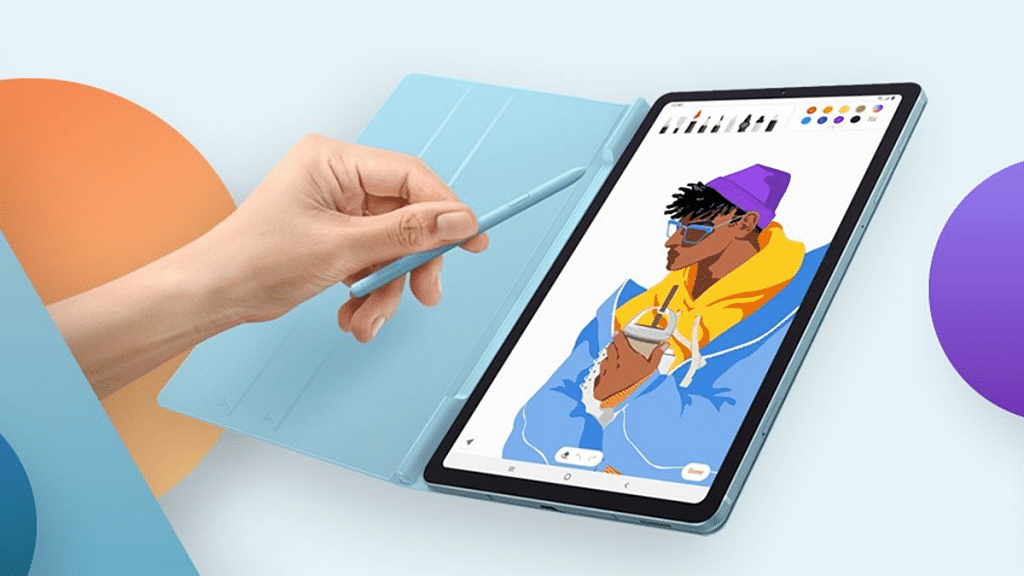
The Samsung Galaxy Tab S6 Lite 2022 is another popular mid-range Android tablet that comes with a SIM card slot. You will be able to make voice calls and also access mobile internet using any SIM card on this tablet. Samsung has equipped the Galaxy Tab S6 Lite 2022 with the Qualcomm Snapdragon 720G chipset which is mid-range gaming processor.
The Galaxy Tab S6 Lite 2022 model comprises a 10.4-inch TFT LCD display with 2K resolution and 224 PPI pixel density. The tablet features basic camera hardware comprising a single 8MP camera at the rear and a 5MP camera upfront for selfies and video calling. You need to shell out approx. Rs. 29,999 to buy the Galaxy Tab S6 Lite 2022 LTE tablet with SIM card support.
Nokia Tab T20 Wi-Fi+ LTE Tablet With SIM Card Compatibility
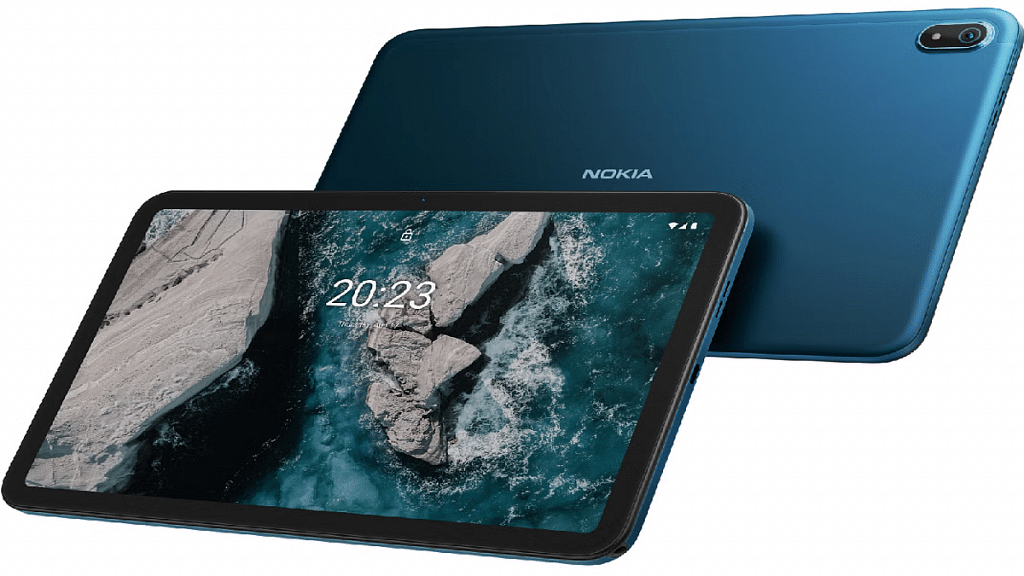
The Nokia Tab T20 Wi-Fi+ LTE Android tablet is one of the best options for budget users. This tablet also comes with SIM card support and doesn’t burn a hole in your pockets. Nokia has launched the Tab T20 earlier this year in India with the octa-core Unisoc T610 processor combined with Mali-G52 MP2. The tablet features a 10.4-inch display with a 1200 x 1200 pixels screen resolution. The Nokia Tab T20 Wi-Fi+ LTE can be purchased at around Rs. 17,299 via Amazon in India.
Smartphones have gradually become more of a necessity than a luxury. These handheld pocket-sized gadgets have not only shaped modern-day communication but also have opened up vast possibilities with voice and video calling options. When you step out in the market to buy a new smartphone, you have numerous brands as an option. But the ecosystem is widely segregated between Android and iOS.
Smartphone OEMs are focused on not just delivering a premium user experience but also offering a private and secure environment to the users. The brands are lacing their handsets with dedicated physical fingerprint scanners for added privacy in addition to the traditional PIN and password lock. You get smartphones with rear, side, or under display physical fingerprint scanners. But despite every possible security measure, smartphones are still prone to theft. You might have come across stories where mobile snatchers or pickpockets steal smartphones in public transport or crowded spaces.
Thankfully, smartphone brands are now adding the tracker feature with which you can find your lost mobile. Google’s Find My Phone feature is one such tool that lets you find or locate your lost mobile and also get remote access and erase all data if you think the stored personal data on the phone could be compromised. But the Find my Phone feature isn’t activated by default on your Android smartphones. You would need to perform some manual steps to set it up and use it to find your lost mobile. We have mentioned the ways below:
How To Find You Lost Android Mobile
Steps To Setup Find My Phone Feature On Your Android Phone
Step 1: You first need to install the Google Find My Device application on your smartphone. You can do it via Google Play Store.
Step 2: Sign in to the app using your Gmail email address.
Step 3: You will see the name of the device on which you have set up the Find My Phone feature along with the security options such as Play Sound, Secure device, and Erase device. Once this feature is active, you can follow the steps below to find, lock, and erase your lost mobile phone. Before you start, make sure you are signed in to your Google Account and connected to mobile or WiFi internet.
How To Track, Lock, And Erase Your Lost Mobile Phone
Step 3: You can send a ring notification, lock the device, or erase it.
Step 4: If the device is on, you’ll be able to see its location on the map. The data might not be completely accurate, but you’ll get a rough idea of its whereabouts and where was it seen last.
Step 5: You can tap on the Erase device option if you feel the phone’s data can be compromised by falling into the wrong hands.
OPPO is the world’s largest smartphone and accessories manufacturer. The brand has added multiple different IoT-enabled products to its catalog in the last few years. The recently forayed into the tablet market with the OPPO Pad and Pad Air tablet models and has also launched multiple new audio accessories in recent times.
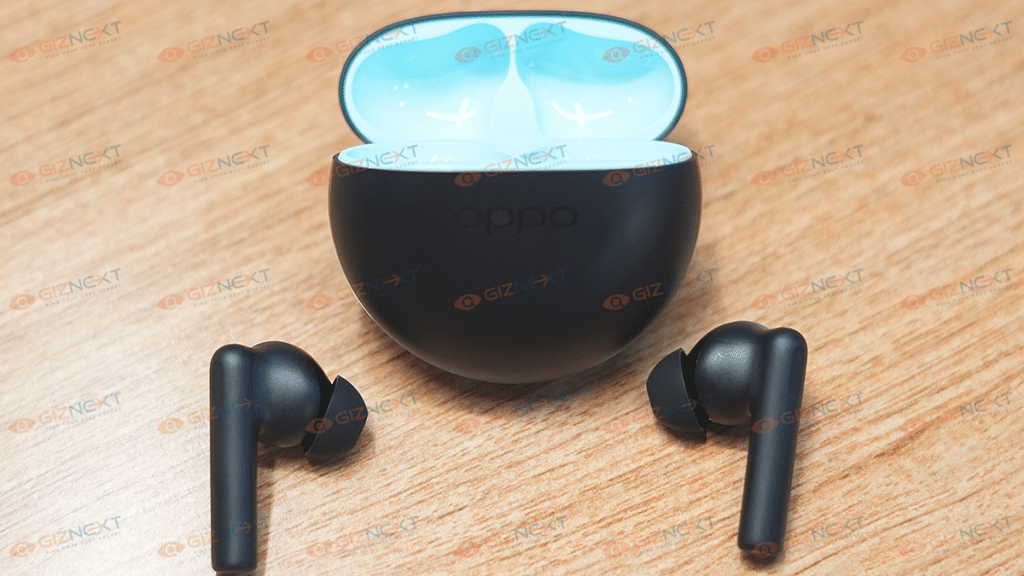
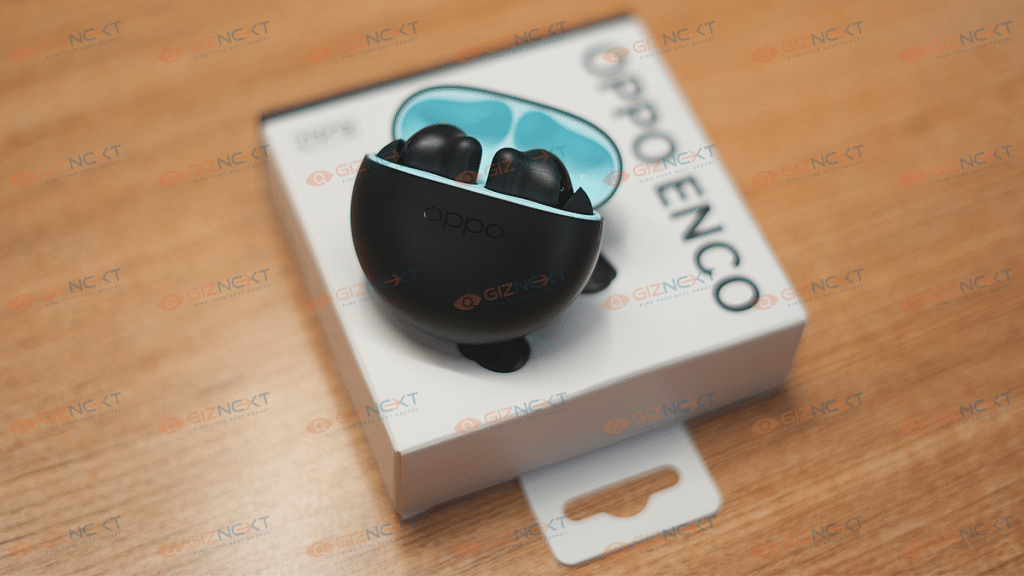
Looking at the surging demands in the TWS (true wireless earbuds) market, OPPO seized all the opportunities with its Enco series. The OPPO Enco series offers both TWS earbuds and neckbands for audio enthusiasts in India as well as the remaining global regions. The OPPO Enco X2 and the Enco Buds 2 are the most recent TWS earbuds from OPPO for the premium and budget-conscious audiences respectively in India.
OPPO has been consistent with offering a rich soundstage with its Enco series of audio accessories. Even we have tested the audio performance of OPPO Enco lineup and have been impressed with the output. While audio performance is pristine with OPPO’s wireless audio products, they aren’t completely resistant to general connectivity and audio issues.
You can experience one earbud not working or distortion in one or the other earpiece while the pair is connected to a smartphone or any other compatible device such as a tablet, TV, or laptop. In most cases, it isn’t any hardware issue and can be fixed at home without necessarily paying a visit to a service center or to a nearby store.
We experienced a similar issue with one of the OPPO Enco X2 earbuds where we could consistently hear noise from the left earpiece. The buzzing sound was hampering the listening experience and we could easily tell there was some issue with the earbud’s connectivity settings. Performing a hard reset solved this problem for us.
Yes, factory resetting the TWS earbuds is one of the easiest ways to fix any pairing or audio issue with your OPPO TWS earbuds. You can reset any of the OPPO earbuds the same way we did and fix the relevant issues with audio and connectivity. The steps to factory or hard reset the OPPO TWS earbuds (any model) are listed below:
Step 1: On the smartphone or tablet with which your OPPO Enco TWS earbud is paired, unpair the connection first.
Step 2: Make sure you have also clicked on the Forget device option once you have unpaired the earbuds.
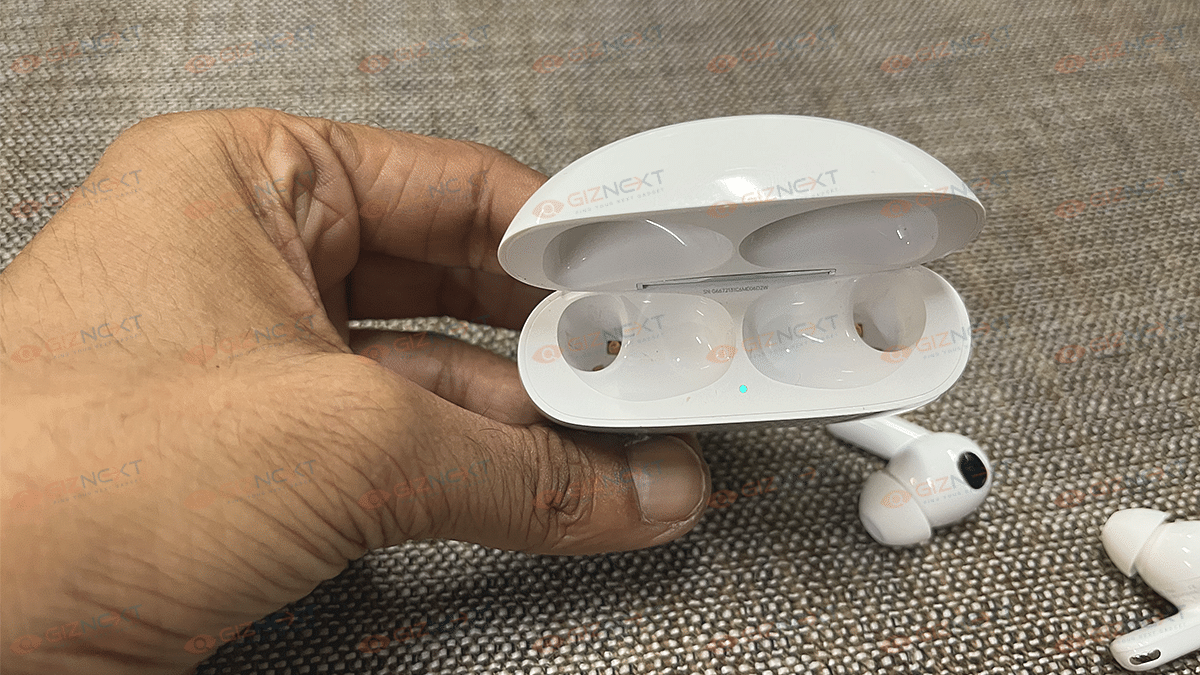
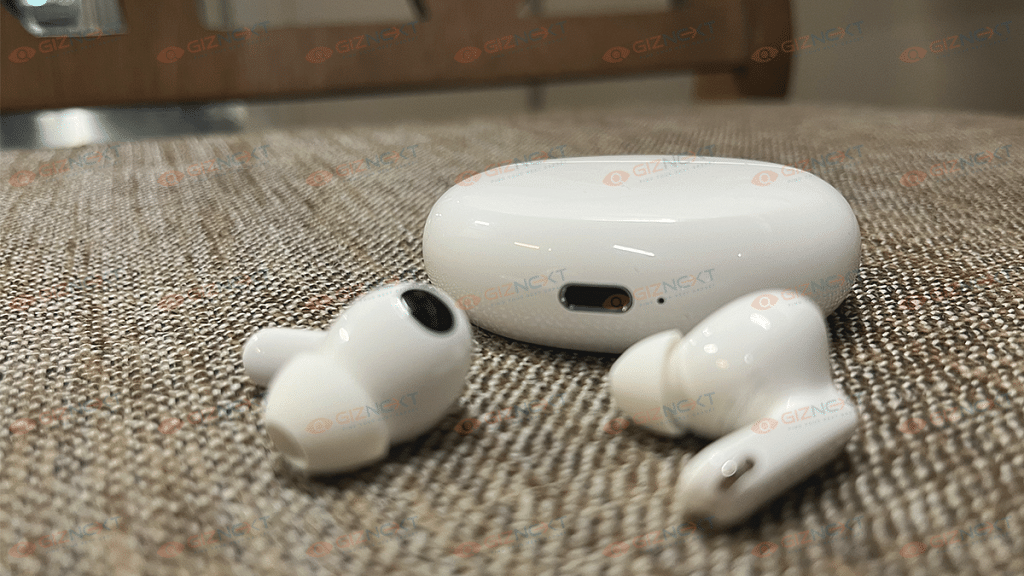
Step 3: Now, locate the pairing button on the OPPO Enco TWS earbuds charging case. Note that the earbuds should be inside the charging case only while you are performing the hard reset.
Step 4: Press and hold the pairing button until the blue LED starts to flicker.
Step 5: Keep pressing the key until the pairing LED starts blinking in red color.
Step 6: Wait until the LED’s color changes back to white/blue from RED.
Step 7: The factory reset of the OPPO TWS earbuds will be complete once you perform step 6.
Step 8: Re-pair the earbuds with the smartphone or tablet and tune into your favourite music track or movie/show.
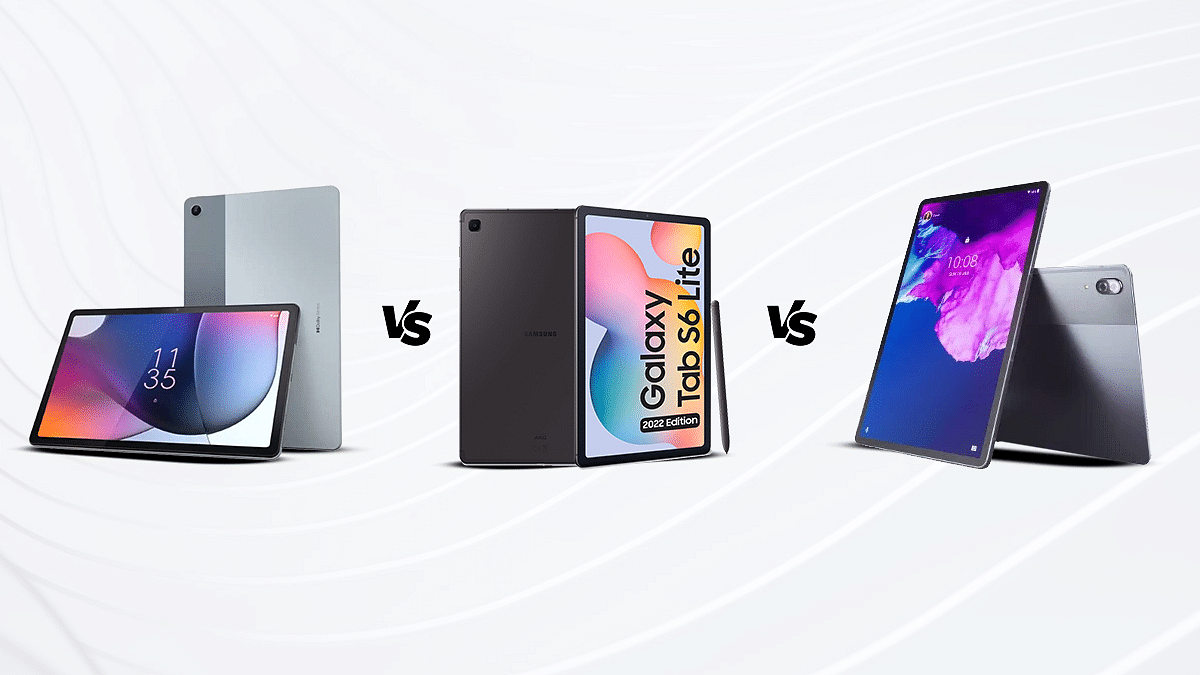
The following article provides a thorough analysis of the hardware and overall performance of the three Tablets.
All three tablets come with a powerful processor.
Motorola has established itself as one of the strongest players in the smartphone and tablet market globally and in India. The brand has been upgrading its portfolio in both segments and has recently populated both these categories with new product launches. The Moto Tab G62 is the brand’s latest Android tablet which has been released for the mid-range audience wishing to upgrade from smartphones.
Besides, Motorola and some of the other popular smartphone OEMs are also considering India as their preferred market to introduce their iteration of consumer-centric tablets. Samsung and Lenovo are amongst those contenders in the tablet market and whose products we are comparing in this article.
Since the mid-range segment is the most demanded amongst the audience, we have selected models from the same category. We have selected the Samsung Galaxy Tab S6 Lite and the Lenovo Tab P11 Pro in this comparison article. How does the Motorola Tab G62 compare with the Samsung Galaxy Tab S6 Lite and the Lenovo Tab P11 Pro in terms of hardware and overall performance? Let’s find out:
Samsung Galaxy Tab S6 Lite Vs Motorola Moto Tab G62 Vs Lenovo Tab P11 Pro: Display Specifications
The Samsung Galaxy Tab S6 Lite has been announced as a premium mid-range Android tablet that has a tall 10.4-inch screen. Samsung has used a TFT LCD display which supports a 2K screen resolution of 1200 x 2000 pixels. The Galaxy Tab S6 Lite’s display has an aspect ratio of 81.6 percent and a 224 PPI pixel density.
Motorola has also used a similar display panel on the Moto Tab G62. This mid-range tablet employs a 10.6-inch display. The panel is IPS LCD instead of the TFT LCD that ships with the Galaxy Tab S6 Lite. The specifications are almost identical to the Samsung tablet. The Moto Tab G62’s screen also offers the same 1200 x 2000 pixels screen resolution and a standard 60Hz refresh rate. The Motorola tablet’s display supports a pixel density of 220 PPI and has an aspect ratio of 80.2 percent.
The Lenovo Tab P11 Pro features the best display panel compared to the remaining two models mentioned here. The Lenovo tablet’s screen size is 11.5-inches. In addition to the bigger screen size, the panel type is also better compared to the other two tablet models.
The company has used an OLED screen on this tablet that supports a higher 1600 x 2560 pixels resolution and has HDR10 certification along with Dolby Vision certification. You will get a better visual experience with the Lenovo Tab P1 Pro. The Samsung Galaxy Tab S6 Lite and the Moto Tab G62 will offer a decent experience with video playback.
Samsung Galaxy Tab S6 Lite Vs Moto Tab G62 Vs Lenovo Tab P11 Pro: Camera Specifications
Both Samsung Galaxy Tab S6 Lite and the Moto Tab G62 feature basic camera hardware both at the rear and upfront. Both these tablets are packed with a single rear camera which is an 8MP sensor with an f/1.4 aperture. The primary camera on both Samsung and the Motorola tablet can easily record 1080p@30fps videos. The camera quality is apt for daylight photography. The detailing levels are good with good lighting conditions.
The Lenovo Tab P11 Pro is quite strong in the camera department. The tablet with a dual rear as well as front camera module. It is one of the few premium mid-range Android tablets in the market which offers two selfie cameras. Speaking of its camera hardware, the back panel of Lenovo Tab P11 Pro is equipped with a 13MP main sensor which is accompanied by a 5MP secondary ultrawide sensor. Upfront, this tablet has an 8MP wide-angle selfie snapper along with another 8MP ToF sensor.
On the other hand, the Samsung Galaxy Tab S6 Lite offers a single 8MP selfie camera, while the Moto Tab G62 offers a smaller 5MP snapper for selfies and video calling. The spec-sheet clearly indicates the Lenovo Tab P11 Pro is the best deal amongst these three while considering the camera performance.
Samsung Galaxy Tab S6 Lite Vs Moto Tab G62 Vs Lenovo Tab P11 Pro: Chipset, Battery Comparison
Samsung has integrated the in-house Exynos 9611 chipset for power delivery on the Galaxy Tab S6 Lite. This octa-core processor has been designed by Samsung primarily for mid-range Android phones and tablets. It is fabricated using a 10nm process and has Mali-G72 MP3 GPU support. The firmware version is the oldest on this tablet. It ships with an Android 10 OS-based OneUI interface. However, this tablet is eligible for up to Android 12 update. You can buy this Samsung tablet with up to 4GB RAM and 128GB storage configuration.
The Motorola tablet also features a mid-range chipset but from Qualcomm. This tablet is driven by the octa-core Snapdragon 680 chipset which is built on 6nm fabrication process. The Moto Tab G62;s mid-range chipset clubs Adreno 610 GPU for graphics. This tablet is also available with 4gB RAM and 64GB storage configuration. The firmware is new on this tablet, i.e., Android 12 OS.
The Lenovo Tab P11 Pro ships with the Qualcomm Snapdragon 730G chipset which is supported by Adreno 618 GPU and is fabricated using an 8nm TSMC process. Out of all three tablets, the Lenovo Tab P11 Pro has the best chipset for optimized power delivery. This tablet can be purchased with up to 6GB RAM and 128GB storage configuration.
Coming to the battery capacity, the Samsung Galaxy Tab S6 Lite is powered by 7,040 mAh battery unit which supports 15W fast charging. The Motorola Tab G62 employs a 7,770 mAh battery with 20W fast charging, while the Lenovo Tab P11 Pro has the biggest 8,600 mAh battery unit with 20W fast charging.
WhatsApp is an immensely popular messaging application for Android and iOS
Users can access WhatsApp messages on a smart TV
Only reading the messages is an option not replying to it
When we speak of the best mobile messaging applications, WhatsApp is the first name that comes to mind. Despite being a third-party app, WhatsApp has easily made its way to the top of the ladder. WhatsApp has been adding new features with monthly and weekly updates and also improving the security aspects simultaneously. In the last few years, WhatsApp has dished out multiple of such updates with which the usage possibilities are endless.
WhatsApp has also developed the same messaging ecosystem for Windows and Mac laptop and PC users in the form of the WhatsApp Web application. If you are working on any of these gadgets, you can easily loging using your registered mobile number and start using this application for texting, video, and voice calling. But WhatsApp’s compatibility isn’t solely with smartphones, tablets, and laptops/PCs. You can also read WhatsApp messages and notifications on smartwatches and smart TVs.
In our previous article, we mentioned the steps to install and use WhatsApp on smartwatches. But if you want to view your WhatsApp messages on a larger screen besides any of the aforementioned gadgets, then a smartTV is the best option. Now, you must be wondering if WhatsApp is compatible with smart TVs and if you can read or send messages. The answer is yes and this article will guide you how.
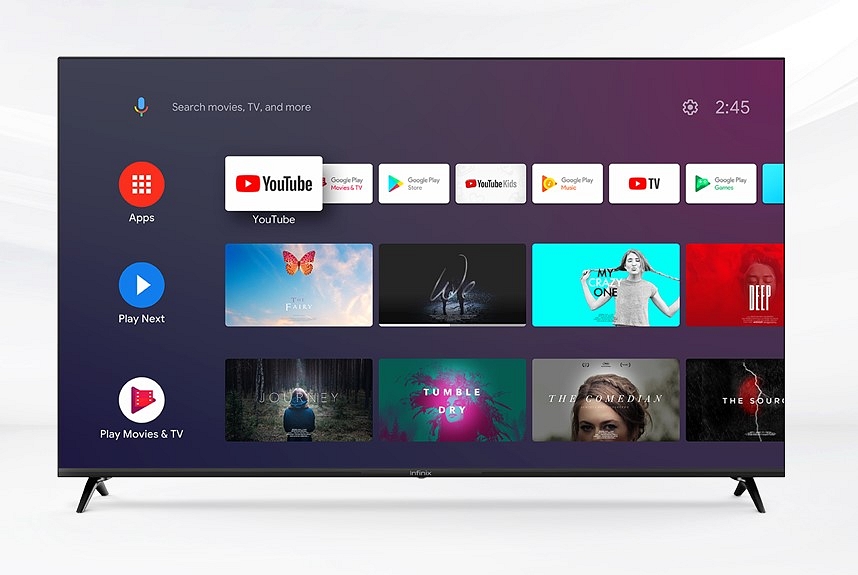
You will be able to use the WhatsApp application on any smart tv; specifically, if you have a new-generation TV that has all the required hardware and firmware. However, the user possibilities become limited if you use WhatsApp on any smart TV. As of now, you only will be able to cast the WhatsApp screen on the smart TV and read the messages.
Basically, you would be operating WhatsApp on your smartphone, tablet, or laptop, but see the content on a bigger screen simultaneously. Making a video call or voice call will not be possible directly via your TV since the required hardware isn’t present on TVs in most cases. We are speaking of an integrated webcam and microphones.
Steps To Send/ Read WhatsApp Messages On Any Smart TV
Step 1: On your Android or iOS smartphone, launch the screen cast app. You can do this directly from the notification bar in most of the latest smartphones. However, you can also head to the Settings menu to use the screen cast option.
Step 2: Both the smartphone and the smart TV should be connected to the same Wi-Fi network.
Step 3: Open the WhatsApp application on your smartphone. You will be able to see the app on your smart TV.
Step 4: Open the chat window whose conversation you want to read on the bigger screen.
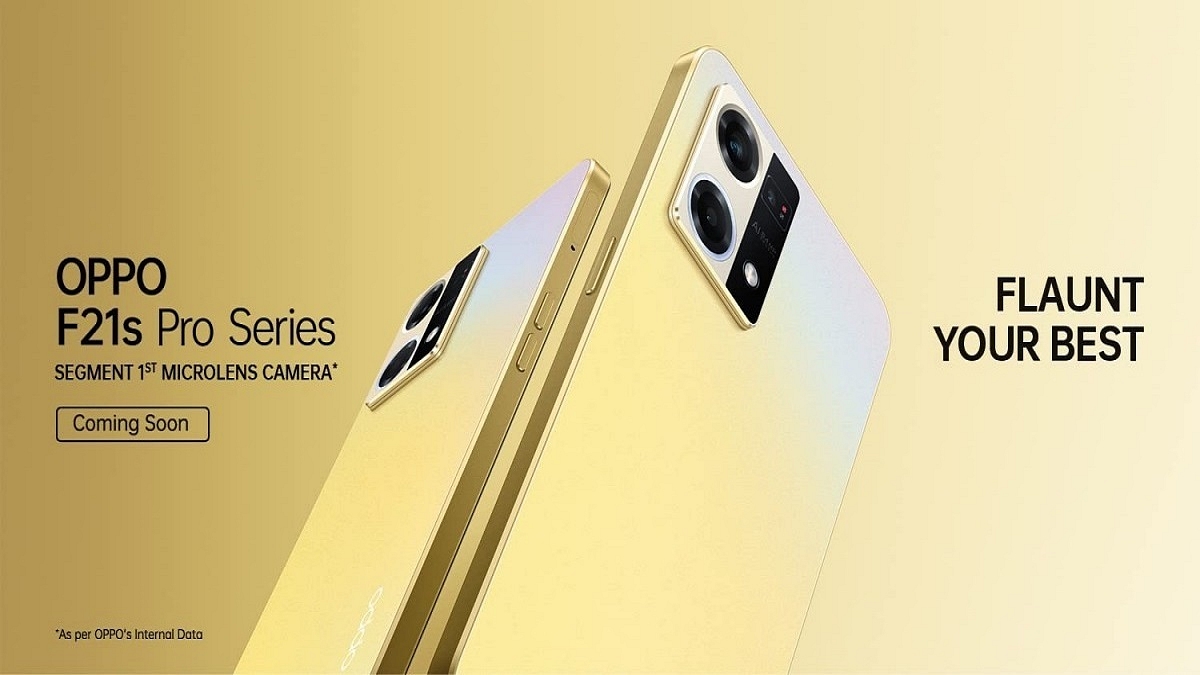
OPPO is all set to rattle the mid-range smartphone market in India with the launch of a new OPPO F series phone. The Chinese tech behemoth is all set to launch the F21s Pro. The upcoming model will be joining the OPPO F21 and the F21 Pro, which have already marked their debut in the Indian market. OPPO has officially confirmed the F21s Pro’s India launch timeline for today. Here’s what all upgrades the latest F21 series phone is bringing to the table:
OPPO F21s Pro Official India Launch Details
OPPO has announced the F21s Pro will be launched in India on September 15, 2022 (today). OPPO took to its official Twitter handle to announce the launch of the newest F21 series model in the country. OPPO has also created a dedicated product page on its official India website confirming the upcoming OPPO phone’s India launch.
The device will be sold via the company’s website and according to the product page, buyers will be able to grab an instant discount of up to Rs. 2,500 and also avail of additional no-cost EMI offers and more. OPPO has not listed the introductory sale offers and not the exact pricing details of the F21s Pro. However, going by the recent leaks, the device is expected to debut in Rs. 25,000 price range. We will keep you updated with the pricing and availability.
OPPO F21s Pro Rumored Specifications
The OPPO F21s Pro could be a premium mid-range phone with 5G network connectivity. OPPO is rumored to use the Qualcomm Snapdragon 695 5G processor to power the upcoming F21 series model. The handset could ship with up to 8GB RAM and 128GB storage configuration along with an external microSD card support for extra storage space. OPPO is expected to use the Android 12 OS and layer it with a custom ColorOS interface.
The OPPO F21s Pro will flaunt a 6.4-inch display, an AMOLED panel with 1080p FHD+ screen resolution. We might see a 90Hz or 120Hz refresh rate. In the camera department, the OPPO F21 Pro might sport a triple rear camera setup packed with a 64MP main sensor and a pair of 2MP sensors for depth mapping and macro photography. Lastly, a 4,500 mAh battery with 33W fast charging technology could handle the backup.