Categories
Featured Info TV

TCL Republic Day Sale 2023: Best Deals You Can Get On Smart TVs, LED TVs, And Mini LED TVs

Key Highlights

  • TCL kicks off its Republic Day sale on January 15 and runs through January 31
  • The sale will help you get up to 55 percent off Smart TVs, LED TVs, and Mini LED TVs.
  • TCL also offers instant cashback of up to 10 percent on select TCL products

TCL has announced exciting offers and discounts as part of its Republic Day Sale. The sale is live from January 15 to January 31, 2023. On its selection of Smart TVs, LED TVs, and Mini LED TVs, you can get up to 55 percent off.

TCL’s physical and online stores in India offer a wide selection of the latest and most affordable 4K smart TVs. The 15-day sale offer is featured on 4K mini LED TVs, 4K QLED TV, 4K HDR TVs, 2K FHD TVs, and Soundbars. Each device has cutting-edge technological features and comes in great colors.

Also Read | Best Smart TVs In India With 120hz Refresh Rate: Popular Options From LG, Samsung, And More

Apart from this, the company is offering heavy discounts and up to 10 percent instant cashback on selected TCL products via the UPI mode of transaction. Additionally, TCL is offering special deals on a few credit/debit cards during the Republic Day Sale. Credit and debit cards from ICICI, SBI, HDFC, and Axis banks as well as Internet Banking are all eligible for bank offers.

ModelOffer PriceAdditional Cashback
TCL 4K HDR Google TV (43P635)Rs. 27,9905% Cashback
TCL 4K QLED Google TV (43C635)Rs. 34,99010% Cashback
TCL 4K HDR Google TV (55P635)Rs. 36,99010% Cashback
TCL 4K HDR Google TV (65P635)Rs. 49,99010% Cashback

Customers can use their credit cards from Bajaj Finserv, ICICI Bank, Federal Bank, Bank of Baroda, and other financial institutions to make purchases from TCL offline brand and retail stores with zero percent down payment. Additionally, only prepaid orders are eligible for discounts and offers. Customers may take advantage of the deals and discounts at TCL’s online shop, as well as offline brand and retail locations across India on Amazon, Flipkart, Reliance Digital, and Croma.

Also Read | Amazon Great Republic Day Sale India 2023: Best Offers To Grab On Smartwatches

Categories
Featured Info Smart Watch

Amazon Great Republic Day Sale India 2023: Best Offers To Grab On Smartwatches

Key Highlights

  • Amazon Great Republic Day Sale 2023 is now live for all customers
  • Amazon’s first big sale of 2023 features exciting smartwatch discounts and offers
  • SBI credit card holders are offered a 10 percent instant discount of up to Rs. 2,500

The first significant annual sale on Amazon has begun. The Great Republic Day Sale is live now and runs through January 20. As anticipated, there are several offers and deals on a variety of goods. Additionally, Amazon provides a half-price store where customers can purchase a variety of products at a minimum discount of 50 percent.

You can grab some exciting deals on many smartwatches. If you are looking to buy a new smartwatch, here we’ve selected some of the top offers:

Also Read | Best Smartwatch Under Rs. 10,000 For Health Conscious Buyers In India

ModelOffer Price
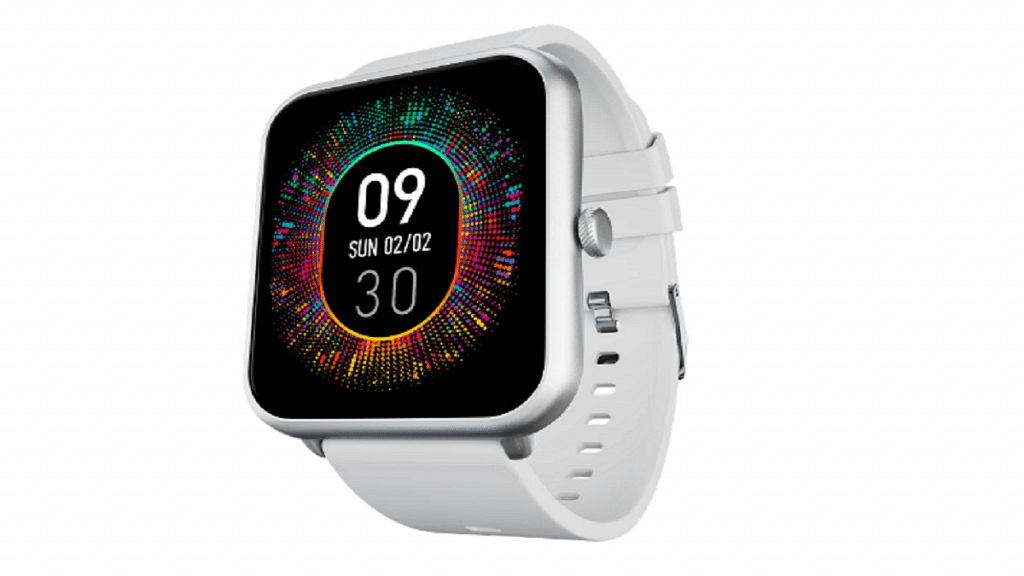
Fire-Boltt Ninja Call Pro PlusRs. 1,799
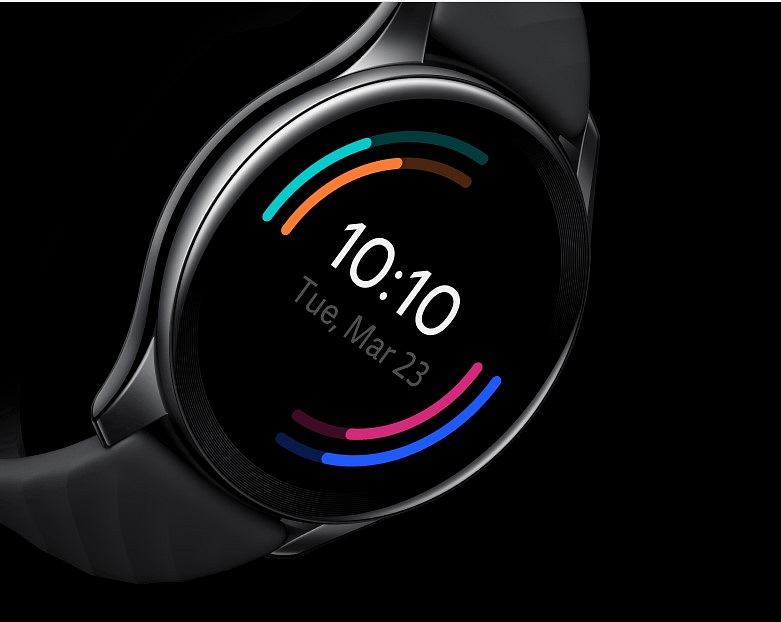
OnePlus Nord WatchRs. 4,499
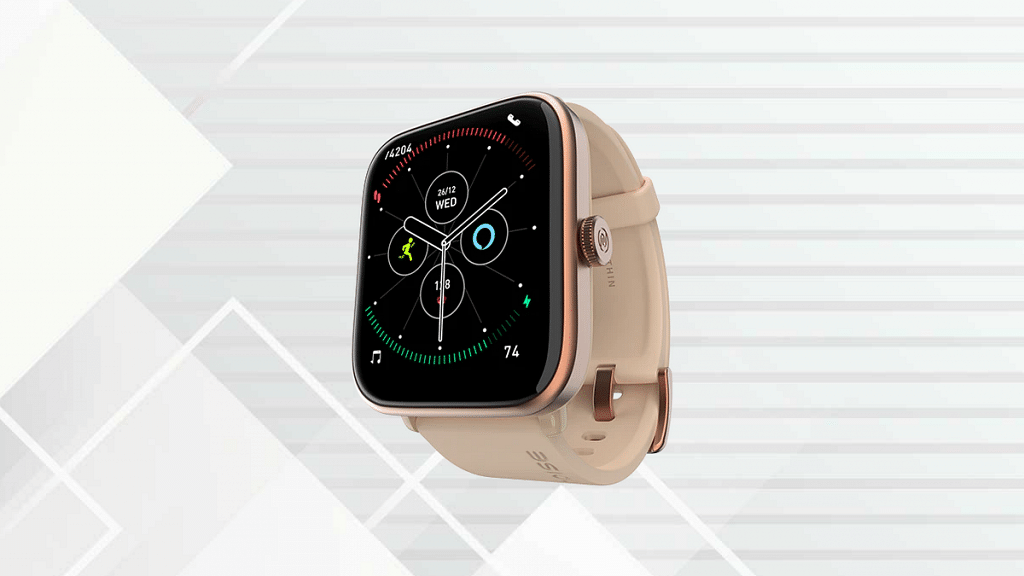
Noise ColorFit Pro 4 AlphaRs. 3,799
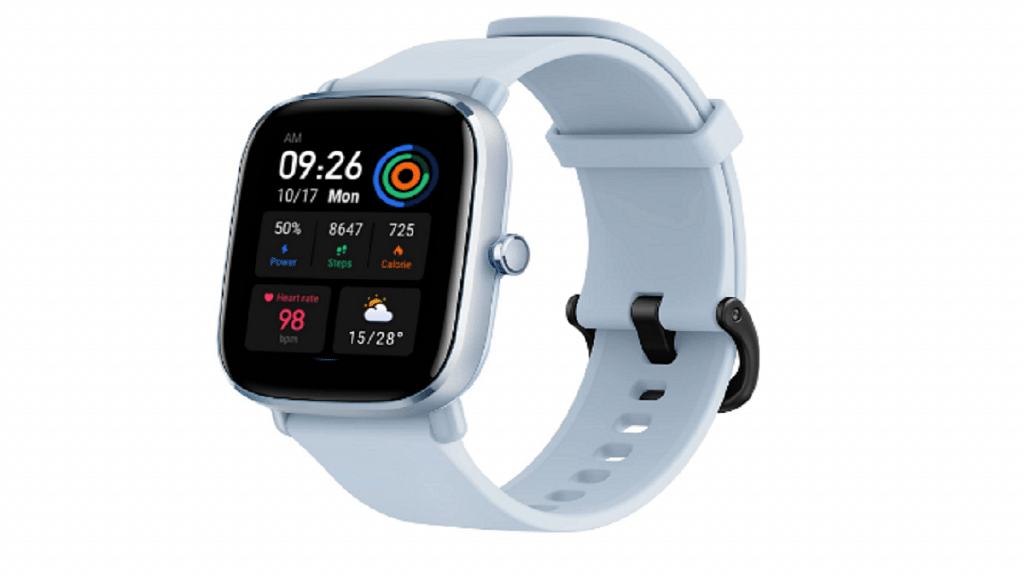
Amazfit GTS2 MiniRs. 3,999
Samsung Galaxy Watch4 ClassicRs. 16,999

Fire-Boltt Ninja Call Pro Plus

The Fire-Boltt Ninja Call Pro Plus watch has a 1.83-inch display and Bluetooth calling features. In addition, it has an IP67 rating and more than 100 sports modes. After a 91 percent discount, it is offered for Rs. 1,799 during the Amazon sale.

OnePlus Nord Watch

The OnePlus Nord Watch pushes you to leap higher, run faster, swim more vigorously, and get active with its more than 100 sports modes. Fast updates, a non-flickering screen, and a non-latent user experience are all made possible by an AMOLED display with a refresh rate of 60Hz. After a 36 percent discount, the watch is available on Amazon for sale for Rs. 4,499.

Noise ColorFit Pro 4 Alpha

On the 1.78-inch AMOLED screen of the Noise ColorFit Pro 4 Alpha, you can view the world with clarity and precision thanks to a 368 x 448p resolution. It has named its navigation feature a functional crown, Bluetooth called Tru Sync, and speed dialing as Noise Buzz. The smartwatch can be purchased for Rs. 3,799 on Amazon after a 53 percent discount.

Amazfit GTS2 Mini

With an 8.9 mm thickness and a weight of roughly 20 grams, the Amazfit GTS2 Mini smartwatch is a capable connected assistant. Wear this smartwatch during your wettest workouts, and it will hold up. It can be purchased for Rs. 3,999 on Amazon after a 50 percent discount.

Samsung Galaxy Watch4 Classic

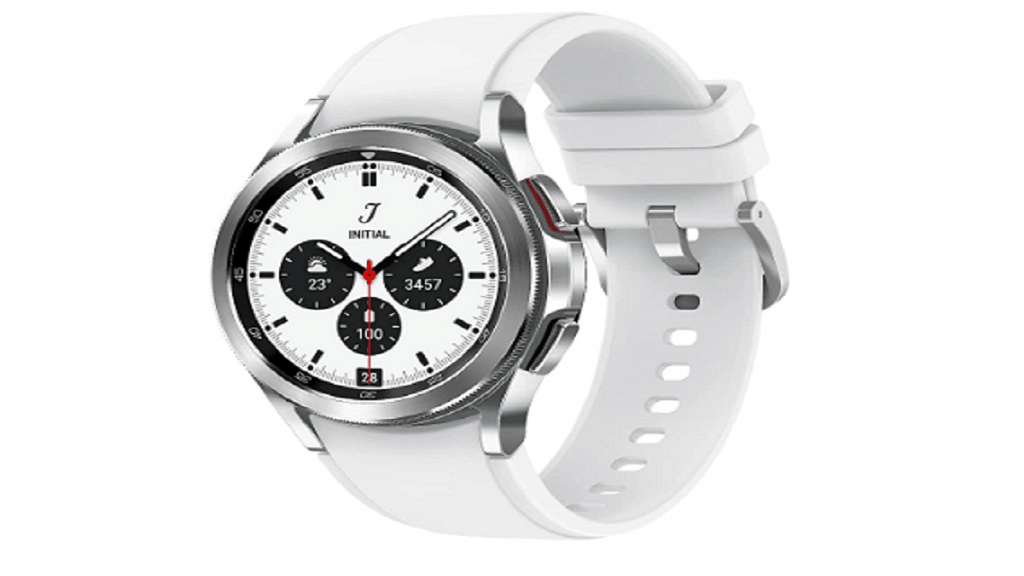
The Samsung Galaxy Watch4 Classic has an AMOLED display and offers health features like SpO2, heart rate tracking, and stress tracking. During the Amazon sale, the smartwatch is available for Rs. 16,999 after the 51 percent discount.

Also Read | List Of Best Smartwatches You Can Buy Under Rs. 500 In India

Categories
Featured Leaks Mobile

Poco X5 Series AliExpress Listing Hints Imminent Global Launch: Expected Price, Specs

Key Highlights

  • The Poco X5 series will be launching in the global market soon
  • The X5 series landing page is now available on AliExpress
  • Poco India is preparing to hold a fan meeting in Delhi on January 22

Poco plans to make its first “major move” this year. The Poco X5 series will be unveiled by the company soon, and it looks like the launch is imminent. The landing page of the Poco X5 and Poco X5 Pro has emerged on AliExpress. Moreover, on January 22 in Delhi, Poco India will host a fan meetup event. As a result, we can almost certainly anticipate the release of the new smartphone on Sunday. They might show up shortly after the fan event.

There is a large “X” on the landing page of AliExpress which also announces that a “new POCO Series is coming shortly.” In the meantime, Poco India announced on Twitter the fan gathering where we can learn more about the POCO X5 series. Also Read | Poco C50 Vs Vivo Y1s: Trending Budget Smartphone Competition

Poco X5 Series Specifications (Expected)

The Poco X5 Pro won’t boost the phone’s specifications back to those of a top competitor. We’ll have to accept that the phone is a mid-range device. According to sources, it will be based on the Redmi Note 12 Pro Speed Edition. It has a 5,000mAh battery with 67W rapid charging and the Snapdragon 778G chipset. The smartphone also boasts a 108MP main camera and an AMOLED screen with a 120Hz refresh rate.

SpecsPoco X5 5GPoco X5 Pro
Display6.6-inch IPS LCD6.6-inch AMOLED
ProcessorSnapdragon 778GSnapdragon 778G 5G
Camera108MP + 8MP + 2MP108MP
Selfie Camera16MP16MP
OSAndroid v12Android v12
Battery5,000mAh5,000mAh

The Redmi Note 12 5G will serve as the base for the Poco X5 5G, although there may be significant modifications. For example, it switches to the Snapdragon 695 from the Snapdragon 4 Gen 1. The rear panel has also been updated. The distinction is understandable because the Redmi Note 12 5G with Snapdragon 4 Gen 1 reached India recently. According to reports, both Poco X5 phones will run MIUI 14 with Android 13.

Also Read | POCO X4 Pro 5G Long Term User Review: Makes The Cut?

Categories
Apps Featured

Best WhatsApp Status Apps To Download And Use On Android, iOS

Key Highlights

  • WhatsApp has billions of users worldwide
  • If you want to create excellent video status, you can download apps available online
  • Best WhatsApp Status Maker apps help you edit videos without hassle

The day after WhatsApp updated its 24-hour status feature, there are a ton of WhatsApp Status Apps available online today. One of the most popular instant messaging services, WhatsApp has billions of users worldwide. In the same vein as Snapchat and other similar messaging services, WhatsApp also enables sharing of 30-second movies to convey your mood or what you are up to.

Image and photo sharing have become old school. Sharing videos with your WhatsApp contacts is now possible. Let’s learn about some of the best WhatsApp status apps without further ado. It enables social butterflies to display videos and GIFs in addition to text and Emojis on WhatsApp. Also Read | Best Apps To Detect Hidden Camera For Android And iOS

ShareChat – Videos & Status

ShareChat is a made-in-India social networking app that allows you to create, download, and share short humorous videos, jokes, GIFs, and more all in one place. This is done using video filters, emoticon stickers, and face filters. Supporting 15 different regional languages, the app’s chat rooms are another place to meet new people.

Snack Video Status Maker

With the aid of the Snack Video Status Maker app, you can download comedic, musical, and humorous snake videos, and moj status videos and publish them right in your WhatsApp status. Using the Snack Video Status Maker application, you can also make popular short videos for WhatsApp, such as moj video status, share chat video status, birthday video status, love video status, and humorous snack video status.

Vido: Lyrical Video Status Maker

When talking about another status app, it is called Vido and it has some really intriguing features. This application allows you to download small-sized videos, conserving internet data. You can make fantastic trendy music lyrical status as well as publish your own little video status on Facebook and WhatsApp.

MV Master

MV Master meets all of your requirements for producing amazing short videos. This app has a ton of built-in video templates that allow you to record wonderful moments of life in new ways. The templates are all quite lovely, making it difficult to decide which to choose. All of the templates come with a variety of simple modification tools for free. You can even add lyrics to your videos.

Also Read | Best Mobile Apps To Easily Find Parking Spot For Your Car

Categories
Apps Featured How To

How Can You Delete Paytm Transaction History From Your Android And iOS Device

Key Highlights

  • Paytm allows you to send money to friends and family using debit cards, credit cards, and online internet banking
  • Millions of transactions are done on Paytm each day
  • A simple option to hide or remove transaction history is not there in the Paytm app

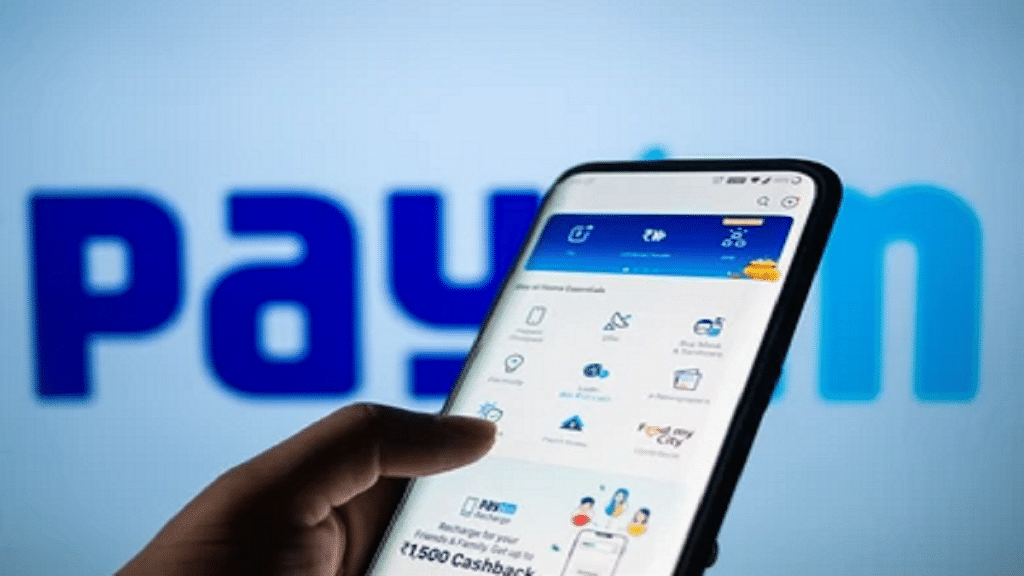
We are moving further toward cashless transactions in this digital age, especially when using digital payment methods. PhonePe, Google Pay, and Paytm are a few of India’s top digital platforms. You can send and receive money using these payment services without regard to place or time constraints.

Paytm is one such app that has completely changed how Indians transact. The user’s financial demands are essentially all met by the digital wallet. The money in their wallet can be used for a variety of things. Every time we make a purchase or complete a transaction, it is recorded in the Paytm digital payment platform as transaction history.

Also Read | How To Check Metro Card Balance Offline And Online? Learn Here

What happens though if you wish to uninstall the application? Are you interested in learning how to remove Paytm transaction history? Removing everything after your migration is a great strategy to ensure your safety. In this article, we are going to share how to delete your Paytm transaction history permanently from your account statement.

Also Read | Want To Delete Your PhonePe History? Read Step-By-Step Guide Here

How To Delete Paytm Transaction History

The simple option to hide or remove transaction history is not there in the Paytm app. However, you can completely remove your Paytm transaction history by following this step-by-step manual. Check it out:

Step 1: Open the Paytm app on your mobile phone and log in to your account.

Step 2: Tap on your profile icon at the top of the screen.

Step 3: Select the 24×7 help option.

Step 4: Click on the transaction which you want to delete.

Step 5: You will then be prompted to choose the problem-descriptive issue. Any choice on the list is up for selection.

Step 6: To delete the details, click the “Message Us” button and enter a reason. The transaction history will now be concealed within 24 hours. That’s all.

Also Read | Transferred Money To Wrong Paytm Account/Bank? Here’s How To Retrieve Money When Transferred To Wrong Account Using Paytm

Categories
Apps Featured

Best Mobile Apps To Easily Find Parking Spot For Your Car

Key Highlights

  • There are several apps designed to help you find parking spaces
  • These apps help you find a garage, save money, or search for a place to keep your car at the airport
  • Some of these apps even let you reserve spots in advance

Even if we despise the activities that go along with owning a car such as paying for petrol, insurance, and parking, we are a society that loves cars. While you may have little influence over things like gas prices and insurance premiums, you do have some control over how much time and money you spend parking your vehicle. Read on to discover some of the best parking applications that can assist you or your staff in finding a spot to park. Also Read | Best Apps To Detect Hidden Camera For Android And iOS

The Parking Spot

Finding parking spots is made easier by The Parking Spot. To locate a parking space in the desired location, use a map. The app also makes it simple to reserve parking spaces, pay for them, and enter without delay. However, only some lots support such a feature. A TPS Shuttle finder and other cool things are some additional features.

BestParking

The BestParking app finds available parking spaces in your neighborhood so you can easily compare them and make savings. It will locate the optimal location for you no matter where you are and is accessible in 105 cities and 115 airports across North America. It even organizes locations based on cost so you can see where the affordable and expensive sites are. The app is supported by exceptional evaluations from users who have saved time and money and has 850,000 monthly users.

SpotAngels

Another app that crowdsources parking is SpotAngels. There are many parking options available including pay lots. The app can also assist you in avoiding parking fines, street cleaning, and, if necessary, finding alternative side street parking. You can use the app’s auto locator feature to locate your vehicle in huge, congested parking lots. If you don’t mind occasionally contributing some information, this is perhaps the great all-inclusive choice for parking apps.

MyParking

The app will assist people to track locations, finding vacant spaces at each parking lot, and making online payments using SDMC smart cards. MyParking app will help in detecting excessive parking usage and user overbilling. The app will provide information on the total capacity of the vehicles to be parked and the space available for parking in real time.

Also Read | Best Apps to Watch Live TV on Android

Categories
Apps Featured How To

How Can You Change Font Style In Telegram: Steps For Android, iOS, Desktop

Key Highlights

  • Telegram is widely used for both business and personal communication
  • The platform has its main focus on personalization
  • It lets users format text messages and change font

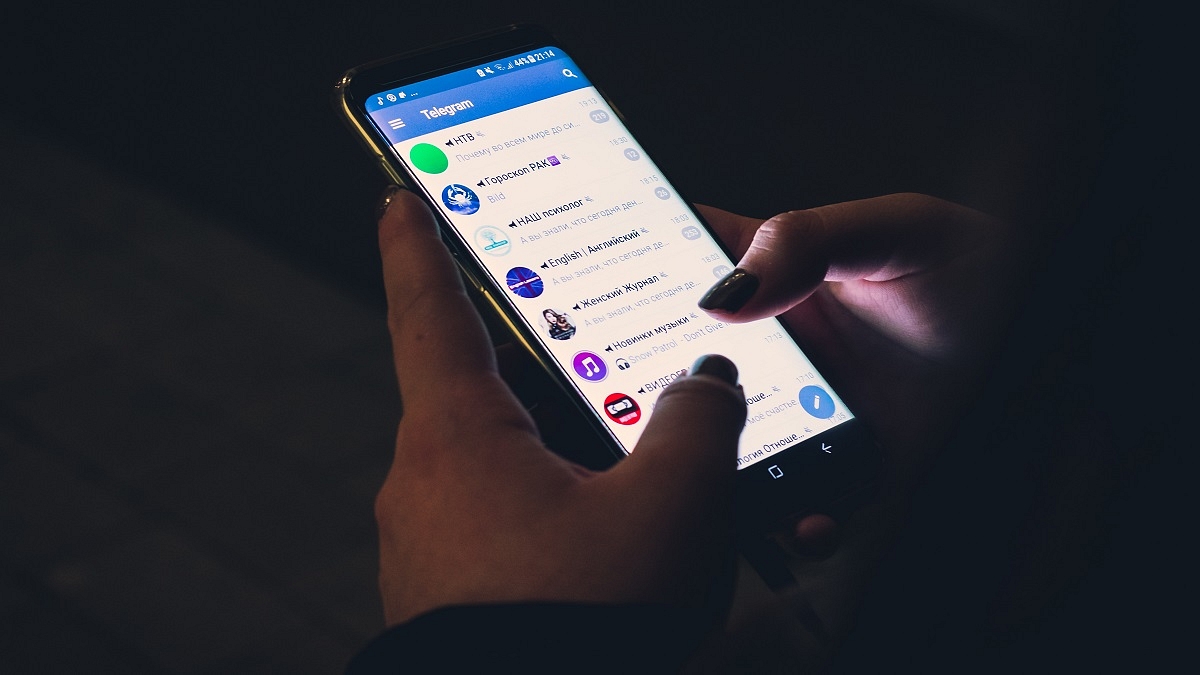
Plain text is insufficient. Text formatting in Telegram is useful when you need to highlight a word or give one thought priority over another. There are a number of features in Telegram that set it apart from other social media platforms. The platform’s primary goal is personalization since when something is made specifically for a user, they feel a sense of belonging. Here’s how to make your posts and messages easier to read and more expressive.

Also Read | Want To Send Stylish WhatsApp Messages: Here’s How To Change Font Style In WhatsApp

How To Change Font In Telegram?

Bold, italic, strikethrough, underline, and monospace are the five different font styles available in Telegram. The option of including a hyperlink is also available. Only the typeface’s style can be altered; the font itself cannot.

There is a possibility for you to make your messages stand out because many people are unaware of these formatting options or just sometimes use them. You can highlight terms and exclamation points in Telegram messages. Here’s how you can do it:

Step 1: Open the Telegram app on your smartphone. Android users can download the app from Google Play whereas Apple users can install it from App Store.

Step 2: Tap on the chat whom you want to text.

Step 3: Type the message you want to convey.

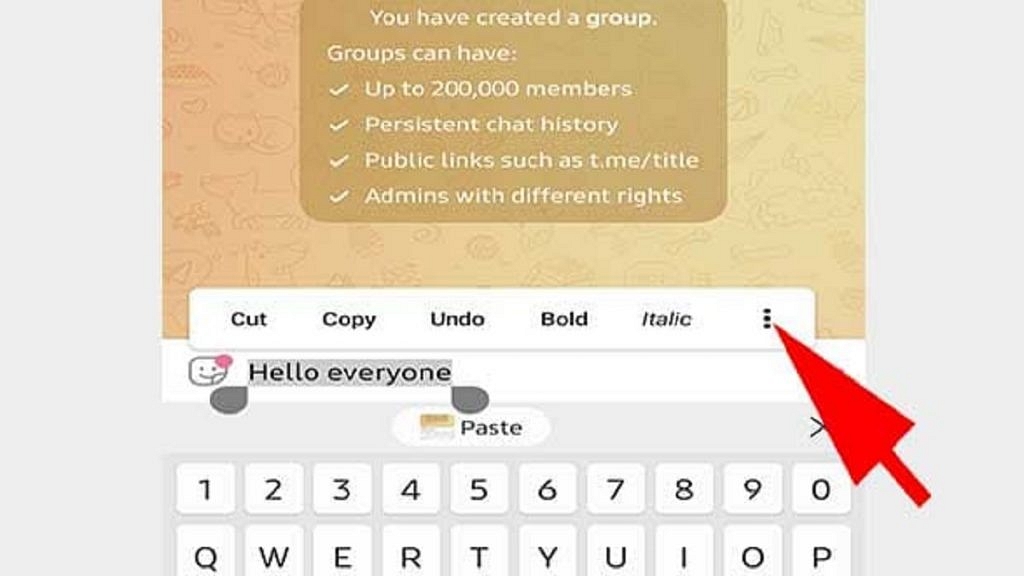
Step 4: Select the text you want to change the style of.

Step 5: After selecting you’ll get a floating box. Click on the three dots there and you’ll get font formatting.

Step 6: Now you can choose the way your font has to be. That’s all.

Also Read | Instagram Stylish Name And Bio: How To Write Instagram Profile Name And Bio With Stylish And Cool Fonts

The above steps are the same for Android, iOS, and Desktops. Stickers, animated GIFs, and new masks or skins can all be used with cool fonts. The basic settings for Telegram contain all of that. GIF animation can be disabled to save traffic. These added features may appear wholly informal and best suited for casual conversations, but they are regularly and successfully employed in corporate discussions and mass congratulatory messages.

For the tech geeks, stay updated with the latest cutting-edge gadgets in the market, exclusive tech updates, gadget reviews, and more right on your phone’s screen. Join Giznext’s WhatsApp channel and receive the industry-first tech updates.

Categories
Featured How To Mobile

SIM Toolkit In iPhone: How To Access SIM Toolkit/Applications On iPhone

Key Highlights

  • SIM Application is found on iPhone, iPad, and Windows devices
  • It is the control center of the KnowRoaming SIM Sticker
  • In some regions, mobile data is called cellular data

Most cell phones have a tiny chip called a SIM card which is something that most of you are probably already aware of. You probably already know how to use it to save contact information and a limited number of text messages, too.

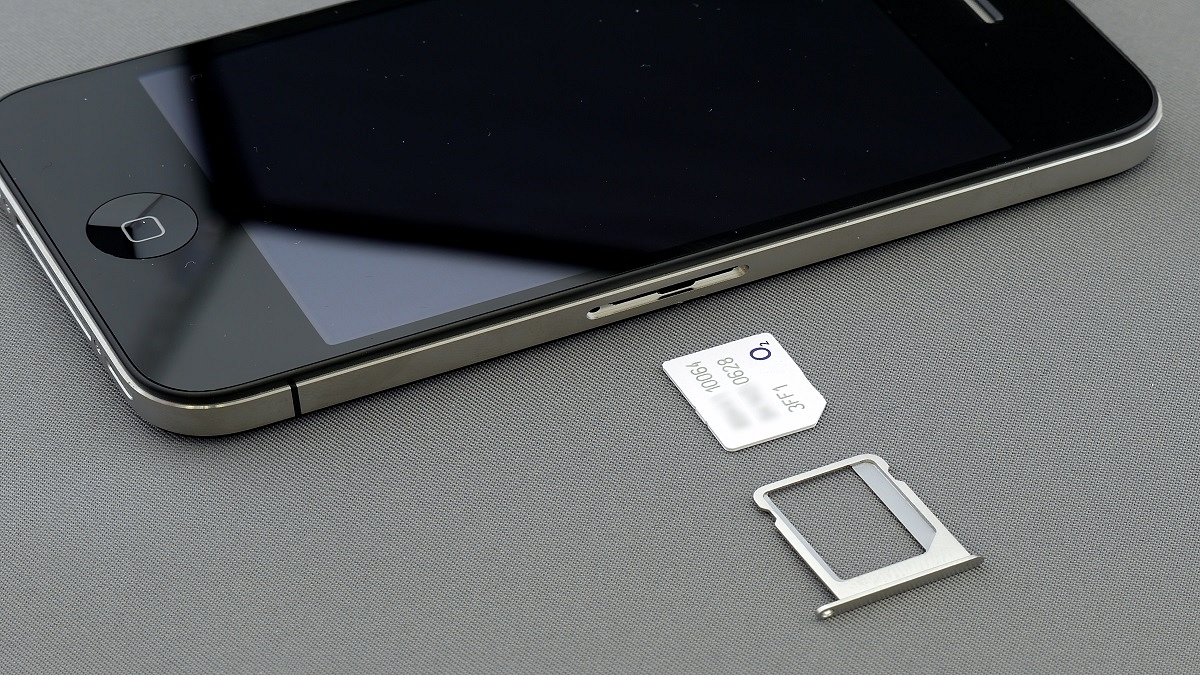
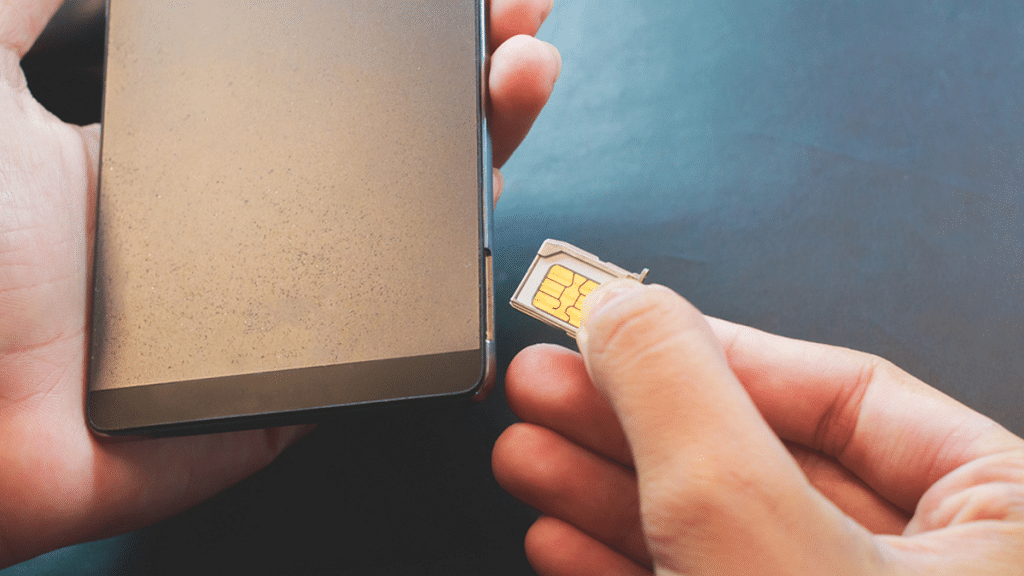
But did you know that the SIM card has very little amount of memory that can be used to store program codes? Basic applications are usually pre-programmed into this slot by the network operator who issues the SIM card. This enables users to carry out actions relating to their cellular service such as checking their balance and activating service options. If you have an Android device, accessing a SIM card application is a simple procedure. But on an iPhone, these apps are accessible in a different way. Also Read | No SIM Card Error: How To Fix No SIM Card Detected/ SIM Toolkit Issue With Smartphones

What Are SIM Applications?

A GSM standard called SIM Applications Toolkit enables SIM cards to launch operations that can be used to provide value-added services. This is the SIM Menu that your carrier has preloaded so they can give you extra services. Mobile money payments, substitutes for USSD codes that have a more engaging user interface, and other services are examples of value-added services.

How To Access SIM Toolkit On iOS?

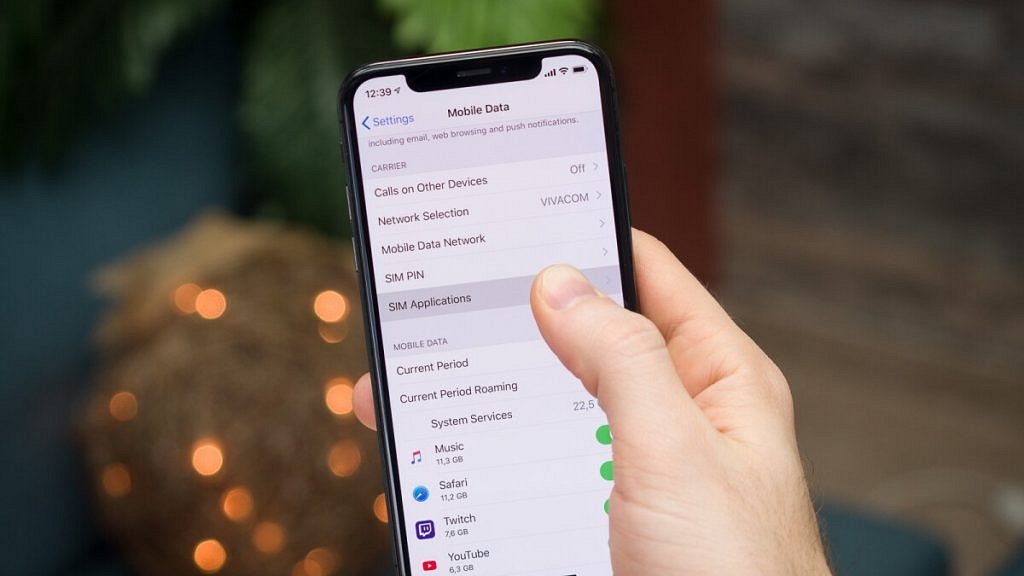
With iOS 12.1 and later updates, the location of the SIM application was changed, putting it in a more logical location but still under Settings. In some regions, mobile data is called cellular data but the steps are the same. You simply need to follow the listed steps to access the SIM app on your iOS:

Step 1: Go to your Settings menu.

Step 2: Pick “Mobile Data”.

Step 3: Choose “SIM Applications”. And that’s pretty much it!

What your carrier has preloaded on the SIM card will have a significant impact on the features that are accessible there. For example, SIM cards not only provide billing and payment information but also give you the option to view missed calls while your phone has been out of service.

Also Read | How To Access And Enable The SIM Toolkit On An Android Device?

Categories
Featured How To TV

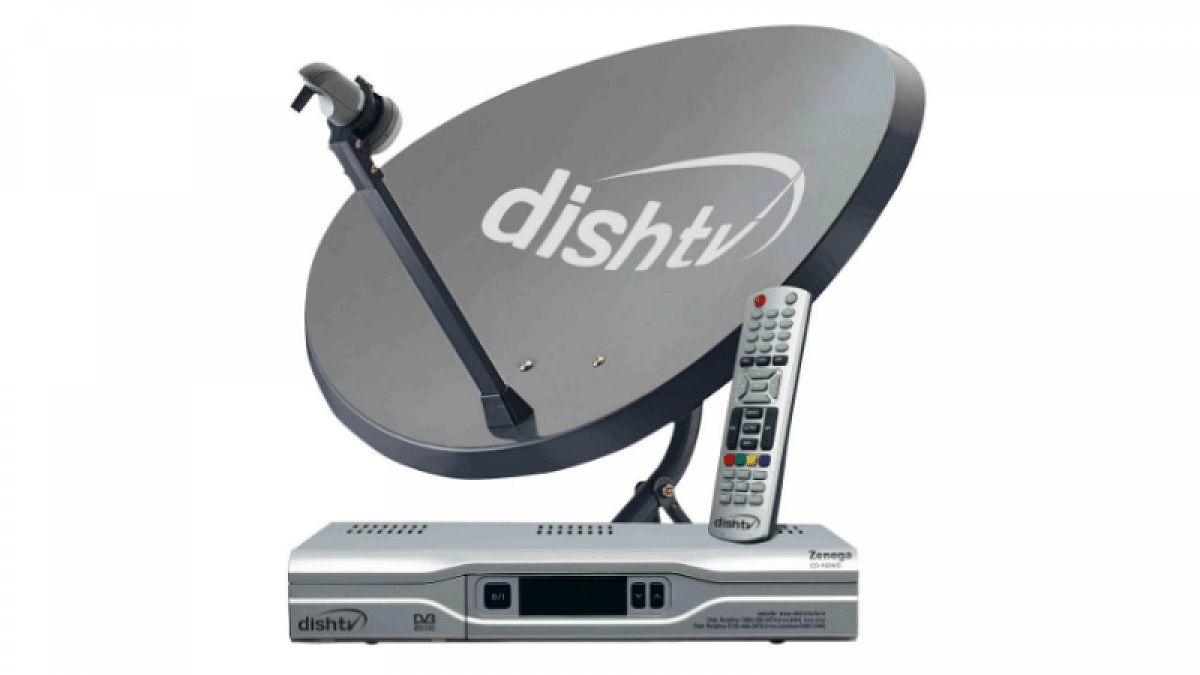
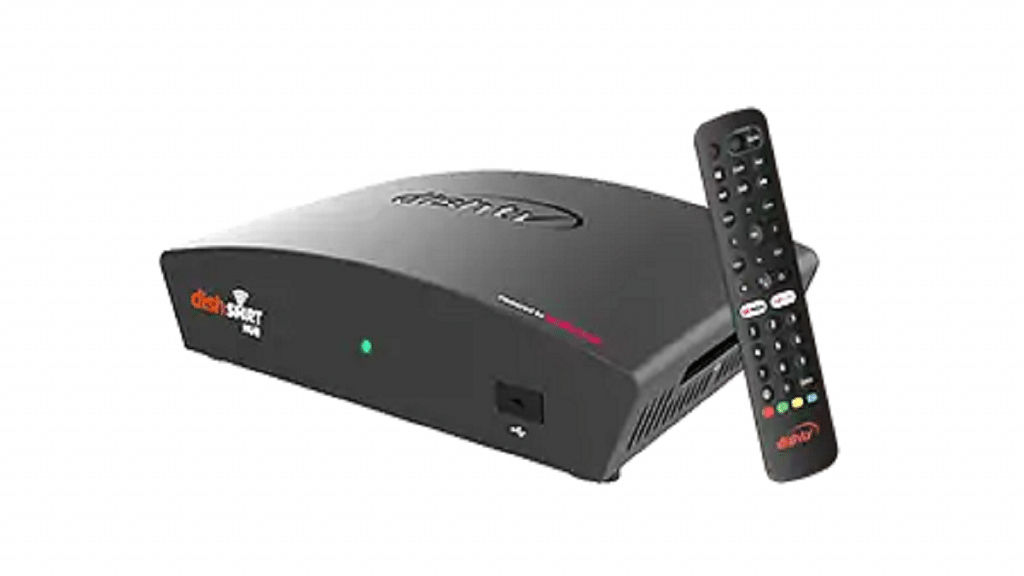
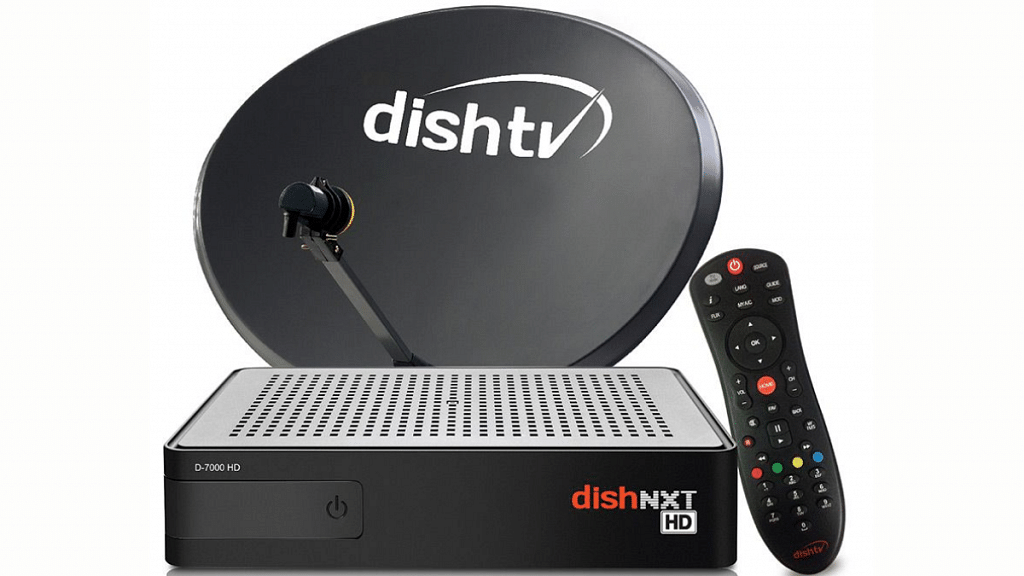
Want To Reset Your Dish TV HD Set Top Box? Here’s How To Do It

Key Highlights

  • Dish TV HD set-top box are still popular amongst Indian consumers
  • Dish TV set-top box can become slow over time
  • Resetting a Dish TV set-top fixes slow speed issues

Do you use a Dish TV connection? If so, there’s a good likelihood that your Dish TV set-top box has slowed down over time to the point that even the most basic remote commands require several seconds to be processed. It takes a while to switch channels, and it always takes forever to load the program guide.

When you are browsing channels, it can be really aggravating since you never know if your remote input was received by the box or if it is simply sitting there happily processing an old command. Let us assure you that there is a solution if you have encountered this problem and have wondered if there is a method to resolve it. All it requires is to clear up the box’s cache and do a reboot to freshen it up.

Also Read | How To Remove Channels From Tata Sky: Tips To Save Extra Bucks

How To Reset Dish TV HD Set-Top Box?

Prerequisite: Verify that your TV and set-top box are both on and that the boot process for your set-top box is complete. Before beginning, you can turn on your set-top box for 10 to 15 minutes.

Step 1: Press and hold down the “Menu” button on the remote control of your set-top box. Hold it there until the TV displays a menu with the title “Installation Main Menu” or something similar.

Step 2: Select “System Setup” from this option and then click “OK.” You’ll reach the “System Setup” menu screen as a result.

Step 3: Select “Erase EPG” from the menu options in the “System Setup” menu screen, then click “OK.” A warning message will be shown on the screen by the system. Click “OK.”

Step 4: As directed by the message, press “OK” or one of the Color buttons on the remote. As soon as you click “OK,” a notice letting you know that the erasing is in progress will appear on the screen.

Step 5: Once complete, the system will immediately return to the “System Setup” menu screen. Choose “Erase flash FS” from the menu options here.

Also Read | How To Get Tata Play Binge App Access At Rs. 59; See All Steps Here

Step 6: The system will need your confirmation once more. To continue, click Confirm.

Step 7: The box will restart automatically after Step 6 is finished. The system will download the program guide and other data from the network, which could take a while for the reboot to finish.

Step 8: Your set-top box is ready to use and faster than before after the update is finished. That’s all.

Also Read | Airtel Digital TV: How To Add Or Remove Airtel DTH Channels

Categories
Featured Leaks Mobile

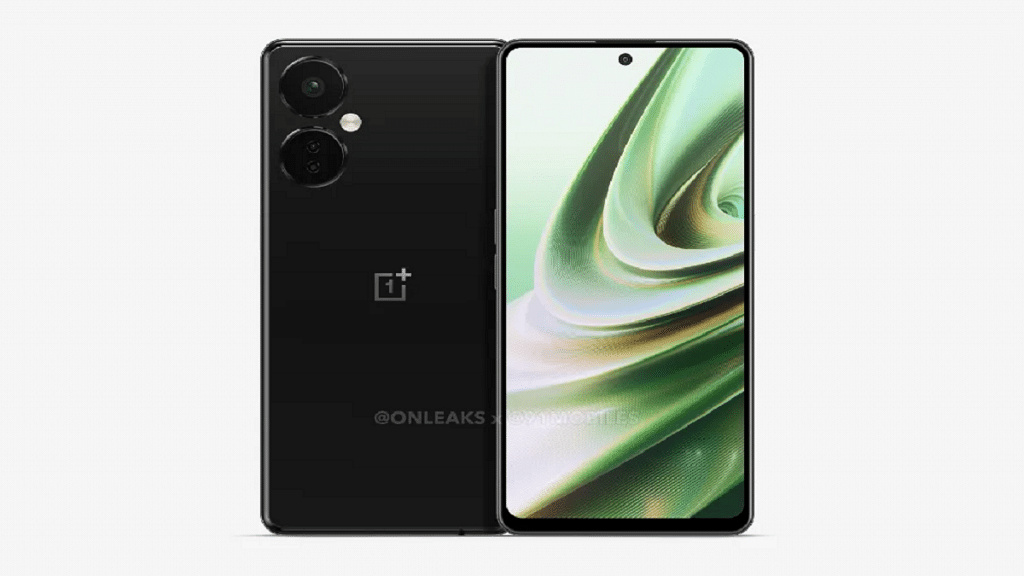
OnePlus Nord CE 3 Leaked Live Images Show Full Design: What Else We Know?

Key Highlights

  • The OnePlus Nord CE 3 5G could launch soon
  • The OnePlus Nord CE 3 camera, front design, buttons, and port placement are revealed in leaked images
  • A 16MP front camera can be housed by the panel

The OnePlus Nord CE 3 is expected to launch soon. The company has not formally affirmed any information regarding the launch schedule. However, new information suggests the device might be available by July 2023. The rumored launch date is still a few months away.

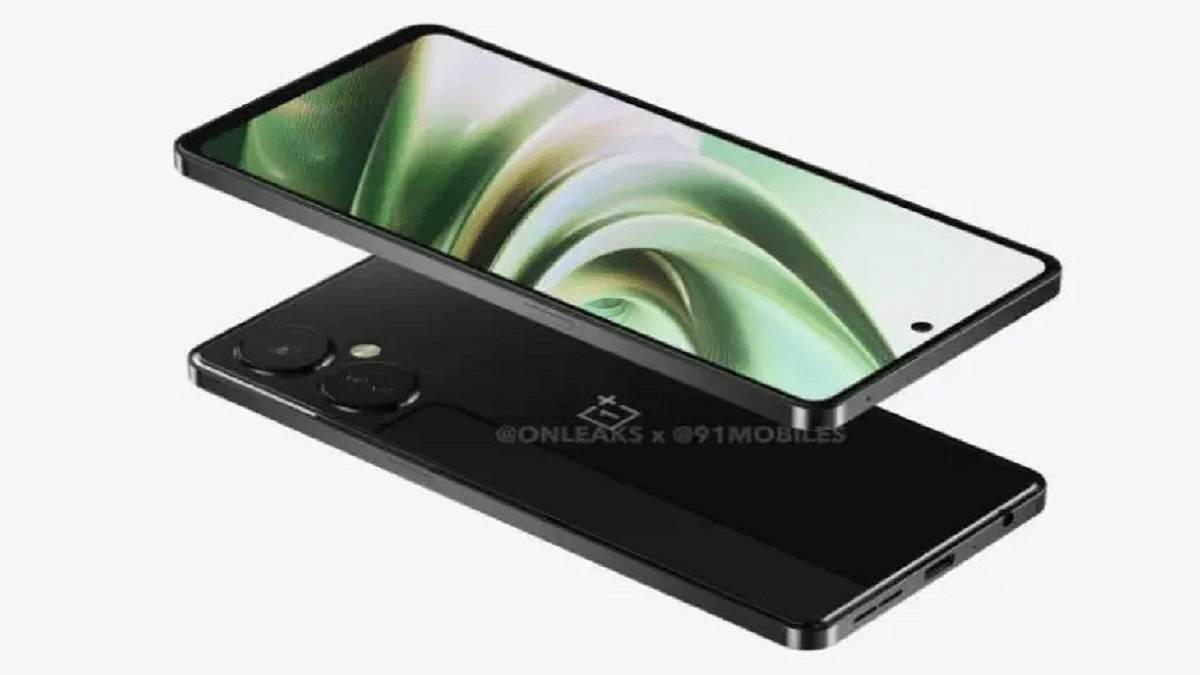
Meanwhile, the arrangement of the phone’s buttons and ports, as well as the entire design, are visible in the OnePlus Nord CE 3 5G leaked images. The Nord CE 3 live image appeared first on MySmartPrice. Here’s everything we know about the phone so far:

Also Read | OnePlus Nord CE 2 Vs Xiaomi 11i Vs Moto G82: Top Premium Mid-Range Phone Comparison

OnePlus Nord CE 3 Live Images

We can see the phone’s design from all sides in the live images. The triple-camera setup is housed in two large circular rings on the OnePlus Nord CE 3’s glossy back cover. The right side has a power button that also functions as a fingerprint scanner and the sides have a green accent.

The front is operating normally. The front camera is punched out with a hole punch in a flat display with slightly thick bezels. The phone sports a speaker grille on the bottom and a rare 3.5mm headphone jack.

OnePlus Nord CE 3 Specifications

The upcoming OnePlus device’s specifications have previously been exposed in prior reports. A 6.7-inch Full HD+ IPS LCD with 120Hz refresh rate support can be included in the smartphone. The Snapdragon 695 SoC, together with 8GB/12GB RAM and up to 256GB of internal storage, is said to be the device’s internal component.

Display6.7-inch Fluid AMOLED
ProcessorQualcomm Snapdragon 695
RAM6GB
Camera108MP + 2MP + 2MP
Selfie Camera16MP
Operating SystemAndroid v12
Battery5,000mAh

For photography, the OnePlus Nord CE 3 has a 108MP main camera and dual 2MP depth and macro sensors. Also, a 16MP front camera can be housed by the panel. It is a little disappointing that there is no ultra-wide-angle camera. The handset can draw power from a 5,000mAh battery that supports 67W fast charging.

Also Read | iQOO Z6 Pro 5G Vs OnePlus Nord CE 2 5G Vs Oppo F21s Pro: Best Mid-Range 5G Smartphone To Buy In India