Categories
Apps Featured Info

Amazon Prime Gaming Comes To India: Subscription Cost, Compatible Devices, And More

Key Highlights

  • Amazon Prime Gaming released in India
  • The Amazon Prime Gaming subscription is included with your Amazon Prime membership
  • Users will have free access to FIFA 23, CoD MW 2 games, and in-game content

After much waiting and expectation, Amazon has finally made its Prime Gaming service available to Indian users. Although the launch was all silent, the platform’s games and in-game rewards will have players screaming with joy. Users with an Amazon Prime subscription have access to games, movies, in-game content, and other resources under the Prime Gaming part of the company’s website. On Windows PCs, Amazon also provides free game downloads.

Also Read | Get Notified When Deals Go Live On Amazon: Here’s How

Prime Gaming India PC Launch

Amazon has created a special microsite on its Indian website listing free PC games and in-game content that can be claimed. For Amazon Prime members, the gaming service is complimentary. Users can access the service by going to the Prime Gaming website, entering their login information, and then clicking the Activate Prime Gaming button in the top right corner of the screen.

To play some games, users may need to download the Amazon Games app onto their Windows PC. In order to access some games and in-game features, players might need to link accounts with companies like EA, Epic Games, and Activision.

Amazon Prime Gaming: How To Subscribe?

The Amazon Prime membership offers access to Prime Gaming. Users must purchase an Amazon Prime membership in order to access Prime Gaming. In India, Amazon offers three different Prime subscription options.

Amazon Prime monthly planRs. 179
Amazon Prime quarterly planRs. 459
Amazon Prime annual planRs. 1,499

Follow the steps below to complete the sign-up process.

Step 1: Go to the Amazon Prime website.

Step 2: Select or click on the sign-up button.

Step 3: Follow on-screen instructions and complete the payment.

New users can also sign up for a free 30-day trial. Besides, Prime members get access to Prime Video, Prime Music, and free shipping on Amazon.in.

Also Read | Amazon Christmas Gifting Ideas: Best Digital Accessories, Smart Wearables For Christmas Gifts In 2022

Categories
Featured Laptop Leaks

Infinix Zero Book Ultra India Launch On Cards: Upgrades Expected Over Inbook X1

Key Highlights

  • The launch of Infinix Zero Book Ultra in India has been officially announced
  • With an Intel Core i9 processor, the Infinix Zero Book Ultra will be a high-end notebook
  • The laptop is expected to release in January 2023

Infinix has hinted towards the debut of the Infinix Zero Book Ultra in India. It will come with the Intel Core i9 CPU. The company revealed the new laptop’s launch schedule during the launch event of the Infinix Zero Ultra and Infinix Zero 20. With this, Infinix will add to its lineup of laptops which already includes the InBook X1 Slim and InBook X1. Because the Infinix “Zero” brand is essentially the company’s premium portfolio, we believe the laptop would cost more in India.

Infinix Zero Book Ultra Launch Date (Expected)

Infinix has confirmed that it will soon launch the Zero Book Ultra in India. No exact release date has been confirmed, but it is expected to arrive in January 2023.

Also Read | Infinix InBook X1 Pro Laptop Full Review: Does It Fit All The Bills?

Infinix Zero Book Ultra Specifications (Expected)

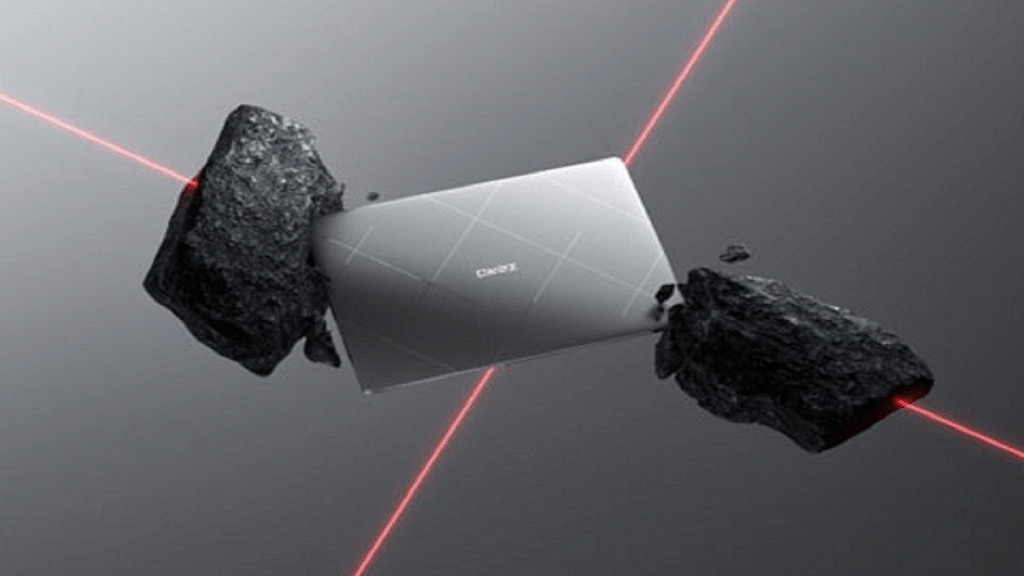
The Infinix Zero Book Ultra will have a strip-like design and a matte silver finish. Additionally, it will be marked with the word “Zero,” giving it a more menacing appearance. A 15.6-inch Full HD display with 400 nits of brightness will be available on the laptop. It will have an Intel Core i9 processor, according to Infinix. It is most likely to have an Iris Xe graphics card and an Intel Core i9-12900H processor.

Display15.6-inch LED-backlit display with IPS technology
ProcessorIntel Core i9
Memory16GB/32GB LPDDR5
Storage512GB/1TB NVMe PCIe4.0 SSD
OSWindows 11 Home

It will include a fingerprint scanner and a lighted keyboard. It will have a dual-array microphone arrangement and a quad-speaker setup. One terabyte of SSD storage and up to 32GB of LPDDR5 RAM are anticipated to be included in the laptop. Being a premium laptop, it will also have dual fans and a heat dissipation system. The device will be equipped with a 70Wh battery and supports 100W fast charging. It will boot on Windows 11.

Also Read | Infinix Zero 20 And Infinix Zero Ultra Announced In India: Full Features, Price, Sale

Categories
Accessories Featured Info TV

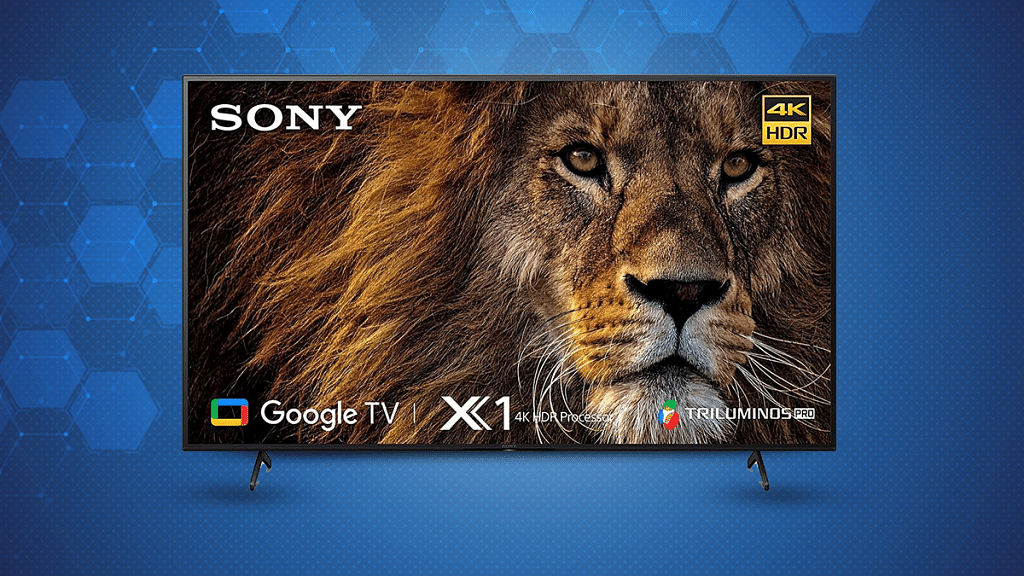
Christmas, New Year 2020 Special Gadgets Discounts: Hard To Miss Deals On Sony TVs And Audio Products

For Christmas and the New Year, Sony India has announced special promotional deals on a variety of televisions, personal audio, and home audio products. These offers, along with financing options like instant cashback, easy EMIs, and one free EMI, will encourage people to buy a Sony device.

For audiophiles to take advantage of these deals, they are available through Sony retail shops (Sony Center and Sony Exclusive), www.ShopatSC.com, major electronics retailers, and exclusively on Amazon and Flipkart until January 3, 2023, or while stocks last.

Offers On Bravia Televisions

With Bravia, you’ll receive a discount of up to 30 percent and an instant cashback of up to Rs. 20,000. The warranty period for select Bravia televisions is two years. You can avail of one free EMI on a select range of Bravia televisions along with easy finance offers. Besides, a special fixed EMI scheme starts from Rs. 2,995. Avail special combo offer discount of up to Rs. 59,500 on the purchase of premium A series soundbars and rear speakers along with Bravia 43-inch and above televisions.

Also Read | Christmas 2022: Best High-Tech Gift Options For Your Loved Ones

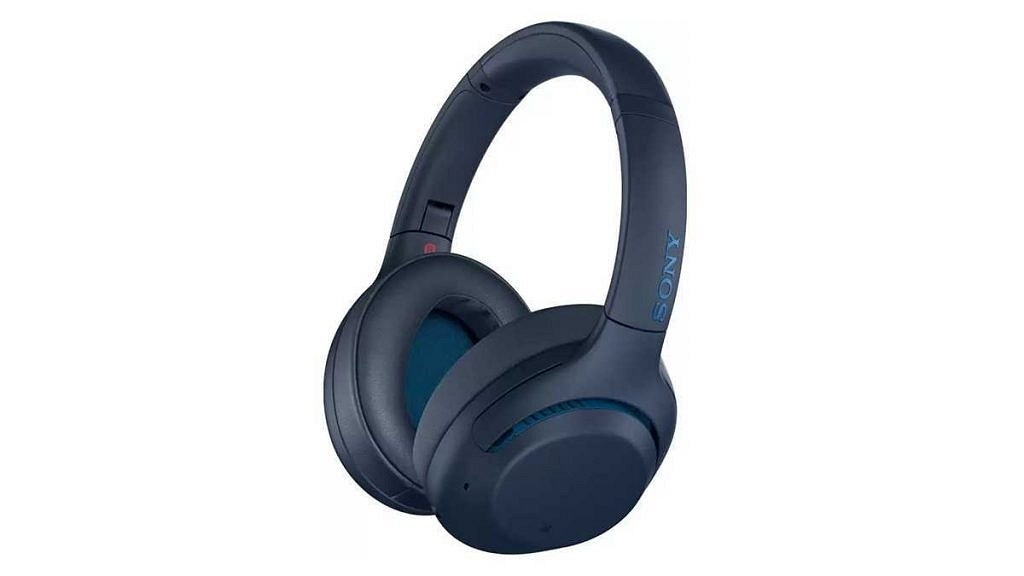
Offers On Headphones, Truly Wireless Series, And Earphones

CategoryModelMRP (in INR)Offer Price (in INR)Cashback Details
Noise Cancellation HeadphonesWH-1000XM4Rs. 29,990Rs. 17,990Inclusive of Rs. 2,000 cashback
Noise Cancellation HeadphonesWH-1000XM5Rs. 34,990Rs. 24,990Inclusive of Rs. 2,000 cashback
Noise Cancellation HeadphonesWH-XB910NRs. 19,990Rs. 12,990
Noise Cancellation HeadphonesWH-CH710NRs. 14,990Rs. 6,490
Truly Wireless EarbudsWF-1000XM4Rs. 26,990Rs. 14,990Inclusive of Rs. 3,000 cashback
Truly Wireless EarbudsWF-LS900NRs. 24,990Rs. 11,990Inclusive of Rs. 3, 000 cashback
Truly Wireless Earbuds WF-L900Rs. 19,990Rs. 9,990
Truly Wireless EarbudsWF-XB700Rs. 11,990Rs. 5,990
Truly Wireless EarbudsWF-C500Rs. 8,990Rs. 3,999Inclusive of Rs. 1,000 cashback
HeadphonesWH-CH510Rs. 4,990Rs. 1,999
Neck-Band HeadphonesWI-XB400Rs. 4,990Rs. 2,799
Neck-Band HeadphonesWI-C310Rs. 3,290Rs. 2,290
Neck-Band HeadphonesWI-C100Rs. 2,790Rs. 1,699
Gaming HeadphonesInzone H3/
MDR-G300
Rs. 9,990Rs. 5,490Inclusive of Rs. 1,000 cashback
Gaming HeadphonesInzone H7/
WH-G700
Rs. 21,990Rs. 12,990Inclusive of Rs.2,000 cashback
Gaming HeadphonesInzone H9/
WH-G900N
Rs. 27,990Rs. 21,990

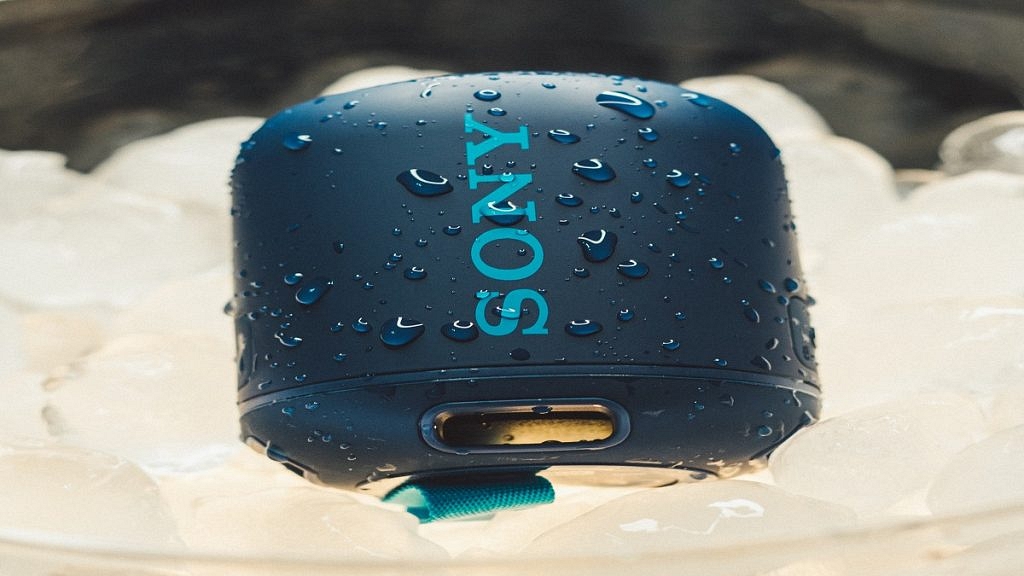
Offers On Bluetooth And Party Speakers

CategoryModelMRP (in INR)Offer Price (in INR)Cashback Details
Bluetooth SpeakersSRS-XE200Rs. 15,990Rs. 7,990Inclusive of Rs. 2,000 cashback
Bluetooth SpeakersSRS-XE300Rs. 24,990Rs. 13,990Inclusive of Rs. 3,000cashback
Bluetooth SpeakersSRS-XB13Rs. 4,990Rs. 3,990
Party SpeakerSRS-XP500Rs. 35,990Rs. 27,990
Party SpeakerSRS-XP700Rs. 51,990Rs. 36,990
Party SpeakerSRS-XG300Rs. 33,990Rs. 24,990
Party SpeakerSRS-XG500Rs. 39,990Rs. 29,990
Party SpeakerMHC-V43DRs. 46,990Rs. 36,990
Party SpeakerMHC-V73Rs. 65,990Rs. 49,990

Offers On Soundbars

CategoryModelMRP (in INR)Offer Price (in INR)Cashback Details
SoundbarHT-A9+SW5Rs. 2,31,980 Rs. 1,87,980Inclusive of up to Rs. 10,000 cashback
SoundbarHT-A7000+SW5+RS5Rs. 2,69,970  Rs. 2,00,980Inclusive of up to Rs. 10,000 cashback & Rs. 14,990 off on Optional Rear Speaker
SoundbarHT-A5000+SW5+RS3SRs. 2,02,970  Rs. 1,46,980Inclusive of up to Rs. 8,000 cashback & Rs.14,990 off on Optional Rear Speaker
SoundbarHT-A3000+SW3+RS3SRs. 1,35,970      Rs. 93,980Inclusive of up to Rs. 6,000 cashback & Rs.14,990 off on Optional Rear Speaker

Also Read | Best Of 2022: Top Portable Party Speakers For Christmas And New Year With Trendy Design, Powerful Bass Under Budget

Categories
Featured Info Mobile

Infinix Zero 20 And Infinix Zero Ultra Announced In India: Full Features, Price, Sale

Key Highlights

  • Infinix Zero Ultra and Zero 20 mobile phones have officially launched in India
  • The Infinix Zero Ultra comes with a 200MP Samsung ISOCELL HP1 primary sensor, 180W Thunder charging support, and more
  • The Infinix Zero 20 features the Helio G99 SoC, a 60 MP selfie shooter, and Android 12 OS

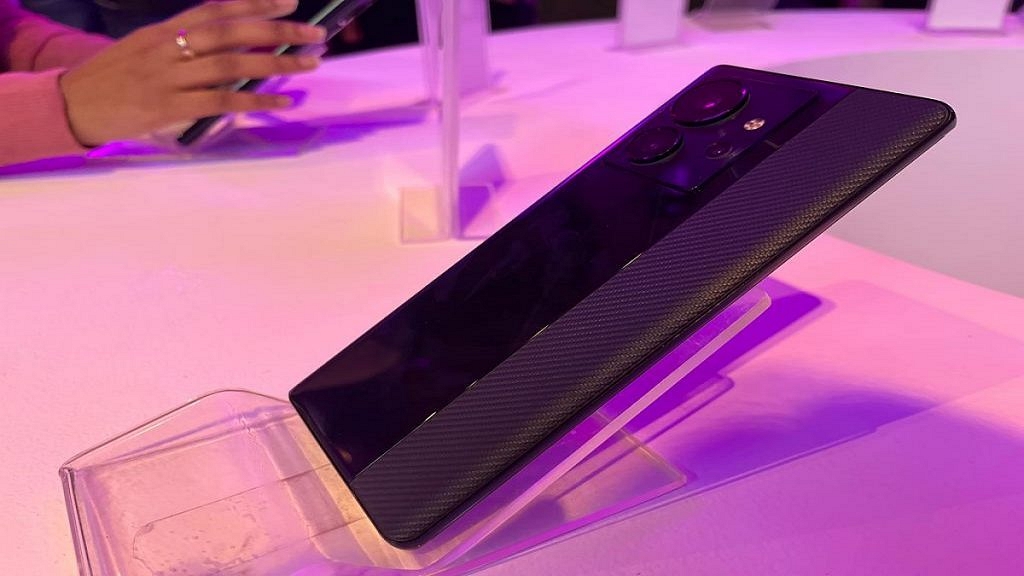
Infinix recently debuted its Zero series in India, i.e., Infinix Ultra and Infinix Zero 20. The smartphones made their debut back in October, however, the Indian version of the Zero 20 has different hardware than the global model. On the other hand, the Infinix Zero Ultra has a 200MP Samsung ISOCELL HP1 main sensor on the back with OIS and 180W Thunder charging capabilities, which is reportedly the first in India and can charge completely in just 11 minutes. Let’s learn more about the recently released devices in depth.

Also Read | Infinix Zero 5G Long Term Review: Premium Design With Long Lasting Battery

Infinix Zero Ultra Specifications

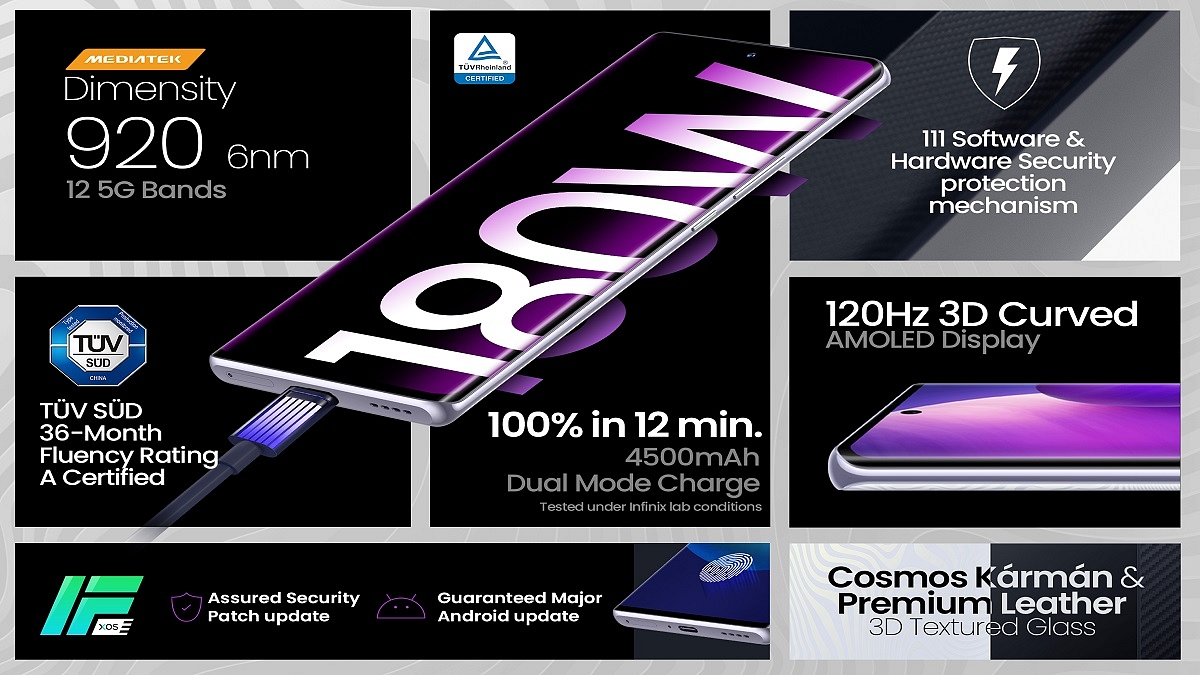
The Infinix Zero Ultra features a big 6.8-inch FHD+ AMOLED display. It has a punch-hole cutout, a refresh rate of 120Hz, a peak brightness of 900 nits, and a touch sampling rate of 460Hz. The MediaTek Dimensity 920 6nm processor and Mali-G68 MC4 GPU power the phone. There are 256GB of internal storage and 8GB of RAM.

Display6.8-inch FHD+ AMOLED display
ProcessorMediaTek Dimensity 920 6nm processor
Memory8GB RAM, 128GB
Camera200MP + 13MP + 2MP
Selfie Camera32MP
OSAndroid 12-based XOS 12 skin
Battery4,500mAh battery with 180W Thunder Charge

The Infinix Zero Ultra boasts three rear cameras: a 200MP camera with optical image stabilization (OIS), a 13MP ultra-wide camera, and a 2MP depth sensor. For selfies and video chats, there is a 32MP camera on the front with dual LED flash.

The 4,500mAh battery in the Infinix Zero Ultra is paired with 180W Thunder Charge technology that includes 111 software and hardware security features to ensure efficient charging while also preventing overheating. The software is handled by an XOS 12 custom skin built on top of Android 12.

Infinix Zero Ultra Price

Priced at Rs. 29,999 for the lone 8GB + 128GB option, the Infinix Zero Ultra will go on sale starting on December 25 through Flipkart. The phone is available in Genesis Noir and Coslight Silver color options.

Infinix Zero 20 Specifications

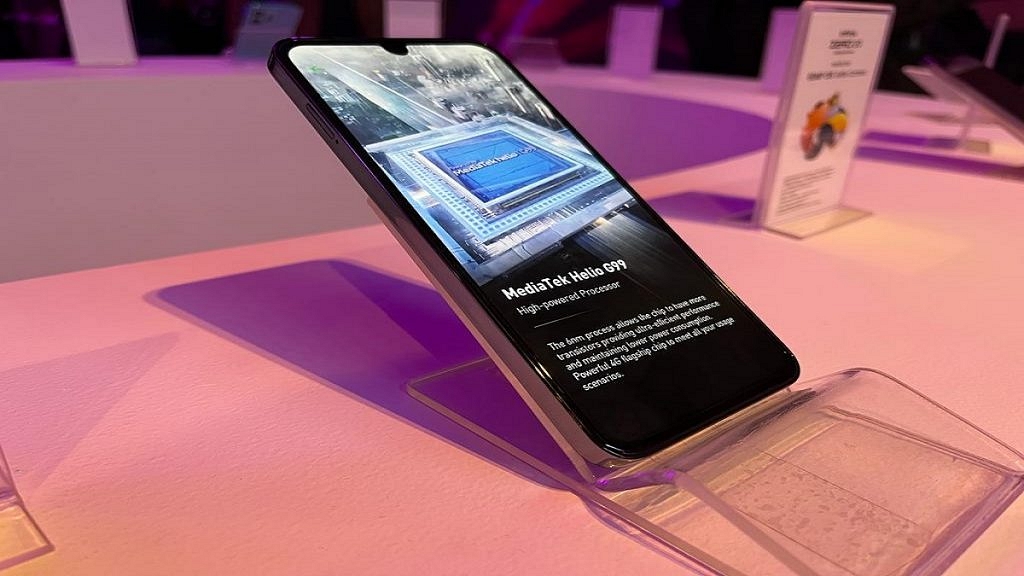
The 6.7-inch FHD+ AMOLED screen on the Infinix Zero 20 has a 90Hz refresh rate and a punch-hole cutout for the selfie camera. The phone has the MediaTek Helio G99 CPU, 8GB of RAM, and 128GB of expandable storage that can be added to using a microSD card. For heat dissipation, the phone has Super Large VC cooling technology.

Display6.7-inch FHD+ AMOLED display
ProcessorMediaTek Helio G99
Memory8GB RAM, 128GB
Camera108MP + 13MP + 2MP
Selfie Camera60MP
OSAndroid 12
Battery4,500mAh battery, 44W fast charging

On the rear of the Infinix Zero 20, there are two cameras: a 108MP ultra-wide-angle primary camera, a 13MP ultra-wide-angle lens, and a 2MP macro lens. For selfies and video calls, the front has a 60MP sensor with OIS.

A 4,500mAh battery with 44W fast charging support is included in the Infinix Zero 20. 5G, 4G, dual-band Wi-Fi, Bluetooth, GPS, and a USB Type-C connection for charging are among the available forms of connectivity. The phone comes pre-installed with an XOS 12 custom skin on top of Android 12.

Infinix Zero 20 Price

The Infinix Zero 20 will be available in Green Fantasy, Glitter Gold, and Space Grey colors for Rs. 15,999. It will be available from December 25 at 12 PM IST via Flipkart.

Also Read | Infinix Zero 5G 2023 Vs Tecno Phantom X2 Vs Realme 10 Pro: Top Trending Affordable 5G Phones Comparison

Categories
Featured Info Mobile

Vivo Christmas And New Year Sale: Offers On Vivo Y75, Vivo Y35, And V25 Series

Key Highlights

  • Buyers can get up to Rs. 1,000 cashback on Vivo Y35 in India during the year-end sale
  • Discounts and offers are available on Vivo Y75, Vivo Y35, and V25 series
  • These offers are now live on all major channels and are valid until December 31

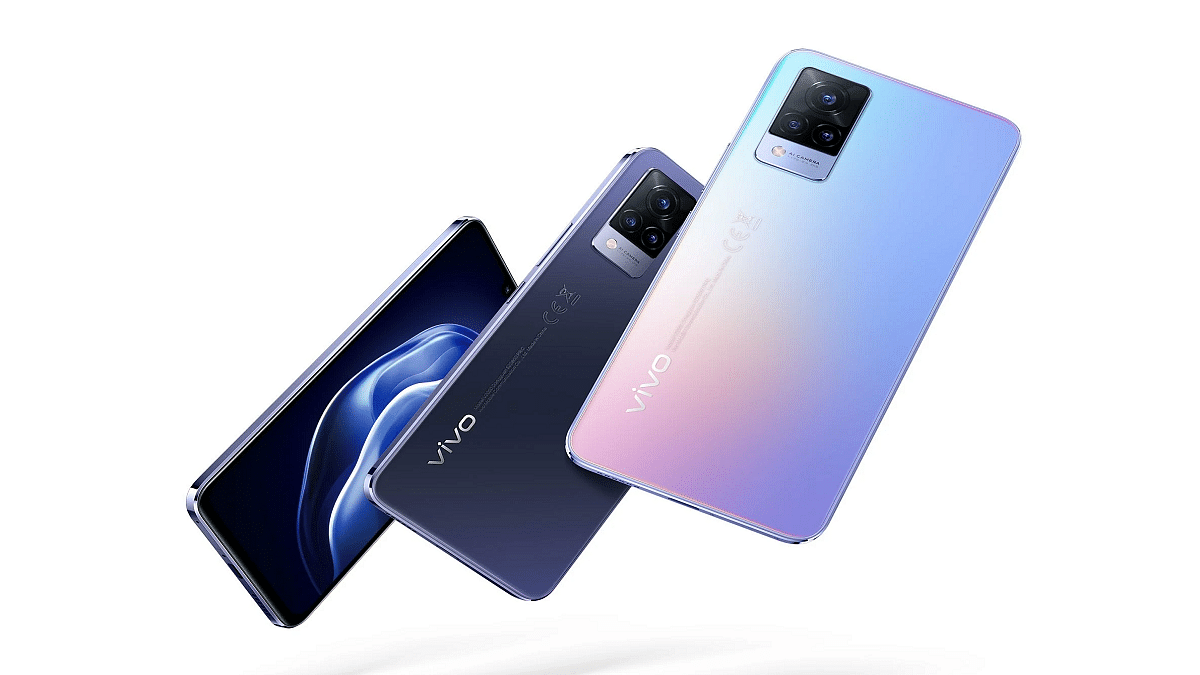
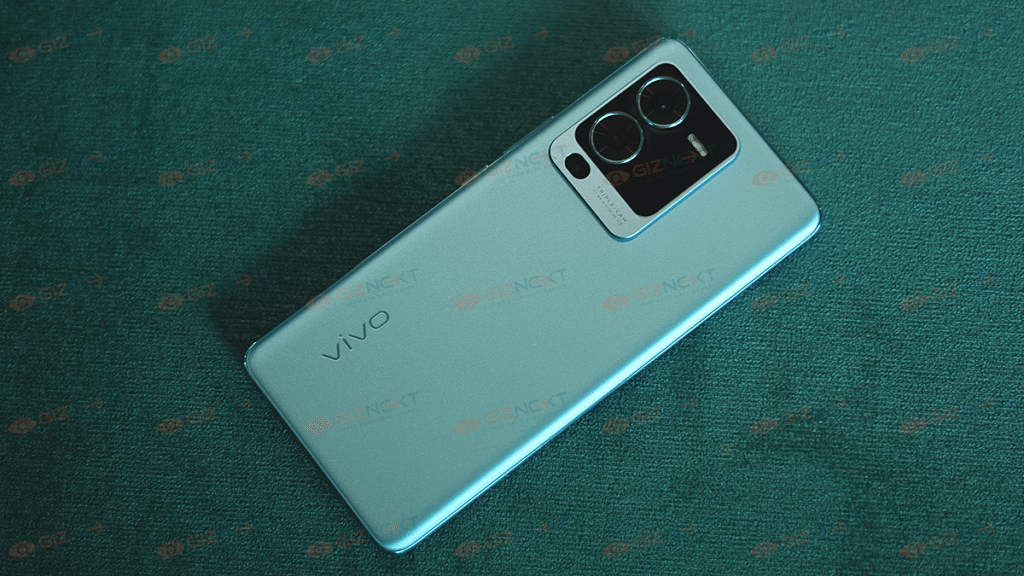
Vivo has announced discounts, offers, and cashback on a number of its handsets on the occasion of Christmas and New Year. These smartphones include the Vivo Y75, Vivo Y35, and V25 series from Vivo. Notably, these offers are currently active across all major platforms and are valid till December 31.

Vivo V25 Series

The starting pricing for the Vivo V25 Pro is Rs. 35,999. Buyers can receive Rs. 2,500 cashback on all storage options of the Vivo V25 Pro 5G via ICICI Bank and SBI Bank cards. The device is available in Pure Black and Sailing Blue color options.

Also Read | Vivo V25 Pro Review: Stylish Smartphone For Selfie Lovers

Customers will receive Rs. 2,000 cashback on ICICI Bank and SBI Bank cards for the Vivo V25. The Vivo V25 was released in India with a starting price of Rs. 27,999 for the unversed. It is released in Surfing Blue and Elegant Black color variants.

Vivo Y35

Buyers of the Vivo Y35 in India will receive up to Rs. 1,000 cashback during the ongoing Christmas/New Year sale. This will apply to cardholders from SBI Bank and ICICI Bank. It was released with a single storage option that costs Rs. 18,499 and has 8GB RAM and 128GB internal storage. Agate Black and Dawn Gold are the available color options.

Vivo V75 5G

Customers using ICICI and SBI Bank cards can receive up to Rs. 1,000 in cashback. The 8GB + 128GB edition of the smartphone had a starting price of Rs. 20,999 when it was first released in India. The smartphone’s highlights include the MediaTek Helio G96 SoC, a 6.44-inch AMOLED display, compatibility for 44W fast charging, and a 50MP camera. There are two color options for the Vivo V75 5G: Starlight Black and Glowing Galaxy.

Also Read | Vivo Y35 5G Is The Latest Budget 5G Phone With 15W Fast Charging: Is It Available In India?

Categories
Apps Featured Info

Google Releases Encryption For Gmail: It’s An Added Security With Some Conditions And Limitations

Key Highlights

  • Google is enhancing the security of Gmail
  • The end-to-end encryption will provide more privacy to the files and attachments of the users
  • The tech giant already offers Client-side encryption across Google Drive, Sheets, Docs, Slides, Google Meet, and Google Calendar (beta)

Google has finally revealed the most awaited feature for its email services. The tech giant is introducing end-to-end encryption for its Gmail on the web in order to improve privacy and increase the safety and security of email deliveries. Only Google Workspace Enterprise Plus, Education Plus, and Education Standard accounts—i.e., typical education accounts—can use the service, which is presently in beta.

Also Read | Google Chrome Download Error? How To Fix Download Errors With Google Chrome On Laptops And PCs

Google has stated that through January 20, 2022, all of its enterprise users are eligible to join up for the Gmail client-side encryption beta. With the new client-side encryption for Gmail Web, user data and attachments will be secured and inaccessible to all other parties, including Google. As a result, the security of all sensitive user data in emails with attachments would be more secure.

End-To-End Encryption: Why It Is Helpful?

Users’ email messages will be encrypted by the sender and only be able to be decrypted by the intended recipient on their device thanks to end-to-end encryption in Gmail. The messages and attachments sent with the email cannot be decrypted or read by a third party, organization, or even Google’s own email server.

Notably, Google currently offers client-side encryption on Google Docs, Sheets, Drive, and Google Calendar (beta). Now that the feature is available to Workspace users. However, individual users would need to wait a little while before they can use the feature with their own Gmail accounts.

Users of the workspace will be able to send and receive encrypted emails inside or outside of their domain once they sign up for client-side encryption. Google makes it clear that the new feature would encrypt both the email content and all attachments, including embedded photos. Google, however, will not encrypt the email’s header, which contains the topic, timestamps, and recipient lists.

Also Read | WhatsApp Privacy: How To Activate Or Deactivate End-To-End Cloud Backup For Google Drive, iCloud On WhatsApp

Categories
Featured How To Laptop

Effortless Typing In Laptop/PC: Here’s How To Use Voice Typing Feature On Windows 11 To Type Without Keyboard

Key Highlights

  • Windows 11 users can set up the speech recognition feature
  • The features help you to dictate commands and text
  • Users can press the Window key +H and dictate whatever they want to write

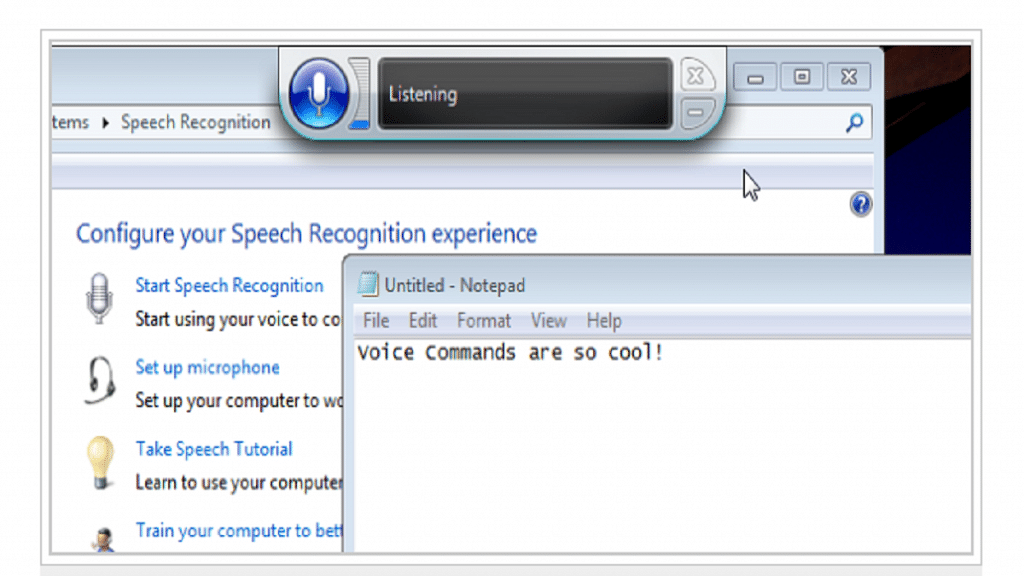
The voice typing experience in Windows 11 is without a doubt one of the coolest new features of the operating system. It is seamless, accurate, and pleasantly proficient. Microsoft’s online Speech Services appear to have undergone significant improvement. Therefore, follow the simple instructions below if you wish to enable and use voice typing on Windows 11. Let’s start now. Also Read | Worried About Laptop Privacy: Best Windows Laptop With Fingerprint Reader Biometrics

How To Start Voice Typing In Windows 11

Step 1: A search box, text field, the Notepad app, or a Microsoft Word document are all places where you can insert text. Press the Windows key and H.

Step 2: When you first use the tool, you’ll see a notice; click the microphone button to begin typing. When voice typing is in use, the button will turn blue.

Step 3: Up until you press the Windows key + H or click the microphone button again, voice typing will transcribe whatever you say into text. Press Windows + Alt + H to focus on the window or area where you are using voice typing.

Also Read | Best Gaming Laptops Under Rs. 50,000

Step 4: Search engines, the address bar of your browser, and search features on websites like this one are all places where you can use voice typing.

Step 5: Click the Launcher’s Options button to see the tool’s settings. If you want the Voice typing launcher to appear anytime you click in a text box or on a document, toggle it on.

Step 6: To have the tool automatically punctuate your text as you talk, flip the Auto punctuation setting on. According to standard grammatical standards and the length of any pauses in your voice typing, it will add commas, full stops, and other punctuation marks.

If this doesn’t work, it’s possible that your computer’s settings are controlled by another party (such as an administrator or IT department), in which case you’ll need to get in touch with them to access these settings or for additional assistance.

Also Read | Best Laptops To Buy For Programming In India

Categories
Featured Laptop

Best In 2022: List Of Top Laptops For Medical Students And Professionals In India

Key Highlights

  • Medical students will benefit from lightweight, portable multitasking laptops
  • Brands like Apple, HP, Dell, and others provide the best laptops
  • Factors like CPU, GPU, and Storage should be kept in mind while purchasing one

It’s crucial to have a laptop that can accommodate your educational requirements if you’re a medical student. Your laptop should be able to handle tasks like writing papers, researching online, and studying for exams. The good news is that several excellent laptops are available nowadays that are ideal for students. We’ll look at some of the best laptops for medical students in this blog post.

Also Read | How To Fix Bluetooth Pairing Issues With Dell Laptops (All Models)?

Apple MacBook Pro M1

The Apple MacBook Pro M1 is equipped with an 8-core M1 chip. It features a 2K retina display. The laptop’s 13.3-inch display has a resolution of 2560 by 1600. The device has 256GB SSD storage and 8GB RAM. Additionally, the laptop has 512GB of SSD storage. The device has a backlit keyboard with WiFi6 and a 15-hour-long battery life. The ultralightweight laptop weighs just 1.4 Kg. This will cost you Rs. 3,06,990 on Amazon.

CPUApple M1
GPUApple M1 GPU
Memory8GB/256GB SSD
Battery15 Hours

ASUS ZenBook 14

The ASUS ZenBook 14 has an AMD Ryzen 7 5700U processor with 8 cores, 16 threads, 8 MB of L3 cache, and 16 GB of RAM. The display has an anti-glare panel and Wide View IPS technology. The inbuilt 16GB LPDDR4X RAM speed of the ZenBook 14 is 4266MHz. The laptop comes with a full-size, borderless, backlit keyboard with 1.4mm key travel. Its price is set at Rs. 2,03,734 on Amazon.

CPUAMD Ryzen 7 5700U
GPUAMD Integrated Graphics
Memory16GB/512B SSD
Battery10 Hours

HP 13 (2021) Intel i7 11th Gen

The HP Pavilion 13 comes with a 13.3-inch FHD display with an IPS panel, micro-edge, and BrightView technology. Since the display is full HD, the screen resolution is naturally 1920 x 1080. It is equipped with 11th Gen Intel Core i7 processor which can perform at high speeds with a turbo boost speed of up to 4.7 GHz. This processor 4 cores, 8 threads, and a 12 MB L3 cache. It is available on Amazon for Rs. 99,000.

CPUIntel i7 11th Gen
GPUIntel Iris Xe Integrated Graphics
Memory16GB/1TB SSD
Battery8 to 9 Hours

Dell Inspiron 5418

The Dell Inspiron 5418 has an 11th Generation Intel Core i5-11300H processor (8MB Cache, up to 4.4GHz). The display is a 14.0-inch FHD (1920 x 1080) Anti-Glare Narrow Border WVA. It contains 512GB M.2 PCIe NVMe Solid State Drive and 16GB, 2x8GB, DDR4, and 3200MHz RAM. The price of Dell Inspiron 5418 is Rs. 73,500 on Amazon.

CPUIntel i5 11th Gen
GPUIris Xe Graphics
Memory16GB/512B SSD
Battery8 Hours

Also Read | Best Of 2022: List Of Top Laptops With Backlit Keyboard And Touchscreen Display In 2022 In India

Categories
Featured Info Smart Watch

ASUS Vivowatch 5 Aero Wristband Is A Premium Smartwatch That Can Test Pulse Using Fingerprint: Price In India, Full Features

Key Highlights

  • ASUS has started selling the VivoWatch 5 Aero fitness tracker
  • The fitness tracker debuted in September at IFA 2022
  • It is available for 840 yuan in China

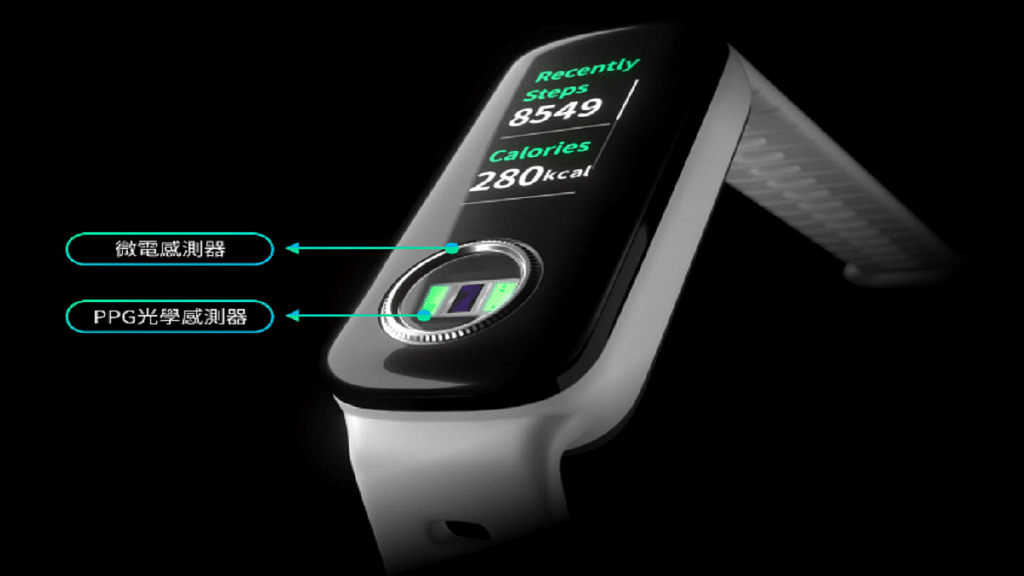
ASUS has started the process of making the VivoWatch 5 Aero available worldwide. The VivoWatch 5 Aero, unveiled in September at IFA 2022, combines a small display with a sensor array positioned beneath it. The company claims that the VivoWatch 5 Aero is the first fitness tracker in the world to provide this feature, with ECG and PPG sensors housed inside a small ring for taking measurements from a fingertip.

ASUS Vivowatch 5 Aero Wristband: Features

The new ASUS health and fitness wearable has a medical-grade triode single-lead ECG as its electrical sensing element, and it is available in black. Additionally, it has two PPG optical sensing channels. In the technology sector, smart wearables are continually evolving. Another achievement is adding support for fingertip pulse tests.

Also Read | List Of Best Smartwatches You Can Buy Under Rs. 500 In India

The new ECG function also has the requisite certification along with blood oxygen monitoring. These health parameters can be quickly measured by the smart wristband user using their fingertips. Heart rate, relaxation index, sleep quality, and other fitness and health parameters can all be verified by this.

Among the many supported features, it can record your running speed, distance traveled, route, and pace running. Sports modes including swimming, yoga, jogging, and walking are all available.

ASUS Vivowatch 5 Aero Wristband Battery

The ASUS Vivowatch 5 Aero Wristband weighs only 30g and has a battery life of seven days on a single charge. It is safe even when submerged underwater thanks to its 5ATM rating. This wearable is also supported by magnetic charging.

ASUS Vivowatch 5 Aero Wristband: Price

ASUS’ new health and fitness wristband is already selling for 840 yuan in China which is around Rs. 10,000 in India. It can be purchased on major domestic e-commerce platforms in the country.

Its major talking point is the innovative fingertip pulse testing available. This health feature is expected to boost demand for the product in China and beyond. ASUS has yet to release details regarding global availability and pricing for the new wristband.

Also Read | Everything You Should Know About Gizmore Gizfit Glow Smartwatch

Categories
Apps Featured How To

Want To Rent Movies From The Apple TV App? Here’s How To Do It

Key Highlights

  • Apple TV app is available on iOS devices and users can watch content available on the platform
  • They can also buy movies or shows on the big screen
  • You need Apple ID with a working credit or debit card to rent movies from Apple

Renting movies from Apple is simple whether you own an iOS device, Apple TV, or a Mac PC. Apple has made a few adjustments from iTunes, so depending on which devices and operating systems you are using, you’ll use different software to rent and watch the movie.

Also Read: Forgot Apple iPad Passcode? Here’s How To Reset iPad Passcode Of Any Model

Rent And Watch Movies From Apple: Requirements

You must have an Apple ID with a working credit or debit card in order to rent movies from Apple. For high-definition movies, you’ll also need an internet connection with a minimum speed of 8 megabits per second.

Also Read | Apple TV Features: How To Setup Apple TV Remote In Control Centre And Use iPhone, iPad As Remote

You will require the most recent versions of iTunes, iOS, and tvOS if you are using an older version of macOS, which does not come with the Apple TV app. You will need the following to watch your rented movies from Apple:

  • An iPhone, iPod Touch, or iPad with iOS 3.1.3 or higher
  • An Apple TV
  • An iPod Classic
  • A Mac or PC
  • An iPod nano (3rd-5th generations)

Also Read: Apple iPad Tricks: How Can You Use Visual Look Up Feature On iPad Running On iPadOS 15.1 And Above

How To Rent A Movie On iPhone, iPad, or iPod touch

Step 1: Open the Apple TV app.

Step 2: Tap Library on your iPhone or iPod touch. Look under Rentals. If you can’t find Rentals, either your rental has expired, or the Apple ID you used to log in wasn’t used to rent it. On your iPad, navigate to the sidebar. Tap Rentals under Library.

Step 3: Click on your movie rental. From here, you can:

  • Stream your rental: Click on the Play button
  • Download your rental: Click on the Download button.

Also Read: Xiaomi Pad 5 Vs Apple iPad Air Vs Galaxy Tab S6 Lite: The Best Premium Tablets That You Should Consider

How To Rent A Movie On Apple TV, Smart TV, Or Streaming Device

Step 1: Open the Apple TV app.

Step 2: Go to the Library tab.

Step 3: Go to the sidebar and choose Rentals. If you can’t find Rentals, either your rental has expired, or the Apple ID you used to log in wasn’t used to rent it.

Step 4: To begin watching your chosen rental movie, press Play.

Your Apple TV, smart TV, or streaming device cannot download rentals.

Also Read | How To Change Google Assistant Voice From Female To Male And Vice Versa On iPhone, iPad?