Categories
Accessories Featured Gaming

PlayStation Plus Premium, Extra Game Catalog For October 2023: What’s In Store?

Key Highlights

  • PS Plus Premium, Extra Game Catalogue for October has been announced
  • A total of 15 titles have been added this month
  • The games will all be available starting October 17

PlayStation Plus continues to enthrall users with exciting additions to its Premium and Extra game catalogs each month. In October 2023, Sony unveils a new lineup of titles to enhance the gaming experience for subscribers. Also Read | GTA San Andreas Tanker Cheats: Know All Codes For PC And PlayStation

New Tiers And Game Expansion

Sony has expanded its PlayStation Plus offerings, introducing new tiers with a host of benefits and a collection of captivating games. While the standard PlayStation Plus Essential edition includes three games, the Extra and Premium tiers received 17 titles last month, in addition to the existing library of over 600 games.

PlayStation Plus Extra And Premium Game Catalog For October 2023

According to the PlayStation Blog, a total of 15 new titles are set to join the library. This includes 11 titles in the Game Catalog, available to Extra and Premium users, and four titles in the Classic Games Catalogue, exclusive to Premium members.

With titles like Gotham Knights, Disco Elysium: The Final Cut, The Dark Pictures Anthology: The House of Ashes, and more, PlayStation Plus Extra and Premium subscribers are in for a thrilling Halloween filled with survival-horror adventures.

  • Gotham Knights (PS5): Dive into the open-world action RPG set in Gotham City, where you can patrol the city solo or with friends to combat criminal activities.
  • Disco Elysium: The Final Cut (PS4, PS5): Experience the definitive edition of this classic detective RPG, exploring political and philosophical themes within a collapsing regime.
  • The Dark Pictures Anthology: House of Ashes (PS4, PS5): Immerse yourself in a gripping horror adventure as you explore an abandoned and unsettling temple in this 2021 installment.

Also Read | FTC Vs Microsoft: Xbox Courtroom Battle, Potential Impact On Activision Deal And In-Depth Analysis

Additional Game Additions

This month’s additions include a variety of titles, such as Alien: Isolation, Outlast 2, Far: Changing Tides, Elite Dangerous, Dead Island Definitive Edition, Gungrave G.O.R.E, Röki, and Eldest Souls for different PlayStation platforms.

Classic Titles For Premium Subscribers

For PlayStation Plus Premium subscribers, classic titles like Tekken 6, Soulcalibur: Broken Destiny, IQ Final, and Ape Escape Academy have been added to the Classics list.

Premium User Bonuses

Premium users will also enjoy extra bonuses this month, including access to a streaming service for select PS5 games in the Game Catalog and Game Trials. Additionally, supported titles purchased and stored in users’ digital game libraries can be streamed, with “hundreds” of titles planned, featuring popular games like Marvel’s Spider-Man: Miles Morales, Horizon Forbidden West, Ghost of Tsushima, and Mortal Kombat 11.

Also Read | PlayStation Plus Free Games For April 2023 Unveiled: A Must-Play Lineup

Categories
Chipset Featured Info

Intel Unveils 14th Gen Desktop Processors: Check Top Features

Key Highlights

  • 14th-gen desktop processors from Intel have been released
  • The three new Intel CPU models are the i5, i7, and i9
  • Starting on October 17, 2023, these processors will be available

Intel has introduced its latest lineup, the Intel Core 14th Generation desktop processor family, offering powerful enhancements and advanced features. Here’s a breakdown of what this release entails:

Roger Chandler, Intel’s Vice President and General Manager for Enthusiast PC and Workstation, Client Computing Group, highlights how the Intel Core 14th Generation processors redefine desktop experiences. Also Read | Google Tensor Vs Exynos 2200 Chipset Comparison

Cutting-Edge Performance

Intel’s 14th Gen processors are setting new standards, boasting up to 24 cores and 32 threads, and 6GHz frequency right out of the box.

P-Core Innovation

The Intel Core i9 processor leads the pack, reaching 6GHz with the Intel Thermal Velocity Boost, ensuring great performance.

Efficient Multitasking

Intel’s Core i7 processors now include up to 20 cores and 28 threads, offering efficient multitasking capabilities for demanding workloads.

AI-Guided Overclocking

The Intel Core i7-14700K processor supports Intel’s Extreme Tuning Utility (XTU) with a new AI Assist feature, simplifying overclocking with a single click.

Also Read | MediaTek Dimensity 7200 Ultra Octa-Core Mobile Chipset For Premium Mid-Range Phones Launched: To Debut With Redmi Note 13 Series

Gaming Advantages

Gamers can benefit from the i9-14900K processor, which features 25 percent more cores for superior multi-threaded performance.

Intel’s 14th Gen Processors: Top Features

  • Intel Core 14th Gen processors deliver up to 23 percent improved gaming performance, with support for Intel Application Optimization and Intel Thread Director.
  • Unlocked processors now include Intel XTU AI Assist for AI-guided overclocking and support for DDR5 XMP speeds beyond 8,000 MT/S.
  • This new generation offers Wi-Fi 6/6E and Bluetooth 5.3 support, along with upcoming Wi-Fi 7 and Bluetooth 5.4 technologies.
  • Compatibility with Thunderbolt 4 and future Thunderbolt 5 with bi-directional bandwidth up to 80Gbps.
  • These processors are compatible with both Intel 600 and 700 series chipsets.

Intel’s 14th Gen Processors: Availability

Intel’s 14th Gen desktop processors will hit retail stores and OEM partner systems from October 17, 2023, promising a new era of desktop computing performance.

Also Read | Qualcomm Snapdragon 7 Gen 1 Vs MediaTek Dimensity 8050: Latest Mid-Ramge 5G Chipset Battle

Categories
Featured Info Tablet

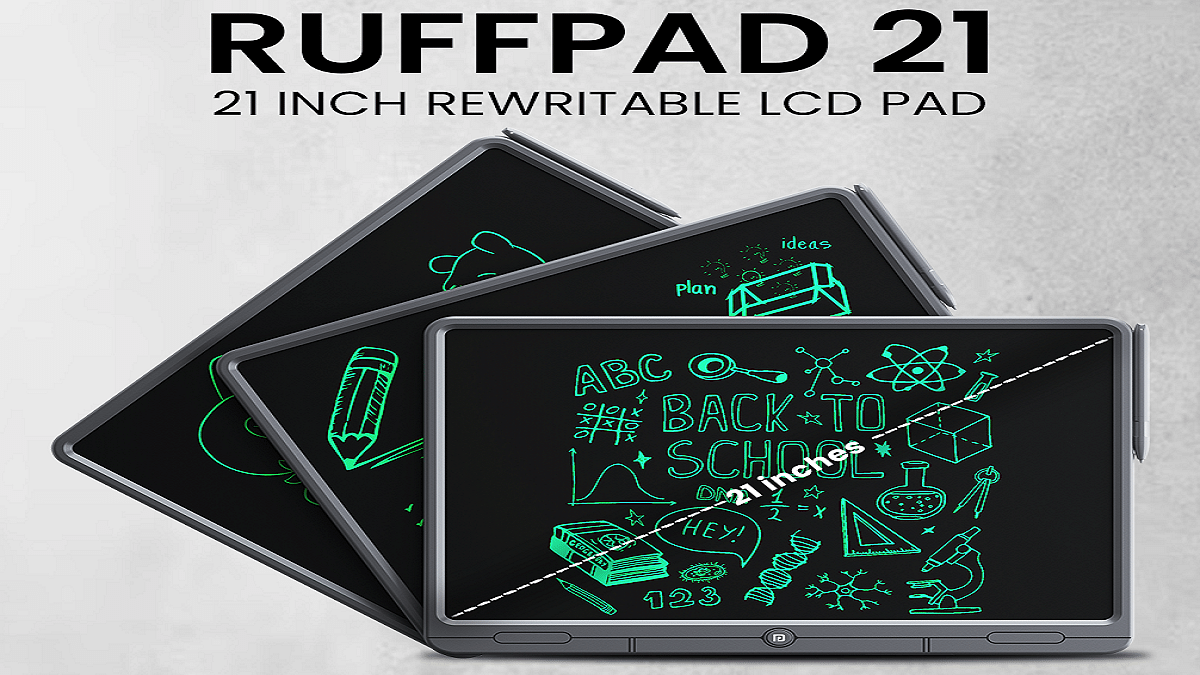
Portronics Brings Digital Notebook Ruffpad 21 To India: Check Price, Features

Key Highlights

  • Portronics launches Ruffpad 21, an LCD Writing Pad
  • Massive anti-glare screen perfect for doodling, note-making
  • This digital notebook is available for Rs. 2,149

Portronics presents the Ruffpad 21 – a great addition to any desk, whether it’s at the office, home, or school. This sleek and eco-friendly digital writing pad is not only a perfect gift for kids, students, and colleagues, but it also promotes creativity while reducing paper usage. Also Read | Need A Tablet For Graphic Designing? List Of Best Tablets For Illustration and Graphics Designing Tasks

Portronics Ruffpad 21 Features

The Portronics Ruffpad 21 boasts a large anti-glare screen, making it ideal for doodling, note-taking, and jotting down brilliant ideas. Weighing a mere 770g, this LCD Writing Pad features a lightweight premium ABS enclosure with a stylus pen that requires no charging or batteries. With its huge 21-inch usable space, it’s a decent tool for young learners and a portable canvas for creative professionals. By opting for the Ruffpad 21, you’re making an environmentally conscious choice by eliminating the need for paper through its reusable, replaceable coin cell.

Ergonomic, Convenient

It has a moderately bright and anti-glare LCD screen suitable for users of all ages, including children. Easily clear the pad with a simple press of the One-Tap Erase button, and you’re ready for your next project. It comes with the Smart Lock button that provides a safeguard to your work. You can also save and share your creations, doodles, or notes on your smartphone using the Ruffpad App, compatible with both Android and iOS.

Also Read | List Of Best Tablet With Stylus Pen Priced Under Rs. 25,000 In India

A Multipurpose Companion

The Ruffpad 21 serves as an interactive tablet for kids, a writing/scratch pad for students, and an ideal digital notepad for note-taking and brainstorming in the office. Whether you’re at home or in the office, it’s a great gift option for your loved ones on any occasion.

Pricing And Where to Buy

The all-new Portronics Ruffpad 21 is available at an introductory price of Rs. 2,149, backed by a 12-month warranty. You can purchase this product from the official website Portronics.com, as well as from popular online platforms like Amazon and Flipkart, in addition to various offline stores.

Also Read | Xiaomi Pad 6 Vs Vivo Pad Air: Best Mid-Range Tablet Comparison

Categories
Apps Featured How To TV

Learn How To Activate And Stream SonyLIV On Your Android Smart TV

Key Highlights

  • Sony LIV is available on major smart TV platforms
  • Users can seamlessly sync their smartphone login ID with Sony LIV on their smart TV
  • Activating Sony LIV on various smart TV platforms is an easy process

Sony LIV has expanded its reach to major smart TV platforms, allowing you to enjoy your beloved content on a larger screen. In this article, we will walk you through the activation process for Sony LIV on Android smart TV platforms. Additionally, we will provide insight into subscription plan details to enhance your viewing experience. Also Read | Want Free Subscription Of SonyLIV, Zee5, Hotstar, Alt Balaji, Eros Now, Netflix, And Prime Video? Here’s The Trick

How To Activate Sony LIV On Android TV

Follow this step-by-step guide to activate SonyLIV app on your Android smart TV:

Step 1: Power up your Android Smart TV.

Step 2: Access the Google Play Store in the All Apps section.

Step 3: Within the Play Store, search for “Sony LIV” using the search bar and proceed with the installation.

Step 4: Once the installation is complete, open the app and select any content from the home tab.

Also Read | How To Get Tata Play Binge App Access At Rs. 59; See All Steps Here

Step 5: An activation code will be displayed on your TV screen.

Step 6: Enter this code into the ‘Activate TV’ section via the Sony LIV mobile app or website. Alternatively, you can scan the QR code using the mobile app to activate your TV account.

Step 7: Open the SonyLIV app and log in if you haven’t already. Select the Menu option from the bottom and tap “Activate TV.” PC or laptop users can visit sonyliv.com/activate and input the code there.

Step 8: After successful verification of the code, you’ll gain access to your Sony LIV account on the TV.

Step 9: New subscribers can select a plan that suits their preferences and make the payment.

Step 10: Now, revel in shows, movies, and live sports from Sony LIV directly on your smart TV.

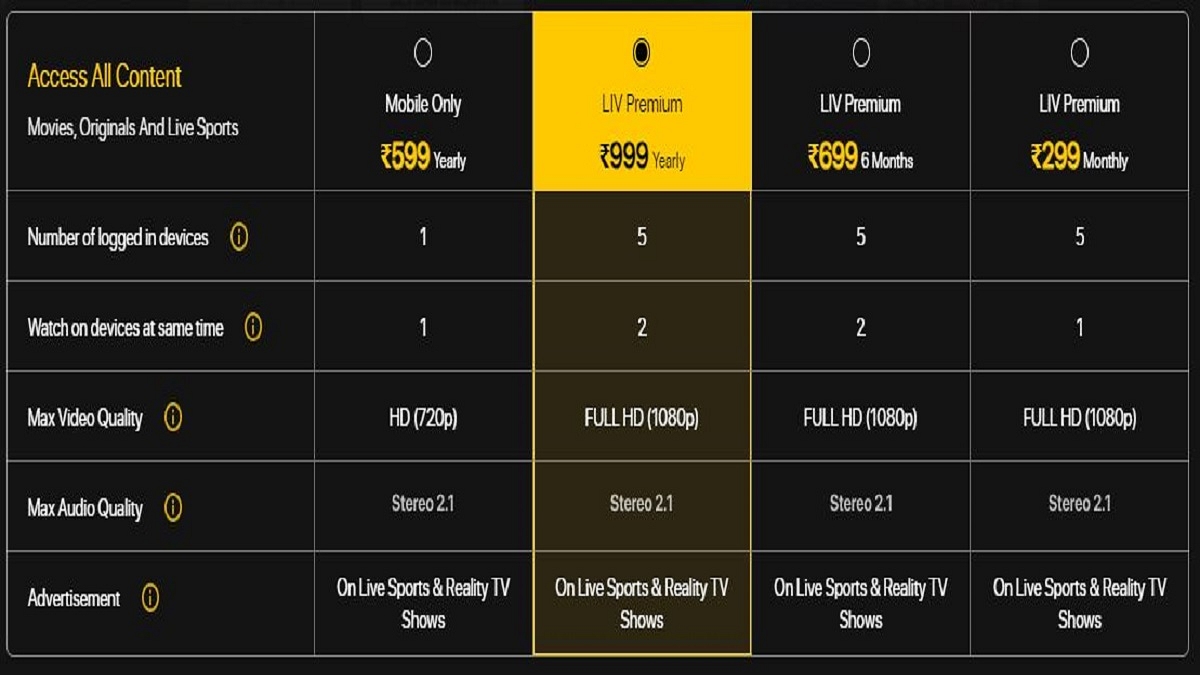
SonyLIV Subscription Plans

Mobile Only Plan (12 months)Benefit from movies, original shows, and live sports.
Single-device login for your convenience.
Enjoy content in 720p video quality.
Experience Stereo 2.1 sound output.
Priced at just Rs. 599 for a full year of entertainment.
LIV Premium Plan (Monthly)Unlock movies, original shows, and live sports.
Simultaneous login on up to 5 devices.
Delight in Full HD video quality.
Immerse yourself in Stereo 2.1 sound output.G
et started at Rs. 299 for a month’s subscription.
LIV Premium Plan (6 months)Available for Rs. 699 and covers you for 6 months.
LIV Premium Plan (Yearly)For year-long enjoyment, the annual subscription is available at Rs. 999.

Also Read | Netflix Begins Password Sharing Crackdown In India: Should You Be Worried?

Categories
Featured Info

PVR INOX Unveils Subscription Plans: 10 Movies at Just Rs. 699

Key Highlights

  • PVR INOX unveils 10-movie pass
  • Users can get 10 monthly cinema visits
  • Additionally, users can avail 40% off on snacks

PVR INOX is set to unveil a subscription plan known as “PVR INOX Passport.” This initiative is geared towards rejuvenating the declining footfall in cinemas post-COVID lockdowns and the onslaught of OTT platforms. The subscription offers 10 monthly theatre visits, providing movie enthusiasts an opportunity to experience films in the plush PVR INOX venues. Also Read | Want To Rent Movies From The Apple TV App? Here’s How To Do It

Unveiling PVR INOX Passport

PVR INOX is rolling out its much-anticipated subscription service, aptly named the “PVR INOX Passport.” Priced at just Rs. 699, this pass grants patrons the freedom to attend PVR INOX theatres on 10 occasions during a month.

Guidelines

However, certain stipulations accompany the PVR INOX Passport. The pass is valid only from Monday to Thursday and cannot be used on weekends. It can be redeemed solely for standard PVR INOX screens, excluding premium formats like IMAX, Gold, LUXE, and Director’s Cut.

Discounts On Food And Beverages

To further entice moviegoers, PVR INOX has taken a bold step by reducing its food and beverage prices by over 40%. The company has also introduced wallet-friendly food combos, starting at Rs. 99, although these prices are reserved for weekdays.

Also Read | Want To Make Your Own Movie? Here’s How You Can Easily Create Movies And Animations Using

Effective Date

The eagerly awaited PVR INOX Passport is slated for launch on October 16. Patrons can secure this pass for Rs. 699, which includes 10 PVR INOX coupons. These coupons remain valid for 30 days and can be utilized when purchasing tickets.

Flexibility With Movie Selection

Notably, PVR INOX has not imposed any conditions on movie selection, offering moviegoers the freedom to choose their cinematic preferences. Nevertheless, it’s essential to note that the pass is non-transferable and can be used by the pass holder exclusively. Only one ticket can be procured per pass per transaction. Additional tickets must be purchased separately using cash.

The co-CEO of PVR INOX Gautam Dutta is keen to emphasize that PVR INOX Passport is not a short-term promotional strategy. Instead, the company aspires to transform people’s movie-watching habits, encouraging them to choose cinemas over home viewing, and fostering growth and diversity in the movie industry.

Also Read | Your Guide To Free YouTube Movies: How To Watch On Mobile And PC

Categories
Apps Featured How To

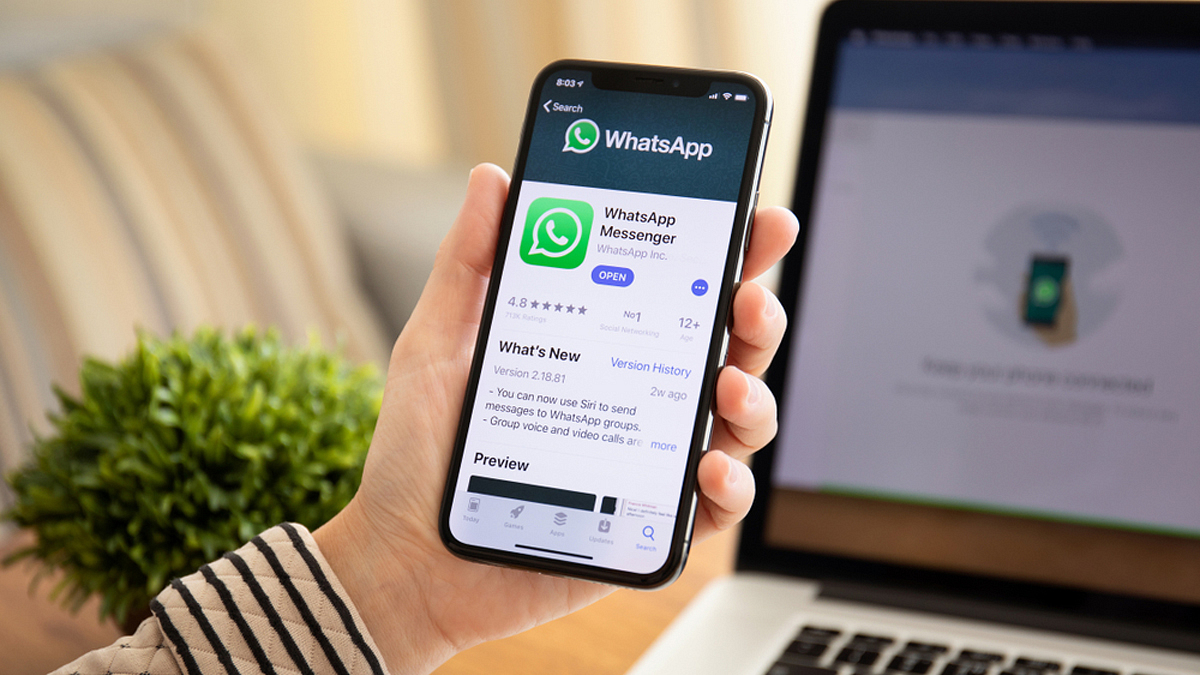
Curious About AI Stickers On WhatsApp? Here’s How To Create Them

Key Highlights

  • Meta has introduced AI stickers for WhatsApp
  • Currently, WhatsApp’s AI stickers only work with descriptions in English
  • Additionally, WhatsApp users have the option to report any AI sticker

In a recent update, Meta unveiled a range of innovative AI-driven features for WhatsApp, geared towards enriching user interactions online. These updates aim to empower users with tools that provide creativity, expression, and productivity. Notably, one of these new features enables users to create their own personalized AI stickers. Also Read | Top Methods And Apps For Downloading WhatsApp Status In High Quality

Meta has underscored the potential of AI stickers to elevate the overall WhatsApp experience. According to a post on Meta’s official blog, this AI sticker feature leverages technology from Llama 2 and Emu, the foundational image generation model. The AI tool works its magic by transforming text prompts into a collection of unique, high-quality stickers within mere seconds.

While this feature was previously in beta testing, Meta has officially announced the rollout of AI stickers for WhatsApp. These stickers are generated through AI technology, responding to user prompts with relevant sticker suggestions. These AI stickers seamlessly integrate into the sticker tray, ready to be shared with contacts at any moment.

Also Read | WhatsApp HD Photo Sharing On iPhone Finally Available: Steps To Share High Quality WhatsApp Photos

Creating AI Stickers On WhatsApp: A Step-by-Step Guide

If you’re eager to create AI stickers on WhatsApp, follow these simple steps:

Step 1: Open the WhatsApp app on your mobile device.

Step 2: Initiate a conversation within WhatsApp.

Step 3: Click on the “More” icon, typically represented by a “>” symbol.

Step 4: If prompted, click “Continue” to proceed.

Step 5: Type in a description for the sticker you wish to create.

Step 6: Up to four stickers will be automatically generated based on your description.

Step 7: If needed, you can adjust your description and try generating stickers again.

Step 8: Tap a sticker to send it to your contact.

How To Report Inappropriate Stickers

WhatsApp ensures user safety by allowing individuals to report any AI sticker they find inappropriate. If you encounter an AI sticker generated in response to a text prompt that you consider inaccurate or unsuitable, follow these steps to report it:

Step 1: Press and hold the sticker you wish to report.

Step 2: Tap the “>” icon.

Step 3: Select “Report” and confirm your decision by clicking “Report” once more.

Meta’s recent AI-driven additions to WhatsApp aim to enhance the platform’s potential for creative expression and seamless connectivity, providing users with a safer and more dynamic chatting experience.

Also Read | WhatsApp Channels Broadcast Tool Now Available In India: What Is It? How To Use?

Categories
Apps Featured How To

Threads Rolls Out A Free Edit Button: Here’s How To Use It

Key Highlights

  • Unlike X, the edit button on Threads is free
  • After a post is shared, you have five minutes to update it
  • There are also Voice Threads, which are essentially audio posts

In an update from Meta, the parent company of Threads, the platform has now introduced a long-awaited feature – an edit button. This edit button allows users to modify their posts on Threads, even after they’ve been shared. Akin to its counterpart, X (Twitter), Threads’ edit button functionality is entirely free and doesn’t require a paid subscription. Alongside this, Meta has also unveiled ‘Voice Threads’ to enrich the user experience. Also Read | Instagram Threads: What Is It And How To Use Meta’s Twitter Alternative

How To Modify Your Threads Using Edit Button

Meta’s CEO, Mark Zuckerberg, conveyed the news of these new features on Threads itself. The edit button has already begun its rollout, and it’s available for users on both Android and iOS apps, as well as on the web platform. Threads permit users up to five minutes from the time of posting to edit their content. So, for the initial five minutes following the post, you have the freedom to make any desired changes. If you’re a Threads user and want to confirm if you’ve received the edit button, follow these steps:

Step 1: Open the Threads app or access it on the web and share a post.

Step 2: After sharing, tap the three-dot button.

Step 3: You’ll find an ‘Edit’ option at the top of the list.

Step 4: Select ‘Edit’ to make adjustments to your post.

Threads provide a visible timer to indicate how much time remains for you to edit the post.

Also Read | Twitter Users Can Now ‘Unmention’ Themselves From Threads: Here’s How To Use

It’s worth noting that Threads offers a shorter window for post editing compared to X. X allows users to edit for up to 30 minutes after sharing a post, but Threads’ free feature provides an attractive alternative. To unlock similar capabilities on X, users need to opt for a paid subscription, costing Rs. 650 per month and offering additional perks.

Voice Threads: Share with Audio

In tandem with the edit button, Threads introduces ‘Voice Threads.’ These are essentially posts enhanced with audio clips. With the addition of this feature, users can now share voice recordings as part of their Threads content. When composing a new thread, you’ll notice a microphone icon adjacent to the gallery button. Tap on it to commence recording your audio clip. Threads also goes the extra mile by providing a transcription alongside the voice recording, allowing users to include text with their audio clips when sharing them.

Also Read | No More Threads: Here’s How To Delete Your Instagram Threads Account

Categories
Featured How To Mobile

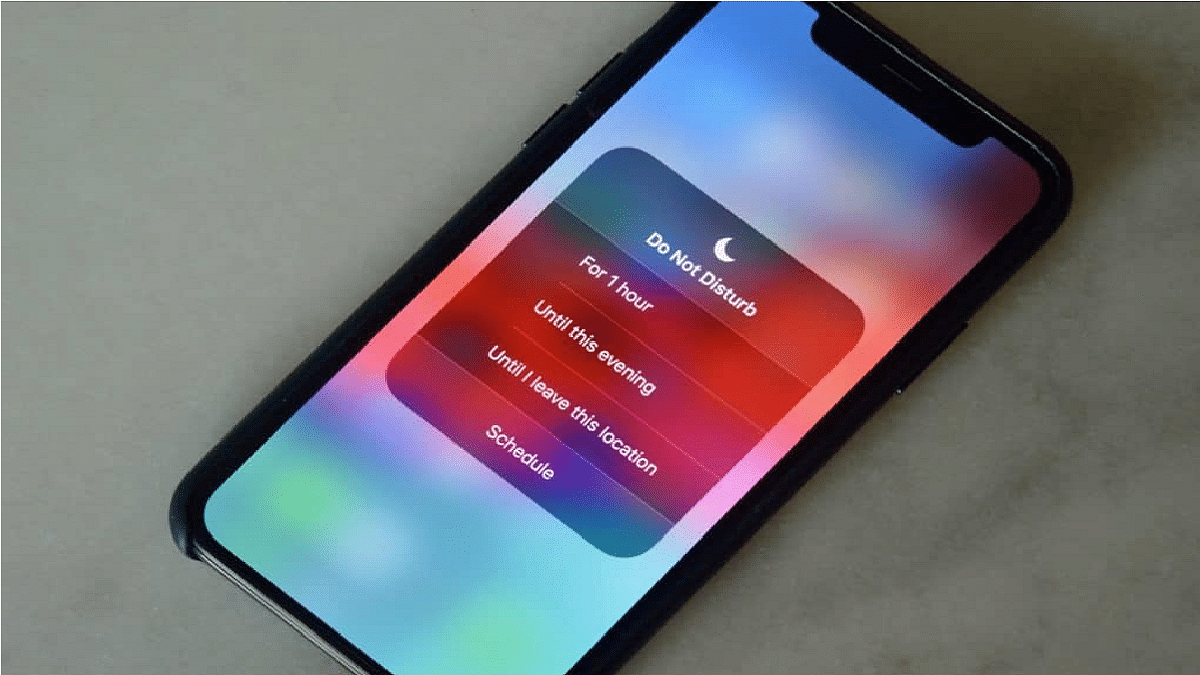
Is Your Smartphone Always Buzzing? How To Activate Do Not Disturb On Android, iOS

Key Highlights

  • Do Not Disturb mode feature is available on both Android and iOS devices
  • It enables you to turn off your phone’s notifications, calls, and messages
  • Activating Do Not Disturb mode on your smartphones is easy

In a world where smartphones demand our attention relentlessly, it’s crucial to regain control over your device. This guide will help you understand and activate the Do Not Disturb mode on both Android and iOS, allowing you to set boundaries and reduce interruptions. Also Read | Use Your iPhones To Find Recipes: Here’s How To Use Visual Look Up Feature

What Does Do Not Disturb Mode Mean?

For those unfamiliar, Do Not Disturb mode serves as a shield against all notifications, including phone calls, providing respite in various situations. Whether you’re aiming for an uninterrupted nap, engaging in a real-life conversation, striving to reduce screen time, or any other scenario, this feature can be your ally.

You have the flexibility to schedule automatic activation at designated times or engage it manually at your convenience. Additionally, Android allows you to set exceptions for notifications or calls from specific contacts, even when Do Not Disturb is active.

In simple terms, it lives up to its name by offering a quick means to disconnect from the constant buzz of your smartphone.

Also Read | iOS Tips & Tricks: Learn How To Set Up Your Contact Poster On iPhone

How To Enable Android’s Do Not Disturb Mode

Step 1: Launch the Settings App on your Android phone.

Step 2: Navigate to Sound and Vibration.

Step 3: Locate Do Not Disturb.

Step 4: Choose to Activate Immediately or Set Schedules.

In addition to this, you can customize various aspects of DND mode, such as what kind of notifications you want to allow or block, who can contact you, and what sounds and vibrations you want to mute.

How To Enable Do Not Disturb On iOS

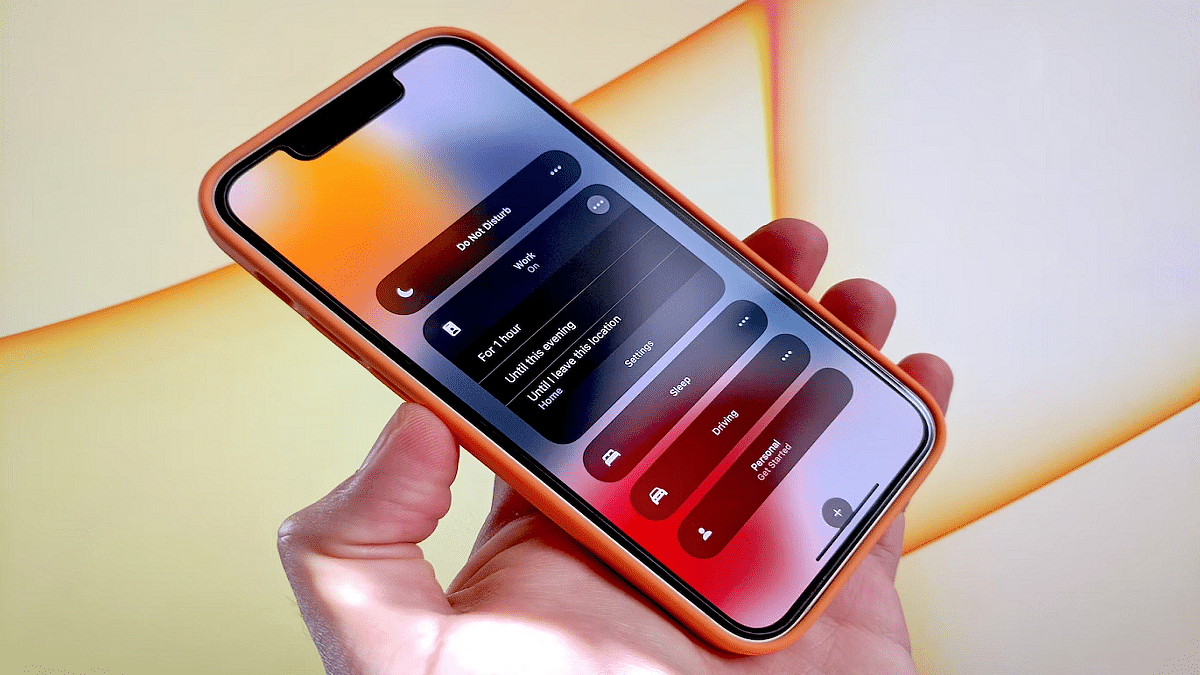
Step 1: Open the Control Center from the Top Right Corner of your iPhone.

Step 2: Long-press the Focus Button.

Step 3: Toggle Do Not Disturb On.

Step 4: Witness the crescent moon icon on your status bar and lock screen, indicating that Do Not Disturb is in effect.

Also Read | Google Passkey For Login: In-Depth Guide On What It Is And How to Use It

Categories
Featured Mobile Reviews

Vivo T2 Pro Review: A Feature-Rich Smartphone On A Budget

Pros

  • Stylish design
  • Good display
  • Decent performance

Cons

  • Bloatware
  • No stereo speakers

Vivo‘s T-series has been a primary for budget-conscious smartphone users for two years. The T1 Pro from the previous year impressed Gen-Z and young millennials with its great display and performance. Now, Vivo is back with the T2 Pro, promising even more upgrades. The smartphone comes in two stylish colors: New Moon Black and Dune Gold. It’s available in two storage options, priced at Rs. 23,999 for 8GB + 128GB and Rs. 24,999 for 8GB + 256GB. But does the hype match the reality? Let’s find out through our review. Also Read | Vivo T2 5G Smartphone User-Oriented Review: Packs All Punch In Budget?

Display6.78-inch AMOLED display
ProcessorMediatek Dimensity 7200
RAM8GB
StorageUp to 256GB
Rear Camera64MP with OIS + 2MP
Selfie Camera16MP
Battery4,600mAh
OSAndroid 13, Funtouch 13
ColorsMoon Black, Dune Gold

What’s Inside The Box?

  • Vivo T2 Pro handset
  • Soft silicon case
  • Type-A to Type-C cable
  • Charger
  • User manual
  • Warranty card

Design

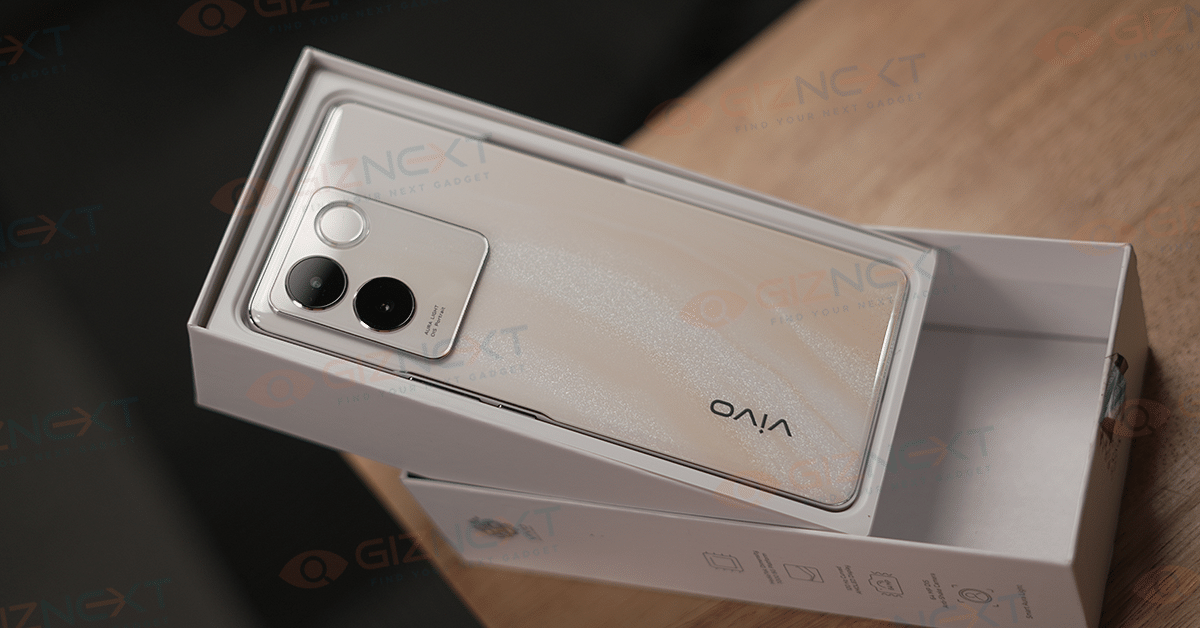
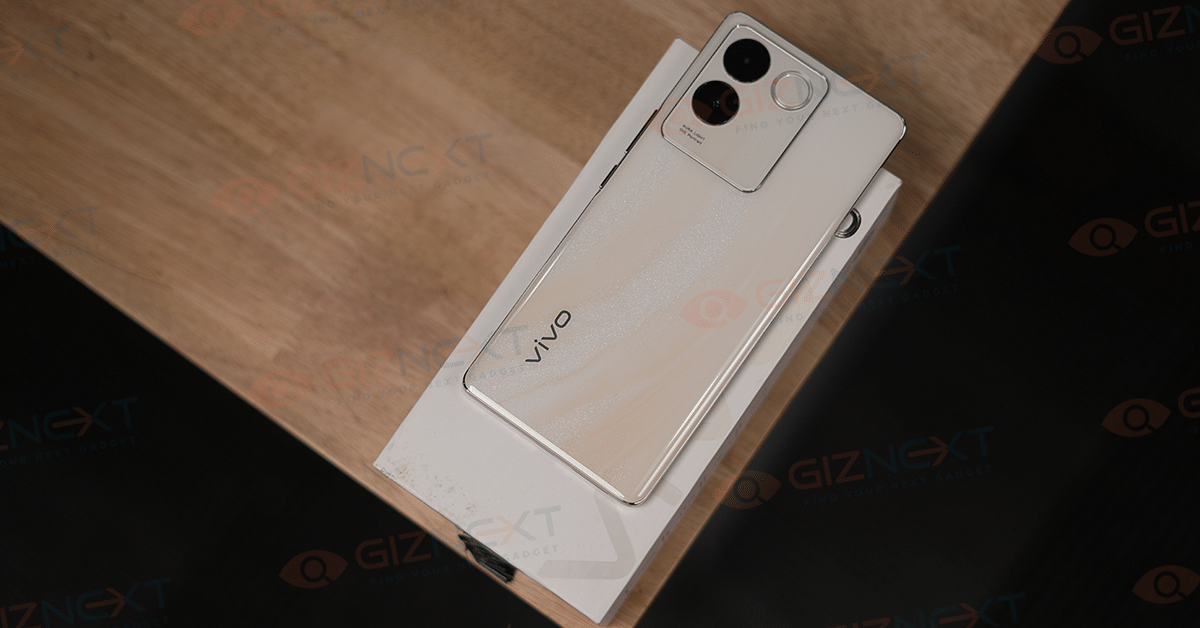
The design of the Vivo T2 Pro is a standout feature. The Dune Gold variant that we received as a review unit sports a Fluorite AG Glass back with a glossy finish. It’s smooth to the touch, has a transparent texture, and is scratch-resistant, however, it’s slippery. The back features an eye-catching marble-like finish that glistens when exposed to light.

The Vivo T2 Pro 5G is a slim handset, measuring just 7.36mm in thickness and lightweight at 175 grams. It features a sleek design with curved edges and a premium feel, thanks to its glass back. Notably, it stands out as one of the slimmer smartphones in its segment.

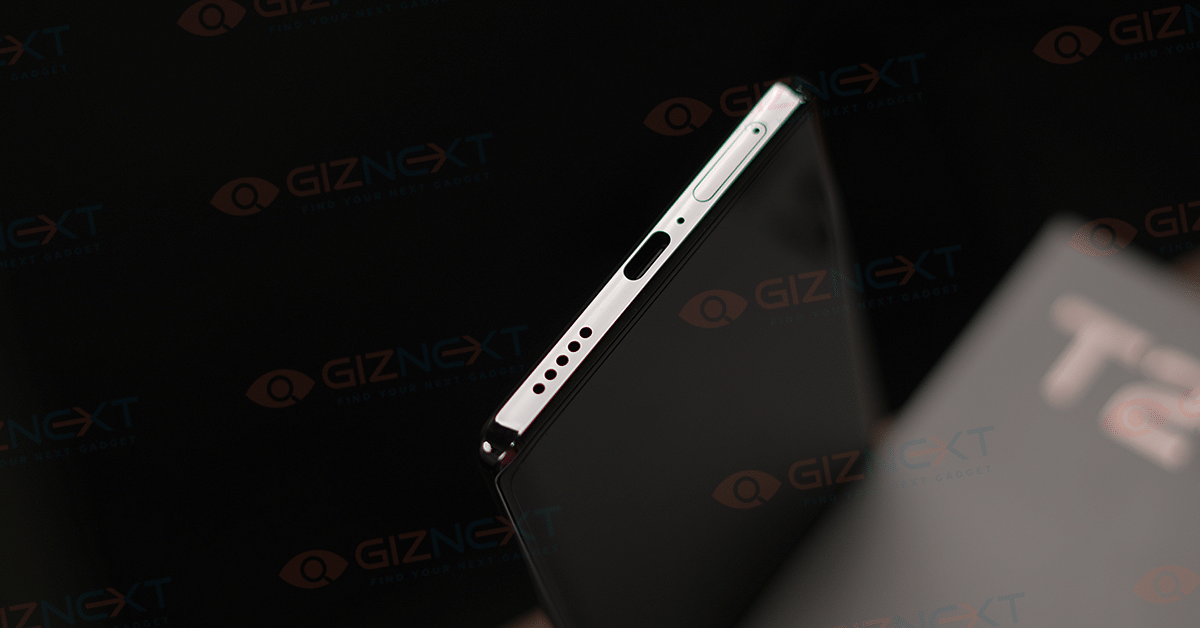
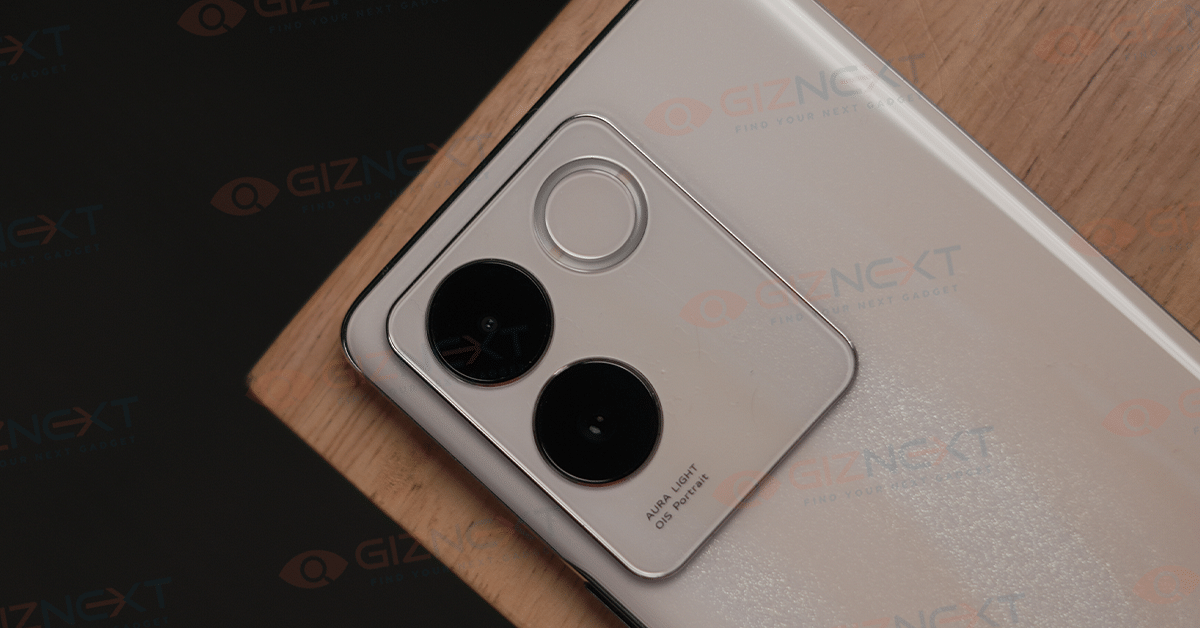
On the rear, there’s a dual-camera setup accompanied by a Rear Aura Light. The phone’s 3D curved display and ergonomic design provide a secure grip. At the bottom, you’ll find a USB Type-C port, a microphone, a mono loudspeaker, and a dual 5G SIM tray. Due to its slim design, it lacks a 3.5mm audio jack, necessitating the use of a Type-C to 3.5mm converter.

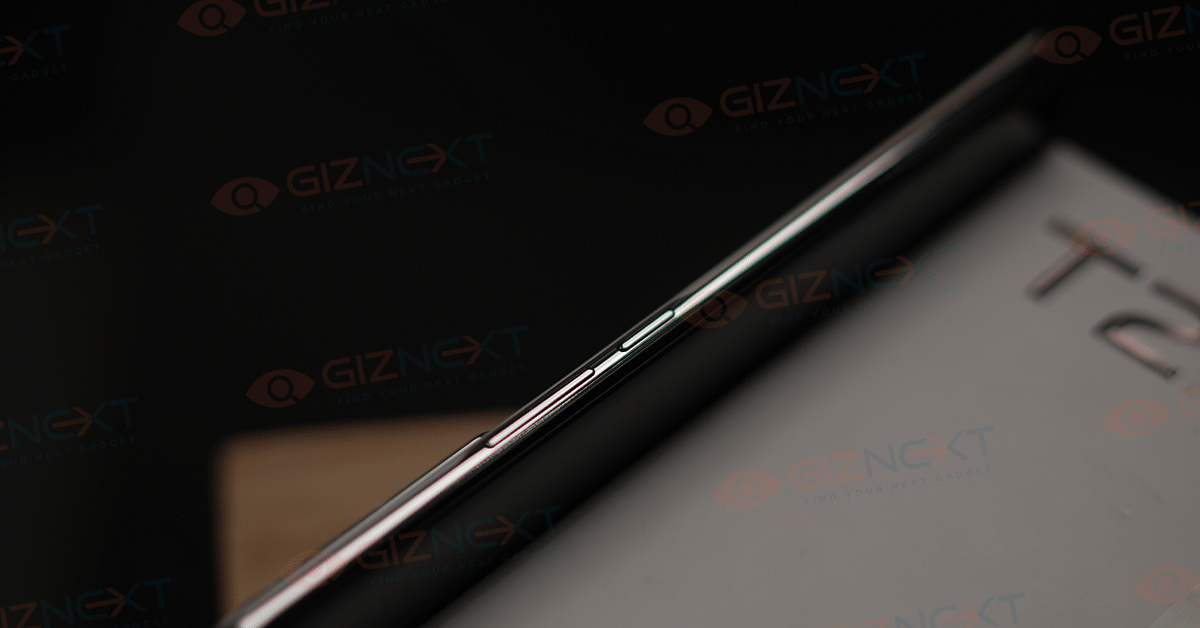
On the top side, there’s a “Professional Portrait” label and another microphone. The power key and volume controls are located on the right side, while the fingerprint scanner is positioned beneath the screen. The 5G SIM tray supports dual SIM connectivity and VoLTE but doesn’t house a microSD card.

This smartphone’s slender profile, curved edges, and a camera module that doesn’t protrude make it comfortable to hold. It also holds an IP52 rating, providing a degree of water and dust resistance.

Also Read | Vivo V29e Review: The Smartphone’s Camera Steals The Show

Display

The Vivo T2 Pro flaunts a 6.78-inch AMOLED display with Full HD+ resolution (2400 x 1080 pixels), a 120 Hz refresh rate, and HDR10+ support. The display offers decent brightness and crispness, making it ideal for outdoor use. The in-display fingerprint sensor is quick and responsive, and content consumption is enjoyable thanks to the vivid colors.

Performance And Software

Under the hood, the Vivo T2 Pro is powered by the MediaTek 7200 chipset, built on a 4nm process. Equipped with 8GB of LPDDR4x RAM and available in either 128GB or 256GB UFS 2.2 storage options, it decently handles multitasking and gaming. Additionally, it supports Extended RAM 3.0, providing an extra 8GB of RAM. Running on FunTouch OS 13, which is based on Android 13, this smartphone delivers a smooth and highly customizable user experience.

The smartphone’s performance, especially for its price, is decent. It is powered by a Mali-G610 MC4 GPU, ensuring that games can be played on high settings without any noticeable lags.

To prevent overheating, the device is equipped with a 3,000 sqmm Vapour Chamber Cooling system, which effectively dissipates heat. However, we haven’t encountered any heating issues with the smartphone as of now.

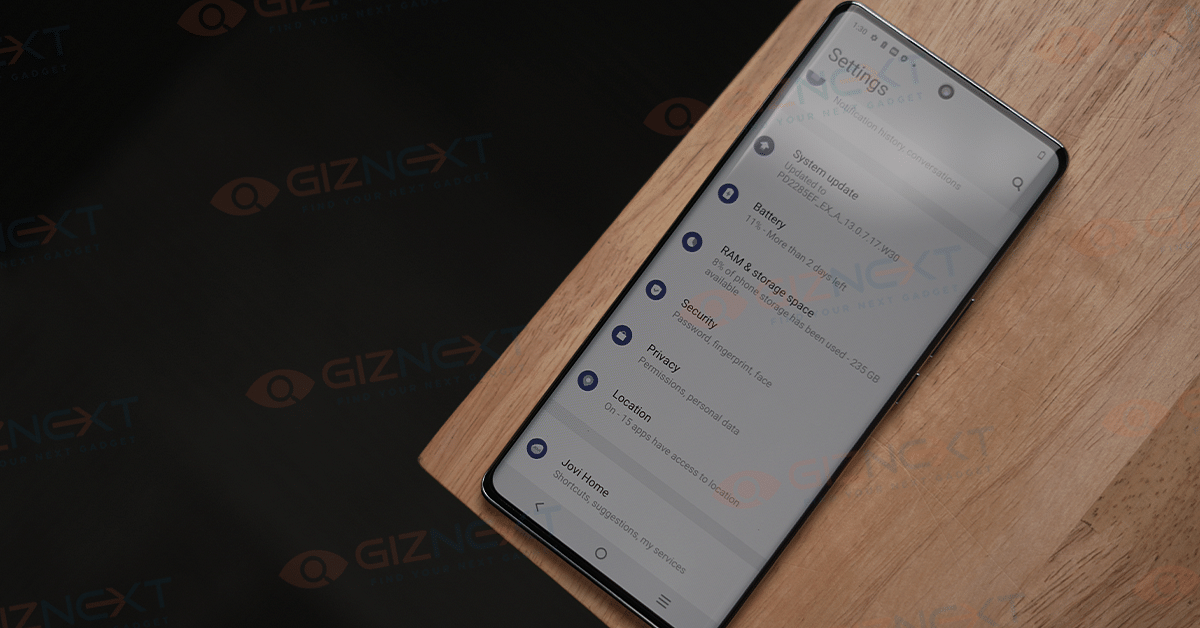
Regarding UI performance, the interface is smooth and lightweight, thanks to its 120Hz refresh rate screen, fast processor, and well-optimized software. FunTouch OS 13 represents a significant improvement over its predecessors and offers a plethora of customization options, personalization features, and various perks. Users can modify the lock screen, UI color, apply dynamic effects, enable an always-on display, use gestures, access the ultra game mode, and more. The operating system also includes camera features, gaming enhancements within the Ultra Game mode, and robust privacy and security features. While some pre-installed apps come with the phone, they can be removed if not needed.

Also Read | Vivo V27 Smartphone Review: A Shutterbug’s Delight

Cameras

The rear camera setup consists of a 64MP primary camera with OIS and a 2MP bokeh/depth camera. There is a 16MP selfie camera on the front. While it lacks wide-angle or macro options, the camera app offers various modes and features. The camera quality, especially in well-lit conditions, is impressive, capturing bright and crisp shots. It performs well in low-light scenarios too, and supports 4K video recording.

The camera app offers different modes and features that you can use – 64 MP, Live Photo, Dual View, Night, Super Night, Natural Colors, HDR, Pano, Documents, Slo-mo, Time-lapse, Pro, Sports, and more.

Battery And Charging

The Vivo T2 Pro houses a 4,600mAh battery with support for 66W flash charging. For regular users, the battery easily lasts a full day, and the fast charging can juice up the device from 0% to 100% in about an hour.

Final Verdict: Tough Competition

In the sub-Rs. 25,000 segment, the Vivo T2 Pro adds another strong contender to the list of options. While it excels in many aspects, the absence of stereo speakers and an ultrawide camera might hold it back slightly compared to other smartphones in the same price range.

Categories
Apps Featured How To

Google Maps Tips & Tricks: How To Use Fuel-Efficient Routing In India

Key Highlights

  • Google has introduced new Google Maps features
  • Fuel-efficient routing feature is coming to Google Maps
  • It employs AI to recommend routes that save energy

Google Maps has unveiled an array of new features, including one specifically aimed at India, known as ‘fuel-efficient routing’. This feature employs AI to recommend routes that save energy, while maintaining similar estimated time of arrival (ETA) for users. Also Read | Find Nearest Grocery Store: Here’s How To Locate Closest Grocery Store Using Google Maps

Google Maps’ Fuel-Efficient Routing

Google Maps’ fuel-efficient routing uses artificial intelligence to suggest energy-efficient routes with fewer hills, reduced traffic, and consistent speeds. It strives to decrease fuel consumption, whether diesel, petrol, or gas, by proposing routes suitable for the specific type of vehicle users are driving, all while ensuring timely arrivals.

Google acknowledges that the ideal route depends on the engine type. For instance, diesel engines perform best at higher speeds, while hybrids and electric vehicles excel in stop-and-go traffic. Users can now specify their engine type – gas, diesel, hybrid, or electric – for more precise fuel or energy efficiency estimates.

Also Read | Google Maps Immersive View For Routes Shows Live Route Traffic, Weather, And More: How To Use?

How To Enable Fuel-Efficient Routing On Google Maps

Step 1: Open the Google Maps app on your smartphone.

Step 2: Tap your Profile Picture and then select Settings.

Step 3: Navigate to Navigation settings.

Step 4: Scroll to ‘Route Options’.

Step 5: Select ‘Prefer fuel-efficient routes’.

Step 6: Choose your engine type by tapping ‘Engine type’ and then make your selection.

Step 7: Tap Done.

In addition to suggesting energy-efficient routes, Google is developing a feature that will help users discover more sustainable transportation options, such as rail. They also plan to display public transit or walking recommendations when they are comparable to driving routes, available exclusively to Google Maps users in France.

Also Read | Want To Report Accidents And Road Closures On Google Maps? Learn How To Do It