Categories
Accessories Featured Info

Jabra Introduces The Elite 8 Active And Elite 10 Earbuds In India

Key Highlights

  • Elite 8 Active tested to be the toughest earbuds
  • Elite 10 are the new top-tier earbuds optimized for Dolby Atmos
  • The two new models are Jabra’s most advanced earbuds to date

Jabra has unveiled two new premium models to enrich its Elite true wireless earbuds range. These new additions are the Jabra Elite 8 Active and the Elite 10. While the former is tested to be the world’s toughest earbuds, the latter is designed to provide advanced features for both work and leisure. Also Read | Best True Wireless Earbuds With ANC Under Rs. 10,000 In India

Elite 8 Active: Rugged Durability

Designed to withstand various activities, the Elite 8 Active meets the rigorous US Military Standard for Ruggedized Electronics (810H). These earbuds are IP68 rated, fully dust and waterproof even when submerged up to 1.5m. The charging case is IP54-rated for dust and splash resistance. They’ve endured Highly Accelerated Corrosion Testing (HACT) with flying colors, proving their anti-corrosion capabilities. The ANC adapts to your surroundings, while Wind Neutralizing HearThrough technology maintains safety without sacrificing sound quality.

Key Features:

  • IP68 rated for durability.
  • Dolby Audio for lifelike sound.
  • Adaptive Hybrid ANC for noise cancellation.
  • Wind Neutralizing HearThrough technology.
  • Up to eight hours of battery life (32 hours with the case).
  • Stable Smartwatch connectivity.
  • Fast Pair, Google Assistant, Swift Pair, Spotify Tap playback.
  • Bluetooth Multipoint connection.

Also Read | Trendsetters’ Choice: Five Most Fashionable TWS Earbuds Of The Season

Elite 10: Immersive Dolby Atmos Experience

Optimized for Dolby Atmos, these earbuds support Dolby Head Tracking. It keeps the soundstage centered as you move your head. Advanced ANC intelligently adjusts to ambient noise levels, ensuring optimal ANC performance. Jabra ComfortFit technology provides a natural, airy fit with a semi-open design to relieve ear pressure. These earbuds can easily fit various ear shapes and sizes. With 6-mic call technology, six-hour battery life (27 hours with the case), and Bluetooth Multipoint connection, they are ideal for work and leisure.

Key Features:

  • Optimized for Dolby Atmos with Dolby Head Tracking.
  • Jabra ComfortFit technology for a natural fit.
  • Advanced Active Noise CancellationTM.
  • Six-hour battery life (27 hours with the case).
  • IP57-rating for durability.
  • Fast Pair, Hands-free Voice Assistant, Spotify Tap playback.
  • Bluetooth Multipoint connection.

Price And Availability

  • Elite 8 Active: Rs. 17,999. Available in caramel, navy, black, and dark grey colors.
  • Elite 10: Rs. 20,999. Available in Cream, Cocoa, Gloss Black, and Matte Black colors.

Both models will be available for purchase starting September 20 on Amazon, Croma, and Jabra authorized resellers. Also, these earbuds are ready to support Bluetooth Low Energy & LC3, LC3plus codec with a future firmware update.

Also Read | Best Earbuds To Buy Under Rs. 5,000 In India

Categories
Apps Featured Info

Get Emotional With YouTube Music: New ‘Cry’ Mood Filter And Beyond

Key Highlights

  • YouTube Music added new filters including ‘Cry’
  • Both the browser and app versions of YouTube Music will support the new filters
  • Users will get immediate access to content through the filters based on their choices.

YouTube is elevating the music experience for its users by introducing new mood filters within its Music app. These filters are designed to empower users to explore and enjoy music that aligns with their current emotional state. Initially introduced in 2020 with sections like Workout, Focus, Relax, Commute, Energise, and Podcasts, YouTube is now expanding its mood filter offerings, including a new “Cry” filter that promises a unique “Sad Songs Supermix” to evoke emotional connections through music. Also Read | How To Remix With Collab In YouTube Shorts

Discovery By The Community

Reddit users first unearthed these new YouTube Music filters, which are reportedly available on both the web and app versions of YouTube Music. While currently, only the web version offers access to the four new filters, including “Cry,” it’s expected that the complete lineup will soon become available across web and mobile platforms.

Expanding The YouTube Music Universe

The addition of these new mood filters marks a significant expansion of YouTube Music’s user interface. Notably, the last update to YouTube Music was in 2021 when the “Energise” mood filter was introduced, alongside web app availability for mood filters. These latest inclusions bring the total number of mood filters to eleven, promising to offer users an even more tailored musical journey.

Also Read | YouTube Channel Naming Ideas: 100+ Best Names For YouTube Educational Channels

Samples

In a separate development, YouTube introduced “Samples” last month, a feature that offers personalized feeds of short music video segments to aid users in discovering new music. Powered by YouTube Music’s extensive library of music videos, Samples enables users to easily add songs to their collection, share them with friends, create playlists, initiate radio stations, watch full videos, explore album pages, or craft their own Shorts. For artists, the Samples tab offers a novel avenue to connect with new fans and foster a community on YouTube.

What’s More?

Aside from “Cry,” YouTube Music will soon include additional mood filters, such as Romance, Party, Feel Good, and Sleep. These filters aim to curate playlists that resonate with users’ emotions. You can discover these playlists conveniently within the app, accessible through “Mixed for You” and “From Your Library.” They will join familiar carousels like “Listen Again” and “Similar To.”

Also Read | Your Guide To Free YouTube Movies: How To Watch On Mobile And PC

Categories
Apps Featured How To

iOS 17 Hits iPhones In India: Here’s Compatible Devices And How To Download

Key Highlights

  • iOS 17 released for all eligible iPhone users in India
  • Apple first announced the iOS 17 in June 2023 at WWDC
  • iOS 17 operating system will bring a host of new features

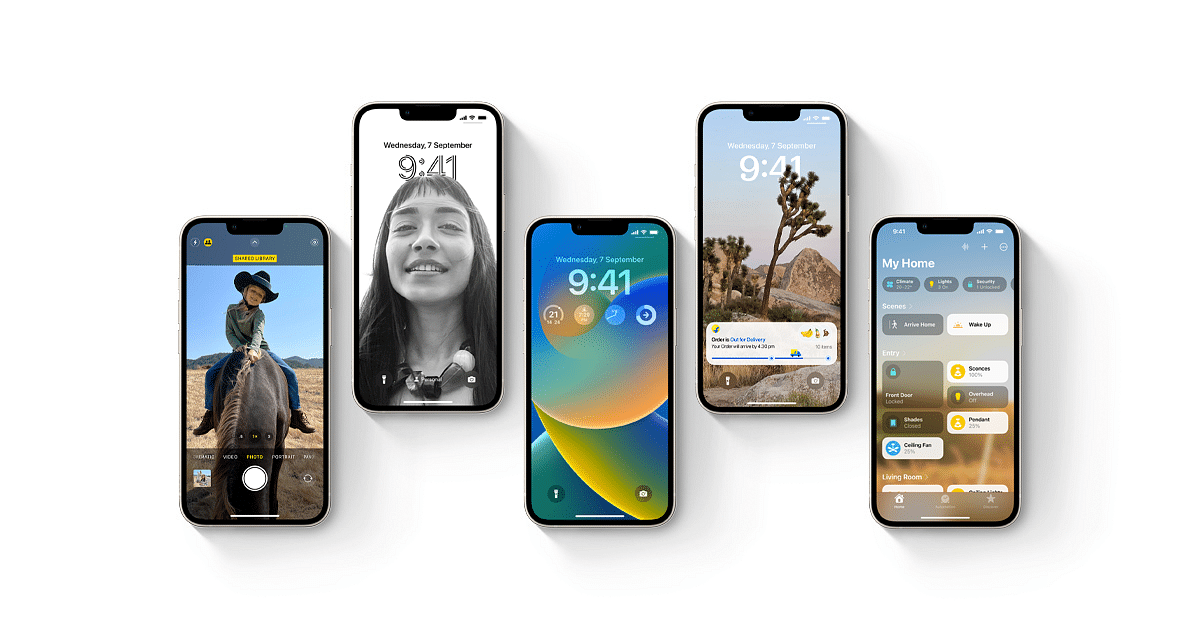
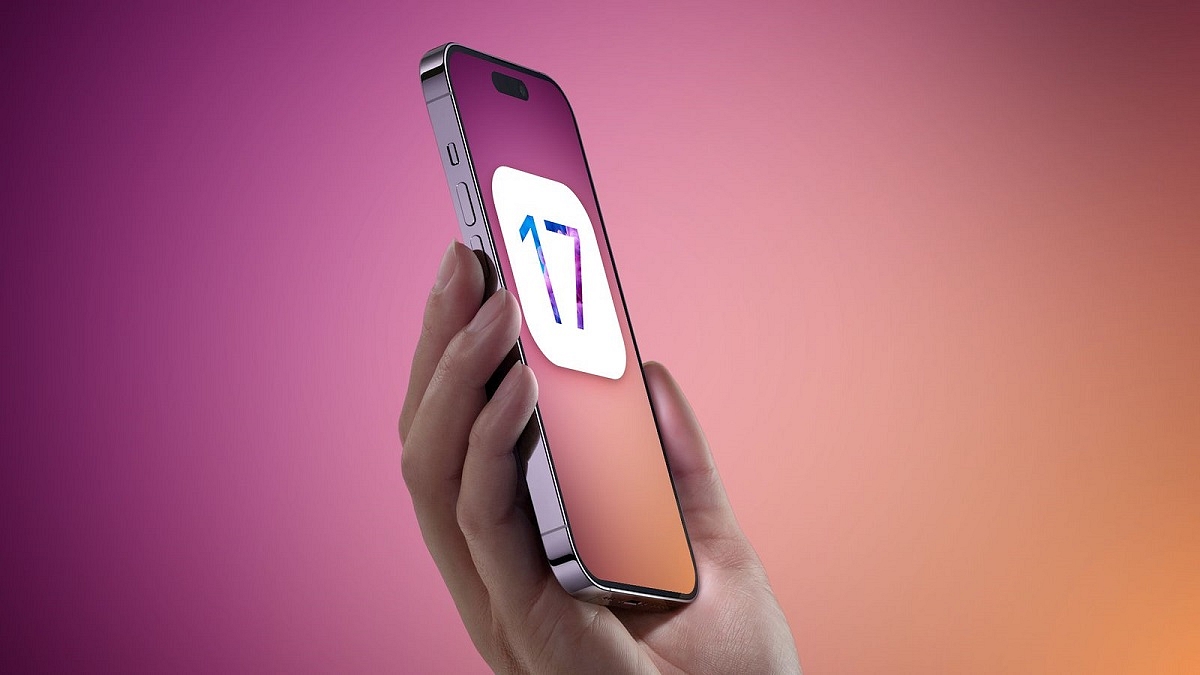
Apple has introduced its highly-anticipated iOS 17, bringing a wave of new features and improvements to iPhone users. Here, we explore the release of iOS 17, compatible devices, and a step-by-step guide on how to update your iPhone to this cutting-edge operating system. Also Read | iOS 17 Live Voicemail: How To Use It On Your iPhone

iOS 17 And Its Beta Testing Phase

Apple revealed iOS 17 during the WWDC in June 2023, alongside iPadOS, tvOS, and watchOS updates. Following its official announcement, iOS 17 underwent rigorous beta testing to ensure a smooth user experience. Now, iPhone, iPad, and Apple Watch users worldwide can access these exciting updates.

Which iPhones Support iOS 17?

iOS 17 is exclusive to iPhones equipped with the A12 Bionic chip or newer models. Unfortunately, this means that older devices, such as the iPhone X, iPhone 8, and iPhone 8 Plus (released in 2017), will not receive the update. Instead, iOS 17 is available for the iPhone SE (2nd generation or later), iPhone XR, and their successors. Devices older than five years will not meet the hardware requirements for iOS 17.

How To Update Your iPhone To iOS 17: A Step-by-Step Guide

Before embarking on the iOS 17 update journey, it’s crucial to safeguard your data. To do so, create a backup of your iPhone on iCloud or your computer using iTunes or Finder. Here’s how you can update your iPhone to iOS 17:

Step 1: Connect your iPhone to a Wi-Fi network.

Step 2: Navigate to Settings > General > Software Update.

Step 3: If iOS 17 is available, tap “Download and Install.”

Step 4: Enter your passcode if prompted.

Step 5: Agree to the terms and conditions.

Step 6: The update will commence, downloading and installing. Be patient, as this process may take several minutes.

Step 7: Once the update is installed, your iPhone will automatically restart.

With iOS 17 now at your fingertips, you can explore the exciting new features and enhancements that Apple has brought to your iPhone.

Also Read | iOS Tips And Tricks: How To Setup And Use AutoFill For Contact Cards And Credit Cards In Safari On iPhones And iPads

Categories
Featured Gaming Info

Catch ‘Em All In Hindi: Pokémon Go’s Latest Language Addition

Key Highlights

  • Pokemon Go will now support the Hindi language
  • Niantic changed the names of every Pocket Monster to Hindi
  • Additionally, Niantic made a Hindi-language Pokemon short film

The Pokémon Company, in collaboration with Niantic, has officially introduced Pokémon GO in Hindi in India, marking a significant move to engage a broader audience in the country. Additionally, the company has undertaken an extensive effort to rename over 800 Pokémon in Hindi, aiming to make the Pokémon universe more accessible and relatable to Indian fans.

Also Read | Pokémon Go Tips & Tricks: 10 Ways To Catch Rare And Legendary Pokémon

New Hindi Names

Players can now explore the official Pokédex page to discover the freshly introduced Hindi names for Pokémon. Soon, they will have the ability to access information and details about all Pokémon in the Hindi language.

Omar Tellez, VP for Emerging Markets at Niantic, expressed the significance of this Hindi version launch. He emphasized that it promotes inclusivity, encourages engagement, and opens the door for more players to embark on their Pokémon GO adventures. Since its initial launch in 2016, the game has expanded with the addition of over five lakh Pokestops across India, coupled with various on-ground activations.

Special Month-Long Event

In celebration of the Hindi localization, Niantic is hosting an exciting month-long in-game event exclusively for Indian players. This event promises to deliver various features, including Field Research, Timed Research, and Bonuses with unique rewards.

Also Read | Pokemon Unite: Here’s How To Download And Play On Your Phone

Accessibility And Pricing Restructuring

To ensure greater accessibility for trainers across the country, Pokémon GO has revamped the pricing structure for coin bundles on the Google Play and Apple Stores. Additionally, it has introduced an exclusive coin bonus for the Pokémon GO Web Store, underlining its commitment to the Indian market.

Also Read | Best Action Games For Android

Expanding Beyond Language

In conjunction with this milestone, The Pokémon Company also unveiled a short film titled “The Journey of One Dream” in Hindi, Tamil, Telugu, and Bengali. This film is available for viewing on the Pokémon Asia Official YouTube channel, demonstrating the company’s commitment to reaching diverse audiences in India.

For the tech geeks, stay updated with the latest cutting-edge gadgets in the market, exclusive tech updates, gadget reviews, and more right on your phone’s screen. Join Giznext’s WhatsApp channel and receive the industry-first tech updates.

Categories
Featured How To

Need To Download Your e-PAN Card Online? Here’s A Step-by-Step Guide

Key Highlights

  • You can now carry your PAN card digitally as an e-PAN on your smartphone
  • Download it easily from the Income Tax or UTIITSL official websites
  • Just follow a few simple steps to get your e-PAN on your device

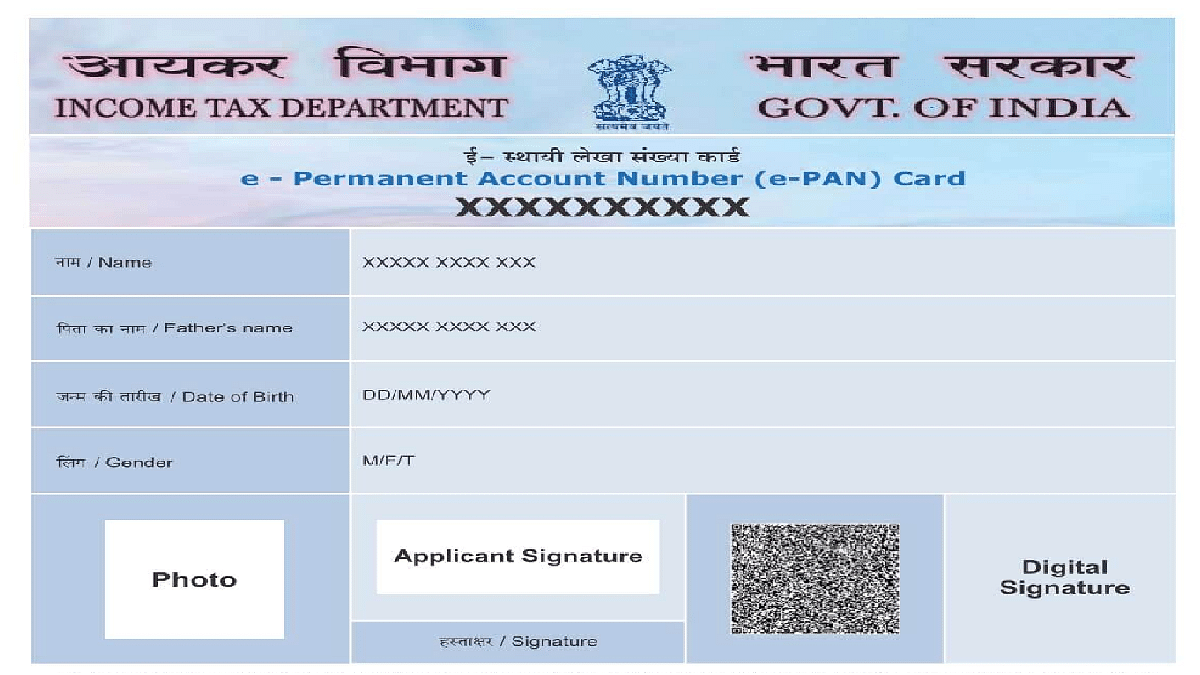
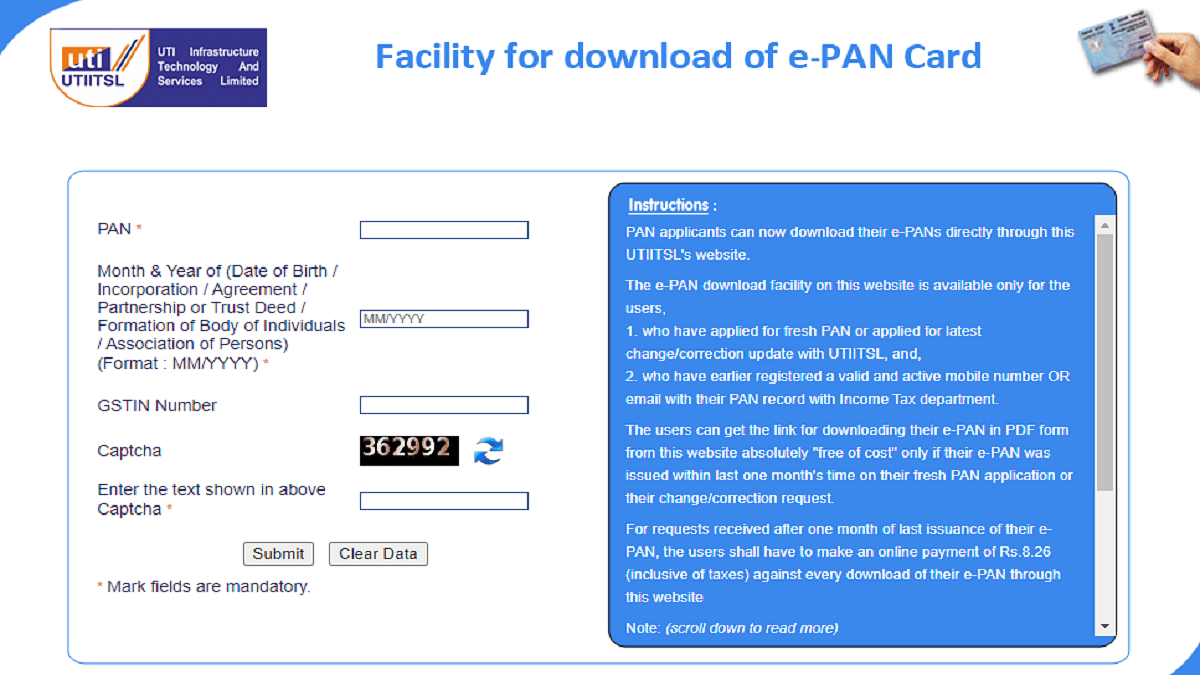
The advent of technology has made it possible to carry your PAN card digitally on your smartphone, conveniently referred to as the e-PAN. This electronic version can be effortlessly downloaded from the official websites of the Income Tax Department and UTIITSL. Let’s take you through the simple steps to effortlessly download your ePAN onto your device.

Also Read | Lost PAN Card? Here’s How To Apply For A Duplicate PAN Card Online

How To Download e-PAN Card via Income Tax e-Filing Website

If your mobile number is linked with your Aadhaar card, the Income Tax e-Filing website is your go-to platform to download your PAN card.

Step 1: Visit the official website for income tax e-filing.

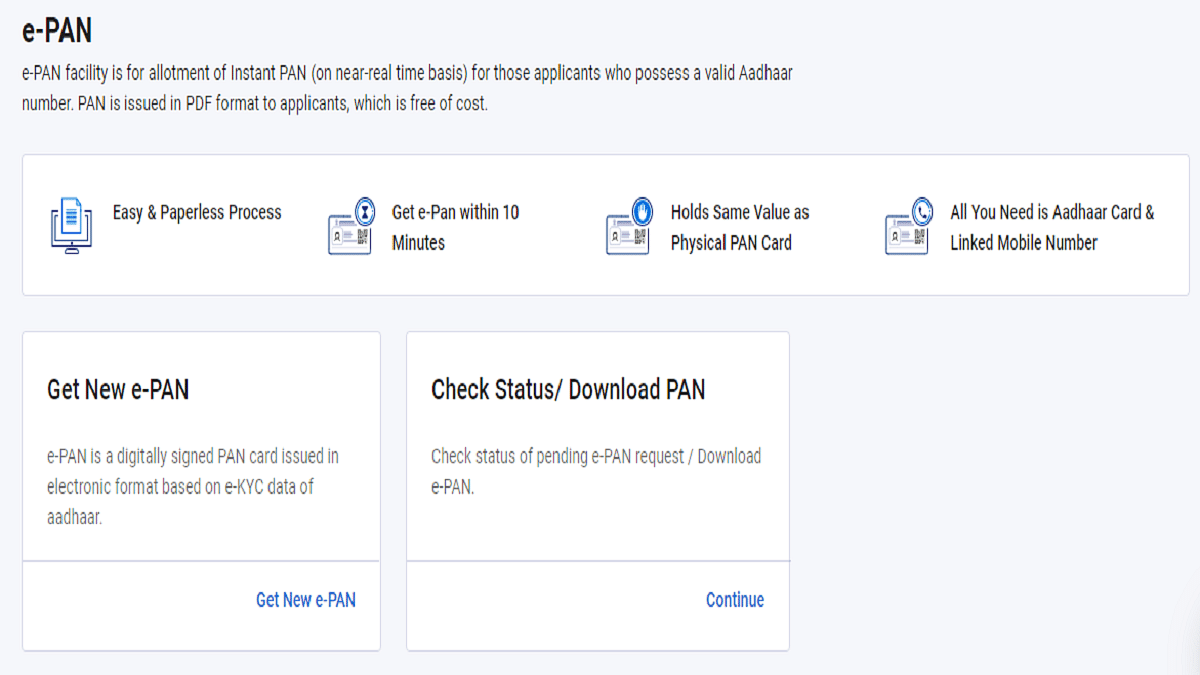
Step 2: Go to the left menu and choose “Instant E-PAN.”

Step 3: To continue, select “Continue” under “Check Status/Download PAN.”

Step 4: Enter your 12-digit Aadhaar number and check the provided box. Click “Continue.”

Step 5: An OTP will be sent to your Aadhaar card-linked mobile number.

Step 6: Enter the received OTP in the designated field and click “Continue.”

Step 7: Select “Download E-PAN” on the following screen.

Step 8: Save the PDF file to your device, and you’re all set.

If you don’t see the option to download the e-PAN, you may need to select the ‘Get New E-PAN’ option and follow the procedure to generate the file. If the PDF is password-protected, simply enter your date of birth in the DDMMYYYY format.

Also Read | UPI Tips And Tricks: Here’s How You Can Set UPI PIN Without Using Debit Card Details

How To Download e-PAN via UTIITSL Website

If you’ve obtained your physical PAN card from UTI Infrastructure Technology and Services Limited (UTIITSL), you can generate and obtain your e-PAN from their website.

Step 1: Go to UTIITSL’s e-PAN portal on your PC, laptop, or mobile device.

Step 2: Enter the captcha along with your PAN number and birthdate.

Step 3: Click “Continue” when finished.

Step 4: An email or link will be delivered to your registered mobile number or email address as you already have a valid PAN card.

Also Read | Need To Lock And Unlock Your Aadhaar Card Biometrics? Here’s How To Do It

Step 5: Open the link and verify by entering the OTP received via SMS.

Step 6: After validation, download the e-PAN to your device.

With these simple steps, you can have your PAN card readily accessible on your smartphone, simplifying various financial transactions and verifications.

For the tech geeks, stay updated with the latest cutting-edge gadgets in the market, exclusive tech updates, gadget reviews, and more right on your phone’s screen. Join Giznext’s WhatsApp channel and receive the industry-first tech updates.

Categories
Featured How To Laptop Mobile

Need To Transfer iPhone Data To Your Laptop? A Step-by-Step Guide On How To Do It

Key Highlights

  • There are various methods for transferring photos from your iPhone to your laptop
  • Transferring files to your laptop can enhance your iPhone’s performance
  • iCloud serves as a versatile tool to synchronize data across all your Apple devices

If you own an iPhone and are thinking about how to transfer your cherished photos to your laptop, fret not. This article delves into the various methods available for both Windows PC and Mac users to facilitate the secure and simple transfer of your precious data. This process is not only convenient but can also free up valuable space on your iPhone, potentially enhancing its performance and expanding storage for apps or backup data.

Also Read | What’s That Tune? Your iPhone Knows: How To Identify Songs With Just A Tap

Method 1: Using iCloud

iCloud, Apple’s cloud service, serves as a versatile tool to synchronize data across all your Apple devices seamlessly. By harnessing iCloud, you can automatically transfer data from your iPhone to your Mac, provided you have sufficient iCloud storage and a stable internet connection. However, it’s worth noting that iCloud transfers, especially for extensive photo libraries, can consume significant time due to the upload and download processes.

How To Transfer iPhone Data To Your Laptop via iCloud

Step 1: Launch the Files app on your iPhone and locate the files you wish to transfer.

Step 2: For a single file, press and hold it and then tap “Copy.” To copy multiple files, tap the three-dot menu and select “Select.” Pick the desired files and tap “Copy X items.”

Step 3: Head over to iCloud Drive within the Files app and select an empty space or a specific folder where you intend to paste the files.

Step 4: Tap “Paste” to initiate the upload of the copied files to iCloud Drive. You can subsequently access these files from your PC using iCloud.com or the iCloud Drive for Windows application.

Also Read | iPhone Check-In Feature: Learn How To Use It To Notify Loved Ones Of Safe Arrival

Method 2: Traditional Cable Connection

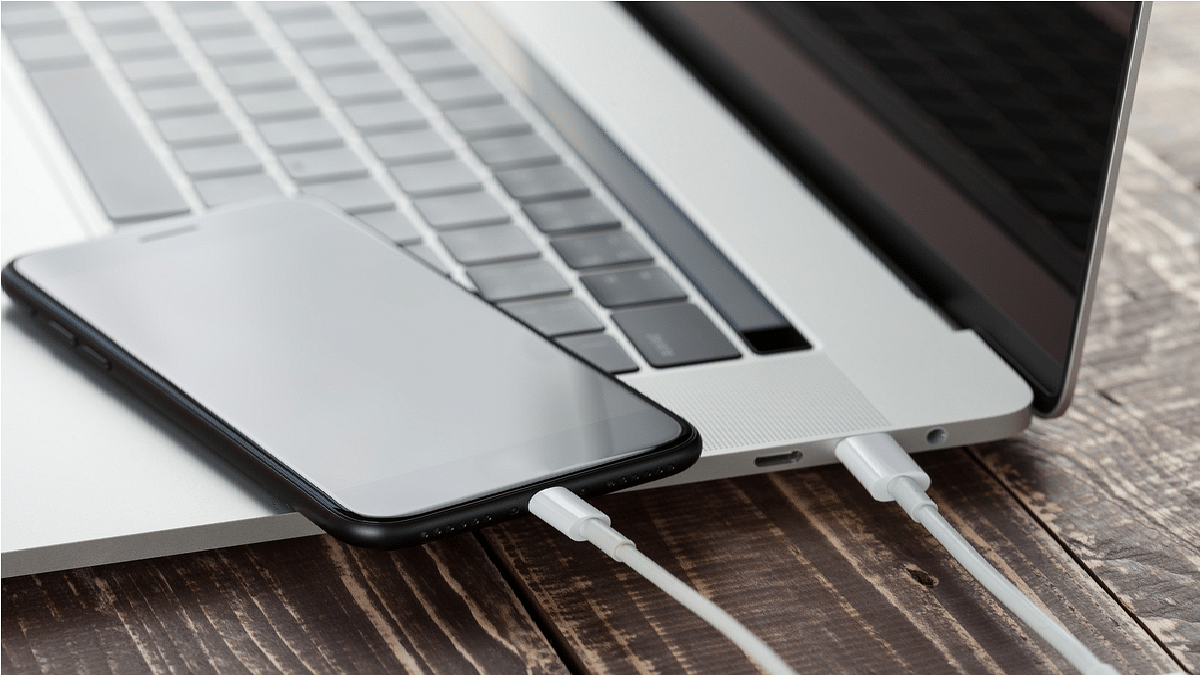
For those who prefer a more traditional approach, using a Lightning to USB cable to transfer data from your iPhone to your computer remains an effective and easy solution. This method is compatible with both Windows PC and Mac, eliminating the need for an internet or wireless connection. Here’s how you can do this.

Transfer iPhone Data To Your Laptop via USB Cable

Step 1: Start by connecting your iPhone to your PC using a USB cable.

Step 2: Launch iTunes, which you can download from either the Microsoft Store or the Apple App Store. Then, click on the iPhone icon located near the top-left corner of the iTunes window.

Step 3: Navigate to the left sidebar and click on “File Sharing.” You’ll find a list of apps and their associated files on your device.

Also Read | Apple Hacks: Here’s How To Hide And Unhide Your Photos On iPhone

Step 4: To save a file from your iPhone to your PC, simply click on the file and then select “Save.” Choose a location on your PC to store the file, and confirm by clicking “OK.”

With these simple methods at your disposal, you can effortlessly transfer your iPhone photos to your computer, ensuring their safekeeping and freeing up valuable storage space on your device.

For the tech geeks, stay updated with the latest cutting-edge gadgets in the market, exclusive tech updates, gadget reviews, and more right on your phone’s screen. Join Giznext’s WhatsApp channel and receive the industry-first tech updates.

Categories
Apps Featured Info

Amazon 2023 Upcoming Sales Calendar: Expected Dates, Deals To Look Forward To

Amazon constantly strives to enhance the shopping experience by offering a vast array of products, ranging from electronics and smartphones to home appliances, fashion, and more. The shopping platform regularly hosts sales events featuring huge deals and discounts. In this article, we’ve curated a list of upcoming Amazon sales in 2023, where you can grab your favorite gadgets, accessories, and more at great discounts. Also Read | Amazon Prime Lite Annual Membership Launched In India: Costs Just Rs.999

Mega Music Fest (September 18 – 20)

Expected to kick off in mid-September, the Mega Music Fest is a must-visit for those seeking discounted earphones, speakers, and other audio products. Customers may avail of up to 60% off on audio devices, along with exclusive offers for bank cardholders.

Amazon Great Indian Festival (October 11 – 18)

The Amazon Great Indian Festival promises massive price reductions, EMI options, and cashback offers on select bank cards. This sale is rumored to start on October 11 and may extend until October 18, with early access for Prime members. For electronics enthusiasts, this sale is worth the wait.

Style Bazaar (November 9 – 13)

Amazon’s Style Bazaar is a fashion-focused sale that graces the platform regularly. During this sale, shoppers can snag clothing items like shirts, trousers, and tops from renowned fashion brands, all priced under Rs. 399. Additionally, Amazon offers a Rs. 200 cashback on first orders.

Book Bazaar (November 10 – 14)

The Book Bazaar is a frequent sale, occurring from the 10th to the 14th of every month. This sale boasts over 15,000 books from top publishers and authors, all available at discounted prices.

Black Friday Sale (November 25 – 27)

Inspired by the annual US tradition, the Black Friday Sale is expected to start on November 25, offering huge deals and discounts on international brand products. Expect bank offers and EMI options to sweeten the deal.

Also Read | Forgot Your Amazon Alexa Password? Here’s How To Change And Reset It

Fab Phones Fest (November 26 – 29)

The Fab Phones Fest is a sale ideal for smartphone enthusiasts. Rumored to run from November 26 to November 29, this event will feature discounted smartphones and accessories.

Amazon Dussehra Sale (October 5 Onwards)

Amazon is expected to launch a Dusshera sale on October 5. Shoppers can expect great discounts, including additional bank discounts, across electronics, fashion, and more categories.

Super Value Days (December 1 – 7)

Super Value Days provides Amazon users with the opportunity to purchase essential kitchen and pantry items such as pulses, rice, sauces, fruits, and vegetables at reduced prices.

Wardrobe Refresh Sale (December 9 – 14)

Rumored to take place from December 9 to 14, the Wardrobe Refresh Sale could offer discounts of up to 80% on men’s and women’s fashion items.

Amazon Christmas Sale (December 20 – 26)

In celebration of Christmas, Amazon may introduce a Christmas sale during the penultimate week of 2023. One can expect tempting offers across various product categories.

Amazon End-of-the-Year Sale (December 28 – 31)

Closing the year with a bang, Amazon might unveil the “End of the Year Sale.” This year-end event could provide customers with great discounts on a wide range of products as we usher in the new year.

Also Read | Amazon Coupons Bonanza Sale: Best Deals On Tablets

Categories
Accessories Info

U&i Launches Jumboking Series, Force Series Powerbank For On-the-Go Charging

Key Highlights

  • U&i releases Jumboking Series and Force Series powerbank
  • They deliver up to 22.5W of charging power
  • They are available at U&i outlets and other leading retail stores across India

For frequent travelers and individuals constantly on the move, U&i has unveiled two robust Powerbank series – the Jumboking Series and the Force Series. These portable battery banks deliver up to 22.5W of charging power, combining sleek aesthetics with a compact and transparent design. Also Read | Need More Storage? Check Out The Best External Hard Drives You Can Buy

U&i Jumboking Series Features

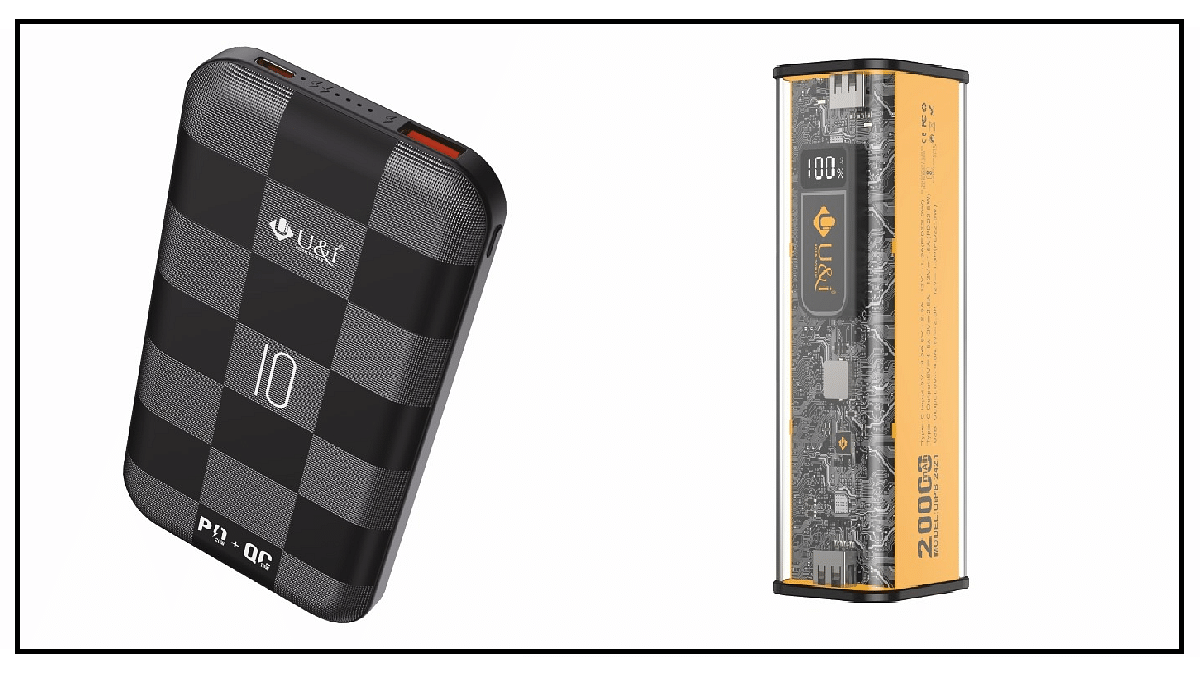
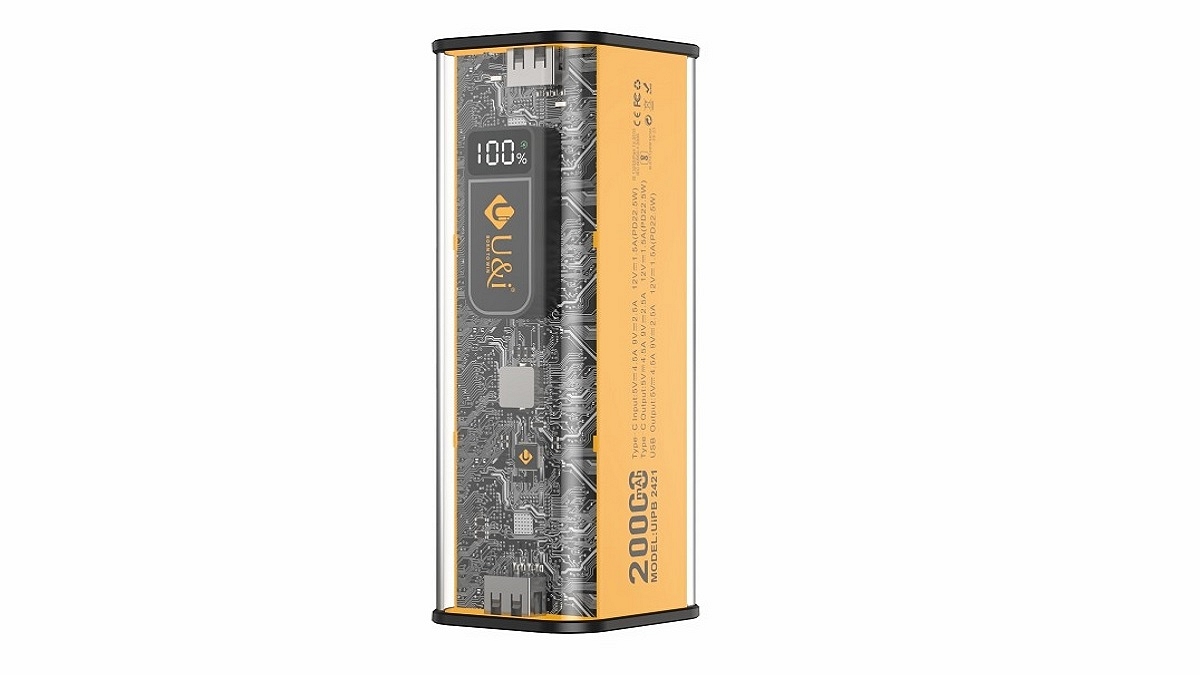
The Jumboking Powerbank boasts an eye-catching semi-transparent design that showcases the inner workings, including the pristine-looking PCB and components. This Powerbank is available in vibrant Orange and elegant Grey colors.

Through its transparent window, users can easily check the charge status via the integrated LED indicator. With a hefty 2,0000mAh battery capacity, the Jumboking provides 25.5W of power, ideal for quickly charging various power-hungry devices like smartphones, tablets, and even certain laptops.

This Powerbank features three USB ports (one USB-C for input, and one USB-C and USB-A for output). It can automatically detect the connected device’s requirements, supplying the appropriate voltage and wattage for efficient and speedy charging.

Moreover, it prioritizes safety with safeguards against overcurrent, overvoltage, overheating, and overcharging. The Jumboking is compatible with popular charging protocols such as Flash Charge, Turbo Charge, WARP, PD, SuperVOOC, DASH, and QC3.0.

Also Read | Best Dual-Band Wi-Fi Routers In India: Popular Options From Netgear, TP-Link, And More

U&i Force Series Features

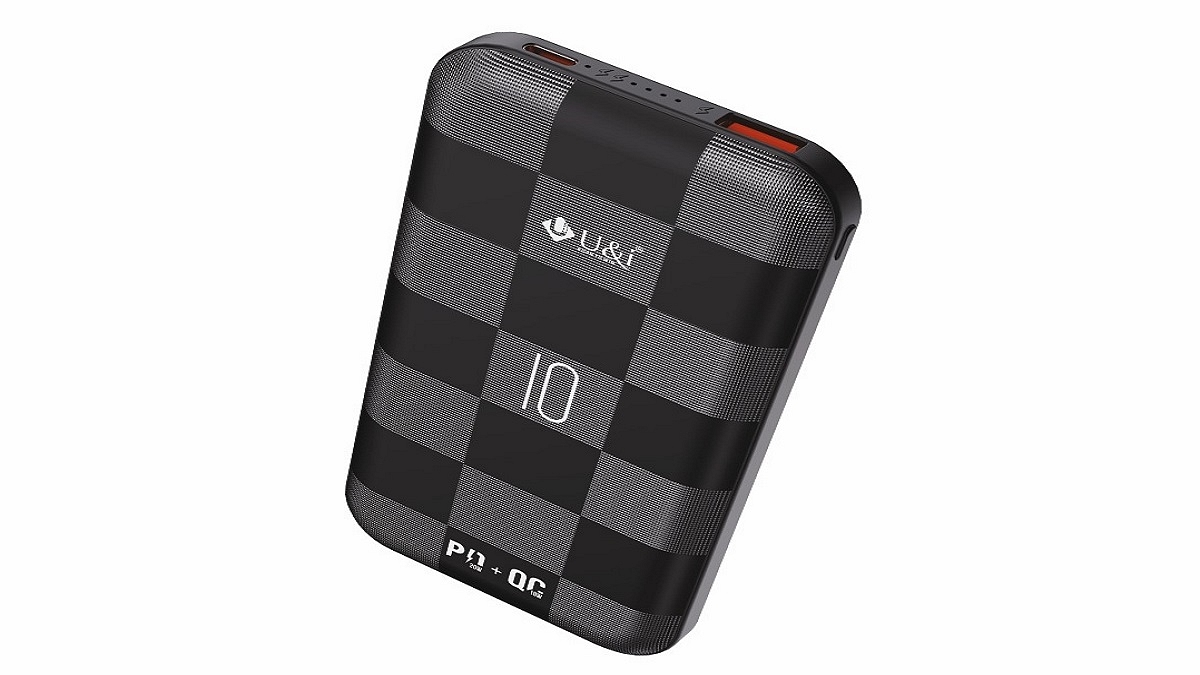
The Force Series Powerbank is designed for those seeking a more lightweight and portable option. It comes in a Black and Grey checkerboard pattern. This Powerbank supports multiple charging protocols, including Charge Turbo, QC, PD, WARP, DASH, and SuperVOOC. With its 1,0000mAh capacity and chipset, it provides the right voltage (5V/9V/12V) at up to 22.5 watts (1.85A) for your devices.

The Force series features dual power output ports (USB-C and USB-A). The matte-finished chessboard-inspired case ensures durability and safeguards devices against overcurrent, over-voltage, overheating, and overcharging.

Pricing And Availability

The U&i Jumboking Series and Force Series are now available in the market, priced at Rs. 3,499 and Rs. 2,999, respectively. These Powerbanks can be purchased at all U&i outlets and leading retail stores across India.

Also Read | Stuffcool Magnetic Wireless Powerbank With 20W PD Charging, MagSafe Launched In India
Categories
Featured Info Mobile

Apple iPhone 15 USB-C Advantages: How It Benefits Users

Key Highlights

  • iPhone 15 series launched with USB-C port
  • iPhone 15 series users can enjoy the advantages of USB 3.0
  • The shift to USB-C promotes sustainability by reducing electronic waste

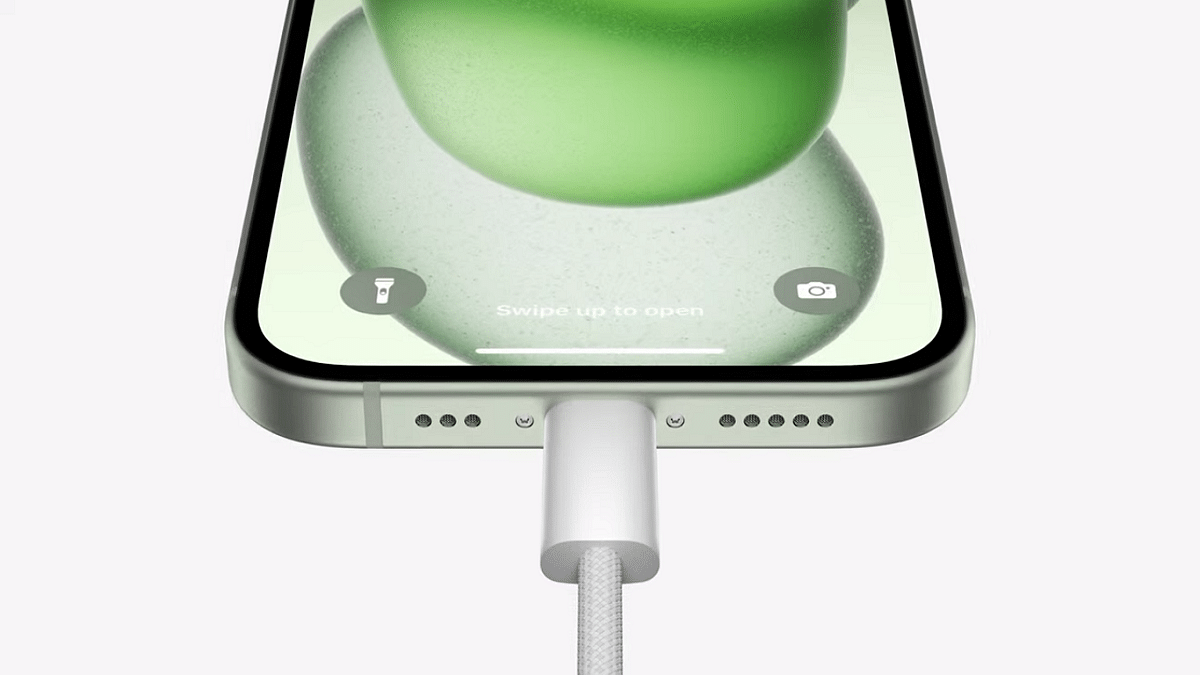
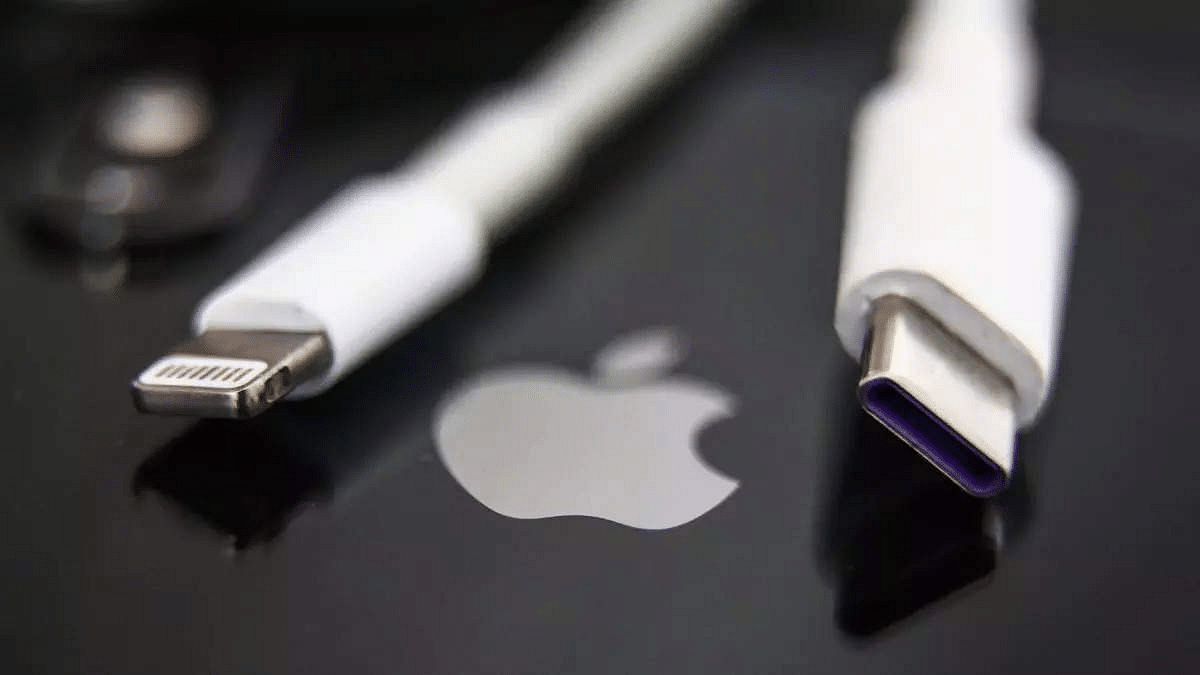
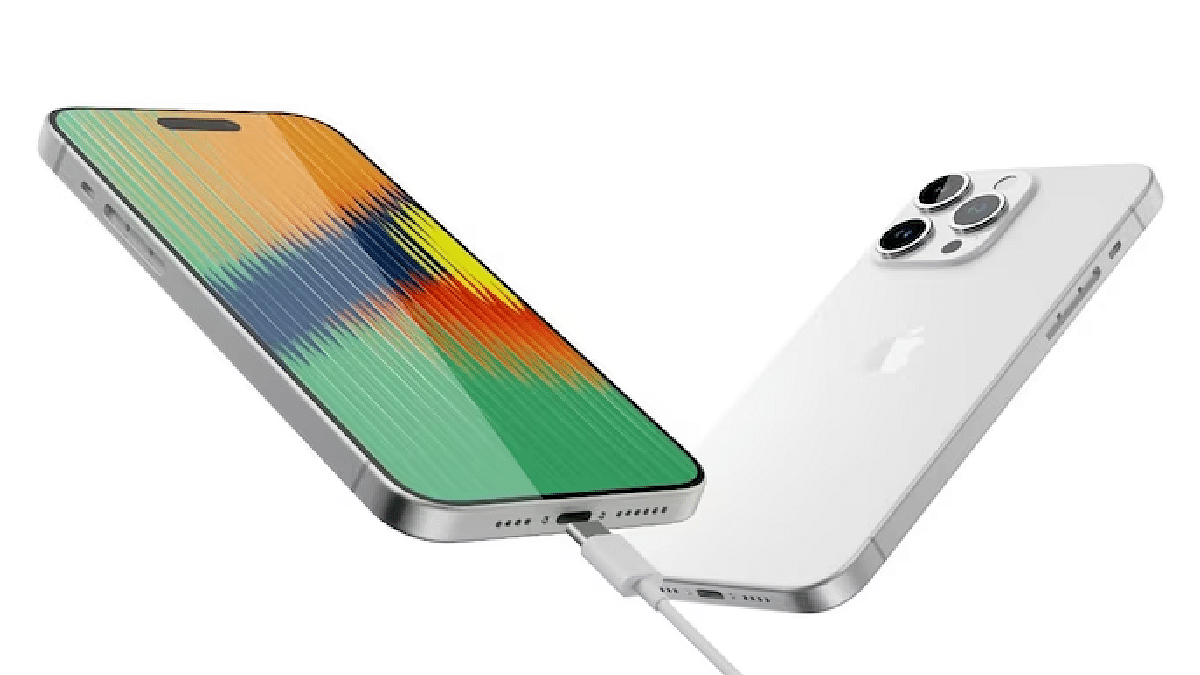
The introduction of a USB-C port in the new iPhone 15 series marks a noteworthy departure from the familiar Lightning port. For long-time iPhone users accustomed to Lightning cables, this change may raise questions about its rationale and advantages. Why the shift to USB-C, and what does it mean for you? Let’s delve into the relevance of USB-C on the iPhone 15 and its implications for future iPhones.

Also Read | Apple iPhone 14 Vs Apple iPhone 15 Comparison

Why USB-C?

Apple’s decision to incorporate USB-C into the iPhone 15 series is influenced by regulatory requirements. The EU has mandated that all smartphones must feature a universal charging port, USB-C, by autumn 2024. India has similarly mandated the adoption of USB-C for electronic devices by March 2025. Although Apple initially resisted this move, it ultimately had to comply with the regulatory mandate.

Benefits Of USB-C On iPhones

Compatibility With Non-Apple Devices

iPhone 15 and future models with USB-C can be charged using USB-C cables from non-Apple devices. Given that the Android world embraced USB-C in 2015, this means greater cable interchangeability, reducing the need for Lightning cables.

Universal Cable For Apple Devices

USB-C becomes the unified cable for charging and data transfer across various Apple products, including iPhone 15 series, Macs, AirPods Pro 2nd gen, iPads, and more. Apple’s early adoption of USB-C in its 2015 MacBook paved the way for this compatibility.

Cost Savings On Cables

With USB-C serving as the one-cable-fits-all solution, users can avoid purchasing separate cables for various Apple and non-Apple products. EU commissioner Thierry Breton estimates that this transition could save Apple consumers around 250 million euros annually.

Faster Charging And Data Transfer

While the vanilla iPhone 15 and iPhone 15 Plus support USB-C at the USB 2.0 standard (equivalent to Lightning’s 480 Mbps data transfer speed), the iPhone 15 Pro and Pro Max offer USB 3.0 support. USB 3.0 delivers approximately 10x faster data transfer speeds (10 Gbps) and can charge at 0.9A compared to USB 2.0’s 0.5A.

Also Read | iPhone 15 Series Price Comparison In India, US, UK, Dubai, Vietnam: Where It’s The Cheapest?

External Display Support

The iPhone 15 series allows connection to external displays via a USB-C cable, supporting 4K HDR resolution and a 60Hz refresh rate. This capability opens doors to watching and editing videos on larger screens, providing both cable and display support DisplayPort.

Reduced Electronic Waste

From an environmental perspective, reducing the number of cables you need translates to less electronic waste. This contributes to a smaller carbon footprint and a positive impact on the environment.

Transitioning From Lightning To USB-C

For those wondering about the fate of their Lightning cables, they can be repurposed by connecting them to a USB Type-C port with a USB-C to Lightning Adapter, available from Apple and third-party alternatives. Recycling is another eco-friendly option to consider.

Also Read | What’s Next For iPhone? Apple’s iOS 17 Unveils Some Features For Later Release

In conclusion, the shift to USB-C in the iPhone 15 series represents a forward-looking approach driven by regulatory mandates and sustainability goals. While it may require some adjustment for long-time iPhone users, the benefits of USB-C compatibility with a wide range of devices and reduced e-waste make it a step towards a more interconnected and eco-conscious future.

For the tech geeks, stay updated with the latest cutting-edge gadgets in the market, exclusive tech updates, gadget reviews, and more right on your phone’s screen. Join Giznext’s WhatsApp channel and receive the industry-first tech updates.

Categories
Featured Info Mobile

What’s Next For iPhone? Apple’s iOS 17 Unveils Some Features For Later Release

Key Highlights

  • A stable version of iOS 17 is set to release on September 18
  • iOS 17 will launch with a few new features later this year
  • Apple Music and Fitness+ are some of its features

Apple is gearing up to release the stable version of iOS 17 to iPhone users worldwide on September 18, 2023. However, not all the iOS 17 features showcased at WWDC will be available right at the launch. Instead, Apple plans to introduce these features gradually through iOS updates later this year. Also Read | iPhone 15 Series Pre-Ordering Starts In India: Here’s How To Book Yours

Upcoming iOS 17 Features: What To Expect

On its iOS 17 webpage, Apple has shared a PDF document titled ‘New features available with iOS 17.’ In this document, Apple outlines several iOS 17 features that will be rolled out in upcoming updates later this year.

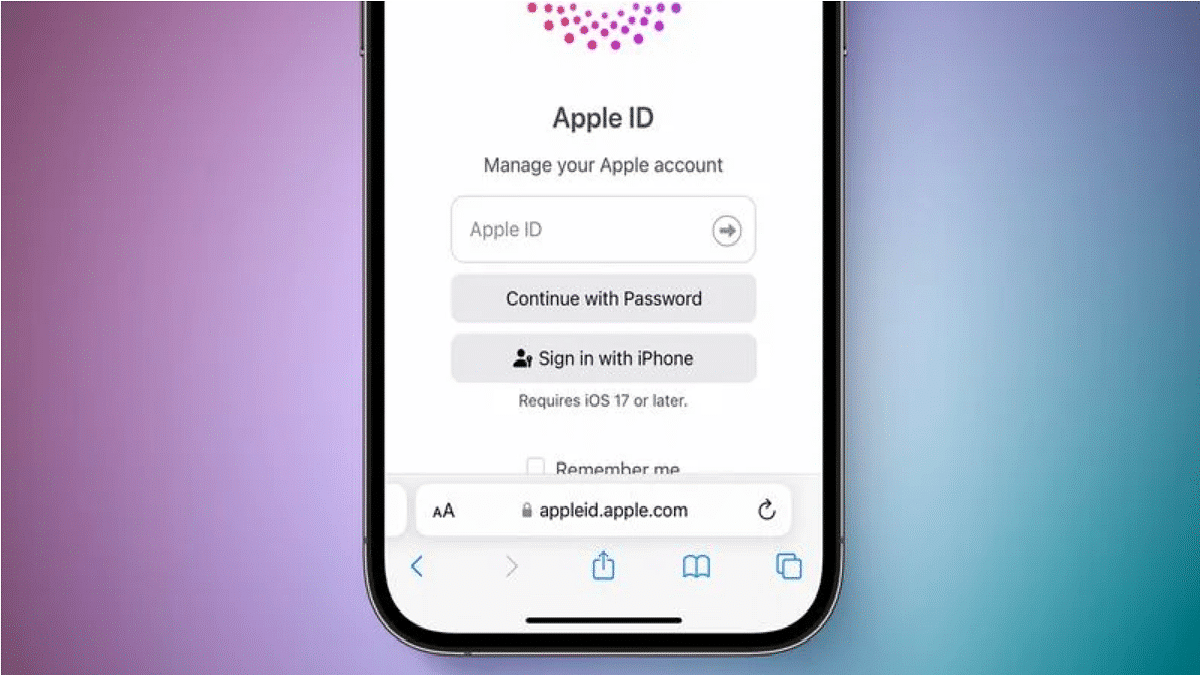
Apple ID Proximity Sign-in

With this feature, you can effortlessly pair a new Apple device with an existing, trusted iPhone or iPad. By simply bringing the devices close together and scanning the particle cloud, the new device will automatically sign in using the same Apple ID.

iCloud Message Settings Sync

iCloud Message Settings Sync will ensure that your Message settings, such as SMS filters, send and receive accounts, and Text Message Forwarding, stay consistent and synchronized across all your devices.

Sticker Reactions To Messages

iOS 17 will streamline stickers, including Animoji, Memoji, Emoji, Live Stickers, and third-party stickers, into one convenient location. You’ll also have the ability to react to messages using these stickers, accessible through the plus icon or Tapback.

Catch-up Arrow In Messages

A handy feature in iOS Messages, the catch-up arrow positioned in the top-right corner allows you to swiftly jump to the first unread message in a thread.

Enhanced Library Favorites And Recommendations

Enhance your Apple Music experience by selecting your favorite albums and artists, not only adding them to your library but also improving Apple Music’s recommendations tailored to your preferences.

Favorite Songs Playlist On Apple Music

Apple Music enthusiasts will rejoice with the addition of a ‘Favourite Songs Playlist,’ easily accessible from the library or via Siri commands.

Also Read | Apple iPhone 15 Pro And Pro Max Arrive With A17 Pro Processor: Details Inside

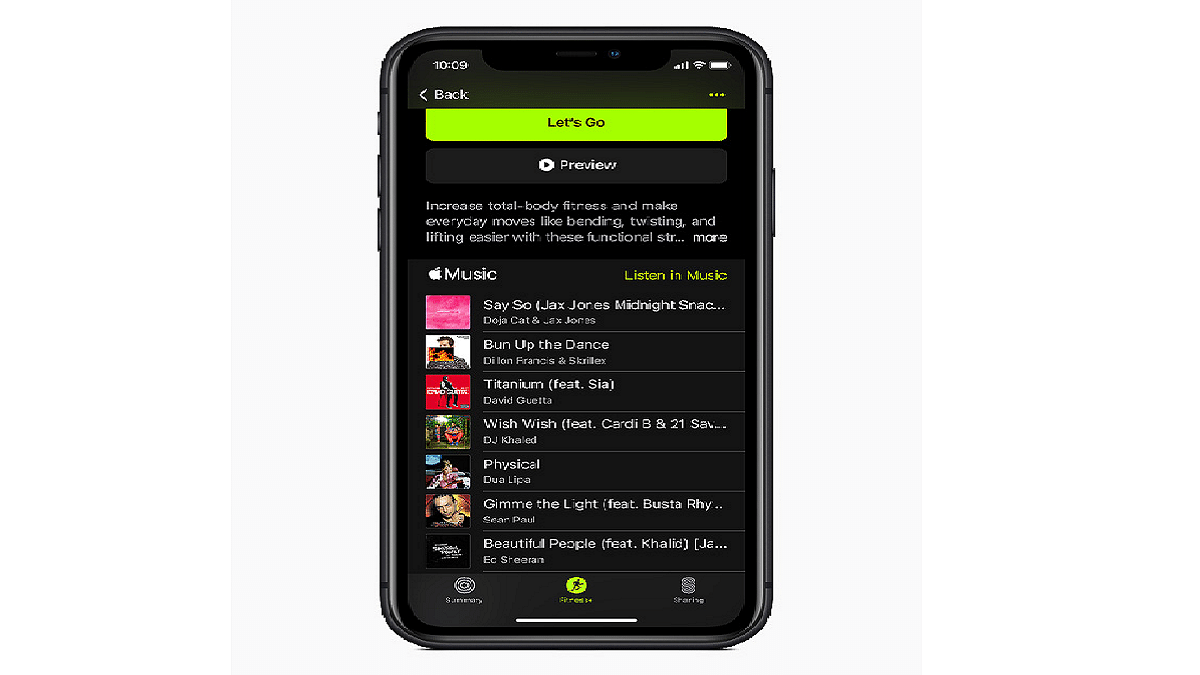
Audio Focus In The Fitness+ App

The new ‘Audio Focus’ feature in the Fitness+ app grants you the choice between listening to the fitness trainer’s audio or your own music while working out.

Intelligent Form Detection

iOS 17 will smartly recognize fillable forms, whether they’re scanned documents, PDFs in the Files app, or email attachments.

Intelligent Autofill For Forms

In addition to detecting forms, the system will offer Autofill for fillable fields, eliminating the need for manual data entry.

Apple News Widget Upgrade

The Apple News Widget is set to receive a play/pause button for podcasts and News+ audio, enhancing your news and audio consumption experience.

More To Come

Aside from these features, Apple previously announced three more upcoming iOS 17 features, including the Journal app, AirDrop over the Internet, and Collaborative Apple Music playlists. While some may find it disappointing that these features won’t be available in the initial iOS 17 release on September 18, it’s reassuring to know that Apple has exciting updates in store for the future.

Also Read | Apple iPhone 14 Vs Apple iPhone 15 Comparison