Categories
Apps Featured How To Info

How To Use Google Collections As Your Ultimate Web Archive

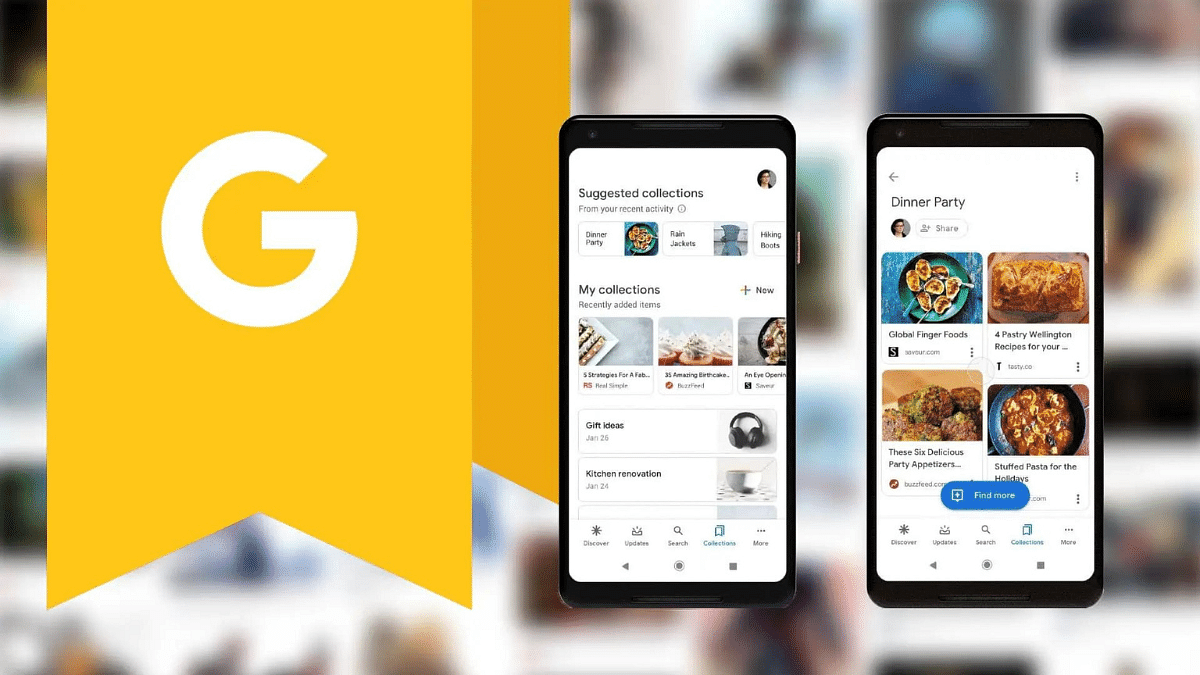
The Google app, pre-installed on most Android devices, offers a wealth of features. However, some of the most valuable features can be hidden within the app. One such gem is Google Collections, a powerful functionality that allows users to organize and save various types of content in a single place. Whether you’re an avid reader, a video enthusiast, or simply someone who wants to quickly save links for later, Google Collections can be your ultimate web archive. In this article, we’ll explore how to make the most of this handy tool.

Also Read: Have You Tried Google’s ImageFX Yet? Learn How To Use This New AI Image Generator

Why Choose Google Collections?

While other apps like Microsoft Edge offer similar functionality, they often come with limitations tied to a specific app. Google Collections, on the other hand, stands out for several reasons:

  1. Cross-Platform Availability: Google Collections works seamlessly across both Android and iOS devices. Whether you’re using a smartphone or a tablet, you can access your collections from anywhere.
  2. Integration with Google Services: Google Collections integrates with various Google services, including YouTube, Chrome, and Search. Additionally, it plays well with third-party apps, making it a versatile choice.
  3. Efficient Content Organization: If you consume a lot of content—articles, videos, images, and more—Google Collections allows you to neatly organize everything in one place. No more scattered bookmarks or saved links!

Also Read: WhatsApp Switches To Google Drive For Android Chat Backups: Details

Creating New Google Collections

Creating a new collection in the Google app is straightforward:

  1. Access Existing Collections or Create a New One:
    • Launch the Google app on your device.
    • Tap the “Saved” button located at the bottom bar.
    • On the resulting page, click the “+Create” button at the bottom right.
    • Choose the type of collection you want to create (e.g., links, saved items, or a blank collection).
    • Give your collection a name and add a description if desired. Tap “Done.”

Also Read: Google’s AI: Bard or Gemini? What You Need To Know About The Rebranding

Adding Items to Your Collections
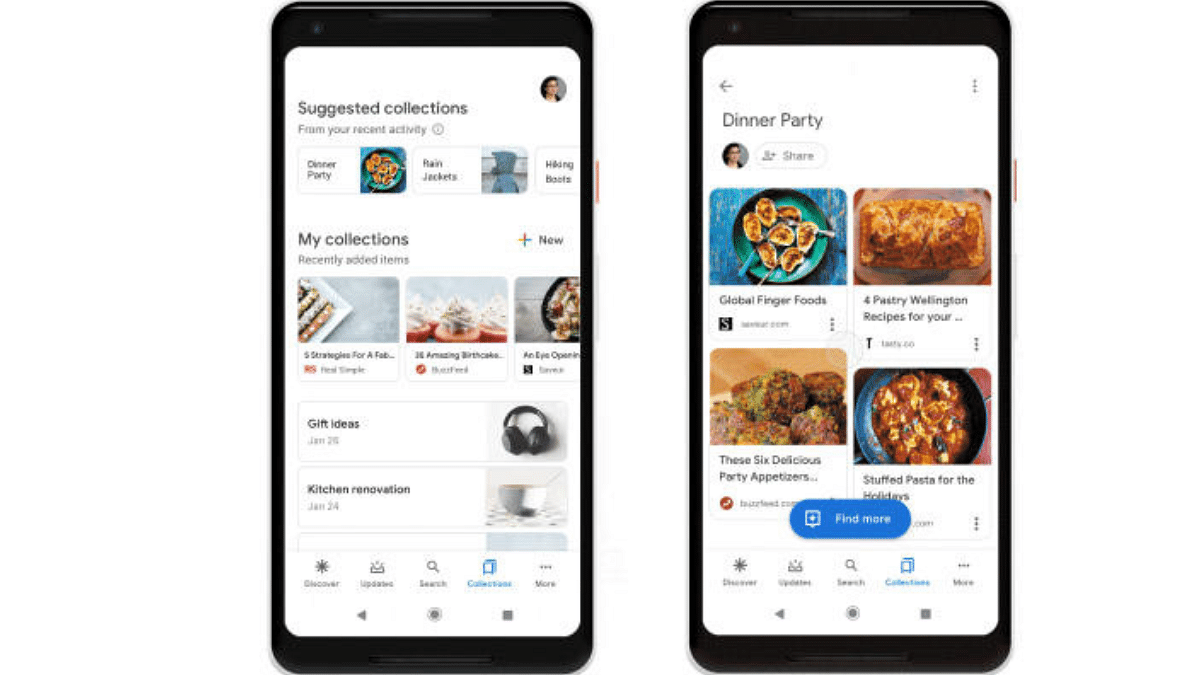
Once you’ve created a collection, it’s time to populate it with content:

  1. Open the Google App and Tap “Search”:
    • In the bottom bar of the Google app, tap the “Search” button.
  2. Add Web Pages or Links:
    • Visit the web page you want to add.
    • Alternatively, enter the link directly.
    • You can also add web pages from the Discover feed.
  3. Bookmark the Page:
    • When the page loads, tap the “Bookmark icon” in the upper right corner.
    • You’ll receive a confirmation message indicating that the page has been added to your collection.
  4. Organize Further (Optional):
    • To add the item to another collection, tap “Edit.” You can choose from existing collections or create a new one.
    • Additionally, explore the “Saved” tab in the Google app to add links, images, and other content to your collections.

Also Read: Google Maps Levels Up: Android Users Gain Access To iOS Exclusive Weather Feature

Managing Your Collections

Google Collections offers flexibility in managing your saved items:

  • Removing Items: Easily remove items from a collection by selecting them and clicking “Remove.”
  • Renaming Collections: Edit the title of your collection by clicking “More” and selecting “Edit.”
  • Sharing Collections: Share your collections with family and friends by turning on sharing and choosing the desired link.
Categories
Featured Info Mobile

Xiaomi 14 Global Launch Date Announced: February 25th at MWC 2024

Key Highlights

  • Global Launch Date: February 25th, 2024, at MWC 2024
  • Confirmed Models: Xiaomi 14 and Xiaomi 14 Pro
  • Possible Debut: Xiaomi 14 Ultra (rumored)

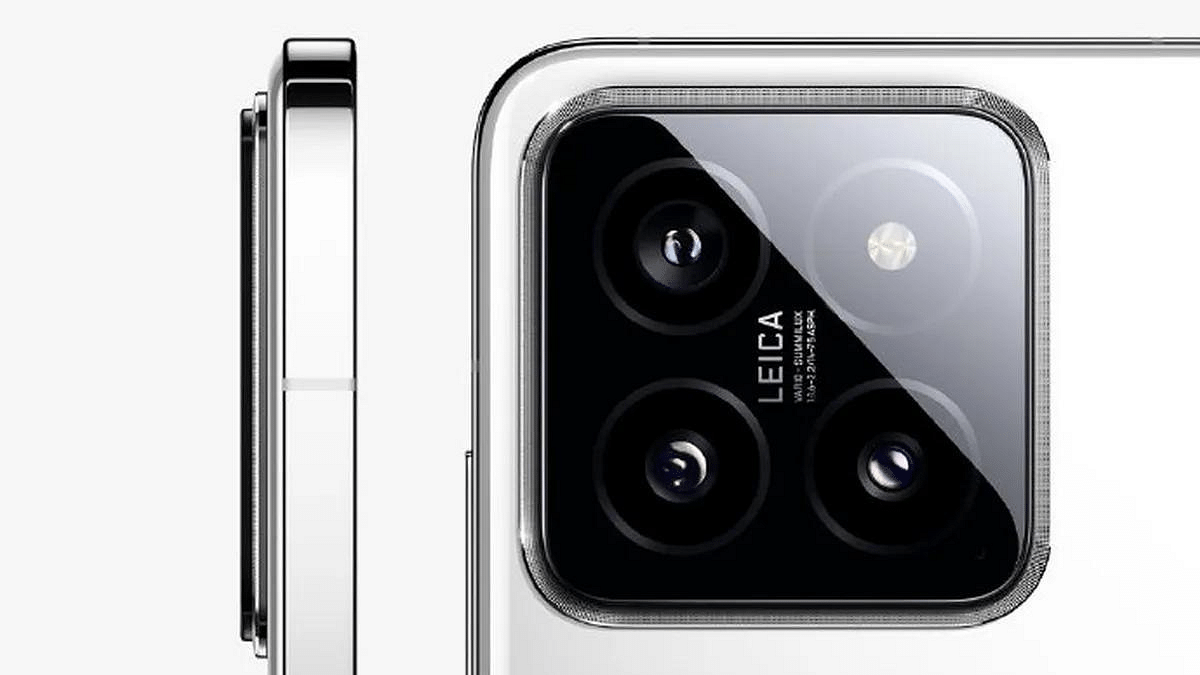
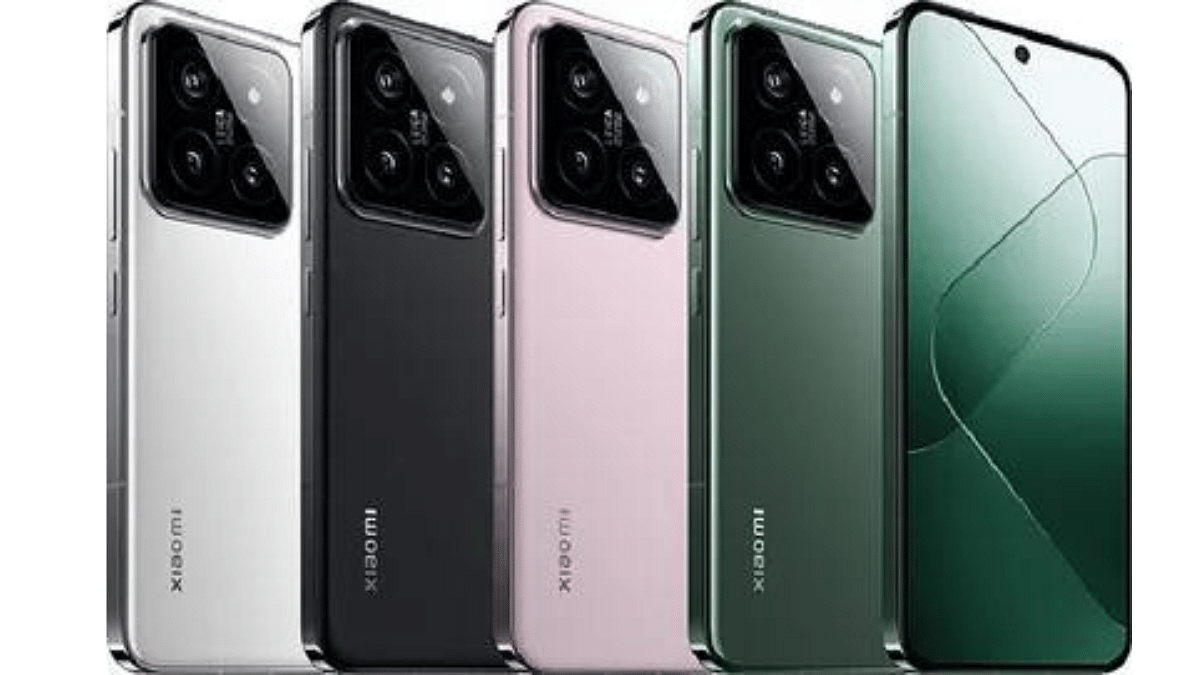
Xiaomi has officially announced the global launch date for its highly anticipated flagship series, the Xiaomi 14. Scheduled for February 25th, 2024, the unveiling will take place just ahead of the Mobile World Congress (MWC) 2024, generating significant excitement within the tech community.

Also Read: Xiaomi 14 Ultra Set To Make Its Debut In India? Here’s What We Know So Far

Xiaomi 14 Ultra: Rumored

While the Xiaomi 14 and 14 Pro are confirmed to launch, all eyes are on the rumored Xiaomi 14 Ultra. This potential flagship is expected to boast cutting-edge specifications, including:

  • Powerful Performance: Snapdragon 8 Gen 3 SoC, Adreno 750 GPU, up to 16GB RAM
  • Seamless User Experience: Android 14-based HyperOS
  • Stunning Display: 6.7-inch 2K AMOLED display with 120Hz refresh rate
  • Advanced Security: Ultrasonic in-display fingerprint sensor
  • Premium Photography: Quad rear camera setup with 50MP Sony LYT-900 primary sensor
  • Long-lasting Battery: 5,180mAh battery with 90W wired and 50W wireless charging

Also Read: Redmi Note 13 Pro+ Vs OnePlus Nord 3 5G: Mid-Range Smartphone Comparison

Xiaomi 14 and 14 Pro: Expected Global Variants

The global variants of the Xiaomi 14 and 14 Pro are likely to mirror their Chinese counterparts in terms of specifications. Here’s a quick overview:

  • Xiaomi 14 Pro:
    • 6.73-inch 2K LTPO display
    • Snapdragon 8 Gen 3 chipset
    • Up to 16GB RAM and 1TB storage
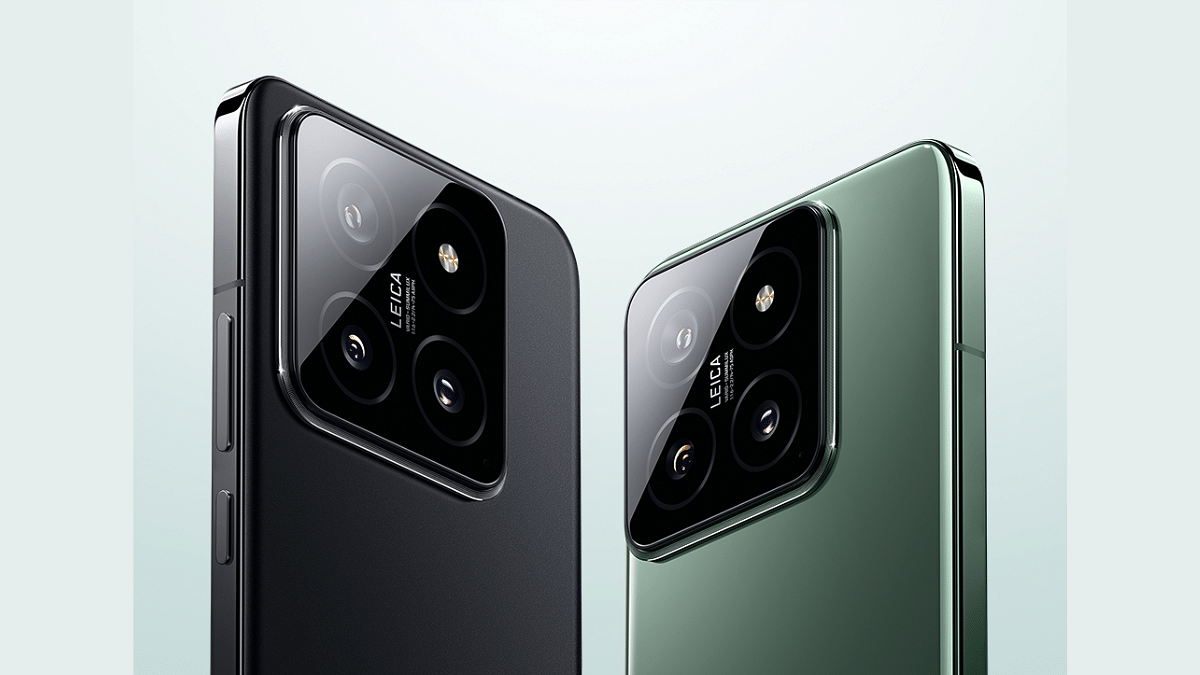
    • Leica-branded triple rear camera (50MP primary, 50MP telephoto, 50MP ultra-wide)
    • 32MP front camera
  • Xiaomi 14 (expected):
    • Similar specifications to Xiaomi 14 Pro, with potential variations in camera and storage options

Also Read: Poco X6 Pro 5G Vs Xiaomi Redmi Note 13 Pro 5G: Android Smartphone Comparison

What to Expect at the Launch

The official unveiling on February 25th promises to be a major event for Xiaomi and the tech industry as a whole. We can expect to see detailed presentations of the Xiaomi 14 series, including confirmation (or denial) of the Xiaomi 14 Ultra’s existence. Pricing information, regional availability, and pre-order details are also likely to be revealed.

Stay tuned for further updates as we approach the launch date!

Categories
Auto Tech Featured

Spartan EV 2.0: Force Gurkha-Based EV Launched For Off-Road Enthusiasts

Key Highlights

  • Force Grukha-based electric 4WD SUV launched
  • Is called Spartan EV 2.0
  • Powerful performance EV for off-roading

Force Gurkha is one of those 4WD SUV’s that steals the glances with every step on the roads. The off-roader comes with diesel drivetrain and is a work horse when it comes to off roading capabilities. Now, buyers in the European region can get the Gurkha SUV in an all-electric avatar. Yes, you read that right. MW Motors, a Czech auto manufacturers have introduced Spartan EV 2.0 which is Gurkha-based electric SUV.

Also Read: From Punchy To Premium: List Of Top Electric Cars And SUVs Launched In January In India

Spartan EV 2.0 Electric SUV Design: Same Bold Stance!

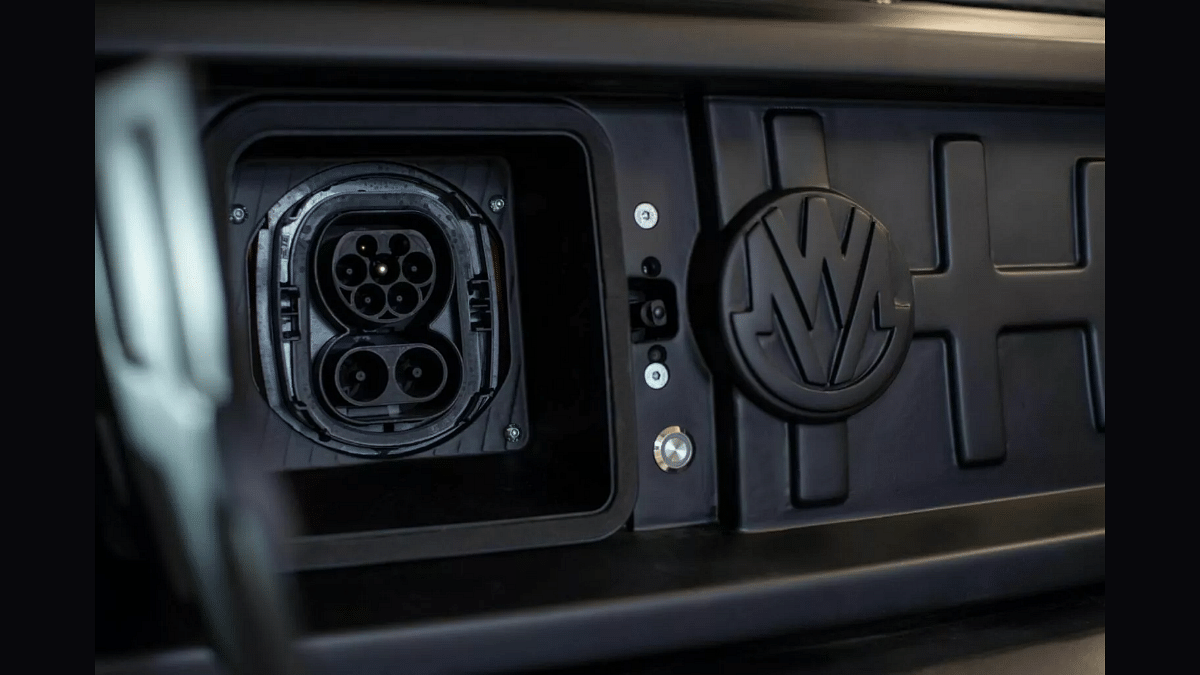
MW Motors have essentially re-crafted the Gurkha SUV with an electric drivetrain keeping the entire exterior and interior design identical to the ICE-version. The grille does get a slight re-design and flaunts a MW Motors badging instead of Force.

The Spartan EV 2.0 comes sans the iconic snorkel, but retains the same round LED DRL and headlamp design mounted on the closed-off grille with the MW Motor badging. The rear appeal is also carried forward from the ICE model.

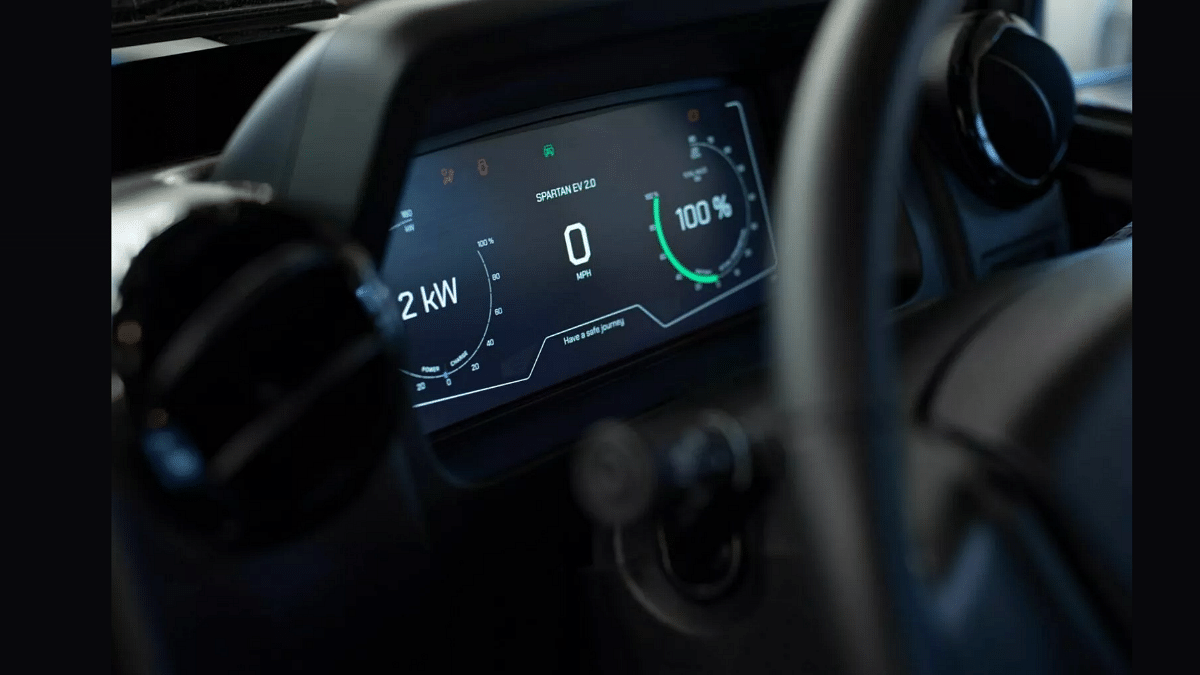
Coming to the interiors, the dashboard design is also same as the Gurkha ICE version. It gets a 7-inch infotainment system which has compatibility with both Android Auto and Apple CarPlay.

Also Read: EV Launch Roundup: Upcoming Electric Two-Wheelers In India

Spartan EV 2.0 Powertrain: Mighty Under The Hood?

Spartan EV 2.0Powertrain
MotorSingle electric
Power177 PS
Torque1075 Nm
Battery54.7 kW
Range 241 km per charge

MW Motors have shifted the 2.6-litre ICE-engine with an all-electric drivetrain. A single electric motor drives the Spartan EV 2.0 which churns out 177 PS power and 1075 Nm torque. These figures themselves vouch for the powerful performance that this electric off-roader can offer.

The electric drivetrain is completed with a 54.7 kWh battery which offers up to 241 km of claimed drive range on a full charge. Spartan EV 2.0 e-SUV’s battery has fast charging support (90 kW) with which it will take around 30 minutes plug in to charge the battery from 20- 80 percent.

Whereas with the standard 7 kW charger, it will take around 5 hours for 20- 80 percent battery charge. Coil springs and an anti roll-bar is used for suspension at the front and rear respectively. Range of features offered includes V2L (vehicle to load) technology, hill descent, tyre pressure monitoring system (TPMS), and more.

Also Read: Electric Vehicle (EV) Stocks Surge Following Indian Budget Declaration: Here’s Why

Can You Buy Spartan 2.0 EV In India?

Unfortunately, no. MW Motors have only launched the Spartan EV 2.0 in some select markets in the European region. And there is no word if the company plans to expand its reach to the Indian shores anytime soon

Categories
Accessories Featured Info

Fujifilm Launches Instax Pal, The Palm-Sized Camera In India: Key Features

Key Highlights

  • Fujifilm India launches palm-sized Instax Pal camera
  • Instax Pal offers diverse shooting modes, Bluetooth connectivity, and seamless printer integration
  • Fujifilm India celebrates 25 years of Instax

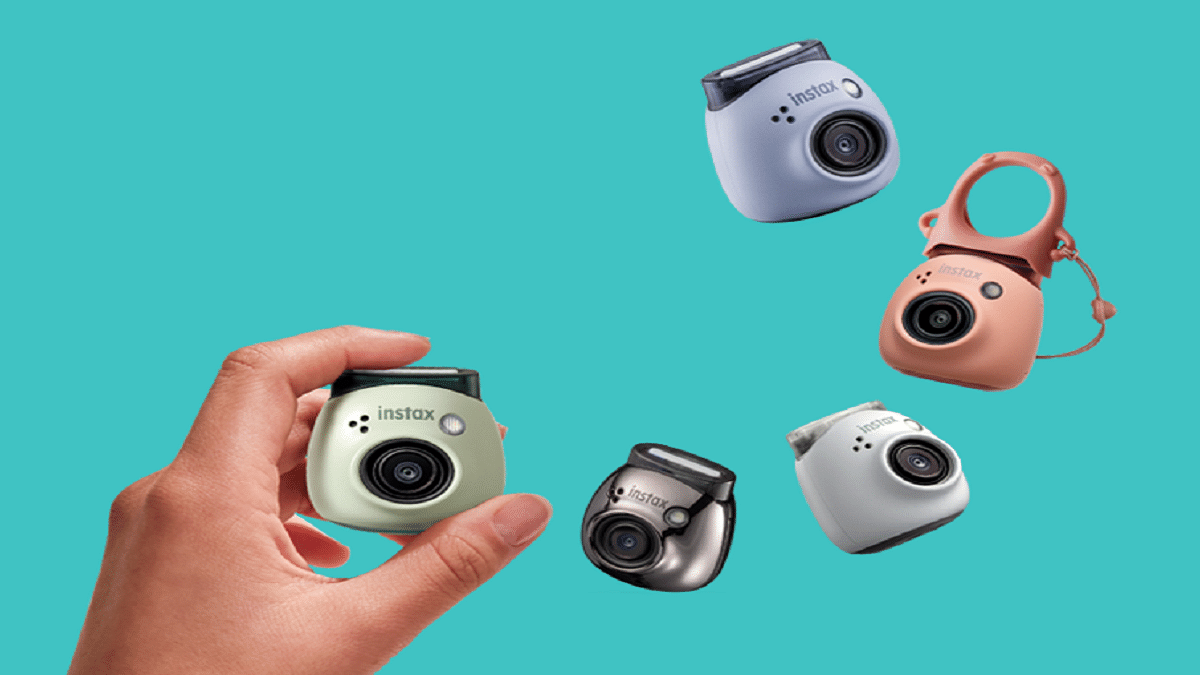
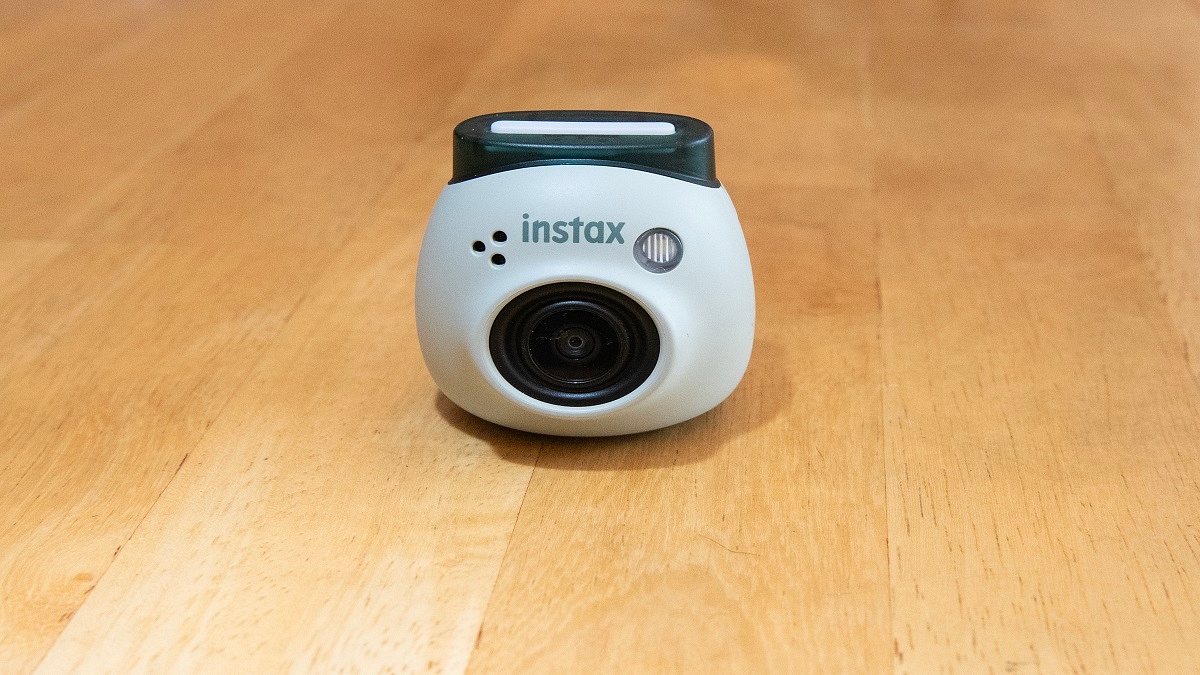
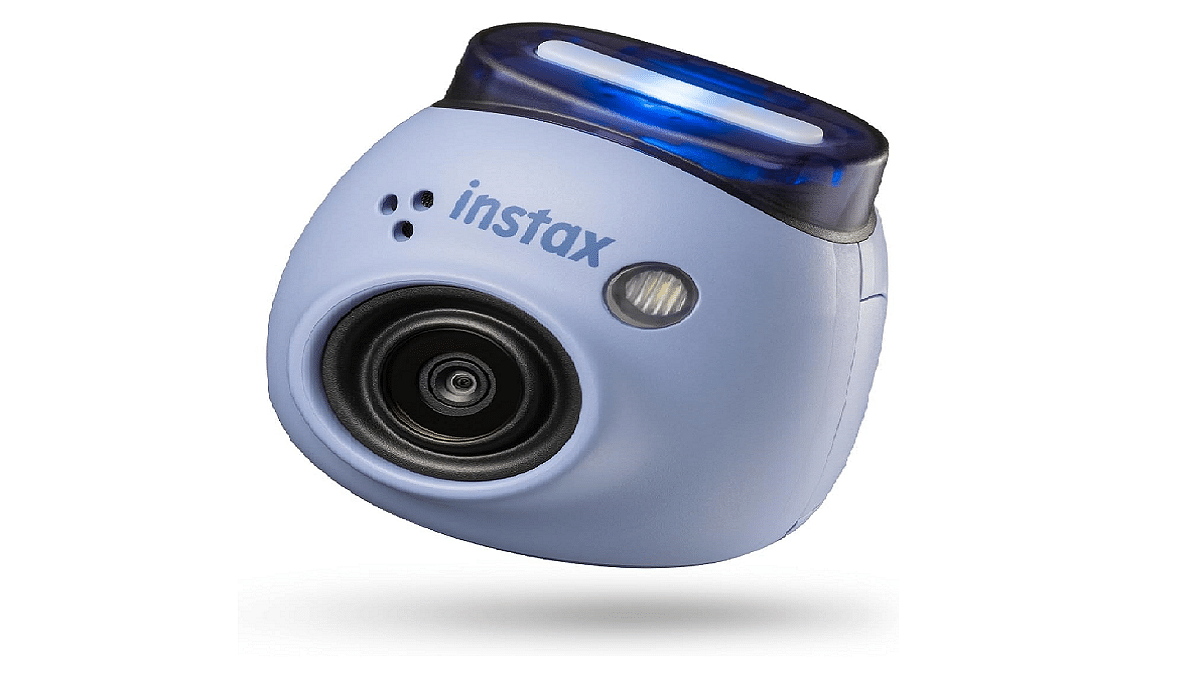
Fujifilm India has unveiled the visually striking and incredibly compact InstaxPal digital camera. This palm-sized camera marks a significant addition to the Instax series of instant cameras and smartphone printers. Available in five vibrant colors: Gem Black, Powder Pink, Pistachio Green, Lavender Blue, and Milky White, this latest innovation represents a leap forward in revolutionizing the instant camera industry, embodying the motto of “Making Small Moments Feel Big”. Also Read | Best Camera Phones Under Rs. 6,000

Compact Design

In a bold move, Fujifilm India has eliminated the printing function from the new Instax Pal, resulting in a palm-sized device that offers great portability. Additionally, it boasts a versatile detachable ring that facilitates a more secure grip or serves as a convenient stand for the Pal.

Feature-Rich Camera Experience

The Instax Pal camera has many features designed to enhance the photography experience across diverse scenarios. Its Standard Mode, accessible via the rear panel shutter button, employs a wide-angle lens to capture unique shots from elevated or unconventional angles. This mode enables users to capture dynamic images with intricate backgrounds effortlessly, a task often challenging with smartphones.

Furthermore, the Remote Mode facilitates seamless connectivity with smartphones via Bluetooth and the dedicated Instax Pal App, enabling remote shooting of selfies or group photos. The app offers customization options such as resizing photos in mini, Square, or Wide formats, as well as adding emojis, stickers, or text overlays. Additionally, the Interval Mode enables the capture of continuous photo series at three-second intervals, catering to various shooting preferences.

Also Read | Top Four Polaroid Cameras For Every Occasion

Connectivity

The Instax Pal is designed to seamlessly integrate with the Instax Link Printer Series: Mini Link 2, Wide Link, and Square Link, as well as other Instax cameras such as Mini LiPlay and Mini EVO. This interoperability enables users to effortlessly print captured images as Instax prints in different sizes.

Celebrating 25 Years of Instax

This year marks the 25th anniversary of Fujifilm India’s Instax instant camera series, first introduced in 1998. Evolving with the latest trends and technological advancements, the Instax series has transitioned from analog devices to hybrid cameras and smartphone printers. As Fujifilm India continues to expand its presence in the instant camera market, it remains committed to setting new standards in the realm of photography.

Availability and Pricing

The Instax Pal range is priced starting from Rs. 10,999 and is currently available at Fujifilm India retail stores and website. Additionally, users have the option to enhance their Instax Pal experience with separate silicone cases, which include a strap carabiner and a Link Mode switch for quick photo printing using Instax Link Series printers immediately after capturing the image.

Also Read | Best Wireless CCTV Camera With Motion Detection Under Rs. 5,000 In India

Categories
Accessories Apps Featured Info

Apple Vision Pro: 7 Must-Try Apps For Work, Entertainment & More

The Apple Vision Pro, with its innovative blend of digital content and real-world interactions, has opened doors to exciting new experiences. But to truly unlock its potential, you need the right apps. We’ve compiled a list of seven essential apps that will showcase the true potential of your Vision Pro:

Also Read: Is Apple Vision Pro Ready? Viral Videos Prompt Safety Discussions

1. Keynote

Take your presentations to the next level with Keynote. Imagine delivering your slides within a stunning, digital recreation of the Steve Jobs Theater. Customize your presentation, engage your audience, and leave a lasting impression.

2. JigSpace

Users can now interact with intricate 3D models and animations right in their living room. Explore historical landmarks, dissect complex molecules, or even witness the inner workings of an engine – all in the comfort of your home.

Also Read: Apple’s Next Big Update: iOS 17.4 New Features, Release Date, and More

3. Disney+

Experience Disney+ in a whole new way with the Vision Pro’s immersive 3D capabilities. Become part of the story, explore vibrant landscapes, and rediscover the magic of Disney like never before.

4. Microsoft 365

Stay productive and collaborate seamlessly with your team using Microsoft 365. Access familiar Office apps like Word, Excel, and PowerPoint, optimized for the Vision Pro’s unique interface and features. Work side-by-side with colleagues in virtual spaces, share documents effortlessly, and boost your productivity.

Also Read: Are You EV-Ready? Top Apps Every Electric Car Owner Should Have

5. AmazeVR

Step into exclusive virtual concerts from your favorite artists and experience live performances with breathtaking intimacy. Feel the energy of the crowd, sing along, and create unforgettable memories – all from the comfort of your living room.

6. Zoom

Users can now effortlessly conduct video calls and virtual meetings using the advanced features of their Vision Pro headset. Enjoy crystal-clear audio and video, collaborate seamlessly with colleagues, and stay connected with loved ones, no matter where they are in the world.

Also Read: Apple Vision Pro Missing Key Apps: Spotify & Youtube Not Included

7. Apple Music

Enjoy stunning visuals and immersive audio as you listen to your favorite songs or explore new music videos. Let the music wash over you and discover new depths in your favorite tunes.

These are just a taste of the incredible experiences waiting for you in the world of Apple Vision Pro. So, put on your headset, explore these apps, and discover the magic of immersive computing!

Categories
Apps Featured Info

Google Maps Levels Up: Android Users Gain Access To iOS Exclusive Weather Feature

Key Highlights

  • Android users can now view weather information directly on Google Maps
  • After updating, a widget displays local weather details
  • Google Maps introduces AI features like Address Descriptors, Lens in Maps, and more

Google Maps has finally brought a long-awaited feature to its Android app: the weather widget. This feature, which has been available on iOS devices for years, is now rolling out to Android users. Here’s what you need to know about it. Also Read | Find And Locate Your Parked Car/Vehicle With This Google Maps Hack

How Does The Weather Feature Work?

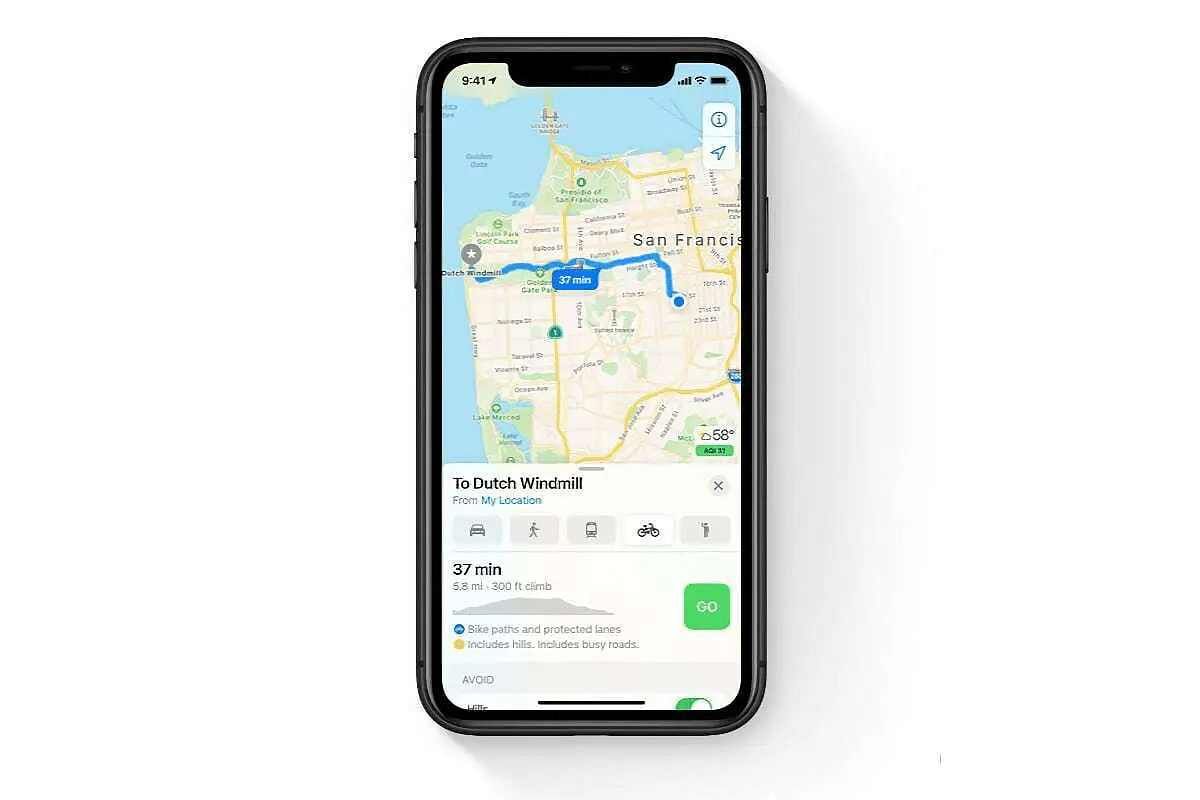
After updating to the latest version of Google Maps on their Android phones, users will notice a small widget located on the left side under the search bar. This widget displays the local temperature, weather conditions, and Air Quality Index (AQI) in a compact box. As users move around, these details automatically update. Tapping on the widget provides more information about the day’s weather, including temperature trends and forecasts for sunny, windy, or rainy conditions. Additionally, the widget includes a detailed air quality map, powered by weather.com.

How To Get This Feature?

To access the weather feature, Android users need to download the latest version of Google Maps (version 11.113.x) on their smartphones. However, not all users may have received the update yet, as it is still being rolled out gradually.

Also Read | Google Maps Live Location Feature Released: Steps To Use On Android, iOS

New AI-Based Features Coming To Google Maps In India

Google has also announced several new artificial intelligence (AI)-based features coming to Maps, particularly for users in India:

  • Address Descriptors: This feature, currently available in over 75 Indian cities, displays up to five relevant landmarks to help users locate pinned locations. It is expected to be available nationwide by 2025.
  • Live View Walking Navigation: Offering arrows and other markers overlaid on Maps, this feature assists users in navigating on foot.
  • Lens in Maps: Users will soon be able to point their phones in a specific direction on the road to see nearby destinations overlaid on the screen. This feature will debut on Android devices.
  • Fuel-Efficient Routing: Users will have the option to find environmentally friendly routes suitable for both two-wheelers and four-wheelers.

These new features aim to enhance the overall user experience and provide valuable assistance in navigation and location finding, especially in densely populated areas like India.

Also Read | Google Maps Bluetooth Beacon Feature For Tunnel Navigation Released: How To Use?

Categories
Auto Tech Featured

U.P Gearing Up For EVs: Feature Upgrades For EV Upyog Portal In Works

Key Highlights

  • Uttar Pradesh government boosting EV infrastructure
  • Enrolling process started foe EV Upyog portal debelopment
  • New features to be added soon to the portal

EV infrastructure across India is going through a rapid development. State governments have been taking proactive measures to boos the EV networks with the rising demand in the country. Uttar Pradesh government introduced a dedicated EV portal to promote EV usage across the state. To further improve the EV ecosystem, the UP government has initiated a new process of getting a software agency onboard to upgrade the EV Upyog portal with new features. Here’s are the details:

EV Upyog Portal Development: Cloud Server Integration And More

Uttar Pradesh government is working on to enhance the EV infrastructure in the state. And to promote the EV usage, a dedicated ecosystem is being developed for the masses. The government is in the process of hiring a new development firm that will complete the task of integrating and hosting the EV Upyog portal with the cloud server and official website respectively.

The dedicated agency hiring process for the development of the EV Upyog portal and its integration with the official Invest UP website is currently underway. Once completed, the masses can expect to access a wide range of user-freindly features that will promote the use of electric vehicles for a cleaner and greener environment.

It is worth adding that the hiring process for the software development firm is being handled by the UPDSCL (Uttar Pradesh Development Systems Corporation Limited). Additionally, Ministry of Electronics and IT (MeitY) will be looking over the process whose estimated time of completion is around a year as per the reports.

Also Read: Interim Budget 2024: Govt’s Big Plans To Supercharge Electric Vehicle Growth

Technial Roadmap

As per the available information, the process for cloud storage would be utilizing a standard infrastructure comprising Windows Server 2019, 1 static IP and 1TB bandwidth. Configuration will include a CPU with 12 units with 4 cores and 32GB of RAM, 50 GB SSD. A one year contract will be given to the same development firm for the operation and maintenance of this project.

Also Read: Electric Vehicle (EV) Stocks Surge Following Indian Budget Declaration: Here’s Why

New Features For The EV Upyog Portal

After the EV Upyog gets cloud storage and website integration, a whole range of features are said to be added to the portal. The exact list of available features are yet to be revealed but we are expecting this portal to be a game changer for the EV owners.

Categories
Apps Featured Info

Google’s AI: Bard or Gemini? What You Need To Know About The Rebranding

Key Highlights

  • Bard to Gemini: Google’s AI chatbot rebrands for wider access.
  • Gemini brings AI to your Android/iOS.
  • Gemini Advanced” tackles complex tasks with a paid model.

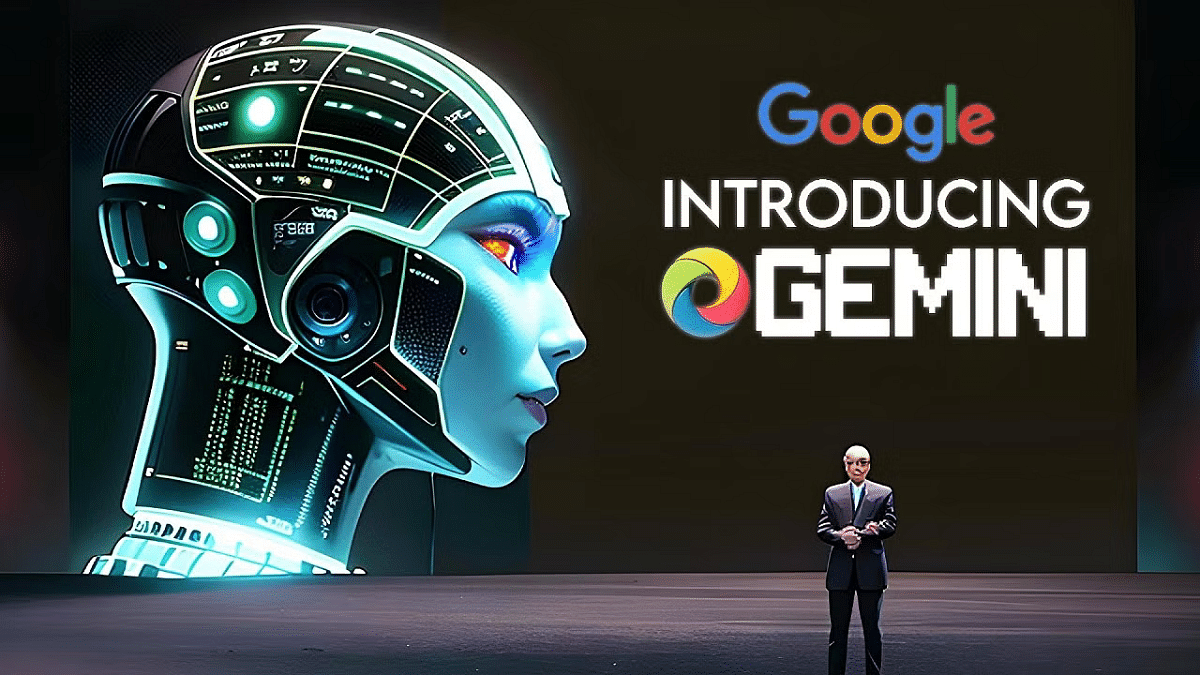
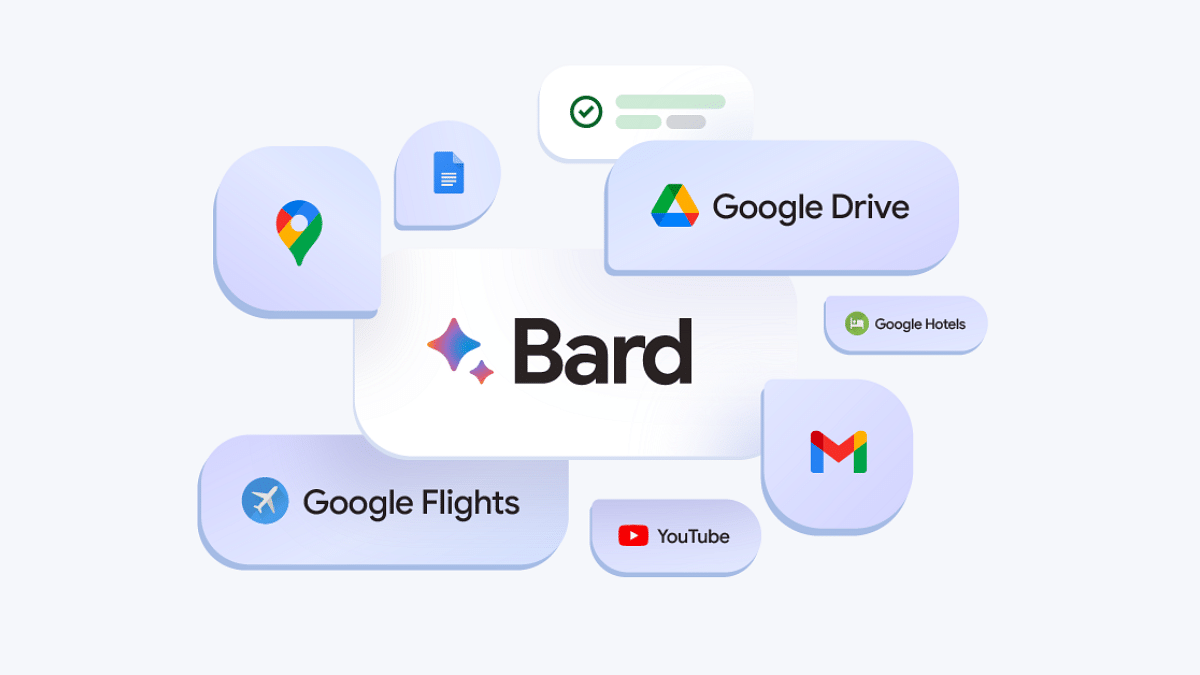
Remember Bard, Google’s AI-powered chatbot launched last year to compete with OpenAI’s ChatGPT? Well, get ready for a name change and exciting new features! Google is reportedly rebranding Bard as Gemini, alongside a dedicated app, a paid subscription tier, and access to its most powerful language model yet.

Also Read: Google Bard’s ImageFX AI Image Generator Launched: No More DeepFake Mishaps!

From Bard to Gemini

Leaked information revealed Google’s plans to rename Bard to Gemini, reflecting a broader commitment to provide “direct access to Google AI” for everyone. This signifies a shift towards a more inclusive and accessible AI experience.

Also Read: Have You Tried Google’s ImageFX Yet? Learn How To Use This New AI Image Generator

Gemini App: AI on the Go

With the rebranding comes a dedicated Gemini app, initially available on Android in select regions. iOS users will have access through the Google app. Soon, expect wider language and device support, as Google strives to deliver the “world’s most helpful AI assistant.”

The Gemini Advanced is powered by the game-changing Gemini Ultra 1.0 language model. Many believe Gemini Ultra is Google’s response to OpenAI’s powerful GPT-4, currently driving ChatGPT. The leaked changelog suggests Ultra 1.0 might even “outperform human experts” in specific tasks, hinting at a potential AI race heating up. Access to this powerhouse will be offered through a paid subscription, but pricing details remain under wraps.

Also Read: Chatgpt Vs Microsoft Copilot: Which One Is A Better AI Tool?

What We Know So Far:

  • Bard becomes Gemini, reflecting wider AI access goals.
  • The dedicated Gemini app launches on Android, with iOS access through the Google app.
  • The paid “Gemini Advanced” tier unlocks the powerful Gemini Ultra 1.0 language model.
  • Official announcement and pricing details awaited.

Also Read: Google Launches Gemini: Most Advanced AI Model Yet

What’s Next

With the rebranding and new features on the horizon, Google seems poised to push the boundaries of AI-powered interaction. While we wait for the official announcement, stay tuned for exciting updates on Gemini and its potential to revolutionize the way we interact with AI.

Categories
Apps Auto Tech Featured

Upgrade Your Drive: Simple Guide To Use Turn-By-Turn Navigation In Apple CarPlay

Key Highlights

  • Apple CarPlay offers a suite of smart features for enhanced drive experience
  • Turn-by-turn navigation feature supported
  • Feature accessible via both Siri and Maps app

Smart technologies like Apple CarPlay and Android Auto have evolved the connected ride system where using smartphones is now much easier while driving. Navigation too has been simplified if you own a modern-day car compatible with Apple CarPlay and Android Auto suites. If you own an iOS device, you can pair it with the CarPlay compatible car and use turn-by-turn navigation feature. Here in this article, we have mentioned the steps:

Apple CarPlay Compatible Devices

If you have an iPhone which runs on iOS 13 or above, you will be able to use the CarPlay services. All you need to do is complete the pairing process and use the available features from the car’s MID.

Also Read: How To Remove An Image Background On Windows 11

Steps To Search A Route Using CarPlay

For finding a route and using the turn-by-turn navigation feature on CarPlay, you can either give commands via Siri or directly use the Maps application. The steps to search a route are mentioned below:

Step 1: If you are using Siri, you need to give a voice command stating the location where you wish to navigate. Some examples are below

  • “Locate fuel station near me”
  • “Find directions for home”
  • “Nearby charging or fuel station”
  • “Find hotels near me”

Step 2: You can also give these commands using the Maps app in CarPlay. For that, you’ll need to use the car’s controls for input.

Step 3: Select the shortest route if you are displayed multiple route option for the searched location.

Step 4: You can even call the desired destination using the call icon.

Step 5: Now, hit the turn-by-turn navigation feature. Notably, the Maps app will show real time direction on the screen.

Step 6: Hit Go, when you are set to move. CarPlay will guide for turn-by-turn navigation via voice.

Categories
Apps Featured How To

Share Passwords Easily With Google’s Family Feature: Here’s How

Key Highlights

  • Google introduces a shared password feature for family plans
  • Easily share passwords via Google Password Manager for easy family access
  • Stay updated for upcoming app updates to access new features

In a recent blog post, Google unveiled an exciting update made for users of its family plans across various services. Alongside existing shared features like Google One membership and payment methods, the tech giant is rolling out a new addition: shared password sharing. Also Read | Gmail Tips And Tricks: How To Secure Your Google Account With Two-Factor Authentication

Family Password Sharing With Google Password Manager

Google is revolutionizing password management for families through its Google Password Manager. This feature, set to operate similarly to other shared services, will empower family members to securely share usernames and passwords for specific websites or services directly within the platform.

According to the Google blog post, “Accounts that are part of a family group will soon have the option to share usernames and passwords for a particular website or service directly from Google Password Manager.”

Family Connectivity With Google One

Google’s family plan via Google One allows for the inclusion of up to five additional members, enabling a total of six members to share passwords seamlessly. This expanded connectivity caters to various scenarios, from coordinating activities to accessing school assignments.

Also Read | Google Sheets Tips And Tricks: How To Add ChatGPT Extension To Google Sheets

How To Share Passwords With Family Members

To use the sharing process, Google provides simple steps:

Step 1: Navigate to Settings on your Chrome browser, whether on desktop or mobile.

Step 2: Locate the ‘Autofill and password’ tab in the left sidebar and select Google Password Manager.

Step 3: Identify the saved password you wish to share and tap on it.

Step 4: Look for the Share button next to the Edit and Delete options, and tap on it to share the password with family plan members.

Stay Updated and Connected

If the Share button isn’t immediately visible, users are encouraged to await the upcoming app update, ensuring they have access to the latest features. Alternatively, manual updates can be initiated via the google.com/chrome website.

Additional Google Updates

In addition to the password-sharing feature, Google has implemented enhancements across its services. Users now have more control over SafeSearch settings, while parents can easily access parental controls through a simple search on the Google app. This streamlined process includes a dedicated information box to facilitate the addition of a child’s Google account.

Also Read | Google Maps Tips & Tricks: How To Use Fuel-Efficient Routing In India