Categories
Featured Info

From New York To Tokyo: Five Best Apple Stores Around The World

Key Highlights

  • Apple Stores are known for their unique designs, innovative architecture, and interactive displays
  • Each of these stores provides visitors with an unforgettable experience that goes beyond just shopping
  • These stores are a must-visit attraction for tech enthusiasts, design lovers, and tourists alike

Apple has established a strong presence globally as one of the most recognizable and successful tech companies in the world. One of the most iconic symbols of Apple’s success is its flagship stores, which can be found in many cities around the world. From the floating sphere of Apple Marina Bay Sands in Singapore to the historic facade of Apple Regent Street in London, each store has its unique features and highlights. Here are some of the best Apple stores around the globe. Also Read | India Welcomes Highly Anticipated Flagship Apple BKC Store In Mumbai: Take A Sneak Peak

Apple Fifth Avenue, New York City, USA

Apple’s flagship store in New York City is located on Fifth Avenue, and its iconic glass cube entrance is a must-see attraction for tourists. The store is open 24/7 and features a beautiful cylindrical glass elevator, a huge video wall, and a massive sales floor. Apple Fifth Avenue also hosts various workshops and events, making it a cultural hub in the city.

Features:

  • Iconic glass cube entrance
  • Underground layout with a spiral staircase
  • Large video wall showcasing Apple products and designs
  • Dedicated space for Today at Apple sessions and workshops

Apple Regent Street, London, UK

This Apple store is housed in a historic building in the heart of London and has a modern design that incorporates a spiral staircase, curved glass entrance, and large glass windows. The store also has a large seating area, a forum for workshops and events, and an underground theatre that seats up to 200 people.

Features:

  • Historic building with a modern, minimalist interior design
  • Living wall installation made up of thousands of plants
  • Dedicated space for Today at Apple sessions and workshops
  • Large video wall showcasing Apple products and designs

Apple Orchard Road, Singapore

The Apple Orchard Road store in Singapore is located in a bustling shopping district and features a beautiful glass facade with a unique lighting design. The store also has a two-story video wall, indoor trees, and a spacious sales floor. The store is known for its exceptional customer service and hosts various workshops and events.

Features:

  • Unique and modern glass dome design
  • Outdoor terrace for events and gatherings
  • Dedicated space for Today at Apple sessions and workshops
  • Interactive avenue with stores on both sides for a shopping experience

Also Read | Emergency Situation? Apple Watch Ultra Siren Feature Comes Handy! How To Use?

Apple Piazza Liberty, Milan, Italy

Apple Piazza Liberty is located in a historic plaza in Milan and features a unique design that includes an outdoor amphitheater, which is used for concerts and cultural events. The store also has a large video wall, indoor trees, and an underground level that houses the Genius Bar and a forum for workshops and events.

Features:

  • Open-air design with a fountain as the centerpiece
  • The underground level is dedicated to a theater and boardroom
  • Large staircase leading to a rooftop terrace with views of Milan
  • Dedicated space for Today at Apple sessions and workshops

Apple Omotesando, Tokyo, Japan

This store is located in a busy shopping district in Tokyo and features a unique design that incorporates bamboo and other natural materials. The store also has a large courtyard where visitors can relax.

Features:

  • Unique and modern architecture with a glass exterior
  • Spiral staircase leading to multiple levels
  • Dedicated space for Today at Apple sessions and workshops
  • Greenery and natural elements incorporated into the design for a calming atmosphere

In addition to these flagship stores, Apple has opened many other retail locations around the world, each with its own unique design and features. Whether you’re a fan of Apple’s products or just appreciate innovative design, a visit to one of these stores is definitely worth adding to your travel itinerary.

Also Read | Apple BKC Retail Store India Sneak Peak

Categories
Apps Featured Info

Five Best Google Docs Alternatives You Need To Try In 2023

Key Highlights

  • Google Docs Alternativesoffer a range of features that make them suitable for various use cases
  • They all offer cloud-based document editing and collaboration tools
  • The best alternative to Google Docs will depend on your specific needs and preferences

Google Docs is a popular cloud-based word processor that allows users to create, edit, and share documents online. However, some users may be looking for alternatives to Google Docs for various reasons, such as privacy concerns, the need for more advanced features, or a desire for a more user-friendly interface. In this article, we will explore some of the best Google Docs alternatives available. Also Read | Unable To Read Doctor’s Handwritten Prescription? Google Lens New AI To Help Decipher Any Bad Handwritten Doctor Prescription

Microsoft Office Online

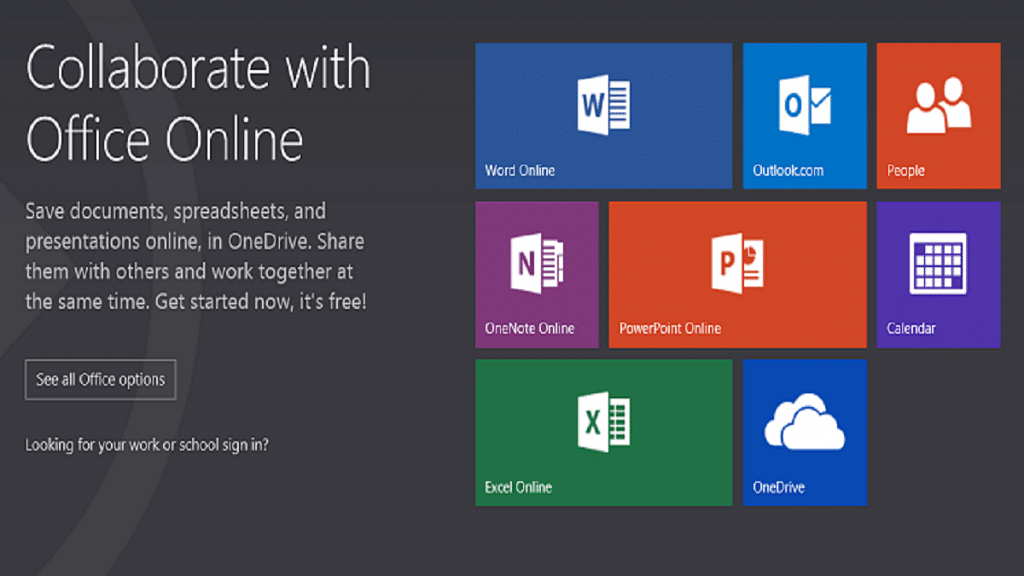
Microsoft Office Online is a free cloud-based office suite that includes Word, Excel, PowerPoint, and OneNote. It offers many of the same features as Google Docs and has the advantage of being compatible with the popular desktop version of Microsoft Office. It also offers more advanced formatting options, making it a good choice for users who need to create more complex documents.

Features:

  • Create and edit documents online
  • Create and organize notes online
  • Real-time collaboration
  • Integration with OneDrive

Zoho Writer

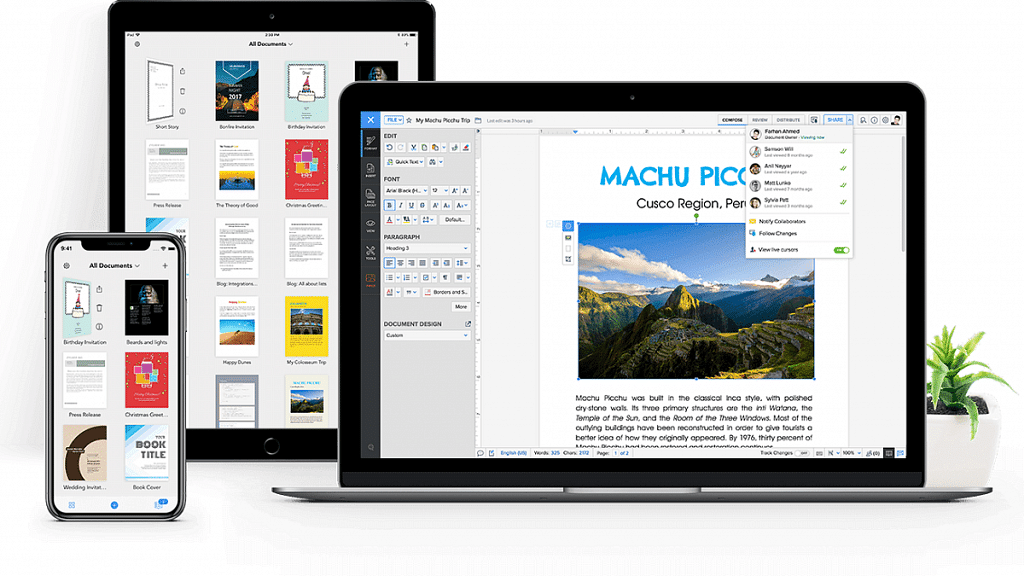
Zoho Writer is a cloud-based word processor that offers many of the same features as Google Docs, including real-time collaboration, commenting, and revision history. It also includes some unique features, such as the ability to create templates and the ability to integrate with other Zoho apps, such as Zoho CRM.

Features:

  • Includes a range of templates
  • Integration with other Zoho apps
  • Advanced formatting options
  • Available for Android and iOS apps

OnlyOffice

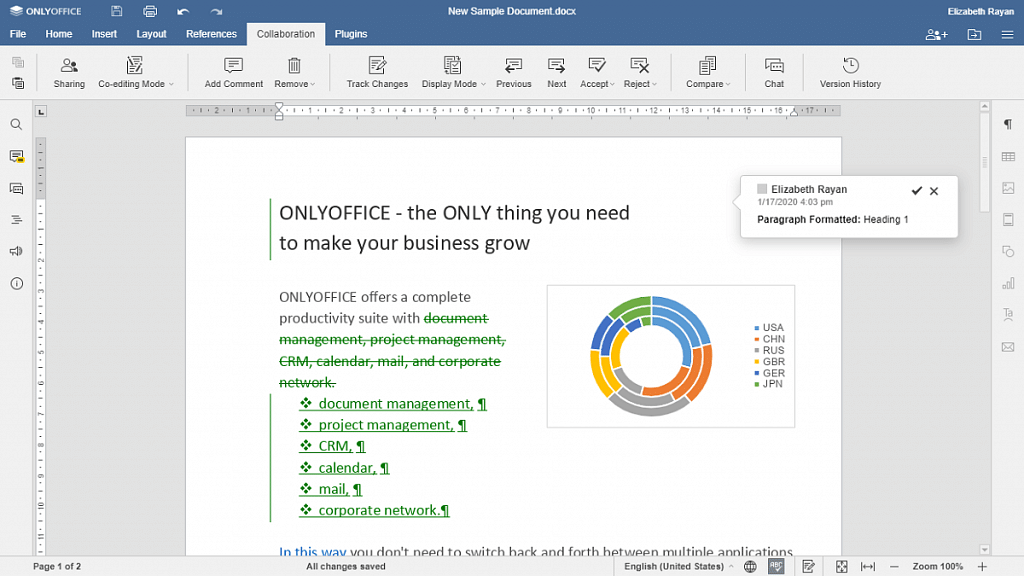
OnlyOffice is a free and open-source cloud-based office suite that includes a word processor, a spreadsheet editor, and a presentation tool. It offers many of the same features as Google Docs, such as real-time collaboration and revision history, and has a clean and user-friendly interface.

Features:

  • Range of document templates
  • Advanced formatting options
  • Integration with third-party apps
  • Store, organize, and manage files in one place

Also Read | Google Photos Magic Eraser: What Is This Feature? How To Use It?

Dropbox Paper

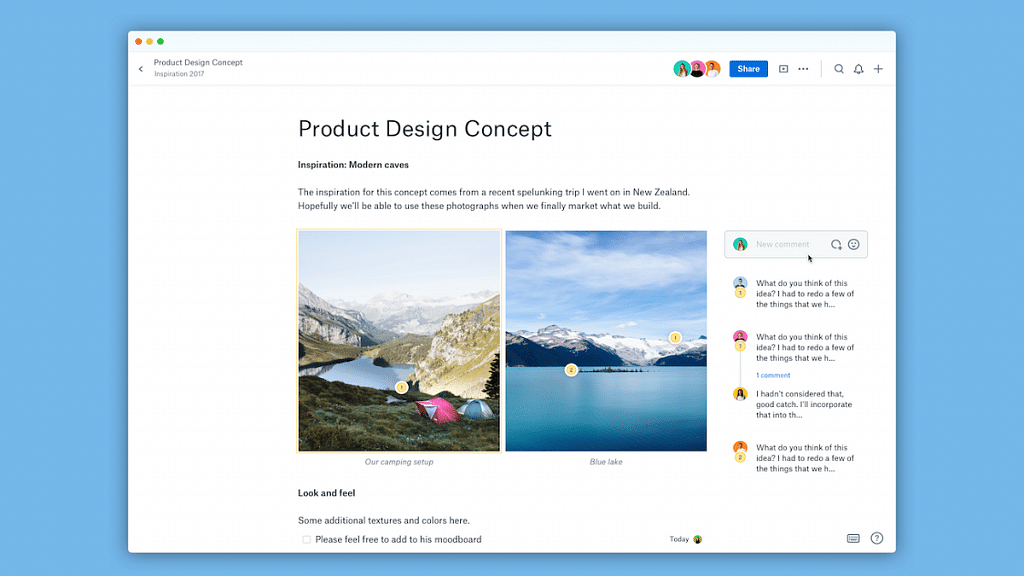
Dropbox Paper is a collaborative document editor that allows users to create and edit documents, as well as add comments and annotations. It has a simple and intuitive interface and integrates with other Dropbox apps, such as Dropbox Business and Dropbox Smart Sync.

Features:

  • Real-time collaboration
  • Task management
  • Commenting and annotation
  • Available for Android and iOS apps

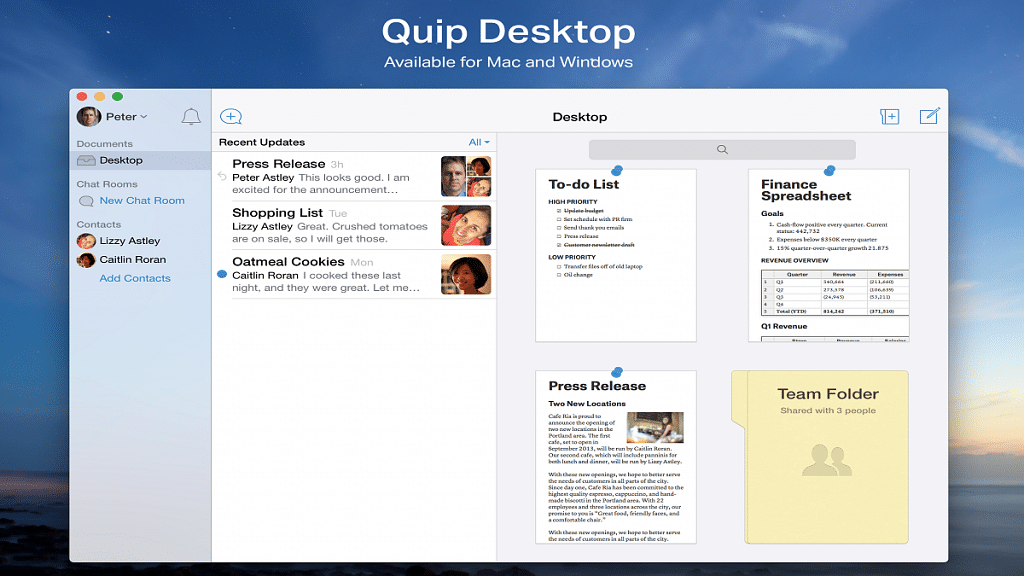
Quip

Quip is a collaborative productivity tool that includes a word processor, a spreadsheet editor, and a chat feature. It offers many of the same features as Google Docs, such as real-time collaboration and revision history, and also includes some unique features, such as the ability to embed live Salesforce data.

Features:

  • Real-time collaboration
  • Task management
  • Chat and messaging
  • Live apps

While Google Docs is a popular choice for cloud-based document editing, there are many alternatives available that offer similar features and may be better suited to some users’ needs. Whether you are looking for a more user-friendly interface, more advanced formatting options, or greater privacy and security, there is an alternative out there that is right for you.

Also Read | How To Add Handwritten Signature On Google Docs Using Laptops/ PCs?

Categories
Apps Featured

Love K-pop? Check Out 100+ Fun And Unique Instagram Names

Key Highlights

  • Instagram buzzes with K-pop fan activity, connecting enthusiasts worldwide
  • A standout Instagram name is key for K-pop fans to attract followers
  • Our list offers unique names for K-pop enthusiasts to shine on Instagram

Instagram has become a hub for K-pop lovers all around the world. The platform is flooded with fan accounts, fan art, fan edits, and fanfictions, making it a perfect space for fans to connect and share their love for K-pop. K-pop fans on Instagram are a tight-knit community, who share their passion for their favorite groups, members, and idols. They create fan pages, post photos, and videos, and share their experiences attending concerts, fan meets, and fan events.

Choosing the perfect Instagram name is an essential part of creating a K-pop fan account. A catchy, unique name that represents your love for your favorite idols and the K-pop community can help you stand out and attract more followers. To help you with the same, we are here with some fun and unique Instagram names that you can consider taking. Also Read | Are You A BTS Fan? Here Are The 100 Best Instagram Names For BTS Army

Cool Instagram Names For K-pop Lovers

KpopKrazyStanCultureKpopInspired
KpopObsessedBiasLifeKpopVibes
KpopAddictUltBiasKpopFeeds
IdolLoverFandomLifeKpopBuzz
FanGirlKpopFanaticKpopUpdates
BoyGroupieKpopFanPageKpopNews
GirlGroupieKpopAestheticKpopTrends
StanLifeKpopThemedKpopCulture

Unique Instagram Names For K-pop Lovers

KpopCrazeKpopFiestaKpopFantasy
KpopJunkieKpopFiestaLifeKpopMythology
KpopWorldKpopGaloreKpopEmpire
KpopDreamerKpopKingdomKpopDynasty
KpopMoodKpopQueendomKpopLegacy
KpopSquadKpopUniverseKpopHistory
KpopLingoKpopPlanetKpopHeritage
KpopGlossaryKpopGalaxyKpopAnthem

Also Read | Are You A Music Lover? Here’s The Best Music Apps In India

Catchy Instagram Names For K-pop Lovers

KpopMelodyKpopJukeboxKpopStyleIcon
KpopHarmonyKpopPlaylistKpopTrendSetter
KpopSymphonyKpopRadioKpopFashionista
KpopOrchestraKpopSoundtrackKpopBeauty
KpopChorusKpopChartTopperKpopVisual
KpopLyricsKpopHitMakerKpopIdolMagnet
KpopSongbirdKpopRecordBreakerKpopIdolMaker
KpopMusicBoxKpopMegaStarKpopSuperstar
KpopChillKpopZenKoreanLove

Attractive Instagram Names For K-pop Lovers

KpopModelKpopLightsKpopFrenzy
KpopSensationKpopFanLightsKpopHype
KpopEntertainmentKpopEnthusiastKpopThrills
KpopShowtimeKpopPassionKpopEnergy
KpopConcertsKpopExcitementKpopVibes
KpopLiveKpopEuphoriaKpopGroove
KpopStageKpopEcstasyKpopBop
KpopSpotlightKpopRushKpopJams
KpopRhythmKpopBeatsKpopFlow

With the rise of K-pop’s global popularity, Instagram has become an essential platform for fans to keep up with the latest news, releases, and trends. K-pop fans on Instagram are diverse, creative, and fiercely dedicated to their fandom. Your Instagram name can be inspired by your favorite K-pop group, song, member, or a creative combination of words that reflect your personality and interests. So, take inspiration from the above-listed names and create your own name.

Categories
Featured Info

Thieves Get Crafty, Tunnel Into Apple Store To Steal Over 400 iPhones Worth Millions

Key Highlights

  • Thieves stole 436 iPhones worth Rs 4.10 crore from an Apple Store in the US
  • They tunneled through a neighboring coffee shop’s bathroom in a heist reminiscent of a Hollywood movie
  • Suspicions of an inside job have arisen due to the speed and precision of the burglary

A daring heist that could have been lifted from a Hollywood movie recently took place at an Apple Store in the US. In a scene straight out of ‘Ocean’s Eleven’, thieves tunneled into the store through a neighboring coffee shop’s bathroom and made off with 436 iPhones worth a staggering Rs 4.10 crore. Also Read | Emergency Situation? Apple Watch Ultra Siren Feature Comes Handy! How To Use?

The Heist

Seattle’s local news channel, King 5 News, reported that the thieves gained access to the backroom of the Apple Store through the bathroom. They managed to bypass the store’s security system, and surveillance footage reportedly shows them entering and exiting the coffee shop in less than 15 minutes. They stole 436 iPhones worth around $500,000 i.e., around Rs 4.10 crore.

Also Read | iOS 16.2 Tips & Tricks: How To Use Apple Music Sing Karaoke Feature

Mike Atkinson, the CEO of Seattle Coffee Gear, shared an image on Twitter that allegedly shows the damage caused in the bathroom after the burglars broke in by cutting a hole in the wall.

Inside Job Suspected

The CEO of the coffee appliance store, Mike Atkinson, and others have suspected an inside job due to the speed and precision with which the crime was carried out. The police are investigating the incident, and the Alderwood Mall, where the stores are located, is cooperating with the authorities.

Repercussions

Seattle Coffee Gear reportedly spent almost $900 on replacing their locks, and they estimate that the repairs to the damaged bathroom will cost between $600 and $800. Meanwhile, Apple has not commented on the theft, as the company has a policy of not discussing store thefts.

This daring heist is a reminder that crime can imitate art and shows how creative and resourceful thieves can get in their methods. The incident has also highlighted the importance of maintaining security measures to prevent such occurrences in the future.

Also Read | India Welcomes Highly Anticipated Flagship Apple BKC Store In Mumbai: Take A Sneak Peak

Categories
Apps Featured How To

From One Link To Many: How To Add Multiple Links To Your Instagram Bio

Key Highlights

  • Adding multiple links to Instagram can have several benefits for businesses, content creators, and influencers
  • This helps you promote your brand, drive traffic to your website, and engage with your followers more effectively
  • It helps users increase the visibility of their brand across different platforms

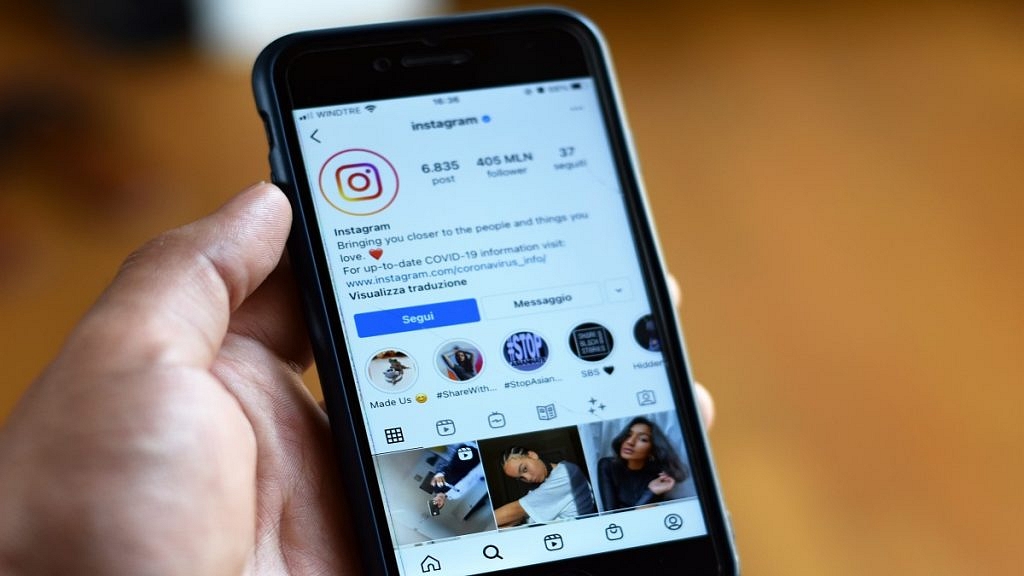
Meta-owned social media platform Instagram has recently introduced a new feature that enables users to add up to five links to their profile. This provides an opportunity for users to share additional information about their interests, pastimes, preferred brands, charitable activities, entrepreneurial projects, or any other pertinent information they wish to publish.

Meta has also confirmed that there will be no restrictions on links to LinkTree or any other comparable services. This latest feature will be accessible to business accounts and content creators, but users must update their app to use it. Also Read | Download Music From Instagram To Your Phone: Here’s How

How To Add Multiple Links To Instagram Bio?

Follow these steps to add links to your Instagram bio:

Step 1: Open the Instagram app on your mobile and go to your profile page.

Step 2: Click on the ‘Edit profile’ icon located beneath your bio.

Step 3: Scroll down to find the ‘Links’ area.

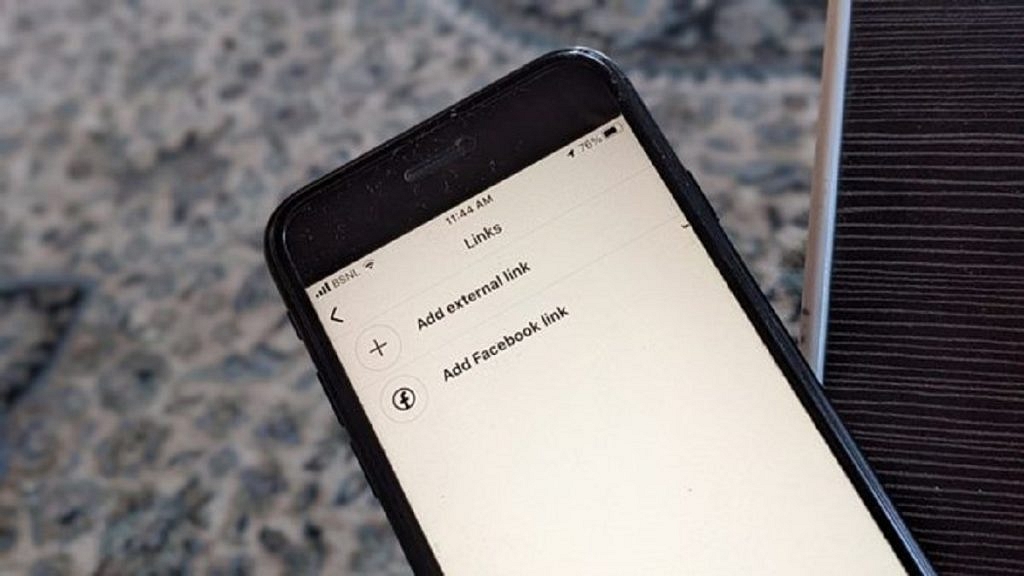
Step 4: Select the ‘Add external link’ button.

Also Read | Instagram Bio Tips: Best Instagram Captions For Fashion Influencers

Step 5: Add the links you want to include in your bio and rearrange them by dragging and dropping them as desired.

And there you have it, your Instagram bio now has multiple links to help promote your brand and make it easier for your followers to access your content.

When adding multiple links to your Instagram bio, it’s important to choose links that are relevant to your brand and audience. Some ideas for links to include might be links to your website, blog, YouTube channel, or other social media profiles. You could also include links to your online store, a recent blog post, or a new product launch.

Overall, adding multiple links to your Instagram bio can be a great way to drive traffic to your website, increase engagement, and grow your following on Instagram. By following the steps outlined above, you can easily add multiple links to your Instagram profile and start reaping the benefits of this new feature.

Also Read | Want To Recover Your Instagram Account? Here’s How You Can Do It

Categories
Accessories Featured Reviews

Wings Phantom 380 TWS Gaming Earbuds Review: Should You Go For This One?

Pros

  • Decent design
  • Easy touch functionality
  • Comfortable fitting

Cons

  • Poor call quality

If you’re in the market for wireless earbuds that offer high-quality audio and a gaming mode at an affordable price point of under Rs. 2,000, the Wings Phantom 380 TWS earbuds are definitely worth considering. While there are many options available, it’s important to find one that fits within your budget. If you’re an avid gamer but don’t want to break the bank on earbuds, the Wings Phantom 380 TWS earbuds may be the perfect fit.

Also Read | Blaupunkt BTW SeriesTruly Wireless Earbuds Review: Should You Buy?

At a price of Rs. 1,799, these earbuds provide a range of features and impressive sound quality. However, the question remains: are they the best wireless earbuds under Rs. 2,000? In this review, we’ll take a closer look at the earbuds’ features, performance, and overall value. Let’s check them out.

What’s Inside The Box?

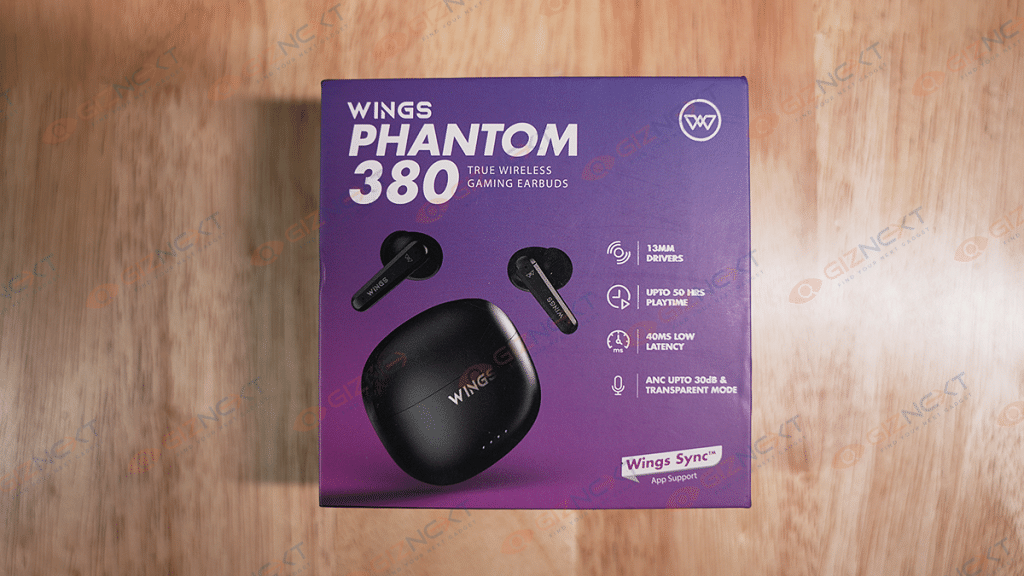
  • Wings Phantom 380 earbuds
  • Charging case
  • Two pairs of extra ear tips
  • Charging cable
  • Warranty card
  • User manual

Design

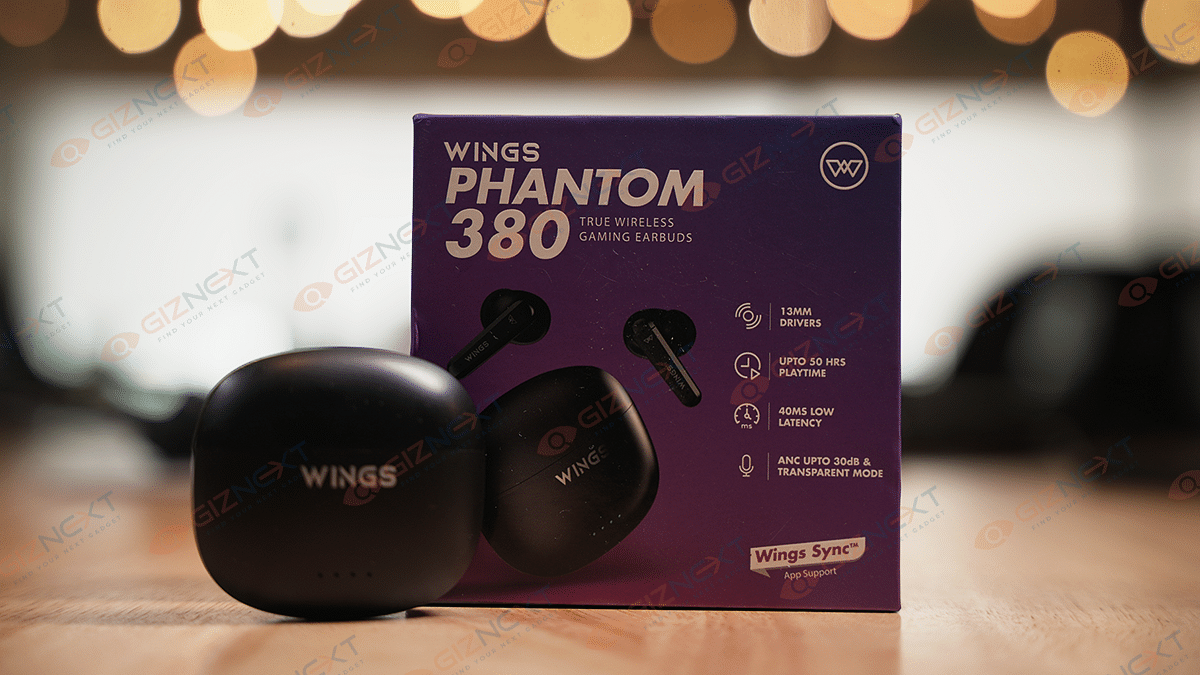
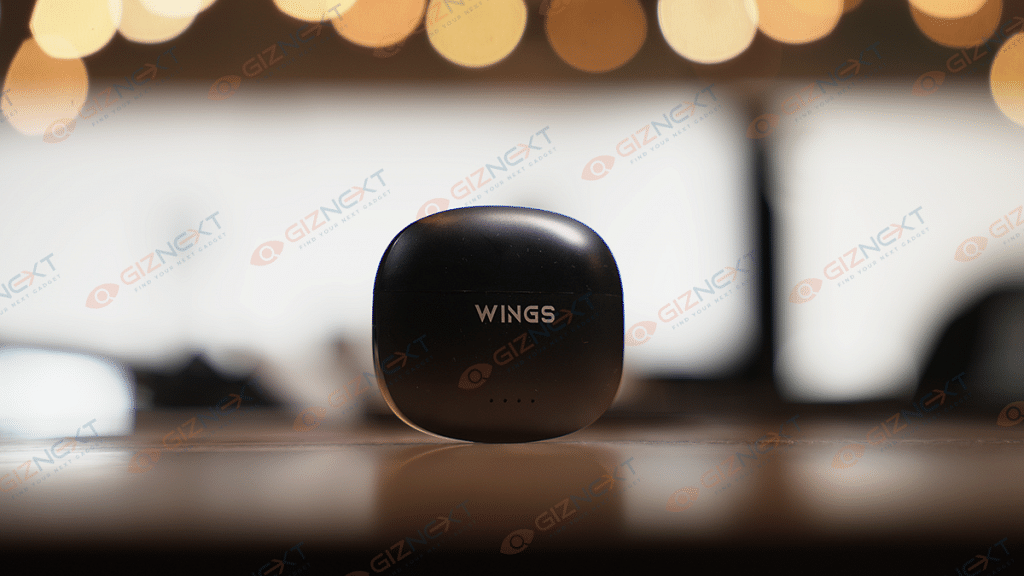
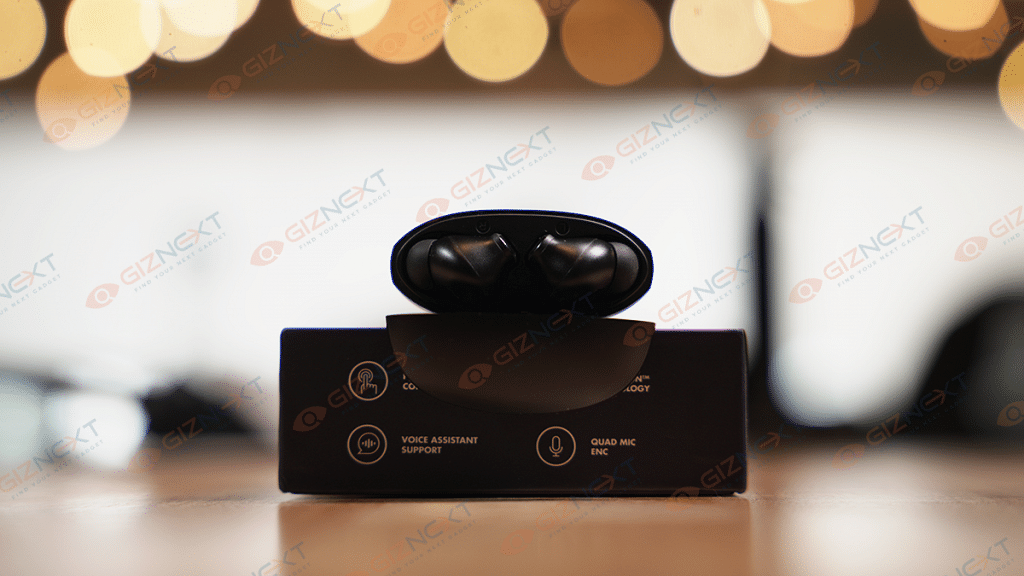
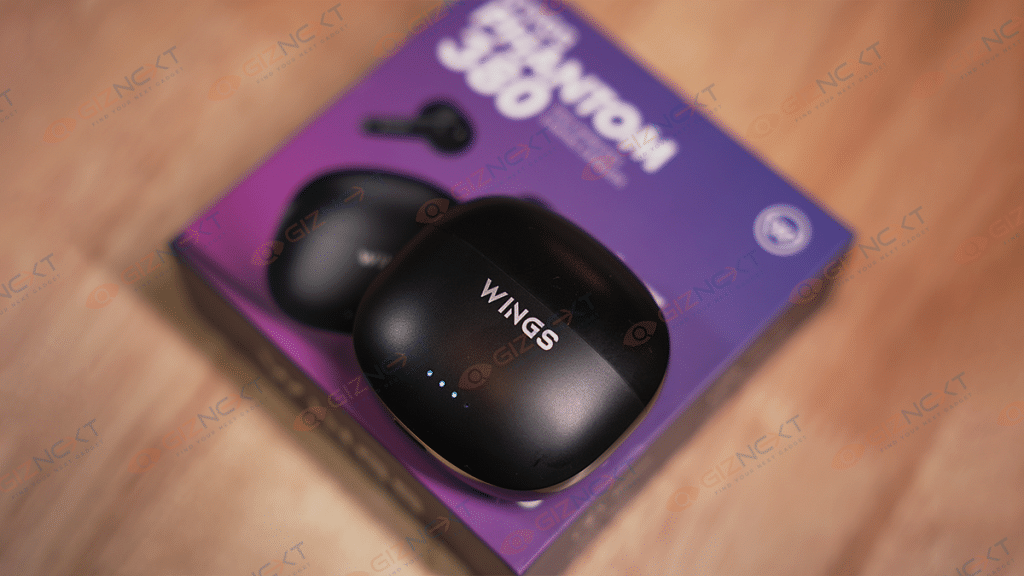
The Wings Phantom 380 TWS earbuds are designed with a square-shaped case that boasts curved edges and front-facing LED indicators. The TWS earbuds have a decent plastic build and feature an in-ear design that comes with silicone tips for added comfort. Weighing just 39 grams, including the charging case, the Wings Phantom 380 TWS earbuds are incredibly lightweight. This lightness contributes to their comfort level, and the ergonomic shape ensures a comfy fit in the ear.

Each earbud features touchpads on the side that face outward, as well as short stems that protrude below the touchpads and have LED lights on them to show the state of the connection. They are available in black and white color options to match your personal style. We got the black variant as a review unit. The earbuds feature an IPX5 rating for water and sweat resistance, making them suitable for use during workouts. The earbuds also support the USB Type-C port for charging.

The Wings Phantom 380 TWS earbuds have a comfortable design, and even after using them for several hours, I didn’t feel uncomfortable, nor do I have to adjust the earbuds frequently. Overall, the Wings Phantom 380 TWS earbuds have a durable build and a comfortable design.

Features

With only a few touches on the earbuds, you can use the full touch control function of these earbuds to manage your music, calls, and other features. As a result, there is no need for physical buttons, making the earbuds easier to use. The open-and-on technology automatically turns on and connects to your device as soon as you take the buds out of the charging case. Further, the voice assistance feature allows you to access Siri or Google Assistant with a simple voice command, making it easy to perform tasks without manually using your device.

Also Read | Truke Buds F1 Budget Wireless Earbuds Review: A Worthy Buy In Affordable TWS Segment?

Audio Performance & Call Quality

The Wings Phantom 380 TWS earbuds deliver clear and powerful sound, thanks to their 13mm drivers and wide frequency range. The audio quality is clear and satisfying whether you’re listening to music or podcasts. The quad mic ENC (Environmental Noise Cancellation) technology enables the earbuds to pick up your voice clearly and reduce background noise during phone calls, making it easier to communicate in noisy environments. However, the call quality could have been a little bit better. Even on unintentional touches, the highly responsive touch sensor frequently disappoints by disconnecting calls.

The earbuds offer a low latency of 40ms, ensuring a seamless audio experience without any delays or disruptions. They are therefore perfect for timing-sensitive activities like watching videos or playing games. The active noise cancellation (ANC) feature provides up to 30db of noise reduction, making them ideal for use in noisy environments such as airports, public transport, or busy offices. The transparent mode feature enables you to hear your surroundings without having to remove your earbuds entirely.

Pairing Process

The Wings Phantom 380 TWS earbuds connect as soon as they are taken out of their case, making pairing them very simple. The left earbud LED will flash in alternate colors quickly.

Tap ‘Phantom 380’ from the smartphone’s Bluetooth menu. There’s a ring prompt after a successful connection. This indicates earbuds are successfully connected to your device.

Battery Life

The Wings Phantom 380 TWS earbuds are touted to deliver a long-lasting battery life of up to 50 hours of playtime on a single charge. If you frequently travel or don’t have access to a power source, this is extremely helpful. Besides, it can be fully charged in around two hours.

Final Thoughts

After using it for weeks, I would say that the Wings Phantom 380 is certainly the best option under Rs. 2,000 at the moment. For their pricing range, they offer decent value. Impressive sound quality, battery longevity, low latency, ANC, and comfort are all features of the TWS earbuds. These earbuds are unquestionably something to take into consideration whether you enjoy music, play video games, or travel frequently.

Also Read | OPPO Enco Buds2 Budget TWS Earbuds Review: Is It The Perfect Buy?

Categories
Apps Featured How To

How To Create And Manage Multiple Netflix Profiles: Step-By-Step Guide

Key Highlights

  • Netflix allows you to create multiple profiles within a single account
  • Each profile will have its own personalized recommendations, watchlist, and viewing history
  • You can manage your profiles by changing their names, icons, and parental controls

Netflix allows you to create multiple profiles under a single account so that different users can have their own personalized experiences. This is especially useful if you share your Netflix account with family members or friends, as it allows everyone to have their own viewing history, recommendations, and watchlist. In this article, we will walk you through the steps to create and manage multiple profiles on Netflix. Also Read | Netflix For Fitness Enthusiast: Collaborates With Nike To Stream Workout Videos On Its OTT App

How To Create And Manage Netflix Multiple Profiles?

Step 1: Go to the Netflix website or open the Netflix app on your device and log in using your email and password.

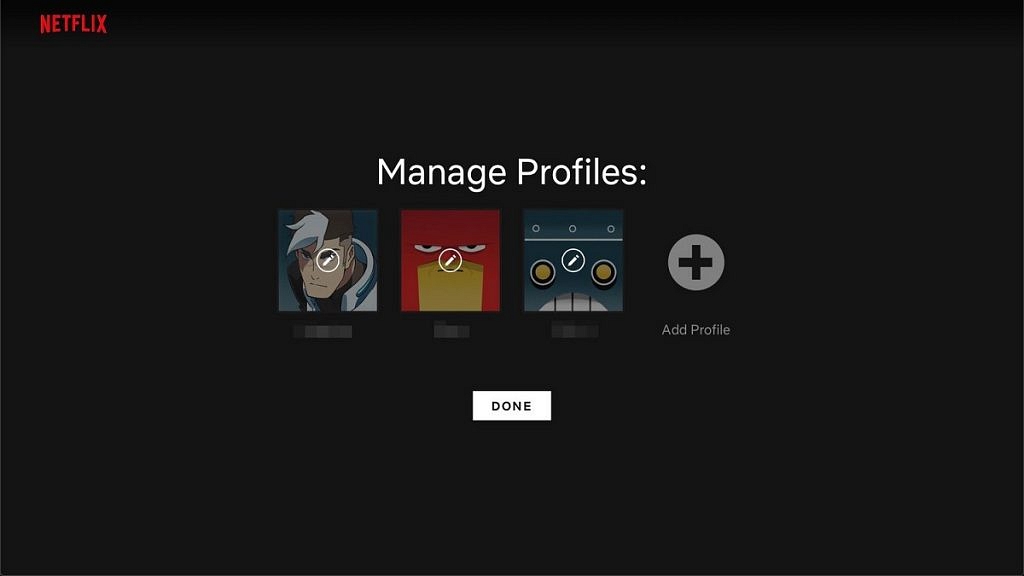
Step 2: Once you are logged in, click on your profile icon in the top right corner of the screen. A dropdown menu will appear, and from there click on “Manage Profiles.”

Step 3: To add a new profile, click on “Add Profile.” You can then enter the name of the person who will be using this profile. You can also select a profile picture or choose to leave it blank. Repeat this step for as many profiles as you need.

Also Read | Netflix Introduces ‘Kids Mystery Box’ Feature To Android Users: All Details

Step 4: Once you have created a new profile, you can customize it to your liking. You can choose to enable or disable the following options: “Autoplay next episode in a series on all devices,” “Include in ‘Continue Watching’ row,” and “Maturity level.”

The maturity level option is particularly important if you have kids or younger viewers who will be using this profile. You can choose from different maturity levels such as Little Kids, Older Kids, Teens, and Adults. Depending on the maturity level you select, certain titles may be restricted.

Step 5: To manage profiles, click on “Manage Profiles” and then click on the profile you want to edit. You can then customize the profile as described in Step 4. You can also choose to delete a profile or change its name or picture.

Step 6: To switch profiles, click on your profile icon in the top right corner of the screen and then click on the profile you want to switch to. The interface will then change to reflect the preferences and viewing history of that particular profile.

Overall, creating and managing multiple profiles on Netflix is a simple process that can greatly enhance your viewing experience. It allows each user to have their own personalized account, making it easier to keep track of individual preferences and viewing history. With these easy steps, you can create and manage profiles on Netflix in no time.

Also Read | Netflix Games: Up To 40 New Game Titles To Be Released In 2023

Categories
Featured Info

India Welcomes Highly Anticipated Flagship Apple BKC Store In Mumbai: Take A Sneak Peak

Key Highlights

  • Apple opens first official store in Mumbai, India, eyeing huge market potential
  • Tim Cook greets customers as Apple’s BKC store opens to an enthusiastic crowd
  • Apple’s sustainable and Indian-inspired BKC store offers a unique shopping experience

Today, Apple inaugurated its initial official store in Mumbai, India. The store is located in the Bandra Kurla Complex area at the Jio World Drive mall and is one of two outlets planned to be opened by Apple. This move will bring the Cupertino-based company closer to a market with one of the youngest populations in the world. With a population of 1.4 billion and a growing economy, India presents a wealth of untapped opportunities for high-end smartphone brands like Apple, and the company is seeking to thrive in this market.

The store opening was attended by close to 5,000 tech enthusiasts, some of whom arrived at the venue as early as 8 am in the morning – almost three hours before the doors officially opened. Apple’s CEO Tim Cook was present to greet customers as they entered the store. Also Read | Best Apple iPhones To Buy Under Rs. 50,000: Check Out The List

Tim Cook was present to greet customers

A Sustainable And Unique Shopping Experience

The new Apple store in Mumbai has a unique approach to the shopping experience, with spacious interiors, warm vibes, and ample sunlight coming through the glass walls. The store has plants, reflecting the company’s environment-friendly approach, and is one of the most sustainable stores that will work on 100 percent renewable energy. The sales team wears green t-shirts, reflecting the store’s sustainability theme. The staff is knowledgeable and versatile, with over 20 languages spoken, and can guide visitors through the latest technologies.

Also Read | iOS 16 Tips And Tricks: Four Best Hidden Features To Try On Your iPhone 14

Indian Touch In The Design

The Mumbai Apple store follows the same design philosophy as the other stores globally but with an added Indian touch. The store features a triangular, handcrafted timber ceiling that extends beyond the glass facade, and 450,000 timber elements sourced from Delhi. The store has a 14-meter-long stainless-steel staircase and two grey stone walls, sourced from Rajasthan, along with mosaic flooring.

One-Stop Shop For Apple Fans

The Apple BKC store will sell all of Apple’s currently available products in the country, including MacBooks, iPhones, iPads, and watches. Along with this, it also showcases the Apple Arcade, the Apple HomePod, Apple Music, and Apple TV+. The first floor of the store houses a Genius Bar to provide necessary assistance to visitors. The store opening is a significant move for Apple in strengthening its footprint in India, a market with a population of 1.4 billion and a growing economy that presents a wealth of untapped opportunities for high-end smartphone brands like Apple.

Also Read | Want To Rent Movies From The Apple TV App? Here’s How To Do It

Categories
Apps Featured

Unlock Exclusive Deals: Five Best Coupon Apps For Online Shopping In India

Key Highlights

  • Coupon apps can help you shop smarter and get the best deals on your purchases
  • Users can get free coupons using these apps on their Android device or iPhone
  • You can receive discount coupons that can cut the shopping bill

While shopping online, people often look for the best discounts and deals to save money. Online shopping addicts typically browse popular platforms like Amazon, Flipkart, Myntra, Reliance Digital, Zivame, and others, and are always in search of coupon codes that can help them get discounts and save money on various items.

In today’s digital age, shopping has become much easier with the help of various coupon apps that offer deals and discounts. These apps not only provide a convenient way to shop, but they also help you save money on your purchases. Here are some of the best shopping apps for deals and discounts. Also Read | Mastering A New Tongue? Here Are The Best Mobile Apps For Learning A New Language

CouponDunia

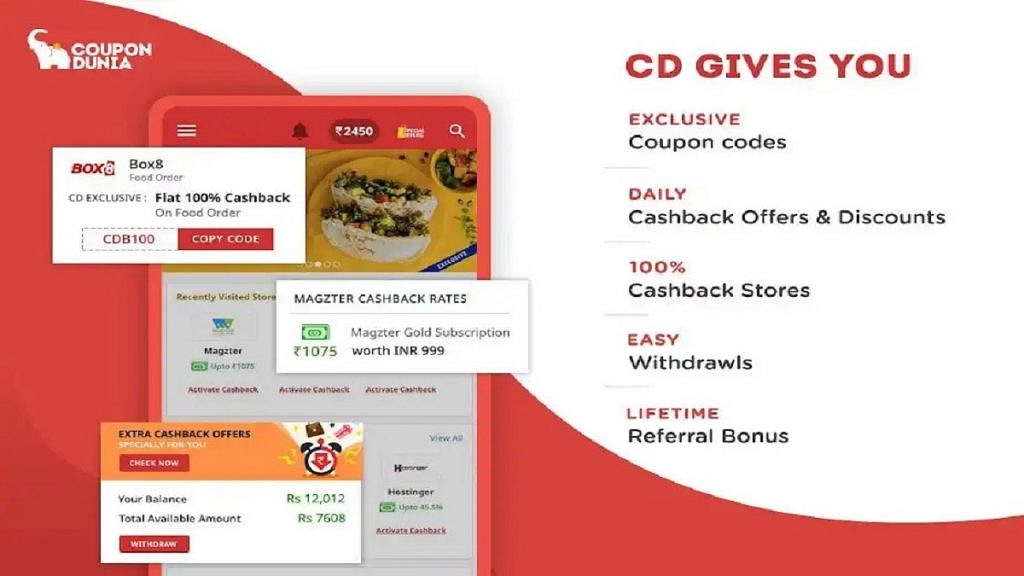
CouponDunia is a popular coupon app in India that provides discount codes and offers for over 2,000 online retailers, including Amazon, Flipkart, and Swiggy. You can also earn cashback on your purchases through the app. The app provides verified coupons, cashback offers, and personalized recommendations, making it a must-have app for any savvy shopper.

Features:

  • Extensive range of coupons
  • Cashback offers
  • User-friendly interface
  • Personalized recommendations

GrabOn

GrabOn is another popular coupon app that offers promo codes and discounts for various categories, including fashion, travel, and food. The app also offers cashback on your purchases. GrabOn is a reliable and feature-rich coupon app that can help you save money on your purchases from a wide range of online retailers.

Features:

  • Wide range of coupons
  • Category-wise coupons
  • Cashback offers
  • User-friendly interface

CashKaro

CashKaro is a cashback app that offers up to 20% cashback on your purchases from over 1,500 online retailers, including Myntra, Ajio, and Tata Cliq. You can also find exclusive coupons and deals through the app. CashKaro also has a savings calculator that helps you calculate the amount of money you can save by using a particular coupon or cashback offer.

Features:

  • Automatic cashback tracking
  • Provides a price comparison feature
  • Provides exclusive coupons
  • Earn cashback by making purchases

Also Read | Best Websites For Perfect WhatsApp DP For Girls

Magicpin

Magicpin is a rewards app that offers cashback and discounts on your purchases from local stores and restaurants. You can also earn rewards by uploading your bills and sharing your experiences on the app. Magicpin is a unique and engaging discovery and rewards app that can help you save money and discover new local businesses in India.

Features:

  • Offers cashback rewards
  • Personalized recommendations
  • Rewards for check-ins at local businesses
  • Share experiences at local businesses

CouponRaja

CouponRaja is a coupon app that offers discount codes and deals for various categories, including travel, food, and electronics. The app also provides a wide range of coupons and deals for various categories, along with user reviews and price comparison features to help users save money on their purchases.

Features:

  • Wide range of coupons
  • Category-wise coupons
  • Exclusive deals and discounts
  • Offers price comparison

Coupon apps can help you save money on your purchases and make shopping more convenient. These apps offer various features, including promo codes, cashback, and daily deals, making it easier for you to find discounts and save money. Whether you’re shopping for fashion, food, or electronics, these apps can help you find the best deals and discounts available.

Also Read | Best Mobile Apps To Easily Find Parking Spot For Your Car

Categories
Apps Featured How To

Tired Of Getting Lost Or Stuck In Traffic? Here’s How To Use Waze App

Key Highlights

  • Waze provides you with a suggested route to your destination based on real-time traffic data
  • The app also suggests alternate routes if there’s heavy traffic or road closures
  • Waze allows users to report incidents such as accidents, hazards, and police presence in real-time

Waze is a popular navigation app that provides real-time traffic updates and directions to help you reach your destination quickly and easily. With Waze, you can avoid traffic jams, road closures, and accidents, and find the fastest route to your destination. The app uses information from its community of users to provide real-time updates on traffic, accidents, and other incidents. This means that the more people use Waze, the better it becomes at providing accurate and up-to-date information. In this way, Waze is not just a navigation app, but a community-driven tool for smarter and safer driving. Here’s a step-by-step guide to using Waze. Also Read | Find Nearest Grocery Store: Here’s How To Locate Closest Grocery Store Using Google Maps

How To Use Waze?

Step 1: Download and install Waze. This app is available for both iOS and Android devices. Simply go to the App Store or Google Play Store, search for Waze, and download and install it.

Step 2: Once you have downloaded and installed Waze, open the app and create an account by entering your email and setting a password. You can also use your Facebook or Google account to log in.

Step 3: Before you start driving, enter your destination in Waze. You can do this by tapping the magnifying glass icon at the bottom left of the screen and typing in your destination. Waze will then provide you with directions.

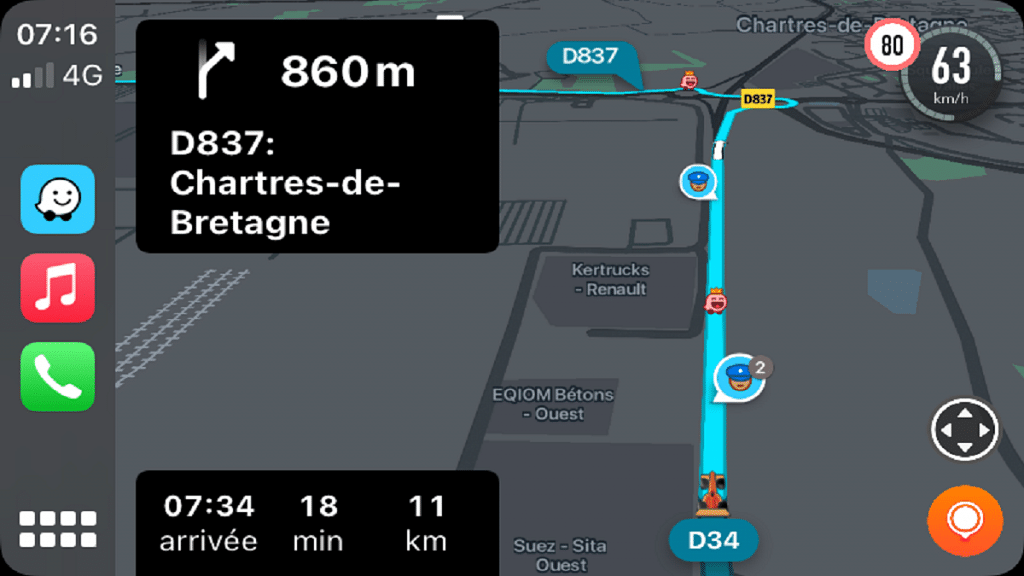
Step 4: Once you have set your destination, Waze will provide you with turn-by-turn directions. You can see the route on the map, and Waze will give you audio and visual prompts before each turn.

Also Read | Google Maps Privacy: How To Blur Or Delete House Or Any Other Image In Google Maps Street View

Step 5: Waze relies on its community to provide real-time updates on traffic, accidents, and other incidents. If you see something on the street, for example, an accident or obstruction, you can report it to Waze by tapping the Report button at the bottom right of the screen and selecting the appropriate category.

Step 6: Waze allows you to customize various settings to suit your preferences. You can change the voice prompts, choose your preferred route, and even change the app’s color scheme.

Step 7: Waze has a gamification feature that rewards users for contributing to the community. You can earn points for reporting incidents, driving on new roads, and completing challenges. As you earn more points, you will rank up and unlock new features.

Undoubtedly, Waze is a powerful navigation app that can help you avoid traffic and get to your destination faster. By following these steps, you can make the most of this app and never get lost again.

Also Read | Never Get Lost Again: Four Best Navigation Apps For Travelers