Categories
Apps Featured Info

WhatsApp New Update To Bring Temporary Group Feature With Expiry Date: Read Details Here

Key Highlights

  • WhatsApp is set to release a new update that includes a temporary group feature with an expiry date.
  • Users will be able to set an expiry date according to their preference for groups created for short-term purposes, such as planning a trip or organizing an event.
  • The new feature will be available on both Android and iOS platforms and is aimed at giving users greater control over their groups.
  • The update is expected to roll out to all WhatsApp users in the coming weeks, providing more flexibility and reducing clutter in the app.
Also Read: WhatsApp Account Hijacking: What Is It? How To Stay Safe?

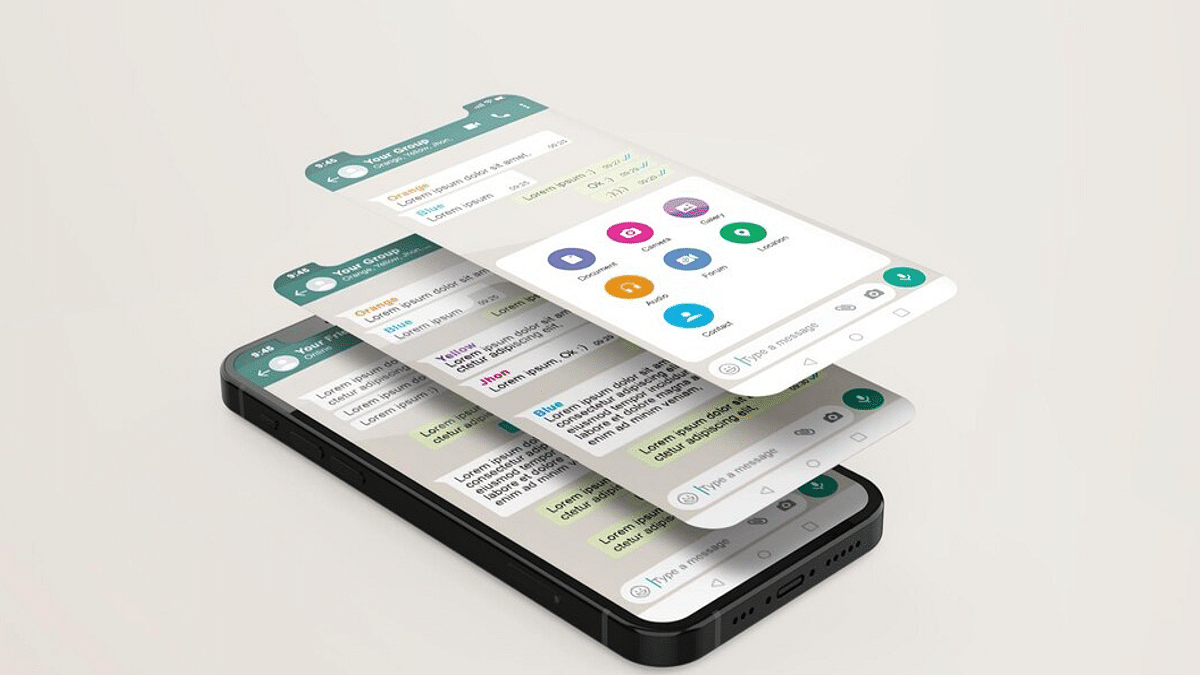
WhatsApp is gearing up to launch a revolutionary update that will empower users with a temporary group feature with an inbuilt expiry date. This novel feature will enable users to create groups for a limited period, and once the set timeframe elapses, the group will be deleted automatically.

Sources suggest that the much-anticipated feature will be accessible to users across Android and iOS platforms. Users will have the freedom to customize the expiry date of their short-term groups, providing them with a higher degree of control over group management. This update is expected to be particularly useful for those who regularly create groups for short-term tasks like organizing an event or planning a trip.

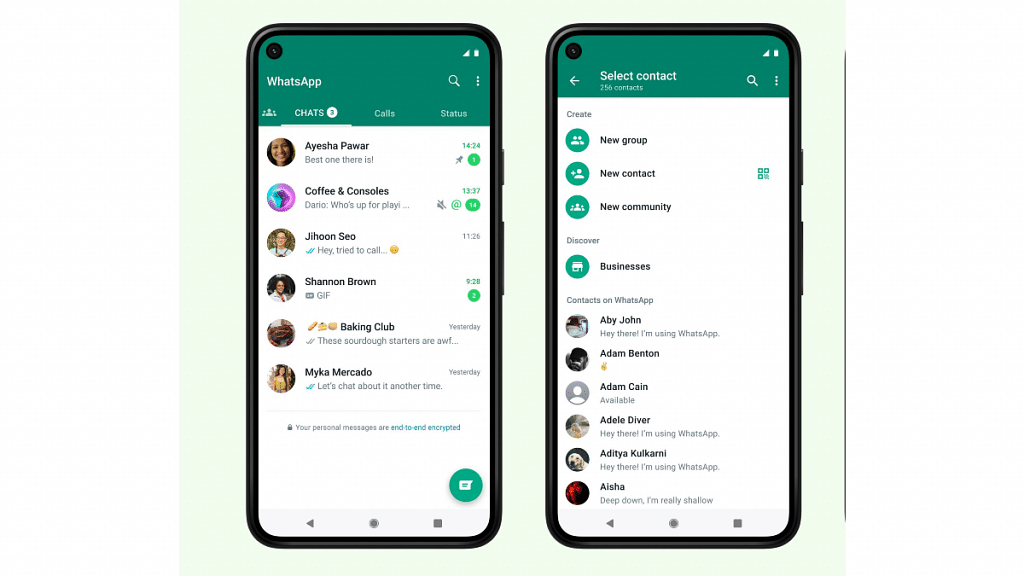
The new feature is easy to use, and all users need to do is create a group as they would usually do and then set the expiry date from the group settings. The group will remain active until the set date, after which it will be automatically deleted, and all members will be removed.

Also Read: WhatsApp Privacy: How To Setup And Use WhatsApp With Landline Number

This new update is aimed at making the app more user-friendly and giving users greater control over their groups. Users will no longer have to worry about manually deleting groups they no longer need, which can be a tedious task. Instead, they can set an expiry date and let the app take care of the rest.

WhatsApp has been constantly updating its app with new features and improvements to enhance the user experience. The app recently introduced a disappearing messages feature that automatically deletes messages after a set period. This feature is similar to the temporary group feature, but it applies to individual messages rather than groups.

The new update is expected to roll out to all WhatsApp users in the coming months. Users are advised to ensure that they have the latest version of the app to access the feature.

Also Read: WhatsApp Web Video Calling: How To Make/ Answer WhatsApp Video Calls On Windows Laptops/ PCs

Categories
Apps Featured

WhatsApp Emoji Meanings: Know What You Are Expressing With These WhatsApp Emojis

Key Highlights

  • WhatsApp emojis are a fun and useful tool in digital communication
  • They allow us to express emotions, convey meaning, and add context to our messages
  • It’s important to understand the meanings of emojis and use them effectively in our conversations

WhatsApp emojis are a popular and fun way to express emotions and convey messages in digital conversations. They are small pictorial symbols that represent various emotions, actions, objects, and ideas, and are used to enhance the meaning and context of text messages. With thousands of different emojis available, it’s important to understand their meanings and how to use them effectively. Also Read | WhatsApp Avatar DP: How To Create Cool WhatsApp Personalized Avatars For Profile Picture, Sticker Pack

Types Of Emojis On WhatsApp

There are several types of emojis on WhatsApp, each with its own distinct meaning and purpose. Here are some of the most common ones:

Smiley Emojis

These emojis represent different emotions, such as happiness, sadness, anger, and surprise. They are often used to convey the tone of a message and show the sender’s mood.

People and Body Parts Emojis

These emojis represent different people and body parts, such as hands, feet, and faces. They are often used to indicate a person’s gender, age, or ethnicity.

Also Read | Want To Read Full WhatsApp Messages Without Seen Or Blue Tick: Here’s The Hidden Hack

Animal Emojis

These emojis represent different animals, such as cats, dogs, and birds. They are often used to express affection for pets or to indicate an animal’s behavior or characteristics.

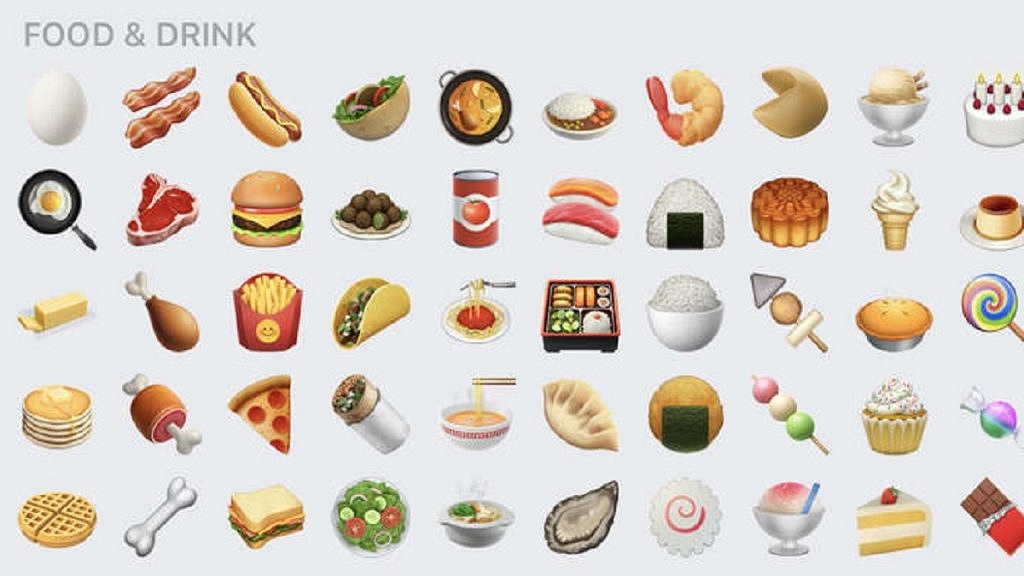
Food and Drink Emojis

These emojis represent different types of food and drink, such as pizza, beer, and coffee. They are often used to indicate a person’s preferences or to suggest a particular type of cuisine.

Object Emojis

These emojis represent different objects, such as cars, phones, and computers. They are often used to indicate a person’s interests or to express their opinions on various topics.

Understanding the meanings of these emojis is crucial in effective communication. For instance, the red heart emoji is often used to indicate love or affection, while the laughing face emoji is used to express humor or amusement. Similarly, the angry face emoji can be used to indicate frustration or anger, while the crying face emoji can indicate sadness or empathy.

Categories
Apps How To

Delete A Page In MS Word: A Step-By-Step Guide

Key Highlights

  • Extra pages in Word could be caused by tables, hitting the Enter key too many times, and more
  • Deleting blank and extra pages in Word is an easy process

Microsoft Word is a widely-used word processing program that allows users to create, edit, and format documents. Sometimes, when working with a document, you may need to delete a page. This could be because the page contains incorrect information, is no longer necessary, or is causing formatting issues. Fortunately, deleting a page in Word is a simple process that can be completed in just a few steps. Here’s how to delete a page in Word:

Also Read | Forgot Your Amazon Alexa Password? Here’s How To Change And Reset It

Step-By-Step Guide To Delete A Page In Word

Step 1: Open the document in Word and navigate to the page you want to delete.

Step 2: Click anywhere on the page you want to delete to place your cursor on it.

Step 3: Press the “Delete” key on your keyboard. This will delete all of the content on the page, including any text, images, or other objects.

Step 4: If the page you want to delete is at the end of the document and you want to remove the empty page, simply place your cursor at the end of the text on the previous page and press “Delete” until the empty page is removed.

Alternatively, you can also use the “Backspace” key to delete content from the end of the document until the empty page is removed.

Also Read | Google Sheets Tips And Tricks: How To Add ChatGPT Extension To Google Sheets

If you’re having trouble deleting a page using these methods, it’s possible that there are hidden characters, such as a page break, causing the page to remain. In this case, you can try the following steps:

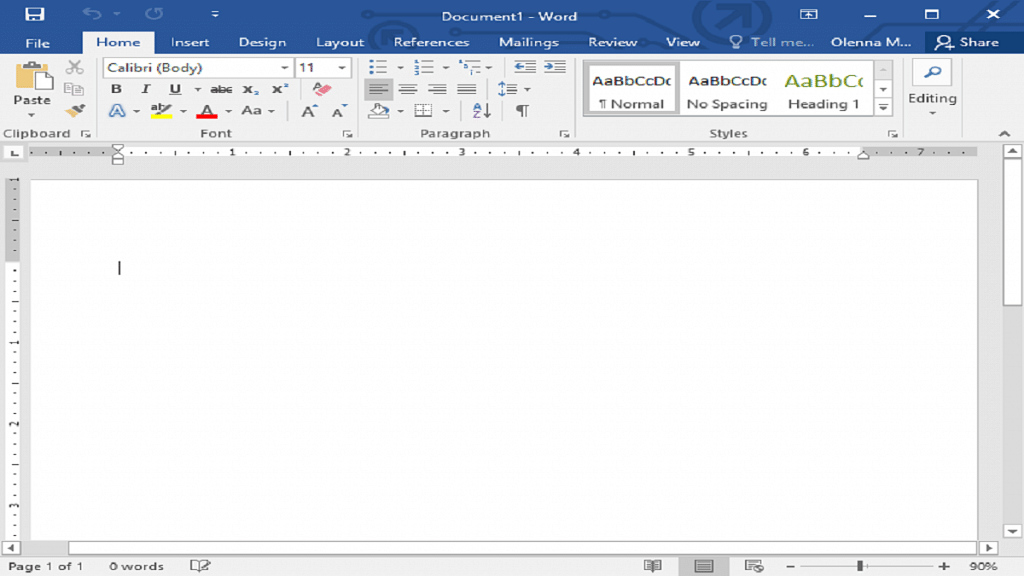
Step 1: Click the “Home” tab in the Word ribbon.

Step 2: Click the “Show/Hide” button in the Paragraph group to display all formatting marks in the document.

Step 3: Look for any page breaks or other formatting marks that may be causing the empty page to appear.

Step 4: Select the formatting mark and press “Delete” on your keyboard.

By following these simple steps, you can easily delete a page in Word and keep your documents organized and free of unnecessary content.

Also Read | WhatsApp Account Hijacking: What Is It? How To Stay Safe?

Categories
Apps Featured

Best Instagram Bio Ideas For Girls In 2023

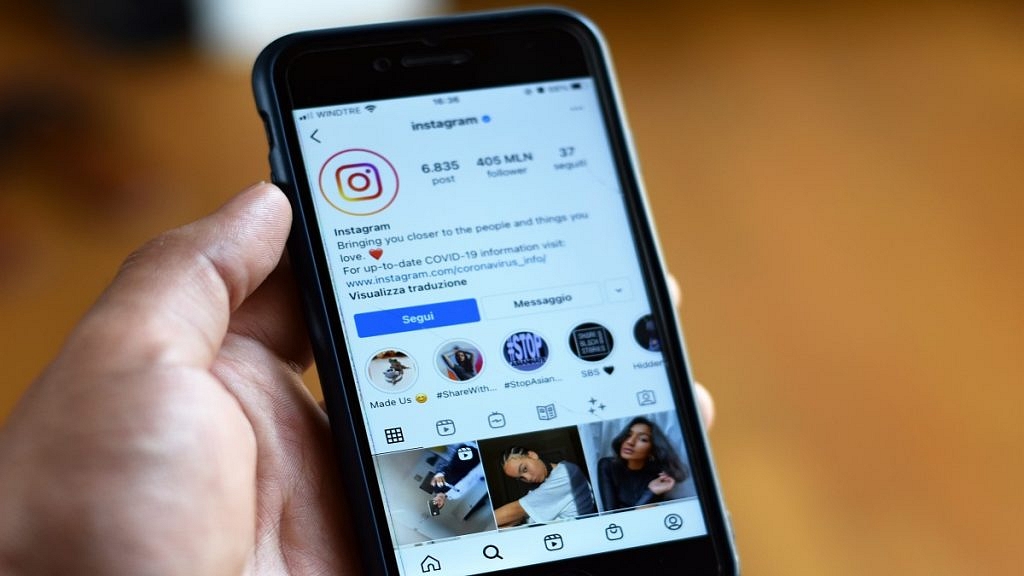
Instagram bios are a great way to introduce yourself to your followers, and they can say a lot about who you are and what you stand for. For girls, Instagram bios can be a way to express your personality, showcase your interests, or even promote your brand or business. Here are some ideas for the best Instagram bios for girls. Also Read | Instagram Tips To Create The Best Bio For Boys

Short and Sweet Instagram Bio For Girls

Sometimes, less is more. A short and sweet bio can be effective in grabbing the attention of your followers. Try something like:

ReligiousFrom DelhiLove to talk
Always on the goWandererWandering for love
My Life My ChoiceSingleRare to find
Choose wings over roadsQueenLittle Unicorn
A girl with wingsMoon loverSelfie Queen
TravelistaSingerFashionable
ExplorerShahrukh Khan FanHere to steal
ReaderBollywood loverSober and Simple

Inspirational Instagram Bio For Girls

If you’re looking to inspire your followers, consider using a quote that resonates with you. This can be anything from a famous saying to a personal mantra. Some ideas include:

Just a girl with big dreamsLife is rough so be toughHard work is never lost
Be the change you wish to see in the worldBe all that you can beDon’t wait. Life goes faster than you think
Life is a journey, not a destinationBe brave to stand aloneSmile for life not only for the picture
Defeat your enemies with your successReaders are leadersThe power of imagination makes us infinite
Winners never quit and quitters never winYou never fail until you stop tryingSometimes you win sometimes you learn
Head up, stay strong, fake a smile, move onAchieving starts with believingBe a warrior, not a worrier
Failure is the mother of successYou can’t get rich thinking poorShe created a life she loved
Life is only what you make of itEverything needs an upgradeDon’t listen to what they say. Go see

Also Read | 100+ Best Instagram Names For Motivational Speakers To Inspire The Audience

Humorous Instagram Bio For Girls

If you have a funny side, show it off in your bio. Try something like:

I’m not arguing, I’m just explaining why I’m rightWake up, workout, look hotToo glam to give a damn
Professional napperKinda pissed about not being a mermaidSarcasm is how I roll
If I was a vegetable, I’d be a cabbitchStop petting my peevesGod bless this hot mess
Skinny legends don’t shareI’m not like other girls. I’m Satan‘Tis a girl thing
I’m the hot tea for todayKeep calm and call your stylistWhen the sun goes down, I glow up
What a hot mess I amSuns out, buns outMessy bun and getting stuff done
Tight jeans, loose moralsWhen life imitates artUnapologetically girly
Dress like you’re already famousHere’s your daily dose of vitamin meIdk, I’d wife me

Also Read | 100 Best Instagram Name Ideas For Graphic Designers

Categories
Apps Featured Gaming

Amazon Prime March 2023 India Offer Details: Free Games, In-Game Loot, And More

Key Highlights

  • Amazon Prime March 2023 offers seven free games in India
  • Prime Gaming service offers free access to exclusive gaming content
  • Users can play a variety of games on mobile, desktop, and Mac devices

A complete list of the games and content for well-known titles that will be accessible in March 2023 has been made public by Amazon Prime Gaming. Seven different genre-specific games, in-game Riot Games incentives, exclusive content, and more are all available to subscribers. The exclusive gaming content and monthly PC game rotation are both free with Amazon’s Prime Gaming service which launched in India in December. On mobile, desktop, and Mac platforms, users can play a variety of games and win in-game loot. Also Read | Best Train Simulator Games For PC Gaming Enthusiasts

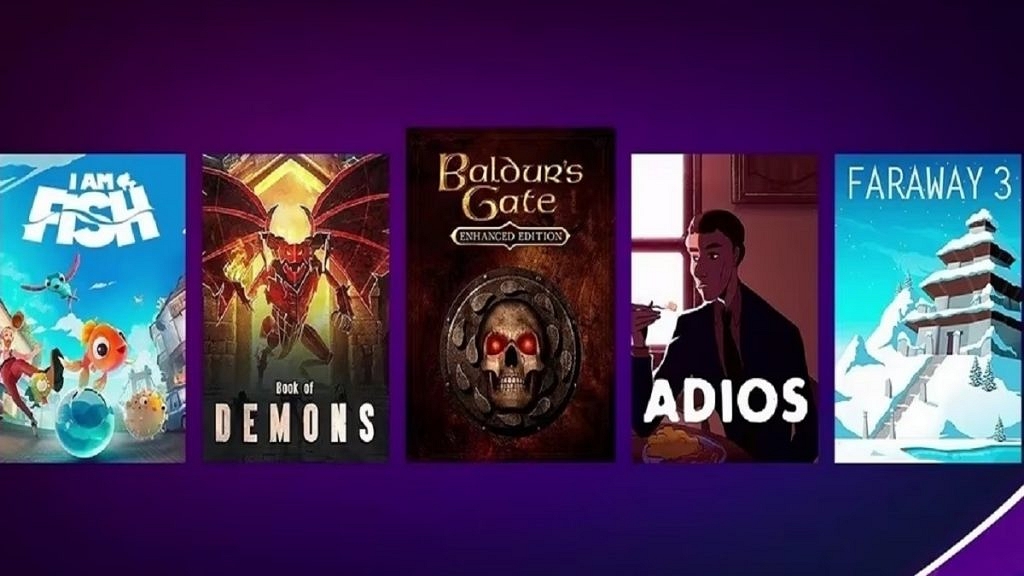
In March, Prime Gaming subscribers will get access to Peaky Blinders: Mastermind, Adios, I am Fish, Faraway 3: Arctic Escape, Book of Demons, and City Legends: Trapping in Mirror – Collector’s Edition. Starting March 2, a new set of seven games will be out every Thursday.

TitleRelease Date
Baldur’s Gate: Enhanced EditionMarch 2
AdiosMarch 9
I am FishMarch 9
Faraway 3: Arctic EscapeMarch 16
Book of DemonsMarch 23
Peaky Blinders: MastermindMarch 23
City Legends: Trapping in Mirror – Collector’s EditionMarch 30

With popular Riot Games titles like League of Legends, League of Legends: Wild Rift, Legends of Runeterra, and VALORANT, Prime Gaming members have access to brand-new in-game bonuses. Subscribers can also get exclusive content for games like Madden NFL 23, Dead by Daylight, and others.

The latest Prime Gaming Capsule, which includes 350 RP, 5 Mythic Essence, a 1350 RP skin, and other incentives for the intensely competitive game, is available to Prime Gaming subscribers until March 16.

Also Read | Minecraft Alternative Games: Best Sandbox Games You Should Check Out

Members of League of Legends: Wild Rift Prime can leave a lasting influence on the map by claiming a Random Bauble Chest up until March 18.

Legends of Runeterra Prime members can purchase rare Prismatic Boxes and Epic Cards in the digital trading card game through March 16. In the meantime, VALORANT players can pick up Doomscrolling Spray, a new addition to the game, until March 23.

Also Read | Poki Games: Here Are The Best Five Online Games To Play For Free

Categories
Apps Featured

Best Money-Earning Apps For Android Phones In India

Key Highlights

  • Money-earning apps in India allow users to earn extra cash through various means
  • Some popular examples include Google Opinion Rewards, Swagbucks, and TaskBucks
  • These apps provide a convenient way for users to earn extra income using their Android phones

In recent years, the popularity of money-earning apps in India has surged dramatically. Thanks to the proliferation of smartphones and the widespread availability of high-speed internet, people are now able to earn extra cash with ease, simply by using their mobile devices. Here are some of the best money-earning apps in India for Android phones:

Also Read | List Of Best Drawing Apps For Your iPad

Google Opinion Rewards

This app allows users to earn Google Play credits by answering quick surveys. The surveys are usually short and take only a few minutes to complete. The credits earned can be used to purchase apps, games, and other digital content.

Swagbucks

This app allows users to earn points by completing surveys, watching videos, playing games, and shopping online. The points can be redeemed for gift cards to popular retailers like Amazon, Walmart, and Starbucks.

Also Read | Best Mobile Apps To Easily Find Parking Spot For Your Car

TaskBucks

The app allows users to earn money by performing simple tasks such as downloading apps, conducting surveys, and referring friends. The earned money can be transferred to a user’s Paytm wallet or used to recharge mobile phone accounts.

Paytm First Games

Paytm First Games is a gaming app that offers a range of games, including fantasy sports, rummy, and more. Users can play games and participate in tournaments to win cash prizes. It also offers various features such as live score updates, referral bonuses, and customer support, making it a popular choice among mobile gamers in India.

Also Read | Finding Love? These Are The Best Dating Apps In India You Should Try

MPL (Mobile Premier League)

MPL is a mobile gaming platform that offers a variety of skill-based games, including fantasy sports, rummy, and more. Users can play games and participate in tournaments to win cash prizes. It also offers features such as instant withdrawals and customer support, making it a popular choice among mobile gamers in India.

CashKaro

CashKaro is a cashback and coupon website/app that allows users to earn cashback on online purchases made through the app. Users can also earn money by referring friends to the app. It offers cashback on a wide range of products and services, including fashion, electronics, food, and travel.

These are some of the best money-earning apps in India for Android phones. While they can provide a convenient way to earn extra cash, it is important to remember to use them responsibly and avoid falling for scams or fraudulent schemes.

Also Read | Best Apps To Detect Hidden Camera For Android And iOS

Categories
Apps Featured How To

YouTube Tips And Tricks: How To Download YouTube Shorts Videos Offline

Key Highlights

  • YouTube Shorts is short format videos to take on Instagram Reels and TikTok
  • YouTube Shorts can be downloaded using third party apps
  • Shortnoob and savetube.me are the popular platforms to download YouTube Shorts

YouTube is the biggest platform for online video playback. The Google-owned streaming platform has the biggest library for professional and amateur content. The popularity has been an all-time high in the last few years. The company has been consistently upgrading the services on YouTube and has been providing a rich user experience across mobile and the desktop app.

YouTube also stepped into the race of short videos with YouTube Shorts. This feature has been released to counter Instagram Reels and the likes of TikTok and others. YouTube Shorts has gained immense popularity in a short span; specifically, amongst budding content creators. It’s one of the easiest ways to increase the audience reach on the platform.

Also Read: YouTube Video Playback Error On TV: How To Fix Error Code 3, Error Code 5 Issue With YouTube TV App

We have already shared the method with which you can create and upload YouTube Shorts videos. But what if you are scrolling through the app and stumble upon a YouTube Short that you wish to play offline later? Well, downloading that YouTube Shorts video is the only option then. There is no direct option offered by Google to download YouTube Shorts videos on respective smartphones, tablets, laptops, or PCs. However, this doesn’t make the task impossible. There is an easy method with which you can download and play YouTube Shorts video offline. Below are the steps:

Also Read: 100+ Best Channel Name Ideas For YouTube Account Dedicated To BTS Army

How To Download YouTube Shorts Videos On Smartphones, Laptops, PCs

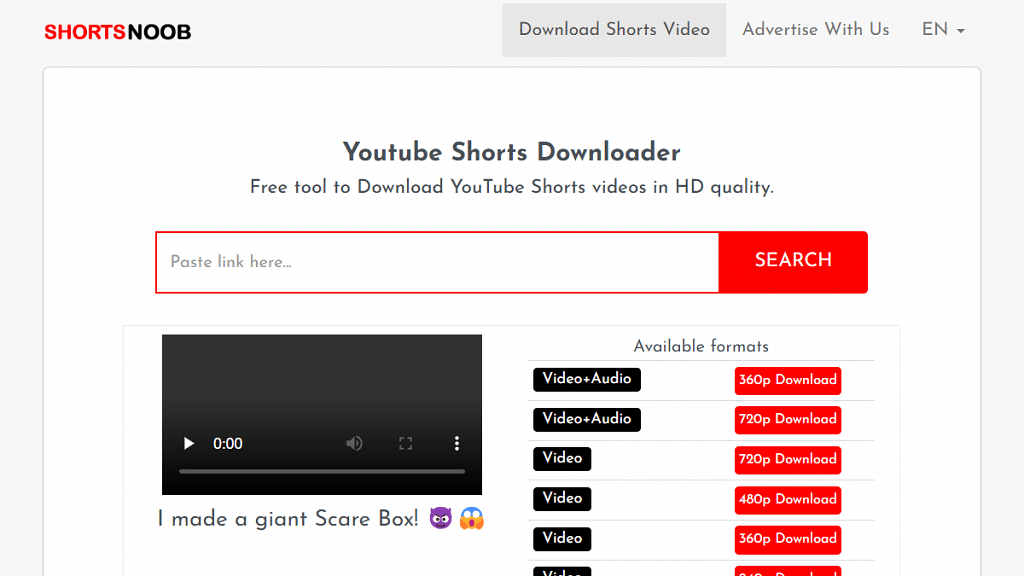
You will need a third-party app or website to download YouTube Shorts videos online. Shortnoob and savetube.me are a few of the portals from where you can download the YouTube Shorts videos on your respective devices.

Step 1: Open YouTube app on your respective devices.

Step 2: Go to the Shorts video that you wish to download.

Step 3: Tap on the Share option.

Step 4: In the next step, copy the video link

Step 5: Now, launch Shortnoob or savetube.me on any web browser. You can do this on smartphones, tablets, laptops, or PCs

Step 6: Paste the video link in the designated tab

Step 7: Select the resolution in which you want the video file to be downloaded

Step 8: Wait for the download link

Step 9: Once the download link is created, hit on Download. That’s it, the YouTube Shorts video will be downloaded on your device.

Also Read: 100+ Best Channel Name Ideas For YouTube Account Dedicated To BTS Army

Categories
Apps Featured

WhatsApp Account Hijacking: What Is It? How To Stay Safe?

Key Highlights

  • Hackers can gain control of users’ WhatsApp accounts easily
  • Users should take precautions to protect themselves from these attacks
  • The hijacking trick works globally

WhatsApp is one of the most popular messaging apps, with over two billion active users worldwide. While the app has several security measures to protect users’ privacy, it is not immune to hacking. One way that WhatsApp can be hijacked is through a vulnerability in the app’s security systems. Also Read | WhatsApp Transcript Feature Will Save You From Hearing Lengthy Voice Messages: How To Use?

How WhatsApp Hijacking Works?

One of the most significant security flaws in WhatsApp is the possibility of a hacker taking over a user’s account through the app’s verification process. WhatsApp’s two-factor authentication (2FA) system is supposed to provide an additional layer of security to users. However, if a hacker has access to a user’s phone number and can intercept their verification code, they can easily take over the account. This type of attack is called a SIM swap attack.

Another way WhatsApp can be hijacked is through malware. Malware can be used to gain access to a user’s device and monitor their WhatsApp activity. This can allow a hacker to read a user’s messages, see their contacts, and even send messages on their behalf.

Also Read | WhatsApp Web Video Calling On MacBook Laptops: Step By Step Guide

A third way WhatsApp can be hijacked is through the use of fake WhatsApp applications. These apps are designed to look and function like the real WhatsApp, but they are created by hackers to steal users’ data. When a user installs a fake WhatsApp app, they are giving the hacker access to their phone and all the data on it.

How To Prevent Yourself From WhatsApp Hijacking?

To protect themselves from these types of attacks, WhatsApp users should take several precautions. First, they should enable two-factor authentication in the app’s settings. This will require a user to enter a code sent to their phone number to verify their identity. Additionally, users should avoid installing apps from unknown sources and only download applications from the official app store.

Users should also be cautious about clicking on links or opening attachments from unknown sources. These could contain malware that can infect their device and compromise their WhatsApp account. Lastly, users should keep their device’s operating system and all apps up to date with the latest security patches.

Also Read | WhatsApp Privacy: How To Activate Or Deactivate End-To-End Cloud Backup For Google Drive, iCloud On WhatsApp

Categories
Apps Featured

Instagram Tips To Create The Best Bio For Boys

Your Instagram bio is your chance to introduce yourself to the world and make a great first impression. As a boy on Instagram, you want to make sure your bio accurately represents who you are while also catching the attention of potential followers. Here are some examples of the best Instagram bios for boys:

Also Read | Best Instagram DP Ideas For Girls To Attract Followers

Great Instagram Bio For Boys

Just a guy trying to make it in this crazy world. I love basketball, hip-hop, and my dog. Follow me for some laughs and inspiration.Coffee addict ☕️, gym rat 🏋️, and lover of all things outdoors 🌲. Follow me for fitness inspiration and beautiful nature photos.
Living life to the fullest, one adventure at a time. Travel, food, and good vibes. Join me on my journey!”Don’t take life too seriously. Life is short, so make the most of it. Follow me for memes, jokes, and good times.
An entrepreneur by day, a gamer by night. I’m all about balance. Follow me for business tips and epic gaming content.Always seeing the positive side of things. #Goodvibesonly

Short Instagram Bio For Boys

IntrovertIndian
Stylish BoyTraveler
PhotographerSìnGle
AdventurerAdores beauty
Bollywood FreakArmy admirer
Photography loverGym freak
Mr. PerfectBooze for Life

Also Read | Instagram Privacy: How To Hide Online/ Active Status, Last Seen On Instagram

Attitude Instagram Bio For Boys

Always on FireKukkad Kamaal DaFiery and Wild
Do Not Mess With MeAttitude LoverRoar like a tiger
Attitude 100%Biker BoyFrom Delhi
Attitude Full onDon’t underestimate meDelhi ka tough Munda
Ask your heart, it knows meSherDilMunde Ta Charm
Don’t Lie to MeAlways a tigerDedicate time to yourself
Stud Boy looking for good friendsDon’t try to play your attitude on me – Won’t Work!Real is rare
Attitude GiverNew version loading soon!Simple Living, High Thinking

Also Read | 100+ Best Catchy And Unique Instagram Names For Your Pets

Tips To Create The Best Instagram Bio For Boys

Keep it simple: Your bio doesn’t need to be lengthy or complicated. Stick to the basics and include only the most important information about yourself.

Use humor: A funny or witty bio can make you stand out and show off your personality. Just make sure your humor is appropriate and doesn’t offend anyone.

Highlight your interests: Whether it’s sports, music, or travel, showcase what you love and what makes you unique.

Add a call-to-action: Encourage people to follow you or check out your website or blog.

Use emojis: Emojis can add some visual interest to your bio and help convey your personality in a fun way.

Remember, your Instagram bio is a reflection of who you are, so make it count. Use these tips and examples to create a bio that accurately represents you and attracts the right kind of followers.

Also Read | Instagram Hashtags Guide: Best Hashtags Ideas For More Likes

Categories
Apps How To

How To Download Or Transfer All Facebook Videos And Images Directly To Google Photos

Key Highlights

  • Facebook Photos and videos can be transferred to Google Photos
  • Transfer process is possible only with the desktop version of the app
  • Documents can also be moved to Google Docs

Facebook is a widely popular social media platform used by thousands of users globally. Multiple new features and tools have been added to the platform that enhances the experience for general users and professional. Stories, videos, and other media playback options are some of the most useful features offered by Facebook.  Photo and video sharing is also an option that is proactively being used by the audiences.

Often users have tried downloading photos and videos shared or uploaded on Facebook from their own profile or other uploads. But do you know, that there is an in-built feature with which you can directly transfer or download Facebook videos or photos to Google Photos? Not just photos and videos, one can also transfer posts and notes to Google Docs.  In this article, we have listed the steps with which you can migrate or download all your Facebook photos and videos to Google Photos. Take a look:

Also Read: Instagram Allows Cross-Posting Reels Videos On Facebook: Here’s How To Do It

Steps To Move And Download Facebook Videos Directly To Google Photos

In order to move the Facebook videos and downloads, you need to use the desktop version.

Step 1: Open Facebook on Google Chrome or any other web browser on your laptop or PC.

Step 2: From the top right corner, click on your profile picture

Step 3: Tap on the Settings menu

Step 4: Select the Facebook Information option placed on the left side

Also Read: Facebook Tips And Tricks: How To Create And Upload Facebook Reel Videos

Step 5: Locate the “Transfer a copy of your information” option

Step 6: Tap on the View button

Step 7: Select the Google Photos option to initiate the transfer

Step 8: You will be able to select all the Facebook images and photos that you wish to download or transfer to Google  Photos.

Also Read: Social Media App Hacks: How To Mute Annoying/Unwanted Messages On Instagram, WhatsApp, Facebook Messenger

Step 9: After completing all the aforementioned steps, you would need to tap on Connect option

Step 10: Login to the Google Account

Step 11: After the linking process is completed, the Facebook photos and videos that you have selected will be transferred to Google Phots.

Also Read: OnePlus TV HDMI Issue: How To Quickly Fix HDMI Picture Quality And Interface Issue With All OnePlus Smart TVs