Categories
Apps Featured How To

Google Maps Detailed Voice Navigation: What It Is & How to Use It on Android and iPhone

Key Highlights

  • Google Maps offers a Detailed Voice navigation feature
  • Option helps with easy navigation via turn-by-turn voice guidance
  • App-compatible feature accessible on both Android and iOS platforms

Google Maps is certainly the most advanced navigation tool for modern users with an access to smartphone or even laptop/PC. From showing shortest routes to unknown destinations, Maps over the year has received multiple upgrades making it more easy to get navigation guidance. Google has been refining Maps to keep users least distracted while driving. Of course, it gets difficult to take a glance at the screen while navigating through high traffic.

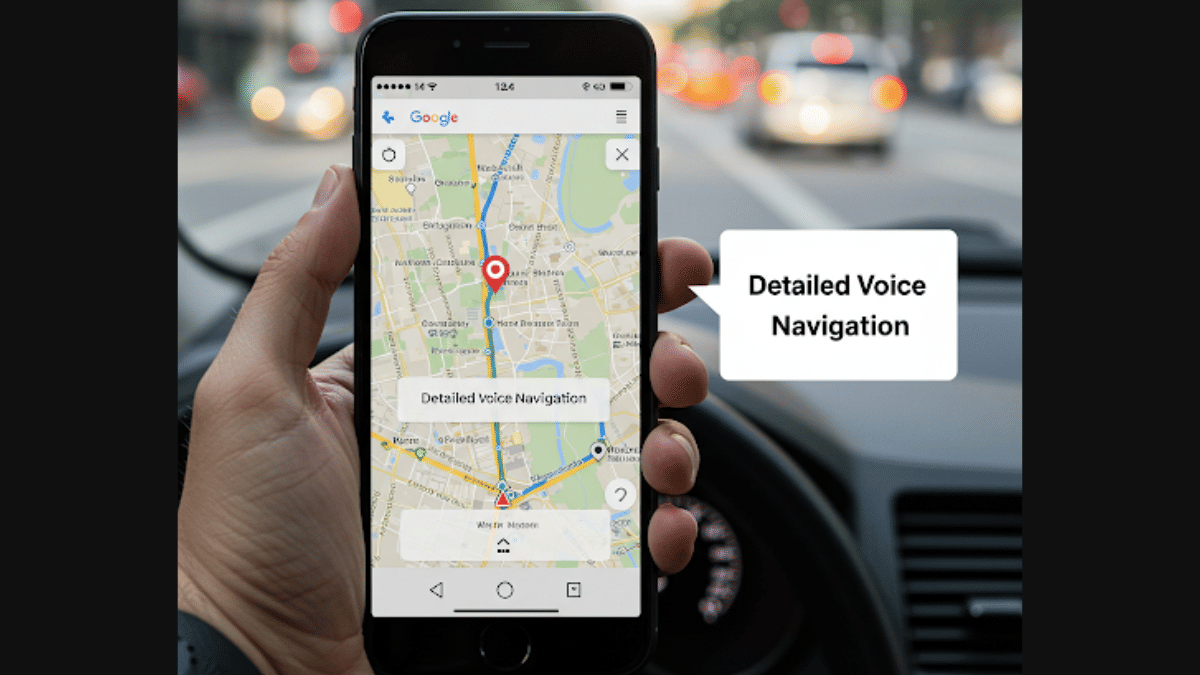
If you have also come across similar issues using Google Maps while driving to a new destination, then we are saving up the hassle for you. In this article, we’ll be explaining the “Detailed Voice Navigation” feature in Google Maps which you can use for a distraction-free navigation guide. The steps are mentioned below:

For the tech geeks, stay updated with the latest cutting-edge gadgets in the market, exclusive tech updates, gadget reviews, and more right on your phone’s screen. Join Giznext’s WhatsApp channel and receive the industry-first tech updates.

Also Read: ChatGPT Maps Feature: Here’s How To Explore Local Spots Easily

Google Maps Detailed Voice Navigation: Functionality

Google Maps has a dedicated feature that helps the users with turn-by-turn direction instructions via voice. This features gives voice guides to keep the user notified of the turns, street names, distance remaining for the destination (ETA), and emergency alerts and notifications such as lane change, traffic congestions, stalled vehicle alert, etc.

Also Read: Google Maps Hidden Tricks: How To Measure Elevation Of Any Location Using Google Maps

Steps To Use Google Maps Detailed Voice Feature On Android Smartphones

Step 1: Unlock your Android smartphone and open Maps application

Step 2: Click on the Profile icon located on the top right
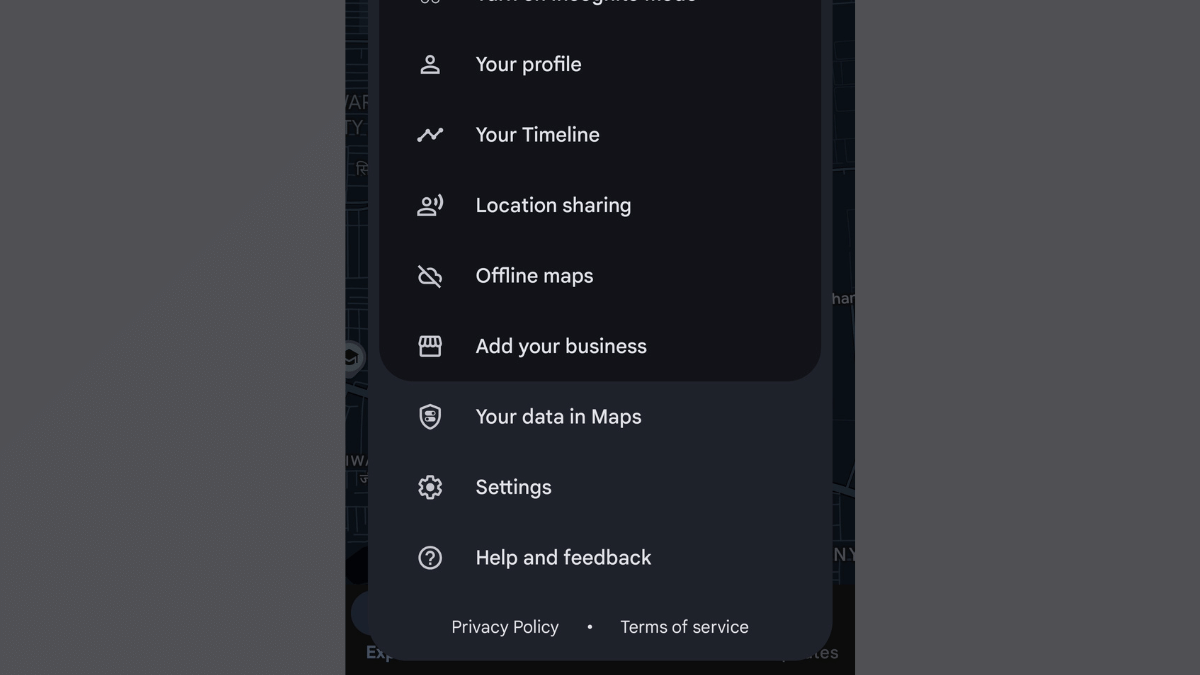
Step 3: Click on Settings menu
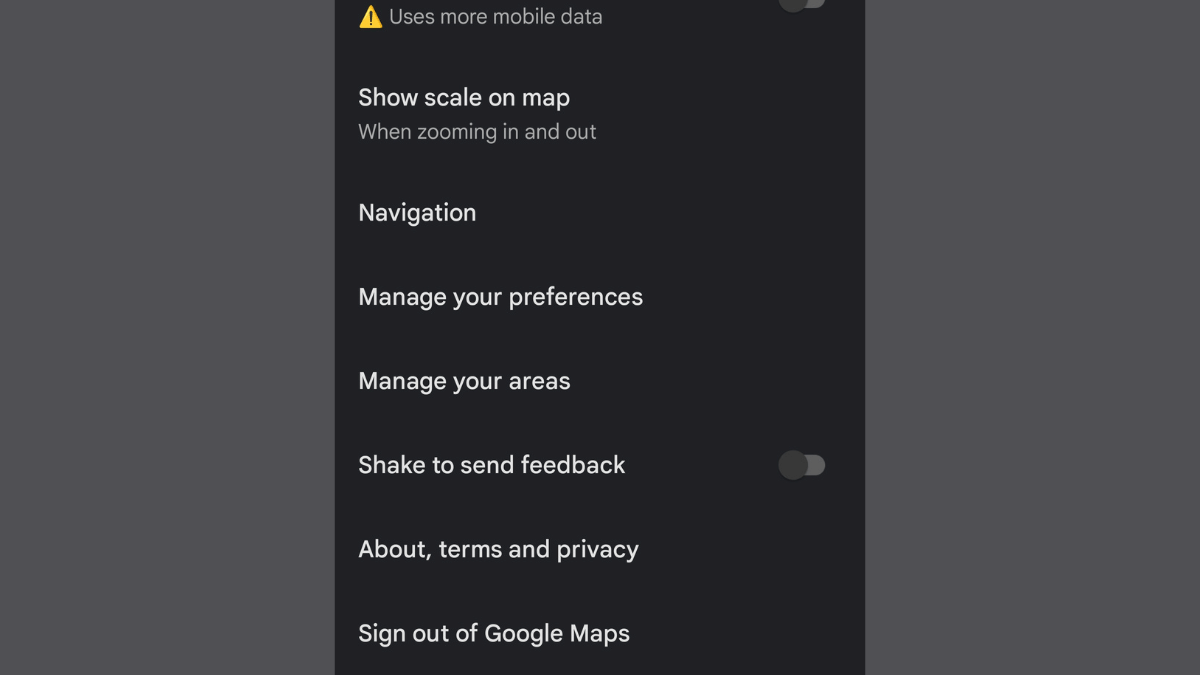
Step 4: Scroll down and locate the Navigation menu. Tap on it.
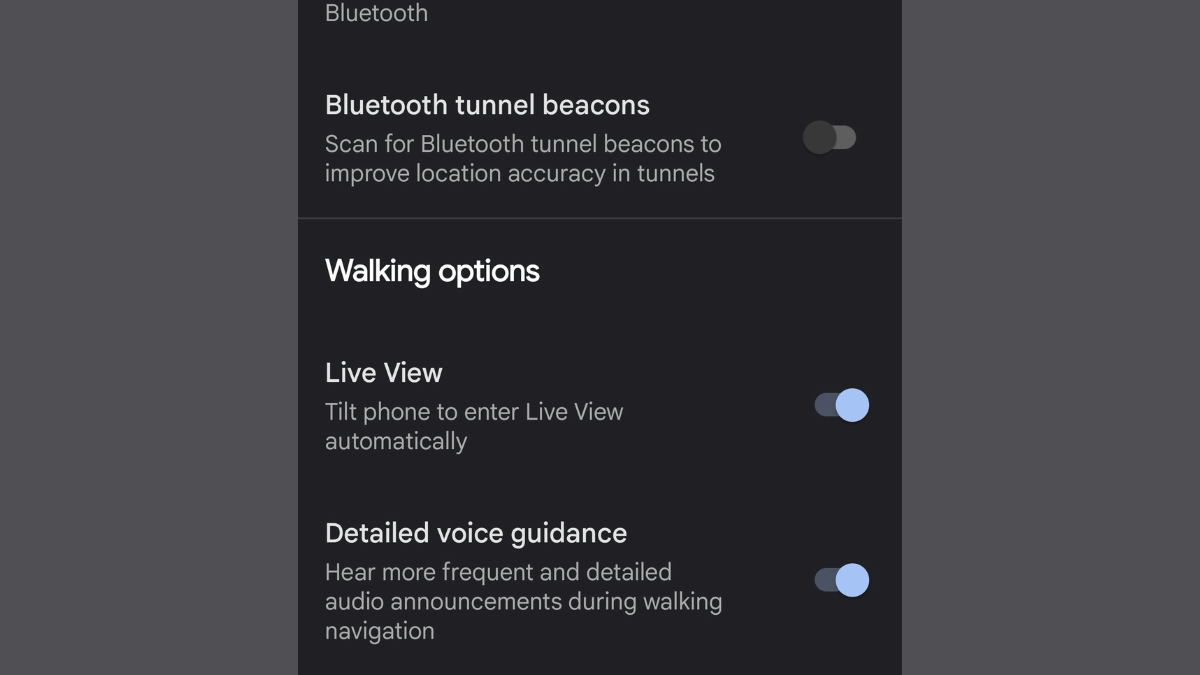
Step 5: Scroll down again to locate the ‘Detailed Voice Navigation’ option. Toggle it on.

Also Read: Can’t Find Parking? Google Maps’ New Feature Comes To The Rescue

Steps To Use Google Maps Detailed Voice Feature On Android Smartphones

The steps are same to enable the Detailed Voice Feature on iPhones as the Android. You just need to visit to the Settings menu and enable this voice navigation feature.

Step 1: Unlock your Apple iPhone and launch the Google Maps application

Step 2: Head to the Settings menu and scroll to the Navigation tab

Step 3: Locate the Detailed Voice navigation feature and enable it

Once you have activated the ‘Detailed Voice Navigation’ feature on your respective Android and iOS devices, you’ll listen frequent and detailed navigation guides, alerts, and more.


Categories
Apps Comparison Featured

ChatGPT Vs Microsoft Copilot: The AI Battle In 2025!

Key Highlights

  • Both ChatGPT and Microsoft Copilot are generative AI tools
  • Both can be used to complete different set of computational and creative tasks
  • Paid and free versions available

Artificial Intelligence has been a game changer in the modern era. This advanced tech has transformed our professional as well as personal lifestyle by allowing us to interact and make the most out of today’s technologies. One of such revolutionary products have been Open AI’s ChatGPT. It’s an AI chatbot with which you can do conversations and get responses for different queries. Another contender in this space is the Microsoft’s Copilot which is competing against ChatGPT as an AI assistant tool. Both ChatGPT and Microsoft Copilot leverages advanced AI models to help users with different complex tasks. With the AI adaption witnessing a peak across industries, which one you believe should be your bet? This quick comparison will help you decide:

For the tech geeks, stay updated with the latest cutting-edge gadgets in the market, exclusive tech updates, gadget reviews, and more right on your phone’s screen. Join Giznext’s WhatsApp channel and receive the industry-first tech updates.

Also Read: Considering ChatGPT Plus? Here’s Why And How To Subscribe

ChatGPT Vs Microsoft Copilot: Version, Subscription Cost Comparison

ChatGPT AI Version Subscription TypeFeatures
ChatGPT FreeFree Limited access to features and new GPT models
ChatGPT PlusPaidFaster response time, image generation with DALL-E, and access to advanced GPT versions including GPT-4 and GPT-4o
ChatGPT TeamPaid Includes all GPT Plus features along with unlimited access to advanced GPT models and tools. Additional admin console control allowed for teams
ChatGPT Enterprise Paid Most advanced ChatGPT version including all ChatGPT Team’s premium and advanced features combined with domain verification, account management support, etc.
ChatGPT Version, Subscription Cost
Copilot Version Subscription TypeFeatures
Copilot FreeFree access to standard generative AI
Copilot ProPaidAdded access for multiple Microsoft tools such as MS Word, MS Excel, Ms Outlook, Powerpoint, etc. Offers better results than standard Copilort version.
Copilot for Microsoft 365Paid Suitable for professional organisations as it allows teams to leverage Microsoft 365 app suite. This version additionally brings advanced features like Copilot Studio, and more.

Copilot Version, Subscription Plans

Both ChatGPT and Copilot AI tools can be used for free with the standard version. However, there are several restrictions on the features as well as responses that you’ll get with the free version. Advanced versions of both Chatgpt and Copilot while being available with an added cost helps users to leverage advanced functionalities and features.

Also Read: Windows 11 Hacks; How To Find Wi-Fi Password Using Windows 11 Laptops/ PCs?

ChatGPT Vs Copilot: Usage Comparison

ChatGPT: Primarily and AI chatbot that is designed as a generative AI allowing users to chat and get response on their queries. User can give several commands for content creation, laguage coding and programming, general research, and even image generation. For speedy response and more accurate results ChatGPT’s advanced versions work better.

Microsoft Copilot: Isn’t a separate AI chatbot tool like ChatGPT. It rather comes as an integrated AI assistant tool that can complete different set of given tasks leveraging artificial intelligence. Copilot is integrated with Microsoft’s 365 suite apps including MS Windows, MS Office, Edge web browser, and Microsoft Outlook, etc. It essentially automates work flow using the MS 365 Suite apps speeding up workflow while boosting overall user productivity.

Also Read: Chatgpt Vs Microsoft Copilot: Which One Is A Better AI Tool?

ChatGPT Vs Microsoft Copilot: Availability, App Integration

ChatGPTIntegration And Platform Accessibility
Mobile appAvailable
Web appAvailable
API integration for different platforms Yes
ChatGPT accessibility on different platforms
Microsoft Copilot Integration And Platform Accessibility
Mobile appYes
Web appYes
API integration Built-into Microsoft 365 suite apps including Word, Powerpoint, Outlook, and Teams
Microsoft Copilot accessibility

Also Read: ChatGPT Search Quick Hacks: How To Use ChatGPT As Default Search Engine In Google Chrome

ChatGPT Vs Microsoft Copilot: Specialisations, Key Features

ChatGPT Microsoft Copilot
Can generate AI summaries an d create content (writing, scripting, etc.)Can help to draft reports based on specific inputs, create email summaries, etc.
Is capable of writing error free codes with AI-debugging Helps with automation of repetitive tasks that can be completed using Microsoft’s app ecosystem
Can help with general topic researchIntegrated within Microsoft 365 app suite allowing AI-driven result

Also Read: Update: ChatGPT Introduces Memory Feature – What It Means for You

Conclusion

ChatGPT will be suitable for you if you need a reliable tool for general AI assistance with daily tasks. For content creation, programming, and researching topics, ChatGPT is a ideal tool that you can use on your respective computing and mobile devices. However, if you frequently use Microsoft apps, specifically, the 365 app suite, using Copilot will offer you a better experience overall. The Copilot AI will be a better pick if your daily work requirements is related to MS Word, Office, Outlook, Teams, and other Microsoft apps.

Categories
Apps Auto Tech Featured How To

Apple CarPlay Tips And Tricks: How To Use SharePlay And CarPlay Together For Music Playback In Car

Key Highlights

  • Apple CarPlay allows seamless pairing between iPhone and car infotainment system
  • SharePlay an CarPlay can be clubbed for music playback
  • Pairing allowed via QR code

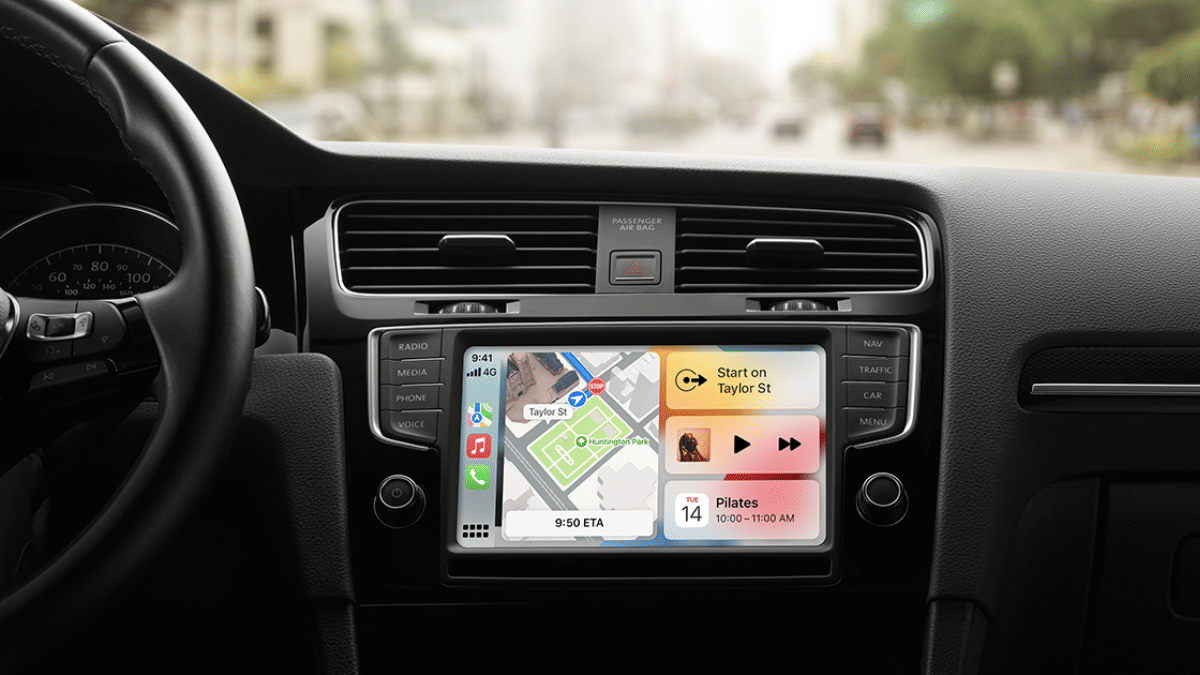
Apple Car Play is definitely an advanced ecosystem designed for the connected car technology allowing us to mirror iPhone application on the car’s infotainment system. With Apple Car Play we can make use of advanced navigational features and also entertainment on-the-go with just a few taps. Apple has also made SharePlat compatible with CarPlay giving passengers an exclusive music playback control during their car rides. This is one of those features that will surely make your road trip memorable. Let your friends and family control and queue songs together and get the road trip rolling. But before that, take a quick look at the specs and see how this feature can be enabled using your iPhone.

For the tech geeks, stay updated with the latest cutting-edge gadgets in the market, exclusive tech updates, gadget reviews, and more right on your phone’s screen. Join Giznext’s WhatsApp channel and receive the industry-first tech updates.

Also Read: How To Maximize iPhone Battery Health: Tips & Tricks

iOS, iPhone Requirements, Compatibility

iOS Version: iOS 17 and above

iPhone Variant: All iPhone models running on iOS 17 or iOS 18

Apple Music Subscription: Required

Also Read: Apple Maps Address Update: How To Setup, Modify Home Address On Apple Maps

Steps To Activate And Sync SharePlay And Car Play

Everyone using the iPhone in the car should make their contacts discoverable which will allow easy pairing and sync between SharePlay, CarPlay, and he infotainment module of the car. To make the contacts discoverable the steps should be followed on all the iPhones that are being used for the simultaneous music playback

Step 1: Open Settings menu on your iPhones.

Step 2: Go to the Apps sections.

Step 3: Scroll to the Music option and enable Discoverable by Nearby Contacts option.

Step 4: A notification will pop up on the respective iPhones’ Lock Screen. Hit the ‘Connect’ option.

Step 5: Click on the passenger’s device name and hit the Okay icon. Once this step is completed, the passenger will be able to synch and queue songs using their iPhones.

Also Read: How to export WhatsApp chat as pdf

Steps To Generate QR Code For SharePlay Joining

Step 1: On the CarPlay’s Now Playing screen, locate the key and tap on it.

Step 2: A QR code will be displayed on the infotainment screen

Step 3: Using the iPhone camera app, passengers in the car can scan the QR code and get connected with SharePlay and CarPlay for music playback.

Categories
Apps Featured How To

Use AI Like a Pro on iPhone 16 Series: Check Steps To Integrate ChatGPT with Apple Intelligence

Key Highlights

  • Appl 16 series leverages AI features for enhanced experience
  • CharGPT and Apple Intelligence can be integrated together
  • Features can be accessed via Siri

Apple’s iPhone 16 series has been groundbreaking in terms of tech advancements. And the new premium Apple smartphone lineup is in-line with the latest trends, i.e., AI integration. Apple is redefining its enitre ecosystem by leveraging artificial intelligence. Surely, the Cupertino giant doesn’t want to left behind in this race and have integrating OpenAI’s ChatGPT with its Apple Intelligence platform.

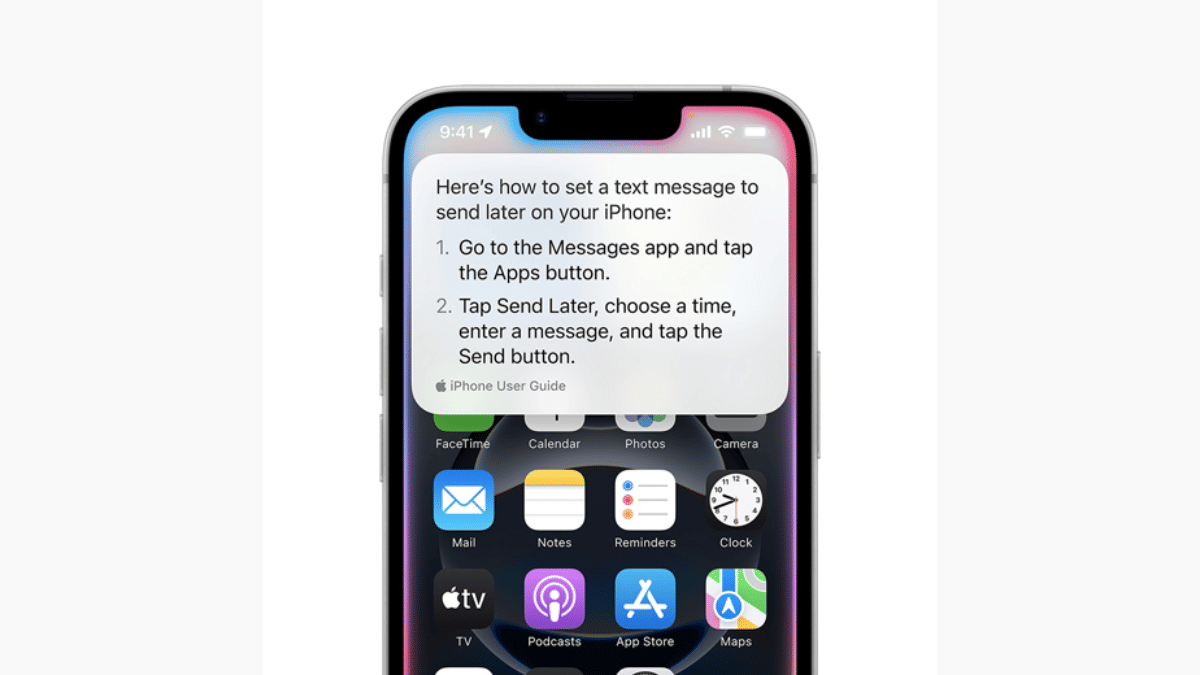
Apple is promising a whole new user experience with AI-backed Siri. Now, users can get better personalised experience with AI-enabled productivity tools such as Notes and Mail, while receiving contextual responses across compatible iOS devices such as iPhones, iPads, and MacBooks. What are the steps that you need to follow to integrate ChatGPT with Apple Intelligence to make Siri more smarter? We have made it easier for you by listing the step-by-step guide here: Take a look:

For the tech geeks, stay updated with the latest cutting-edge gadgets in the market, exclusive tech updates, gadget reviews, and more right on your phone’s screen. Join Giznext’s WhatsApp channel and receive the industry-first tech updates.

Also Read: Maruti eVitara Crash Test Images Gets Viral: Secures 5 Star Ratings?

Steps To Enable ChatGPT Extension In Siri

Step 1: Unlock your iPhone 16 handset and head to the Settings menu.

Step 2: Scroll down to the Apple Intelligence section and tap on it.

Step 3: Now, clock on the Siri icon.

Step 4: Select the ChatGPT option

Step 5: Tap on the Set up icon

Step 5: Select the desired usage option. If you have an existing ChatGPT account then select “Use ChatGPT with an existing account”. If you are using ChatGPT for the first time or don’t wish to use it with any account, select, use “ChatGPT without an account option”.

Also Read: Google Photos Image Flip Feature: How To Use?

How To Disable ChatGPT And Sir Integration In iPhone 16 Series?

Step 1: Re-launch the Settings app on your respective iPhone 16 units

Step 2: Go to the Apple Intelligence option

Step 3: Clock on Siri

Step 4: Select ChatGPT and toggle off the ChatGPT extension.

Categories
Apps Featured

Legends Never Die: Five Iconic Anime Series That Still Rule The World

Key Highlights

  • Iconic anime with legendary stories
  • Unforgettable characters and battles
  • Must-watch for every anime fan

Anime has gained worldwide popularity for its fascinating stories, stunning visuals, and unforgettable characters. Some anime series have left a lasting impact, becoming must-watch classics. If you are looking for the best anime to watch, here are five titles you shouldn’t miss.

Also Read | Catch ‘Em All In Hindi: Pokémon Go’s Latest Language Addition

Five Best Anime Series To Watch

Anime TitleWhere to watch
Death NoteNetflix
Attack On TitanPrime Video
Dragon Ball ZPrime Video
NarutoNetflix
Demon SlayerNetflix

1. Death Note

A mind-bending thriller, Death Note follows Light Yagami, a student who discovers a notebook with the power to kill anyone. As he tries to create a “perfect world,” a genius detective, L, challenges him in an intense battle of wits.

2. Attack On Titan

This action-packed series takes place in a world where humanity is on the brink of extinction due to giant creatures called Titans. With unpredictable plot twists, breathtaking battles, and deep themes, Attack on Titan is a masterpiece.

3. Dragon Ball Z

One of the most iconic anime series, Dragon Ball Z follows Goku and his friends as they protect Earth from powerful villains. With intense battles, unforgettable transformations like Super Saiyan, and a legacy spanning decades, this series remains a fan favorite worldwide.

4. Naruto

A story of determination and friendship, Naruto follows a young ninja who dreams of becoming the Hokage, the strongest ninja in his village. Filled with inspiring moments, powerful battles, and unforgettable characters, it’s a must-watch.

5. Demon Slayer

Known for its breathtaking animation and emotional storytelling, Demon Slayer follows Tanjiro Kamado, a boy who becomes a demon hunter after his family is attacked. The stunning visuals and heart-touching moments make it a fan favorite.

Also Read | Pokémon Go Tips & Tricks: 10 Ways To Catch Rare And Legendary Pokémon

Conclusion

These five anime series offer action, adventure, and deep storytelling, making them some of the best of all time. Whether you are new to anime or a long-time fan, these shows are worth watching.

For the tech geeks, stay updated with the latest cutting-edge gadgets in the market, exclusive tech updates, gadget reviews, and more right on your phone’s screen. Join Giznext’s WhatsApp channel and receive the industry-first tech updates.

Categories
Apps Featured

Work Smarter, Not Harder: Top Five AI Tools To Maximize Productivity

Key Highlights

  • AI tools help automate tasks, saving time and effort
  • They improve writing, organization, and design efficiency
  • Using AI can boost productivity and streamline workflows

Artificial Intelligence (AI) is changing the way we work, making tasks faster and more efficient. Whether you’re a student, professional, or business owner, AI tools can help you save time and improve productivity. Here are five of the best AI tools to boost your efficiency.

Also Read | Best Ways to Search By Image Online and Best Reverse Image Search Tools

ChatGPT: AI Writing Assistant

ChatGPT is an advanced AI chatbot that helps with writing, research, and idea generation.

  • Assists in writing articles, emails, and reports
  • Summarizes long content into easy-to-understand points
  • Provides creative ideas for brainstorming sessions
  • Answers queries with relevant and detailed explanations
  • Helps with coding by generating snippets and debugging code

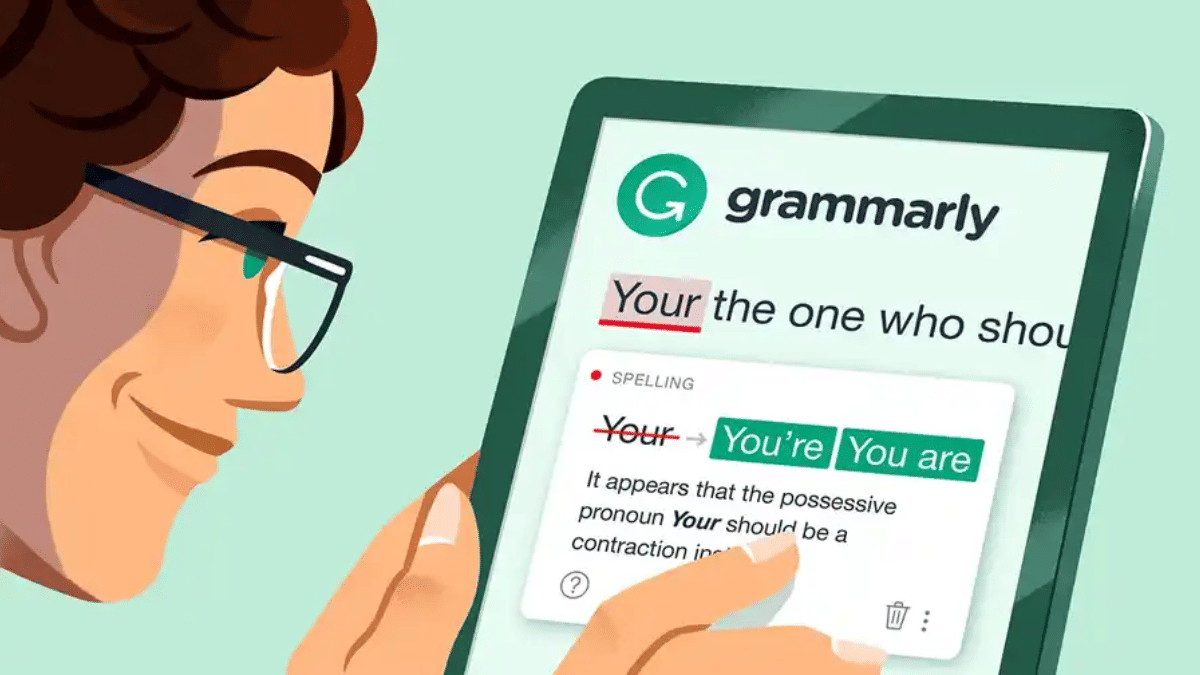
Grammarly: Error-Free Writing

Grammarly is an AI-powered writing assistant that ensures your text is polished and professional.

  • Detects grammar, spelling, and punctuation errors
  • Provides clarity and style suggestions to improve readability
  • Checks for plagiarism to ensure originality
  • Offers tone adjustments to match different writing styles
  • Works across emails, documents, and social media platforms

Notion AI: Smart Task Management

Notion AI enhances productivity by organizing information and automating note-taking.

  • Summarizes lengthy documents into concise notes
  • Automates task management with reminders and to-do lists
  • Helps with knowledge management by structuring data efficiently
  • Generates action points from meetings automatically
  • Assists in drafting emails and project plans

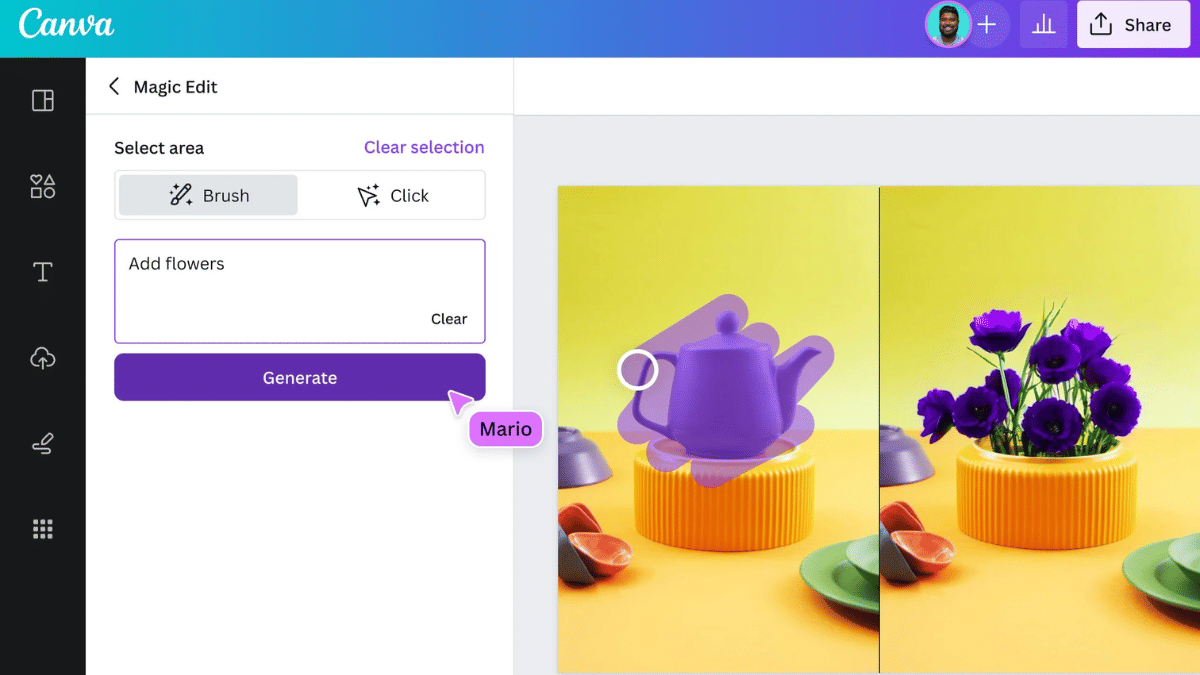
Canva AI: Easy Graphic Design

Canva AI simplifies design tasks, making professional-quality visuals accessible to everyone.

  • Suggests templates and layouts for quick designs
  • Enhances images with AI-powered editing tools
  • Generates social media posts, presentations, and marketing materials
  • Offers automatic background removal and resizing options
  • Provides AI-powered text and font suggestions for better design impact

Also Read | Best Apps And Tools To Download High Quality Instagram Status On Any Phone

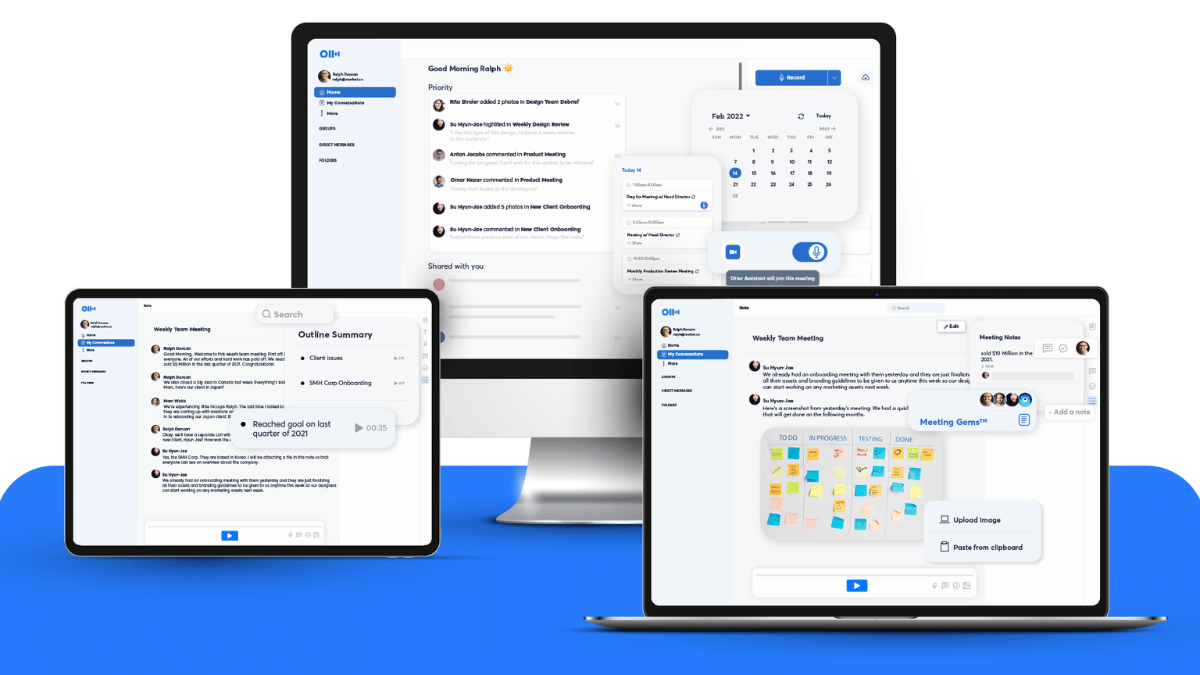
Otter.ai: Automatic Transcriptions

Otter.ai is a speech-to-text tool that makes recording and reviewing conversations effortless.

  • Converts speech into text in real time
  • Identifies speakers and differentiates voices
  • Syncs with calendars to record and transcribe meetings automatically
  • Generates summaries and key takeaways from discussions
  • Allows easy sharing and searching of transcripts for future reference.

AI tools can make daily tasks easier and more efficient. Whether you need help with writing, organizing, or designing, these tools can save you time and effort. Try them out and boost your productivity.

For the tech geeks, stay updated with the latest cutting-edge gadgets in the market, exclusive tech updates, gadget reviews, and more right on your phone’s screen. Join Giznext’s WhatsApp channel and receive the industry-first tech updates.

Categories
Apps Featured Info

YouTube Fixes Annoying Mid-Roll Ads: Here’s What’s Changing

Key Highlights

  • Mid-roll ads will now appear at natural pauses
  • Older videos get auto-updated, but creators can opt out
  • New tool helps optimize ad placements for better revenue

YouTube is making significant changes to its mid-roll ad system to enhance user experience and improve monetization for creators. Starting May 12, the platform will introduce a smarter way to place ads, reducing interruptions during crucial moments in videos. This change aims to minimize viewer drop-off while maintaining ad effectiveness. Additionally, YouTube is updating older videos and introducing a new tool to assist creators in optimizing their ad placements.

Also Read | How To Remix With Collab In YouTube Shorts

Key Changes To Mid-Roll Ads

  • Smarter Ad Placements: YouTube will now position mid-roll ads at natural pauses or transitions instead of disrupting key moments, like in the middle of a sentence or action scene. This adjustment is expected to improve viewer engagement and prevent users from skipping videos due to poorly placed ads.
  • Automatic Updates for Older Videos: Videos uploaded before February 24 will be automatically updated with optimized mid-roll ad placements. However, creators who prefer to manually place their ads can opt out of this adjustment via YouTube Studio.
  • New Ad Placement Tool: To further help creators, YouTube is introducing a tool that suggests better ad positions within videos. This tool will indicate whether a manually placed mid-roll ad would be more effective at a natural break, helping to balance revenue generation and user experience.
  • Encouraging Automated Ad Placements: YouTube is encouraging creators who manually place mid-roll ads to consider using its automated system. According to the platform’s research, creators who use a combination of automatic and manual mid-roll ads saw a 5 percent increase in ad revenue on average.
  • Maintaining Creator Control: Despite these changes, YouTube assures creators that they still have full control over whether to show mid-roll ads in their videos and where those ads should be placed.

Also Read | YouTube To Allow Creators To Upload Podcasts Directly Via App: Here’s How

What This Means For Creators

These changes reflect YouTube’s commitment to improving both user experience and revenue generation for creators. By strategically placing ads, creators can retain their audience while maximizing ad revenue. If you rely on mid-roll ads for monetization, it may be beneficial to explore the automated system to see if it boosts your earnings.

For the tech geeks, stay updated with the latest cutting-edge gadgets in the market, exclusive tech updates, gadget reviews, and more right on your phone’s screen. Join Giznext’s WhatsApp channel and receive the industry-first tech updates.

Categories
Apps Featured Info

Google To Replace SMS Authentication Codes With QR Verification For Gmail: Details

Key Highlights

  • Google is switching to QR code login for Gmail
  • This change helps prevent fraud
  • Users need a smartphone to scan the QR code

In an effort to improve security, Google is planning to phase out SMS-based authentication codes for Gmail. Instead, users will soon verify their identity using QR codes. This move aims to reduce fraud and prevent security threats like SIM swapping and phishing attacks. The rollout is expected in the coming months.

Also Read | Google Photos Image Flip Feature: How To Use?

Why Is Google Making This Change?

  • Better Security: SMS-based authentication codes can be seized or stolen by hackers.
  • Prevents SIM Swap Fraud: Attackers often hijack phone numbers to gain unauthorized access.
  • No More Traffic Pumping Scams: Fraudsters manipulate SMS verification to generate revenue from telecom networks.
  • More Reliable Verification: QR codes work without relying on SMS networks. This makes them more secure.

How Will Gmail’s QR Code Verification Work?

  • When you try to log in to your Gmail account, instead of receiving an SMS code, a QR code will appear on your screen.
  • You have to scan the QR code displayed from your smartphone camera or Google’s authentication app.
  • Once scanned, you will be prompted to approve the login request on your mobile device.
  • If the verification is successful, you will be logged into your Gmail account securely.

Also Read | Google Maps ‘Explore’ : How To Find Hidden Gems En-route Your Journey

How To Prepare For The Change

  • Make sure you have a smartphone. QR code verification requires a camera-enabled phone.
  • If needed, install or update the Google Authenticator app for smoother verification.
  • Check your backup options. Keep alternate login recovery options like backup codes handy.
  • Google will notify users before rolling out the update widely. So stay informed.

By shifting to QR-based authentication, Google is taking a big step towards securing Gmail accounts. This update will make it harder for hackers to exploit SMS-related vulnerabilities. Users should prepare for the change by ensuring they can scan QR codes and update their security settings accordingly.

For the tech geeks, stay updated with the latest cutting-edge gadgets in the market, exclusive tech updates, gadget reviews, and more right on your phone’s screen. Join Giznext’s WhatsApp channel and receive the industry-first tech updates.

Categories
Apps Featured How To

Airtel Partners With Apple To Offer Free Apple TV+ And Apple Music: How To Activate

Key Highlights

  • Free Apple TV+ and 6 months of Apple Music for Airtel Rs. 999+ users
  • Activate easily via the Airtel Thanks app
  • Enjoy ad-free music and top Apple TV+ shows

Airtel has announced a major partnership with Apple, bringing Apple TV+ and Apple Music to its customers. Home Wi-Fi and postpaid users with plans starting from Rs. 999 can now enjoy premium entertainment at no extra cost. This includes streaming Apple TV+ shows and movies on multiple devices and six months of free Apple Music.

Also Read | Airtel Digital TV: How To Add Or Remove Airtel DTH Channels

Who Can Avail The Offer?

  • Home Wi-Fi Customers: Those on plans starting at Rs. 999 can stream Apple TV+ on multiple devices.
  • Postpaid Users: Customers with Rs. 999+ postpaid plans get access to Apple TV+ and six months of Apple Music for free.

How To Activate Apple TV+ And Apple Music On Airtel?

Follow these simple steps to claim your free Apple services:

For Apple TV+

Step 1: Ensure you are on an eligible Airtel Home Wi-Fi or postpaid plan.

Step 2: Open the Airtel Thanks app and log in with your registered number.

Step 3: Find the promotional banner or go to the ‘Rewards’ section.

Step 4: Tap on the Apple TV+ offer and follow the activation instructions.

Step 5: Log in to Apple TV+ using your Apple ID and begin watching premium content.

For Apple Music (Only for Postpaid Users)

Step 1: Postpaid users with Rs. 999+ plans qualify for the six-month free Apple Music offer.

Step 2: Open the Airtel Thanks App and navigate to the ‘Offers’ or ‘Rewards’ section.

Step 3: Tap on the Apple Music offer and follow the steps to link your Apple ID.

Step 4: If you don’t have Apple Music App, install it from the App Store.

Step 5: Stream Indian and global songs in multiple languages.

Also Read | Apple TV Features: How To Setup Apple TV Remote In Control Centre And Use iPhone, iPad As Remote

Why This Partnership Is A Big Deal?

  • Access to Apple’s top-rated movies, series, and exclusive originals.
  • Watch Apple TV+ shows on smartphones, tablets, or smart TVs.
  • Apple Music provides high-quality songs without interruptions.

With this partnership, Airtel aims to redefine entertainment for its users by offering world-class content at no additional cost. Activate your free subscription today and enjoy Apple’s premium entertainment.

For the tech geeks, stay updated with the latest cutting-edge gadgets in the market, exclusive tech updates, gadget reviews, and more right on your phone’s screen. Join Giznext’s WhatsApp channel and receive the industry-first tech updates.

Categories
Apps Featured Info

Amazon Appstore For Android Is Shutting Down: Here’s What To Do

Key Highlights

  • Amazon Appstore shuts down on Android by August 20, 2025
  • Amazon Coins discontinued, unused Coins will be refunded
  • Cancel subscriptions and back up app data before shutdown

Amazon has announced that it will discontinue its Appstore for Android smartphones on August 20, 2025. The app store, which was launched in 2011, will no longer be available for download on Android devices. However, it will continue to work on Amazon’s own Fire tablets, Fire TV, and other Fire OS-powered devices. Alongside this, Amazon is also shutting down its digital currency programme, Amazon Coins.

Also Read | Your Soundtrack, AI-Curated: Here’s How To Create Next-Gen Playlist On Amazon Music

Amazon Appstore Shutdown: Details

  • The Amazon Appstore will stop working on Android smartphones on August 20, 2025
  • Users won’t be able to download the Amazon Appstore on Android devices after this date
  • Apps downloaded via the Amazon Appstore may stop working on Android phones after the shutdown
  • The Appstore will still function on Amazon’s Fire tablets and Fire TV devices
  • The digital currency will also be discontinued on August 20, 2025
  • Unused Amazon Coins will be refunded after the shutdown.

What Users Need To Do Before The Shutdown

If you are an Amazon Appstore user on an Android device, here are the steps you should follow before August 20, 2025:

Step 1: Check Your Installed Apps

  • Go to the Amazon Appstore on your Android smartphone
  • List down the apps you have downloaded from the store
  • Find alternative ways to download those apps, such as the Google Play Store

Step 2: Cancel Auto-Renewing Subscriptions

  • Visit Amazon’s website
  • Navigate to Digital Content and Devices > Your Apps > Manage > Your Subscriptions
  • Disable any auto-renewal subscriptions linked to the Amazon Appstore

Step 3: Use Up Your Amazon Coins

  • Amazon Coins can be used for purchasing apps and making in-app purchases
  • Spend them before August 20, 2025, as they will no longer be usable after the shutdown
  • If you have any leftover Coins, Amazon has stated that they will refund the remaining balance

Also Read | Missed A Scene? Amazon Prime’s X-Ray Recaps Brings AI Magic To Streaming

Step 4: Backup Important App Data

  • Some apps may stop working after the shutdown
  • Save any important data or settings before the store becomes unavailable.

Users should take necessary steps to ensure they don’t lose access to their favorite apps and digital purchases before the deadline.

For the tech geeks, stay updated with the latest cutting-edge gadgets in the market, exclusive tech updates, gadget reviews, and more right on your phone’s screen. Join Giznext’s WhatsApp channel and receive the industry-first tech updates.