Categories
Apps Featured Info

Instagram’s Latest AI Development With Unique Personalities

Key Highlights

  • Instagram to build AI chatbot
  • The chatbot to have 30 personalities
  • The chatbot could answer questions, give advice, and help users write messages

Other software businesses have been rushing to build their own AI-powered chatbots in an effort to stay relevant ever since ChatGPT grabbed the world by storm after its November release. So it should come as no surprise that Instagram is reportedly considering the prospect of integrating a chatbot into the well-known social media application.

Also Read: From One Link To Many: How To Add Multiple Links To Your Instagram Bio

Instagram’s AI Chatbot

Alessandro Paluzzi, a well-known leaker and mobile developer, asserted on Tuesday that Instagram’s own chatbot will be able to respond to queries, offer suggestions, and assist with message composition. Notably, though further information on this specific feature is not yet available, a user may be able to select one of 30 AI personas for the chatbot to adopt. This is consistent with remarks made earlier this year by Instagram CEO Mark Zuckerberg, who also stated that his team is “developing AI personas that can help people in a variety of ways.”

Instagram is yet to announce whether it’s developing such a feature, and even if it is, there’s a risk it won’t advance past the development phase.

Also Read: Want To Recover Your Instagram Account? Here’s How You Can Do It

However, with platforms like Instagram constantly on the lookout for cutting-edge new features and interest in robust chatbots like ChatGPT showing no signs of waning, there’s a high chance that it will start testing the chatbot with a small number of users in the not-too-distant future.

A comparable function that combines ChatGPT inside the app was released by Snapchat in February. You can converse with it in conversations with human friends and ask inquiries about it as “My AI,” which is how it appears.

However, some users have criticized Snapchat’s AI feature because they find the chats “creepy,” while others have voiced privacy worries about how the AI technology handles the information it receives. Before considering releasing a beta version of its own AI chatbot, Instagram will undoubtedly carefully examine these challenges.

Also Read: How Can You Download And Watch Instagram Reels On Android, iOS Without Installing Third-Party Apps?

Categories
Featured How To Mobile

Want To Share Your iPhone Screen On FaceTime? Here’s How You Can Do It

Key Highlights

  • FaceTime’s screen-sharing feature provides users with the ability to share important content with others during video calls on Apple devices
  • Knowing how to share your screen and manage screen sharing on FaceTime is crucial
  • Users can also take over someone else’s screen sharing

FaceTime, the default video calling app on Apple devices such as iPhones, iPads, and Macs, continues to evolve and enhance its features to compete with popular platforms like Zoom and Teams. One of its recent updates includes the addition of screen-sharing capabilities, allowing users to share presentations, sheets, or documents during work or personal calls. This article provides a detailed guide on how to share your screen on FaceTime using an iPhone. Additionally, it explains how to stop screen sharing and take over someone else’s screen sharing. Also Read | Magnify Anything, Anywhere: Learn How To Use Your iPhone As A Magnifying Tool

How To Share Your Screen On FaceTime On iPhone

To share your screen during a FaceTime call on your iPhone, follow these simple steps:

Step 1: Initiate a FaceTime call with the person you wish to share your screen with.

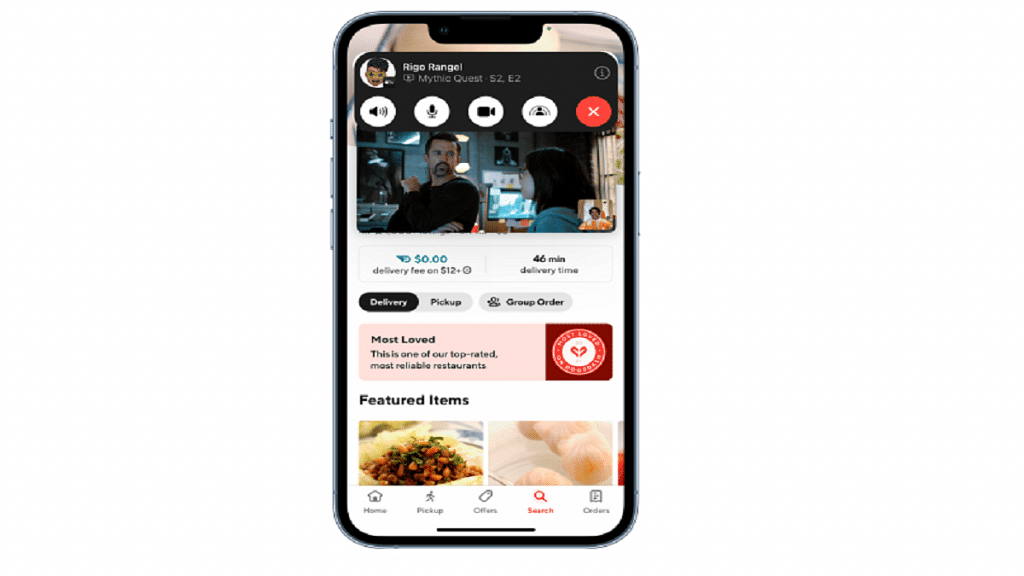
Step 2: While on the call, locate the Share Content icon next to the Video option on the FaceTime screen, and tap on it.

Step 3: Select the “Share My Screen” option.

Step 4: A 3-second timer will appear to notify you that the screen sharing will begin shortly.

Step 5: Carry out your desired actions on the device. The recipient will be able to see your screen.

How To Take Over Screen Sharing From Someone Else

If someone else is sharing their screen during a FaceTime call and you wish to take over, follow these steps:

Step 1: Join the call in progress that you want to take control of.

Step 2: Locate and tap on the Share Content button within the FaceTime call interface.

Also Read | Incoming Call Not Showing On iPhone? How To Fix Caller ID Incoming Call Issue On iPhone?

Step 3: Choose the “Share My Screen” option.

Step 4: Select the “Replace Existing” option.

Step 5: You will now have control over the screen sharing.

Steps To Stop Sharing Screen On FaceTime

To stop sharing your screen on an iPhone or iPad during a FaceTime call, follow these steps:

Step 1: While on the call, locate and click on the Share Content button at the top of the screen.

Step 2: By doing so, the other participants in the call will no longer be able to see your screen. That’s all!

Also Read | Apple New ‘NameDrop’ Feature for iPhones: What Is It? Steps To Use

Categories
Apps Featured How To

Google Play Country Settings Modification: How To Change Country Settings In Google Play Using Android For Payments And Other Apps

Key Highlights

  • Google Play country settings are must for payment and other services
  • Correct country settings are required to view apps of the same region
  • Changing country settings is required if your relocate to a new location

If you own a smartphone that is powered by Android OS, you get access to a wide range of Google services and tools. One of the primary reasons for the Android phone’s popularity amongst consumers is the option to download a variety of third-party apps from the Play Store. Be it games, OTT apps, health, and lifestyle, Google Play Store is the hub to download and install such required apps.

When you set up any Android smartphone, you get the option to set the country and language. Once you setup the designated country and language settings, the apps will be shown depending on the region on the Play Store. Just for reference, Google Play country settings remain the same even if you move to a new country.

Google always advises its users to change the Google Play country settings if they are relocating to a new country. This will keep any issues related to payment apps at bay. Only after the country settings have been changed, one will be able to use the apps including payment and others. If you wish to change the country settings of your location then the following are the steps you need to follow:

Also Read: Google Pay Expands Payment Options In India With UPI Payments Using RuPay Credit Cards

How To Change Google Play Country Settings Manually

Step 1: Launch Google Play Store application on your Android handsets

Step 2: Tap the profile option that is located on the top right corner

Step 3: Click on the Settings menu

Step 4: Select the “General” option

Step 5: Now, tap on the Account and device preferences

Also Read: Gmail Tips And Tricks: How To Secure Your Google Account With Two-Factor Authentication

Step 6: Click on the Country and profiles menu

Step 7: You will now need to select the country settings that you wish to add to your Google account

Step 8: Complete the on-screen instructions. This will let you add a payment method for the required country.

Step 9: It could take up to 48 hours for the country settings to update on your Google Play account

It is worth mentioning that once the country has been added to your Google Play settings, you can easily toggle between the options when you revisit the countries. Also, only once in a year, a country can be added to the Google Play Settings.

Also Read: Running Low On Google Storage? Five Best Techniques To Clear Your Gmail Space

Categories
Accessories Featured Info

Apple Unveils watchOS 10: Top Five Updates For Apple Watch

Key Highlights

  • WatchOS 10 was unveiled by Apple at WWDC 2023
  • The update brings many new features
  • watchOS 10 will be accessible this fall

During WWDC 2023, Apple made significant announcements regarding its upcoming operating systems, including iOS 17, iPadOS 17, and macOS Sonoma. Alongside these updates, the company introduced watchOS 10, the successor to last year’s watchOS 9, enhancing the capabilities of Apple’s smartwatches. With watchOS 10, users can expect a fresh design, new watch faces, and a range of innovative health-tracking features, among other exciting additions. Also Read | Apple New ‘NameDrop’ Feature for iPhones: What Is It? Steps To Use

Enhanced App Display

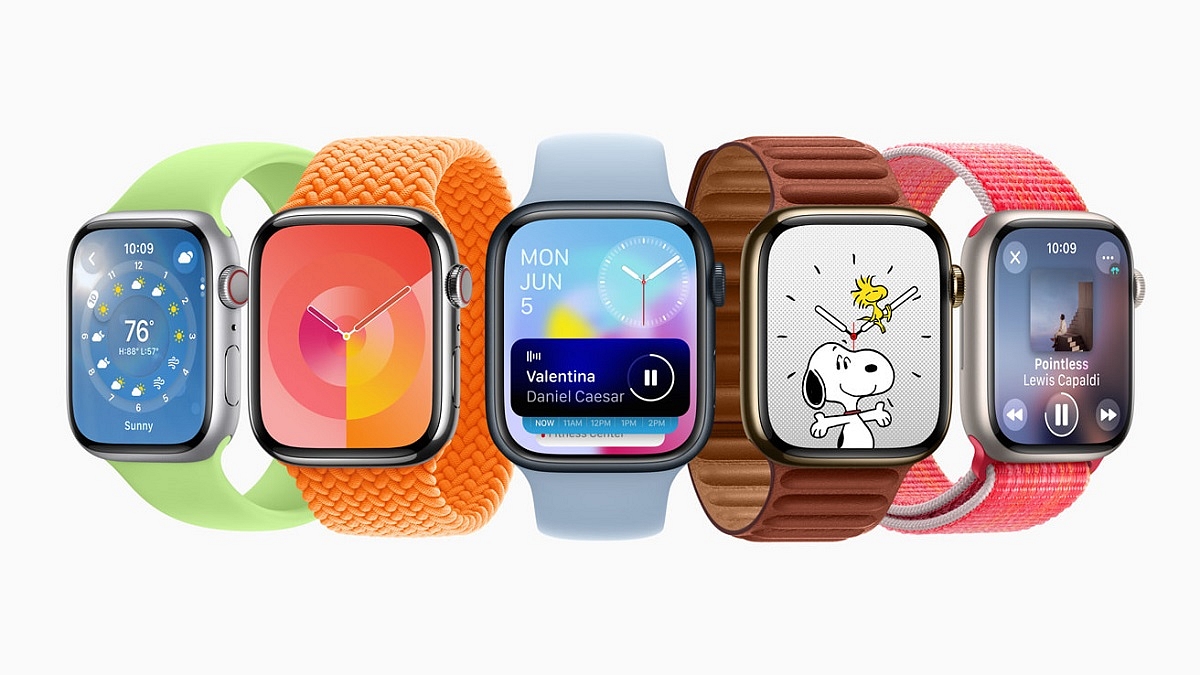
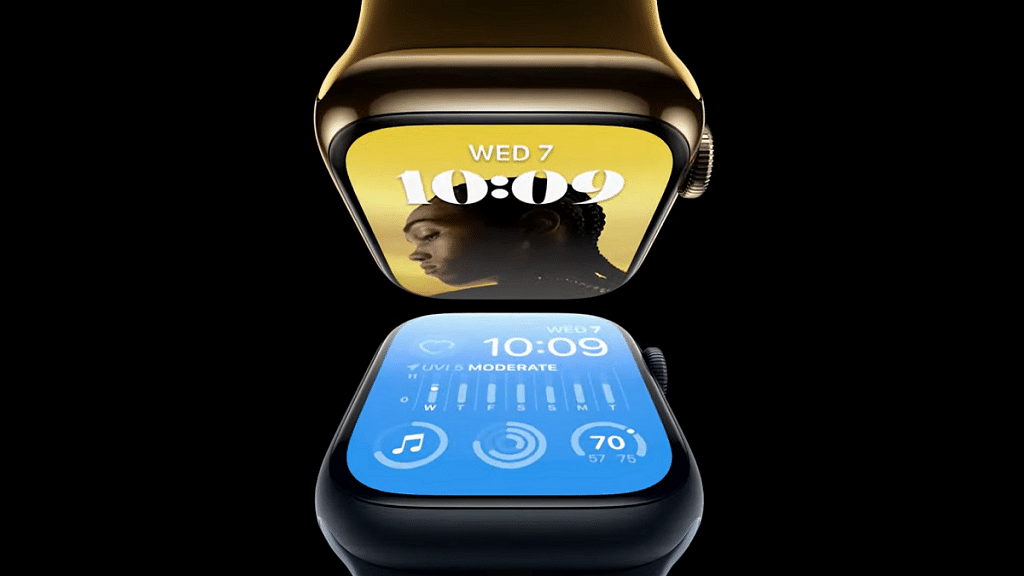
Apple Watch apps like Weather, Stocks, Home, Maps, Messages, World Clock, and others have been optimized to utilize a bigger amount of the display as part of the watchOS 10 upgrade, giving consumers access to more information quickly.

Smart Stack

Smart Stack is a new element introduced in watchOS 10. It consists of widgets that adapt to a user’s context and can be accessed by simply turning the Digital Crown from any watch face. For example, the Weather widget displays the forecast at the beginning of the day, while the Smart Stack shows boarding passes from Wallet during travel. Calendars and Reminders are prioritized to display upcoming meetings or tasks, and running apps such as Podcasts are conveniently positioned for quick access.

Improved Design And Functionality

As part of the design changes, Apple has made Control Center accessible via the side button. Users can now easily revert any app to its original position by double-clicking the Digital Crown.

Also Read | Apple Watch: Here’s How You Can Create And Share Watch Faces

New Watch Faces

With watchOS 10, Apple Watch introduces two new captivating watch faces — Palette and Snoopy. The Palette face displays time in a range of colors using three overlapping layers, creating a visually dynamic experience. On the other hand, the Snoopy watch face brings the beloved characters from the Peanuts comic strip to life. The characters interact with the watch hands, react to local weather conditions, and even participate in workouts alongside the user.

New Health Features

watchOS 10 introduces a range of new health features for the Apple Watch. Here are the highlights:

  • Cycling Metrics and Views: When starting a cycling workout on the Apple Watch, it appears as a Live Activity on the iPhone, utilizing the full screen for easy tracking.
  • Optimized Workout Views: Workout Views like Heart Rate Zones, Elevation, Race Route, Custom Workouts, and Cycling Speed are optimized for the iPhone’s display size.
  • Seamless Bluetooth Connectivity: Apple Watch can automatically connect to Bluetooth-enabled cycling accessories such as power meters, speed sensors, and cadence sensors.
  • Bluetooth Support for Indoor and Outdoor Cycling: Bluetooth connection is supported for both indoor and outdoor cycling workouts.
  • Estimation of Functional Threshold Power (FTP): This represents the highest level of cycling intensity that a rider can sustain for an hour. Apple Watch calculates personalized Power Zones based on FTP.
  • Enhanced Compass App: It generates two new waypoints. The Last Cellular Connection Waypoint estimates the last location with cellular reception, useful for checking messages or making calls. The Last Emergency Call Waypoint estimates where the device last had a connection to any available carrier’s network, enabling emergency calls.
  • Elevation View: It provides a three-dimensional perspective of saved waypoints using altimeter data.
  • Improved Mindfulness App: The Mindfulness app in watchOS 10 allows discreet logging of momentary emotions and daily moods.
  • Vision Health Monitoring: With the help of the ambient light sensor, watchOS 10 now has the ability to track how much time is spent outdoors.
  • Screen Distance Feature: It encourages users to maintain a suitable distance from their device by utilizing the TrueDepth camera, also used for Face ID.

Availability Of watchOS 10

Apple has confirmed that watchOS 10 will be released in the upcoming fall as a free software update. To install watchOS 10, users will need an Apple Watch Series 4 or later, paired with an iPhone Xs or later running iOS 17. Eligible Apple Watch models include Apple Watch Series 4, Apple Watch Series 5, Apple Watch SE, Apple Watch Series 6, Apple Watch Series 7, Apple Watch Series 8, and Apple Watch Ultra.

Also Read | iOS 17 Arrives: Seven Exciting Features For iPhone Users

Categories
Auto Tech Featured

Kinetic e-Luna Electric Moped Design, Powertrain Details Surface Online: 25kmph Top Speed, Swappable Battery Pack, And More

Key Highlights

  • Kinetic e-Luna electric moped design and powertrain leaked
  • Will feature similar design as the petrol version
  • Expected to come with swappable battery module

Kinetic is ready to revive its iconic moped Luna in an all-electric avatar. The Kinetic e Luna electric moped is set to mark its debut in the Indian market soon. The upcoming Kinetic e-Luna electric moped launch has been confirmed by the company chief recently. Now, ahead of the anticipated launch, a new leak has surfaced that has revealed the design along with the powertrain of the e-Luna electric moped. Check out the details below:

Also Read: Xiaomi Electric Scooter 4 Ultra Foldable Electric Bike To Be Avaiable In More European Markets Soon: Coming To India Soon?

Kinetic e-Luna Electric Moped Design (Leaked)

The latest Kinetic e-Luna electric moped leak shows the design language. The leaked images suggest that Kinetic has borrowed the design from the original petrol version. The electric moped will feature a slim profile combined with a tubular spine.

The e-Luna electric moped will feature flat seats similar to the petrol variant. There will be grabrails around the seat for secure rides. The Kinetic e-Luna electric moped is likely to come equipped with 16-inch spoked rimmed wheels. The braking system used by the e-Luna electric motor is said to be drum brakes both at the front and the rear.

As for the suspension system, the electric moped is expected to come with telescopic and twin shock front and rear suspension systems respectively. The electric scooter will also offer flat storage space up front. This will make the electric moped convenient and practical for daily commutes; specifically for utility riders such as delivery agents. For added security, the Kinetic e-Luna electric moped will be featuring crash and saree guards.

Also Read: Bajaj Chetak, Hero Vida V1 Electric Scooter Prices Hiked In India: How Much They Cost Now?

Kinetic e-Luna Electric Moped Powertrain Details (Leaked)

The Kinetic e-Luna electric moped’s powertrain details have also been leaked. It is said to be packed with a swappable battery module. However, the capacity is not confirmed. The electric motor capacity is not revealed. It is also not confirmed if it will be packed with a belt drive or hub-mounted electric motor.

But similar to the petrol version it will have a pedal system that will help the riders to commute even if the battery runs out of charge. It is said to reach up to 25 kmph top speed. Kinetic could possibly reveal more details related to the upcoming e-Luna electric motor’s powertrain and features in the coming weeks. We are keeping an eye on the development and will share the updates.

Also Read: Ather 450S Budget Electric Variant Introduced In India

Categories
Accessories Featured Info

Samsung Odyssey OLED G9 Gaming Monitor: Price And Availability Leaked

The Samsung Odyssey OLED G9 49″ gaming display hasn’t yet been on store shelves, after making its premiere at CES earlier this year. However, the brand has provided an update that validated new information regarding the monitor. All that’s left to do is reveal the purchase price and the sale date. The eagerly awaited Odyssey OLED G9 has, fortunately, already had its price and projected release date disclosed by merchant Digitec Galaxus.

Also Read: Acer Predator Helios Neo 16 Laptop Featuring 13th Gen Intel Processor, 16-inch WQXGA Display Launched In India: Specifications, Price & Availability

Samsung Odyssey OLED G9 monitor: Specifications

The Samsung Odyssey OLED G9 monitor dazzles with its 1800R curvature and astounding 0.03 ms (GtG) response time. When utilized with AMD graphics cards, it is Adaptive Sync compatibility and AMD FreeSync Premium Pro certification guarantee little to no visual tearing. A spectacular contrast ratio of 1,000,000:1 is made possible by Samsung’s integration of the “Advanced Neo Quantum AI” engine within the screen, which further improves image quality through clever analysis.

The Odyssey OLED G9 provides a variety of connectivity choices, including DisplayPort 1.4, micro-HDMI 2.1, and HDMI 2.1 video ports. For increased communication options, it also has two USB 3.0 Type-A downstream connectors and a USB Type-B upstream port. Convenient audio capabilities are provided by built-in 5W stereo speakers. To ensure the most comfortable viewing experience, the monitor’s adjustable stand allows for height changes of up to 120mm and a tilt range of -2 to +15 degrees.

Also Read: Fujitsu LifeBook U9 Convertible Laptop Series With 13th-Gen Intel Processor Launched: Price, Full Specs

Samsung Odyssey OLED G9 monitor: Price And Availability

The much-awaited Odyssey OLED G9 gaming monitor is expected to be on sale somewhere between mid-September and the end of September, according to information published on the Austrian website of retailer Digitec Galaxus. The store specifically states that September 14 is the earliest date for availability and September 28 is the latest date. Interestingly, the monitor is already accepting orders through Galaxus despite not having been formally released.

Galaxus has additionally announced that the Odyssey OLED G9 will cost €2,449 at retail, taxes included. It’s important to note that this pricing makes it more expensive than Samsung’s Odyssey Neo G9 gaming monitor, which sells for €2,049. The Odyssey Neo G9 is a comparable device, but it differs from the impending Odyssey OLED G9 in that it uses Mini-LED backlights rather than a QD-OLED display.

Also Read: AOC AGON Q24G2A/BK: Gaming Monitor With 1MS Response Time

Categories
Featured Info Mobile

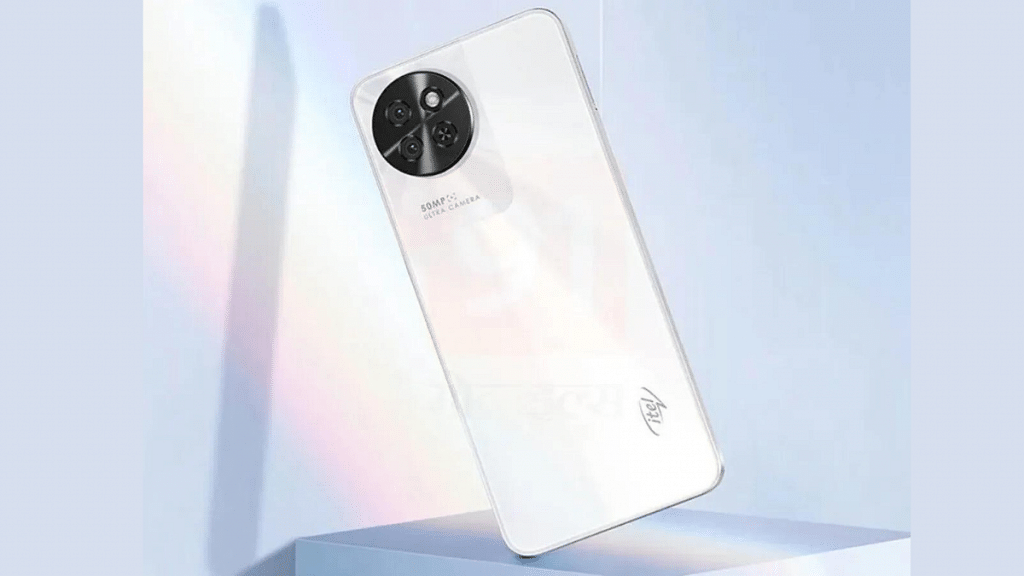
itel S23 Official Launch Timeline, Full Specs,Price : What To Expect?

Key Highlights

  • itel S23 expected to launch soon.
  • Massive 16GB RAM at an affordable price.
  • 6.67-inch Color IPS LCD display for immersive viewing.

itel is gearing up to launch its latest phone the itel S23, in India. With the official launch date set around mid-June details regarding the phone’s specifications and price have been exclusively revealed. The itel S23 is expected to make waves as the phone is offering 16GB RAM at just Rs 10,000.

Let’s take a closer look at the phone specs & price.

Also Read: Itel P40 Vs Tecno Spark Go 2023 Vs Nokia C12: Budget Phones Under Rs. 8,000 In 2023

itel S23: Launch Timeline

itel, a renowned brand known for its budget and mid-range smartphones, is all set to unveil its latest offering, the itel S23, in India. While the official launch date is yet to be announced, industry insiders suggest that the smartphone will hit the Indian market in mid-June. Tech enthusiasts and smartphone users can expect the itel S23 to make its appearance very soon.

Also Read: iTel P40 With 6,000 mAh Battery, 18W Fast Charging Launched Under Rs. 8,000 In India: Full Specs, Price

itel S23: Specification

Specificationsitel S23
Display6.67-inch Color IPS LCD, 1600 x 720 pixels, 90 Hz
RAM8 GB
Expandable RAMUp to 8 GB Extra Virtual RAM
Storage128 GB
Card SlotYes, up to 512 GB
Rear Camera50 MP (Main), 0.08 MP (Depth Sensor) with autofocus
Front Camera8 MP (Main)
Operating SystemAndroid v13
CPU1.6 GHz, Octa Core Processor
GPUPowerVR GE8322
Battery5000 mAh, Li-ion, Non-Removable
Fast ChargingYes, 18W

The itel S23 will feature a 6.67-inch Color IPS LCD screen with a waterdrop notch, offering a resolution of 1600 x 720 pixels and a 90 Hz refresh rate. With an 89% screen-to-body ratio and a 20:9 aspect ratio, users can enjoy an immersive viewing experience.

The phone comes with 8 GB of RAM, expandable by 8 GB through virtual RAM, and 128 GB of internal storage, expandable up to 512 GB. The phone support GPRS, EDGE, 3G, 4G, and VoLTE, with connectivity options including Wi-Fi, Bluetooth 5.0, and a microUSB v2.0 port. It has fingerprint sensor, face unlock, accelerometer, and proximity sensor.

The itel S23 boast a 50 MP primary rear camera, a 0.08 MP depth sensor, and an 8 MP front camera. Running on Android v13, it is powered by a 1.6 GHz octa-core processor and equipped with a 5000 mAh non-removable battery with 18W fast charging support.

Also Read: Four Smartphones That Are Great Alternatives To The Google Pixel 7a

itel S23: Price

When it comes to pricing, the itel S23 is expected to offer excellent value for money. The phone is rumored to be priced between Rs 8,000 and Rs 10,000 in India, making it an affordable option for budget-conscious buyers.

Also Read: New iTel Budget Android Smartphone With 6,000 mAh Battery, 18W Charging India Launch Soon: To Be Priced Under Rs. 8,000

Categories
Featured Info mobile

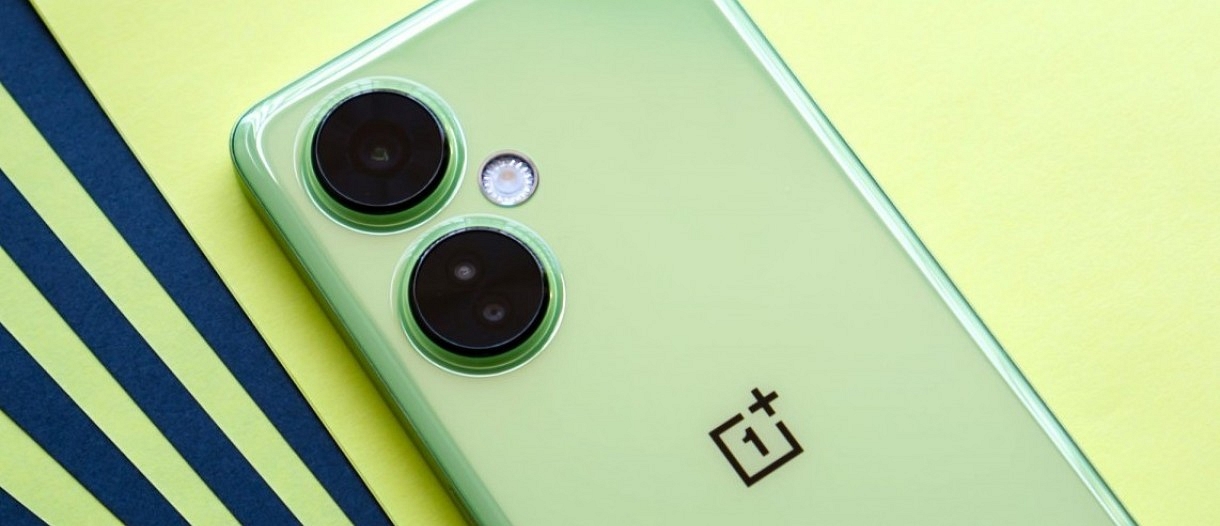
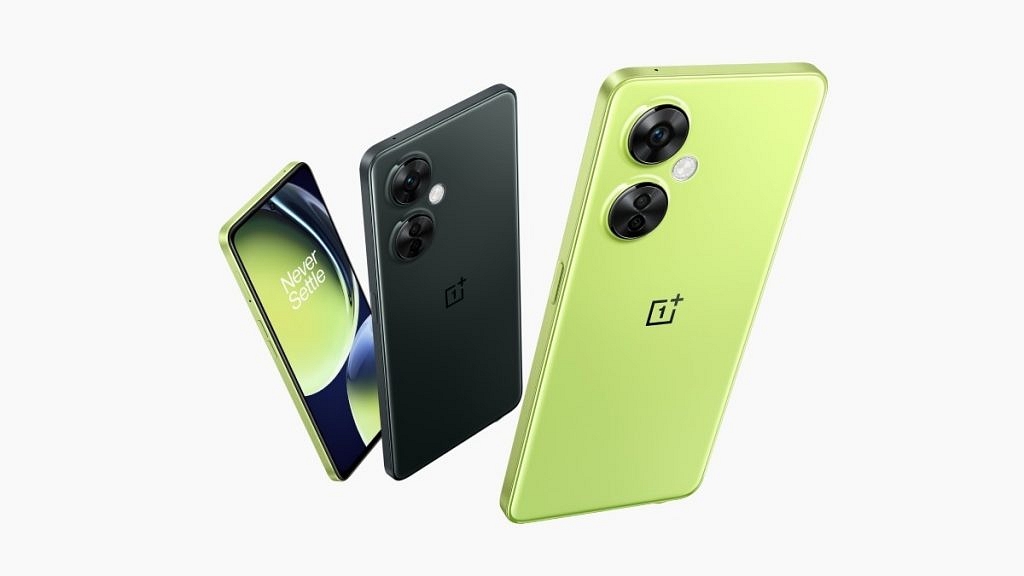
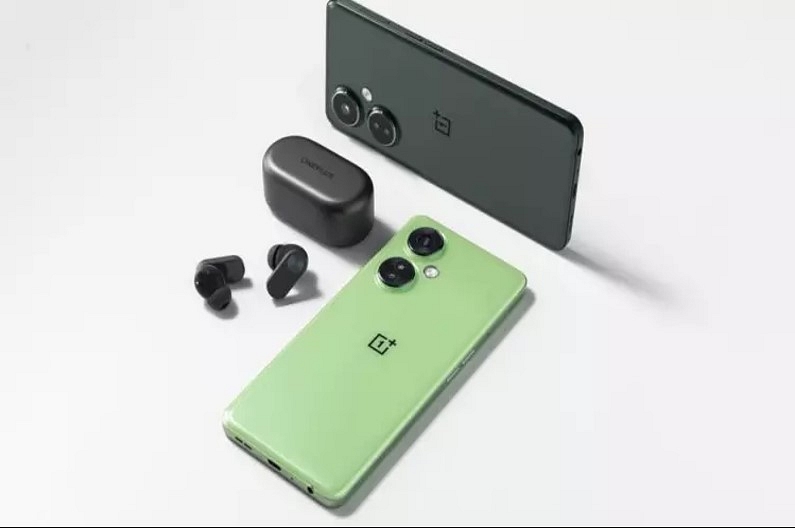
OnePlus Nord N30 5G: Specs, Camera Features, And Availability

The OnePlus Nord N30 5G has been launched in the US. Recently, the device was discovered on numerous certification websites. On the OnePlus US website, the phone is listed. An octa-core Qualcomm Snapdragon 695 SoC powers it, while its power source is a 5,000mAh battery with 50W SuperVOOC wired fast charging compatibility. There is only one color option and one storage configuration offered. Let’s look at the specifications in detail.

Also Read: Realme Narzo N53 Budget Smartphone Launched In India

OnePlus Nord N30 5G: Specifications

ModelOnePlus Nord N30 5G
Display 6.72-inch full HD+
Resolution 2400×1080
Aspect ratio20:9
ChipsetQualcomm Snapdragon 695 SoC
Storage8GB/128GB

The Nord N30 5G has a 6.72-inch full-HD+ (2400 x 1080 pixels) LCD screen with a 120Hz refresh rate, 240Hz touch sampling rate, 391 ppi pixel density, and a 20:9 aspect ratio. Additionally, the screen supports Display P3, sRGB, and a dark mode.

An octa-core Qualcomm Snapdragon 695 SoC, an Adreno 619 GPU, 8GB of LPDDR4X RAM, and 128GB of internal storage power the device. The phone starts with OxygenOS 13 running on top of Android 13 out of the box.

ModelOnePlus Nord N30 5G
Rear Camera108MP+2MP+2MP
Front Camera 16MP
Battery5,000mAh
Fast charging 50W

The OnePlus Nord N30 5G’s triple rear camera system has three optical sensors: a 108-megapixel primary Samsung S5KHM6SX03 sensor, a 2-megapixel depth sensor, and a 2-megapixel macro sensor. In the upper left corner of the back panel, next to an LED flash unit, are two circular modules on which the cameras are mounted. The front camera’s 16-megapixel sensor is located in a punch-hole slot at the top of the display that is centered.

The OnePlus Nord N30 5G has a 5,000mAh battery and supports 50W SuperVOOC wired fast charging. Additionally supported by the phone are 5G, GPS, WiFi 802.11 a/b/g/n/ac, and Bluetooth v5.1. The smartphone has a side-mounted fingerprint sensor for security. The handset is 165.5mm x 76.0mm x 8.3mm in dimension and weighs 195 grams.

Also Read: Upgrade To A Curved Display: Four Best Smartphones To Buy In 2023

OnePlus Nord N30 5G: Price And Availability

The price of the OnePlus Nord N30 5G, which comes in just one 8GB + 128GB model, is $299.99 (around Rs. 24,800). Pre-orders for the phone, which is exclusively available in Chromatic Grey, are presently being accepted on the company’s US website.

Also Read: Google Pixel 7a Vs OnePlus 11R Vs Samsung Galaxy S21 FE: Best Premium Smartphones Under Rs.50,000

Categories
Auto Tech Featured

Xiaomi Electric Scooter 4 Ultra Foldable Electric Bike To Be Available In More European Markets Soon: Coming To India Soon?

Key Highlights

  • Xiaomi Electric Scooter 4 Ultra global availability expanding
  • Powered by a 500W electric motor
  • Offers 25 kmph top speed and 70 km range
  • India launch not on cards anytime soon

Xiaomi has been rapidly expanding its presence across the consumer tech industry but is also gradually aiming the electric two-wheeler market globally. The Chinese tech giant has already forayed into the electric scooter segment and had introduced the Electric Scooter 4 Ultra with a foldable design in a bunch of markets. Now, Xiaomi is expanding its reach in the remaining European markets with the Electric Scooter 4 Ultra. Will we see this Xiaomi electric scooter in India too? Read the details below:

Xiaomi Electric Scooter 4 Ultra Powertrain And Features

Xiaomi Electric Scooter 4 UltraPowertrain
Battery561.5 Wh
Motor500W
Range70 km per charge
Top Speed25 kmph

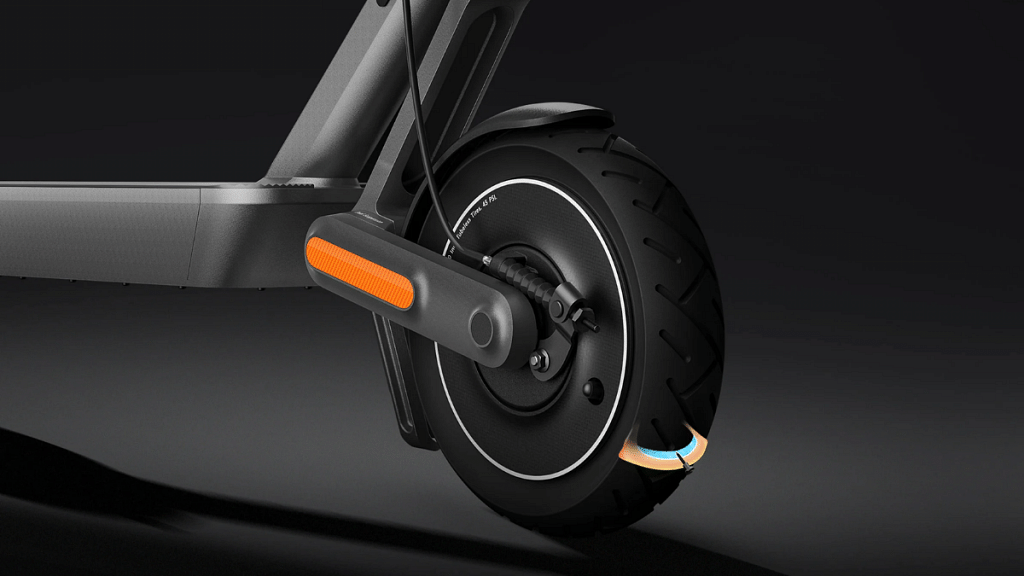
Speaking of the powertrain and features, the Xiaomi Electric Scooter 4 Ultra has been launched in the international markets with a 500W electric motor. This new electric scooter from Xiaomi features a foldable e-bike design that is compact for daily city runs.

https://i02.appmifile.com/mi-com-product/fly-birds/xiaomi-electric-scooter-4-ultra/pc/video/video1.mp4

The single electric motor on the Xiaomi Electric Scooter 4 Ultra can deliver a peak power of 940W. The battery capacity packed inside the Xiaomi Electric Scooter 4 Ultra is 561.5Wh. As per Xiaomi, this battery pack inside the Electric Scooter 4 Ultra is capable of delivering a riding range of 70 km with a single charge. As for the top speed, the Xiaomi Electric Scooter 4 Ultra can reach up to 25 kmph with a full throttle.

For suspension, the Xiaomi Electric Scooter 4 Ultra relies on a dual shock absorption system. On the other hand, an E-ABS system is used for breaking. This Xiaomi compact foldable e-bike can take a maximum load capacity of 120 kgs. Speaking of its dimensions, the Electric Scooter 4 Ultra measures 1260 mm x 1200 mm when unfolded and 535 mm x 1200 mm x 545 mm in the folded state. The foldable Xiaomi e-bike’s ride information can be accessed using the compatible companion app on smartphones.

Also Read: 2023 Komaki TN-95 EV Updated Electric Scooter With Up to 180km Range Launched In India: Powertrain, Price

Xiaomi Electric Scooter 4 Ultra: Is It Launching In India?

Post its showcase during the MWC 2023 event, Xiaomi has launched the Electric Scooter 4 Ultra in a couple of markets including Spain and France. Now, the brand is set to launch the foldable electric scooter in Italy. As for its India launch, it remains uncertain as of now. Xiaomi hasn’t shared any information or detail that confirms the Electric Scooter 4’s availability in India. But since India is emerging as a big market for electric vehicles, we could expect Xiaomi to introduce its electric scooter range sometime in the future.

Also Read: Bajaj Chetak, Hero Vida V1 Electric Scooter Prices Hiked In India: How Much They Cost Now?

Categories
Featured Info Tech News

Apple New ‘NameDrop’ Feature for iPhones: What Is It? Steps To Use

Key Highlights

  • Apple introduces the ‘NameDrop’ feature for iPhones.
  • Seamless sharing of contact details and photos.
  • Bring devices close together to initiate sharing.

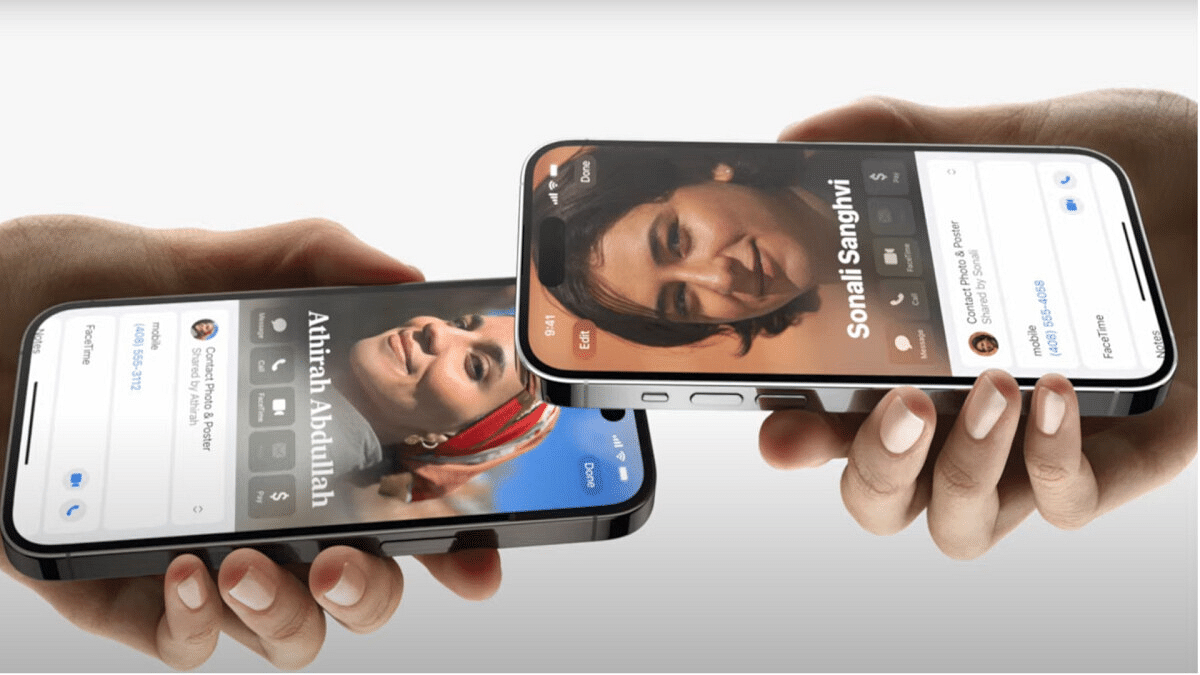
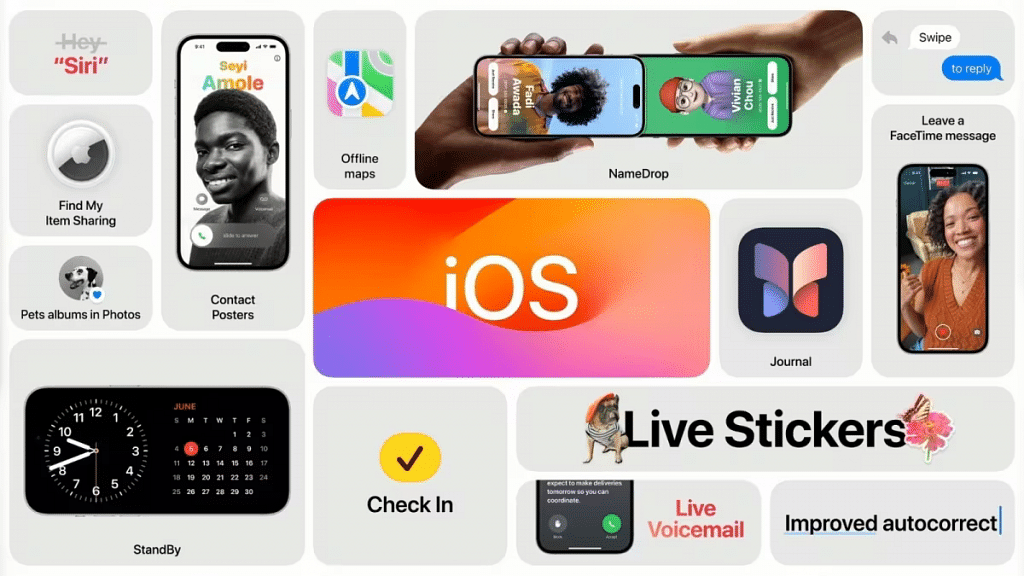
Apple has recently introduced a new feature called “NameDrop” for iPhone users at their annual Worldwide Developers Conference (WWDC) on June 5. This addition to Apple’s Airdrop functionality allows users to share their phone numbers or mail with others by simply bringing their devices close together.

Also Read: From New York To Tokyo: Five Best Apple Stores Around The World

NameDrop Feature: What It is?

The ‘NameDrop’ feature is a new addition to Apple’s Airdrop functionality for iPhones. It allows users to seamlessly share their contact information, such as phone numbers and email addresses, with others. This feature is not limited to iPhones alone it is also extended to Apple Watches.

Also Read: Best Apple Stores Around The World

NameDrop Feature: Steps to Use

Here are the steps to use the ‘NameDrop’ feature:

  1. Ensure Compatibility: Make sure you have an iPhone or an Apple Watch that supports the ‘NameDrop’ feature. It is available on compatible devices with the latest iOS version.
  2. Open NameDrop: On your iPhone or Apple Watch, open the NameDrop feature. You can typically find it in the Control Center or the Settings menu.
  3. Bring Devices Close Together: Bring the two devices close together, ensuring that they are within reasonable proximity of each other.
  4. Choose Contact or Photo: Decide whether you want to share a contact or a photo. If sharing a contact, select the desired contact from your address book. If sharing a photo, locate the photo in your gallery.
  5. Initiate Sharing: Once you have chosen the contact or photo, tap on the ‘Share’ or ‘Send’ option. This will trigger the NameDrop feature to initiate the sharing process.
  6. Confirm Sharing: On the receiving device, a prompt will appear asking for confirmation to accept the shared contact or photo. Confirm the sharing request to proceed.
  7. Completion and Notification: After the sharing process is complete, you will receive a notification indicating the successful transfer of the contact or photo.

Also Read: iOS 17 Arrives: Seven Exciting Features For iPhone Users

iOS17: Enhanced Features and Optimizations

Alongside the introduction of NameDrop, Apple unveiled a range of enhanced features and optimizations in iOS 17. The keyboard input method received a significant upgrade, with improvements made to the automatic correction function. Apple implemented a new language model, simplifying existing shortcuts and enhancing the dictation experience for users.

iOS 17 also introduces the SharePlay feature, which allows users to share experiences with their contacts. By bringing two iPhones together, users can enjoy synchronized live streaming or listen to the same playlist simultaneously.

Also Read: These iPhones Will Receive iOS 17 Update