Categories
Featured How To

New GST Registration India: How To Register GST Online And GET GSTIN Number Quickly

A Goods and Services Tax Identification Number, or GSTIN, is required for every person, firm, or organization that wants to conduct business across India. Although there are a few exceptions, it is generally accepted by the law that you must register for GST. You don’t need hard copies or printouts to register your shop or business on the GST site because the process is paperless. You can enroll via the GST portal’s enrollment feature, which the government provides.

But getting a GSTIN is not a simple procedure. To apply for a GST number, you must adhere to a number of requirements. And we understand that for many people looking to establish a business, the entire procedure can be a little confusing and daunting. To help you, we have got a step-by-step guide to the GST registration process.

Also Read | How To Check Metro Card Balance Offline And Online? Learn Here

Steps To Complete GST Registration Process Online

Step 1: Go to the GST portal and tap the ‘Register Now’ link which can be found under the ‘Taxpayers’ tab.

Step 2: Select “New Registration” and enter the following information:

  • Select “Taxpayer” from the “I am” drop-down menu.
  • Select the respective state and district.
  • Enter the name of the business.
  • Enter the PAN of the business.
  • Enter your email ID and mobile phone number in the appropriate fields. The email id and mobile number you enter must be active as the OTP will be sent there.
  • Enter the image that is displayed on the screen and tap on ‘Proceed’.

Step 3: Enter the OTP sent to your email ID and mobile number in the respective boxes on the following page, then click “Proceed.”

Step 4: The Temporary Reference Number (TRN) will be displayed on the screen for you. Write down the TRN (Which helps in further Steps).

Step 5: Now go back to the GST portal and select “Register” from the “Taxpayers” option.

Step 6: Choose “Temporary Reference Number (TRN)”. Enter your TRN number and the captcha information now. Select “Proceed” from the menu.

Step 7: On both your registered mobile number and email address, you will get an OTP. Enter your OTP and press “Proceed.”


Step 8: The next page will provide information on the status of your application. On the right side of your screen, press the Edit icon.

Step 9: After that, there will be 10 sections that must be filled, and has to submit the required documents. The list of documents that must be uploaded are:

  • Photographs
  • Business address proof
  • Bank details such as bank name, account number, bank branch, and IFSC code
  • Authorization form
  • The constitution of the taxpayer

Step 10: Check the declaration on the ‘Verification’ page before submitting the application using one of the techniques listed below:

  • By EVC. The registered mobile number will receive the code
  • In case companies are registering, they must use a digital signature certificate to submit the application (DSC)
  • By e-Sign method. The mobile phone number linked with the Aadhaar card will receive an OTP

A success message will appear on the screen after it is completed. The registered email address and mobile phone number will receive the Application Reference Number (ARN).

Also Read | PhonePe UPI Pin Activation Via Aadhaar: Steps To Enable UPI ID Using Aadhaar Number

Categories
Apps Featured Info

Telegram Now Allow Users To Sign Up Without A SIM Card

Key Highlights

  • Telegram has added a new privacy feature to its app
  • Users no longer need a SIM card to use Telegram
  • Users can sign in using blockchain-powered anonymous numbers

Telegram, an instant messaging platform, has upgraded its app with a number of new features. The revised sign-up procedure is one of the significant modifications. Now, users no longer need a phone number to sign-up for using Telegram. Before, in order to create a Telegram account, users had to enter their mobile number. In addition, the update added Topics 2.0 for groups, automated message deletion for new chats, and aggressive anti-spam.

With the most recent update, users can now register for an account using blockchain-powered anonymous numbers offered by the Fragment platform, according to Telegram. Before, the app let users control who could see their number and search for them by phone number, but the procedure would still need a SIM card.

Also Read | Telegram Tips And Tricks: How To Schedule Messages On Telegram Android, iOS App

Questions Around Anonymity

Although the network guarantees users’ privacy, some critics are raising concerns about the technology. Users’ identities are compromised because there is no other way for them to purchase a number other than with Telegram’s native token, which links the entire transaction chain to their ID.

Experts also stated that in order to guarantee anonymity and prevent users from disclosing their wallet IDs to Telegram when purchasing anonymous numbers, Telegram should have let users sign up using an email ID.

Auto-delete Feature Added

The new update also added an auto-delete feature to the app, allowing users to set a global timer to automatically delete all messages in new chats. This is an update to the Self Destruct Message update released in 2013.

However, you can easily expand your auto-delete settings to any existing chats via the new menu in Settings > Privacy & Security > Auto-Delete Messages. It should be noted that the auto-delete option will not affect current chats.

Also Read | Want To Send Secret Messages On Telegram? Here’s A Step-By-Step Guide

Categories
Auto Tech Featured

Auto Expo 2023 India: MG India Motors Bringing Two New Electric Cars With Premium Features

Key Highlights

  • Auto Expo 2023 is scheduled for next month in India
  • MG Air City EV to launch with up to 25kWh battery and 150km range
  • MG 4 electric hatchback will also be launched with 51kWh and 64kWh battery

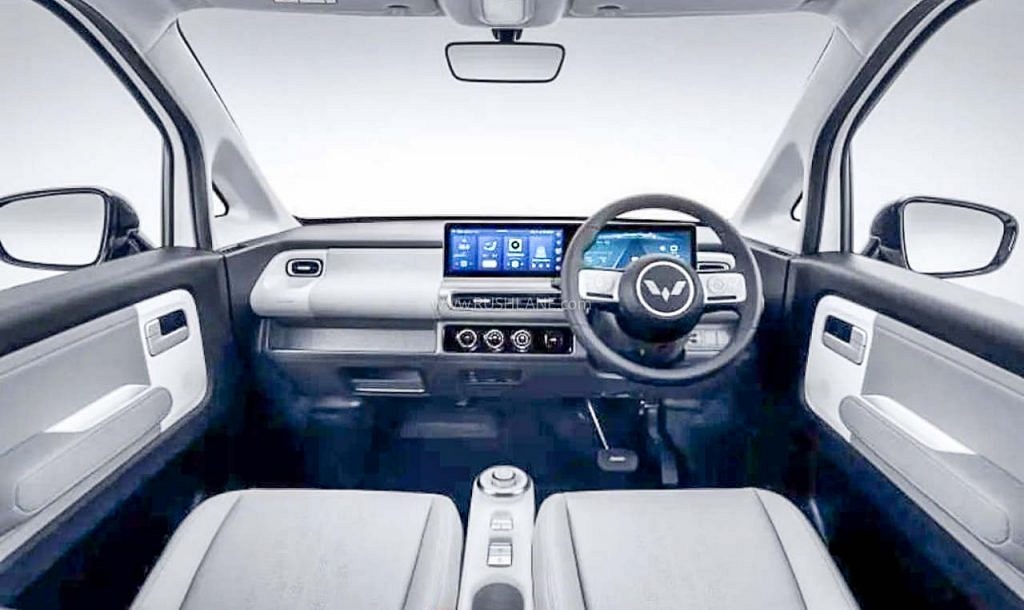
Auto Expo is just a month away and automobile brands have started gearing up for the biggest auto event in the country. We are expecting multiple new electric cars as well during the premier auto show. MG, the British automotive giant is also rumored to showcase two new electric cars called the Air City EV and the MG 4 electric hatchback. Here’s what MG has planned for the Indian audience during the Auto Expo 2023 event:

MG At Auto Expo: Two New Electric Cars On Cards

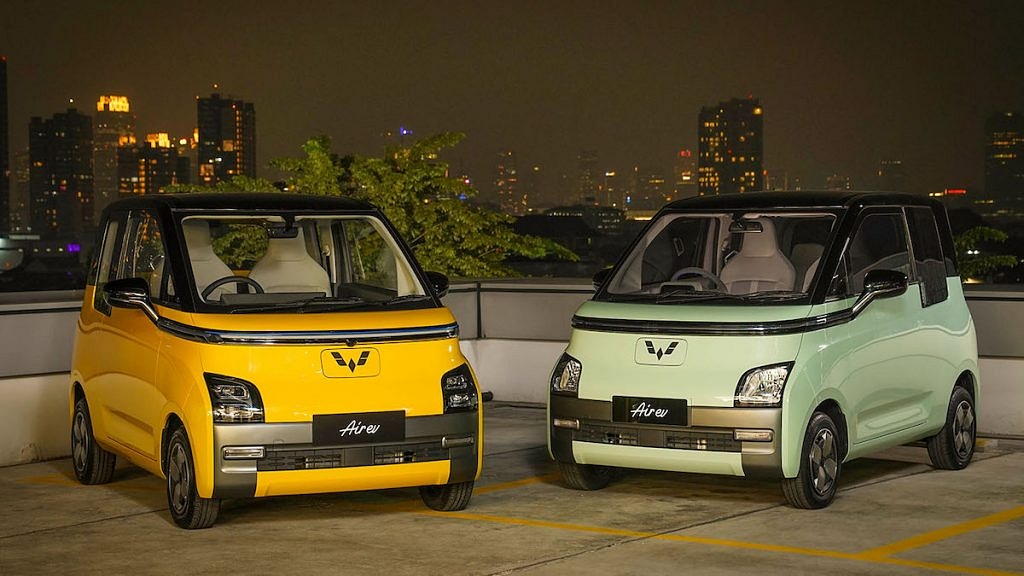
MG Motor India will be unveiling the Air City EV and the MG 4 electric hatchback car at the Auto Expo 2023 automobile event. The former is tipped to be a small electric microcar, while the latter will be debuting as a hatchback. Both these cars are said to be packed with some high-end features such as ADAS (Advanced Driver Assistance Systems) and iSmart connective technologies. What else is known related to the MG Air City EV and the MG 4 electric hatchback? Read on below:

ModelMG Air City EVMG 4 Electric Hatchback
Battery25kWh51kWh
64kWh
Range150km350km
452 km
Peak power40hp170hp
203hp

MG Air City EV Features

The MG Air City EV has been doing rounds online already and is confirmed to be showcased at the Auto Expo 2023 event. This will be a small-sized electric car with a suggested battery capacity range of 20kWh to 25kWh. The IDR range claimed is around 150km. Additionally, the MG Air City EV is rumored to produce a peak power of 40hp via a single motor. The front-wheel-drive electric car is expected to cost somewhere around Rs. 10 lakh in the country.

Also Read: MG ZS EV Excite Base Version Priced At Rs 22.58 Lakh

MG 4 Electric Hatchback Key Features

On the other hand, the MG 4 Electric car will be a Hatchback measuring 4,287 mm in length, 1,836 mm in width, and 1,506mm in height.  The brand is said to bring two variants of the MG 4 Electric hatchback. One of the variants will be packing a 51kWh, while the other model will be packed with a bigger 64kWh battery capacity.

The MG 4 Electric hatchback with the 51kWh will offer a maximum driving range of 350km on a single charge, whereas, the 64kWh battery model will be delivering a driving range of 452 km. Both variants will be compatible with DC fast charging. The smaller battery model is said to get up to 80 percent recharge within 35 mins, while the bigger battery variant will take around 69 minutes for the same charge capacity.

The MG 4 electric car with 51kWh battery capacity will generate around 170hp of peak power and 250Nm peak torque, whereas, the 64kWh battery model is said to offer 203hp of peak power and 250nm peak torque. The pricing details are a mystery as of now, but we should get some updates during the Auto Expo 2023 event.

Also Read: BYD Atto 3 Electric Car With 521 Km Mileage Range Launched In India At Rs. 34 Lakh – Rivals MG ZS & Tata Nexon EV

Categories
Apps Featured Info

Kantara Hindi OTT Release In India: Wait Is Finally Over, Watch Online Here

Key Highlights

  • Kantara is one of the biggest hits of 2022 which was released on September 30
  • The streaming rights for Kantara Hindi OTT have been acquired by Netflix
  • On Amazon Prime Video, the movie is streaming in four languages: Kannada, Telugu, Tamil, and Malayalam

Kantara made its online debut a week ago. The movie has been making waves on the digital streaming platform after winning over audiences during its theatrical premiere. On Amazon Prime Videos, the movie was only made available in the languages of Tamil, Telugu, and Malayalam. But many fans, particularly in the states where Hindi is spoken, had to wait patiently for the movie’s dubbed version. However, the wait is now over. Kantara’s OTT release in Hindi will soon be available to watch. Read on to know how and where to watch this movie online.

Also Read | ‘Spider-Man: No Way Home’ OTT Release: How To Watch Tom Holland-Starrer On Netflix

Kantara Hindi: Storyline

The storyline and how it was portrayed on screen were key factors in the movie’s enormous box office success. Kantara, a Kannada blockbuster starring Rishabh Shetty and Kishore, depicts a Kambala champion who clashes with a moral forest ranger named Murali. The film is set in a fictional village called Dakshina Kannada.

Kambala is an annual race that takes place in coastal Karnataka from November to March. In this, a jockey pulls a pair of buffaloes that are tied to a plough across two parallel muddy tracks. The tribal tradition of Bhoota Kola and Shetty’s subsequent comments about it also made headlines in relation to the movie.

Kantara Cast

The movie Kantara, directed by Rishab Shetty, stars Kishore as Muralidhar, Sapthami Gowda as Leela, a Deputy Range Forest Officer, Achyuth Kumar as Devendra, and Pramod Shetty, and the director himself as the lead Kaadubettu Shiva. Produced by Vijay Kiragandur, the movie is made under the banner of Hombale Film.

Kantara Hindi: Where To Watch?

Amazon Prime Video acquired the digital streaming rights for Kantara, and as a result, it’s now streaming in four languages ​​on Prime Video. However, the OTT rights to Kantara Hindi have been bagged by Netflix.

Also Read | What Are Netflix Secret Codes: How To Watch Hidden TV Shows And Movies On Netflix Using Secret Codes

Categories
Auto Tech Featured mobile

Lost Your Car Keys? Here’s How To Make Your Smartphone A Digital Car Key And Lock, Unlock, Start Your Car

Technology has gradually become an integral aspect of the daily user lifestyle. And one of the industries that are making the most of new-generation tech is the smartphone, tablets, and other consumer goods. Seamless connectivity is now a reality with smartphones and automobiles. If you purchase a new-age car you get all the wireless features and smartphone connectivity options. Large screen infotainment systems are the modern hype be it standard petrol/ diesel or electric cars.

The new-generation cars are coming with features like Android Auto and Apple Car Play that aid with smartphone and car connectivity for easy navigation and entertainment on the go.  Google has been constantly improving the Android ecosystem for not just smartphones but also compatible devices. One of the coolest features that Android mobile OS offers is the ability to turn your smartphone into a digital car key.

Yes, you read that right. If you own a new-generation smartphone, you can easily lock or unlock your car without keys. That’s not it, your smartphone when transformed into a digital car key can also start the car. Interested in knowing the steps to make your smartphone a digital car key? Read on below:

Also Read: Here’s How To Print Documents And Images From Google Chrome Web Browser

Steps To Make Smartphone A Digital Car Key Using Infotainment System/ Head Unit

Step 1: Select the digital key setup option from the car’s infotainment system or the head unit.

Step 2: Unlock your smartphone and place it on the car key reader.

Step 3: You will see a list of steps on the head unit/ infotainment system screen. Follow the steps to complete the pairing process.

Step 4: Complete the digital car key setup process.

Step 5: You will get a welcome screen with the option to sign in with a Google Account.

Step 6: Select Agree & continue after reviewing the Terms of Service.

Step 7: Type in the activation code.

Step 8: Now, you can edit the car key name if you wish to or set it to the default “user name”.

Step 9: You now need to complete the car and phone pairing to finish the digital car key setup. To do so, place the phone in the card reader until the pairing is complete.

Step 10: Once the digital car key setup is complete, select Add to Home Screen option. This will add the digital car key to the home screen for easy and quick access.

Also Read: Fed Up Of Cluttered Gmail Folders? Here’s How To Create New Category Tabs For Emails On Gmail

How To Unlock And Start A Car Using Smartphone As A Digital Car Key

Make sure the digital car key feature is enabled when you are unlocking/ locking or starting your car.

Step 1: Keep your phone on the car key reader and hit the car start key.

Step 2: To lock or unlock the car, place the smartphone (rear panel) on the door handle of the car.

Also Read: Google To iOS: How To Transfer Google Contacts Directly To iPhone

Categories
Featured How To Mobile

Google To iOS: How To Transfer Google Contacts Directly To iPhone

Key Highlights

  • Google contacts can be moved from Android to iPhone
  • Google contacts can also be transferred to Mac for Android users as well

Have you decided to switch from Android to iPhone? And now you want to transfer all your data including contacts, texts, and WhatsApp conversations to your new iPhone. Many people are concerned about Android to iPhone migration, especially data loss. These worries are unfounded now, thanks to new features that tech companies have developed that let users transition from one ecosystem to another without losing any data.

In order to assist you to move all of your Google Contacts from your old Android smartphone to your new iPhone, here is a detailed instruction.

Also Read | Apple iPhone eSIM: How To Convert Physical SIM To eSIM, Transfer eSIM/Physical SIM During And After New iPhone Setup?

How To Transfer Google Contacts To iPhone

Step 1: Open the Settings app on your iPhone.

Step 2: Now click on the Contacts option.

Step 3: Next, select Add Account option. Tap the Accounts option if you’ve already synchronized a Google Account to your device.

Step 4: Tap the Add Account option, then tap Google.

Step 5: To sign in to your Google account, follow the instructions.

Step 6: Select the Google apps you want to sync to your device.

Step 7: Tap Save.

How To Transfer Google Contacts To A Mac computer

Alternatively, you can sync all your Google Contacts on your Mac or MacBook laptop. Here’s what you need to do:

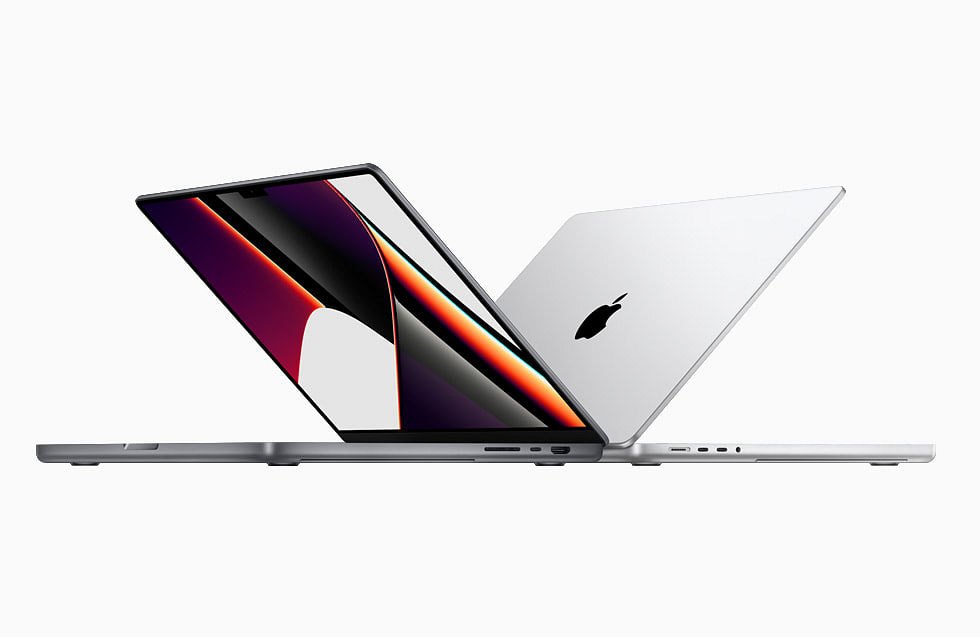
Step 1: Go to System Preferences on your Mac computer or MacBook laptop.

Step 2: Tao on the Internet Accounts.

Step 3: Next, click the Google option.

Step 4: Enter your email address and password, then click Next.

Step 5: Now check the Contacts option.

Step 6: Click Done. That’s all.

Also Read | WhatsApp Chat History Can Now Move From Android To iPhone: Learn How

Categories
Featured

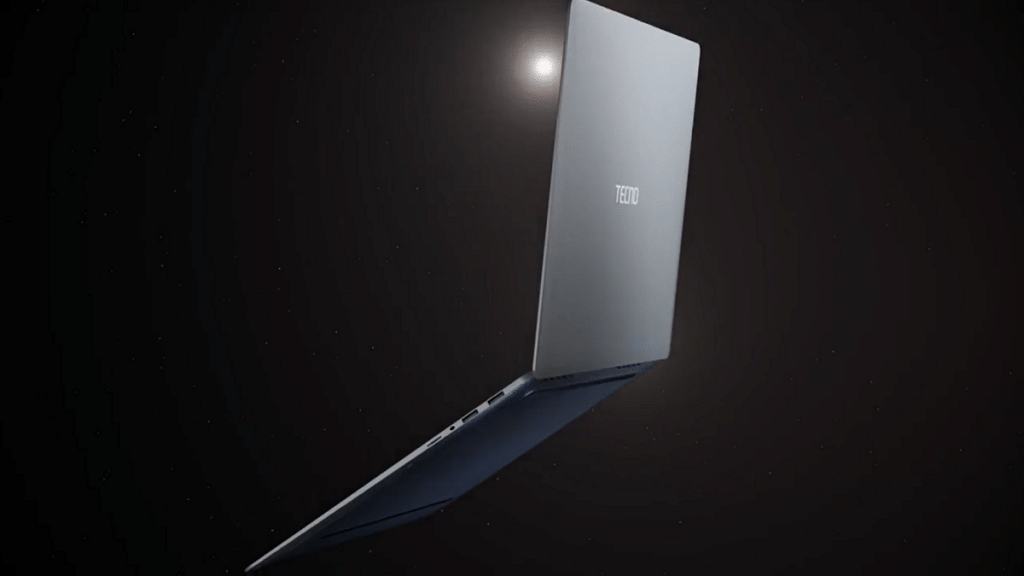
Tecno MegaBook S1 Is Brand’s First Laptop With 12th Gen Intel Core i7 CPU, 120Hz Display: Should Premium Brands Worry?

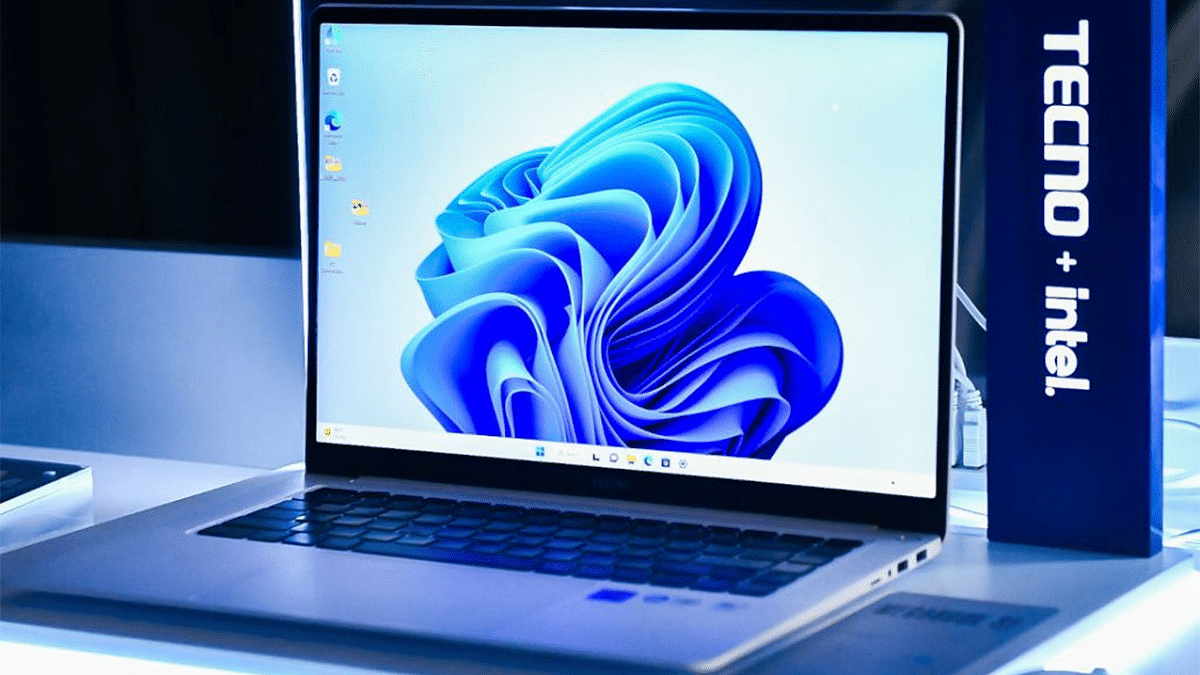
Phone manufacturers are increasingly concentrating on computing devices as well because the global smartphone market is nearing saturation. Companies like Micromax and iBall, as well as names like Huawei, LG, Realme, and Xiaomi, are quietly entering the market for budget laptops and convertibles intended for home and business use. TECNO announced the global launch of their potent MegaBook S1 laptop at an event in Dubai together with the Phantom X2 Series. The business asserts that their Flagship Product Launch in 2022, with the theme “Beyond the Extraordinary,” will revolutionize the experience of using premium smart devices.The MegaBook T1, which was released earlier this year, is the company’s first laptop and is now joined by MegaBook S1 as part of its line-up of PC/laptops. Let us examine the specifications and features in detail. 

Also Read: Tecno Pova 4 Budget Gaming Phone With Helio G99 Chipset Launched In India: Worth A Buy?

Tecno MegaBook S1 Specifications

Tecno MegaBook S1Specifications
Display15.6-inch
120Hz refresh rate
3.2K resolution
processor 12th Gen Intel Core i7
with dual-fan cooling
Storage16GB LPDDR5 RAM
Battery70Wh
65W GaN charger
OS Windows 11

The 15.6-inch screen of the MegaBook S1 has a 16:10 aspect ratio and 3.2K resolution. It uses 100% of the sRGB color palette and refreshes at a rate of 120 Hz. For a laptop, it can get very bright up to 450 nits, and DC dimming prevents flickering. This laptop is incredibly tiny and light, coming in at just 1.35 kg and measuring 13.5 mm (0.53′′) thick (2.97 lbs). Additionally, it is durable because it is built of a magnesium alloy.

The Core i7 of the MegaBook S1’s 12th generation (35 W TDP) includes two fans. It has 16GB RAM and 512GB and 1TB PCIe 4.0 SSDs for storage (LPDDR5). The laptop has a 70Wh battery, which is charged using one of two USB-C connectors and a 65-watt GaN charger. It has a full-size HDMI port, two USB-A ports, a 3.5mm connector, and a microSD card reader.

Your Tecno phone can be connected to your laptop using the OneLeap feature on the MegaBook S1. In addition to unique TECNO technologies like NFC, the MegaBook S1 runs Windows 11. Six speakers are included, and DTS:X Ultra compatibility offers a great multimedia experience. Two microphones have AI-powered noise cancellation built in. A glimpse from someone behind you will cause the built-in webcam’s AI to blank the screen.

Also Read: Tecno Phantom X2 5G Massive Leak: 120Hz Curved Display, 64MP Triple Camera, And 5100mAh Battery Confirmed

Availability And Price In India

The 16GB RAM and 1TB SSD storage variant of the Megabook S1 costs USD 1599 (about Rs. 131,770), while the 16GB RAM and 512GB SSD storage variant costs USD 1499 (roughly Rs. 123,530) However, there is currently no information available regarding the cost or availability in India.

Categories
Featured How To Printers

Here’s How To Print Documents And Images From Google Chrome Web Browser

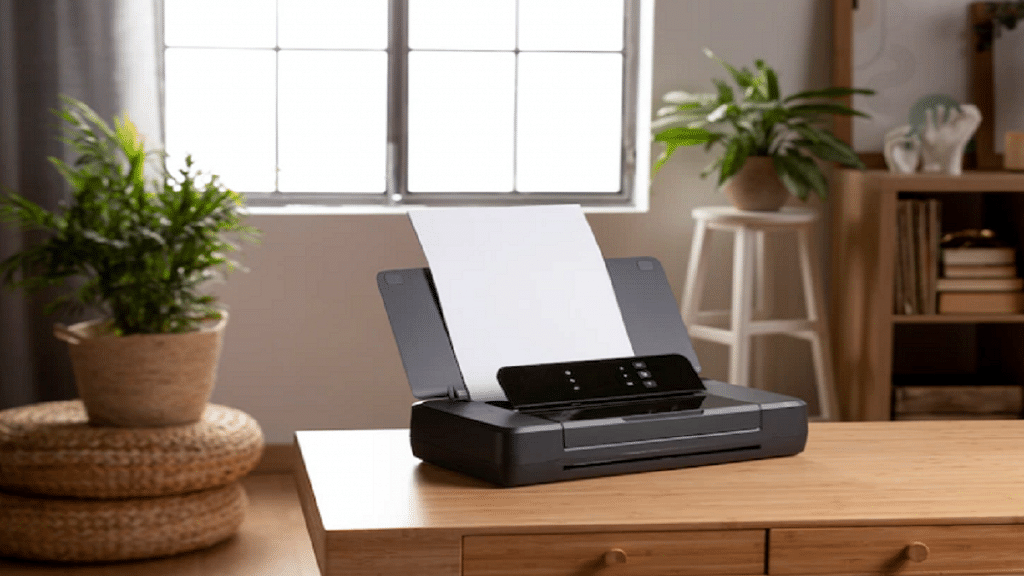
Digitization is at its peak across the globe with multiple services going online for easy access for the general public. While our reliance on the internet and web services is gradually increasing each day, tech gadgets are also getting modernized to help better with this transition. Despite the availability of online documentation services, the need for printing documents is still a necessity. Modern-day printers have become all capable with the use of advanced technologies. Wireless printers and all-in-one printers are a few of the latest printing solutions available for the masses globally.

PC and mobile operating systems have also been optimized with advanced technologies to aid the high-tech printers of the current generation. Users now get the option to give remote print commands and also print on different paper types quickly. Printing documents directly from websites is also now a possibility. You can print not just text documents but also images using web browsers online.

Since Google Chrome is one of the most commonly used web browsers it is always better that you are aware of the steps to print using this browser. It isn’t super tricky to give prints using Google Chrome. You can easily give print commands directly from Chrome on any laptop/ PC.

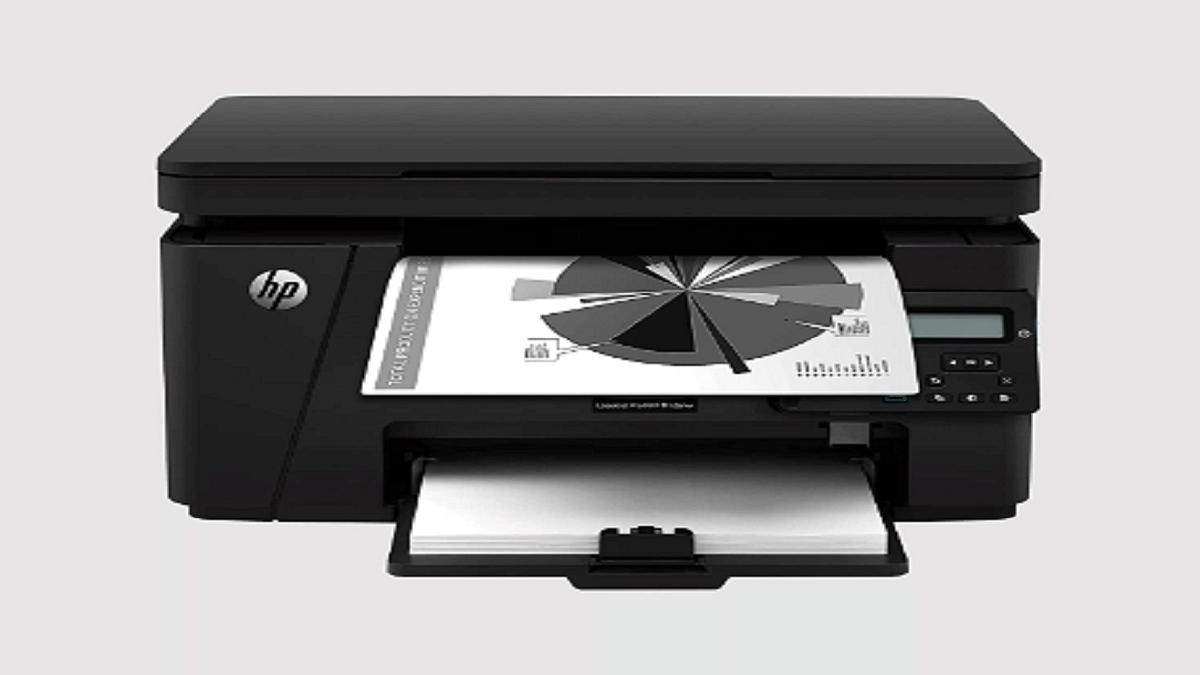
Also Read; Best Monochrome Laser Printers To Buy In India

How To Print Using Google Chrome From A Standard Printer

Step 1: On your PC/laptop, open the Google Chrome web browser.

Step 2: Launch the website from where you wish to print a specific page or image. You can also open the image or file directly on the browser to print.

Step 3: You can use print shortcuts to print directly. Ctrl+ p command will work for both Windows and Linux PC and laptops. For Mac devices, you will need to press the command key (Apple key)+ p.

Step 4: You can also tap on the File option and then select Print.

Step 5: You can change the print settings if required.

Step 6: Click Print.

Printing documents directly from Google Chrome saves you from the hassle of saving a document or changing its format to print. This is one handy feature that takes care of urgent printing requirements.

Also Read: How To Add A Default Wireless Printer In Mac Devices

Categories
Featured Mobile

Realme 10 Pro Series Finally Debuts With Dimensity 1080 SoC, 120Hz Display In India: Upgrades That Make It Must Buy

Key Highlights

  • The Realme 10 Pro Plus features a curved edge display and MediaTek Dimensity 1080 chipset
  • The Realme 10 Pro has a 120Hz 6.72-inch IPS panel and Snapdragon 695 chipset
  • Both smartphones will be available on Flipkart for purchase

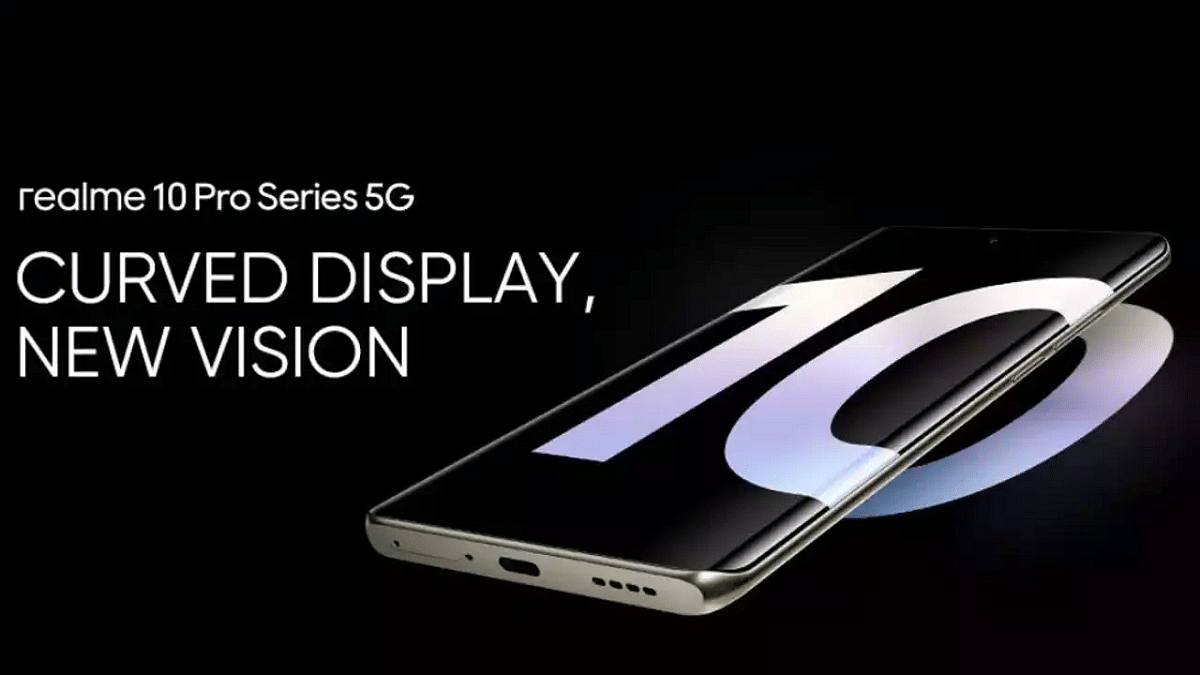
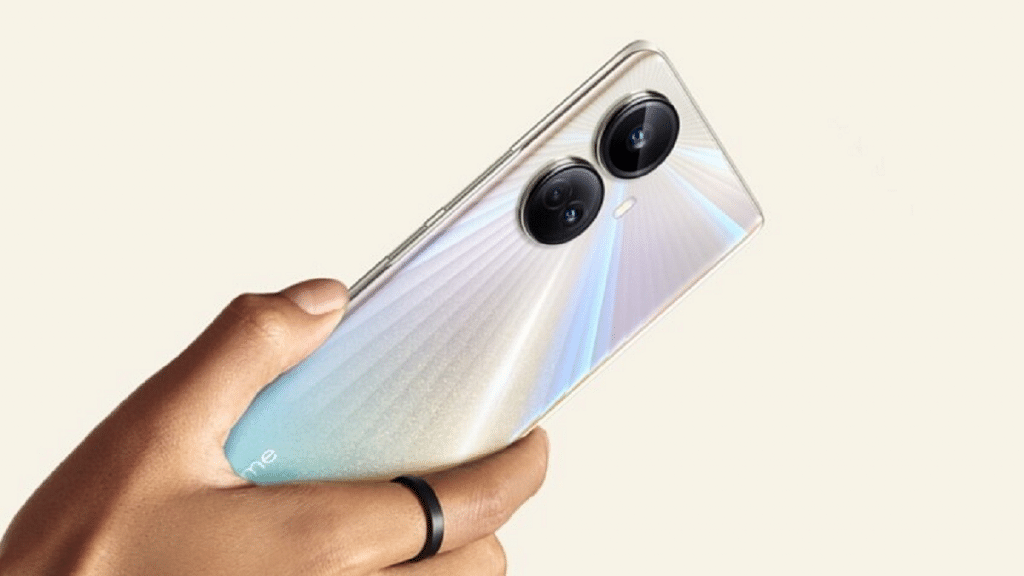
Realme has introduced two new smartphones from its Realme 10 series in India. The Realme 10 Pro and Realme 10 Pro+ have been unveiled by the company. The plus variant is the first smartphone in its price category to offer a curved AMOLED display. Although the Realme 10 Pro has a different set of features, both phones’ rear panels have mostly comparable designs. The front sides and the display, however, are completely different. The first sale will have on 14 December.

Also Read | Vivo Y12 Vs OPPO A57 Vs Realme Narzo 50i Prime: Cheap And Best Android Phones Under Rs. 15,000

Realme 10 Pro+ Specifications

The 6.7-inch 120Hz curved AMOLED display on the new Realme 10 Pro+ is the device’s standout feature. This is the first device under Rs. 25,000 to include a curved AMOLED display with a refresh rate of 120Hz or higher.

Display6.7 inches AMOLED
ProcessorMediaTek Dimensity 1080
Camera108MP + 8MP + 2MP
Selfie Camera16MP
Battery5,000mAh

The MediaTek Dimensity 1080, which is a 6nm chipset, powers the Realme 10 Pro+. This is the first phone in India to get this processor. The smartphone gets Mali-G68.

A triple-lens system is present on the Realme 10 Pro+. A 108MP lens that can shoot in raw mode makes up the main camera module. The third module is a macro lens, while the second is an 8MP ultra-wide angle lens. There is a 16MP front camera on the phone.

The Realme 10 Pro+ has launched in three storage variants, with the company offering a virtual RAM feature that expands the hardware-limited RAM. The phone gets up to 8GB of RAM and expands with an additional 8GB of RAM. Buyers can choose between 128GB or 256GB of UFS 2.2 internal storage.

Realme 10 Pro+ Price

The Realme 10 Pro+ prices in India start at Rs. 24,999 for 6GB/128GB models. Additionally, the Realme 10 Pro+ is also available in 8GB/128GB and 8GB/256GB configurations to set you back Rs. 25,999 and Rs. 27,999. The Realme 10 Pro Plus comes in Dark Matter, Nebula Blue, and Hyperspace Gold color options.

Realme 10 Pro Specifications

Alongside the plus variant, the Realme 10 Pro has also been launched. Although the device has a flat LCD screen, it still features a 120hz high refresh rate. The Qualcomm Snapdragon 695 chipset powers the phone.

Display6.72 inches IPS LCD
ProcessorSnapdragon 695 5G
Camera108MP + 2MP
Selfie Camera16MP
Battery5,000mAh

The Realme 10 Pro comes with up to 12GB RAM and up to 256GB of UFS 2.2 storage that is expandable via a microSD card. The smartphone further runs Android 13 with Realme UI 4.0 on top. While the 10 Pro features a similar battery capacity, the charging speed is reduced to 33W.

Realme 10 Pro Price

The Realme 10 Pro pricing in India starts at Rs. 18,999 for the base 6GB/128GB model and will set you back Rs. 19,999 for the 8GB/128GB configuration. The Realme 10 Pro comes in Dark Matter, Nebula Blue, and Hyperspace Gold colors.

Also Read | Nokia T21 Vs Nokia T20 Vs Realme Pad Mini Tablet Comparison: Best Entry-Level Android Tablet For Daily Use

Categories
Featured Tablet

Lenovo Tab M8 (4th Gen) Budget Tablet With Compact Design Launched: Price, Features, Availability Details

Key Highlights

  • Lenovo Tab M8 (4th) gen launched with Helio P22 chipset
  • Comes with 3GB RAM+ 32GB storage and Android 12 OS
  • Features 5MP rear and 2MP front camera
  • 5,100 mAh battery

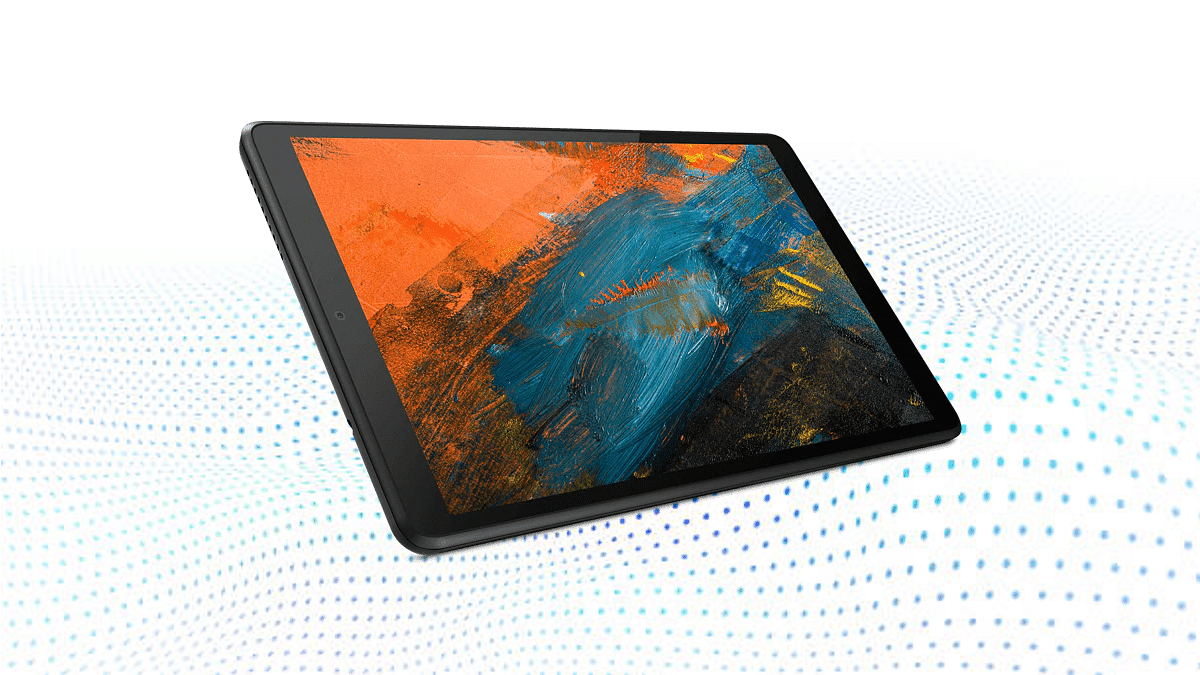
Lenovo Tab M8 tablet series is quite popular amongst the budget audience and has released three models in this lineup. Now, Lenovo has added the fourth and upgraded variant called the Lenovo Tab M8 (4th Gen). This tablet comes with a slim and compact design and is also an affordable model similar to all the previous-generation models. Here are the full specifications and features.

Also Read: Realme Pad Vs Lenovo Tab K10 Vs Moto Tab G20: Budget-Friendly Tablet You Should Consider

Lenovo Tab M8 (4th Gen) Spec Sheet

Lenvo Tab M8 (4th Gen)Key Specifications
Display8-inch IPS LCD
800 x 1200 pixels resolution
Camera 5MP (rear)
2MP (front)
ChipsetMediaTek Helio P22
Battery5,100 mAh
Android OSAndroid 12

The Lenovo Tab M8 (4th Gen) tablet comes with a compact form factor that measures 197.97 x 119.82 x 8.95 mm in dimensions. The budget tablet weighs just 320 grams which makes it easy to carry around. Lenovo has packed the Tab M8 (4th Gen) tablet with an 8-inch display. The screen panel is IPS LCD and the resolution is 800 x 1200 pixels.

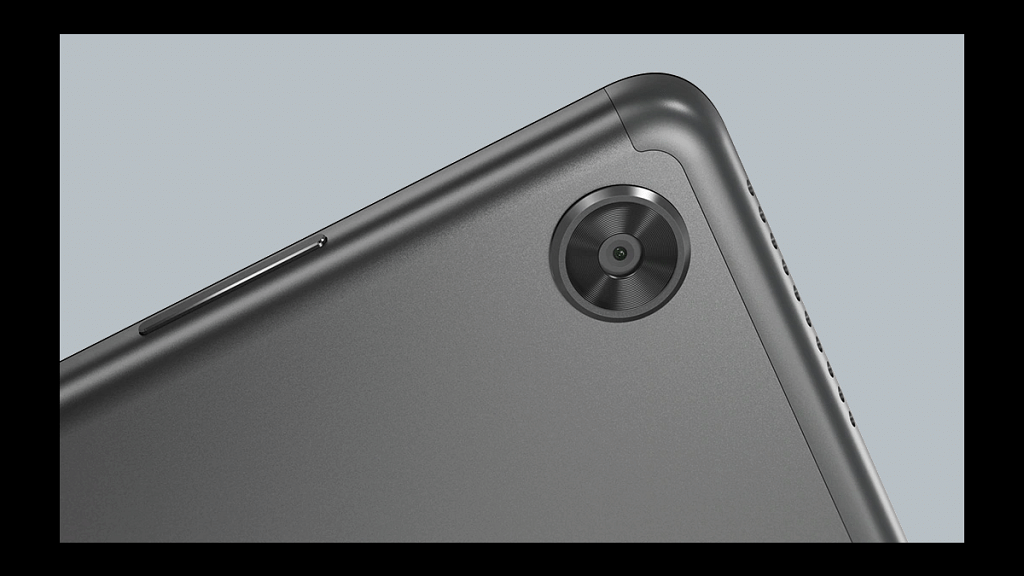
The Lenovo Tab M8 (4th Gen) tablet’s display gives added protection from harmful blue rays with the built-in eye care mode. In the camera department, the Tab M8 (4th Gen) tablet uses a single 5MP camera at the rear. This is adequate for general photography that too in good lighting conditions. For selfies and video calling, a single 2MP camera has been added upfront.

Under the hood, the entry-level Helio A22 chipset from MediaTek is used for all tasks. The tablet has been announced with a single 3GB LPPDR4 RAM. The storage capacity built-in is 32GB. There is a dedicated microSD card slot as well that will support external SD cards for additional storage requirements. Lenovo has pre-installed this tablet with Android 12 OS. It is a near-stock Android UI that is promised to get software upgrades for up to three years.

In terms of connectivity, the Lenovo Tab M8 (4th Gen) tablet features LTE, Wi-Fi, and Bluetooth 5.0 along with GPS. It also has a 3.5mm headphone jack to connect wired headphones. A USB Type-C port is added for charging and data transfers. To keep the lights on, there is a 5,100 mAh battery with standard charging speeds.

Also Read: Lenovo Tab P11 Pro (2nd Gen) Tablet Hands On Review: A Fully Loaded Package

Lenovo Tab M8 (4th Gen) Price, Expected India Arrival

The Lenovo Tab M8 (4th Gen) tablet comes in both Wi-Fi only and Wi-Fi+ LTE models. The former costs JPY 23,800 (roughly Rs. 14,200), while the latter is announced at JPY 26,800 (around Rs. 16,000). The tablet is currently launched in Japan and there is no information available for its India launch. But an expected timeline is by next year.

Also Read: Xiaomi Pad 5 Vs Lenovo Tab P11 Pro Vs Galaxy Tab S7 FE: Premium Mid-Tier Tablet You Should Buy!