Categories
Featured Laptop Reviews

ASUS ZenBook S 14 OLED Laptop Review: Efficient Productive Notebook

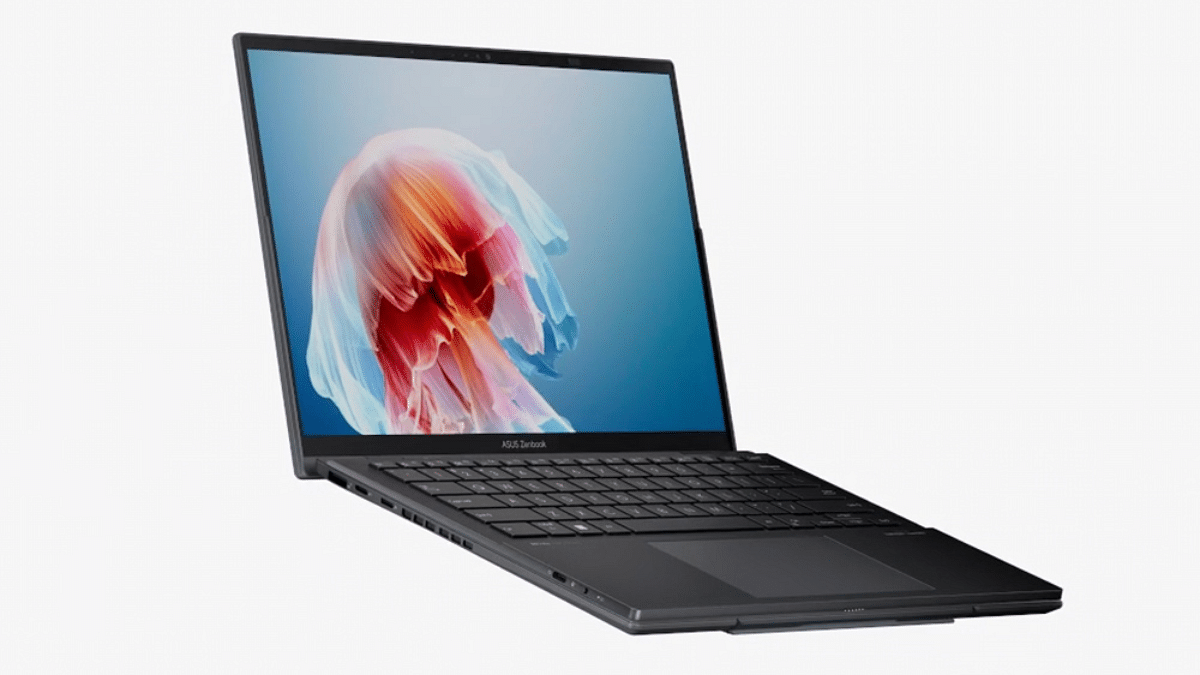
Asus surely has pioneered all the tech with portable notebooks and laptops and have been designing some of the powerful computing devices for all segments. For every user category be it professionals, gamers, or even students, the company has a dedicated series handling all demanding tasks as directed. A new offering that comes as an all-in-one package for creators and productive masses is the ZenBook S 14 OLED (UX5406S). Priced starting at Rs. 1.34 lakh, the ZenBook S 14 OLED stands out as a Copilot+AI powered laptop topped up with ultra-premium features such as K 120 Hz ASUS Lumina OLED touch display, all-metal ceramic-infused sleek body, latest Intel Core Ultra 7 258V chipset, and more.

For the tech geeks, stay updated with the latest cutting-edge gadgets in the market, exclusive tech updates, gadget reviews, and more right on your phone’s screen. Join Giznext’s WhatsApp channel and receive the industry-first tech updates.

Also Read: Asus ZenBook S13 OLED Laptop Review: A Compact Beast Machine!

Pros And Cons

Pros Cons
1. Ultra slim lightweight design 1. Keyboard offers average key travel distance
2. Large and vivid OLED panel with 3K resolution and 120Hz refresh rate2. Outdoor screen visibility is lower
3. Loud and clear audio output3. Multi-core performance could have been better
4. Solid battery backup even with extensive usage

Asus ZenBook S 14 OLED Design Review: Ultra-Slim, Sturdy
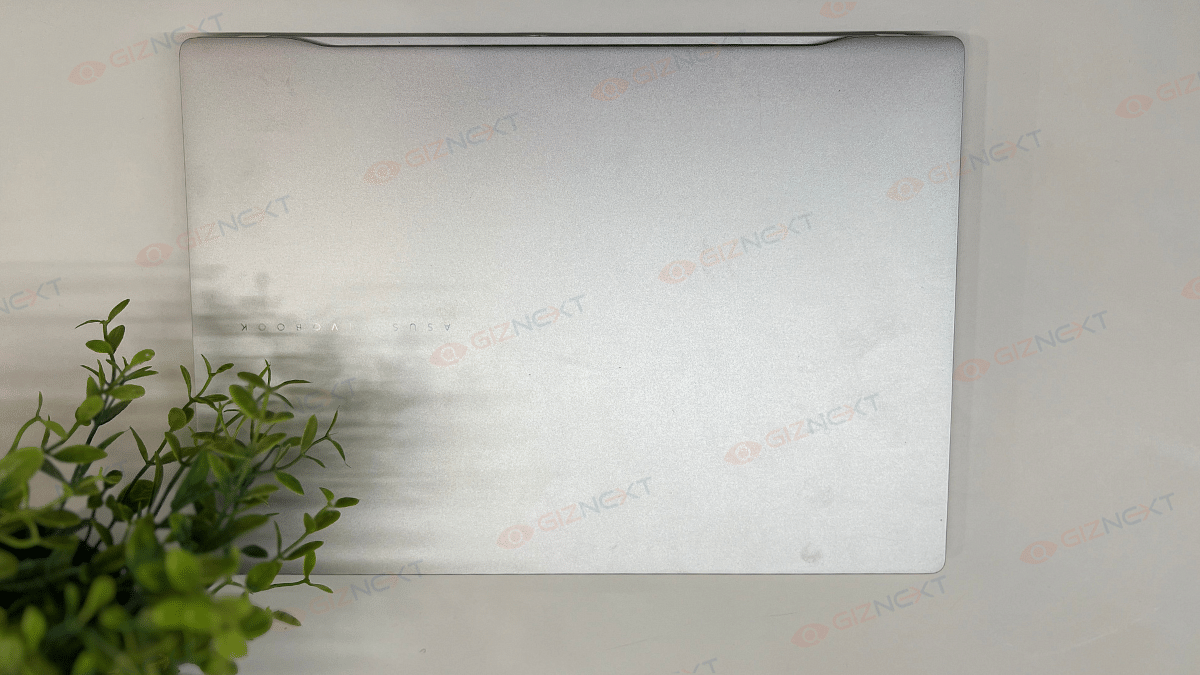
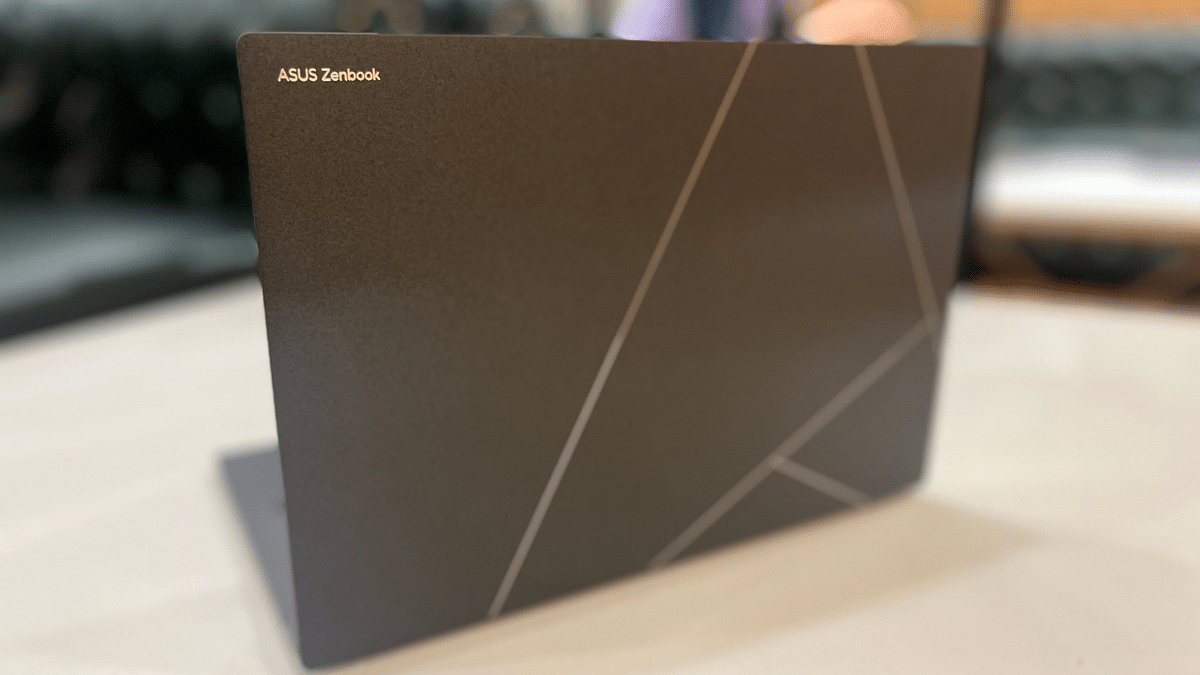
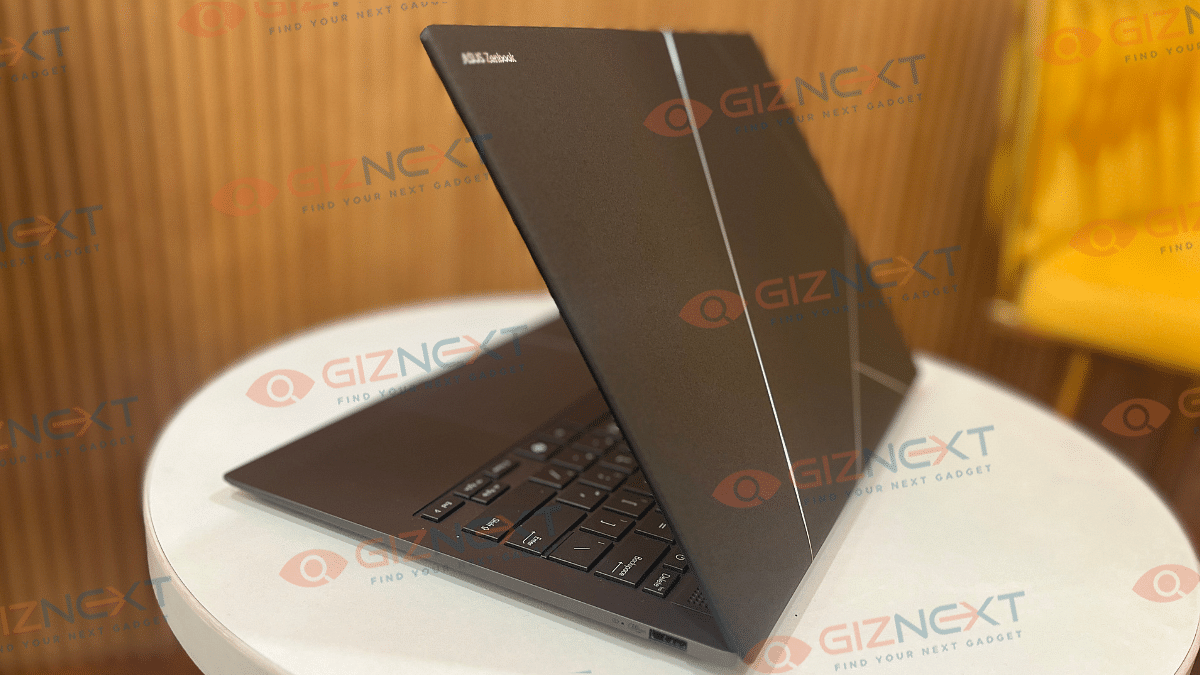
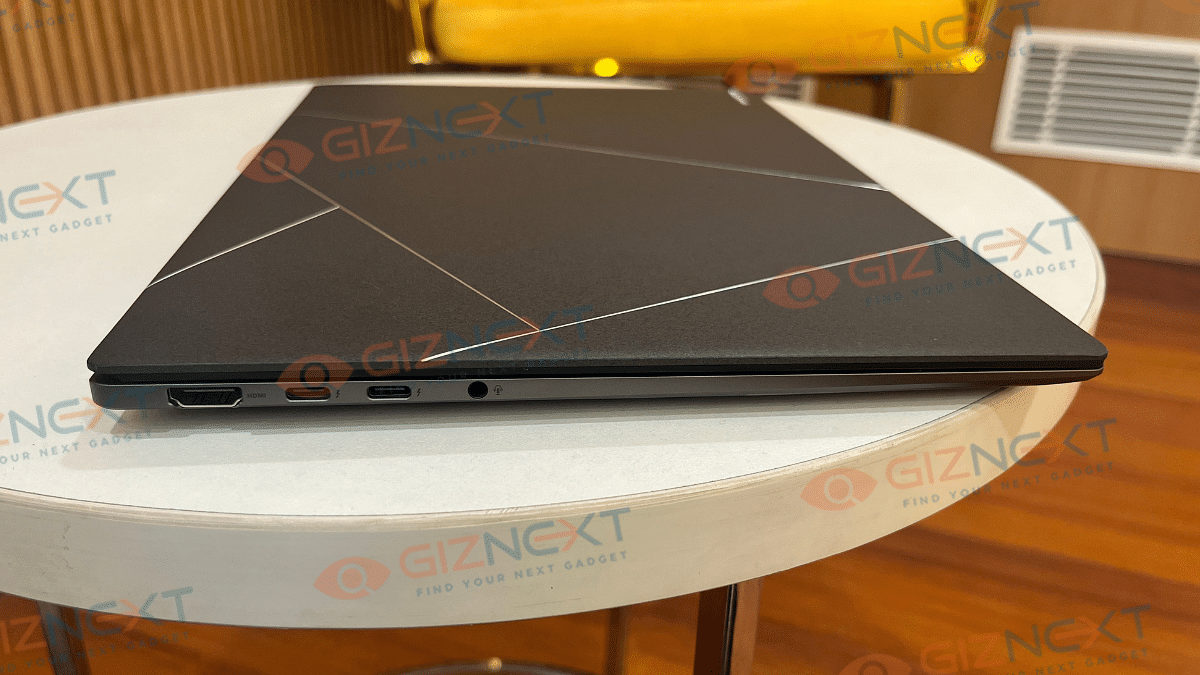
At the first look, you might find the ZenBook S 14 OLED wearing a familiar attire. While it resembles closely to its predecessor, the ZenBook S 13 OLED, it’s Ceraluminum construction (ceramic aluminum) combined with CNC etched silver geometric design on the lid adds to its luxurious appeal. This design stands out in a way that you won’t need additional skins which is the case with usual boring solid laptop lids. Besides, this material isn’t prone to pick up fingerprints or smudges which makes it ideal for extensive daily usage.

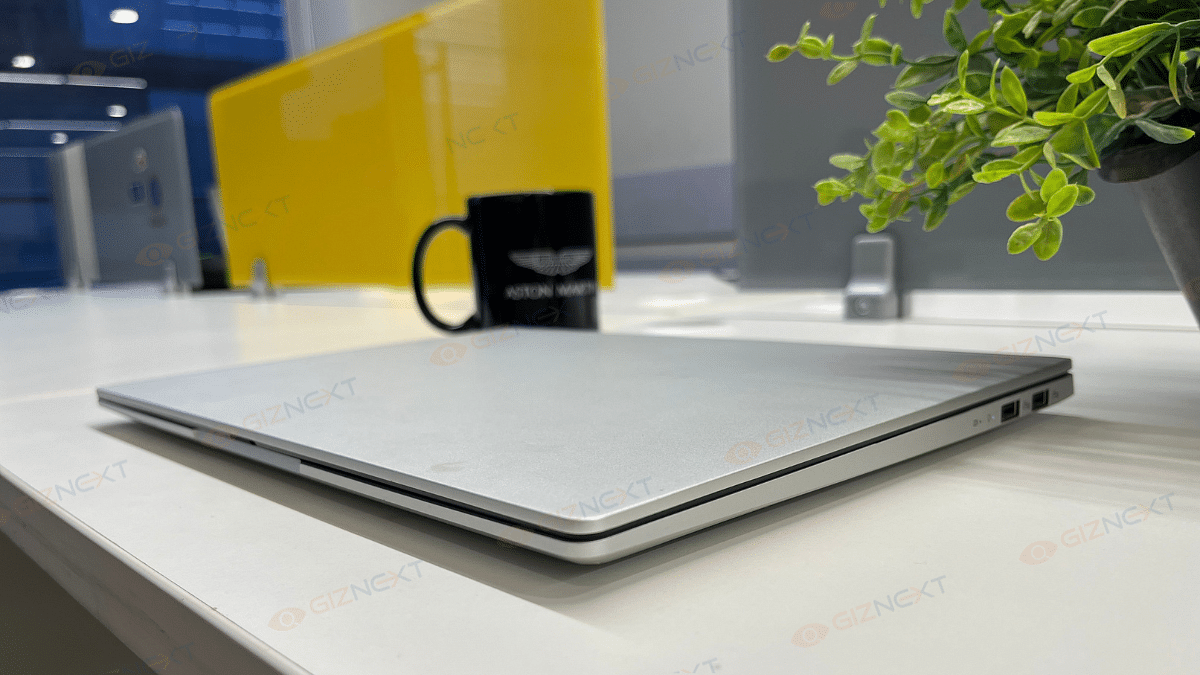
And it’s not just the good looks where the ZenBook S 14 OLED’s design stands out. The ultra slim profile of this notebook where the 1.2cm thickness along with just 1.2 kg of weight makes it portable too. Asus has used an all-metal construction for the rest of the ZenBook S 14 OLED which combined with the US MIL-STD 810H certification makes it rugged and durable. This notebook’s hinge is designed to operate smoothly and you wouldn’t find it wobbly at any point. But unlike the S 13 OLED which came with a 180° folding hinge, this one doesn’t lay flat on the table.

Moving on to the ports and keys selection, the ZenBook S14 OLED comes with one HDMI 2.1 port, two USB Type-C port, one USB Type-A port, and one 3.5mm audio jack. All the ports and keys are neatly distributed across the side and rear panel keeping the overall design minimalistic and clean.

Also Read: Asus Vivobook S15 OLED Review: Stylish Performer Or Overpriced Ultrabook?

Asus ZenBook S 14 OLED Keyboard And Trackpad User Experience
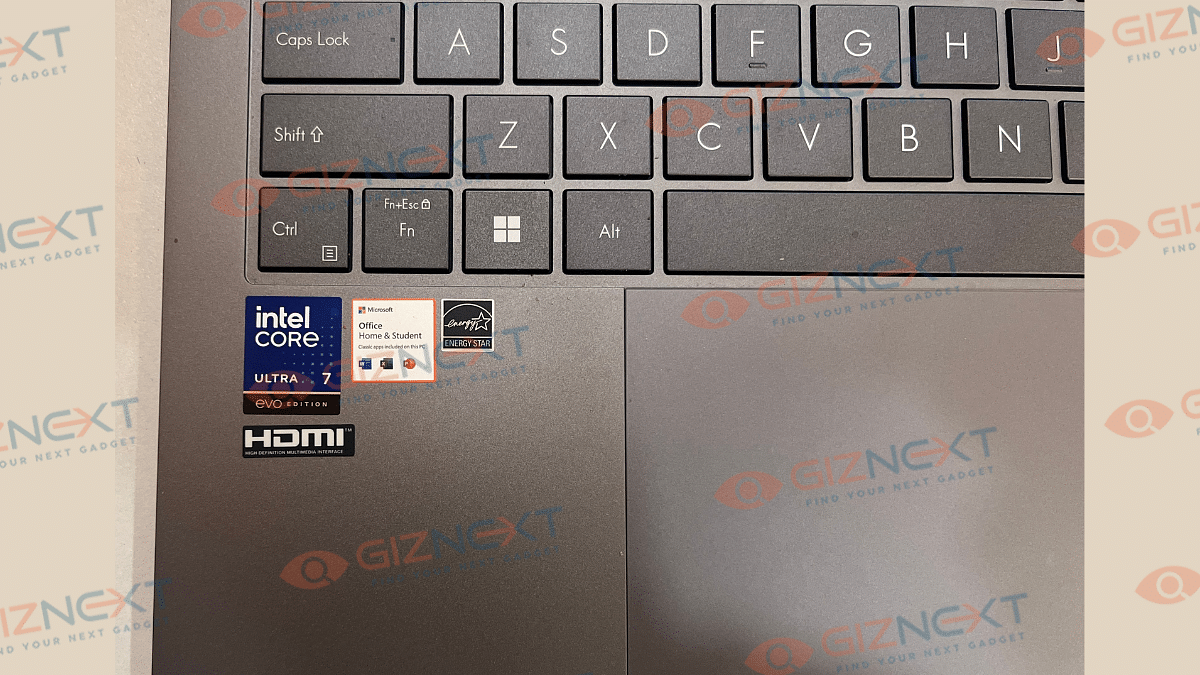
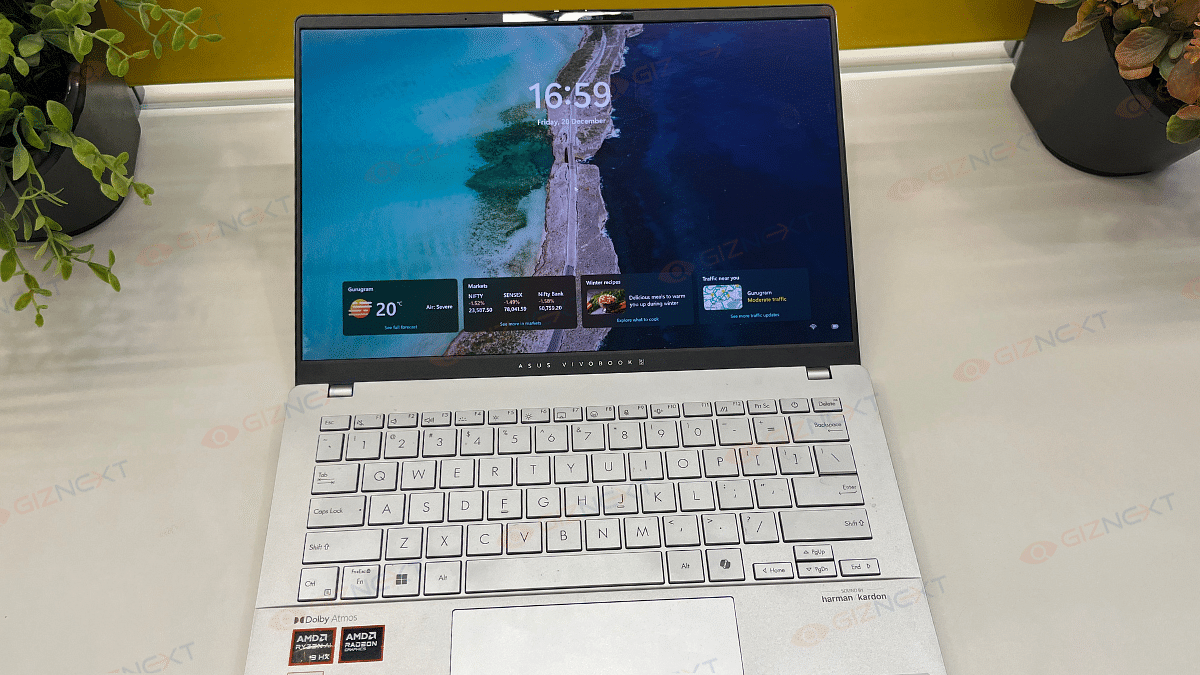
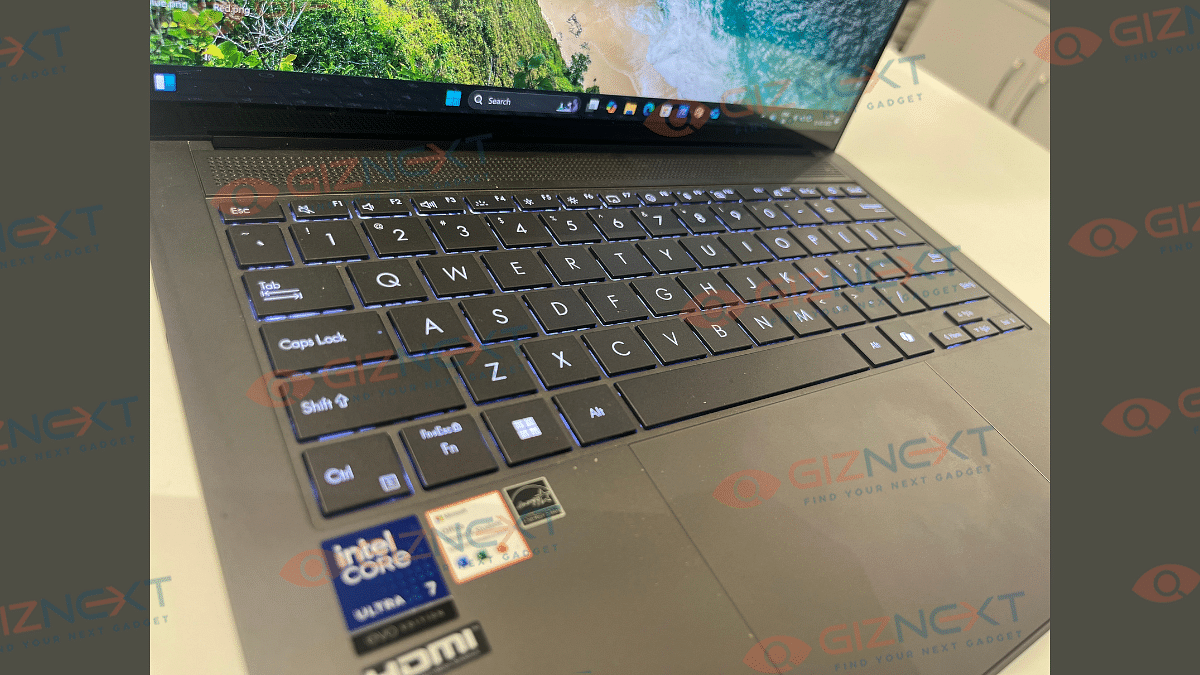
Asus ZenBook S 14 OLED’s keyboard is smooth with the clicks being nimble in operations. While the chiclet keyboard is good to use, an improved key travel would have made it much better. It’s only the slightly lower key cap distance which makes the user experience average. However, we still are impressed how Asus managed to fit this functional keyboard with dedicated Copilot key into an ultra-slim laptop chasis. The keyboard is backlit which allows you to continue with typing in dark light settings.

Coming to the touchpad, the ZenBook S14 OLED integrates a smooth touchpad. It is fast and accurate and also comes with multi-gesture support. You can configure the touchpad settings as well instead of using the default window settings.

Also Read: Oppo Find X8 Pro Review: The King Of Smartphone Zoom And Portraits

Asus ZenBook S 14 OLED Display Review
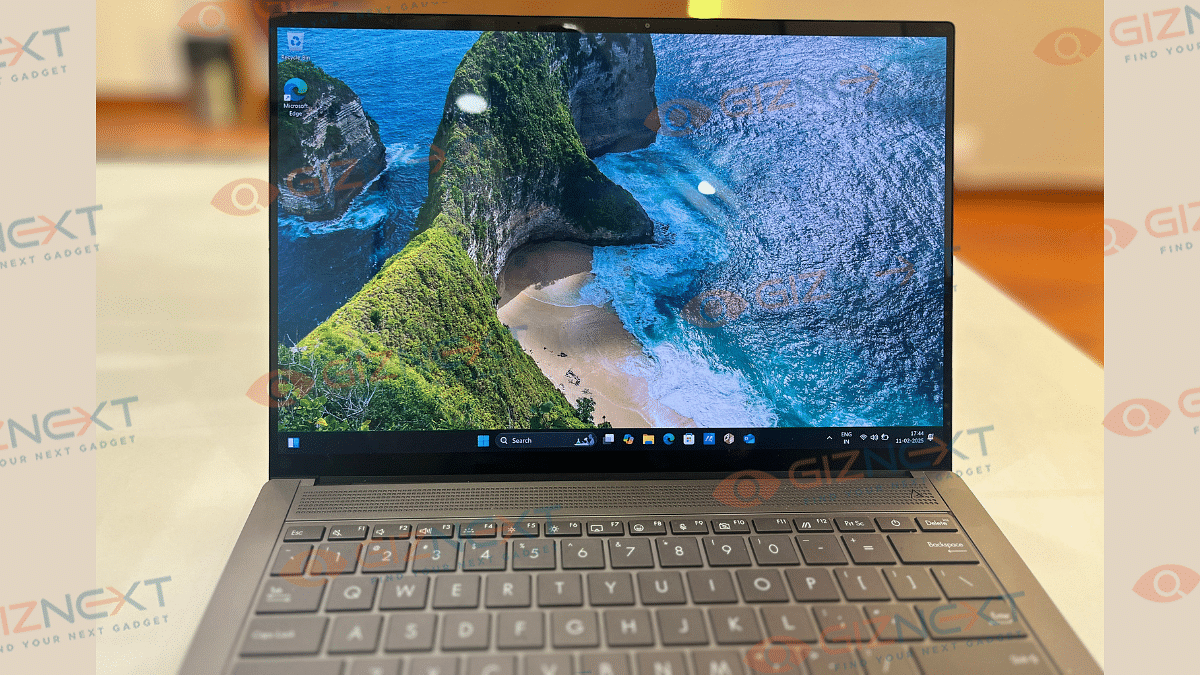
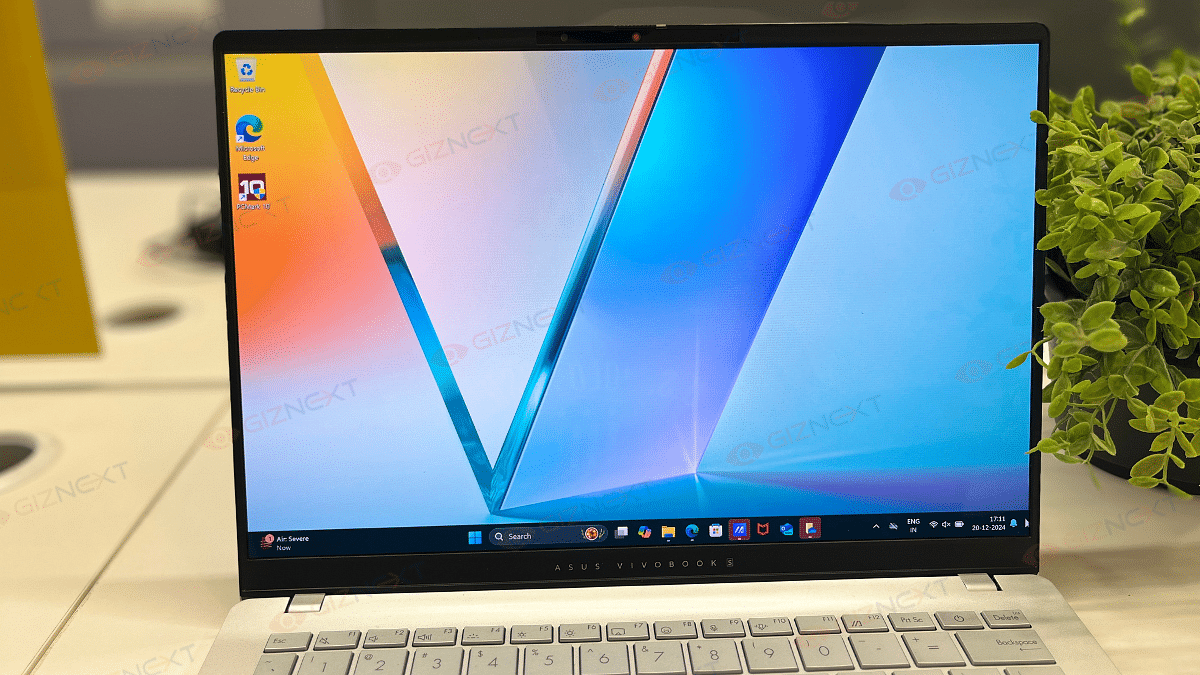
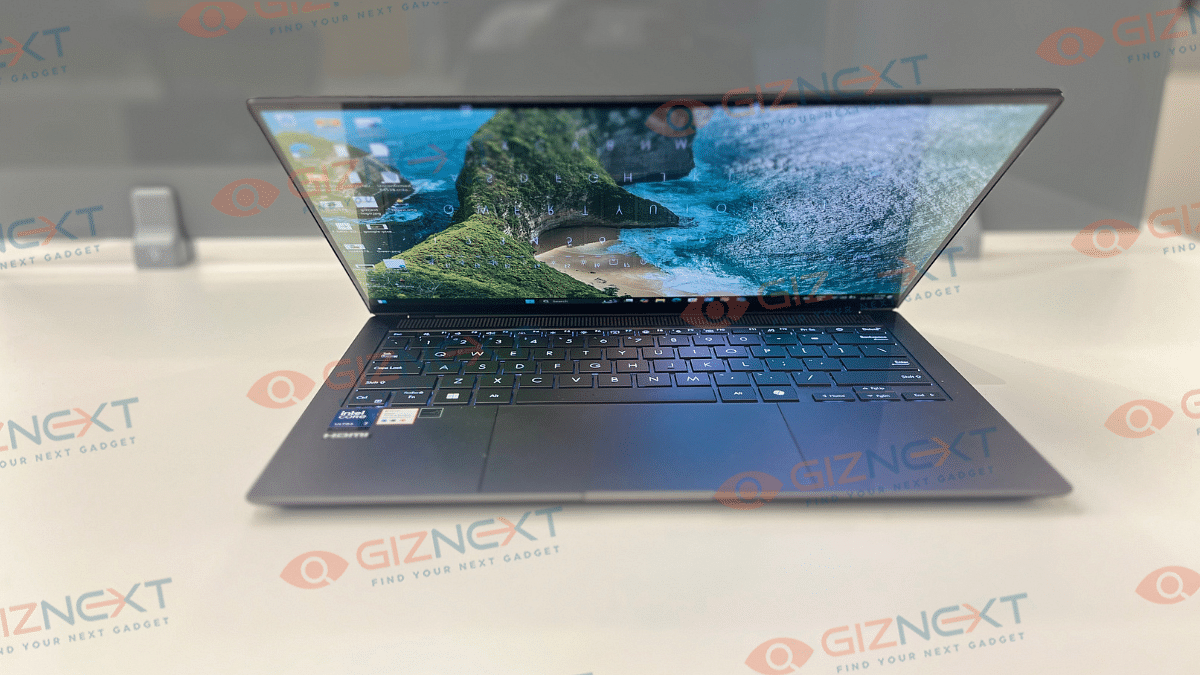
Asus ZenBook S 14 OLED as the name hints packs a 14-inch screen. The OLED panel comes with both touch and non-touch options. Our review unit comes with touchscreen compatibility which is fun to use. The touch response is smooth and accurate. But the use case scenarios might vary considering the overall laptop design is conventional and creative designing could be a task.

That said, the OLED panel supporting 3k resolution of 2880 x 1800 pixels is genuinely vibrant. It produces real-life like colors with 100 percent DCI-P3 color gamut coverage and Pantone Validation. With the 120Hz refresh rate the frame transitions are smooth too and you won’t notice any screen lags while playing graphic-extensive games.

The S 14 OLED’s display comes with 500 nits rated peak brightness which we found to be decent for indoor usage. But the brightness levels might not suffice for outdoor usage and you’ll probably struggle viewing content. Dolby Vision and HDR compatibility refines the overall screen output and you’ll enjoy video streaming online.

Also Read: iQOO 13 Review: A Flagship Smartphone Built For Speed And Power

Asus ZenBook S 14 OLED: Performance Handling, Benchmark Scores
Asus ZenBook S 14 OLED has the powerful Intel Core Ultra 7 258V chipset under its hood. And as you would expect with a top-end Asus notebook, it delivers an exceptional performance even if you through some complicated tasks at it. The integrated LPDDR5X RAM of up to 32GB into the SoC allows enhanced multitasking speeds with its improved CPU, NPU, and GPU simultaneous communications. It has the Intel Arc GPU and comes with up to 1TV M.2 NVMe onboard storage. You can easily toggle between the Balanced and Full Performance modes from the Settings which not only will help with the optimized battery usage but also improve the performance as required.

You will find this notebook perform basic tasks quickly with no lags. And it doesn’t disappoint while handling complicated and extensive tasks. While you get the best-in-class experience with basic software usage and web browsing etc., it operates smoothly with heavy apps as well as games. Thankfully, enabling Full Performance mode when the notebook is plugged in to the charger is an option. You can easily install an play some of the best gaming titles and can see this notebook unleash its potential there. At some point you might listen the fan running at top speed to lower down the device thermals. This is only when the usage is heavy and the laptop’s plugged in to a charger.
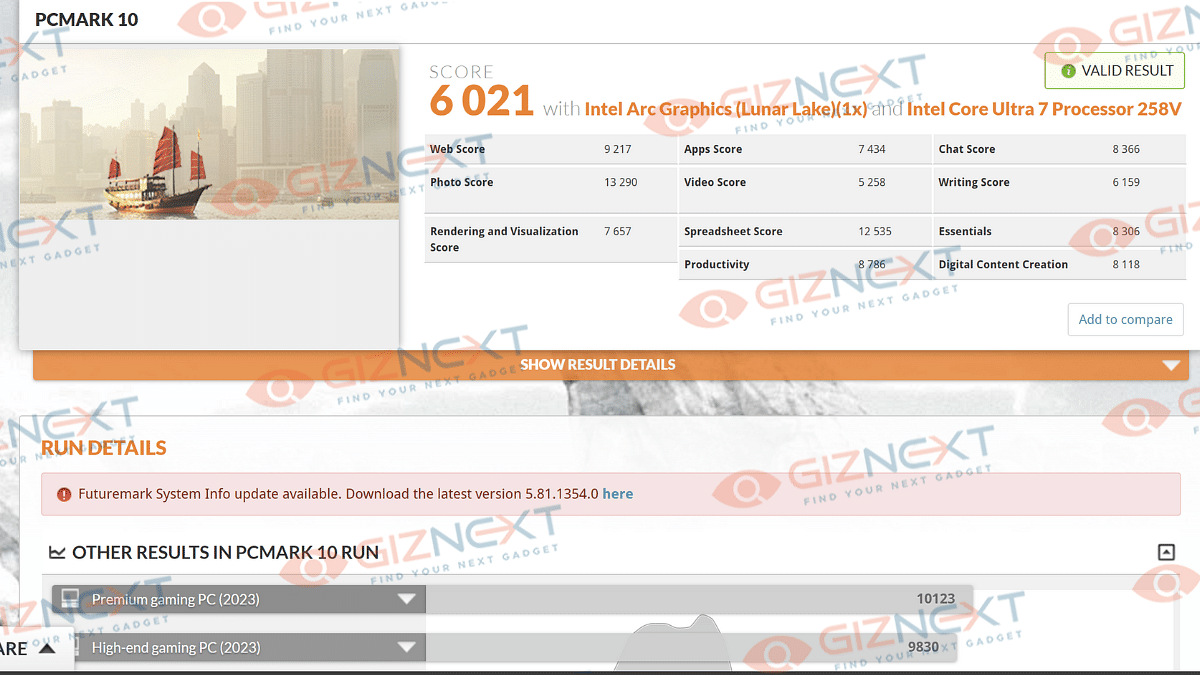
We also ran some benchmark tests on the ZenBook S 14 OLED to asses its performance metrics. Starting with the PC Mark benchmark test, this ultra-slim notebook logged a total of 6021 points. Remaining breakup of the test results are below:

PC Mark Total Score: 6021 points

Essentials: 8036 points

Productivity- 8786 points

Digital Content Creation: 8118 points
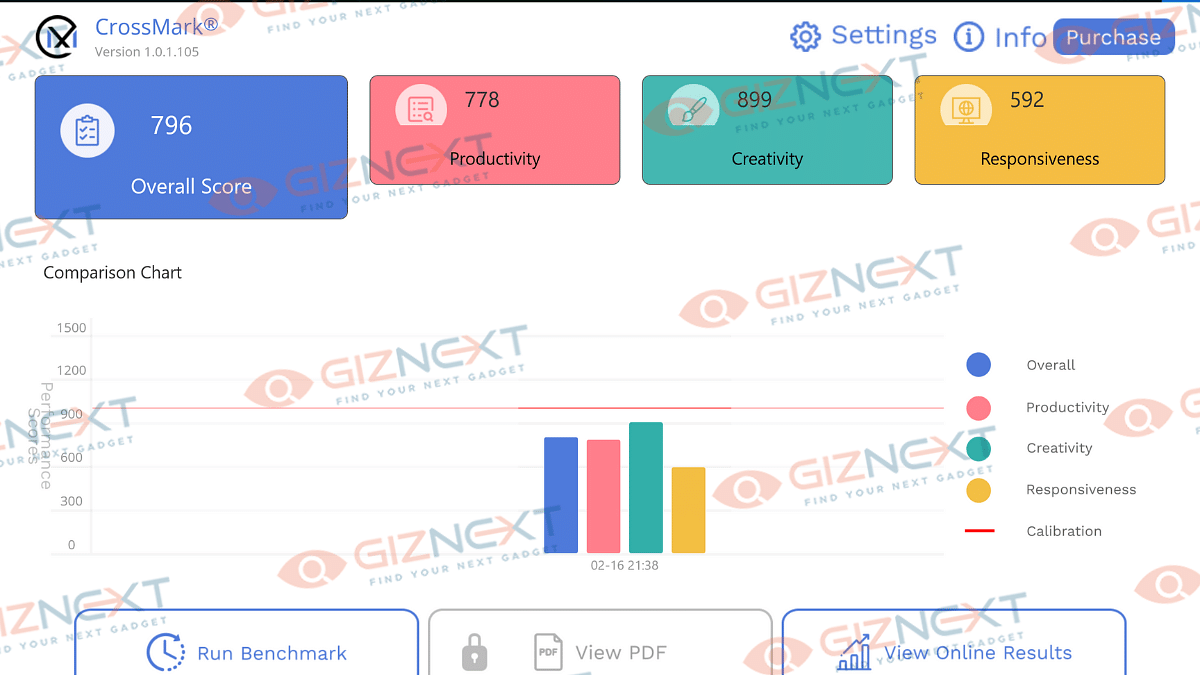
In the CrossMark benchmark test, the ZenBook S 14 OLED logged an overall score of 796 points and performed fairly well in productivity, creativity, and responsiveness measures.

CrossMark Overall Score: 796 points

Productivity: 778 points

Creativity: 899 points

Responsiveness: 592 points

Also Read: Realme 14 Pro Plus Review: Redefining Midrange Smartphone Luxury?

Asus ZenBook S 14 OLED: Battery Backup
Intel chipset-backed laptops are well known for their performance handling but battery backup has been a slight challenge. Seems like, Asus has cracked the code here and used a larger 72 kWh battery to drive the ZenBook S 14 OLED notebook. With general and basic usage, this laptop lasts easily between 10- 12 hours without the requirement of a second plug-in. But extensive software applications and games can drop down the backup significantly. Asus ships a 65W fast charger with the ZenBook S 14 OLED. This charger quickly refuels the notebook and adds charge from 20- 80 percent in less than an hour. This makes it handy for travel.

Also Read: Realme P3 Pro 5G Review: An All-Rounder Under Rs. 25,000?

Giznext Verdict
Asus has once again set up a new benchmark in the ultra-notebook segment with the ZenBook S 14 OLED. This laptop ticks most the boxes and emerges to be a potent option for the productive and creative masses. It’s new-age processor combined with vibrant display, Copilot AI, and a powerful battery pack which gives it an edge. Besides, you can’t really overlook its ultra-slim design which is also durable and rugged at the same time.

Categories
Featured Info Laptop

Asus Launches Vivobook 14 Flip, Gaming V16: AI-Powered Laptops For All

Key Highlights

  • ASUS launches new AI-powered laptops with Intel Core Ultra
  • Models include Vivobook 14, S14, and Zenbook Duo
  • Available online and in stores from Rs. 75,990

Asus has launched its first lineup of 2025, bringing AI-powered innovation to its latest range of laptops. The new devices cater to different user needs, from gaming enthusiasts to professionals and casual users, making AI more accessible than ever.

The new Asus lineup introduces AI capabilities across all segments, enhancing productivity, creativity, and entertainment. The Vivobook 14 Flip features a 360-degree hinge for versatile usage, while the Asus Gaming V16 is designed for entry-level gamers and content creators. The Vivobook 14, Vivobook 16, Vivobook S14, and Zenbook 14 all come equipped with AI-enhanced performance. Meanwhile, the Zenbook Duo stands out with dual OLED touchscreens and AI-powered functionality.

Asus’ AI-Powered Laptops: Price

Model NamePrice
Vivobook Flip 14Rs. 96,990
Gaming V16Rs. 84,990
Vivobook 16Rs. 75,990
Zenbook 14Rs. 1,12,990
Vivobook 14Rs. 75,990
Vivobook S14Rs. 99,990
Zenbook DuoRs. 2,39,990

Vivobook 14 Flip (TP3407SA)

  • 14-inch Lumina OLED touchscreen with 360-degree hinge
  • Intel Core Ultra 7 processor with AI-assisted performance
  • 16GB RAM, 512GB SSD, and Wi-Fi 7 connectivity
  • Asus Pen 2.0 support for creative workflows
  • 70Wh battery with USB-C Easy Charge

Asus Gaming V16 (V3607) 

  • 16-inch display with a stylish Matte Black design
  • Intel Core 7-240H processor & NVIDIA RTX 4050 GPU
  • 32GB DDR5 RAM, 1TB SSD, and advanced cooling system
  • 1080p FHD camera, AI noise cancellation, and Dirac-tuned speakers
  • Multiple connectivity options, including USB-C Power Delivery

Zenbook 14 (UX3405CA)

  • 14-inch 3K OLED NanoEdge display with 120Hz refresh rate
  • Intel Core Ultra 9-285H processor with AI Boost NPU
  • Up to 32GB RAM, 1TB SSD, and Wi-Fi 7 for seamless performance
  • Dolby Atmos speakers, AI noise cancellation, and Windows Hello
  • 75Wh battery with fast charging

Vivobook 14 (X1407CA)

  • 14-inch display with Full HD resolution for clear visuals
  • Intel Core Ultra processor for smooth performance
  • Up to 16GB RAM and 512GB SSD storage for fast multitasking
  • Lightweight design for easy portability
  • AI-powered features for better efficiency

Vivobook S14 (S5406SA)

  • 14-inch OLED display with vibrant colors and sharp visuals
  • Intel Core Ultra processor for powerful performance
  • 16GB RAM and 1TB SSD for fast storage and seamless multitasking
  • AI-enhanced performance for better productivity
  • Premium metal build with a sleek and stylish design

Zenbook Duo (UX8406CA)

  • Dual 14-inch OLED touchscreens for a unique multitasking experience
  • Intel Core Ultra processor for high-end performance
  • 32GB RAM and 1TB SSD for powerful computing
  • Ergonomic keyboard with ASUS DialPad for better workflow control
  • Lightweight yet durable premium build

With Asus integrating AI-driven features like Windows Copilot, AI-enhanced video calls, intelligent task management, and advanced cooling, users can expect a seamless, smarter computing experience.

For the tech geeks, stay updated with the latest cutting-edge gadgets in the market, exclusive tech updates, gadget reviews, and more right on your phone’s screen. Join Giznext’s WhatsApp channel and receive the industry-first tech updates.

Categories
Featured Info Laptop

Apple’s M5 Chip Enters Mass Production: MacBook Pro Coming Soon

Key Highlights

  • Apple has started M5 chip production
  • MacBook Pro may launch in late 2025
  • The M5 chip uses 3nm technology
  • The first M5 device might be an iPad Pro

Apple is reportedly working on its next-generation MacBook Pro. It will be powered by the all-new M5 chip. According to a recent report, the company has already started mass production of the chip, hinting at a possible late 2025 release. However, the MacBook Air M5 might take longer to debut.

Also Read | MacBook Performance Boost: How To Use High Power Mode On Apple MacBook

M5 Chip Production Has Begun

The M5 chip’s production is already in progress. A report from ET News states that Apple started the packaging process for the chip last month. Packaging is one of the final steps in chip manufacturing that means Apple is well into the process of making its next-gen processors. Taiwan’s ASE Group has taken the lead in mass production with companies like Amkor and China’s JCET expected to join soon.

What’s New In The M5 Chip?

Apple is using TSMC’s advanced 3-nanometer technology to manufacture the M5 chip. This upgrade promises better power efficiency and performance compared to previous versions. Interestingly, Apple has chosen to skip the newer 2nm process, possibly due to cost factors.

For higher-end models like M5 Pro, M5 Max, and M5 Ultra, Apple is implementing an innovative 3D chip-stacking process known as System on Integrated Chip (SoIC). This will help improve thermal management, reduce power leakage, and boost both battery life and performance.

Which Devices Will Get The M5 Chip First?

Reports suggest that the first device to feature the M5 chip might not be a MacBook but an iPad Pro, expected in late 2025 or early 2026. The MacBook Pro could follow in late 2025, while the MacBook Air models with the M5 chip may debut in early 2026.

In addition to this, there are speculations that Apple might introduce an upgraded version of its Vision Pro headset with the M5 chip, possibly in 2026.

Also Read | Unable To Connect AirPods With MacBook: How To Fix AirPod And MacBook Pairing Issues?

What To Expect Next?

While Apple has not officially confirmed these details, the ongoing mass production suggests that the company is gearing up for the next-generation Mac devices. With improved performance and efficiency, the M5 chip is expected to make Apple’s future MacBooks even more powerful and long-lasting.

For the tech geeks, stay updated with the latest cutting-edge gadgets in the market, exclusive tech updates, gadget reviews, and more right on your phone’s screen. Join Giznext’s WhatsApp channel and receive the industry-first tech updates.

Categories
Featured Laptop Reviews

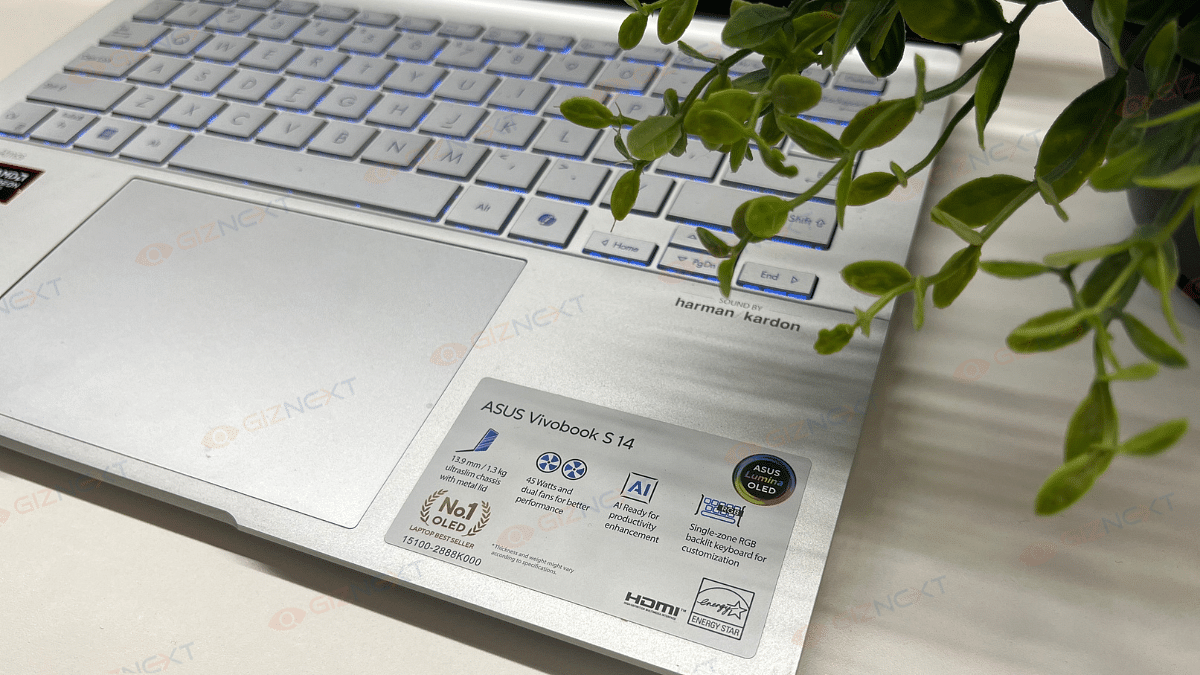
Asus Vivobook S 14 OLED Review: Slim, Smart, And Ready To Perform

Key Highlights

  • 3K OLED display
  • 120Hz refresh rate
  • AMD Ryzen AI 9 HX processor
  • Built-in AI
  • Backlit Keyboard

Finding a laptop that really stands out in a world full with them is quite a difficult task to perform. In order to make our device seem unique, we all desire performance, style, and a little extra. Something that looks good while keeping up with our hectic lives. Well, this should not be difficult anymore when the Asus Vivobool S 14 OLED is available in the market. With its vivid OLED display, fun RGB keyboard, and solid build, it’s more than just another laptop. Curious about its real-life performance? Here’s my experience with the sleek powerhouse and let’s see if it lives up to the hype.

Also Read | Lenovo Yoga Slim 7i Carbon Laptop Review: Modern And Practical Solution For Premium Users

ProsCons
Premium design with metal bodyLimited outdoor visibility
14-inch OLED display with HDRCan get hot during intense gaming
Lightweight and portable 
Solid performance with Ryzen AI 9 HX 
Quick charging 

What’s Inside The Box?

  • Asus Vivobook S 14 M5406WA (Cool Silver)
  • USB Cable
  • Charging brick
  • User Guide

Design: Sleek And Stylish

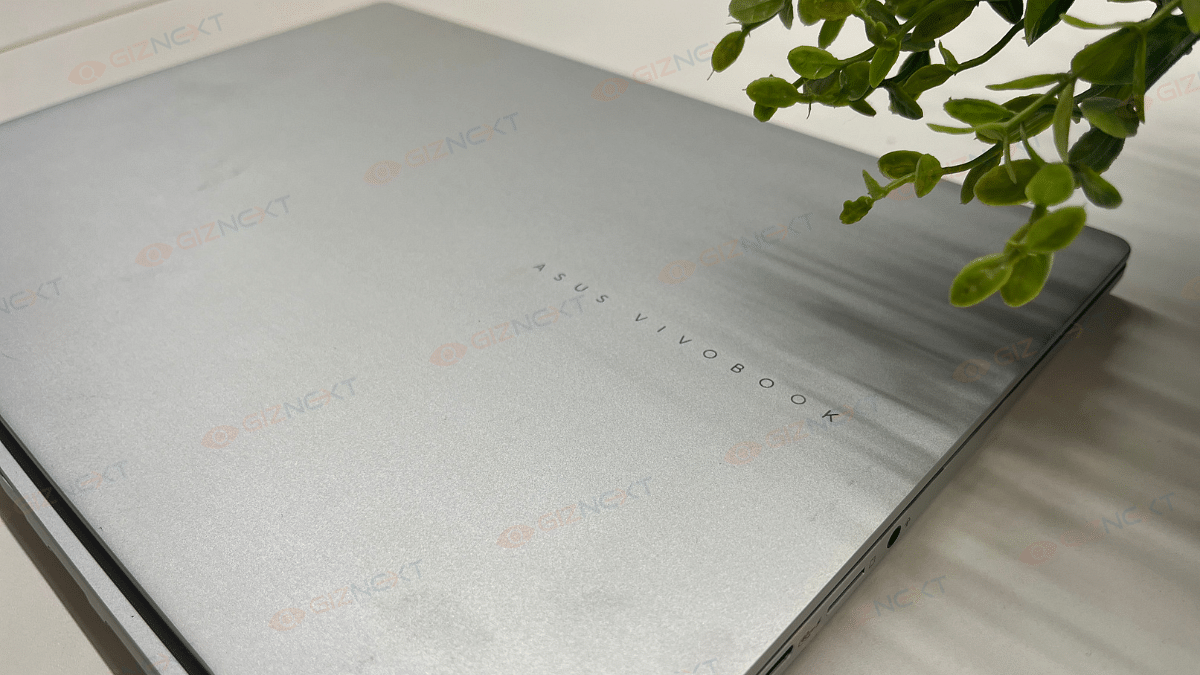
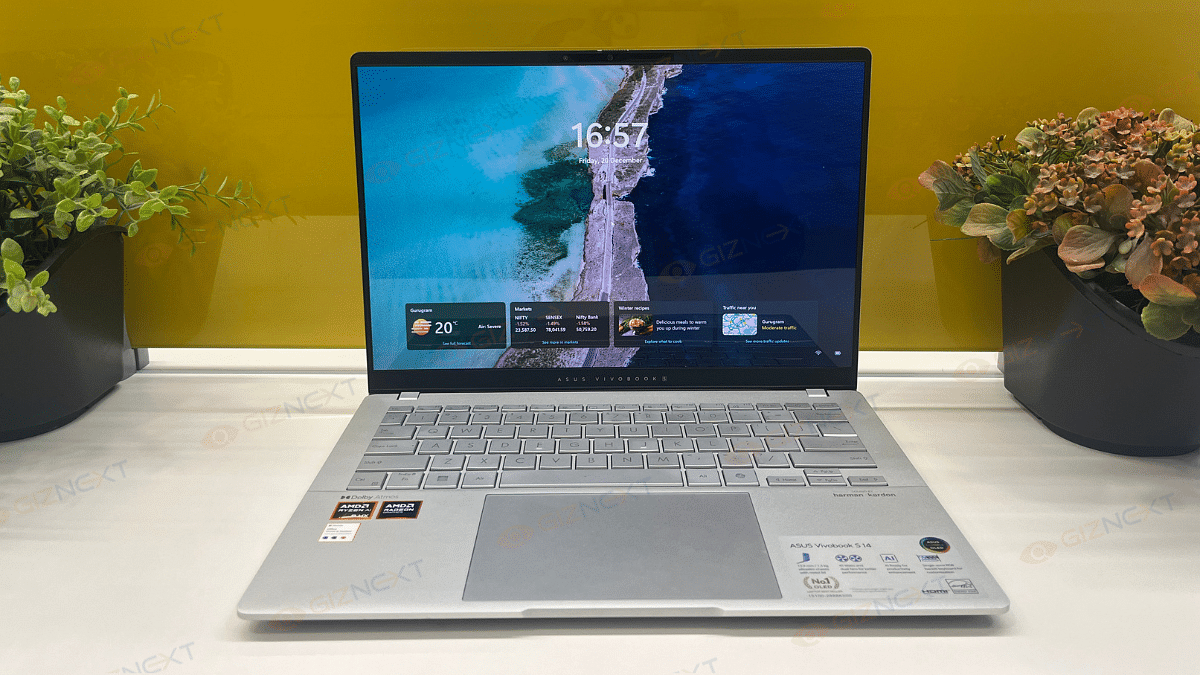
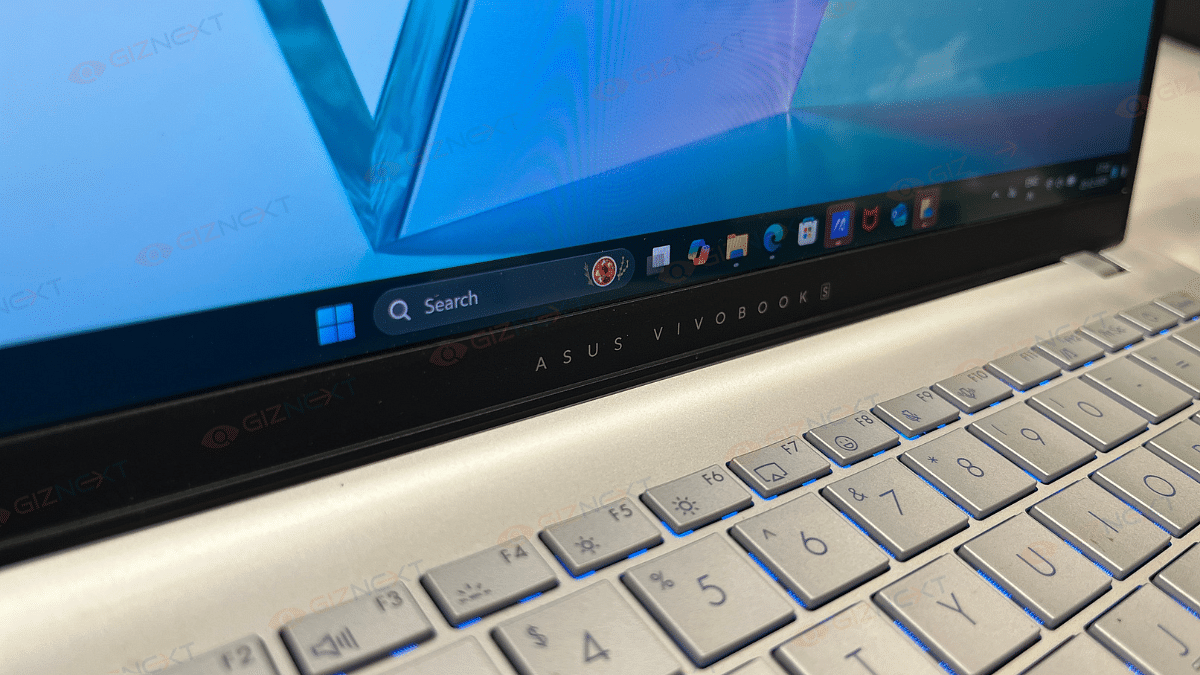
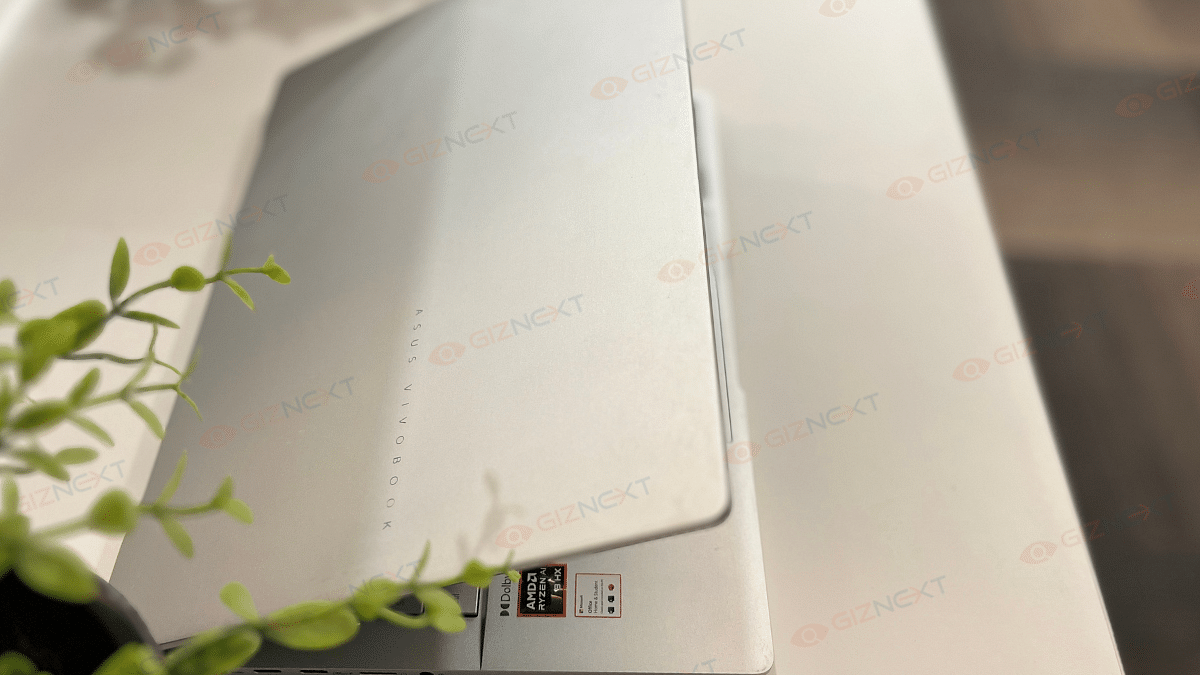
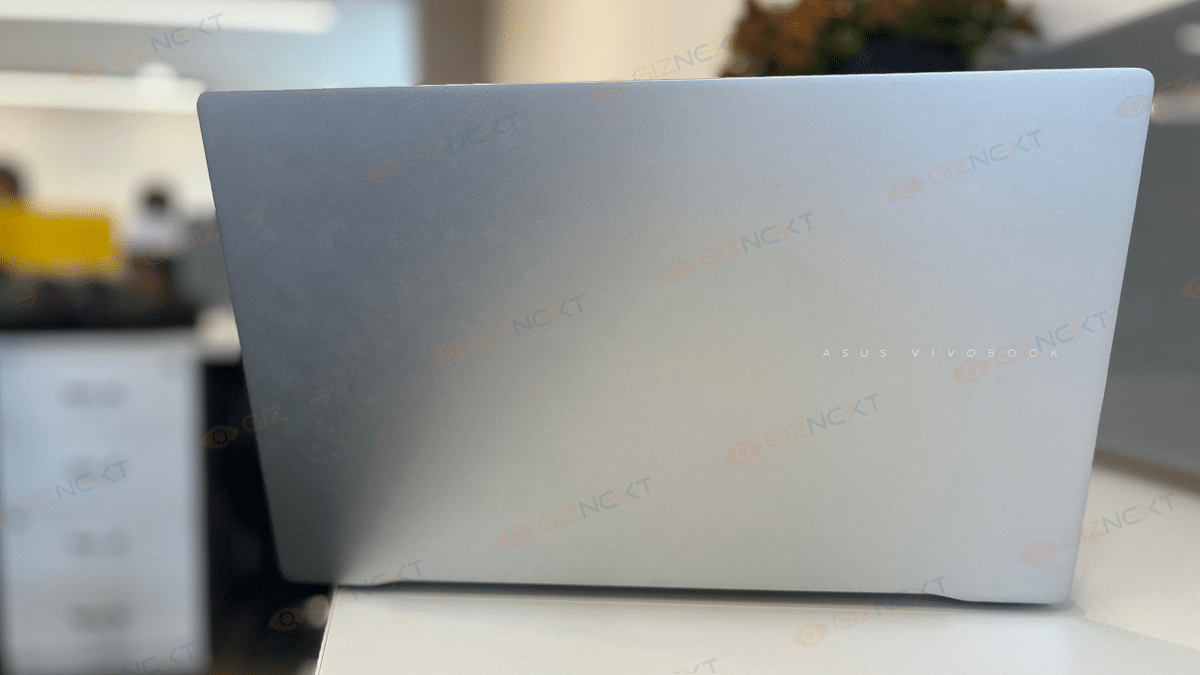
As a typical Vivobook S series, the Asus Vivobook S 14 OLED has a stunning silver finish that gives off a premium feel. This is undoubtedly one of the most elegant notebooks in its price range. The laptop has a metal body that adds to its luxurious look. Besides, the Asus logo, placed at its cover and just below the screen adds a nice touch to the design. It gives the laptop a signature look without being too flashy.

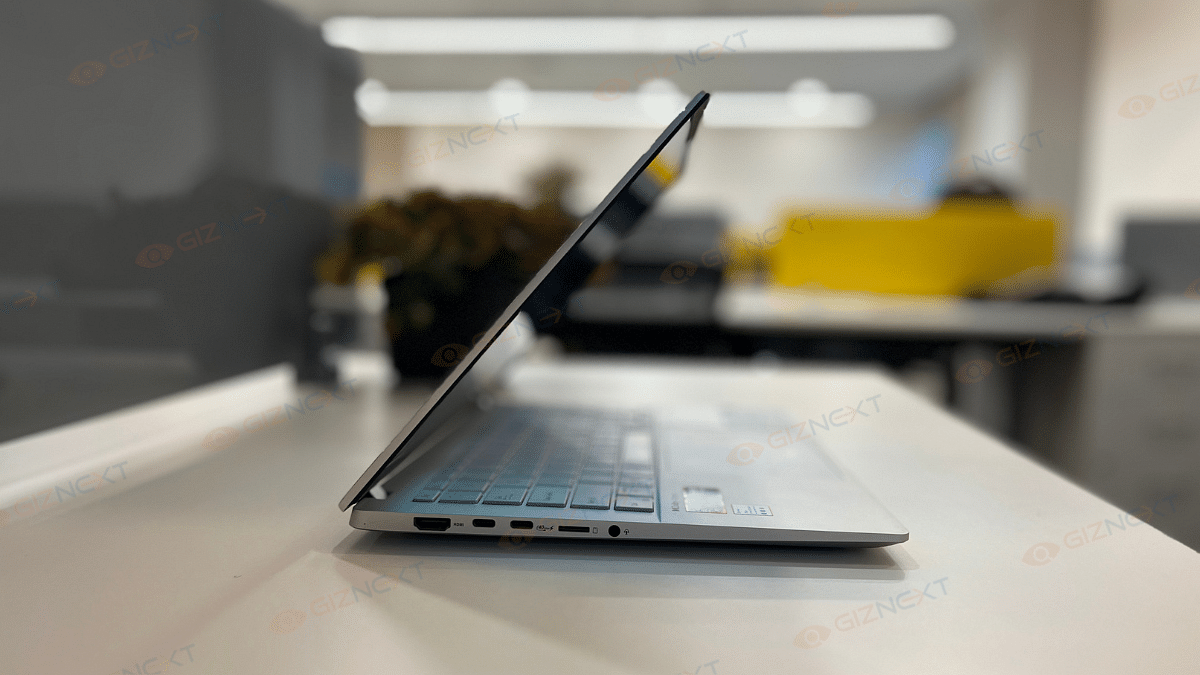
The Vivobook S 14 weighs only 1.3 kg and has a thickness of 1.59 cm. For people who are always on the move, this stylish, lightweight, and portable device is an ideal choice. Although the hinge permits a complete 180-degree opening, there is a small wobbling when the lid is being adjusted. However, this is not a major problem when using the hinge normally.

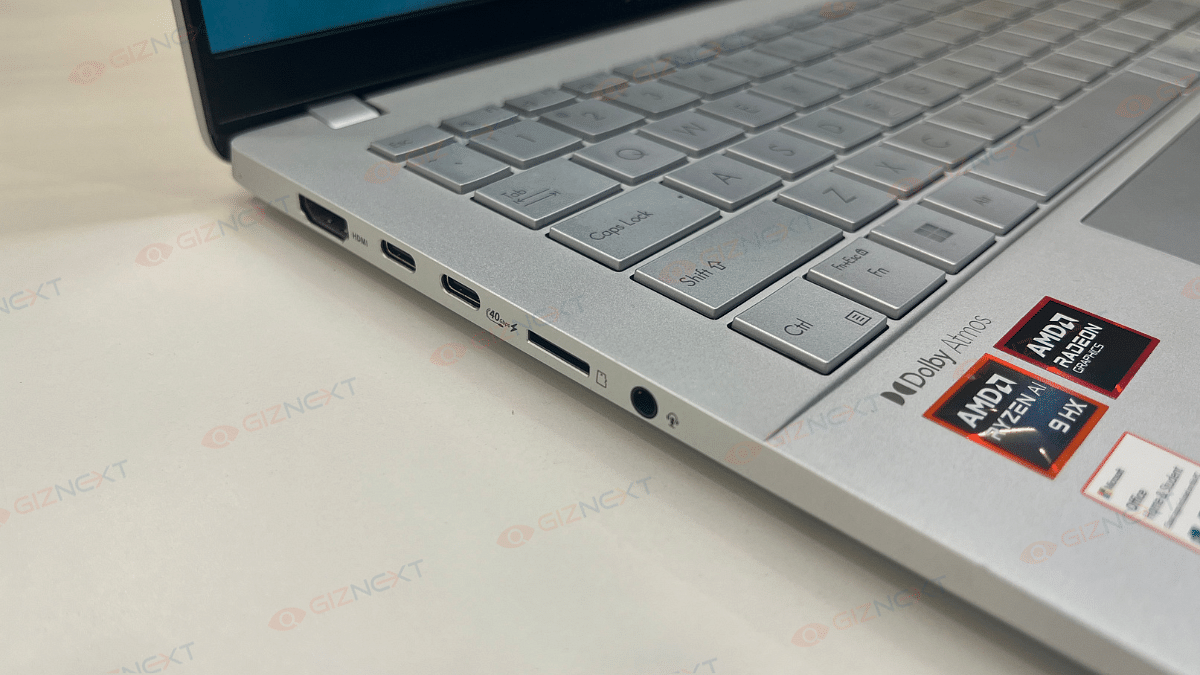
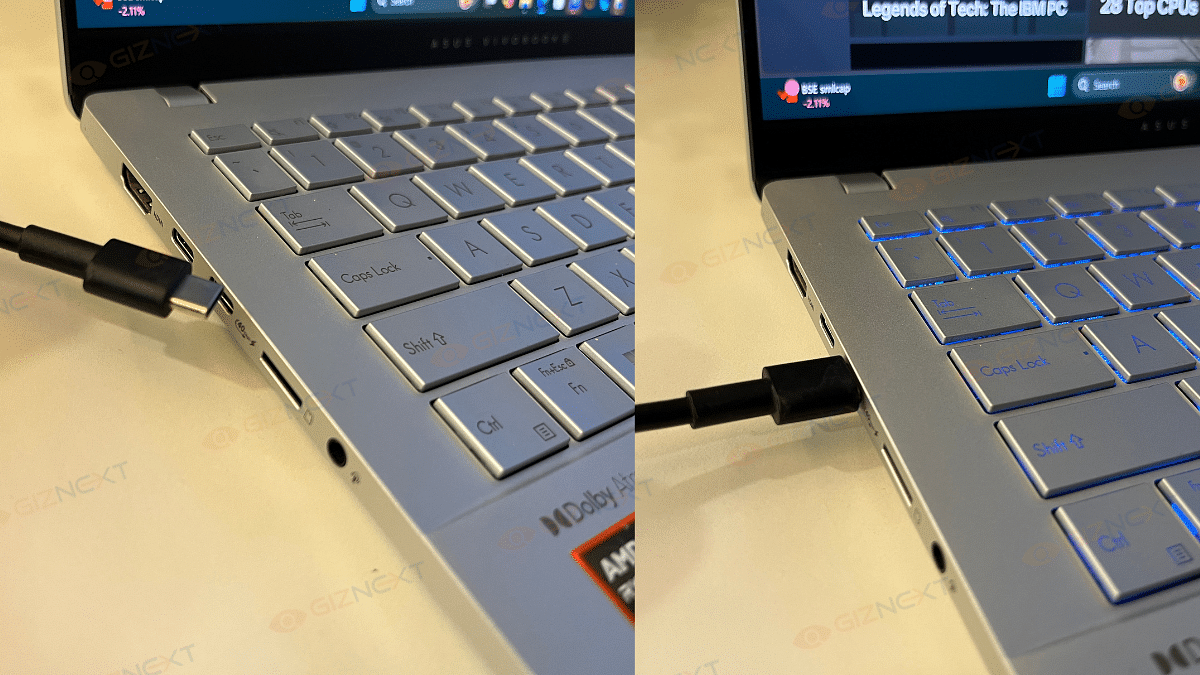
On the connectivity front, the Vivobook S 14 doesn’t disappoint. It includes a range of ports. The device features a Thunderbolt 4 USB-C port, USB-C 3.2 Gen 1 with Power Delivery and DisplayPort support, and an HDMI 2.1 port on the left.

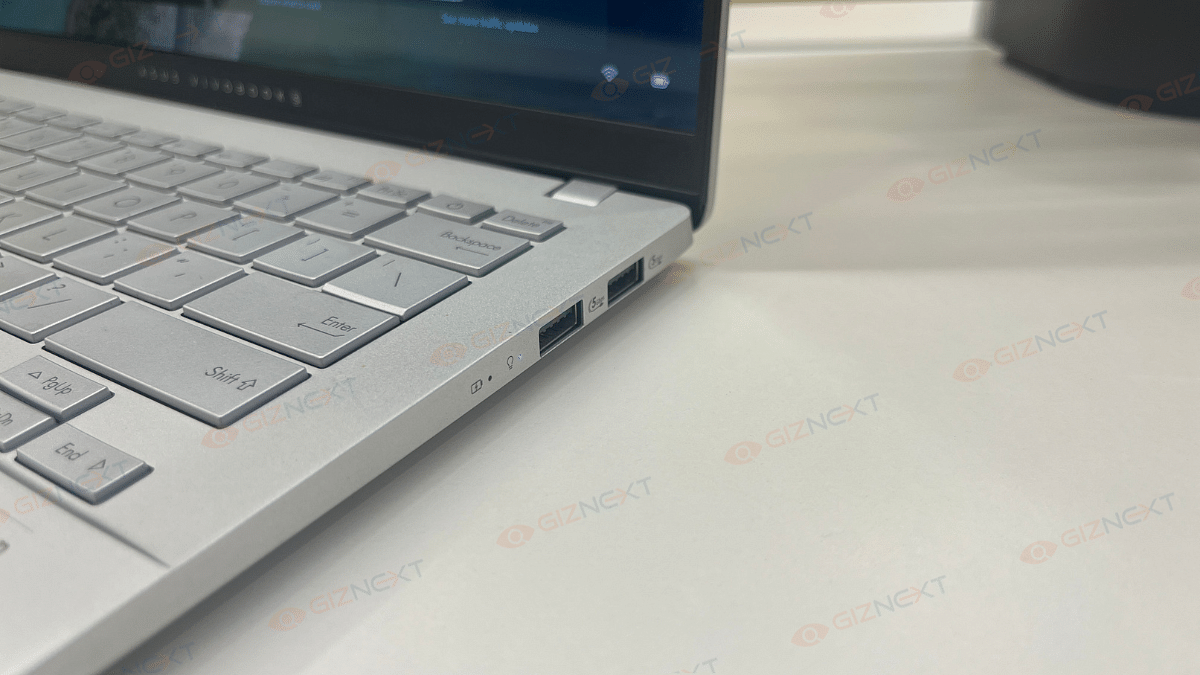
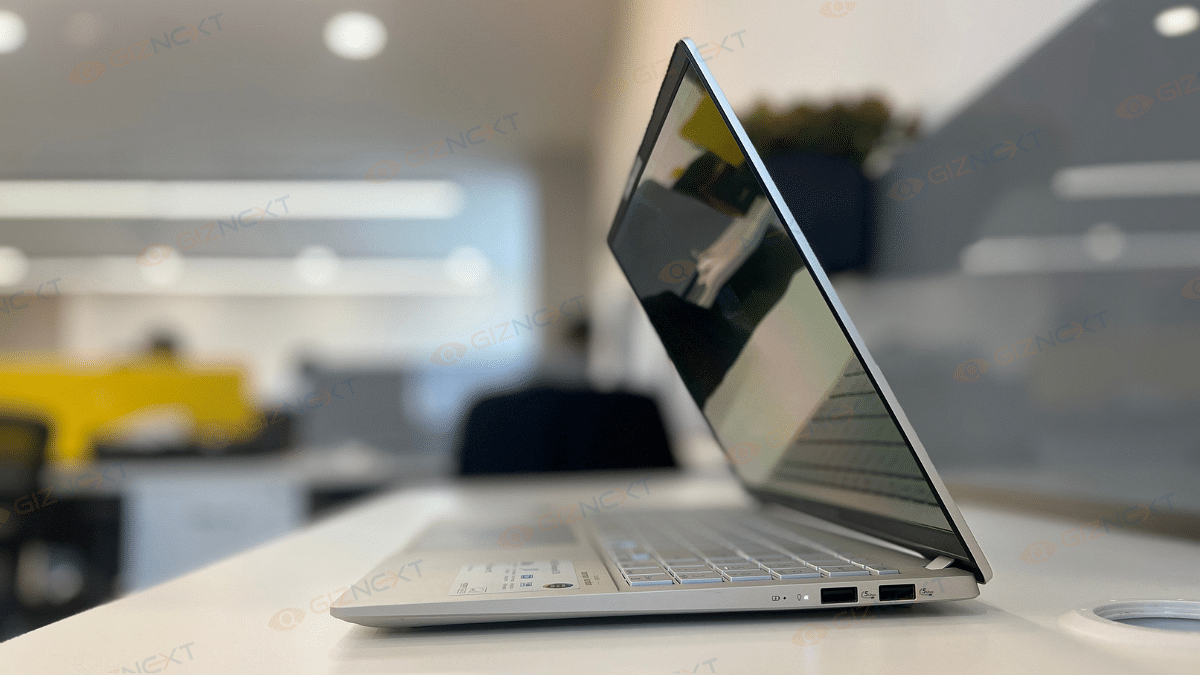
The right side houses two USB-A 3.2 Gen 1 ports and the essential audio combo jack. The inclusion of a microSD card slot adds extra convenience for file transfers. Overall, the design is a perfect balance of aesthetics, functionality, and portability. This is a strong contender in the thin-and-light laptop category.

Keyboard And Trackpad: RGB Flair

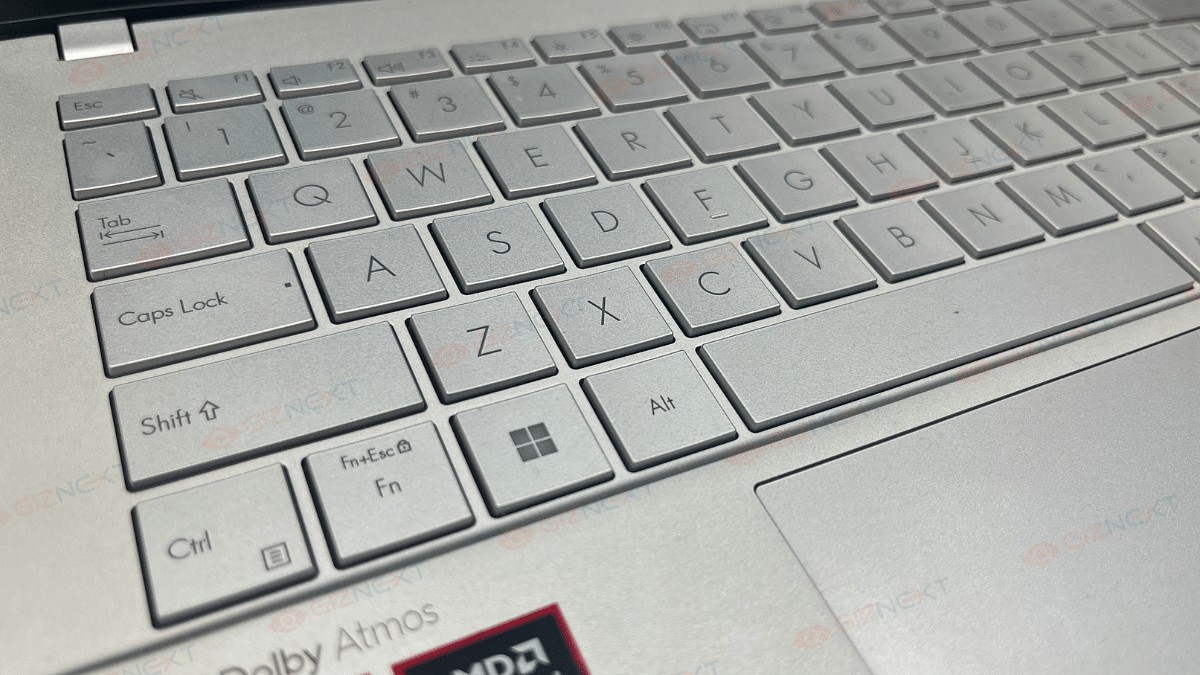
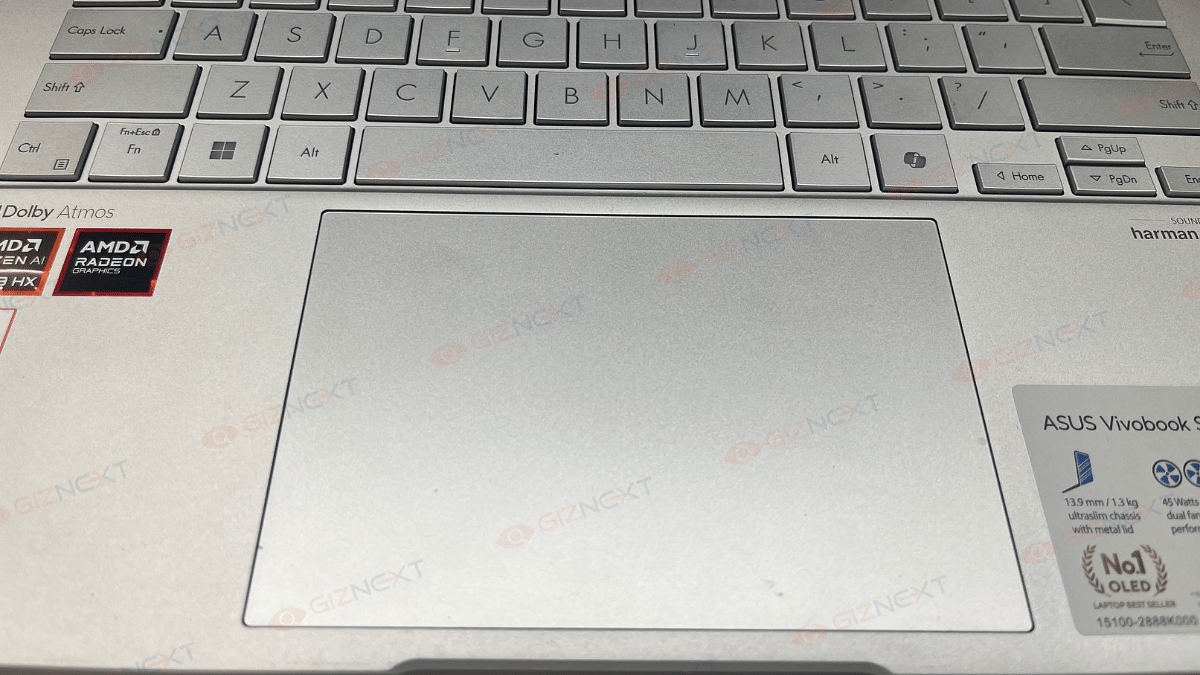
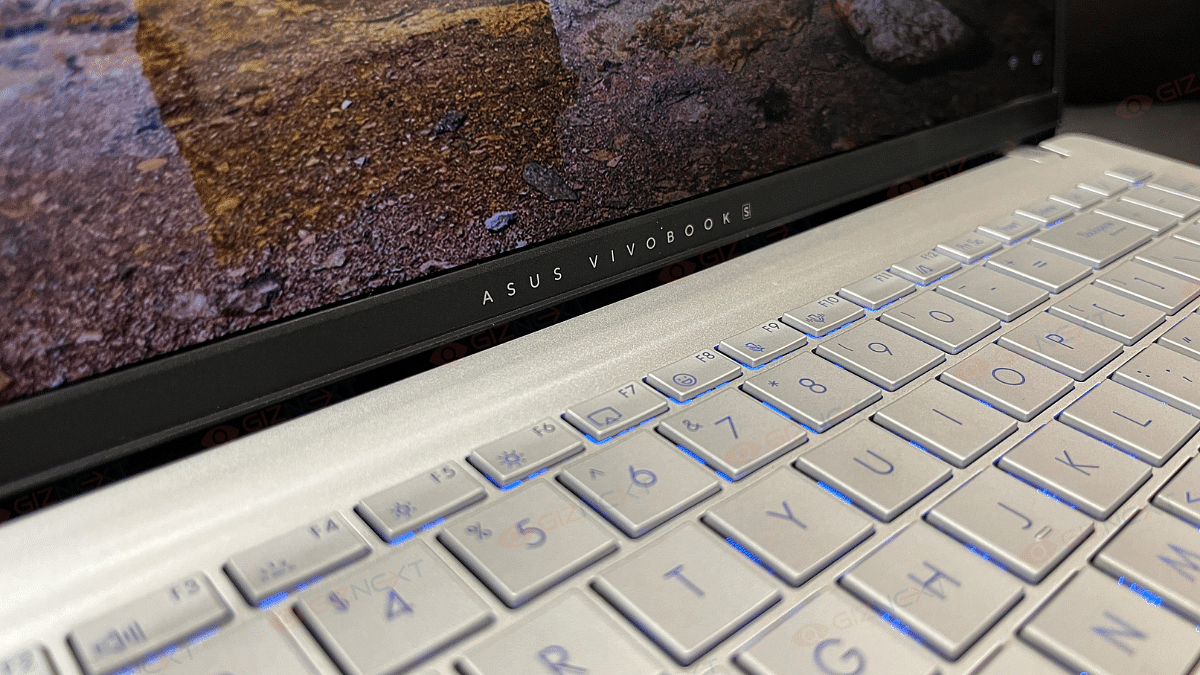
The Asus Vivobook S 14’s keyboard and trackpad have their quirks. However, to keep the things interesting, they bring enough flavors to the table. Let’s start with the keyboard. Well, it’s got one-zone RGB backlighting that can be adjusted to your liking. Typing feels decent overall, although the feedback could’ve been a tad crisper, and the tiny directional arrows might have you looking a bit. Also, the absence of a separate power button is a bit of a head-scratcher, but it’s definitely not a dealbreaker.

Now, onto the trackpad. This one’s big, smooth, and super responsive which is definitely a win in my book. It handles swipes and gestures like a champ. The click areas are decent but can feel a bit rattly. Also, the corners might make you apply a bit more force for a click.

All in all, while not perfect, the keyboard and trackpad work just fine and even bring a little personality to the table. Bonus points for that RGB flair.

Display: Vibrant Colors

If you’re an OLED lover, the Asus Vivobook S 14 is sure to steal your heart. It has an amazing 14-inch HDR-ready OLED display. The screen offers jaw-dropping visuals with 100 percent DCI-P3 color coverage that delivers vibrant colors and rich saturation. The deep blacks and great contrast, hallmarks of OLED, make every movie, game, or design project a visual masterpiece.

With an adaptive refresh rate of up to 120Hz, the screen ensures smooth performance. HDR content dazzles with a peak brightness of 600 nits while the standard 400 nits brightness is ideal for indoor settings. That said, outdoor usage could be a bit tricky due to reflections and slightly limited brightness under harsh sunlight. Still, if you’re a fan of vibrant and immersive displays, this one’s sure to win you over.

Also Read | Asus ZenBook S13 OLED Laptop Review: A Compact Beast Machine!

Performance: AI And Everyday Productivity

The Asus Vivobook S 14 OLED is designed for productivity enthusiasts with a sprinkle of AI innovation. Powered by the AMD Ryzen AI 9 HX, this 12-core processor (4 performance + 8 efficiency cores) clocked at up to 5.1GHz ensures compatibility with all x86 apps. Backed by 24GB RAM and a 512GB NVMe SSD, it tackles everyday multitasking effortlessly.

For casual gamers, the AMD Radeon 890M GPU delivers decent performance. The laptop can become very hot, especially when intense gaming, therefore it’s best to use it in an area with good ventilation. However, the laptop remains cool and silent when used on a daily basis.

Regarding the media section, it’s a treat to watch series like Full Swing and Drive to Survive streamed on the bright OLED screen. Media enthusiasts will love it for its brilliant contrast, vibrant colors, and deep blacks. Because it ensures proper color representation, the color-accurate screen is especially perfect for creative activities like photo editing.

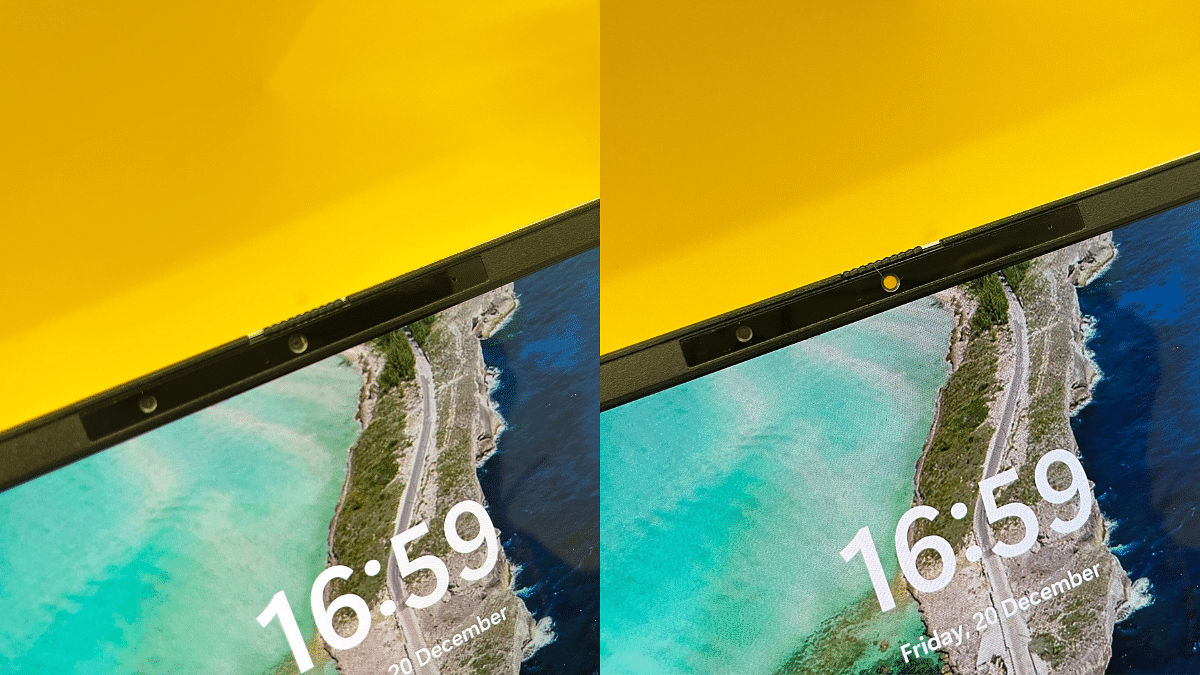
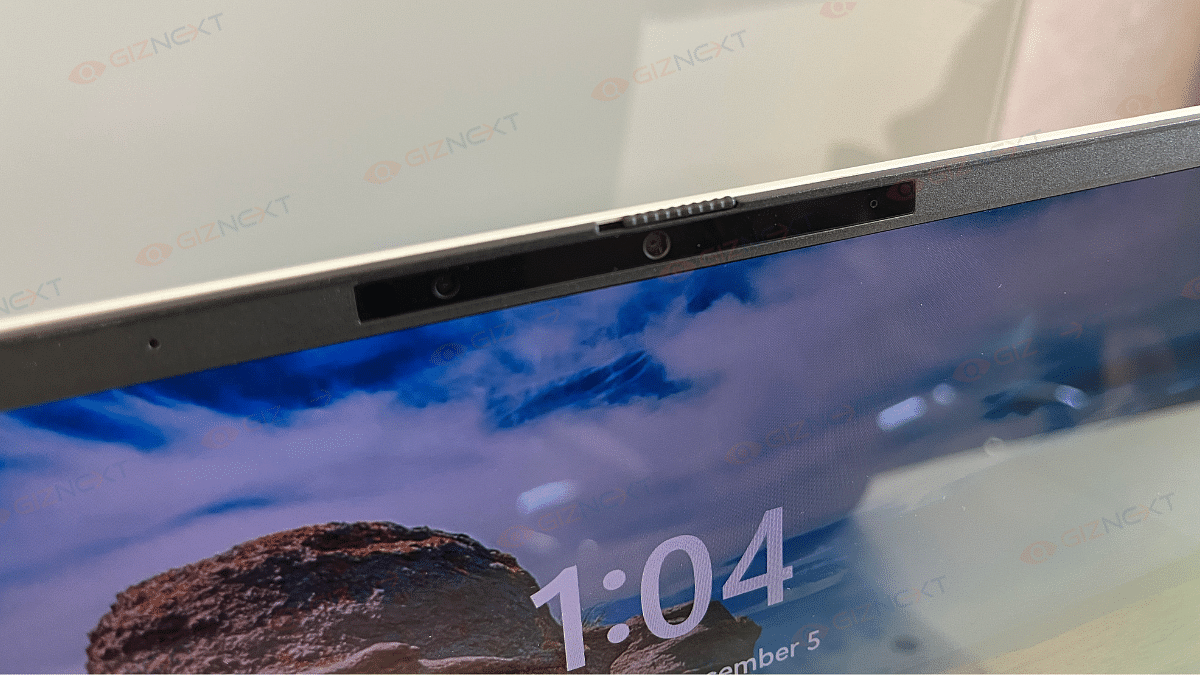
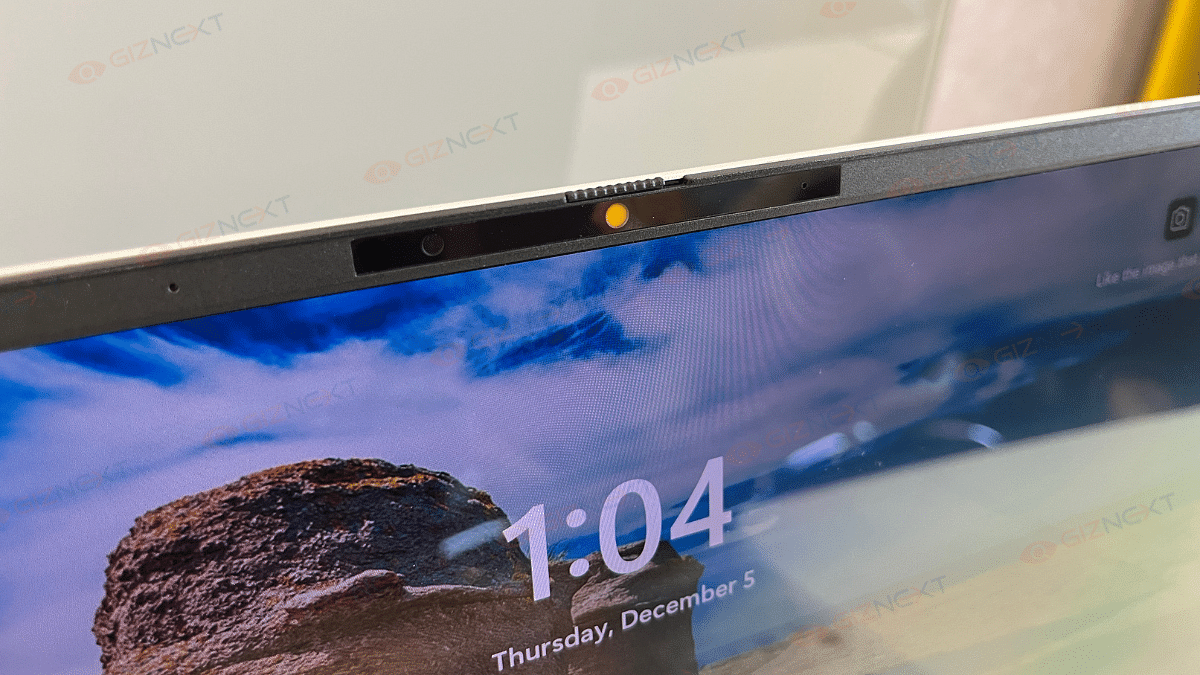
Apart from that, the Asus Vivobook S 14 features an FHD camera with IR functionality. This supports Windows Hello for secure facial recognition login. It also includes a privacy shutter that make sure your privacy when the camera is not in use.

Benchmarks: What The Numbers Say

The Asus Vivobook S 14 OLED delivers impressive benchmark results, proving its capability for both everyday tasks and creative workflows:

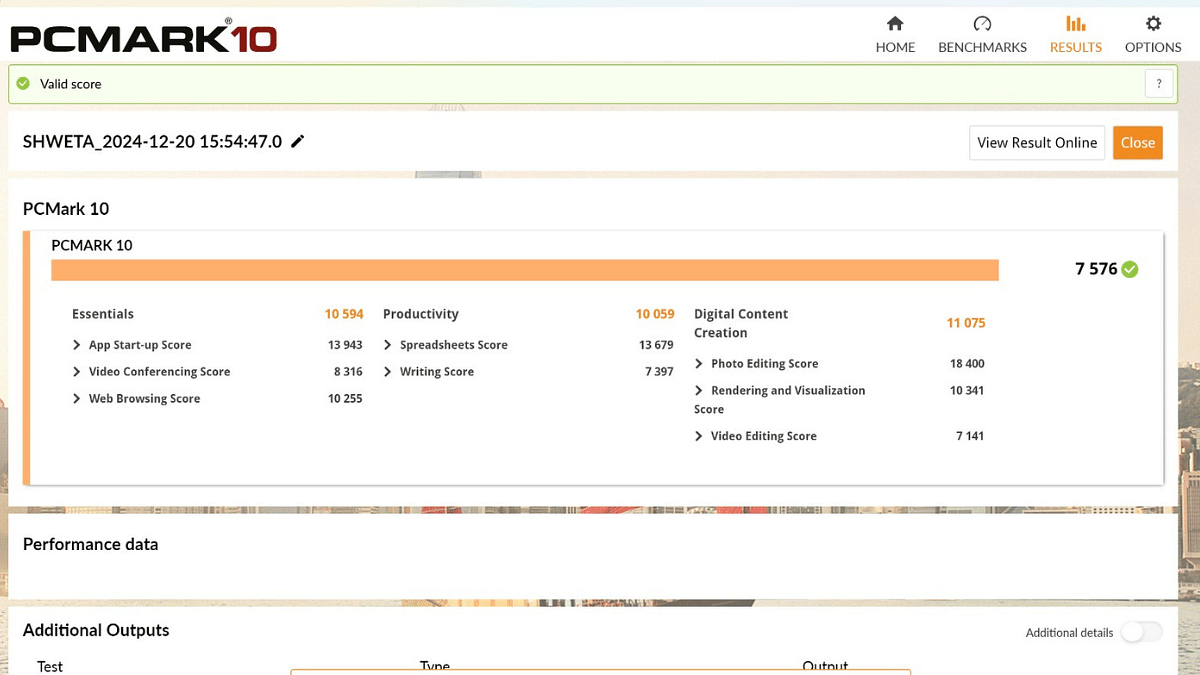
PCMark 10:

Overall Score – 7,576 points, shining in core categories:

  • Essentials: 10,594 – Smooth web browsing and video calls.
  • Productivity: 10,059 – Efficient multitasking.
  • Digital Content Creation: 11,075 – Seamless photo and video editing.

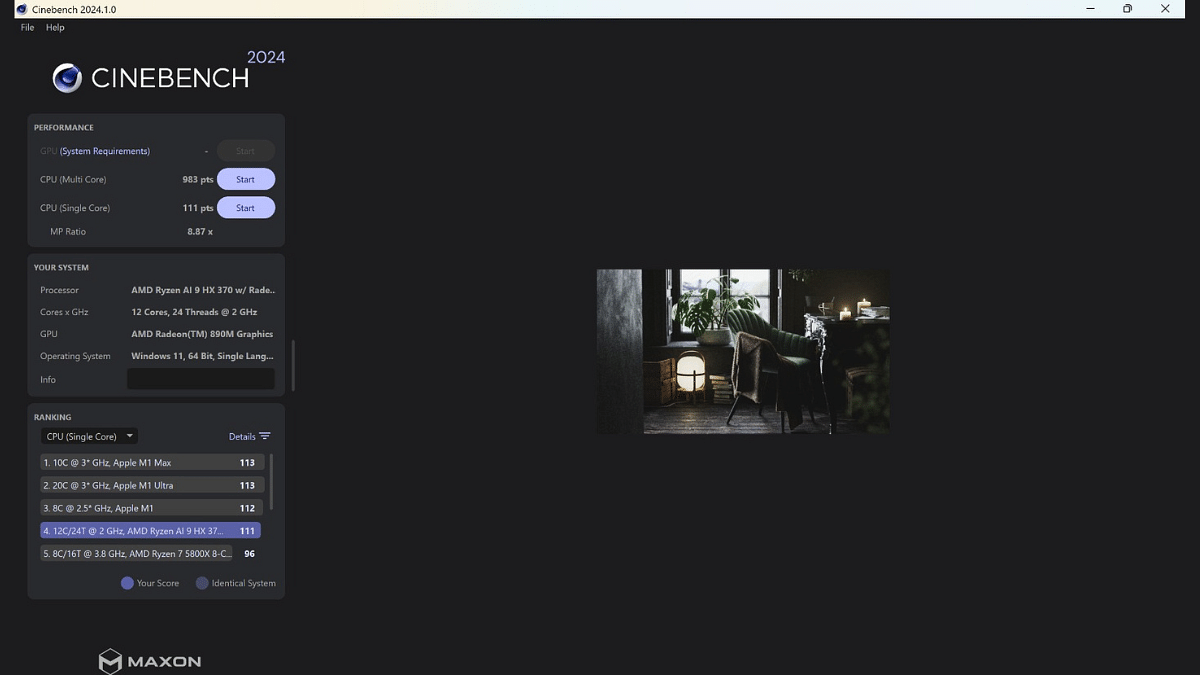
Cinebench 2024:

  • Single-Core Performance: 111 points – Optimized for single-threaded tasks.
  • Multi-Core Performance: 983 points – Efficient at handling multitasking and intensive workloads.
  • MP Ratio: 8.87x – Demonstrates strong multi-thread scaling.

The Ryzen AI 9 HX 370 processor with its 12-core, 24-thread configuration ensures a solid balance of performance for productivity, casual gaming, and creative workflows.

Battery: Long-Lasting

The Asus Vivobook S 14 OLED comes equipped with a 75Wh battery. It is perfectly sized for its productivity-focused design. It’s paired with a 90W USB-C charger that offers higher capacity than most portable laptops in this segment. The dual-piece design features long cables and a USB-C plug for convenience. Impressively, a full charge takes less than two hours that makes it ideal for users on the go.

Also Read | Asus Vivobook S15 OLED Review: Stylish Performer Or Overpriced Ultrabook?

Giznext’s Final Verdict

The Asus Vivobook S 14 OLED impresses with its sleek design, decent OLED display, and solid performance. It offers great productivity capabilities and vibrant visuals. Despite occasional heating during gaming, it’s a strong contender for users seeking portability and style.

The laptop is priced at Rs. 1,09,990. If you prioritize portability, vibrant visuals, and AI-driven productivity, this laptop will definitely meet your needs.

For the tech geeks, stay updated with the latest cutting-edge gadgets in the market, exclusive tech updates, gadget reviews, and more right on your phone’s screen. Join Giznext’s WhatsApp channel and receive the industry-first tech updates.

Categories
Featured Laptop Reviews

Asus Vivobook S15 OLED Review: Stylish Performer Or Overpriced Ultrabook?

Key Highlights

  • 15.6-inch big OLED panel
  • 14.7mm thin and 1.42kg light
  • Up to 18+ hours of battery life
  • A single-zone RGB keyboard
  • Snapdragon X Elite processor
  • Copilot+ PC

Finding the perfect laptop that strikes a good balance between work, games, and portability often feel like searching for a unicorn. But when the Asus Vivobook S15 OLED ultrabook landed on my desk, I couldn’t wait to see if it lived up to its promise. Over the past couple of weeks, I have been putting this sleek 15.6-inch laptop through its paces, from tackling demanding work tasks to binge-watching my favorite web-series. Designed to cater to mixed-use users, it comes with a vibrant OLED display, a powerful processor, and surprisingly good audio. Let’s dive in this review and see if it’s the all-rounder it claims to be.

Also Read | Asus ZenBook S13 OLED Laptop Review: A Compact Beast Machine!

ProsCons
Sleek and modern designReflective screen at outdoors
Good OLED displayGets slightly warm during gaming
Good typing experienceLittle expensive
Strong battery life 

What’s Inside The Box

  • Asus Vivobook S15 OLED (Cool Silver)
  • 90W USB-C adapter
  • User manual

Design

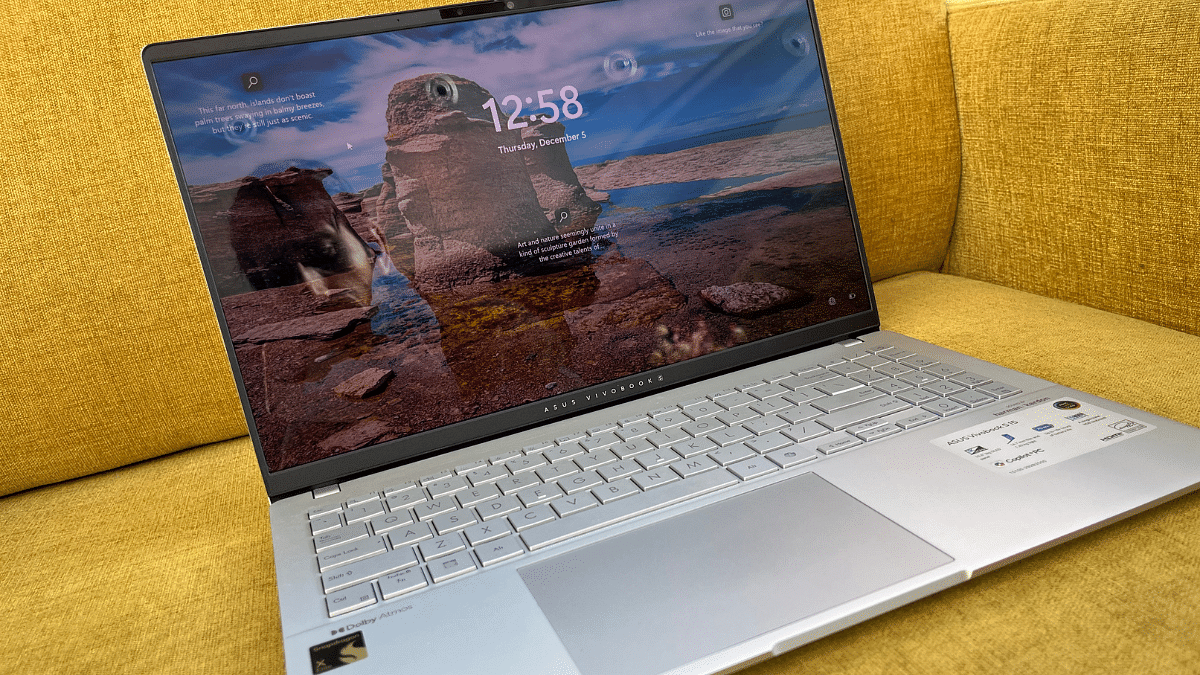
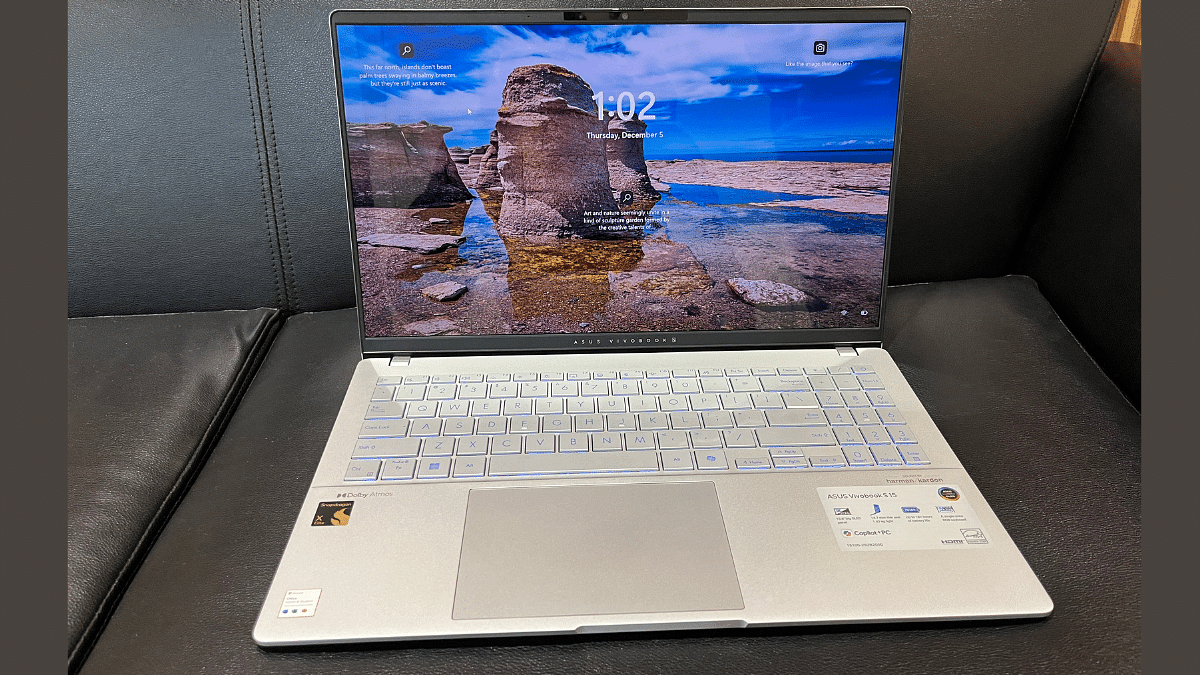
The Asus Vivobook S15 OLED is an elegant looking laptop. It is sleek, modern, and seriously attractive. At just 14.7mm thin and 1.42 Kg, it’s easy to carry around. I have been carrying it daily from Delhi to Gurgaon in my backpack, and guess what? No complaints. I was pleasantly surprised by how comfortable it was.

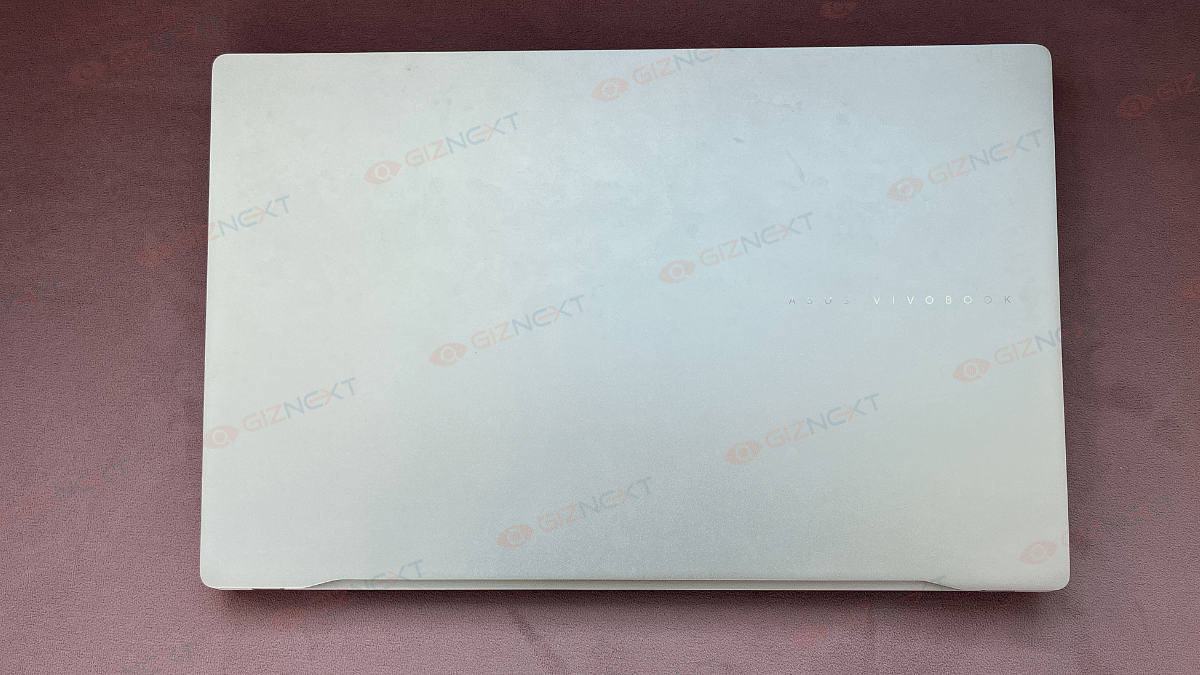
The Vivobook S15 feels high-end because to its satin metallic silver color. It has a polished appearance due to its rounded corners. The Asus logo is subtly positioned beneath the screen and is simple and elegantly placed onto the back lid. The display’s overall appearance is improved by the thin bezels surrounding it. It’s not trying to be fancy with a 2-in-1 design or touchscreen, just a solid, no-nonsense laptop.

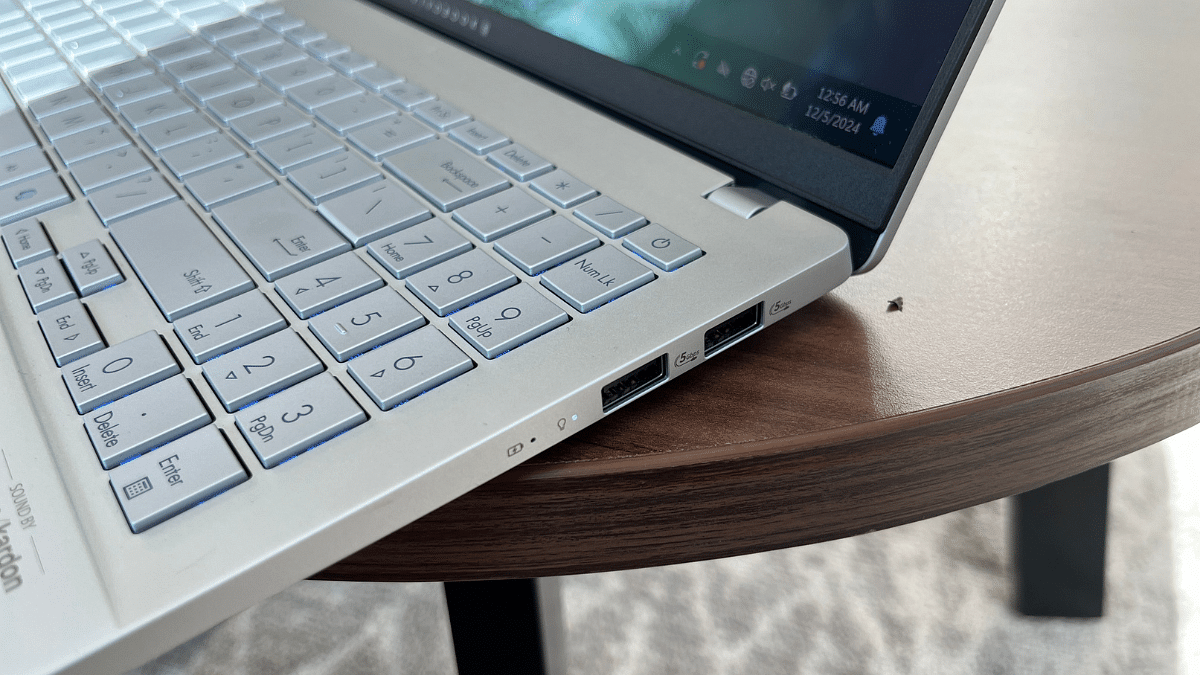
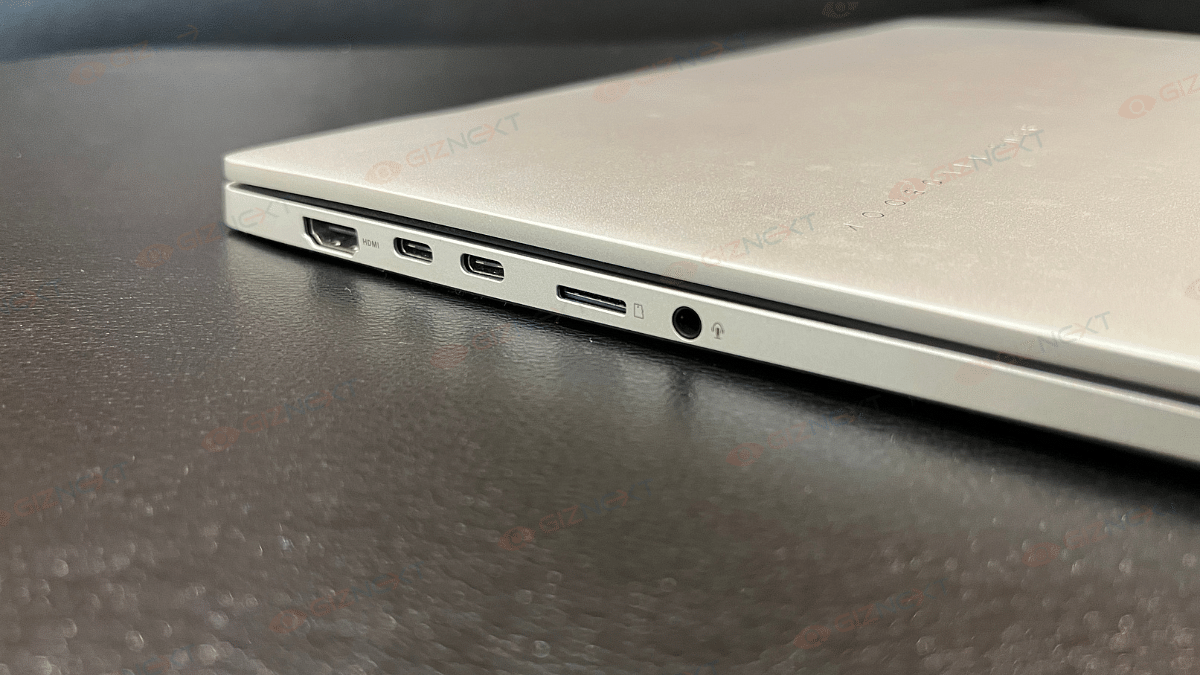
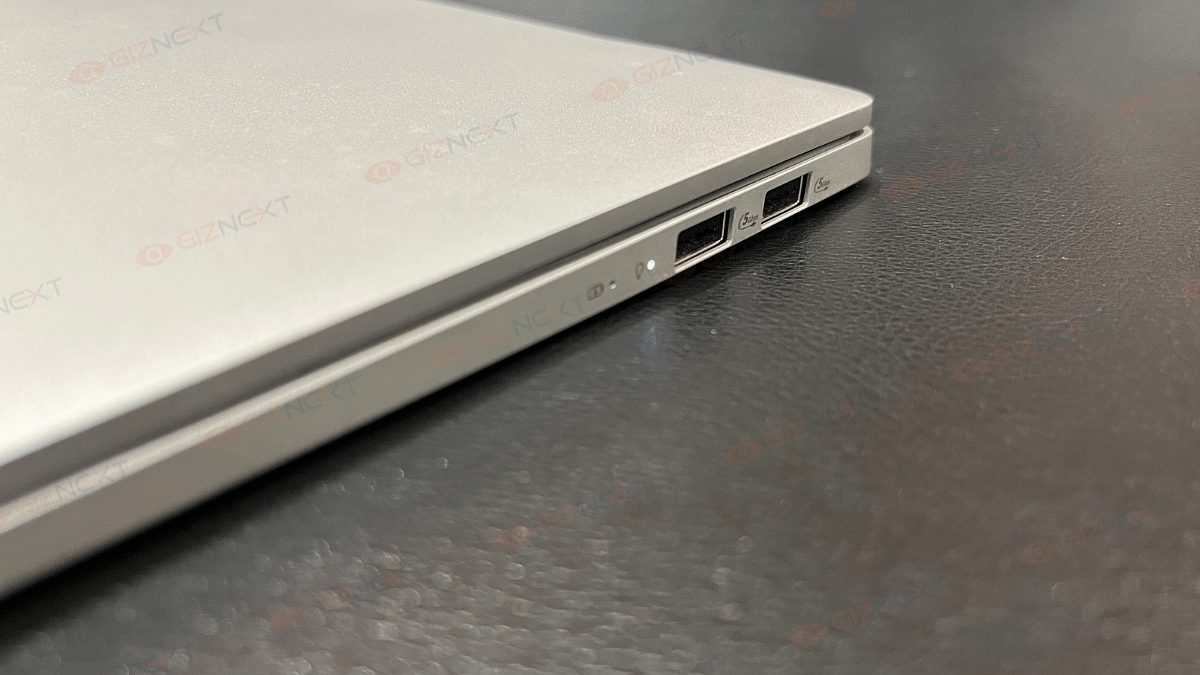
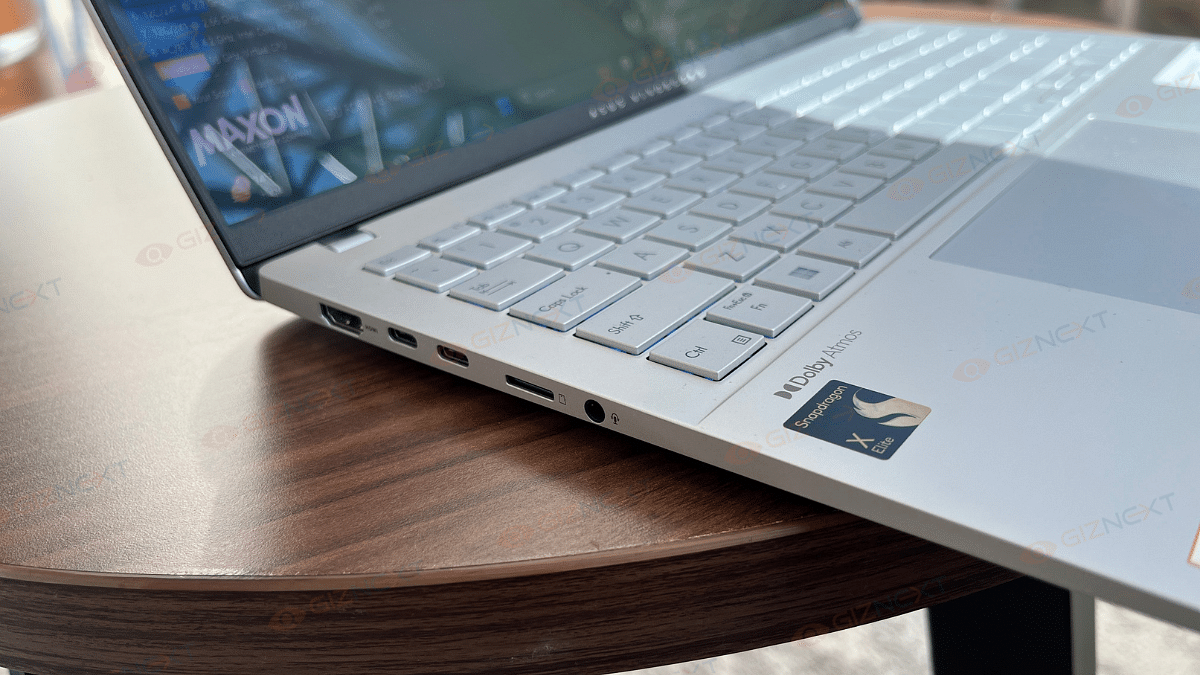
Ports-wise, you are pretty much sorted. On the left, there’s an HDMI 2.1 port, two Thunderbolt USB-C ports, a microSD card slot (a nice bonus), and a headphone jack. While the microSD slot is rare these days, a full-sized card reader would’ve been a more practical choice. On the right side, there are two Type-A USB 3.2 ports and LED indicators for power and battery. Overall, the port selection covers most needs, with no glaring omissions.

For meetings or quick video calls, the FHD webcam and built-in mic are surprisingly good. The Vivobook S15 OLED is proof that simplicity and style can go hand-in-hand, and it nails the basics in the best way possible.

Keyboard & Trackpad

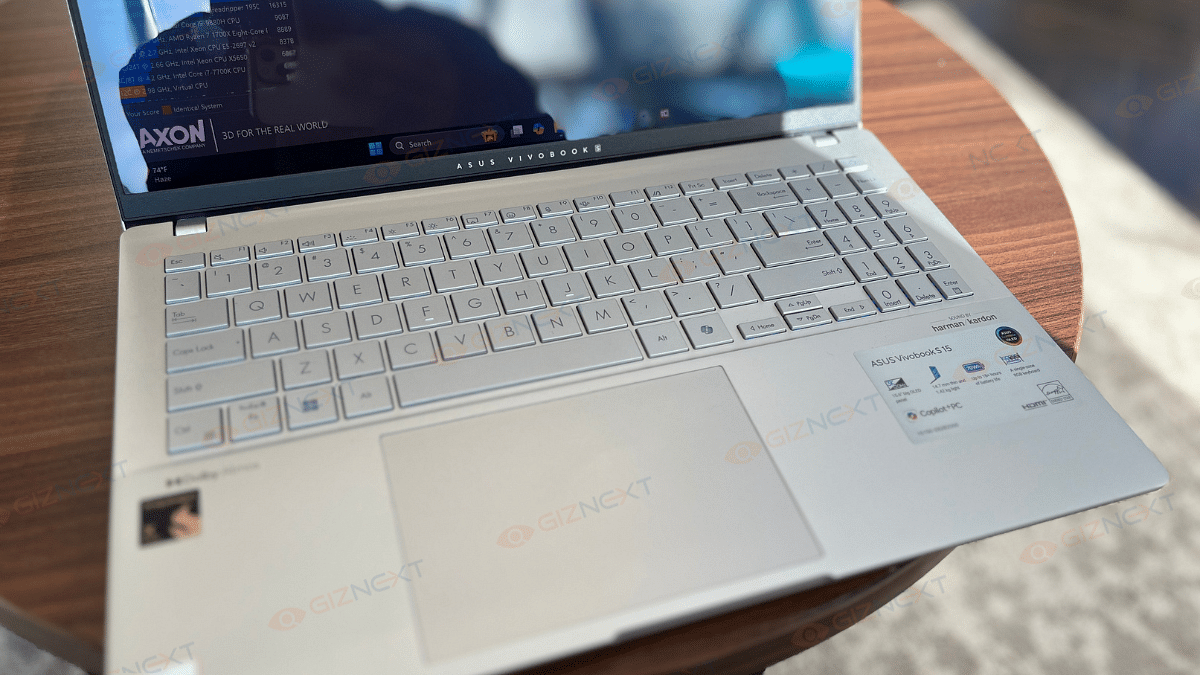
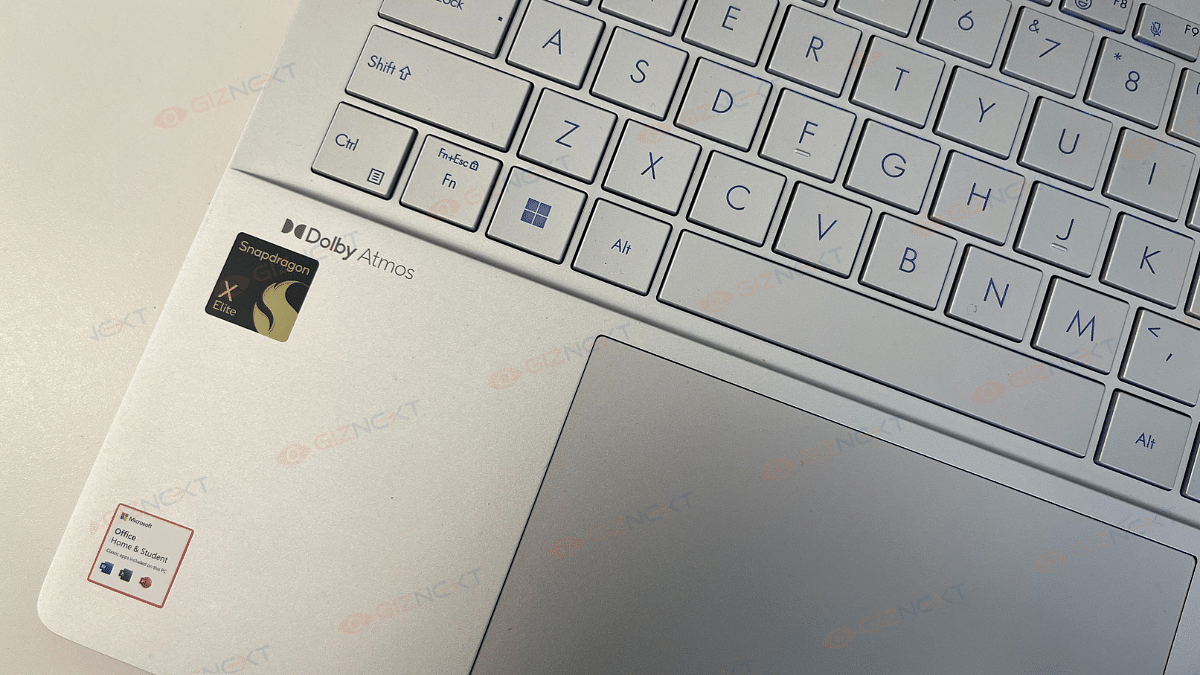
Let’s now talk about the keyboard and trackpad because they deserve some serious attention too. The keyboard is not only great to type on but also super quiet. I think it’s perfect for those late-night work sessions. Using the MyAsus app, you can adjust the RGB lighting to fit your mood and add a little flair. Plus, the ambient light sensor makes sure that the backlighting adjusts automatically. The dedicated number pad is a nice addition. However, I find the arrow keys a bit smaller. Overall, the layout is clear and easy to navigate. And the trackpad? Smooth as butter. To be honest, it’s among the largest I’ve seen lately. It feels great to use, is quite responsive, and supports motions.

Display

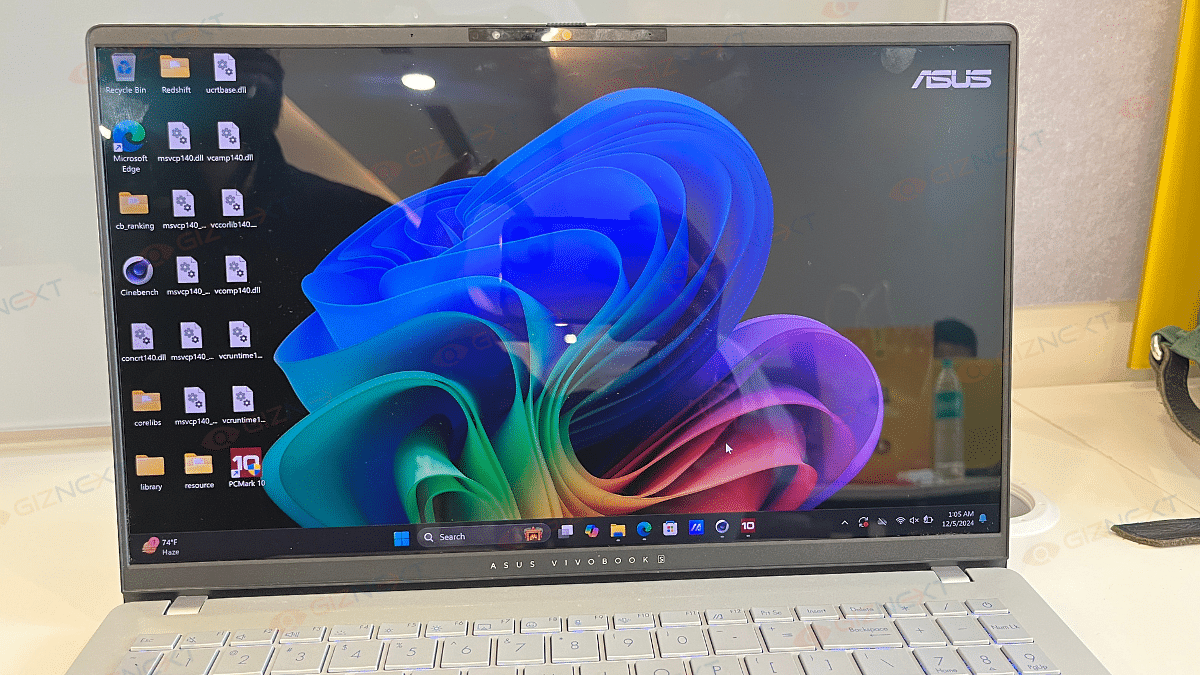
The display on the Asus Vivobook S15 OLED is amazing. It is one of those screens that uplifts even your desktop background to the status of a work of art. This screen is decently eye-catching, with a 15.6-inch OLED panel with a pixel density of 211.82 PPI and a resolution of 2880 x 1620. The colors are vivid, striking, and utterly dreamlike. You can expect a smooth, lifelike viewing experience when you combine Asus’s color-calibrated profile, adaptive sync, and a refresh rate of 120hz.

Whether you’re scrolling through social media images or binge-watching action-packed films, the rich colors and deep blacks make everything stand out. I tested it with some good action movies, and the visuals were breathtaking. Additionally, the color accuracy of the display is perfect for content creators, whether you’re editing YouTube videos or smartening up up your social media game.

But it’s not all sunshine and rainbows (literally). The screen is super reflective and working outdoors can be tricky, especially on a sunny day when those reflections become a bit of a buzzkill. On the bright side, the viewing angles are good. That means sharing your screen with friends or family won’t be a problem. All in all, the Vivobook S15 OLED’s display is one of its strongest highlights. It is perfect for work, play, and everything in between.

Also Read | Lenovo Yoga Slim 7i Carbon Laptop Review: Modern And Practical Solution For Premium Users

Performance

Under the hood, the Asus Vivobook S15 OLED runs on the Qualcomm Snapdragon X Elite processor. This 12-core chip, clocked at 3.4GHz with a hefty 42MB cache, offers performance that can easily compete with AMD and Intel-powered laptops. During my testing, day-to-day tasks were handled like a breeze, and even photo editing and creating video thumbnails felt seamless.

Gaming? I gave it a shot with a couple of titles, and the experience was decent. Sure, the laptop got a little warm, but it didn’t affect performance. However, some games had limitations, which is something to keep in mind if gaming is a top priority for you.

Now, let’s talk audio. Asus has teamed up with Dolby Atmos and Harman/Kardon to deliver great sound quality. The speakers are clear and even offer a decent number of bass, which I guess is a rarity in laptops. While headphones or external speakers might still be the go-to for audiophiles, the built-in audio on this laptop is surprisingly good.

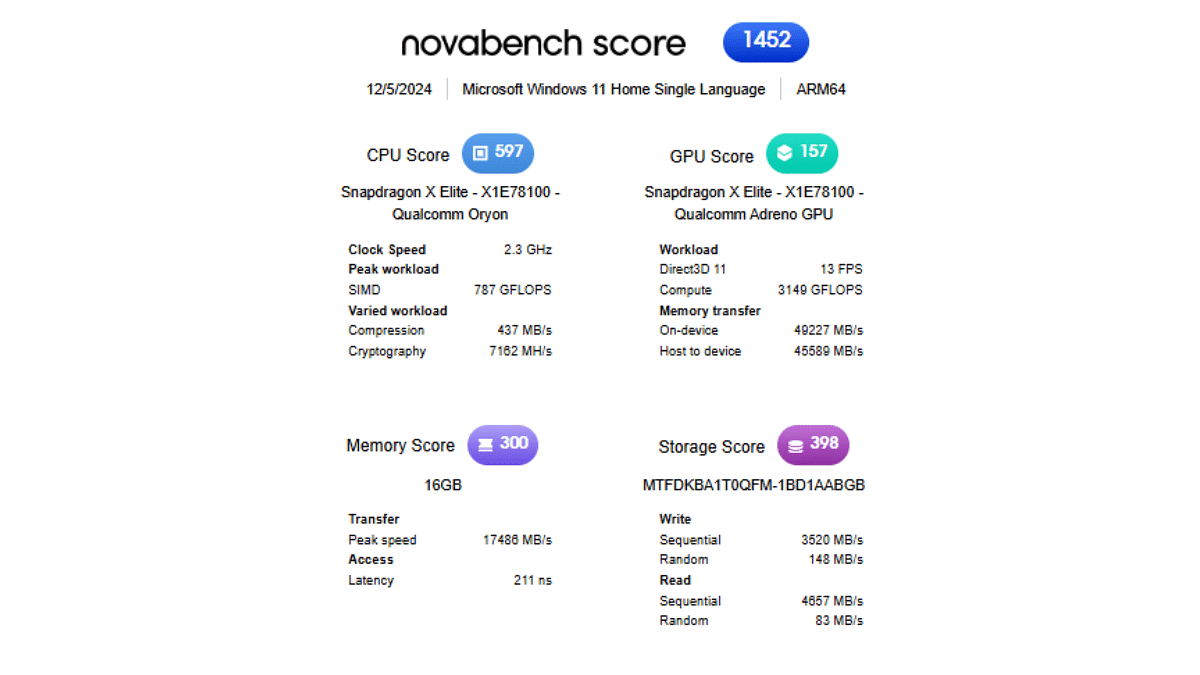
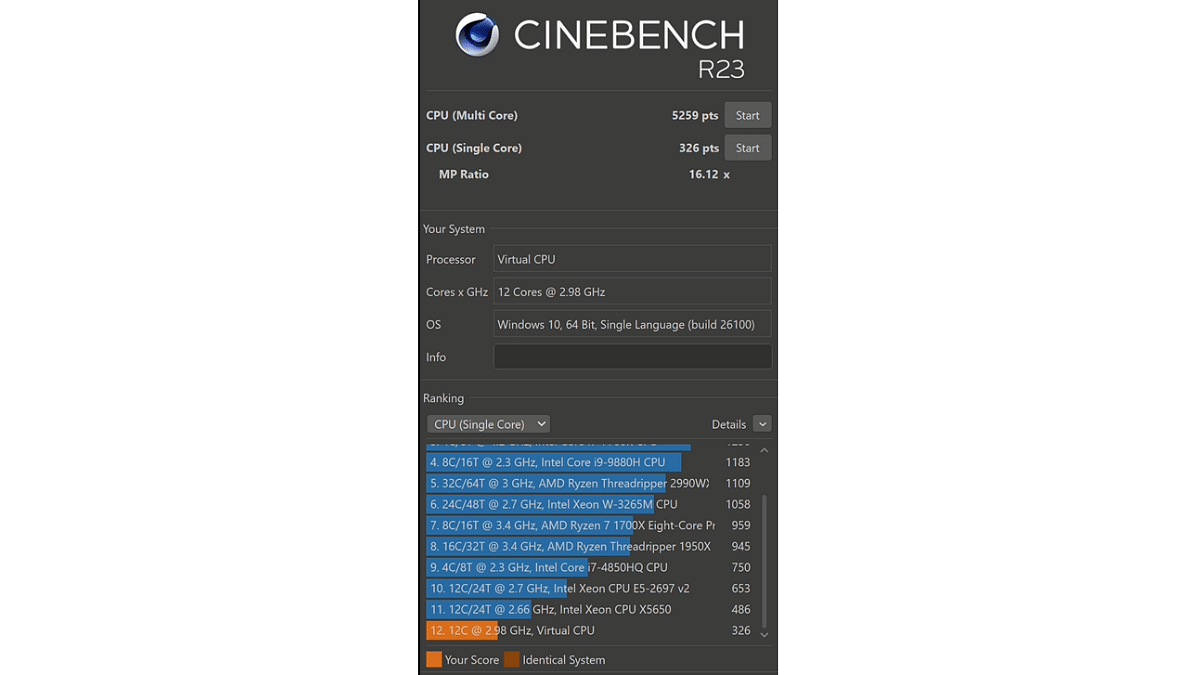
Whether you’re working, gaming, or streaming your favorite tunes, the Vivobook S15 OLED delivers a performance that doesn’t disappoint! This brings up to the Vivobook S15 OLED’s benchmark performance. We ran Cinebench and Novabench benchmark tests where this notebook performed exceptionally. Starting with the Cinebench, the Vivobook S15 OLED has logged CPU (Multi-core) 5259 pts and CPU (Single Core) 326 pts. Also, it scored 1452 in novabench. This includes 597 CPU score, 157 GPU score, 300 Memory score, and 398 Storage score. We are attaching the performance scores below:

Copilot+

The Asus Vivobook S15 OLED is marketed as a Copilot+ device. It brings a suite of advanced AI-powered features to the table. While we couldn’t test everything fully, some features await a Microsoft update, the lineup already looks promising.

The laptop supports familiar Copilot functions like Studio Effects. Features like Automatic Super Resolution for gaming, live subtitling, and Cocreator that transforms sketches into complete images are aimed to improve productivity and creativity.

Well, Asus didn’t stop there. They’ve added their own AI-powered functionalities, such as StoryCube for organizing media files and an advanced facial detection feature that dims the screen when you look away.

The Copilot+ integration might not yet be fully unleashed, but the foundation it sets is exciting, and it hints at a future where laptops are more intelligent and user-centric than ever.

Connectivity

The Asus Vivobook S15 OLED offers a solid array of connectivity options to keep users satisfied. Both of its USB-C ports support the 4.0 standard and has compatibility with modern accessories. However, I did find myself wishing for an additional USB-C port on the right side, which would have been handy for charging the laptop from either side.

On the plus side, you’ll also get two regular USB-A ports, so there’s no constant need for adapters during everyday use, a big win for convenience. For external displays, the Vivobook has some impressive capabilities. You can connect up to three external monitors with 4K resolution at 60Hz or even two displays at a decent 5K resolution.

While it covers most needs well, a few tweaks like the extra USB-C port could have made the connectivity experience nearly perfect. Still, for everyday work and entertainment, it gets the job done with ease.

Battery

Asus claims its 70WHrs battery can last up to 18+ hours for everyday tasks, but in my experience, it went above and beyond. During my testing, it comfortably hit the 19-hour mark, which is more than enough to get through a few days of office work or back-to-back presentations without hunting for a charger.

Of course, when I switched to binge-watching YouTube or hopping on video calls, the battery life dipped a bit, but that’s totally expected. Even then, it never left me worried about running out of juice at the wrong time.
And here’s the cherry on top: it comes with a fast-charging 90W USB-C adapter that powers it up in no time. So, even if you do need to recharge, you’re back in action quickly.
Also Read | Infinix InBook X1 Pro Laptop Full Review: Does It Fit All The Bills?

Giznext’s Final Verdict: Is The Asus Vivobook S15 Right For You?

The Asus Vivobook S15 OLED is a well-rounded ultrabook with a decent OLED display, solid everyday performance, and decent speakers. While it excels in design and usability, its reflective screen can struggle outdoors. It further handles everyday tasks smoothly, and for the curious minds, the CoPilot button might just add a bit of extra utility.

The real question is: Are you ready to invest over Rs. 1 lakh for a stylish, capable ultrabook for daily use? If you are after a sleek design, top-notch display, and reliable performance, the Vivobook S15 OLED is definitely worth considering.

For the tech geeks, stay updated with the latest cutting-edge gadgets in the market, exclusive tech updates, gadget reviews, and more right on your phone’s screen. Join Giznext’s WhatsApp channel and receive the industry-first tech updates.

Categories
Featured How To Laptop Mobile

Zero-Day Vulnerabilities Hit Apple Users: Here’s How To Secure Your Devices

Key Highlights

  • Apple released urgent updates for security flaws
  • Hackers can exploit these to steal data
  • Update devices now to stay secure

Apple just released critical security updates for users of the iPad, iPhone, and Mac. Two serious ‘zero-day’ vulnerabilities that hackers have actively exploited are addressed by these upgrades. These vulnerabilities could allow hackers to take over your device or steal confidential information if they are not fixed. Software updates are essential for your security. What you need know about the vulnerabilities are covered in this post.

Also Read | Password Privacy: How To Create And Remember Strong Passwords

What Are Zero-Day Vulnerabilities?

These are security flaws that are discovered by attackers before the software maker, in this case, Apple. This makes them highly dangerous as they can be exploited without warning.
Who Discovered The Issues?

Google’s Threat Analysis Group, known for investigating cyberattacks, found the flaws. They noted that the vulnerabilities were being actively used in targeted attacks.

What Do The Flaws Target?

The vulnerabilities affect WebKit and JavaScriptCore, software components essential for running web content on Apple devices. WebKit, in particular, is frequently targeted by hackers.

How Could Hackers Exploit This?

By tricking users into visiting malicious websites or opening harmful content, hackers could execute malicious code on the device. This could lead to malware installation or data theft.

Which Devices Are Affected?

The security issues impact:

  • Intel-based Mac computers.
  • iPhones running iOS 17 or older versions.
  • iPads using iPadOS or older software.

Apple has rolled out fixes for all these devices, including older models.

Why Should You Update Immediately?

Delaying updates could leave your device vulnerable to cyberattacks. Here’s why updating is crucial:

  • Protects against malware and hackers.
  • Prevents unauthorized access to private data.
  • Ensures a safer browsing experience.

How To Update Your Device

Follow these steps to secure your Apple devices:

  • For iPhone or iPad: Go to Settings > General > Software Update.
  • For Mac: Open System Preferences > Software Update.
  • Install immediately to close the security gaps.

Also Read | Online Safety: Eight Essential Cybersecurity Tips For Kids

Stay Safe Online

Cyber threats are growing more advanced. However, frequent upgrades might protect your devices from possible damage. Now is a good time to upgrade your iPad, iPhone, or Mac. Don’t risk your safety. Keep your software up to date to stay one step ahead of hackers.

For the tech geeks, stay updated with the latest cutting-edge gadgets in the market, exclusive tech updates, gadget reviews, and more right on your phone’s screen. Join Giznext’s WhatsApp channel and receive the industry-first tech updates.

Categories
Featured Info Laptop Mobile

Apple Declares Older Devices Vintage And Obsolete: Full List Inside

Key Highlights

  • Apple emphasizes sustainability
  • Devices discontinued for 5-7 years are now listed as Vintage
  • Obsolete devices no longer receive hardware support

Recently, Apple has announced that a number of its older devices, such as iPhones and MacBooks, have been categorized as Vintage or Obsolete. Older models are classified as obsolete with little to no hardware support, while devices that have been discontinued for five to seven years are classified as vintage. Here’s what it means for you.

Also Read | Foldable Devices On The Horizon: What Apple Has in Store For iPhones And iPads

What Does Vintage And Obsolete Mean?

  • Vintage Devices: Products that are stopped from being distributed for 5-7 years.
  • Obsolete Devices: Products discontinued entirely with hardware service no longer available, except where required by law.

Vintage Products List

MacBook:

  • Retina, 12-inch (2017)

MacBook Air:

  • 11-inch (Early 2015)
  • Retina, 13-inch (2018)

MacBook Pro:

  • 13-inch (2017, 2 TBT3 and 4 TBT3)
  • 13-inch (2018, 4 TBT3)
  • 13-inch (2019, 4 TBT3)
  • 15-inch (2017 and 2018)
  • Retina, 15-inch (Mid 2015)

Mac Desktops:

  • iMac (21.5-inch, Early 2013)
  • Retina 4K, 21.5-inch (2017)
  • Retina 5K, 27-inch (Mid 2015 and 2017)
  • Mac mini (Late 2014)
  • Mac Pro (Mid 2012)

Vintage iPhone Models

These iPhones are considered vintage:

  • iPhone 4 (8GB)
  • iPhone 5
  • iPhone 6s Plus
  • iPhone SE
  • iPhone 8 Red and 8 Plus Red
  • iPhone X and XS Max

Obsolete iPhone Models

The following iPhones are now obsolete worldwide:

  • iPhone 3G, 3GS, and 4 models (all variants)
  • iPhone 5C
  • iPhone 5S
  • iPhone 6 and 6 Plus
  • iPhone 6s and 6s Plus (32GB)

Also Read | From New York To Tokyo: Five Best Apple Stores Around The World

Extended Repair Options

For up to 10 years following purchase, Apple provides extended battery-only repair for MacBooks. The parts’ availability depends on this. This program makes sure that devices last longer. It will promote environmental sustainability and lessen electronic waste.

For the tech geeks, stay updated with the latest cutting-edge gadgets in the market, exclusive tech updates, gadget reviews, and more right on your phone’s screen. Join Giznext’s WhatsApp channel and receive the industry-first tech updates.

Categories
Featured Info Laptop

Apple Launches New iMac With M4 Chip: Here Are Its Top Features

Key Highlights

  • Faster M4 chip with advanced AI
  • 4.5K display, seven colors, and nano-texture option
  • New macOS Sequoia features for enhanced use
  • Starting at Rs. 1,34,900

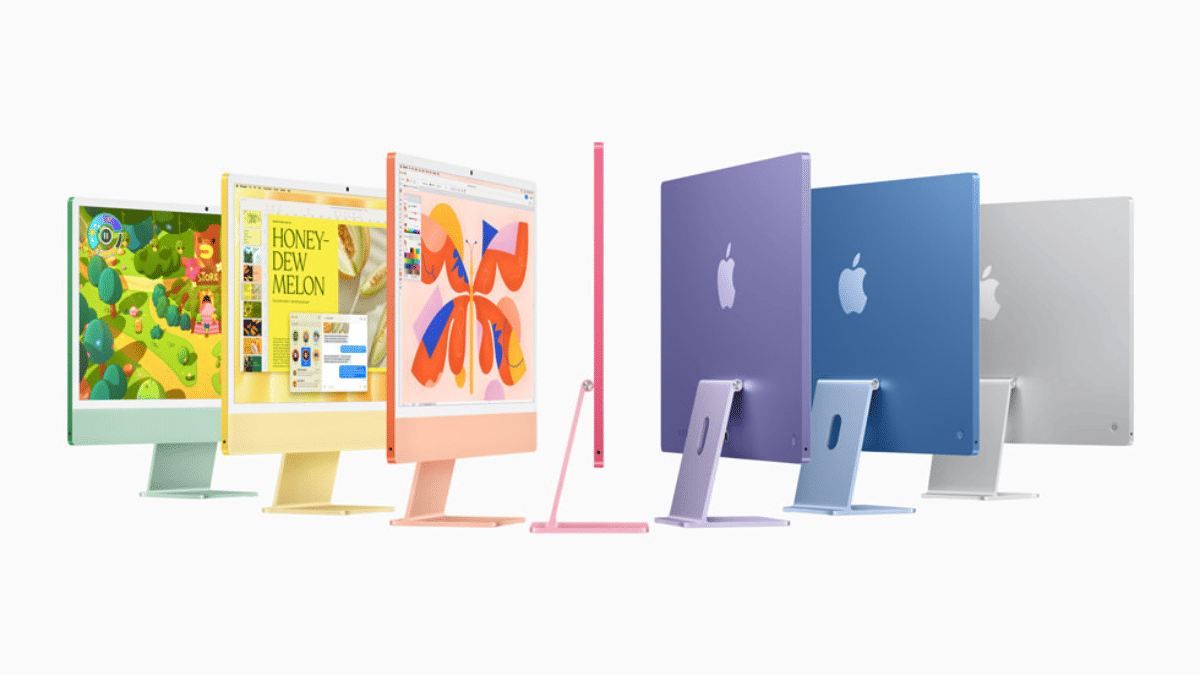
Apple’s latest 24-inch iMac with advanced M4 chip redefines the all-in-one experience with a focus on performance, color choices, and AI capabilities. This new release integrates Apple Intelligence, a personal intelligence system that promises to transform how users interact with their iMacs. Available in various vibrant colors, the iMac starts at Rs. 1,34,900 and has pre-orders opening today.

Also Read | Worried About Laptop Privacy: Best Windows Laptop With Fingerprint Reader Biometrics

Apple M4 iMac: Features

Upgraded Display Options

Equipped with a 24-inch 4.5K Retina display, this iMac includes a new nano-texture glass option to minimize glare and reflection. This is particularly beneficial for those using their iMac in bright spaces, maintaining vibrant visuals even under sunlight.

Powerful M4 Chip And Neural Engine

The iMac’s M4 chip delivers up to 1.7x faster CPU speeds and up to 2.1x faster graphics compared to the M1 model. The Neural Engine in the M4 chip boosts AI processing. This is ideal for users who rely on AI for their daily tasks.

Memory And Storage

The base model includes 16GB of unified memory (expandable to 24GB) and a 256GB SSD, configurable up to 1TB. The advanced model has options to expand memory to 32GB and storage to 2TB.

Enhanced Camera And Desk View

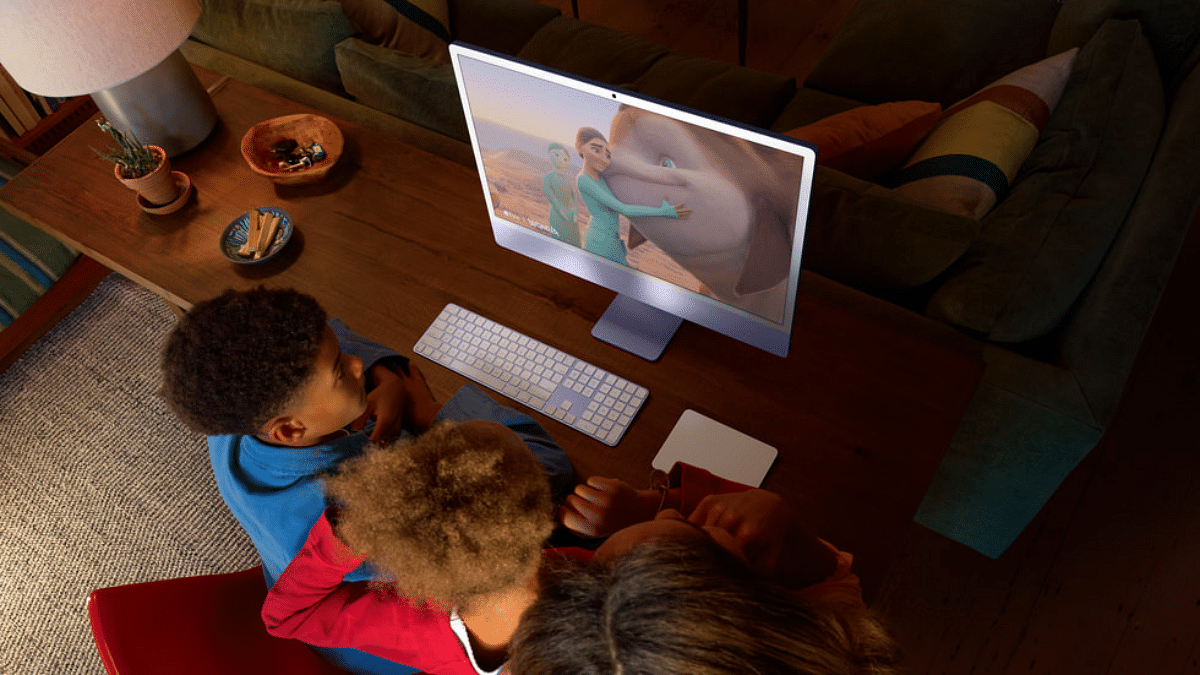
Apple has upgraded the iMac’s camera to 12MP, adding Center Stage to keep users centered during video calls and Desk View to offer a top-down view of the workspace. This is especially useful for educators and creators needing an all-in-one perspective.

macOS Sequoia And Software Upgrades

Running on macOS Sequoia, the iMac introduces seamless iPhone Mirroring, Safari Highlights, a redesigned Reader, and a new Video Viewer. For a distraction-free experience, users can enable Distraction Control on Safari, hiding non-essential elements on the page.

Enhanced User Experience Features

Additional features include Personalized Spatial Audio, improvements in Game Mode, a new Passwords app, easy window tiling, and visually rich backgrounds for video calls.

Also Read | Mac Vs Windows: Which Is The Best Operating System For Laptops/ PCs

Pricing

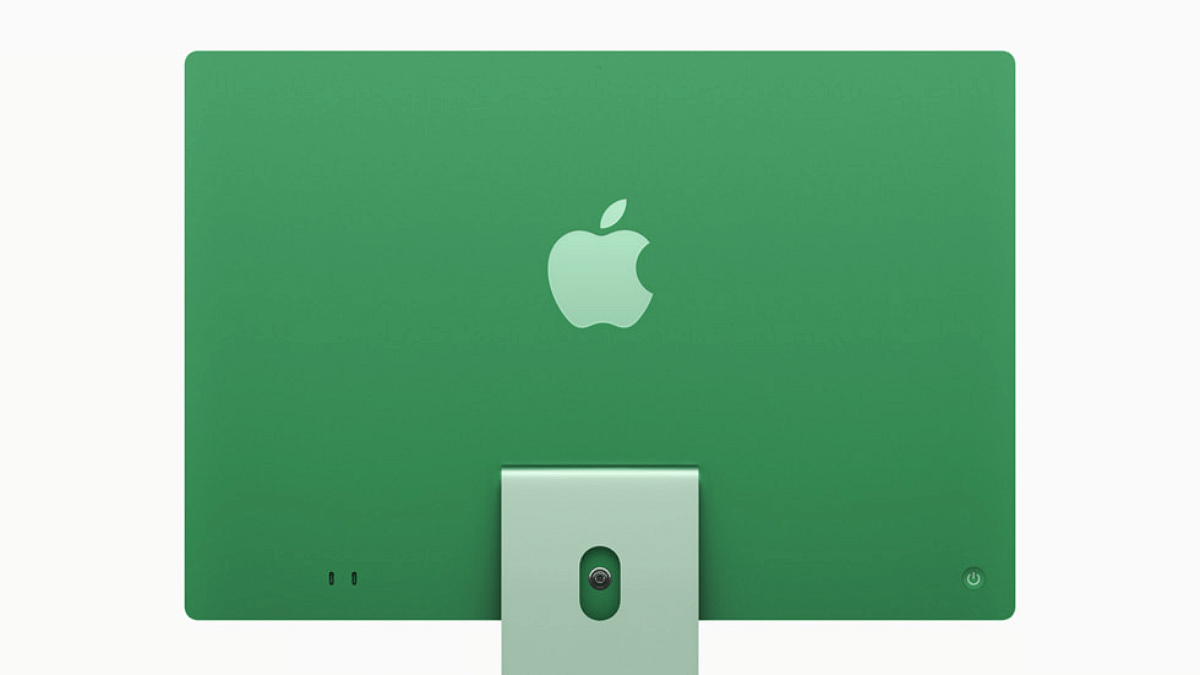
Users can choose from seven colors: Green, Yellow, Orange, Pink, Purple, Blue, and Silver. The 8-core model starts at Rs. 1,34,900 (Rs. 1,24,900 for students), and the 10-core model is priced at Rs. 1,54,900 (Rs. 1,44,900 for education).

For the tech geeks, stay updated with the latest cutting-edge gadgets in the market, exclusive tech updates, gadget reviews, and more right on your phone’s screen. Join Giznext’s WhatsApp channel and receive the industry-first tech updates.

Categories
Featured Info Laptop

Apple Set To Launch M4 Macs Next Week: What’s On The Horizon?

Key Highlights

  • Apple is launching M4-powered Macs next week
  • Lineup to include MacBook Pro, iMac, redesigned Mac Mini
  • An M4 MacBook Air is expected in early 2025.

Apple is gearing up for an exciting lineup of announcements as it prepares to unveil its new M4-powered Macs. After the recent release of the iPad Mini 7, Apple fans are eagerly awaiting what’s in store next week. Here’s a closer look at what we can expect.

Also Read | MacBook Performance Boost: How To Use High Power Mode On Apple MacBook

M4 Macs: Expected Features

New M4 Processors Across Devices

Apple is expected to introduce multiple devices powered by the M4 chip. This includes an entry-level 14-inch MacBook Pro, high-end 14-inch and 16-inch MacBook Pros with M4 Pro and M4 Max chips, an upgraded iMac, and a redesigned Mac Mini. These models will deliver significant performance enhancements across the board.

Compact And Redesigned Mac Mini

According to rumors, the Mac Mini will get the most visible overhaul among the lineup, potentially dropping to a size similar to the Apple TV. With this modification, it might become Apple’s tiniest desktop to date. This is intended for users that value desktop solutions that are both powerful and simple.

Familiar MacBook Pro And iMac Designs

The MacBook Pro and iMac models are expected to keep their distinctive appearances, but the Mac Mini is probably going to get a makeover. Since the M4 chip series will favor more processing power for faster, smoother performance, the focus here will be on the internal changes.

Boosted RAM For Entry-Level Models

It is expected that the entry-level M4 Macs would include 16GB of RAM rather than the previous 8GB. Future Apple Intelligence integrations are expected to be supported by this memory augmentation.

Apple Intelligence Launching Soon?

Apple’s AI-powered Apple Intelligence suite, which will come with iOS 18.1, is rumored to be released on October 28. AI-based innovations that improve user experience and customization can be included in this update.

Also Read | Tech Guide: How To Connect Any OnePlus Smartphone With Apple MacBook

Future Releases: MacBook Air M4

With a new MacBook Air model with the M4 CPU expected to launch in early 2025. It is anticipated to begin production by January and make its premiere sometime between January and March. This update comes after the March 2023 M3 chip update and the June 2023 release of a 15-inch model using the M2 chip for the most recent MacBook Air series.

For the tech geeks, stay updated with the latest cutting-edge gadgets in the market, exclusive tech updates, gadget reviews, and more right on your phone’s screen. Join Giznext’s WhatsApp channel and receive the industry-first tech updates.

Categories
Featured Info Laptop

HP Launches OmniBook Ultra Flip: The First AI-Powered 2-in-1 PC For Creators

Key Highlights

  • AI-powered 2-in-1 PC for creators and freelancers
  • Features Intel Core Ultra processors, 21-hour battery life, more
  • Starts at Rs. 1,81,999 with special offers until October 31, 2024

The OmniBook Ultra Flip, HP‘s first AI-powered 2-in-1 next-generation PC, has been released. They are intended for young artists and freelancers. With a dedicated NPU and Intel’s most recent Lunar Lake Processors, it provides unparalleled performance, adaptability, and style. Here are all the information you require.

Also Read | List Of Best Premium Gaming Laptops For E-Sports Gamers

HP OmniBook Ultra Flip: Features

  • There are various settings available for the OmniBook Ultra Flip. It can effortlessly transition between tablet, laptop, and tent modes. It is ideal for people who wish to sketch, edit, or collaborate while on the go because it has a 2.8K OLED display, a haptic touchpad, and inking capabilities.
  • Built with 90 percent recycled metals and 50 percent post-consumer recycled plastics, the OmniBook Ultra Flip is EPEAT Gold and ENERGY STAR certified.
  • With its Intel Core Ultra processors and specialized AI engine, the OmniBook Ultra Flip boosts productivity and makes local generative AI possible for the creation of imaginative content. 48 tpos are performed by its NPU. It is perfect for graphic design, video editing, and more.
  • For creators on the move, the OmniBook Ultra Flip provides up to 21 hours of battery life, ensuring that you can work uninterrupted for longer periods.
  • With its 9MP AI camera and Poly Audio, the device offers crystal-clear audio and video for online meetings and teamwork. The AI-powered camera is perfect for distant work because it enhances video quality as well.
  • HP’s Wolf Security, powered by AI, ensures your data is protected from cyber threats with features like a security chip and a self-healing PC core. Additionally, the McAfee Smart AI Deepfake Detector helps protect users from fraud and misinformation.
  • The built-in AI Companion uses generative AI to help with content creation, task management, and performance optimization. The Poly Camera Pro utilizes the NPU to improve webcam features while preserving battery life.

Also Read | Best Gaming Laptops Under Rs. 50,000

Pricing And Availability

ModelPriceColors
HP OmniBook Ultra Flip 14 Ultra 7Rs. 1,81,999Eclipse Grey, Atmospheric Blue

The HP OmniBook Ultra Flip 14 Next-Gen AI PC Ultra 9 will be available on HP online store, Amazon, Flipkart along with offline stores in Atmospheric Blue color. Besides, Adobe Photoshop Elements and Premier Elements, worth Rs. 9,999, will be given away for free to customers who buy the HP OmniBook Ultra by October 31, 2024.

For the tech geeks, stay updated with the latest cutting-edge gadgets in the market, exclusive tech updates, gadget reviews, and more right on your phone’s screen. Join Giznext’s WhatsApp channel and receive the industry-first tech updates.