Categories
Apps Featured

The Insta-Famous Five: Check Top Five Most-Followed Instagram Accounts

Key Highlights

  • Instagram leads with 400 million followers, shaping global trends
  • Cristiano Ronaldo’s over 600 million followers see his glam life and charity work
  • Kylie Jenner’s 400 million followers boost her cosmetics empire with savvy social media

In the dynamic world of social media, Instagram reigns supreme as one of the most influential platforms, boasting over a billion active users. Among this vast ocean of profiles exists an elite group whose popularity transcends borders, cultures, and demographics. These are the top five most-followed Instagram accounts, each commanding an enormous following and shaping trends in their own unique way.

Also Read | Duolingo Delight: Top Five Features For Effortless Language Learning

AccountFollowers
@cristiano621M
@leomessi499M
@selenagomez429M
@kyliejenner400M
@therock397M

Cristiano Ronaldo

As one of the greatest footballers of all time, Cristiano Ronaldo is a global icon both on and off the field. With over 600 million followers, his Instagram profile offers fans an intimate glimpse into his glamorous lifestyle, complete with luxury cars, exotic vacations, and behind-the-scenes moments with fellow athletes and celebrities. Beyond celebrity endorsement, Ronaldo leverages his platform to promote charitable causes and inspire millions with messages of perseverance and dedication.

Lionel Messi

The maestro of football, Lionel Messi, not only mesmerizes on the field but also on Instagram with over 400 million followers. His account showcases his unparalleled skills, personal moments with family, and his philanthropic efforts, making him a beloved figure both on and off the pitch.

Also Read | Top Five Shopping Apps In India For Fashion Enthusiasts

Selena Gomez

With over 400 million followers, Selena Gomez reigns as one of Instagram’s most-followed stars. Gomez shares snapshots of her life, career updates, and glimpses into her creative process, maintaining a strong connection with her fans and solidifying her status as a pop culture icon.

Kylie Jenner

As the youngest member of the Kardashian-Jenner dynasty, Kylie Jenner has leveraged her family’s fame to build a personal brand empire. With 400 million followers, her Instagram profile offers a curated glimpse into the world of beauty, fashion, and luxury lifestyle. Jenner’s strategic use of social media marketing has propelled her cosmetics company, Kylie Cosmetics, to unprecedented success, solidifying her status as a beauty mogul and influencer extraordinaire.

Dwayne “The Rock” Johnson

From professional wrestling to Hollywood superstardom, Dwayne Johnson, affectionately known as “The Rock,” has amassed a loyal following of over 250 million on Instagram. With his trademark blend of charisma and authenticity, he shares glimpses of his intense workouts, motivational insights, and heartfelt interactions with fans. Johnson’s unwavering positivity and relentless work ethic have solidified his status as not just a celebrity, but a cultural phenomenon.

Also Read | Chart-Toppers: Check Out The World’s Five Most Popular YouTube Channels

Conclusion

The top five most-followed Instagram accounts represent a diverse array of personalities and interests, yet they all share a common trait: the ability to captivate and inspire millions with their content. Whether it’s through stunning visuals, motivational messages, or personal anecdotes, these influencers have mastered the art of engaging with their audience and leaving a lasting impression on the digital landscape.

For the tech geeks, stay updated with the latest cutting-edge gadgets in the market, exclusive tech updates, gadget reviews, and more right on your phone’s screen. Join Giznext’s WhatsApp channel and receive the industry-first tech updates.
Categories
Apps Featured Info

Google’s AI Chatbot, Gemini, Goes Global: Now Available In 150+ Countries

Key Highlights

  • Google’s Gemini talks in 3 languages (English, Korean, Japanese).
  • Now in over 150 countries, including India.
  • Access Gemini through the Google app.

Google’s innovative AI chatbot, Gemini is now accessible in over 150 countries and territories. This expansion, following its initial US launch, offers a wider audience the opportunity to experience the power of AI-driven conversations. Let’s explore the specifics of this expansion and its significance for users all around the globe.
Also Read: Google Gemini Advanced vs ChatGPT Plus: A Head-to-Head Comparison

Google Gemini App: Key Highlights

  • Global Availability: Launched on February 8th, Gemini’s reach now extends to over 150 countries, including India.
  • Multiple Languages: Users can interact with Gemini in English, Korean, and Japanese, ensuring inclusivity for diverse linguistic backgrounds.
  • Android & iOS Support: Android users with devices running Android 12 or higher (minimum 4GB RAM) can download the dedicated Gemini app. iPhone users with iOS 16 or later can access Gemini through a toggle within the Google app.
  • Phased Rollout: The global rollout is ongoing, ensuring a smooth integration for users worldwide.
  • Account Access: Requires a personal Google Account or a Workspace account authorized by the administrator.

Also Read: How to Use Gemini AI as Your New Assistant on Android (Step-by-Step Guide)

Google Gemini App: Benefits

  • Enhanced Global Reach: Gemini facilitates communication across diverse geographical and linguistic barriers.
  • AI-powered Conversations: Users can leverage Gemini’s advanced AI capabilities for tasks like writing, planning, learning, and more.
  • Seamless Integration: Android users can enjoy a dedicated app experience, while iPhone users can access Gemini through the Google app.
  • Evolving Language Support: The initial three languages lay the groundwork for future expansion and inclusivity.

Also Read: Is Google’s Gemini A Better ChatGPT Alternative? Let’s Find Out!

Looking Ahead

The global availability of Gemini marks a significant step in democratizing AI-driven interactions. As the app evolves, its language support and functionalities are expected to expand, further bridging the gap between technology and diverse audiences worldwide.

Categories
Apps Featured How To

YouTube Rolls Out Music Video Integration: Here’s How To Level Up Your Shorts Game

Key Highlights

  • YouTube now enables users to integrate music videos into Shorts
  • Four tools – Sound, Green Screen, Cut, and Collab – offer versatile creative options
  • Users can easily use Remix by selecting a music video and applying desired tools for their Shorts

YouTube has just rolled out an innovative feature aimed at enriching users’ experiences in creating Shorts, the platform’s own rendition of short-form vertical videos. This newly introduced feature, called Remix, empowers users to incorporate music videos from their preferred artists into their own Shorts. Also Read | YouTube Tips And Tricks: Best Features You Must Try On Your Phone

This development holds significant weight, especially following Universal Music Group’s recent decision to withdraw its entire catalog from TikTok, resulting in the removal of songs and videos from notable artists like Taylor Swift and Ariana Grande. In contrast, YouTube has ramped up its efforts with Remix, offering TikTokers a compelling motivation to transition their content creation endeavors to the platform.

Understanding YouTube’s Remix Feature

YouTube, in a blog post announcement, elaborated on the functionalities of Remix, introducing four distinct tools – Sound, Green Screen, Cut, and Collab – tailored for Short creators. Users are granted the flexibility to leverage any combination of these tools to fill music videos into their Shorts, fostering creativity and versatility. Below is a breakdown of the newly introduced tools:

  • Sound: This tool enables users to extract audio directly from the music video for use in their Shorts, enhancing the auditory appeal of their content.
  • Collab: With this feature, users can produce videos alongside the music video, facilitating synchronized performances with friends or collaborators, seamlessly integrated within the Short.
  • Green Screen: Similarly, this tool empowers users to use the music video as a dynamic background for their Shorts, allowing for real-time reactions and interactions layered over the video content.
  • Cut: Offering a streamlined editing capability, this feature enables users to trim a five-second clip from the music video and seamlessly integrate it into their Shorts.

Also Read | YouTube Tips And Tricks: How Can You Watch Age Restricted Videos On YouTube Mobile App, Desktop Version

How To Use YouTube’s Remix Feature In Shorts

For users eager to explore the potential of YouTube’s Remix feature in creating Shorts, here is a step-by-step guide:

Step 1: Select the desired music video and tap the Remix button adjacent to the Share button to start the process.

Step 2: Navigate through the available tools – Sound, Green Screen, Cut, and Collab – and choose the desired option to complement your creative vision.

Step 3: Record your personalized video content, incorporating the selected tools, and proceed to publish your Short, showcasing your unique blend of creativity and musical expression.

Conclusion

YouTube’s Remix feature heralds a new era of innovation and collaboration within the realm of short-form video creation, empowering users to unleash their creativity and forge deeper connections through the universal language of music and visual storytelling.

Also Read | YouTube Tips And Tricks: How To Download YouTube Shorts Videos Offline

Categories
Apps Featured Info

Finally! Take Control of Your WhatsApp Groups: Transfer Ownership & Reports

Key Highlights

  • Users will be able to transfer ownership to others, share admin duties soon.
  • You can get automatic monthly reports on your group activity, currently in testing.
  • Users will be able to manage group smoothly, gain insights with automated reports.

Meta, the parent company of WhatsApp, is actively testing new features for its one-way communication tool, Channels. Among these exciting updates is the highly anticipated WhatsApp Channel Ownership Transfer. This feature, currently available in beta, empowers owners to easily transfer their groups to other eligible users, streamlining community management and ensuring continuity.

Also Read: WhatsApp’s New Feature Lets You Call Your Favourites Instantly: What It Is? Availability

Transferring Ownership:

  • Simple Process: The new option resides within the channel settings screen. Current owners can initiate the transfer by selecting a new owner from a list of eligible users.
  • Full Administrative Control: Once accepted, the new owner gains complete control over the channel, including managing settings, information, and even deleting the channel.
  • Enhanced Flexibility: This feature empowers owners to assign administrative duties based on need, fostering collaboration and ensuring smooth transitions.

Also Read: Apple CarPlay Hidden Tips: How To Optimize CarPlay Settings For Enhanced Drive Experience

Availability:

  • Beta Testing: The feature is currently rolling out to a select group of beta testers on Android. More users will gain access in the coming days.
  • Google Play Beta Programme: Join the programme to access the update labelled “compatible update.”
  • Gradual Rollout: Some users might need to wait for future updates to activate the feature.

Also Read: How To Create Quick Replies In Google Messages On Android

Automated Reporting (Coming Soon):

  • Effortless Insights: WhatsApp is developing a feature to automatically generate monthly reports on user account and channel activity.
  • Streamlined Access: Users can access these reports by navigating to WhatsApp Settings > Account > Request Account Info.
  • No More Waiting: This feature eliminates the 3-day wait for manually requested reports, ensuring timely and consistent information.
  • Improved User Experience: Users can easily track changes and monitor activity without manually requesting reports, saving time and effort.

Also Read: Track Your WhatsApp Channels: Automatic Reports Coming Soon!

Wrapping up

The WhatsApp Channel Ownership Transfer and upcoming automated reporting features mark a significant step forward in community management. By empowering owners and providing valuable data, these features promise to enhance the user experience and create a more efficient and collaborative communication environment on WhatsApp Channels.

Categories
Apps Featured Info

Meta’s Monetization Move: Facebook, Instagram Users To Face Apple Service Fee

Key Highlights

  • Apple imposes a 30 percent service fee on boosted posts via Meta’s iOS apps
  • Boosting via browser avoids Apple charges, but not on iOS
  • Meta Ads Manager is exempt from Apple fees for ad campaigns

Meta Platforms announced on Thursday a significant change affecting businesses using its social media apps Facebook and Instagram on iOS. The company disclosed that a 30 percent service charge imposed by Apple would apply to posts boosted by businesses on these platforms. Also Read | Facebook Tips And Tricks: How To Create And Upload Facebook Reel Videos

Impact On Advertisers

Advertisers seeking to boost their content on Instagram and Facebook through iOS apps will now encounter an additional 30 percent service charge levied by Apple. However, Meta emphasized that businesses can still boost their content via a browser without incurring these charges.

Implementation Timeline And Markets Affected

Meta stated that it would begin the enforcement of these changes in the United States this month, with plans to extend the service fee to other markets later in the year. This adjustment aligns with Apple’s updated App Store guidelines introduced in 2022.

Meta’s Response And Business Continuity

In response to inquiries about the potential repercussions of this alteration, a Meta spokesperson refrained from providing specific details. However, Meta asserted its commitment to maintaining the option for businesses to boost posts, citing the importance of supporting small enterprises by facilitating discoverability and promoting their businesses effectively.

Also Read | Facebook Tips And Tricks: Here’s How You Can Easily Change Facebook Profile Name

Payment Process And Billing Responsibility

Under the new arrangement, advertisers boosting posts on iOS will be billed directly by Apple, requiring payment in advance rather than post-advertisement. Consequently, Meta will no longer handle billing for boosted posts on iOS.

Explanation Of Boosted Posts And Digital Service Requirement

Boosted posts serve as a tool offered by Meta for businesses seeking to enhance the visibility of their content on Facebook and Instagram, streamlining the promotional process without necessitating engagement with Meta’s Ads Manager. Apple defended the service charge, emphasizing that boosting posts qualifies as a digital service, thus necessitating In-App Purchase, as has been the norm.

Exemption For Separate Advertising Campaign Management App

Notably, Apple clarified that Meta customers can continue to use the standalone app “Meta Ads Manager” to manage ad campaigns without incurring Apple’s commissions. This exemption is granted due to the distinct classification of the app as an advertising campaign management tool.

Conclusion

Meta’s decision to implement an additional service charge for boosted posts on iOS devices underscores the evolving dynamics between tech giants and app developers, with potential implications for advertisers and small businesses alike. As this change takes effect, stakeholders will closely monitor its impact on digital advertising strategies and business operations.

Also Read | Meta Quest 3 Takes Lead In Mark Zuckerberg’s Review, Outranking Apple Vision Pro

Categories
Apps Featured

Brighten Up Your J-Hope Instagram Fan Page: 100+ Username Ideas For True Hobi Stans

Key Highlights

  • J-Hope of BTS’ nearing birthday inspires an Instagram fan page
  • It showcases admiration for his vibrant persona and talent
  • Expressing appreciation within the Instagram community

Like thousands out there, are you also crazy for BTS’s sunshine member, J-Hope? If you’re nodding along enthusiastically, you’re in for a treat! With J-Hope’s birthday nearing, creating a fan page in his honor celebrates his vibrant talent and charisma, offering a heartfelt tribute to his artistry and personality. Here, we’re diving deep into the world of creating the ultimate username for a fan page dedicated to our beloved J-Hope. Let’s channel our ARMY spirit and creativity to create something truly special! Also Read | 100+ BTS Suga-inspired Username Ideas For Your Instagram Fan Account

Cool Username Ideas For BTS’ J-Hope

JHope Joyous JamsHobi HarmonySunshine Hoseok
Hopeful HobiDance With HopeJHope Fever
Hopeful MelodiesJHopes Happy HourHobi Heartbeat
Hopeful VibesJung Hoseok JamsHoping With Hobi
Hobi LaughsHopeful HypeHobi Magic
JHopeful ExpressionsDancing Sunshine HobiHobi Highlight
Hopeful RhythmsJHopeful SpiritHobi Harmonizer
Hope Filled HoseokJHopeful JourneyHobi Happy Hour

Unique Username Ideas For BTS’ J-Hope

Hobi VerseJHopeful AuraHopes And HipHop
Sunbeam HoseokHobi HarmonyHopeful Rhythms
JHopes JubilanceHobi HeartstringsDance Dynamo Hobi
Sunshine SerenadeHobi MelodiesJHopeful Groove
Hopeful HavocHobi BounceHopeful Whirlwind
JHopes JiveHobi BeatsHopeful Vibes
JHope JoyrideHobi FusionRhythm Of Hoseok
Hopeful HarmonyHobi CrescendoJHope Smiles

Also Read | Are You A BTS Fan? Here Are The 100 Best Instagram Names For BTS Army

Creative Username Ideas For BTS’ J-Hope

JHope To The WorldHobi Doodle DanceHopi Cola
JHopesterHobi The Dancing SunJHope Copter
Happy HobiHobi HopscotchJHope Tastic
JHilariousHobi Laughs A LotHope Hilarity
JHope In My StepHobi Happiness HubHobi Joker
JHope HopscotchHobi GigglesHope And Humor
Joking With JHopeHobi Hilarity HubJHopeJester
Laughter With HobiHobi HaHaHopeful Hilarity

Verdict

Choosing a username for a J-Hope fan page should reflect his positivity, creativity, and impact on fans. Whether it’s through his dance moves, infectious smile, or inspiring lyrics, the username should evoke a sense of belonging and admiration within the BTS Army community, celebrating J-Hope’s unique presence in the music industry.

Also Read | Creating BTS Jimin Fan Account? Check Out 100+ Unique Instagram Username Ideas

Categories
Apps Featured How To

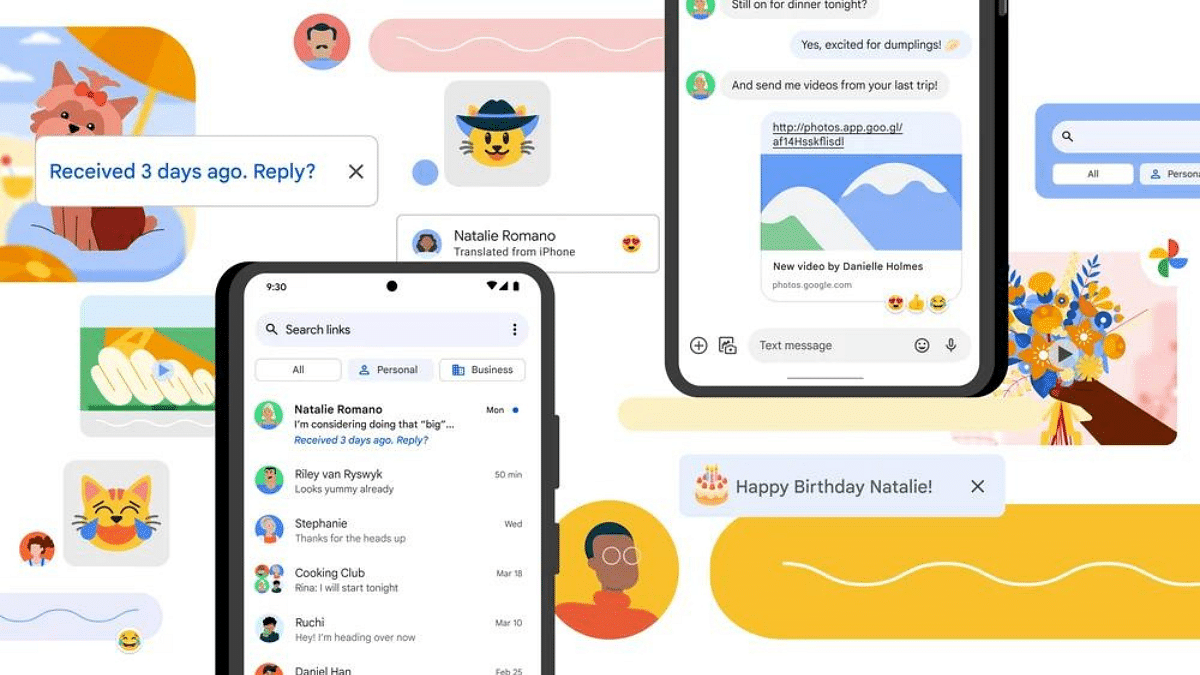
How To Create Quick Replies In Google Messages On Android

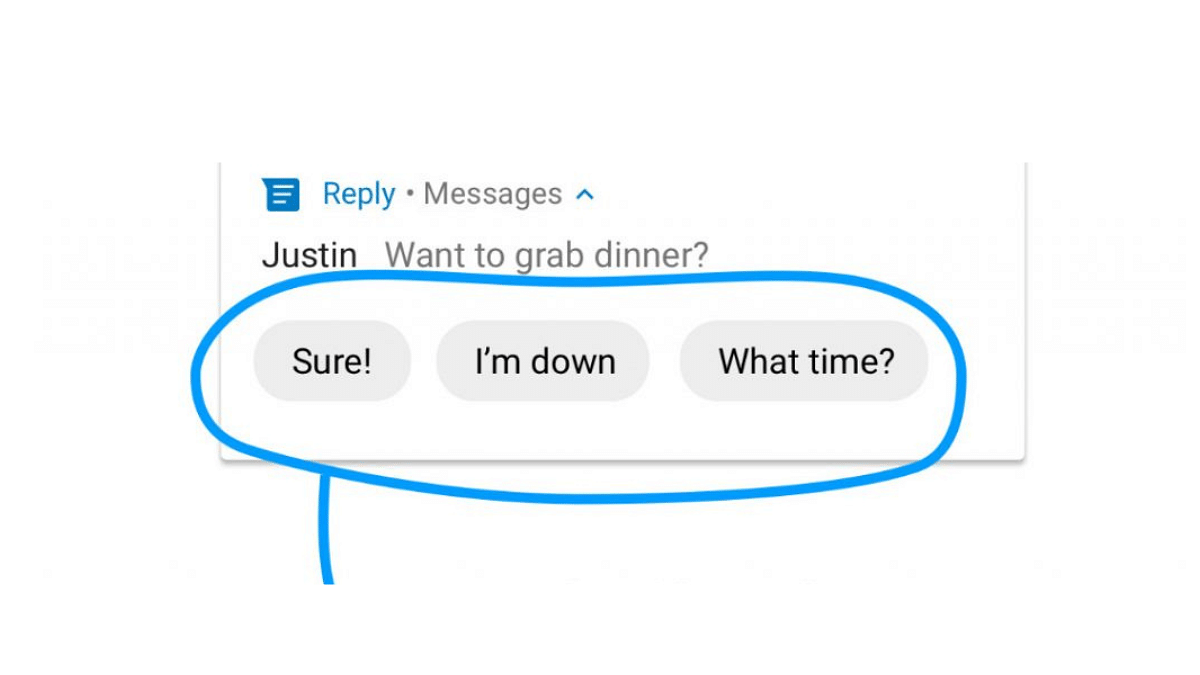
In today’s fast-paced world, navigating the constant influx of messages requires efficient tools. Google Messages recognizes this need and offers “Quick Replies,” a feature that fosters swift and personalized communication.

Also Read: Google Gemini Advanced vs ChatGPT Plus: A Head-to-Head Comparison

Why Quick Replies?

Quick Replies are pre-written responses you can send with a single tap, saving you valuable time and effort. Whether you’re responding to a quick question, acknowledging a message, or expressing your thanks, Quick Replies allow for efficient communication without sacrificing personality.

Also Read: How To Create Stickers On Instagram With Cutouts

Setting Up Quick Replies:

  1. Open the Menu: Tap your profile picture in Google Messages and head to “Messages Settings.”
  2. Enable/Disable Suggestions: Toggle “Suggestions” on or off. When enabled, Google Messages will suggest context-based quick replies.
  3. Edit or Remove Existing: Tap existing suggestions to edit or delete them.
  4. Add Your Own: Tap the “+” icon and type your desired response. Hit “Save” to add it to your list.

Also Read: How To Withdraw Amazon Pay Balance To Your Bank Account: A Step-by-Step Guide

Additional Tips:

  • Google Messages might also suggest “smart replies” based on message content. These cannot be edited or saved as custom replies.
  • Specific steps and options may vary slightly depending on your device and Android version.

Also Read: How To Use Google Collections As Your Ultimate Web Archive

Remember:

  • Choose Quick Replies that are relevant to your frequent conversations.
  • Keep them concise and clear for easy understanding.
  • Update your list regularly to reflect your evolving communication needs.

By utilizing Quick Replies, you can effectively manage your message inbox while maintaining a personal touch in your communication. This feature empowers you to streamline your interactions and optimize your time spent messaging.

Categories
Apps Comparison Featured Info

Google Gemini Advanced vs ChatGPT Plus: A Head-to-Head Comparison

Google One AI Premium Plan (Gemini Advanced) and ChatGPT Plus, both offer impressive capabilities, but choosing the right one depends on your specific needs and preferences. Let’s dive into a comparison to help you make an informed decision.

Also Read: Update: ChatGPT Introduces Memory Feature – What It Means for You

Google Gemini Advanced vs ChatGPT Plus: Features

1. AI Engine:

  • Google One AI Premium Plan: Gemini, Google’s advanced AI tool, excels in diverse tasks like writing, translation, and information retrieval.
  • ChatGPT Plus: Boasts access to GPT-4, OpenAI’s most powerful language model, for cutting-edge writing, coding, and creative content generation.

2. Customization:

  • Google One AI Premium Plan: Currently lacks customizability options for Gemini.
  • ChatGPT Plus: Offers “GPT Builder,” allowing you to tailor your own GPT model for specific needs.

3. Accessibility:

  • Google One AI Premium Plan: No guaranteed access during peak times.
  • ChatGPT Plus: Ensures general access even during peak usage hours.

4. Speed:

  • Google One AI Premium Plan: Response times may vary depending on usage.
  • ChatGPT Plus: Prioritizes faster response times for a smoother experience.

5. Additional Features:

  • Google One AI Premium Plan: Includes 2TB cloud storage, expert support, family sharing, photo editing tools, and dark web monitoring.
  • ChatGPT Plus: Offers priority access to new features and improvements.

Also Read: How to Use Gemini AI as Your New Assistant on Android (Step-by-Step Guide)

Google Gemini Advanced vs ChatGPT Plus: Price

ChatGPT

Both services have similar price tags, with Google One AI Premium Plan starting at Rs. 1950 and ChatGPT Plus slightly higher at Rs. 1960. The decision boils down to which features hold more value for you.

Also Read: Google’s AI: Bard or Gemini? What You Need To Know About The Rebranding

Which One To Choose?

  • Versatility and Value: If you need a well-rounded package with AI capabilities, cloud storage, and extra features like photo editing and dark web monitoring, Google One AI Premium might be your best bet.
  • Cutting-Edge AI and Customization: If you prioritize raw AI power, personalized language models, and guaranteed access during peak times, ChatGPT Plus could be your ideal choice.

Remember, the AI landscape is dynamic. Both Google and OpenAI are constantly pushing boundaries. Keep an eye out for future developments and updates that might influence your decision down the road.

Categories
Apps Featured Info

Update: ChatGPT Introduces Memory Feature – What It Means for You

Key Highlights

  • ChatGPT learns & recalls info for smoother conversations.
  • Users can now manage what’s remembered, forget & turn it off.
  • Chats stay private, data opt-out & temporary chats available.

ChatGPT, the popular AI chatbot known for its engaging and informative conversations, has unveiled a game-changing feature: memory. This innovative addition promises to revolutionize the way users interact with the chatbot, offering a level of personalization and efficiency never seen before.

Also Read: Is Google’s Gemini A Better ChatGPT Alternative? Let’s Find Out!

What Does the Memory Feature Do?

Imagine having a conversation with a friend who remembers everything you’ve talked about. It allows the chatbot to:

  • Remember specific details you discuss, like your preferences, hobbies, or past conversations.
  • Tailor its responses to your individual needs and interests, making them more relevant and helpful.
  • Save you from repeating yourself, eliminating the need to re-explain things in different chats.

Also Read: Chatgpt Vs Microsoft Copilot: Which One Is A Better AI Tool?

You’re in Control of Your Memories

ChatGPT

Privacy is paramount, and ChatGPT puts you in control. You can:

  • Tell ChatGPT to remember or forget specific information.
  • Manage your memories through settings, choosing what to keep and what to delete.
  • Turn off the memory feature entirely if you prefer anonymous chats.

Also Read: Have You Tried Google’s ImageFX Yet? Learn How To Use This New AI Image Generator

Testing and Transparency

The memory feature is currently in a pilot phase, with plans for wider rollout soon. This ensures the company gathers valuable user feedback before making it available to everyone. OpenAI, the developers behind ChatGPT, are committed to transparency and ethical AI development. They emphasize that:

  • Your conversations are private and secure. Memories aren’t linked to specific chats, and deleting a chat doesn’t erase associated memories.
  • You can opt out of contributing your data for model improvement if you prefer.

Also Read: ChatGPT Is Now Available On Android Starting Next Week

Temporary Chat:

If you prefer fleeting conversations, ChatGPT offers a “temporary chat” option. This ensures your interactions are self-contained, leaving no trace in the memory or model training.

Also Read: Is Google’s Gemini A Better ChatGPT Alternative? Let’s Find Out!Google’s AI: Bard or Gemini? What You Need To Know About The Rebranding

What’s Coming Up?

ChatGPT

ChatGPT’s memory feature is a significant step forward in AI-driven interactions. By fostering personalized and efficient conversations, it has the potential to:

  • Enhance user experience and satisfaction.
  • Boost the effectiveness of AI applications in various fields.
  • Shape the future of human-computer interaction.

Categories
Apps Featured Info

How Gmail is Reducing Unwanted Emails in 2024: Here’s What’s Changing

Key Highlights

  • Gmail cracks down on bulk senders with new rules.
  • One-click buttons let you ditch unwanted emails instantly.
  • Non-compliant emails face rejection from April, rising over time.

Tired of your Gmail overflowing with unwanted promotional emails and spam? Google’s got your back! They’re implementing a multi-pronged approach to significantly reduce spam emails, promising a cleaner, more manageable inbox for users. Here’s what you need to know:

Also Read: How to Draft Emails with Voice in Gmail: A Step-by-Step Guide

Targeting Bulk Senders:

Google’s focus is on bulk email senders, who often bombard users with unwanted messages. New policies require these senders to:

  • Authenticate their messages: This ensures messages are legitimate and not spoofed.
  • Only send to opted-in recipients: No more unsolicited emails! Senders must have valid consent from recipients.

Also Read: Is Google’s Gemini A Better ChatGPT Alternative? Let’s Find Out!

One-Click Unsubscribe Ease:

Say goodbye to buried unsubscribe links! By June 2024, all commercial and promotional emails from bulk senders must have a prominent, one-click unsubscribe button. Opting out will be easier than ever.

Also Read: Gmail App Now Offers Built-in Translation Feature: Here’s How To Use It

Implementation Timeline:

Here’s how Google’s plan unfolds:

  • February 2024: Bulk senders who don’t comply receive temporary errors – a warning to address issues.
  • April 2024 onwards: Google begins rejecting a portion of non-compliant emails, gradually increasing over time. This incentivizes senders to comply.

Also Read: Gmail Tips And Tricks: How To Secure Your Google Account With Two-Factor Authentication

Impact on Senders:

Failing to comply with Google’s new requirements means your emails won’t reach Gmail users. This incentivizes senders to prioritize user preferences and clean up their practices, ultimately leading to a healthier email ecosystem for everyone.

Also Read: Is Google Deleting Your Gmail Account Next Month? Here’s The Truth

What Does This Mean for You?

  • Less time spent wading through spam.
  • More control over your inbox with easy unsubscribe options.
  • A more reliable and trustworthy email experience.
  • A potential shift towards more relevant and personalized email marketing.

While it might take some time for the full impact to be felt, Google’s new anti-spam measures mark a significant step toward a cleaner, more user-friendly inbox. So, rejoice, email users! The fight against spam is finally gaining traction, and your inbox is about to become a much more pleasant place to be.