Categories
Apps Featured Info

Don’t Get Hacked! Update Chrome ASAP Following Govt Warning

Key Highlights

  • Update now to avoid high-risk attacks in India.
  • CVE-2024-1283 & 1284 open doors to data theft & DoS.
  • Update Chrome for Windows, Mac & Linux to versions 122.0.6167.162+

Indian government’s cybersecurity watchdog, CERT-In, has issued a critical alert urging Google Chrome users in India to update their browsers immediately. This urgent warning comes after discovering multiple “high-risk” vulnerabilities in Google Chrome versions 122.0.6167.160 and before, affecting both Windows and macOS/Linux users.

Also Read: Google Maps Levels Up: Android Users Gain Access To iOS Exclusive Weather Feature

What’s the Threat?

These vulnerabilities, identified as CVE-2024-1283 and CVE-2024-1284, pose a serious threat as they allow remote attackers to:

  • Execute arbitrary code: This could lead to attackers taking complete control of your device, potentially stealing sensitive information or launching denial-of-service attacks.
  • Exploit “Use after free” and “Heap buffer overflow” vulnerabilities: These technical terms essentially mean attackers can manipulate the browser’s memory, creating openings for malicious code injection.

Also Read: Is Google’s Gemini A Better ChatGPT Alternative? Let’s Find Out!

Who’s Affected?

If you’re using Google Chrome for Windows version 122.0.6167.160/161 or before, or Google Chrome for Mac/Linux version 122.0.6167.160 or before, you are at risk.

Also Read: Google Chrome’s New Feature: You Can Easily Monitor Tab RAM Usage Now

Stay Safe, Update Now!

The good news is there’s a simple solution: update your Google Chrome browser immediately. Head over to Chrome’s “Settings” menu, click “About Chrome,” and follow the prompts to download and install the latest update.

Google has released security fixes specifically addressing these vulnerabilities in the latest stable channel update.

Remember: Updating your browser takes just a few minutes but can save you from major headaches and security risks. Don’t wait, update Chrome today and stay safe online!

Also Read: How To Use Google Collections As Your Ultimate Web Archive

Stay Vigilant and Protect Yourself:
This Google Chrome vulnerability alert highlights the importance of staying updated with the latest security patches. Here are some additional tips:

  • Enable automatic updates: Set your browser to automatically download and install updates as they become available.
  • Be cautious of suspicious links: Don’t click on links or download attachments from unknown sources.
  • Use a strong password and consider a password manager: A strong and unique password helps protect your data from unauthorized access.
  • Install a reputable antivirus/antimalware software: This can offer additional protection against malicious threats.

By staying informed and taking proactive steps, you can significantly reduce your risk of falling victim to cyberattacks. Remember, updating your software and practicing safe online habits are crucial for protecting your data and privacy in today’s digital world.

Categories
Apps Featured How To Info

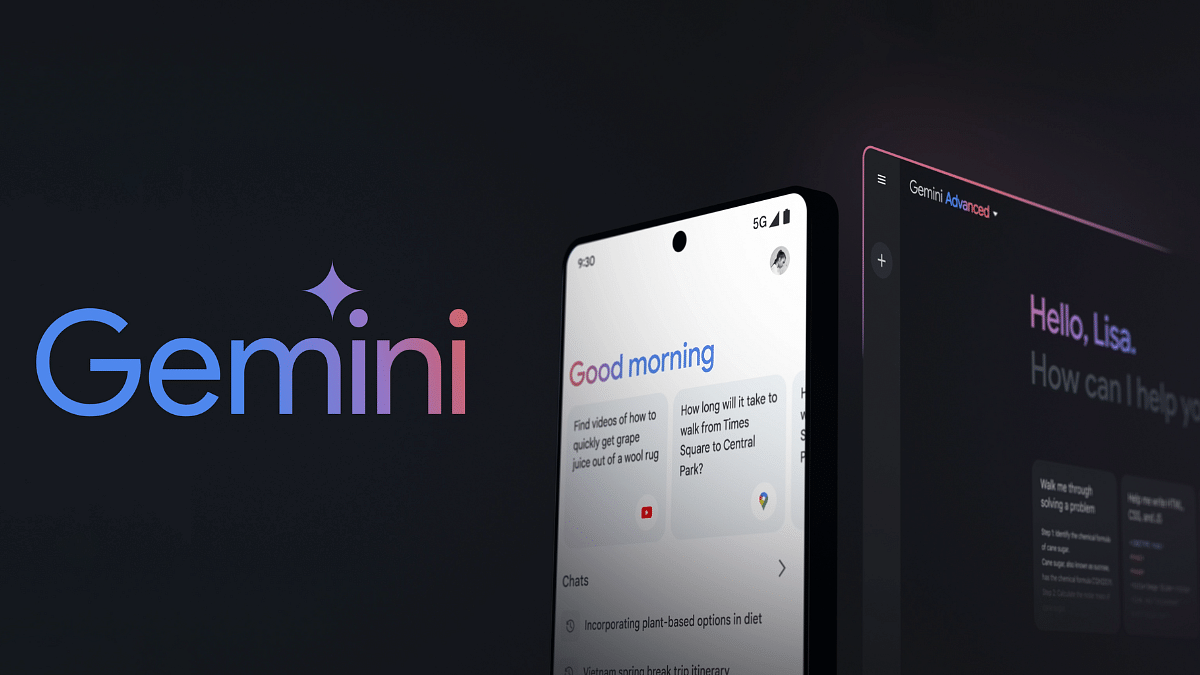
How to Use Gemini AI as Your New Assistant on Android (Step-by-Step Guide)

Key Highlights

  • Download APK, access advanced AI assistant before official release.
  • “Hey Google” triggers Gemini, enjoy new chat-like interactions.
  • Reminders, media control, routines missing – consider needs before switching.

Google’s Gemini AI has arrived, shaking up the Android assistant scene with its conversational prowess. But before you jump ship, let’s explore how to use it and what to expect.

Also Read: How To Use Google Collections As Your Ultimate Web Archive

Downloading Gemini (a temporary workaround):

Note: As of now, Gemini’s official release is limited to the US. However, don’t worry! You can still access it from other regions, but with an extra step:

  1. Download the Gemini APK file from a trusted third-party site like apkmirror.com.
  2. Grant permission to install apps from unknown sources in your device settings.
  3. Open the downloaded APK, install it, and embark on your Gemini journey.

Also Read: Google’s AI: Bard or Gemini? What You Need To Know About The Rebranding

Trading Google for Gemini:

Once set up, Gemini becomes your default assistant. “Hey Google” now triggers Gemini, taking over power button and gesture shortcuts too. But remember, this workaround is temporary – an official release is just around the corner.

Also Read: Have You Tried Google’s ImageFX Yet? Learn How To Use This New AI Image Generator

A Chatbot, Not a Replacement:

While Gemini shines in conversation, it’s different from your usual voice assistant. Certain beloved features won’t work:

  • Media Integration: Say goodbye to controlling podcasts, news, or third-party music apps for now.
  • Routines: Automated routines remain the domain of Google Assistant.
  • Reminders: Time to find another way to manage your tasks and to-dos.
  • Interpreter Mode: Need multilingual assistance? Google Assistant is still your champion.

Also Read: How To Remove An Image Background On Windows 11

Can You Go Back?

Absolutely! If Gemini doesn’t click, simply uninstall the app, and Google Assistant seamlessly reinstates itself as your digital sidekick.

Also Read: Is Google’s Gemini A Better ChatGPT Alternative? Let’s Find Out!

Final Verdict

Gemini offers a glimpse into the future of conversational AI, but it’s still evolving. Be aware of its limitations before making the switch. Keep an eye out for the official release for wider accessibility and potential feature updates. Remember, the choice is yours – embrace the future with Gemini or stick with the familiar Google Assistant.

Categories
Apps Featured

Valentine’s Day 2024 Special: Top Five Romantic Movies To Watch On OTT With Your Partner

Valentine’s Day is just around the corner, and what better way to celebrate than with a cozy movie night with your special someone? Whether you’re cuddled up on the couch or enjoying a romantic evening at home, here are five must-watch Valentine’s Day movies that are sure to set the mood and make your heart flutter. Also Read | Valentine’s Day Gift Options: Cool Gadgets From Noise, Qubo, And More

1. The Notebook (Netflix)

‘The Notebook’ is a timeless classic when it comes to romantic movies. Based on Nicholas Sparks’ bestselling novel, this film tells the epic love story of Noah and Allie, played by Ryan Gosling and Rachel McAdams. Set against the backdrop of the 1940s, the movie follows the couple’s passionate and rowdy relationship as they navigate the challenges of social class, family expectations, and war. With its sweeping romance, tear-jerking moments, and unforgettable chemistry between the leads, ‘The Notebook’ is a perfect choice for a Valentine’s Day movie marathon.

2. La La Land (Netflix)

‘La La Land’ is a modern musical masterpiece that captivated audiences and critics alike. Starring Emma Stone and Ryan Gosling, this enchanting film follows the love story of Mia, an aspiring actress, and Sebastian, a jazz musician, as they pursue their dreams in Los Angeles. Set against a backdrop of vibrant musical numbers and breathtaking cinematography, ‘La La Land’ is a celebration of love, passion, and the pursuit of happiness. With its infectious songs and dazzling performances, this movie is guaranteed to sweep you off your feet this Valentine’s Day.

3. Pride and Prejudice (Netflix)

For fans of classic romance, ‘Pride and Prejudice’ is a must-watch on Valentine’s Day. Adapted from Jane Austen’s beloved novel, this timeless tale follows the spirited Elizabeth Bennet, played by Keira Knightley, as she navigates the complexities of love and social conventions in 19th-century England. Along the way, she encounters the brooding and enigmatic Mr. Darcy, portrayed by Matthew Macfadyen, leading to a captivating romance full of wit, charm, and undeniable chemistry. With its lush cinematography and captivating performances, ‘Pride and Prejudice’ is the perfect choice for a romantic evening with your partner.

Also Read | Valentine’s Day 2024: Four Gadgets That Make Hearts Flutter

4. Eternal Sunshine of the Spotless Mind (Amazon Prime)

If you’re looking for a more unconventional love story, ‘Eternal Sunshine of the Spotless Mind’ is the perfect Valentine’s Day movie. Starring Jim Carrey and Kate Winslet, this mind-bending romance follows Joel and Clementine, two strangers who undergo a procedure to erase memories of their failed relationship. As their memories are slowly erased, they begin to rediscover the love they once shared and the reasons why they fell for each other in the first place. With its inventive storytelling and heartfelt performances, ‘Eternal Sunshine of the Spotless Mind’ is a poignant exploration of love, loss, and the power of second chances.

5. When Harry Met Sally (Amazon Prime)

‘When Harry Met Sally’ is a classic romantic comedy that has stood the test of time. Starring Billy Crystal and Meg Ryan, this iconic film follows the decades-long friendship between Harry and Sally as they navigate the ups and downs of love, friendship, and life in New York City. Filled with witty dialogue, memorable moments, and unforgettable chemistry between the leads, ‘When Harry Met Sally’ is a heartwarming and hilarious exploration of the age-old question: Can men and women ever just be friends? Whether you’re watching it for the first time or revisiting it as a beloved favorite, ‘When Harry Met Sally’ is the perfect choice for a Valentine’s Day movie night with your partner.

Conclusion

So, grab some popcorn, snuggle up with your loved one, and get ready for a Valentine’s Day movie marathon filled with romance, laughter, and plenty of heartwarming moments. With these five must-watch movies, you’re sure to make this Valentine’s Day a truly unforgettable one.

Also Read | Looking To Wow Your Valentine? Check Out Our 2024 Gift Ideas

Categories
Apps Featured Info

Amazon Fab Phone Fest Live! Up to ₹20,000 Off & 40% On Mobiles

Key Highlights

  • Massive Deals: Up to ₹20,000 off, 40% on mobiles & accessories!
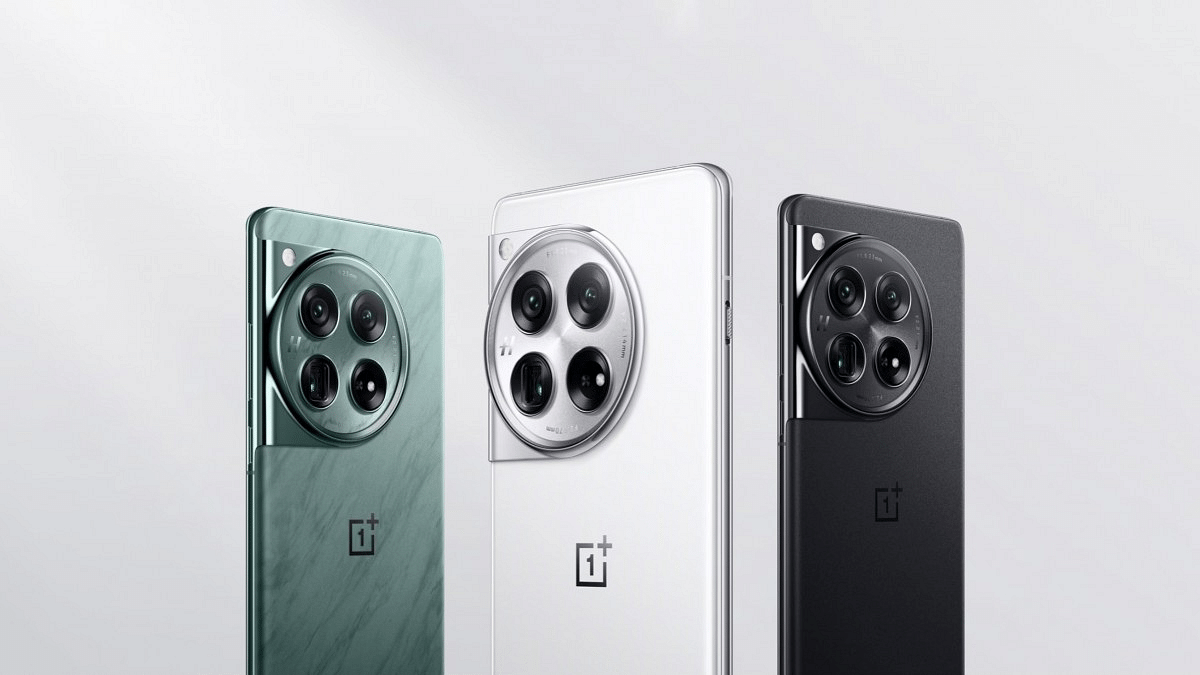
  • Top Brands: Apple, Samsung, Xiaomi, OnePlus & more at slashed prices.
  • Extra Savings: Exchange offers, no-cost EMI & bank discounts.

The Amazon Fab Phone Fest is here, offering up to ₹20,000 off on best-selling smartphones and up to 40% off on mobiles and accessories. This is your chance to upgrade your device or snag a great gift at incredible prices.

Also Read: iQOO Neo 9 Pro 5G Pre-Booking Now Live On Amazon: Check Out Deals

Unbeatable Savings on Top Brands:

You can browse a vast selection of smartphones from renowned brands like Apple, Samsung, Xiaomi, OnePlus, and more, all available at discounted prices. Whether you’re looking for a powerful flagship phone or a budget-friendly option, you’re sure to find the perfect device at the Fab Phone Fest.

Also Read: How To Use Google Collections As Your Ultimate Web Archive

Additional Offers:

Beyond the initial discounts, the Fab Phone Fest offers exciting ways to save even more:

  • Exchange Offers: Get up to ₹10,000 off on your current phone when you trade it in for a new one.
  • No-Cost EMI: Spread the cost of your new phone over convenient monthly installments with no additional interest.
  • Bank Offers: Enjoy instant discounts on select phones with specific credit and debit cards.

Also Read: Republic Day Sale 2024: Amazon, Flipkart, Myntra, And Others Announce Sale Dates

Trusted Brands and Accessories:

  • Shop with confidence: Amazon provides a platform for authorized sellers, ensuring you receive genuine products from trusted brands.
  • Complete your tech makeover: In addition to smartphones, the Fab Phone Fest features discounted accessories like cases, earphones, chargers, and more.

Also Read: How To Withdraw Amazon Pay Balance To Your Bank Account: A Step-by-Step Guide

Wrapping Up

With up to 40% off on mobiles and accessories, ₹20,000 savings on smartphones, and additional offers like exchange, EMI, and bank discounts, the Fab Phone Fest is an unmissable opportunity to upgrade your tech at fantastic prices.

You can visit Amazon.in today and explore the extensive selection of smartphones and accessories. Remember to check the terms and conditions for specific offers.

Categories
Apps Featured

Searching For Love? Check Out These Top Dating Apps For Valentine’s Day 2024

Are you ready to sprinkle some romance into your life this Valentine’s Day? Whether you’re single and ready to mingle or looking to add a spark to your current relationship, there’s no better time than Valentine’s Day to dive into the world of dating apps. With technology at our fingertips, finding love has never been easier, and these top dating apps are here to help you connect with potential matches in a fun and meaningful way. Also Read | Looking To Wow Your Valentine? Check Out Our 2024 Gift Ideas

Hinge

If you’re tired of endless swiping and shallow conversations, Hinge might be the app for you. With its focus on building meaningful connections through detailed profiles and thoughtful prompts, Hinge encourages users to get to know each other on a deeper level. Plus, with features like Hinge’s “Most Compatible” algorithm, you’ll be matched with people who are truly compatible with you.

Features:

  • Focuses on meaningful connections
  • Curated matches based on compatibility
  • “Most Compatible” algorithm suggests matches

Bumble

Ladies, if you’re tired of waiting for the perfect match to come to you, Bumble might be the app for you. On Bumble, women make the first move, giving them more control over who they connect with. Whether you’re looking for a serious relationship or just a casual fling, Bumble has options for everyone.

Features:

  • Women make the first move
  • Options for serious relationships and casual encounters
  • Additional features like Bumble BFF and Bumble Bizz

Tinder

As one of the most popular dating apps worldwide, Tinder needs no introduction. Its simple swipe-left-or-right interface makes it easy to browse through profiles and find potential matches in your area. Plus, with features like Tinder Boost and Super Likes, you can increase your chances of finding love this Valentine’s Day.

Features:

  • Swipe the interface for easy browsing
  • Boost and Super Likes for better match chances
  • Large user base for diverse options

Also Read | Valentine’s Day Gift Options: Cool Gadgets From Noise, Qubo, And More

OkCupid

Known for its comprehensive profiles and in-depth matching algorithm, OkCupid is perfect for those who are serious about finding love. With thousands of questions to answer and detailed profiles to explore, OkCupid helps you find matches based on compatibility and shared interests.

Features:

  • Detailed profiles with extensive questions
  • Advanced matching algorithm
  • Options for various relationship types

Coffee Meets Bagel

If you’re tired of swiping through endless profiles, Coffee Meets Bagel might be the app for you. With its curated matches and focus on quality over quantity, Coffee Meets Bagel sends you a limited number of matches each day based on your preferences. Plus, with features like Icebreakers and Photo Lab, you can easily spark conversations and make meaningful connections.

Features:

  • Curated matches sent daily
  • Icebreakers and Photo Lab for engaging conversations
  • Emphasis on quality connections

Match

As one of the oldest and most trusted dating sites, Match has helped millions of people find love over the years. With its extensive user base and advanced matching algorithm, Match connects you with potential matches based on compatibility, interests, and preferences. Whether you’re looking for a serious relationship or just a fun date for Valentine’s Day, Match has options for everyone.

Features:

  • Extensive user base worldwide
  • Advanced matching algorithm
  • Options for serious and casual dating

Happn

Ever crossed paths with someone interesting but didn’t get the chance to talk to them? Happn allows you to discover people you’ve crossed paths with in real life. With its unique location-based matching, Happn helps you connect with people you’ve encountered in your everyday life, making it perfect for finding love this Valentine’s Day.

Features:

  • Discovers people you’ve crossed paths with
  • Location-based matching
  • A unique chance to reconnect with missed connections

Conclusion

So why wait? Download one (or all) of these top dating apps and start your search for love today. Whether you’re looking for a serious relationship, a casual fling, or just someone to spend Valentine’s Day with, these apps have you covered. Who knows? You might just find the love of your life in time for Valentine’s Day!

Also Read | Best Matrimonial Apps To Download In India: List Inside

Categories
Apps Featured Info

PhonePe Indus Appstore With Zero Fees Launching Soon In India: Check Details Here

Key Highlights

  • Indus Appstore is all set to launch on February 21st.
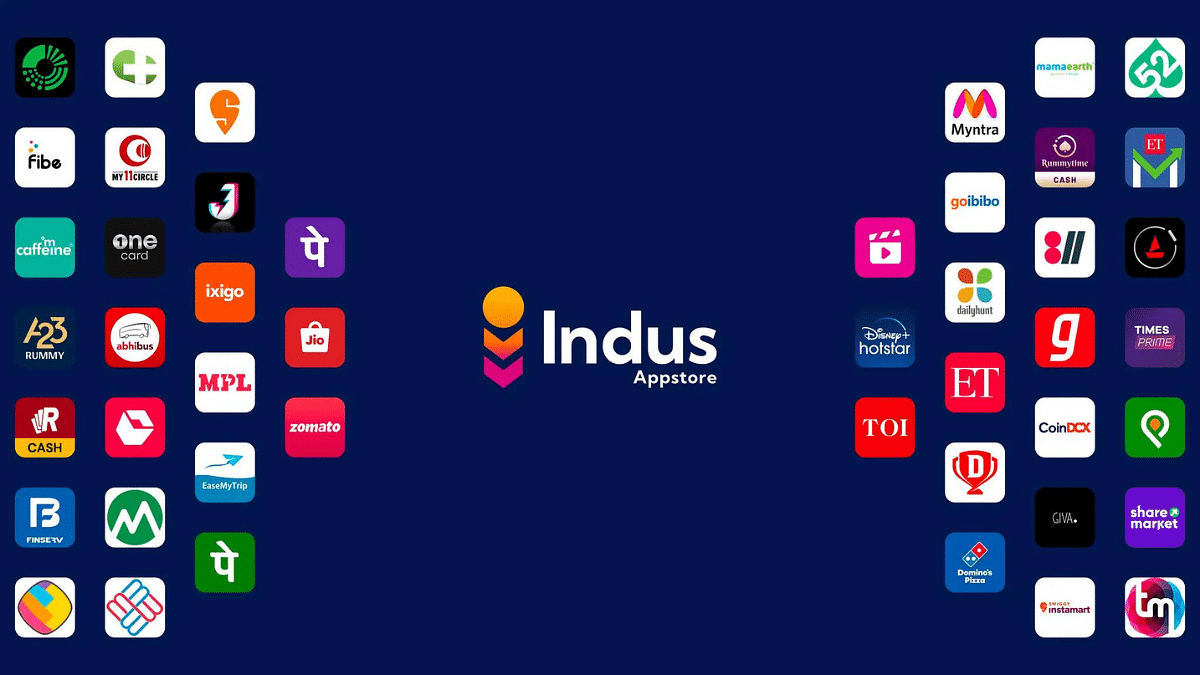
  • Popular names like Flipkart, Domino’s, Snapdeal, and JioMart are already on board.
  • It prioritizes accessibility by featuring 12 Indian languages alongside English.

PhonePe, the popular digital payments platform, is launching its very own app store, Indus Appstore, on February 21st. This homegrown Android app marketplace is set to shake things up with its focus on local languages, zero fees, and a personalized experience.

Also Read: Step Into Safety: Learn How To Change Your UPI PIN On Google Pay And PhonePe

What makes it different?

  • Local Languages: Tired of English-only apps? Indus Appstore breaks the barrier with support for 12 Indian languages, including Hindi, Tamil, and Malayalam. Access apps and browse categories in your preferred language for a more familiar experience.
  • Zero Fees: Say goodbye to hefty commissions! Indus Appstore charges no feesfor in-app purchases, offering a significant advantage over Google Play Store and Apple App Store, which charge 15-25% commission. This translates to savings for both developers and users.
  • Homegrown Focus: Indus Appstore aims to cater specifically to the Indian market, offering a localized and contextual experience. Expect to find apps relevant to your region and interests.

Also Read: Best Apple Stores Around The World

What to expect:

  • Wide App Selection: Major brands like Flipkart, Domino’s, Snapdeal, and JioMart are already on board, with many more expected to join.
  • Gaming Haven: Get ready to play your favorite games! Indus Appstore is collaborating with popular game developers like Dream11 and Nazara Technologies.
  • Direct Downloads: Download apps directly from the Indus Appstore website or through partnerships with smartphone makers like Nokia and Lava.
  • Easy Access: No need for an email account! Log in with your mobile number for a quick and convenient experience.

Also Read: Google Play Store Alternatives: Best Android App Store Substitutes For Google Play

Why is this a big deal?

Indus Appstore could be a game-changer for India’s app ecosystem. It challenges the dominance of Google Play Store and offers a more user-friendly, developer-friendly, and localized alternative. With its zero-fee policy and focus on regional languages, Indus Appstore has the potential to empower developers, attract new users, and contribute to a more diverse and vibrant app landscape in India.

Categories
Apps Comparison Featured Info

Is Google’s Gemini A Better ChatGPT Alternative? Let’s Find Out!

Key Highlights

  • Multimodal functionality for diverse input and output formats.
  • Advanced Gemini Ultra offers personalized tutoring and superior performance.
  • Outperformed ChatGPT in benchmarks.

Google has stepped up its game by introducing Gemini, its latest innovation aimed at rivaling Microsoft’s OpenAI. Formerly known as Bard, Google’s chatbot has undergone a significant transformation, now powered by Gemini technology.

Bard, Google’s previous chatbot, operated on the older PaLM system until December last year. However, Google decided to upgrade Bard to run on Gemini Pro, marking the birth of Gemini. This rebranding reflects Google’s commitment to advancing AI technology to compete with industry leaders like OpenAI.

Also Read: Google’s AI: Bard or Gemini? What You Need To Know About The Rebranding

What is Google Gemini?

Google Gemini is Google’s response to OpenAI’s ChatGPT, offering a versatile chatbot capable of handling various tasks. Described as multimodal, Gemini can process inputs in different formats such as text, images, video, and sound, providing outputs in corresponding formats. Its capabilities were showcased in a video demonstrating seamless interaction across different modalities.

Also Read: Google Bard’s ImageFX AI Image Generator Launched: No More DeepFake Mishaps!

Accessing Gemini

Currently, Gemini is accessible to users of Search Generative Experiences (SGE), a select group who signed up for access via Search Labs. However, Google has announced plans to launch dedicated apps for Gemini on both Android and iOS platforms, expanding its availability. Additionally, Gemini will integrate with Google Assistant, enhancing its accessibility to Android users.

Also Read: How To Use Google Collections As Your Ultimate Web Archive

Introducing Gemini Advanced

Gemini Advanced is a premium tier of the chatbot, offering access to Ultra 1.0, Google’s most advanced AI model. Priced at $19.99 per month as part of the Google One AI Premium Plan, Gemini Advanced boasts superior capabilities compared to standard versions. It excels in complex tasks like coding, logical reasoning, and collaborative projects. Gemini Advanced also provides personalized learning experiences, serving as a virtual tutor tailored to individual learning styles.

Also Read: Considering ChatGPT Plus? Here’s Why And How To Subscribe

Gemini vs. ChatGPT

Google claims Gemini outperforms ChatGPT in various tests, including an MMLU benchmark where Gemini achieved 90.04%, surpassing ChatGPT’s 86.4%. However, the true test lies in practical application—users are encouraged to compare both chatbots’ performance across different tasks to determine the best fit for their needs.

In conclusion, Google’s Gemini represents a significant advancement in AI technology, offering users a powerful and versatile chatbot experience. With its multimodal capabilities and advanced features, Gemini aims to rival industry leaders and redefine the future of artificial intelligence.

Categories
Apps Featured How To Info

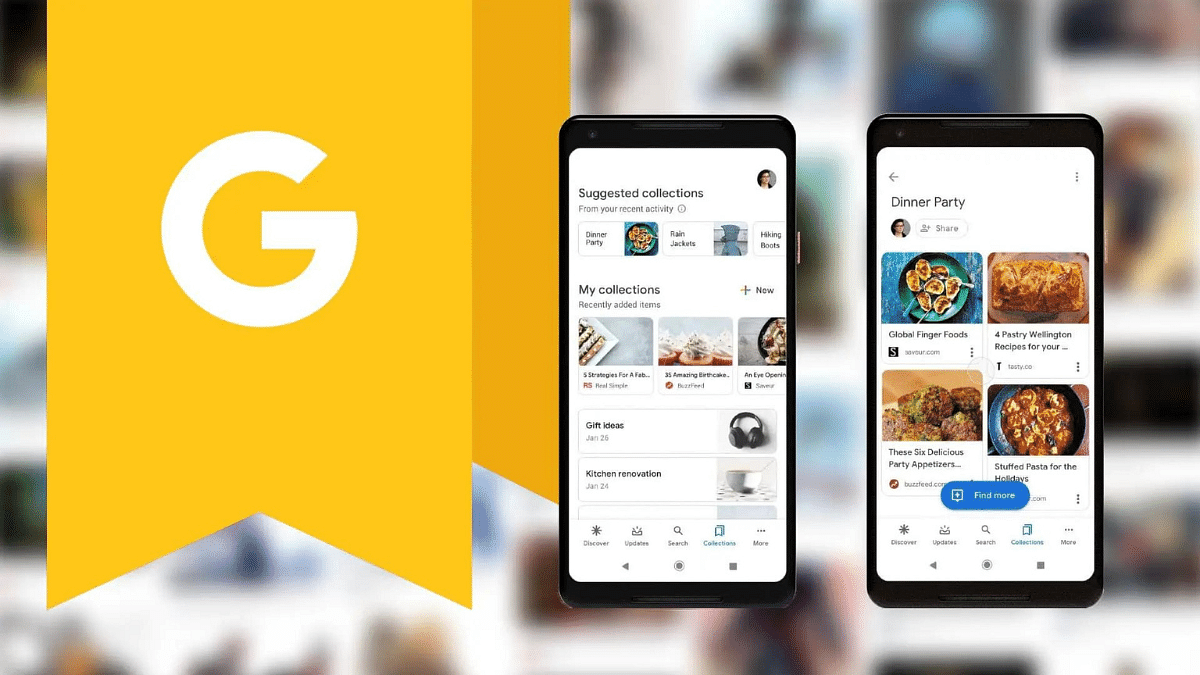
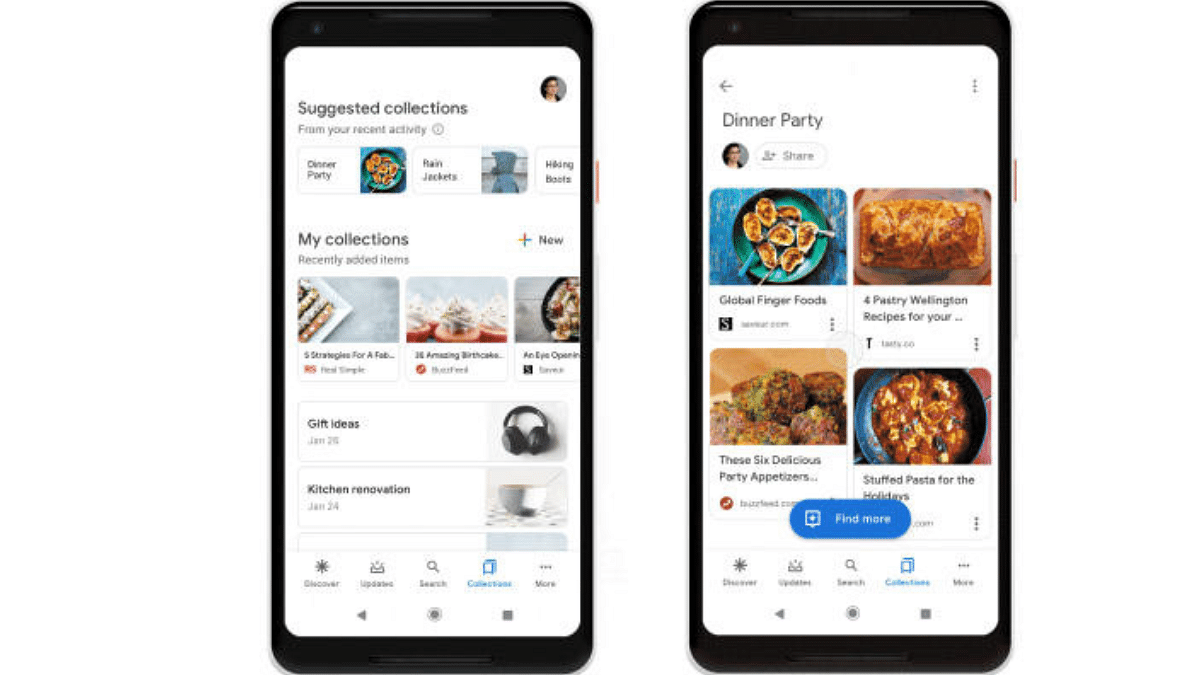
How To Use Google Collections As Your Ultimate Web Archive

The Google app, pre-installed on most Android devices, offers a wealth of features. However, some of the most valuable features can be hidden within the app. One such gem is Google Collections, a powerful functionality that allows users to organize and save various types of content in a single place. Whether you’re an avid reader, a video enthusiast, or simply someone who wants to quickly save links for later, Google Collections can be your ultimate web archive. In this article, we’ll explore how to make the most of this handy tool.

Also Read: Have You Tried Google’s ImageFX Yet? Learn How To Use This New AI Image Generator

Why Choose Google Collections?

While other apps like Microsoft Edge offer similar functionality, they often come with limitations tied to a specific app. Google Collections, on the other hand, stands out for several reasons:

  1. Cross-Platform Availability: Google Collections works seamlessly across both Android and iOS devices. Whether you’re using a smartphone or a tablet, you can access your collections from anywhere.
  2. Integration with Google Services: Google Collections integrates with various Google services, including YouTube, Chrome, and Search. Additionally, it plays well with third-party apps, making it a versatile choice.
  3. Efficient Content Organization: If you consume a lot of content—articles, videos, images, and more—Google Collections allows you to neatly organize everything in one place. No more scattered bookmarks or saved links!

Also Read: WhatsApp Switches To Google Drive For Android Chat Backups: Details

Creating New Google Collections

Creating a new collection in the Google app is straightforward:

  1. Access Existing Collections or Create a New One:
    • Launch the Google app on your device.
    • Tap the “Saved” button located at the bottom bar.
    • On the resulting page, click the “+Create” button at the bottom right.
    • Choose the type of collection you want to create (e.g., links, saved items, or a blank collection).
    • Give your collection a name and add a description if desired. Tap “Done.”

Also Read: Google’s AI: Bard or Gemini? What You Need To Know About The Rebranding

Adding Items to Your Collections

Once you’ve created a collection, it’s time to populate it with content:

  1. Open the Google App and Tap “Search”:
    • In the bottom bar of the Google app, tap the “Search” button.
  2. Add Web Pages or Links:
    • Visit the web page you want to add.
    • Alternatively, enter the link directly.
    • You can also add web pages from the Discover feed.
  3. Bookmark the Page:
    • When the page loads, tap the “Bookmark icon” in the upper right corner.
    • You’ll receive a confirmation message indicating that the page has been added to your collection.
  4. Organize Further (Optional):
    • To add the item to another collection, tap “Edit.” You can choose from existing collections or create a new one.
    • Additionally, explore the “Saved” tab in the Google app to add links, images, and other content to your collections.

Also Read: Google Maps Levels Up: Android Users Gain Access To iOS Exclusive Weather Feature

Managing Your Collections

Google Collections offers flexibility in managing your saved items:

  • Removing Items: Easily remove items from a collection by selecting them and clicking “Remove.”
  • Renaming Collections: Edit the title of your collection by clicking “More” and selecting “Edit.”
  • Sharing Collections: Share your collections with family and friends by turning on sharing and choosing the desired link.
Categories
Accessories Apps Featured Info

Apple Vision Pro: 7 Must-Try Apps For Work, Entertainment & More

The Apple Vision Pro, with its innovative blend of digital content and real-world interactions, has opened doors to exciting new experiences. But to truly unlock its potential, you need the right apps. We’ve compiled a list of seven essential apps that will showcase the true potential of your Vision Pro:

Also Read: Is Apple Vision Pro Ready? Viral Videos Prompt Safety Discussions

1. Keynote

Take your presentations to the next level with Keynote. Imagine delivering your slides within a stunning, digital recreation of the Steve Jobs Theater. Customize your presentation, engage your audience, and leave a lasting impression.

2. JigSpace

Users can now interact with intricate 3D models and animations right in their living room. Explore historical landmarks, dissect complex molecules, or even witness the inner workings of an engine – all in the comfort of your home.

Also Read: Apple’s Next Big Update: iOS 17.4 New Features, Release Date, and More

3. Disney+

Experience Disney+ in a whole new way with the Vision Pro’s immersive 3D capabilities. Become part of the story, explore vibrant landscapes, and rediscover the magic of Disney like never before.

4. Microsoft 365

Stay productive and collaborate seamlessly with your team using Microsoft 365. Access familiar Office apps like Word, Excel, and PowerPoint, optimized for the Vision Pro’s unique interface and features. Work side-by-side with colleagues in virtual spaces, share documents effortlessly, and boost your productivity.

Also Read: Are You EV-Ready? Top Apps Every Electric Car Owner Should Have

5. AmazeVR

Step into exclusive virtual concerts from your favorite artists and experience live performances with breathtaking intimacy. Feel the energy of the crowd, sing along, and create unforgettable memories – all from the comfort of your living room.

6. Zoom

Users can now effortlessly conduct video calls and virtual meetings using the advanced features of their Vision Pro headset. Enjoy crystal-clear audio and video, collaborate seamlessly with colleagues, and stay connected with loved ones, no matter where they are in the world.
Also Read: Apple Vision Pro Missing Key Apps: Spotify & Youtube Not Included

7. Apple Music

Enjoy stunning visuals and immersive audio as you listen to your favorite songs or explore new music videos. Let the music wash over you and discover new depths in your favorite tunes.

These are just a taste of the incredible experiences waiting for you in the world of Apple Vision Pro. So, put on your headset, explore these apps, and discover the magic of immersive computing!

Categories
Apps Featured Info

Google Maps Levels Up: Android Users Gain Access To iOS Exclusive Weather Feature

Key Highlights

  • Android users can now view weather information directly on Google Maps
  • After updating, a widget displays local weather details
  • Google Maps introduces AI features like Address Descriptors, Lens in Maps, and more

Google Maps has finally brought a long-awaited feature to its Android app: the weather widget. This feature, which has been available on iOS devices for years, is now rolling out to Android users. Here’s what you need to know about it. Also Read | Find And Locate Your Parked Car/Vehicle With This Google Maps Hack

How Does The Weather Feature Work?

After updating to the latest version of Google Maps on their Android phones, users will notice a small widget located on the left side under the search bar. This widget displays the local temperature, weather conditions, and Air Quality Index (AQI) in a compact box. As users move around, these details automatically update. Tapping on the widget provides more information about the day’s weather, including temperature trends and forecasts for sunny, windy, or rainy conditions. Additionally, the widget includes a detailed air quality map, powered by weather.com.

How To Get This Feature?

To access the weather feature, Android users need to download the latest version of Google Maps (version 11.113.x) on their smartphones. However, not all users may have received the update yet, as it is still being rolled out gradually.

Also Read | Google Maps Live Location Feature Released: Steps To Use On Android, iOS

New AI-Based Features Coming To Google Maps In India

Google has also announced several new artificial intelligence (AI)-based features coming to Maps, particularly for users in India:

  • Address Descriptors: This feature, currently available in over 75 Indian cities, displays up to five relevant landmarks to help users locate pinned locations. It is expected to be available nationwide by 2025.
  • Live View Walking Navigation: Offering arrows and other markers overlaid on Maps, this feature assists users in navigating on foot.
  • Lens in Maps: Users will soon be able to point their phones in a specific direction on the road to see nearby destinations overlaid on the screen. This feature will debut on Android devices.
  • Fuel-Efficient Routing: Users will have the option to find environmentally friendly routes suitable for both two-wheelers and four-wheelers.

These new features aim to enhance the overall user experience and provide valuable assistance in navigation and location finding, especially in densely populated areas like India.

Also Read | Google Maps Bluetooth Beacon Feature For Tunnel Navigation Released: How To Use?