Categories
Apps Featured Info

Instagram’s Upcoming Feature: Sharing Profiles In Stories, Check Details

Key Highlights

  • Instagram tests sharing profiles in stories for content creators and businesses
  • Expected rollout in early 2024
  • Also, personal templates in Stories for creativity

Instagram has already introduced notable features in 2023, such as Threads—a messaging app seamlessly integrated with the platform. However, the social media giant is not done yet and continues to work on enhancing user experiences. Also Read | How To Instantly Download Publicly Posted Reels On Instagram: A Step-By-Step Guide

Sharing Profiles via Stories: A New Social Boost

According to a report from Wccftech, Instagram is currently testing a feature that allows users to share other profiles directly in their stories. This development, discovered by app developer Alessandro Paluzzi, requires users to find an “Add to Story” option on profiles, simplifying the sharing of other users’ profiles with their followers.

Simplified Usage For Content Creators And Businesses

The proposed feature is expected to be user-friendly, offering a valuable tool for content creators and business owners aiming to broaden their reach and increase followership. It also holds potential benefits for influencers and individuals managing multiple profiles, enabling them to showcase diverse interests and ventures.

Also Read | Best Apps And Tools To Download High Quality Instagram Status On Any Phone

Expected Launch In Early 2024

While the feature is not yet available, there are expectations that it might be rolled out in the early months of 2024, possibly within the first few weeks of the new year. This addition aligns with Instagram’s commitment to providing users with dynamic and engaging features.

Instagram’s Latest Update: Personal Templates In Stories
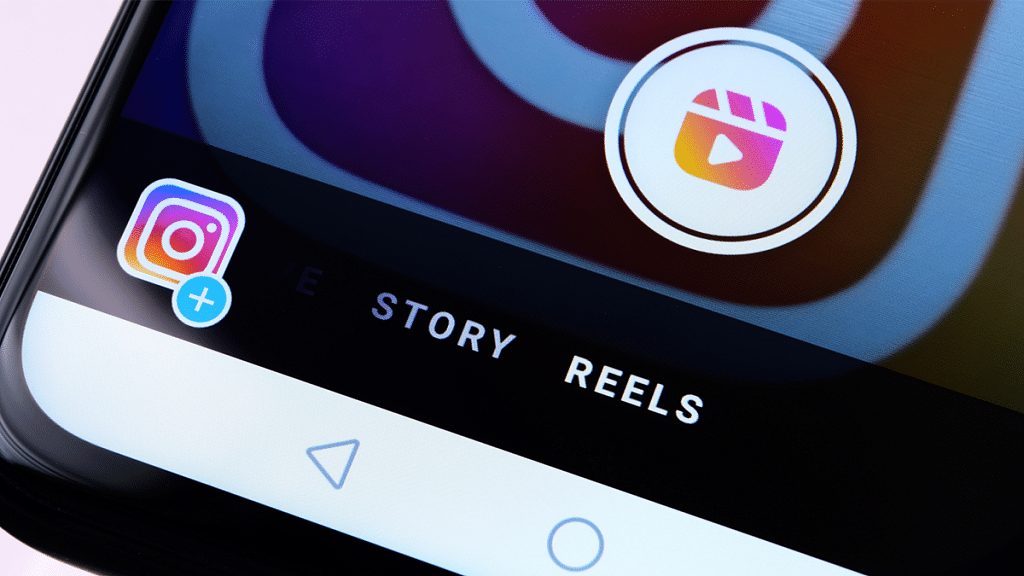
In a recent update, Instagram unveiled a feature allowing users to design and incorporate personal templates into their stories. This feature, announced by Adam Mosseri, the head of Instagram, through his IG Updates Broadcast Channel, transforms any story into a template. Users can then invite others to participate in the ‘Add Yours’ story or modify it, with due credit to the original template creator.

Mosseri shared his excitement about this addition, stating, “We hope this gives people more ways to express their creativity in Stories and share what’s on their mind. Check it out, and let me know what you think,” through his Broadcast Channel. This new feature enhances the creative potential within Instagram Stories, promoting a more interactive and collaborative user experience.

Also Read | How To Use Instagram’s New 2-Second Video Notes

Categories
Apps Featured

K-pop Vibes: 100+ Top Instagram Usernames Ideas For Blackpink Fans

Key Highlights

  • South Korean girl group Blackpink has taken the global music scene by storm
  • The group comprises four members Jisoo, Jennie, Rosé, and Lisa
  • Blackpink has amassed a massive international fanbase, known as “Blinks”

Are you a crazy K-pop fan eagerly searching for the perfect online identity to showcase your love for Blackpink? Look no further! Dive into the world of top Instagram usernames tailored for Blackpink enthusiasts. Whether you’re a devoted Blink or a casual admirer, these creative handles allow you to express your love for the iconic girl group. Stand out in the Blackpink community and let your fandom shine through your Instagram username.

Also Read | Are You A BTS Fan? Here Are The 100 Best Instagram Names For BTS Army

Cute Instagram Usernames For Blackpink Fans

BlinkAndLaughKPopGiggleGalRoséRiot
VelvetVibesJokerJisooJesterJoyGlitterGuffaw
JennieJestMasterSonicSnickerStarrySmirk
KPopGiggleFestRoséRoarNoirNonsense
VelvetWhimsyCrystalChuckleJisooJoviality
JennieJokesterGlitterGiggleGoddessRoséRiddle
VelvetVerveVivacityBlinkBanterJennieJestQuest
NoirNoodleNapperStarrySnickerDoodleKPopKaleidoscopeLaughs

Catchy Instagram Usernames For Blackpink Fans

BlinkHeartKPopKittenBPKisses
PinkLoverJoyBlinkBlossomChocoJenJen
RosyMelodyLalisaLovebugBlackpinkBliss
LisaLullabyBPDaisiesSerenadeRose
JisooSparkleMelodicJennieJennieJovial
JennieJellybeanJisooGigglesKPopCupcake
BP_ButterflyRosePetals__BP_Bubblegum
WhistleWinkSweetLisaVibesPinkPassionFlow

Unique Instagram Usernames For Blackpink Fans

BlinkInSyncKPopKaleidoscopeBlackpinkBoulevard
NoirHarmonyBlinkBeyondSerenadeShimmer
RoséRhapsodyLunarLisaJennieJubilee
JisooJewelJisooGleamKPopKismet
VelvetVocalsRoséRadianceNoirNectar
JennieJigsawJennieJazzPinkPanthera
BP_MystiqueBP_BaroqueBP_Baroque
WhistleWhimsyChocoJeniusMelodyMystique

Also Read | 100+ Best Channel Name Ideas For YouTube Account Dedicated To BTS Army

Trendy Instagram Usernames For Blackpink Fans

BlinkCanvasSonicSparkBlinkHarmony
KPopMuseStarryChorusRoséSerenade
RoséRippleKPopFlickerVelvetLoom
NoirVibesRoséMelodyJennieSway
VelvetJewelNoirNectarNoirChic
JisooGlowVelvetBreezeSereneSpark
JennieSwirlCrystalGrooveBlinkSpectrum
GlitterHarborJisooWhisperVelvetHue

Attractive Instagram Usernames For Blackpink Fans

BlinkEnchantStarryDazzleGlitterGoddess
KPopGoddessKPopCharmRoséEuphoria
RoséRadianceRoséAllureVelvetOpulence
VelvetEleganceNoirEclatBlinkEnigma
JisooMystiqueVelvetAllureJennieAdorn
GlitterGazeCrystalChicNoirEthereal
JennieGlamJisooAestheteStarryRapture
SonicAllureJennieRavishKPopFinesse

Also Read | Love K-pop? Check Out 100+ Fun And Unique Instagram Names

Level up your Instagram game with these unique usernames, connecting you with fellow Blackpink enthusiasts worldwide. Join the Blink family with style, as your username becomes a testament to your love for the incredible world of K-pop and Blackpink’s unmatched charisma.

For the tech geeks, stay updated with the latest cutting-edge gadgets in the market, exclusive tech updates, gadget reviews, and more right on your phone’s screen. Join Giznext’s WhatsApp channel and receive the industry-first tech updates.

Categories
Apps Featured

Jingle Binge: Top Five Christmas Movies To Watch On Amazon Prime Video

Key Highlights

  • Christmas is around the corner
  • There are endless options of Christmas films to watch on Amazon Prime
  • We have listed the five must-watch Christmas movies

The holiday season is upon us, and what better way to spread the Christmas cheer than by cozying up with your loved ones and indulging in some heartwarming movies? If you’re a proud member of the Amazon Prime Video family, you’re in for a treat, as the streaming platform offers a delightful selection of festive films that are perfect for setting the mood. Here are five must-watch Christmas movies that will fill your home with warmth and joy. Also Read | From The Christmas Chronicles To The Noel Diary: The Best Free Christmas Movies To Binge-Watch On Netflix

Candy Cane Lane (2023)

In a bid to win in the local Christmas home decoration competition, Chris Carver forms a deal with Pepper, a playful elf. Pepper casts a spell that transforms the 12 days of Christmas into a lively reality, creating unforeseen chaos in the town. This American Christmas comedy film premiered on Amazon Prime Video on December 1, 2023.

The Polar Express (2004)

Robert Zemeckis’ visually remarkable animated movie “The Polar Express” is based on the beloved children’s book by Chris Van Allsburg. The narrative is about a young boy who, on Christmas Eve, sets out on a magical train journey to the North Pole. The film’s breathtaking animation, coupled with its heartwarming message about the power of belief, makes it a must-watch for audiences of all ages.

Also Read | Amazon Christmas Gifting Ideas: Best Digital Accessories, Smart Wearables For Christmas Gifts In 2022

Elf (2003)

If you’re in the mood for a modern Christmas classic, look no further than “Elf.” Directed by Jon Favreau, this delightful comedy stars Will Ferrell as Buddy, a human raised by elves at the North Pole. Buddy is out to reunite with his biological father in New York City after realizing who he really is. “Elf” is a whimsical and hilarious film that captures the magic of the season and the importance of spreading love and cheer.

Home Alone (1990)

No Christmas movie list is complete without the iconic “Home Alone.” This family comedy, which was directed by Chris Columbus, centers on the misadventures of Macaulay Culkin’s character Kevin McCallister, who is unintentionally left behind when his family takes a Christmas vacation. Kevin’s cleverness in defending his home from burglars and the heartwarming reunion with his family make “Home Alone” a constant favorite that continues to bring laughter and joy to audiences of all ages.

It’s a Wonderful Life (1946)

Considered a timeless classic, “It’s a Wonderful Life” directed by Frank Capra is a heartwarming tale that follows George Bailey, played by James Stewart. When George contemplates ending his life on Christmas Eve, an angel named Clarence shows him what life would have been like if he had never been born. This emotionally charged film reminds us of our thoughtful impact on the lives of those around us and the true meaning of the holiday season.

Verdict

This Christmas season, let the magic of these films on Amazon Prime Video fill your heart with joy and remind you of the true spirit of the holidays. Whether you’re into timeless classics or modern favorites, these movies are sure to make your festive celebrations even more special. So, gather your loved ones, grab some popcorn, and let the holiday movie marathon begin.

Also Read | Christmas And New Year Gifting Ideas: Best Gadgets To Gift This Season

Categories
Apps Featured Info

YouTube Rewind 2023: India’s Top 10 Trending Videos Revealed

Key Highlights

  • Google releases its annual list of top videos on YouTube
  • The list highlights a diverse range of content
  • The compilation serves as a celebration of creators and their standout content

Google’s annual list of top videos on YouTube is here, giving us a peek into the most-loved videos in India. From funny moments to heartwarming stories, it’s a roundup of what captured our attention online. This list showcases the creators and content that stood out, making us laugh, think, and feel. It’s a celebration of the videos that defined our digital experience in 2023, reflecting the diverse tastes and trends that shaped our time on YouTube. Let’s check out the videos that made us hit the replay button and share the joy with the creators who made it all possible.

VideosViews
Chandrayaan-3 Mission Soft-landing LIVE Telecast79,380,294
Daily Vloggers Parody by CARRYMINATI64,791,986
MEN ON MISSION | MOM | Round2hell |R2H47,590,210
UPSC – Stand Up Comedy Ft. Anubhav Singh Bassi  42,829,013
Super11 Asia Cup 2023 | Final | India vs Sri Lanka | Highlights41,761,912
Sasta Biig Bosss 2 | Parody | Ashish Chanchlani34,531,375
I STOLE SUPRA FROM MAFIA HOUSE | GTA 5 GAMEPLAY #15130,214,837
BB Ki Vines | Angry Masterji Part 1629,262,162
Youtube Channel Kaise Banaye | youtube channel kaise banaen 2023 | how to create a youtube channel22,047,323
Checkmate | Harsh Beniwal21,004,604

1. Chandrayaan-3 Mission Soft-landing LIVE Telecast

The live broadcast of the Chandrayaan-3 mission’s soft landing garnered a record peak concurrent viewership of over 8.5 million, establishing it as the most-watched live stream in YouTube’s history.

2. Daily Vloggers Parody by CARRYMINATI

Second on the list is the ‘Daily Vloggers Parody’ by Carrminati. It is a satirical video, playfully mocking the exaggerated antics of daily vloggers. Premiered on July 15, 2023, the video has more than 6.4 crore views on YouTube.

3. Men on Mission| MOM | Round2hell | R2H

The third most trending video this year was ‘Men on Mission’ created by Round2hell channel. It is a comedy content featuring a misadventure of a terrorist group that takes a group of people hostage. Released six months ago, it was viewed more than 4.7 crore times.

4. UPSC – Stand Up Comedy Ft. Anubhav Singh Bassi

Securing the fourth position among YouTube’s most-viewed content, ‘UPSC – Stand Up Comedy’ starring Anubhav Singh Bassi proved immensely popular. With a runtime of 37 minutes, the video garnered attention from an impressive 4.2 crore users on YouTube.

5. Super11 Asia Cup 2023 | Final | India vs Sri Lanka | Highlights

The “Super11 Asia Cup 2023 | Final | India vs Sri Lanka | Highlights” clinches the fifth position among the most-viewed videos on YouTube in 2023. Published by the Asian Cricket Council, this video has amassed an impressive 4.1 crore views, setting its popularity among cricket enthusiasts and YouTube audiences alike.

6. Sasta Big Bosss 2 | Parody | Ashish Chanchlani

Ranking as the sixth most-watched video on YouTube in India this year, Ashish Chanchlani’s parody video ‘Sasta Big Bosss 2’ garnered significant attention. Hosted on the ‘ashish chanchalani vines’ channel, the video captured the interest of a whopping 3.4 crore viewers, attesting to its widespread popularity and the comedic prowess of Ashish Chanchlani.

7. I Stole Supra from Mafia House | GTA 5 Gameplay #151

Claiming the seventh spot on YouTube’s most-watched list, “I Stole Supra from Mafia House | GTA 5 Gameplay #151” rules supreme in gaming content. Uploaded by Techno Gamerz, this video has captivated audiences with its thrilling Grand Theft Auto 5 gameplay, gathering an impressive 3 crore views.

8. BB Ki Vines | Angry Masterji Part 16

Securing the eighth position among YouTube’s most-watched videos, “BB Ki Vines | Angry Masterji Part 16” delivers comedic brilliance. Uploaded by BB Ki Vines, this hilarious installment has garnered 2.9 crore views, attesting to its popularity and the enduring charm of BB Ki Vines’ content.

9. Youtube Channel Kaise Banaye | youtube channel kaise banaen 2023 | how to create a youtube channel

Claiming the ninth spot in YouTube’s viewership hierarchy is “Youtube Channel Kaise Banaye | youtube channel kaise banaen 2023 | how to create a youtube channel.” Presented by Spreading Gyan, this tutorial has accumulated a noteworthy 2.2 crore views.

10. Checkmate Harsh Beniwal by HARSH BENIWAL

Securing the 10th position on YouTube’s most-watched list is “Checkmate Harsh Beniwal” by Harsh Beniwal, boasting an impressive 2.1 crore views. This engaging content piece, created by Harsh Beniwal, has captivated audiences with its interesting narrative and entertaining elements.

Also Read | What Kept India Googling? Google’s ‘Year in Search 2023’ Has The Answers

Categories
Apps Featured How To Info

How To Use Instagram’s New 2-Second Video Notes
Key Highlights

  • Now Instagram will let you record 2-Second Video to put on notes.
  • Emojis, Photos, and Audio Enhance Engagement!
  • Simple Steps: Open Inbox, Record, Add Text, and Share!

Instagram has recently introduced an update to its platform, unveiling a new video status feature that lets users create snappy 2-second video notes. Unlike the familiar Stories feature, these video notes are super short, captured exclusively through the front camera within the app, and cannot be imported from your device’s storage. Once shared, these bite-sized videos are visible to your close friends and mutual followers for a brief 24-hour window.

Also Read: 100+ Best Instagram Usernames For Car Lovers

How to Use the Video Feature

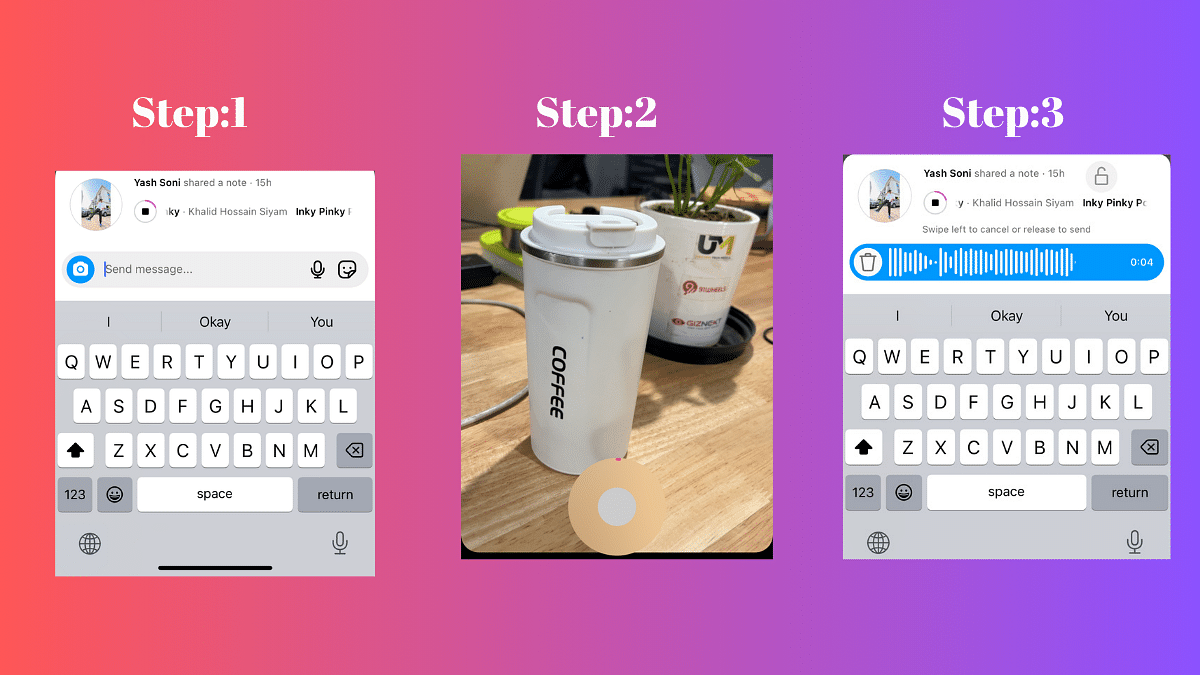
Step 1: Open Instagram and Navigate to Your Inbox

To start using the new Video Status feature, open your Instagram app and head straight to your inbox. Look for the tray containing your notes, where you’ll see a camera icon at the left .

Step 2: Tap on Your Photo in the Notes Tray and Click the Camera Icon
Once you’ve located the camera icon, tap on your photo in the Notes tray. This action will open up the camera, ready for you to capture your brief moment.
Step 3: Record a 2-Second Video Using the Front-Facing Camera

Record a quick 2-second video using the front-facing camera. Express yourself, share a funny moment, or capture a snippet of your day – the possibilities are endless in this short time frame.

Step 4: Add Text for Context, Then Post

You can now enhance your video by adding text for context. Whether it’s a quick caption, an emoji, or a brief explanation, this step allows you to provide a bit more detail to your audience. Once done, hit the post button, and your 2-second video will be shared with your selected audience.

Also Read: How To Instantly Download Publicly Posted Reels On Instagram: A Step-By-Step Guide

Interactive Replies: More Than Just Texts

Engagement is key on Instagram, and with the new Video Status feature, interactive replies take it to a whole new level. Users can respond to your notes with more than just text – audio, photo, video, and stickers are now part of the conversation. Whether it’s a heartfelt message, a funny photo, or a creative video response, the options for interaction are now more diverse than ever. Enjoy the enhanced communication and connection with your Instagram community!
Also Read: Instagram Close Friends Feature Takes Center Stage In Main Feed: How To Use

Categories
Apps Featured Info

How To Pin A Message In WhatsApp Chat: A Step-by-Step Guide

Key Highlights

  • Pin and access crucial messages with minimal effort and precision.
  • Choose durations of 24 hours, 7 days, or 30 days for pinned messages.
  • Admins decide who can pin messages in group chats.

In a recent update, Meta introduced a new and convenient feature—pinning messages in WhatsApp chats. This is available for Android, iOS, and PC users, allowing them to pin a specific message at the top of individual and group chats. This feature serves as a valuable tool for users who want to emphasize and easily locate important messages within their conversations.

Also Read:How To Use WhatsApp’s Disappearing Voice Notes Feature: Guide
How to Pin a Message in WhatsApp Chat

The process of pinning a message in WhatsApp is straightforward and user-friendly. Here’s a step-by-step guide to help you make the most of this new feature:

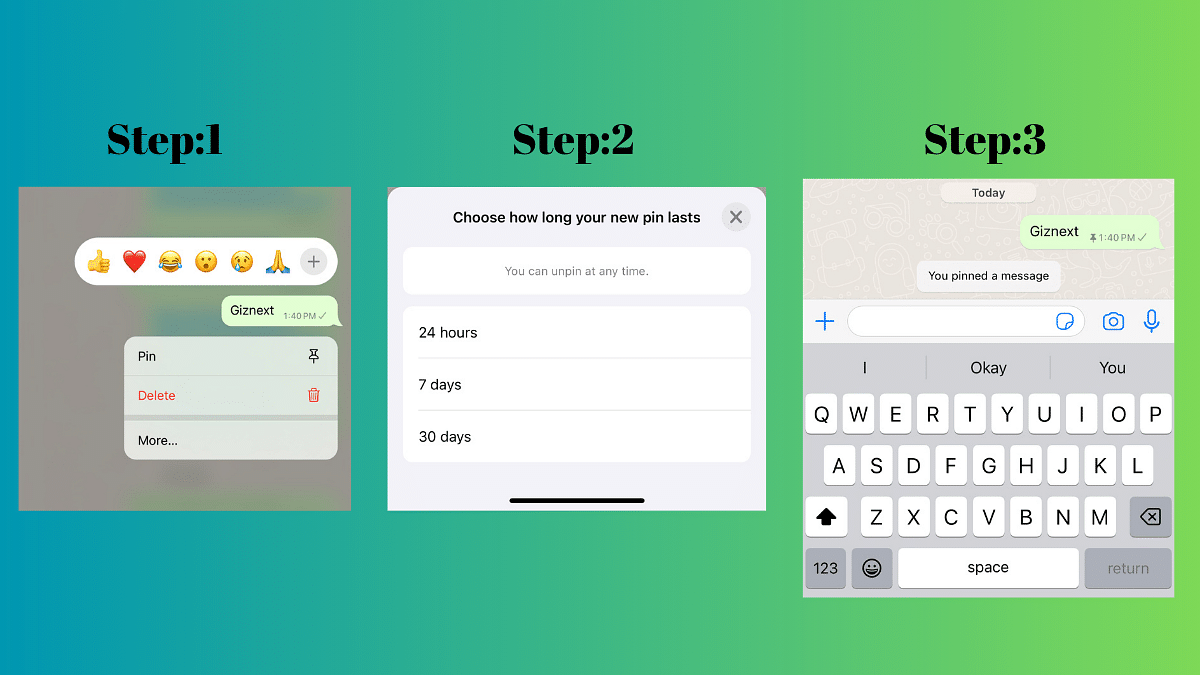
  • Access the Chat: Open the individual or group chat where you want to pin a message.
  • Select the Message: Long-press on the message you want to pin. This can be any type of message, including text, polls, images, emojis, and more.
  • Tap on the Pin Icon: Look for the pin icon in the menu that appears at the top of the screen. Tap on it to pin the selected message.
  • Choose Duration: A banner will pop up, allowing you to choose the duration for which you want to pin the message—options include 24 hours, 7 days (default), or 30 days. Group chat admins can also control who has the ability to pin messages.
  • Confirm Pinning: Confirm your selection, and the message will be pinned at the top of the chat.

Also Read: WhatsApp Unveils Self-Destructing Voice Messages: Details

How Pin Message Feature Works

The pin message feature is designed to enhance efficiency by allowing users to spotlight essential messages, encompassing various content types such as text, polls, images, and emojis. Importantly, all pinned messages retain end-to-end encryption, ensuring the security and privacy of your conversations.

Pinned messages can be configured to last for different durations, offering flexibility to users. The options include 24 hours, 7 days (default), or 30 days. During the pinning process, a banner will prompt you to choose the desired duration. In group chats, administrators have control over who can pin messages – either everyone or only fellow admins.

Also Read: WhatsApp Introduces New Reply Bar For Status Updates And More..

Categories
Apps Featured Info

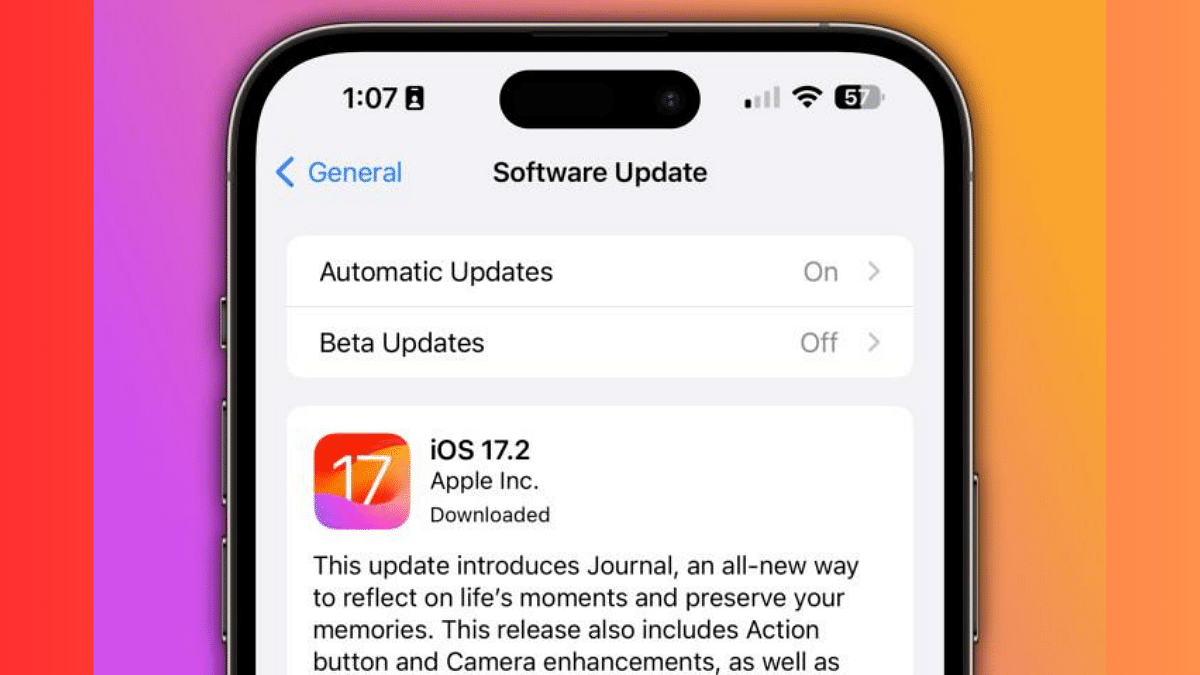
iOS 17.2 Update: Now Available With Spatial Video, Journal app And More

Key Highlights

  • iOS 17.2 update is available from today.
  • The new update comes with enhanced camera functionalities.
  • Customizable notification sounds, sticker reactions in Messages, and other user-friendly updates

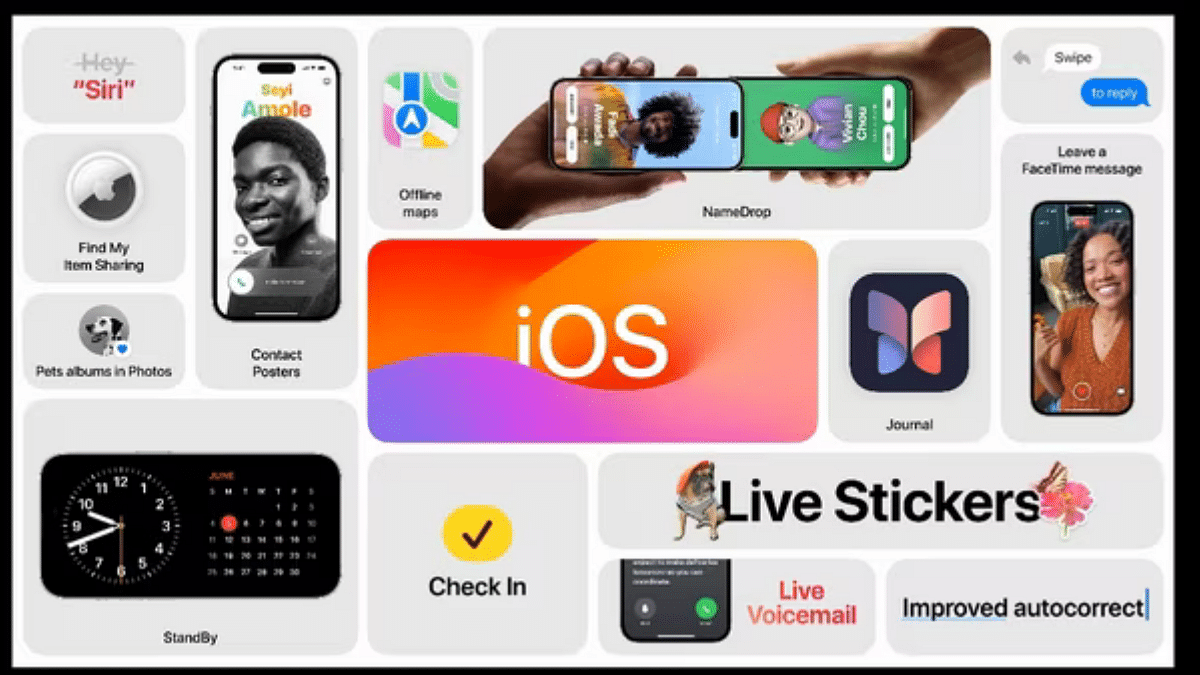
The highly anticipated iOS 17.2 update has finally arrived, bringing a lot of exciting features to your iPhone. From the introspective Journal app, Enhanced AirDrop Functionality to advanced camera functionalities, let’s explore the key enhancements that await you with this latest update.

Also Read: Apple iOS 17.1 Update Is Here: Here’s What You Need To Know

1. Journal App: Reflecting on Memories

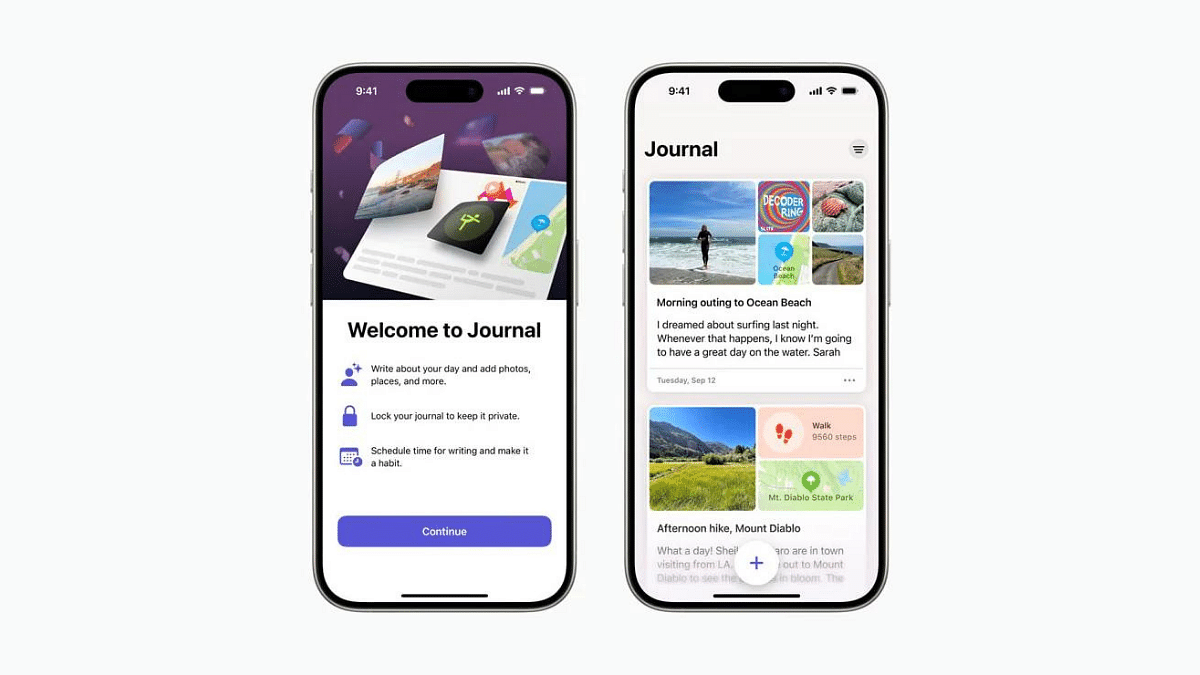
The star of the show is undoubtedly the Journal app, designed to help you reflect on photos, videos, and other content using inspirational prompts. It’s a thoughtful addition that encourages users to engage in introspection through multimedia.

2. Spatial Video Capture on iPhone 15 Pro Models

Exclusive to iPhone 15 Pro and iPhone 15 Pro Max users, iOS 17.2 introduces spatial video capture. Leveraging advanced camera systems, this feature allows you to record immersive videos with depth. The Apple Vision Pro enhances the experience, and a new “AirPlay Receiver” option facilitates content sharing.

3. Zippier Telephoto on iPhone 15 Pro Models

For photography enthusiasts, the iPhone 15 Pro and iPhone 15 Pro Max now boast a faster focus speed when capturing zoomed-in photos. This enhancement ensures a smoother and quicker photography experience.

Also Read: iOS Tips & Tricks: Learn How To Set Up Your Contact Poster On iPhone

4. Customizable Notification Sounds

With iOS 17.2, users can customize notification sounds under “Sounds & Haptics.” While this doesn’t apply to text, calendar, and mail alerts, it allows for a more personalized notification experience.

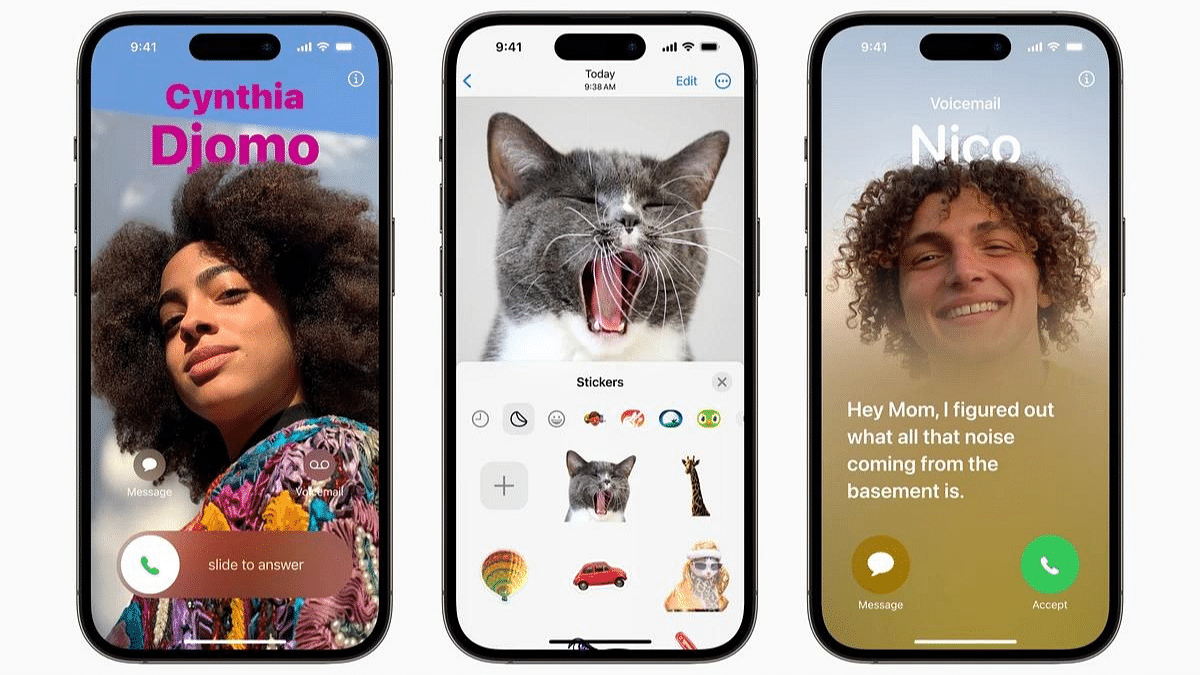
5. Sticker Reactions in Messages

Expressing yourself in Messages gets an upgrade with the ability to reply with stickers by pressing and holding any text. Apple has also introduced a “Sensitive Content Warning” for stickers, promoting responsible sharing.

6. iMessage Contact Key Verification

Designed for high-profile individuals facing security threats, iMessage Contact Key Verification ensures that texts reach the intended recipient securely. This feature adds an extra layer of protection for those in sensitive positions.

7. ‘Favorited’ Songs in Apple Music

Building on the “favorite” feature from iOS 17.1, iOS 17.2 allows users to add favorited songs to their Music Library. Additionally, a new Focus Filter in Apple Music ensures that shared listening activities don’t impact personalized recommendations.

Also Read: Apple’s Upcoming HomePod With Touchscreen: Design Revealed In Leaked Images

8. Action Button Translate Preset

The Action Button now includes a ‘Translate’ preset, making it easy to have conversations in different languages. This addition enhances the utility of the Action Button for users who frequently communicate across language barriers.

9. Consolidated Movies and TV Shows in Apple TV App

In the Apple TV app, movies and TV shows are now consolidated into one tab, simplifying navigation. The iTunes app will redirect users to the Apple TV app for film and TV show purchases.

10. Blocked User Warning in FaceTime

iOS 17.2 introduces a warning for blocked FaceTime calls, ensuring users are informed when someone attempts to contact them with a blocked identity.

Also Read: Good News Alert! Apple Extends Free Satellite Service For iPhone 14 Users

11. Interactive Moon Calendar and Weather Updates

The update brings an interactive moon calendar, offering insights into lunar behavior. The Weather app introduces new widgets, including Details, Sunrise/Sunset, and Daily Forecast, providing comprehensive weather information.

12. Memoji Customization Expansion

Memojis become more customizable in iOS 17.2, allowing users to personalize their character’s arms, shoulders, bust, and waist.

13. Siri’s Health Insights

Siri now taps into data from the Health app, enabling users to inquire about their heart rate and step count. Additionally, Siri in the Maps app provides ETA and altitude information.

Also Read: Apple Music Tips And Tricks: Here’s How To Create Collaborative Playlists

14. Contact Sharing Gesture

A new “Contact Sharing” gesture allows users to share boarding passes and other supported Wallet app items by bringing two iPhones together.

15. AppleCare & Warranty Update

Under “General” in the Settings app, Apple renamed “Coverage” to “AppleCare & Warranty,” providing clarity on device protection.

16. Qi2 Charging Standard Support

iPhone 13 and iPhone 14 models now support the Qi2 charging standard, enhancing the charging experience for users of these devices.

17. Additional Features and Bug Fixes

iOS 17.2 includes various other features such as the ability to disable inline predictions, a “Local Awareness” option for emergency alerts, and crucial bug fixes, including the resolution of a wireless car charging issue.

Also Read: How To Use WhatsApp’s Music Sharing Feature On iPhone During Video Calls: A Step-by-Step Guide

Categories
Apps Featured Info

How To Activate Spam Protection In Google Messages: Guide

Key Highlights

  • Easily enable Spam Protection with just a few taps.
  • Google Messages puts users in charge of their privacy settings.
  • Machine learning identifies spam offline, ensuring user data privacy.

Google Messages includes a built-in Spam Protection feature which actively scans messages in real-time to spot and block spam messages. The best part? It’s up to you whether to use it or not, giving you full control over your privacy settings. Now, let’s explore how to activate this handy feature on your phone.

Also Read: Google Unveils OpenAI Competitor Gemini 1.0

Activating Spam Protection In Google Messages

  • Open the Google Messages app: Launch the app on your smartphone to access its features.
  • Navigate to Settings: Tap on your profile icon situated at the top right corner, and from there, find the Settings option.
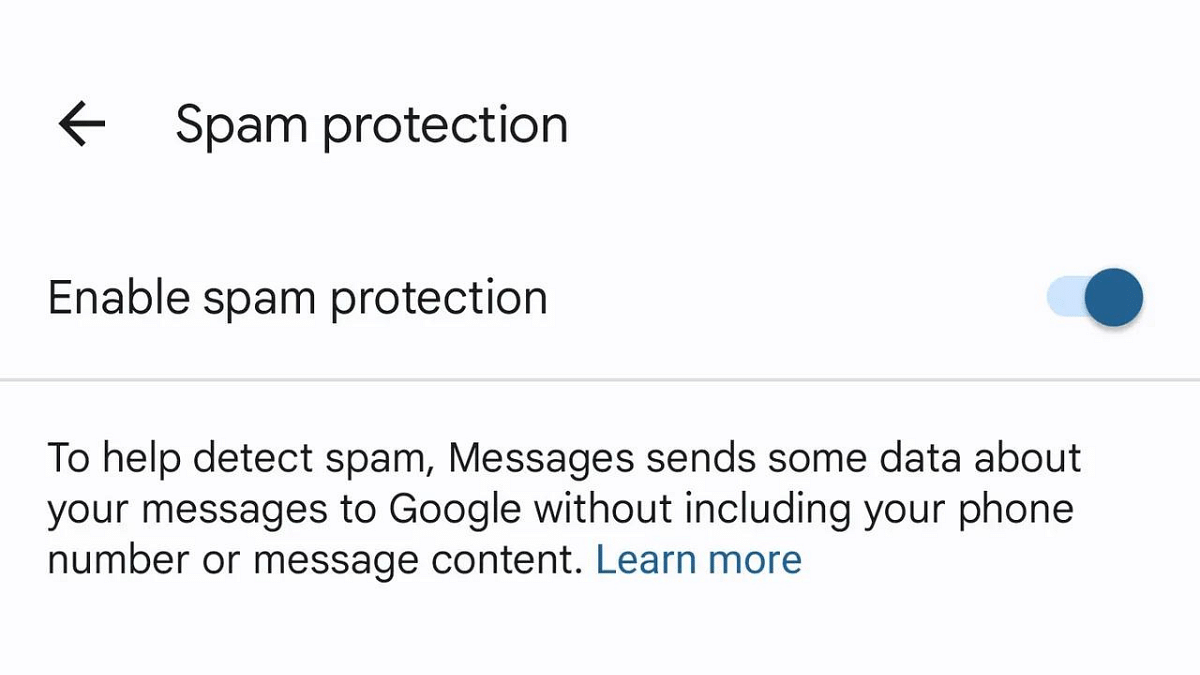
  • Locate “Spam Protection”: Within the Settings menu, you’ll find the “Spam Protection” option.
  • Enable the toggle: Activate the toggle switch, and you’re all set! With Spam Protection turned on, Google Messages will automatically filter potential spam messages, providing an additional layer of defense against scams. Additionally, users can manually report any message as spam.

Also Read: Top 5 Most Searched Diwali Queries On Google: CEO Sundar Pichai Reveals

How Does Spam Protection Keep You Safe?

Google Messages’ Spam Protection keeps you safe in a few smart ways. First, it uses clever technology (machine learning) on your phone to find possible spam messages. These iffy messages then get sorted into a special folder, so your main inbox stays clean and tidy.

What’s cool is that you get to be a part of the safety team. If you spot a message that’s spam, you can tell Google by marking it as “Report spam.” And if it’s not spam, you can mark it as “Report not spam.” Your input helps make the system even smarter.

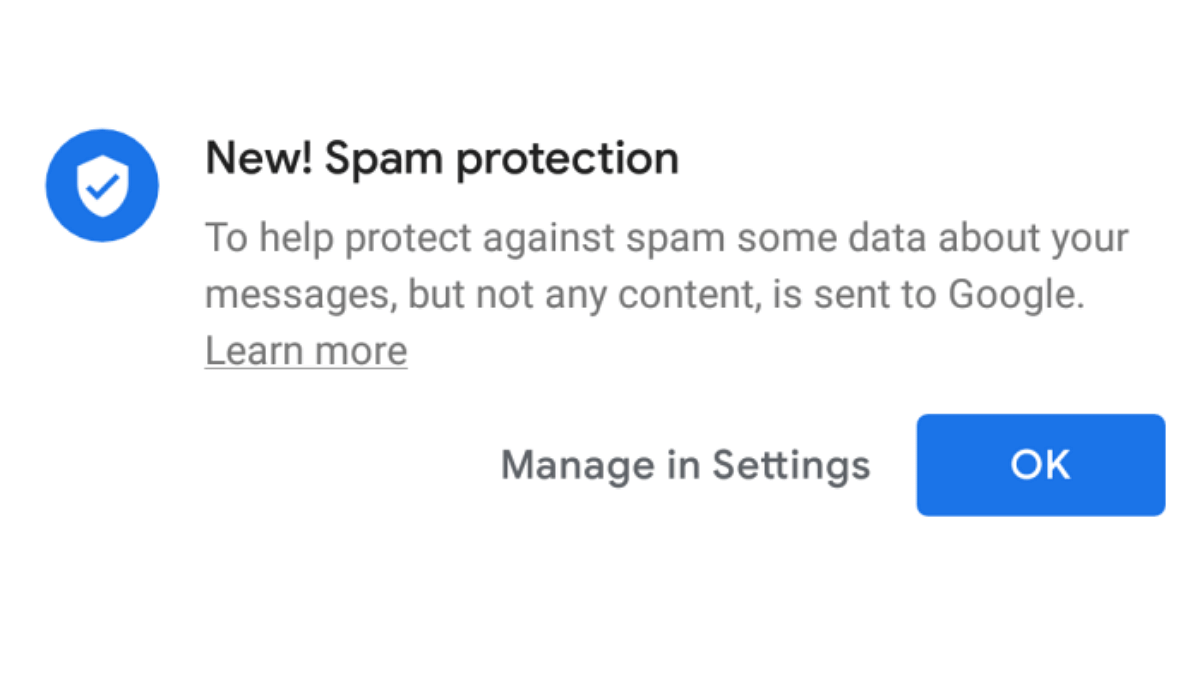
And guess what? All of this happens without needing the internet, so your privacy is a top priority. Google might collect some data to make Spam Protection better, but don’t worry—it’s all anonymous and doesn’t include personal stuff like your name or phone number. Your privacy is safe and sound while Spam Protection keeps your inbox secure.

Also Read: Google Pixel Buds Hacks: How To Pair Pixel Buds With Windows Laptops And PCs

Categories
Apps Featured Info

WhatsApp Introduces New Reply Bar For Status Updates And More..

Key Highlights

  • WhatsApp’s reply bar simplifies status update responses effortlessly.
  • WhatsApp Adopts Instagram-Style Reply Bar.
  • Android and iOS users can experience the feature’s beta version.

WhatsApp, the widely-used instant messaging app under the Meta umbrella, is on the brink of revolutionizing user interaction with its latest feature – the reply bar for status updates. Currently in beta testing, this innovative addition simplifies the process of responding to status updates, drawing parallels with Instagram’s approach to story replies.

Also Read: WhatsApp Unveils Self-Destructing Voice Messages: Details

Accessing The Beta Version

Reports from WABetaInfo reveal that the reply bar for status updates will be available for both Android and iOS users. Beta enthusiasts can get a firsthand experience by installing the latest beta version from the Google Play Store (for Android) or the TestFlight app (for iOS).

Beta testers of WhatsApp version 2.2.26.3 on Android and v23.15.10.72 on iOS are witnessing the persistent display of the new Reply bar at the bottom of the screen when viewing status updates. This replaces the previous swipe-up gesture for initiating a reply, aligning WhatsApp’s interface more closely with Instagram Stories.

While currently in the beta phase, the feature is expected to roll out to all users soon. Once it successfully completes the testing phase and any necessary adjustments are made, all users can look forward to a more streamlined and user-friendly interaction with status updates.

Also Read: WhatsApp Beta Update: AI Chatbot Access Button Rolled Out To Selected Users

Additional WhatsApp Updates

In tandem with the reply bar feature, WhatsApp is introducing another layer of privacy with the “view once” feature for audio messages. Similar to its counterparts for photos and videos, this feature ensures that audio messages disappear after being played, enhancing user privacy.

For iOS users, WhatsApp is rolling out two new features: message pinning and a connection health check during video calls. This aligns with Meta’s strategy of harmonizing features across its platforms, with WhatsApp, Messenger, Instagram, and Facebook sharing common elements.

Also Read: How To Use WhatsApp’s Disappearing Voice Notes Feature: Guide

Categories
Apps Auto Tech Info

Gogoro Partners With Swiggy For Electric Scooter Deliveries In India

Key Highlights

  • Swiggy and Gogoro collaborate to bring electric mobility to India’s delivery fleets
  • The partnership aligns with Swiggy’s goal to cover 8 lakh kilometers daily through EV deliveries

Gogoro has announced a collaboration with Swiggy, India’s leading on-demand delivery platform. This alliance aims to accelerate the electrification of India’s hyperlocal fleets through the addition of Gogoro Smartscooters and cutting-edge battery-swapping technology. Also Read | Hero Motocorp, Ather Energy Teams Up To Boost Interoperable EV Charging Network: How Beneficial It Will Be?

Gogoro And Swiggy’s Vision for Electric Transformation

Horace Luke, the founder, and CEO of Gogoro, emphasized the joint commitment to advancing the electric transformation of India’s urban fleets. The partnership with Swiggy, a key player in the industry, is seen as crucial in successfully transitioning India’s urban delivery systems to electric vehicles. This collaboration seeks to provide a seamless pathway for riders to embrace sustainable electric transportation while enhancing overall business efficiency.

Swiggy’s Perspective On The Partnership

Mihir Shah, Head of Operations at Swiggy, expressed the significance of the collaboration in aligning with Swiggy’s commitment to eco-friendly and cost-effective solutions for its delivery fleet. The integration of Gogoro’s battery-swapping technology is identified as a crucial step in achieving greener and more efficient last-mile deliveries in India.

Also Read | Gogoro CrossOver E-Scooter India Debut Set For Next Week: Everything We Know

Swiggy’s Sustainability Milestones

Swiggy, having committed to covering 8 lakh kilometers daily through electric vehicle deliveries in 2021, has been at the forefront of sustainable transportation. The company has previously partnered with industry leaders such as Reliance BP Mobility Limited and Hero Lectro to incorporate electric vehicles, resulting in significant cost savings for delivery partners.

Gogoro’s Solution For Last-Mile Deliveries

Recognizing the unique needs of last-mile delivery fleets, the Gogoro platform offers a sophisticated two-wheel battery swapping system. This technology empowers delivery operators to efficiently manage their fleets while contributing to sustainable practices, surpassing the limitations of traditional internal combustion engine (ICE) vehicles.

Gogoro Battery Swapping Network

Gogoro’s Network, described as a new generation of swappable battery refueling, boasts smart, safe, and dynamic features. With over 12,000 battery-swapping stations at 2,500 locations in Taiwan, the network supports nearly 550,000 riders, conducting an average of 400,000 daily battery swaps. Having facilitated over 480 million total swaps, the Gogoro Network has effectively saved more than 670,000 tons of CO2 since its inception.

Also Read | Electric Vehicles Reduce Oil Usage By 1.8 Million Barrels: Key Impact Of EV On Environment