Categories
Apps Featured Info

Netflix Begins Password Sharing Crackdown In India: Should You Be Worried?

Key Highlights

  • Password sharing crackdown in India.
  • Restricted access to household members.
  • New features for improved experience.

Netflix has decided to stop people from sharing passwords in India. Now, only people living in the same house can use a single Netflix account. This is happening not just in India, but all around the world, as Netflix wants to make more money after facing difficulties last year. They want to make sure that only family members can access the account and no one else.

Also Read: Four Best Netflix Shows To Watch This Week (July 2023)

New Features For Household Members

According to Netflix, all members within a household will still be able to enjoy the streaming service, whether at home, on the go, or even while on vacation. The company has introduced new features such as Transfer Profile and Manage Access and Devices, enhancing the user experience for members sharing an account.

Also Read: Weekend Watchlist (July 2023): Four Best Netflix Shows To Binge-Watch

Distribution Of Emails

Netflix has already begun sending out emails to customers in India who are sharing their Netflix account outside of their household. These emails serve as a reminder of the new policy and encourage users to become individual members of the streaming service.

Also Read: New OTT Release This Week (July 2023): Top Five Shows You Can’t Afford To Miss

Global Crackdown On Password Sharing

Netflix acknowledges that consumers have multiple entertainment options available to them. To remain competitive, the company continues to invest heavily in a diverse range of films and TV shows, ensuring there is something satisfying to watch for all tastes, moods, and languages.

Netflix’s crackdown on password sharing extends beyond India. In May, the company implemented restrictions on password sharing in over 100 countries, including major markets like the United States, United Kingdom, France, Germany, Australia, Singapore, Mexico, and Brazil. This initiative has contributed to a significant increase of nearly 6 million subscribers globally.

Also Read: Netflix Games: Up To 40 New Game Titles To Be Released In 2023

Future Expansion Of The Policy

Since the crackdown on password sharing worked well, Netflix has decided to apply the same rules in all countries. Their goal is to make people who don’t pay for the service become paying subscribers. To do this, Netflix introduced options where subscribers can pay extra to add more people to their account or transfer their profile to a new account.

Also Read: Top OTT Releases For July 2023

Categories
Apps Featured Info

WhatsApp Introduces Direct Messaging: You Can Now Chat with Unknown Numbers Without Saving Them

Key Highlights

  • Chat instantly with unknown numbers.
  • Hassle-free communication.
  • Directly chat with unfamiliar numbers.

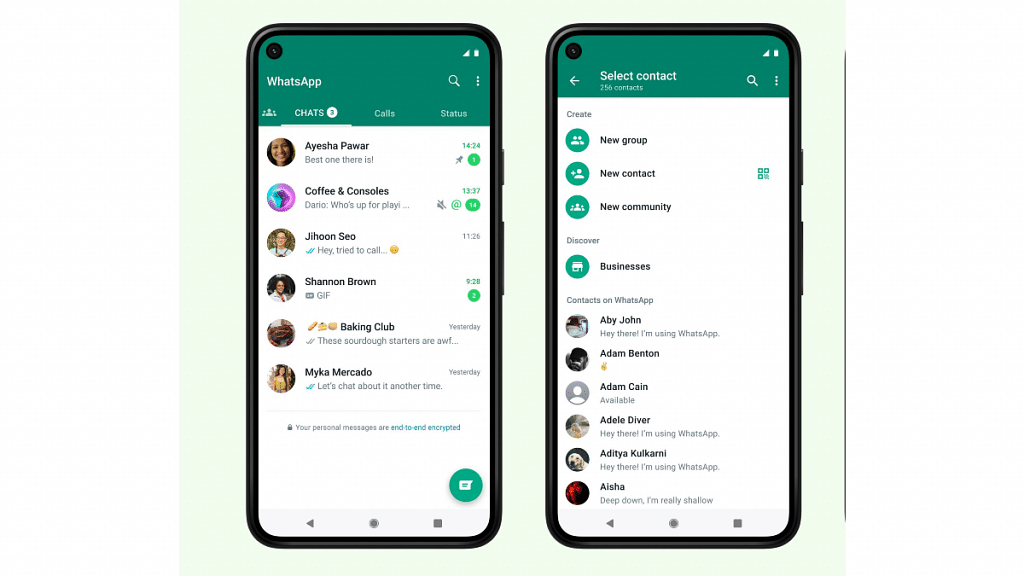
WhatsApp has recently introduced a new update which now allows to chat with unknown numbers directly on WhatsApp without the need to save them as contacts. Before, we had to save the number in our phone first, but now we can chat directly without saving it. This update saves us time and makes it simpler to talk to new people on WhatsApp.

Also Read: Four Vision Apps For Assisting With Eyesight Issues

How to Chat with Unknown Numbers on WhatsApp

The new feature has already begun rolling out and is expected to be available on the latest versions of WhatsApp for both iOS and Android, as reported by WABetaInfo. Here’s how you can utilize this feature to chat with unknown numbers:

  1. Open WhatsApp on your iOS or Android device and tap on the “start new chat” button.
  2. Enter the unknown number in the search bar. WhatsApp will scan your contacts list to find a match.

In the past, you were prompted to save the number before initiating a chat. However, with the latest update, you can bypass this step and proceed to start a chat directly with the specific number.

Also Read: WhatsApp Silence Unknown Caller, Privacy Checkup Security Features Released: How To Use?

Availability and Updates

WhatsApp has not made an official announcement regarding the feature’s availability to all users. However, you can update your WhatsApp application to the latest version from the App Store or Google Play Store. After updating, follow the steps mentioned above to check if you have received the new feature. If it is not immediately available, keep in mind that WhatsApp typically rolls out updates in phases, so it should be accessible on your phone soon.

Also Read: WhatsApp To Soon Allow Sending Videos In HD (High Definition) Quality: How To Send HD Videos Using WhatsApp?

Categories
Apps Featured How To

Google’s Album Archive To Shut Down In Two Days: Here’s How To Save Your Images Without Delay

Key Highlights:

  • Google Album Archive is being shut down by Google
  • Users will no longer have access to their old photos stored exclusively in Album Archive
  • Certain content, such as thumbnail photos and album comments, will disappear once the shutdown takes effect

Google Album Archive allows users to manage and view photo and video content from various Google products. However, Google recently announced the shutdown of this service, prompting users to take necessary steps to safeguard their stored images. In this article, we will explore what Google Album Archive is, the changes taking place, and how users can save their data. Also Read | Google Lens New Skin Feature Allows Searching Skin Conditions: How To Know It’s a Pimple, Lump, Or Mole Using Google Lens?

What Is Google Album Archive?

Google Album Archive is a cloud-based platform that enables users to store, manage, and access their photos and videos. It serves as a repository for content shared on Google products such as Google Hangouts (now Google Chats) and Picasa Web Albums. Unlike Google Photos, Google Album Archive focuses specifically on media that is not stored within Google Photos.

The Shutdown Announcement

Google has officially announced the closure of the Google Album Archive, which is scheduled to take effect on July 19, 2023. Users were informed about the shutdown through a notification and an update on the company’s support page. According to the announcement, content exclusively available in Album Archive will be deleted, and users are advised to download their data using Google Takeout.

Implications Of Shutdown

Once Google Album Archive ceases operation, all images stored on the platform will become inaccessible. Users who have not saved their photos in other apps, such as Google Photos, or lack a personal copy will lose access to their old images. Certain content, including thumbnail photos, album comments or likes, some Google Hangouts data from Album Archive, and background images uploaded before 2018 in the Gmail theme picker, will also disappear.

Also Read | How to Remove Profile Picture from Google Account (Gmail, YouTube, Google Meet)

Unaffected Content

While most data on Google Album Archive will be deleted, specific types of content will remain unaffected by the shutdown. Images from Google Account profile photos, Google Blogger, Google Photos content, and Google Photos Archive will not be affected. Users who wish to retain their images from Google Album Archive can use Google Takeout to download a copy of their data.

How To Save Your Google Album Archive Images

To save your images before the shutdown, follow these steps:

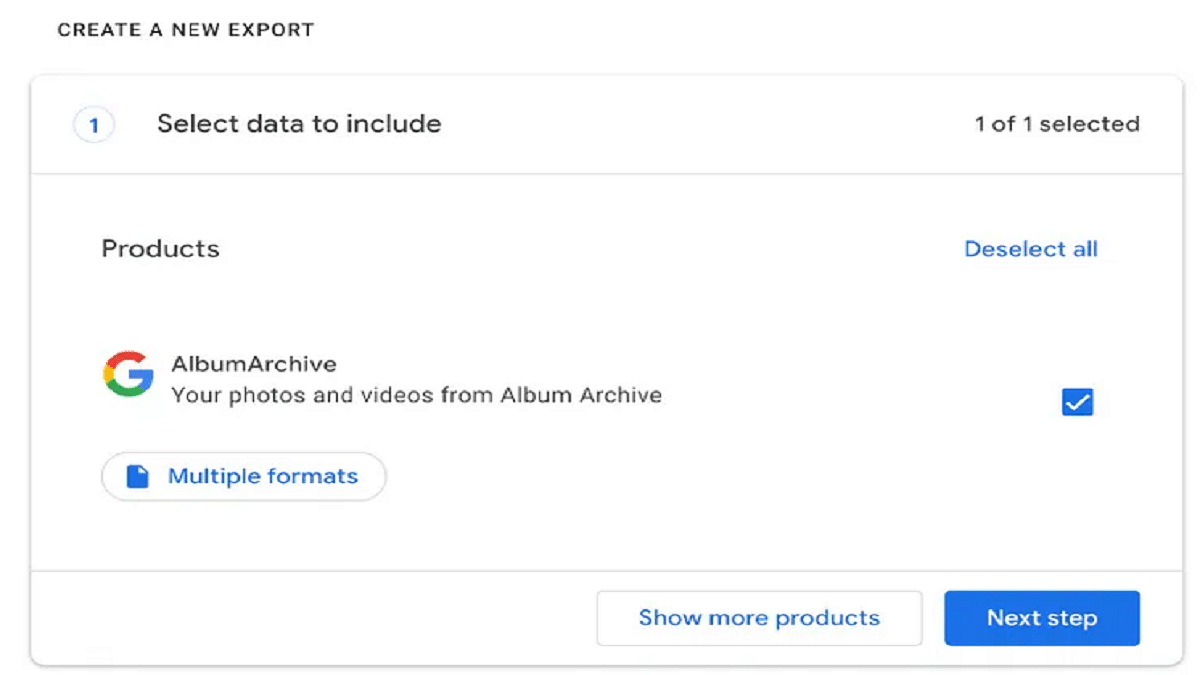
Step 1: Open Google Takeout in your web browser on a PC.

Step 2: Select “Google Album Archive” and deselect any other options.

Step 3: Click on the “Next Step” button.

Step 4: Choose a destination where you want the images to be saved, such as sending the download link via email or adding to Drive, Dropbox, OneDrive, or Box.

Step 5: Select the desired frequency for exporting your data (options include “Export once” or “Export every two months for one year”).

Step 6: Specify the file type and size preferences.

Step 7: Click on “Create Export” to initiate the process.

With the imminent closure of the Google Album Archive, users must take action to preserve their stored images. By following the outlined steps using Google Takeout, users can ensure that their Google Album Archive data is securely saved before the shutdown occurs.

Also Read | Gmail Gets Google Calendar Schedule Feature: What Is It? How To Use?

Categories
Apps Featured How To

No More Threads: Here’s How To Delete Your Instagram Threads Account

Key Highlights

  • Deleting Threads account is not possible without deleting your Instagram account
  • Threads allow users to deactivate their profiles without affecting their Instagram accounts
  • Instagram CEO Adam Mosseri acknowledged the issue

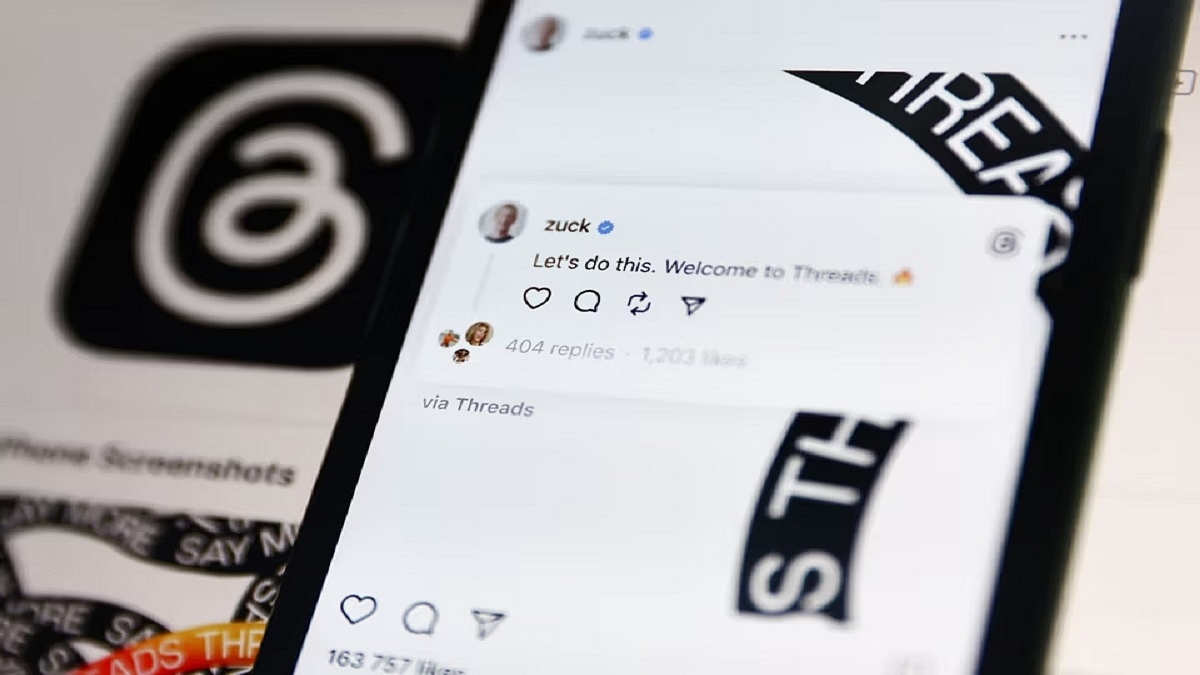
Once you’ve registered for a Threads account, there’s no turning back. Meta, the parent company of Threads, does not provide an option to delete your Threads account independently; instead, it requires you to delete your Instagram account along with it. This means that if you’ve already joined the Threads community, reconsidering your decision may prove futile.

Also Read | Instagram Threads: What Is It And How To Use Meta’s Twitter Alternative

According to Threads’ privacy policy, you can deactivate your Threads profile at any time, but deleting it requires the deletion of your entire Instagram account. However, the policy does allow for the deactivation of your Threads account without affecting your Instagram account. To assist you in this process, here is a step-by-step guide on deleting your Threads account.

Delete Your Instagram Threads Account: Step-by-Step Guide

Step 1: Launch the Threads app and click on the profile icon located in the bottom right corner.

Step 2: Tap the menu icon in the top right corner, represented by two horizontal lines, with the lower line being shorter.

Also Read | How Can You Delete Paytm Transaction History From Your Android And iOS Device

Step 3: Select “Account” and then choose “Deactivate profile.”

Step 4: Tap “Deactivate Threads profile” and confirm your decision.

Meta’s latest social networking platform, Threads, debuted on July 5 and has already surpassed 30 million users, achieving unprecedented growth in the online platform space. However, many users may have signed up without thoroughly reviewing the terms and conditions—a common practice for most people. Threads require users to have an accompanying Instagram account since it is built upon the existing app. However, the integration between the two platforms goes beyond a mere connection.

Addressing the issue, Instagram CEO Adam Mosseri stated on Threads that they are actively exploring options to allow for the separate deletion of Threads accounts.

For the tech geeks, stay updated with the latest cutting-edge gadgets in the market, exclusive tech updates, gadget reviews, and more right on your phone’s screen. Join Giznext’s WhatsApp channel and receive the industry-first tech updates.

Categories
Apps Featured Info

Bumble Now Allows Messaging To Non-Matched Users: Here’s How

Key Highlights

  • Bumble opens doors for messaging non-matched users.
  • Send compliments before matching, sparking interest.
  • Helpful tips and collaboration with Barbie.

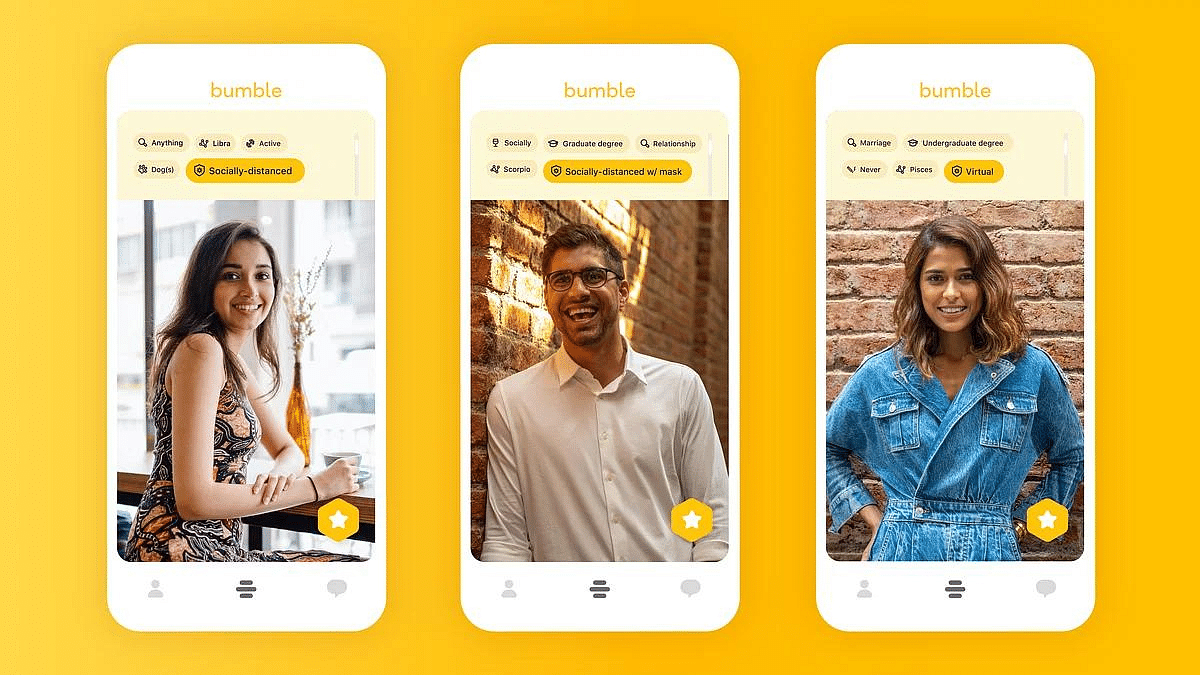
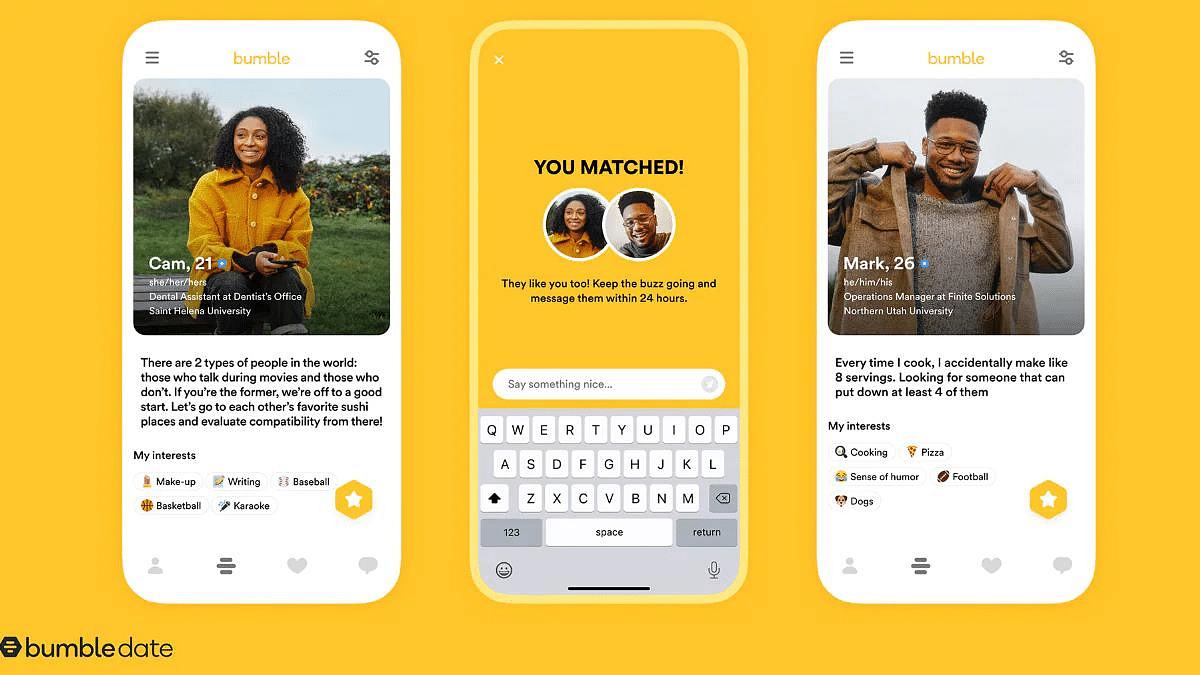
Bumble has introduced a new feature called “Compliments.” It lets users send messages to people they haven’t matched with yet. With Compliments, you can send nice compliments to someone even before you match with them. Bumble says that using this feature increases the chances of matching and having good conversations. It’s a way to show interest and start a positive interaction with someone you’re interested in.

Also Read: Facebook is working on a video dating app

Understanding Bumble Compliments

The new Compliments feature on Bumble lets you give special compliments about different parts of someone’s profile. You can praise their bio, photo, or the things they write in their profile. It’s similar to how Hinge works, where you can leave comments on pictures or prompts to start a conversation.

What makes Bumble’s Compliments unique is that you can send them even before you match with someone. This means you can catch their attention and increase the chances of them matching with you too. It’s a great way to make a positive impression and show someone that you’re interested in getting to know them better.

Also Read: Four Must-Have Apps For Singles

How to Utilize Compliments on Bumble

Sending compliments on Bumble is easy. Just follow these steps:

  1. Open the Bumble app and choose the profile of the person you want to connect with.
  2. Find the yellow icon with a heart inside a speech bubble.
  3. Tap on the icon to open a text box where you can write your comment or compliment.
  4. Bumble has a limit of 150 characters, so keep your compliment short and sweet.

Bumble’s dedication to user experience extends beyond the app itself. They have a dedicated blog where they give tips and advice on how to use the Compliments feature. If you’re not sure how to start, you can check out the blog for helpful tips. Bumble has also teamed up with Barbie to make the Compliments feature even better.

You might come across profiles of Barbie and Ken in your swipe queue. They will give you tips about being kind and share some of their favorite compliments on Bumble. It’s a fun way to encourage positivity and make the experience more enjoyable.

Also Read: WhatsApp Pink Scam Red Alert For Android Users: What Is This New Scam? How To Stay Safe?

Categories
Apps Featured

New OTT Release This Week (July 2023): Top Five Shows You Can’t Afford To Miss

Key Highlights

  • This week brings a diverse range of fresh and captivating content for streaming on OTT
  • There’s a show or movie for everyone this week
  • These new releases boast talented ensemble casts and compelling storylines

Looking for some captivating and exciting content to stream online? Well, you’re in luck! This week brings a plethora of new releases on various OTT platforms, catering to different tastes and preferences. Whether you’re a fan of drama, romance, or suspense, there’s something in store for everyone. Let’s take a closer look at the latest offerings from JioCinema, Amazon Prime, Disney Plus Hotstar, and Netflix. Also Read | Weekend Watchlist (July 2023): Four Best Netflix Shows To Binge-Watch

The Trial: Pyaar, Kaanoon, Dhokha (Disney+ Hotstar)

In this courtroom drama, a housewife finds herself compelled to return to work as a lawyer when her husband’s public scandal lands him in jail. Starring Kajol, “The Trial: Pyaar, Kaanoon, Dhokha” is the Indian version of the popular American television series “The Good Wife.” Sheeba Chaddha, Aly Khan, Kubbra Sait, and Gaurav Pandey are also featured in the series, which is directed by Suparn S Varma.

Also Read | Here’s How To Download Videos From Netflix, Amazon Prime, And Disney+ Hotstar

Kohrra (Netflix)

Co-created by Sudip Sharma, known for his work on “Pataal Lok,” along with Gunjit Chopra and Diggi Sisodia, Kohrra kicks off with the discovery of a dead NRI in the Punjabi countryside, just before his wedding. The story delves into the hidden world of a dysfunctional family, featuring an ensemble cast including Suvinder Vicky, Barun Sobti, Varun Badola, Harleen Sethi, Rachel Shelly, and Manish Chaudhary.

The Summer I Turned Pretty (Amazon Prime Video)

Based on the beloved novel by Jenny Han, “The Summer I Turned Pretty” is a highly anticipated film that will transport fans into the world of the book. Starring Lola Tung and Gavin Casalegno in the lead roles, the film captures the essence of the novel, exploring themes of love, self-discovery, and the bittersweet nature of growing up. Produced by Marty Scott, Deborah Swisher, Jenny Zhang, and Nicole Colombie, it was released on July 14, 2023, on Amazon Prime Video.

College Romance Season 4 (Sony LIV)

For fans of the romantic comedy genre, the popular web series “College Romance” is back with its fourth season. Available for streaming on Sony LIV starting July 14, 2023, this series continues to entertain and captivate audiences. It digs into the lives, relationships, and humorous antics of a group of college students with its likable characters and clever writing. Featuring an ensemble cast that includes Apoorva Arora, Shreya Mehta, Gagan Arora, Manjot, Keshav Sadhna, Nupur Nagpal, and Janhvi Rawat, it is directed by Ashutosh Pankaj and produced by Arunabh Kumar.

Blind (JioCinema)

Last, but certainly not least, JioCinema comes with a new OTT release this week: “Blind.” This crime thriller features Sonam Kapoor in the role of a determined police officer who is blind. The film follows her unwavering pursuit of a notorious serial killer. “Blind” is one of the most highly anticipated OTT releases of the week, and it also marks Sonam Kapoor Ahuja’s comeback after taking time off for motherhood. Fans of the actress, as well as fans of the original Korean film, were eagerly looking forward to watching this captivating movie.

Also Read | Top OTT Releases For July 2023

Categories
Apps Featured How To

Gmail Gets Google Calendar Schedule Feature: What Is It? How To Use?

Key Highlights

  • Google releases schedule feature for Gmail
  • Feature available for Workspace clients as well general users
  • A new calendar icon is added for the same

Google has been updating Gmail with new features proactively and has now made the platform more potent. The company has added the Google Calendar to the Gmail app using which users will now be able to schedule and upcoming events. How can you use the Google Calendar’s Schedule feature on Gmail? Read the details below:

Also Read: Gmail Help Me Write Feature: What Is It? How To Use?

Gmail Schedule Feature: Steps To Use

With the schedule feature on Gmail, one will be able to create a calendar to make the contacts aware of their availability or any upcoming events that have been scheduled. One can easily access and use the calendar schedule feature on Gmail from the email conversation tab itself. A new calendar icon has been added which once clicked will show two different options to mark an upcoming event or availability.

Step 1: Launch the Gmail application

Step 2: Go to the Email conversation tab

Step 3: Locate the calendar icon positioned at the bottom

Step 4: You will see two options “Create an event” and “Offer times you’re free”

Step 5: If you select the “Create an event” option, a Google Calendar tab will pop up on the screen. Here, you can use an email’s subject line for the event title and also use the same recipients as the event participant.

Step 6: If the second option, i.e., “Offer times you’re free option”, then it will allow users to add the time slots or dates they are free for any meeting.

Also Read: Gmail Vacation Replies: How To Create And Set Replies For Vacations On Gmail?

Who All Can Use Gmail Calendar Schedule Feature?

The Gmail Calendar feature is also made available to all Google Workspace clients. Notably, the personal Google account holders will also be able to use the schedule feature to mark their availability or events they have lined up.

Also Read: Need To Send SMS? Learn How To Do It Through Your Gmail Account

Notably, the calendar schedule feature was previously available exclusively for premium Workspace users but is now being released for personal users as well. Google has started rolling out the calendar schedule feature to all users in a phased manner and is expected to complete the mass rollout by the end of July this year.

For the tech geeks, stay updated with the latest cutting-edge gadgets in the market, exclusive tech updates, gadget reviews, and more right on your phone’s screen. Join Giznext’s WhatsApp channel and receive the industry-first tech updates.

Categories
Apps Featured

Weekend Watchlist (July 2023): Four Best Netflix Shows To Binge-Watch

Key Highlights

  • Netflix continues to offer an extensive selection of shows to suit every taste
  • Our updated list of the best shows on Netflix will help you find your next binge-worthy obsession
  • Explore the diverse and exciting content available to stream right now

Netflix never fails to deliver fresh content, and this week is no exception. The streaming platform welcomes the highly anticipated new season of the legal drama, “The Lincoln Lawyer,” and introduces a captivating Mexican telenovela called “The Surrogacy.” Additionally, there is a plethora of original series from June that you can catch up on, along with an impressive lineup of dramas, comedies, and more. To help you find your next binge-worthy show, we have updated our list of the best shows on Netflix you can watch this weekend. Let’s dive in! Also Read | What Are Netflix Secret Codes: How To Watch Hidden TV Shows And Movies On Netflix Using Secret Codes

The Lincoln Lawyer

The Lincoln Lawyer returns with its second season, bringing back the courtroom drama you’ve been craving. This season is an adaptation of Michael Connelly’s fourth novel in the series, The Fifth Witness. Mickey Haller (Manuel Garcia-Rulfo) takes the spotlight as he faces an unforeseen challenge: fame. Mickey’s successful defense of Trevor Elliott (Christopher Gorham) strains his already frosty relationship with his ex-wife, Maggie McPherson (Neve Campbell). Mickey’s new client, Russell Lawson (David Clayton Rogers), presents him with a legal quandary unlike anything he has encountered before.

Also Read | ‘Spider-Man: No Way Home’ OTT Release: How To Watch Tom Holland-Starrer On Netflix

The Witcher

In the highly anticipated third season of “The Witcher,” Geralt of Rivia (Henry Cavill) faces the daunting task of protecting the two women who hold his heart. Reunited with his lover, Yennefer of Vengerberg (Anya Chalotra), Geralt and Yennefer take on the responsibility of nurturing and training Geralt’s surrogate daughter, Ciri (Freya Allan). This season, Ciri demonstrates greater control over her emerging powers. However, she remains a target for malevolent forces seeking to exploit her extraordinary abilities. Five new episodes are now available, with the final three episodes set to release on July 27.

Tom Segura: Sledgehammer

While Tom Segura’s expression may initially suggest a reliance on lewd and crude humor, his stand-up comedy quickly proves otherwise. Segura’s sharp wit and acerbic storytelling take center stage, showcasing a purposeful and hilarious comedic approach that goes beyond being crass for the sake of shock value. Prepare to be entertained by Segura’s unique style and perspective.

The Surrogacy

The Surrogacy is the latest Mexican show now available on Netflix. Starring Shani Lozano as Yeni, the series revolves around a young woman who becomes entangled in a blackmail scheme orchestrated by a powerful couple, Julia (Marcela Guirado) and Carlos (Luis Ernesto Franco). Despite the illegal nature of the arrangement, Yeni agrees to become their surrogate. As the story unfolds, Yeni and Carlos find themselves developing unexpected feelings for each other. However, on the day of the birth, Yeni is left alone with her disabled son, unaware that the couple has taken her daughter. Julia will stop at nothing to protect this secret.

Also Read | How To Create And Manage Multiple Netflix Profiles: Step-By-Step Guide

Categories
Apps Featured How To

Got A Traffic Challan? No Worries! Here’s How You Can Pay It Online

Key Highlights

  • The New Motor Vehicles Act of 2019 in India focuses on stricter enforcement and improved road safety
  • E-challan service enables people to conveniently pay traffic fines online
  • You can make online traffic fine payments on the e-challan website and state transport websites

In our country, traffic violations are a fairly common occurrence. If you own a vehicle, chances are high that you have committed at least one traffic offense. In the past, many of these cases went unchecked due to manpower shortages and inadequate technology. However, the Indian government has taken steps to enforce stricter regulations and improve road safety with the implementation of the New Motor Vehicles Act of 2019. One of the key tools aiding this enforcement is the e-challan service, which allows individuals to conveniently pay their traffic fines online.

Also Read | Delhi Metro Goes Digital: How To Use DMRC Travel App To Buy Tickets On Mobile

How To Pay Traffic Challan Online

To pay your challan online, you need to follow a step-by-step process. Here’s how:

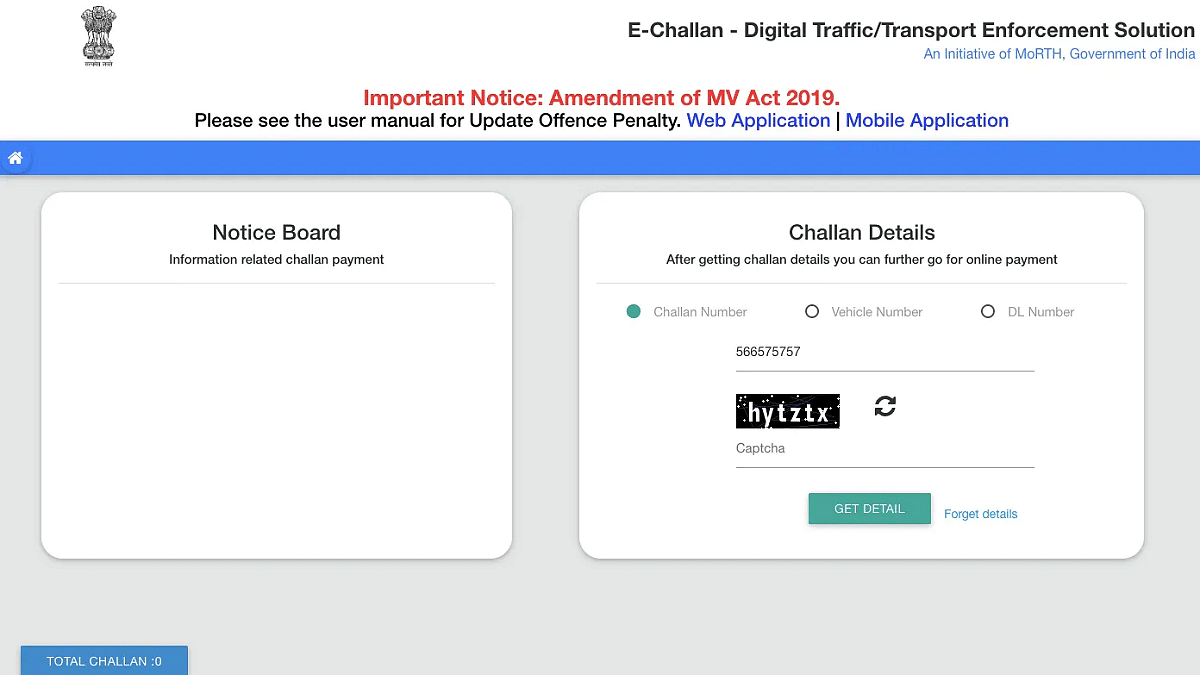
Step 1: Go to the official e-challan website at echallan.parivahan.gov.

Step 2: Choose the “Check Challan Status” option from the drop-down menu under the “Check Online Service” section.

Step 3: Enter the required information and captcha code as prompted.

Step 4: Click on “Get Details” to retrieve the relevant information regarding your traffic violation.

Step 5: Select the “Pay Now” option to proceed with the payment.

Step 6: Choose your preferred mode of payment to pay the challan fees.

Step 7: Once the transaction is complete, make sure to note down the provided transaction ID for future reference.

Also Read | Step-by-Step Guide: How To Use Second Screen On Samsung Galaxy Tablets

How To Pay Traffic Challan Via State Transport Website

If you prefer to pay your traffic fines through the state transport website, here’s a step-by-step guide:

Step 1: Visit the official website of your state’s transport department.

Step 2: Look for the specific section dedicated to paying violation fines.

Step 3: Choose the appropriate option based on the type of violation, such as parking charges or spot fines.

Step 4: Click on the relevant link and enter the necessary details related to the specific traffic offense.

Step 5: Provide the vehicle registration number or parking violation tag number.

Step 6: Enter the current outstanding fine amount associated with the violation.

Step 7: Proceed to make the payment using a Mastercard or Visa card.

Step 8: Enter the captcha code and click on “Submit” to initiate the payment process.

With the introduction of online payment portals and e-challan services, paying traffic fines has become a hassle-free task. Whether using the dedicated e-challan website or the state transport website, following the step-by-step process ensures a seamless experience.

For the tech geeks, stay updated with the latest cutting-edge gadgets in the market, exclusive tech updates, gadget reviews, and more right on your phone’s screen. Join Giznext’s WhatsApp channel and receive the industry-first tech updates.

Categories
Apps Featured How To

Want To Report Accidents And Road Closures On Google Maps? Learn How To Do It

Key Highlights

  • During the monsoon, accidents, landslides, and road closures are frequent
  • Users of Google Maps can report accidents, landslides, and road closures
  • Users of Google Maps can access this data while driving

Monsoon season is here! It contributes between 70 and 80 percent of the nation’s yearly rainfall, and many activities, including agriculture, depend on it. The impact of rising global temperatures can also be noticed during the monsoon season. Intense rain for brief periods of time during the monsoon has become a typical occurrence. These kinds of extreme weather occurrences result in waterlogging, crumbling roads, and landslides since the nation’s current infrastructure is not equipped to handle them.

Also Read | Avoid Overspeeding Traffic Challans: How To Enable Speed Limit Warning In Google Maps

These factors have made accidents more frequent during the monsoon, but thanks to modern technology, individuals are now able to report accidents, road closures, waterlogging, and more on a platform like Google Maps, potentially saving lives. Here is a step-by-step guide on how to report accidents, road closures, waterlogging, and more on Google Maps.

How To Report Accidents, Road Closures On Google Maps

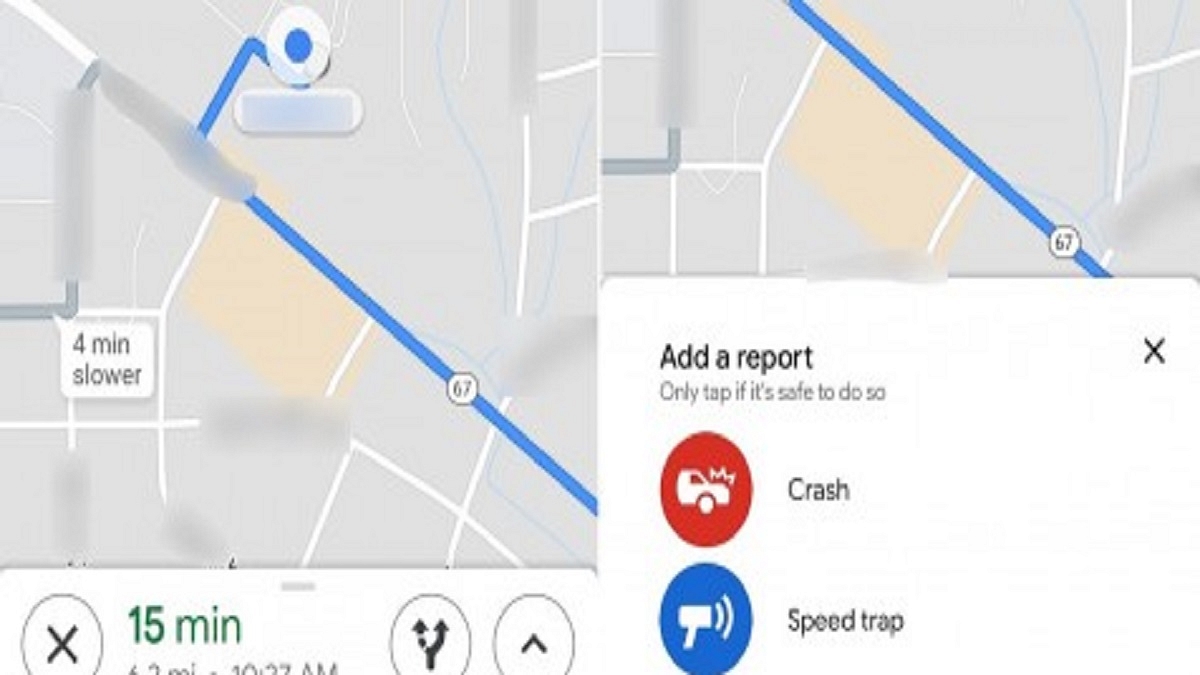
Step 1: On your phone, launch Google Maps and enter your destination.

Step 2: Swipe up from the bottom bar that displays your route information after starting the navigation.

Also Read | How To Access Google Maps Without Phone On Wear OS

Step 3: The button labeled “Add a report” will appear below the map. Tap it.

Step 4: From the list of options, pick the incident type you want to report.

Step 5: If you verify your complaint, Google will warn any nearby users who are traveling.

In conclusion, Google Maps provides a comprehensive solution for reporting accidents and road closures. With its user-friendly interface and real-time updates, it allows users to contribute and access vital information on the go. By enabling users to report accidents and road closures, Google Maps not only enhances the overall driving experience but also promotes safety on the roads. The ability to view incidents and plan alternative routes efficiently contributes to minimizing traffic congestion and improving commute times.