Categories
Apps Featured How To

Instagram Threads: What Is It And How To Use Meta’s Twitter Alternative

Key Highlights

  • Meta launches Threads, a microblogging app by the Instagram team
  • Mark Zuckerberg’s Meta aims to challenge Elon Musk’s Twitter with Threads
  • It is designed for sharing text updates and participating in public conversations

Elon Musk and Mark Zuckerberg have recently engaged in a playful discussion about a potential cage fight. However, it seems that their rivalry has taken a more serious turn as Mark Zuckerberg’s company, Meta has introduced a social networking app called Threads. This new app bears a resemblance to Elon Musk’s Twitter, and here’s everything you need to know about Instagram Threads.

Also Read | How Can You Download And Watch Instagram Reels On Android, iOS Without Installing Third-Party Apps?

Introducing Threads: Meta’s Microblogging App

Threads, developed by the Instagram team under Meta’s ownership, is a newly released app designed for sharing text updates and participating in public conversations. The app fills a niche in the market for a microblogging social network, free from some of the challenges faced by Twitter. Interestingly, there was an earlier app named Threads announced in 2021, but its progress had been largely unknown until now where it seems to have undergone significant updates and a relaunch.

How To Join Threads

To access Threads, you need to download the app separately from the Instagram app.

Step 1: Simply visit the App Store or Google Play on your phone and search for “Threads, an Instagram app” in the search bar.

Step 2: Once downloaded, open the app and tap the “Log in with Instagram” button at the bottom of the screen.

Since Threads requires an Instagram account, users have the option to follow the same people they follow on Instagram. After setting up your account, you’ll be directed to your Threads feed, where you can view posts from the accounts you follow and even discover content from random users you don’t follow.

Also Read | From One Link To Many: How To Add Multiple Links To Your Instagram Bio

Threads App: Key Features And Icons

At the bottom of the screen, you’ll find a row of icons that aid in navigating the app. Here’s a breakdown from left to right:

House Icon: Takes you to your feed.

Magnifying Glass Icon: Opens the search page, allowing you to find specific users by entering their usernames.
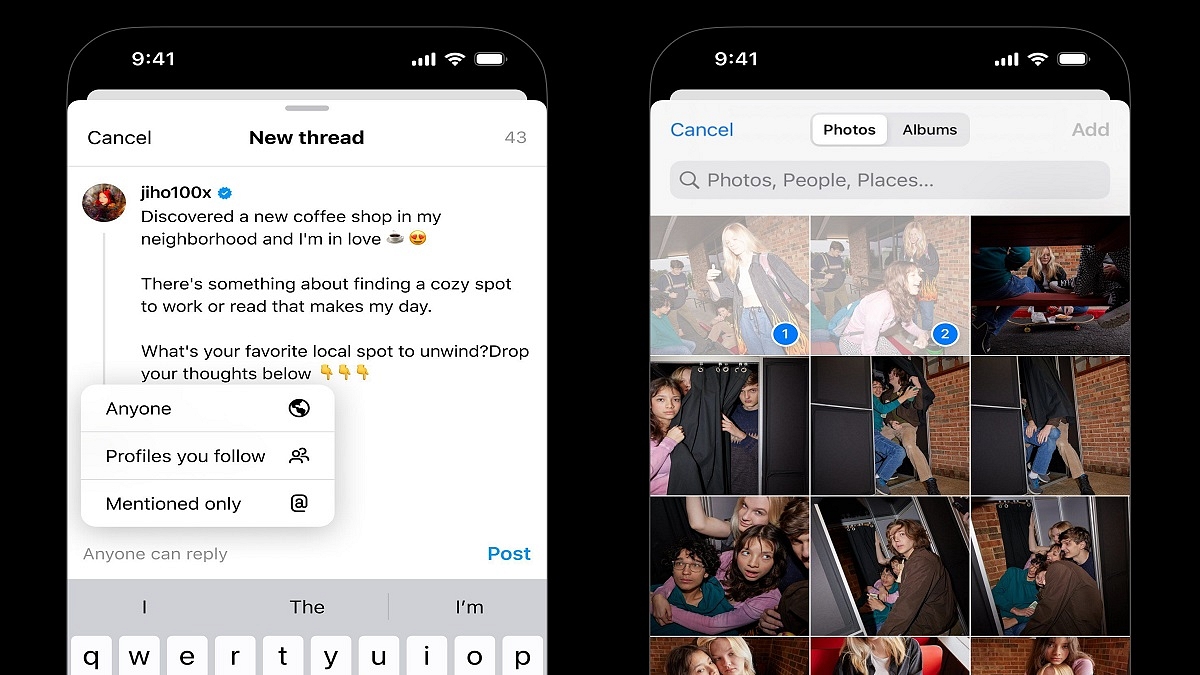
Pen-and-Paper Icon: This lets you create a new thread.

Heart Icon: Displays your account activity, including followers, thread replies, mentions, and verified users.

Human Figure Icon: This takes you to your Threads profile, where you can access your activity and account details.

In summary, Meta’s Threads app presents a new contender in the microblogging social network space, competing directly with Elon Musk’s Twitter. With its focus on text updates and public conversations, Threads aims to provide users with an alternative platform free from the challenges faced by other social media networks.
Categories
Apps Featured

Four Banned Apps In India That Should Make A Comeback

Key Highlights

  • GOI has implemented bans on certain mobile applications to ensure national security and protect user data
  • Some of these banned apps are missed by the Indian population
  • The article discusses five banned apps in India that should be brought back

In recent years, the Indian government has taken stringent measures to safeguard national security and protect user data by banning certain mobile applications. While the intentions behind these bans are understandable, there are a few apps that have been sorely missed by the Indian population. In this article, we explore four banned apps in India that should make a comeback. Also Read | Best Money-Earning Apps For Android Phones In India

TikTok

TikTok was an incredibly popular short video-sharing app that provided a platform for creative expression and entertainment. With millions of active users, it allowed individuals to showcase their talents and connect with a global community. Although concerns over user privacy were cited as reasons for the ban, reinstating TikTok with enhanced security measures would be welcomed by countless content creators and viewers alike.

CamScanner

CamScanner was a widely-used document scanning app that provided convenience for individuals and professionals alike. It allowed users to digitize physical documents effortlessly. Following privacy concerns, the ban was imposed. However, with improved data security protocols, CamScanner’s revival would be a boon to students, office workers, and anyone in need of a reliable scanning tool.

Also Read | List Of Best Government Apps Offering AI Chatbot Support To Improve User Experience

ShareIt

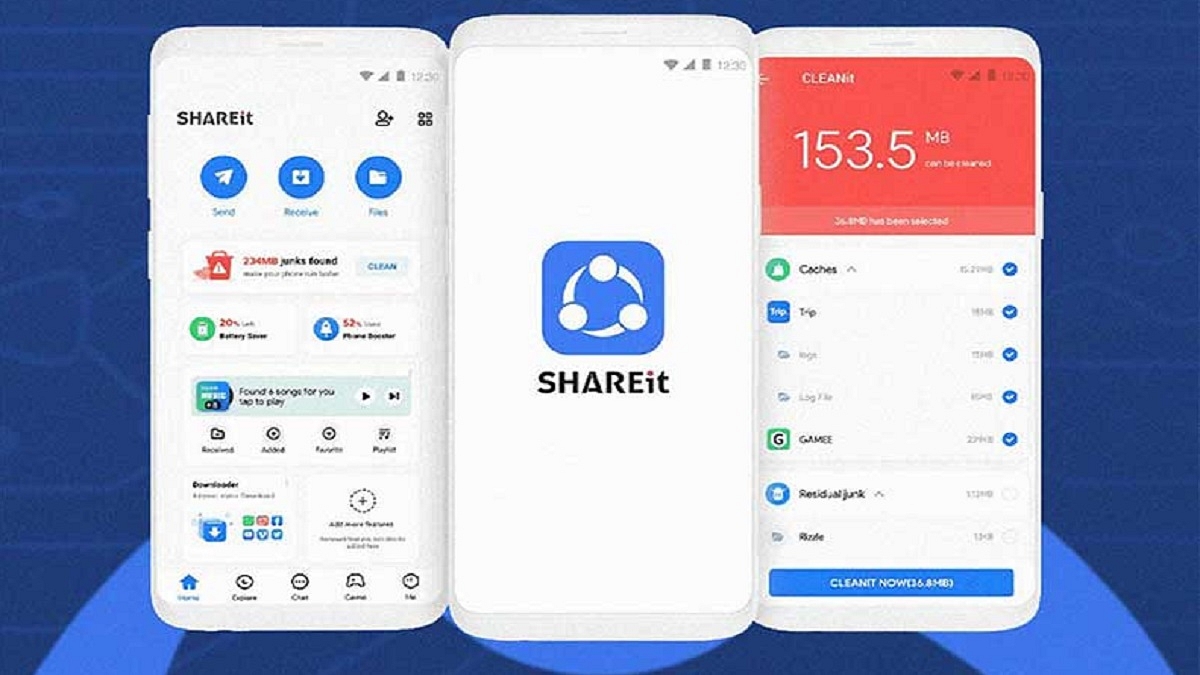
ShareIt was a popular file-sharing app that facilitated the seamless transfer of files between devices without the need for an internet connection. Although privacy concerns were raised, with stringent privacy measures and enhanced encryption, the app could be safely reintroduced. Its reinstatement would greatly benefit users who frequently need to transfer files between smartphones or laptops.

UC Browser

UC Browser, known for its fast browsing speed and user-friendly interface, was one of the most popular mobile web browsers in India. While concerns over data security led to its ban, the developers could implement stringent security measures and work closely with regulatory authorities to address the issues. The revival of the UC Browser would offer users an alternative browser with improved privacy settings and features.

While the Indian government’s actions to protect user privacy and national security are commendable, there are certain banned apps that deserve a second chance. By addressing privacy concerns and implementing stringent security measures, the revival of apps like TikTok, PUBG Mobile, CamScanner, ShareIt, and UC Browser could bring immense joy to millions of users while ensuring their data remains secure. It is essential to strike a balance between safeguarding user privacy and providing access to innovative and useful apps.

Also Read | Best Mobile Apps To Easily Find Parking Spot For Your Car

Categories
Apps Featured Info

ChatGPT Website Traffic Drops To Upto 9 Percent First Time Since Launch: Details Inside

Key Highlights

  • ChatGPT website traffic declines for the first time.
  • Monthly visits and unique visitors decrease.

ChatGPT faced a decrease in its monthly website traffic and the number of people visiting its website in June. This decline is significant because it’s the first time such a drop has been observed since ChatGPT was launched in November. Similarweb, an analytics firm, provided the data, revealing that both desktop and mobile traffic to the ChatGPT website decreased by 9.7 per cent in June compared to May. Moreover, the number of unique visitors dropped by 5.7 per cent, and visitors also spent 8.5 per cent less time on the website.

Also Read: ChatGPT App Now Launched In India And 32 Other Nations: Who Can Use?

ChatGPT’s Growth, Current Status & Competitors

When ChatGPT was introduced in January, it became extremely popular in a short amount of time. Within just two months, it gained over 100 million active users every month. This made it the fastest-growing consumer application ever.

In fact, it received more than 1.5 billion visits to its website each month and even reached the top 20 websites worldwide. ChatGPT’s success was so impressive that it surpassed Bing, which is Microsoft’s search engine that also uses OpenAI’s technology.

In recent months, some new competitors have joined the chatbot market, including Google’s Bard chatbot. Moreover, the release of the ChatGPT app for iOS devices in May might have caused a change in traffic, with people using the app instead of visiting the website. Some experts also suggest that the decrease in usage could be because it’s summer break for schools, and fewer students are looking for help with their homework during this time.

Also Read: Microsoft Visual ChatGPT Is The New Hype: How To Use This Advanced AI Chatbot

Possible Reasons for the Decline

David Carr, who is a Senior Insights Manager at Similarweb, believes that the decrease in traffic might mean that people are not as excited about the chatbot as they were in the beginning. Rishi Jaluria, an analyst at RBC Capital Markets, thinks that the data shows that people are now more interested in generative AI that can give them real-time information.

However, OpenAI, the company responsible for ChatGPT, has not provided any comments yet regarding this decline in traffic.

Also Read: The Ultimate Guide To Use ChatGPT On WhatsApp

Implications for OpenAI

The recent slowdown in ChatGPT’s growth may actually have a positive effect on its operational costs. Running the chatbot requires a lot of computing power, which comes with significant expenses. OpenAI’s CEO, Sam Altman, has even described these costs as quite high. While ChatGPT is available for free, OpenAI also offers a premium subscription option. This subscription allows users to access the more advanced GPT-4 model for a monthly fee of $20. Estimates from YipitData suggest that approximately 1.5 million users in the U.S. have already signed up for this subscription.

OpenAI is projecting a revenue of $200 million this year. In addition to ChatGPT, the company generates income by selling API access to its AI models directly to developers and businesses. OpenAI has also formed a partnership with Microsoft, which has invested over $10 billion in the company.

Although the decline in website traffic for ChatGPT raises concerns about its long-term sustainability, OpenAI remains committed to finding new opportunities to expand its revenue streams and improve the chatbot’s capabilities. The company is continuously exploring ways to enhance its offerings and ensure a successful future for ChatGPT.

Categories
Apps Featured How To

YouTube Music: How To Enable Auto-Add Songs To Your Last Playlist

Key Highlights

  • YouTube Music now automatically adds songs to the most recent playlist used by the user
  • Users have the option to change the default playlist by tapping the ‘Change’ button on the screen
  • YouTube Music app now merges Albums and Singles into a unified “Top releases” section on artist pages

YouTube Music has introduced a convenient new feature that auto-adds songs to the most recent playlist used by the user. Regardless of whether the playlist is new or existing, it will be set as the default destination for subsequent song saves. A notification will appear to inform the user about the playlist to which the song has been added, offering them the option to change it by tapping the ‘Change’ button located at the bottom right of the screen. Also Read | How To Migrate YouTube Channel And Videos To A Different Account

This feature has long been available on the main YouTube app, where it remembers the last playlist to which a video was saved and sets it as the default option for future saves. Now, this feature has been incorporated into the YouTube Music apps for both Android and iOS devices.

How To On/Off Last Used Playlist Feature In YouTube Music

On The Web:

Step 1: Open your web browser and visit music.youtube.com. Sign in to your account.

Step 2: Click on your profile picture in the top right corner, then select Settings from the dropdown menu.

Step 3: On the left side of the settings page, click on General.

Note: On mobile, this setting is located in the Recommendations section, not General.

Step 4: Locate the toggle switch labeled “Remember last used playlist – Automatically save content to the last used playlist” and click on it to enable or disable the feature.

Also Read | Remove Copyright Claim On Your YouTube Video: Here’s How

On Mobile:

Step 1: Launch the YouTube Music app on your smartphone and log in to your account.

Step 2: Tap on your profile picture located at the top right corner of the screen, then select Settings from the menu.

Step 3: On the left side of the settings page, tap on Recommendations.

Step 4: Look for the option labeled “Remember last used playlist – Automatically save content to the last used playlist” and tap on it to enable or disable the feature.

Furthermore, YouTube has made changes to the presentation of artists’ works on its apps. Previously, the YouTube Music app displayed Albums and Singles separately on artist pages. However, these categories have now been merged into a single section called “Top releases.” This section appears after the five most popular songs by the artist.

Also Read | YouTube Tips And Tricks: How To Download YouTube Shorts Videos Offline

Categories
Apps Featured How To

Delhi Metro Goes Digital: How To Use DMRC Travel App To Buy Tickets On Mobile

Key Highlights

  • DMRC Travel app launched for online metro ticket booking and smart card recharge
  • App generates mobile QR codes for entry and exit at metro stations, eliminating the need for physical tokens
  • Supports various payment methods, including UPI, Credit Cards, Debit Cards, and e-wallets

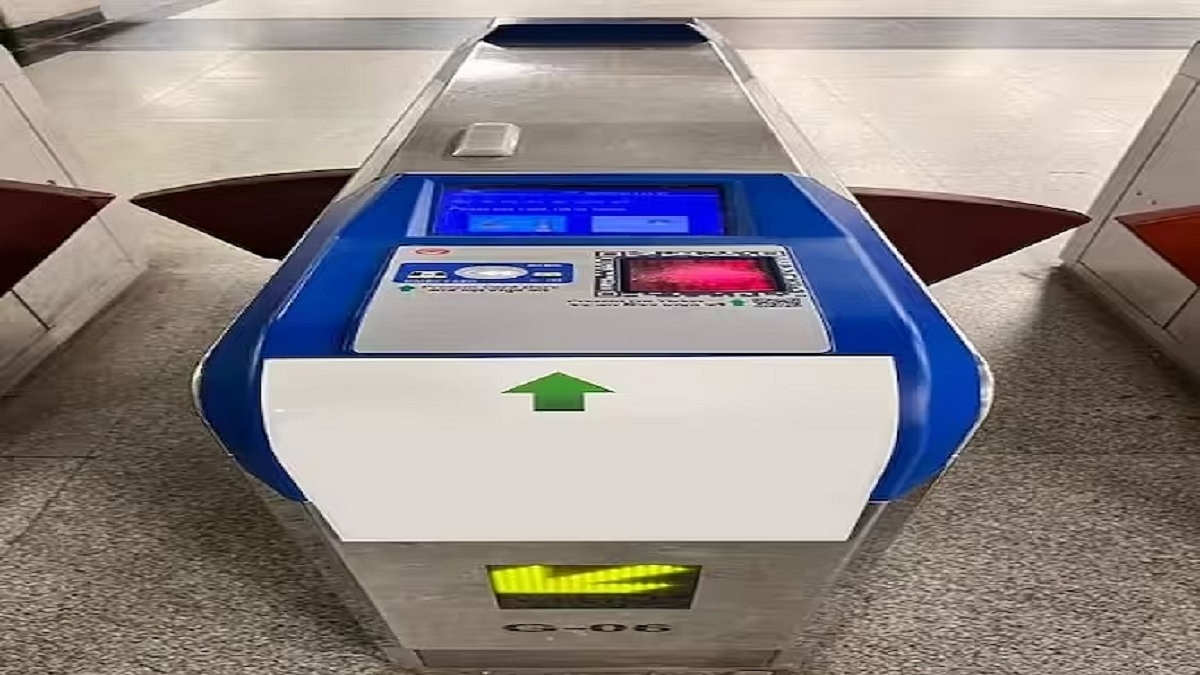
The Delhi Metro Rail Corporation (DMRC) has unveiled the DMRC Travel app, a dedicated platform for online metro ticket booking. By generating a QR code, this app allows users to bypass long queues for physical tokens and scan the code at the station entrance after undergoing security checks. Additionally, the app enables users to recharge their metro smart cards. Also Read | Recharge Your Delhi Metro Card Using Airtel Thanks App: Here’s How

Various Payment Methods And Passenger-centric Features

In an official release, DMRC announced that the new DMRC Travel app supports a range of payment methods, including UPI, Credit Cards, Debit Cards, and e-wallets. The app provides passenger-focused features like a route planner, fare calculator, station information, and smart card recharging in addition to ticket buying. It also provides route information from origin to destination, including interchange stations. Commuters can view transaction history, rebook tickets, and plan return journeys using the app.

How To Purchase Mobile QR Tickets

To assist users in purchasing Delhi Metro tickets via the DMRC Travel app, here is a step-by-step guide:

Step 1: Find and download the DMRC Travel app from Google Play and install it on your smartphone.

Step 2: Open the app and create an account using your Gmail or Facebook credentials.

Step 3: Log in to the app and select the “Book Ticket” option from the menu bar.

Step 4: Enter your source and destination stations and click on “Book Ticket.” The app will display the price, number of stops, and journey time for the selected stations.

Also Read | How To Recharge Metro Smart Card Online: A Step By Step Guide

Step 5: Choose the number of tickets and tap “Proceed to Booking.”

Step 6: Verify the specifics of your transaction, such as the source and destination stations, the number of tickets, and the total cost.

Step 7: Make the payment using your preferred method.

Upon successful payment, the app will generate a mobile QR ticket. Commuters can use this ticket to enter and exit the Automatic Fare Collection gate at any time while traveling.

DMRC Travel App: Advantages

Previously, booking and recharging metro tokens was possible only through third-party apps. However, DMRC’s new app simplifies the process by allowing users to book and pay for tickets directly. The future of the existing Delhi Metro Rail app remains uncertain, as it primarily served the purpose of checking Delhi Metro routes and commuting times between stations.

Also Read | Delhi Metro Smart Card Not Working? Follow These Steps To Get A New One Instantly

Categories
Apps Featured

From Chaos To Clarity: Five Proven Methods To Keep Your Gmail Inbox Organized

Key Highlights

  • Email management is crucial for Gmail users facing an overwhelming number of emails
  • Using the right email management tools can significantly improve the organization
  • Deleting unnecessary emails, prioritizing important ones, and sorting emails into folders are effective strategies for managing your Gmail inbox

Gmail boasts a massive user base of over 1.3 billion people worldwide. While each user faces their unique situations and challenges, one common issue unites us all: an overwhelming number of emails. The key to overcoming this challenge lies in mastering the art of email management. Organizing your Gmail inbox is a vital survival skill that can alleviate email overload and promote mental peace. Also Read | Running Low On Google Storage? Five Best Techniques To Clear Your Gmail Space

Gmail Email Management: Benefits

Email management proves its worth by offering numerous advantages. Understanding the significance of organizing your Gmail inbox paves the way for implementing effective strategies. Here are five simple methods to manage your inbox efficiently.

Right Email Management Tools

A variety of Gmail email management software is now available, each targeting different aspects of email organization. Incorporating these tools into your workflow can significantly enhance your understanding of how to organize your Gmail inbox. Highly recommended options include Mailmanhq, EmailAnalytics, Gmelius, and more.

Delete Unnecessary Emails

When learning how to organize your Gmail inbox, it’s important to identify and delete emails that serve no purpose. Newsletters and spam emails often flood our inboxes, but unsubscribing from unnecessary subscriptions simplifies email management and reduces clutter.

Also Read | Struggling With Message Composition? Let Google Magic Compose’s AI Assist You! Here’s How

Prioritize Important Emails

The overwhelming influx of emails can result in important messages getting lost. To prevent this, you can use the “star” feature in Gmail, which allows you to mark and store essential emails in a separate folder for easy access. Other email clients like Outlook offer a similar feature called “Flag,” enabling you to differentiate and locate important emails quickly.

Organize Emails With Folders

Most email software provides the option to create folders and filters, enabling you to direct incoming emails to specific categories. By creating folders such as “Important,” “Unimportant,” and “Urgent,” you can sort and store emails accordingly. This approach ensures easy retrieval and promotes effective organization, making it one of the most valuable tips for managing your Gmail inbox.

Timely Responses To Incoming Emails

Efficient email management involves promptly responding to messages. However, this doesn’t necessarily mean replying immediately to every email received. Instead, the emphasis is on not leaving any email unattended, ensuring that all messages are acknowledged in due course.

Mastering the skill of organizing your Gmail inbox is essential for anyone seeking to overcome the challenges of email overload. By using the right tools, deleting unnecessary emails, prioritizing important messages, sorting emails into folders, and responding in a timely manner, you can achieve greater productivity, reduced stress, and a more streamlined email experience.

Also Read | Gmail Tips And Tricks: How To Secure Your Google Account With Two-Factor Authentication

Categories
Apps Featured How To

Need To Send SMS? Learn How To Do It Through Your Gmail Account

Key Highlights

  • Gmail offers a feature to send SMS to mobile phones through a gateway domain
  • Users can send SMS to contacts without regular phone numbers or in different countries
  • Email formatting and emojis cannot be used when sending SMS

Gmail offers a convenient feature that allows users to send SMS to mobile phones through a gateway domain. Here, we will help you learn how to send SMS from Gmail along with important information about SMS gateways and their limitations. Also Read | Running Low On Google Storage? Five Best Techniques To Clear Your Gmail Space

Sending SMS Via Gateway Domain In Gmail

Sending SMS through a gateway domain in Gmail enables users to send text messages to mobile phones associated with a specific email address. This feature proves beneficial for contacting individuals without regular phone numbers or those located in different countries.

SMS gateways serve as mediators between computers and telecommunications networks, allowing computers to send SMS messages. They convert messages from email clients, like Gmail, into a format that mobile networks can understand. The mobile network then forwards the message to the intended recipient.

How To Send SMS From Gmail

To use the SMS gateway feature in Gmail, users must be aware of the recipient’s email address, which typically consists of the phone number followed by the gateway domain of the mobile carrier. Information about gateway domains for various carriers can be found online or obtained by contacting the carriers directly. Here is a step-by-step guide on how to send SMS from Gmail:

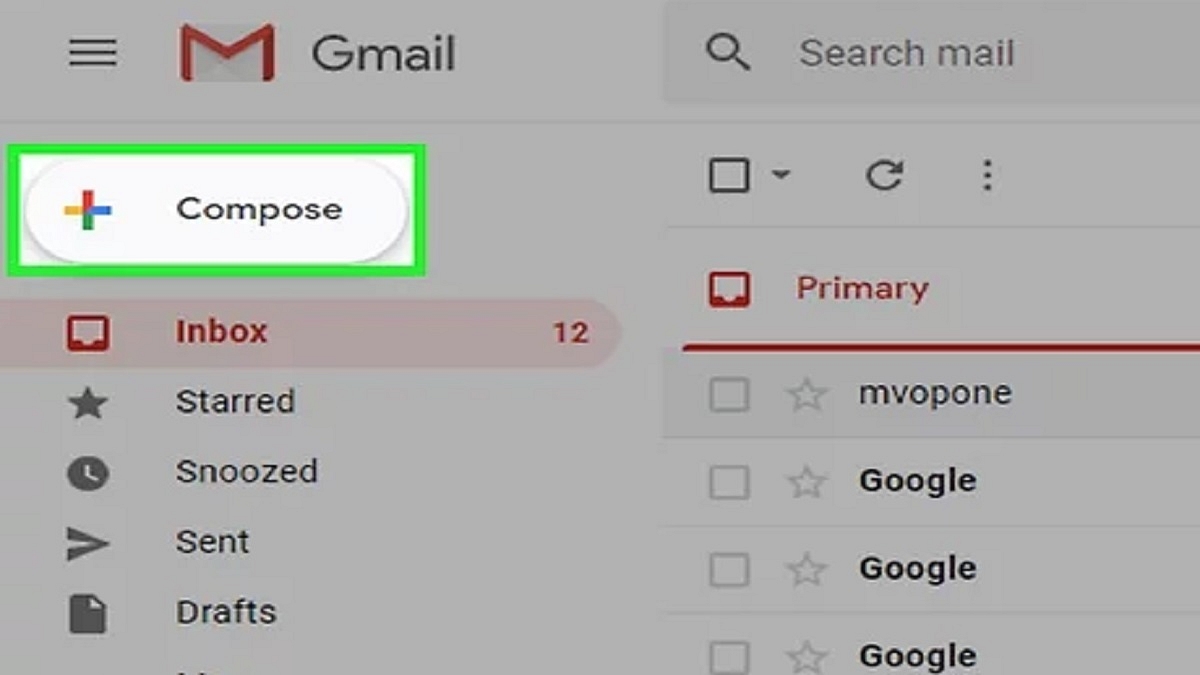
Step 1: Open your Gmail account and click on “Compose” to create a new message.

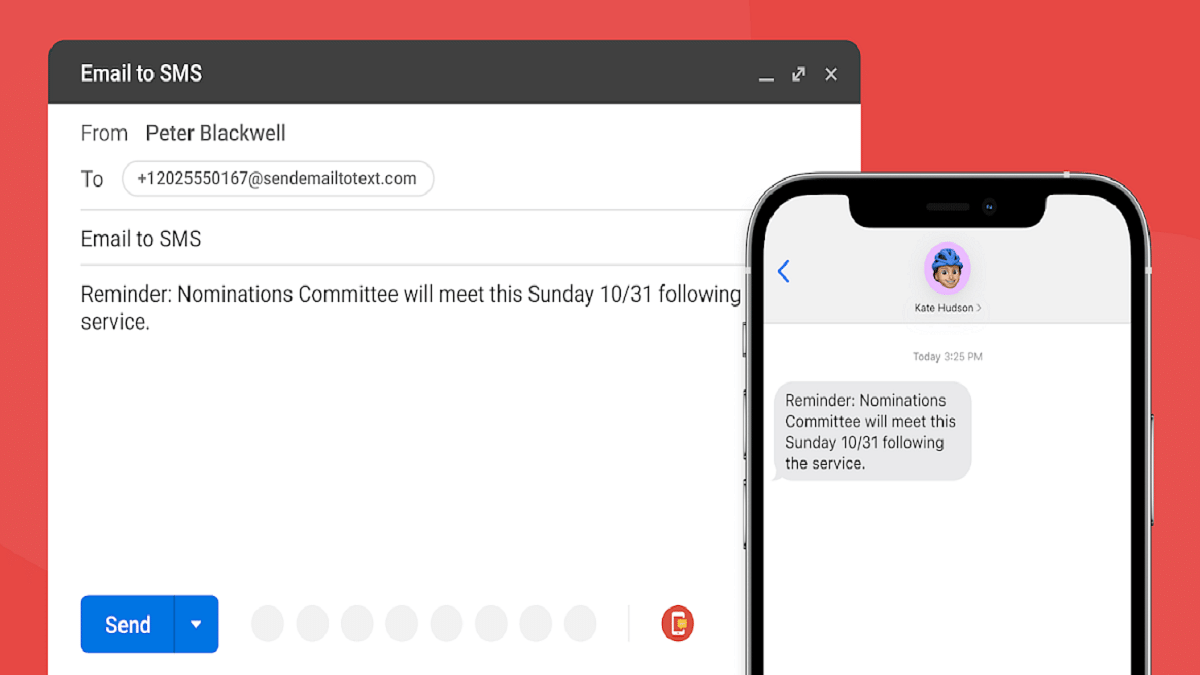
Step 2: Enter the recipient’s phone number, followed by the “@” sign and their SMS gateway address, in the “To” field.

Step 3: Compose your message within the body of the email. Messages longer than 160 characters may be sent as multiple texts.

Step 4: Click “Send” to transmit your message as an SMS to the recipient’s phone.

Also Read | Gmail Help Me Write Feature: What Is It? How To Use?

In addition to SMS messages, Gmail users can also send MMS messages, which include pictures, audio, and other non-text data. To send an MMS message, users need to use the MMS gateway address instead of the SMS gateway address.

Limitations Of SMS/MMS Gateway Usage

While sending texts from Gmail through SMS/MMS gateways is a convenient feature, it comes with certain limitations, including:

  • Prior knowledge of the recipient’s SMS/MMS gateway address is necessary, and some mobile networks may not provide one
  • Email formatting and emojis cannot be used when sending texts through an SMS gateway from Gmail
  • Only plain text can be sent via an SMS gateway, and not all mobile carriers support MMS gateways for sending multimedia content.

By following the step-by-step guide provided in this article, Gmail users can easily send SMS messages to mobile phones using the SMS gateway feature. Despite some limitations, this feature proves valuable for communicating with contacts who do not possess regular phone numbers or are located in different regions.

Also Read | Gmail Vacation Replies: How To Create And Set Replies For Vacations On Gmail?

Categories
Apps Featured How To

WhatsApp Pink Scam Red Alert For Android Users: What Is This New Scam? How To Stay Safe?

Key Highlights

  • WhatsApp Pink scam affecting Android devices
  • Steals personal and banking data
  • Can be uninstalled manually

WhatsApp is the most popular mobile application amongst both Android and iOS users. The success is credited to the numerous features and end-to-end encryption for privacy. However, despite multiple security layers, WhatsApp has become a favorite destination for scammers too. We have already come across multiple reports citing different WhatsApp vulnerabilities being used by scammers to trick the masses. A new WhatsApp scam is now in the town called WhatsApp Pink. What is this new WhatsApp scam and how can one stay protected? Details are below:

Also Read: How To Upload WhatsApp Status In High Quality (Images, Videos) On Android, iOS?

WhatsApp Pink Scam? What Is This WhatsApp Scam?

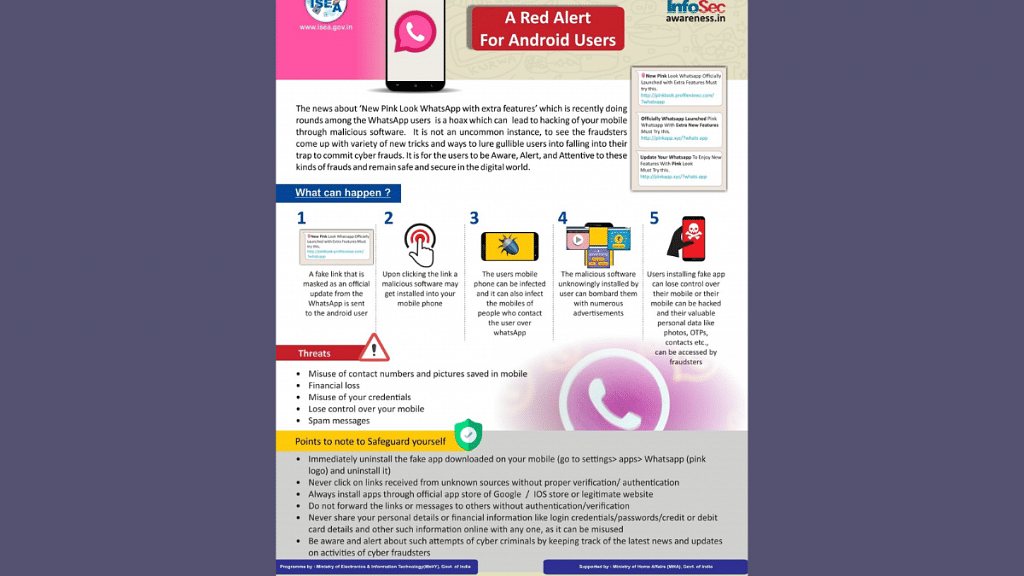
WhatsApp Pink is a new scam where attackers are gaining access to users’ devices under the pretext of offering a new WhatsApp version. Mumbai police have issued an advisory warning to the masses related latest WhatsApp scam with which they can lose not just crucial personal data but also money. The tweet shared reads, “WhatsApp Pink – A Red Alert For Android Users”. The tweet also has some pictures along with the measures that one can take to stay protected from the latest WhatsApp Pink scam.

In this new WhatsApp Pink scam, attackers are sending messages to victims convincing them of a promised update for the WhatsApp Pink app. Users are being lured in with multiple new feature upgrades that the original version doesn’t offer. This is similar to WhatsApp+ which came with multiple different features and customizations that weren’t being offered by the original version.

However, with WhatsApp Pink, it’s all a scam. Instead of offering the set of features as promised, scammers are taking control of a user’s device once they have clicked on the link to upgrade to the fake WhatsApp app. Once the scammers get control of the user’s device they will be easily able to steal private information such as banking information, contacts, and personal data including images and videos.

Also Read: WhatsApp Channels Message Broadcast Tool Launched: What Is It? How To Use?

How To Stay Safe From WhatsApp Pink Scam?

If in case, you have accidentally clicked on the link to download and install the fake WhatsApp Pink scam, then uninstalling it would only be the safest way to avoid any further attacks.

Step 1: Launch the Settings App on your Android device

Step 2: Click on the Apps option

Step 3: Select WhatsApp Pink (It will have a pink logo)

Step 4: Tap on Uninstall

Also Read: WhatsApp Silence Unknown Caller, Privacy Checkup Security Features Released: How To Use?

Categories
Apps Featured Info

LinkedIn Introduces Innovative AI Writing Tool For Effortless Post Creation

LinkedIn, the top site for social networking at work, just added another generative AI feature. LinkedIn now enables users to publish content directly using generative AI. For professionals worldwide, LinkedIn has become a crucial tool for networking and exchanging current resumes. Users frequently talk about their professional histories, advancements, and accomplishments to improve their job prospects. Carefully planning and drafting these messages can be challenging for individuals who have previously written on LinkedIn. In response, LinkedIn’s product director Keren Baruch announced the incorporation of generative AI into post-writing, providing users with a quicker option in this period.

Also Read: Best Mobile Apps For Learning A New Language

Users must give a minimum of 30 words explaining the main idea they want to get across in their post to use this feature. The generative AI creates draughts using user input that may be examined, altered, or published right away. According to Keren Baruch, the feature is now being tested but will eventually be available to all users.

However, a significant number of members of the LinkedIn community have already voiced their disapproval of this function. According to some users, it jeopardizes the veracity of posts on the network. They assert that generative AI could alter LinkedIn interactions into chatbot conversations rather than genuine human friendships.

Also Read: How Can You Download And Watch Instagram Reels On Android, iOS Without Installing Third-Party Apps?

A careful balance between effectiveness and authenticity is demonstrated by LinkedIn’s use of generative AI for post-writing. There are legitimate concerns about the potential loss of personal touch and sincere connection even though it unquestionably offers a streamlined way to content development.

It will be vital for LinkedIn to address user concerns when the functionality is tested and make sure that the incorporation of generative AI is consistent with the platform’s larger objectives. Maintaining the value of LinkedIn as a platform for professional networking, encouraging genuine connections, and enabling people to effectively develop their careers will all depend on finding the proper balance. Similar news was recently released by LinkedIn, which introduced AI-generated cover letters.

Also Read: Unfolding Innovation: Top Three Foldable Smartphones Making Waves In India

Categories
Apps Featured Info

WhatsApp Ditches Electron: What This Means For Desktop Users?

Recently, WhatsApp stated that its desktop application built on the Electron platform would be deprecated, indicating the software’s end-of-life phase. For continuing access to WhatsApp on their desktop computers, Windows users who open the Electron version of the app will now be prompted to switch to the recently released native client. This action is being taken as WhatsApp works to give consumers a robust, stable, and optimized messaging experience on their desktops.

Also Read: Lost Your Email Address? Don’t Panic! Follow These Steps To Recover It

The deprecation of the Electron app was not altogether surprising because WhatsApp had been informing users via a countdown on the app’s home screen for more than four weeks. After years of operation based on the Electron framework, the Electron-based WhatsApp desktop application, which has served as a solution for utilizing WhatsApp on desktop devices, formally ends with this announcement.

To continue using WhatsApp on their Windows desktops, users will now see an expiration warning when they launch the Electron-based WhatsApp Desktop program. This message makes it obvious that the app is no longer supported and encourages users to migrate to the new native version. It’s important to note that the native app has been stable since last year, therefore the deprecation only presently affects the Windows version.

Also Read: Step-by-Step Guide: How To Apply For Free Electricity In Karnataka’s Gruha Jyothi Scheme

The deprecated app made use of the Electron framework, which allowed programmers to build cross-platform desktop applications with web technologies. While it offered cross-platform compatibility, the performance wasn’t always optimized, frequently leading to resource-intensive usage. Native apps, on the other hand, provide a slicker, more user-friendly design, better responsiveness, and increased stability. Consequently, WhatsApp decided to spend money on creating a native solution for its consumers.

However, given that the native Windows application currently lacks some business functions, several customers have expressed discontent with the quick deprecation. Users are unable to use crucial tools for efficient client communication, like quick replies and catalog management, due to this restriction.

Also Read: Never Miss A Payment Again: Learn How To Set Up Payment Reminders On Google Pay

Users can get the native desktop version from the Microsoft Store to keep using WhatsApp on their Windows desktops. Using WhatsApp Web momentarily could be a good option for people who depend on business products. To allay the worries of consumers in need of crucial business functionalities, WhatsApp is predicted to swiftly offer business features for the native app.

Also Read: WhatsApp Silence Unknown Caller, Privacy Checkup Security Features Released: How To Use?