Categories
Apps Featured

100+ Best Cool And Unique Instagram Boys Name For Sailors

Key Highlights

  • Instagram popularity is growing amongst Andorid and iOS users
  • More users are signing up for the platform
  • Over 100 best Instagram name ideas for sailors are mentioned in this article

Instagram has rapidly gained popularity amongst general users and creators globally. With advanced features for sharing content with added security factors, this platform is now the best social application available on Android and iOS ecosystems. Instagram’s user base keeps is also becoming vast with each passing day and its popularity is surpassing almost every other similar app on Google Play Store and Apple App Store. Creating an Instagram profile with dedicated to the content type is the new hype. We have shared several articles with the best username ideas for Instagram. In this article, we have curated the list of over 100 best cool and unique Instagram boys’ name for sailors. Read below:

Cool Instagram Boys Name For Sailors

SailinSailorSailAwaySailinAwayAdventureSailorsLifeDailySailorsDailyLifeForAll
SailBoatHighSaltSailorBaySailBoatTopsSailSerenitySaltySailorRides
SailorsDesignatedPathsHighCommandSailorsSaliorWondersSailorsHighSeasDelightSeasBlue
Sails The OceansOceans Wilds BlueSailHighOceansStylishSailorsTaleTales Of Sails
SailorStoryTellerSailBoatPremiumSailor GatorNavi SailorSailingSide
EastSideSailorsThat Sailors taleRed SailorSailorOnWatchSpeedBookSailor

Also Read: Want To Recover Your Instagram Account? Here’s How You Can Do It

Stylish Instagram Boys Sailor Name Ideas

Sailor_dempleyRoling_sailorTwinkling-SailorHH_P_SailorTitusTheSailor
bossSailor On looseElwoodTheSailorElite sailing clubsThat_new-SailorSailor_Sneakers
Sailor-trendingjackthesailorSailors RollsSailorRollingsTubeSailor.OMG
Sailor_7776jackblacksailorDuncan_SailorDailyCrashSailingCoachSailor
Blackcrusador_sailorThat jack sailorChiyas.SailorCatchSailorCoachSAils Mark
ClassicBlueSailsSailors  Ships ClassicsSailor on roadsSailorCatchTom_Sailors

Also Read: Want To Recover Your Instagram Account? Here’s How You Can Do It

Amazing Instagram Boys Name For Sailors

Just Sailor TalesJust Harmless SailorSailorsIdeaSailor Is My IdeaGenius Sailor
The Electrified sailorLaugh with the sailorLate date sailorSailor Life MenMen Of SAils
Sailor In BagSailor Anchor TalesPerfect Sailor LifeLife Saving Sailor LifeDareTo Sale
Sipping SAilsButter And Wine SailorSail With WindMonk SailorOptimized SAiling
Ninja SailsSailor OverHangSailor HangoverSailors CatcherSailorButNot
Jumbo SailorArabic Sea SailorOcean NavigatorsSea Navigator BoyNavigator Tides

Also Read: 100+ Best Instagram Names For Cricket Lovers

Top Instagram Boys Name Ideas For Sailors

Merchant Sailors ProfileMerchant Navy Boy SailorManhattan Sailor talksTango sailor boySailor on high seas
Jamba SailorSailor Maker DaySailor Rocker  Bliss  Of SailorSailor Hammock
Pumpkin Sailor BoyRight Sailor ChoiceSailor HmmockFantastic SailorSailor  banana
Sailor MommaAstonishing Sailor LifeSailors LifeDaily Sailor FeedCherry Picked Sailor
Definitely A SailorLaughing SailorFantastic SailorOptimized Solar ZoneGlamourous Sailor Tales
Kings Of Blue SailsLoL SailorPunch Sailor TalesSaling DaresFurious Sailor

Also Read: Love K-pop? Check Out 100+ Fun And Unique Instagram Names
Categories
Apps Featured Info

Five Best Google Docs Alternatives You Need To Try In 2023

Key Highlights

  • Google Docs Alternativesoffer a range of features that make them suitable for various use cases
  • They all offer cloud-based document editing and collaboration tools
  • The best alternative to Google Docs will depend on your specific needs and preferences

Google Docs is a popular cloud-based word processor that allows users to create, edit, and share documents online. However, some users may be looking for alternatives to Google Docs for various reasons, such as privacy concerns, the need for more advanced features, or a desire for a more user-friendly interface. In this article, we will explore some of the best Google Docs alternatives available. Also Read | Unable To Read Doctor’s Handwritten Prescription? Google Lens New AI To Help Decipher Any Bad Handwritten Doctor Prescription

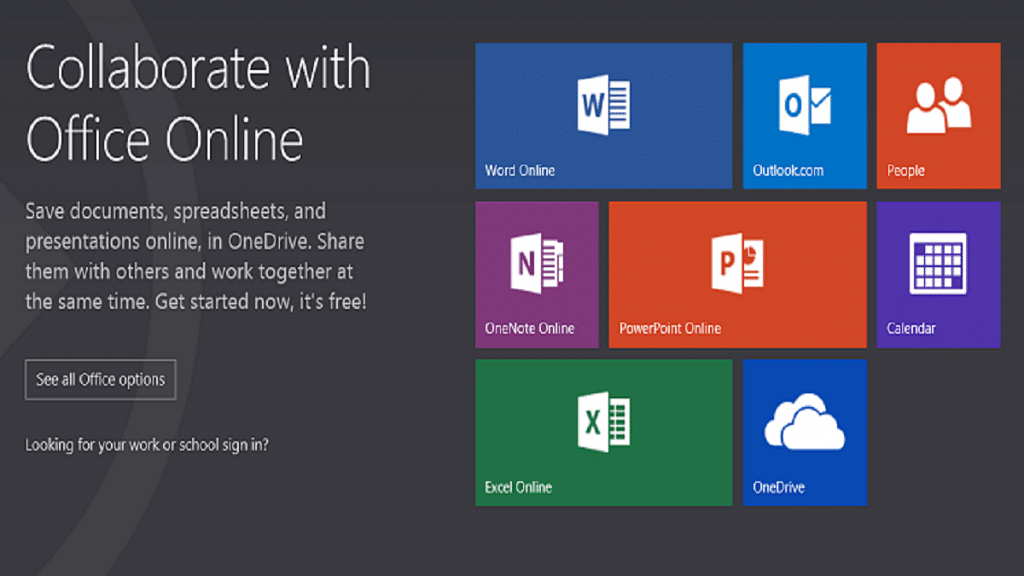
Microsoft Office Online

Microsoft Office Online is a free cloud-based office suite that includes Word, Excel, PowerPoint, and OneNote. It offers many of the same features as Google Docs and has the advantage of being compatible with the popular desktop version of Microsoft Office. It also offers more advanced formatting options, making it a good choice for users who need to create more complex documents.

Features:

  • Create and edit documents online
  • Create and organize notes online
  • Real-time collaboration
  • Integration with OneDrive

Zoho Writer

Zoho Writer is a cloud-based word processor that offers many of the same features as Google Docs, including real-time collaboration, commenting, and revision history. It also includes some unique features, such as the ability to create templates and the ability to integrate with other Zoho apps, such as Zoho CRM.

Features:

  • Includes a range of templates
  • Integration with other Zoho apps
  • Advanced formatting options
  • Available for Android and iOS apps

OnlyOffice

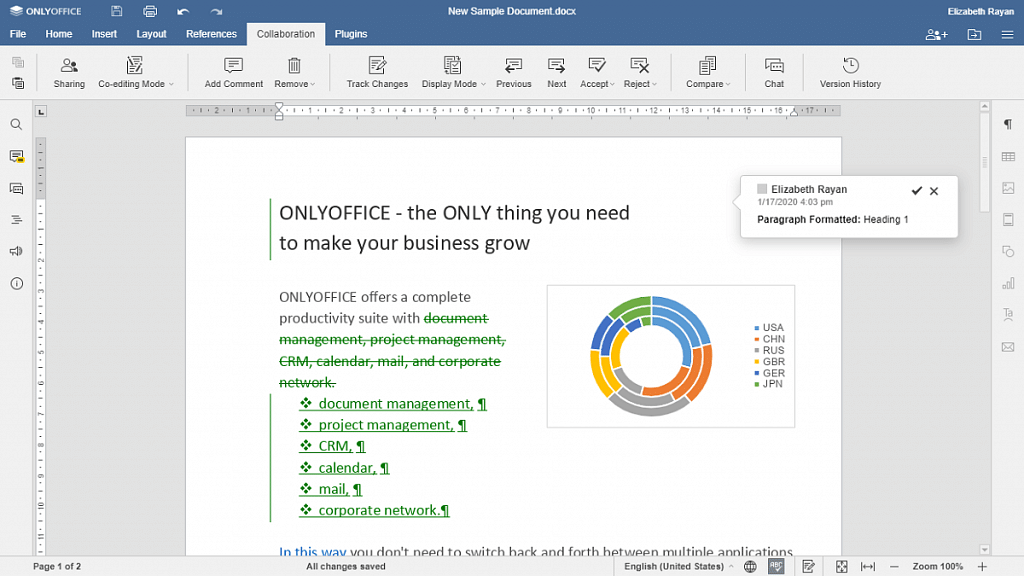
OnlyOffice is a free and open-source cloud-based office suite that includes a word processor, a spreadsheet editor, and a presentation tool. It offers many of the same features as Google Docs, such as real-time collaboration and revision history, and has a clean and user-friendly interface.

Features:

  • Range of document templates
  • Advanced formatting options
  • Integration with third-party apps
  • Store, organize, and manage files in one place

Also Read | Google Photos Magic Eraser: What Is This Feature? How To Use It?

Dropbox Paper

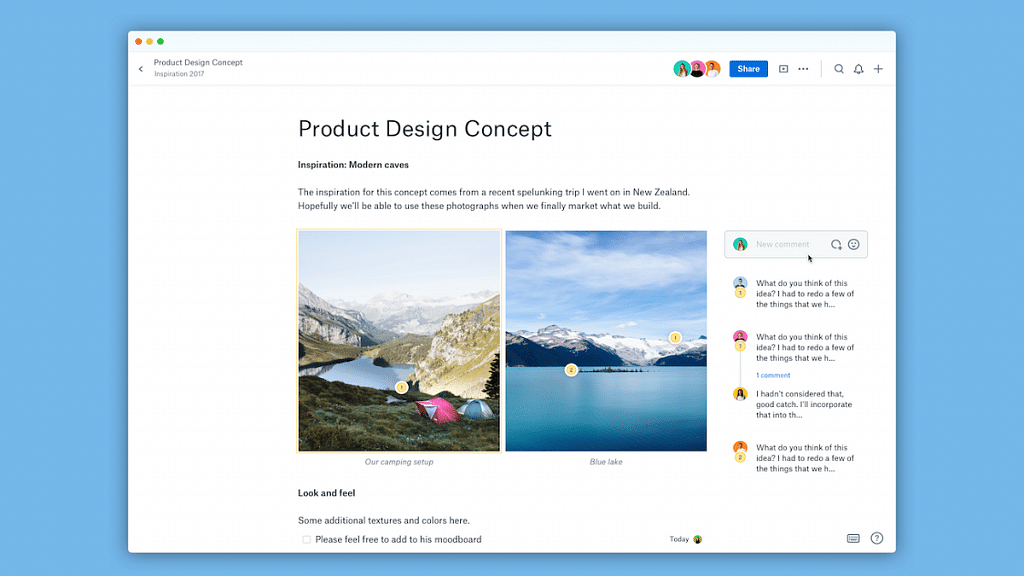
Dropbox Paper is a collaborative document editor that allows users to create and edit documents, as well as add comments and annotations. It has a simple and intuitive interface and integrates with other Dropbox apps, such as Dropbox Business and Dropbox Smart Sync.

Features:

  • Real-time collaboration
  • Task management
  • Commenting and annotation
  • Available for Android and iOS apps

Quip

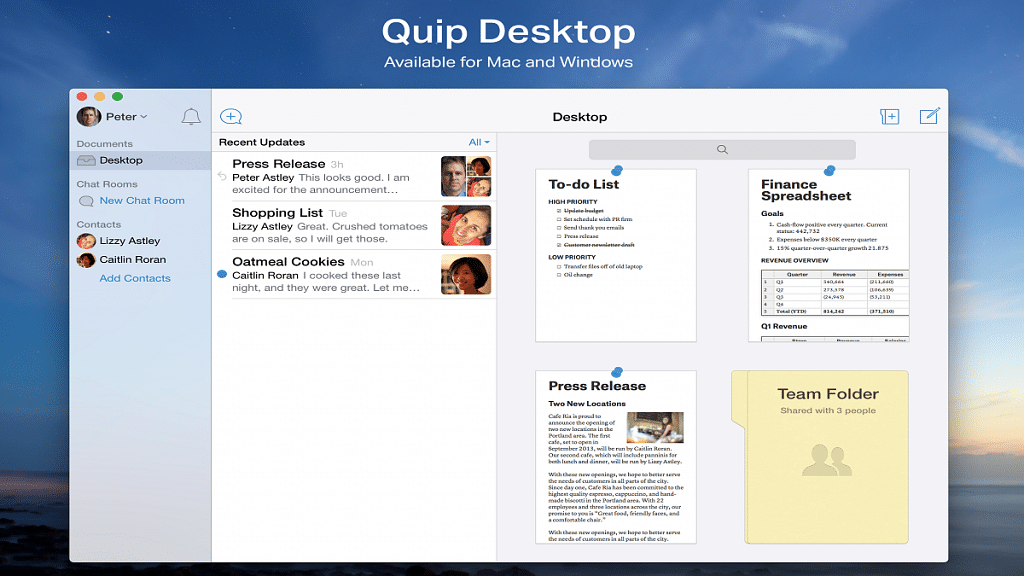
Quip is a collaborative productivity tool that includes a word processor, a spreadsheet editor, and a chat feature. It offers many of the same features as Google Docs, such as real-time collaboration and revision history, and also includes some unique features, such as the ability to embed live Salesforce data.

Features:

  • Real-time collaboration
  • Task management
  • Chat and messaging
  • Live apps

While Google Docs is a popular choice for cloud-based document editing, there are many alternatives available that offer similar features and may be better suited to some users’ needs. Whether you are looking for a more user-friendly interface, more advanced formatting options, or greater privacy and security, there is an alternative out there that is right for you.

Also Read | How To Add Handwritten Signature On Google Docs Using Laptops/ PCs?

Categories
Apps Featured

Love K-pop? Check Out 100+ Fun And Unique Instagram Names
Key Highlights

  • Instagram buzzes with K-pop fan activity, connecting enthusiasts worldwide
  • A standout Instagram name is key for K-pop fans to attract followers
  • Our list offers unique names for K-pop enthusiasts to shine on Instagram

Instagram has become a hub for K-pop lovers all around the world. The platform is flooded with fan accounts, fan art, fan edits, and fanfictions, making it a perfect space for fans to connect and share their love for K-pop. K-pop fans on Instagram are a tight-knit community, who share their passion for their favorite groups, members, and idols. They create fan pages, post photos, and videos, and share their experiences attending concerts, fan meets, and fan events.

Choosing the perfect Instagram name is an essential part of creating a K-pop fan account. A catchy, unique name that represents your love for your favorite idols and the K-pop community can help you stand out and attract more followers. To help you with the same, we are here with some fun and unique Instagram names that you can consider taking. Also Read | Are You A BTS Fan? Here Are The 100 Best Instagram Names For BTS Army

Cool Instagram Names For K-pop Lovers

KpopKrazyStanCultureKpopInspired
KpopObsessedBiasLifeKpopVibes
KpopAddictUltBiasKpopFeeds
IdolLoverFandomLifeKpopBuzz
FanGirlKpopFanaticKpopUpdates
BoyGroupieKpopFanPageKpopNews
GirlGroupieKpopAestheticKpopTrends
StanLifeKpopThemedKpopCulture

Unique Instagram Names For K-pop Lovers

KpopCrazeKpopFiestaKpopFantasy
KpopJunkieKpopFiestaLifeKpopMythology
KpopWorldKpopGaloreKpopEmpire
KpopDreamerKpopKingdomKpopDynasty
KpopMoodKpopQueendomKpopLegacy
KpopSquadKpopUniverseKpopHistory
KpopLingoKpopPlanetKpopHeritage
KpopGlossaryKpopGalaxyKpopAnthem

Also Read | Are You A Music Lover? Here’s The Best Music Apps In India

Catchy Instagram Names For K-pop Lovers

KpopMelodyKpopJukeboxKpopStyleIcon
KpopHarmonyKpopPlaylistKpopTrendSetter
KpopSymphonyKpopRadioKpopFashionista
KpopOrchestraKpopSoundtrackKpopBeauty
KpopChorusKpopChartTopperKpopVisual
KpopLyricsKpopHitMakerKpopIdolMagnet
KpopSongbirdKpopRecordBreakerKpopIdolMaker
KpopMusicBoxKpopMegaStarKpopSuperstar
KpopChillKpopZenKoreanLove

Attractive Instagram Names For K-pop Lovers
KpopModelKpopLightsKpopFrenzy
KpopSensationKpopFanLightsKpopHype
KpopEntertainmentKpopEnthusiastKpopThrills
KpopShowtimeKpopPassionKpopEnergy
KpopConcertsKpopExcitementKpopVibes
KpopLiveKpopEuphoriaKpopGroove
KpopStageKpopEcstasyKpopBop
KpopSpotlightKpopRushKpopJams
KpopRhythmKpopBeatsKpopFlow

With the rise of K-pop’s global popularity, Instagram has become an essential platform for fans to keep up with the latest news, releases, and trends. K-pop fans on Instagram are diverse, creative, and fiercely dedicated to their fandom. Your Instagram name can be inspired by your favorite K-pop group, song, member, or a creative combination of words that reflect your personality and interests. So, take inspiration from the above-listed names and create your own name.

Categories
Apps Featured How To

From One Link To Many: How To Add Multiple Links To Your Instagram Bio

Key Highlights

  • Adding multiple links to Instagram can have several benefits for businesses, content creators, and influencers
  • This helps you promote your brand, drive traffic to your website, and engage with your followers more effectively
  • It helps users increase the visibility of their brand across different platforms

Meta-owned social media platform Instagram has recently introduced a new feature that enables users to add up to five links to their profile. This provides an opportunity for users to share additional information about their interests, pastimes, preferred brands, charitable activities, entrepreneurial projects, or any other pertinent information they wish to publish.

Meta has also confirmed that there will be no restrictions on links to LinkTree or any other comparable services. This latest feature will be accessible to business accounts and content creators, but users must update their app to use it. Also Read | Download Music From Instagram To Your Phone: Here’s How

How To Add Multiple Links To Instagram Bio?

Follow these steps to add links to your Instagram bio:

Step 1: Open the Instagram app on your mobile and go to your profile page.

Step 2: Click on the ‘Edit profile’ icon located beneath your bio.

Step 3: Scroll down to find the ‘Links’ area.

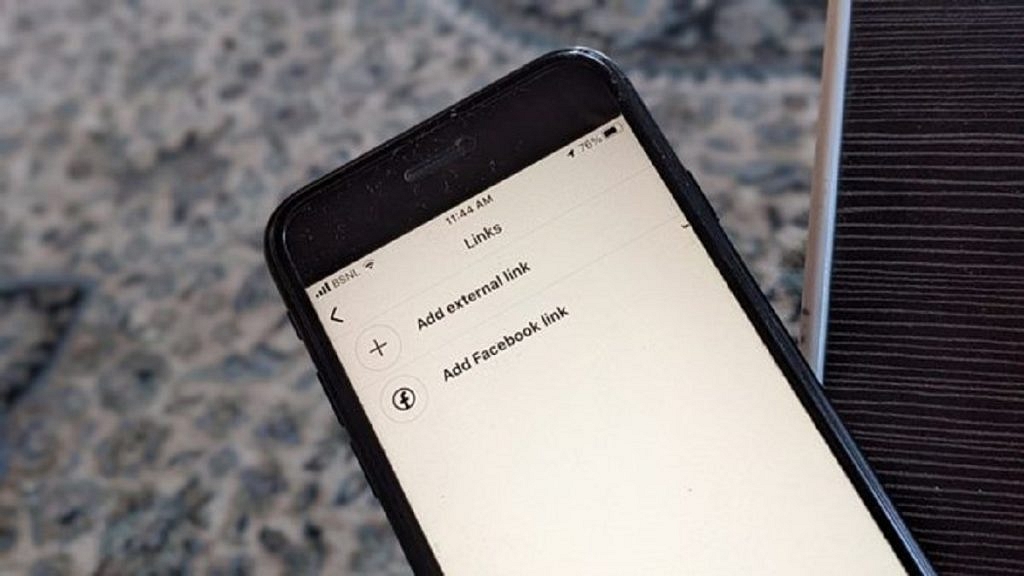
Step 4: Select the ‘Add external link’ button.

Also Read | Instagram Bio Tips: Best Instagram Captions For Fashion Influencers

Step 5: Add the links you want to include in your bio and rearrange them by dragging and dropping them as desired.

And there you have it, your Instagram bio now has multiple links to help promote your brand and make it easier for your followers to access your content.

When adding multiple links to your Instagram bio, it’s important to choose links that are relevant to your brand and audience. Some ideas for links to include might be links to your website, blog, YouTube channel, or other social media profiles. You could also include links to your online store, a recent blog post, or a new product launch.

Overall, adding multiple links to your Instagram bio can be a great way to drive traffic to your website, increase engagement, and grow your following on Instagram. By following the steps outlined above, you can easily add multiple links to your Instagram profile and start reaping the benefits of this new feature.

Also Read | Want To Recover Your Instagram Account? Here’s How You Can Do It

Categories
Apps Featured How To

How To Create And Manage Multiple Netflix Profiles: Step-By-Step Guide

Key Highlights

  • Netflix allows you to create multiple profiles within a single account
  • Each profile will have its own personalized recommendations, watchlist, and viewing history
  • You can manage your profiles by changing their names, icons, and parental controls

Netflix allows you to create multiple profiles under a single account so that different users can have their own personalized experiences. This is especially useful if you share your Netflix account with family members or friends, as it allows everyone to have their own viewing history, recommendations, and watchlist. In this article, we will walk you through the steps to create and manage multiple profiles on Netflix. Also Read | Netflix For Fitness Enthusiast: Collaborates With Nike To Stream Workout Videos On Its OTT App

How To Create And Manage Netflix Multiple Profiles?

Step 1: Go to the Netflix website or open the Netflix app on your device and log in using your email and password.

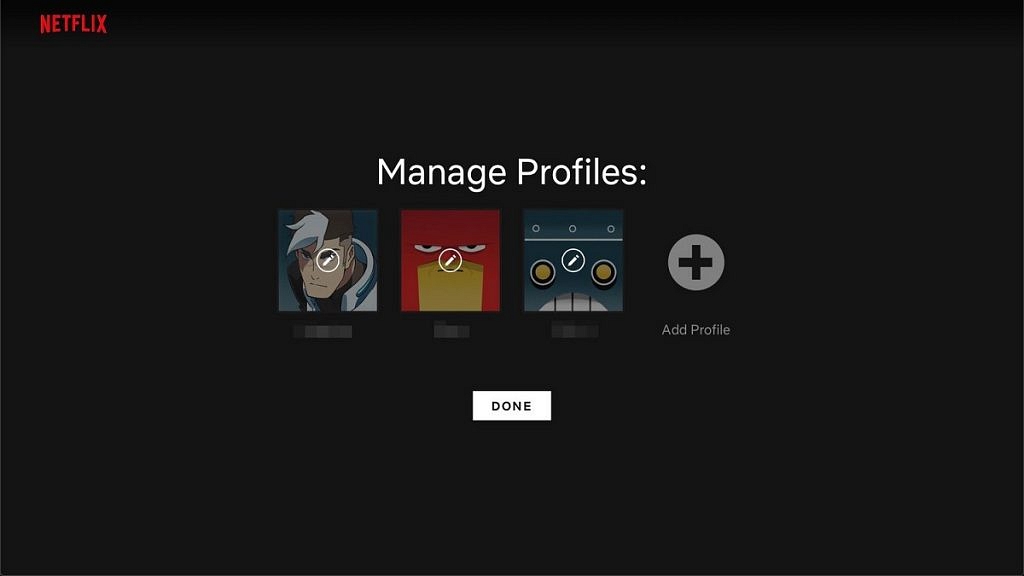
Step 2: Once you are logged in, click on your profile icon in the top right corner of the screen. A dropdown menu will appear, and from there click on “Manage Profiles.”

Step 3: To add a new profile, click on “Add Profile.” You can then enter the name of the person who will be using this profile. You can also select a profile picture or choose to leave it blank. Repeat this step for as many profiles as you need.

Also Read | Netflix Introduces ‘Kids Mystery Box’ Feature To Android Users: All Details

Step 4: Once you have created a new profile, you can customize it to your liking. You can choose to enable or disable the following options: “Autoplay next episode in a series on all devices,” “Include in ‘Continue Watching’ row,” and “Maturity level.”

The maturity level option is particularly important if you have kids or younger viewers who will be using this profile. You can choose from different maturity levels such as Little Kids, Older Kids, Teens, and Adults. Depending on the maturity level you select, certain titles may be restricted.

Step 5: To manage profiles, click on “Manage Profiles” and then click on the profile you want to edit. You can then customize the profile as described in Step 4. You can also choose to delete a profile or change its name or picture.

Step 6: To switch profiles, click on your profile icon in the top right corner of the screen and then click on the profile you want to switch to. The interface will then change to reflect the preferences and viewing history of that particular profile.

Overall, creating and managing multiple profiles on Netflix is a simple process that can greatly enhance your viewing experience. It allows each user to have their own personalized account, making it easier to keep track of individual preferences and viewing history. With these easy steps, you can create and manage profiles on Netflix in no time.

Also Read | Netflix Games: Up To 40 New Game Titles To Be Released In 2023

Categories
Apps Featured

Unlock Exclusive Deals: Five Best Coupon Apps For Online Shopping In India

Key Highlights

  • Coupon apps can help you shop smarter and get the best deals on your purchases
  • Users can get free coupons using these apps on their Android device or iPhone
  • You can receive discount coupons that can cut the shopping bill

While shopping online, people often look for the best discounts and deals to save money. Online shopping addicts typically browse popular platforms like Amazon, Flipkart, Myntra, Reliance Digital, Zivame, and others, and are always in search of coupon codes that can help them get discounts and save money on various items.

In today’s digital age, shopping has become much easier with the help of various coupon apps that offer deals and discounts. These apps not only provide a convenient way to shop, but they also help you save money on your purchases. Here are some of the best shopping apps for deals and discounts. Also Read | Mastering A New Tongue? Here Are The Best Mobile Apps For Learning A New Language

CouponDunia

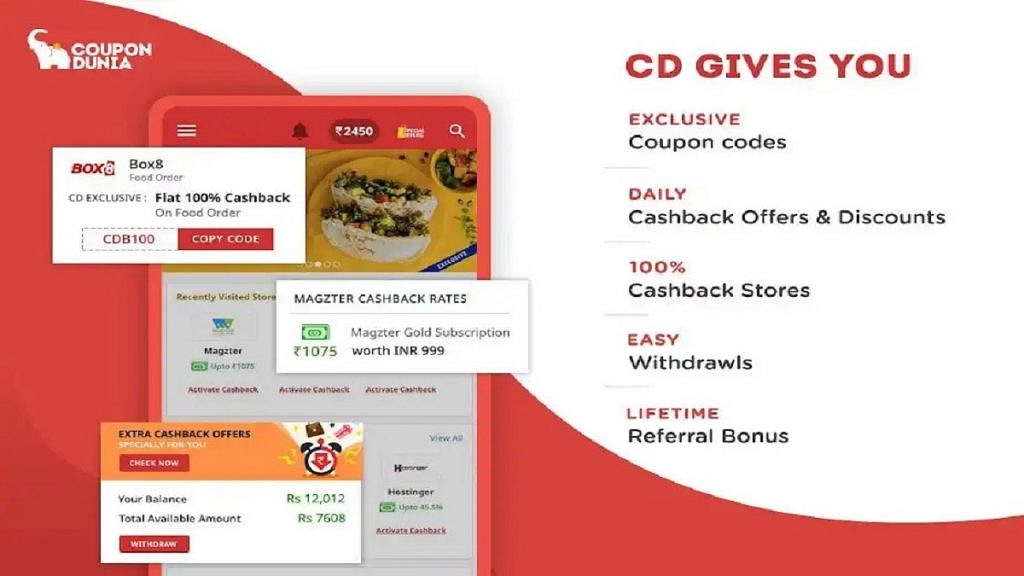
CouponDunia is a popular coupon app in India that provides discount codes and offers for over 2,000 online retailers, including Amazon, Flipkart, and Swiggy. You can also earn cashback on your purchases through the app. The app provides verified coupons, cashback offers, and personalized recommendations, making it a must-have app for any savvy shopper.

Features:

  • Extensive range of coupons
  • Cashback offers
  • User-friendly interface
  • Personalized recommendations

GrabOn

GrabOn is another popular coupon app that offers promo codes and discounts for various categories, including fashion, travel, and food. The app also offers cashback on your purchases. GrabOn is a reliable and feature-rich coupon app that can help you save money on your purchases from a wide range of online retailers.

Features:

  • Wide range of coupons
  • Category-wise coupons
  • Cashback offers
  • User-friendly interface

CashKaro

CashKaro is a cashback app that offers up to 20% cashback on your purchases from over 1,500 online retailers, including Myntra, Ajio, and Tata Cliq. You can also find exclusive coupons and deals through the app. CashKaro also has a savings calculator that helps you calculate the amount of money you can save by using a particular coupon or cashback offer.

Features:

  • Automatic cashback tracking
  • Provides a price comparison feature
  • Provides exclusive coupons
  • Earn cashback by making purchases

Also Read | Best Websites For Perfect WhatsApp DP For Girls

Magicpin

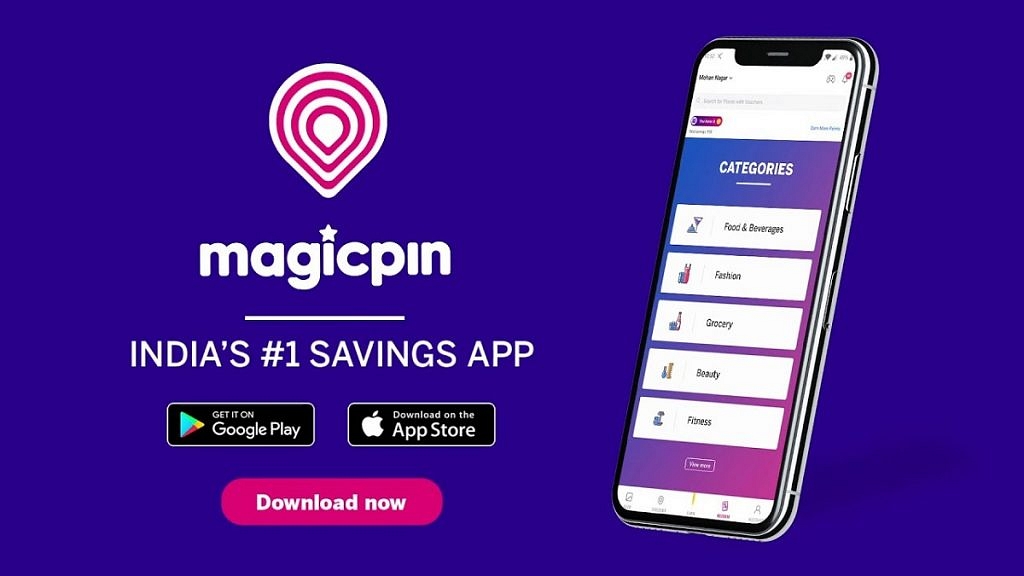
Magicpin is a rewards app that offers cashback and discounts on your purchases from local stores and restaurants. You can also earn rewards by uploading your bills and sharing your experiences on the app. Magicpin is a unique and engaging discovery and rewards app that can help you save money and discover new local businesses in India.

Features:

  • Offers cashback rewards
  • Personalized recommendations
  • Rewards for check-ins at local businesses
  • Share experiences at local businesses

CouponRaja

CouponRaja is a coupon app that offers discount codes and deals for various categories, including travel, food, and electronics. The app also provides a wide range of coupons and deals for various categories, along with user reviews and price comparison features to help users save money on their purchases.

Features:

  • Wide range of coupons
  • Category-wise coupons
  • Exclusive deals and discounts
  • Offers price comparison

Coupon apps can help you save money on your purchases and make shopping more convenient. These apps offer various features, including promo codes, cashback, and daily deals, making it easier for you to find discounts and save money. Whether you’re shopping for fashion, food, or electronics, these apps can help you find the best deals and discounts available.

Also Read | Best Mobile Apps To Easily Find Parking Spot For Your Car

Categories
Apps Featured How To

Tired Of Getting Lost Or Stuck In Traffic? Here’s How To Use Waze App

Key Highlights

  • Waze provides you with a suggested route to your destination based on real-time traffic data
  • The app also suggests alternate routes if there’s heavy traffic or road closures
  • Waze allows users to report incidents such as accidents, hazards, and police presence in real-time

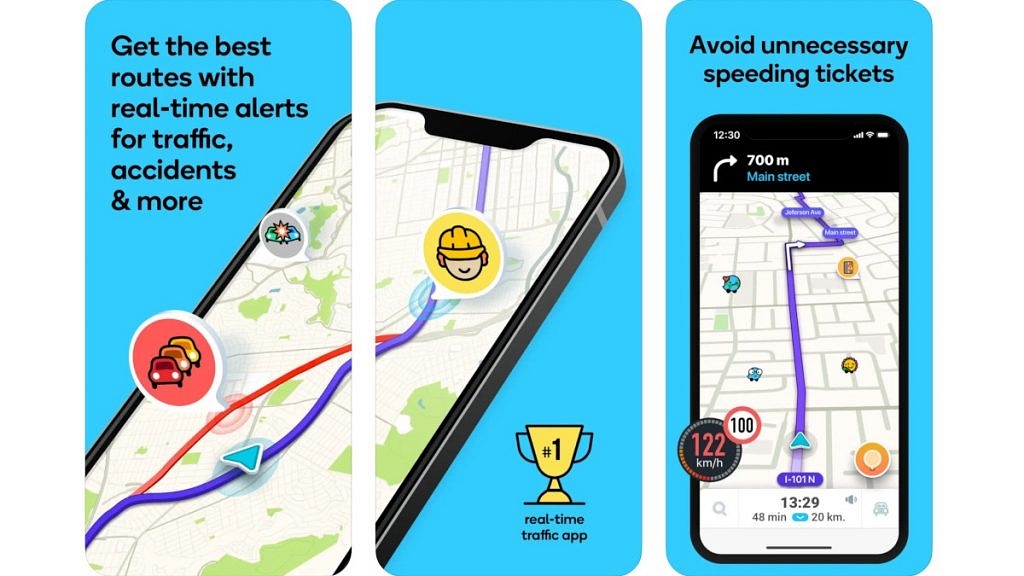
Waze is a popular navigation app that provides real-time traffic updates and directions to help you reach your destination quickly and easily. With Waze, you can avoid traffic jams, road closures, and accidents, and find the fastest route to your destination. The app uses information from its community of users to provide real-time updates on traffic, accidents, and other incidents. This means that the more people use Waze, the better it becomes at providing accurate and up-to-date information. In this way, Waze is not just a navigation app, but a community-driven tool for smarter and safer driving. Here’s a step-by-step guide to using Waze. Also Read | Find Nearest Grocery Store: Here’s How To Locate Closest Grocery Store Using Google Maps

How To Use Waze?

Step 1: Download and install Waze. This app is available for both iOS and Android devices. Simply go to the App Store or Google Play Store, search for Waze, and download and install it.

Step 2: Once you have downloaded and installed Waze, open the app and create an account by entering your email and setting a password. You can also use your Facebook or Google account to log in.

Step 3: Before you start driving, enter your destination in Waze. You can do this by tapping the magnifying glass icon at the bottom left of the screen and typing in your destination. Waze will then provide you with directions.

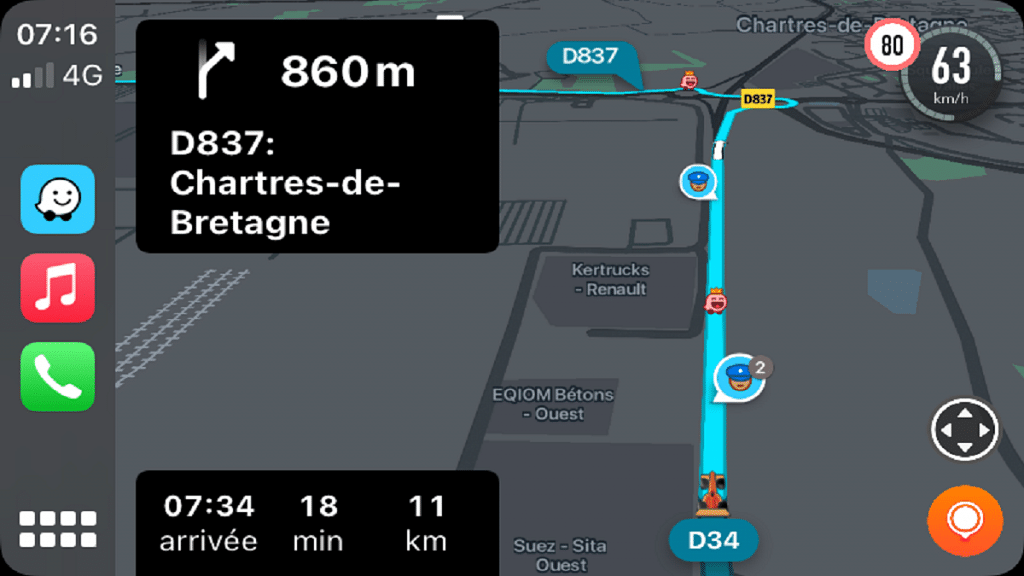
Step 4: Once you have set your destination, Waze will provide you with turn-by-turn directions. You can see the route on the map, and Waze will give you audio and visual prompts before each turn.

Also Read | Google Maps Privacy: How To Blur Or Delete House Or Any Other Image In Google Maps Street View

Step 5: Waze relies on its community to provide real-time updates on traffic, accidents, and other incidents. If you see something on the street, for example, an accident or obstruction, you can report it to Waze by tapping the Report button at the bottom right of the screen and selecting the appropriate category.

Step 6: Waze allows you to customize various settings to suit your preferences. You can change the voice prompts, choose your preferred route, and even change the app’s color scheme.

Step 7: Waze has a gamification feature that rewards users for contributing to the community. You can earn points for reporting incidents, driving on new roads, and completing challenges. As you earn more points, you will rank up and unlock new features.

Undoubtedly, Waze is a powerful navigation app that can help you avoid traffic and get to your destination faster. By following these steps, you can make the most of this app and never get lost again.

Also Read | Never Get Lost Again: Four Best Navigation Apps For Travelers

Categories
Apps Featured

Never Get Lost Again: Four Best Navigation Apps For Travelers

Key Highlights

  • Some of the best navigation apps stand out for their accuracy, ease of use, and extra features
  • Google Maps is a popular choice offering a comprehensive set of features
  • Waze is another popular option providing real-time traffic information

Traveling to new destinations can be both exciting and challenging. From trying to navigate an unfamiliar public transportation system to find your way to that hidden restaurant recommended by a local, getting lost can easily put a damper on your trip. Fortunately, with the rise of smartphones and navigation apps, getting lost is no longer a concern for travelers.

When it comes to choosing the best navigation app for your next trip, there are many options available. Here are some of the top navigation apps that will help you easily explore your destination. Also Read | Google Maps Privacy: How To Blur Or Delete House Or Any Other Image In Google Maps Street View

Google Maps

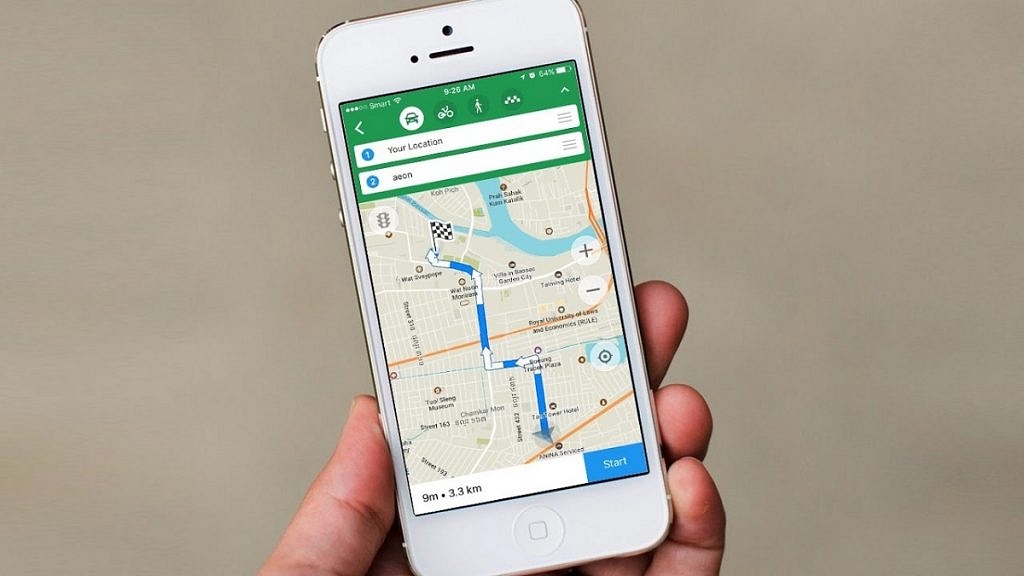
One of the most popular and widely used navigation apps, Google Maps is a go-to choice for travelers. The app provides detailed maps, turn-by-turn navigation, and real-time traffic updates. Additionally, Google Maps allows users to save maps offline, which is particularly helpful when traveling in areas without reliable internet connectivity.

Features:

  • Provides an aerial view of locations
  • Locations from a street-level perspective
  • Real-time information on public transportation
  • Information on nearby restaurants, hotels, and more

Waze

Similar to Google Maps, Waze is a navigation app that provides real-time traffic updates and turn-by-turn navigation. What sets Waze apart is its community-driven platform. Users can report accidents, police checkpoints, and other road hazards, which are then displayed on the app’s map in real time. This can help you avoid unexpected delays or detours while traveling.

Features:

  • Real-time traffic information
  • Turn-by-turn navigation for driving
  • Control the app with voice commands
  • Provides safety features

Also Read | Find Nearest Grocery Store: Here’s How To Locate Closest Grocery Store Using Google Maps

Citymapper

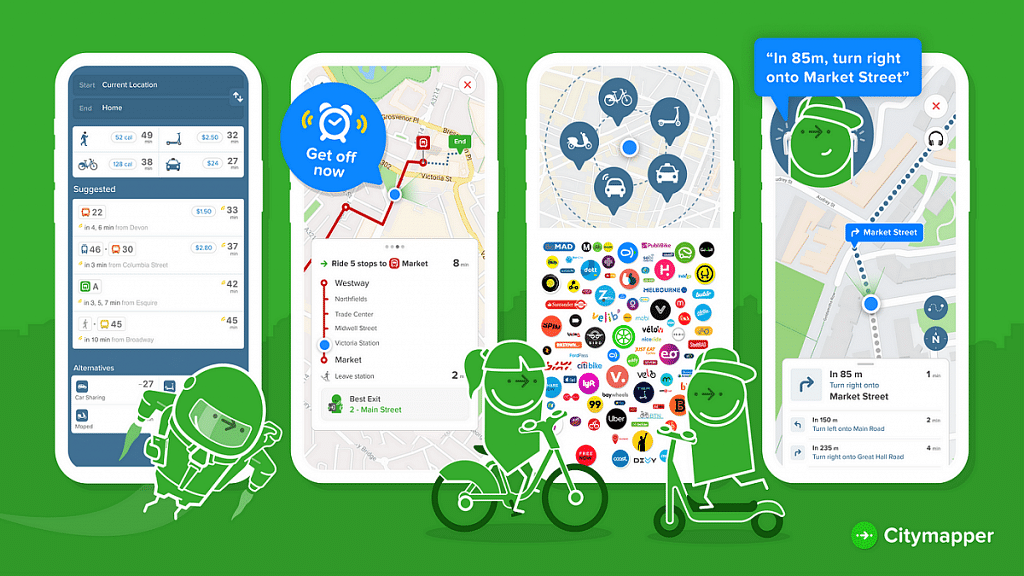
Designed specifically for urban travelers, Citymapper provides detailed public transport information for cities around the world. The app features real-time departure and arrival times for buses, trains, subways, and walking and cycling directions. Citymapper also provides estimates for ride-hailing services, making it a comprehensive transportation solution for travelers.

Features:

  • Provides real-time transmit information
  • Offers multi-modal route planning
  • Step-by-step navigation for walking and biking
  • Integration with ride-hailing services

Maps.me

If you’re looking for an offline navigation app, Maps.me is a great choice. The app allows users to download detailed maps for entire countries, which can be used even when offline. In addition to turn-by-turn navigation, Maps.me also provides information on points of interest, including restaurants, attractions, and accommodations.

Features:

  • Access maps without an internet connection
  • Information on nearby restaurants, hotels, and more
  • Offers multiple routing options
  • Allows to share current location

With the right navigation app, travelers can easily explore their destination without the fear of getting lost. Whether you prefer real-time traffic updates or detailed public transportation information, a navigation app can meet your needs. With these top navigation apps, you can ensure that you never get lost again on your next adventure.

Also Read | Best Apps To Detect Hidden Camera For Android And iOS

Categories
Apps Featured

100+ Best Instagram Names For Cricket Lovers
Key Highlights

  • Instagram is where cricket fans show their love
  • A catchy username helps connect with others
  • Get inspired by cricket moments for your name

Instagram has become a popular platform for cricket lovers to showcase their passion for the sport. One of the ways to make a mark on this social media platform is by having a catchy and memorable username that reflects their love for cricket. A good Instagram name not only reflects your love for the sport but also helps you to connect with like-minded individuals. From witty puns to references of iconic moments in cricket, the options are endless when it comes to choosing the perfect Instagram name for cricket lovers. In this article, we will explore some of the best Instagram names for cricket lovers that will make your profile stand out. Also Read | 100+ Instagram Name Ideas For Anime Lovers

Cool Instagram Names For Cricket Lovers
CricketFeverCricZoneCricketFanatic
CricketAddictHitForSixCricketInsider
StumpsAndBailsRunMachineT20Thunder
CricketPulseSpinKingCricketEnthusiast
CricketChampsFastAndFuriousBoundaryBlasters
WicketWarriorsAllRounderCricketJunkie
CricketGuruYorkerSpecialistSwingAndSeam
BowledOverBatsmanBrawlerFieldingPro

Catchy Instagram Names For Cricket Lovers
CricketManiaCricketFrenzyCricketTonic
CricketCrazedTheCricketClubTheCricketInformer
TheCricketZoneCricketJunctionCricketTime
CricketUniverseTheCricketLoverTheCricketFanatic
CricketWorldCricketNationCricketEra
TheCricketCornerTheCricketFanTheCricketExperience
CricketCrazeCricketTrendCricketNexus
TheCricketPitchTheCricketObsessedTheCricketConnection

Also Read | 100 Best Instagram Name Ideas For Graphic Designers

Trendy Instagram Names For Cricket Lovers
CricketLegendsCricketDuniyaCricketMood
TheCricketBloggerTheCricketEmpireTheCricketHQ
CricketBuzzCricketDazeCricketTales
TheCricketBuffTheCricketFanPageTheCricketHub
CricketCouchCricketCarnivalCricketRiot
TheCricketCoachTheCricketFactTheCricketInsight
CricketFiestaCricketFantasyCricketChirp
TheCricketEntertainmentTheCricketGossipTheCricketJunky

Creative Instagram Names For Cricket Lovers

CricketScoopCricketCriticCricketDrama
TheCricketKingdomTheCricketMindTheCricketNerd
CricketNirvanaTheCricketOutletCricketNook
TheCricketPlaceCricketOdysseyTheCricketPundit
CricketPatrolCricketRushCricketScoop
TheCricketRantTheCricketReviewerTheCricketSoul
CricketProCricketSagaCricketSociety
TheCricketReportTheCricketScoreTheCricketSpot

Popular Instagram Names For Cricket Lovers

CricketTacticsCricketGullySpinKing
TheCricketTrendPitchPerfectionFastAndFurious
CricketTunesBatsmenBlissAllRounder
TheCricketZoneCricketStylistYorkerSpecialist
CricketVisionStumpsAndBailsCricketania
TheWicketDiariesBowledOverLuvForCricket
CricketVoicesCricZoneIndianCricketLeague
WicketMoodRunMachineCricketLeague

Well, having a great Instagram name is essential for any cricket lover looking to create a presence on this social media platform. With so many options available, it can be overwhelming to choose the perfect username that reflects your love for the sport. However, by taking inspiration from some of the best Instagram names for cricket lovers, you can create a memorable username that resonates with you and your audience.

Categories
Apps Featured How To

Want To Recover Your Instagram Account? Here’s How You Can Do It

Key Highlights

  • To recover an Instagram account, try resetting the password, using a phone number or email
  • Users can also contact Instagram support and wait patiently for a response
  • To prevent future issues, keep your password secure and link your phone number and email to your account

Losing access to your Instagram account can be a frustrating experience, especially if you have a large following or use it for business purposes. However, you can take steps to recover your account and regain access to your photos and followers. Also Read | Instagram Privacy: How To Hide Online/ Active Status, Last Seen On Instagram

Here’s How To Recover Your Instagram Account

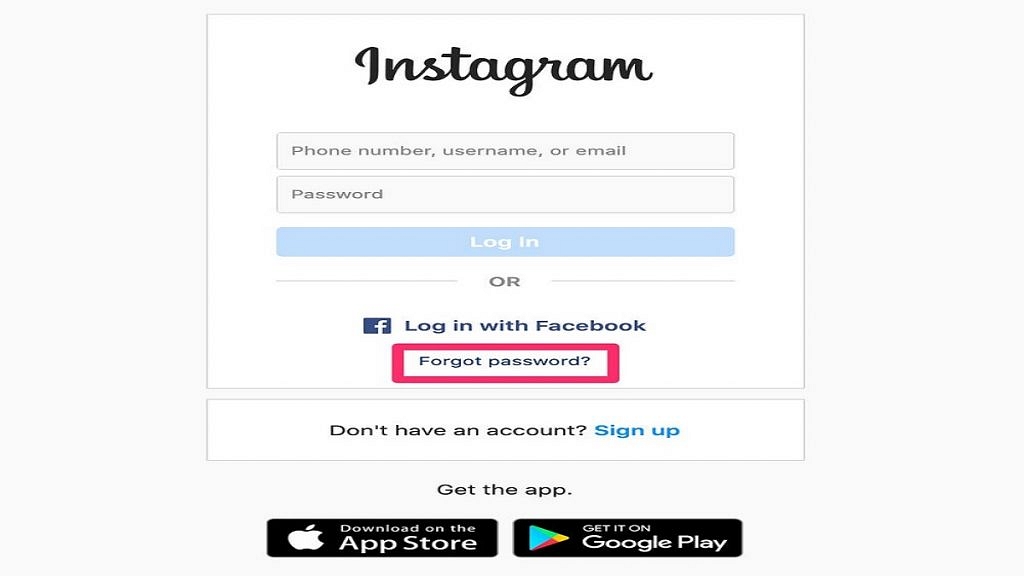
Step 1: Try to log in using your usual credentials. If you’ve forgotten your password, tap on the “Forgot password?” link on the login page and follow the prompts to reset it. Make sure to use a strong password that you can remember.

Step 2: If you can’t remember your password or username, you can use the “Find Your Account” feature to locate your account. Enter your email address, phone number, or Instagram username associated with your account, and follow the prompts to reset your password.

Step 3: If you still can’t log in, it’s possible that your account has been hacked. In this case, contact Instagram’s help center by tapping “Get help logging in” on the login page, or go directly to the help center at help.instagram.com. Explain the situation and provide as much information as possible to help Instagram verify that you are the account owner.

Step 4: Once you’ve submitted a request to Instagram, you’ll receive an email with instructions on how to regain access to your account. Follow the steps in the email carefully, and provide any additional information requested to prove your identity.

Also Read | Want To View Instagram Story Secretly Without Notifying Contacts Or Followers: Here’s How

Step 5: If your account has been disabled or banned by Instagram for violating its terms of service, you can submit an appeal to have it reinstated. To do this, go to the help center and click on “Report a hacked account or impersonation account” and follow the prompts. You’ll need to prove that you are the account owner and did not violate any of Instagram’s terms of service.

Step 6: Be patient. Instagram’s support team receives a large volume of requests, so it may take some time for them to get back to you. Keep checking your email and be prepared to provide additional information if requested.

In conclusion, recovering your Instagram account is possible if you follow the right steps. Make sure to keep your login credentials safe and secure, and take steps to protect your account from hacking attempts. If you do lose access to your account, don’t panic – follow the steps above and you’ll be back online in no time.

Also Read | Instagram Bio Tips: Best Instagram Captions For Fashion Influencers