Categories
Apps Featured

From Ola To Rapido: Top Five Ride-Hailing Apps In India

Key Highlights

  • Ride-hailing apps in India have seen significant growth in recent years
  • Ola, Uber, and more are some best ride-hailing apps in India
  • These apps offer a range of ride options, from affordable shared rides to premium cars and bike taxis, and more

India’s ride-hailing market has been growing at an unprecedented pace in recent years, driven by the increasing use of smartphones and the need for convenient, affordable transportation. With the rise of ride-hailing apps, users can now easily book a ride from their smartphones, making transportation more accessible and hassle-free. In this article, we will discuss the top five ride-hailing apps in India.

Also Read | Last-Minute Travel Plans? Here’s How To Book Tatkal Train Tickets Online

Ola

Ola is one of the most popular ride-hailing apps in India. Launched in 2010, Ola has grown to become the largest ride-hailing company in the country, with a presence in over 250 cities. The app offers a variety of ride options, including economy, luxury, and rental cars, making it a convenient option for all types of travelers.

Features:

  • Multiple ride options including Micro, Mini, Prime, Share, Rentals, and Outstation
  • Ola Money wallet for cashless payments and easy refunds
  • Ola Select loyalty program for frequent riders with perks like priority booking and discounts

Uber

Uber is a global ride-hailing giant that entered the Indian market in 2013. Since then, the company has gained significant market share and now operates in over 50 cities in the country. Uber offers a range of ride options, from affordable shared rides to premium cars, making it a popular choice for travelers of all budgets.

Features:

  • Multiple ride options including UberGo, UberX, Uber Premier, and UberXL
  • In-app tipping feature to reward drivers for good service
  • Uber Rewards program for frequent riders with benefits like free rides and upgrades

Also Read | Use Paytm To Book Your Bus Tickets: A Step-By-Step Guide

Meru
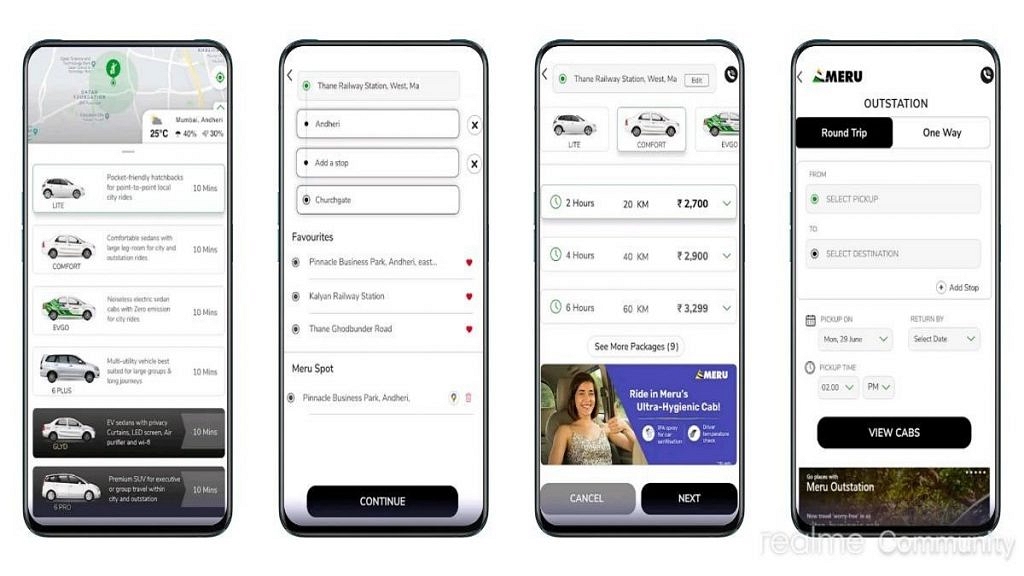
Meru is one of the oldest ride-hailing companies in India, having been launched in 2007. The company has a presence in over 25 cities in the country and offers a variety of ride options, including economy and luxury cars. Meru also has a loyalty program for frequent riders, which provides discounts and other benefits.

Features:

  • Multiple ride options including Hatchback, Sedan, SUV, and Tempo Traveler
  • Real-time tracking of rides for safety and security
  • 24/7 customer support for any queries or issues

Rapido

Rapido is a unique ride-hailing app that specializes in bike taxis. Launched in 2015, the app allows users to book a ride on a motorcycle for a faster and more affordable transportation option. Rapido is currently available in over 100 cities in India and is a popular choice for short commutes and quick trips.

Features:

  • Quick and affordable bike taxi rides for short distances
  • In-app safety features like helmets and face mask availability for riders
  • Cashless payments through Rapido wallet or UPI

Also Read | Never Get Lost Again: Four Best Navigation Apps For Travelers

Savaari

Savaari is a ride-hailing app that focuses on outstation travel. The app allows users to book a ride for long-distance travel, including one-way trips and round trips. Savaari offers a variety of car options, including sedans, SUVs, and luxury cars, making it a convenient option for travelers of all budgets.

Features:

  • Multiple car options including sedans, SUVs, and luxury cars
  • Flexible booking options for one-way and round trips
  • Safe and sanitized cars for long-distance travel, with regular temperature checks for drivers

Overall, the ride-hailing market in India is rapidly expanding, with new players entering the market every year. However, these five ride-hailing apps stand out for their popularity, reliability, and range of ride options. Whether you’re looking for an affordable ride, a luxurious experience, or a quick bike taxi, these apps have got you covered.


Categories
Apps Featured How To

WhatsApp Tips & Tricks: How To Unblock Yourself And Regain Access

Key Highlights

  • When someone blocks you on WhatsApp, you lose access to several features
  • You cannot send messages to the person who has blocked you and see their status updates or profile picture
  • However, there is a quick hack to unblock yourself on WhatsApp

If you are looking for a solution to unblock yourself on WhatsApp after being blocked by someone you care about, then this article is for you. It is common for many of us to be blocked from contacting a friend on WhatsApp at least once. Therefore, it is essential to know how to unblock yourself on WhatsApp. When communicating with someone on WhatsApp, they may choose to ban you for any reason, which prevents you from sending messages to them.

Getting blocked by someone on social media can be hurtful, but there is no shame in it. Fortunately, there is a quick hack to unblock yourself on WhatsApp. Also Read | WhatsApp Hacks: How To Permanently Delete, Turn Off Chat Backups On WhatsApp?

Unblock Yourself On WhatsApp By Deleting Your Account

The simplest way to unblock yourself on WhatsApp is to deactivate your account, uninstall the application, and then reinstall it to create a new account. This method is effective for most blocked users who need to contact someone. Here’s how you can unblock yourself on WhatsApp:

Step 1: Open WhatsApp on your smartphone and locate the Settings section in the top-right corner.

Step 2: Tap on Settings and navigate to the Account section located next to the key icon below your profile.

Step 3: To unblock yourself on WhatsApp, select the “delete my account” option.

Step 4: A pop-up will appear, informing you that you will be removed from all WhatsApp groups and your messaging history will be erased.

Also Read | WhatsApp Hacks: How To Forward Images With Caption To Contacts On Android, iOS

Step 5: Choose the country associated with your phone number and tap on the “Delete my account” button at the bottom of your screen.

Step 6: This action will receive confirmation on the next page of the application.

Step 7: After deleting your account, remove the WhatsApp messenger app and restart your device.

While not a mandatory step, it is a good practice to ensure that the trick works without any issues by deleting all temporary cache files from your device. Once you have completed the above steps, you can proceed to open the Google Play Store and search for the WhatsApp messenger app. Navigate to the app’s listing and click on the “Install” button to begin the installation process.

After the download is complete, click on the “Open” button, and the WhatsApp messenger app will launch on the setup screen. To set up a new account, you will need to accept the Terms and Conditions of WhatsApp and input the necessary fields. Then, verify your phone number by entering the OTP sent as a text message. This will unblock your new account from all the contacts who previously blocked you on WhatsApp.

Unblock Yourself Via Dual WhatsApp

To unblock yourself on WhatsApp, there is an even easier solution which involves creating a new account. Follow the below steps:

Step 1: Enable dual apps on your smartphone. This feature is available on most Android smartphones.

Step 2: Open the second app and set up a new account using a different mobile number.

Step 3: Once the new account is set up, you will be able to contact the person who has previously blocked you on WhatsApp.

Other Option

One way to communicate with a user who has blocked you on WhatsApp is by asking a mutual friend to create a group with you and the blocked user. Once the group is created, your friend can leave the group and act as a mediator. This will enable you and the blocked user to have a conversation through the group, even though you are still unable to make calls to them. While this solution is not ideal, it at least provides a medium of communication.

Also Read | WhatsApp Hacks: How To Send WhatsApp Images In High Resolution As Document On iPhones?

Categories
Apps Featured

100+ Ultimate Instagram Username Ideas For Yoga Lovers And Enthusiasts

If you’re a yoga lover or enthusiast looking to connect with others in the yoga community, Instagram can be a fantastic platform to do so. However, with millions of users and endless options for usernames, it can be challenging to choose a handle that represents you and your practice. That’s why we’ve compiled a list of 100+ best Instagram username ideas for yoga lovers and enthusiasts. From playful puns to spiritual references, these usernames are designed to inspire and connect you with other like-minded individuals. Whether you’re a seasoned yogi or just starting your practice, these usernames are sure to help you find your tribe and elevate your Instagram experience. Also Read | 100+ Best Cool And Unique Instagram Boys Name For Sailors

Trendy Instagram Username For Yoga

AsanaAdventurerNamasteNomadVinyasaVibes
ChakraChaserOmOnTheGoWarriorWithin
DownwardDogDreamerPeacefulPoseZenZephyr
FlexyFlowQuietYogiAuraAdept
HappyHathaRadiantRootsBalanceBoss
Inhale.Exhale.RepeatSacredSadhanaConsciousConnector
LotusLoverTranquilTribeElevatedEnergy
MindfulMovementUpwardBoundFlowWithGrace
QuietQuesterRadiantRajSerenitySeeker

Cool Instagram Username For Yoga

GroundedGuruPeacefulPrairieZenYogini
InnerIlluminationQiFlowBlissfulBody
JoyfulJourneyRootedRhythmConnectedChakra
KundaliniKweenSereneSoulDharmaDiva
LightAndLoveYogaTranscendentTribeEnlightenedEnergy
MysticMindfulUniverseYogaFreedomFlow
NourishedNamasteVibrantVinyasaGentleGuru
OmAumYogaWildWarriorHeartfulHealing
TranquilTaoUniversalUnicornHealer

Also Read | Love K-pop? Check Out 100+ Fun And Unique Instagram Names

Attractive Instagram Username For Yoga

MoonlitMeditationYinYogaYogiZenZoneYoga
NurturingNirvanaWholesomeWellnessBlissfulBeing
OmazingOmVibrantVedaConnectedCommunity
PranaPilgrimUrbanUpwardDivineEnergy
LovingLotusThirdEyeTherapyEffortlessElevate
KarmaKoshaShantiSoulFreedomFlowing
JoyfulJivaRadiantRasaGratitudeGrace
InnerAlchemyQuietQuestHolisticHarmony
NamasteNinjaOmGoddessPranaPlay

Creative Instagram Username For Yoga

InnerJourneyQuietlyQuintessentialZenYinYang
JoyousJambhalaRadiatingRootsAshtangaAspirant
KundaliniKriyaSerenitySadhakaBalancedBeing
LightLuminousTranquilTerrainConnectedConsciousness
MindfulMuseUniversalUnionDivineDance
NamasteNirvanaVibrantVrikshaEffortlesslyElevated
OpenHeartedOmWholenessWarriorFlowingFreedom
PranayamaPerformerYogicYinGratefulGuru
HarmoniousHeartInnerInspirationJivamuktiJourney
KundaliniKundaliniLightLotusMindfulMovementMaven

Overall, Instagram is a fantastic platform for yoga lovers and enthusiasts to connect, share their practice, and build a community. Choosing the right username is crucial in creating a unique brand and attracting the right audience. Whether it’s incorporating personal interests, style, or creativity, there are endless options for creating a catchy and memorable username. The key is to stay authentic and true to your passion for yoga.

Also Read | 100+ Catchy And Memorable Meme Page Names For Your Instagram Account

Categories
Apps Featured How To

WhatsApp Chat Transfer Without Google Drive Backup: What Is This Feature And How To Use?

Key Highlights

  • WhatsApp new chat migration feature spotted in Beta build
  • No more Google Drive backup required for chat transfers in WhatsApp going forward
  • Feature still in testing phase
  • Stable version release unknown

WhatsApp has maintained its consistency by rolling out new features via OTA updates to its instant messaging platform. The frequency of adding a new user-oriented feature or update is only increasing with each passing day and almost every other week we come across a new WhatsApp feature being tested with the beta builds.

WhatsApp’s popularity amongst users is also due to the platform’s end-to-end encryption that keeps privacy intact with private and personal messaging. WhatsApp has been also working on making migration to new devices easier for users.

As of now, WhatsApp allows users to create a chat backup using Google Drive which helps with easy chat and media files restoration during setup on a new device. But with the latest feature, the company is further simplifying the process of chat migration and data transfer on WhatsApp while setting up on a new device. Read the details below:

Also Read: No More Switching Between Devices: WhatsApp Now Allows Account Use On Up To Four Phones

WhatsApp Chat And Media Transfer Without Using Google Drive: Here’s How

WhatsApp is now working on a new feature that will be making it hassle-free to transfer chats from one to device to another. The company is essentially removing the Google Drive backup option before the chat migration between two different devices.

A report via Wabetainfo confirms this development related to the upcoming Chat migration feature without the Google Drive backup. The new chat transfer feature is under the testing phase and has been spotted with the WhatsApp Android beta build 2.23.9.19. We might also see this feature’s development with the iOS beta build in the coming days.

Also Read: The Ultimate Guide To Use ChatGPT On WhatsApp

How To Transfer WhatsApp Chat And Data Without Google Drive Backup On A New Phone

As far as the functionality is concerned, the new feature as mentioned will allow users to transfer all the chats to a new device without performing a Google Drive backup on the existing device. Instead, users will have to toggle on the required chat transfer settings and then continue with the chat migration.

Step 1: Launch WhatsApp application and head to the Settings menu

Step 2: Tap on the Chats option and select Chat Transfer option

Step 3: Click on the Start option to initiate the Chat transfer process

Step 4: A QR code will be shown that needs to be scanned via the old device to complete the chat transfer

Also Read: WhatsApp Web Tips And Tricks: How To Use Multiple WhatsApp Accounts On Laptops/PCs?

Categories
Apps Featured

Hungry But Low On Budget? Here Are The Top Four Cheapest Food Delivery Apps In India

Key Highlights

  • Food delivery apps have become a go-to option for millions of Indians who crave delicious food
  • These apps offer a wide range of cuisines to choose from, with affordable prices and timely deliveries
  • They provide various payment options, including cash on delivery, online payment, and e-wallets

In recent years, the demand for food delivery services has increased significantly in India, leading to the emergence of numerous food delivery apps in the market. However, with the increase in competition, several food delivery apps have started offering their services at cheaper rates to attract more customers. In this article, we will look at the top four cheapest food delivery apps in India. Also Read | Best Money-Earning Apps For Android Phones In India

Swiggy

Swiggy is one of the most popular food delivery apps in India, known for its quick delivery and extensive restaurant network. It provides a diverse range of food choices, catering to both vegetarians and non-vegetarians, ensuring that everyone can find something to their liking. The app offers its services at affordable rates and provides several discounts and cashback offers to its customers. With its prompt and dependable delivery service, Swiggy offers a convenient solution to have delicious food delivered right to your doorstep, whether you’re looking for a quick snack or a late-night dinner option.

Zomato

Zomato is another popular food delivery app in India that offers a wide range of cuisine options from local and international restaurants. The app features an easy-to-use interface, allowing users to browse through menus, place orders, and track deliveries in real-time. Zomato offers its services at competitive rates and provides several discounts and cashback offers to its customers. It also offers a restaurant discovery feature, allowing users to search for and discover new eateries in their vicinity. With multiple payment options and exclusive discounts, Zomato is a reliable and convenient food delivery option for users across India.

Also Read | Never Get Lost Again: Four Best Navigation Apps For Travelers

Dunzo

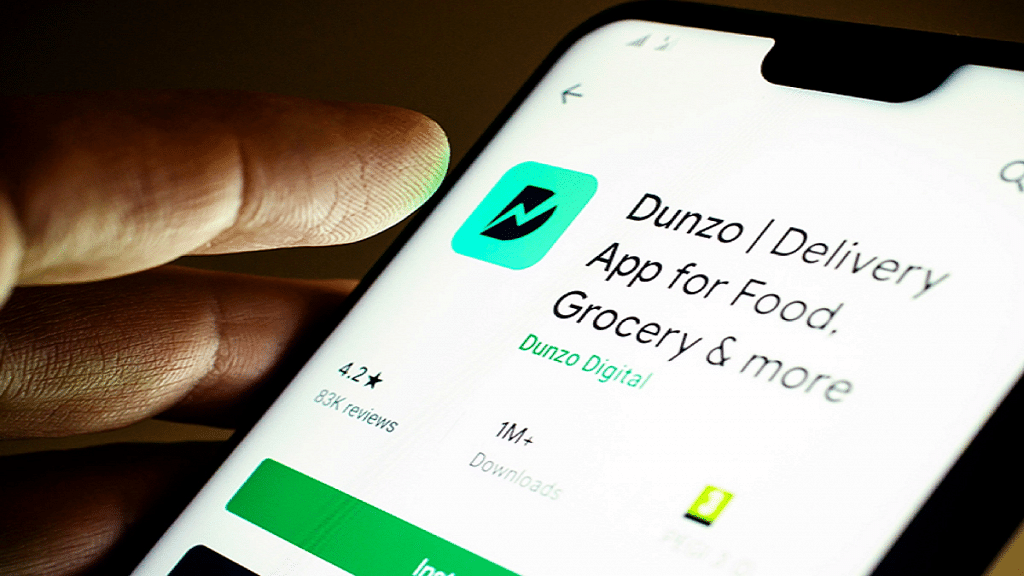
Dunzo is a hyperlocal delivery app that offers a wide range of services, including food delivery, grocery delivery, medicine delivery, and more. Dunzo offers its food delivery services at competitive rates and provides several discounts and cashback offers to its customers. With a simple and intuitive interface, Dunzo also allows users to track their orders in real-time and communicate with delivery agents. The app also offers various payment options, including cash on delivery and digital wallets.

Box8

Box8, as its name implies, is a food delivery platform that delivers food to customers in convenient boxes, making the entire process hassle-free and simple. They provide a diverse range of dishes, including all-in-one meals, desserts, desi boxes, and desi openers. Although the company operates in only four cities, Bangalore, Gurgaon, Pune, and Mumbai, it still manages to serve over a million customers each month. Despite the limited service area, Box8 has gained popularity for its great service and delicious food options.

Overall, these are the top four cheapest food delivery apps in India that offer their services at competitive rates and provide several discounts and cashback offers to their customers. Additionally, their subscription-based loyalty programs provide free deliveries and other exclusive benefits to their members, making them an ideal choice for frequent food delivery orders.

Also Read | Need A Quick Delivery? Check Out These Top Five Courier Delivery Apps

Categories
Apps Featured Info

Need A Quick Delivery? Check Out These Top Five Courier Delivery Apps

Key Highlights

  • Courier delivery apps have made it easy for people to send and receive packages quickly and efficiently
  • Many companies are offering their services through various courier delivery apps
  • Each app comes with unique features that cater to different needs

In today’s fast-paced world, timely delivery of packages is crucial for businesses and individuals alike. Thanks to technology, courier delivery services have evolved from traditional methods to mobile applications, making it convenient to book a pickup and track deliveries on the go. While there are several courier delivery apps available, selecting the right one can be a daunting task. To help you make an informed decision, we have compiled a list of the top five courier delivery apps in India that offer quick deliveries. Also Read | Best Mobile Apps To Easily Find Parking Spot For Your Car

Bluedart

Bluedart is a popular courier delivery app that has been in the industry for more than 30 years. The app provides fast and reliable delivery services across India. Some of its features include:

  • Real-time tracking: The app allows you to track your package in real-time, so you know exactly where your package is.
  • Delivery confirmation: You will receive a confirmation message once your package is delivered to the recipient.
  • Scheduled delivery: You can schedule a delivery at a convenient time for you or the recipient.
  • Secure packaging: Bluedart ensures that all packages are securely packed to prevent any damage during transit.

Delhivery

Delhivery is another popular courier delivery app that provides fast and reliable services across India. Some of its features include:

  • Multi-channel support: You can track your package using the app, website, or even through SMS.
  • Real-time tracking: The app allows you to track your package in real-time, so you know exactly where your package is.
  • On-demand delivery: You can request for a package to be delivered at a specific time and location.
  • Multiple payment options: The app supports various payment options, including cash on delivery, net banking, and credit/debit cards.

FedEx

FedEx is a global courier company that provides fast and reliable delivery services across India. Some of its features include:

  • International delivery: FedEx provides international delivery services to over 220 countries.
  • Real-time tracking: The app allows you to track your package in real-time, so you know exactly where your package is.
  • Shipment alerts: You will receive alerts on your phone or email regarding the status of your shipment.
  • Package insurance: You can insure your package against loss or damage during transit.

Also Read | Never Get Lost Again: Four Best Navigation Apps For Travelers

Amazon Logistics

Amazon Logistics is a courier delivery app that provides fast and reliable delivery services for Amazon orders. Some of its features include:

  • Same-day delivery: Amazon Logistics provides same-day delivery for Amazon Prime members.
  • Real-time tracking: The app allows you to track your package in real-time, so you know exactly where your package is.
  • Secure delivery: Amazon Logistics ensures that all packages are securely delivered to the recipient.
  • Contactless delivery: The app provides contactless delivery options to ensure the safety of the recipient.

Ecom Express

Ecom Express is a courier delivery app that provides fast and reliable services across India. Some of its features include:

  • Multiple delivery options: Ecom Express provides various delivery options, including next day and same-day delivery.
  • Real-time tracking: The app allows you to track your package in real-time, so you know exactly where your package is.
  • Secure packaging: Ecom Express ensures that all packages are securely packed to prevent any damage during transit.
  • Cash on delivery: The app supports cash on delivery as a payment option.

From established players to newer entrants, these apps have garnered positive reviews for their speed, reliability, and user-friendliness. Whether you need to send documents or parcels, these courier delivery apps can cater to your needs efficiently.

Also Read | Unlock Exclusive Deals: Five Best Coupon Apps For Online Shopping In India

Categories
Apps Featured Info

WhatsApp’s Latest iOS Update To Include Auto-Converting Of Voice Messages To Text

Key Highlights

  • WhatsApp is currently testing a new voice message feature on iOS
  • iPhone users will be able to read voice messages via automatic transcriptions
  • Only iOS beta testers currently have access to the new WhatsApp feature

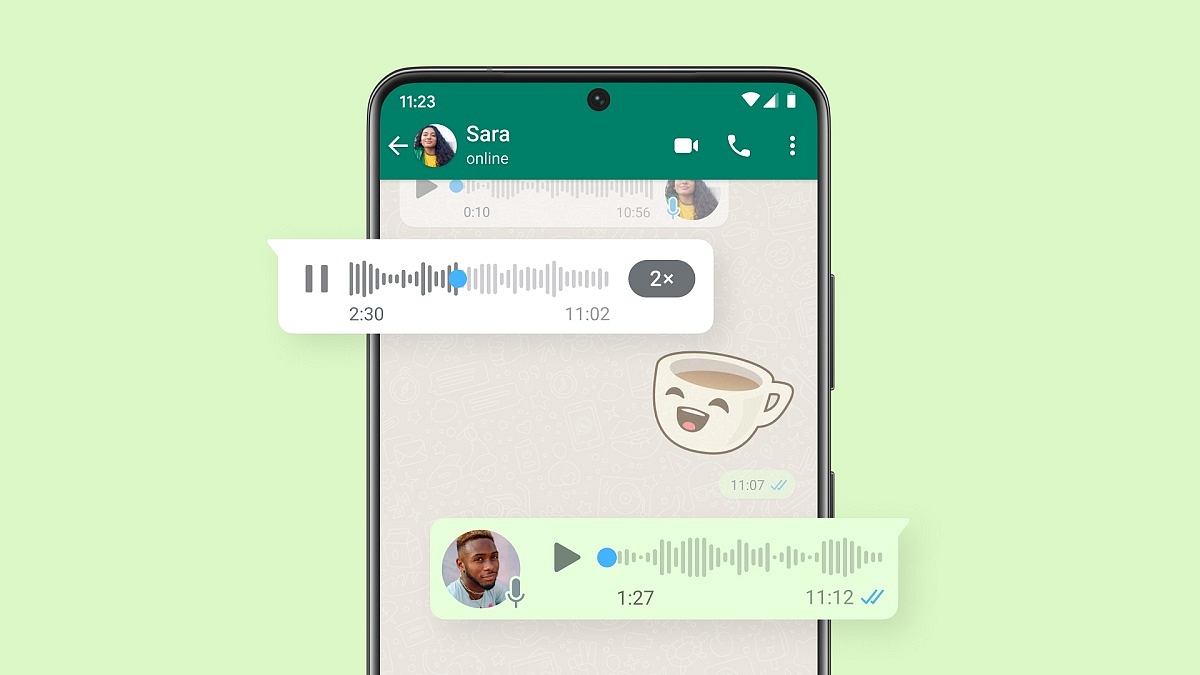
WhatsApp is testing a new feature on its iOS platform that transcribes voice messages into text, allowing users to read them instead of listening to them. This new feature is designed to make it easier for users to access voice messages in situations where they may not be able to listen to them, such as in noisy environments or during meetings. Currently, the feature is only available to beta testers on iOS.

WhatsApp regularly tests new features in its beta program, which can be accessed by downloading the TestFlight program from the App Store. This particular feature is available in the iOS 23.3.0.73 WhatsApp beta update, but not all beta testers might have access to it at this time. However, WABetaInfo, a website that tracks changes in WhatsApp beta versions, says that the feature will roll out to more testers in the coming weeks. Also Read | No More Switching Between Devices: WhatsApp Now Allows Account Use On Up To Four Phones

How Does The Feature Work?

The feature, called WhatsApp Voice Message Transcripts, works by transcribing the voice message and displaying the text in the message box itself. The user can also change the language of the transcript to English (India), UK, US, or Canada. The transcriptions are searchable within the app and are also end-to-end encrypted. The feature uses language packs and takes advantage of the latest APIs on iOS 16, which allows WhatsApp to process voice messages locally on the device.
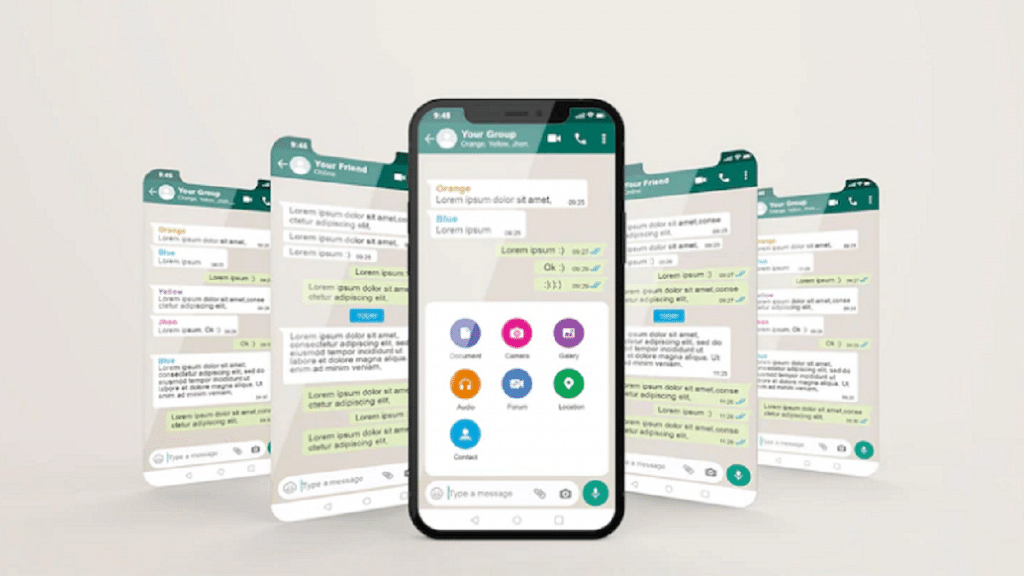

If the feature is available, it will be enabled by default. However, users can turn it off by going to Settings > Chats > Voice Message Transcripts. It should be noted that the feature is only available in English, so voice messages in other languages will not be transcribed.

WhatsApp has always been a popular messaging app, and this new feature is likely to make it even more appealing to users who prefer to read rather than listen to voice messages. It remains to be seen when the feature will be rolled out to all iOS users, but it is clear that WhatsApp is working hard to improve the user experience on its platform.

Also Read | WhatsApp Safety Features: Everything You Need To Know

Categories
Apps Featured How To

Microsoft Teams Tips & Tricks: How To Set Urgent Messages For Maximum Visibility

Key Highlights

  • Microsoft Teams lets users get their messages noticed among others
  • They have the choice of delivery options for Urgent and Important
  • Urgent messages get highlighted every two minutes and 20 seconds

Microsoft Teams is a powerful communication tool that allows users to collaborate and communicate effectively. One of the features of this app is the ability to set a message as urgent, which helps to draw the attention of the recipient to the message. In this article, we will discuss how to set a message as urgent on Microsoft Teams.

Also Read | Google Meet Hacks: How To Change/ Update Google Meet Name Using A Laptop Or PC?

How To Highlight A Message In Microsoft Teams?

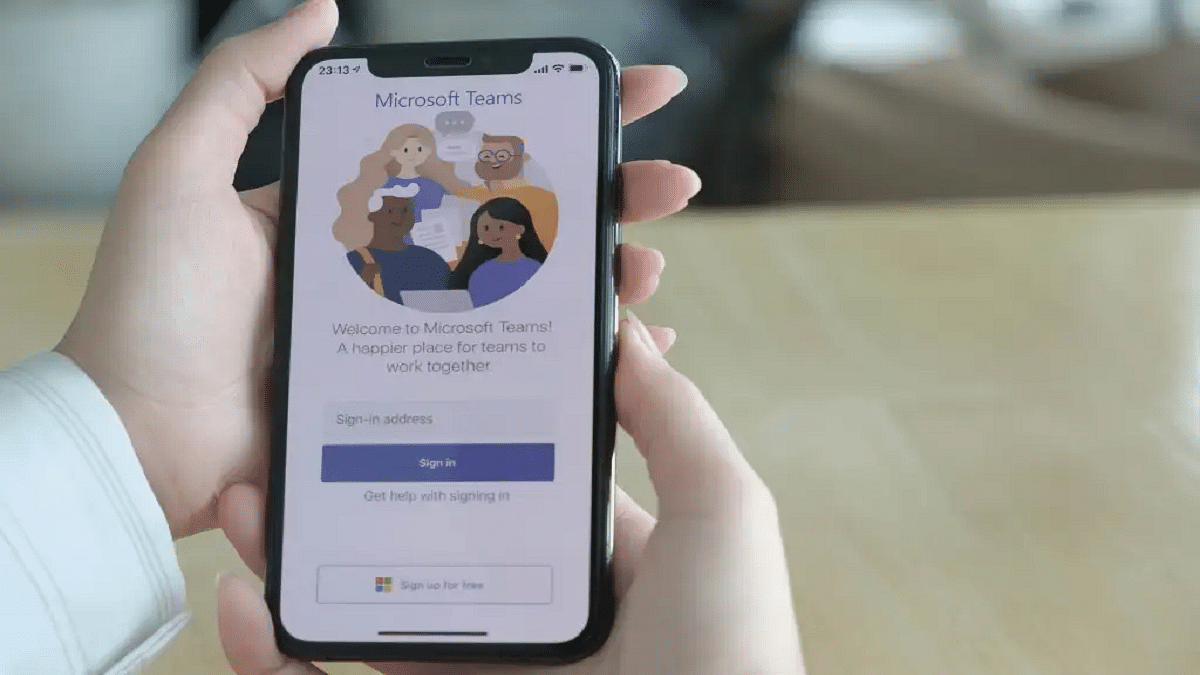
Step 1: Open Microsoft Teams

The first step to set a message as urgent on Microsoft Teams is to open the app on your mobile or laptop. You can do this by clicking on the icon on your desktop or by navigating to the website and logging in.

Step 2: Select the chat or channel

Once you have opened the app, you need to select the chat or channel where you want to send the message. You can do this by clicking on the chat or channel from the left-hand panel.

Step 3: Type your message

After selecting the chat or channel, you can type your message in the text box at the bottom of the screen. It is important to ensure that your message is clear and concise.

Also Read | How To Archive Emails In Microsoft Outlook: Here’s The Step-By-Step Guide

Step 4: Set the message as urgent

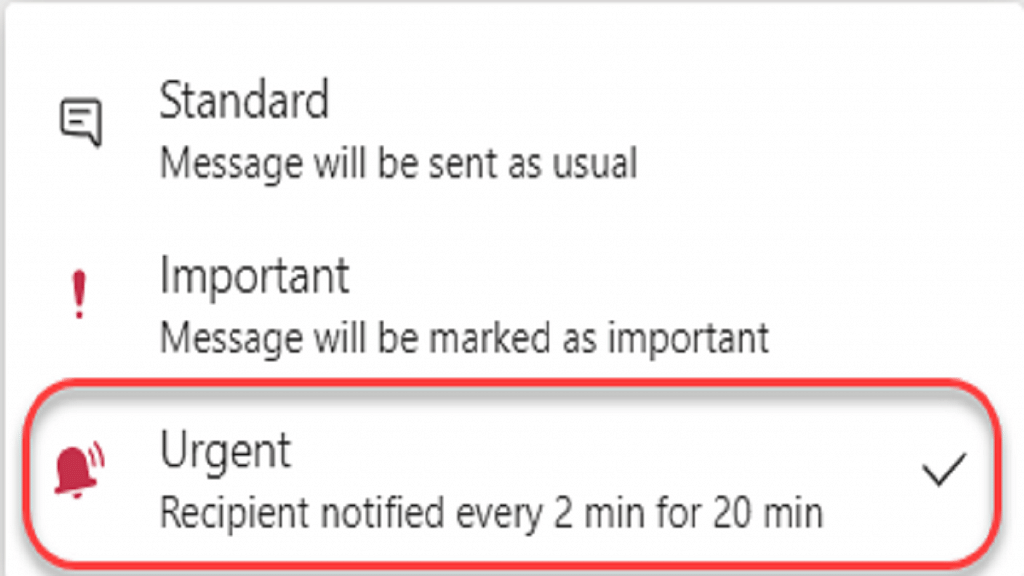
To set the message as urgent, you need to click on the exclamation mark icon next to the text box. This will open a menu where you can select the level of urgency for your message.

Step 5: Choose the level of urgency

In the menu that appears, you will see three levels of urgency: standard, important, and urgent. Standard is the default level, while important and urgent are used to draw the attention of the recipient to the message. To set your message as urgent, you need to click on the urgent option.

Step 6: Send the message

After choosing the level of urgency, you can click on the send button to send your message. The recipient will receive a notification that the message is urgent, and the message will be highlighted in red in the chat or channel.

Overall, setting a message as urgent on Microsoft Teams is a simple process that can help to draw the attention of the recipient to the message. By following the steps outlined in this article, you can ensure that your message is seen and acted upon quickly. Remember to use this feature only when it is necessary, as overuse can lead to a decrease in its effectiveness.

Also Read | Want To Create A New Group For Google Meet Calls? Here’s How To Do It

Categories
Apps Featured How To

No More Switching Between Devices: WhatsApp Now Allows Account Use On Up To Four Phones

Key Highlights

  • WhatsApp finally introduces support for multi-device sign-in on multiple phones
  • Meta CEO Mark Zuckerberg announced the launch of the feature on Facebook and Instagram
  • Linking phones as companion devices can make messaging much easier for users

In an effort to improve its multi-device offering, WhatsApp has announced that users will now be able to run the same account on multiple phones. This means that users can link their account on up to four additional devices, just like they can on web browsers, tablets, and desktops. The update has started rolling out globally and will be available to all users in the coming weeks. Also Read | WhatsApp Emoji Meanings: Know What You Are Expressing With These WhatsApp Emojis

Benefits Of Multi-Device Support

Linking phones as companion devices can make messaging much easier for users. With this new feature, users can switch between phones without having to sign out and can pick up their chats right where they left off. This can be especially useful for small business owners who want their employees to be able to respond directly to customers from their phones under the same WhatsApp Business account. By linking the account on their devices simultaneously, there is no need for employees to sign in every time they need to use the app.

Alternative And Accessible Way To Link Devices

WhatsApp also announced that it will roll out alternative, more accessible ways to link companion devices in the coming weeks. Instead of having to scan a QR code, users will be able to enter their phone number on WhatsApp web to receive a one-time code. This code can then be used on their phone to enable device linking.

Also Read | Best Websites For Perfect WhatsApp DP For Girls

How To Link Your Account On Multiple Devices

To link your WhatsApp account on multiple devices, follow these simple steps:

Step 1: Ensure you have the latest version of WhatsApp installed on your mobile.

Step 2: Open WhatsApp and go to Settings.

Step 3: Tap on Linked Devices.

Step 4: Select Link a Device.

Step 5: Follow the on-screen instructions to link your account on additional devices.

It’s important to note that your phone must be connected to the internet in order to use WhatsApp on linked devices. Also, if you choose to unlink a device, all of your messages and media from that device will be removed from your phone.

Conclusion

WhatsApp’s new multi-device support feature is a major relief for users who need to use several devices at once for personal or professional use. With this new feature, users can link their accounts on up to four additional devices and switch between them seamlessly without having to sign out. The upcoming alternative, more accessible way to link companion devices is also a welcome change.

Also Read | WhatsApp Group Name Ideas: Best Names For WhatsApp Friends Group

Categories
Apps Featured Info

JioCinema’s Free Ride Is Over: Paid Subscription Plans Set To Be Launched

Key Highlights

  • JioCinema to become a paid subscription service
  • The new subscription plans are expected to be introduced after the conclusion of IPL 2023
  • It is also likely to expand its content library and introduce new titles before IPL 2023 concludes

JioCinema, the streaming platform owned by Mukesh Ambani-led Viacom18, has been a popular destination for entertainment lovers since its launch in 2016. It offers an extensive library of films, web series, music videos, television shows, documentaries, and sports to Jio users for free. JioCinema has even set records as the official online live broadcaster of the Fifa World Cup 2022 and is currently streaming the Indian Premier League (Tata IPL 2023) for free. However, according to reports, the platform is planning to introduce paid subscription plans in the near future. Also Read | Want To Port Your Vodafone Number To Jio? Here’s How To Do It

JioCinema’s Three Paid Plans

A Reddit user recently shared a test website that revealed JioCinema’s premium subscription plans. The platform will introduce three subscription plans: Daily Delight, Gold Standard, and Platinum Power. The website mentions that all JioCinema Premium plans will offer users access to all content in the highest quality, on any device.

Daily Delight: This plan will have a validity of one day and is priced at Rs. 29. It will allow users to stream on two different devices simultaneously.

Gold Standard: This plan is expected to be priced at Rs. 299 and will have a validity of three months. It will support streaming on two devices and may be offered at an introductory price of Rs. 99.

Also Read | IPL 2023 4K Streaming For Free On Reliance JioCinema: Here’s How

Platinum Power: JioCinema’s top-tier plan is priced at Rs. 1,199 but will be offered at Rs. 599 under a discount. It will have a validity of 365 days. It will offer benefits such as ad-free streaming and support for up to four devices.

Expansion Of Content Library

JioCinema is planning to expand its content library by adding over 100 films and TV series in various languages, including Hindi, Marathi, Bengali, and Gujarati. According to reports, the platform is also planning to release new titles before IPL 2023 concludes. These will include a diverse range of genres such as thrillers, romance, and biopics.

JioCinema has been a popular streaming platform that offers a wide variety of content for free. However, with the introduction of paid subscription plans, users will have to pay to access some of its content. The Daily Delight, Gold Standard, and Platinum Power plans are expected to offer different benefits and support multiple devices. The addition of Rohit Sharma as a brand ambassador will further strengthen JioCinema’s position as a go-to destination for sports lovers.

Also Read | How To Get Discount On Jio Phone Next Smartphone: See All Steps Here