Categories
Featured Info Smart Watch

Amazon Great Republic Day Sale India 2023: Best Offers To Grab On Smartwatches

Key Highlights

  • Amazon Great Republic Day Sale 2023 is now live for all customers
  • Amazon’s first big sale of 2023 features exciting smartwatch discounts and offers
  • SBI credit card holders are offered a 10 percent instant discount of up to Rs. 2,500

The first significant annual sale on Amazon has begun. The Great Republic Day Sale is live now and runs through January 20. As anticipated, there are several offers and deals on a variety of goods. Additionally, Amazon provides a half-price store where customers can purchase a variety of products at a minimum discount of 50 percent.

You can grab some exciting deals on many smartwatches. If you are looking to buy a new smartwatch, here we’ve selected some of the top offers:

Also Read | Best Smartwatch Under Rs. 10,000 For Health Conscious Buyers In India

ModelOffer Price
Fire-Boltt Ninja Call Pro PlusRs. 1,799
OnePlus Nord WatchRs. 4,499
Noise ColorFit Pro 4 AlphaRs. 3,799
Amazfit GTS2 MiniRs. 3,999
Samsung Galaxy Watch4 ClassicRs. 16,999

Fire-Boltt Ninja Call Pro Plus

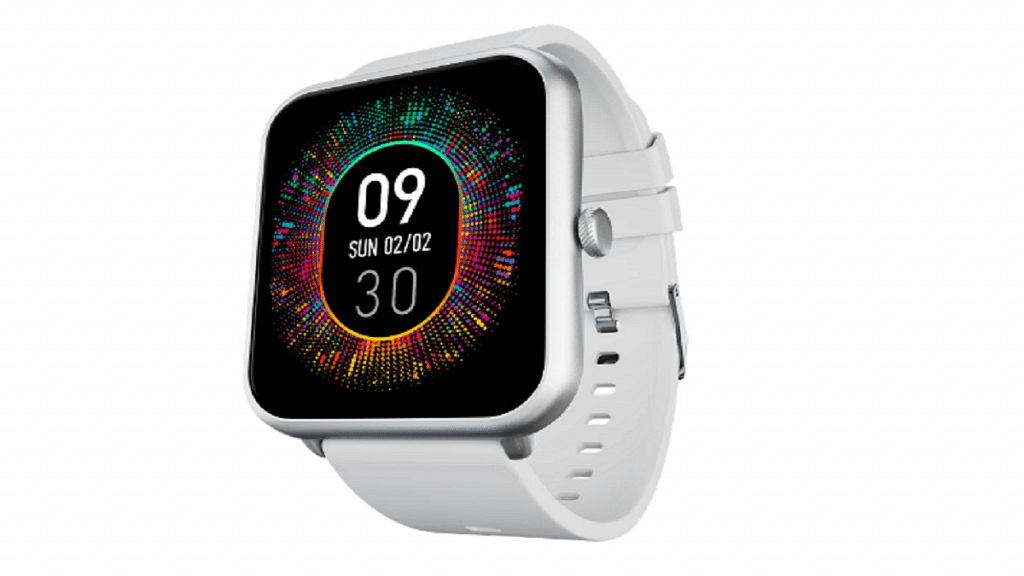
The Fire-Boltt Ninja Call Pro Plus watch has a 1.83-inch display and Bluetooth calling features. In addition, it has an IP67 rating and more than 100 sports modes. After a 91 percent discount, it is offered for Rs. 1,799 during the Amazon sale.

OnePlus Nord Watch

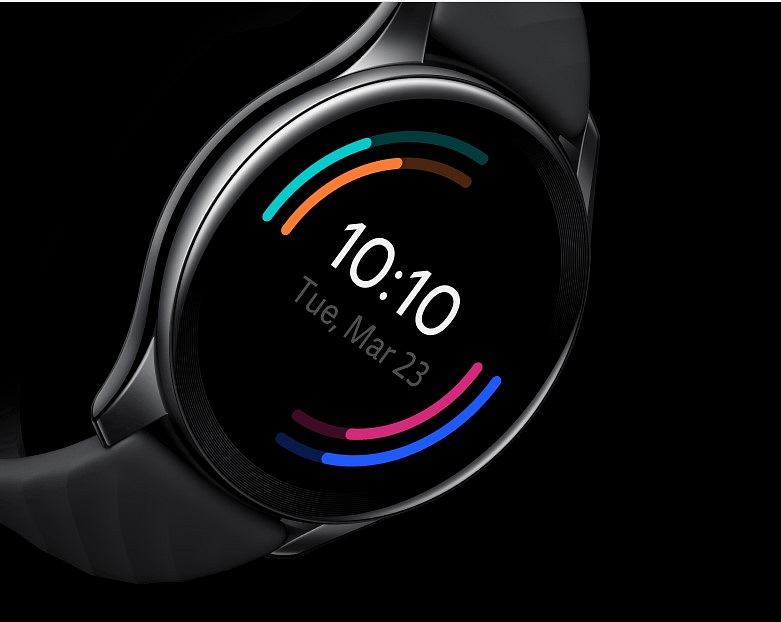
The OnePlus Nord Watch pushes you to leap higher, run faster, swim more vigorously, and get active with its more than 100 sports modes. Fast updates, a non-flickering screen, and a non-latent user experience are all made possible by an AMOLED display with a refresh rate of 60Hz. After a 36 percent discount, the watch is available on Amazon for sale for Rs. 4,499.

Noise ColorFit Pro 4 Alpha
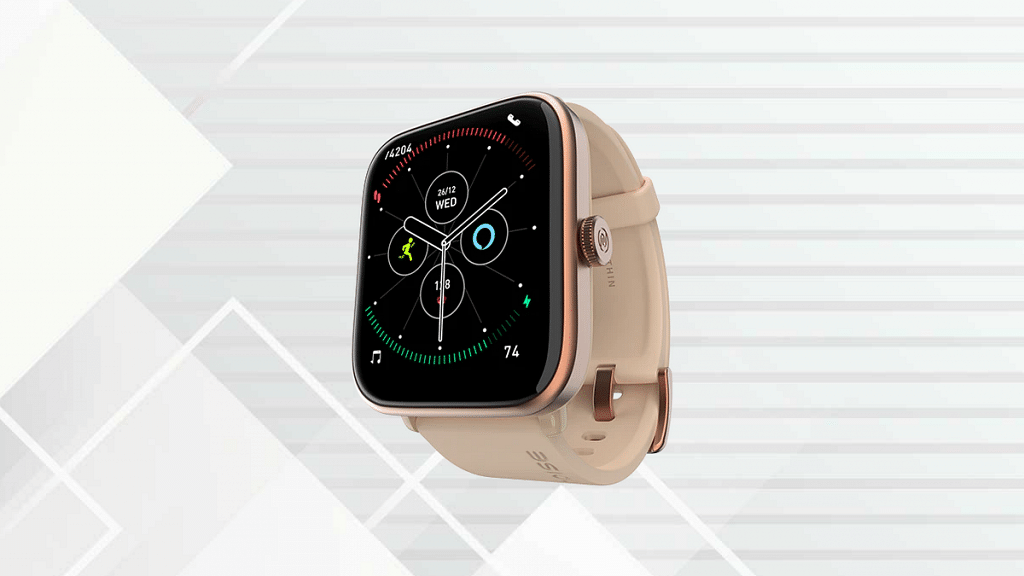
On the 1.78-inch AMOLED screen of the Noise ColorFit Pro 4 Alpha, you can view the world with clarity and precision thanks to a 368 x 448p resolution. It has named its navigation feature a functional crown, Bluetooth called Tru Sync, and speed dialing as Noise Buzz. The smartwatch can be purchased for Rs. 3,799 on Amazon after a 53 percent discount.

Amazfit GTS2 Mini
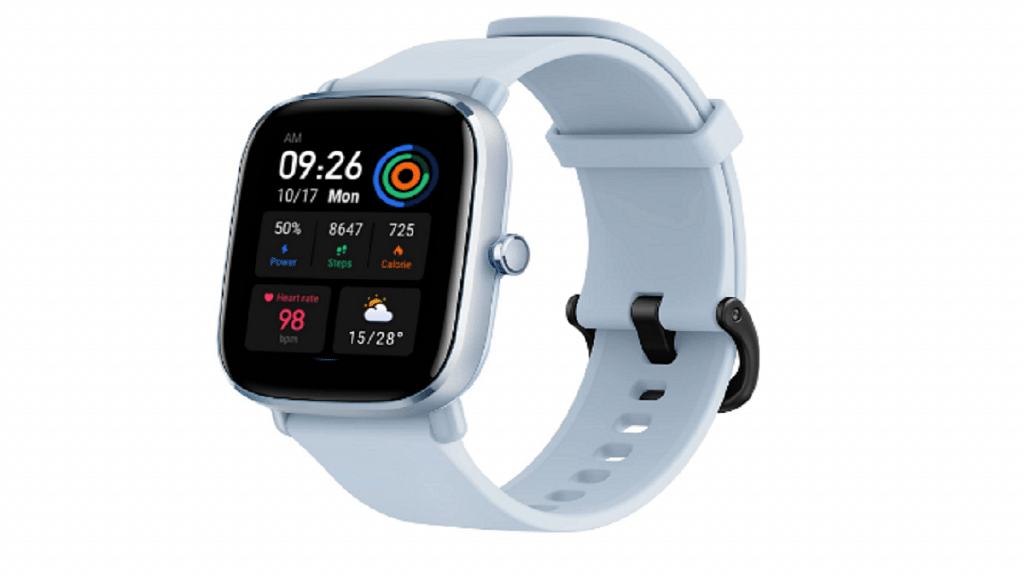
With an 8.9 mm thickness and a weight of roughly 20 grams, the Amazfit GTS2 Mini smartwatch is a capable connected assistant. Wear this smartwatch during your wettest workouts, and it will hold up. It can be purchased for Rs. 3,999 on Amazon after a 50 percent discount.

Samsung Galaxy Watch4 Classic
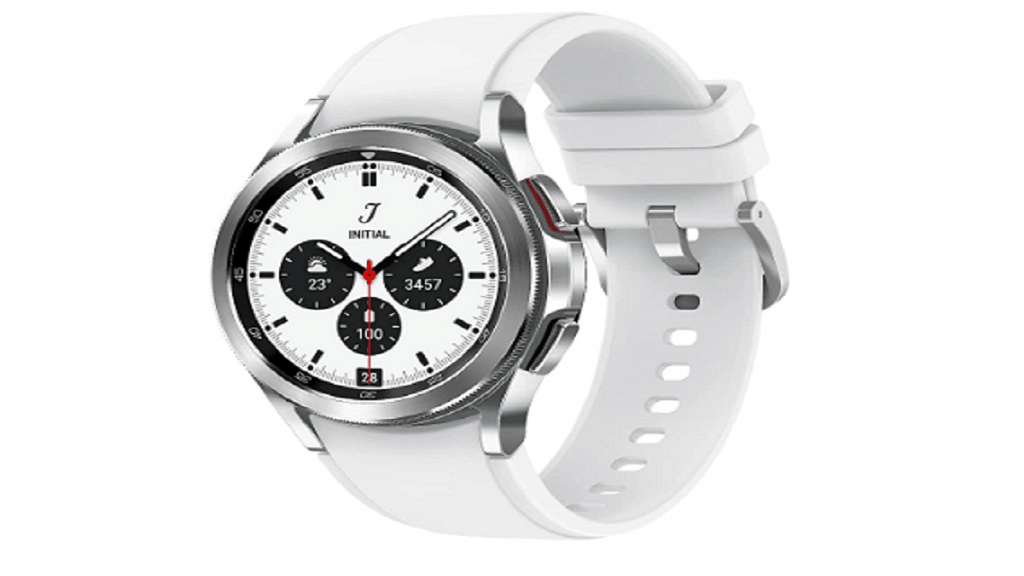
The Samsung Galaxy Watch4 Classic has an AMOLED display and offers health features like SpO2, heart rate tracking, and stress tracking. During the Amazon sale, the smartwatch is available for Rs. 16,999 after the 51 percent discount.

Also Read | List Of Best Smartwatches You Can Buy Under Rs. 500 In India

Categories
Featured Leaks mobile

Moto G53 5G Full Specifications Leaked Online: Price, India Launch

Key Highlights

  • Moto G53 5G leaked with Snapdragon 480 Plus 5G chipset
  • 120H HD+ display tipped
  • 50MP dual camera and 5,000 mAh battery

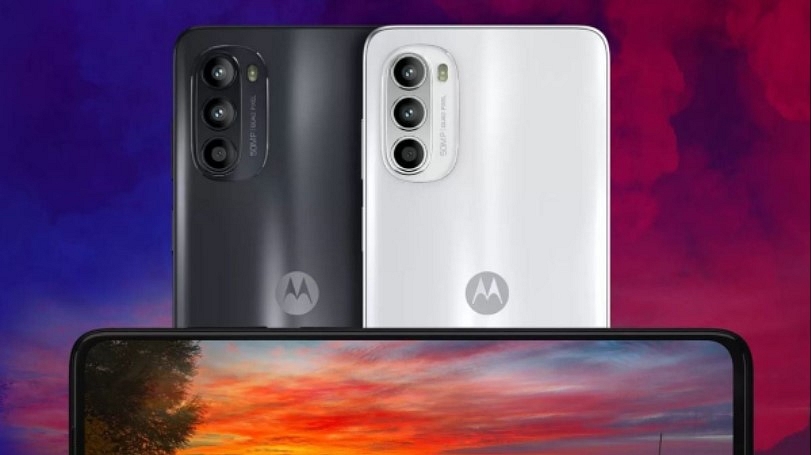
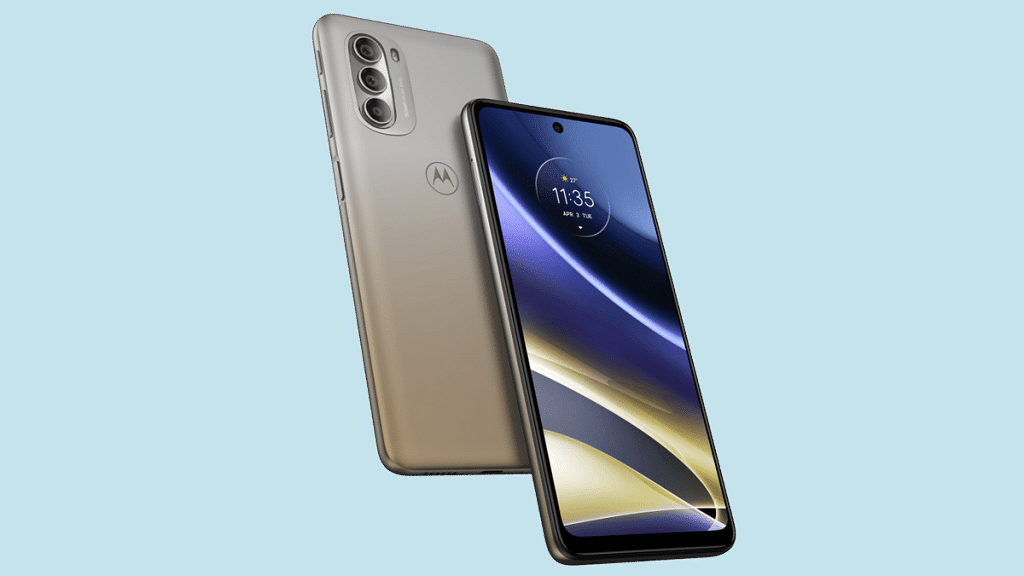
Motorola has started working on its new smartphone which will be catering to budget consumers across the globe. The upcoming device will be debuting in the Moto G series with the Moto G53 moniker. The handset has been rumored to launch alongside the Moto G73 in India and other markets. A new leak has surfaced online which hints at the complete specifications of the Moto G73.

The Moto G53 Full Specifications (Leaked)

Moto G53 5GSpecifications (Leaked)
Display6.5-inch LCD, 120Hz refresh rate
Camera50MP dual, 8MP front
ProcessorSnapdragon 480 5G
Battery5,000 mAh
Fast Charging18W

The latest leaked spec sheet of the Moto G53 5G has been tipped by Pricebaba. The publication has suggested the upcoming Moto budget 5G phone will be employing the Qualcomm Snapdragon 480 Plus processor under the hood. The entry-level 5G Qualcomm chipset is said to be combined with 4GB RAM and a 128GB storage option.

The report only mentions the single 4GB RAM. It remains to be seen if there will be a 6GB RAM model too. We are also expecting a dedicated microSD card slot for storage expansion but are unaware of the exact capacity. It is expected to come pre-loaded with Android 13 OS. There will be MyUX user interface on top of the latest Android OS.

Also Read: Samsung Galaxy F13 Vs OPPO A54 Vs MOTO G32: Best Affordable Android Smartphone To Buy In India

Moving on to the imaging hardware, the upcoming Motorola Moto G53 5G is leaked with a set two sensors at the rear and a single snapper upfront. The report hints the primary camera at the back panel of the Moto G53 will be a 50MP lens accompanied by a 2MP auxiliary sensor. The Moto G53 5G will come with Dolby Atmos certified audio system.

The phone is also said to come with eSIM and NFC connectivity options. Lastly, a 5,000 mAh battery is said to be used for power delivery by the Moto G53 5G which will get 18W fast charging support. However, the phone could ship with a 10W standard charger inside the retail box.

Also Read: iQOO 9T Vs Motorola Edge 30 Ultra Vs Asus ZenFone 9: Premium Android Mobile Comparison

When To Expect Moto G53 5G Official India Launch?

The timeline for the Moto G53 5G official India launch is not revealed, but the expected arrival is within the next few months. An early launch wouldn’t be a surprise. We are also not aware of the Moto G53 5G exact pricing, however, it will possibly be a budget 5G handset under Rs. 15,000.

Also Read: Realme 10 Pro Plus Vs iQOO Z6 Pro Vs Moto G82: Best Mid Range 5G Phone In 2022 In India

Categories
Featured Leaks Mobile

Poco X5 Series AliExpress Listing Hints Imminent Global Launch: Expected Price, Specs

Key Highlights

  • The Poco X5 series will be launching in the global market soon
  • The X5 series landing page is now available on AliExpress
  • Poco India is preparing to hold a fan meeting in Delhi on January 22

Poco plans to make its first “major move” this year. The Poco X5 series will be unveiled by the company soon, and it looks like the launch is imminent. The landing page of the Poco X5 and Poco X5 Pro has emerged on AliExpress. Moreover, on January 22 in Delhi, Poco India will host a fan meetup event. As a result, we can almost certainly anticipate the release of the new smartphone on Sunday. They might show up shortly after the fan event.

There is a large “X” on the landing page of AliExpress which also announces that a “new POCO Series is coming shortly.” In the meantime, Poco India announced on Twitter the fan gathering where we can learn more about the POCO X5 series. Also Read | Poco C50 Vs Vivo Y1s: Trending Budget Smartphone Competition

Poco X5 Series Specifications (Expected)

The Poco X5 Pro won’t boost the phone’s specifications back to those of a top competitor. We’ll have to accept that the phone is a mid-range device. According to sources, it will be based on the Redmi Note 12 Pro Speed Edition. It has a 5,000mAh battery with 67W rapid charging and the Snapdragon 778G chipset. The smartphone also boasts a 108MP main camera and an AMOLED screen with a 120Hz refresh rate.

SpecsPoco X5 5GPoco X5 Pro
Display6.6-inch IPS LCD6.6-inch AMOLED
ProcessorSnapdragon 778GSnapdragon 778G 5G
Camera108MP + 8MP + 2MP108MP
Selfie Camera16MP16MP
OSAndroid v12Android v12
Battery5,000mAh5,000mAh

The Redmi Note 12 5G will serve as the base for the Poco X5 5G, although there may be significant modifications. For example, it switches to the Snapdragon 695 from the Snapdragon 4 Gen 1. The rear panel has also been updated. The distinction is understandable because the Redmi Note 12 5G with Snapdragon 4 Gen 1 reached India recently. According to reports, both Poco X5 phones will run MIUI 14 with Android 13.

Also Read | POCO X4 Pro 5G Long Term User Review: Makes The Cut?

Categories
Apps Featured

Best WhatsApp Status Apps To Download And Use On Android, iOS

Key Highlights

  • WhatsApp has billions of users worldwide
  • If you want to create excellent video status, you can download apps available online
  • Best WhatsApp Status Maker apps help you edit videos without hassle

The day after WhatsApp updated its 24-hour status feature, there are a ton of WhatsApp Status Apps available online today. One of the most popular instant messaging services, WhatsApp has billions of users worldwide. In the same vein as Snapchat and other similar messaging services, WhatsApp also enables sharing of 30-second movies to convey your mood or what you are up to.

Image and photo sharing have become old school. Sharing videos with your WhatsApp contacts is now possible. Let’s learn about some of the best WhatsApp status apps without further ado. It enables social butterflies to display videos and GIFs in addition to text and Emojis on WhatsApp. Also Read | Best Apps To Detect Hidden Camera For Android And iOS

ShareChat – Videos & Status

ShareChat is a made-in-India social networking app that allows you to create, download, and share short humorous videos, jokes, GIFs, and more all in one place. This is done using video filters, emoticon stickers, and face filters. Supporting 15 different regional languages, the app’s chat rooms are another place to meet new people.

Snack Video Status Maker

With the aid of the Snack Video Status Maker app, you can download comedic, musical, and humorous snake videos, and moj status videos and publish them right in your WhatsApp status. Using the Snack Video Status Maker application, you can also make popular short videos for WhatsApp, such as moj video status, share chat video status, birthday video status, love video status, and humorous snack video status.

Vido: Lyrical Video Status Maker

When talking about another status app, it is called Vido and it has some really intriguing features. This application allows you to download small-sized videos, conserving internet data. You can make fantastic trendy music lyrical status as well as publish your own little video status on Facebook and WhatsApp.

MV Master

MV Master meets all of your requirements for producing amazing short videos. This app has a ton of built-in video templates that allow you to record wonderful moments of life in new ways. The templates are all quite lovely, making it difficult to decide which to choose. All of the templates come with a variety of simple modification tools for free. You can even add lyrics to your videos.

Also Read | Best Mobile Apps To Easily Find Parking Spot For Your Car

Categories
Featured Reviews Smart Watch

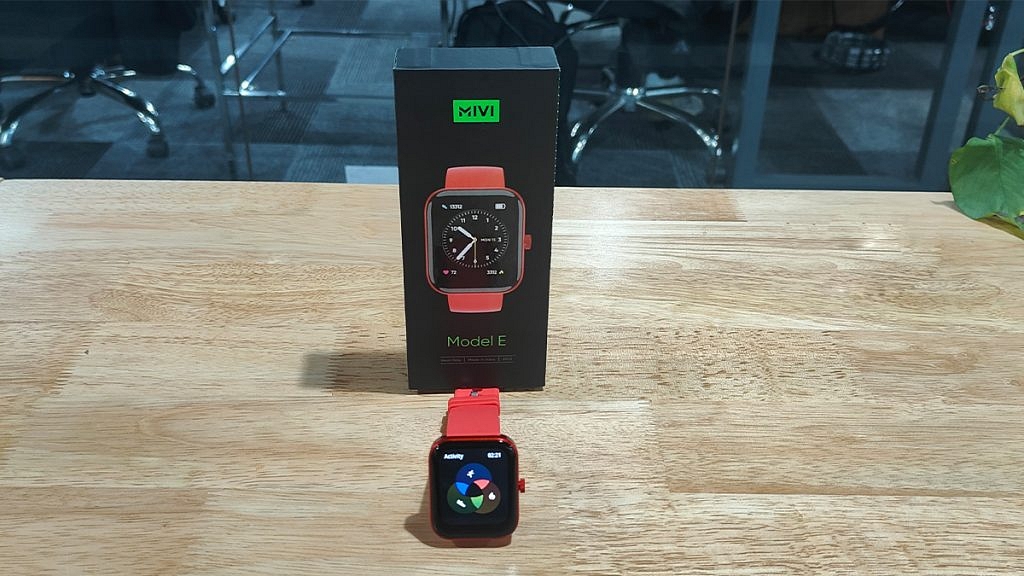
Mivi Model E Budget Smartwatch Review: Worth A Buy In 2023?

Pros

  • Budget-friendly pricing
  • Modern design with sturdy built
  • Good battery backup

Cons

  • Limited health and safety features
  • Bit bulky

The year 2022 has been eventful for consumer electronics brands globally. In India too, tech OEMs released numerous new gadgets and products to help the masses with an improved lifestyle. Specifically, the smart wearables market has been flourishing rapidly in the country with international as well as homegrown brands contributing equally in this market.

Mivi, which is a popular Indian digital accessories brand has added a new product to its portfolio right before the beginning of 2023. The Mivi Model E got introduced to Indian audiences as a budget smartwatch integrated with a bunch of health metrics sensors including Hear Rate monitor and SpO2.

At an asking price of Rs. 1,799, the Mivi Model E has tagged itself a pocket-friendly smartwatch in India. But is it worth a buy? That could be a major concern for users who are wary of cheaper products. For interested users, we have done a review of the Mivi Model E smartwatch and shared our opinion if it makes for a good buy in 2023. Also Read | Inbase Urban Fit S Smartwatch Review: An Overall Decent Package

Mivi Model E Smartwatch Review: Design And Wearing Comfort

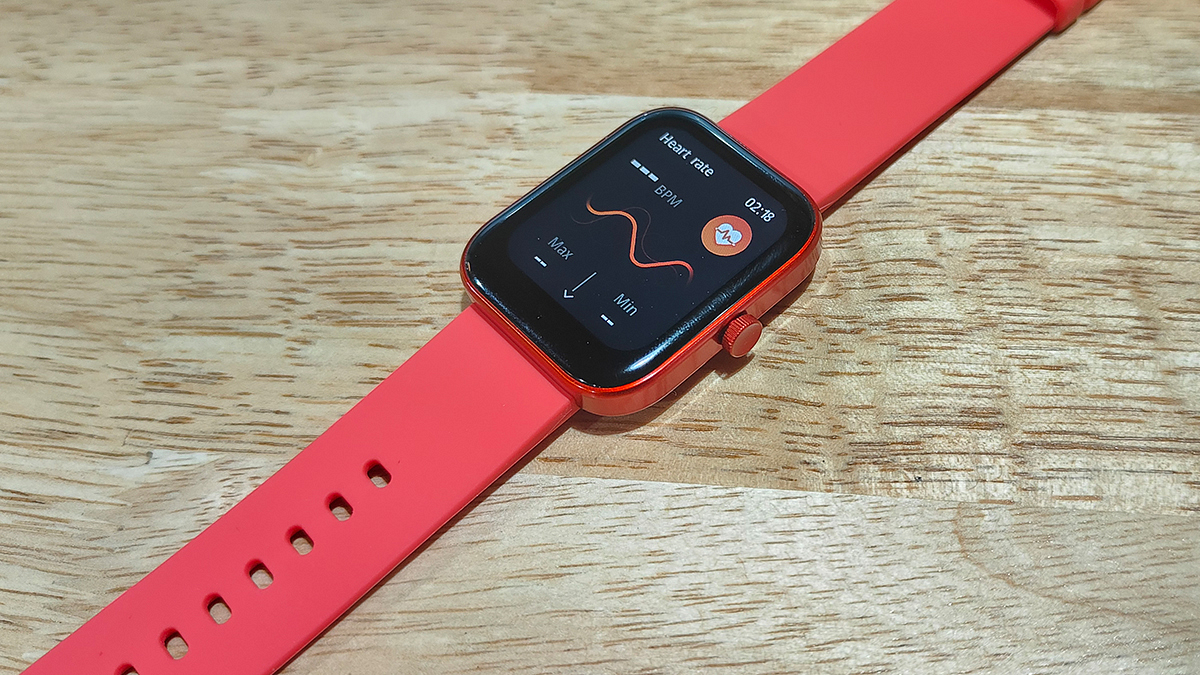
The Mivi Model E brings a standard design comprising a large rectangular dial combined with a soft silicon material used as straps. Despite the cheaper price tag, the company has made sure the quality used is good and the design falls in line with the modern trend. The curved rectangular dial along with the digital crown on the right adds to the looks, while the soft strap material adds to the premium comfort.

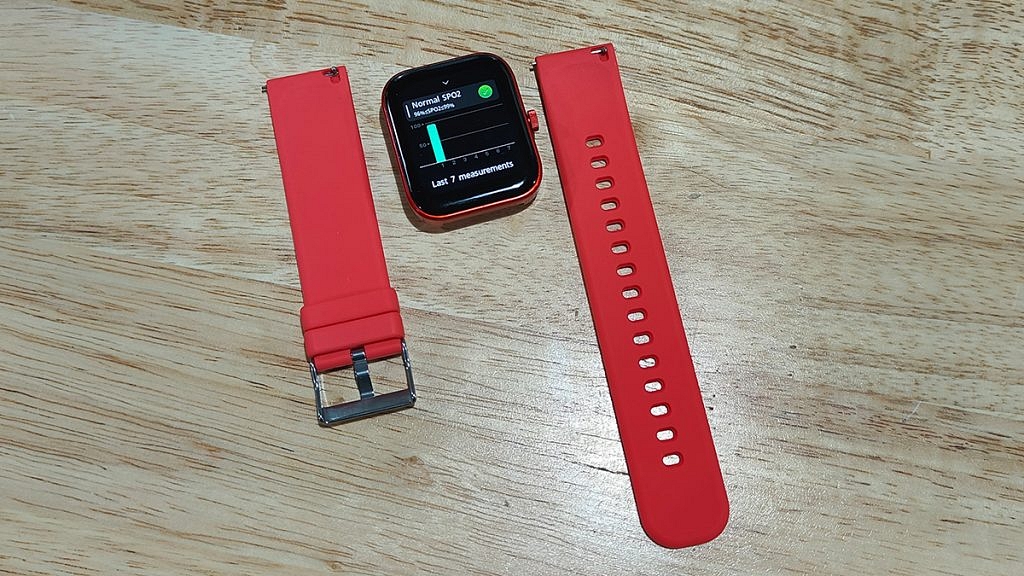
However, you don’t get an entirely sweat-resistant strap material which could hamper the wearing experience on hot summer days. Thanks to the IP68 certification it gets a decent level of protection from natural elements such as dust and water. Also, the straps are detachable allowing you to use different aftermarket 22mm straps.

So, you get to fiddle with different colored straps with the Model E smartwatch. The metallic frame used for the dial makes the Model E smartwatch all durable. This is better than the standard plastic material used for smartwatches in the budget segment. Overall, the Mivi Model E smartwatch has all the elements present that make the design trendy and also practical for daily use.

Mivi Model E Smartwatch Review: Display Performance, Available Features

The Mivi Model E is a budget smartwatch which is why expecting an AMOLED screen would be criminal. However, the panel used by the Model E smartwatch isn’t disappointing either. Under Rs. 2,000, you get a 1.69-inch HD display inside this budget smartwatch.

The Model E’s smartwatch gets a color screen with touch-sensitive control. The feedback with scrolling is decent. You might need to use firm gestures to scroll through this watch’s screen. Using the digital crown, you can easily go back to the previous screen on the watch and access the remaining menu and features.

The large screen size makes the texts and notifications clearly visible and helps with smooth navigation too. With 500 nits peak brightness, you don’t really struggle outdoors using the Mivi Model E smartwatch.

Mivi Model E Smartwatch: Features, Battery And Pairing Experience

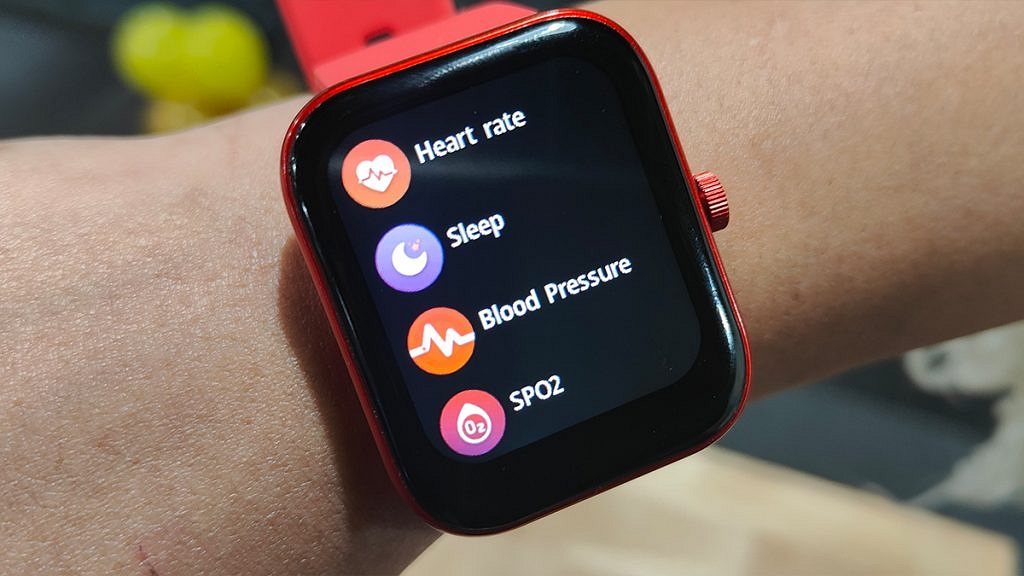
Speaking of the available features, Mivi has packed the Model E smartwatch with a Heart rate monitor, SpO2 (blood oxygen monitor), and activity trackers including a steps counter and sleep monitor. You can pair the Mivi Model E smartwatch with your smartphone using Bluetooth for the functioning of the health sensors and record the relevant metrics.

Furthermore, you can also download the Mivi Health app from Google Play Store and Apple App Store if you wish to access all the health metrics and change the watch’s settings directly from the paired smartphone.

The Mivi Model E smartwatch offers over 50 watch faces and 120 sports modes and also a couple of built-in games. The pairing process and easy and you would hardly come across any difficulties while connecting it with Android or iOS phones.

Mivi didn’t specify the exact battery capacity tucked inside the Model E budget smartwatch but claimed around seven days of backup on a single charge. During our testing period, the watch’s battery lasted for over five days which is close to the figures that the company claimed. You can use the magnetic charger cable that ships with the retail box to refuel this smartwatch.

Mivi Model E Smartwatch Final Verdict: Good Buy In 2023?

The Mivi Model E smartwatch under Rs. 2,000 can be a good option for you if you are looking for a modern smartwatch with basic health features. The large color display with touch controls and premium wearing comfort is the added benefits of making this purchase. But if you are expecting some advanced feature such as voice calling support, then you will have to increase your budget and consider other options in the market.

Also Read | OPPO Watch Free Review: Is It A Value For Money Deal?

Categories
Apps Featured How To

How Can You Delete Paytm Transaction History From Your Android And iOS Device

Key Highlights

  • Paytm allows you to send money to friends and family using debit cards, credit cards, and online internet banking
  • Millions of transactions are done on Paytm each day
  • A simple option to hide or remove transaction history is not there in the Paytm app

We are moving further toward cashless transactions in this digital age, especially when using digital payment methods. PhonePe, Google Pay, and Paytm are a few of India’s top digital platforms. You can send and receive money using these payment services without regard to place or time constraints.

Paytm is one such app that has completely changed how Indians transact. The user’s financial demands are essentially all met by the digital wallet. The money in their wallet can be used for a variety of things. Every time we make a purchase or complete a transaction, it is recorded in the Paytm digital payment platform as transaction history.

Also Read | How To Check Metro Card Balance Offline And Online? Learn Here

What happens though if you wish to uninstall the application? Are you interested in learning how to remove Paytm transaction history? Removing everything after your migration is a great strategy to ensure your safety. In this article, we are going to share how to delete your Paytm transaction history permanently from your account statement.

Also Read | Want To Delete Your PhonePe History? Read Step-By-Step Guide Here

How To Delete Paytm Transaction History

The simple option to hide or remove transaction history is not there in the Paytm app. However, you can completely remove your Paytm transaction history by following this step-by-step manual. Check it out:

Step 1: Open the Paytm app on your mobile phone and log in to your account.

Step 2: Tap on your profile icon at the top of the screen.

Step 3: Select the 24×7 help option.

Step 4: Click on the transaction which you want to delete.

Step 5: You will then be prompted to choose the problem-descriptive issue. Any choice on the list is up for selection.

Step 6: To delete the details, click the “Message Us” button and enter a reason. The transaction history will now be concealed within 24 hours. That’s all.

Also Read | Transferred Money To Wrong Paytm Account/Bank? Here’s How To Retrieve Money When Transferred To Wrong Account Using Paytm

Categories
Apps Featured How To

How To Upload WhatsApp Status In High Quality (Images, Videos) On Android, iOS?

Key Highlights

  • WhatsApp is top messaging app choice for both Android and iOS users
  • It ensures secure communication for both personal and professional use
  • It offers multimedia support, including audio and video files

WhatsApp is the best-in-class instant messaging application available for both Android and iOS. With a privacy-centric end-to-end encryption platform and WhatsApp has become the most secure application for professional as well as private messaging with added elements such as audio and video file support. WhatsApp has been expanding its platform’s capabilities beyond just simple texting. It offers multiple options and features enabled with multimedia support to enhance the user experience. Also Read | WhatsApp Tips & Tricks: How To Unblock Yourself And Regain Access

WhatsApp Status is one such feature that has been loosely based on the Instagram Stories option. With WhatsApp Status one can easily share and upload pics, videos, and even texts which are visible to all contacts. WhatsApp has made several improvements to the Status feature including the security aspects.

While sharing WhatsApp Status is an easy process, quality-related issues have been reported by the users for images and videos. You might see images or videos getting pixelated during playback when uploaded as a WhatsApp Status. That’s generally the case with the default settings. When you upload and share images directly from the phone’s gallery, the quality might get deteriorated after uploading it as a Status on WhatsApp.

Also Read | How Can You Upload Instagram Stories In High-Quality

Thankfully, you don’t have to download any third-party app to upload high-quality WhatsApp Status. WhatsApp itself offers the provision to users to upload high-quality images and videos without compromising the quality. If you are curious how can you upload high-quality WhatsApp Status the steps for the same are below:

How To Share High-Quality WhatsApp Status Using Android And iOS

You just need to make a few modifications to the WhatsApp settings to upload high-resolution Status.

Step 1: Open the WhatsApp application on your Android smartphone or iPhone.

Step 2: From the Home Screen tap on the More option.

Also Read: WhatsApp Image Blur Tool To Enhance User Privacy: Update Coming Soon

Step 3: Now, select the Settings option.

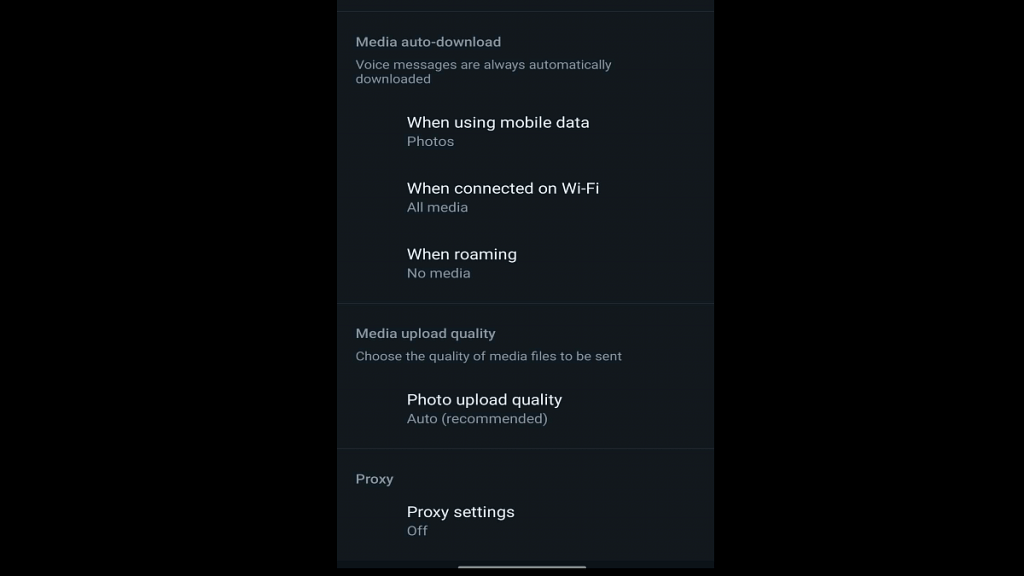
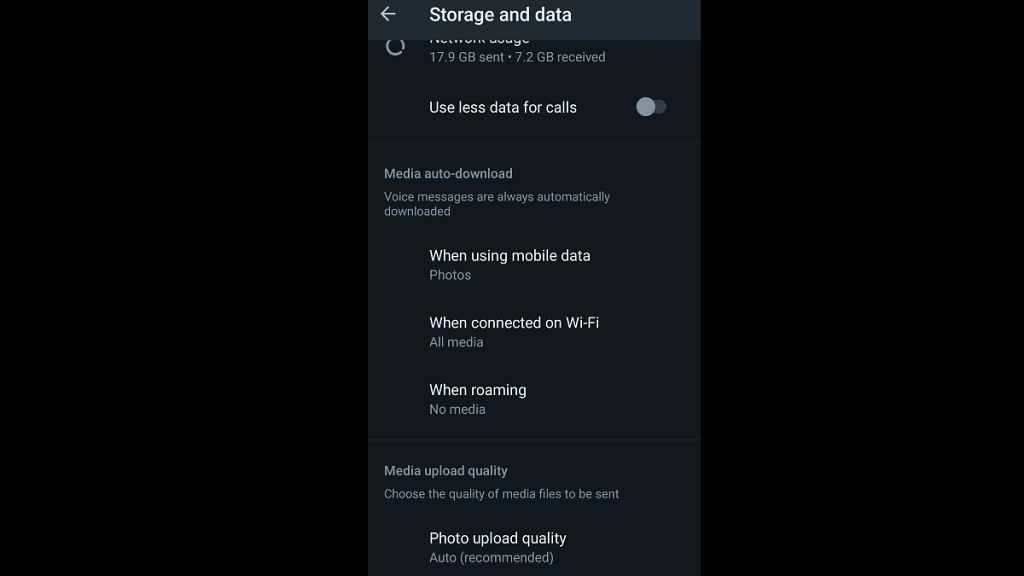
Step 4: Scroll to the Storage and Data option and select it.

Step 5: You will see the Photo Upload Quality at the bottom. Tap on it.

Step 6: Three options will be presented including Auto (recommended), Best Quality, and Data Saver. Select the Best Quality option to upload high-quality images and videos and WhatsApp Status. The Data Saver option will upload images and videos as Status on WhatsApp in low quality to save data consumption.

Step 7: Select OK to save the changes.

Categories
Apps Featured

Best Mobile Apps To Easily Find Parking Spot For Your Car

Key Highlights

  • There are several apps designed to help you find parking spaces
  • These apps help you find a garage, save money, or search for a place to keep your car at the airport
  • Some of these apps even let you reserve spots in advance

Even if we despise the activities that go along with owning a car such as paying for petrol, insurance, and parking, we are a society that loves cars. While you may have little influence over things like gas prices and insurance premiums, you do have some control over how much time and money you spend parking your vehicle. Read on to discover some of the best parking applications that can assist you or your staff in finding a spot to park. Also Read | Best Apps To Detect Hidden Camera For Android And iOS

The Parking Spot

Finding parking spots is made easier by The Parking Spot. To locate a parking space in the desired location, use a map. The app also makes it simple to reserve parking spaces, pay for them, and enter without delay. However, only some lots support such a feature. A TPS Shuttle finder and other cool things are some additional features.

BestParking

The BestParking app finds available parking spaces in your neighborhood so you can easily compare them and make savings. It will locate the optimal location for you no matter where you are and is accessible in 105 cities and 115 airports across North America. It even organizes locations based on cost so you can see where the affordable and expensive sites are. The app is supported by exceptional evaluations from users who have saved time and money and has 850,000 monthly users.

SpotAngels

Another app that crowdsources parking is SpotAngels. There are many parking options available including pay lots. The app can also assist you in avoiding parking fines, street cleaning, and, if necessary, finding alternative side street parking. You can use the app’s auto locator feature to locate your vehicle in huge, congested parking lots. If you don’t mind occasionally contributing some information, this is perhaps the great all-inclusive choice for parking apps.

MyParking

The app will assist people to track locations, finding vacant spaces at each parking lot, and making online payments using SDMC smart cards. MyParking app will help in detecting excessive parking usage and user overbilling. The app will provide information on the total capacity of the vehicles to be parked and the space available for parking in real time.

Also Read | Best Apps to Watch Live TV on Android

Categories
Featured How To mobile

Incoming Call Not Showing On iPhone? How To Fix Caller ID Incoming Call Issue On iPhone?

Key Highlights

  • Incoming call not showing is a common issue with iPhones
  • Not a hardware related issue
  • Can be fixed with a bunch of troubleshooting steps

Mobile communication is what we all rely on for day-to-day connectivity with peers, family, or businesses. While we have transitioned from basic feature phones with keypads, the new-age smartphone contributes equally to daily mobile communication along. In addition to voice calling, modern smartphones (both Android and iPhones) now are capable of allowing users to make video and voice calls over the internet.

Caller ID is one of the common features which is accessible for both Android and iOS users. This safety-calling feature notifies users of incoming calls from any specific number or contact. If the phone number is saved on your device, the contact name will be displayed on the phone screen. If the phone number isn’t saved, you will see an unknown caller notification along with the number on the phone’s screen.

Also Read: Google To iOS: How To Transfer Google Contacts Directly To iPhone

While most of the latest generation smartphones have the called id feature integrated, there are multiple other options available via third-party developers on Apple App Store and Google Play Store. If you have the default Caller ID feature toggled on, you will be able to see the caller label (name and number). Often, due to random app glitches, the incoming calls are not visible on the phone’s screen

This issue is prevalent across both Android and iOS devices. We already have covered the methods/ ways with which you can fix the incoming call not showing error on Android smartphones. But what if you come across this error where the Caller ID isn’t visible or displayed on iPhones? Well, a bunch of quick troubleshooting steps can easily resolve calls not showing issue in iPhones. Read on below:

Also Read: Invisible Messages On iPhone: How To Send Invisible Messages Using iMessage On iPhones?

Steps To Fix And Resolve Incoming Call Not Showing Issue On iPhone

Before we proceed, it is worth adding that incoming calls not getting displayed on iPhone isn’t any hardware-related issue. It is a random error or glitch which you can easily fix using the following steps:

Step 1: Restart your iPhone: Restarting an iPhone is the quickest way to fix the incoming call not showing on iPhones. This will clear out any temporary issues with the Caller ID feature and will display the caller information along with the answer and reject call option.

Step 2: Check for new updates: Make sure your iPhone’s iOS version is the latest and all the system and app updates are complete. This will fix the temporary issue with the caller ID function on iPhones.

Step 3: Check and toggle on Phone app notification: You need to check if the Phone notification is enabled on your iPhone. To toggle it on, open the iPhone settings and scroll to the Notifications tab. Select Allow notifications from the Phone menu. Make sure the Banners option placed under Alerts is also on.

Step 4: Correct Incoming call settings: Incoming call settings can be modified if your iPhone is running on iOS 14 or above. You can select Full-screen incoming call ID instead of a banner. Once this setting is applied, reboot your iPhone to fix the issue with incoming calls not displaying on iPhones.

Step 5: Reset Phone Settings or iPhone itself: If none of the aforementioned troubleshooting steps doesn’t fix the incoming call not showing the issue with iPhone, you can try resetting the default phone settings. If the issue persists, try resting the iPhone itself to resolve the incoming call not visible issue.

Also Read: SIM Toolkit In iPhone: How To Access SIM Toolkit/Applications On iPhone

Categories
Apps Featured How To

How Can You Change Font Style In Telegram: Steps For Android, iOS, Desktop

Key Highlights

  • Telegram is widely used for both business and personal communication
  • The platform has its main focus on personalization
  • It lets users format text messages and change font

Plain text is insufficient. Text formatting in Telegram is useful when you need to highlight a word or give one thought priority over another. There are a number of features in Telegram that set it apart from other social media platforms. The platform’s primary goal is personalization since when something is made specifically for a user, they feel a sense of belonging. Here’s how to make your posts and messages easier to read and more expressive.

Also Read | Want To Send Stylish WhatsApp Messages: Here’s How To Change Font Style In WhatsApp

How To Change Font In Telegram?

Bold, italic, strikethrough, underline, and monospace are the five different font styles available in Telegram. The option of including a hyperlink is also available. Only the typeface’s style can be altered; the font itself cannot.

There is a possibility for you to make your messages stand out because many people are unaware of these formatting options or just sometimes use them. You can highlight terms and exclamation points in Telegram messages. Here’s how you can do it:

Step 1: Open the Telegram app on your smartphone. Android users can download the app from Google Play whereas Apple users can install it from App Store.

Step 2: Tap on the chat whom you want to text.

Step 3: Type the message you want to convey.

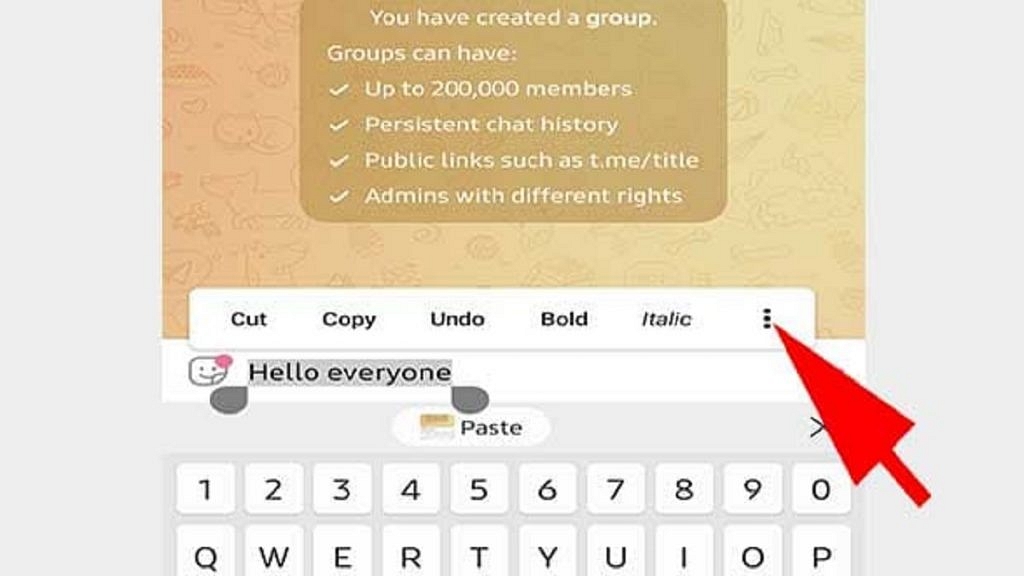
Step 4: Select the text you want to change the style of.

Step 5: After selecting you’ll get a floating box. Click on the three dots there and you’ll get font formatting.

Step 6: Now you can choose the way your font has to be. That’s all.

Also Read | Instagram Stylish Name And Bio: How To Write Instagram Profile Name And Bio With Stylish And Cool Fonts

The above steps are the same for Android, iOS, and Desktops. Stickers, animated GIFs, and new masks or skins can all be used with cool fonts. The basic settings for Telegram contain all of that. GIF animation can be disabled to save traffic. These added features may appear wholly informal and best suited for casual conversations, but they are regularly and successfully employed in corporate discussions and mass congratulatory messages.

For the tech geeks, stay updated with the latest cutting-edge gadgets in the market, exclusive tech updates, gadget reviews, and more right on your phone’s screen. Join Giznext’s WhatsApp channel and receive the industry-first tech updates.