Categories
Apps How To

WhatsApp Privacy: How To Setup And Use WhatsApp With Landline Number

Key Highlights

  • WhatsApp registration using landline number is a possibility
  • Setup process can be completed on any smartphone, tablet, or desktop version
  • Landline number will be displayed instead of mobile number

WhatsApp’s immense popularity can be credited to the secure end-to-end encryption for privacy with messaging and video calling. One can use WhatsApp services even on low-end or entry-level smartphones and even on some of the popular features of phones available in the market. For Android and iOS users, WhatsApp has become a go-to application for instant texting or calling (voice/ video) using the internet.

WhatsApp has been one of those platforms to entirely shape the multimedia mobile messaging experiences for the masses. With the rollout of several user-oriented features, WhatsApp has remained at the top of the ladder when it comes to instant messaging applications available on Google Play Store and Apple App Store.

Also Read: How To Upload WhatsApp Status In High Quality (Images, Videos) On Android, iOS?

However, WhatsApp’s services aren’t solely limited to smartphones. One can download and use WhatsApp on other compatible gadgets such as laptops, PCs, and even on smart TVs (for reading messages). You just need an active mobile number and an internet connection to register on WhatsApp and start messaging or making voice or video calls.

Also Read: WhatsApp Web Video Calling: How To Make/ Answer WhatsApp Video Calls On Windows Laptops/ PCs

What if we tell you that you can also use a landline number to register on WhatsApp? Well, this might help the folks who wish their official or landline number to flash to other contacts on WhatsApp instead of their personal mobile number. But how can you complete WhatsApp registration process using a landline number? The steps are listed below:

Also Read: Want To Read Full WhatsApp Messages Without Seen Or Blue Tick: Here’s The Hidden Hack

How To Setup And Use Landline Number On WhatsApp

Step 1: Download and install the WhatsApp application on your smartphone, laptop, or PC.

Step 2: On the setup page, you will get the option to select the language. Once done, tap on Agree and continue.

Step 3: You will need to enter the country could followed by the phone number. Here, you need to type the country code along with the landline number instead of a mobile phone number.

Step 4: Click on Ok after confirming the number.

Step 5: You will see a pop-up message stating WhatsApp is sending an SMS code to the mobile number. Since the number entered is landline, you won’t be receiving any SMS. Follow the next step.

Step 6: Now, click on Did bit receive code option.

Step 7: You will again receive two different options including Resend SMS or Receive a call for verification.

Step 8: Wait approximately 90 seconds before tapping on the Receive a call for verification option.

Step 9: Make sure, you are nearby the landline phone to receive the verification call from WhatsApp.

Step 10: Enter the setup code read out by the WhatsApp bot. That’s it, you have successfully registered your landline number in WhatsApp.

Also Read: WhatsApp Avatar DP: How To Create Cool WhatsApp Personalized Avatars For Profile Picture, Sticker Pack

Categories
Apps How To

WhatsApp Avatar DP: How To Create Cool WhatsApp Personalized Avatars For Profile Picture, Sticker Pack

WhatsApp has seen immense popularity in the last decade for providing one of the best ecosystems for instant messaging. The brand has evolved the entire messaging experience for mobile users and made voice and video calling using the internet a possibility. It wouldn’t be worn to say that WhatsApp is one of the coolest messaging apps out there in the market.

With WhatsApp mobile and desktop app, you can create your own profile and update your own picture as a display/ profile pic. This feature has been available for the Android and iOS versions of the app right from the beginning and also the desktop version. But WhatsApp has been working on ways to enhance the user experience with the profile picture option in addition to privacy.

Also Read: Here’s How to Set Long Videos as WhatsApp Status

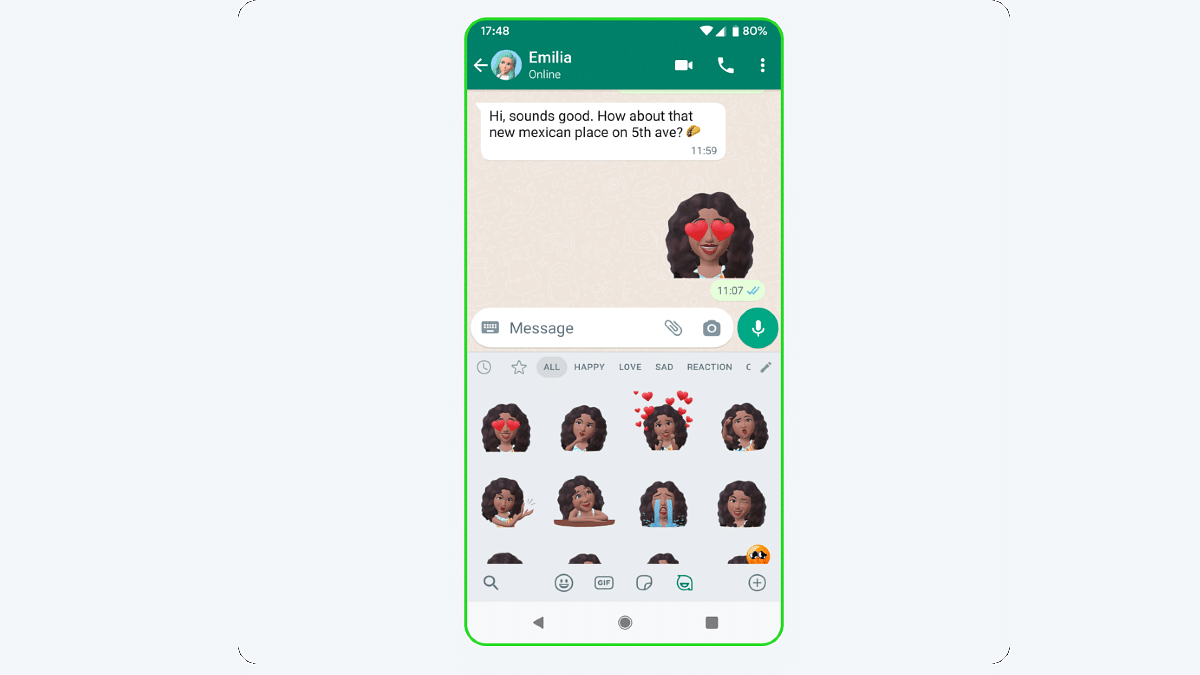
The brand had released the profile Avatars feature for DP’s or the profile picture where users get the option to create a customized avatar of their own. These animated avatars can not only be used as a WhatsApp profile pic but also as personalized stickers that can be shared with contacts. WhatsApp Avatar is quite a fun way to portray yourself to your friends and family members. But how can you create your personalized avatar on WhatsApp? The steps for the same are mentioned below:

Also Read: How To Upload WhatsApp Status In High Quality (Images, Videos) On Android, iOS?

How To Create Customized Animated WhatsApp Profile Picture Avatar

Step 1: Open WhatsApp mobile application on your smartphone

Step 2: Tap on the Settings menu from the app’s homepage

Step 3: Scroll down to the Avatar option

Step 4: Click on Create Your Avatar

Step 5: Make the required cosmetic modifications to your avatar. You will get the option to change your skin tone, body outfit and type, eyes, and more.

Step 6: Once the custom avatar is created tap on the Save button

You can now go ahead and start using this animated avatar as a WhatsApp profile picture or sticker pack. You just need to click on the Emoji menu and select the Avatar after tapping on the “+” add button.

Also Read: WhatsApp Web Video Calling: How To Make/ Answer WhatsApp Video Calls On Windows Laptops/ PCs

Categories
Mobile

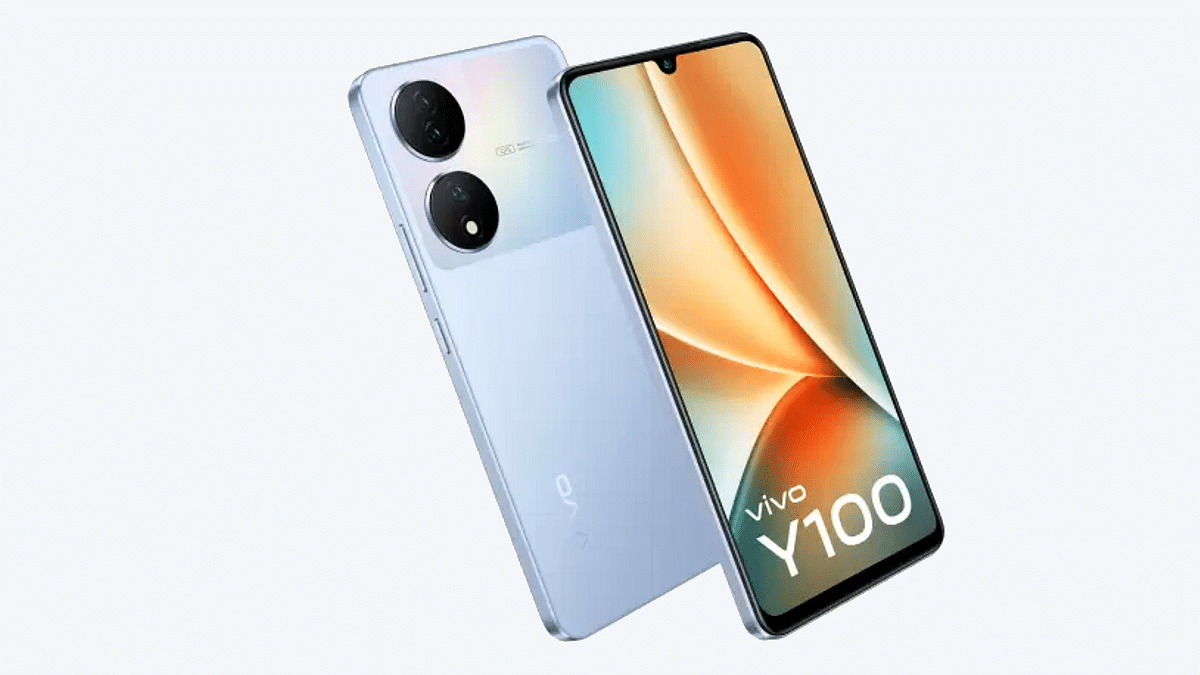
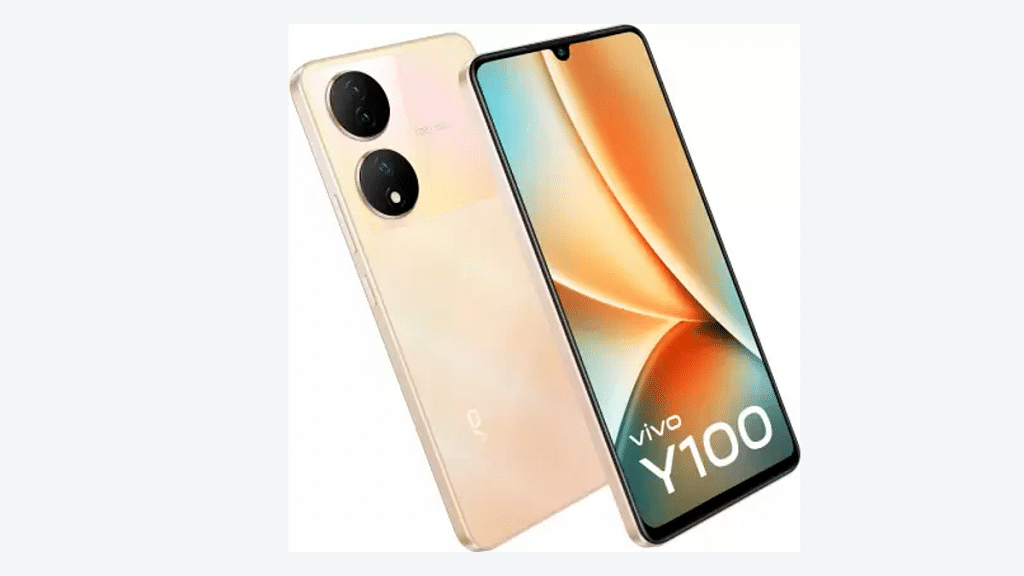
Vivo Y100 5G With Color Changing Design, Dimensity 900 SoC, 64MP Triple Cameras Arrives In India

Key Highlights

  • Vivo Y100 launched with Dimensity 900 chipset
  • 64MP triple rear cameras, 16MP selfie camera
  • FHD+ AMOLED display
  • Priced at Rs. 24,999

Vivo has introduced its new Y series Android phone in the Indian market. The Vivo Y100 is the latest offering from the company with powerful mid-range hardware including 5G network connectivity. The latest mid-range phone from Vivo brings along a unique color changing, an FHD+ AMOLED screen, and more. Here’s everything you need to know:

Also Read: Poco C50 Vs Vivo Y1s: Trending Budget Smartphone Competition

Vivo Y100 Full Specifications And Features

Vivo Y100Full Specifications
Display6.38-inch FHD+ AMOLED
Camera64MP triple, 16MP selfie
ChipsetMediaTek Dimensity 900
RAM8GB
Storage128GB
Battery4,500 mAh

The Vivo Y100 is a mid-range 5G phone which employs the octa-core Dimensity 900 chipset under the hood. This powerful mid-range 5G MediaTek chipset uses Mali G68 GPU for graphics and has 8GB RAM support for multitasking. The Y100 5G comes with 128GB built-in storage capacity and also has expandable memory support (hybrid). In addition to the 8GB physical RAM, the Y100 also has up to 8GB extended RAM support.

Also Read: Vivo Y12 Vs Vivo Y13 Vs VivoY21T: Best Budget Vivo Android Phone Under Rs. 15,000 In India

Vivo has loaded the new Y series phone with the latest Android 13 OS and has a custom FunTouchOS 13 UI. The smartphone is packed with a 6.38-inch AMOLED screen which has 1080 x 2400 pixels FHD+ resolution support. The display panel has high brightness levels of 1300 nits and a 90Hz refresh rate. The panel further features HDR10+ certification for enhanced visuals.

In the camera department, the Vivo Y100 has been packed with a single 16MP selfie snapper upfront. The rear panel gets three cameras. There is a 64MP main lens with (OIS) Optical Image Stabilization combined with a pair of 2MP sensors.

The Vivo Y100 gets a 4,500 mAh battery with 44W FlashCharge support.Besides the powerful spec sheet, the color changing back panel and a slim profile makes the phone more premium in its segment.

Also Read: Vivo X90 5G Vs X90 Pro 5G Vs Vivo X90 Pro+ 5G: Best Camera Flagship Phone?

Vivo Y100 5G India Price, Sale

The Vivo Y100 5G has been launched at an asking price of Rs. 24,999 in the Indian market. However, users can avail a limited-period discount of Rs. 1,000 while making purchases via HDFC, ICICI, and SBI bank credit or debit cards. The Vivo Y100 5G will be available in Metal Black, Twilight Gold, and Pacific Blue shades via Amazon, Flipkart and Vivo’s official online and offline stores. Note, only the Twilight Gold and Pacific Blue have the color changing back panels and not the Metal Black option.

Also Read: Vivo Y12 Vs Vivo Y13 Vs VivoY21T: Best Budget Vivo Android Phone Under Rs. 15,000 In India

Categories
Chipset

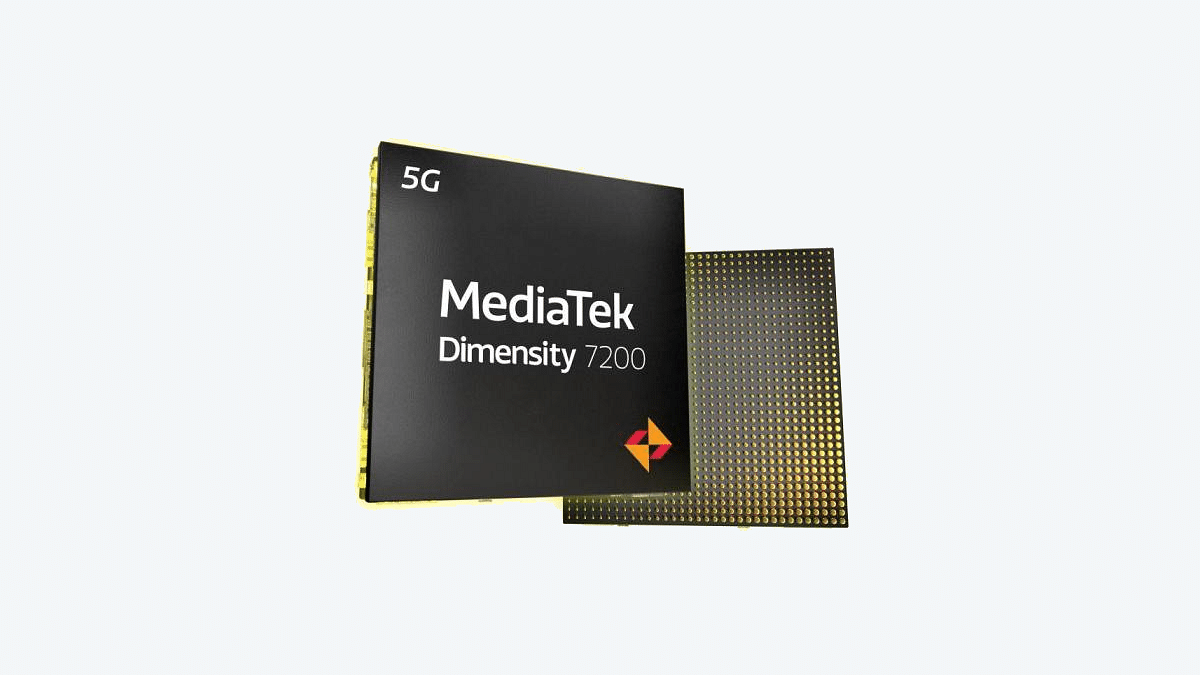
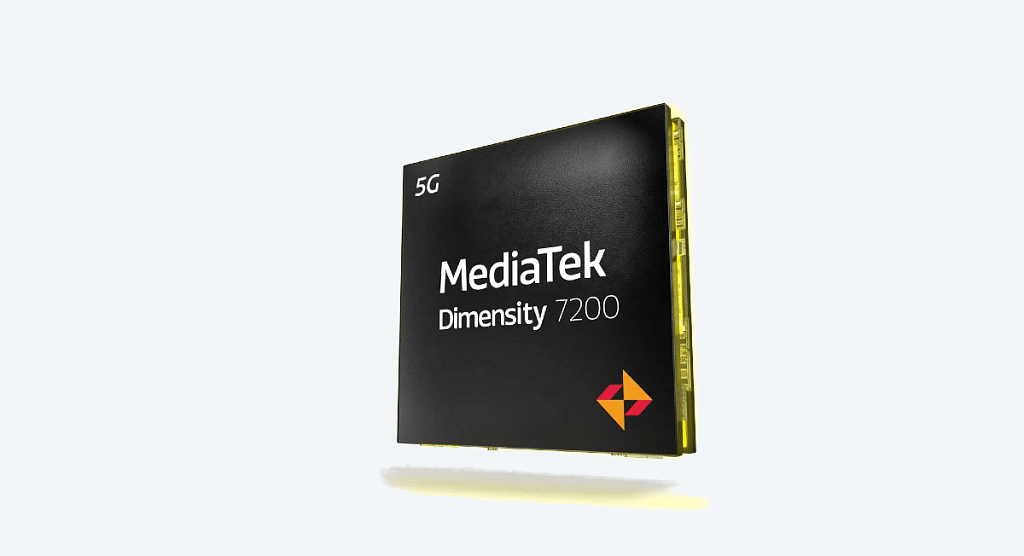
MediaTek Dimensity 7200 Goes Official: New Powerful Mobile Chipset For Value Flagships

Key Features

  • MediaTek launched Dimensity 7200 5G SoC
  • Designed for premium mid-tier phones
  • Supports LPDDR5 RAM and UFS 3.1 storage

MediaTek has been ramping up its portfolio with new mobile processors for Android smartphones and tablets. Earlier this week, the company released the Helio G96 budget mobile gaming chipset. Now, the latest entrant from MediaTek comes as a premium mid-range 5G processor in the Dimensity series called the Dimensity 7200. Let’s dive into the details:

Also Read: Qualcomm Snapdragon 782G Vs Dimensity 920 SoC Premium Mid-Range Mobile Chipset Comparison

MediaTek Dimensity 7200 Features

MediaTek Dimensity 7200Specs
FabricationTSMC N4P
CPUOcta-core
GPUMali-G610 MC4
MemoryLPDDR5
StorageUFS 3.1

The MediaTek Dimensity 7200 has been launched as a new-generation 5G chipset for value flagship devices in the market. The company has designed this new Dimensity 7000 series chipset using the same N4P TSMC process as the premium Dimensity 9000 chipset. The CPU cluster is octa-core as is the case with most of the premium and mid-range MediaTek Dimensity mobile chipsets.

The Dimensity 7200 CPU comprises two Cortex-A715 cores clocking at a high-frequency range of 2.8GHz and six Cortex-A510 cores. Furthermore, the GPU integrated inside this new high-end Dimensity chipset is Mali-G610 MC4. This powerful setup will allow the chipset to process extensive graphics smoothly.

Also Read: Qualcomm Snapdragon Vs MediaTek – Which One Is Better? Pros, Cons And More

Speaking of the additional features, the MediaTek Dimensity 7200 chipset has LPDDR5 RAM compatibility and UFS 3.1 storage. It also features the HyperEngine 5.0 tech for smooth gaming and overall performance enhancements. This configuration will fuel enough power with processing, app loading, and multitasking. This chipset will also offer faster transfer speeds with this setup.

The MediaTek Dimensity 7200 mobile chipset will offer high-res display compatibility too. It will support an FHD display with up to 144Hz refresh rate. Additionally, it comes with HDR, HDR 10+, Dolby HDR, and CUVA compatibility that will further boost the visual experience.

Speaking of camera features, the MediaTek Dimensity 7200 mobile chipset comes with up to 200MP main camera and 14-bit HDR ISP 4K HDR video recording support. Connectivity features include 2CC Carrier Aggregation, dual 5G SIM, 5G sub-6GHz with up to 4.7Gbps download link, Wi-Fi 6E, and Bluetooth 5.0.

Also Read: Qualcomm Snapdragon 778G Vs MediaTek Dimensity 900 Chipset Quick Comparison

Upcoming Smartphones Powered By MediaTek Dimensity 7200 Mobile Chipset

The MediaTek Dimensity mobile processor is expected to be used by some of the popular smartphone OEMs for their upcoming premium mid-range and value flagship devices. However, the exact monikers of the models or the brands sourcing this new MediaTek mobile chipset for their next-gen 5G phones is not known. We will certainly get a roadmap on the coming months and will share the details.

Also Read: Qualcomm Snapdragon 778G Vs Dimensity 8100 5G Chipset: Premium Mid-Tier SoC Battle

Categories
Chipset Comparison

MediaTek Helio G36 Vs Qualcomm Snapdragon 480 Entry-Level Gaming Chipset Comparison

MediaTek released a new entry-level gaming mobile processor in India called the Helio G36. The latest Helio G series gaming chipset from MediaTek is released with almost an identical architecture as its older sibling, i.e., the Helio G37, and is expected to be used by the future-generation low-budget phones in the country.

 MediaTek’s this new mobile processor will be facing some direct heat from Qualcomm’s Snapdragon 400 series chipsets including the Snapdragon 480. Here’s a quick comparison between these two powerful budget mobile SoC from MediaTek and Qualcomm respectively. Which one outperforms the other in terms of CPU and GPU performance? Let’s find out:

Also Read: Qualcomm Snapdragon 778G Vs Dimensity 8100 5G Chipset: Premium Mid-Tier SoC Battle

MediaTek Helio G36 Vs Qualcomm Snapdragon 480 SoC: CPU Architecture

ChipsetMediaTek Helio G36Qualcomm Snapdragon 480
CPUOcta-coreOcta-core
GPUIMG PowerVR GE8320Adreno 600
MemoryLPDDR4XLPDDR4X
StorageeMMC 5.1eMMC 5.1, UFS 2.2
Fabrication12nm8nm

As mentioned above, the MediaTek Helio G36 mobile processor borrows the CPU architecture from its older sibling, i.e., the Helio G37. It features octa Cortex-A53 cores clocking at 2.2 GHz. For reference, the Helio G37 also features eight Cortex-A53 cores but the clock speed is 100MHz faster at 2.3GHz.

Also Read: Qualcomm Snapdragon 778G Vs MediaTek Dimensity 900 Chipset Quick Comparison

Qualcomm Snapdragon 480 chipset also has octa-cores including two Kyro 460 Gold cores clocked at 2GHz and six Kyro 460 silver cores clocked at 1.8GHz. The CPU memory frequency and fabrication process is also different for both these budget mobile processors.

The MediaTek Helio G36 has a 2300Mhz CPU fabrication and 12nm fabrication process. On the other hand, the Snapdragon 480 chipset has a thinner 8nm fabrication and 2000 MHz CPU frequency. The Snapdragon 480 SoC’s thin fabrication process allows improved efficiency over the Helio G36.

Also Read: MediaTek Helio G99 Vs Dimensity 700 Chipset Comparison: Best Budget Mobile Processor For Android Phones?

Helio G36 Vs Snapdragon 480 Chipset: GPU Comparison

Speaking of the GPU differences, the MediaTek Helio G36 mobile processor has the IMG PowerVR GE 8320 GPU. This processor’s GPU frequency is 650 MHz. The Snapdragon 480 chipset gets Adreno 619 GPU integration for graphics rendering. The Helio G36 is designed to cater to gaming demands with budget Android phones and has an efficient GPU for the same. The same is the case with the Snapdragon 480 mobile chipset where the GPU can easily render heavy graphics on the screen.

Also Read: Qualcomm Snapdragon 782G Vs Dimensity 920 SoC Premium Mid-Range Mobile Chipset Comparison

MediaTek Helio G36 Vs Snapdragon 480 Processor: Memory, Multimedia (ISP) Comparison

The MediaTek Helio G36 mobile chipset supports LPDDR4X memory type with up to 1600MHz frequency range. The maximum memory allocation compatibility with the Helio G86 is up to 8GB. Whereas, the Qualcomm Snapdragon 480 SoC also comes with LPDDR4X RAM support with a maximum allocation of up to 8GB. So, no difference in memory compatibility.

But that’s not the case with the storage type. The MediaTek Helio G36 comes with just eMMC 5.1 storage support, while the Snapdragon 480 has eMMC 5.1 and UFS 2.2 storage compatibility.

Helio G36 Vs Qualcomm Snapdragon 480: Final Verdict

Considering all the aspects, the Snapdragon 480 mobile processor seems to be slightly better for budget Android phones. But the performance delivery will be equivalent when we compare it with the Helio G36. Not much is different in both processors except for the thinner fabrication process and GPU. Both these chipsets would be a good pick if you have your budget fixed.

Categories
Apps How To

WhatsApp Web Video Calling: How To Make/ Answer WhatsApp Video Calls On Windows Laptops/ PCs

Key Highlights

  • WhatsApp web supports video and voice call feature
  • Group video calling isn’t supported yet
  • External audio output source, webcam required for video calling

WhatsApp is a great tool for instant messaging, specifically if we speak of a private messenger with the ability to make and receive voice and video calls. WhatsApp’s services are available across Android and iOS devices including smartphones and tablets. The Meta-owned instant messaging app’s desktop version is also widely popular amongst laptop and PC users.

WhatsApp Web offers the same level of privacy with texting and sharing media files like the Android and iOS versions. The company has consistently added the same set of features to the desktop version as the mobile app. While sending texts is primarily what the WhatsApp web was designed for, the constant demand for voice and video calling support finally was addressed in 2020.

Also Read: WhatsApp Web Tips And Tricks: How To Use Multiple WhatsApp Accounts On Laptops/PCs?

Now, WhatsApp Web users can also make video and voice calls using the application on their laptops and PCs. Similar to the WhatsApp mobile app, the video and voice call feature on the desktop version is end-to-end encrypted. This makes virtual conversations secure and private. This article is centred around the steps with which you can easily make or receive video and voice calls on WhatsApp web.

Also Read: Best WhatsApp Status Apps To Download And Use On Android, iOS

Steps To Make Or Receive Video Calls Using WhatsApp Web Desktop Version On Windows Laptops, PCs

In order to make or receive WhatsApp web video calls, you would need a PC or laptop running on Windows 10 64-bit version 1903 and above OS. Also, a webcam (integrated or external) would be required. Do note that WhatsApp Web only supports video calling to a single user. Group video calling feature is yet to be released.

Step 1: Launch the WhatsApp web application in any web browser on your laptop or PC.

Step 2: Make sure the laptop/PC is connected to the internet

Step 3: Allow access to the computer’s microphone and camera

Step 4: Ensure the audio output device, microphone, and camera connected to the PC/laptop is working fine.

Step 5: Open the individual chat

Step 6: Tap on the video call icon

Also Read: Accidentally Deleted WhatsApp Message: Here’s How To Retrieve WhatsApp Deleted For Everyone Messages

How To Answer Video Calls In WhatsApp Web

Step 1: You’ll receive a notification for incoming video call

Step 2: To answer, click on Accept

Step 3: If you wish to reject the incoming video call, tap on Reject

Also Read: How To Upload WhatsApp Status In High Quality (Images, Videos) On Android, iOS?

Categories
Auto Tech

Amazon Self-Driving Electric Robotaxi Fares Passengers Successfully In California: New Leap In EV Space?

Key Highlights

  • Amazon self-driven Robotaxi completes public test run
  • No steering or pedals
  • Fully autonomous design with dual battery setup

Not just automotive giants but tech sharks and even smartphone OEMs are betting high in the EV space. Amazon is one of the brands which apparently has been testing its own Robotaxi which had a successful test run on the streets of California. Is Amazon all set to venture in the EV space with the self-driven autonomous car? Or, do we still have to wait for a while? Let’s know the developments so far:

Also Read: TataTiago EV Hatchback Gets Up to Rs. 20,000 Price Hike On All Models: Still The Cheapest Electric Car In India?

Amazon Self-Driven Robotaxi Drives By Public Roads: When Is It Coming?

Zoox, the autonomous car division backed by Amazon has been developing a self-driven electric car. Amazon aims to launch its first-ever electric car as a commercial vehicle. It will be a Robotaxi whose sneak peek was out back in December 2020. Amazon had revealed the unique driver-less design for its upcoming electric Robotaxi fairing passengers across different destinations.

Zoox was able to complete the test run successfully on February 11, 2023. The fully autonomous electric Robotaxi completed its public trial run in the company’s own office campus located in California. The test run includes the Robotaxi to fare two official employees with a successful run of approximately 1.6 km inside the campus as an electric shuttle. The company aims to include external passengers too in the future for the testing.

Also Read: Top Upcoming Electric Cars In India In 2023

While Amazon has started test runs for its upcoming self-driven fully autonomous electric car, there is no specific date or timeline known for its official launch. It could take a while for the Robotaxi to operate commercially on public roads in large scale. Nevertheless., Amazon will be taking a massive leap in the EV space with this project.

Also Read: Ola Launching Three New Electric Bikes In India Soon: Check Price, Powertrain, Specs

Amazon Fully Autonomous Self-Drive n Electric Car Powertrain, Specs

Amazon Self Driven Electric CarFeatures
BatteryDual setup
Top Speed120 kmph
Range16 hours run per charge

This futuristic self-driven electric Robotaxi car from Amazon will also come void of any steering. Now, that’s definitely some high-level advancements that we will see with a new-generation EV. That’s not it, besides the missing steering, the self-driven Amazon electric car will also come sans pedals for acceleration.

If we speak of the overall design, the Amazon electric Robotaxi will offer a four-passenger design.  The seating arrangement inside the car will be face-to-face. The exact powertrain details aren’t revealed, but the reports suggest a dual battery setup. The battery module will be located under the seats of the self-driven electric car (each row). The top speed attained by the Amazon self-driven electric car will be 120 kmph and the range is said to be 16 hours before the next plug-in.

Also Read: HOP Oxo Electric Motorcycle With 150km Range Launched In India: Upcoming Ola Electric Motorcycle Rival?

Categories
Auto Tech

TataTiago EV Hatchback Gets Up to Rs. 20,000 Price Hike On All Models: Still The Cheapest Electric Car In India?

Key Highlights

  • Tata Tiago EV prices hiked in India by Rs. 20,000
  • New prices applicable on all seven variants
  • Tiago EV will now be available starting at Rs. 8.69 lakh

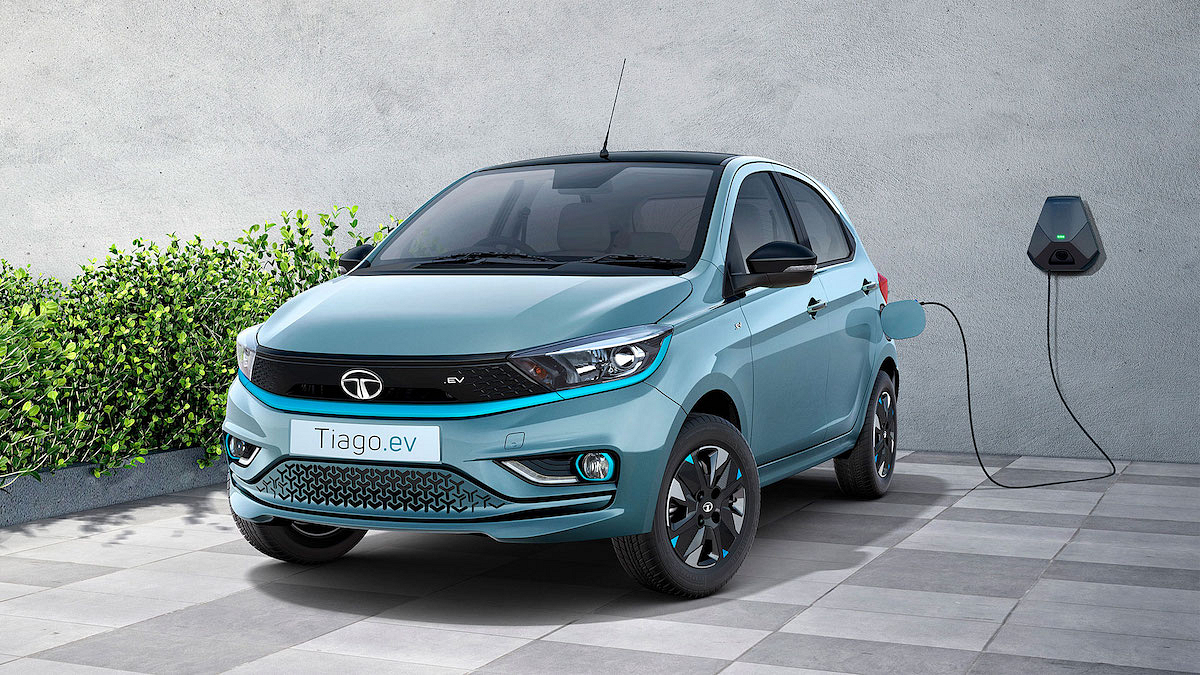
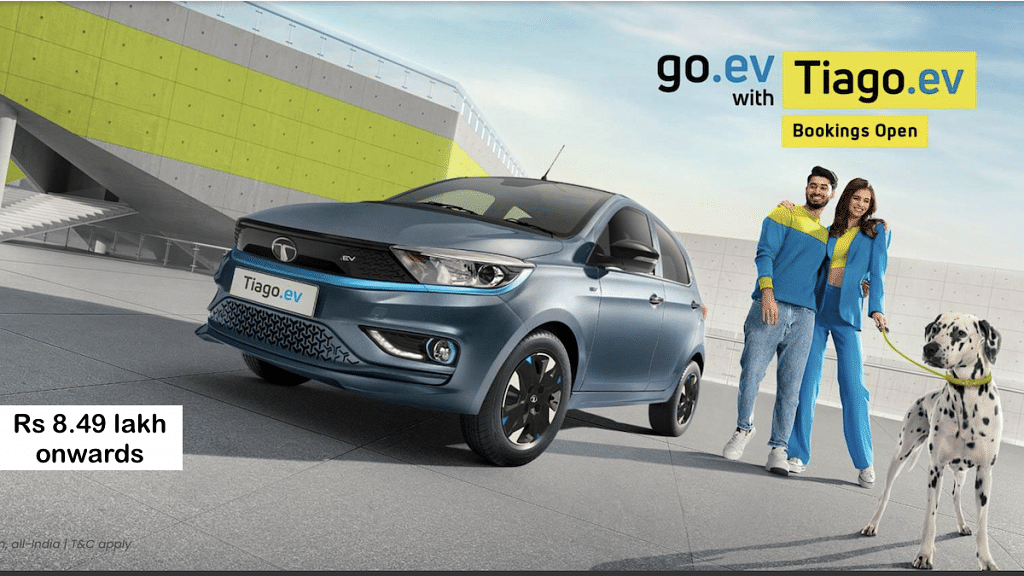
Tata has launched several electric cars in India out of which Tiago EV is an all-time favorite for budget-oriented consumers. In fact, the Tata Tiago EV is tagged as the cheapest electric hatchback car that one can buy in the country. Tata introduced the Tiago EV back in September 2022 and almost six months post its debut the company has given a price hike to all the variants. For reference, the Tata Tiago EV comes in seven different variants and the prices have been increased for all the models by up to Rs. 20,000. Does the new price hike snatch Tiago’s cheapest EV price tag? Let’s find out below:

Also Read: HOP Oxo Electric Motorcycle With 150km Range Launched In India: Upcoming Ola Electric Motorcycle Rival?

Tata Tiago EV New Increased Prices

Tata Tiago EVCharging ModuleRevised Prices
Tiago XE (19.2 kWh battery)3.3 kWRs. 8.69 lakh
Tiago XT (19.2 kWh battery)3.3 kWRs. 9.29 lakh
Tiago XT (24kWh battery)3.3 kWRs. 10.19 lakh
Tiago XZ+ (24 kWh battery)3.3 kWRs. 10.99 lakh
Tiago XZ+ Tech Lux (24 kWh)3.3 kWRs. 11.49 lakh
Tiago XZ+ (24 KWh battery)7.2 kWRs. 11.49 lakh
Tiago XZ+ Tech Lux (24 kWh battery)7.2 kW  Rs. 11.99 lakh
Tata Tiago EV New Prices

The Tata Tiago EV base model was announced with Rs. 8.49 lakh (ex-showroom) price label. However, with the latest Rs. 20,000 price surge, the Tiago EV’s asking price is now Rs. 8.69 lakh. But even with the price hike, the Tiago EV is still one of the cheapest full-fledged electric hatchback cars available for purchase in India.

With these new prices in effect, the top variant of the Tiago EV will be available for Rs. 11.99 lakh instead of Rs. 11.79 lakh (ex-showroom) price. The new prices might have been increased, but the Tiago EV still remains the cheapest electric hatchback car in the country.

Tata Tiago EVCharging ModuleOld Prices
Tiago XE (19.2 kWh battery)3.3 kWRs. 8.49 lakh
Tiago XT (19.2 kWh battery)3.3 kWRs. 9.09 lakh
Tiago XT (24kWh battery)3.3 kWRs. 9.99 lakh
Tiago XZ+ (24 kWh battery)3.3 kWRs. 10.79 lakh
Tiago XZ+ Tech Lux (24 kWh)3.3 kWRs. 11.29 lakh
Tiago XZ+ (24 KWh battery)7.2 kWRs. 11.29 lakh
Tiago XZ+ Tech Lux (24 kWh battery)7.2 kW  Rs. 11.79 lakh
Tata Tiago EV Old Prices

Also Read: Ola Launching Three New Electric Bikes In India Soon: Check Price, Powertrain, Specs

Tata Tiago EV Powertrain, Features

 Tata Tiago EVPowertrain
Battery19.2 kWh, 24 kWh
Peak Torque110Nm 114Nm
Peak Power61 hp, 74 hp
Range250 km, 315 km per charge
Tata Tiago EV Powertrain

The Tata Tiago EV hatchback has seven different variants with either a 19.2 kWh or 24 kWh battery module. The former delivers around 61hp of peak power and 110Nm of peak torque. These Tiago EV variants offer up to 250km range on a single charge. The Tiago EV variants featuring the bigger 24 kWh battery setup churn out up to 74hp peak power and 114Nm peak torque. The riding range offered by the Tiago EV with the 24 kWh battery is up to 315 km per charge.

Also Read: Citreon eC3 Electric Car Pre-Bookings Start In India: Token Amount, Powertrain Details

Categories
Apps How To

Want To View Instagram Story Secretly Without Notifying Contacts Or Followers: Here’s How

Instagram has earned all its fame within a short span for being one of the best social media apps. The Meta-owned platform started its innings in the social media space as a photo-sharing app and has since then evolved as a powerful tool for content creators and social media influencers besides the general audiences for entertainment. The c popularity broke all the barriers with the introduction of Reels which is a short format video option taking on TikTok and similar apps.

“Stories” are Instagram’s other popular feature that is used frequently to share important updates or any specific life event. If any of your followers or the users you are following upload a story, you get to view the updates on the top of your profile feed’s homepage. As soon as you view any status, the person will be notified of the same. Even you can view the users you have seen your Status or Story upload on Instagram.

Also Read: 100 Best Instagram Boys Name With Alphabets M To Z

While this feature to see the list of the users who have viewed your story update is nifty, it can expose you if you wish to watch someone’s story secretly. This has left many wondering if there is any loophole using which one can view any Instagram story update secretly without the profile name popping up in the seen list. Well, there is way out with which you can easily see or view any Instagram story without the owner knowing about it. Let’s take a look:

Also Read: 100+ Best Usernames Ideas For Instagram Account Dedicated To Lord Shiva

How To View Instagram Status Without Making The User Aware Directly

There is no direct way with which Instagram lets users watch Story updates privately. However, with the method listed below, you can easily see any of the contact’s stories upload secretly. The trick is mentioned below:

Step 1: Launch the Instagram application on your respective Android or iOS smartphones

Step 2: Locate the Story that you wish to view secretly without notifying the user

Step 3: Tap on the next or previous story

Step 4: Press and hold the story

Also Read: How To Upload WhatsApp Status In High Quality (Images, Videos) On Android, iOS?

Step 5: Now, gradually move the window left or right accordingly

Step 6: You will get a glimpse of the story when you scroll left or right

Step 7: Make sure you don’t scroll all the way to the left of right as this will show up your name in the viewers list

Also Read: 100 Best Instagram Name Ideas For Graphic Designers

How To Watch Instagram Stories Privately Using Airplane Mode

Step 1: Launch the Instagram app when the device is connected to the internet

Step 2: Don’t close the app before proceeding to the next steps

Step 3: Enable the Airplane mode on your smartphones

Step 4: Now, re-open the Instagram app and tap on the Story that you wish to view secretly

Also Read: 100+ Best Catchy And Unique Instagram Names For Your Pets

Categories
Chipset Info

MediaTek Helio G36 Budget Mobile Gaming Chipset Launched: Expected Phones With Helio G37

Key Highlights

  • MediaTek Helio G36 launched
  • Entry-level gaming chipset
  • Positioned between Helio G35 and Helio G37
  • Almost identical to Helio G37 in terms of performance

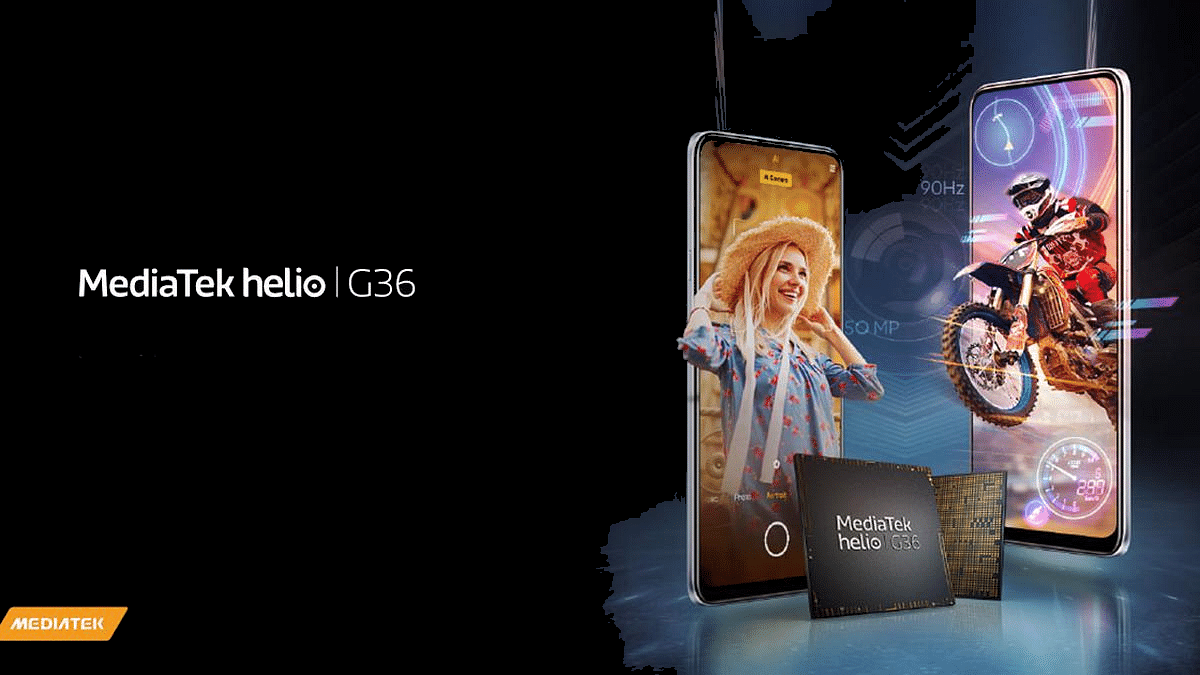
We have seen a horde amongst the mobile chipset manufacturers for designing game-centric processors specifically for low-end and mid-range phones. MediaTek’s Helio G series has several such options that meet the demands of entry-level mobile gamers. The previous offering from the company in this segment includes the Helio G25 and the Helio G35 SoC. Now, MediaTek has released the successor of the latter called the Helio G36 which is also a potent gaming chipset for budget Android phones. What all upgrades do the Helio G36 get over the Helio G35? Details are below:

MediaTek Helio G36 CPU, GPU, Performance Upgrades

MediaTek Helio G36Key Features
Fabrication12nm TSMC
CPUOcta-core ARM Cortex A53 Up to 2.2GHz clock speed
GPUIMG Power GE8320
MemoryLPDDR4X @ 1600MHz
StorageeMMC 5.1
Video1080p @30fps

The latest MediaTek Helio G36 mobile chipset will sit between the Helio G35 and the Helio G37 SoC. Besides a slightly slower 100MHz speed, the Helio G36 is almost similar to the Helio G37 in terms of architecture and other features. MediaTek has used the same 12nm TSMC fabrication process to design the Helio G36 as the Helio G37.

Also Read: MediaTek Helio G35 Vs Qualcomm Snapdragon 662 Processor: Mid-Range Mobile Chipset Comparison

The Helio G36’s CPU cluster will be octa-core which remains the same as the Helio G35 and the Helio G37. However, the cores are ARM Cortex-A53 with up to 2.2GHz clock speed. The GPU integrated inside the G36 SoC is IMG Power GE8320 which is also present in its older sibling. Both CPU and GPU efficiency is good with the Helio G36 and one can expect a similar performance delivery as the MediaTek Helio G35 and the Helio G37 processors.

Also Read: Qualcomm Snapdragon 8 Plus Gen 1 Vs MediaTek Dimensity 9200: Top Tier Mobile Chipset Comparison

Furthermore, the MediaTek Helio G36 mobile processor gets HyperEngine 2.0 lite and Network Engine 2.0 technologies for an improved gaming experience and faster connectivity response. Furthermore, the MediaTek Helio G36 chipset has compatibility with FHD+ display supporting 1080p screen resolution and 90Hz refresh rate.

The Helio G36 will also come with up to 50MP (single) and 13MP (dual) maximum camera resolution support. The chipset further comes with up to 1080p video recording and playback support at 30fps. In terms of connectivity, the Helio G37 will offer standard 4G VoLTE, dual-band Wi-Fi, Bluetooth 5.0, and GPS networks.

Also Read: Qualcomm Snapdragon 695 5G Vs MediaTek Dimensity 1080 5G: Top 5G Mid-Range Chipset For Android Smartphones And Tablets

Upcoming Phones Powered By Helio G36

As of now, only the launch of the MediaTek Helio G36 mobile processor is announced. Smartphone OEMs are yet to confirm the list of smartphone models that will be using the Helio G36 for power delivery. However, considering it is an entry-level Android phone, we can expect popular OEMs such as OPPO, Vivo, Tecno, Realme, and other to launch Helio G36-powered gaming handsets with an affordable price label.

Also Read: Qualcomm Snapdragon 778G Vs MediaTek Dimensity 900 Chipset Quick Comparison