Categories
How To Laptop

How Can You Pair OnePlus Buds, Nord Buds TWS With Apple Macbook Laptops (All Models)

Key Highlights

  • OnePlus Buds range of TWS earbuds offer connectivity with both Android and iOS devices
  • Pairing OnePlus Buds with Macbook laptops is also an option
  • Enabling pairing mode would be must for pairing OnePlus Buds with Macbook laptops

OnePlus just released its new range of consumer gadgets for the Indian and global market at the Cloud 11 event. The Chinese tech giant introduced the latest OnePlus 11 5G, OnePlus 11R 5G, OnePlus Buds 2 Pro TWS, OnePlus Q2 Pro 65-inch smart TV, and more. OnePlus has been gradually strengthening its audio product lineup with new Buds and Nord Buds series of truly wireless earbuds. The latest generation OnePlus Buds earbuds including the Buds 2 Pro come with a Google Fast pair option that allows seamless connectivity with Android devices including both smartphones and tablets.

But these aren’t the only gadgets you can pair the OnePlus Buds earbuds with. Smart TVs, laptops, and PCs that have Bluetooth network support are compatible with OnePlus earbuds and other wireless audio devices. However, pairing OnePlus Buds with a non-OnePlus device can be tricky.

We have encountered several user queries on different forums seeking methods to pair OnePlus Buds with any smart TV or laptop. Connecting OnePlus Buds with Mac devices is also one of the frequent user concerns that we will be addressing in this article.

Also Read: OnePlus Buds Failed To Discover Or Identify? How To Resolve Pairing Issues With OnePlus Buds TWS Earbuds

If you have been trying to pair your OnePlus truly wireless earbuds with any of your Mac notebooks, the following are the steps that you would need to perform. But before you proceed, you will have to toggle on the pairing mode in the OnePlus Buds earbuds.

Also Read: How To Connect OnePlus Buds True Wireless Earbuds With Smart TVs and Laptops?

Steps To Activate/ Enable Pairing Mode In OnePlus Buds TWS Earbuds

Step 1: On your OnePlus Buds TWS earbuds charging case, locate the setup/ pairing key.

Step 2: Press and hold the key

Step 3: Wait for the pairing lights to turn on

Step 4: Now, follow the remaining pairing steps on the Mac laptops

Also Read: OnePlus Call Being Recorded Notification: How To Stop Call Is Now Recording Message On OnePlus 10T, 10 Pro, OnePlus 9, 8 Series

Steps To Pair OnePlus Buds, Nord Buds With Macbook, Macbook Pro, And Other Mac Laptops

Step 1: Once the OnePlus Buds earbuds pairing mode is on, tap on the Apple menu on Mac laptop

Step 2: Click on the System Settings option

Step 3: Hover the mouse pointer over the device name in the Bluetooth list

Step 4: Click on Connect

Step 5: You might receive a pop-up with a series of numbers. Click Accept.

Step 6: That’s it, the pairing is complete between the OnePlus Buds earbuds and the respective Mac laptop

Also Read: OnePlus Buds 2 Pro ANC TWS Officially Announced In India: Most Premium OnePlus TWS Yet

Categories
Laptop Leaks

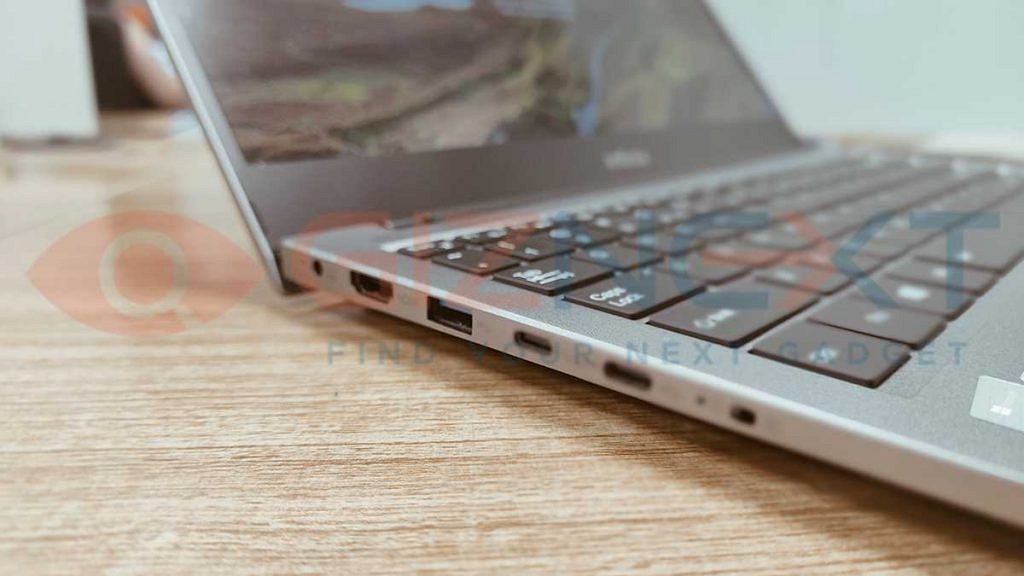
Infinix Inbook Y1 Plus Laptop Specs Leaked: TWith FHD Antiglare Display, 50Wh Battery Tipped Ahead Of India Launch

Key Highlights

  • Infinix Inbook Y1 Plus laptop launching soon
  • Will flaunt 15.6-inch FHD display
  • Will be powered by a 50Wh battery

Infinix has created its niche in the laptop industry with powerful and reasonably priced laptops. The brand started its venture in the laptop market with the Inbook series and has been proactively adding new models bringing in options for consumers in India and global markets. Now, Infinix is all set to bring its new laptop contender to India which will be also debuting in the Inbook series. Which is the new Infinix laptop that is heading to India and what features we can expect? Read the details below:

Also Read: Infinix InBook Vs Mi NoteBook Pro: Best Pocket-Friendly Yet Powerful Laptop In India

Infinix Inbook Y1 Plus Laptop Specs Leaked

Infinix Inbook Y1 PlusSpecs (Leaked)
Display15.6-inch
Resolution1080p FHD
Battery50Wh
Fast Charging45W

The latest Infinix laptop which will be debuting soon in India is said to be the Inbook Y1 Plus. The company itself has shared some details related to the upcoming laptop. According to the company, the Inbook Y1 Plus will be launched with a premium display panel. The laptop’s screen will be measuring 15.6 inches.

Also Read: Best Laptops For Medical Students And Professionals In India

It will be an Anti-glare color-rich screen that will support 1080p FHD screen resolution. The large decent-sized screen with FHD resolution will likely enhance visuals with general video playback and gaming. Infinix has further revealed the Inbook Y1 Plus will be a productivity-centered laptop designed for budding professionals along with college students.

Unfortunately, the details related to the chipset and memory configurations of the Inbook Y1 Plus laptop are kept under wrap at this point. We are not sure if the brand will be using an Intel or AMD processor for the Inbook Y1 laptop. The company could share some updates in the coming days.

While the brand has not revealed the processor and RAM details yet, we are expecting some information to surface in the coming days. Besides the display, some additional info is also available related to the Inbook Y1 Plus hardware features. The next Infinix laptop is said to ship with an AG glass Touchpad.

The touchpad will be enabled with multi-touch and gesture support for convenience with scrolling. The Infinix Inbook Y1 Plus will be launched with a 50Wh battery capacity. This battery module is said to support 45W Type-C fast charging and will add up to 75 percent of charge in just an hour.

Also Read: Infinix InBook X1 Pro Laptop Full Review: Does It Fit All The Bills?

Categories
Auto Tech

Okaya Faast F3 Electric Scooter Debuts With 125km Range: Available Under Rs. 1 Lakh

Key Highlights

  • Okaya Faast F3 electric scooter launched
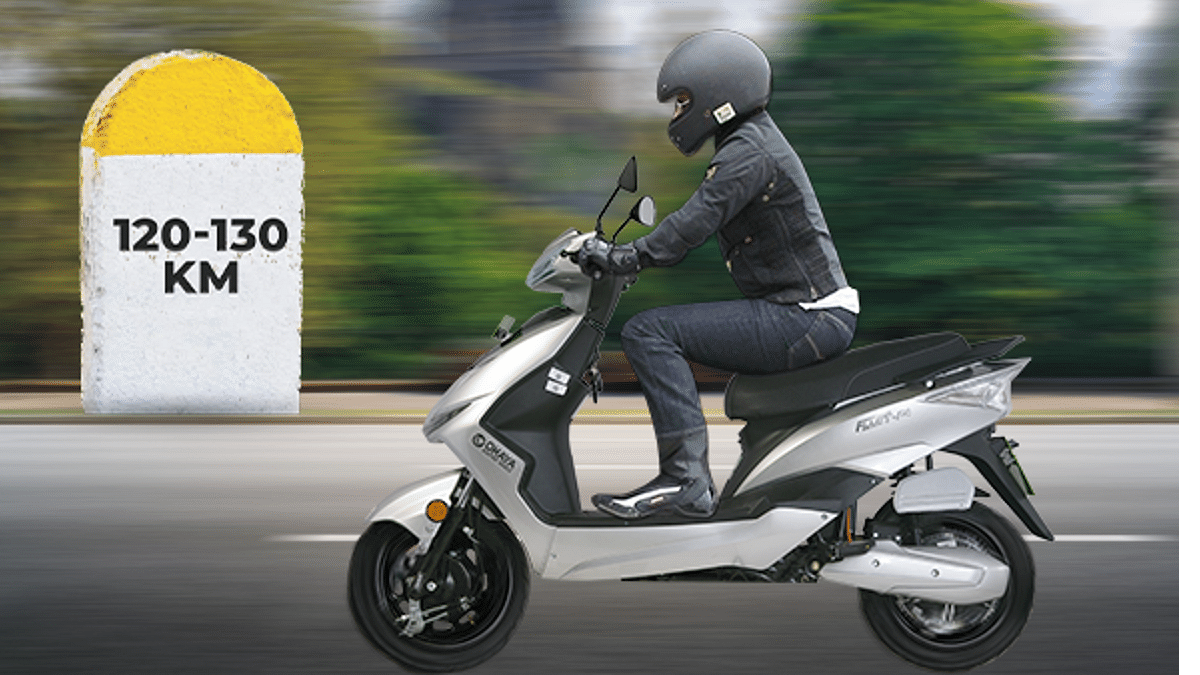
  • Offers 125 km range per charge
  • Top speed is up to 70 kmph
  • Priced at Rs. 99,999 (ex showroom)

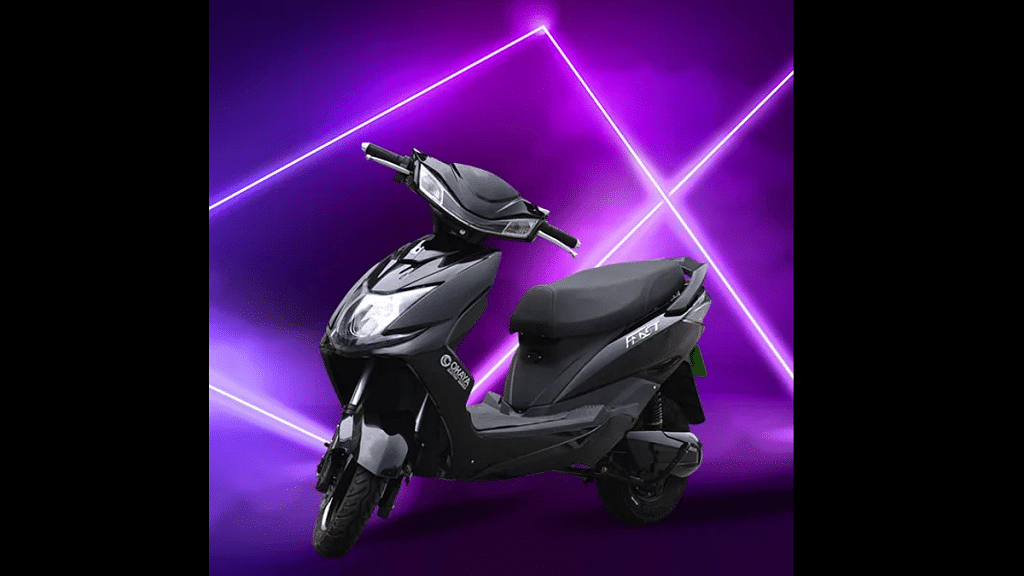
Okaya has expanded its electric scooter portfolio in India with a new Faast series e-scooter. The Delhi-based EV manufacturer has already marked its presence in the two-wheeler EV space with the launch of three different models. The Faast F3 is the fourth electric scooter from the home-grown brand which will be catering to budget-oriented consumers in the Indian market. If you are planning to buy a new electric scooter, the Okaya Faast F3 can be a good pick. Specifically if your budget is under a lakh.

Also Read: Ola Launching Three New Electric Bikes In India Soon: Check Price, Powertrain, Specs

Okaya Faast F3 Electric Scooter Powertrain, Specs

Okaya Faast F3Powertrain
Battery3.53kWh
Motor1.2Kw
Charging Time4- 5 hours
Range125 km
Top Speed70 kmph
PriceRs. 99,999

Okaya has launched the Faast F3 with a dual Li-iON battery module. Based in 72v 24AH architecture.  The battery capacity packed inside the Faast F3 electric scooter is 3.53kWh. The waterproof and dust-resistant battery pack with switchable technology makes it a practical setup for Indian roads. The battery on the Faast F3 electric scooter takes around four to five hours for a full charge.

Under the hood, the Okaya Faast F3 electric scooter has a 1200W electric motor for power delivery. This powerful motor setup churns out around 2500W or 3.35hp of peak power. Just for reference, the motor used is a hub-mounted BLDC electric motor. As for the top speed, the OKaya Faast F3 can reach up to 70 kmph. It can offer a range of up to 125 per charge. It features a TFT screen as an instrument cluster.

The Okaya Faast F3 electric motor features drum brakes both upfront and rear and has Combi-braking technology that improves the safety aspects of braking. For suspension, the Okaya Faast F3 electric scooter features telescopic shock absorbers at the front and a hydraulic spring-loaded suspension system at the rear.

Also Read: OLA S1 Air Budget Electric Scooters Launched In India: Check Price, Powertrain, Specs

Okaya Faast F3 Electric Scooter India Price, Sale

The Okaya Faast F3 electric scooter can be purchased in India at an asking price of Rs. 99,999. Okaya will be selling the Faast F3 in Metallic Black, Metallic Cyan, Metallic Grey, Metallic Silver, Metallic White, and Matte Green shades. Okaya will be selling the Faast F3 and other available models via its 550 stores spread across the Indian market.

Also Read: HOP Oxo Electric Motorcycle With 150km Range Launched In India: Upcoming Ola Electric Motorcycle Rival?

Categories
Apps How To

Google Sheets Tips And Tricks: How To Add ChatGPT Extension To Google Sheets

ChatGPT is undeniably the new sensation in the AI industry. Developed by Microsoft-backed OpenAI, ChatGPT is a modern chatbot with powerful AI capabilities that got millions of users hooked globally within months of its launch. Soon after Google also announced its self-developed AI chatbot to take on ChatGPT called Bard. While Google Bard is yet to make its way officially to general users by the end of 2024, the company has started offering CHatGPT services on several of its platforms.

You can now use the Google Chrome ChatGPT extension on your respective PCs and laptops. But one of the most useful Google tools with which you can integrate the ChatGPT extension is the Sheets. Yes, integrating ChatGPT in Google Sheets is also a possibility. And why not, there are endless possibilities with Google Sheets that you get once ChatGPT is integrated. But how can you add ChatGPT extension to Google Sheets and what all you can do with this powerful AI? Below are the details:

Also Read: Here’s How To Use The Viral AI Chatbot ChatGPT: A Step-By-Step Guide

Steps To Create An OpenAI CHatGPT Account

Before you start with the steps to integrate ChatGPT in Google Sheets, you need to have a registered account on OpenAI ChatGPT. The steps are mentioned below:

Step 1: On you computer or laptop open any web browser like Google Chrome

Step 2: Launch OpenAI website

Step 3: Sign up for ChatGPT services by creating your account.

Step 4: Once your ChatGPT account is created, you can proceed to add the extension to Google Sheet

Also Read: List Of Best ChatGPT Extensions You Can Use For Google Chrome

Steps To Add ChatGPT Extension In Google Sheets

Step 1: Open Google Sheets

Step 2: Tap on the Extensions option

Step 3: Click on the Add ons menu

Step 4: Select “Get add ons”

Step 5: A Google Workspace Marketplace window will open up

Step 6: You will see a search bar om the top right corner. Type ChatGPT and hit enter

Step 7: Now, select the Google Sheets for Windows and Docs options

Step 8: Wait for the installation to be complete. Once it is done, you will be able to use ChatGPT in Google Sheets

Step 9: Now, all you need to do is type = GPT () to use the whole wide range of stacks offered by ChatGPT on Google Sheets

Also Read: Google Bard CHatGPT Killer Goes Official? What Is It? How To Use?

Categories
Apps How To

Avoid Overspeeding Traffic Challans: How To Enable Speed Limit Warning In Google Maps

Key Highlights

  • Google Maps Speedometer feature available for Android and iOS
  • Can warn of exceeding speed limits
  • Shows real-time vehicle speed

Google Maps can be tagged as the best navigational service available for consumers globally. The search giant has expanded Maps services to both PC and smartphone ecosystems globally and loaded it with several useful features that have made it hassle-free to commute to new unknown destinations.

Google Maps doesn’t just help with finding directions but is also capable of showing specific addresses of shops, markets, landmarks, and more. The Street and Satellite view are a few of the advanced features offered by Google Maps. The list is long when we speak of the possibilities with Google Maps on Android and iOS smartphones.

Google has been consistently increasing the set of features available with Maps. The Tolls feature added recently shows the approx. toll fare one would have to pay during any journey. This is one of the features that allow pre-planning journey expenses. Another useful feature that you can access on Google Maps is the Speed Limit.

Google Speed limit feature lets not only show the speed of the vehicle that you are using for transit but also warns if the speed limit exceeds. While the Speed limit feature on Google is available globally for a long, it released in India last year. Toggling on the Speedometer of the Speed limit feature is pretty easy on Google Maps. The method is listed below:

Also Read: Stop Call Recording Announcement On Realme Smartphones: Here’s How

How To Enable Speedometer Or Speed Limit Warning In Google Maps

Before we proceed, it is worth adding that the Speedometer feature is available for both Android and iOS smartphones and tablets. The steps to enable a speedometer on any iPhone or Android phone will be the same.

Step 1: Launch the Google Maps application on your respective smartphones

Step 2: Tap on the profile picture on the top right of the app’s homepage

Step 3: Click on the “Settings” menu

Step 4: Locate the “Navigation Settings” option

Step 5: You will see the Speed limit option. Tap on it

Step 6: Enable the Speedometer

Once you have made the required modifications, the speedometer feature will be activated. You will not only be able to see the speed limit at which you are traveling but also be warned once the speed limit exceeds.

Also Read: Google Maps Privacy: How To Blur Or Delete House Or Any Other Image In Google Maps Street View

Categories
Auto Tech

Ather 450X Electric Scooter Price Dropped To Its Lowest: Wait, There’s A Catch!

Key Highlights

  • Ather Energy announces corporate discounts on Ather 450X
  • Up to Rs. 16,259 of benefits
  • Offer valid till February 28

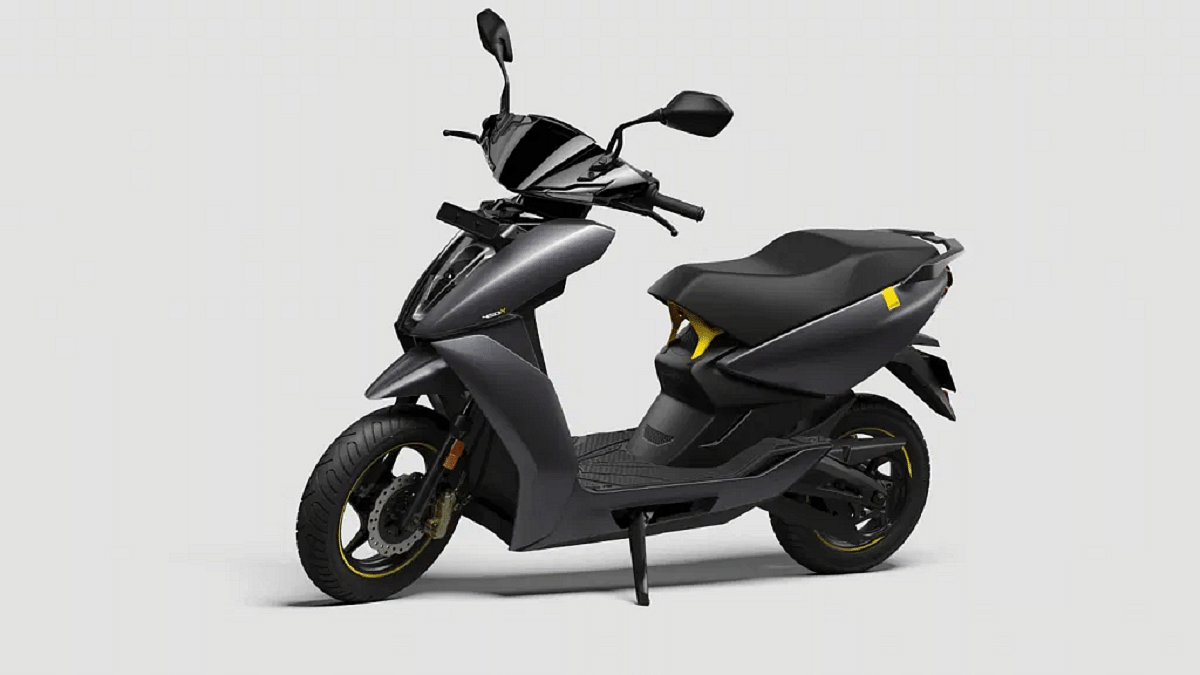
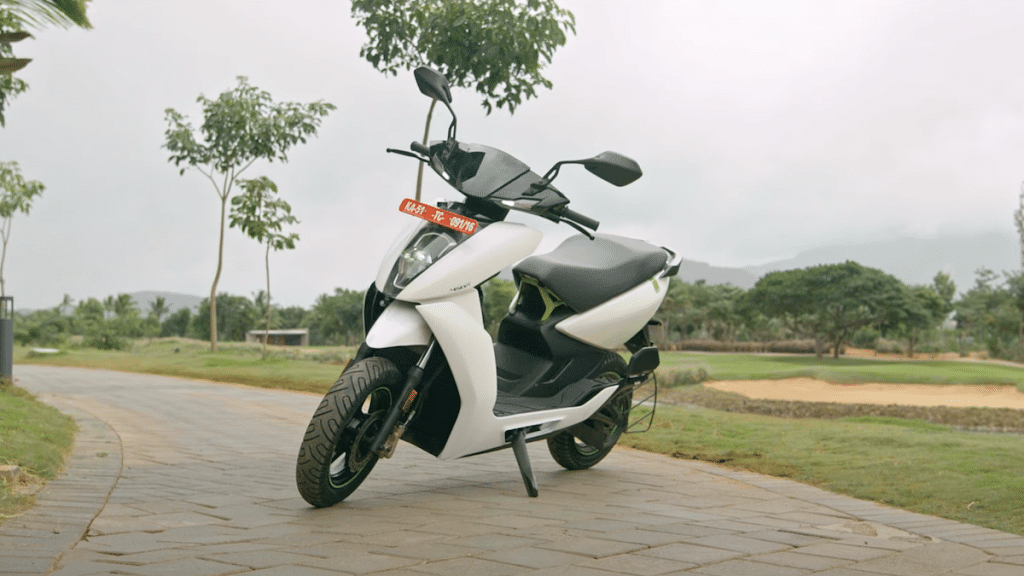
Ather 450X is one of the most popular electric scooters in India. The lightweight affordable electric scooter has seen all the success within just a year of its launch. Now, Ather Energy has announced a unique offer with which the Ather 450X becomes the cheapest electric scooter in the country. The Ather Energy 450X. But wait, there’s a catch. Know all the details below:

Ather 450X Latest Discount Offers

The Ather 450X will be available at the lowest price yet with the latest corporate offers. Ather Energy has announced new corporate offers that bring along benefits of up to Rs. 16,259 for corporate professionals in India on the Ather 450X electric scooter. The catch here is that the offer is only available for corporate workers.

The limitations don’t stop here. The corporate discount offer for the Ather 450X electric scooter can be availed by the employees of some of the major corporate organizations such as Airtel, Myntra, Tata Technologies, Wipro, Samsung India, and Reliance Jio Infocomm.

Also Read: Hero Vida V1 Electric Scooter Buyers Can Use Ather’s Fast Charging Grid Network

The limitations don’t stop here. The corporate discount offer for the Ather 450X electric scooter can be availed by the employees of some of the major corporate organizations such as Airtel, Myntra, Tata Technologies, Wipro, Samsung India, and Reliance Jio Infocomm.

As many as 2500 different organizations will be getting the benefits of new corporate discounts. The brand further reveals its plans to install dedicated charging hubs at the organizations. The offer period validity is till February 28, 2023. Just for reference, the latest 2023 Ather 450X model debuted with Rs. 1.42 lakh price tag.

Ather Energy’s corporate discount offer is apparently the brand’s move to boost EV sales in the country. It remains to be seen how well the consumer base responds to this offer and whether Ather will bring similar discounts and deals for the general public as well.

Also Read: Ather 450X Gen 3 Vs TVS iQube Electric Scooter Full Comparison: Best Electric Scooter Of 2022 Under Budget

Ather 450X Powertrain, Features

Ather 450X 2023Powertrain
Battery3.7kWh
Battery TypeLi-ion
Motor TypeElectric
Motor Capacity6 kW
Range146 km per charge
Peak Torque26 Nm
PriceRs. 1.42 lakh

The Ather 450X electric scooter is packed with a decent 3.7 kWh battery capacity. It is a lithium-ion battery pack. The Ather 450X is driven by a 6 kW electric motor. The peak torque generated by this motor is around 26 Nm. Furthermore, this electric scooter can deliver around 146 km range per charge.

Categories
Comparison Tablet

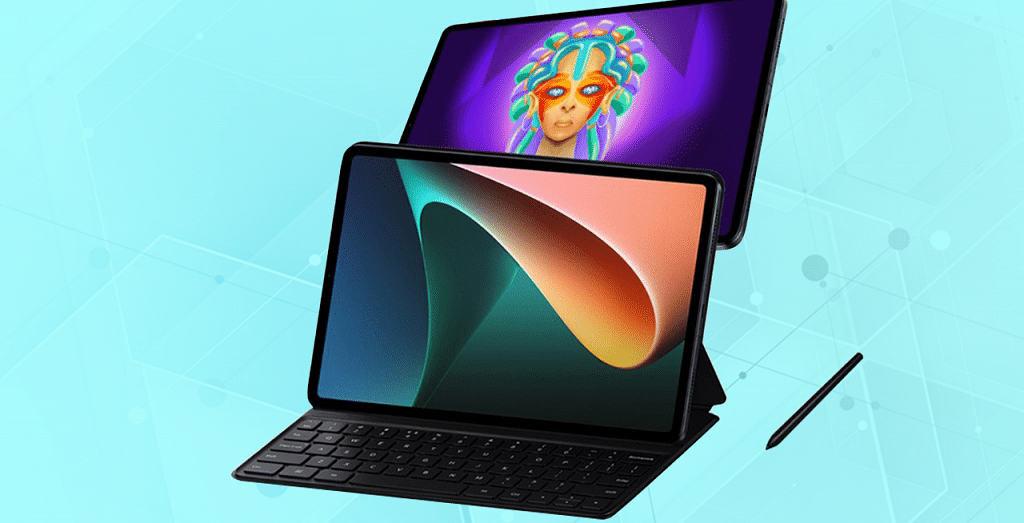
OnePlus Pad 5G Vs Xiaomi Pad 5 Premium Android Tablet Battle

OnePlus has made its official debut in the mobile tablet industry with the OnePlus Pad tablet. The highly anticipated OnePlus tablet has arrived with premium-grade hardware in India including the octa-core Dimensity 9000 chipset, a 120Hz display, and a beefy battery module. However, OnePlus isn’t the only player in this segment, Xiaomi already has a popular model called the Pad 5 with 5G network support and more. We are doing a spec sheet based comparison between the OnePlus Pad and the Xiaomi Pad 5 tablet. Which one will grab the market for long? Read on this article for the details:

OnePlus Pad Vs Xiaomi Pad 5: Display Specifications

ModelOnePlus PadXiaomi Pad 5
Display11.61-inch LCD11.0-inch LCD
Resolution2000 x 2800 pixels1600 x 2560 pixels
Refresh Rate144Hz120 Hz

The OnePlus Pad bestows a large 11.61-inch display. The panel type is LCD which is a standard panel type used in most premium mid-range Android tablets. The screen on the OnePlus Pad tablet supports a 2K resolution of 2000 x 2800 pixels and up to 144Hz refresh rate. It has an average brightness level of 500 nits.

When we compare the display parameters of the Xiaomi Pad 5, you get an IPS LCD screen here as well. However, the Xiapmi Pad 5’s display is slightly smaller at 11.0 inches and supports a lower resolution of 1600 x 2560 pixels. A premium viewing experience can be expected on both OnePlus Pad and the Xiaomi Pad 5 tablets. But the former beats the latter with a higher 144Hz refresh rate and a 2000 x 2800 pixels screen resolution.

Also Read: Nokia T21 Vs Moto Tab G62 Vs Samsung Galaxy Tab A8: Best Android Tablet Under Rs. 20,000 In India

OnePlus Pad Vs Xiaomi Pad 5: Camera Specifications

ModelOnePlus PadXiaomi Pad 5
Rear Camera13MP13MP
Front Camera8MP8MP
Video recording4K @30fpsUp to 4K @30fps

The OnePlus Pad Android tablet uses a 13MP main camera at the rear for photography. The primary sensor supports EIS stabilization that will help with clean shots even with moving or shaking backgrounds. The OnePlus Pad’s rear camera can further record up to 4K@ 30fps videos. The front snapper packed inside the OnePlus Pad Android tablet is an 8MP sensor that supports up to 1080p@30fps videos.

The exact same camera hardware is offered by the Xiaomi Pad 5 tablet. This tablet also features a 13MP main rear camera and an 8MP front camera for selfies and video calling. The Xiaomi Pad 5’s rear camera has the same video recording capability of up to 4K@ 30fps.

Also Read: Xiaomi Pad 5 Vs Apple iPad Air Vs Galaxy Tab S6 Lite: The Best Premium Tablets That You Should Consider

OnePlus Pad 5 Vs Xiaomi Pad 5: Chipset, Battery

ModelOnePlus PadXiaomi Pad 5
ChipsetMediaTek Dimensity 9000Qualcomm Snapdragon 860
RAMUp to 12GBUp to 6GB
Battery9,510 mAh8,720 mAh
Fast Charging67W33W

The chipset game is strong with both OnePlus Pad and the Xiaomi Pad 5 tablets. However, the former gets an edge with the new-generation flagship MediaTek Dimensity 9000 processor which is an octa-core SoC fabricated using a 4nm process.

The Xiaomi Pad 5 also has a flagship-grade chipset. But this model gets the Snapdragon 860 octa-core SoC. Both these tablets can perform well with extensive tasks but the OnePlus Pad can be expected to be more fluid and smooth. Additionally, up to 12GB RAM is an advantage with the OnePlus Pad compared to the 6GB RAM option offered by the Xiaomi Pad 5.

Speaking of the battery capacity, the OnePlus Pad uses a 9,510 mAH battery with 67W fast charging support, while the Xiaomi Pad 5 is packed with a 8,720 mAh battery with 33W fast charging.

Also Read: Nokia T20 Vs Lenovo Tab M8 4th Gen Vs Realme Pad Mini: Best Android Tablets

Categories
Auto Tech

OLA S1 Air Budget Electric Scooters Launched In India: Check Price, Powertrain, Specs

Key Highlights

  • OLA launches S1 Air electric scooters
  • Three variants introduced with up to 165 km range
  • 85 kmph top speed
  • Asking price Rs. 84,999

OLA has disrupted the EV market in India with its S1 range of electric scooters. The brand recently grabbed all the headlines for its upcoming electric motorcycles. Meanwhile, OLA has further expanded its electric scooter portfolio with new S1 Air e-scooters. What features do the new OLA S1 Air scooters offer and how much do they cost? Let’s dive into the details below:

OLA S1 Air Electric Scooter Powertrain, Features

ModelOLA S1 Air Base ModelOLA S1 Air Mid VariantOLA S1 Air Top Variant
Motor4.5KW electric4.5KW electric4.5KW electric
Battery2kWh3kWh4kWh
Range85km per charge125km per charge165km per charge
Top Speed85 kmph85 kmph85 kmph
PriceRs. 84,999Rs. 99,999Rs. 1,09,999

The OLA S1 Air electric scooter comes in three different versions. All variants have slightly different powertrain, but the features and design are identical. Starting with the low-end OLA S1 Air, this electric scooter is packed with a 2kWh battery setup. A 4.5 kW electric motor drives this S1 Air model. The top speed attained by the base model of the OLA S1 Air is 85 kmph and the riding range is also 85 km per charge.

Also Read: Ola Electric Motorcycle Confirmed by CEO Bhavish Aggarwal : Details

Moving on to the mid-tier Ola S1 model, there is a slightly bigger battery pack measuring 4kWh. While the motor capacity remains the same as the base model (4.5kW), the riding range increases to 125 km per charge. The top speed of the Ola S1 Air mid variant is 85 kmph.

The top-end Ola S1 Air electric scooter features the biggest 4kWh battery pack out of all three models. The same 4.5kW electric motor powers the OLA S1 Air top variant. The top speed is 85 kmph and the range is 165 km. Speaking of the features, all three OLA S1 electric scooters get a large 7-inch TFT touchscreen instrument cluster.

This digital screen is enabled with 4G network support, Wi-Fi, and Bluetooth. The connected system support will add to the daily convenience while riding. The lightweight OLA SI Air electric scooter uses a telescopic fork and twin suspension system at the front and rear respectively. Braking is handled by drum brakes both rear and front.

Also Read: How To Locate An Ola Hypercharger Near You For S1 Electric Scooter

OLA S1 Air Electric Scooter Price In India

The OLA S1 Air electric scooter with a 2kWh battery is priced at Rs. 84,999, while the 3kWh battery module is priced at Rs. 99,999. The OLA S1 Air with a 4kWh battery will cost you Rs. 1,09,999. The range of color options you get with the OLA S1 Air electric scooter includes Coral Glam, Jet Black, Neo Mint, Liquid Silver, and Porcelain White.

Also Read: Okaya Faast F3 Electric Scooter With Up To 160km Range Launching On February 10 In India: Price, Powertrain

Categories
Auto Tech

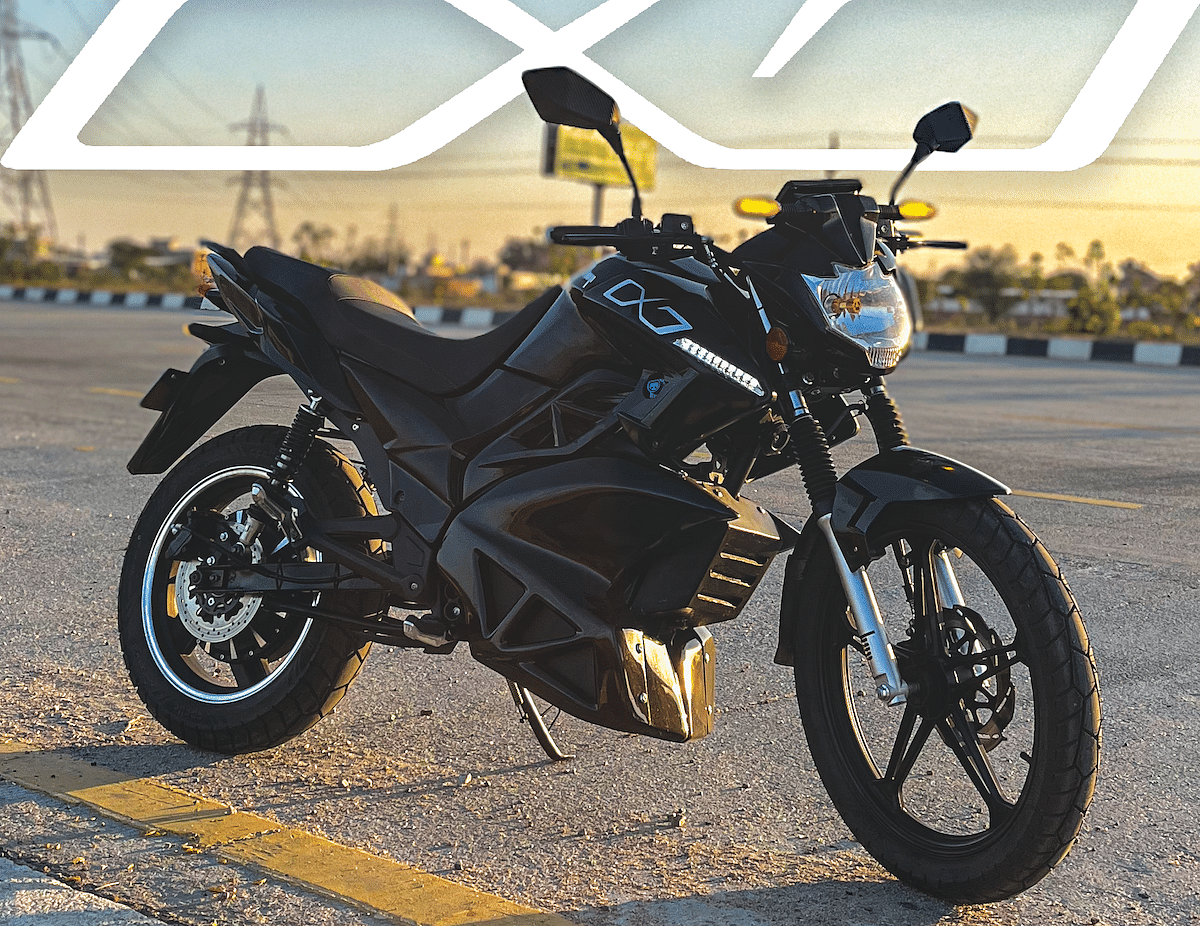
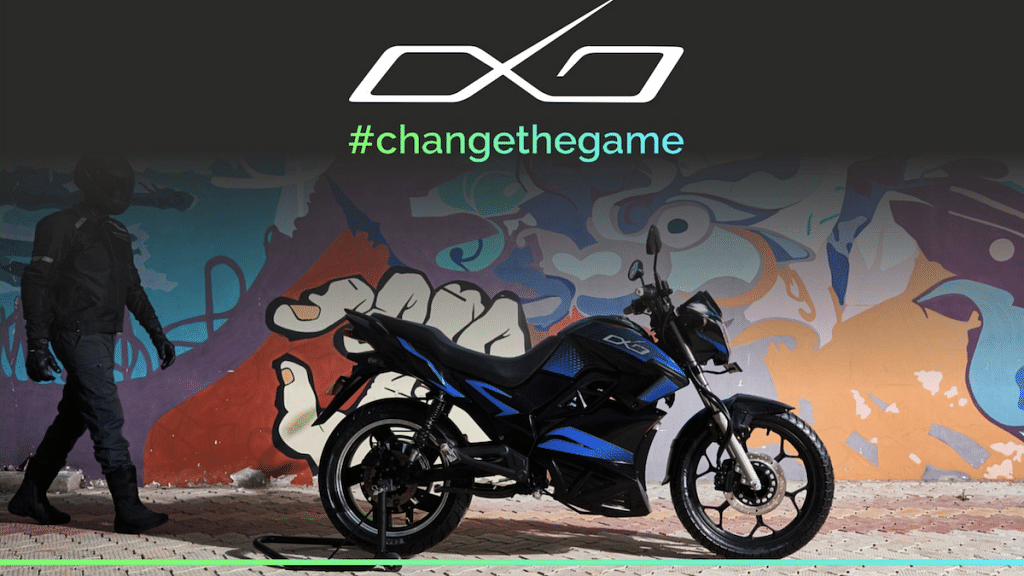
HOP Oxo Electric Motorcycle With 150km Range Launched In India: Upcoming Ola Electric Motorcycle Rival?

Key Highlights

  • HOP Oxo electric motorcycle debuts in India
  • Offers up to 150 per charge range and 95 kmph speed
  • Priced at Rs. 1.80 lakh

With the rapidly growing EV market in India, more new players are joining this industry bringing in a wide range of options for consumers.  Just a few days ago, Ola electric confirmed its venture into the electric bike market with three new models. Now, another homegrown electric vehicle company called HOP Electric has expanded its portfolio with the launch of a new pocket-friendly and practical e-motorcycle called the HOP Oxo electric bike.

HOP Oxo Electric Bike Powertrain, Key Features

HOP Oxo Electric MotorcyclePowertrain, Features
Motor5.2/6.2 kW
Motor typeBLDC-hub electric
Peak Power180/ 200 Nm
Range150 km per charge
Battery3.75 kWh
Top Speed90- 95 kmph

The HOP OXO Electric bike has made its debut with a powerful 5.2/6.2kW electric motor which is a BLDC hub motor based on a 72V architecture. The HOP OXO electric motorcycle can produce a peak torque of 180NM/ 200 Nm.

Also Read: Ola Launching Three New Electric Bikes In India Soon: Check Price, Powertrain, Specs

This latest electric motorcycle is packed with a 3.75 kWh battery module. Speaking of the riding range, the HOP OXO electric motorcycle can deliver a maximum of up to 150 km per charge range. The brand claims it to be a real-life range that HOP electric bike can offer on a single charge. It can attain a top speed of 90- 95 kmph.

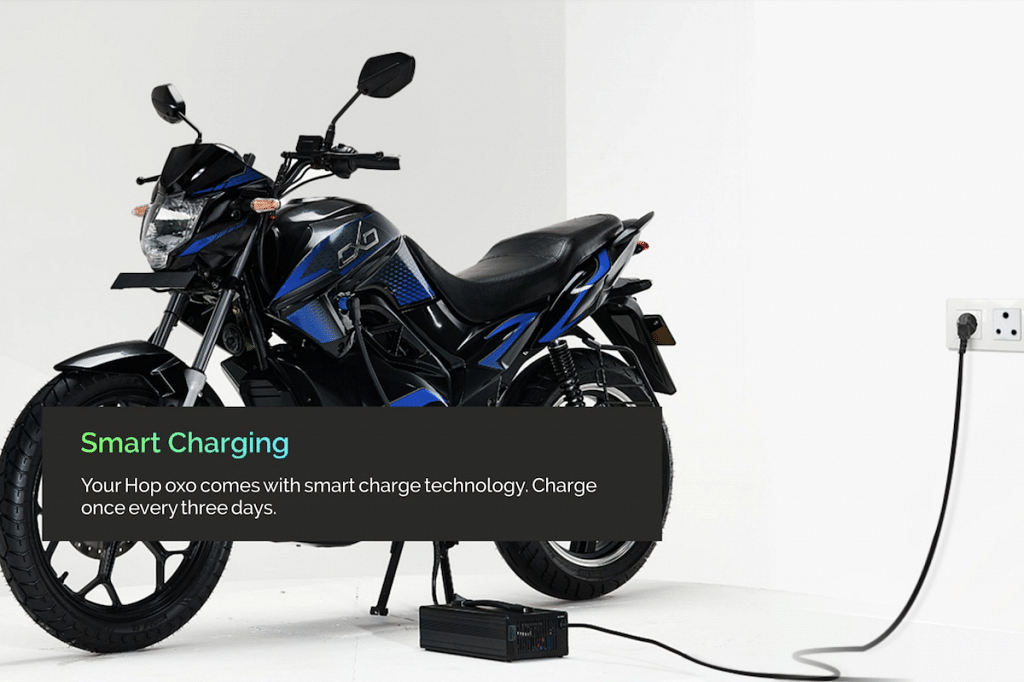
The HOP electric bike will ship with an 850W charger. This charger unit is said to add up to 80 percent of fuel within four hours. As for the additional features, the HOP OXO electric motorcycle will be equipped with four different riding modes. It will include Eco, Power, Sport, and also the Reverse parking model which will help with quick parking at complicated spots.

The HOP OXO electric motorcycle also integrates a 5-inch display. This Smart LCD digital instrument cluster has a 4G LTE Cat 4*, GNS with AGPS*, and BLE 5.0* connectivity via an in-house mobile app. For suspension, this new electric motorcycle uses an upright telescopic fork upfront and hydraulic spring-loaded shock absorbers at the rear. The Oxo electric bike can handle up to 250 kg of load capacity with ease.

Also Read: Honda Activa Electric India Launch Officially Confirmed For 2024: Focus On Reliability And Budget

HOP Oxo Electric Bike Price In India, Color Options

The HOP Oxo electric motorcycle can be purchased at Rs. 1.80 lakh in India. However, at this point, the availability is limited to around 10 of the brand’s experience centers in Himayat Nagar, Malakpet, Karmanghat,, Kompally, Kukatp Uppal, etc.

Also Read: 11 Electric Scooters With Best Range in India – Ola S1 Pro to Hero Vida V1 Plus

Categories
Apps How To

Want To Read Full WhatsApp Messages Without Seen Or Blue Tick: Here’s The Hidden Hack

WhatsApp’s immense popularity can be credited to its private end-to-end encryption platform. Additionally, the availability of numerous features that allows sending and receiving multimedia messages and options for voice and video calling with just a few taps is the USP of the Meta-owned instant messaging application.

WhatsApp has proactively released several privacy-enhancement features for its Android and iOS apps in the last few years and has plans to improve its ecosystem further. Hiding online status and turning off read receipts or blue ticks are among a few of the popular privacy features on WhatsApp. For some users, turning off the read receipts option is a convenient way to keep privacy intact from unwanted users.

However, not everyone can turn off the blue tick read receipt feature on WhatsApp. If you are one of those users who wish to read your WhatsApp messages without opening the app or the chat window and are finding ways to do so then you are at the right place. In this article, we will be guiding you with the steps by which you can read a complete WhatsApp message without opening the application or the seen tag.

Also Read: WhatsApp Camera Not Recording: How To Fix Blank and Black Camera Issue In WhatsApp

Hidden Trick To Read WhatsApp Messages Without Blue Ticks or “Seen” Marking

There are two ways using which you can read WhatsApp messages without opening the app or “Seen” read receipt. The first one is via the notification bar, while the second method would require creating a dedicated WhatsApp widget.

Also Read: Accidentally Deleted WhatsApp Message: Here’s How To Retrieve WhatsApp Deleted For Everyone Messages

Read WhatsApp Messages Without Blue Ticks Or Seen Using Notification Bar

In most Android smartphones, specifically, the new-generation versions can be customized to show messages and other key updates via the notification bar. By default, the messages you receive show up on the phone’s notification bar. You can simply drag down the notification window and read the floating WhatsApp messages that you have received.

However, you might not always get to read the complete message or see the image/ video shared by your contacts. To read full WhatsApp messages without the “Seen” receipt or the blue ticks you need to use the widget method.

Also Read: Best WhatsApp Status Apps To Download And Use On Android, iOS

How To Read WhatsApp Messages Without Seen Receipt Or Blue Ticks With Just

Step 1: On your Android phone’s homepage, tap and hold on any blank space.

Step 2: Once the widget menu pops up, select the Widgets option.

Step 3: Scroll and select WhatsApp.

Step 4: Drag and position this WhatsApp widget on a new home screen/ page.

Step 5: Now, resize the WhatsApp widget to full screen.

Step 6: You will be able to read the messages without opening the chat window.

Also Read: WhatsApp New Features 2023: List Of Best Upcoming WhatsApp Messaging, Security Features For Android, iOS, WhatsApp Web