As the Assistant Editor, Sandeep is generating tech-oriented content and also monitoring the content published on the website. He has over six years of experience in tech journalism and has expertise in product reviews, news articles, listicles, and media campaigns.
WhatsApp popularity seems never-ending amongst Android and iOS smartphone users. The messaging application’s end-to-end encryption and feature-rich ecosystem for messaging is keeping the user base hooked. WhatsApp has upgraded both its mobile and desktop application last year with a plethora of features and is planning the same this year too. One of the upcoming features has been in demand for a long and is likely getting released in the coming months. We are speaking of the ability to send high-resolution images using WhatsApp chat directly for which we currently have to perform some tricky steps.
WhatsApp High-Resolution Media Transfer Feature In Works
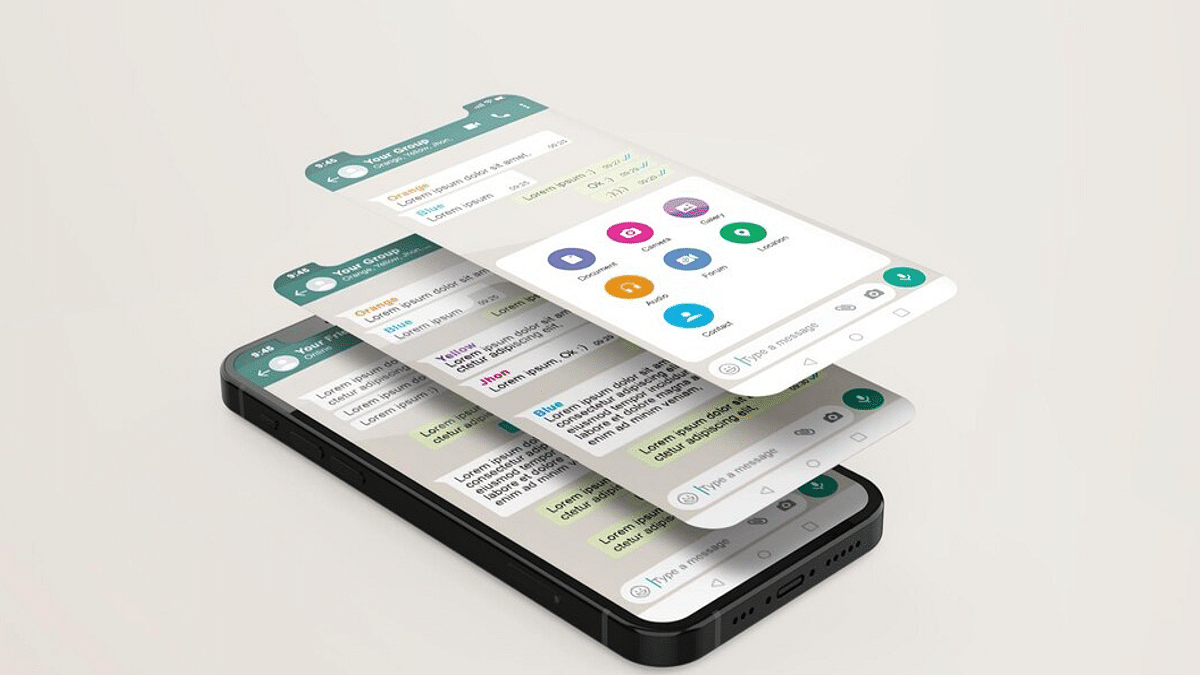
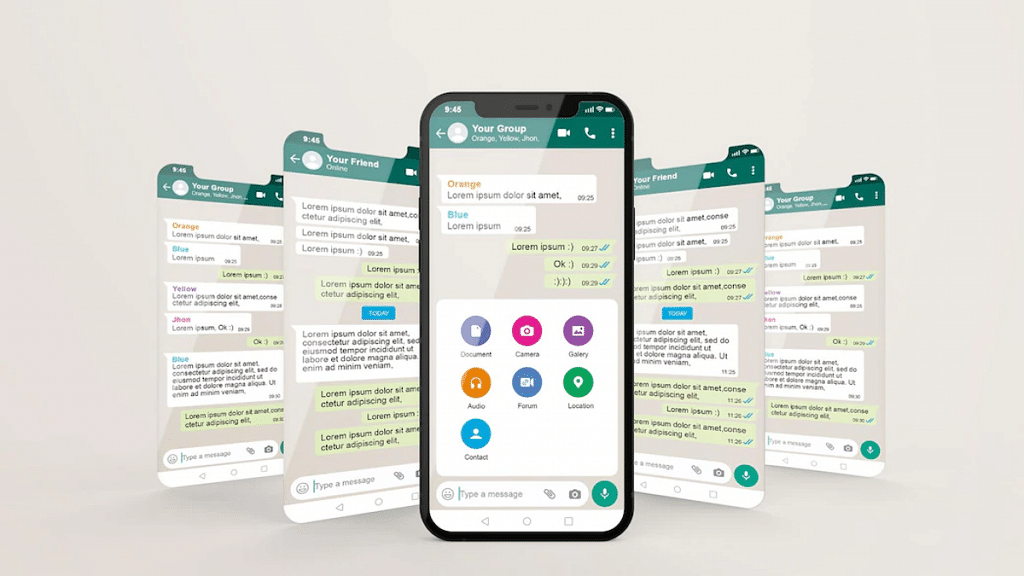
The upcoming WhatsApp feature to send a high-quality photo directly has been spotted being tested with the beta build. Popular WhatsApp leakster WaBetaInfo has reportedly shared a screenshot that confirms this new WhatsApp feature is in the testing phase.
Just for reference, images sent via WhatsApp currently get compressed to save data consumption. The three options which users get at this point includes “Automatic”, “Best quality”, and “Data Saver”. The option to send images in original quality is yet to be released.
The report shared by WABetaInfo further suggests the feature is being tested with the Android 2.23.2.11 beta version. WhatsApp is yet to reveal how soon the Original image quality option will be added to the Android and iOS apps. But since this feature has entered the testing phase, it could make it to the eligible devices as an OTA update.
How To Send High-Quality WhatsApp Images Directly?
As per the leaked screenshots, the option for photo quality will be added to the toolbar in the chat window. This will be placed alongside the share media option besides contacts and other drawing tools. This further suggests that the option to send images in original or high quality can’t be set to default.
One would have to change and use the apt settings every single time. We are still waiting for some word from WhatsApp that will confirm the development of this highly anticipated image sending feature and its availability. Nevertheless, it shouldn’t be long before some information on the same is released by the brand.
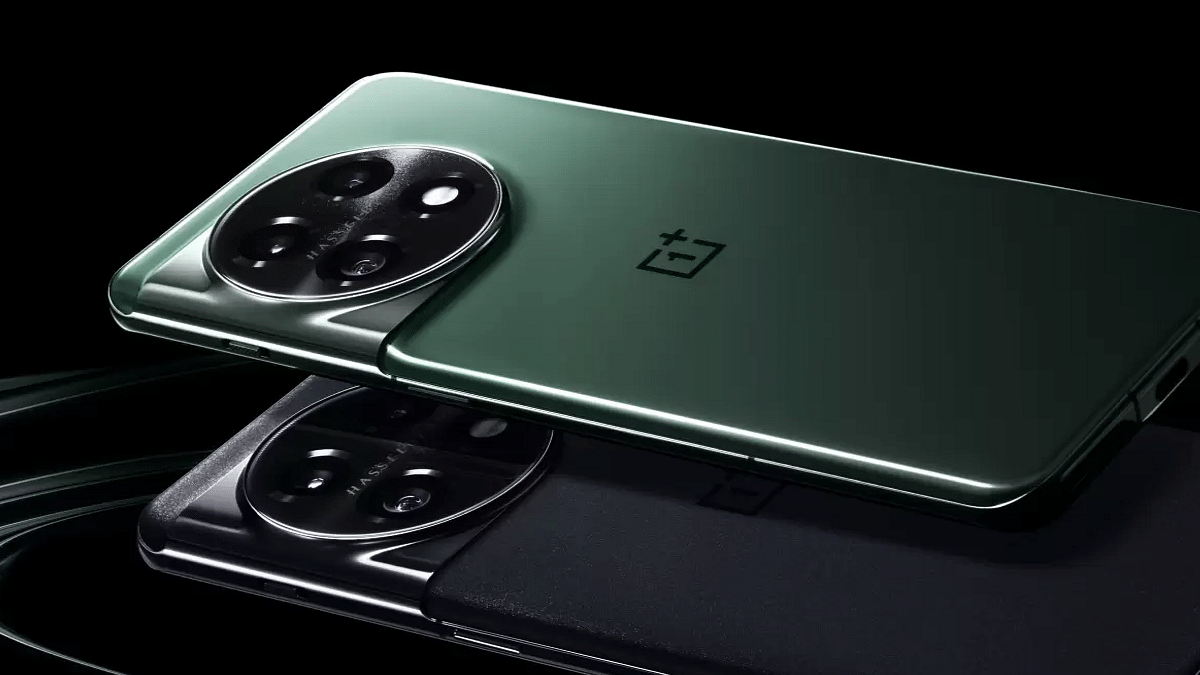
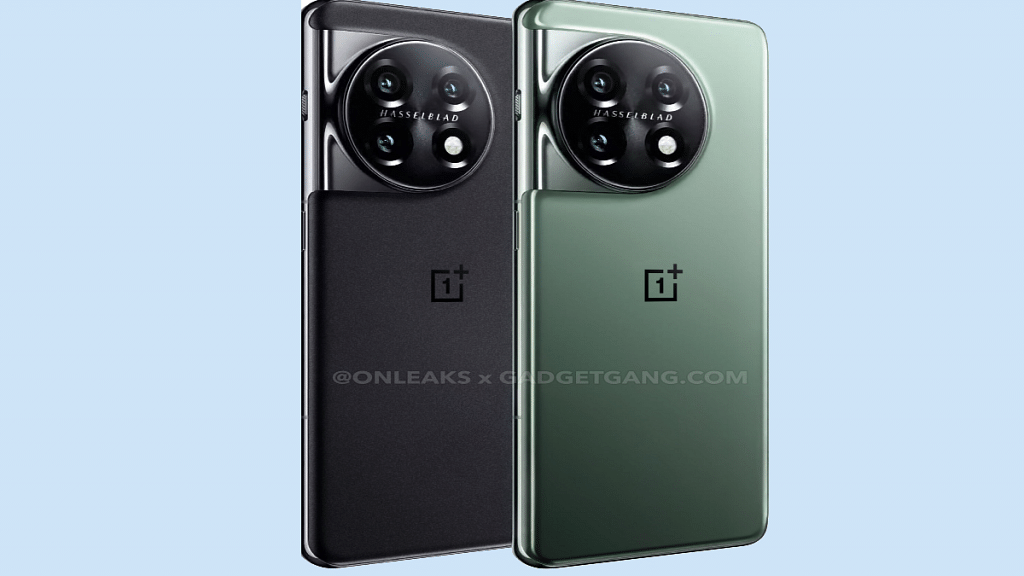
OnePlus will be introducing its new flagship OnePlus 11 5G in the global as well Indian market next month. Soon after, we expect the OnePlus 11R (OnePlus Ace 2 in China) to make its global debut too. Multiple leaks have already surfaced indicating the OnePlus 11R upcoming India launch and specifications. Now, the pricing of the next OnePlus 11 series phone for the Indian market has also leaked online.
OnePlus 11R India Price Out: More Affordable This Time?
A tweet by tipster Mukul Sharma has revealed the OnePlus 11R pricing details ahead of the upcoming India launch. As per the information, the OnePlus 11R will be launched in India with a price range of Rs. 35,000 to Rs. 40,000 for the base model with 8GB RAM and 128GB storage model.
The OnePlus 11R will also be announced with a higher 16GB RAM and 512GB storage option which the tipster suggests would be available within Rs. 40,000- Rs. 45,000 price range. This OnePlus 11 series phone is definitely going to be cheaper than its high-end counterpart, i.e., the vanilla OnePlus 11 5G. However, the price range is similar as the last-gen model, i.e., the OnePlus 10R.
The OnePlus 11R spec-sheet is already doing rounds online in the form of leaks and rumors. The word is it’s essentially is the rebadged OnePlus Ace 2 which is also debuting soon in China. When we speak of the expected hardware, the OnePlus 11R is said to be powered by the Snapdragon 8+ Gen 1 chipset. The RAM and storage configuration as mentioned above will be up to 16GB and 512GB.
The display panel used by the OnePlus 11R will be AMOLED with 1080p FHD+ resolution and a 6.7-inch screen size. It will further support 120Hz refresh rate and feature a punch-hole cutout probably housing a 16MP selfie snapper. The display will also feature an optical fingerprint scanner for security.
A 50MP triple camera setup is expected to be used by the OnePlus 10R at the rear. We might also see a 5,000 mAh battery that could get a 100W fast charging support.
Navigation technology has modernized with the advancements in technology. We now have reliable navigational apps and tools available for not just smartphones and related gadgets but also automobiles. Google Maps is among the most reliable services for navigation nowadays. With features such as Satellite and 3D Street View, Google Maps is a feature-rich app you can use on smartphones, laptops, and car/bike instrument clusters.
Google Street View feature is often used to get a clear insight into the neighborhoods you wish to visit. You can view the nearby buildings and billboards, and other objects when you fire up the Street View in Google Maps. Try searching in your location or address, you might even see your house pop up on the screen.
By default, street-level collections visible on Google Maps including Photo Paths are blurred in the Street View. But you might see a clear view of any building or house in the Street View option. If it’s your own house and you don’t want it to be clearly visible, blurring it out would be the easiest way. The steps for the same are mentioned below:
How To Blur House Or Any Other Information In Google Maps Steet View
If in case you are the owner the image of the house or building uploaded on Google Maps then you can either delete or reupload the blurred image. However, it someone else is the owner, you will have to perform different set of steps.
Step 1: For your own images, open Google Maps on laptop/ PC. Note, smartphone app can’t be used to blur house on Google Maps.
Step 2: Tap on the Menu option (three horizontal lines).
Step 3: Click on Your contribution option and select Photos.
Step 4: Locate the photo you want to delete and clock on More.
Qualcomm and MediaTek have been competing quite actively for the past few years in the mobile chipset market. The former is taking on the latter with its single Snapdragon mobile chipset lineup compared to the Helio A, Helio P, Helio G, and Dimensity mobile chipsets from the latter. Both brands have proactively released several new ranges of 5G processors for all ranges of Android smartphones. If we speak of the recent releases, the Snapdragon 782G from Qualcomm and Dimensity 920 from MediaTek have been launched for the premium mid-range handsets. The comparison between these two are listed below:
Qualcomm Snapdragon 782G Vs Dimensity 920 Processor: CPU Comparison
An octa-core CPU cluster has been used for both Snapdragon 782G and the Dimensity 920 processor. The former has a single Cortex-A78 core with 2.7GHz clock speed, three Cortex-A78 core with 2.2GHz clock speed, and four 1.9GHz Cortex-A55 cores. Whereas, the MediaTek Dimensity 920 chipset has dual Cortex-A78 cores with 2.5GHz clock speed and six Cortex-A55 cores with 2GHz clock speed.
The frequency range is 2700MHz and 2500MHz delivered by the former and latter respectively. Also, a 6nm fabrication process has been used by both these mobile chipset brands to develop the Snapdragon 782G and Dimensity 920 SoC. The CPU performance is good and both this chipset can take on demanding tasks and games.
Snapdragon 782G Vs MediaTek Dimensity 920 Chipset: GPU Comparison
The Qualcomm Snapdragon 782 GPU is Adreno 642L, while the Dimensity 920 chipset has Mali-G68 MC4 GPU support. The graphics processing capabilities of both Snapdragon 782G and Dimensity 920 are top-notch. No jitters of lags in the graphics even while rendering extensive graphics.
Snapdragon 782G Vs Dimensity 920 SoC: Memory, Multimedia (ISP)
The Snapdragon 782G supports LPDDR5 memory support. This same memory type is compatible with the Dimensity 920 chipset. Also, both these processors have the same 3200MHz memory frequency and up to 16GB maximum memory support. The storage type is UFS 2.2, UFS 3.0, and UFS 3.1 storage with the Snapdragon 782G, while the Dimensity 920 SoC has UFS 2.1, UFS 2.2, and UFS 3.1 storage type.
The maximum display resolution has 1080 x 2520 pixels with both these Snapdragon 782G and the Dimensity 920 SoC. The maximum camera resolution supported is up to 200MP with the SD 782G, while the Dimensity 920 ships with up to 108MP maximum camera resolution.
Moto G53 5G leaked with Snapdragon 480 Plus 5G chipset
120H HD+ display tipped
50MP dual camera and 5,000 mAh battery
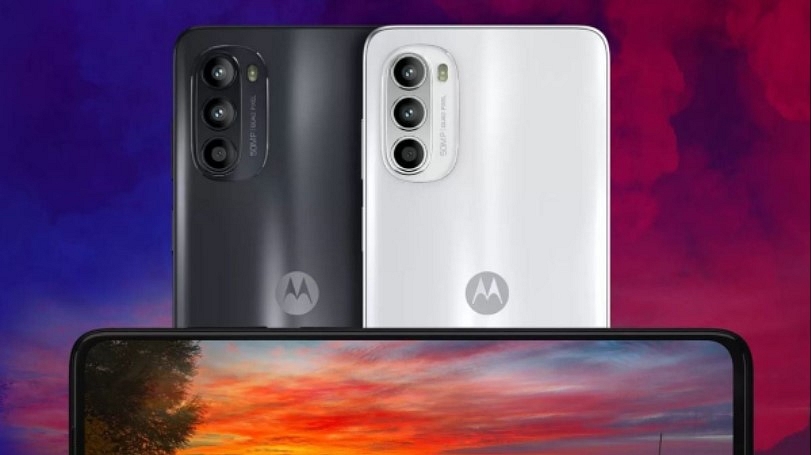
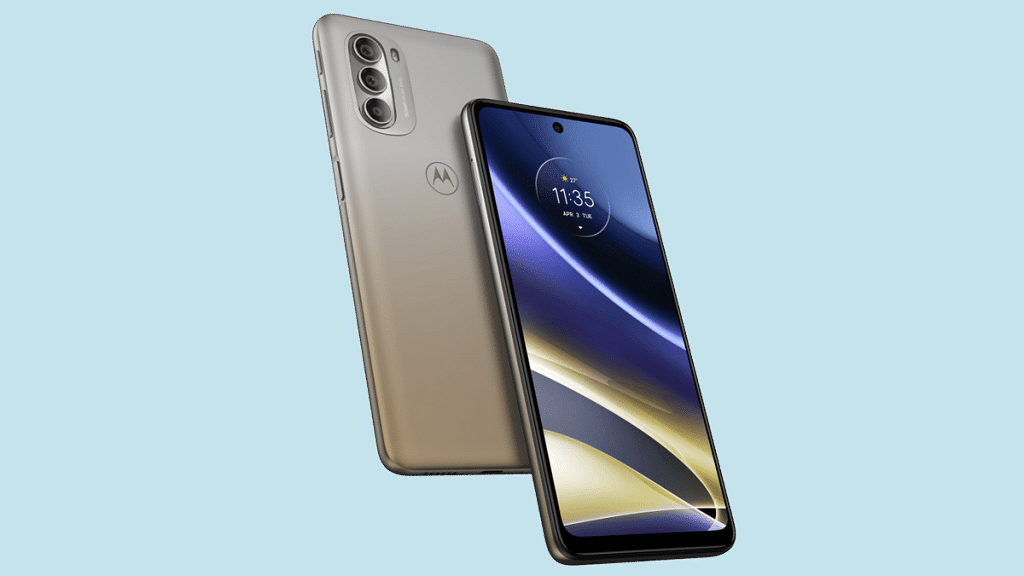
Motorola has started working on its new smartphone which will be catering to budget consumers across the globe. The upcoming device will be debuting in the Moto G series with the Moto G53 moniker. The handset has been rumored to launch alongside the Moto G73 in India and other markets. A new leak has surfaced online which hints at the complete specifications of the Moto G73.
The Moto G53 Full Specifications (Leaked)
Moto G53 5G
Specifications (Leaked)
Display
6.5-inch LCD, 120Hz refresh rate
Camera
50MP dual, 8MP front
Processor
Snapdragon 480 5G
Battery
5,000 mAh
Fast Charging
18W
The latest leaked spec sheet of the Moto G53 5G has been tipped by Pricebaba. The publication has suggested the upcoming Moto budget 5G phone will be employing the Qualcomm Snapdragon 480 Plus processor under the hood. The entry-level 5G Qualcomm chipset is said to be combined with 4GB RAM and a 128GB storage option.
The report only mentions the single 4GB RAM. It remains to be seen if there will be a 6GB RAM model too. We are also expecting a dedicated microSD card slot for storage expansion but are unaware of the exact capacity. It is expected to come pre-loaded with Android 13 OS. There will be MyUX user interface on top of the latest Android OS.
Moving on to the imaging hardware, the upcoming Motorola Moto G53 5G is leaked with a set two sensors at the rear and a single snapper upfront. The report hints the primary camera at the back panel of the Moto G53 will be a 50MP lens accompanied by a 2MP auxiliary sensor. The Moto G53 5G will come with Dolby Atmos certified audio system.
The phone is also said to come with eSIM and NFC connectivity options. Lastly, a 5,000 mAh battery is said to be used for power delivery by the Moto G53 5G which will get 18W fast charging support. However, the phone could ship with a 10W standard charger inside the retail box.
The timeline for the Moto G53 5G official India launch is not revealed, but the expected arrival is within the next few months. An early launch wouldn’t be a surprise. We are also not aware of the Moto G53 5G exact pricing, however, it will possibly be a budget 5G handset under Rs. 15,000.
The year 2022 has been eventful for consumer electronics brands globally. In India too, tech OEMs released numerous new gadgets and products to help the masses with an improved lifestyle. Specifically, the smart wearables market has been flourishing rapidly in the country with international as well as homegrown brands contributing equally in this market.
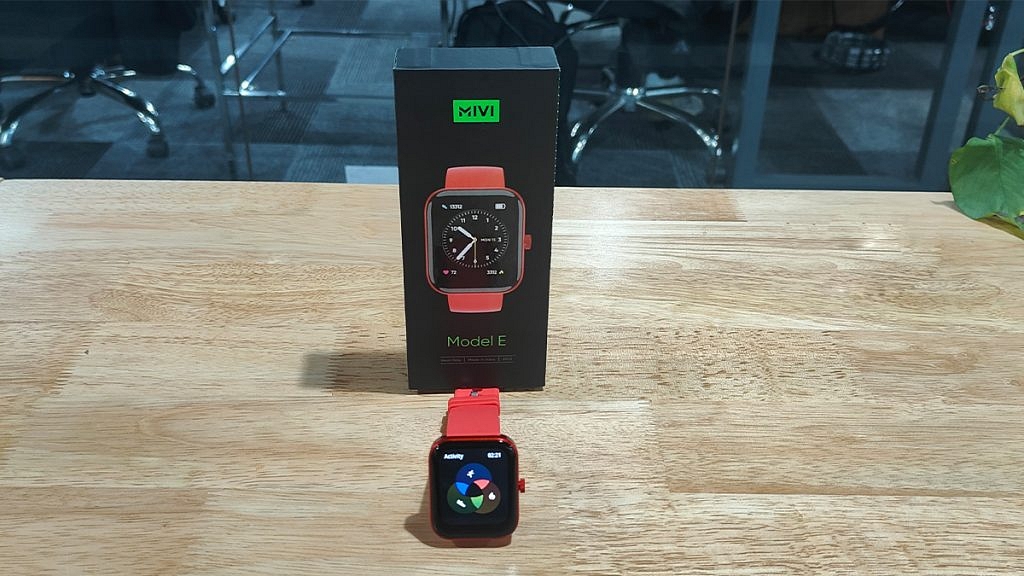
Mivi, which is a popular Indian digital accessories brand has added a new product to its portfolio right before the beginning of 2023. The Mivi Model E got introduced to Indian audiences as a budget smartwatch integrated with a bunch of health metrics sensors including Hear Rate monitor and SpO2.
At an asking price of Rs. 1,799, the Mivi Model E has tagged itself a pocket-friendly smartwatch in India. But is it worth a buy? That could be a major concern for users who are wary of cheaper products. For interested users, we have done a review of the Mivi Model E smartwatch and shared our opinion if it makes for a good buy in 2023. Also Read | Inbase Urban Fit S Smartwatch Review: An Overall Decent Package
Mivi Model E Smartwatch Review: Design And Wearing Comfort
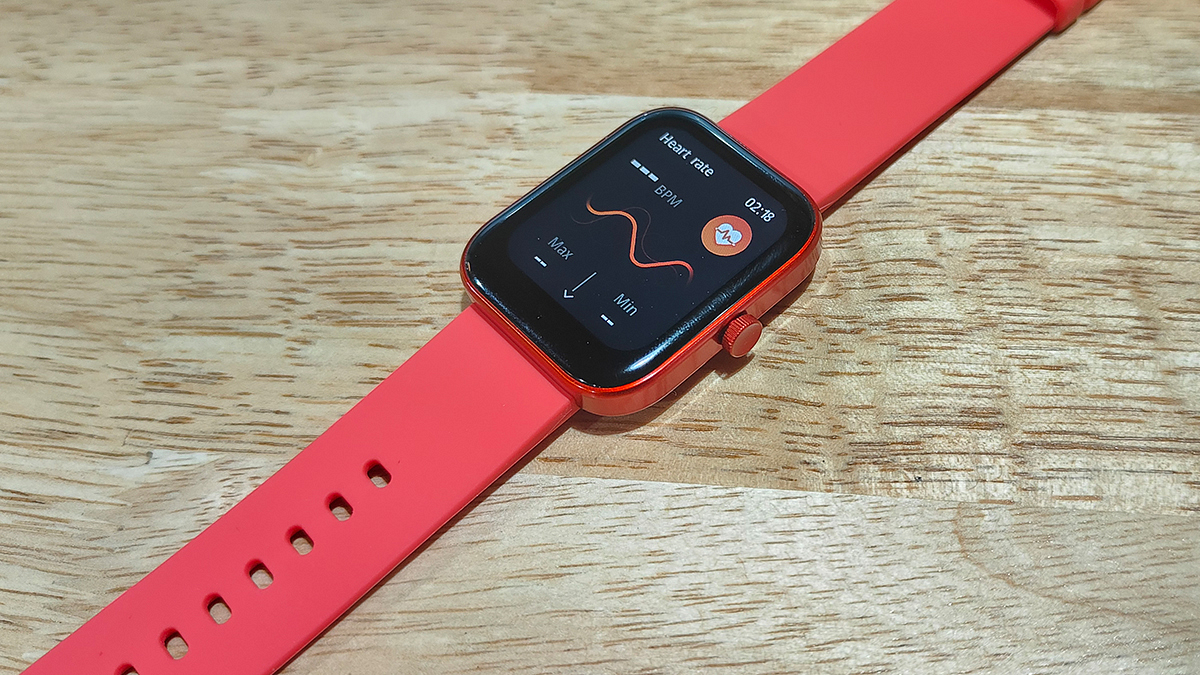
The Mivi Model E brings a standard design comprising a large rectangular dial combined with a soft silicon material used as straps. Despite the cheaper price tag, the company has made sure the quality used is good and the design falls in line with the modern trend. The curved rectangular dial along with the digital crown on the right adds to the looks, while the soft strap material adds to the premium comfort.
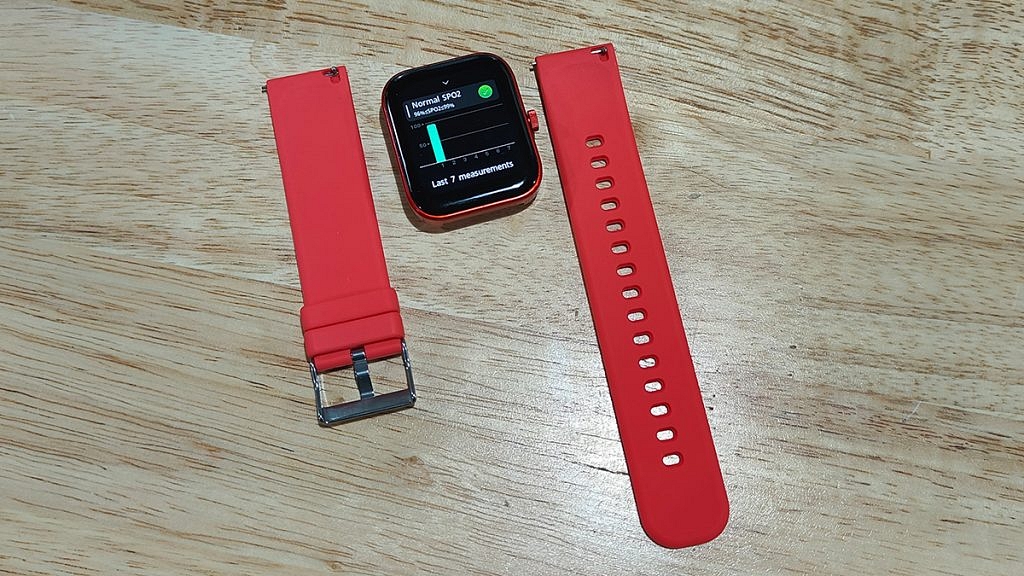
However, you don’t get an entirely sweat-resistant strap material which could hamper the wearing experience on hot summer days. Thanks to the IP68 certification it gets a decent level of protection from natural elements such as dust and water. Also, the straps are detachable allowing you to use different aftermarket 22mm straps.
So, you get to fiddle with different colored straps with the Model E smartwatch. The metallic frame used for the dial makes the Model E smartwatch all durable. This is better than the standard plastic material used for smartwatches in the budget segment. Overall, the Mivi Model E smartwatch has all the elements present that make the design trendy and also practical for daily use.
Mivi Model E Smartwatch Review: Display Performance, Available Features
The Mivi Model E is a budget smartwatch which is why expecting an AMOLED screen would be criminal. However, the panel used by the Model E smartwatch isn’t disappointing either. Under Rs. 2,000, you get a 1.69-inch HD display inside this budget smartwatch.
The Model E’s smartwatch gets a color screen with touch-sensitive control. The feedback with scrolling is decent. You might need to use firm gestures to scroll through this watch’s screen. Using the digital crown, you can easily go back to the previous screen on the watch and access the remaining menu and features.
The large screen size makes the texts and notifications clearly visible and helps with smooth navigation too. With 500 nits peak brightness, you don’t really struggle outdoors using the Mivi Model E smartwatch.
Mivi Model E Smartwatch: Features, Battery And Pairing Experience
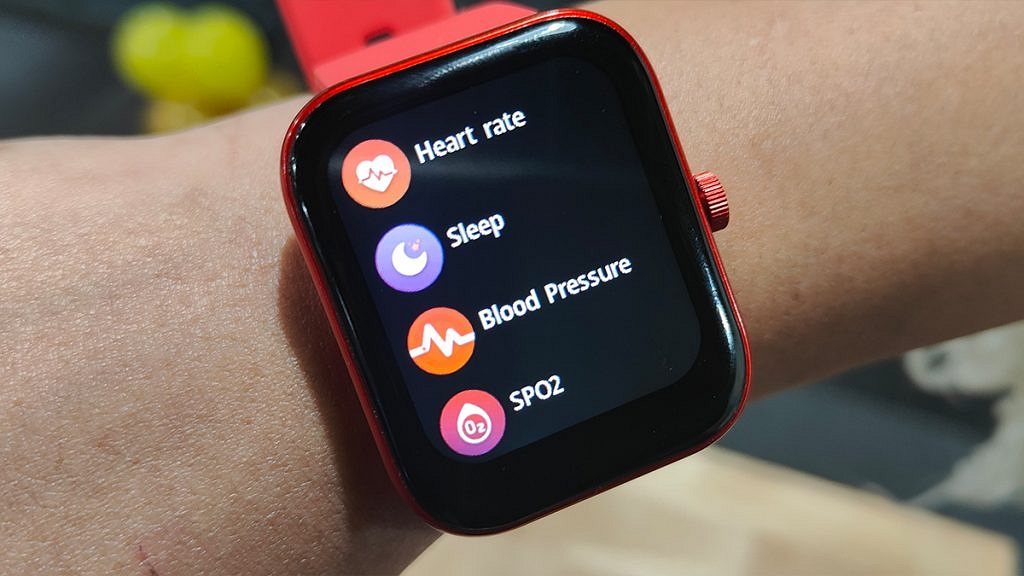
Speaking of the available features, Mivi has packed the Model E smartwatch with a Heart rate monitor, SpO2 (blood oxygen monitor), and activity trackers including a steps counter and sleep monitor. You can pair the Mivi Model E smartwatch with your smartphone using Bluetooth for the functioning of the health sensors and record the relevant metrics.
Furthermore, you can also download the Mivi Health app from Google Play Store and Apple App Store if you wish to access all the health metrics and change the watch’s settings directly from the paired smartphone.
The Mivi Model E smartwatch offers over 50 watch faces and 120 sports modes and also a couple of built-in games. The pairing process and easy and you would hardly come across any difficulties while connecting it with Android or iOS phones.
Mivi didn’t specify the exact battery capacity tucked inside the Model E budget smartwatch but claimed around seven days of backup on a single charge. During our testing period, the watch’s battery lasted for over five days which is close to the figures that the company claimed. You can use the magnetic charger cable that ships with the retail box to refuel this smartwatch.
Mivi Model E Smartwatch Final Verdict: Good Buy In 2023?
The Mivi Model E smartwatch under Rs. 2,000 can be a good option for you if you are looking for a modern smartwatch with basic health features. The large color display with touch controls and premium wearing comfort is the added benefits of making this purchase. But if you are expecting some advanced feature such as voice calling support, then you will have to increase your budget and consider other options in the market.
WhatsApp is top messaging app choice for both Android and iOS users
It ensures secure communication for both personal and professional use
It offers multimedia support, including audio and video files
WhatsApp is the best-in-class instant messaging application available for both Android and iOS. With a privacy-centric end-to-end encryption platform and WhatsApp has become the most secure application for professional as well as private messaging with added elements such as audio and video file support. WhatsApp has been expanding its platform’s capabilities beyond just simple texting. It offers multiple options and features enabled with multimedia support to enhance the user experience. Also Read | WhatsApp Tips & Tricks: How To Unblock Yourself And Regain Access
WhatsApp Status is one such feature that has been loosely based on the Instagram Stories option. With WhatsApp Status one can easily share and upload pics, videos, and even texts which are visible to all contacts. WhatsApp has made several improvements to the Status feature including the security aspects.
While sharing WhatsApp Status is an easy process, quality-related issues have been reported by the users for images and videos. You might see images or videos getting pixelated during playback when uploaded as a WhatsApp Status. That’s generally the case with the default settings. When you upload and share images directly from the phone’s gallery, the quality might get deteriorated after uploading it as a Status on WhatsApp.
Thankfully, you don’t have to download any third-party app to upload high-quality WhatsApp Status. WhatsApp itself offers the provision to users to upload high-quality images and videos without compromising the quality. If you are curious how can you upload high-quality WhatsApp Status the steps for the same are below:
How To Share High-Quality WhatsApp Status Using Android And iOS
You just need to make a few modifications to the WhatsApp settings to upload high-resolution Status.
Step 1: Open the WhatsApp application on your Android smartphone or iPhone.
Step 2: From the Home Screen tap on the More option.
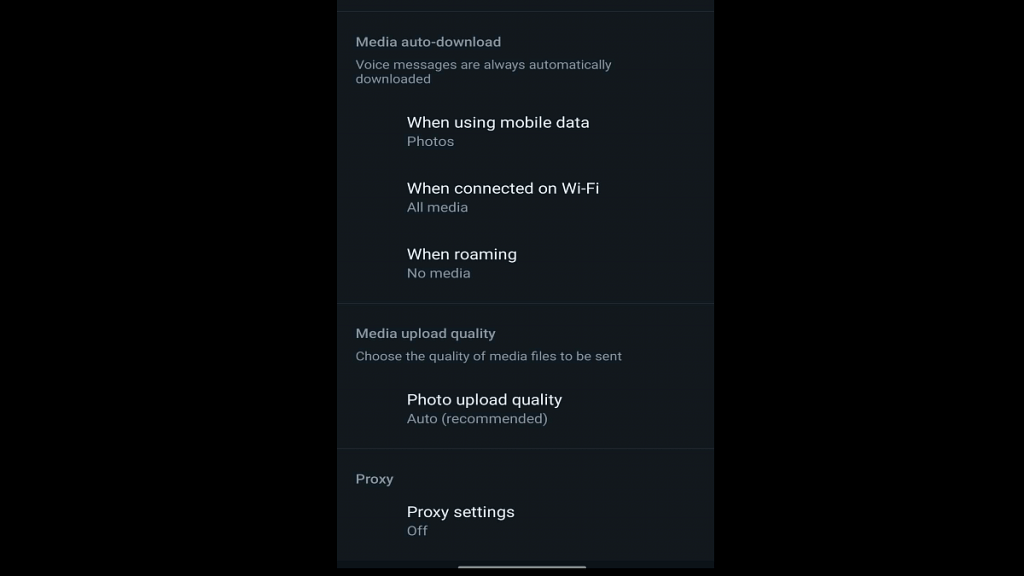
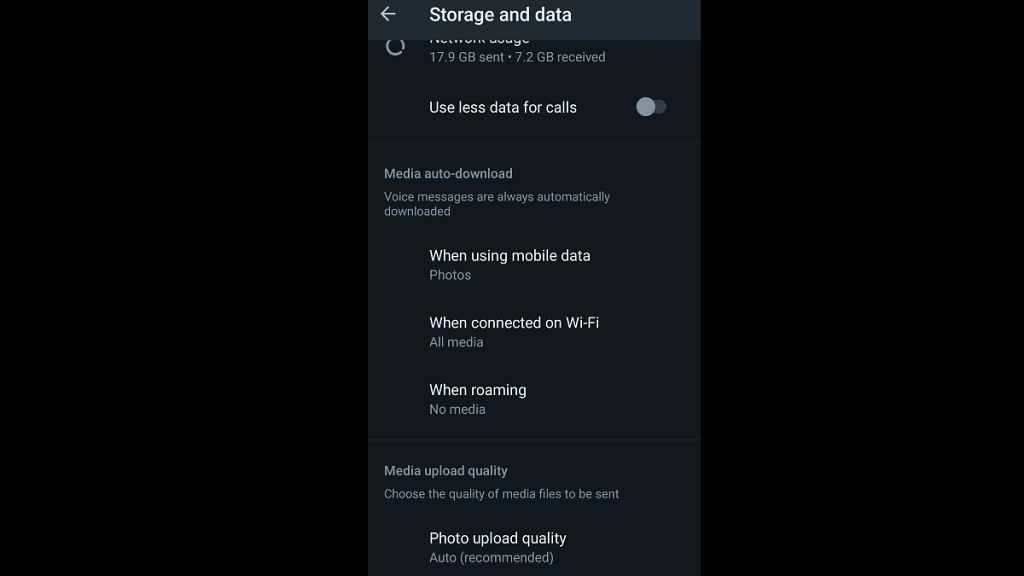
Step 4: Scroll to the Storage and Data option and select it.
Step 5: You will see the Photo Upload Quality at the bottom. Tap on it.
Step 6: Three options will be presented including Auto (recommended), Best Quality, and Data Saver. Select the Best Quality option to upload high-quality images and videos and WhatsApp Status. The Data Saver option will upload images and videos as Status on WhatsApp in low quality to save data consumption.
Incoming call not showing is a common issue with iPhones
Not a hardware related issue
Can be fixed with a bunch of troubleshooting steps
Mobile communication is what we all rely on for day-to-day connectivity with peers, family, or businesses. While we have transitioned from basic feature phones with keypads, the new-age smartphone contributes equally to daily mobile communication along. In addition to voice calling, modern smartphones (both Android and iPhones) now are capable of allowing users to make video and voice calls over the internet.
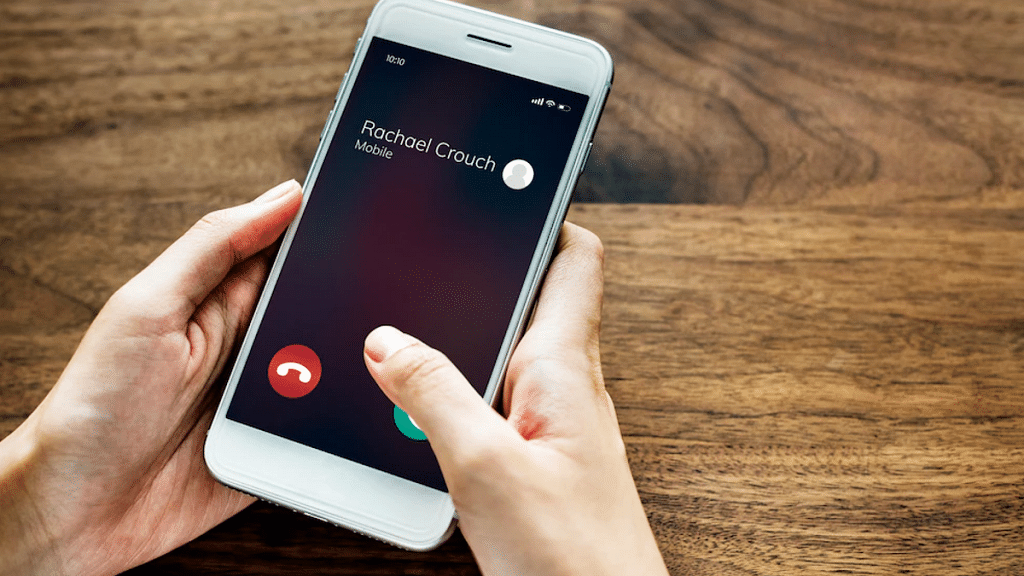
Caller ID is one of the common features which is accessible for both Android and iOS users. This safety-calling feature notifies users of incoming calls from any specific number or contact. If the phone number is saved on your device, the contact name will be displayed on the phone screen. If the phone number isn’t saved, you will see an unknown caller notification along with the number on the phone’s screen.
While most of the latest generation smartphones have the called id feature integrated, there are multiple other options available via third-party developers on Apple App Store and Google Play Store. If you have the default Caller ID feature toggled on, you will be able to see the caller label (name and number). Often, due to random app glitches, the incoming calls are not visible on the phone’s screen
This issue is prevalent across both Android and iOS devices. We already have covered the methods/ ways with which you can fix the incoming call not showing error on Android smartphones. But what if you come across this error where the Caller ID isn’t visible or displayed on iPhones? Well, a bunch of quick troubleshooting steps can easily resolve calls not showing issue in iPhones. Read on below:
Steps To Fix And Resolve Incoming Call Not Showing Issue On iPhone
Before we proceed, it is worth adding that incoming calls not getting displayed on iPhone isn’t any hardware-related issue. It is a random error or glitch which you can easily fix using the following steps:
Step 1: Restart your iPhone: Restarting an iPhone is the quickest way to fix the incoming call not showing on iPhones. This will clear out any temporary issues with the Caller ID feature and will display the caller information along with the answer and reject call option.
Step 2: Check for new updates: Make sure your iPhone’s iOS version is the latest and all the system and app updates are complete. This will fix the temporary issue with the caller ID function on iPhones.
Step 3: Check and toggle on Phone app notification: You need to check if the Phone notification is enabled on your iPhone. To toggle it on, open the iPhone settings and scroll to the Notifications tab. Select Allow notifications from the Phone menu. Make sure the Banners option placed under Alerts is also on.
Step 4: Correct Incoming call settings: Incoming call settings can be modified if your iPhone is running on iOS 14 or above. You can select Full-screen incoming call ID instead of a banner. Once this setting is applied, reboot your iPhone to fix the issue with incoming calls not displaying on iPhones.
Step 5: Reset Phone Settings or iPhone itself: If none of the aforementioned troubleshooting steps doesn’t fix the incoming call not showing the issue with iPhone, you can try resetting the default phone settings. If the issue persists, try resting the iPhone itself to resolve the incoming call not visible issue.
Android and iOS smartphones are all capable of completing numerous such tasks which previously has been possible only with high-end machines including laptops and PCs. Modern days devices, specifically iPhones have earned a rapport for high-quality video recordings. Apple has been improving both photography and videography experiences with iPhones. Even iOS has been optimized to provide firmware-level support for the improved camera hardware being packed inside the new-gen iPhones.
In addition to video recording, iPhones also allow users to record audio or voice notes which can be used later for different purposes. It wouldn’t be wrong to say that audio recording is among the crucial features that every single smartphone available in the market today is integrated with. Recording a voice is an option with built-in or third-party voice recorder apps.
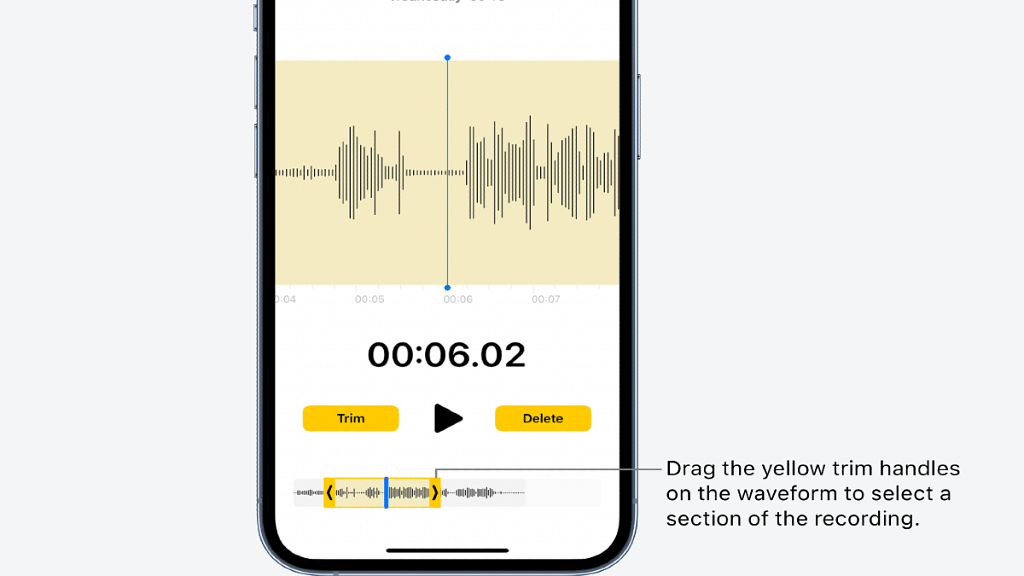
Apple does not just allow users to record audio but also edit or trim as per requirements. The Voice memo feature available in all iPhones lets users record and edit voice notes or audio recordings. The built-in editing tool makes it easy to fine-tune the recorded audio, and remove and add parts. If you are unaware of the exact procedure to edit any audio recording on iPhones or iOS, then read the steps below:
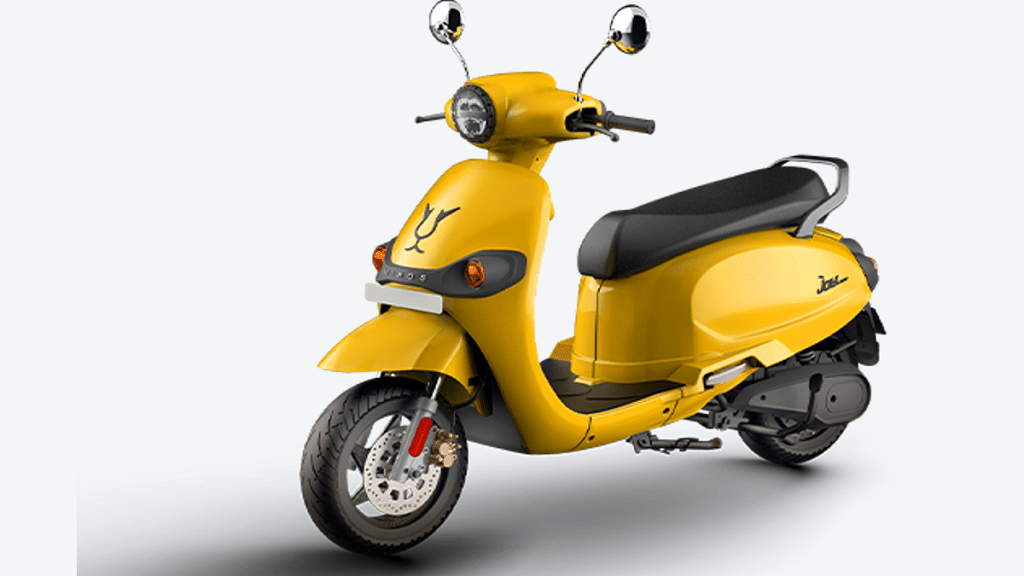
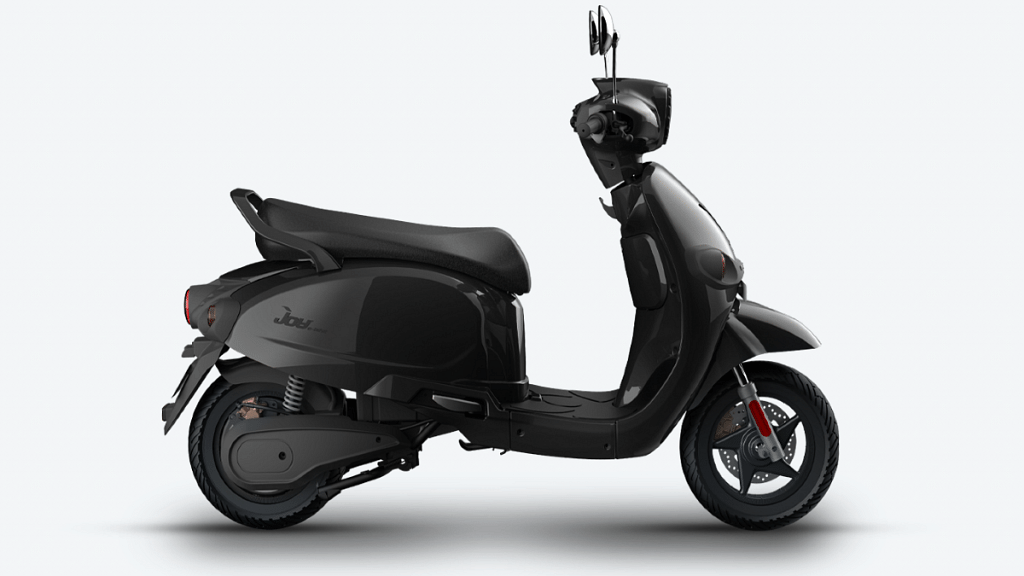
Joy MIHIS retro electric scooter launched in India
Packed with 2.5 kWh battery
Price starts at Rs. 1.49 lakh
India has become one of the biggest emerging markets for electric vehicles in recent years. At Auto Expo 2023 held last week, we came across some of the top upcoming electric cars, SUVs, and bikes in the country. This segment is expected to expand rapidly and in the coming years. Joy E-bike MIHOS is the latest addition to the e-scooter market in India developed by in collaboration with WardWizard R&D team, Vadodara. The latest e-scooter will please audiences bent toward retro-themed design.
Starting with the Joy MIHOS e-scooter’s powertrain, the latest e-scooter is packed with a Li-ion battery. The battery capacity is 2.5kWh which is coupled with Nickel Manganese Cobalt (NMC) technology that is said to offer reliability in the longer run. The company claims it takes around 5 hours for the battery to get a full charge.
The e-scooter’s battery is also packed with several sensors that protect the battery from random and sudden current surges with the changing weather. The Joy retro-style e-scooter will be offering around 100 km of range on a single charge from the aforementioned battery setup.
Acceleration speed is 0-40 km/h within 7 seconds. The MIHOS e-scooter used an electric Hub motor that delivers around 1500W peak power. The electric scooter uses telescopic suspension upfront and reverse spring parking suspension at the rear. A Combi Brake System handles the braking on this new e-scooter.
The MIHOS e-scooter’s additional set of features includes compatibility with Joy E-connect app which will enable one-tap control for MIHOS Connect and control using Bluetooth wireless network. Furthermore, the Joy MIHOS e-scooter is also equipped with GPS-enabled real-time position and geo-fencing features.
The Joy MIHOS retro e-scooter comes with an asking price of 1.49 lakh (ex-showroom) in India. It will be available in Metallic Blue, Pearl White, Solid Yellow Glossy, and Solid Black Glossy shade in the country.