Categories
Apps Featured Info Mobile

Blinkit To Deliver iPhone 15, iPhone 15 Plus At Your Doorsteps In Minutes

Key Highlights

  • Blinkit offers fast delivery of iPhone 15 and iPhone 15 Plus
  • This service is available in Delhi NCR, Mumbai, Pune, and Bengaluru
  • iPhone 15, iPhone 15 Plus are officially going on sale in India starting today

If you’ve struggled to purchase the new iPhone 15 or iPhone 15 Plus through the Apple Online Store or other popular e-commerce platforms, there’s good news for residents of Delhi NCR, Mumbai, Pune, and Bangalore. Now, you can have the Apple iPhone 15 and iPhone 15 Plus delivered to your doorstep within minutes, thanks to Blinkit. Building on the resounding success of featuring the Apple iPhone 14 and iPhone 14 Pro on their platform last year, the quick commerce entity Blinkit has once again teamed up with Unicorn, an Apple premium reseller, to bring you the latest iPhone 15 series. Also Read | How To Maximize iPhone Battery Health: Tips & Tricks

A Game-Changing Partnership

Albinder Dhindsa, Co-Founder and CEO of Blinkit expressed his enthusiasm about the partnership, stating, “We are thrilled to partner with Unicorn APR this year as well to deliver iPhone 15 within minutes! This unique association is global first and we are certain this will lead to pure joy for our customers who appreciate the convenience of getting highly anticipated products delivered to their doorstep, almost instantly.”

Also Read | Apple iPhone 15 USB-C Advantages: How It Benefits Users

iPhone 15, iPhone 15 Plus Now Available

Starting today, Apple iPhone 15 and iPhone 15 Plus are officially up for sale in India, including on the Blinkit platform. Blinkit customers will enjoy a range of benefits, including no-cost EMI options, low-cost EMI plans, and cashback offers of up to Rs. 5,000 on eligible HDFC cards.
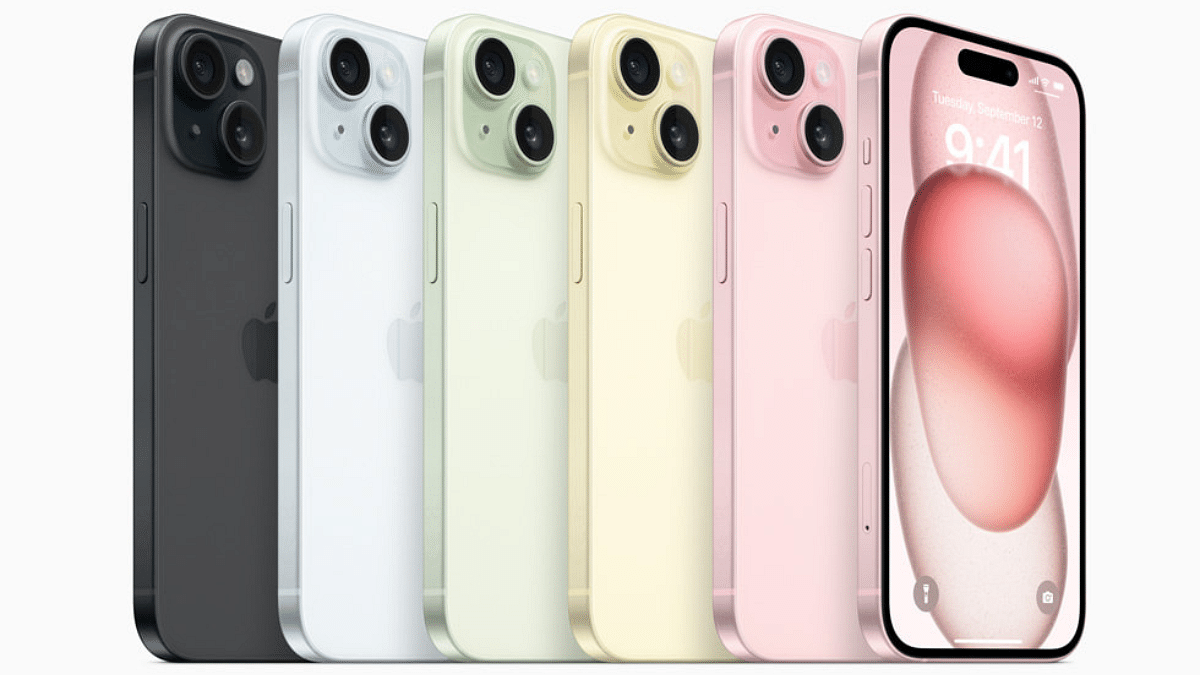
This partnership between Blinkit and Unicorn APR is set to redefine the way customers access the latest Apple products, ensuring a seamless and lightning-fast shopping experience for Apple enthusiasts in these key Indian cities. Don’t miss out on the opportunity to get your hands on the cutting-edge iPhone 15 series without the usual wait.

Also Read | iOS 17 Hits iPhones In India: Here’s Compatible Devices And How To Download

Categories
Apps Featured How To

National Cinema Day 2023: Here’s How You Can Book Movie Tickets At Just Rs. 99

Key Highlights

  • This year’s National Cinema Day will be celebrated on October 13
  • The Multiplex Association of India shared the news on their official social media account
  • All movie tickets on October 13 will cost you Rs. 99

If you’ve been delaying your plans to catch a movie with friends or family due to high ticket prices, there’s great news! National Cinema Day is making a comeback this year, allowing movie enthusiasts to enjoy their favorite films at partner chain theaters for just Rs 99. The Multiplex Association of India is set to host National Cinema Day on October 13, making this deal available in over 4,000 cinema halls across the country, including popular chains like PVR Inox, Cinepolis, and Movie Time. Also Read | Last-Minute Travel Plans? Here’s How To Book Tatkal Train Tickets Online

The Spirit Of National Cinema Day

The purpose of National Cinema Day is to celebrate the passion of moviegoers and the crucial role they play in making certain movie blockbuster hits. It also aims to reignite the culture of watching movies in theaters, which had seen a decline post-pandemic due to the rise of streaming platforms.

Ticket Pricing Update

While the movie ticket price for this year’s National Cinema Day has seen a slight increase, it remains an affordable option for movie lovers. Last year, eligible tickets were priced at just Rs. 75 per admission, making movies like Brahmastra even more popular. According to the statement, this offer will be available through partner booking platforms and at all participating cinemas.

Also Read | ICC Men’s Cricket World Cup 2023 Timeline, Match Schedule, Ticket Booking, Online Streaming And More

How To Book Your Tickets At Rs. 99

To make the most of this offer, follow these simple steps:

Step 1: Visit any partner booking platform, such as BookMyShow or Paytm.

Step 2: Choose October 13 as your preferred date for the movie and select your desired showtime.

Step 3: During the checkout process, you’ll be charged Rs. 99 per ticket, along with any applicable convenience fees and taxes.

In-Person Savings

If you prefer to avoid convenience fees and taxes, you can purchase your tickets directly from the theater’s box office. Don’t miss out on this opportunity to enjoy a cinematic experience at an unbeatable price!

Also Read | Use Paytm To Book Your Bus Tickets: A Step-By-Step Guide

Categories
Apps Info

OpenAI Introduces Dall-E 3: A New AI That Converts Text To Images Using ChatGPT

Key Highlights

  • Text-to-Image
  • ChatGPT-Powered Image Generation

OpenAI has unveiled the Dall-E 3, a powerful text-to-image tool. This new tool utilizes the capabilities of ChatGPT, (OpenAI’s popular AI chatbot) to convert text-based prompts into stunning images. Here, we delve into what Dall-E 3 has to offer.

Also Read: ChatGPT Is Now Available On Android Starting Next Week

Accessible To ChatGPT Plus

Dall-E 3 is set to become available to ChatGPT Plus users in October via the API. This means that those with access to ChatGPT’s premium offerings will have the privilege of harnessing the creative potential of Dall-E 3 to bring their text-based ideas to life visually.

Dall-E 3 has a ability to transform intricate requests into highly detailed and accurate images. However, OpenAI recognizes the importance of safety and has implemented measures to limit the generation of content that is violent, adult-oriented, or hateful. Moreover, it will decline requests that target public figures by name or seek images in the style of a living artist.

OpenAI is committed to respecting creators’ rights. Users have the option to opt out of allowing their work to be used for training future text-to-image tools. This shows OpenAI’s dedication to ethical AI development and ensuring that creators have control over their content.

OpenAI is not the only AI tool generating text-to-picture. Other companies like Alibaba’s Tongyi Wanxiang, Midjourney, and Stability AI are also working to make their picture-making AI better.

Also Read: Apple Developing AI Chatbot ‘Apple GPT’ To Compete With OpenAI’s ChatGPT: All Details Here

Challenges And Concerns

Despite the remarkable advancements in AI-generated images, there are challenges and concerns to address. Notably, a recent ruling in a Washington DC court stated that AI-generated art without human input cannot be copyrighted under U.S. law, raising questions about ownership and authorship.

OpenAI itself faces legal challenges, including a lawsuit by a trade group representing U.S. authors, which alleges that OpenAI unlawfully trained ChatGPT on the works of prominent writers like John Grisham and George R.R. Martin.

Also Read: ChatGPT App Now Launched In India And 32 Other Nations: Who Can Use?

Categories
Apps Featured Info

After Decades, Microsoft Paint App Gets An Update With Layers And Transparency Features

Key Highlights

  • Microsoft updates paints after 38 years
  • MS Paint is getting two new features
  • The app gets support for layers and transparency

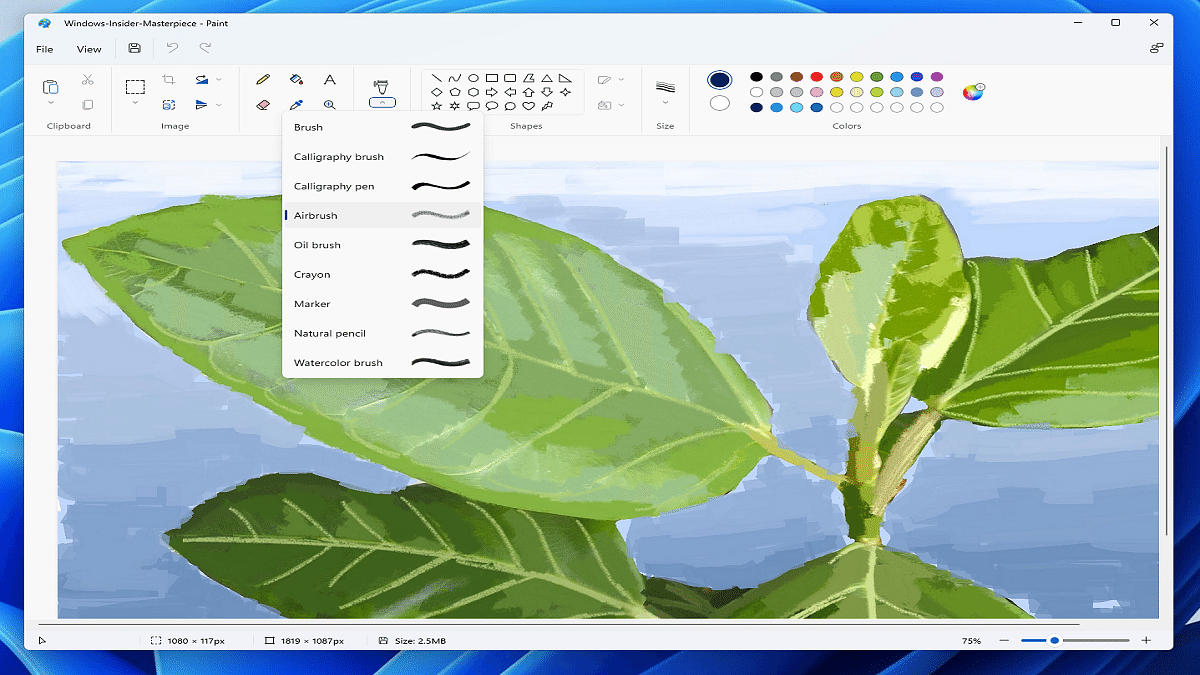
Microsoft Paint, a nostalgic part of many people’s creative journey, is about to undergo a significant transformation. The tech giant is gearing up to revamp its MS Paint app, infusing it with advanced image editing capabilities to bring it in line with its more sophisticated counterparts. Also Read | How To Archive Emails In Microsoft Outlook: Here’s The Step-By-Step Guide

Dave Grochocki, Principal Product Manager for Windows Inbox Apps at Microsoft, announced these changes in a blog post. The upgrades include the introduction of support for layers and transparency, two fundamental features often found in professional photo editing tools.

Layers Unleashed

The addition of layers in Microsoft Paint will empower users to unleash their creativity. This feature enables users to add, remove, and manage layers on the canvas. Now, you can stack shapes, text, and various image elements atop one another, paving the way for the creation of more intricate digital art.

To access this feature, simply click on the new Layers button in the toolbar, unveiling a side panel. From this panel, users can seamlessly add new layers, alter the stacking order of image elements, and even toggle the visibility of individual layers. The ability to duplicate and merge layers provides even greater flexibility.

Also Read | Draw Away! Here’s The List Of Best Drawing Apps For Your iPad

Transparency Takes Center Stage

Microsoft’s commitment to enhancing MS Paint extends to transparency support. This includes the capability to open and save images in transparent PNG format. While working on a single layer, users will notice a checkerboard pattern on the canvas. Deleting content from the canvas will erase content on the active layer, revealing underlying layers.

Rollout Plans

Microsoft is gradually rolling out these updates for the Microsoft Paint app to Windows Insiders in the Canary and Dev Channels (version 11.2308.18.0 or higher). It’s worth noting that not all Insiders in these channels will immediately gain access to these features. Microsoft intends to gather feedback and monitor performance before making them available to all users.

Also Read | Microsoft Teams Tips & Tricks: How To Set Urgent Messages For Maximum Visibility

Categories
Apps Featured Info

Get Emotional With YouTube Music: New ‘Cry’ Mood Filter And Beyond

Key Highlights

  • YouTube Music added new filters including ‘Cry’
  • Both the browser and app versions of YouTube Music will support the new filters
  • Users will get immediate access to content through the filters based on their choices.

YouTube is elevating the music experience for its users by introducing new mood filters within its Music app. These filters are designed to empower users to explore and enjoy music that aligns with their current emotional state. Initially introduced in 2020 with sections like Workout, Focus, Relax, Commute, Energise, and Podcasts, YouTube is now expanding its mood filter offerings, including a new “Cry” filter that promises a unique “Sad Songs Supermix” to evoke emotional connections through music. Also Read | How To Remix With Collab In YouTube Shorts

Discovery By The Community

Reddit users first unearthed these new YouTube Music filters, which are reportedly available on both the web and app versions of YouTube Music. While currently, only the web version offers access to the four new filters, including “Cry,” it’s expected that the complete lineup will soon become available across web and mobile platforms.

Expanding The YouTube Music Universe

The addition of these new mood filters marks a significant expansion of YouTube Music’s user interface. Notably, the last update to YouTube Music was in 2021 when the “Energise” mood filter was introduced, alongside web app availability for mood filters. These latest inclusions bring the total number of mood filters to eleven, promising to offer users an even more tailored musical journey.

Also Read | YouTube Channel Naming Ideas: 100+ Best Names For YouTube Educational Channels

Samples

In a separate development, YouTube introduced “Samples” last month, a feature that offers personalized feeds of short music video segments to aid users in discovering new music. Powered by YouTube Music’s extensive library of music videos, Samples enables users to easily add songs to their collection, share them with friends, create playlists, initiate radio stations, watch full videos, explore album pages, or craft their own Shorts. For artists, the Samples tab offers a novel avenue to connect with new fans and foster a community on YouTube.

What’s More?

Aside from “Cry,” YouTube Music will soon include additional mood filters, such as Romance, Party, Feel Good, and Sleep. These filters aim to curate playlists that resonate with users’ emotions. You can discover these playlists conveniently within the app, accessible through “Mixed for You” and “From Your Library.” They will join familiar carousels like “Listen Again” and “Similar To.”

Also Read | Your Guide To Free YouTube Movies: How To Watch On Mobile And PC

Categories
Apps Featured How To

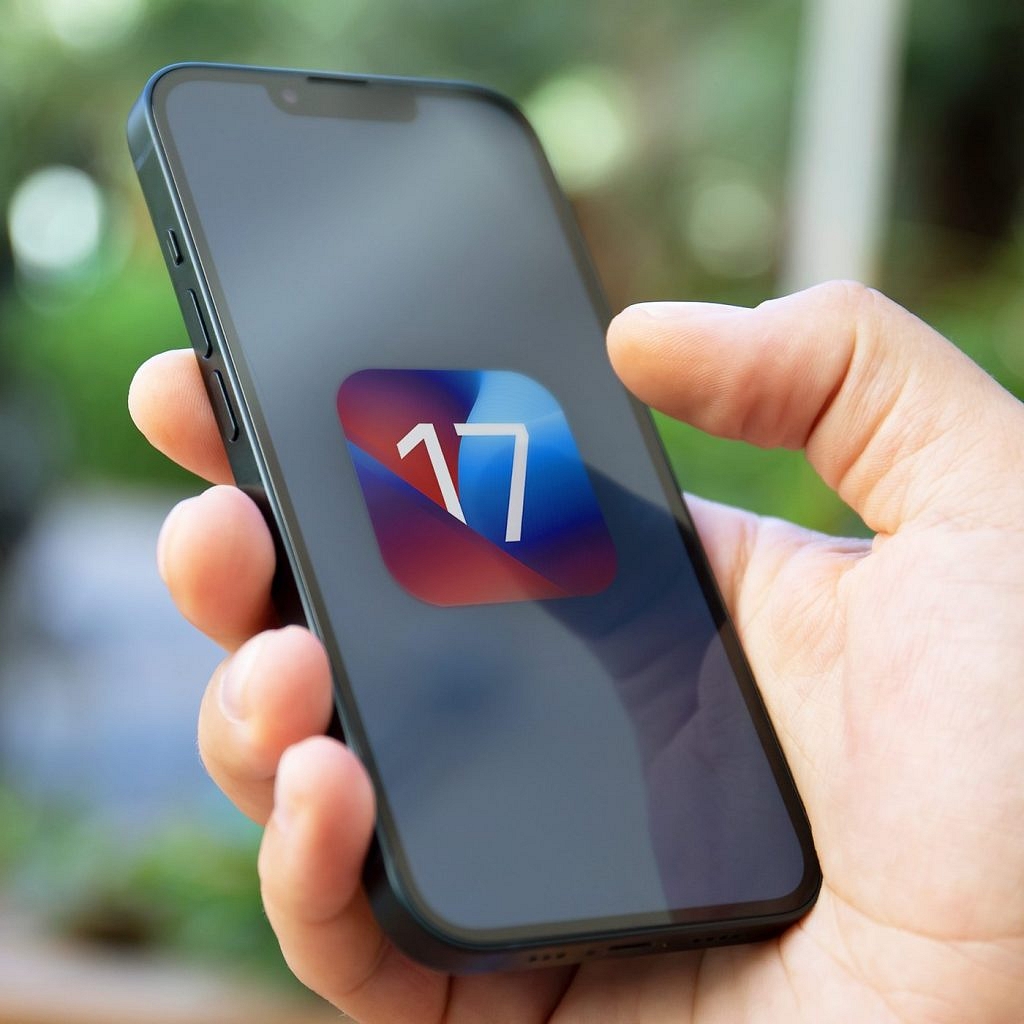
iOS 17 Hits iPhones In India: Here’s Compatible Devices And How To Download

Key Highlights

  • iOS 17 released for all eligible iPhone users in India
  • Apple first announced the iOS 17 in June 2023 at WWDC
  • iOS 17 operating system will bring a host of new features

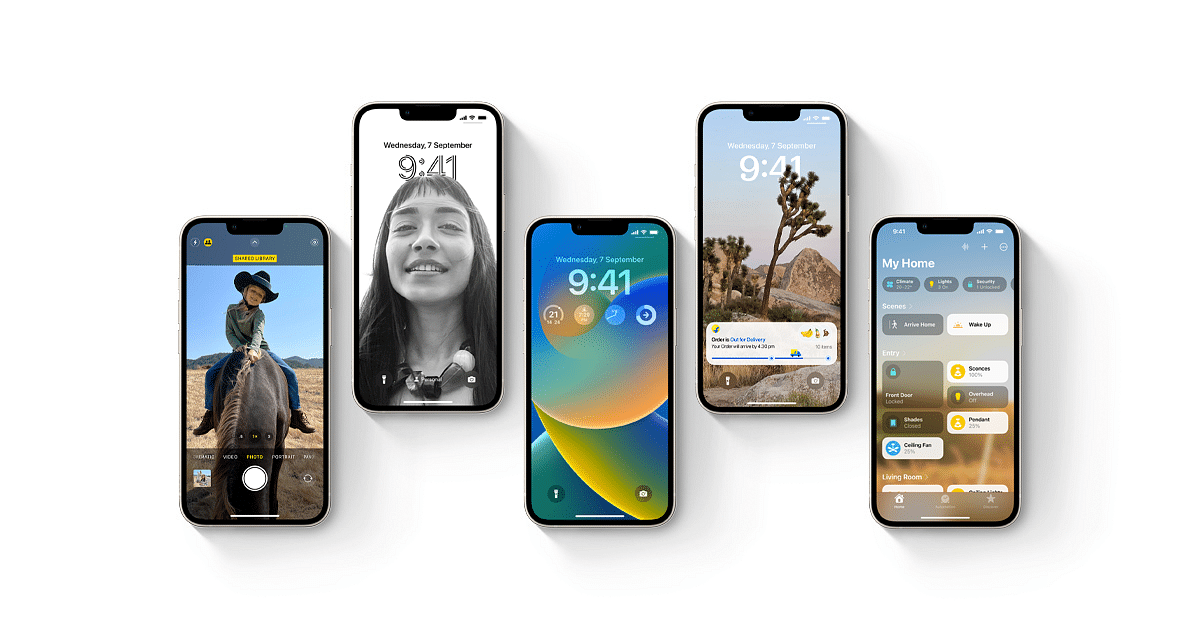
Apple has introduced its highly-anticipated iOS 17, bringing a wave of new features and improvements to iPhone users. Here, we explore the release of iOS 17, compatible devices, and a step-by-step guide on how to update your iPhone to this cutting-edge operating system. Also Read | iOS 17 Live Voicemail: How To Use It On Your iPhone

iOS 17 And Its Beta Testing Phase

Apple revealed iOS 17 during the WWDC in June 2023, alongside iPadOS, tvOS, and watchOS updates. Following its official announcement, iOS 17 underwent rigorous beta testing to ensure a smooth user experience. Now, iPhone, iPad, and Apple Watch users worldwide can access these exciting updates.

Which iPhones Support iOS 17?

iOS 17 is exclusive to iPhones equipped with the A12 Bionic chip or newer models. Unfortunately, this means that older devices, such as the iPhone X, iPhone 8, and iPhone 8 Plus (released in 2017), will not receive the update. Instead, iOS 17 is available for the iPhone SE (2nd generation or later), iPhone XR, and their successors. Devices older than five years will not meet the hardware requirements for iOS 17.

How To Update Your iPhone To iOS 17: A Step-by-Step Guide

Before embarking on the iOS 17 update journey, it’s crucial to safeguard your data. To do so, create a backup of your iPhone on iCloud or your computer using iTunes or Finder. Here’s how you can update your iPhone to iOS 17:

Step 1: Connect your iPhone to a Wi-Fi network.

Step 2: Navigate to Settings > General > Software Update.

Step 3: If iOS 17 is available, tap “Download and Install.”

Step 4: Enter your passcode if prompted.

Step 5: Agree to the terms and conditions.

Step 6: The update will commence, downloading and installing. Be patient, as this process may take several minutes.

Step 7: Once the update is installed, your iPhone will automatically restart.

With iOS 17 now at your fingertips, you can explore the exciting new features and enhancements that Apple has brought to your iPhone.

Also Read | iOS Tips And Tricks: How To Setup And Use AutoFill For Contact Cards And Credit Cards In Safari On iPhones And iPads

Categories
Apps Featured Info

Amazon 2023 Upcoming Sales Calendar: Expected Dates, Deals To Look Forward To

Amazon constantly strives to enhance the shopping experience by offering a vast array of products, ranging from electronics and smartphones to home appliances, fashion, and more. The shopping platform regularly hosts sales events featuring huge deals and discounts. In this article, we’ve curated a list of upcoming Amazon sales in 2023, where you can grab your favorite gadgets, accessories, and more at great discounts. Also Read | Amazon Prime Lite Annual Membership Launched In India: Costs Just Rs.999

Mega Music Fest (September 18 – 20)

Expected to kick off in mid-September, the Mega Music Fest is a must-visit for those seeking discounted earphones, speakers, and other audio products. Customers may avail of up to 60% off on audio devices, along with exclusive offers for bank cardholders.

Amazon Great Indian Festival (October 11 – 18)

The Amazon Great Indian Festival promises massive price reductions, EMI options, and cashback offers on select bank cards. This sale is rumored to start on October 11 and may extend until October 18, with early access for Prime members. For electronics enthusiasts, this sale is worth the wait.

Style Bazaar (November 9 – 13)

Amazon’s Style Bazaar is a fashion-focused sale that graces the platform regularly. During this sale, shoppers can snag clothing items like shirts, trousers, and tops from renowned fashion brands, all priced under Rs. 399. Additionally, Amazon offers a Rs. 200 cashback on first orders.

Book Bazaar (November 10 – 14)

The Book Bazaar is a frequent sale, occurring from the 10th to the 14th of every month. This sale boasts over 15,000 books from top publishers and authors, all available at discounted prices.

Black Friday Sale (November 25 – 27)

Inspired by the annual US tradition, the Black Friday Sale is expected to start on November 25, offering huge deals and discounts on international brand products. Expect bank offers and EMI options to sweeten the deal.

Also Read | Forgot Your Amazon Alexa Password? Here’s How To Change And Reset It

Fab Phones Fest (November 26 – 29)

The Fab Phones Fest is a sale ideal for smartphone enthusiasts. Rumored to run from November 26 to November 29, this event will feature discounted smartphones and accessories.

Amazon Dussehra Sale (October 5 Onwards)

Amazon is expected to launch a Dusshera sale on October 5. Shoppers can expect great discounts, including additional bank discounts, across electronics, fashion, and more categories.

Super Value Days (December 1 – 7)

Super Value Days provides Amazon users with the opportunity to purchase essential kitchen and pantry items such as pulses, rice, sauces, fruits, and vegetables at reduced prices.

Wardrobe Refresh Sale (December 9 – 14)

Rumored to take place from December 9 to 14, the Wardrobe Refresh Sale could offer discounts of up to 80% on men’s and women’s fashion items.

Amazon Christmas Sale (December 20 – 26)

In celebration of Christmas, Amazon may introduce a Christmas sale during the penultimate week of 2023. One can expect tempting offers across various product categories.

Amazon End-of-the-Year Sale (December 28 – 31)

Closing the year with a bang, Amazon might unveil the “End of the Year Sale.” This year-end event could provide customers with great discounts on a wide range of products as we usher in the new year.

Also Read | Amazon Coupons Bonanza Sale: Best Deals On Tablets

Categories
Apps Featured How To

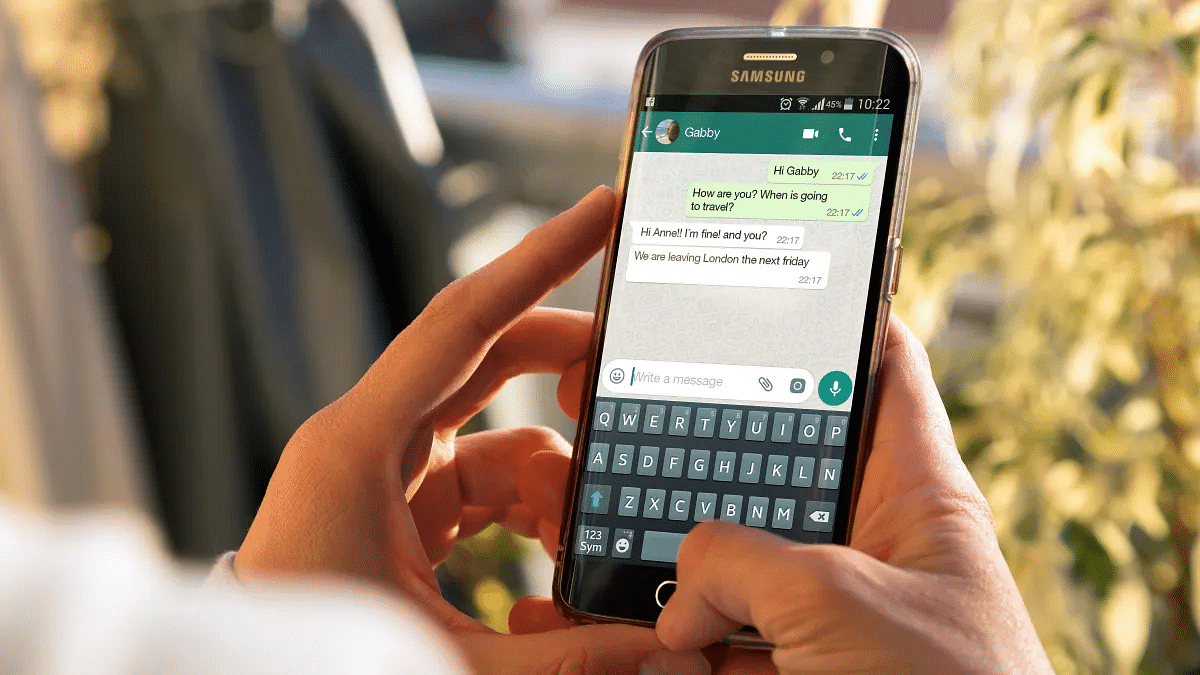
WhatsApp Channels Broadcast Tool Now Available In India: What Is It? How To Use?

Key Highlights

  • WhatsApp Channels broadcasting tool now available in India
  • Feature added in a new “Updates” app
  • Users can subscribe to multiple channels from different organizations

WhatsApp introduced a new broadcasting tool earlier this year called Channels. The new feature has been designed to keep the users updated on different developments from various organizations using the app itsled. WhatsApp Channels was earlier made available outside India in Columbia and Singapore and now the company is expanding its reach across the international markets including India.

WhatsApp Channels Broadcast Released In India: What Is It?

The WhatsApp Channels Broadcast tool is similar to that of Telegram where organizations can share important updates which users can access easily using the application. WhatsApp Channels is primarily a single-way broadcasting tool that will allow users to get important notification from a dedicated brand or organization.

Currently, WhatsApp Channels has several Indian sports organizations and artists whom users can subscribe to see relevant updates. Some of the notable artists whose updates one can check on WhatsApp Channels include Diljit Dosanjh, Deverakonda, Katrina kaif, and others. Whereas, WhatsApp has also joined hands with BCCI for cricket related updates.

Also Read: WhatsApp Finally Allows Sending HD Photos: How To Send High Quality Photos On WhatsApp

Additionally, WhatsApp has also included an Enhanced Directory which is a curated list of all the channels. The list of channels shown on the Enhanced Directory will include the filtered list of channels depending on a country’s location. This directory will also feature the list of the latest channels along with the ones that are most active or are trending amongst the consumers.

With WhatsApp Channels broadcasting tool admins will be able to make modifications to the shared updates within 30 days. After 30 days, the post history will be removed permanently from Meta’s server.

Also Read: New WhatsApp User Interface In Works: When Will Is It Coming?

WhatsApp Channels Tool: How To Use?

Using WhatsApp Channels broadcasting tool is fairly simple. A dedicated Upload tab has been added using which any organization or user can broadcast their important messages.

Also Read: Five Features Coming To WhatsApp

Categories
Apps Featured Info

Picture-Perfect Upgrade: Google Camera App’s UI Revamp And New Features

Key Highlights

  • Google Camera app has been updated
  • A toggle switch for the photo/video modes, a new settings button, and more recent additions are included
  • The 9.0 update to the Google Camera app is now available for Pixels running the Android 14 beta

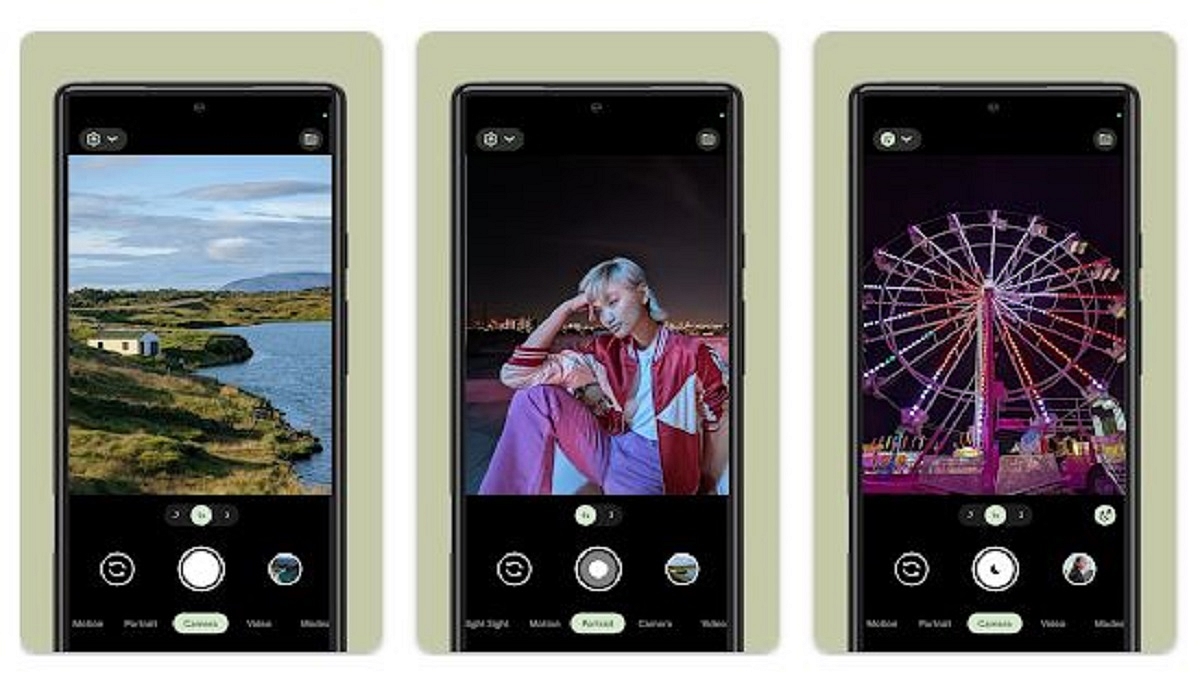
Google has introduced a significant update to its native Camera app, bringing a new look and enhanced functionality. The Google Camera app’s version 9.0 features a revamped user interface (UI) that offers a more intuitive experience. However, this update is currently exclusive to devices running Android 14, including Pixels participating in the Android 14 beta program. Also Read | Google Meet’s Camera Lock; How To Use

Introducing UI Enhancements

In this latest update, one of the most prominent changes is the addition of a Photo/Video toggle button. Positioned at the bottom, this switch allows users to seamlessly switch between photo and video modes. Furthermore, Google has introduced a new settings button on the left side, providing easy access to the camera’s settings. Swiping up also opens the settings menu. As a result of these additions, the upper part of the camera app is now uncluttered.

Streamlined Navigation

The update also rearranges some buttons for improved navigation. The gallery button now resides on the left side, while the camera switch button is on the right. Google has also made mode changes, with the ‘Motion’ tab expanding to include ‘Long Exposure’ and ‘Action Pan,’ while ‘Cinematic Pan’ is now simply ‘pan’ in the new Google Camera.

Aesthetic Tweaks

Notably, the app icon for Google Camera has been enlarged to align with the new design aesthetics.

Also Read | Want To Report Accidents And Road Closures On Google Maps? Learn How To Do It

Limited Availability For Android 14

It’s important to note that the Google Camera 9.0 update is exclusively compatible with Android 14. Therefore, only users with Pixels running the Android 14 beta can currently download and install this update. Initially expected to debut with the Pixel 8 series, Google surprised users by rolling out the update starting on September 7. Older Pixels running Android 14 will also receive the update simultaneously.

Upcoming Pixel Launch

Looking ahead, Google is gearing up for the launch of the Pixel 8 and Pixel 8 Pro smartphones on October 4. Alongside these highly anticipated devices, Google will also introduce the Pixel Watch 2 and Pixel Buds Pro during the same event. The global debut will be followed by pre-orders opening in India the following day.

Also Read | Looking Beyond Google? Here’s How To Change Your Default Search Engine

Categories
Apps Featured How To

No Cash, No Fuss: Here’s How To Pay At Fuel Stations Using Your Car’s FASTag

Key Highlights

  • ‘Pay by Car’ is a new function that ToneTag has introduced
  • This helps you pay for petrol without directly using credit cards or mobile devices
  • Using the car’s infotainment system, users may make fuel purchases at petrol stations

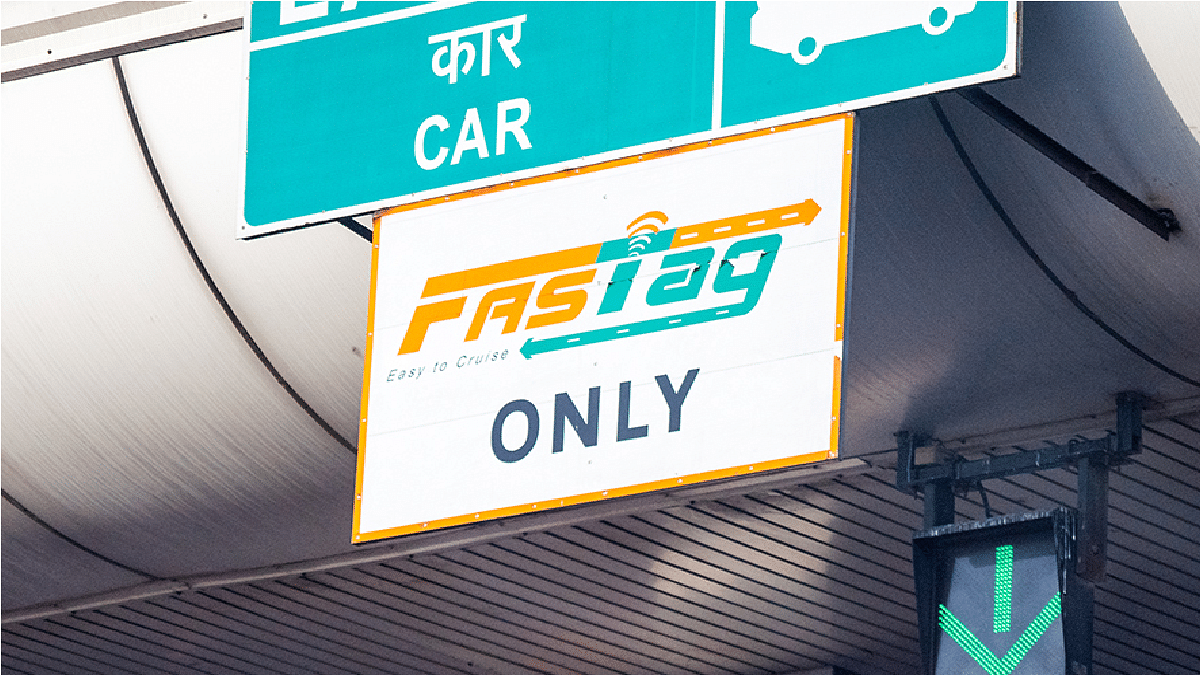
Fueling up your car just got easier and more convenient thanks to a new payment mode introduced by ToneTag, a firm backed by Amazon and Mastercard. Known as ‘pay by car,’ this innovative feature allows you to pay for fuel using your car’s UPI-linked infotainment system, making the refueling process smoother than ever. Also Read | Damaged FASTag? Here’s How To Get Duplicate FASTag Via Paytm

Linking UPI To Your Car

To use the ‘pay by car’ feature, users need to follow a few simple steps. First, they must link their UPI ID to their car’s infotainment screen. Additionally, it’s essential to have a FASTag installed on the vehicle. Once these prerequisites are met, paying for fuel becomes a breeze, and there’s no need for physical cards or smartphones.

The Paying Process

Automatic Identification: When a vehicle arrives at a fuel station, the car’s infotainment system displays the fuel dispenser number, informing the driver of their location. Simultaneously, this information is relayed to the fuel station staff for seamless service.

Entering Transaction Amount: After refueling, users only need to enter the transaction amount announced through the infotainment system’s soundbox. This step completes the online transaction, ensuring a hassle-free payment process.

Also Read | Google Maps Location Sharing Alert Notification: How To Notify Your Contacts Of Your Arrival And Departure Using Maps

Additional Features

FASTag Recharge: Beyond fuel payments, the ‘pay by car’ feature also facilitates FASTag recharges. Drivers can check their FASTag balance directly on the car’s infotainment screen, enhancing their overall payment convenience.

Conversational Payments: ToneTag’s commitment to innovation extends to conversational payments on UPI, a feature recently unveiled at the Global Fintech Fest. This new development allows users to transfer funds using voice commands, further streamlining digital transactions.

Voice-Based Offline Payments: ToneTag’s versatility is showcased by its voice-based offline payments for feature phones. Users simply call the IVR number, select the ‘Pay to Merchant’ option, and complete the transaction by tapping their mobile phone on the merchant device (POD). This user-friendly method ensures offline payments are just as accessible as online ones.

In conclusion, ToneTag’s ‘pay by car’ feature is revolutionizing fuel payments by integrating UPI with your car’s infotainment system and FASTag. With added innovations like conversational payments and voice-based offline transactions, ToneTag is making digital payments more accessible and user-friendly than ever before. Say goodbye to the inconvenience of carrying cards or smartphones at the fuel station – your car has you covered.

Also Read | Recharge Your FASTag On WhatsApp: Here’s How To Do It