Categories
Apps Info

Indian Government Drafts Blueprint To Ban Addictive Betting And Gaming Apps: Details Inside

Key Highlights

  • Indian government has drafted a blueprint for a ban on different apps and games
  • All apps have been sorted into three categories
  • Betting and gaming apps under the radar

Google Play Store in India is a host to numerous third-party mobile applications. Users can easily download and install both paid and free versions of apps from the Play Store. Gaming, messaging, social media, and OTT are the most downloaded apps on the Google Play Store. Off late, the Indian government has been monitoring all the apps available on the Google Play Store and Apple App Store; specifically gaming apps that have a history of developing addiction amongst the users.

Recently, BGMI made a comeback in the country post the ban. But seems like the government is again concerned with the multiple issues that such apps and will likely impose a blanket ban going forward. Is BGMI in trouble again? Which all apps will take a hit? Read the details below:

Addictive Betting, Gaming Apps Getting Banned In India?

Going by the online reports, the Indian government has submitted a blueprint draft that calls for restrictions on addictive games and apps available on both Android and iOS app stores. The government has categorized these games and apps into three different segments that will be banned.

Rajeev Chandrasekhar, Union Minister for Electronics and Information Technology (IT), has confirmed that the Indian government for the first time has created a dedicated framework for online gaming. The drafted blueprints include the apps and games sorted into categories that are set to be prohibited from future use in the country. Below is the categorization:
Betting-Related Apps: All the games that directly or indirectly are associated with betting will be banned. One of the prime reasons is the financial losses in addition to the addiction.

Violent Graphic Games: All the games that show violent or graphic content which somehow influences users will be prohibited in the country. This will help to avoid any bad influence on players specifically kids.

Addictive Games: The government has also suggested prohibition of the apps and games that are addictive in nature and can impact both the physical and mental health of any gamer.

Also Read: Xbox Games Showcase 2023: Starfield, Fable, And More Announced At The Event

Categories
Apps Featured Info

Amazon Prime Lite Annual Membership Launched In India: Costs Just Rs.999

Key Highlights

  • Prime Lite costs only Rs.999.
  • Free two-day delivery included.
  • No minimum order value required.

Amazon has now launched the Prime Lite membership plan in India, presenting a wallet-friendly substitute to the regular Amazon Prime membership. This new plan aims to provide customers with special benefits at a lower cost.

Let’s take a closer look at the specifics of this membership.

Plans Price
Monthly Prime (1 month)Rs.299
Quarterly Prime (3 months)Rs.599
Annual Prime (12 months)Rs.1,499
Annual Prime Lite (12 months)Rs.999

Also Read: Amazon Prime Video Aims To Capture Indian Market With Ad-Supported Plan

Cost Savings with Prime Lite Membership

The Prime Lite membership is priced at Rs. 999 per year, making it more budget-friendly compared to the regular Prime membership, which costs Rs. 1499 per year. By opting for Prime Lite, customers can enjoy significant cost savings while accessing various benefits.

Also Read: Here’s How To Rent Movies From Amazon Prime Video: Check All Steps Here

Prime Video Streaming Service

With Prime Lite membership, users can enjoy unlimited access to the Prime Video streaming service. However, there are a few limitations. Users can stream content in High Definition (HD) quality but may encounter ads during their viewing experience. Additionally, streaming is restricted to two devices simultaneously.

Also Read: Want To Cancel Your Disney+ Hotstar Subscription? Here’s How

Delivery Benefits, Cashback & Offers

Prime Lite members receive free two-day delivery and standard delivery on their purchases. Additionally, Prime Lite members can enjoy the benefit of complimentary shipping to eligible addresses, along with a cashback of Rs. 25. Furthermore, for eligible addresses, Morning Delivery is available at a cost of Rs. 175 per item with no minimum order limitation for free standard delivery.

Customers with an Amazon Pay ICICI Bank credit card can enjoy a 5% cashback on all purchases, excluding digital and gift card purchases. Prime Lite members also gain early access to Lightning deals, exclusive Lightning deals, and the Deal of the Day, providing them with exciting discounts and offers.

Also Read: How To Create And Manage Multiple Netflix Profiles: Step-By-Step Guide

Differences Compared to Regular Prime Membership

While the Prime Lite membership offers numerous benefits, it does not include features like one-day delivery, scheduled delivery, and same-day delivery. However, regular Prime members have the advantage of Morning Delivery, allowing them to receive their items in the morning, irrespective of their price.

In terms of additional services, Prime Lite members do not have access to Prime Reading and Amazon Music streaming services. Prime Reading provides a wide range of eBooks and comics across various genres and languages.

Regular Prime membership provides additional perks such as Prime Video streaming in up to 4K quality, support for multiple devices, and an ad-free viewing experience.

Also Read: Apple Days Sale 2023: Save Big On iPhone 14 Models On Amazon

Categories
Apps Info Laptop

Windows 11 New Settings Introduced With Enhanced Privacy and Seamless VPN Integration

Key Highlights

  • Increased control over personal data.
  • VPN usage made easy and secure.
  • Quick visual verification of secure connection.
  • Protection from malware, attacks, and credential compromise.

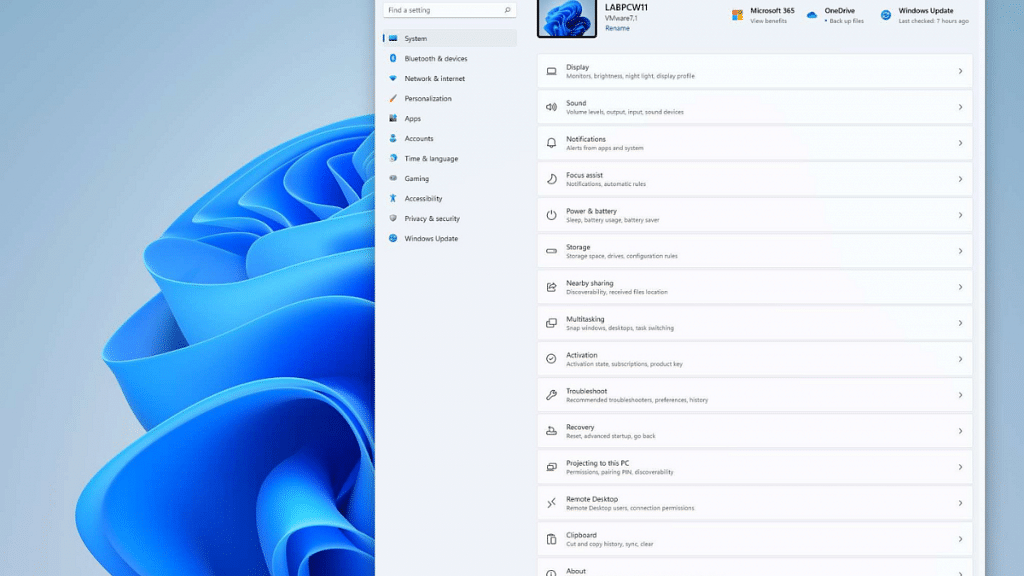
Microsoft has added new security features to Windows 11 to give users more control over their privacy and protect them from potential dangers. These enhancements aim to make the operating system safer and provide users with better privacy control.

Let’s explore these new settings in more detail.

Also Read: Microsoft Teams Tips & Tricks: How To Set Urgent Messages For Maximum Visibility

App Privacy Settings

One notable addition to Windows 11 is the introduction of new app privacy settings. These settings give users more control and transparency over their personal information. Now, users can easily see which apps have access to their data and can change permissions accordingly. This feature boosts users’ confidence in their privacy and empowers them to make informed choices about how their data is used.

Also Read: List Of Top Four Antivirus Software To Protect Your PC From Malware, Phishing Attacks

VPN Integration

Windows 11 has added a cool feature called glanceable VPN integration that’s worth mentioning. When users connect to a VPN, a small shield icon appears on the taskbar, showing that their connection is secure. This visual cue helps users easily check if their VPN is working and protecting their online activities. What’s even better is that Microsoft has included options to customize the VPN settings through Quick Settings. This means users can personalize their VPN preferences to match their needs and choices.

Also Read: Google Buckles Up To Compete Microsoft With New AI Workspace Apps

Pluton Security Processor

Windows 11 PCs come equipped with the advanced Pluton security processor, offering enhanced protection from chip to cloud. This integration helps defend against harmful software, attacks on the computer’s hardware, and attempts to steal important information. Microsoft wants to make sure that users have a secure and safe computing experience, keeping their sensitive data well-protected.

Also Read: How to Fix Disconnecting Wifi Networks for Android?

Account Badging Feature

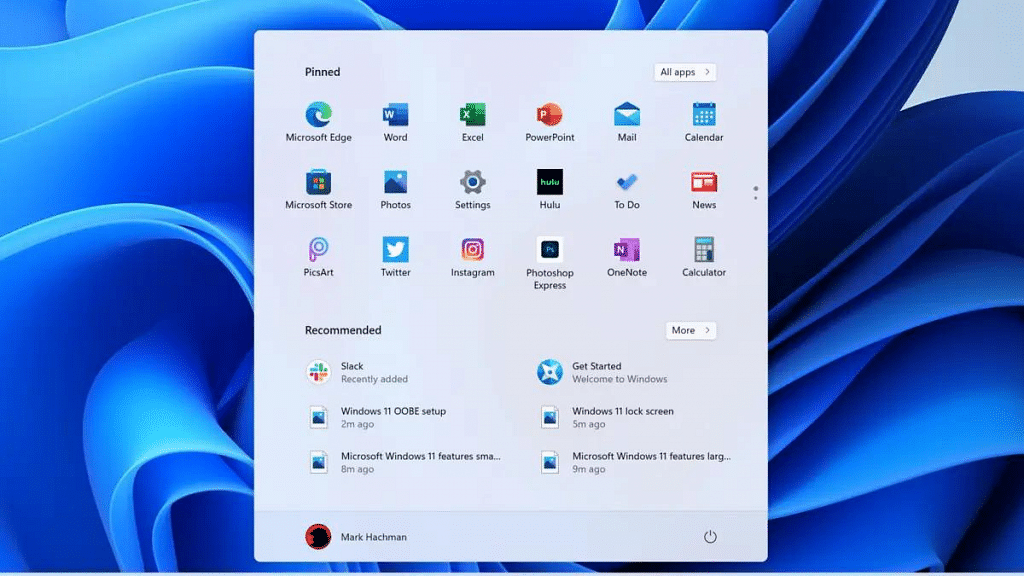
Apart from the security updates mentioned earlier, Microsoft has also added a feature called account badging. This feature sends real-time alerts to users on their Start menu, giving them immediate notifications to take action and protect their information and computer. It helps users stay watchful and encourages them to be proactive in keeping their data safe and secure.

The new settings in Windows 11 show that Microsoft cares about keeping user information private and secure. They have made changes to give users more control over their personal data and made it easier to use a VPN for added security. These updates help users have a safer and more protected experience when using their computer.

Also Read: How To Archive Emails In Microsoft Outlook: Here’s The Step-By-Step Guide

Categories
Apps Gaming Info

BGMI Power Boost: Check June 14 Redeem Codes

Key Highlights

  • Redeem Codes for June 14
  • Unlock Exciting Rewards
  • Level Up Your Game

With the latest redeem codes you can elevate your BGMI gaming journey. These codes unlock multiple rewards and perks, giving you an edge over your opponents.

Read more to check out the exclusive codes that promises to elevate your gameplay by providing exciting rewards such as weapon skins, emotes, outfits, in-game credits or UC, and many more.

Also Read: Tired Of Audio Warnings In BGMI Simulation Game? Here’s How To Get Rid Of Them

How to Redeem the Codes

Redeeming the BGMI codes is a simple process. Follow these steps to unlock your rewards:

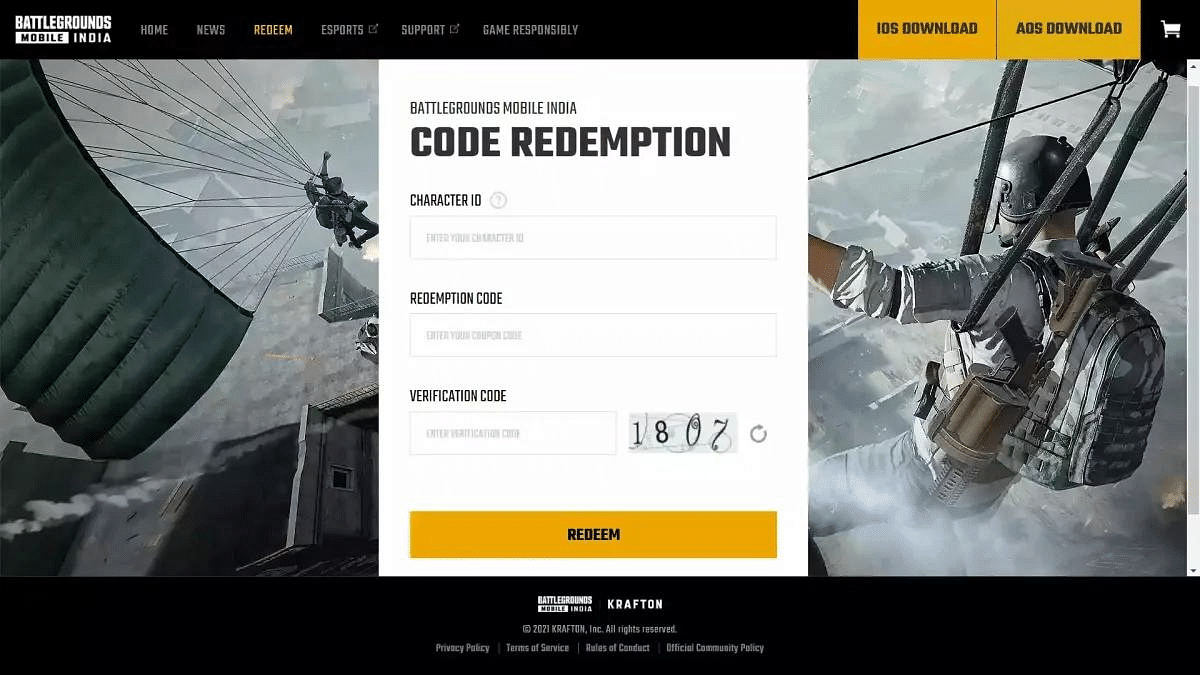
  1. Visit the official BGMI website and enter your BGMI character ID.
  2. Copy the desired redeem code from the list above.
  3. Paste the redeem code into the provided space on the website.
  4. Enter the verification code or captcha displayed on the screen.
  5. Click on the submit button to redeem the code.
  6. Collect your rewards through the in-game mail.

Also Read: BGMI 2.5 Available For Android, iOS Users In India: How To Download And Play BGMI Using Old Account Credentials Post Ban

BGMI Redeem Codes

The BGMI redeem codes for June 14 offer an array of enticing rewards for players. Here are some of the codes and the corresponding rewards:

Redeem CodeReward
TQIZBZ76FVehicle Skin
5FG10D33Falcon and Free Emotes
GPHZDBTFZM24UUMP9 Skin
KARZBZYTRFree Outfit
JJCZCDZJ9UGolden Pan
UKUZBZGWFFree Fireworks
TIFZBHZK4AFree Outfit
RNUZBZ9QQAKM Glacier Skin
PGHZDBTFZ95UM416 Skin
R89FPLM9SCompanion
BMTCZBZMFSPretty in Pink set and Pretty in Pink Headpiece
5FG10D33Outfit for Free
TQIZBz76F3 Free Motorcycles
BMTFZBZQNCFree Drifter Set
SD14G84FCCFree Skin for KAR98 Sniper Gun

Also Read: Best Game Settings For BGMI, PUBG For A Premium Gaming Experience On Android, iOS

Categories
Apps Featured How To

Want A Blue Tick On Facebook? Here’s How To Get Verified Today

Key Highlights

  • Meta Verified now available in India
  • It is a subscription bundle for creators on Instagram and Facebook
  • On Android and iOS, Meta Verified is priced at Rs. 699

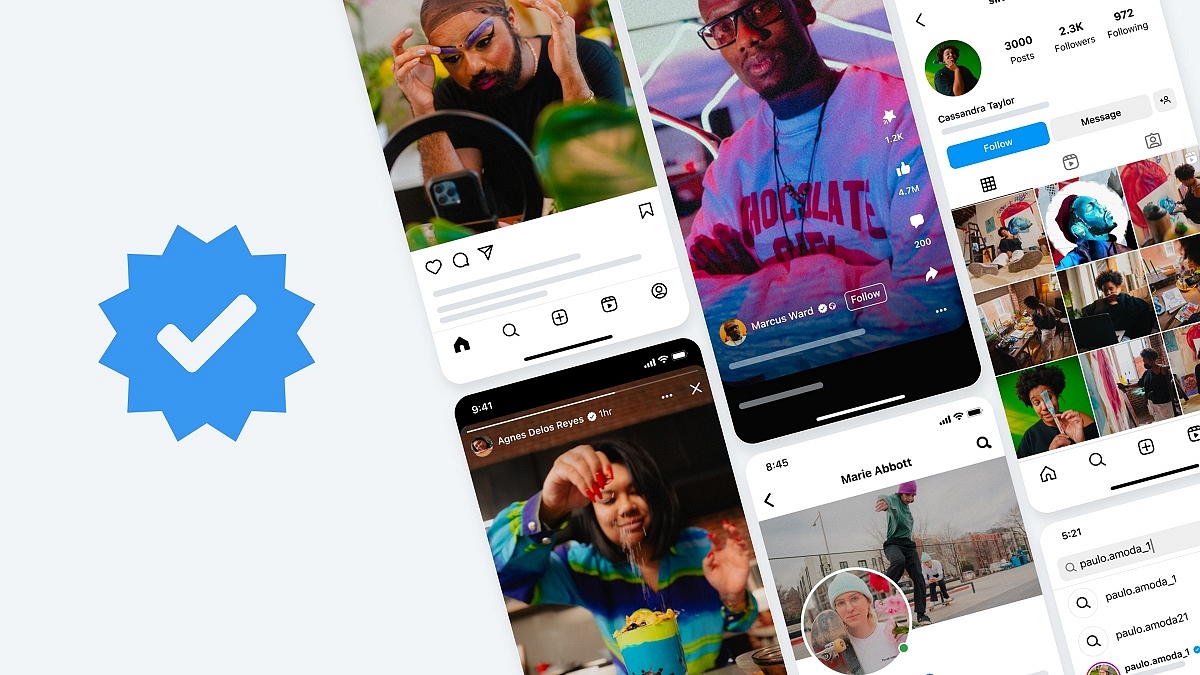
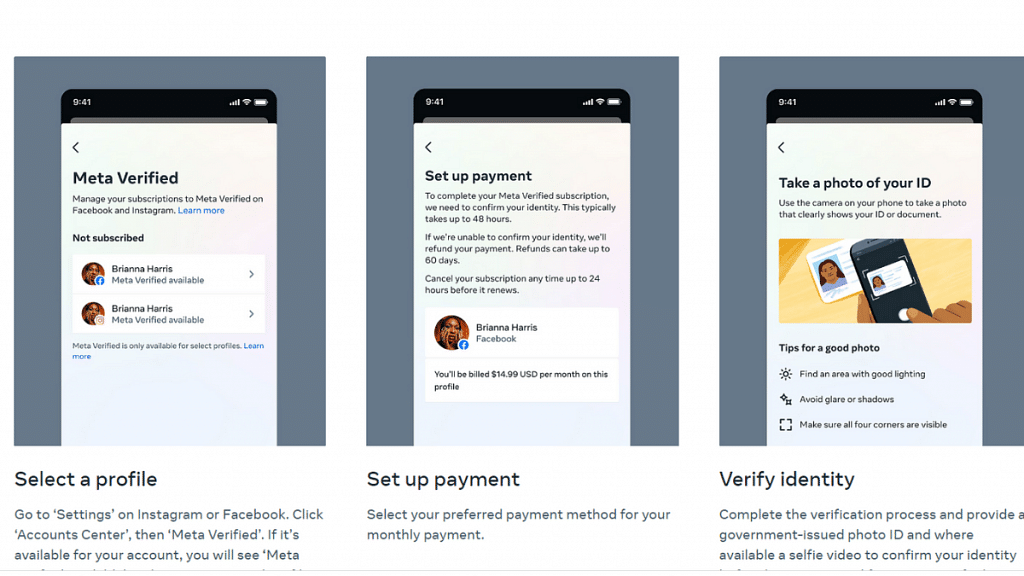
Meta has made a significant announcement regarding the expansion of Meta Verified availability to several countries, including India. This service allows Instagram and Facebook users in India to obtain the blue tick verification badge by subscribing to a monthly plan priced at Rs. 699 for iOS and Android.

Additionally, Meta plans to introduce a web purchase option in the coming months, offering a monthly subscription price of Rs. 599. As Meta Verified becomes accessible in India, users can follow these steps to opt for the service on Facebook. Also Read | How To Get Verified On Instagram: Here’s A Step-By-Step Guide

How To Opt For Meta Verified And Obtain Blue Tick On Facebook

Step 1: Access the Facebook app and go to your main profile. Tap the menu icon located at the top right corner.

Step 2: After selecting “Settings and privacy,” scroll down and touch “Settings.”

Step 3: Within the settings menu, tap on “Accounts Center” and then choose “Meta Verified” under the Account Settings section.

Step 4: You will see the phrase “Meta Verified available” displayed beneath your name and profile picture if it is available for your account.

Step 5: Review the list of benefits provided and tap “Continue” to proceed.

Step 6: Confirm your payment details and tap “Pay now” to complete the transaction.

Step 7: You will be prompted to undergo the verification process and upload your identification document.

Also Read | How To Edit Facebook Photos Via Mobile, Desktop App Directly

Step 8: Select the profile you wish to verify and tap “Confirm your identity.”

Step 9: Update your name if necessary, and then save the changes by tapping “Save.”

Step 10: Select the next step in the process and tap “Next” to continue.

Step 11: Choose the type of identification you will be using and tap “Next.”

Step 12: Read the recommendations for ID confirmation and tap “Take photo.”

Step 13: Verify that the information on your ID is clearly visible and tap “Next.” If the information is unclear, retake the photo by tapping “Retake.”

Step 14: Capture a photo of the back of your ID and tap “Take photo.”

Step 15: Ensure that the information on the back of your ID is clearly visible, and then tap “Submit.” If needed, retake the photo by selecting “Retake.”

Step 16: Wait for your ID to upload, which may take some time, and then tap “Finish.”

By following these steps, Facebook users in India can now obtain the highly sought-after blue tick verification badge through Meta Verified. Stay connected and enjoy the benefits of verified status on the platform.

Also Read | How To Get Blue Tick/Verified on Twitter – Step By Step Process and Eligibility Criteria Explained

Categories
Apps Featured Info

Google Meet Introduces On-the-Go Mode For Managing Video Calls While Walking

Key Highlights

  • Convenient video calls while on the move.
  • Safer and easier multitasking during video calls.
  • On-the-Go mode disables camera for privacy.
  • Enhanced interface with larger audio buttons.

Google is launching a new feature called ‘On-the-Go’ mode for its video communication service, Google Meet. This feature aims to provide a safer and more convenient way for users to stay connected during video calls while on the move or engaged in physical activities.

Also Read: How To Download Google Meet On Laptop: Here’s The Step-By-Step Guide

On-the-Go Mode for Seamless Video Calls

According to reports, the upcoming On-the-Go mode will transform the interface of the Google Meet app. Users will have two options to access this mode: automatic detection by the app based on motion sensors detecting walking, or manually switching to the mode through a new option in the in-call menu.

Once activated, the On-the-Go mode disables the camera and stops video feeds from other participants. Instead, a new layout with larger buttons for muting/unmuting audio, switching audio output, and raising one’s hand will be displayed. Additionally, a disconnect call button will be easily accessible. If users wish to revert to the previous interface, a simple tap on the “Turn off On-the-Go” button located at the top will suffice.

Also Read: How To Sign In To Your Google Workspace Accounts Without Passwords: A Step-by-Step Guide

Development and Availability

At present, the On-the-Go mode is still in the development phase and may only be available to developers or beta testers. There is no official information regarding when or if Google will roll out this feature for general Meet users. However, its potential to enhance the user experience and facilitate multitasking during video calls is promising.

Google has been continuously improving its video calls. Earlier this month, the company introduced a viewer mode that allows users to designate participants as “viewers” to minimize distractions during large meetings. This feature reduces audio disruptions and enhances the overall meeting experience. In April of this year, Google also rolled out a 1080p video call option for Meet users, further enhancing the visual quality and clarity of video calls.

Also Read: Want To Create A New Group For Google Meet Calls? Here’s How To Do It

Categories
Apps Featured

100+ Fun And Unique Instagram Name Ideas For Book Lovers

Key Highlights

  • Instagram is a hub for book enthusiasts to connect and share literature love
  • A creative username is crucial amid the multitude of book-related accounts
  • Choose names with puns, literary references to foster community among bibliophiles

Instagram has become a popular platform for book lovers to connect, share their love for literature, and discover new reading recommendations. Having an engaging and creative Instagram username is essential to stand out in the vast sea of book-related accounts. From puns to references to beloved literary characters, here are some Instagram name ideas for book lovers that are sure to catch the attention of fellow bibliophiles and create a sense of community in the world of books. Also Read | 100+ Unique And Memorable Instagram Names For Boutiques

Cool Instagram Names For Book Lovers

BookwormChroniclesReadingReverieBookishChapters
LitLoverBookishRealmLiteraryWhimsy
BibliophileBlissLiteraryHavenImaginaryWorlds
NovelNookPageTurnerParadiseBibliosaurus
LiteraryJourneyBookishGuruLiteraryTreasure
InkedPagesNovelNotesBookishEnchantment
WordsmithWhispererLiteraryEscapeQuillandScrolls
ProsePleasurePaperbackPassionLiteraryAddiction

Also Read | Best Apps And Tools To Download High Quality Instagram Status On Any Phone

Trendy Instagram Names For Book Lovers

StorytellerScribblesLiteraryLushReadingRevolution
BookishAdventuresBookishCharmLiteraryEscape
BookishWanderlustLiteraryLyricismBookishOasis
LiteraryLegacyBookishTranquilityNovelMinds
WordWonderlandReadingRainbowReadingWaves
BookishCafeBookishDreamerBookishWhispers
BibliophilicBlissLiteraryLabyrinthLiteraryJungle
ReadingRendezvousBookishHarmonyBibliomaniac

Also Read | Love K-pop? Check Out 100+ Fun And Unique Instagram Names

Popular Instagram Names For Book Lovers

BookishEuphoriaBookishSymphonyBookishMagic
LiterarySerenityLiteraryHarborQuillandVerse
ChapterandVerseBookishTherapyNovelNinja
BookishVoyageBibliophilicParadiseLiteraryCraze
LiteraryNirvanaProsePassionBookishSanctuary
BookishReverieReadingRefugeReadingRadiance
NovelNectarBookishBlissBookishWhimsy
ReadingRespiteLiteraryLoungeLiteraryVoyager

Also Read | 100+ Best Instagram Gaming Names For Girls

Creative Instagram Names For Book Lovers

StorybookSerenadeBookishOdesseyBookishMelody
BookishWandererLiteraryMesmerBibliophilicJourney
ReadingReverenceBibliophileRealmLiteraryNook
LiteraryHavenBookishReverieBookishUtopia
BibliophileBoundStorybookSoireeReadingRetreat
BookishWonderBookishDelightNovelNest
LiteraryElixirLiteraryJunctionBookishHarmony
WordWeaverReadingParadigmLiteraryMirage

Also Read | Top 4 Features Of Instagram Threads

Catchy Instagram Names For Book Lovers

BiblioscapeReadingAffairReadingMania
BookishSanctumBookishVortexReadingEnthu
LiteraryLuminaryLiteraryLullabyBookish
WordCrafterNovelMosaicBookNerd
BookishDelightfulBookishSanctuaryBookish Treasure
LiteraryChronicleReadingEscapeLiteratureWorld
BibliophilePassionLoveReadingReadingWorld
BookishHabitatWordsLoverLuvRead

Choosing the perfect Instagram username for book lovers can be a fun and exciting process. Whether you opt for a clever pun, a literary reference, or a combination of both, the goal is to showcase your passion for books and attract like-minded individuals.

Remember to select a name that reflects your unique personality and interests while also inviting others to join the conversation. With the right Instagram username, you’ll be well on your way to building a vibrant bookish community online. Happy reading and happy username hunting!

Categories
Apps Featured

100+ Unique And Memorable Instagram Names For Boutiques

In the ever-evolving world of fashion, establishing a strong online presence is crucial for boutique owners. With Instagram being a popular platform for showcasing unique styles and capturing the attention of fashion enthusiasts, choosing the right Instagram name becomes a vital step. Whether you’re starting a new boutique or looking to rebrand your existing one, this article presents a curated selection of the best Instagram names for boutiques. From catchy and creative options to stylish and memorable choices, these names will help you make a lasting impression in the digital fashion realm. Also Read | 100+ Cool And Creative Art Studio Name Ideas For Your Instagram Account

Creative Instagram Names For Boutiques

ChicBoutiqueBuzzChicCliqueBoutiqueFabulousFindsShop
StyleSquadCentralEnchantingEleganceHauteCoutureHaven
GlamourGalleriaStyleEssentials101ChicAndUniqueBoutique
FashionFusionHubClassyChicBoutiqueTheFashionFixation
TrendyThreadsCoGlamourGoddessesElegantEnsembles
TheFashionHiveFashionistaFavesStylishSiren
CoutureCrushTheStylishSceneChicTrendsGal
BoutiqueBlissfulTrendyTreasuresCoGlamorousGems

Trendy Instagram Names For Boutiques

TheFashionLoungeTheStyleStashClassyCloset
ClassyCoutureCoGlamourGraceStylishSensation
TrendyVogueShopFashionForwardFindsChicBoutiqueXO
FabFashionFindsChicCharmersGlamAndGorgeous
StyleMavensEn VogueEmporiumFashionFrenzyCo
TheChicSpotTrendyTreasuresShopTheStyleSanctuary
FlawlessFashionsFabulouslyFierceElegantEnsembles
BoutiqueBeautiesTheFashionEmpireTrendyThreadsShop

Also Read | 100+ Best Instagram Names For Cricket Lovers

Attractive Instagram Names For Boutiques

FabulousFashionistasClassyCoutureChicTrendyVogueBoutique
GlamourGoddessCoFlawlessFashionistasFabFashionFindsCo
FashionForwardFindsShopBoutiqueBeautyStyleEnvy
ChicChicChicTheStyleSocietyTheChicBoutiqueSpot
HauteCoutureChicTheStyleOasisStylishGuru
ClassyChicFindsChicAndCharmingBoutiqueChicTrendsGalore
GlamourGlamTheFashionParlorGlamorousGemsShop
FashionistaFavoritesElegantEdgeTheFashionCraze

Catchy Instagram Names For Boutiques

En VogueEssentialsFashionFrenzyShopFashionistaFavoritesShop
TrendyTreasuresGaloreTheStyleHavenTheStyleHideaway
FabulouslyFierceCoElegantEssentialsChicAndCharmingCo
TheFashionEliteTrendyThreadsGaloreTheFashionLoungeShop
ClassyClosetShopFabulousFashionistasCoElegantEdgeCo
StylishSensationCoHauteCoutureCharmStylishGuruShop
ChicBoutiqueLoveClassyChicFindsShopChicTrendsGalore
GlamAndGorgeousCoGlamourGlamCoTheFashionEscape

With the power of a well-crafted Instagram name, boutique owners can build a strong brand identity, attract a wider audience, and stand out in the competitive fashion landscape. By choosing one of the suggested Instagram names or using them as inspiration, you can enhance your boutique’s online visibility and create an engaging platform that resonates with your target customers.

Also Read | 100 Best And Catchy Instagram Names For Makeup Artists

Categories
Apps Featured How To

WhatsApp Channels Message Broadcast Tool Launched: What Is It? How To Use?

Key Highlights

  • WhatsApp Channels message broadcast feature released
  • Similar to Telegram broadcast feature
  • Channels isn’t end-to-end encrypted

WhatsApp is consistently working on providing a superior messaging experience to the masses. After launching multiple chat-centric features, the brand has now released a new broadcast feature that will definitely elevate the messaging experience on Android and iOS devices. What is the new broadcast feature introduced by WhatsApp and how does it work? Below are the details:

Also Read: WhatsApp Chat Lock Privacy Feature Released For Android, iOS: How To Lock WhatsApp Chats Using This New Feature?

WhatsApp Channels Message Broadcast Feature: What Is It? How To Use?

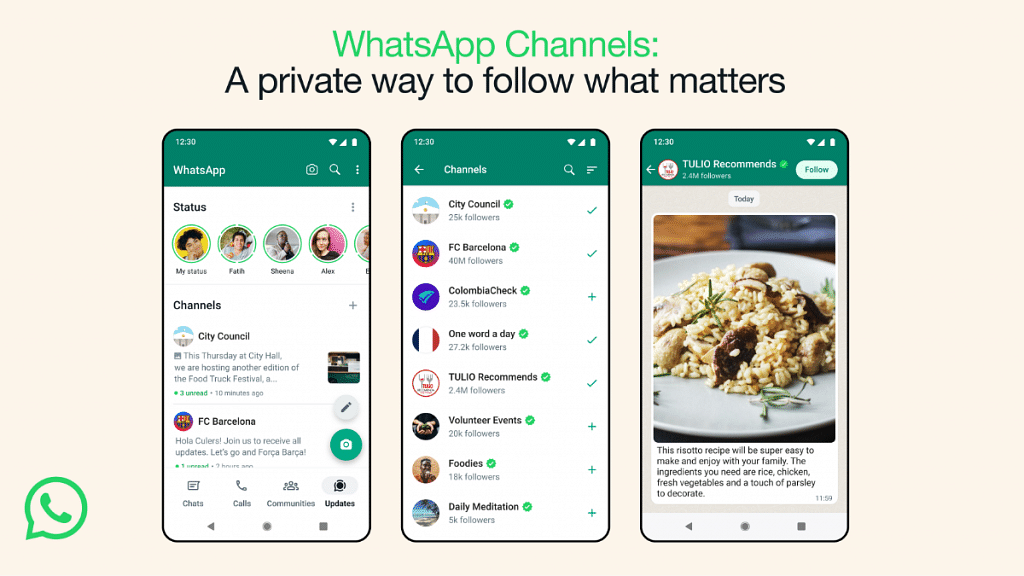
WhatsApp Channels is a one-way broadcast tool that will allow users to get important updates from organizations, groups, or users. The latest message broadcast feature introduced by WhatsApp has been already available with Telegram and is quite popular amongst the masses.

With the WhatsApp Channels, group admins will be able to share different types of content easily. Admins will be allowed to broadcast media files including images and videos. Also, Channels will allow users to broadcast or share stickers and polls.

WhatsApp is creating a new tab called Updates where this Channels tool can be accessed. A searchable directory is also in the works where users will be able to find channels based on their interests including sports and others.

Channel admins can send invite links via e-mails or chats so that interested users can join the Channel. Also, the Status updates of the channels will be shown separately from the contacts status window.  Additionally, WhatsApp has revealed that the channel’s history will be stored on the brand’s servers for up to 30 days. Going forward, WhatsApp plans to make the Channel updates disappear faster for the users.

Also Read: WhatsApp Edit Message Feature Is Now Available For Android And iOS: How To Correct WhatsApp Message Spelling Errors And More

Who All Can Use WhatsApp Channels?

The WhatsApp Channels message broadcast feature is currently released in limited markets only. WhatsApp users in Colombia and Singapore can use the Channels features. The company is expected to roll out Channels messaging services to the remaining regions including India in the coming months.

Also Read: WhatsApp Screen Sharing Feature For Video Calls In Works: How To Share WhatSApp Screen on Android?

Categories
Apps Info

Meta Verified Blue Tick Subscription Plans For Facebook, Instagram Announced In India: Cost, Eligibility Criteria, And More

Key Highlights

  • Meta Verified Blue tick subscription packs released in India.
  • Subscription cost starts at Rs. 699 for Android and iOS.
  • Web users will have to Rs. 599 for a subscription.

Blue Tick verifications are quite hype on the social media space. Getting verified on popular social media platforms previously required users and content creators to follow and meet specific guidelines to earn the verification badge. But following Twitter’s footsteps, Meta has also introduced subscription-based Blue Badge for Facebook and Instagram users in the country.

Both Facebook and Instagram account holders can now get their profile verified in India with a blue tick. The Meta Verified badge is available for purchase in the country for all the respective Facebook and Instagram users. How much one needs to pay to get verified on Facebook and Instagram in India and if there are any conditions one needs to follow? Check out the details below:

Also Read: 100+ Catchy Cooking Page Name Ideas For Your Instagram Account

Meta Verified Blue Ticks Price For Instagram And Facebook

Meta has released the Verified Badge/ Blue subscription rates for Facebook as well as Instagram. The users of both respective social media platforms can buy the blue ticks using Android and iOS devices at the moment. The Facebook and Instagram web version will get the Blue tick subscription plans in the next few months. However, the timeline for the same is not announced by Meta.

Speaking of the rates, the Meta Verified blue tick for Facebook and Instagram is priced at Rs. 699. As mentioned, both Android and iOS users can buy the Meta verified tag at this rate. Whereas, the Meta Verified subscription rate is less for the web version. It will cost just Rs. 599 per month for the Facebook and Instagram web users.

Also Read: Instagram’s Latest AI Development With Unique Personalities

Meta Verified/ Blue Ticks For Facebook And Instagram: Key Points To Note

  1. Eligibility Criteria: The Meta Verified Blue tick will be available to the new and existing users who meet the set criteria of minimum 18-year-old age. Also, a user would require to have some post-sharing history in order to get Meta Verified for Facebook and Instagram.
  2. Selfie Verification: To verify the account and the user, Meta could as for selfie verification from certain users.
  3. Government ID: Both Facebook and Instagram users will need to provide valid government ID proof for the verification process.
  4. After all the documents and accounts are verified, the Blue Tick will be visible on the respective Instagram and Facebook profiles.  
  5. Language Support: Currently only English language support is available for Indian users. Going forward the Hindi language support will also be added.

Also Read: How To Edit Facebook Photos Via Mobile, Desktop App Directly