Categories
Apps Featured

Mastering A New Tongue? Here Are The Best Mobile Apps For Learning A New Language

Key Highlights

  • Mobile apps can be an excellent tool for learning a new language
  • Each app offers different features
  • It’s essential to consider your personal learning style and goals when choosing an app to use

Learning a new language can be a challenging but rewarding experience, and with the help of mobile apps, it can be made more accessible and convenient. There are countless mobile apps available that can help you learn a new language, but here are some of the best ones to consider:

Also Read | Best Apps to Watch Live TV on Android

Duolingo

Duolingo is one of the most popular language learning apps, and for good reason. It offers a variety of language courses, including Spanish, French, German, Italian, and many others. Duolingo offers interactive exercises, games, and quizzes to help you learn vocabulary, grammar, and pronunciation.

Babbel

Babbel is another popular language-learning app that offers courses in over 14 different languages. It offers a variety of exercises, including interactive conversations, listening exercises, and grammar lessons. Babbel also offers personalized lessons based on your skill level and interests.

Also Read | Best Money-Earning Apps For Android Phones

Memrise
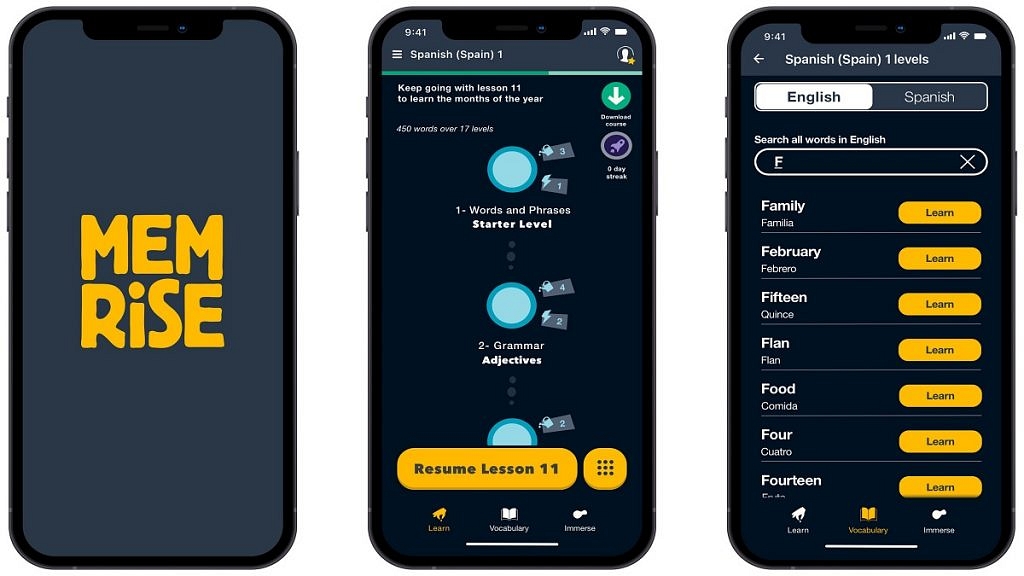
Memrise is a language learning app that focuses on vocabulary building. It offers courses in over 20 different languages and uses mnemonic devices and spaced repetition to help you remember words and phrases. Memrise also offers a variety of interactive games and quizzes to help you practice.

Busuu
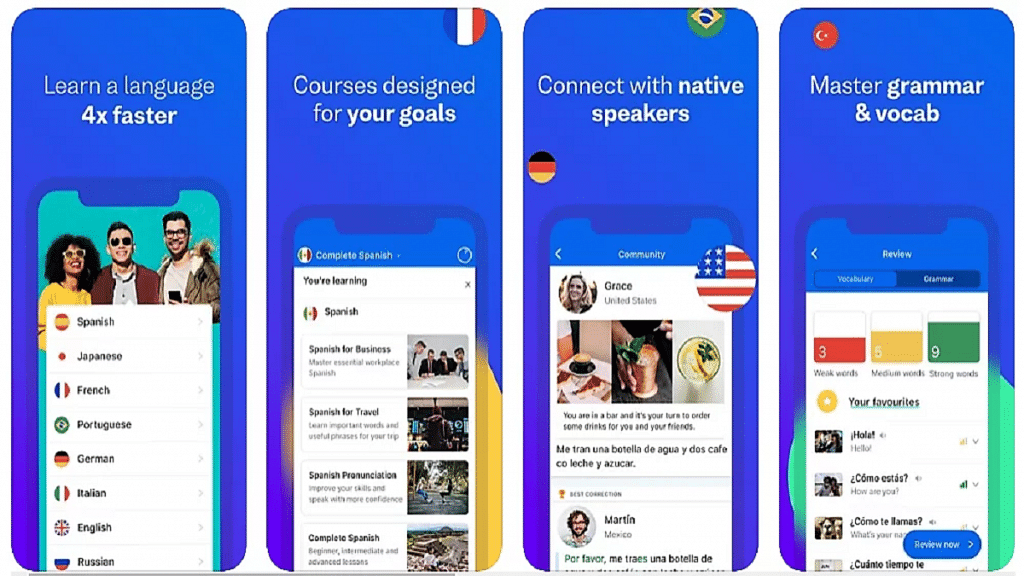
Busuu offers language courses in 12 different languages, including Spanish, French, and German. It offers interactive lessons, quizzes, and conversations with native speakers to help you practice your speaking and listening skills. Busuu also offers a personalized study plan based on your skill level and goals.

Also Read | Best Government Apps Offering AI Chatbot Support

Rosetta Stone
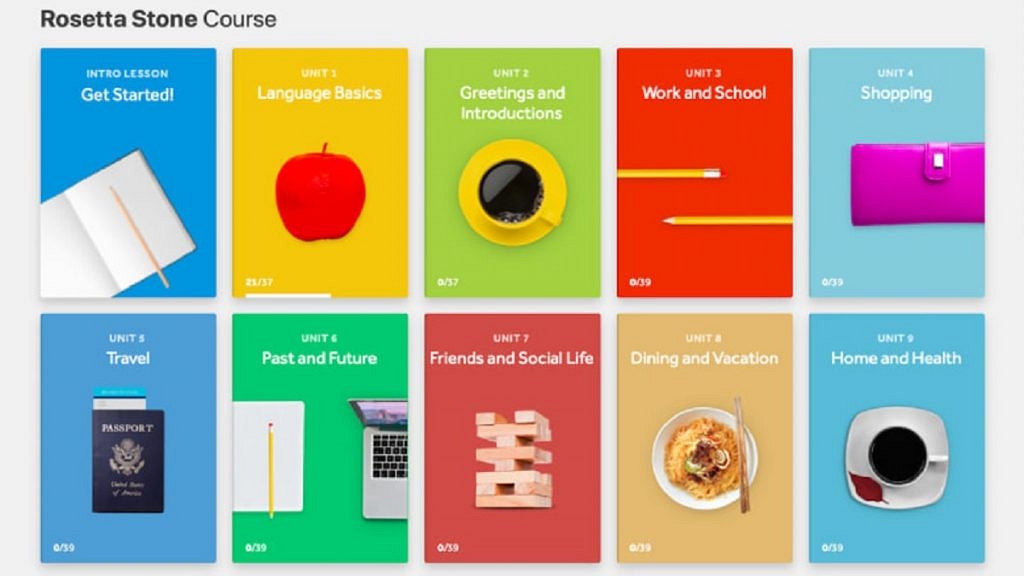
Rosetta Stone is a well-known language-learning program that has been around for years. Its mobile app offers courses in over 24 different languages and uses immersive techniques to help you learn. Rosetta Stone offers interactive exercises, games, and quizzes to help you practice speaking, reading, and listening.

Lingodeer

Lingodeer offers courses in over 10 different languages, including Japanese, Korean, and Chinese. It offers interactive lessons, quizzes, and games to help you learn vocabulary, grammar, and pronunciation. Lingodeer also offers a personalized study plan based on your skill level and goals.

Also Read | Best Apps To Detect Hidden Camera For Android And iOS

Categories
Apps Featured

One Word Instagram Captions For Boys And Girls

Sometimes, one word is all needed to express the unique moments you have and want to share with others. It might be fun to convey your emotions in one word in your Instagram captions. Some days, you don’t want those dated, dull, and protracted captions on your postings. You want to make things short and sweet while being clever, original, and compelling.

We, therefore, created this fantastic collection of one-word Instagram captions to make things much easier for you. You may use it for anything you want to post with your friends and followers.

Also Read: 100+ Best Usernames Ideas For Instagram Account Dedicated To Lord Shiva

One Word Instagram Caption For Selfies

DaydreamingBoredBlessed
PlayerYOLO Breathe
NocturnalGirlbossHappy
BlingKingWeeeeeeekend!
HustlerGratefulBadass

Also Read: Instagram Names For Tech Geeks: 100+ Catchy And Unique Usernames

One Word Instagram Caption For Friends

OMG!BrothersBesties
F.R.I.E.N.D.S.GangXOXO
FellasDudesTrippin’
SisterhoodBuddiesTribe
SistersBrotherhoodChillin’

Also Read: Looking For Trending Gamer Names? 100 Best Instagram Usernames For Gamers

One Word Instagram Caption For Travellers

WanderlustSonderSerendipity
WayfarerTherapyUnwind
NostalgicExhaleMood
TravellerRoadtripEscape
Destination ExploringWindswept

Also Read: 100+ Best Instagram Names For Motivational Speakers To Inspire The Audience

One Word Instagram Caption For Family

TogethernessBelovedFancy 
PriorityEnergyHumble
UnforgettableVintage Radiant 
MomentsDopeThrowback
DearestStrengthLoved

Also Read: Are You A BTS Fan? Here Are The 100 Best Instagram Names For BTS Army

Categories
Apps Featured How To

Need To Scan A QR Code On Android And iPhone? Here’s How You Can Do It

Key Highlights

  • Scanning QR codes on Android and iPhone is simple
  • It can be done using the built-in camera app
  • Just make sure the QR code is centered in the viewfinder, and the camera is close enough to capture the code clearly

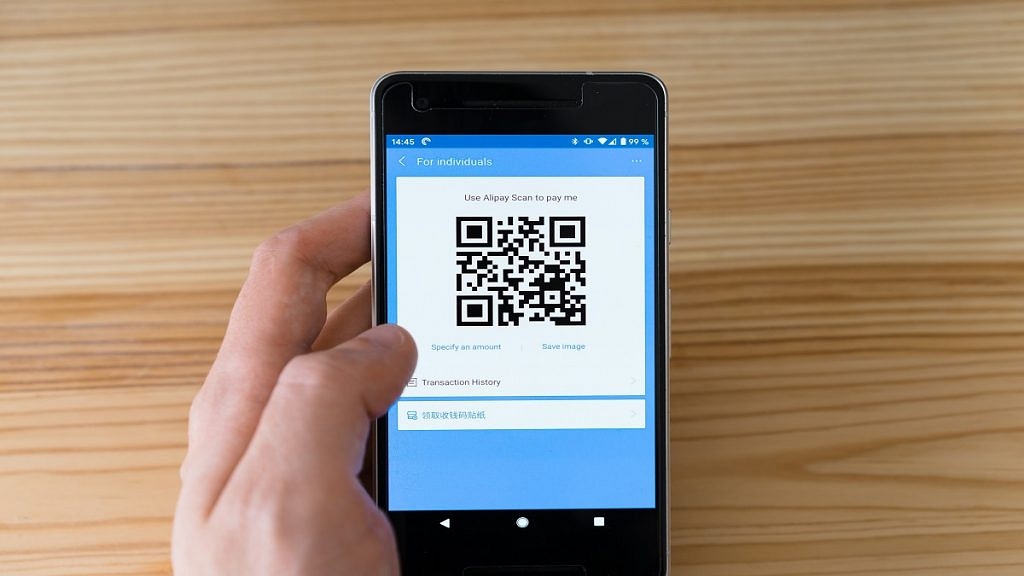
QR codes have become increasingly popular over the years, and they are now an essential part of modern life. A QR code is a two-dimensional code that can store various types of information, such as URLs, text, and contact information. Scanning QR codes on Android and iPhone is easy and can be done using the built-in camera app. Also Read | Paytm Lite: What Is It? How To Setup And Use Paytm Lite On Smartphones?

How To Scan QR Codes On Android?

Step 1: Open the camera app on your Android device. Some Android devices have a dedicated QR code scanner, while others require the use of the camera app.

Step 2: Point your camera at the QR code. Make sure the QR code is centered in the viewfinder, and the camera is close enough to capture the code clearly.

Step 3: Wait for the camera to recognize the QR code. Once the code is recognized, you will see a notification on your screen.

Step 4: Tap on the notification to open the link or information stored in the QR code. If the code contains a link, it will open in your default browser.

Also Read | How To Edit Facebook Photos Via Mobile, Desktop App Directly

How To Scan QR Codes On iPhone?

Step 1: Open the camera app on your iPhone. QR code scanning is built into the camera app, so there is no need to download a separate app.

Step 2: Point your camera at the QR code. Make sure the QR code is centered in the viewfinder, and the camera is close enough to capture the code clearly.

Step 3: Wait for the camera to recognize the QR code. Once the code is recognized, you will see a notification at the top of your screen.

Step 4: Tap on the notification to open the link or information stored in the QR code. If the code contains a link, it will open in your default browser.

If your iPhone is running iOS 11 or later, you can also use the Control Center to scan QR codes. To do this, swipe up from the bottom of the screen to open the Control Center, and then tap on the QR code scanner icon. Point your camera at the QR code, and wait for it to be recognized.

Also Read | Check Internet Speeds: How To Test Mobile And Wi-Fi Internet Speeds Using Facebook Mobile App

Categories
Apps Featured How To

Check Internet Speeds: How To Test Mobile And Wi-Fi Internet Speeds Using Facebook Mobile App

Key Highlights

  • Facebook allows internet speed testing via mobile app
  • Speed test feature can be accessed from Settings and Privacy menu
  • Both mobile and Wi-Fi speeds can be tested using Facebook App

Facebook is one of the biggest social media platforms that is available for the Android and iOS smartphone users globally. It not just allows media sharing, but also helps the audience with staying connected with the world and distant relatives/friends. A stable internet connection is required to access Facebook services without any hiccups or lags.

While using Facebook, you might have experienced slower browsing speeds or media loading. This could be due to low internet speeds of you mobile network or Wi-Fi. Of course, there are numerous dedicated apps for internet speed testing. In fact, Google search engine can also be used for testing internet speeds.

Also Read: How To Upload WhatsApp Status In High Quality (Images, Videos) On Android, iOS?

But what if you don’t have any dedicated app for internet speed testing and you are in the middle of using Facebook. Well, the social media giant has a way out for the same. Facebook app has a built-in feature with which you can easily test the speeds of any network with which your device is connected. Want to know the steps how you can check Wi-Fi or mobile data speeds using Facebook app? Read on below:

Also Read: 100 Best Instagram Name Ideas For Graphic Designers

How To Check Mobile, Internet Wi-Fi Speeds Using Facebook Mobile App?

Step 1: Launch Facebook mobile application on your respective Android and iOS devices.

Step 2: Tap on your Profile menu.

Step 3: Scroll down to Settings & Privacy option. Click on it.

Step 4: A new window will pop up with multiple settings options. Locate “Wi-Fi and mobile performance” option.

Also Read: How To Download Or Transfer All Facebook Videos And Images Directly To Google Photos

Step 5: As soon as you tap on the Wi-Fi and mobile performance a new page will open up showing the Mobile, Wi-Fi, and Your Speed options.

Step 6: Select the appropriate network whose speeds you want to test.

Step 7: Tap on the Your Speed option.

Step 8: You will now see the Run a speed test option. Click on it to initiate the speed test run.

Step 9: The exact Download and Upload speeds will be shown when the speed test is complete.

Also Read: How To Edit Facebook Photos Via Mobile, Desktop App Directly

Categories
Apps Featured

Paytm Lite: What Is It? How To Setup And Use Paytm Lite On Smartphones?

Key Highlights

  • According to NPCI, 50% of UPI transactions in India are for Rs 200 or less
  • Although UPI payments simplify transactions, there is a daily transaction cap
  • Unlimited low-value transactions are permitted every day with UPI Lite

The Reserve Bank of India introduced the UPI Lite in September 2022 to streamline the UPI transaction procedure. A May 2022 NPCI circular states that transactions with a value of Rs 200 or less make up 50% of all UPI transactions nationwide. Unfortunately, even with a small volume of transactions, the UPI system becomes overloaded, which increases the volume of interactions between banks and frequently results in payments getting stuck. UPI requires consumers to add pins and wait for the bank to start payments, which adds to the overall processing time. With UPI Lite users are able to start low-value transactions immediately from a digital wallet using this functionality without having to input their UPI pin.

Also Read: Want To Set Up UPI Lite In BHIM App? Here’s How To Do It

How Does UPI Lite work?

Using UPI Lite is equivalent to using a wallet. Simply enable UPI Lite in one of the apps that is compatible with it and add money (up to Rs 2000) using your UPI account. You can scan any QR code or enter a phone number to pay an amount under Rs 200 without a PIN once the funds have been credited to your wallet.

The main distinction between conventional wallets and UPI Lite wallets is that money will be transmitted directly to the user’s UPI account. This is done to lessen the pressure on the CBS (Central Banking System) of banks during periods of heavy UPI usage, which can be used for high-value transactions.

Also Read: YouTube Tips And Tricks: How To Download YouTube Shorts Videos Offline

Paytm UPI Lite

Users can utilize Paytm UPI Lite to instantly send up to Rs 200 after setting up the service. However, when using this service to make payments, consumers do not need to use UPI PIN or wait for banks to confirm transactions.

Also Read: How To Recharge Metro Smart Card Online: A Step By Step Guide

How To Setup UPI Lite On Paytm?

You may quickly get UPI Lite ready to use by following the steps below.

Step 1: If you don’t already have it, download the Paytm app to your smartphone.

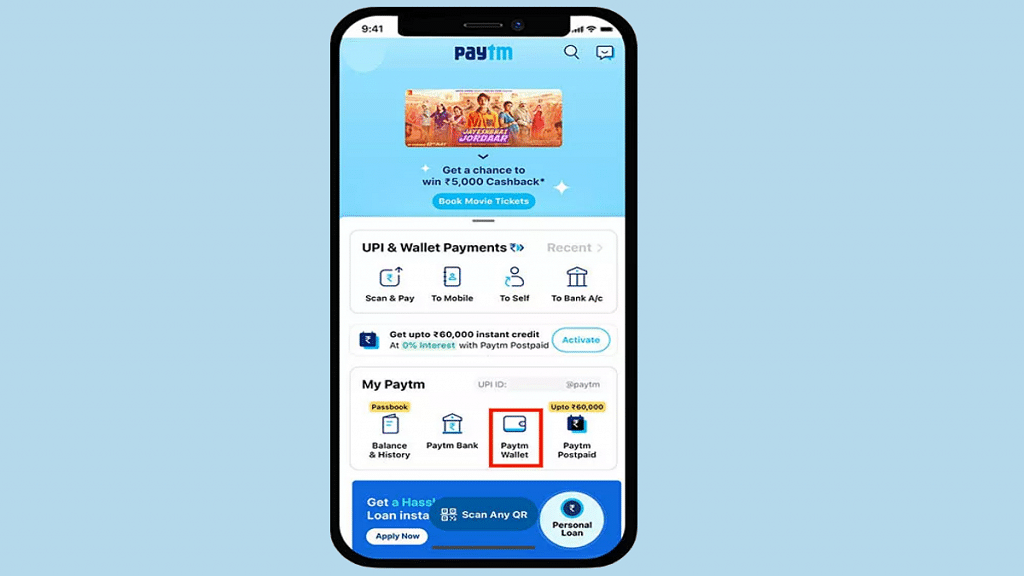
Step 2: Then, hit “Balance and History” after opening it. The UPI Lite option will show up first. Then click “Activate.”

Step 3: If you have a UPI Lite-supported bank added to Paytm, choose it and tap on “Next”.

Step 4: Enter a small amount and click “Add Money to UPI Lite”. Keep in mind that you can only add up to Rs 2,000 and that the money will only be deducted from the supported UPI account. The UPI PIN must now be entered in order to activate UPI Lite.

Step 5: You can now use the UPI Lite wallet to make payments up to Rs. 200 by scanning any QR code without entering your UPI PIN.

Also Read: How To Check Metro Card Balance Offline And Online? Learn Here

Categories
Apps Featured How To

Use Paytm To Book Your Bus Tickets: A Step-By-Step Guide

Key Highlights

  • Paytm offers a convenient and hassle-free way to book your bus tickets online
  • Users can easily search for available buses, select their preferred seats, and pay securely through the app
  • Paytm offers various deals and cashback offers to make bus travel more affordable

Paytm is a leading digital payments and e-commerce platform in India that has now diversified into travel ticketing services. The platform offers an easy and convenient way to book bus tickets online. In this article, we will guide you on how to book your bus tickets on Paytm. Also Read | Last-Minute Travel Plans? Here’s How To Book Tatkal Train Tickets Online

Steps To Book Bus Tickets Via Paytm

By following the listed steps, you can easily book your bus tickets on Paytm and enjoy a comfortable journey.

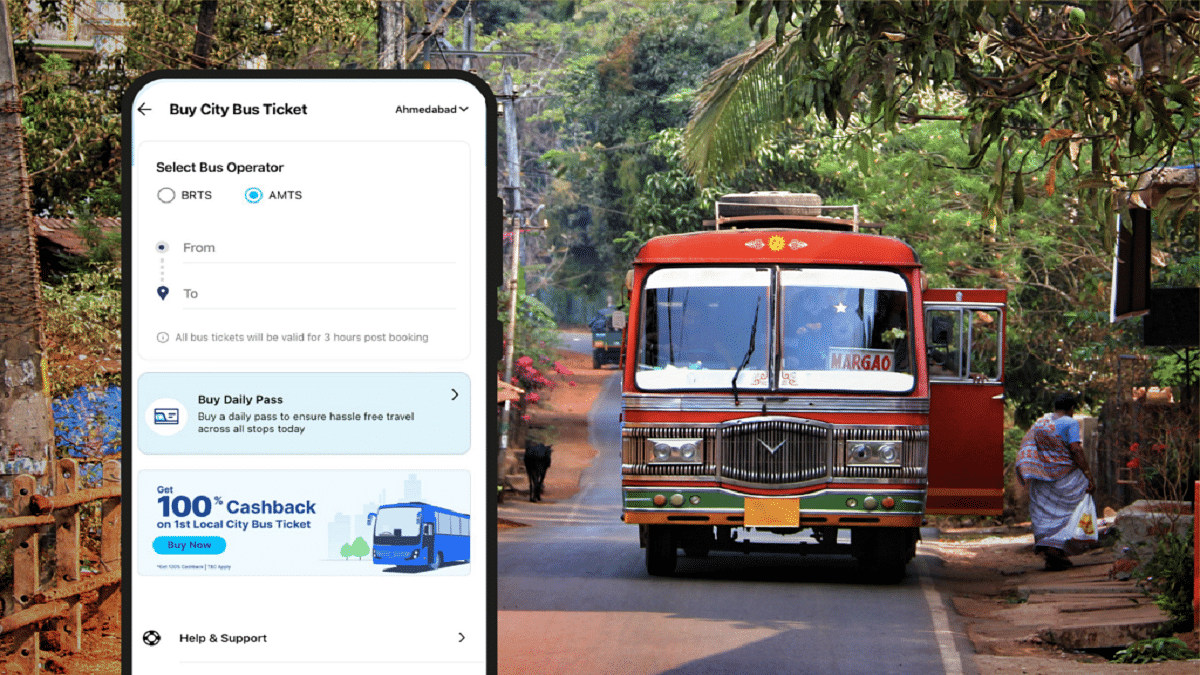
Step 1: Download the Paytm app on your smartphone. You can download the app from the Google Play Store or Apple App Store. Once you have downloaded and installed the app, you need to sign up or log in to your Paytm account.

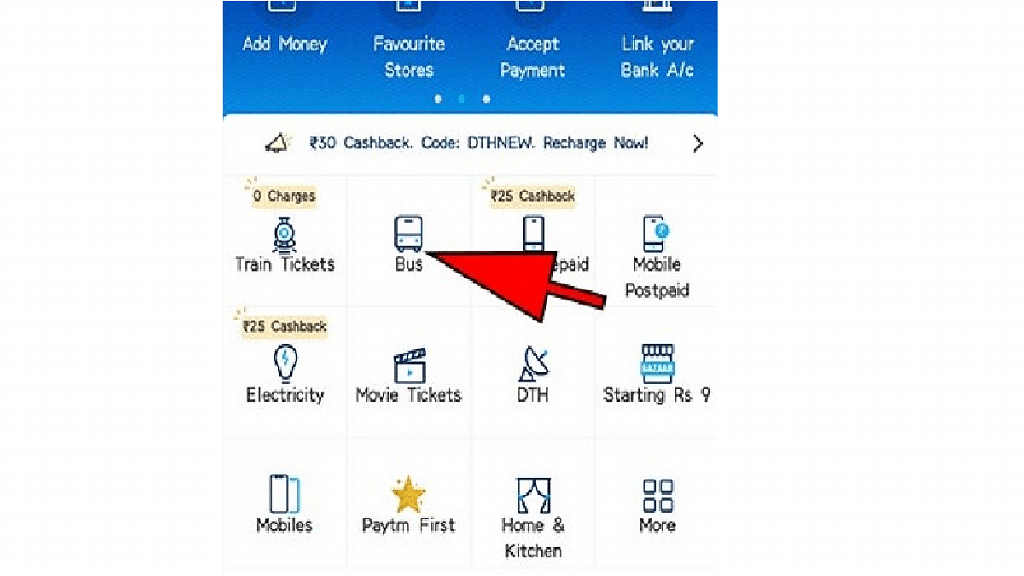
Step 2: After you have logged in to your Paytm account, you need to select the Bus Ticket Booking option from the home screen. This will take you to the bus ticket booking page where you can enter your travel details.

Step 3: On the bus ticket booking page, you need to enter your travel details, such as your destination, departure city, date of travel, and the number of seats required. Once you have entered all the details, click on the Search button.

Step 4: After you have clicked on the Search button, Paytm will display a list of available bus options that match your travel details. You can choose your preferred bus from the list based on the bus operator, bus type, fare, and timing.

Also Read | Best Mobile Apps To Easily Find Parking Spot For Your Car

Step 5: Once you have selected your bus, you need to choose your preferred seats and click on the Continue button.

Step 6: You will be redirected to the payment page where you can choose your preferred payment method, such as Paytm Wallet, Credit Card, Debit Card, or Net Banking. Follow the prompts to complete your payment and confirm your booking.

Step 7: After your payment is processed, you will receive a confirmation message and an e-ticket on your registered mobile number and email ID. You can save the e-ticket on your device or take a printout of it to carry with you while traveling.

Also Read | Best Websites For Perfect WhatsApp DP For Girls

Categories
Apps Featured How To

Last-Minute Travel Plans? Here’s How To Book Tatkal Train Tickets Online

Key Highlights

  • Tatkal scheme allows travelers to book tickets one day in advance
  • Booking Tatkal train tickets through the IRCTC website and app is a simple process
  • Users can book tatkal train tickets from the comfort of their home

Tatkal train tickets are a popular option for travelers who need to make last-minute bookings or want to secure a seat on a high-demand train. The Indian Railway Catering and Tourism Corporation (IRCTC) is the official website for booking train tickets in India, and it offers a simple and convenient way to book Tatkal tickets online. Here is a step-by-step guide on how to book Tatkal train tickets through the IRCTC website and app. Also Read | List Of Best Government Apps Offering AI Chatbot Support To Improve User Experience

How To Book Tatkal Train Tickets On The IRCTC Website?

Step 1: Log in to the IRCTC official website with your user ID and password. If you don’t have an account, you will need to create one.

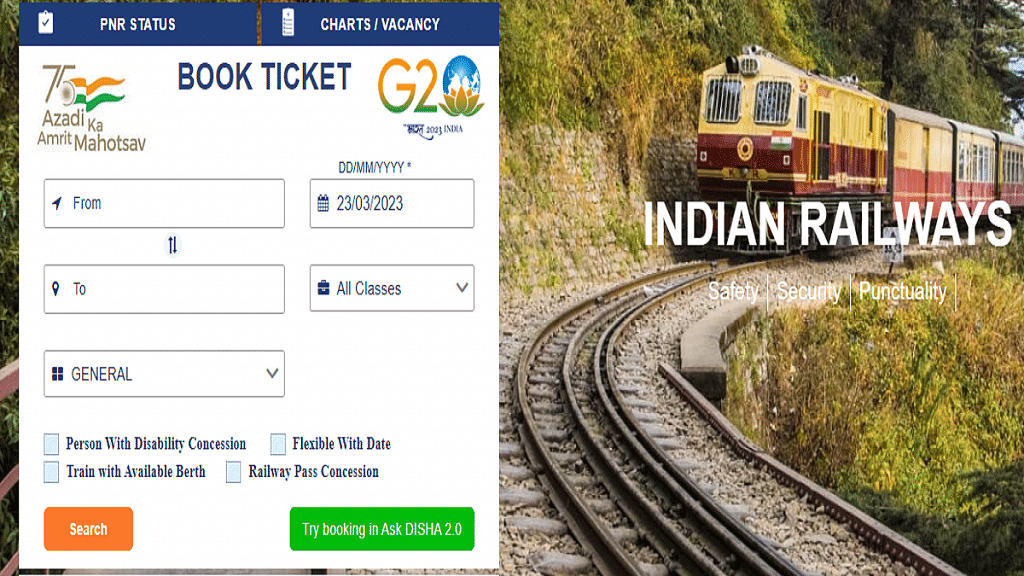
Step 2: Under Book Ticket, enter the From and To city/station, and select your travel date and preferred travel class. Then, select Tatkal from the dropdown menu along the quota field.

Step 3: Tap Search to open a list of suitable trains based on your selection. Find the train of your choice and click on the travel class below to check availability and price details for Tatkal tickets on the day of your travel.

Step 4: Select the desired class and click the ‘Book Now’ link.

Step 5: Enter the passenger details, such as name, age, gender, and ID proof number.

Step 6: Select your payment method and make the payment.

Step 7: Once the payment is successful, your Tatkal ticket will be booked.

Also Read | Best Apps To Detect Hidden Camera For Android And iOS

Steps To Book Tatkal Train Tickets Via IRCTC App

Step 1: Download and install the IRCTC app on your mobile phones. The app is available for download on both the Google Play store and App store for Android and iPhone users, respectively.

Step 2: Log in to the app with your user ID and password. If you don’t have an account, you will need to create one.

Step 3: Select Trains > Book Ticket. Then, enter the From and To station/city, choose travel class and date, set quota as Tatkal, and click on Search Trains.

Step 4: Enter your travel details, such as the source and destination stations, travel date, and class of travel.

Step 5: Enter the passenger details, such as name, age, gender, and ID proof number.

Step 6: Select your payment method and make the payment.

Step 7: Once the payment is successful, your Tatkal ticket will be booked.

It’s important to note that Tatkal tickets are subject to availability, and they tend to sell out quickly. To increase your chances of getting a Tatkal ticket, make sure you’re ready to book as soon as the booking window opens. For AC classes, the booking window opens at 10 AM, and for non-AC classes, it opens at 11 AM, one day before the date of travel. By following the steps outlined above, you can book your Tatkal ticket quickly and easily.

Also Read | Best Government Apps Offering AI Chatbot Support

Categories
Apps Featured

Snapchat Butterfly Lens Feature: What Is It? How To Use On Android, iOS?

Key Highlights

  • Snapchat is mostly used today for sharing photographs and videos
  • The Snapchat lens function lets you alter your surroundings or your face using special effects
  • Snapchat’s most popular lens- The butterfly lens

The focus of Snapchat is on lenses and their streak. According to Snapchat, more than 250k developers have produced almost 2.5 million lenses for the app. There’s a good probability you haven’t seen even 1% of the lenses on the app given those staggering numbers. Some of the best lenses are available, but you won’t like all of them. The Butterfly lens is one of the most well-known filters. As implied by the title, butterflies are used to enhance the photographs. The Snapchat butterfly lens has seen numerous changes over time. Nevertheless, you must first unlock it in order to use it. Let’s look at how to access and utilize Snapchat’s butterfly lenses.

Also Read: Lost Your Snapchat Streak? Here’s How To Restore It With These Steps

What Is Butterfly Lens On Snapchat?

One of the most used Snapchat camera effects is the butterfly lens. After the filter is opened, you will notice that your face is covered with numerous butterflies. The filter’s official name is Paper Butterfly, and its user name is jp Pirie. Let’s see how to unlock this filter.

Also Read: Instagram Tips To Create The Best Bio For Boys

Butterfly Lens: Snapchat Lens Link

You will need a friend on Snapchat who has a butterfly lens saved in their profile in order to obtain the butterfly lens using this approach. To unlock the Snapchat butterfly lens, adhere to the instructions provided below.

Step 1: Open Snapchat

Step 2: Check your friend’s inbox to see whether they have already used the butterfly lens

Step 3: Request that your friend choose the “Share” option on the butterfly lens

Step 4: Ask them to send you the URL once more when it has been copied to your clipboard

Step 5: Once you receive it, simply click the link to launch the lens in your Snapchat app

Also Read: WhatsApp Emoji Meanings: Know What You Are Expressing With These WhatsApp Emojis

Butterfly Lens: Scan A Snapcode Image

A lens-specific QR code is called a snap code. The steps listed below can be used to unlock the butterfly lens by scanning the Snap code.

Step 1: Launch the Snapchat app on your phone

Step 2: Scan the image that was previously submitted using the app’s camera. A QR code, commonly referred to as a Snap code, is the image above

Step 3: Simply position it in the photo’s frame and press the button. Snapchat will open the link and automatically scan the image

Butterfly Lens: Snapchat Lens Studio

Another way to gain access to the Snapchat Butterflies mood lens is through Snapchat Lens Studio. Here is how you do it:

Step 1: Open Snapchat open

Step 2: Go to Snapchat Lens Studio

Step 3: Several Snapchat users’ lenses are now available for viewing

Step 4: Find the butterfly lens in the carousel of different lenses by scrolling down

Step 5: To save the filter, select the Snapcod

Also Read: Instagram Privacy: How To Hide Online/ Active Status, Last Seen On Instagram

Butterfly Lens: From Others’ Snap

You can get a Snap if you spot one in someone else’s story. Here is how you do it:

Step 1: Tap the Try new button on the Snap with Butterflies lens filter. You can choose the lens by swiping it up as well

Step 2: You now have access to the Butterfly lens and can use it to take pictures

Butterfly Lens: Search

You may also use the Butterfly lens on Snapchat by searching for it. These are the steps:

Step 1: Launch Snapchat App

Step 2: The Search button is located next to the Your Profile button

Step 3: Search for “butterfly lens”

Step 4: From the photos in the results, select the filter

Step 5: Add the Butterfly filter to your profile

Also Read: How To Upload WhatsApp Status In High Quality (Images, Videos) On Android, iOS?

Butterfly Lens: From Camera Roll

This approach is very comparable to the one we saw earlier, Scanning a Snapcode Picture. Simply access the camera roll in the app and scan the lens’ snap code to get started. You’ll be able to add it to your collection.

Also Read: How To Send Disappearing Photos on WhatsApp – Step By Step Process Explained [VIDEO]

Categories
Apps Featured Info

YouTube Daily Vlog Channel Name Ideas: Top Cool Channel Name Ideas For Daily Vlogs On YouTube

Key Highlights

  • Daily vlogs is a new trend on YouTube
  • Any general user can create daily vlog channel
  • Earning opportunities are high with daily vlogs

YouTube is now the top platform for video entertainment despite onset of several OTT players in the market. Google-owned video streaming platform is also gaining popularity for offering opportunities to earn money. Even a basic user can create his/ her own YouTube channel and earn hefty amounts via the online video streaming platform. But to earn a huge sum on YouTube, you must have your own channel with a good audience reach and user engagement.

We already have discussed several articles suggesting some of the best naming ideas for different channel types. From gaming to cooking, we have shared the list of the top titles that can get your channel all the attention from the audience it requires. Considering daily vlogs is now the trending channel idea on YouTube, we are listing down the best channel names for the same. Take a look:

Also Read: YouTube Channel Names: 100+ Creative Usernames For Music Addicts

Best General Channel Name Ideas For YouTube

TheDailyFactoryTheDailyDoseDaily DeckDailyCastMediaMed
DailyvideochannelDailyChannelComedialyDailyPostMediaDaily
Your Daily VlogsWorkshop MadnessSolid DomainMedia YardDailyscope
Daily Press vlogsDaily LiveslLight vlogsDaily artist channeltraveliestalife
Daily CentreLimitless lifestyleDaily life vlogsDaily Delite vlogsArt and crafts daily
Random days channelPowerful daily vlogsSilkroad routes daily travelRemarkable lifestyleJust anotheryoutube vlog
New daily lifestyle vlogDaily talent channelDaily talent vlogs channerlAlmond lifeDaily mystics
LifeisvibrantSunset and moonlightDaily life filsCapital and magicalDaily channel centre

Also Read: 100 Gaming Channel Name Ideas For YouTube You Can Use: Here’s The List

Cool Daily Channel Name Ideas For YouTube

DigitalLoopDigitalValleyDigitalLifeDiariesDigitalYTChannelNDigitallyDaily
DigitallyTannedDigitallanesdailydigitalmadnomadGriddailylifedailyvillageonline
Digitalblend chanelloopdigitalDailyloop life vlogsGo Interactive DailyGraphicaldose
GraphicsdoseDailygraphics doseNew Life daily vlogsPositive life ideasdailyvisatravel
Daily visa lifeVisa to liveSugaar FireBeansAnd CupsCherish daily world
Awesome Daily VlogsCreative Lifestyle Ideas channelLife Is CaochingLife iS Health channelSchack and life
Worlds apart and together channelDaily life insights channelExoticlife dailyFuturistic and fantastic dailyWhatall random channel
Something is new daily channelDaily unboxing new channelOfficial daily vlogs channellWalnut lifes channelLife rivers online

Also Read: 100 Best And Catchy Instagram Names For Makeup Artists

Categories
Apps Featured How To

Easy Ways To Recharge Your Excitel Broadband: Here’s How

Key Highlights

  • Excitel broadband is a popular internet service provider.
  • Recharging Excitel broadband is a simple and hassle-free process.
  • Users can choose to recharge through the Excitel website.

Excitel Broadband is a popular internet service provider in India, offering high-speed broadband services at affordable prices. With its focus on providing reliable and fast internet connectivity, Excitel has become a preferred choice for many users across the country. The company offers a range of broadband plans, including unlimited data plans, which come with speeds of up to 300 Mbps. To enjoy uninterrupted internet access, users need to recharge their Excitel broadband account regularly.

Also Read | Internet Speed Check: How To Test Accurate Wi-Fi, Mobile Internet Speed Using Google

Steps To Recharge Excitel Broadband Via Website

Recharging Excitel broadband is a simple process, and it can be done online through the Excitel website or mobile app “my Excitel”. Here is a step-by-step guide on how to recharge Excitel broadband:

Step 1: Visit the Excitel website or download the Excitel mobile app from Google Play Store or Apple App Store.

Step 2: Sign in to your Excitel account using your registered mobile number and password.

Step 3: Once you are logged in, click on the “Recharge” option from the homepage.

Step 4: Choose the plan that you want to recharge and click on the “Recharge” button.

Step 5: You will be redirected to the payment page where you can choose your preferred payment method such as debit/credit card, net banking, or UPI.

Step 6: Enter the required payment details and click on the “Pay” button.

Step 7: Once the payment is successful, you will receive a confirmation message on your registered mobile number and email.

Also Read | How To Check Airtel Balance Via MyAirtel App, Self-Care Service, And USSD Code

Steps To Recharge Excitel Broadband Via Paytm

Users can also recharge their Excitel broadband account through third-party recharge portals like Paytm, PhonePe, or Google Pay. Here are the steps to recharge Excitel broadband through Paytm:

Step 1: Open the Paytm app and click on the “Broadband” option.

Step 2: Select Excitel as your service provider and enter your registered mobile number.

Step 3: Choose the plan that you want to recharge and click on the “Proceed” button.

Step 4: Enter the required payment details and click on the “Pay” button.

Step 5: Once the payment is successful, you will receive a confirmation message on your registered mobile number and email.

By following the above-mentioned steps, users can recharge their Excitel broadband account and enjoy uninterrupted internet access.