Categories
Apps Featured Info

Unable To Read Doctor’s Handwritten Prescription? Google Lens New AI To Help Decipher Any Bad Handwritten Doctor Prescription

Key Highlights

  • Google aims to make badly handwritten prescriptions readable
  • Google Lens will develop an AI tool that can translate poorly written medical notes
  • The company hasn’t given any details on when it plans to release this feature to everyone

Nobody, not even a doctor, can read a doctor’s handwriting – it’s an evergreen joke. Well, doctors rush through writing prescriptions since they work long hours and attend to many patients each day. But after that, it becomes quite challenging to comprehend or even recognize the medications listed in the prescription. In order to make that task quick and easy, Google is developing a model that will accurately read your doctor’s poorly handwritten prescriptions.

The search engine giant said it could use artificial intelligence (AI) and machine learning (ML) to allow individuals to recognize and highlight medications in handwritten prescriptions. The feature is still being worked on, so users might not see it for a while.

Also Read | Here’s How To Stop Call Recording Warning On Android Phones

The company hasn’t given any details on when it plans to release this feature to everyone. Google says it’s working with pharmacists to help people better understand their prescriptions.

The feature is still in the research prototype stage and is not yet accessible to the general public. According to what we do know, though, users will be able to upload a snapshot from their photo library or take a picture of the prescription they want to have decoded. The Google app will identify and highlight the medications listed in the prescription once the image has been uploaded.

Google Lens will develop an AI tool that can translate poorly written medical notes. The feature was presented by the company during the “AI for India” event. Google said, “Much work still remains to be done before this system is ready for the real world.” The tech company’s Lens feature can be used to translate languages and detect objects (such as plants and animals).

In the upcoming months, we ought to have more clarity on this. Google has noticed that Indians around the world mainly use Google Lens for different use cases. This may have motivated the company to provide users with more AI solutions for great convenience.

Also Read | What Are Netflix Secret Codes: How To Watch Hidden TV Shows And Movies On Netflix Using Secret Codes
Categories
Apps

100 Best And Unique Instagram Names For Fitness Freaks

Key Highlights

  • Instagram is vital for fitness enthusiasts to build brands
  • Fitness influencers thrive on the platform
  • Picking the right username is crucial for success

Are you starting your Instagram journey as a fitness enthusiast? Well, Instagram’s fitness influencers and coaches are now more popular than ever. Potential clients will initially notice your Instagram profile if you’re seeking to get into the fitness industry. Fitness aficionados are using Instagram to develop their personal brands and amass a sizable social media following as a result. The best usernames for fitness enthusiasts are listed here.

Also Read | 100+ Best Instagram Names For Motivational Speakers To Inspire The Audience

Cool Instagram Names For Fitness Freaks

Fitness FocusGymwearsThe Swim Gym
Fitness FunHappy HealthNew Age Fitness
Fit ProsCardio CenterDungeon Gym
Fitness NationHappy PilatesUpway
FitFactoryThe Workout ZoneFit Through Dance
Fitting TogetherOne on One FitnessLove to Lift
Workout FactoryCrunch FitnessThe Stylish
Getting Fit ForeverHelix GymGravity Fitness

Also Read | Are You A BTS Fan? Here Are The 100 Best Instagram Names For BTS Army

Trendy Instagram Names For Fitness Freaks

Fitness FreaksColossus WeightliftingShowy Pro
Platinum FitnessThe SquareStyle Streetwear
FitCycleMuscleverseVolcanoes
Supercharged FitnessFitness AuthorityTone up Girl
Gym PalaceFit SquadSun Fitness
Incremental GainsTouchdown ApparelsHappy Heart Fitness
Adonis FitnessBodyWorksOlympia Fitness
Behemoth BodybuildingFast FitnessFinding Fitness

Catchy Instagram Names For Fitness Freaks

The Best YouWorkout BuddiesFitness Lover
Gym BuddyBars Gym IntensityThe Fit Zone
Healthy FoodieColorfulSportswearWorkout Wonders
Fun FitnessPeak ConditionJackhammer Fitness
Girls Who LiftHolistic Health HubKardio Work
Shine FitnessAim GroupPower Performance
Girls Gone workoutStretch FitnessMuscle Factory
Body Strong ExerciseMuscle MadnessBring It Fitness

Also Read | 100+ Best Catchy And Unique Instagram Names For Your Pets

Unique Instagram Names For Fitness Freaks

The CrescentFitnessgramFeel Good Factor
Bod SquadJuggling WorkoutFun Workouts
Booty CampSuperfit MeWorkout Momma
Endless PumpersFitness BagelsFit AdventuresHealthy Choice
Train Like A ChampFit BombLive the Fit Lifestyle
Love Your BodyMuscle Building TipsFit-A-Flex
Hit The GymFitness MotivationFit Life Rocks
Workout of the DayFitspo QueenFitness Fanatic

Verdict

So, those were the username ideas for your profile. However, these names might already be taken. We advise modifying them to enhance your Instagram profile and foster growth effectively.

Also Read | 100+ Best Instagram Names For Transgenders

Categories
Apps Featured Info

Google To Take On Apple Find My Network: New Feature Under Works For Improved Tracking Of Lost Devices

Key Highlights

  • Google is working on an Android answer to Apple’s Find My network
  • This will allow users to track their lost or stolen gadgets
  • They can be easily connected to Wi-Fi or Bluetooth

This month, Google released version 50.22 of the most recent Play Service upgrade. The latest Play Store upgrade has also recently started rolling out by the tech giant. Both of these updates come with a number of new improvements including support for digital car keys and an improved ID verification process among other things. The most recent changes to the Google Play Store and Services have also given some hints that the tech giant is working on an Android version of Apple’s Find My network.

According to a report by GizmoChina, Google is likely getting ready to roll out its own version of Apple’s Find My network since references to it have been found in the most recent Google Play upgrades. The most recent updates to Google Play mention an encrypted last-known-location report and a “privacy-centric framework.” These references imply that the company is developing an Android-specific Find My Device network.

Also Read | Google Releases Encryption For Gmail: It’s An Added Security With Some Conditions And Limitations

Android Apple-like Find My Network: How Will It Work?

This network, like Apple’s Find My network, will enable users to locate their lost or stolen devices even when they are not Bluetooth or Wi-Fi enabled and even while they are switched off.

Google was first said to be developing such a network earlier, in 2021. Since then, no additional network progress has been announced.

Google Play Updates: Other Improvements

Apart from Android’s guessed Find My network tips, the new Google Play update also includes some other improvements. Android devices have a new feature that automatically accesses apps when storage space is low.

Also Read | Google Pixel Tablet Available On Facebook Marketplace Even Before Launch: Google Nest Hub-Like Charging Dock To Ship Alongside?

Categories
Apps Featured How To

Accidentally Deleted WhatsApp Message: Here’s How To Retrieve WhatsApp Deleted For Everyone Messages

Key Highlights

  • WhatsApp Accidental Delete messages feature released
  • Allows retrieving deleted messages
  • Messages that are deleted recently only can be recovered

WhatsApp has launched several new handy chat features for its Android and iOS apps this year. Multiple other tools and services have been reported to be in the testing phase. One of those is the option to undo accidentally deleted messages. WhatsApp has been testing this new option allowing users to undelete those messages which they might have removed from any individual or group chat window. How does the new accidental delete message feature works on WhatsApp and what all steps do you need to perform for the same? Read on below:

WhatsApp Accidental Delete Message Feature: How Does It Work?

WhatsApp ‘Accidental Delete’ feature as mentioned above allows users to undo any deleted messages that users have removed for everyone. The brand has confirmed this new messaging feature for both Android and iPhone users. With this option in place, users will be able to retrieve the deleted messages they have deleted for anyone and just for themselves.

The new feature is being rolled out as an OTA ad you will need to have the latest version of WhatsApp in order to use the ‘Accidental Delete” message. If you don’t see this feature yet on your phone’s WhatsApp app, then try manually updating via the Google Play Store or the Apple App Store.

Also Read: WhatsApp 2022 Recap: All New Privacy Features That Enhanced WhatsApp Security This Year

How To Use Accidental Delete Feature On WhatsApp And Retrieve Messages

Step 1: Open WhatsApp application first on your respective Android and iOS handsets.

Step 2: Go to the chat window from where you wish to retrieve the deleted messages. Note that you can only recover those messages that were accidentally deleted recently. If the messages are older than a day or two, you might not get the option to recover it.

Step 3: Once any message is deleted, you will get the “Undo” option.

Step 4: Once you tap on the Undo option, the deleted message will be restored in the chat window.

WhatsApp has been working consistently to enhance the messaging experience for both Android and iOS users and the latest move definitely aids with the same.

Categories
Apps Featured Info

YouTube All Set To Foray In EdTech: To Rival Byju’s Unacademy

Key Highlights

  • Google announces YouTube courses in India
  • This will be another subscription-based model for YouTube creators
  • YouTube offers several other monetization opportunities, including advertising and paid sponsorships

On December 19, YouTube made the announcement that it would permit certified creators in India to offer both free and paid courses to users starting next year. With this move, YouTube will compete directly with domestic educational technology companies like Byju’s, Unacademy, and PhysicsWallah, all of which got their start on the Google-owned platform.

Although there has been educational content on YouTube for several years, this will enable artists to provide viewers with a more thorough, organized learning experience. In exchange, creators will get a brand-new revenue stream in addition to subscriptions, channel memberships, and advertising.

Creators can also provide users with other content like documents, photos, and PDFs Via the YouTube app.

Also Read | 100 Best YouTube Channel Names For Travel Vloggers

The platform will share revenue using the “same kind of principles,” according to YouTube’s India Director Ishan John Chatterjee, with a majority of the revenue paid out to the creator. However, the precise percentage has not yet been made public. 55 percent of YouTube’s ad revenue is typically distributed to producers, with the other 45 percent going to its partner program.

The program will launch in the beta phase in the next months with producers including LearnoHub, Speak English With Aishwarya, and Telusko offering a range of academic and professional courses in several Indian languages.

YouTube will initially concentrate on three main areas during the beta stage: digital skills (such as coding languages), professional and entrepreneurial skills (how to establish a business, how to perform well in an interview), and individual passions (Photography). In response to comments from both authors and spectators, it plans to gradually extend these sections.

The timing of this launch, however, coincides with a slowdown in demand for Indian edtech companies as a result of students returning to traditional offline learning methods as schools, colleges, and physical tutoring facilities are all reopening.

The declining demand for online learning, coupled with a lack of funding, has forced many education technology companies to resort to aggressive cost-cutting initiatives such as mass layoffs, closing non-core industries, and shelving expansion plans.

Also Read | How To Migrate YouTube Channel And Videos To A Different Account

Categories
Apps Featured Info

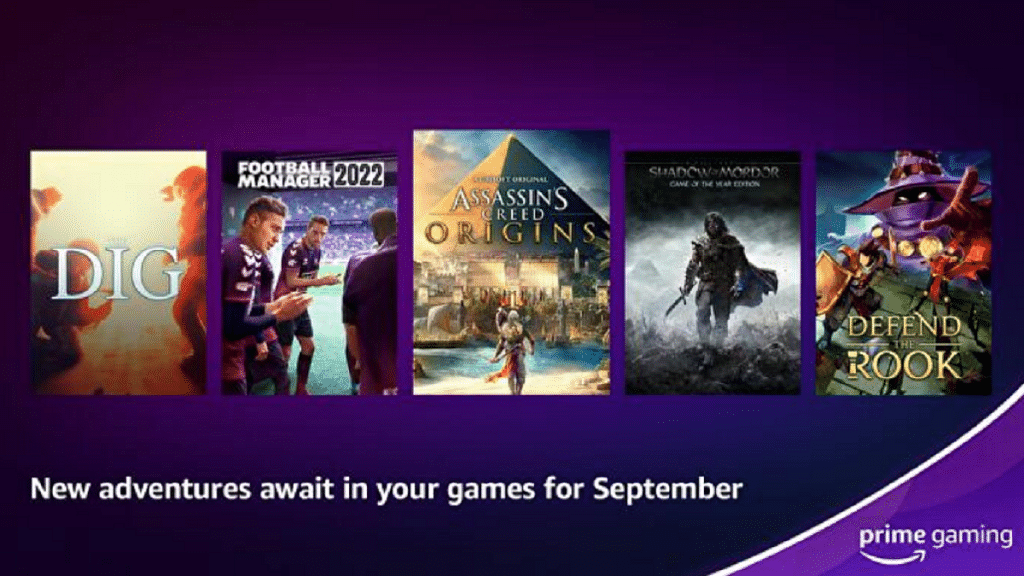
Amazon Prime Gaming Comes To India: Subscription Cost, Compatible Devices, And More

Key Highlights

  • Amazon Prime Gaming released in India
  • The Amazon Prime Gaming subscription is included with your Amazon Prime membership
  • Users will have free access to FIFA 23, CoD MW 2 games, and in-game content

After much waiting and expectation, Amazon has finally made its Prime Gaming service available to Indian users. Although the launch was all silent, the platform’s games and in-game rewards will have players screaming with joy. Users with an Amazon Prime subscription have access to games, movies, in-game content, and other resources under the Prime Gaming part of the company’s website. On Windows PCs, Amazon also provides free game downloads.

Also Read | Get Notified When Deals Go Live On Amazon: Here’s How

Prime Gaming India PC Launch

Amazon has created a special microsite on its Indian website listing free PC games and in-game content that can be claimed. For Amazon Prime members, the gaming service is complimentary. Users can access the service by going to the Prime Gaming website, entering their login information, and then clicking the Activate Prime Gaming button in the top right corner of the screen.

To play some games, users may need to download the Amazon Games app onto their Windows PC. In order to access some games and in-game features, players might need to link accounts with companies like EA, Epic Games, and Activision.

Amazon Prime Gaming: How To Subscribe?

The Amazon Prime membership offers access to Prime Gaming. Users must purchase an Amazon Prime membership in order to access Prime Gaming. In India, Amazon offers three different Prime subscription options.

Amazon Prime monthly planRs. 179
Amazon Prime quarterly planRs. 459
Amazon Prime annual planRs. 1,499

Follow the steps below to complete the sign-up process.

Step 1: Go to the Amazon Prime website.

Step 2: Select or click on the sign-up button.

Step 3: Follow on-screen instructions and complete the payment.

New users can also sign up for a free 30-day trial. Besides, Prime members get access to Prime Video, Prime Music, and free shipping on Amazon.in.

Also Read | Amazon Christmas Gifting Ideas: Best Digital Accessories, Smart Wearables For Christmas Gifts In 2022

Categories
Apps Featured How To

Instagram Candid Stories Announced: How Is It Different From Regular Instagram Stories? How To Use?

Key Highlights

  • Instagram Candid Stories released
  • Allows uploading real time activities with users sharing Candid Stories
  • Currently under testing

Instagram is the trending platform for social media available across Android and iOS smartphones. This Meta-owned social media app is also released for laptops and PCs and brings along the same set of features as the mobile app. Over the last few years, Instagram has transitioned into a full-fledged business cum entertainment platform for both content creators and the general audience.  

Numerous features have been added to the Instagram app for both Android and iOS smartphones this year as well. In addition to photo and video sharing, Instagram is also a one-stop destination for messaging and shopping. Just a few days ago, Instagram added a new set of features to the Android and iOS app including Candid Stories. This new option will allow users to upload creative stories and create highlights of their daily and special moments.

Also Read: Hacked Instagram Account? Don’t Worry! Instagram To Help Regain Hacked Account Access Easily

What Is Instagram Candid Stories?

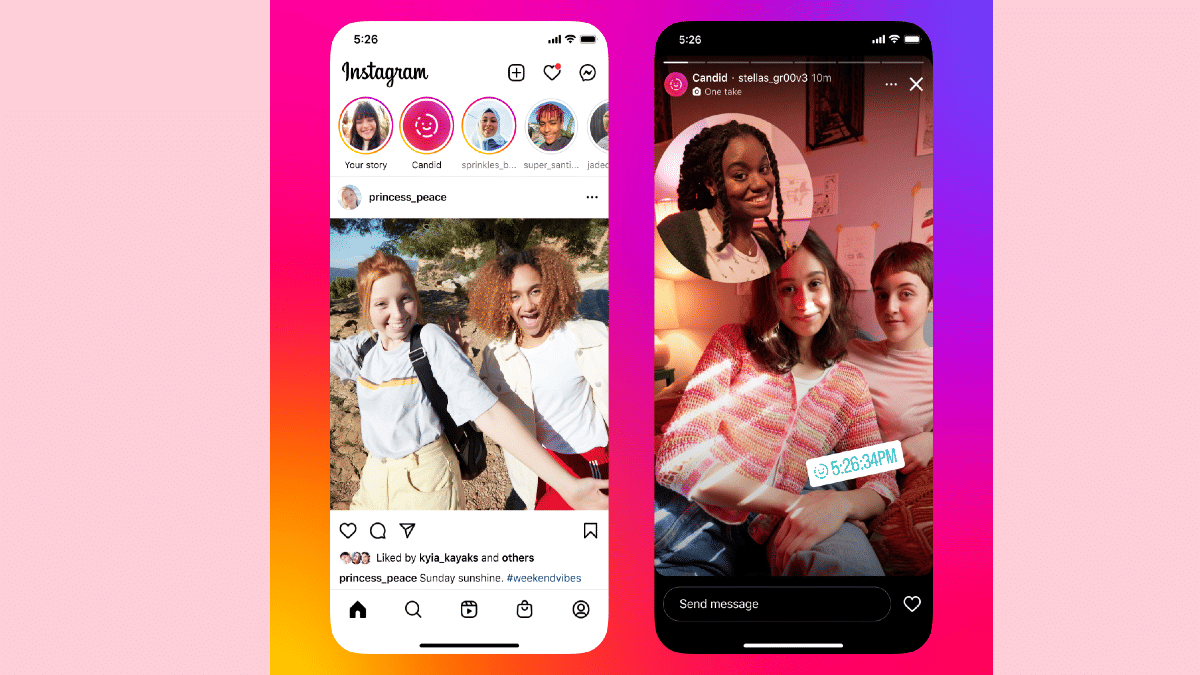
Candid Stories is the latest feature that will allow Instagram users to create and upload creative stories in a multi-author format. It seems that Instagram has borrowed this feature from BeReal which is one of Instagram’s rivals in the social media space. Users will now get to share and upload unfiltered images and videos using stories on Instagram.

Not much information has been shared currently that how exactly the Candid Stories differ from the standard stories on Instagram. However, Instagram has confirmed the developments around the Candid stories which could soon be released via a stable update.

In the official blogspot, Instagram said, “We’re starting to test Candid, a new way for you and your friends to capture and share what you’re doing now in a story that’s only visible to those who also share their own.

This suggests that Candid Stories can only be shared with the only those friends or followers who are also sharing their own Candid stories on Instagram. Also, users will be able to share stories of their real-time activities (probably without any added filters) with contacts who are also actively sharing Candid stories of their own on Instagram.

To record the Candid Stories, the audience can use the stories camera built-in in the app. Users will also get the option to capture candid stories directly from the notification reminder that starts from the first Candid story.  In addition to Instagram, Meta is also working on this feature to be released for the Facebook app in the coming days.

Also Read: Instagram Stylish Name And Bio: How To Write Instagram Profile Name And Bio With Stylish And Cool Fonts

Categories
Apps Featured Info

Google Releases Encryption For Gmail: It’s An Added Security With Some Conditions And Limitations

Key Highlights

  • Google is enhancing the security of Gmail
  • The end-to-end encryption will provide more privacy to the files and attachments of the users
  • The tech giant already offers Client-side encryption across Google Drive, Sheets, Docs, Slides, Google Meet, and Google Calendar (beta)

Google has finally revealed the most awaited feature for its email services. The tech giant is introducing end-to-end encryption for its Gmail on the web in order to improve privacy and increase the safety and security of email deliveries. Only Google Workspace Enterprise Plus, Education Plus, and Education Standard accounts—i.e., typical education accounts—can use the service, which is presently in beta.

Also Read | Google Chrome Download Error? How To Fix Download Errors With Google Chrome On Laptops And PCs

Google has stated that through January 20, 2022, all of its enterprise users are eligible to join up for the Gmail client-side encryption beta. With the new client-side encryption for Gmail Web, user data and attachments will be secured and inaccessible to all other parties, including Google. As a result, the security of all sensitive user data in emails with attachments would be more secure.

End-To-End Encryption: Why It Is Helpful?

Users’ email messages will be encrypted by the sender and only be able to be decrypted by the intended recipient on their device thanks to end-to-end encryption in Gmail. The messages and attachments sent with the email cannot be decrypted or read by a third party, organization, or even Google’s own email server.

Notably, Google currently offers client-side encryption on Google Docs, Sheets, Drive, and Google Calendar (beta). Now that the feature is available to Workspace users. However, individual users would need to wait a little while before they can use the feature with their own Gmail accounts.

Users of the workspace will be able to send and receive encrypted emails inside or outside of their domain once they sign up for client-side encryption. Google makes it clear that the new feature would encrypt both the email content and all attachments, including embedded photos. Google, however, will not encrypt the email’s header, which contains the topic, timestamps, and recipient lists.

Also Read | WhatsApp Privacy: How To Activate Or Deactivate End-To-End Cloud Backup For Google Drive, iCloud On WhatsApp

Categories
Apps Featured How To

Want To Rent Movies From The Apple TV App? Here’s How To Do It

Key Highlights

  • Apple TV app is available on iOS devices and users can watch content available on the platform
  • They can also buy movies or shows on the big screen
  • You need Apple ID with a working credit or debit card to rent movies from Apple

Renting movies from Apple is simple whether you own an iOS device, Apple TV, or a Mac PC. Apple has made a few adjustments from iTunes, so depending on which devices and operating systems you are using, you’ll use different software to rent and watch the movie.

Also Read: Forgot Apple iPad Passcode? Here’s How To Reset iPad Passcode Of Any Model

Rent And Watch Movies From Apple: Requirements

You must have an Apple ID with a working credit or debit card in order to rent movies from Apple. For high-definition movies, you’ll also need an internet connection with a minimum speed of 8 megabits per second.

Also Read | Apple TV Features: How To Setup Apple TV Remote In Control Centre And Use iPhone, iPad As Remote

You will require the most recent versions of iTunes, iOS, and tvOS if you are using an older version of macOS, which does not come with the Apple TV app. You will need the following to watch your rented movies from Apple:

  • An iPhone, iPod Touch, or iPad with iOS 3.1.3 or higher
  • An Apple TV
  • An iPod Classic
  • A Mac or PC
  • An iPod nano (3rd-5th generations)

Also Read: Apple iPad Tricks: How Can You Use Visual Look Up Feature On iPad Running On iPadOS 15.1 And Above

How To Rent A Movie On iPhone, iPad, or iPod touch

Step 1: Open the Apple TV app.

Step 2: Tap Library on your iPhone or iPod touch. Look under Rentals. If you can’t find Rentals, either your rental has expired, or the Apple ID you used to log in wasn’t used to rent it. On your iPad, navigate to the sidebar. Tap Rentals under Library.

Step 3: Click on your movie rental. From here, you can:

  • Stream your rental: Click on the Play button
  • Download your rental: Click on the Download button.

Also Read: Xiaomi Pad 5 Vs Apple iPad Air Vs Galaxy Tab S6 Lite: The Best Premium Tablets That You Should Consider

How To Rent A Movie On Apple TV, Smart TV, Or Streaming Device

Step 1: Open the Apple TV app.

Step 2: Go to the Library tab.

Step 3: Go to the sidebar and choose Rentals. If you can’t find Rentals, either your rental has expired, or the Apple ID you used to log in wasn’t used to rent it.

Step 4: To begin watching your chosen rental movie, press Play.

Your Apple TV, smart TV, or streaming device cannot download rentals.

Also Read | How To Change Google Assistant Voice From Female To Male And Vice Versa On iPhone, iPad?

Categories
Apps Featured Info

WhatsApp 2022 Recap: All New Privacy Features That Enhanced WhatsApp Security This Year

WhatsApp is the top contender in the instant messaging application race. The Meta-owned messaging app remains users’ favorite for being a secure platform for texting as well as voice and video calling. WhatsApp has also released multiple features to ensure the messaging experience across Android and iOS devices is reliable and fluid.

In addition to the mobile application, the same set of features and reliability is also offered by the WhatsApp desktop version. Some of the top-notch security features have been added to WhatsApp in recent times.

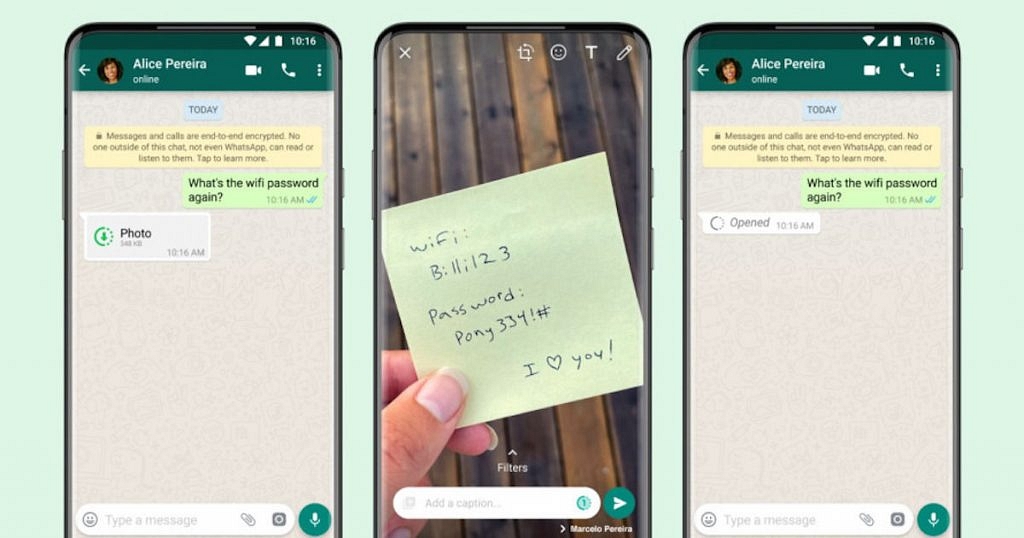
The view once a message, Admin control, code verification, and more have made WhatsApp the most secure messaging application this year and probably for the next few years. Let’s have a quick look at what all features and option WhatsApp has received in 2022 that enhances privacy with messaging.

Also Read: Now Use WhatsApp In Picture-In-Picture Mode: Feature Available For iOS Beta Users

Screenshot Blocking For View Once Messages

WhatsApp has introduced the View Once feature for media files including images. This is one of the most secure ways with which any user can share private images and videos without worrying about them being forwarded or shared. Previously, WhatsApp didn’t notify users if screenshots were taken with the View Once photos. But this feature has also been added to WhatsApp now. WhatsApp has banned screenshots with View Once messages on any compatible device allowing users to share private messages with full security.

Also Read: Worried About WhatsApp Group Privacy? Top WhatsApp Security Features You Should Use Daily For Enhanced Privacy

New Forwarding Limits For Messages

WhatsApp has made sure its platform isn’t used to spread fake and false news. The brand limited the sending of forwarded messages and started marking “forwarded” and “highly forwarded messages” labels to the texts and media files sent more than five times. WhatsApp also added a new group forwarding limit where messages with the “forwarded” label could only be sent to a single group at a time. This adds extra privacy to groups where forwarded messages, specifically fake news can create a hassle.

Also Read: WhatsApp Polls: What Is It And How Can You Create WhatsApp Polls For Individual User Or Groups?

Code Verification On WhatsApp

WhatsApp has received a large user base which is consistently increasing each year. With the surging user base and demand in security, WhatsApp has added an extra layer over the end-to-end encryption called Code Verify. This privacy feature has been released for the WhatsApp desktop version which provides real-time third-party verification to ensure the code running on the WhatsApp Web isn’t compromised.

Online Presence Control

 When you use WhatsApp as messaging app on smartphones and laptops/ PC, the status turns to online. This is a useful feature to let your contacts know of your availability. However, at times, you might need to keep your presence on WhatsApp private. The Hide Online status is the feature that comes in handy at this point.

Also Read: WhatsApp Image Blur Tool To Enhance User Privacy: Update Coming Soon