Categories
How To Info Tech News

How To Log Out Of Your Google Account From Smartphone Remotely

Key Highlights

  • Logging out from one’s account remotely provides data security
  • It is easy to log out directly from your smartphone’s settings
  • However, logging out remotely might seem like a tricky process

There can be times when one wishes to log out of their Google Account from one’s smartphone devices just to ensure privacy and maintain the security of personal data linked with one’s account. Logging out from one’s account remotely provides data security and is thus an intelligent choice to make. It also helps one ensure that one’s data is not used or viewed without one’s consent. 

It is quite easy to log out directly from your smartphone from the smartphone settings but logging out remotely might seem like a tricky process. But you need not worry! This blog will help you know about the simplest ways to log out of your Google Account remotely and the steps that you need to follow. 

How To Log Out Of Your Google Account From Smartphone Remotely

From Another Smartphone: Remotely

If you are looking to log out of your Google account remotely by using another smartphone by following listed steps:

  1. Make sure that your Google Account is logged in on the smartphone.
  2. Open ‘Gmail’ and click on your profile picture in the upper right corner of the screen.
  3. Click on the ‘Manage your Google Account’ option.
  4. Now, on the ‘Google Account’ page, go to the ‘Security’ tab.
  5. Now, go to ‘Your Devices’ and choose the ‘Manage Devices’ option.
  6. In the ‘Manage Devices’ option, you will be able to see a list of devices that your Google account is signed in on.
  7. From here, you can select the device that you want to remotely log out of.
  8. Tap on the three dots beside the chosen device and click on ‘Sign Out’.
  9. Confirm the ‘Sign Out’ option, and your account will successfully be logged out of the device.
Also Read- Realme 8S / Realme 8i India Launch Soon – Check Out Its Leaked Front Panel Images and Details

From The Google Dashboard: Remotely

Logging out of your Google Account can be remotely and easily done by using the Google Dashboard. Following are the steps that you need to follow:

  1. Open up your web browser, preferably Google Chrome.
  2. Type myaccount.google.com in the search bar and visit the webpage.
  3. Here, you will see your Google Dashboard.
  4. Login to Google if you have not done so already.
  5. Click on the ‘Security’ tab in the Dashboard.
  6. Go to the ‘Your Devices’ section of the webpage.
  7. Select the ‘Manage Devices’ option.
  8. Here you will see the devices logged in with your Google Account.
  9. Click on the three dots given alongside the device from which you want to log out from.
  10. Now, select the ‘Sign Out’ option. In the pop-up dialogue box, confirm the ‘Sign Out’.
  11. Your Google Account will be successfully logged out from the given device/smartphone.
Also Read: [GizNext Exclusive] Samsung Galaxy Z Fold 3 5G Revealed In Full Glory: Official Brochure & Features

The above-mentioned steps will help you to log out of your Google Account from any smartphone and even other devices that your Google account might be logged in on, for example, tablets and iPads. It is a quick, easy and simple process and can be followed through by anyone using any phone or computer with internet connectivity.
Categories
Info Tech News

What is ‘App Install Optimization’ in Google Play Store?

Smartphones have constantly been upgrading to provide the best user experience and optimal performance. With the help of new software and programs, smartphones can perform more functions quickly and efficiently. In this article, we have explained What is ‘App Install Optimization’ in Google Play Store.

The android smartphones are widely used by most people, and to provide the best user experience, android features App Install Optimisation in Google Play Store aid users in getting an efficient and quick installation of applications on their device.

By the name, this new feature in the play store optimizes the app installation and also lets you open and run apps quicker by analyzing the usage of the application. The App Install Optimisation works by analyzing how users interact with the application after installation and which section of the application they use the most.

After collecting enough information from several other users, enabling this feature will install, open and run an application in seconds. This feature is automatically enabled in every android smartphone, but you can turn it off manually anytime.

Also Read: OnePlus Nord 2 vs Poco F3 GT vs Realme X7 Max 5G – Price, Specifications and Features Compared

What is ‘App Install Optimization’ in Google Play Store?

What data is collected by google?

Privacy is an important concern for every user. Nowadays, most applications work by collecting data to give you a better and efficient user experience, but you might want to know what data is collected by these applications.

The App Install Optimisation feature from Google is safe to use and doesn’t collect any personal information. Your name, email id, contact details, messages, photos, videos, or any other private data that hinder users’ privacy is completely secure.

If you enable this feature, it will only monitor how you and several other users interact with the application after installing it for the first time based on what parts or sections of the app are mostly used and neglected by the users. This is the only information collected by Google for this feature, and using this information optimizes the app to install quickly.

As per the privacy policy of Google, the data collected by them is used for faster installation of applications from the Google Play Store, open and run newly installed applications faster by providing optimal performance, and reduces the storage capacity and battery consumption of your device.

What happens when you turn it off?

The App Install Optimisation feature from Google can be turned off easily from Google Play Store settings under app preference, notifications and you can again turn it on later whenever you wish to. Turning off this feature will stop optimizing app installation and might make the installation process slower.

Google will stop analyzing the usage and interaction with the application. Disabling this feature will stop you from getting an optimal user experience and might hinder your performance.

Also Read: [GizNext Exclusive] Samsung Galaxy Z Fold 3 5G Revealed In Full Glory: Official Brochure & Features

Final Words

The new features in smartphones let users get the optimal performance and usage from their smartphones. This new feature in Android smartphones by Google can make your applications run smoothly; hence turning it off is not advisable. If you are still concerned about facing any concerns regarding application usage, you can turn off this feature anytime.

Categories
How To Info Tech News

How to Remove Profile Picture from Google Account (Gmail, YouTube, Google Meet)

Key Highlights

  • Adding a profile picture to the Google account is an option with Android devices
  • A Google profile pic is visible across all services including Gmail, YouTube, Google Meet
  • Removing Google profile pic is an easy process via desktop, Android, and iOS devices

Profile Pictures are a great way to express oneself, personalize one’s Google account, and make oneself noticeable online. A person’s Google profile picture is viewable throughout all the services provided by Google, whether it be Gmail, YouTube, Google Meet, Google Play Store, Google Hangouts, etc. Thus, it is safe to say that one’s Google profile pic is pretty much public and can be viewed by many people. So, in this article, we tell you How to Remove a Profile picture from your Google Account.

Thus, there can be times when one decides to go incognito and remove one’s Google profile pic. This helps one in maintaining one’s online privacy and safeguard personal information while still being able to access Google and related resources and websites without restrictions. Following are the ways in which one can do the same and remove one’s profile picture on different platforms like Personal Computers (PC), Android, and Apple (iOS).

How to Remove Profile Picture from Google Account:

On Computer (Web)

This is the easiest, fastest, and foolproof method to remove one’s Google profile picture. This method can be used by anyone with a computer and a working internet connection. Following are the steps to remove the profile picture of your Google account:

  1. Open your web browser, preferably Google Chrome.
  2. Login to your Google account by visiting accounts.google.com on your web browser.
  3. Choose the ‘Personal info’ option on the web page.
  4. Now, click on the profile picture, which appears with a small camera icon on top of it.
  5. Here, in the window that pops up, press the ‘Remove’ button.
  6. Confirm the remove option by clicking ‘Remove’ in the final pop-up box that appears.
  7. Voila! The profile picture will be removed.

Also Read: Best Apps To Detect Hidden Camera For Android And iOS

On Android

In an Android device, you can either follow the aforementioned steps by visiting your phone’s browser and choosing the ‘Desktop site’ option or follow through the given steps:

  1. Go to your phone’s ‘Settings’.
  2. Scroll down and select ‘Google’ under the ‘Personal’ tab.
  3. Click on the ‘Manage your Google Account option.
  4. Now, choose ‘Get Started’ and go to the ‘Personal info’ tab.
  5. Scroll down and choose ‘Go To About me’ option.
  6. Tap the profile picture icon and select the ‘No Photo’ option.

Also Read: Best Matrimonial Apps To Download In India: List Inside

On iOS (iPhone/iPad)

Removing one’s Google profile picture using an Apple device can be a bit tricky, and one would recommend using the above options, but if an iOS is the only option available, you can follow the steps given below:

  1. In an Apple device, open any web browser, preferably Safari or Google Chrome.
  2. Type https://myaccount.google.com in the search box and visit the website.
  3. Sign in to your Google account.
  4. Now, under the ‘Personal info & privacy’ header, tap on the ‘Your personal info’ button.
  5. Here, select the ‘About me’ option.
  6. Tap on the ‘Pencil Icon’ beside your profile picture on the top-right corner of the screen.
  7. Here, you can click on the camera icon on top of your profile picture to change/remove it.
  8. Finally, click on the ‘No Photo’ option to remove the profile picture from your Google Account.

One can use any of the following methods given above to remove one’s Google profile picture, and in case of any further confusion, it is always advisable to visit Google’s Help Center.

Also Read: What is ‘App Install Optimization’ in Google Play Store?

Categories
Info Tech News

Best Apps to Watch Live TV on Android

With the advent of widespread and faster internet speed, many people are now turning towards media they can access remotely via mobile phones, smart TVs, and personal computers. Watching Live TV on Android is becoming a common phenomenon, and thus, it is important to know the best apps that one can use for watching Live TV right on their Android devices. So, here are the Best Apps to Watch Live TV on Android.

Best Apps to Watch Live TV on Android

  1. Airtel Xstream

If one already has an Airtel DTH connection or uses an Airtel sim or broadband, then Airtel Xstream might be the best choice. Along with Live TV, Airtel Xstream gives access to other TV shows, Originals, News, and Movies. 

This app provides access to more than 350 Live TV channels in around 13 languages, including Kannada, Malayalam, Bhojpuri, Bengali, and many more. It offers a plethora of channels like Zee, Sony, Colors, Cartoon Network, etc., and a range of programmes, including News, Sports, and Daily Soaps.

  1. nexGTv HD

nexGTv HD or nexGTv HD: Mobile TV, Live TV is an app that allows one to watch Live TV on android mobile devices. The app can be downloaded for free from the Google Play Store, but one has to pay a subscription fee to be able to access live TV shows. 

This app includes channels for News, Music, Hindi and English movies, etc., and Live TV can be easily accessed through it with a smooth working 3G, 4G, or Wi-Fi network. Some channels accessible through nexGTv HD are BigFlix (Hindi & English Movies), India TV, B4U Music & Movies, News 24, News 24, Bollywood Masala, etc.

  1. JioTV

It is one of the most used and diverse Live TV apps presently. Jio TV provides instant access to a range of TV programmes at one’s fingertips. But before opting for JioTV, one needs to make sure that one is using a Jio SIM card as the app is exclusively accessible to Jio SIM users.

It provides over 650 TV channels (including 100+ HD channels) that can be watched live on your Android device, be it a tablet or a mobile phone. It provides a range of TV channels belonging to genres like News, Cricket, Educational, Infotainment, Entertainment, Movies, Religious shows, etc., in more than 15 languages. It also allows for a 7-day catch-up of all prime shows.

  1. YuppTV

YuppTV is a Live TV app specifically made for watching Indian TV shows and movies. It allows access to over 200 Live TV Channels, including regional channels. Alongside this, it also provides a 7-day catch-up option. It enables the user to watch IPL 2021, News, Other Live Sports, TV soaps, Devotional channels, and Movies & Music channels. 

Some of the most popular channels on YuppTV are – Aaj Tak, Star Plus, Colors, Sony, 9XM, etc. But, it is important to note that channels like Zee and Star channels and VIVO IPL 2021 Live streaming is not available for watching in India.

  1. Hotstar

Hotstar is another popular app in the market for watching Live TV. It is ranked #4 top free in entertainment on Google Play Store, which provides access to Live TV, Sports, and Movies in various languages. It also exclusively streams Live Cricket matches like VIVO IPL 2021 and T20 World Cup in India.

Also Read: [GizNext Exclusive] Samsung Galaxy Z Fold 3 5G Revealed In Full Glory: Official Brochure & Features

Hotstar provides various streaming options for free and subscriptions that can be enjoyed by viewers according to their liking. It also offers international movies dubbed in Indian languages, which makes it a great app for the Indian audience.

Categories
How To Info Tech News

How to Prevent Battery Degradation and Check Your Android Phone’s Battery Health?

Most of the smartphones we are currently using run on lithium batteries. As lithium batteries degrade pretty quickly, the efficiency of the recharge cycle and charge capacity decreases over time. Although Android phones come with a guide that educates the user about battery usage, there is hardly anything mentioned about battery degradation and how to check it. Now, let us explore some easy ways as to How to Prevent Battery Degradation and examine the health of your Android phone’s battery.

  1. Using dial pad codes:

Some Android phones have hidden menus or codes to check your battery health. The common code for all Android phones is believed to be *#*#4636#*#*, and it may be different too. Dial this code, and it returns the battery condition of your phone with a pop-up. If your battery condition is healthy, it shows ”good,” else it shows badly.

The battery’s normal temperature is considered to be 30 to 40 degrees Celsius for a phone kept at room temperature. The same code also displays the battery temperature that helps you analyze your battery temperature.

  1. Using Accubattery:

The dialing code may not be accurate. Even if it is correct, you may not always receive accurate results. Hence, third-party apps that deliver accurate results are considered to be good to check your battery health. Accubattery is one such app that gives accurate results on your battery health.

  • How does Accubattery work?

Accubattery constantly analyzes your phone’s software and hardware usage and battery capacity to assess the health of your battery. 

It also records the charging as well as discharging speeds, battery’s temperature, the wear and tear of your battery, and charging as well as discharging history of your battery.

  • Is it accurate?

Accubattery is just an app, unlike manual testing. It may be correct to some extent, but it is better to consider a 5% margin due to any errors. In that case, Accubattery can be at least 80 – 90% accurate.

  1. Tips to prevent Android phone’s battery degradation:

Battery degradation may not happen in the initial few days, but it is inevitable and will happen eventually no matter how much you try. But you can follow these tips to ensure good battery health:

  • Don’tDon’t charge or discharge to extreme levels.
  • Until and unless you are in a hurry, do not fast charge and avoid it as much as possible.
  • Avoid using your phone while it is charging.
  • Do not expose your phone to extreme temperatures like too hot or too cold. Try to keep it at room temperature.
  • Do not use third-party chargers. Use original and branded ones only.
  • Avoid overnight charging or charging beyond 100%. This may damage the battery’s health.
  • Avoid using your phone when the battery is heated up. 
  • Do not use your phone continuously and clear the background apps after using your phone that unnecessarily consumes energy and discharges the phone.
Also Read: [GizNext Exclusive] Samsung Galaxy Z Fold 3 5G Revealed In Full Glory: Official Brochure & Features

Following these tips and frequent cleaning of your storage can help you in maintaining good battery health and slow battery degradation. However, degradation is inevitable, and it happens. You can only delay it but not stop it.

Categories
Featured Leaks Mobile Tech News

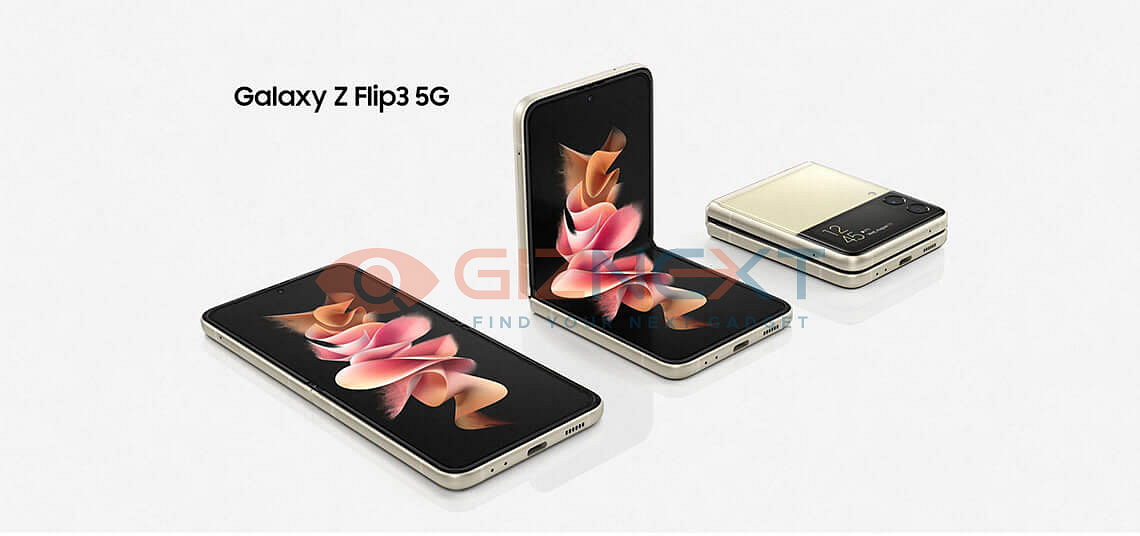
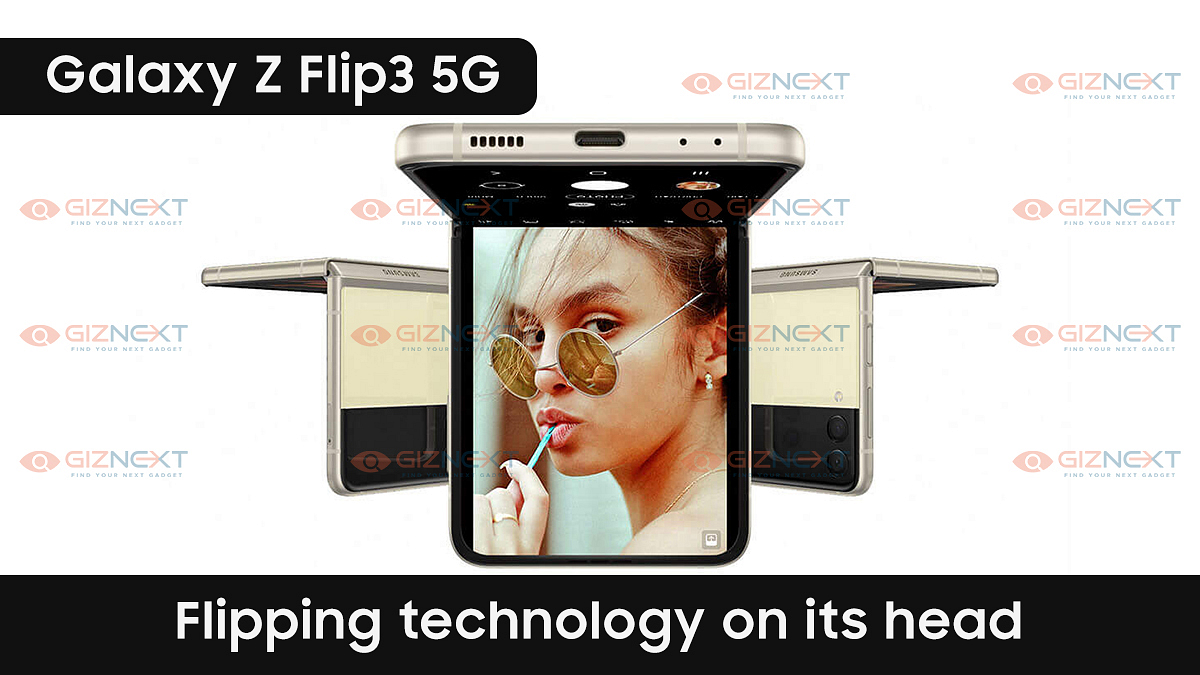
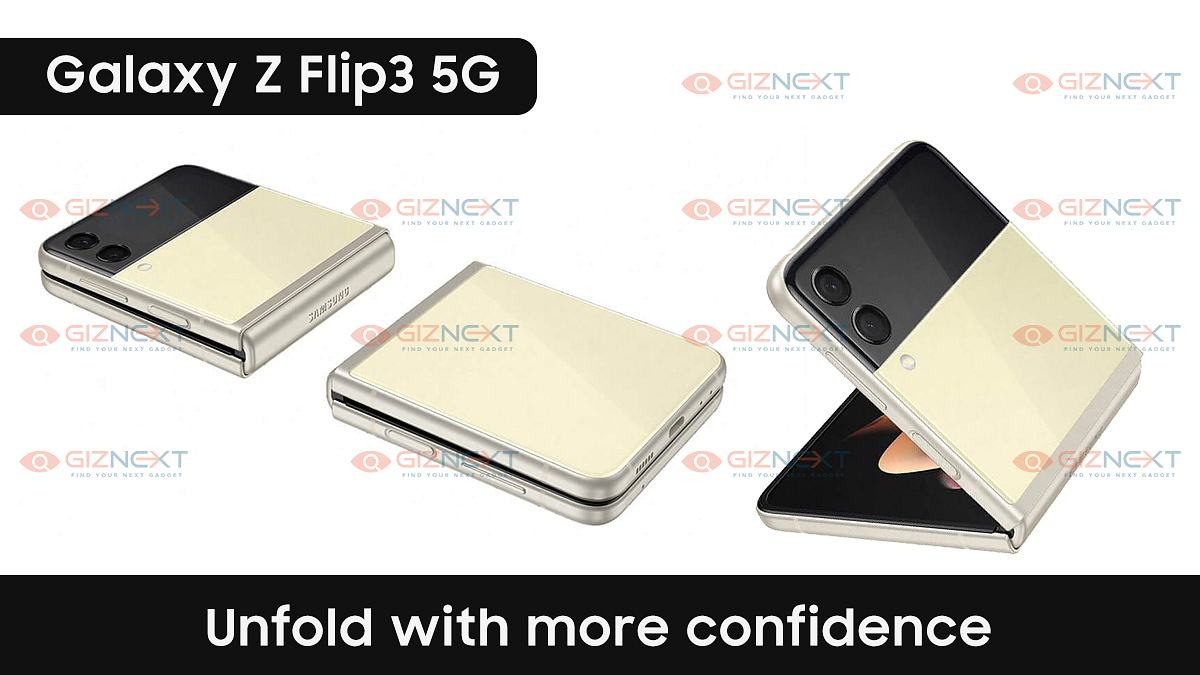
[GizNext Exclusive] Samsung Galaxy Z Flip 3 5G Revealed In Full Glory: Official Brochure & Features

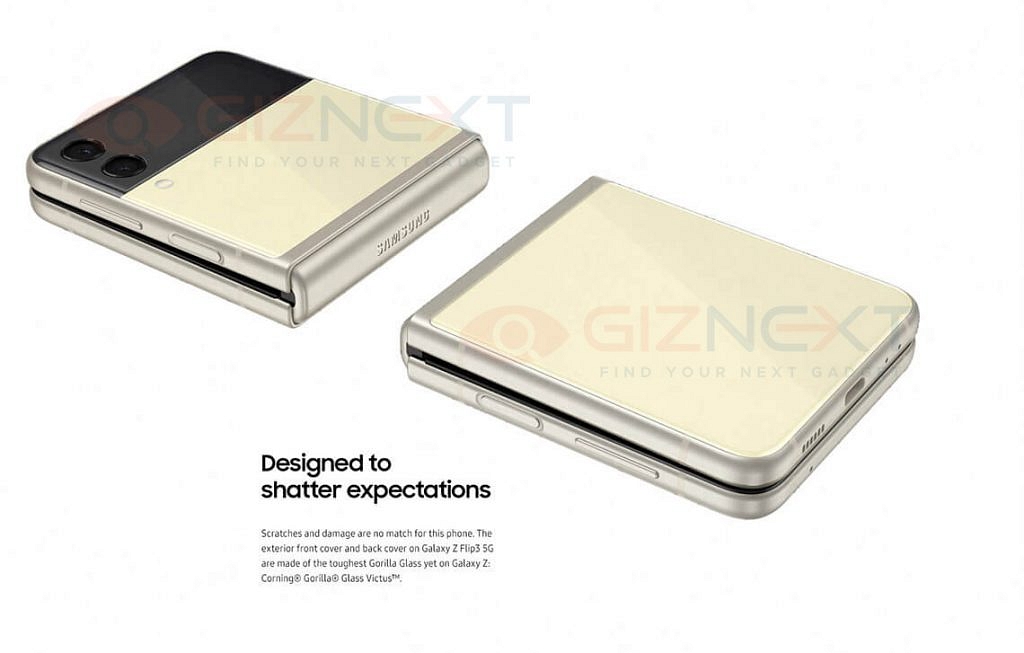
Samsung is gearing up for the launch of its new-generation version of unique flagship-grade smartphones. The company has scheduled the Galaxy Unpacked event for August 11, 2021, which will start at 07:30 PM. This will be a virtual event in which the company will launch a bunch of new Samsung devices including the Galaxy Z Flip 3 5G and now, ahead of its official launch, we have exclusively managed to get its brochure.

Samsung Galaxy Z Flip 3 – Key Specifications

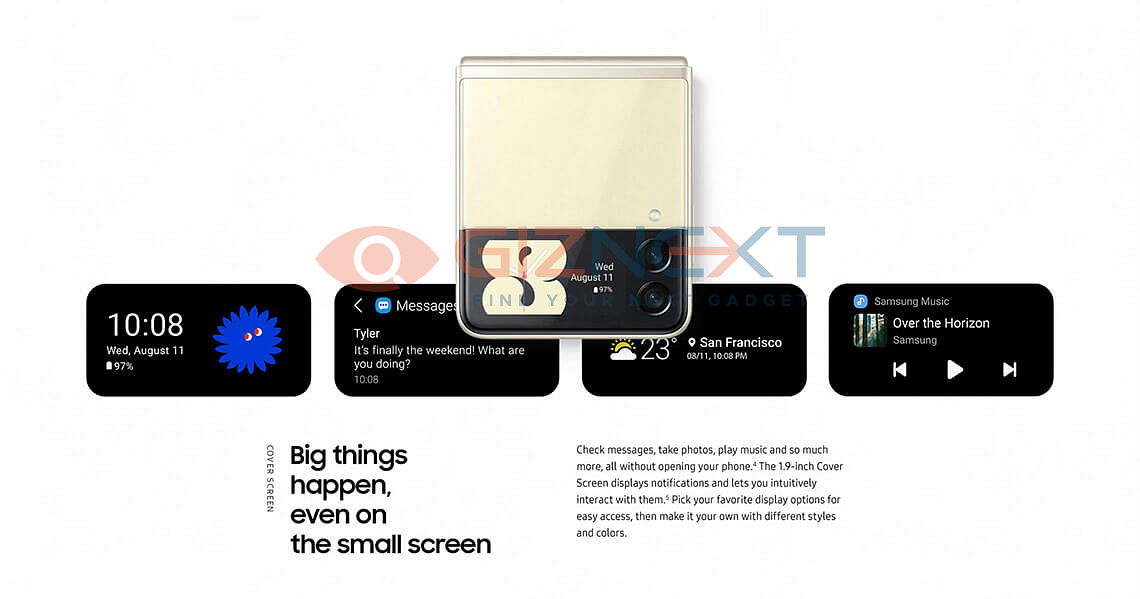
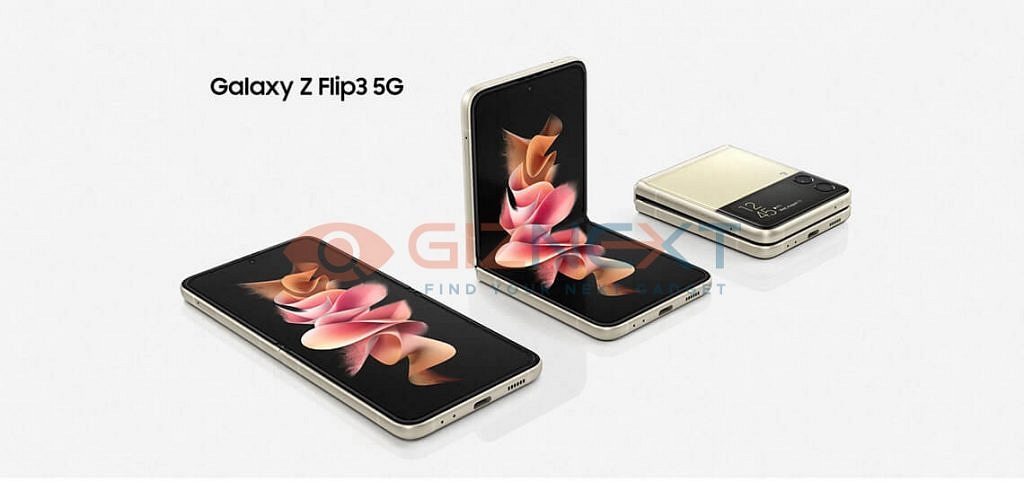
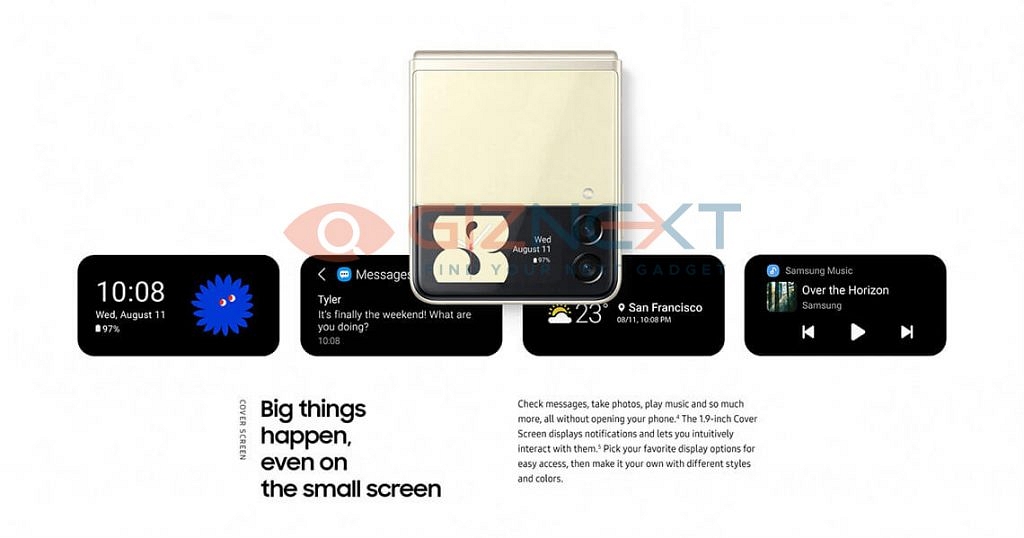
The upcoming new Samsung Galaxy Z Flip 3 will be powered by the latest flagship Qualcomm Snapdragon 888 processor. The smartphone will get a dual-screen set-up and thanks to its unique folding architecture, it will measure just 4.2-inches in size. The Galaxy Z Flip 3 will feature a 6.7-inch primary display which will be a Super AMOLED unit and it will get a 1.9-inch external display on the cover for screen’s notifications.

Samsung Galaxy Z Flip 3 – Camera Features and Battery

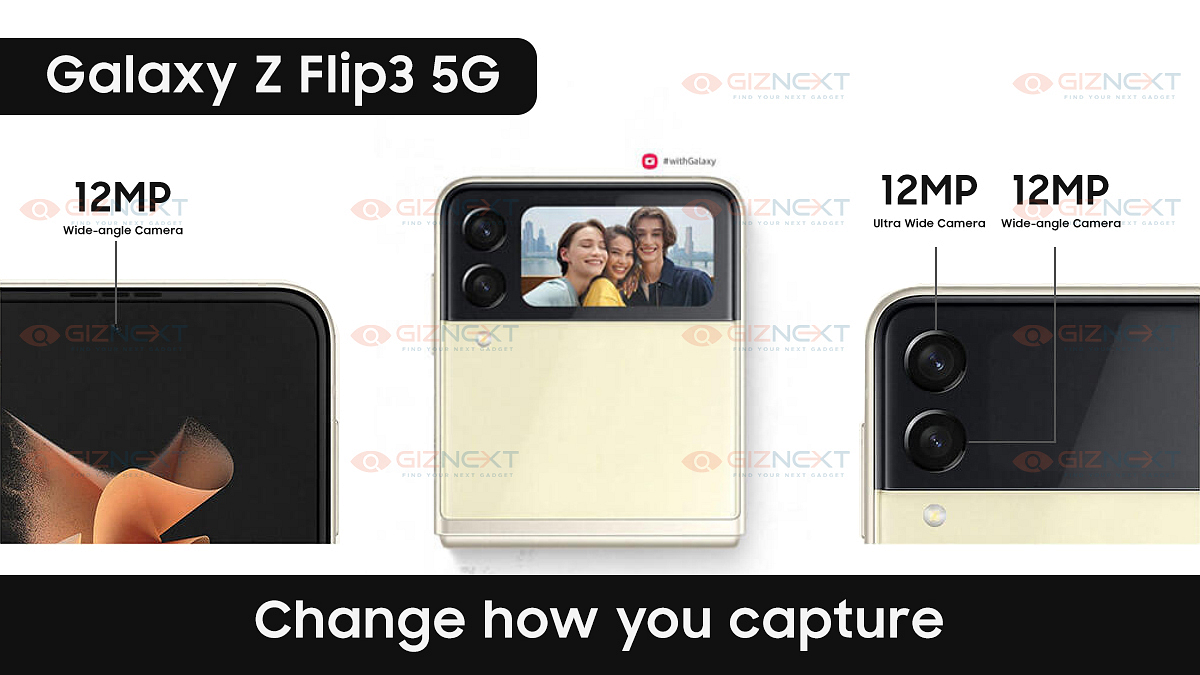
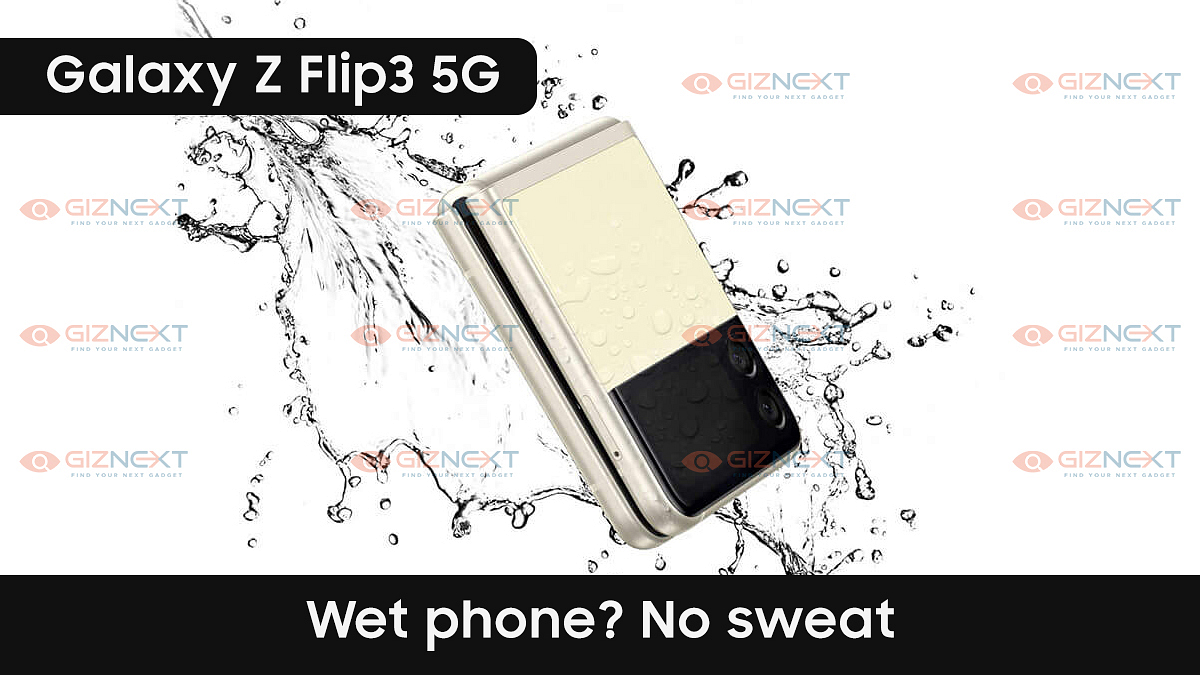
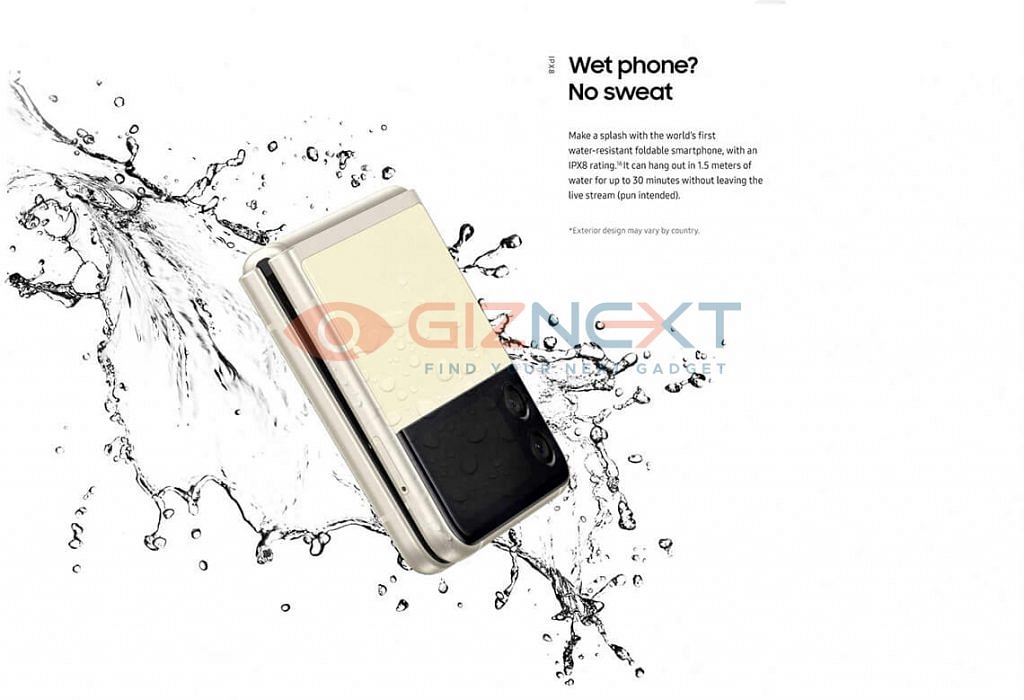
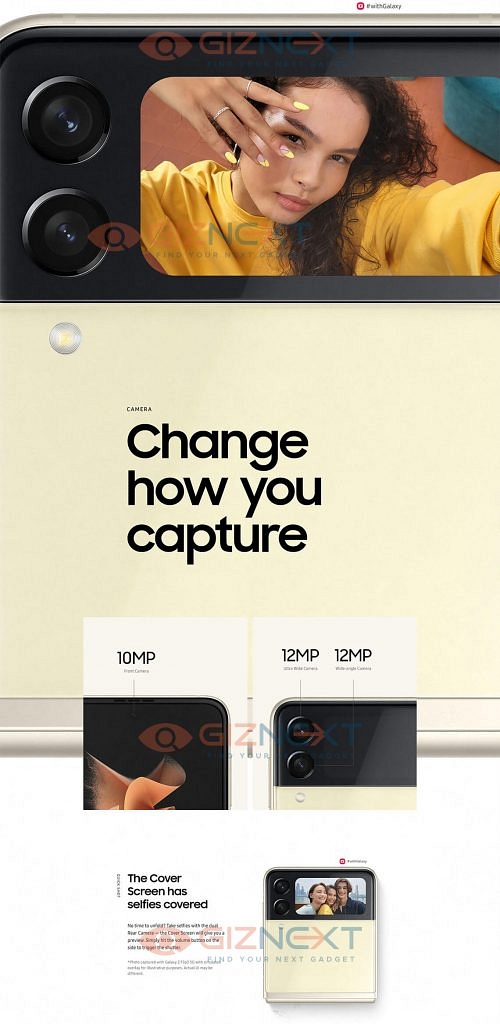
The upcoming new Samsung Galaxy Z Flip 3 will get a dual-camera set-up at the rear just like the original Galaxy Z Flip. At the rear, it will get two 12 MP camera sensors, one of them will be a regular wide-angle sensor while the other one is an ultra-wide-angle lens. At the front, it will get a 10 MP camera for selfies and videos. The Galaxy Z Flip 3 will be the world’s first water-resistant foldable smartphone with an IPX8 rating. This upcoming foldable smartphone is also expected to pack a bigger battery than its predecessor.

Also Read: How To Send Disappearing Photos on WhatsApp – Step By Step Process Explained [VIDEO]

Samsung Galaxy Z Flip 3 – Expected Price and Variants

Samsung will launch the new Galaxy Z Flip 3 on August 11, 2021, and its prices have already leaked on the internet. The 128 GB internal storage variant of the smartphone will be priced at 1099 Euros (roughly Rs 97,000) while the top-spec 256 GB variant will be priced at 1149 Euros (roughly Rs 1.01 lakh). Also, it is worth mentioning that the pre-bookings for the new Samsung Galaxy Z Flip 3 5G are also open in India.

Samsung Galaxy Z Flip 3 – Summary

SpecificationsSamsung Galaxy Z Flip 3
Primary Screen Size6.7-inch Super AMOLED
Secondary Screen Size1.9-inch Super AMOLED
ProcessorQualcomm Snapdragon 888 SoC
Rear Camera12 MP + 12 MP
Front Camera10 MP selfie camera
Battery CapacityNot Available
Also Read: Best Tripods for Mobile Phones in India – Check Out The Affordable Tripod Stands For Mobile & Camera

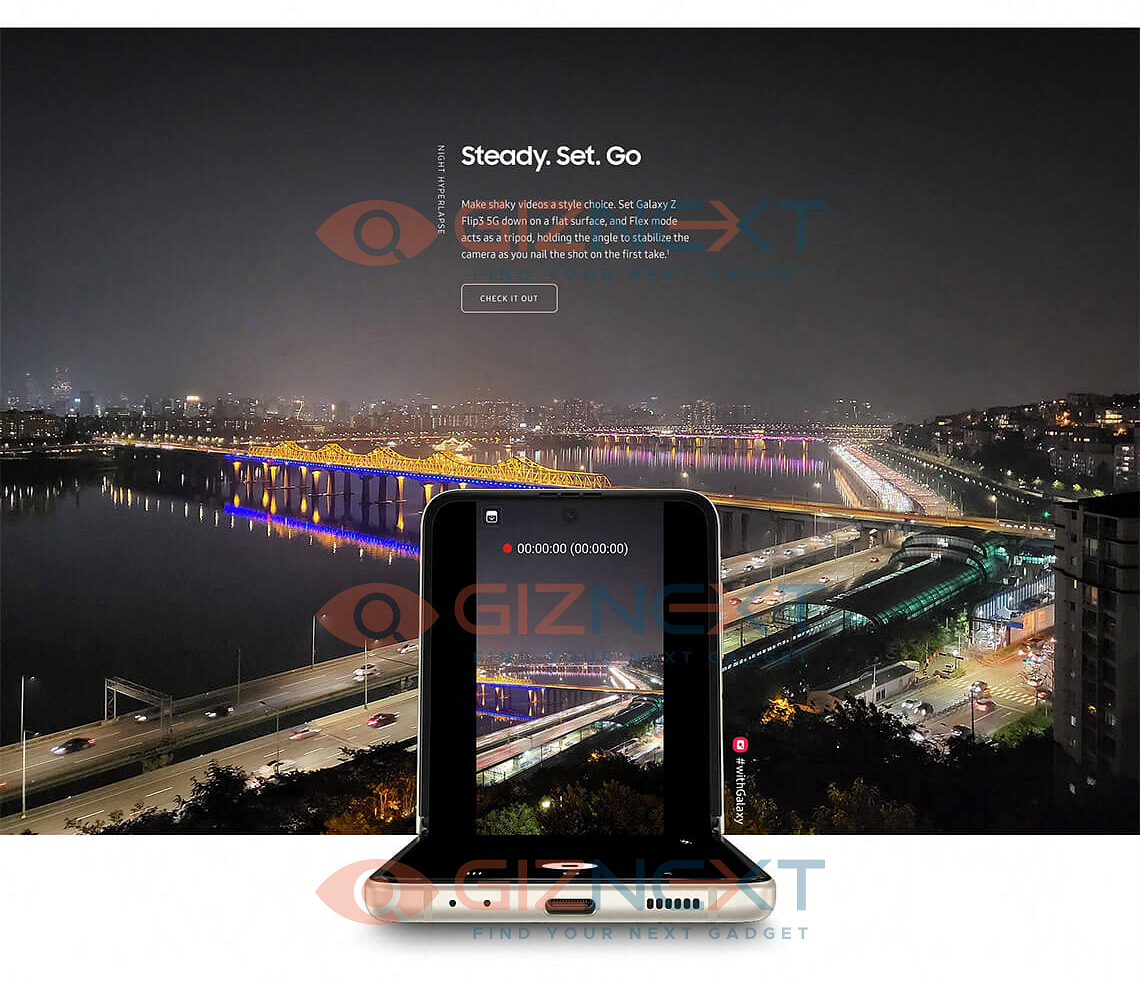
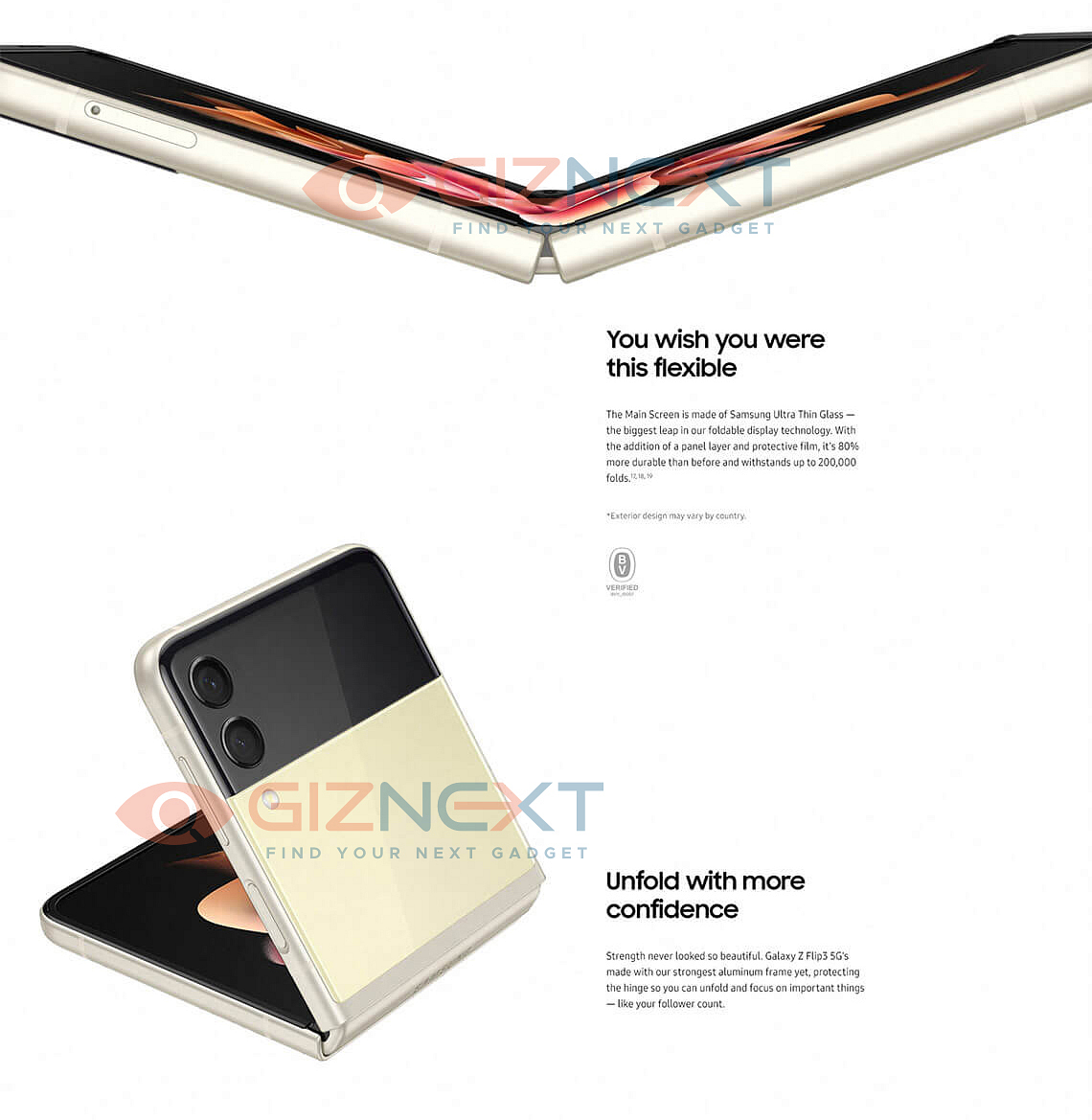
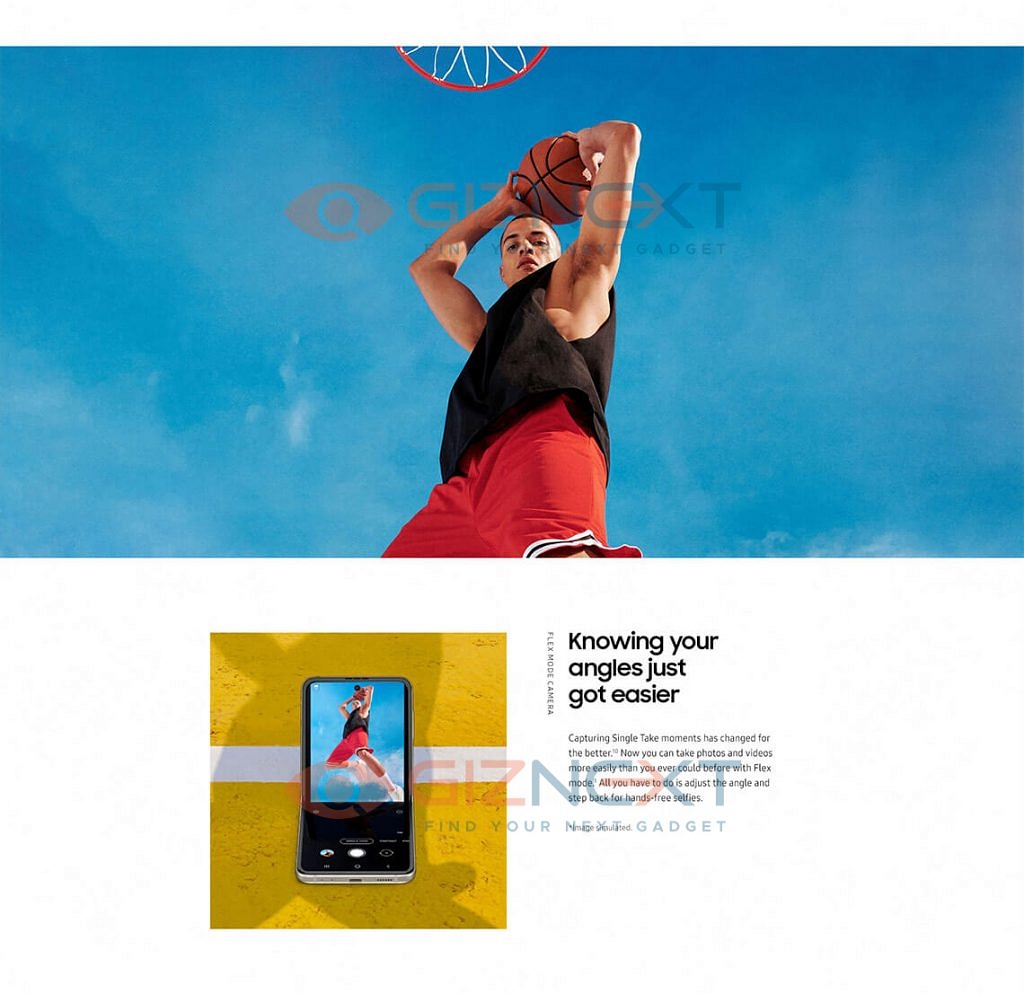
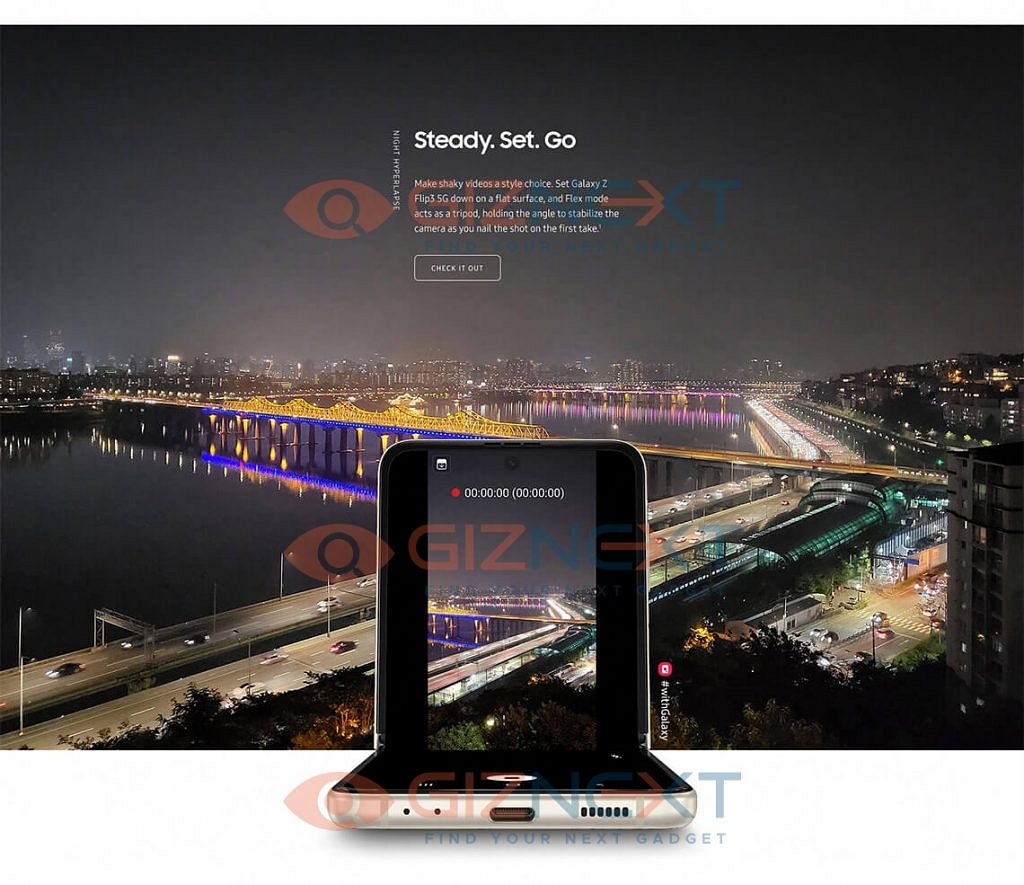
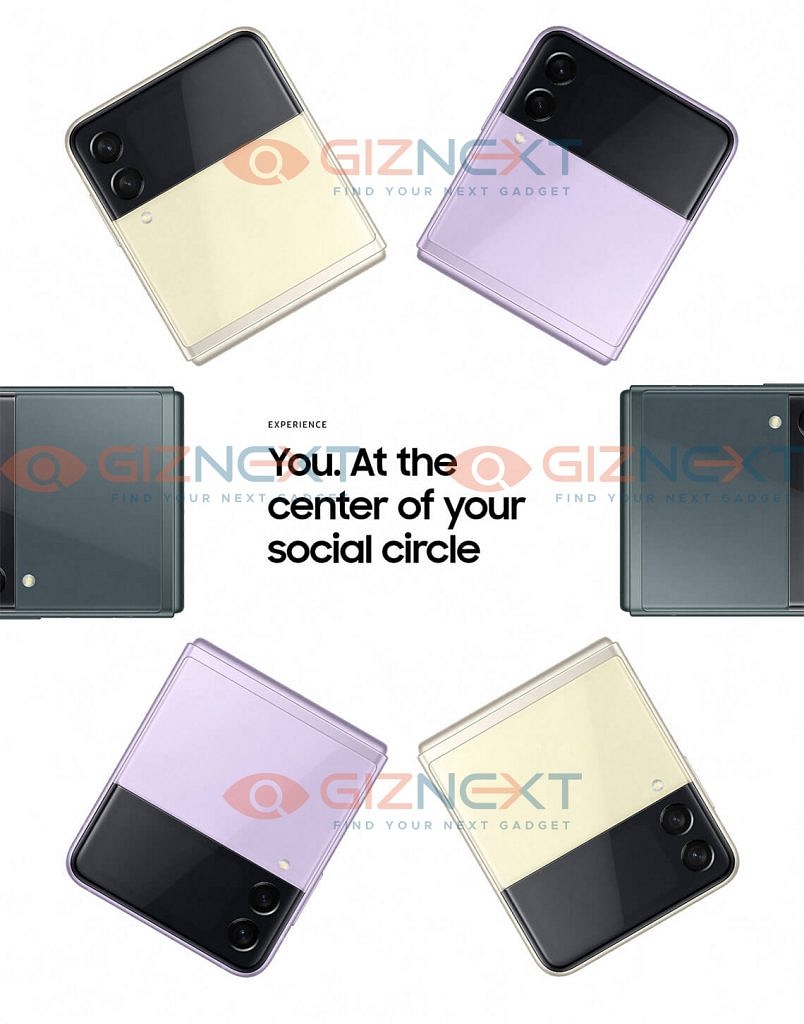
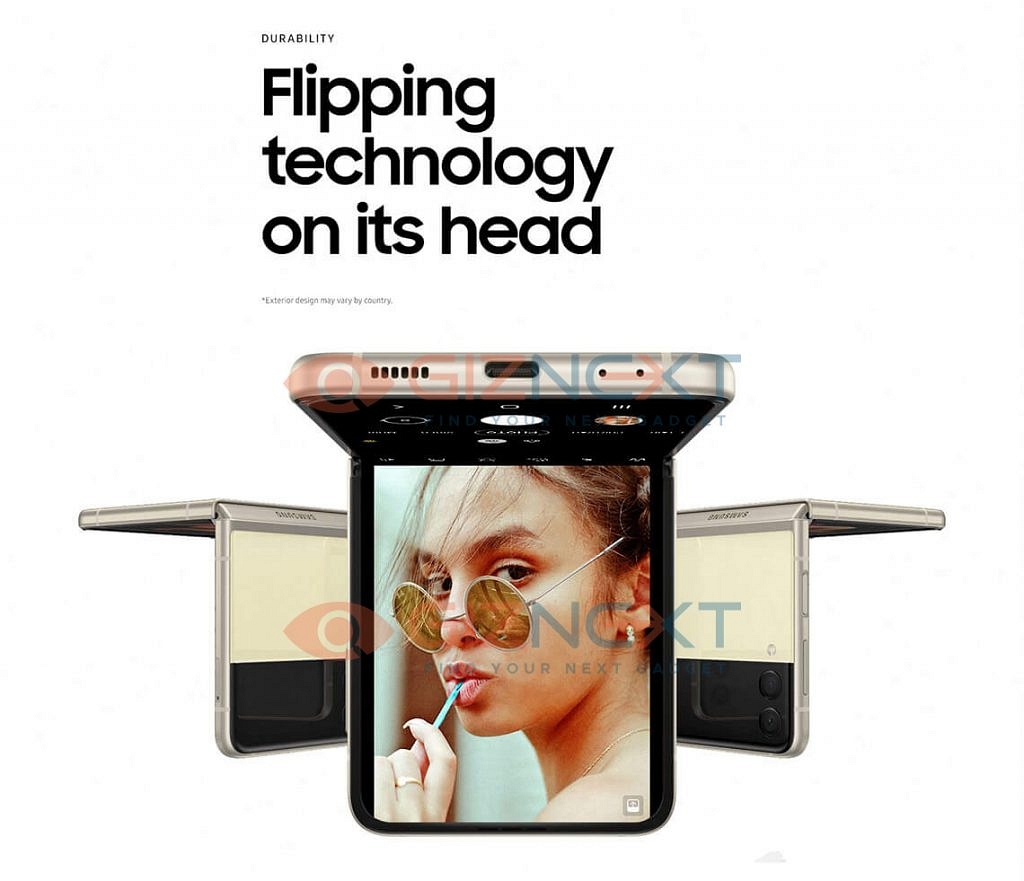
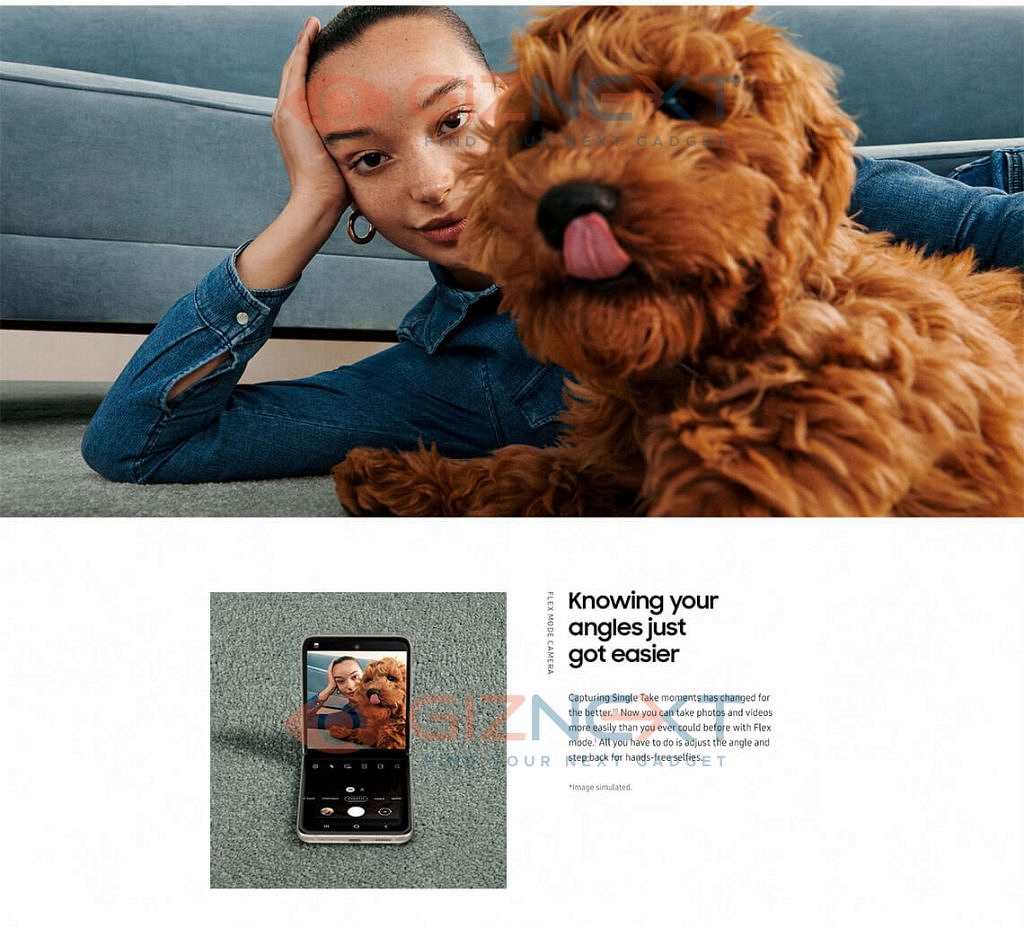
Samsung Galaxy Z Flip 3 5G – Official Brochure

So, this was all about the upcoming new Samsung Galaxy Z Flip 3 5G. Are you excited about the launch of this smartphone? Do feel free to share your thoughts and opinions with all of us in the comments section below. You can also join our GizNext Tech Enthusiast Telegram group (click via mobile to join) and even the GizNext Tech Enthusiast WhatsApp group which have been curated exclusively for the tech geeks.

Categories
Featured Leaks Mobile Tech News

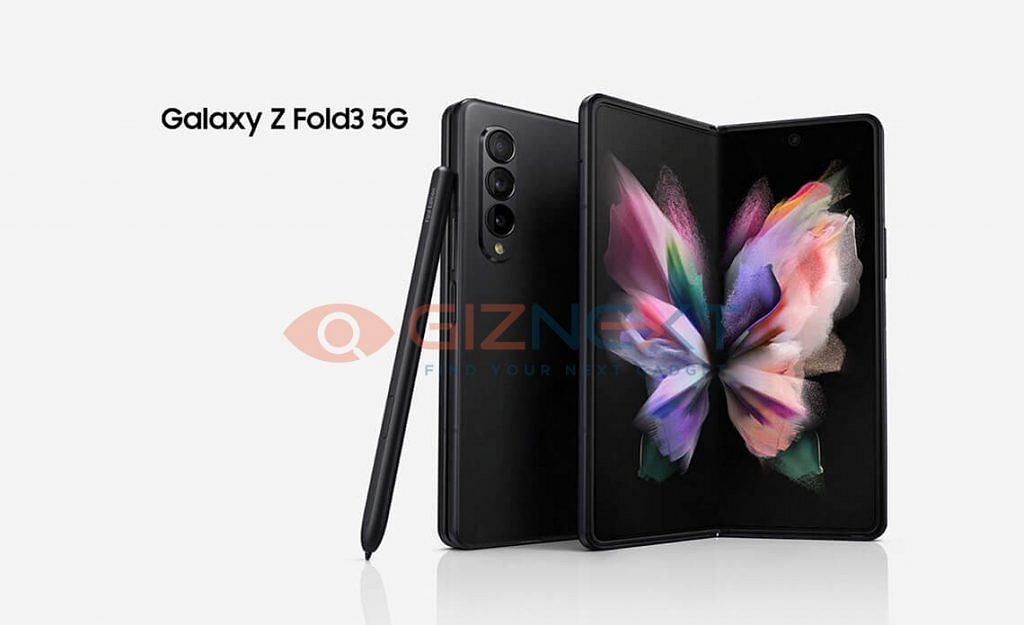
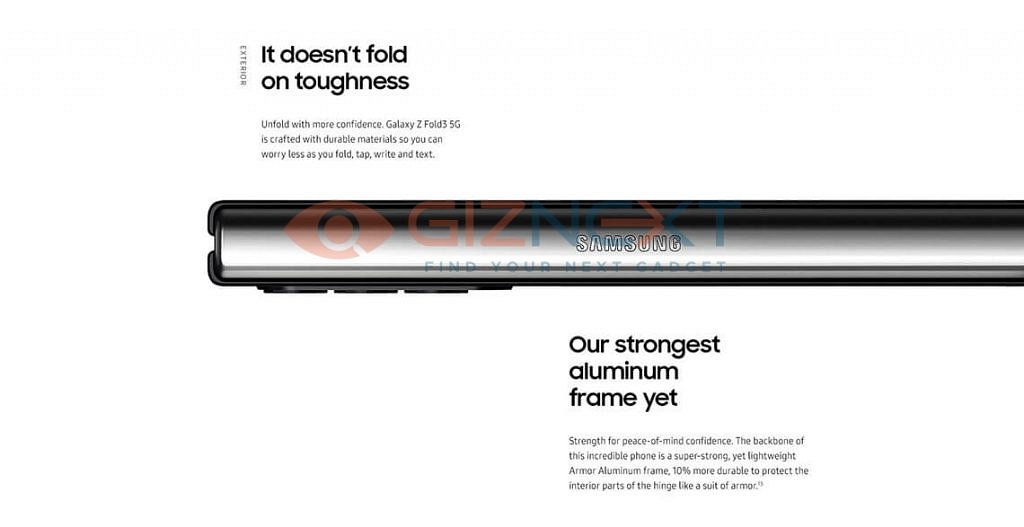
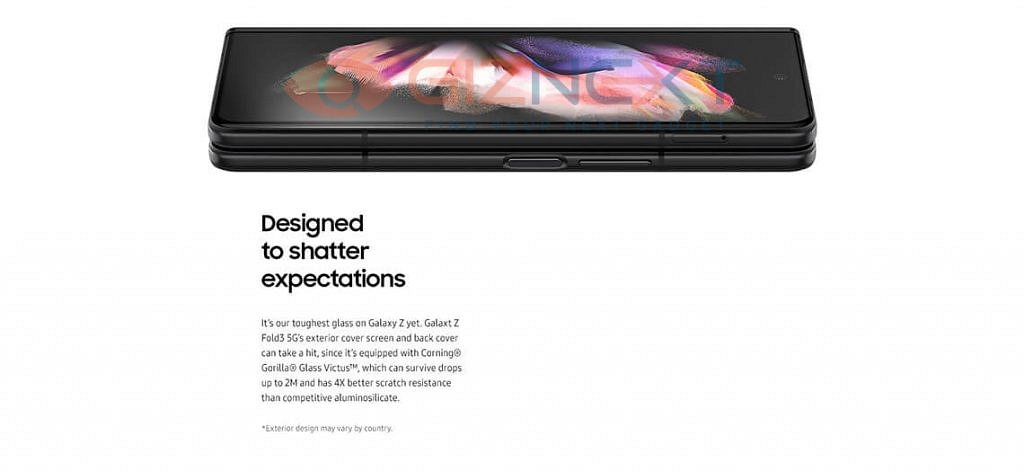
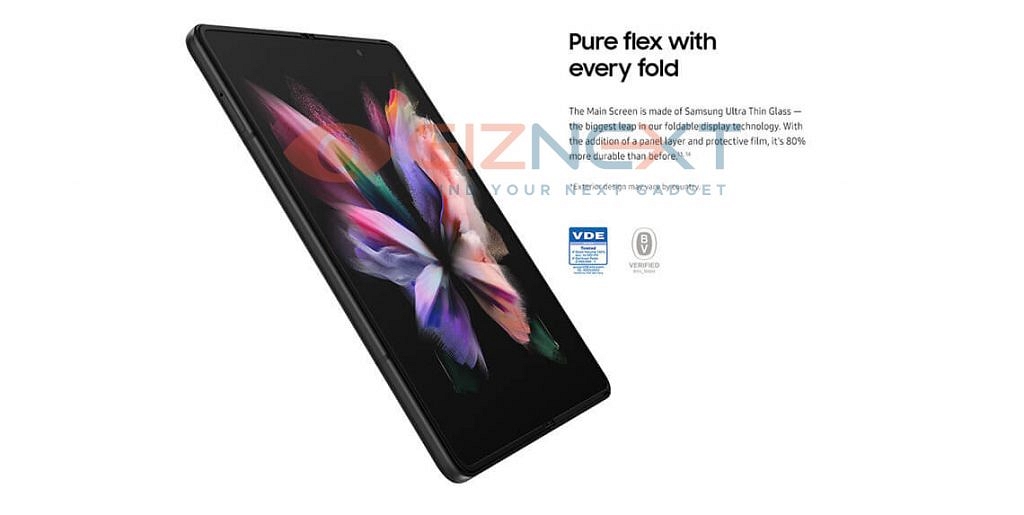
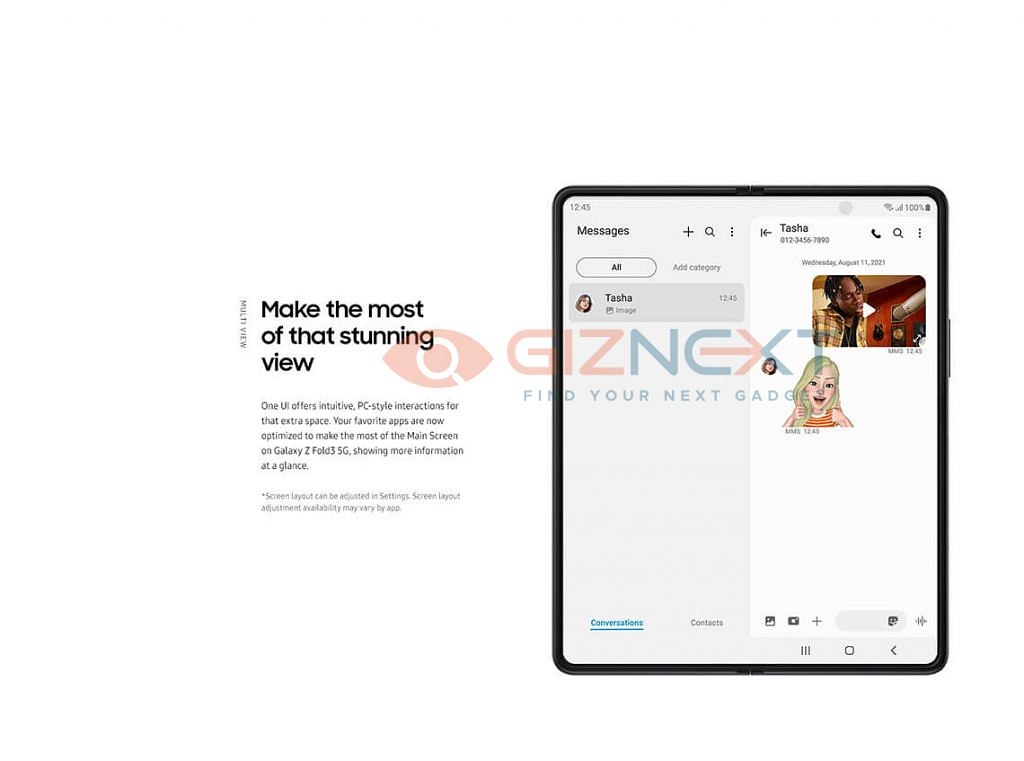
[GizNext Exclusive] Samsung Galaxy Z Fold 3 5G Revealed In Full Glory: Official Brochure & Features

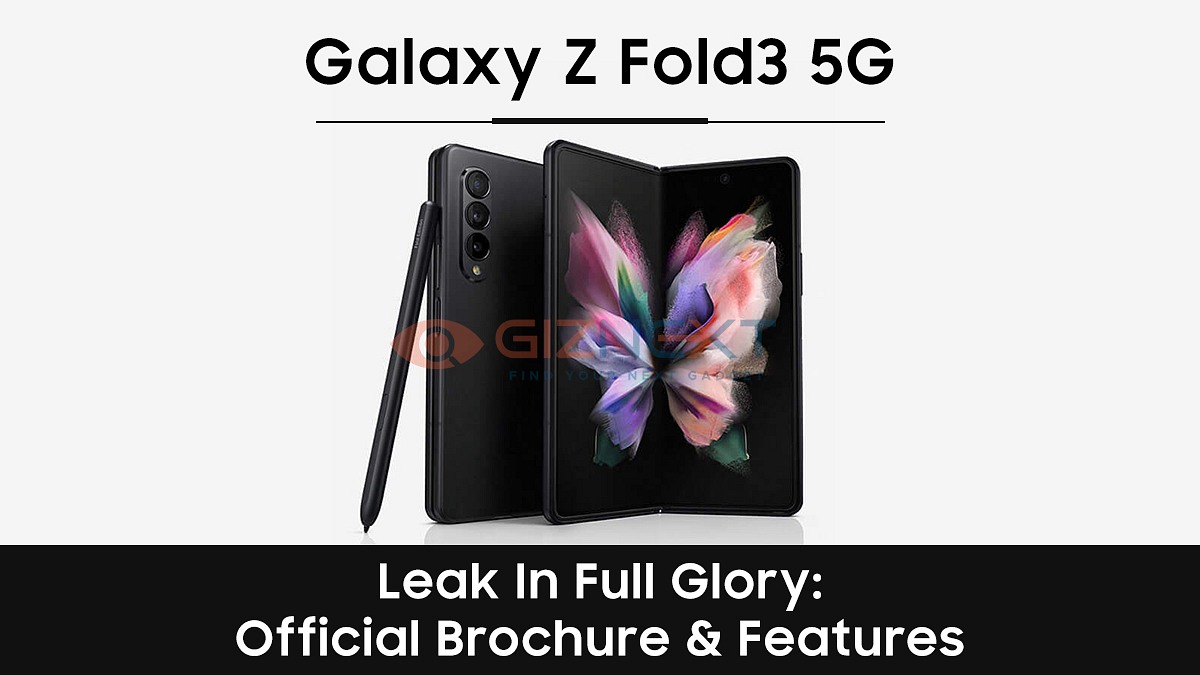
Samsung is all charged up to launch the new Galaxy flagship smartphones. The South Korean Technology Giant has scheduled the Galaxy Unpacked event for August 11, 2021, which will start at 07:30 PM. This will be a virtual event in which the company will launch a bunch of new Samsung devices including the all-new Galaxy Z Fold 3 5G. Now, ahead of its official launch, we have some exclusive information about it.

Samsung Galaxy Z Fold 3 – Key Specifications

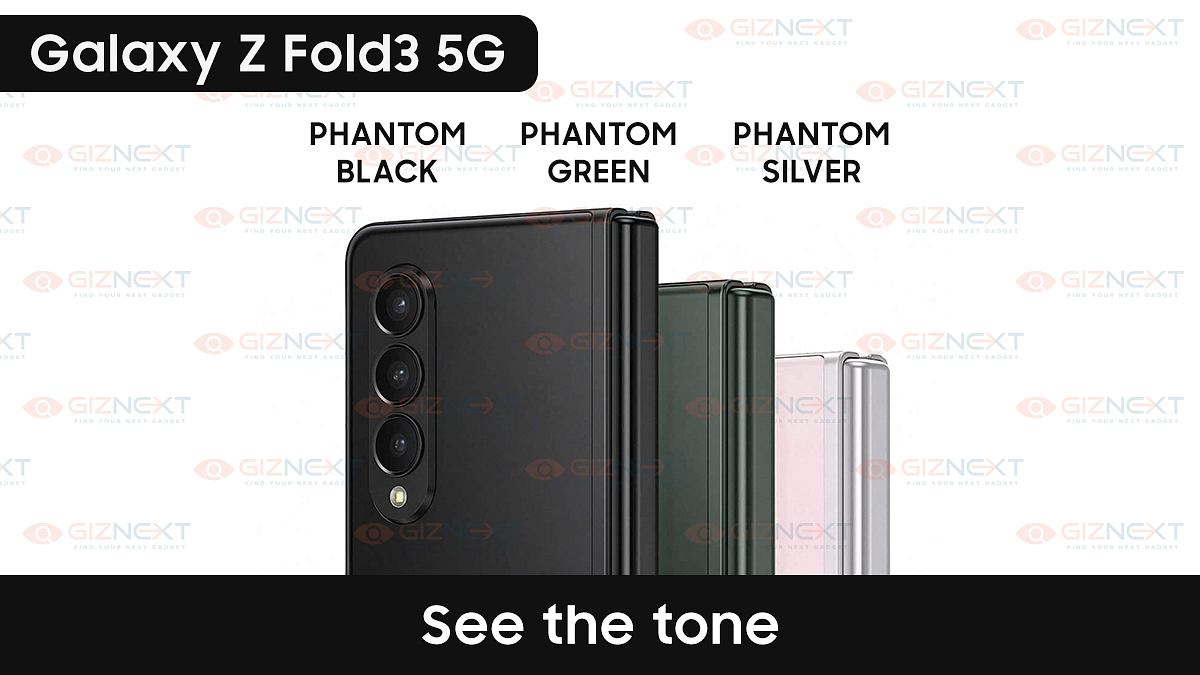
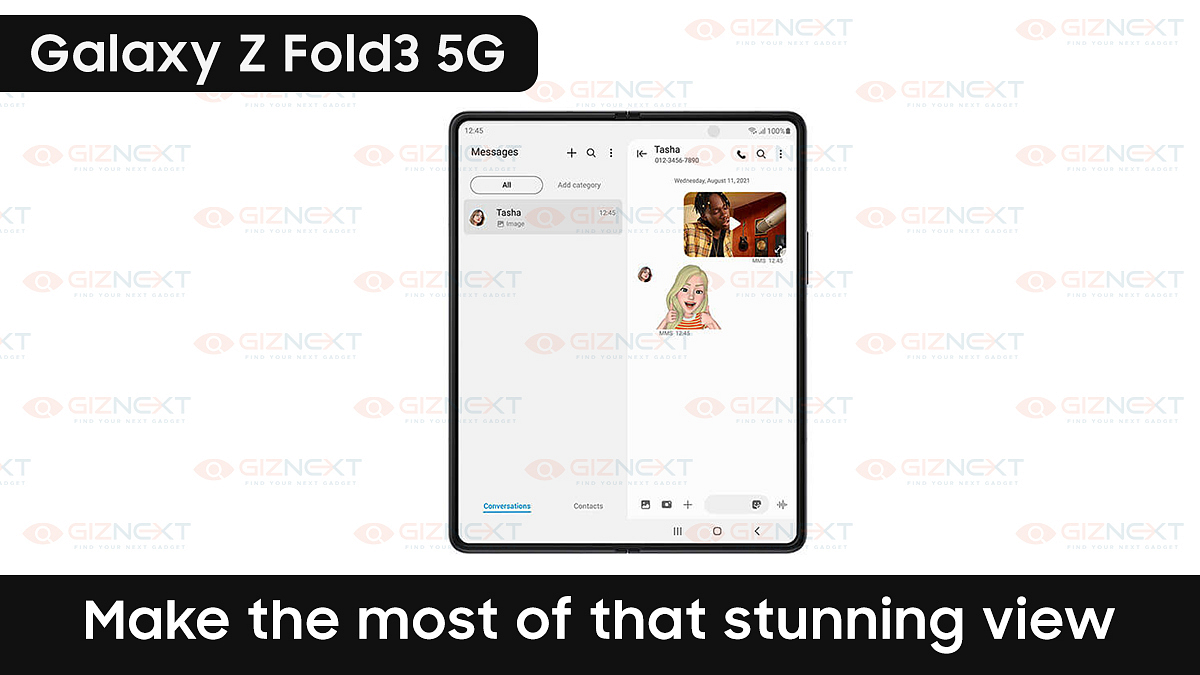
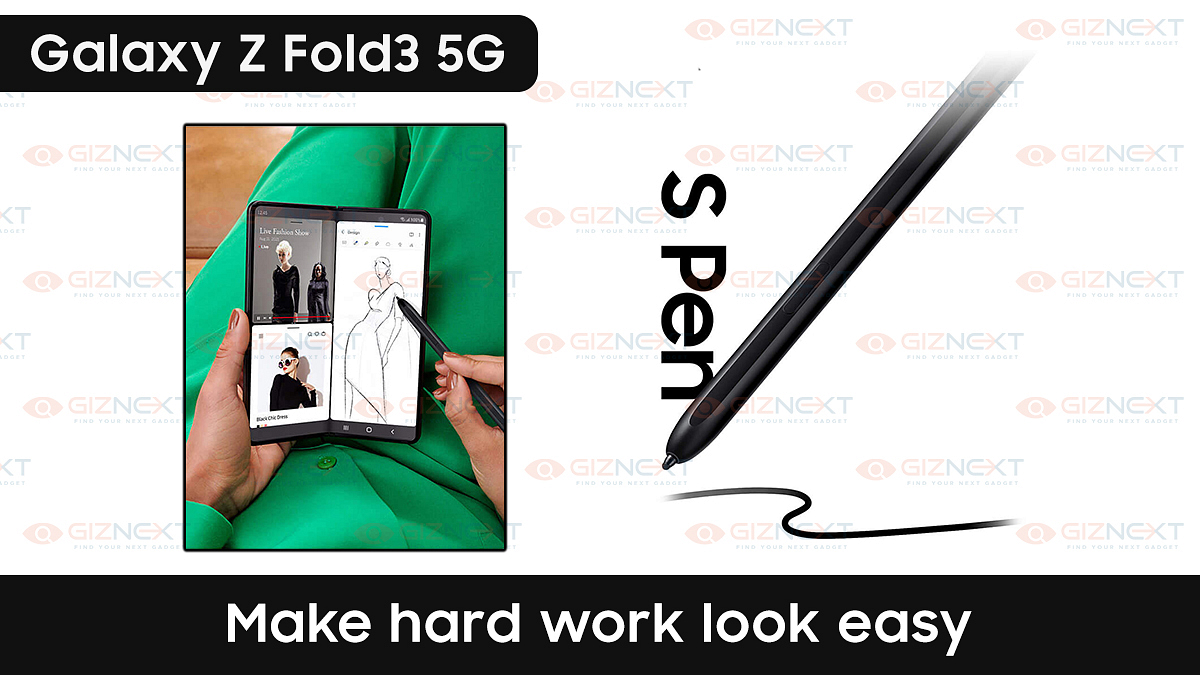
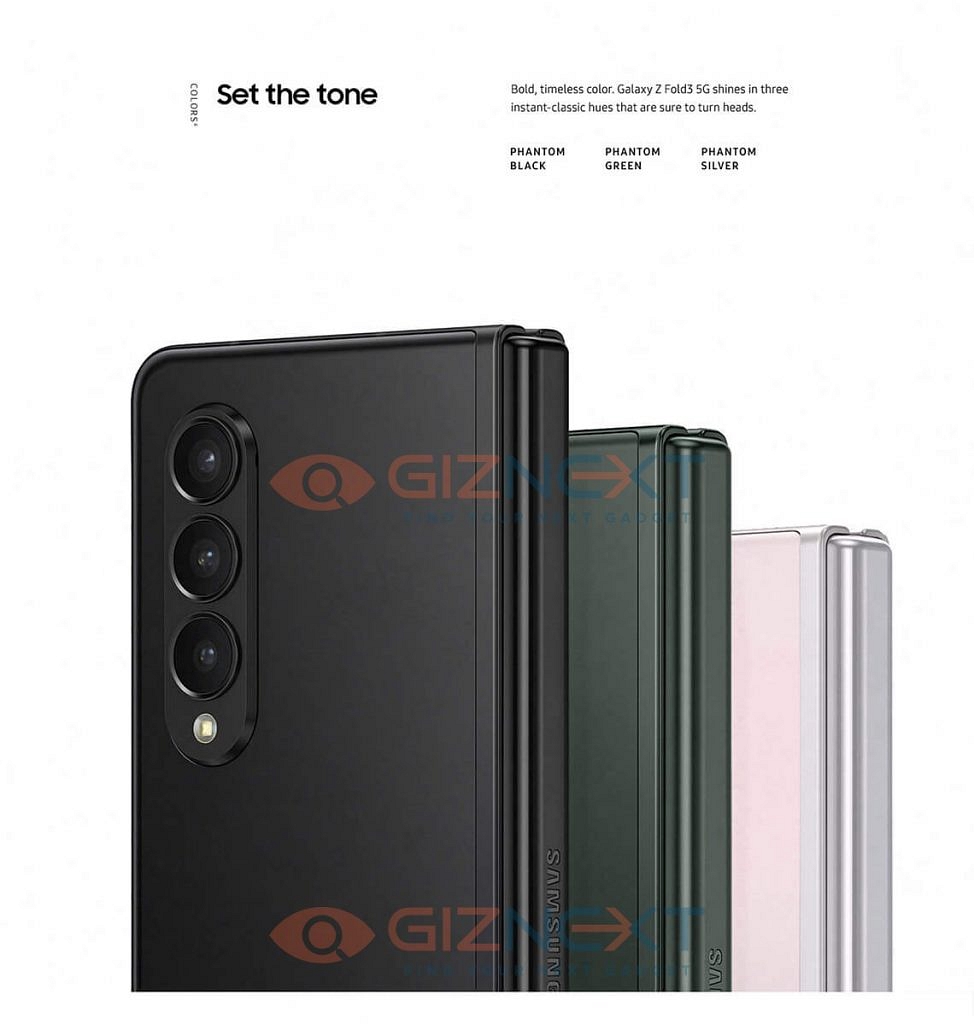
The upcoming new Samsung Galaxy Z Fold 3 will feature a massive 6.28-inch Super AMOLED touchscreen display panel but since it will be a foldable smartphone, it will be easy to use. The Galaxy Z Fold 3 will be powered by the latest flagship Qualcomm Snapdragon 888 processor. This new foldable smartphone will be available in three stunning colours. They are Phantom Black, Phantom Green and Phantom Silver. What’s further interesting is that for the first time ever, a Galaxy Fold device will get Samsung’s S Pen too.

Samsung Galaxy Z Fold 3 – Camera Features and Battery

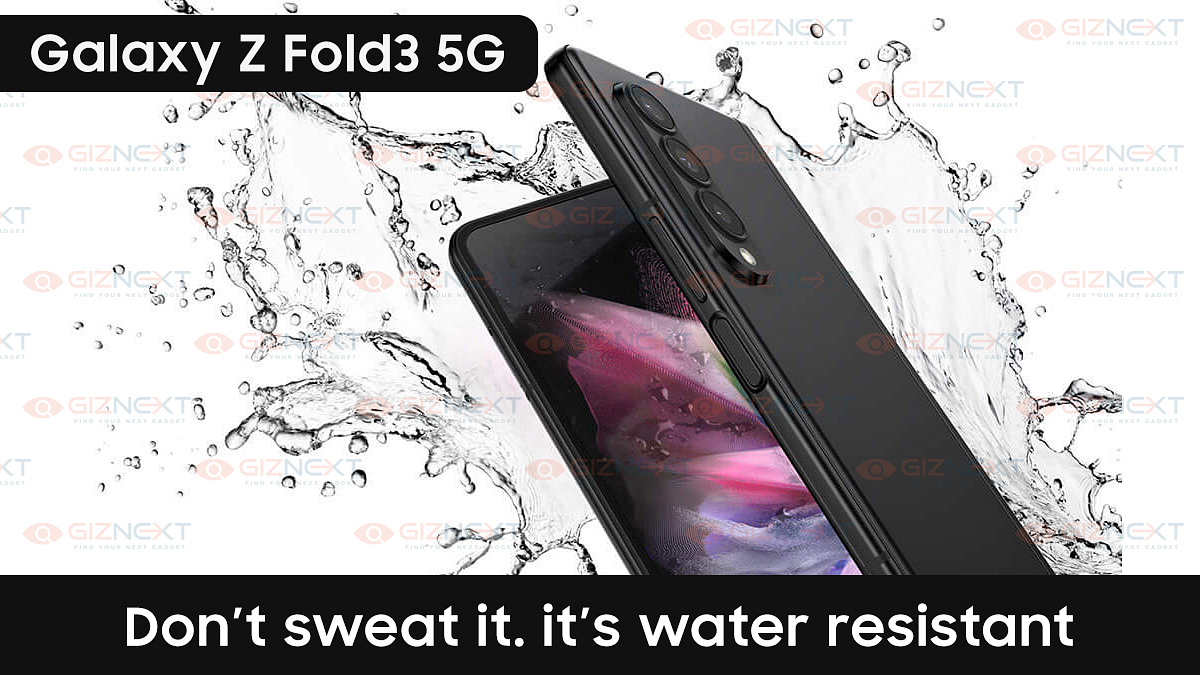
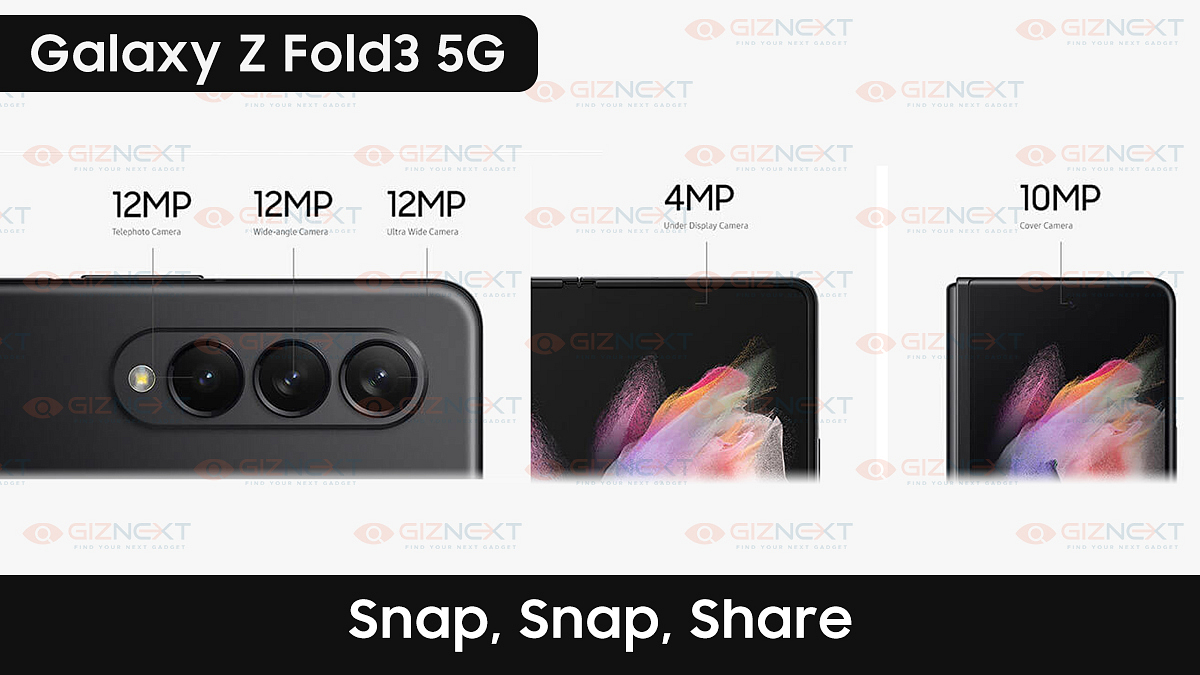
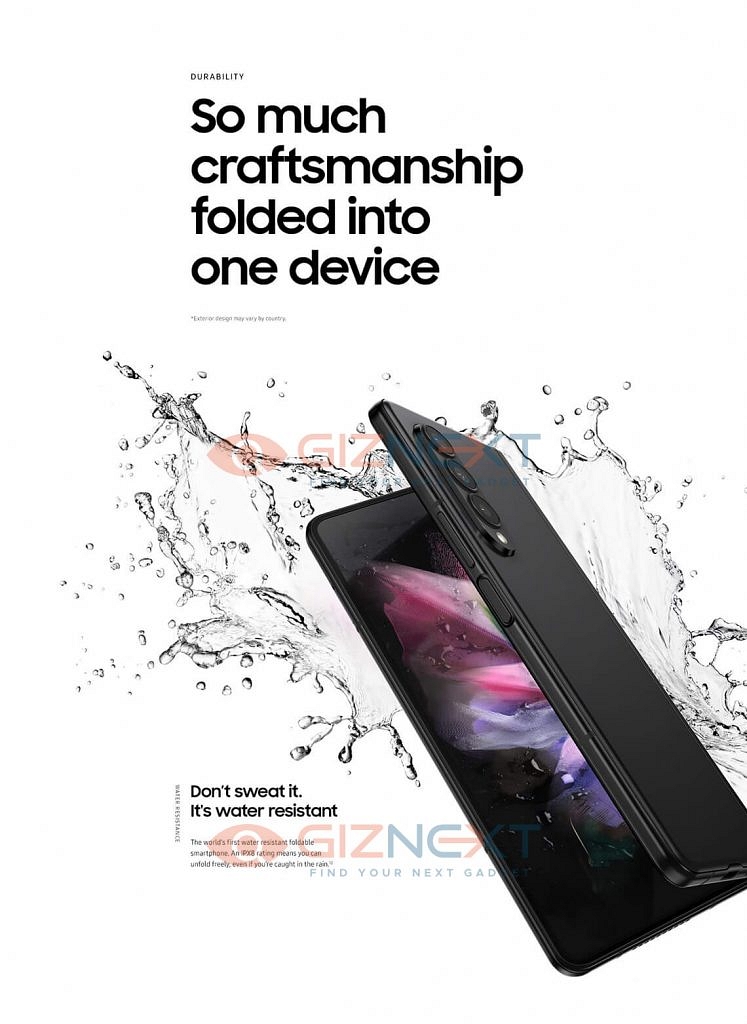
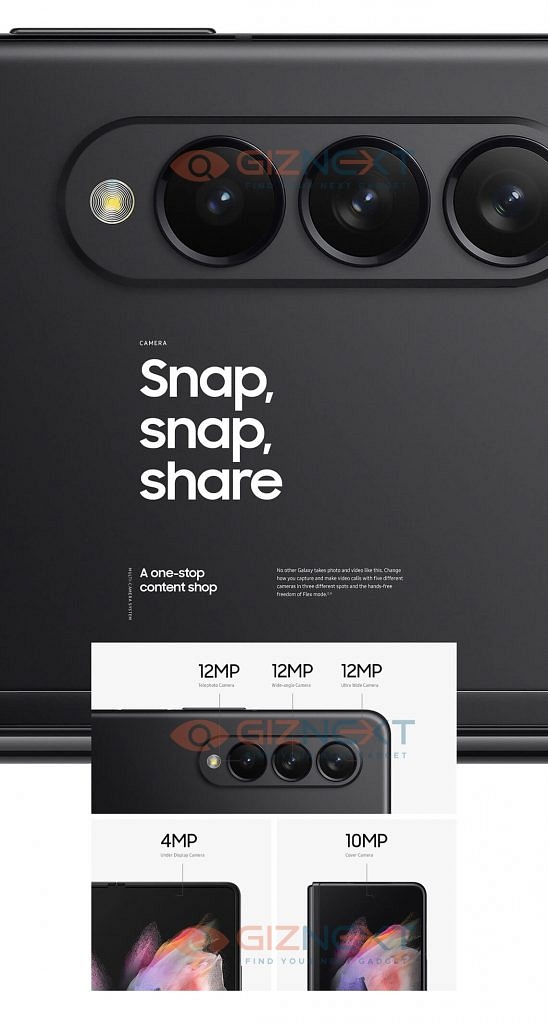
The upcoming new Samsung Galaxy Z Fold 3 will feature a triple camera set-up at the rear. This foldable smartphone will sport a 12 MP wide-angle camera along with a 12 MP ultra-wide-angle lens and a 12 MP telephoto sensor. At the front, it will get a dual-camera set-up. There will be a 10 MP cover camera and a 4 MP under-display camera. This upcoming smartphone is also expected to pack a bigger battery than its predecessor. Also, it will be the world’s first water-resistant foldable smartphone with an IPX8 rating. 

Also Read: Chinese vs Non-Chinese Smartphones: Made in India Smartphones – What’s This Buzz About?

Samsung Galaxy Z Fold 3 – Expected Price and Variants

Samsung will launch the new Galaxy Z Fold 3 at the Galaxy Unpacked event on August 11, 2021. However, its prices have already leaked on the internet. Its base variant with 128 GB of internal storage is said to be priced at 1899 Euros (roughly Rs 1.67 lakh) while the top-spec trim with 256 GB internal storage will be priced at 1999 Euros (roughly Rs 1.76 lakh). Also, it needs to be mentioned that the pre-bookings for the new Samsung Galaxy Z Fold 3 5G and also the upcoming Samsung Galaxy Z Flip 3 are now open in India.

Samsung Galaxy Z Fold 3 – Summary

SpecificationsSamsung Galaxy Z Fold 3
Screen Size6.28-inch Super AMOLED
ProcessorQualcomm Snapdragon 888 SoC
Rear Camera12 MP + 12 MP + 12 MP
Front Camera10 MP + 4 MP selfie camera
Battery CapacityNot Available

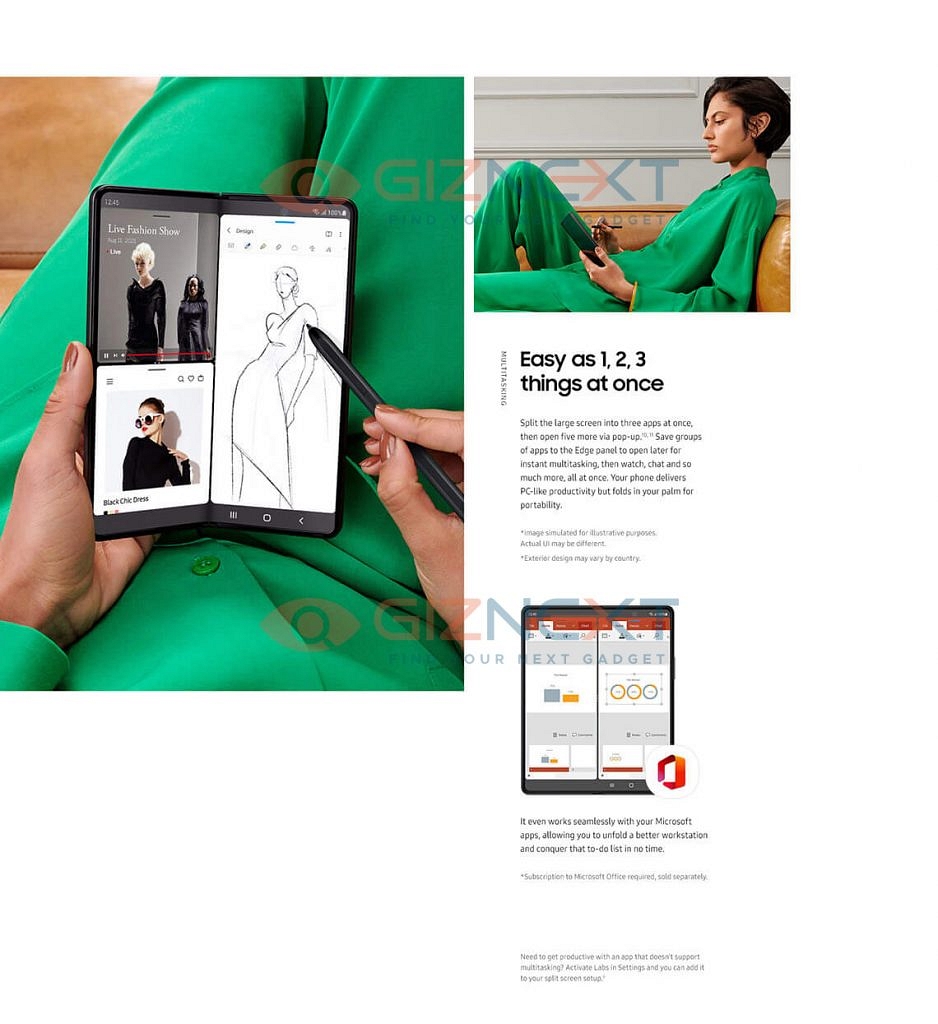
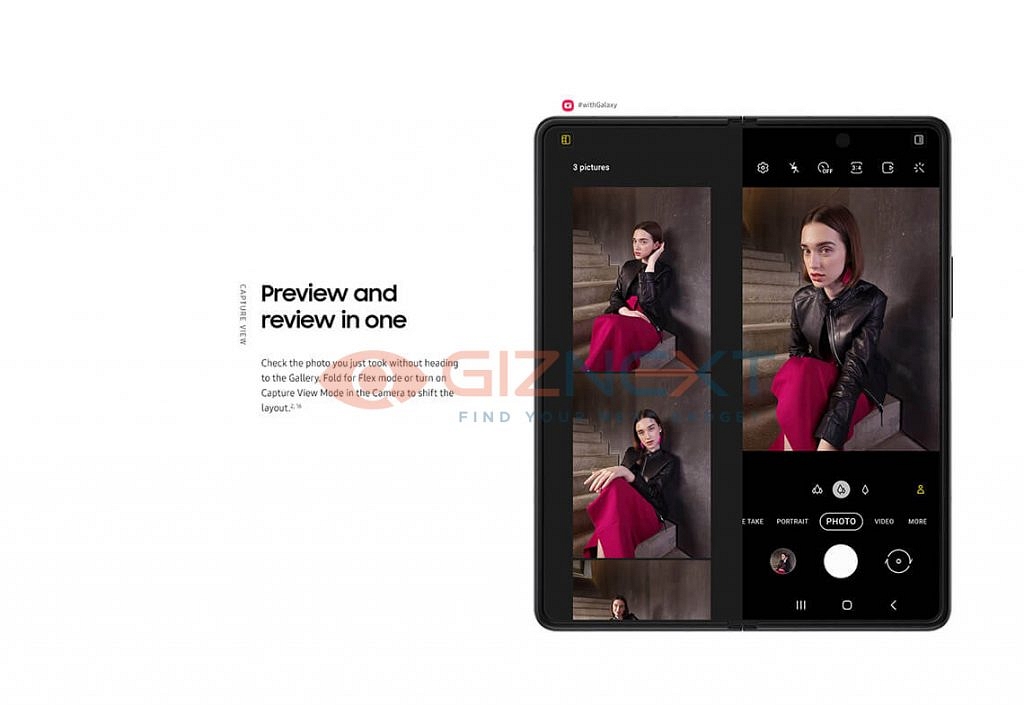
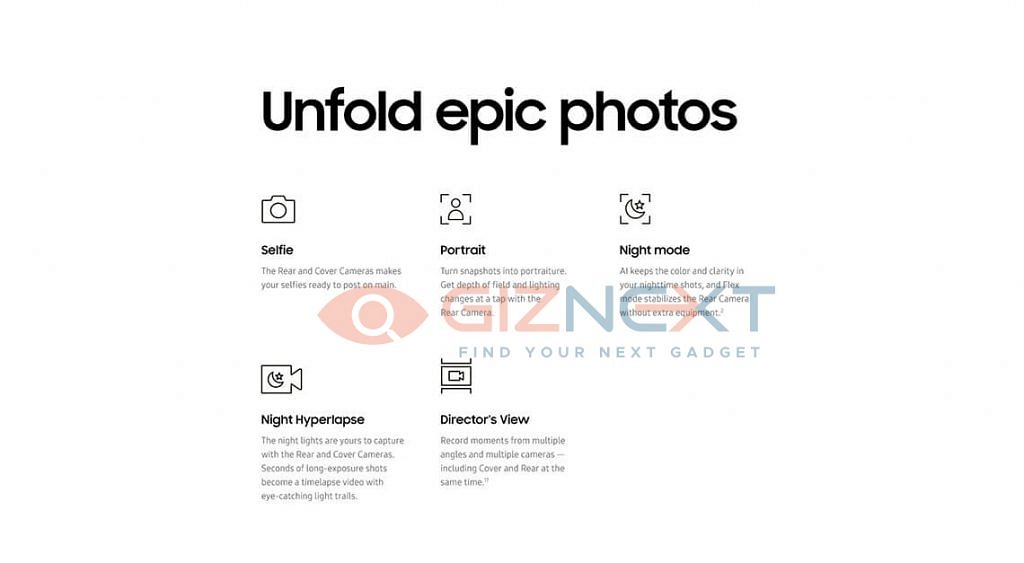
Samsung Galaxy Z Fold 3 – Official Brochure Images

Also Read: Affordable Smartphones with MediaTek Dimensity 700 Processor – Realme, Poco, Xiaomi, Oppo, etc

So, this was all about the upcoming new Samsung Galaxy Z Fold 3 5G. Are you excited about the launch of this smartphone? Do feel free to share your thoughts and opinions with all of us in the comments section below. You can also join our GizNext Tech Enthusiast Telegram group (click via mobile to join) and even the GizNext Tech Enthusiast WhatsApp group which have been curated exclusively for the tech geeks.

Categories
Tech Gadgets Tech News

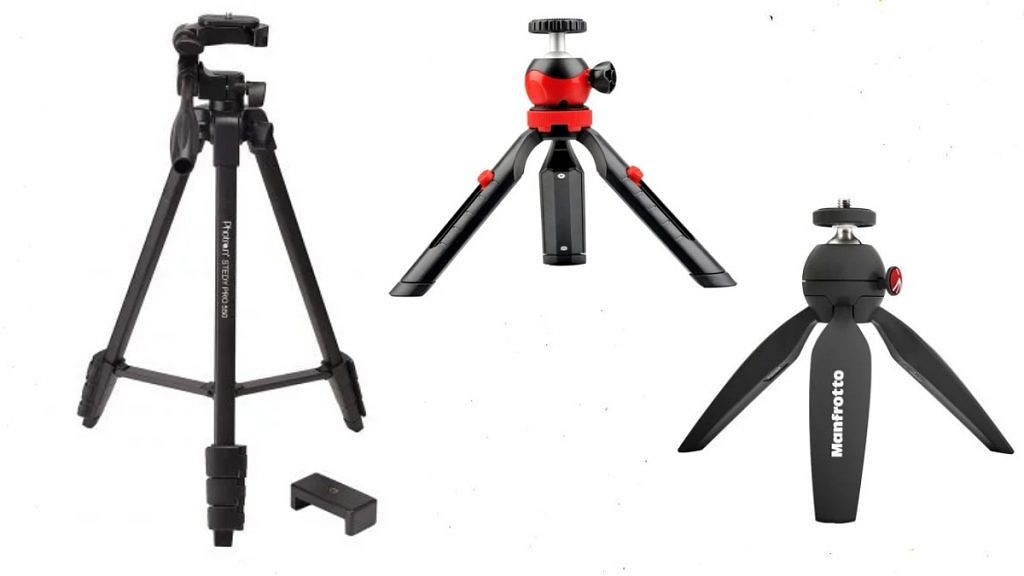
Best Tripods for Mobile Phones in India – Check Out The Affordable Tripod Stands For Mobile & Camera

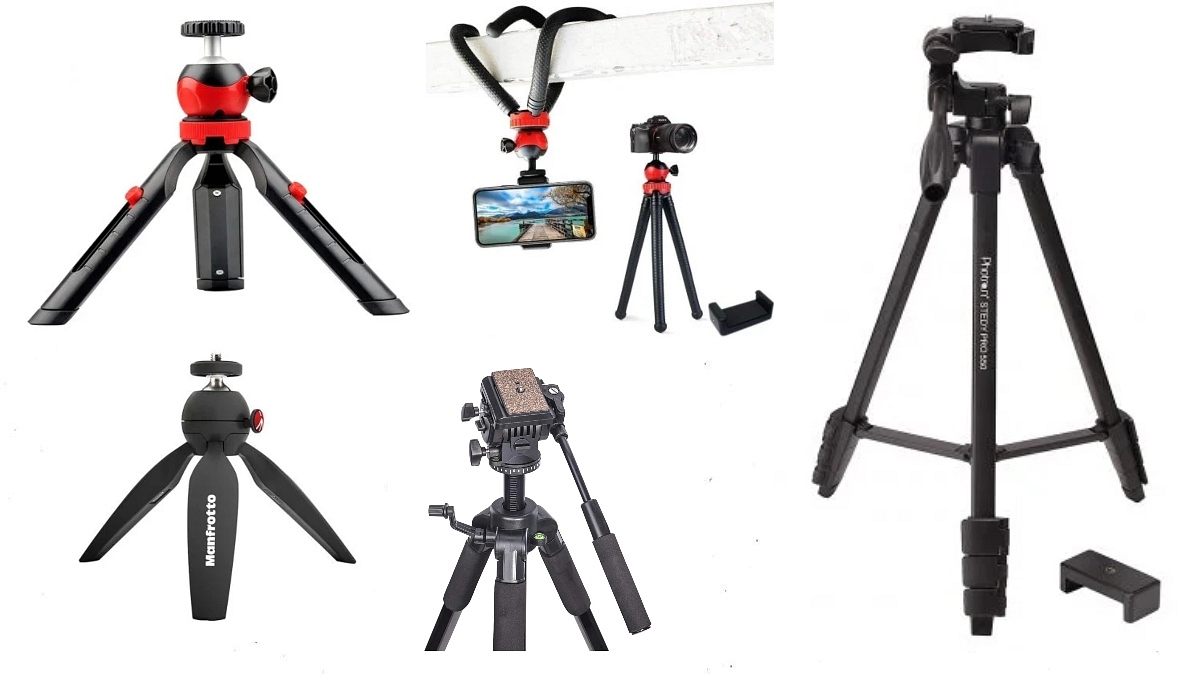
The coronavirus pandemic has changed our lives. Now, students don’t go to school, instead, they attend online classes on their smartphones. Likewise, working professionals are also doing work from home. So, thanks to the COVID-19 virus, we all are now working digitally from our home and in case you want to have a steady stand to place your smartphone while attending virtual meetings, Tripods will be the best pick for you. Thus, in this article, we have listed for you the Top 5 Best Tripods for Mobile Phones in India.

Before we begin with our listicle, let me tell you that most of these tripods are best suited for smartphones only and some can even be used with DSLRs. The tripods mentioned in this listicle can also be used if you are someone who is interested in mobile photography or videography or if you make YouTube videos with the help of your smartphone. Also, it is worth mentioning that you can always use a regular camera tripod with your smartphone, all you need is an ideally sized mobile holder attachment to mount it on a tripod.

Best Tripods for Mobile Phones in India

Tripod’s NamePriceWorking HeightMaximum Load Allowed
DigiTek DTR 200 MT Mini Tripod Rs 4007.87-inchUp to 1 Kg
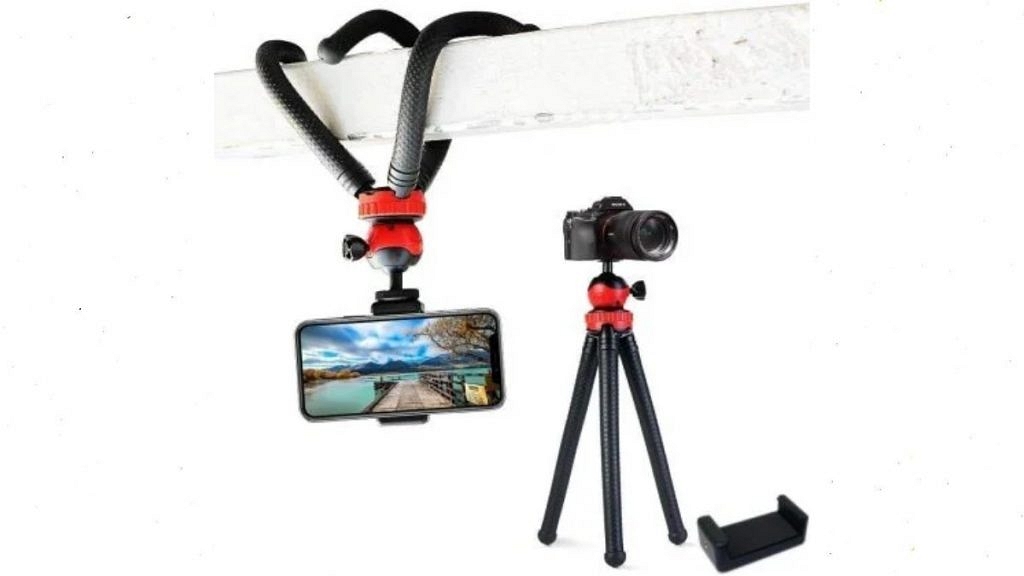
Adofys Flexible Gorillapod TripodRs 71912-inchUp to 1.5 Kg
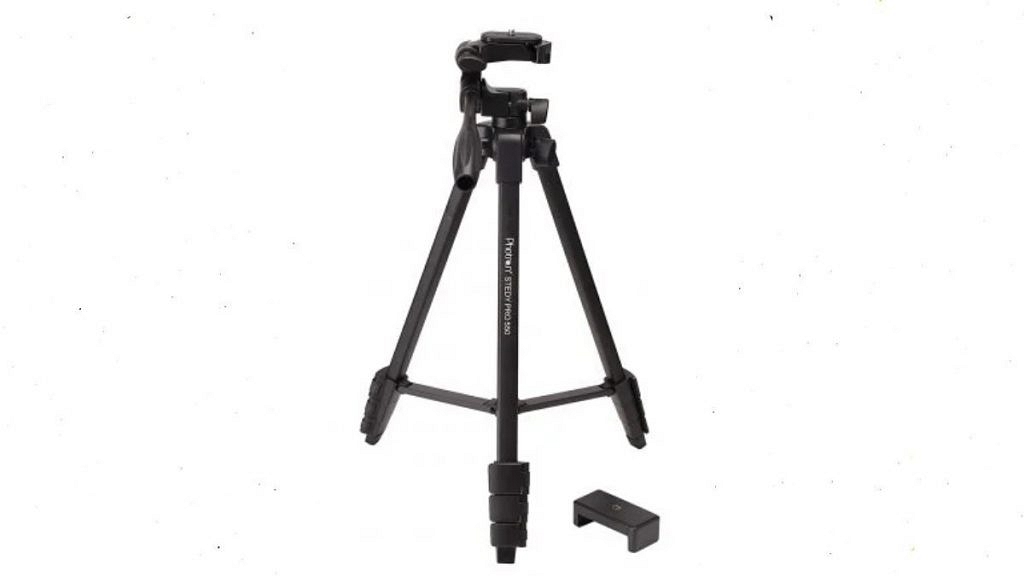
Photron Stedy Pro 550Rs 1,0804.47 feetUp to 2.5 Kg
Manfrotto PIXI Mini TripodRs 1,7375.3-inchUp to 1 Kg
Simpex VCT 880 PlusRs 2,6995.45 feetUp to 10 Kg

DigiTek DTR 200 MT Mini Tripod 

Price starts at Rs 400

The DigiTek DTR 200 MT Mini Tripod is one of the best affordable tripods currently on sale in India. This small and lightweight tripod is very handy to use and it can be carried everywhere easily. It gets a 360-degree rotating ball head, a non-skid rubber foot for extra grip and comes paired with a mobile holder.

  • Price – Rs 400
  • Working Height – 7.87-inch
  • Maximum Load Allowed – Up to 1 Kg

Adofys Flexible Gorillapod Tripod

Price starts at Rs 719

The Adofys Flexible Gorillapod Tripod is one of the most affordable good quality Gorillapod out there in the market. It is made up of a high-quality ABS material for durability. It features a 360-degree rotating ball head and uses a clasp lock mechanism and this new Gorillapod even comes with a free mobile holder.
  • Price – Rs 719
  • Working Height – 12-inch
  • Maximum Load Allowed – Up to 1.5 Kg

Photron Stedy Pro 550

Price starts at Rs 1,080

The Photron Stedy Pro 550 is a very good affordable tripod with a good working height. This new tripod comes with aluminium legs, ball head. It gets a quick-release clip to remove and attach your phone quickly.

  • Price – Rs 1,080
  • Working Height – 4.47 feet
  • Maximum Load Allowed – Up to 2.5 Kg
Also Read: Realme 8S / Realme 8i India Launch Soon – Check Out Its Leaked Front Panel Images and Details

Manfrotto MTPIXI-B PIXI Mini Tripod

Price starts at Rs 1,737

The Manfrotto MTPIXI-B PIXI Mini Tripod is a premium mobile tripod with the sturdy build quality. It uses a Push-button locking mechanism and lets you change the ball head angle with the press of just a button.

  • Price – Rs 1,737
  • Working Height – 5.3-inch
  • Maximum Load Allowed – Up to 1 Kg

Simpex VCT 880 Plus

Price starts at Rs 2,699

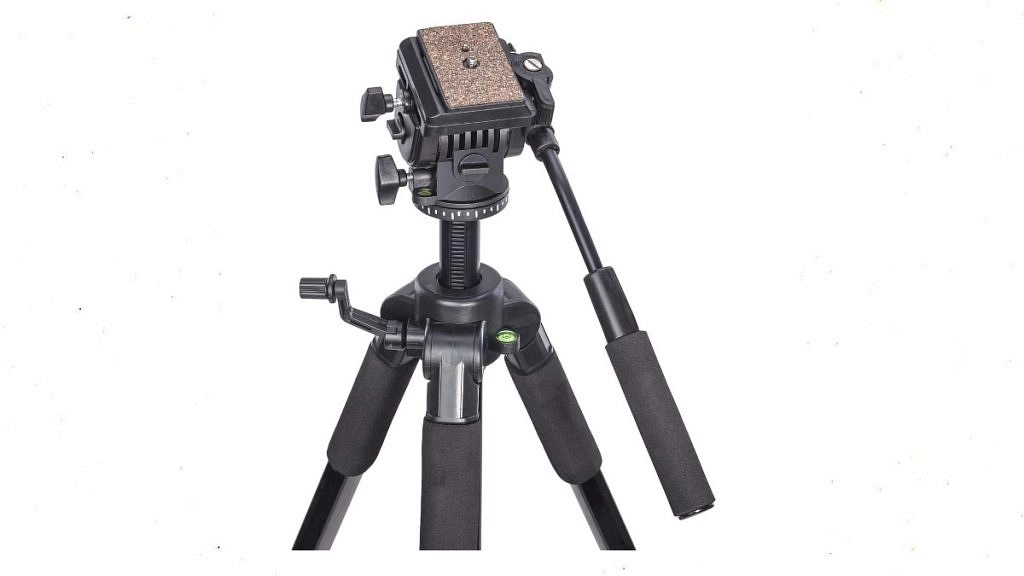
Finally, the last tripod on this list is the Simpex VCT 880 Plus. The Simpex VCT 880 Plus is a great tripod if you want to shoot professional videos with your smartphone or camera. This brand new tripod comes with a fluid head so that you can take pan & tilt shots without any jerks. It even has a detachable quick-release clip, a level bubble, and can be used with smartphones and even with heavy DSLRs and cameras with ease.

  • Price – Rs 2,699
  • Working Height – 5.45 feet
  • Max. Load – Up to 10 Kg
Also Read: Chinese vs Non-Chinese Smartphones: Made in India Smartphones – What’s This Buzz About?

So, these were the Top 5 Best Tripods for Mobile Phones in India. Now, among these aforementioned new tripods, which one will be your pick? Do feel free to share your thoughts with all of us in the comments section below. You can also join our GizNext Tech Enthusiast Telegram group (click via mobile to join) and even the GizNext Tech Enthusiast WhatsApp group which have been curated exclusively for the tech geeks.

Categories
Mobile Tech News

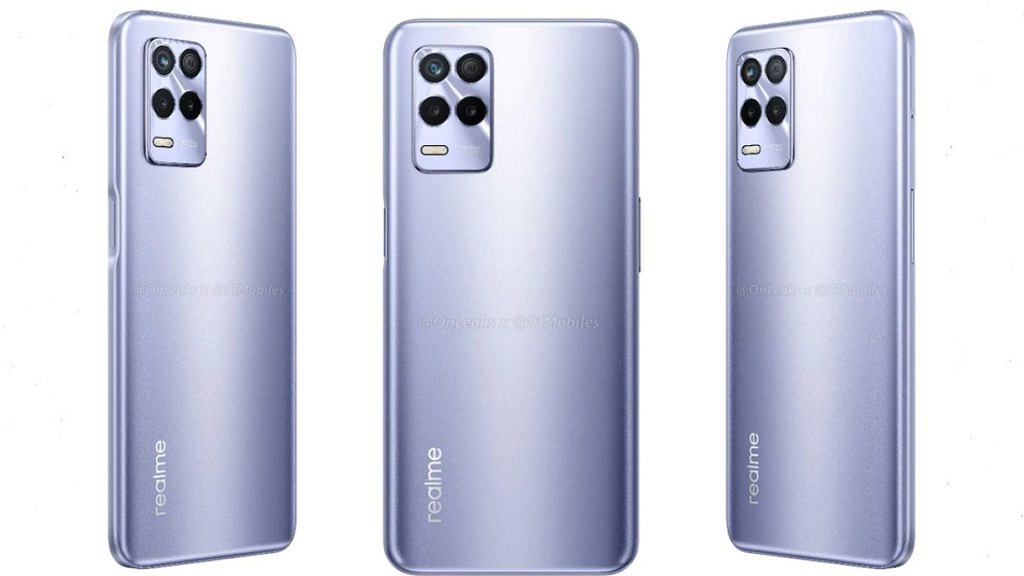
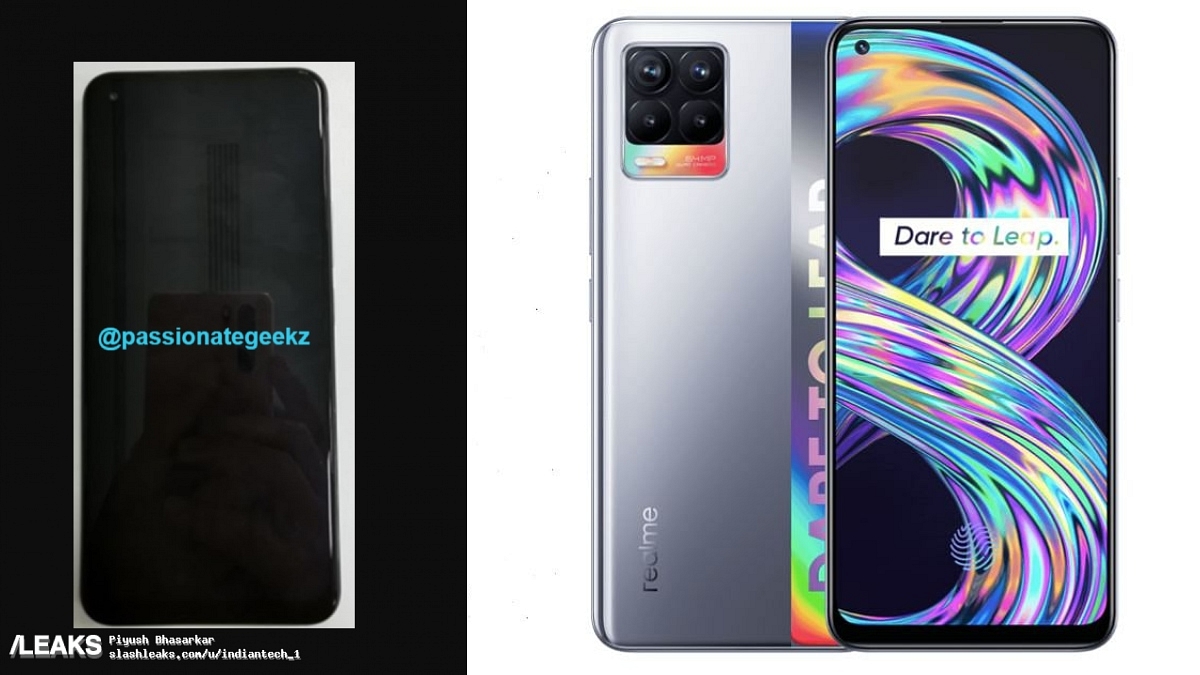
Realme 8S / Realme 8i India Launch Soon – Check Out Its Leaked Front Panel Images and Details

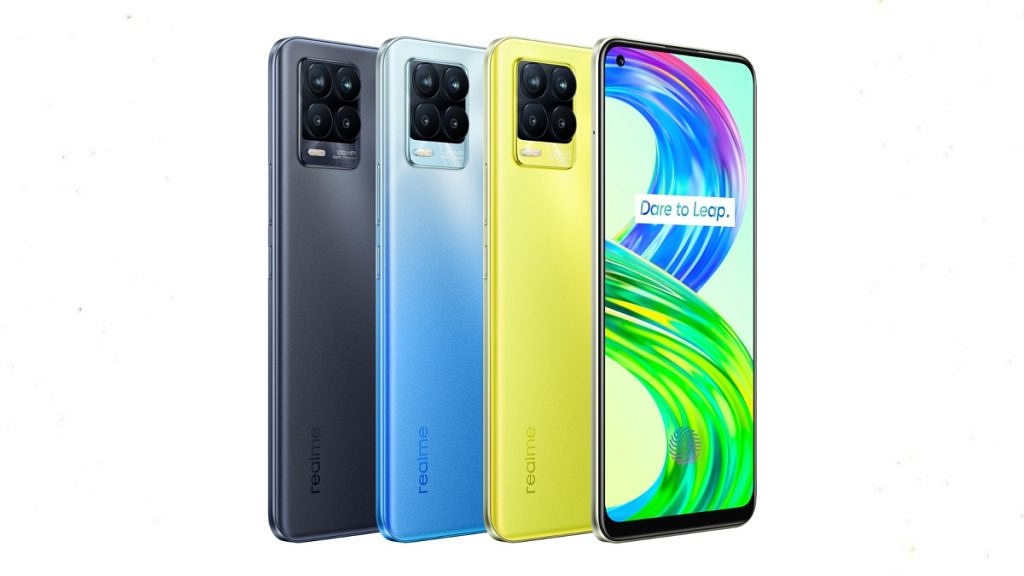
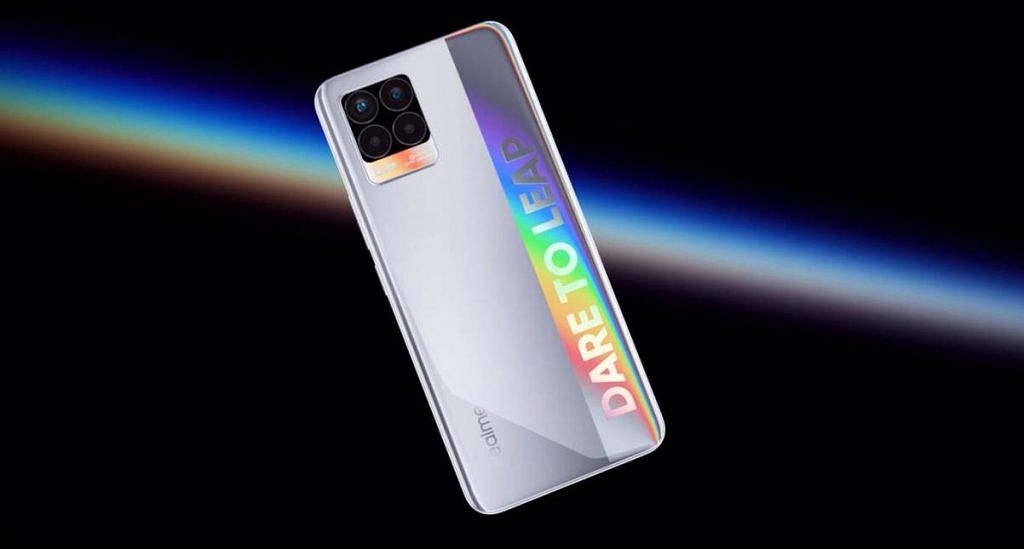
Realme is launching back to back new smartphones in the Indian market. The company’s Realme 8 series is quite popular in India and it currently includes three smartphones – Realme 8, Realme 8 5G and Realme 8 Pro 5G. Now, the company will expand this series and will soon launch two more smartphones, namely the Realme 8S and the Realme 8i. Ahead of their official launch, these smartphones have now leaked online.

Realme 8S / Realme 8i – India Launch Timeline

Recently, Madhav Sheth, Vice President – Realme and CEO of Realme India, answered a few questions in the latest episode of Ask Madhav on YouTube. In the same episode, Mr Sheth disclosed that some more Realme 8 series phones are in development and later he asked the Realme fans which one would they like to see first, Realme 8i or the 8s. There are very few details about these smartphones but very recently, the front panel of these smartphones have leaked online. This hints that they are coming to India very soon.

Also Read: How To Send Disappearing Photos on WhatsApp – Step By Step Process Explained [VIDEO]

Realme 8S / Realme 8i – Rumoured Specifications

As per rumours, the upcoming Realme 8S might feature a 6.5-inch FHD+ display with a 90Hz high refresh rate system. It is expected to be powered by the upcoming MediaTek Dimensity 810 SoC and will feature up to 8 GB of RAM and up to 128 GB of internal storage. The new Realme 8i will be a more budget-friendly smartphone and it might be powered by the MediaTek Helio G95 SoC coupled with up to 6 GB of RAM and 128 GB of internal storage. The Realme 8i might sport a 48 MP triple-camera set-up while the new Realme 8S might feature a 64 MP quad-camera set-up and they might feature a 16 MP selfie camera at the front.

Also Read: Chinese vs Non-Chinese Smartphones: Made in India Smartphones – What’s This Buzz About?

Realme 8S / Realme 8i – Expected Price and Rivals

The new Realme 8S is expected to be priced in India from Rs 15,999 while the upcoming Realme 8i might be priced from Rs 12,999. At these price points, these new Realme 8 series smartphones will rival a lot of other mid-range smartphones from Xiaomi, Samsung, Poco, Oppo, Vivo and even Realme’s own devices. So, are you excited about the launch of these new Realme 8 series smartphones? Do feel free to share your thoughts with all of us in the comments section below. You can also join our GizNext Tech Enthusiast Telegram group (click via mobile to join) and even the GizNext Tech Enthusiast WhatsApp group which have been curated exclusively for the tech geeks.

Note: Images used for representative purposes only.
Categories
How To Social Tech News

How To Send Disappearing Photos on WhatsApp – Step By Step Process Explained [VIDEO]

WhatsApp is one of the most popular messaging applications across the world. In fact, it is widely popular in India with more than 500 Million active users in the country. Over the years, WhatsApp has rolled out several features to enhance the user’s in-app experience. The company has today rolled out the ‘View Once’ feature on its app. So, in this article, we tell you How to Send Disappearing Photos on WhatsApp.
What is ‘View Once’ Feature on WhatsApp?

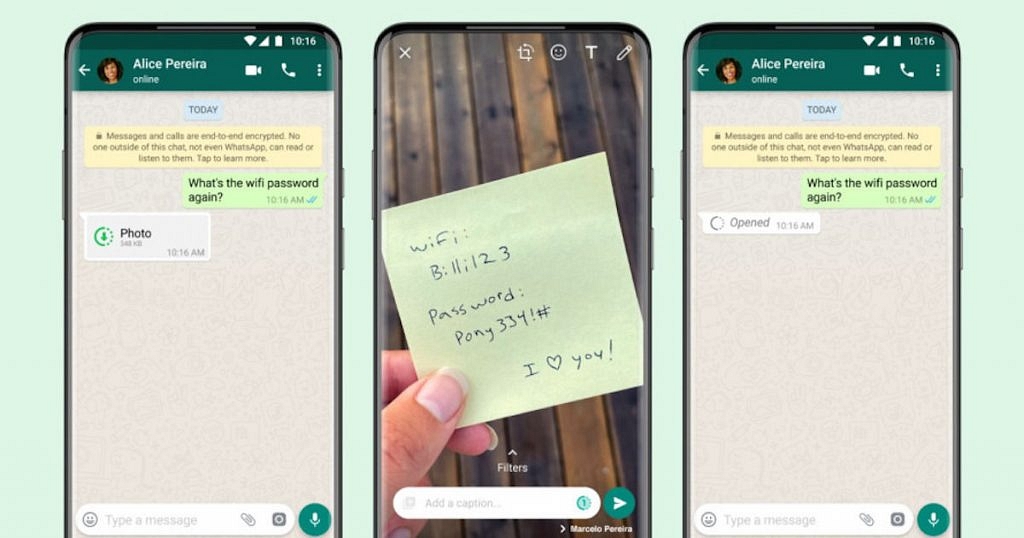
WhatsApp View Once was being tested in the Beta form back in June this year and today, the company has rolled out this new feature on its app for all the users. WhatsApp View Once is a new disappearing photo and video feature through view users can send ‘View Once’ photos and videos and the recipient will be able to see the photos or videos only once.

This feature is similar to the one we get to see on Snapchat and Instagram in which the shared photo or video disappears once the recipient views it. However, it should be mentioned that the recipient of the message can take screenshots and WhatsApp doesn’t notify the sender that a screenshot has been taken, unlike Instagram and Snapchat where a notification pops out that a screenshot was taken.

Also Read: Chinese vs Non-Chinese Smartphones: Made in India Smartphones – What’s This Buzz About?

How To Send Disappearing Photos on WhatsApp

The new WhatsApp ‘View Once’ feature was initially rolled out to Apple iPhone users with the app version V2.21.150 in India. Later, even Android users started seeing this feature and now it is publically available for all the users. Here are the steps that you need to follow to send disappearing messages on WhatsApp:

  • To send disappearing photos/videos to others, you must have the latest version of WhatsApp installed on your device.
  • Open the WhatsApp application and select a photo or video that you want to send.
  • Then, right beside the caption bar area, you can see a new ‘1’ icon in the circular area, just tap on it and send.

According to WhatsApp, the media files sent to the users through the view once feature will not be saved in the recipient’s smartphone or gallery apps and it can’t be even forwarded to other WhatsApp users. The photos and videos sent through the view once feature will expire from the WhatsApp chat if the recipient didn’t open it within 14 days. Also, like all WhatsApp messages, the view once media files are also end-to-end encrypted. WhatsApp says that it can be useful for sharing sensitive things like Wi-Fi passwords, etc.

Also Read: Step By Step Process To Download Someone Else’s WhatsApp Status (Videos/Photos) On Your Phone

Have you used WhatsApp’s new View Once feature yet and sent disappearing photos on the app? Do feel free to share your thoughts with all of us in the comments section below. You can also join our GizNext Tech Enthusiast Telegram group (click via mobile to join) and even the GizNext Tech Enthusiast WhatsApp group which have been curated exclusively for the tech geeks.