Categories
Apps Featured Info

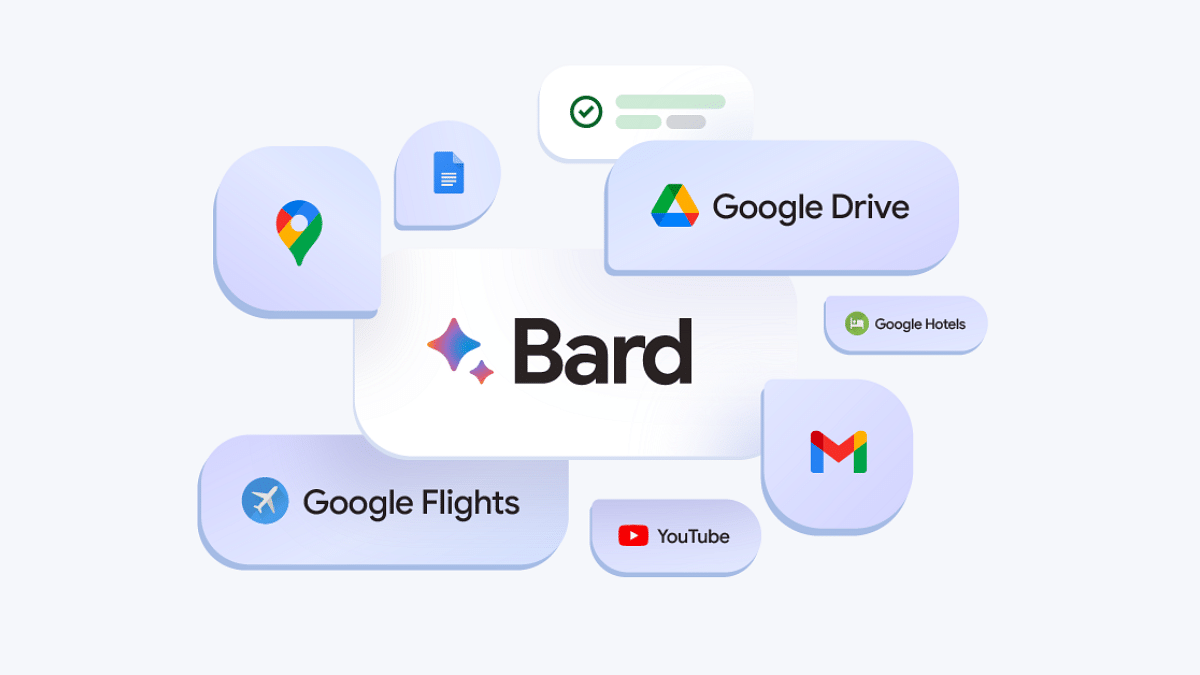
Google’s AI: Bard or Gemini? What You Need To Know About The Rebranding

Key Highlights

  • Bard to Gemini: Google’s AI chatbot rebrands for wider access.
  • Gemini brings AI to your Android/iOS.
  • Gemini Advanced” tackles complex tasks with a paid model.

Remember Bard, Google’s AI-powered chatbot launched last year to compete with OpenAI’s ChatGPT? Well, get ready for a name change and exciting new features! Google is reportedly rebranding Bard as Gemini, alongside a dedicated app, a paid subscription tier, and access to its most powerful language model yet.

Also Read: Google Bard’s ImageFX AI Image Generator Launched: No More DeepFake Mishaps!

From Bard to Gemini

Leaked information revealed Google’s plans to rename Bard to Gemini, reflecting a broader commitment to provide “direct access to Google AI” for everyone. This signifies a shift towards a more inclusive and accessible AI experience.

Also Read: Have You Tried Google’s ImageFX Yet? Learn How To Use This New AI Image Generator

Gemini App: AI on the Go

With the rebranding comes a dedicated Gemini app, initially available on Android in select regions. iOS users will have access through the Google app. Soon, expect wider language and device support, as Google strives to deliver the “world’s most helpful AI assistant.”

The Gemini Advanced is powered by the game-changing Gemini Ultra 1.0 language model. Many believe Gemini Ultra is Google’s response to OpenAI’s powerful GPT-4, currently driving ChatGPT. The leaked changelog suggests Ultra 1.0 might even “outperform human experts” in specific tasks, hinting at a potential AI race heating up. Access to this powerhouse will be offered through a paid subscription, but pricing details remain under wraps.

Also Read: Chatgpt Vs Microsoft Copilot: Which One Is A Better AI Tool?

What We Know So Far:
  • Bard becomes Gemini, reflecting wider AI access goals.
  • The dedicated Gemini app launches on Android, with iOS access through the Google app.
  • The paid “Gemini Advanced” tier unlocks the powerful Gemini Ultra 1.0 language model.
  • Official announcement and pricing details awaited.

Also Read: Google Launches Gemini: Most Advanced AI Model Yet

What’s Next

With the rebranding and new features on the horizon, Google seems poised to push the boundaries of AI-powered interaction. While we wait for the official announcement, stay tuned for exciting updates on Gemini and its potential to revolutionize the way we interact with AI.


Categories
Apps Auto Tech Featured

Upgrade Your Drive: Simple Guide To Use Turn-By-Turn Navigation In Apple CarPlay

Key Highlights

  • Apple CarPlay offers a suite of smart features for enhanced drive experience
  • Turn-by-turn navigation feature supported
  • Feature accessible via both Siri and Maps app

Smart technologies like Apple CarPlay and Android Auto have evolved the connected ride system where using smartphones is now much easier while driving. Navigation too has been simplified if you own a modern-day car compatible with Apple CarPlay and Android Auto suites. If you own an iOS device, you can pair it with the CarPlay compatible car and use turn-by-turn navigation feature. Here in this article, we have mentioned the steps:

Apple CarPlay Compatible Devices

If you have an iPhone which runs on iOS 13 or above, you will be able to use the CarPlay services. All you need to do is complete the pairing process and use the available features from the car’s MID.

Also Read: How To Remove An Image Background On Windows 11

Steps To Search A Route Using CarPlay

For finding a route and using the turn-by-turn navigation feature on CarPlay, you can either give commands via Siri or directly use the Maps application. The steps to search a route are mentioned below:

Step 1: If you are using Siri, you need to give a voice command stating the location where you wish to navigate. Some examples are below

  • “Locate fuel station near me”
  • “Find directions for home”
  • “Nearby charging or fuel station”
  • “Find hotels near me”

Step 2: You can also give these commands using the Maps app in CarPlay. For that, you’ll need to use the car’s controls for input.

Step 3: Select the shortest route if you are displayed multiple route option for the searched location.

Step 4: You can even call the desired destination using the call icon.

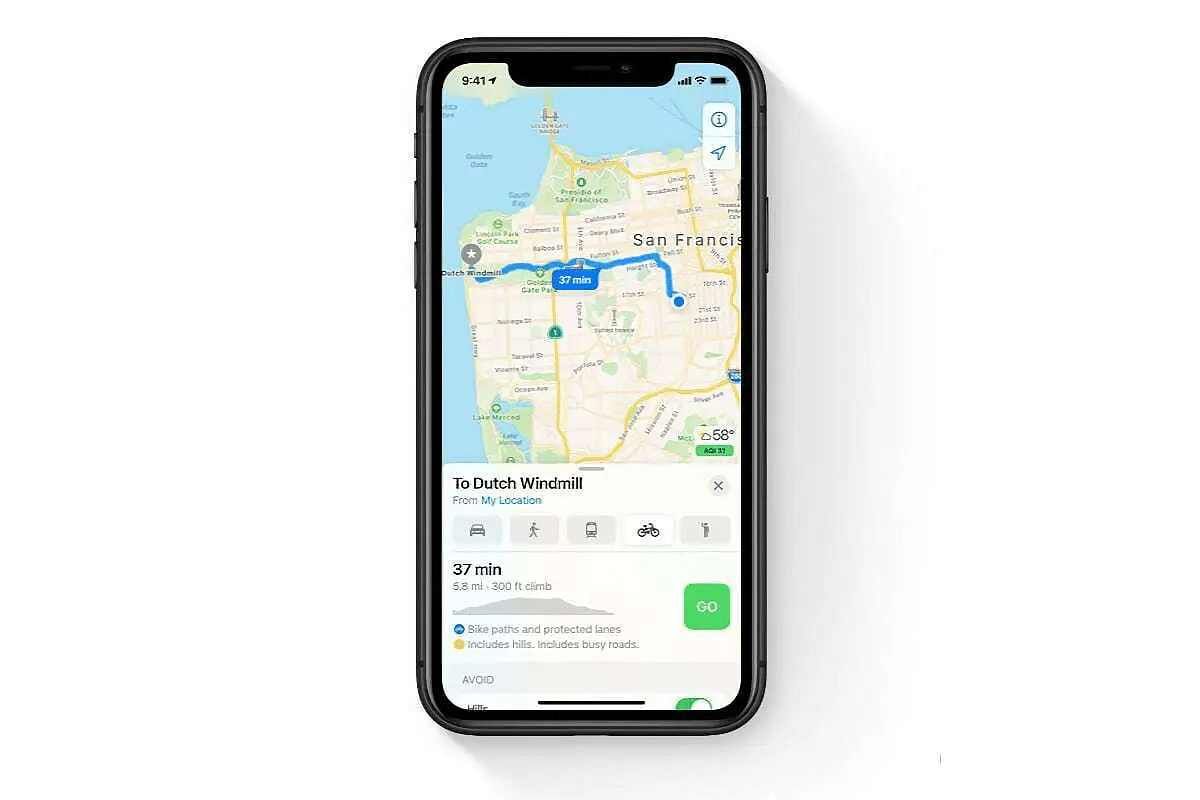
Step 5: Now, hit the turn-by-turn navigation feature. Notably, the Maps app will show real time direction on the screen.

Step 6: Hit Go, when you are set to move. CarPlay will guide for turn-by-turn navigation via voice.

Categories
Apps Featured How To

Share Passwords Easily With Google’s Family Feature: Here’s How

Key Highlights

  • Google introduces a shared password feature for family plans
  • Easily share passwords via Google Password Manager for easy family access
  • Stay updated for upcoming app updates to access new features

In a recent blog post, Google unveiled an exciting update made for users of its family plans across various services. Alongside existing shared features like Google One membership and payment methods, the tech giant is rolling out a new addition: shared password sharing. Also Read | Gmail Tips And Tricks: How To Secure Your Google Account With Two-Factor Authentication

Family Password Sharing With Google Password Manager

Google is revolutionizing password management for families through its Google Password Manager. This feature, set to operate similarly to other shared services, will empower family members to securely share usernames and passwords for specific websites or services directly within the platform.

According to the Google blog post, “Accounts that are part of a family group will soon have the option to share usernames and passwords for a particular website or service directly from Google Password Manager.”

Family Connectivity With Google One

Google’s family plan via Google One allows for the inclusion of up to five additional members, enabling a total of six members to share passwords seamlessly. This expanded connectivity caters to various scenarios, from coordinating activities to accessing school assignments.

Also Read | Google Sheets Tips And Tricks: How To Add ChatGPT Extension To Google Sheets

How To Share Passwords With Family Members

To use the sharing process, Google provides simple steps:

Step 1: Navigate to Settings on your Chrome browser, whether on desktop or mobile.

Step 2: Locate the ‘Autofill and password’ tab in the left sidebar and select Google Password Manager.

Step 3: Identify the saved password you wish to share and tap on it.

Step 4: Look for the Share button next to the Edit and Delete options, and tap on it to share the password with family plan members.

Stay Updated and Connected

If the Share button isn’t immediately visible, users are encouraged to await the upcoming app update, ensuring they have access to the latest features. Alternatively, manual updates can be initiated via the google.com/chrome website.

Additional Google Updates

In addition to the password-sharing feature, Google has implemented enhancements across its services. Users now have more control over SafeSearch settings, while parents can easily access parental controls through a simple search on the Google app. This streamlined process includes a dedicated information box to facilitate the addition of a child’s Google account.

Also Read | Google Maps Tips & Tricks: How To Use Fuel-Efficient Routing In India

Categories
Apps Featured Info

WhatsApp’s New Feature Lets You Call Your Favourites Instantly: What It Is? Availability

Key Highlights

  • “Favourite Contacts” shortcut in WhatsApp for iOS.
  • One Tap to Connect: Priority list for quick calls, no more scrolling.
  • Coming Soon: Update expected, enjoy easier connections soon!

WhatsApp, a Meta-owned instant messaging platform, is on the brink of launching a new feature that facilitates swift calling to favourite contacts. This feature, known as ‘favourite contacts,’ enables users to designate certain contacts as favourites, allowing for quick calls directly from the calls tab on iOS devices.

Also Read: How to Report Spam on Instagram: Step-by-Step Guide

What is the “Favourite Contacts” feature?

Imagine a dedicated section at the top of your WhatsApp calls tab, showcasing your most cherished contacts. That’s precisely what “Favourite Contacts” offers. By designating specific contacts as favourites, you’ll ensure they’re readily accessible, requiring just a single tap to initiate a call. This intuitive shortcut eliminates the need to scroll through your entire contact list, saving you precious time and effort.

Also Read: WhatsApp Channels Get Updated With Voice Notes, Multiple Admins And More: How To Use

Benefits of “Favourite Contacts”:

  • Enhanced Accessibility: No more searching for your favourite contacts – they’ll be right at your fingertips, accessible with a single tap.
  • Personalized Communication: Prioritize the contacts that matter most, ensuring you stay connected with them effortlessly.
  • Streamlined Calling Experience: Say goodbye to time-consuming scrolling and hello to quick and convenient calling.

Also Read: How To Remove An Image Background On Windows 11

Availability and Future Updates:

While currently unavailable for beta testers, “Favourite Contacts” is expected to be integrated into an upcoming WhatsApp iOS app update. Additionally, WhatsApp continues to expand its features with:

  • Sticker Creation and Sharing: Personalize your communication with custom stickers created from your photos.
  • Pinned Events: Easily access important event information within community groups with a single tap.
  • Passkey Integration (iOS): iPhone users can enjoy a secure and streamlined login experience with Touch ID or device passcode, eliminating the need for passwords or PINs.

Also Read: New WhatsApp Trick: Share Channel Posts As Status In Seconds (2024 Guide)

Stay Connected with Ease:

The “Favourite Contacts” feature is a welcome addition for anyone who values quick and convenient communication on WhatsApp. With this innovation, staying connected with your loved ones becomes a breeze, fostering closer relationships and seamless communication. Keep an eye out for the upcoming update and get ready to experience the ease and efficiency of this exciting feature!

Categories
Apps Featured How To

Saying Goodbye To Paytm Payments Bank? Here’s How To Close It Safely

Key Highlights

  • Paytm Payments Bank faces RBI action, service restrictions from Feb 29
  • Zero balance, gather docs before closing the Paytm Payments Bank account
  • Close your account on Paytm with simple steps

In response to determined non-compliance and significant supervisory concerns, the Reserve Bank of India (RBI) has taken decisive action against Paytm Payments Bank Ltd. (PPBL), a prominent subsidiary of India’s leading payment firm, Paytm. This regulatory intervention is set to be effective from February 29, 2024. Also Read | Paytm Lite: What Is It? How To Setup And Use Paytm Lite On Smartphones?

Impact On Paytm Payments Bank Services

As a result of the RBI’s decision, PPBL is mandated to cease accepting new deposits and suspend all credit transactions, affecting various services such as popular wallets, FASTags, National Common Mobility Cards (NCMC), and other prepaid devices. Moreover, fund transfers through Paytm, including those conducted via the Unified Payments Interface (UPI), have been prohibited by the RBI.

Things To Do Before Closing Your Paytm Payments Bank Account

Ensure Zero Balance: Before initiating the account closure process, it is crucial to ensure a zero balance in your Paytm Payments Bank account. This can be achieved by either spending the existing balance, transferring it to another bank account, or sending it to another Paytm user.

Gather Necessary Documents: To streamline the closure process, keep your registered mobile number and any identification proof, such as a PAN card or Aadhaar card, readily available.

How To Close Your Paytm Payments Bank Account

Step 1: Access your Paytm account using your old phone number.

Step 2: Click on the “☰” icon situated in the top left corner of the home screen. Move to the ’24—7 Help’ section and proceed to ‘Profile Settings.’

Step 3: Under ‘I need to close/delete my account,’ choose the option to initiate the closure process.

Also Read | Paytm Unveils Guaranteed Seat Assistance Feature: Here’s How To Use

Additional Information And Considerations

Access Issues: If you encounter difficulties accessing your registered mobile number, opt for the “I am unable to access my Account” followed by the “I need to block my account” option. Submission of proof of account ownership is required to proceed.

Confirmation and Fund Transfer: Once the closure process is completed, expect a confirmation message. Your Paytm wallet balance will be transferred to your linked bank account within seven working days.

Wallet Deactivation: Note that closing your Paytm Payments Bank account will also result in the deactivation of your Paytm wallet if it is linked to the same number.

Conclusion

By following these simple steps, users can efficiently close their Paytm Payments Bank accounts and transition seamlessly to the next phase.

Also Read | Paytm App Still Working After RBI Ban? Impact On Users

Categories
Apps Featured How To Info

New WhatsApp Trick: Share Channel Posts As Status In Seconds (2024 Guide)

Key Highlights

  • You can now share Channel posts to your WhatsApp Status.
  • Users can share Text, links, pics, GIFs, and videos.
  • Follow the below-mentioned simple steps.

WhatsApp recently rolled out a new feature that allows you to share posts from channels directly to your status. This is a game-changer for anyone who wants to amplify their favourite channel content or boost engagement with their channel.

Also Read: Considering ChatGPT Plus? Here’s Why And How To Subscribe

Before we dive in, here’s a quick heads-up:

  • This feature is currently available on both Android and iOS apps.
  • You can only share text, links, photos, GIFs, and videos from channels to your status.
  • The feature is not yet available on the WhatsApp web platform but might roll out soon.

Also Read: Track Your WhatsApp Channels: Automatic Reports Coming Soon!

How to Share Channel Updates on WhatsApp

Now, let’s learn how to share channel posts as status in 3 simple steps:

1. Find the perfect post: Browse your favorite channels and find a post you want to share.

2. Forward the post: Tap and hold the post, then tap the forward arrow icon. If you want to share multiple posts, select them all first.

3. Share to your status: In the forward menu, choose “My Status” and tap the send/forward button. You’re done!

Bonus tip: You can also share a channel link directly to your status. Just go to the channel’s info page, tap “Forward,” and choose “My Status.”

Also Read: How To Remove An Image Background On Windows 11

Important Notes:

  • Only specific content types can be shared as Status: text, links, photos, GIFs, and videos.
  • The feature is currently not available on WhatsApp Web, but a future rollout is possible.

Also Read: WhatsApp Hack for Busy Groups: “Pinned Events” Feature Revealed!

Why share channel posts to your status?

  • Boost your channel’s reach: Get your channel content seen by a wider audience through your network.
  • Increase engagement: Encourage friends and family to join your channel or discover new channels you love.
  • Share valuable content: Easily spread informative, funny, or entertaining posts from your favorite channels.
Categories
Apps Featured How To

Considering ChatGPT Plus? Here’s Why And How To Subscribe

Key Highlights

  • ChatGPT Plus, $20/month, ensures smooth access, faster responses, and early access to new features
  • ChatGPT Plus features GPT-4, offering innovation, even though occasional errors may occur
  • Log in, click “Upgrade to Plus,” confirm, and checkout

When ChatGPT debuted in November 2022, it offered free access to everyone. However, the overwhelming demand led to extended wait times and blackout periods. In response, OpenAI introduced ChatGPT Plus, a subscription plan designed to alleviate delays and provide additional benefits. Also Read | ChatGPT Voice Chat Feature Released: How Is It Different From Text Version?

ChatGPT Plus: Why One Should Consider This Tool

ChatGPT Plus, priced at $20 per month, ensures users general access even during peak times. This guarantees faster response times compared to the free version.

Exclusive Benefits For Subscribers

Subscribers enjoy priority access to unreleased features and updates. These include OpenAI’s cutting-edge models like GPT-4, ChatGPT plugins, custom chatbot creation, image generation with DALL-E 3, internet access, and Advanced Data Analysis.

Enhanced Reliability for Business and Workflow

For individuals depending on ChatGPT for professional or daily tasks, ChatGPT Plus ensures uninterrupted access to the most advanced and reliable AI models. This makes it an indispensable tool for seamless and efficient utilization.

User Testimony: A Closer Look At ChatGPT Plus

Having personally tested ChatGPT Plus, it’s evident that the subscription service surpasses the free version, GPT-3.5, especially when seeking accurate answers. While GPT-4 may still exhibit occasional errors termed as “hallucinations,” OpenAI positions it as a model ten times more advanced than its predecessor.

Also Read | The Ultimate Guide To Use ChatGPT On WhatsApp

How To Subscribe To ChatGPT Plus

Step 1: Start by visiting ChatGPT’s login page. Log in to your existing account or create a new one using your email, Google, or Microsoft account.

Step 2: Once logged in, instead of initiating a chat, locate the “Upgrade to Plus” option on the right-hand bar. Click on it to proceed.

Step 3: After clicking “Upgrade to Plus,” a confirmation popup appears. If you’re ready to proceed with the enhanced features, click the green “Upgrade to Plus” button.

Step 4: After you confirm, you will go to a page where you can purchase. Just fill in your email, payment details, and billing address to finish subscribing.

ChatGPT Team Option For Collaborative Environments

Adjacent to the “Upgrade to Plus” button, you’ll find an option for ChatGPT Team, catering to collaborative workspaces. This self-serve plan includes perks similar to ChatGPT Plus, along with additional features for efficient team management.

Also Read | Chatgpt Vs Microsoft Copilot: Which One Is A Better AI Tool?

Categories
Apps Featured How To

Have You Tried Google’s ImageFX Yet? Learn How To Use This New AI Image Generator

Key Highlights

  • AI image generator transforms ordinary photos into visual masterpieces
  • This new tool is built upon the Imagen 2 model
  • Learn to enhance images effortlessly with ImageFX

Google has recently introduced ImageFX, an independent artificial intelligence image generator, as part of its AI Test Kitchen. This innovative experiment builds upon the Imagen 2 model, the backbone behind image generation in the Bard chatbot. Unlike previous Google AI image experiments, ImageFX focuses exclusively on creating pictures. Also Read | How To Remove A Single Image From Instagram Carousel

Limited Availability And Language Support

Currently, ImageFX is available only in English and select countries, including the United States, Australia, New Zealand, and Kenya. Operating similarly to Google’s MusicFX experiment, ImageFX employs “chips” and keywords to refine prompts for image creation.

How To Use Google’s ImageFX

Step 1: Navigate to Google Labs and explore the AI Test Kitchen, featuring various experiments such as MusicFX and TextFX for creative phrasing.

Step 2: Click on ImageFX, prompting you to sign in with a personal Google account.

Step 3: Begin with the default image suggestion, a descriptive phrase accompanied by a “tab” button. Hit the tab and then generate to see the default image.

Step 4: ImageFX stands out by converting keywords into “chips,” allowing users to easily modify and create alternative versions. Change or delete chips and click generate to observe the changes.

Step 5: Remove all chips and input a custom prompt. ImageFX will convert keywords into chips automatically. Click generate to view your customized image.

Also Read | Gmail Tips And Tricks: How To Secure Your Google Account With Two-Factor Authentication

Step 6: Beneath the input box, ImageFX offers additional keywords. Click on any to customize your image further. Generated keywords become chips for modification.

Step 7: Each image generation results in a set of square-format images added to the library on the right. Click arrows to review previous generations.

Step 8: Click on any image to view it in more detail. This view allows users to see the seed, download the image, or copy the prompt.

Step 9: For more options, hover over the image. To download, click the download button. Copy the image or prompt by selecting the respective option.

Step 10: Enhance your image by adding text using the same prompt. Include text-related instructions in your prompt and click generate to see the result.

Verdict

Google’s ImageFX marks a significant addition to the realm of AI image generators, offering users an in-built and customizable approach to creating visuals based on prompts. Explore the possibilities and celebrate the artistic potential of this new tool.

Also Read | Google Bard’s ImageFX AI Image Generator Launched: No More DeepFake Mishaps!

Categories
Apps Featured Info

Track Your WhatsApp Channels: Automatic Reports Coming Soon!

Key Highlights

  • WhatsApp channels get auto-generated monthly reports!
  • You can now track activity, growth, and engagement with ease.

Staying on top of your WhatsApp channels just got easier. Meta, the company behind WhatsApp, is reportedly developing a new feature that automatically generates monthly reports for your account and channels on Android devices. This exciting addition promises to streamline your management experience and offer valuable insights into your channel’s performance.

Also Read: WhatsApp Hack for Busy Groups: “Pinned Events” Feature Revealed!

What to expect from the new report:

  • Monthly updates: No more manually checking! This feature automatically generates reports every month, saving you time and effort.
  • Account and channel activity: Get a comprehensive overview of your WhatsApp activity, including account and channel-specific details.
  • Convenient insights: Stay informed about key metrics, trends, and changes, allowing you to make data-driven decisions for your channels.
  • Easy comparison: Compare monthly reports to track your progress, identify improvement areas, and measure your strategies’ effectiveness.

Also Read: How To Create Stickers On Instagram With Cutouts

Why this matters:

  • Streamlined management: Ditch the manual work and gain valuable insights with ease.
  • Improved decision-making: Data-driven reports empower you to optimize your content and engagement strategies.
  • Peace of mind: Stay informed and in control of your WhatsApp activity.

Also Read: Bharat Mobility Global Expo EV Highlights: Tork Kratos R Sports E-Bike Showcased

Beyond reports:

While the automatic reporting feature is currently limited to Android, WhatsApp is also working on enhancing its web client with a chat lock feature. This adds another layer of security and privacy for users who rely on the web interface. However, remember that both features are still under development, so their official release date for both Android and iOS remains unknown.

Also Read: WhatsApp Switches To Google Drive For Android Chat Backups: Details

Stay tuned!

The arrival of automatic reports and potential chat lock features signal exciting developments for WhatsApp users. Keep an eye out for official announcements and updates as these features near their launch, and get ready to simplify your WhatsApp management and gain valuable insights to boost your channel’s success!

Categories
Apps Featured Info

Bonjour Rupees! Eiffel Tower In France Becomes UPI-Friendly For Indian Visitors

Key Highlights

  • Iconic landmark Eiffel Tower now takes Indian payments through UPI
  • PM Modi celebrates UPI’s global impact on digital transactions
  • UPI transactions in 2023 cross 100 billion, with December alone hitting 12 billion at Rs. 18.23 lakh crore

In a significant development, the globally renowned Eiffel Tower has made history by becoming the first merchant in France to accept India’s UPI service. This milestone reflects the growing global influence of UPI and its potential impact on digital transactions. Also Read | No Card? No Problem: Here’s How To Withdraw Cash From ATMs Via UPI

Modi Applauds UPI’s Global Leap At Eiffel Tower

Prime Minister Modi expressed his enthusiasm for the UPI launch at the Eiffel Tower, deeming it a “wonderful example of encouraging digital payments and fostering stronger ties.” Through a social media post, he emphasized the event’s significance, marking a pivotal step towards taking UPI to a global audience.

NIPL And Lyra Collaboration: Enabling UPI In France

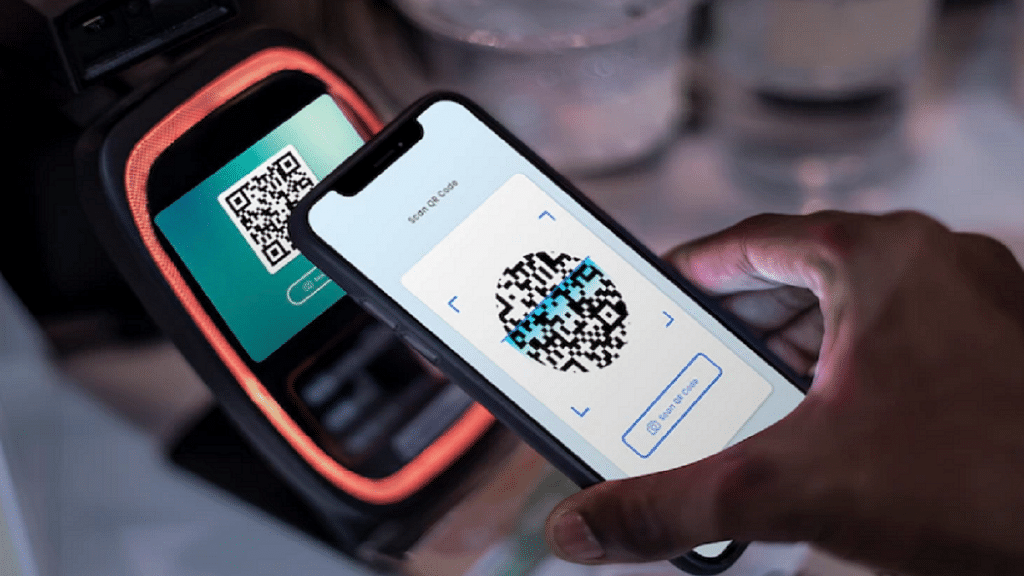
NPCI’s international arm, NPCI International Payments (NIPL), joined forces with Lyra, a prominent French company specializing in e-commerce and proximity payment solutions. This partnership aims to facilitate UPI acceptance in France, starting with the iconic Eiffel Tower. Indian tourists can now effortlessly initiate payments in Indian rupees by scanning a QR code on the merchant’s website.

Also Read | UPI Tips And Tricks: Here’s How You Can Set UPI PIN Without Using Debit Card Details

UPI’s Expansion Plans In France And Europe

NIPL and Lyra have ambitious plans to extend UPI services beyond the Eiffel Tower. Future endeavors involve introducing UPI payments to additional merchants in the tourism and retail sectors across France and Europe in the coming months. This move is expected to enhance convenience for users and further establish UPI as a global payment solution.

UPI’s Phenomenal Growth In India

Meanwhile, back in India, the UPI has witnessed remarkable growth. In 2023, the number of UPI transactions surpassed 100 billion, experiencing a substantial 60% increase from the previous year’s 74 billion transactions. The total transaction value in 2023 reached approximately Rs. 182 lakh crore, marking a notable 44% surge from 2022’s Rs. 126 lakh crore.

December 2023: A Record-Breaking Month For UPI

December 2023 proved to be a remarkable month for UPI, with transactions exceeding 10 billion, reaching an exact figure of 12 billion. The total transaction value for this month alone amounted to Rs. 18.23 lakh crore. According to the NPCI, daily UPI transactions in December surpassed an impressive 387 million, showcasing the widespread adoption and popularity of UPI in the country.

Also Read | Step Into Safety: Learn How To Change Your UPI PIN On Google Pay And PhonePe