Categories
Apps Featured Info

Google Bard’s ImageFX AI Image Generator Launched: No More DeepFake Mishaps!

Key Highlights

  • Google releases new AI image generator for Bard
  • Is a text-to-image feature accessible via Bard
  • Uses Imagen 2 text-to-image AI platform

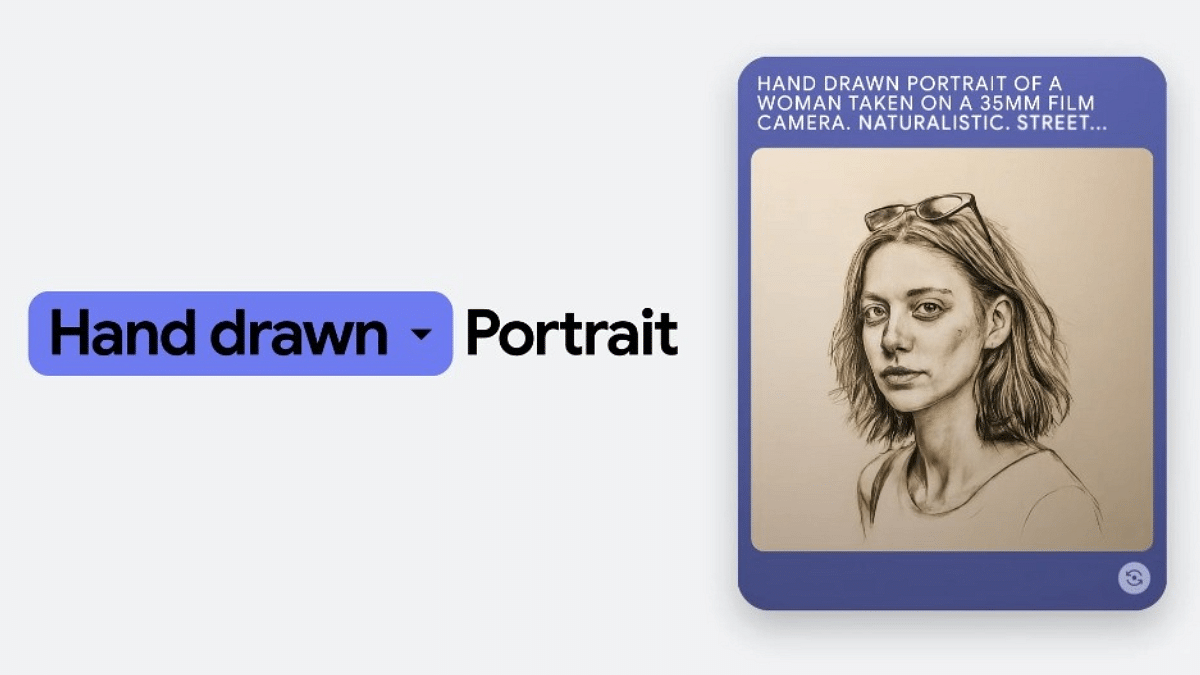
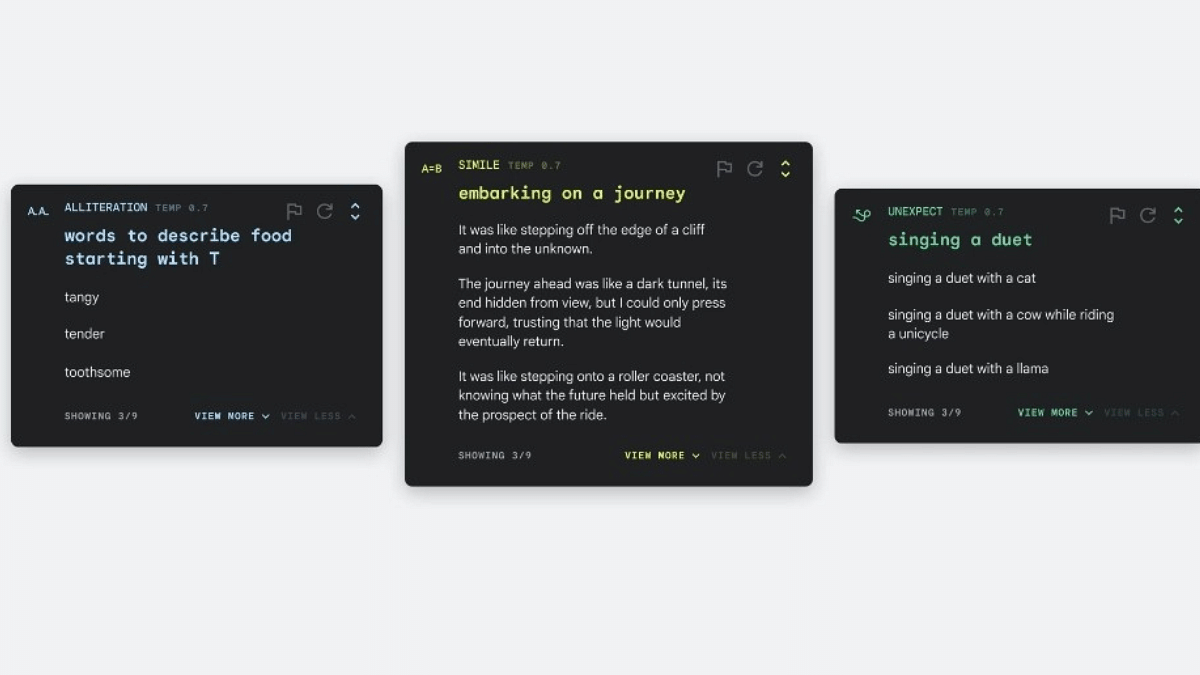
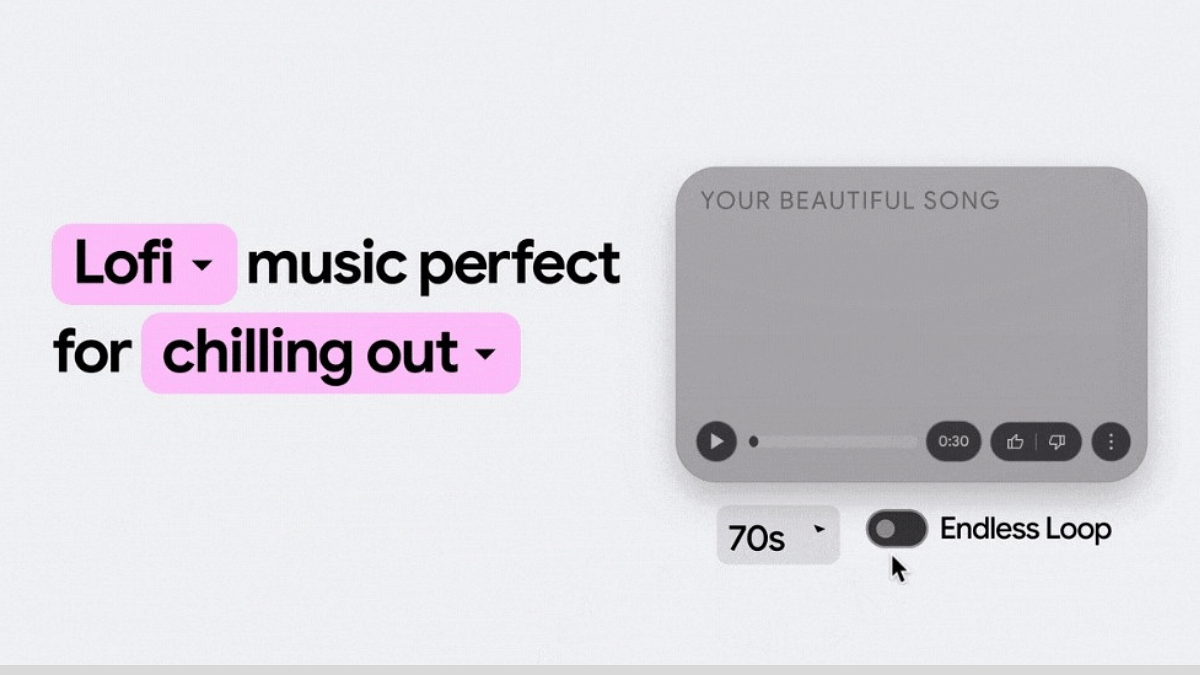
Google is enhancing is game with AI services. The search giant has just released a new AI image generator for Bard. Called ImageFX, the new text-to-image tool is Google’s secure AI platform for image creation using AI. Additionally, Google has improved the existing AI creation tools including MusicFX and TextFX Let’s know more of the latest AI image tool from Google and how it could help avoiding DeepFake accidents:

Also Read: Google Assistant With Bard Comes To Android, iOS: How To Use?

ImageFX AI Image Generator For Bard
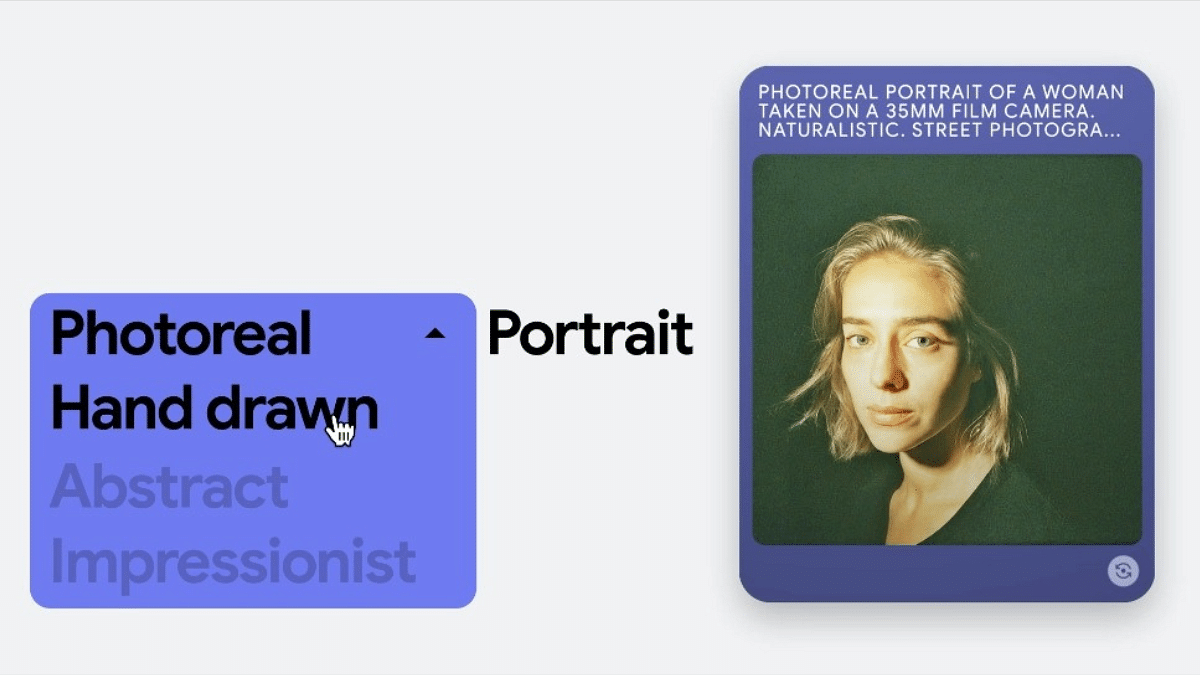
ImageFX is the new-age AI image generation tool which has been developed by Google DeepMind. It uses enhanced AI technology for generating images via text. According to the brand, the latest tool uses Imaged 2 platform for producing high quality images when given text inputs for the same. Google with its latest update has also improved the MusicFX and TextFX AI creation tool.

Now Bard users will be able to give simple text prompts for image generation. ImageFX will is Google’s direct take on the Dall-E and Copilot from OpenAI and Microsoft respectively. Both of these are currently one the best AI-based image creation tools.

Also Read: How To Create Stickers On Instagram With Cutouts

How Is ImageFX Different From Dall-E And Microsoft Copilot?
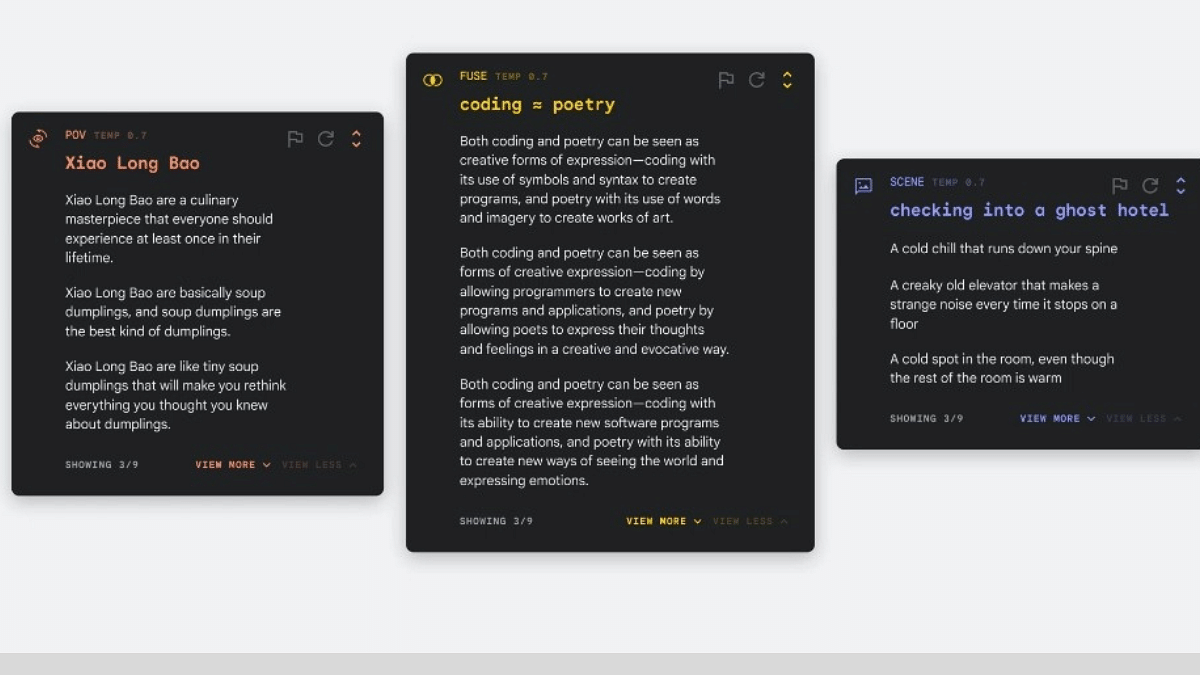
ImageFX essentially uses Imagen 2 which is a powerful text-to-image platform laced with AI capabilities. What differentiates it from OpenAI’s Dall-E and Microsoft Copilot is the in-house “expressive chips” tech. Now, this technology allows users to experiment with the surrounding dimensions while creating an image.

Also Read: Think You Can Fake A Sick Day? AI Can Now Detect Fake Sick Leave

Improved Security With ImageFX AI-Image Generation Tool
Google claims ImageFX addresses all the concerns with AI-image generation. That’s considering the text-to-image creation tools have been creating more negative headlines than positive. Multiple Deepfake incidents involving popular personalities have raised all concerns with user safety and privacy.

ImageFX is said to have come with a solution which will avoid Taylor Swift-like Deepfake incident that grabbed all the headlines recently. To avoid such mishaps, images created using the Bard’s ImageFX text-to-image AI generator tool will have a SynthID watermark.

Also, the AI will keep a specific check on the keywords with the name of popular personalities such as celebrities and politicians. Not just this, it will also keep a check on explicit keywords specifically involving children. This will essentially allow the masses to differentiate between an original image and the ones that are created using ImageFX.


Categories
Apps Featured Info

Paytm App Still Working After RBI Ban? Impact On Users

Key Highlights

  • Use it for shopping, bills, payments as usual.
  • No new deposits, FASTags, NCMC cards after Feb 29th.
  • Withdraw funds or switch UPI before Feb 29th.

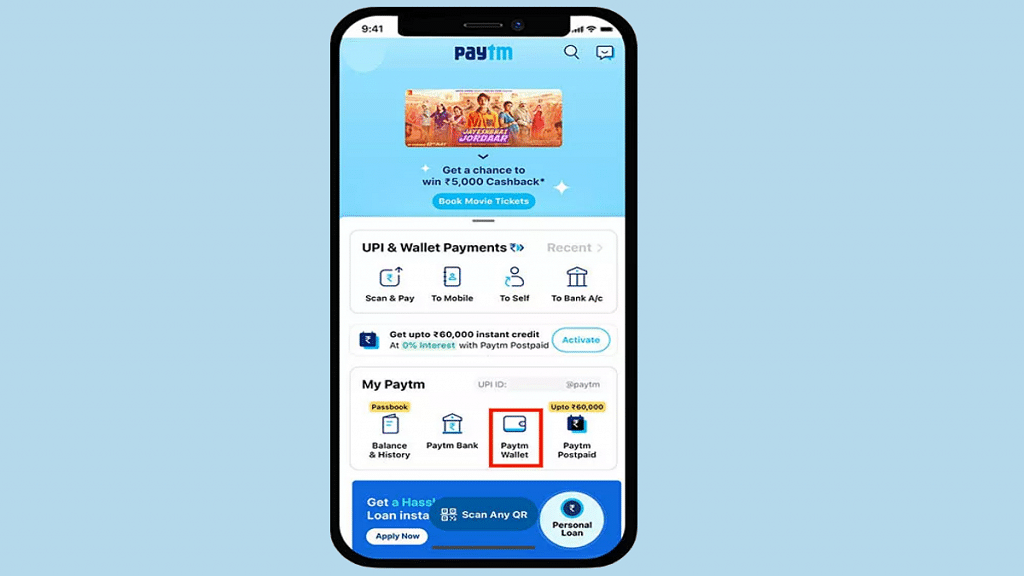
The good news for most Paytm users is that the recent RBI restrictions do not impact the core Paytm app. You can continue to use it for online payments, recharges, bill payments, and other services as usual. However, these restrictions affect Paytm Payments Bank, a separate entity within the Paytm ecosystem.

Also Read: Step Into Safety: Learn How To Change Your UPI PIN On Google Pay And PhonePe

What Does the Ban Mean for Paytm Payments Bank Users?

Starting February 29, 2024, Paytm Payments Bank users will no longer be able to:

  • Add new money to their wallets or accounts.
  • Make credit transactions (including UPI transfers).
  • Receive new deposits (except interest, cashbacks, or refunds).

However, you can still:

  • Withdraw your existing balance without any restrictions.
  • Use existing funds in your wallet or account for payments.
  • Continue using your FASTags and NCMC cards (until available balance runs out).

Also Read: How To Pin A Message In WhatsApp Chat: A Step-by-Step Guide

Does This Affect the Paytm App?

No, not directly. The Paytm app itself is a separate entity and uses other bank partners for its core services. So, you can still use it for:

  • Online payments: Shopping online, bill payments, etc.
  • Offline payments: QR code payments, soundbox payments, card machine payments.
  • Existing wallet balance: Use the money already in your wallet for transactions.

Also Read: Apple CarPlay Not Working? Here’s How to Fix It

What Should You Do?

  • Move your money: If you use Paytm Payments Bank, withdraw your funds or transfer them to a different bank account before February 29th.
  • Switch UPI: If you use Paytm Payments Bank for UPI, link your account to a different bank for continued UPI transactions.
  • Use other payment methods: Explore other wallets or payment methods for future transactions.

Also Read: How to Use Google Circle to Search: Your Step-by-Step Guide

What’s Paytm Doing About the Ban?

Paytm is transitioning its services to other partner banks. This means you won’t be able to use Paytm Payments Bank in the future, but Paytm will continue to offer payment and financial services through different bank partners.

Also Read: Five Key UPI Transaction Changes For 2024

Impact on Paytm’s Business

Paytm expects this ban to have a financial impact of ₹300-500 crore on its annual earnings. However, the company remains optimistic about its future growth through partnerships with other banks.

Overall, while the Paytm app remains unaffected, Paytm Payments Bank users will face limitations after February 29th. Paytm is working on alternative solutions to ensure continued service.

Categories
Apps Featured Info

WhatsApp Hack for Busy Groups: “Pinned Events” Feature Revealed!

Key Highlights

  • People can now stay organized effortlessly with this new feature.
  • Currently, in beta testing, it aims to inform members about upcoming community events.

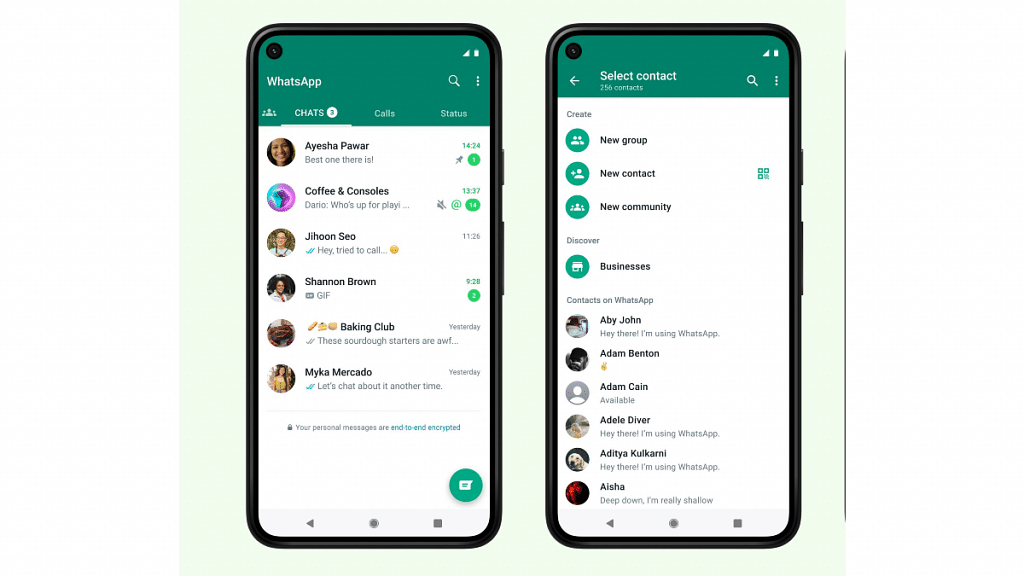
WhatsApp is introducing a new “Pinned Events” feature to enhance user experience within group chats, particularly in communities. This feature aims to streamline group activity and simplify event management, making it easier for members to stay informed about upcoming engagements.

Also Read: WhatsApp’s Latest Update: Users Will Now Be Able To Share Music Audio During Video Calls

How it Works:

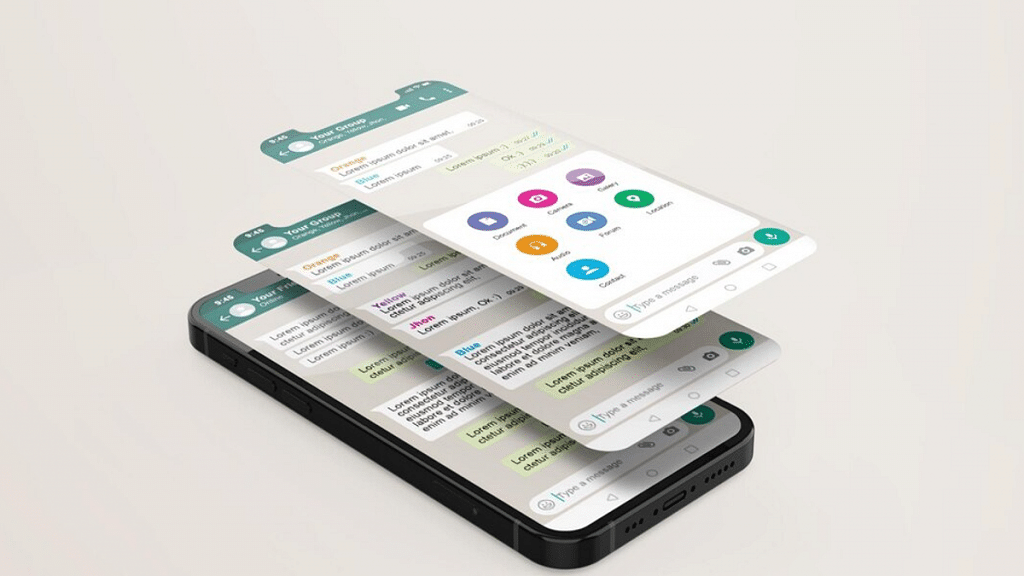
  • Pinned Events automatically highlights upcoming events within a community group chat, consolidating all relevant information in a single, readily accessible location.
  • Clicking on the pinned event reveals additional details, such as the event type (meeting, call, etc.), date and time, and any relevant notes or links provided by the organizer.
  • This functionality eliminates the need for users to scroll through chat history or search for specific event details, saving them time and effort.

Also Read: How To Pin A Message In WhatsApp Chat: A Step-by-Step Guide

Benefits for Community Groups:

  • Improved Organization: Pinned Events provides a dedicated space for event information, reducing clutter and making it easier for members to find important details quickly.
  • Enhanced Engagement: By keeping crucial event information readily available, the feature encourages participation and ensures members know about upcoming activities.
  • Streamlined Communication: Organizers can easily update event details or add additional information through the pinned event, maintaining clear and concise communication within the group.

Also Read: How To Create Stickers On Instagram With Cutouts

Current Availability and Future Plans:

The Pinned Events feature is currently in its early stages, accessible only to Android users testing the WhatsApp Beta (version 2.23.21.12). This indicates that it may take some time before the feature is rolled out to the wider user base.

However, WhatsApp’s commitment to improving community engagement and group management suggests that Pinned Events will likely become a permanent fixture for all users shortly.

Categories
Apps Featured How To Info

Instagram Tests “Flipside”: What It Is, How It Works, and Why It Matters

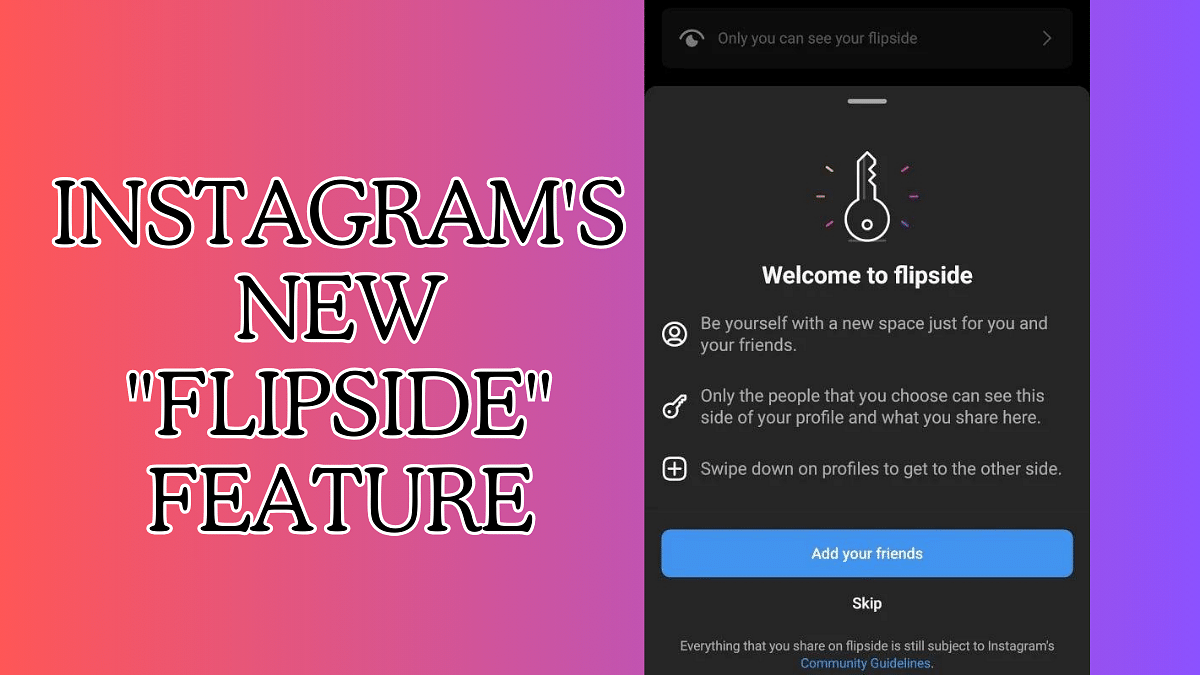
Instagram is testing a new feature called Flipside, promising a dedicated space for sharing with your closest circle. This could be a game-changer for privacy and authenticity on the platform, but it’s still in the early stages. Let’s dive into what Flipside is all about and how it might work.

Also Read: How To Create Stickers On Instagram With Cutouts

What is Flipside?

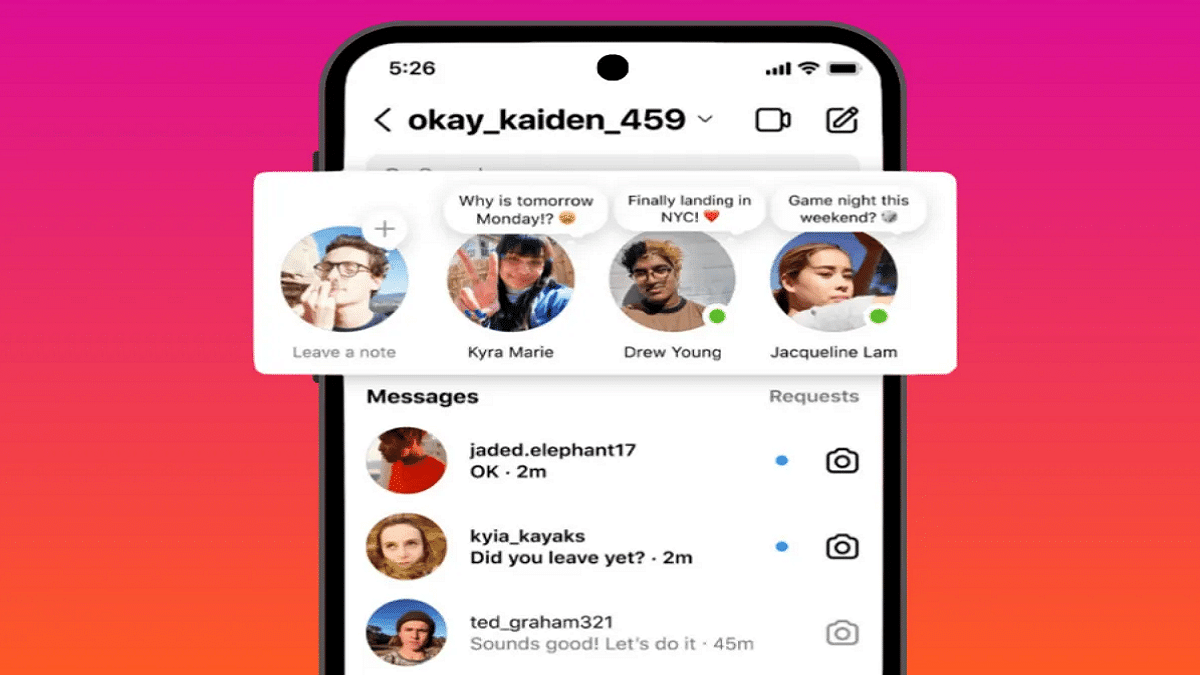
Imagine a hidden Instagram profile, accessible only to a select group of friends. Flipside allows you to create a custom profile with a unique name, bio, and photo. Here, you can share exclusive content, like photos, videos, and stories, that won’t be visible to your broader audience.

Also Read: How To Remove A Single Image From Instagram Carousel

Why is Flipside being developed?

Two main reasons:

  • Combat Finstas: Fake “finsta” accounts have become a popular way for users to share more personal content with close friends. Flipside offers a native, secure solution within Instagram, eliminating the need for separate accounts.
  • More Private Sharing: Many users crave a space for less curated, more authentic content with their closest crew. Flipside provides that space, fostering deeper connections without sacrificing privacy.

Also Read: How to Draft Emails with Voice in Gmail: A Step-by-Step Guide

How might Flipside work?

Details are still under wraps, but based on leaks and expert insights, here’s a possible scenario:

  • Creating your Flipside: You’ll likely access it through a toggle or hidden icon on your main profile. Customize your profile picture, name, and bio to reflect your inner circle persona.
  • Adding friends: Choose who gets to see your Flipside content. You can select specific friends or create custom lists.
  • Sharing on Flipside: Post photos, videos, and stories just like on your main profile, but choose “Flipside” as the audience. Your chosen friends will see it in their feeds, while others remain oblivious.

Also Read: Apple CarPlay Not Working? Here’s How to Fix It

The Future of Flipside

Whether Flipside becomes a permanent fixture on Instagram remains to be seen. Meta is carefully considering user feedback and weighing potential downsides. But if successful, Flipside could revolutionize how we share and connect on the platform, promoting more genuine and private interactions with our closest circles.

Stay tuned for updates! As Flipside evolves, we’ll keep you informed about its features and potential impact.

Categories
Apps Featured Info

WhatsApp Switches To Google Drive For Android Chat Backups: Details

Key Highlights

  • Android chat backups now rely on Google Drive
  • Backups use Gmail-linked Google Drive space
  • Choose Chat Transfer, exclude media, or get extra storage

WhatsApp has made a change in how it stores chat backups on Android phones. Instead of using its own space, it now relies on Google Drive for storing chat backups. Whether you use free or paid Google Drive, WhatsApp now saves your chat backups there. This means it uses the storage linked to your Gmail account. So, along with other Google services, your WhatsApp data will now take up space in Google Drive. Also Read | WhatsApp Tips And Tricks: How To View Someone’s Status Secretly

Options For Managing Storage

If you don’t want your chat backups using your Google Drive space, you can choose not to back up chats to the cloud. Instead, you can use WhatsApp’s built-in Chat Transfer tool when switching to a new phone. Another option is buying extra storage with a Google One plan.

Considerations For Backup

To avoid large backups, you can exclude images and videos when backing up your WhatsApp chat history. Checking your backup status is easy: Go to WhatsApp Settings > Chats > Backup. If it’s in progress, you’ll see a message saying you can restore chats on a new phone.

Also Read | WhatsApp Tips And Tricks: Easy Ways To Record WhatsApp Video Calls

Android Users Catch Up

While iPhone users have long used iCloud for chat backups, Android users are now catching up. WhatsApp allows Android users to securely store their chat history in Google Drive.

Upcoming Feature: “Third-Party Chats”

In another update, WhatsApp is reportedly working on a feature called “third-party chats.” This would let users access and manage conversations from other messaging apps like Telegram and Discord within WhatsApp. This aligns with the European Union’s Digital Markets Act, promoting interoperability between messaging apps. The goal is to make it easier for users to communicate across different platforms without needing separate apps.

Also Read | WhatsApp Tips & Tricks: How To Unblock Yourself And Regain Access

Categories
Apps Featured How To Info

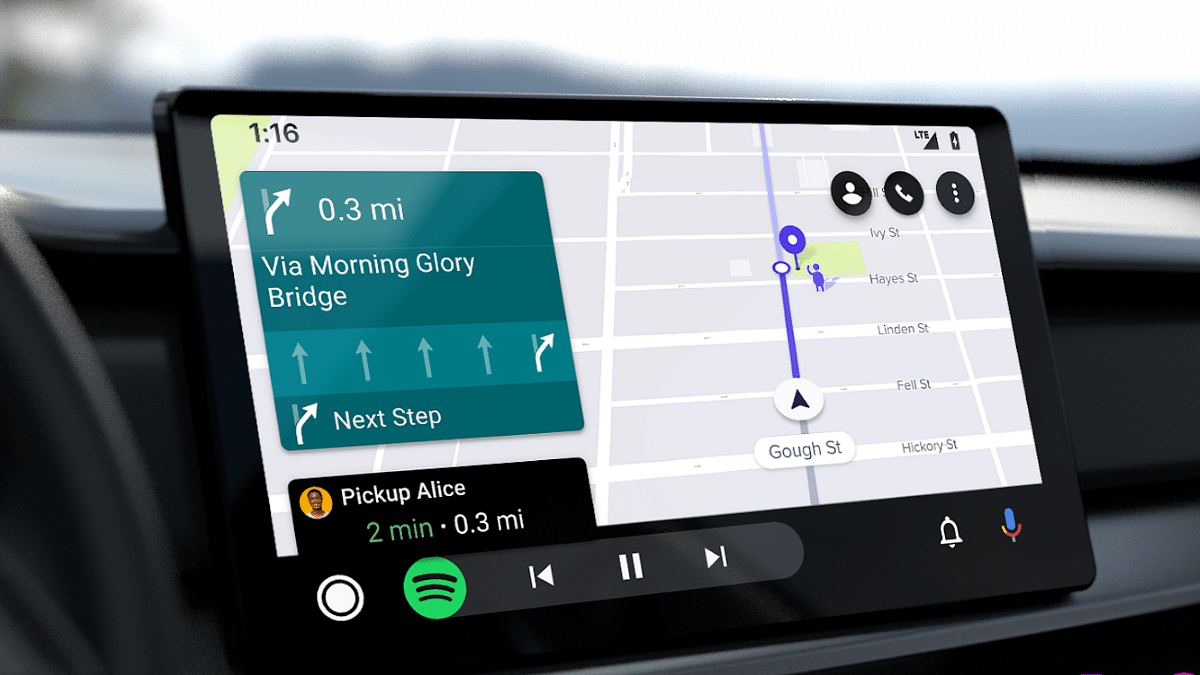
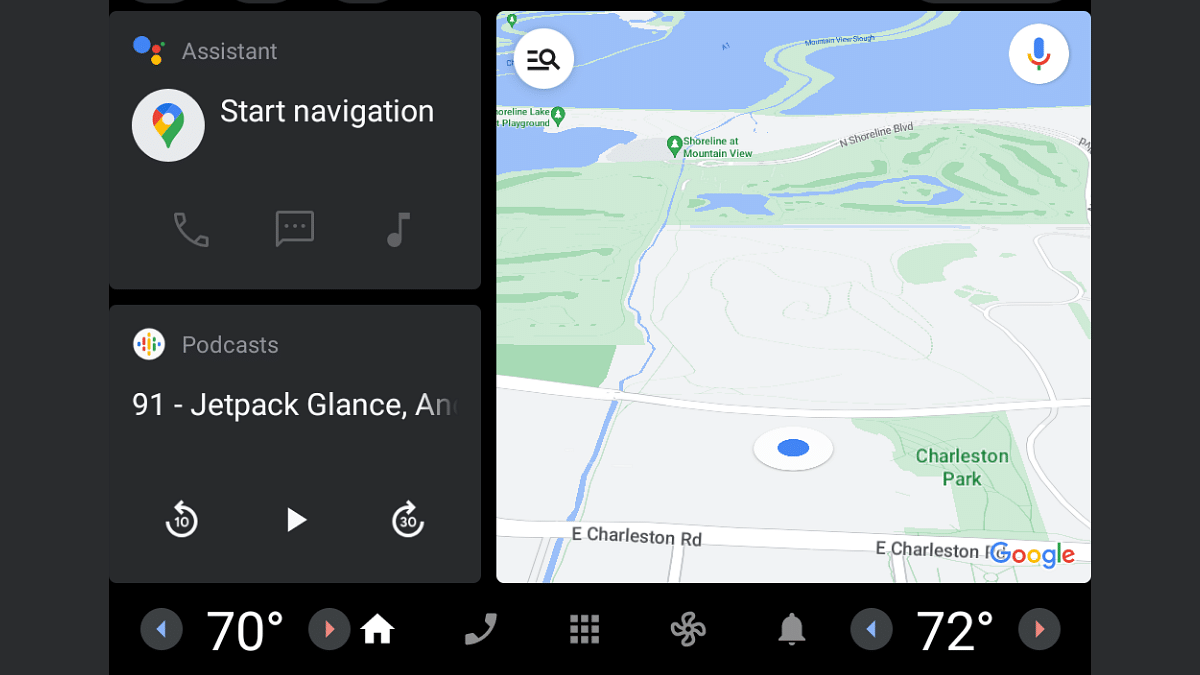
Android Auto Not Working: Try These Troubleshooting Tips

Hitting the road with your trusty Android Auto setup is a convenient way to navigate, listen to music, and stay connected while driving. But what happens when Android Auto suddenly stops working? Don’t panic! Here are some troubleshooting tips to get you back on track:

Also Read: Android Auto Galaxy AI-Powered Features For Galaxy S24 Series: What Are The Benefits?

1. Check the Basics:

  • Restart your phone and car: Sometimes a simple reboot can fix minor glitches.
  • Ensure a secure connection: Use a high-quality USB cable (ideally under 1 meter) and avoid hubs or extensions. For wireless connections, double-check Bluetooth and Wi-Fi settings.
  • Update software: Keep your phone, Android Auto app, and car infotainment system updated to the latest versions.

Also Read: Living Smarter: Home Automation Trends And Global Tech Leaders Of 2024

2. App-Specific Issues:

  • Force stop and restart the Android Auto app: Go to Settings > Apps > Android Auto > Force Stop, then relaunch the app.
  • Clear app cache and data: This can sometimes resolve corrupted data issues. Go to Settings > Apps > Android Auto > Storage & cache > Clear cache/Clear storage.
  • Reinstall the Android Auto app: If the above steps fail, uninstall and reinstall the app.

Also Read: Uber EV Auto Rickshaw Services Begins In Ayodhya: Full Details

3. Car Compatibility:

  • Verify car compatibility: Not all cars support Android Auto. Check your car’s manual or manufacturer’s website for confirmation.
  • Consult your car’s manual: Look for troubleshooting steps specific to your car’s infotainment system.
  • Restart the infotainment system: Some systems require a manual restart to refresh the connection. Refer to your car’s manual for instructions.

Also Read: YouTube Music: How To Enable Auto-Add Songs To Your Last Playlist

4. Additional Tips:

  • Forget and re-pair Bluetooth connection: If using wireless Android Auto, forget the Bluetooth connection on both your phone and car, then re-pair them.
  • Check for app permissions: Ensure Android Auto has all necessary permissions, like location and storage access.
  • Report the issue: If none of these tips work, report the issue to Google through the Android Auto app or online support forum.

Also Read: Google Android Auto Smart AI Features: Enhanced And Improved Driving Safety

Remember, these are general troubleshooting steps. Specific solutions might vary depending on your phone, car model, and encountered issue.

Categories
Apps Featured How To Info

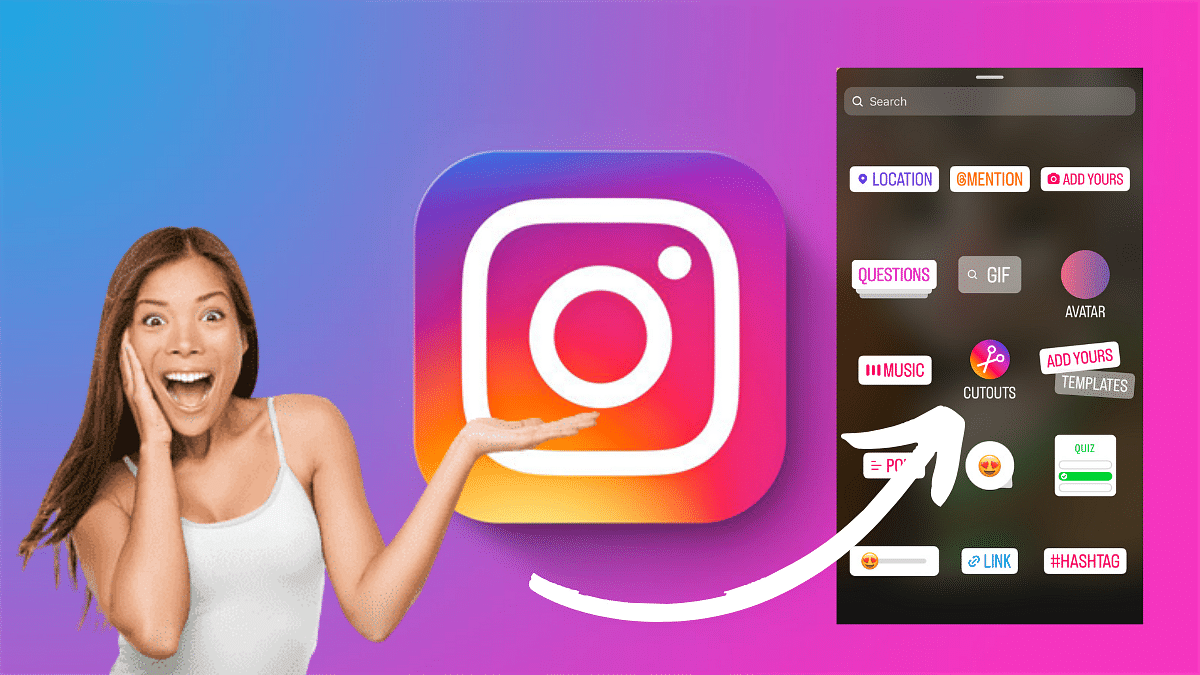
How To Create Stickers On Instagram With Cutouts

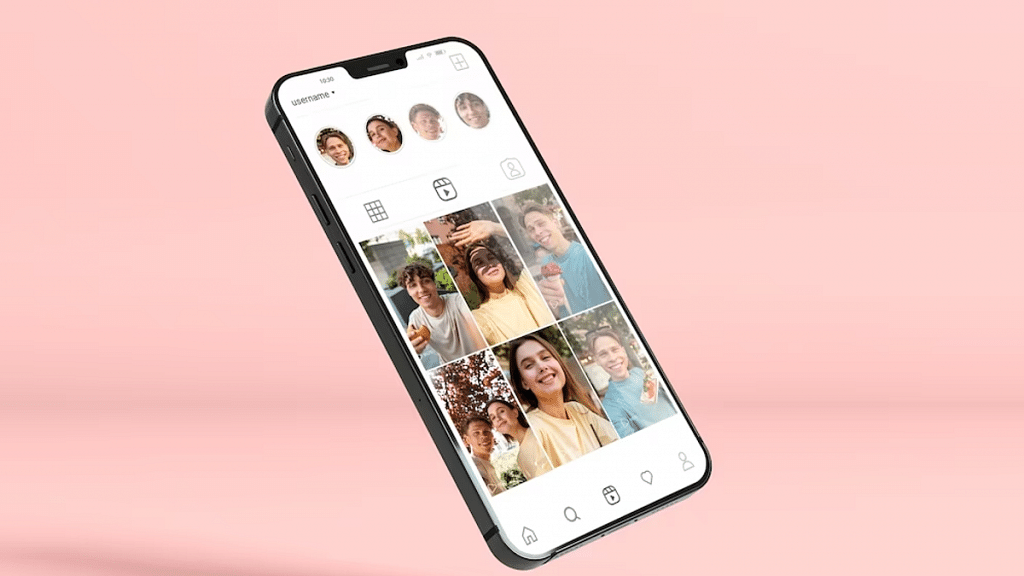
Instagram’s new feature allow users to add a personal touch to their stories and reels with custom stickers. One exciting way to improve your content is by creating your own stickers using the Cutouts feature.

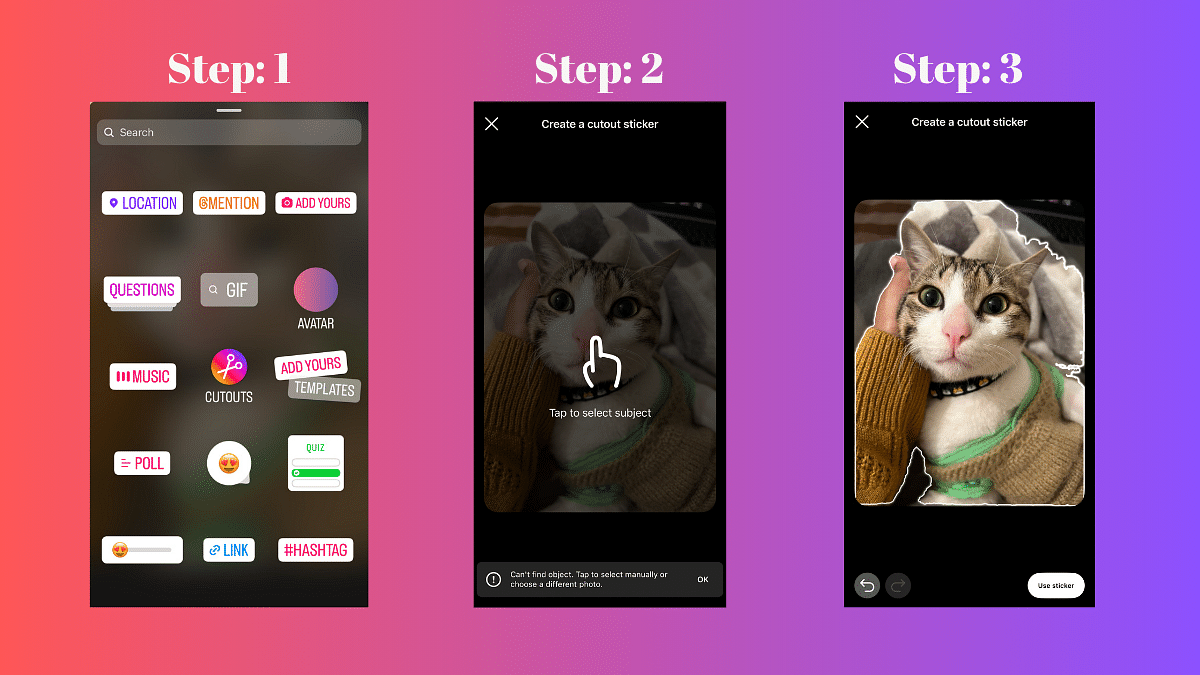
In this guide, we’ll walk you through the simple steps to craft unique stickers.

Also Read: How To Remove A Single Image From Instagram Carousel

Creating a Custom Sticker with Cutouts

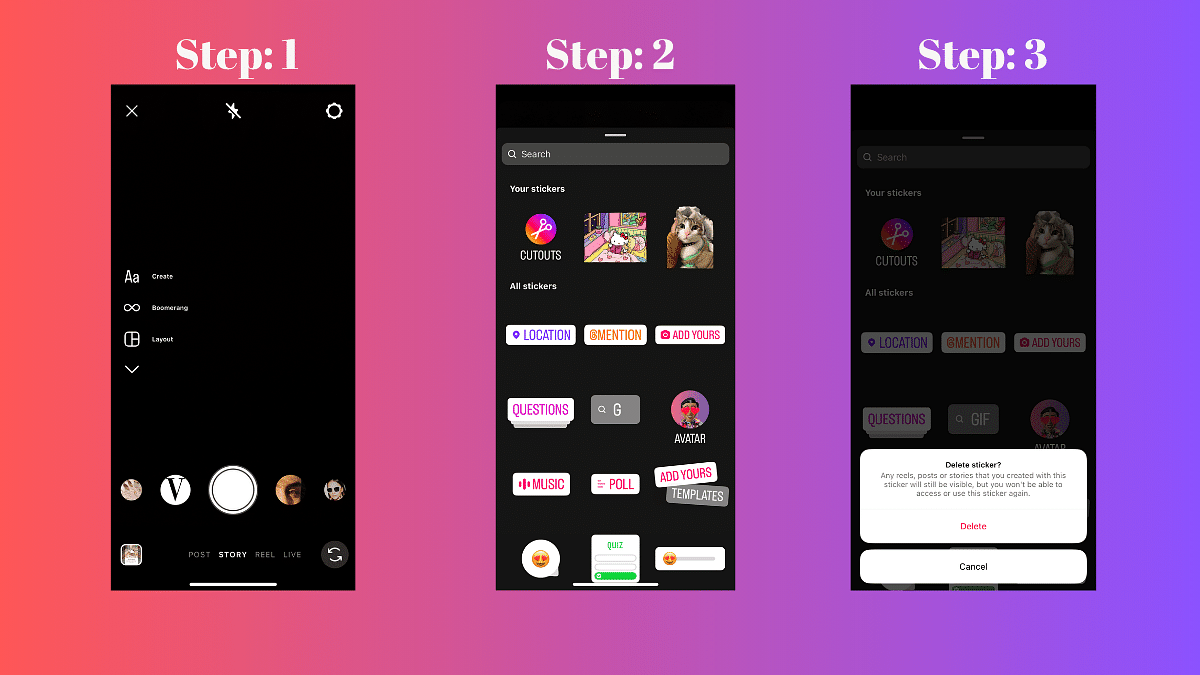
  1. Access the Stickers Menu: When crafting a reel or story, locate and tap the Stickers icon.
  2. Select Cutouts: Among the various sticker options, choose Cutouts.
  3. Choose a Clear Subject Photo: Opt for a photo with a distinct and clear subject. The sticker will be automatically generated from this photo.
  4. Manual Selection (Optional): If the auto-generated sticker doesn’t meet your expectations, manually select the desired object for your sticker. Note: Only one object can be picked at a time.
  5. Add the Sticker to Your Post: After the customization, tap Stickers again, and select the newly created sticker. Your stickers will be conveniently saved at the top of the sticker tray for future use.

Also Read: How to Use Google Circle to Search: Your Step-by-Step Guide

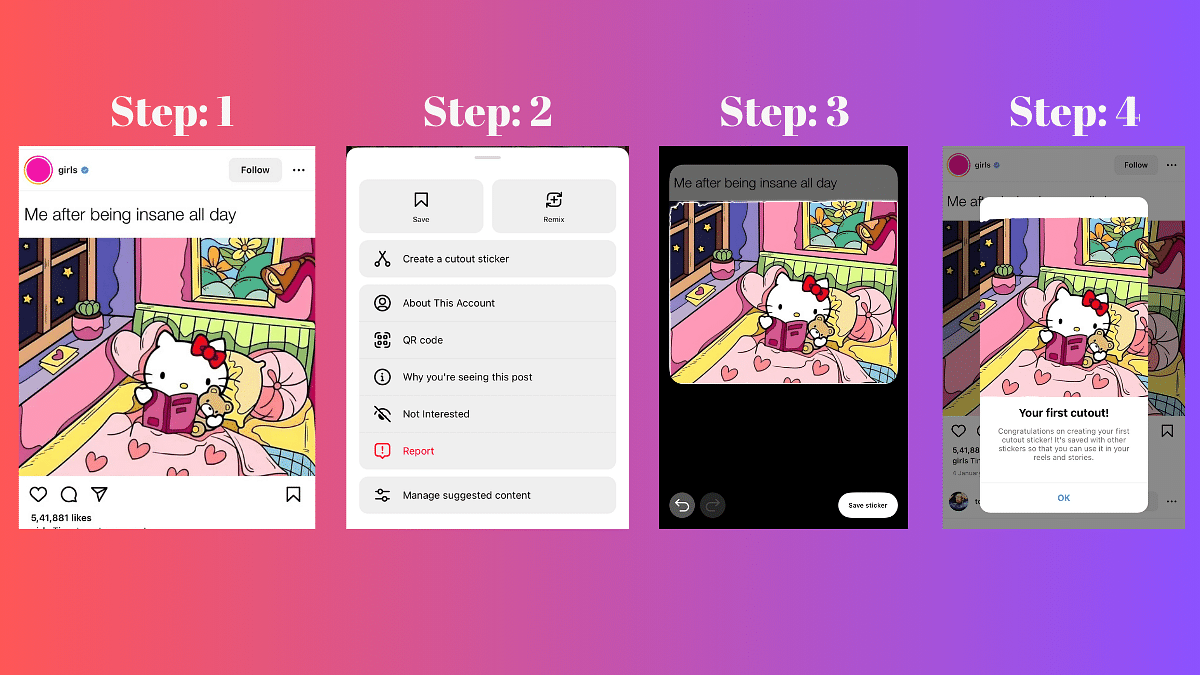
Creating a Custom Sticker from Someone Else’s Post with Cutouts

Note: You can only create a sticker from a public account that has enabled permissions for you to do so.

  1. Choose the Photo: Navigate to the photo you wish to turn into a sticker.
  2. Access Options: Tap the three dots in the top right corner of the post.
  3. Create Sticker: Select the “Create sticker” option.

Important: If the original post is deleted, the content using that sticker will also be removed.

Also Read: How to Draft Emails with Voice in Gmail: A Step-by-Step Guide

Deleting Stickers Created with Cutouts

  1. Create a New Reel or Story: Start a new Instagram Reel or Story.
  2. Access Stickers: Tap the Stickers option.
  3. Delete Sticker: In the “Your stickers” section, press and hold on the sticker you want to delete. Tap Delete.

Remember, deleting a sticker will not affect existing reels or stories, but you won’t be able to use the deleted sticker again.

Categories
Apps Featured Info Mobile

iOS 17.3 Update: Stolen Device Protection, AirPlay to Hotel TVs, More

Key Highlights

  • Users can now protect data with tougher security in iOS 17.3.
  • You can stream content directly using AirPlay in select hotels.
  • Update available for iPhone and iPad users

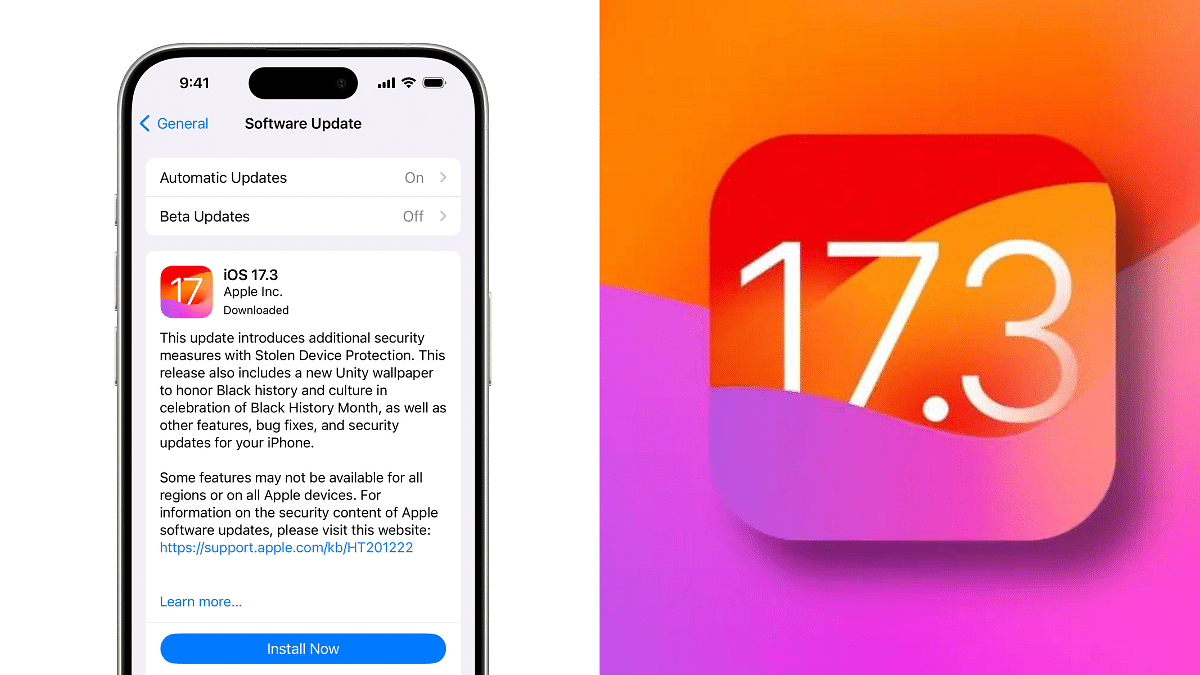
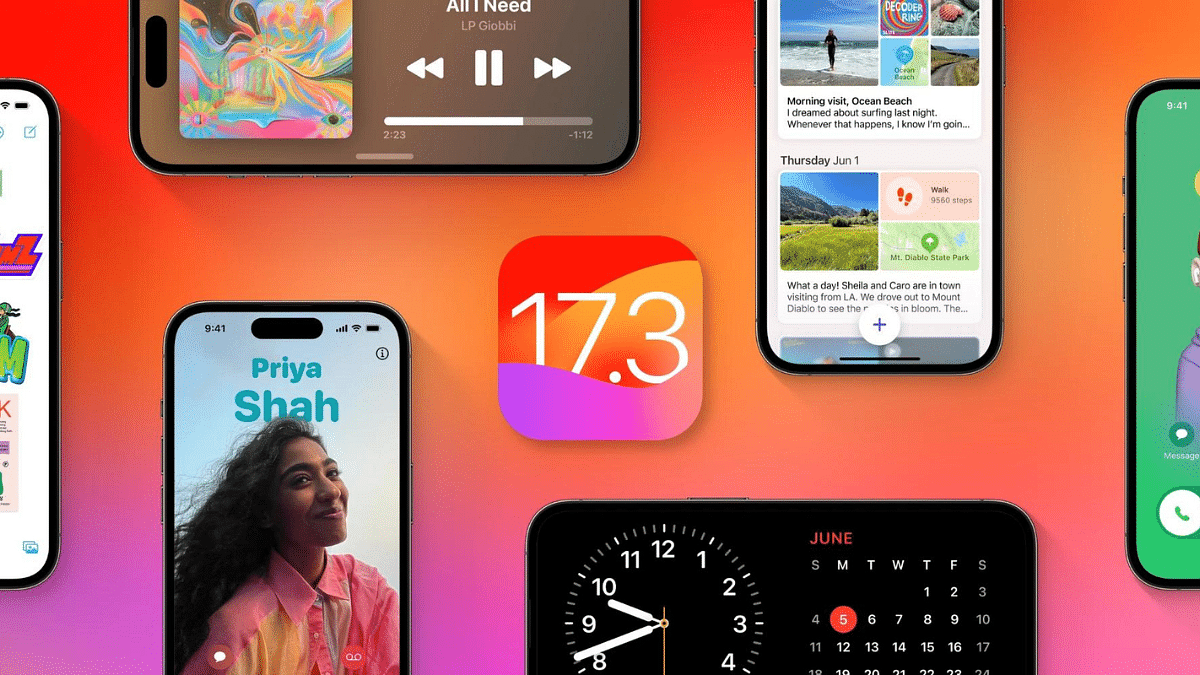
Apple has released iOS 17.3, the latest software update for iPhones and iPads. This update brings a host of new features and improvements, including a highly anticipated security measure: Stolen Device Protection.

Also Read: Galaxy S24 vs iPhone 15: Which Flagship Phone Deserves Your Upgrade?

Protect Your Data with Stolen Device Protection

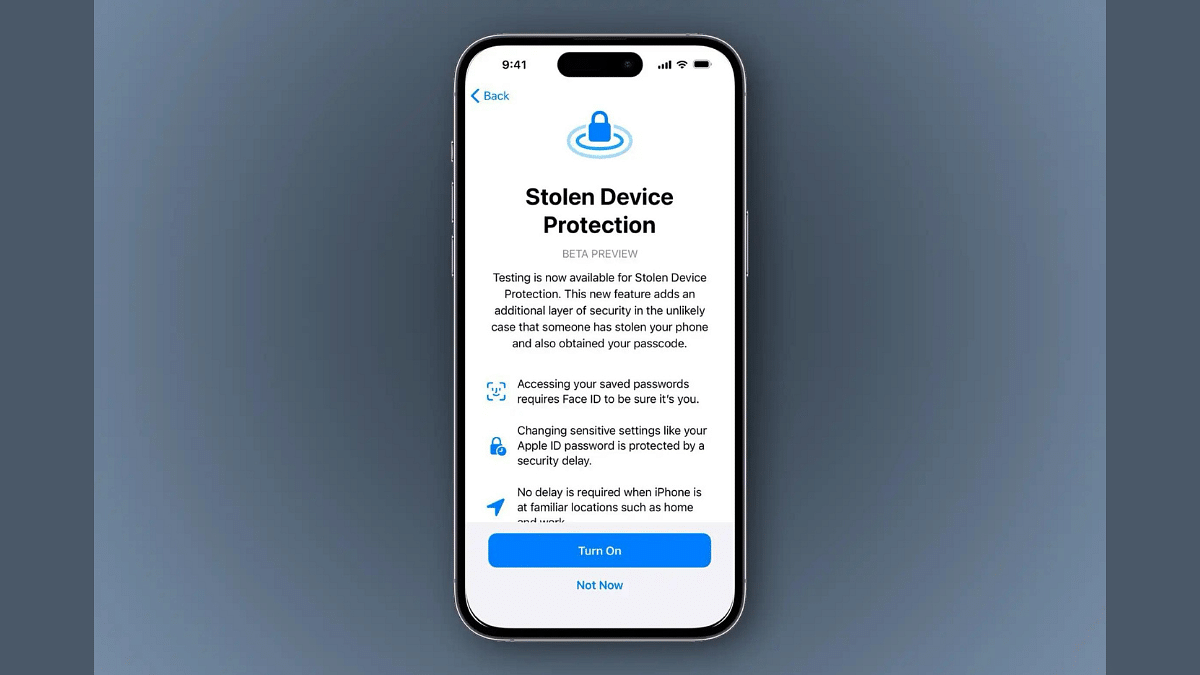
One of the most valuable additions in iOS 17.3 is Stolen Device Protection. This feature adds an extra layer of security to your iPhone, making it more difficult for thieves to access your sensitive information even if they know your passcode.

With Stolen Device Protection enabled, critical actions like viewing passwords, applying for an Apple Card, or erasing your device will require Face ID or Touch ID authentication, not just your passcode. This makes it much harder for unauthorized users to gain access to your data.

For even more sensitive actions, iOS 17.3 introduces a one-hour security delay. This means that even after successfully authenticating with Face ID or Touch ID, users will need to wait an hour before performing specific actions like changing their Apple ID password or turning off Find My. This additional layer of protection gives you time to react if your device is stolen and someone tries to tamper with your accounts.

Also Read: Inside Apple’s New Bengaluru Office: What You Need To Know

Collaborate and Stream Smarter

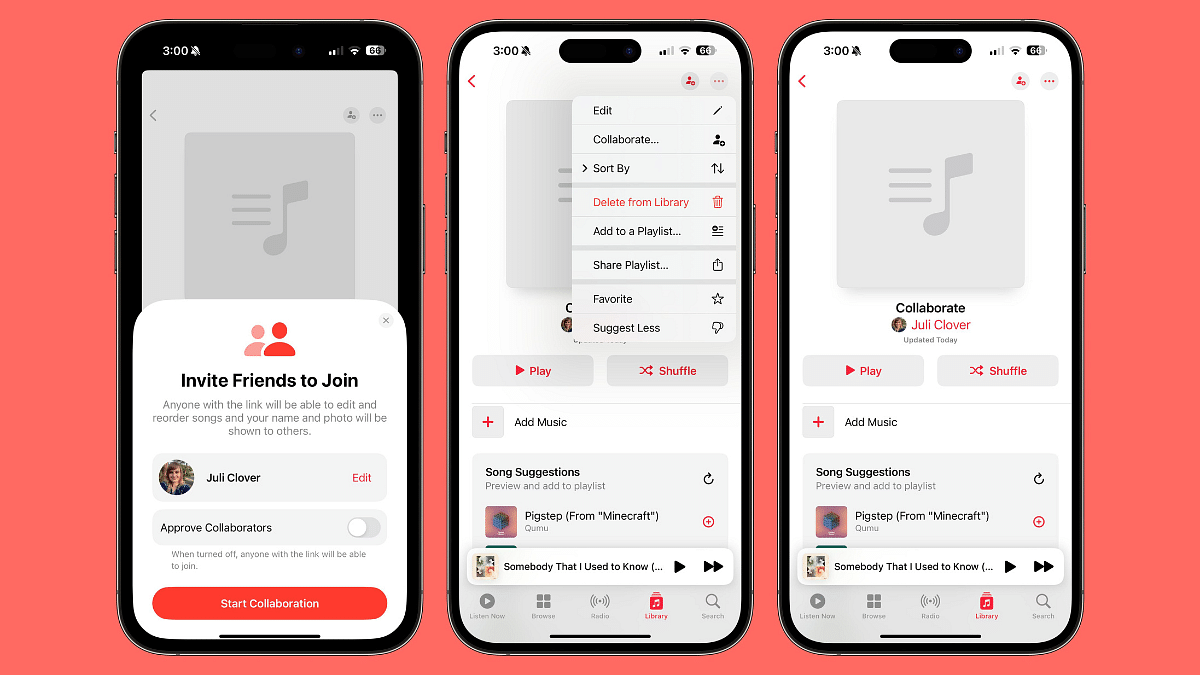
iOS 17.3 introduces Collaborative Playlists on Apple Music, allowing users to invite friends to join playlists. This feature enables participants to add, reorder, and remove songs, fostering a shared music experience. Users can also express their reactions with a range of emojis, enhancing the social aspect of music curation.

This update also introduces AirPlay support for hotel TVs in select locations. So, you can easily stream your favorite content from your iPhone or iPad directly to the TV in your hotel room.

Also Read: Apple iPhone 16 Pro Camera Specs: Leaked Details

Additional Enhancements

iOS 17.3 comes with several other improvements, including:

  • A new Unity Lock Screen wallpaper celebrating Black History Month.
  • Improved AppleCare & Warranty management within the Settings app.
  • Crash detection optimizations for smoother performance on iPhone 14 and 15 models.

Also Read: Apple Confirms RCS Support On iPhone: What It Means, Availability Timeline

How to update?

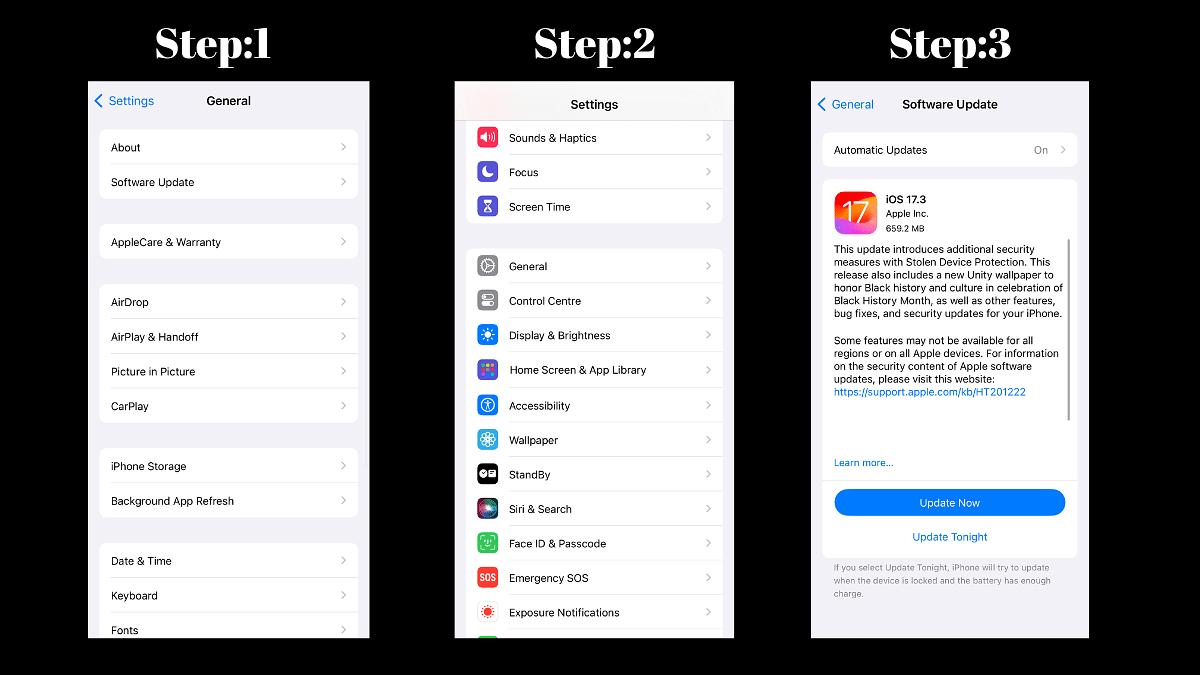
If you’re an iPhone or iPad user, we highly recommend updating to iOS 17.3 to benefit from the enhanced security, new features, and performance improvements. The update is available now over-the-air, so simply head to Settings > General > Software Update to download and install it.

Also Read: Google Maps Live Location Feature Released: Steps To Use On Android, iOS

Categories
Apps Auto Tech Featured

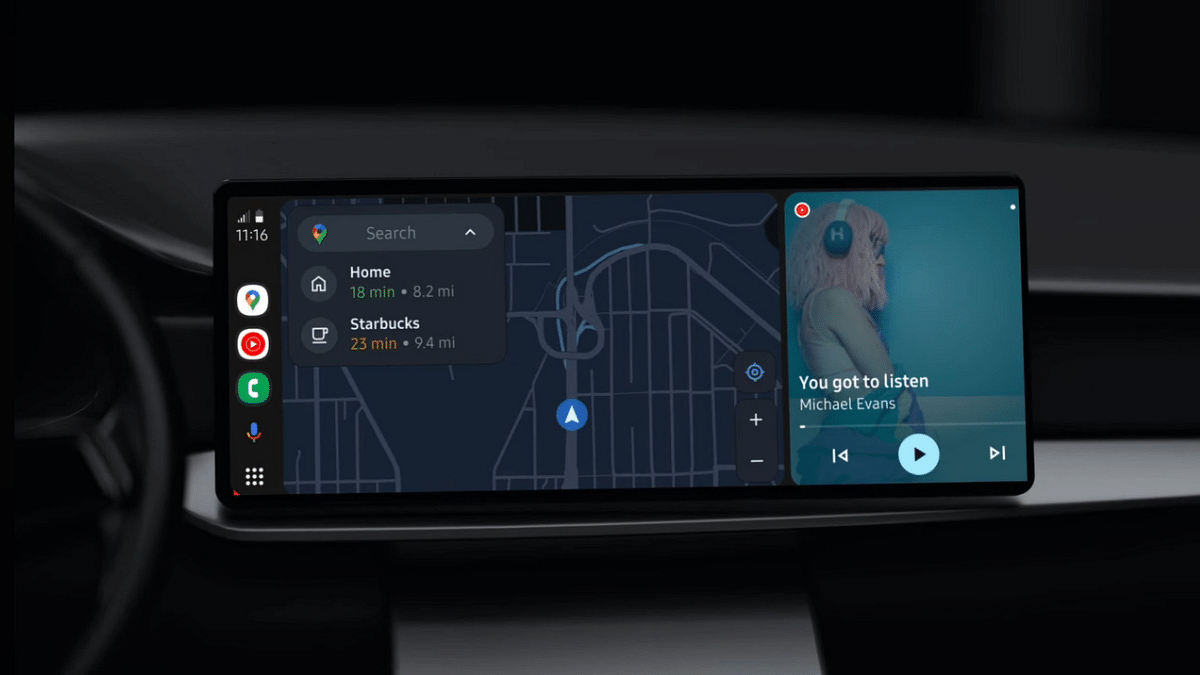
Google Android Auto Smart AI Features: Enhanced And Improved Driving Safety

Key Highlights

  • Google releases new AI features for Android Auto
  • Will boost distraction free driving
  • Features first introduced with the Galaxy S24 series

Google is readily creating an AI-backed ecosystem for all of its products and services. Recently, AI-powered Android Auto features were announced for the Samsung Galaxy S24 series. Now, Google is finally expanding these AI services to Android Auto for improved safety with each ride. We have listed the latest AI smart features that Android Auto has received.

Android Auto Message Summary Feature

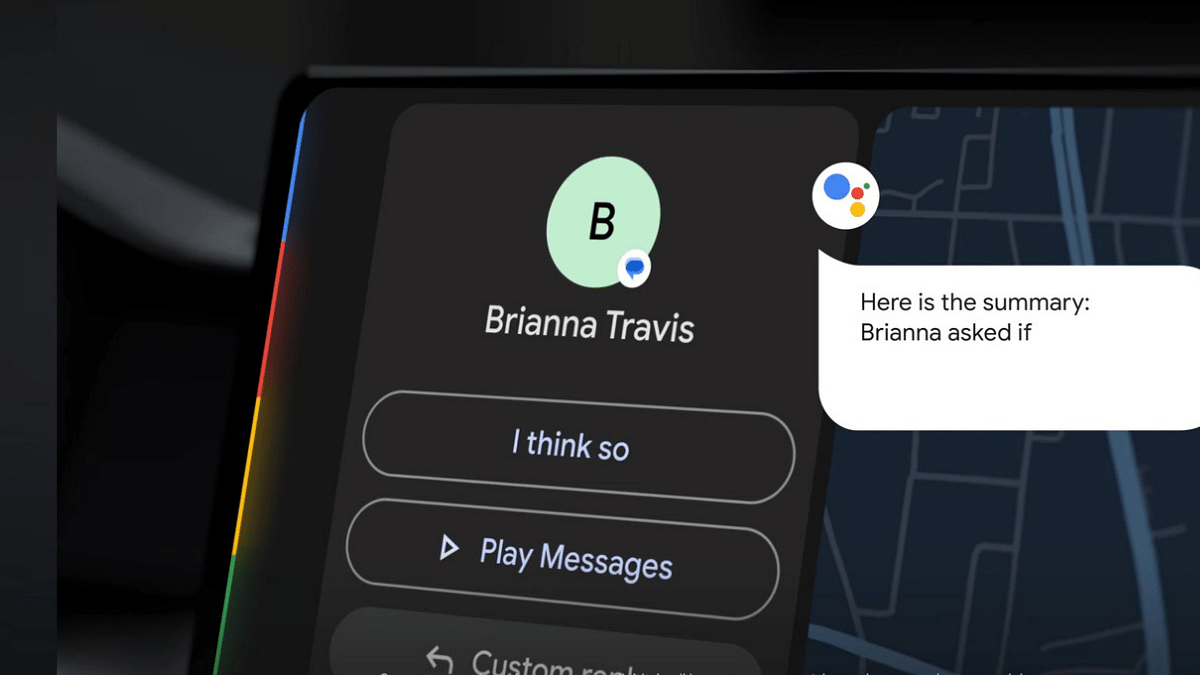
Google’s latest smart AI-feature for Android includes message summarization which is essentially designed to help drivers get a summary of the incoming text messages without giving a glance on the infotainment system or the phone screen.

Google Assistant here plays a vital role in providing a summarized context to the series of lengthy text messages. This message summary feature becomes more useful with group chats where it becomes difficult to reply while driving. Instead of reading out the entire message, the voice assistant will now prompt summarized version of the messages.

Also Read: Rolls Royce Spectre Electric Luxury Coupe Launched: Price in India Starts At Rs. 7.5 Crore

AI-Based Quick Response

The latest smart AI features released for Android Auto will now also allow the drivers to respond to the messages. The AI will not only smartly read out the summarized version of text messages but will also allow sending quick responses. Depending on the messages received, Android Auto will display set of AI-generated quick responses. Users can reply with these quick responses with just a single tap on the infotainment screen.

Also Read: Ather 450 Apex Vs Ola S1 Pro: Top Electric Scooters Comparison

ETA And Navigation Features

Android Auto’s new smart AI will now allow users to share ETA (estimated time of arrival) with their contacts. The AI will prompt the users if they wish to send a quick reply sharing the ETA. Navigation experience is also being improved with the new AI for Android Auto.

Also Read: BMW CE 02 Electric Scooter Confirmed To Launch In India: Expectations

What’s The benefit With Latest Android Auto AI Features?

The newly introduced smart AI features for Android Auto will boost distraction free driving experience. The option to get a summary of received text messages and sharing ETA without operating the connected phone separately will definitely prove beneficial with improving safety.

Categories
Apps Featured Info

Top 5 Alternatives To Blinkit For 10-Min Delivery In India 2024

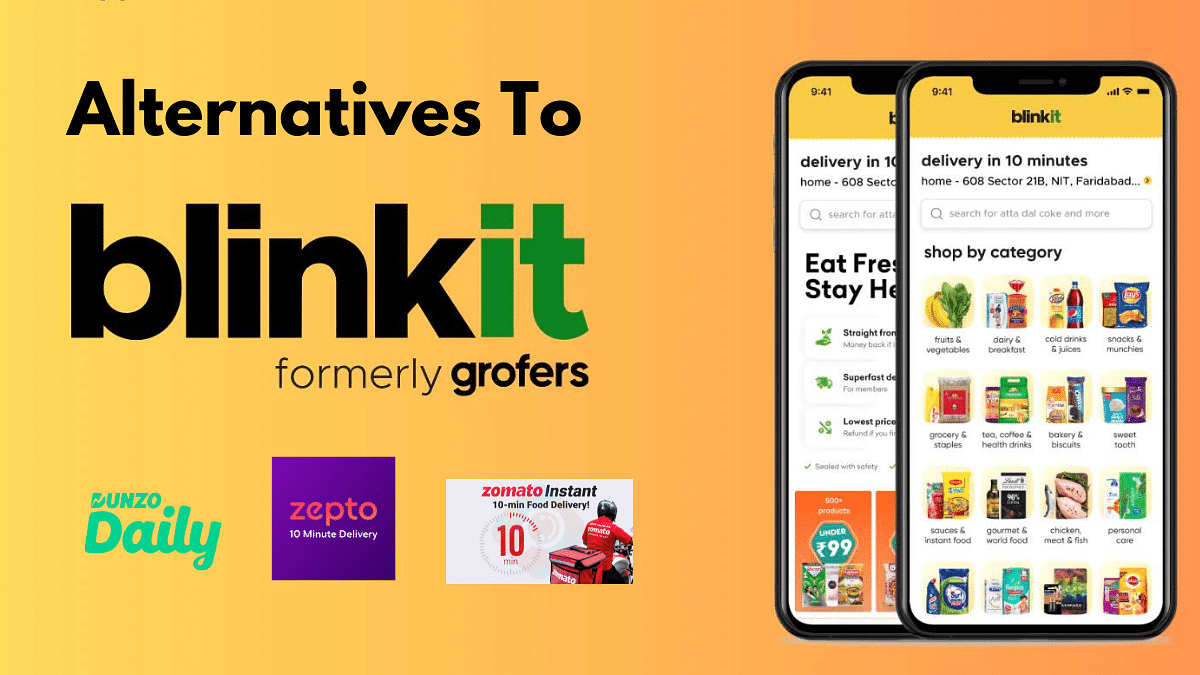
Blinkit, formerly Grofers, has become synonymous with speedy grocery delivery in India. But what if you need that carton of milk or bag of veggies in less than 10 minutes and Blinkit isn’t available?

Whether it’s wider selection, better deals, or just a change of pace, here are 5 top alternatives to Blinkit for your 10-minute grocery needs in 2024:

Also Read: Maximizing Savings: Here’s How To Use Blinkit Promotional Codes

1. Zepto

Blinkit’s biggest rival, Zepto boasts a similar 10-minute delivery promise in major cities like Delhi, Mumbai, and Bangalore. They focus on fresh fruits, vegetables, and everyday essentials, making them perfect for those last-minute fridge restocks. Plus, they often have exciting offers and discounts, so keep an eye out!

Also Read: Enjoy Domino’s Pizza At Lower Prices: How To Order Via PhonePe’s Pincode App On ONDC

2. Swiggy Instamart

Swiggy, isn’t just about pizzas anymore. Their Instamart service delivers groceries in under 30 minutes, often partnering with local stores for faster reach. Swiggy’s familiar interface and loyalty program make it a convenient choice for existing users.

Also Read: Jio’s Exclusive Republic Day Offer On Rs. 2,999 Annual Prepaid Plan: Benefits, Availability

3. Dunzo Daily

Backed by Reliance Retail, Dunzo Daily offers a wide range of groceries, including fresh produce and household essentials. Delivery times vary depending on location, but they often fall within the 15-20 minute range. Dunzo Daily also runs frequent discounts and promotions, making it a budget-friendly option.

Also Read: How To Use WhatsApp’s Music Sharing Feature On iPhone During Video Calls: A Step-by-Step Guide

4. Bigbasket Express

Bigbasket, a well-established online grocery player, has launched Express delivery in select cities. While not strictly a 10-minute service, they aim for deliveries within 45-60 minutes, which can be a lifesaver for bulkier grocery needs. Their extensive product range and competitive prices make Bigbasket Express a solid contender.

Also Read: Top 5 Gaming Laptops With 12th Gen Intel Core Processor Under 1 Lakh

5. Zomato Instant

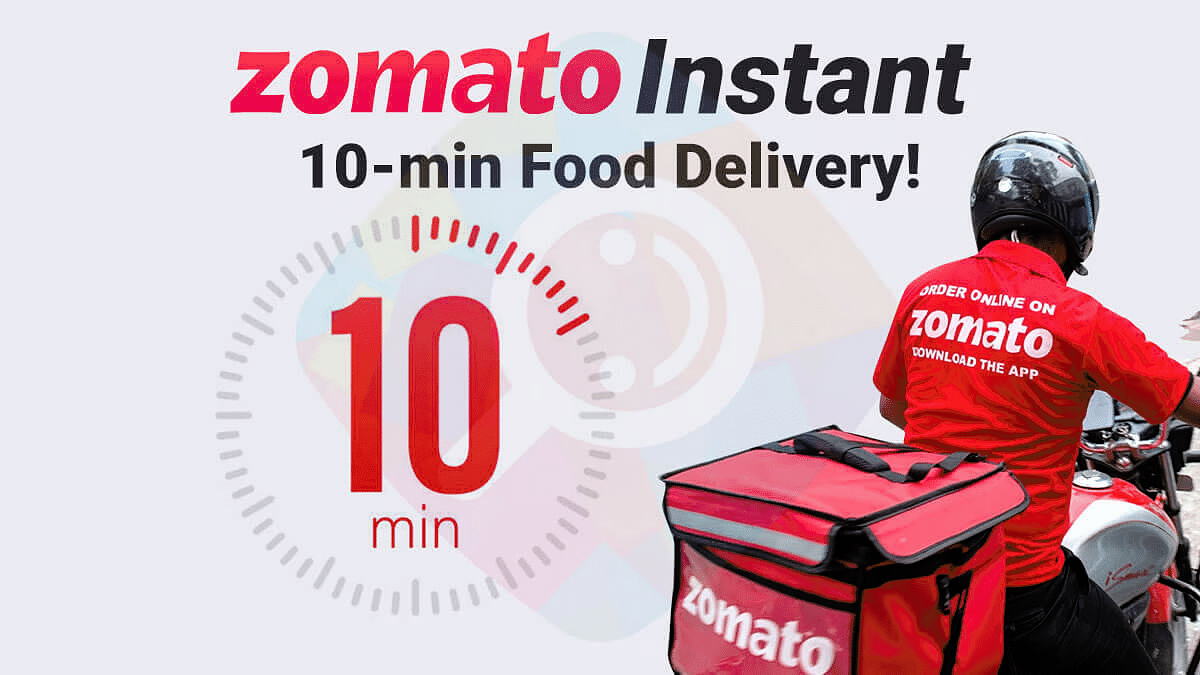
Coming soon to select cities, Zomato is jumping into the 10-minute delivery arena with its own service called Zomato Instant. With their focus on fresh fruits, vegetables, and ready-to-eat meals, they’re aiming to cater to busy professionals and urban dwellers. Keep an eye out for their launch in your city and see if their quick delivery and restaurant partnerships make them a worthy competitor.

Also Read: Gogoro Partners With Swiggy For Electric Scooter Deliveries In India

Choosing the Right Option:

The best alternative for you will depend on your location, needs, and budget. Consider these factors:

  • Delivery coverage: Check if the app operates in your city and neighborhood.
  • Delivery speed: Compare guaranteed delivery times and see which app fits your urgency.
  • Product range: Does the app offer the specific groceries you need, including fresh produce and non-perishables?
  • Price and discounts: Look for competitive pricing and compare any ongoing promotions or loyalty programs.
  • App interface and features: Choose an app that’s easy to navigate and offers features like order tracking and reordering.