Categories
Apps Featured Info

X Introduces New Basic And Premium+ Subscription Plans: Check Price And More

Key Highlights

  • X has launched two new subscription plans
  • These are Basic and Premium+ subscriptions
  • These plans start from Rs. 244 to Rs. 1,300 per month

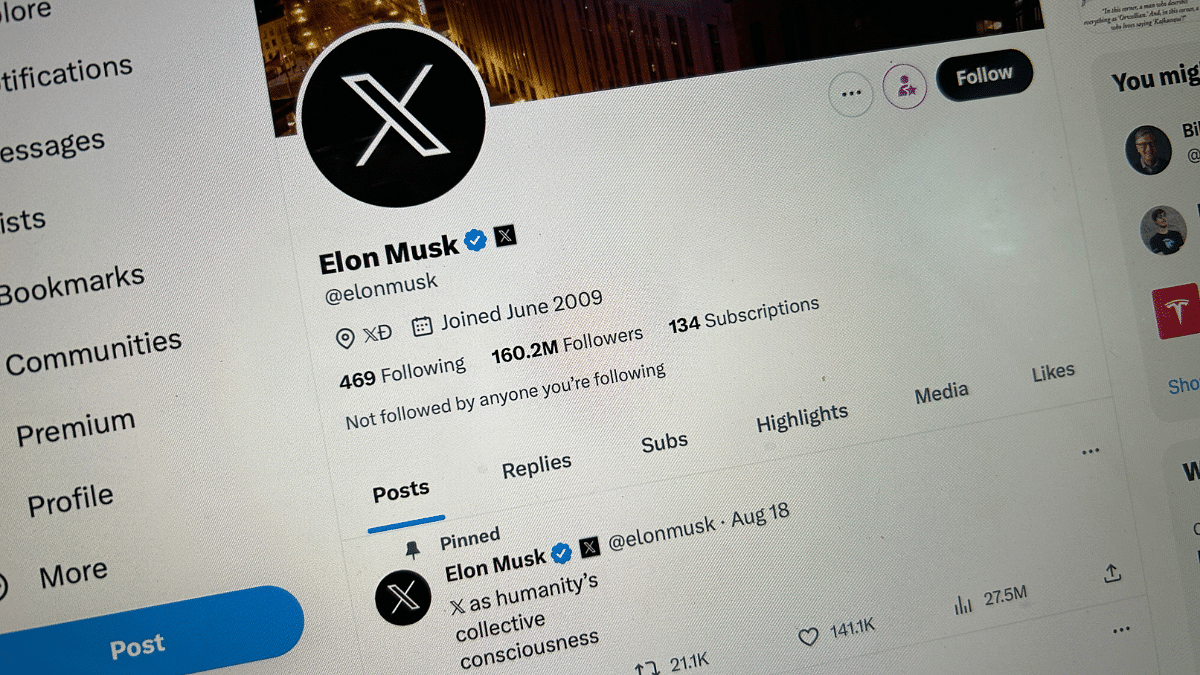
X (formerly Twitter) has unveiled two new subscription options. These plans include X Basic and X Premium+, bringing the total number of X subscriptions to three. These subscriptions are now available globally, including in India, with prices starting at Rs. 243 per month. Each subscription tier offers unique benefits, such as the coveted edit button, extended character limits for posts, and an ad-free browsing experience. Also Read | Planning To Leave Twitter? Here Are The Best Twitter Alternatives To Download

X Subscription Plans
X Basic

X Basic is the most affordable subscription plan, priced at Rs. 243 per month or Rs. 2,590 annually. Subscribers to this plan gain access to several exclusive features, including the edit button, extended post lengths, an undo button, the ability to post longer videos, top articles, reader mode, background video playback, video downloads, and a small reply boost. Additionally, X Basic subscribers can customize their experience by altering app icons, creating bookmark folders, adjusting navigation, selecting themes, hiding likes and subscriptions, and utilizing the highlights tab.

While this plan includes SMS two-factor authentication and encrypted direct messages, it does not provide the coveted blue verification tick or ID verification. Furthermore, subscribers with X Basic will not have access to the creator hub, which offers tools like creator subscriptions, X Pro, Media Studio, and analytics.

Also Read | 100+ Best Twitter Username Ideas For Your Handle

X Premium+

X Premium+ represents the most premium subscription tier and comes with a higher price tag of Rs. 1,300 per month or Rs. 13,600 annually. Subscribers to X Premium+ enjoy all the features mentioned earlier, including the blue verification tick, ID verification, and access to the creator suite.

X Premium

X Premium was the sole subscription plan available before the introduction of X Basic and X Premium+. It offers most of the same features but with a few limitations. For instance, X Premium subscribers will encounter half the number of ads in the “For You” and “Following” sections and a ‘Larger’ reply boost. In comparison, X Premium+ provides an ad-free experience in the “For You” and “Following” sections and the ‘Largest’ reply boost. X Premium maintains its pricing at Rs. 650 per month or Rs. 6,800 per year.

Also Read | Instagram Threads: What Is It And How To Use Meta’s Twitter Alternative
Categories
Apps Featured Info mobile

Apple iOS 17.1 Update Is Here: Here’s What You Need To Know

Key Highlights

  • Improved AirDrop for seamless file sharing.
  • StandBy feature gets an upgrade for control.
  • Apple Music receives a facelift.

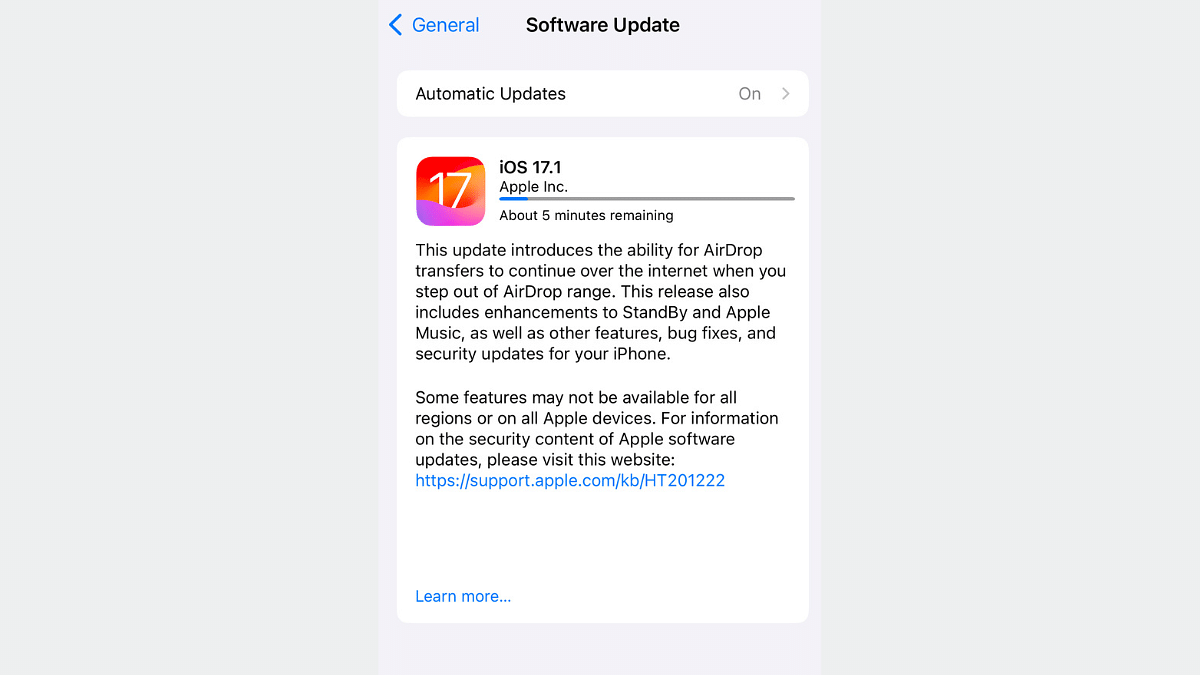
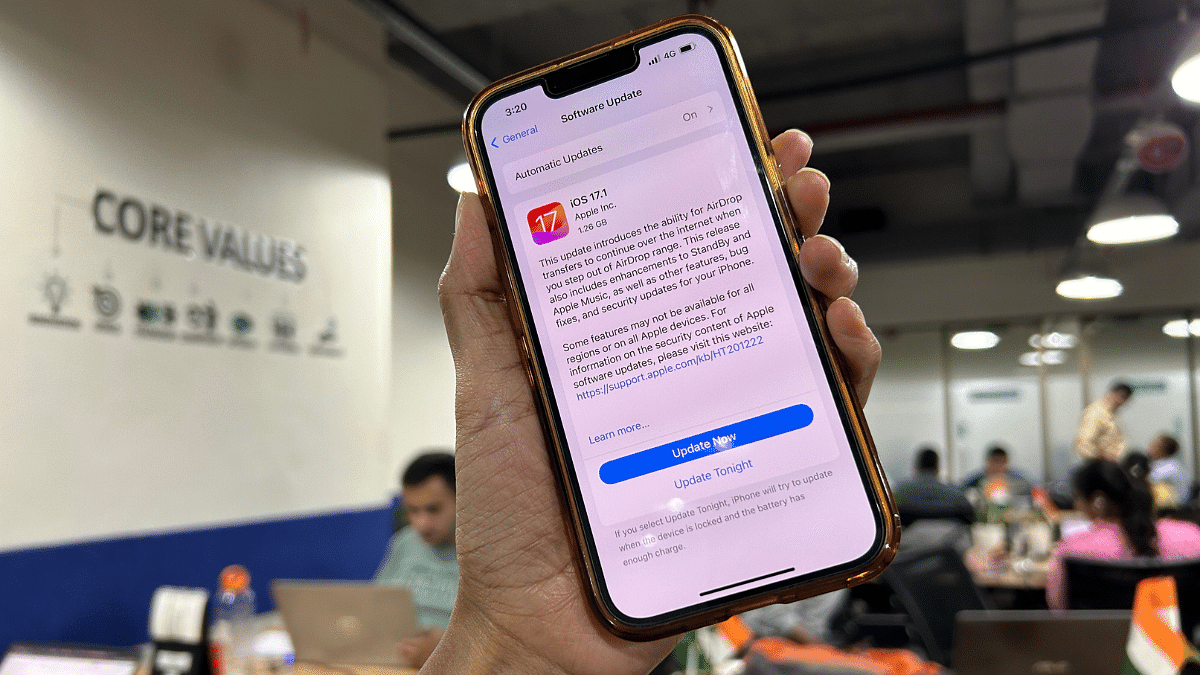
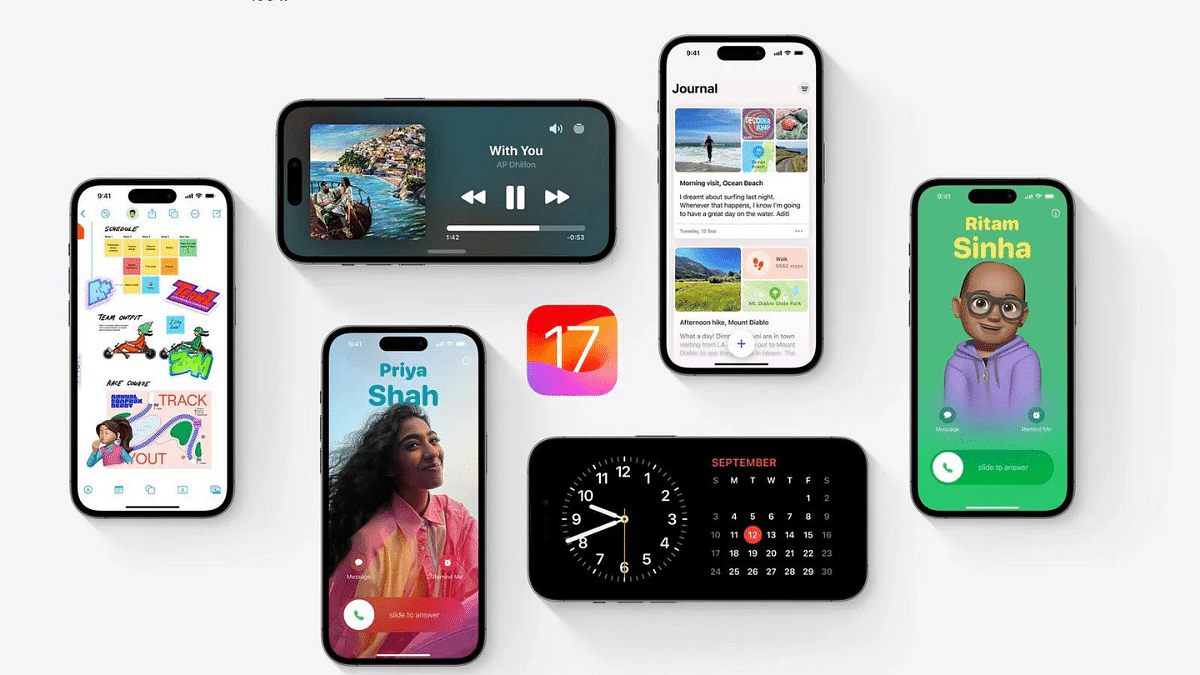
Apple released iOS 17.1 update which focuses on enhancing the user experience and addressing key issues that many users stated in last few months. Notably, it brings improvements to AirDrop, the StandBy feature, and Apple Music. Additionally, iOS 17.1 is supported on all iPhones capable of running iOS 17, including the iPhone XR and later models.

In this update, the company has also focused on adding functionality to some of its key features.

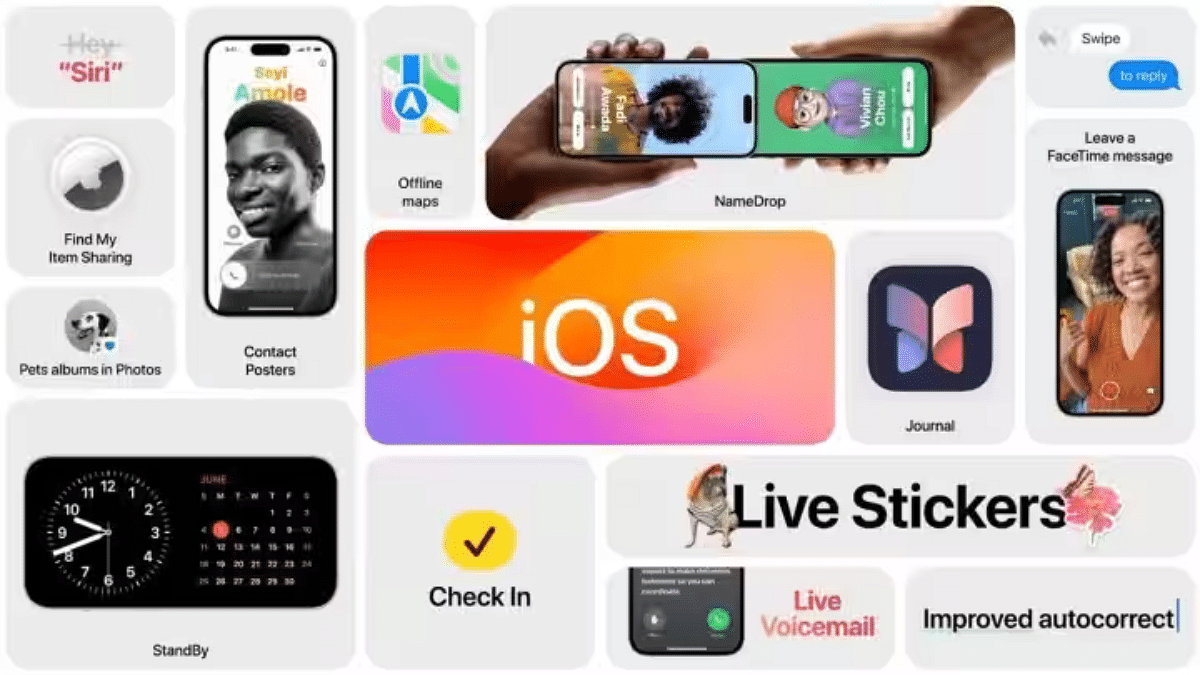
Also Read: iOS 17 Live Voicemail: How To Use It On Your iPhone

Apple iOS 17.1 Update: 4 Key Features

1. Improved AirDrop Capabilities

With iOS 17.1, with AirDrop users can now continue transferring large files over the internet, even when their devices are out of the traditional AirDrop range. This means seamless sharing of files between devices which makes it easier to send photos, videos, and documents to friends and family.

2. Upgrade In StandBy Feature

The StandBy feature, available on the iPhone 14 Pro, iPhone 14 Pro Max, iPhone 15 Pro, and iPhone 15 Pro Max, now offers new options when the display goes off. This feature, especially useful for devices with Always-on-Display (AOD) functionality, provides users with more control over how their devices behave when not in active use. It allows for more personalization options and convenience in managing your device’s standby mode.

3. Apple Music Gets a Facelift

iOS 17.1 brings exciting changes to the Favorites section. Now, you can include songs, albums, and playlists in your Favorites, allowing for a more comprehensive music collection. The ability to filter these favorites makes it easier to find and enjoy your preferred tunes. Playlists now feature song suggestions, making music discovery more engaging. Additionally, the cover art collection gets a fresh design with customizable colors, enhancing the visual appeal of your music library.

4. Various Fixes And Improvements

iOS 17.1 optimizes Crash Detection for the iPhone 14 and iPhone 15 series, improving the stability and performance of these devices. Users now have the option to select a specific album for the Photo Shuffle feature on the Lock screen, adding a personal touch to your device’s appearance. Furthermore, iOS 17.1 brings Home key support for Matter locks, enhancing your smart home security. The reliability of Screen Time settings is also enhanced, giving users better control over their digital habits.

Additionally, iOS 17.1 stops the reset of Significant Location privacy settings when transferring an Apple Watch or pairing a new one. Problems like callers’ names disappearing during calls and keyboard unresponsiveness are fixed. Custom and paid ringtones now appear correctly as text tones, eliminating confusion, and the display image persistence issue is resolved.

Also Read: Use Your iPhone To Detect Depression And Anxiety: A Step-by-Step Guide

How to Update To iOS 17.1

Updating your device to iOS 17.1 is a simple process. Here are the step-by-step instructions:

  1. Access Your Settings: Open your device and locate the “Settings” app. It’s typically represented by a gearwheel icon.
  2. Select General: Within the Settings menu, scroll down and find the “General” option. Tap on it to proceed.
  3. Choose Software Update: Under the “General” settings, you will see an option labeled “Software Update.” Tap on this to initiate the update process.
  4. Check for Updates: Your device will now check for available updates. If iOS 17.1 is available for your device, you will receive a notification.
  5. Download and Install: Once you receive the prompt to download and install iOS 17.1, follow the on-screen instructions. This will initiate the download and installation process.
  6. Connect to Wi-Fi: To ensure a smooth and uninterrupted download, it’s recommended to connect your device to a Wi-Fi network. This prevents data overage charges and speeds up the process.
  7. Ensure Sufficient Battery: Before proceeding with the update, make sure your device has sufficient battery life to complete the installation. It’s advisable to have your device connected to a charger during this process to prevent any interruptions due to low battery.
  8. Wait for Installation: The installation process may take some time, depending on your device’s performance and the size of the update. Be patient and let the update run its course.
  9. Complete the Update: Once the update is downloaded and installed, your device will restart to apply the changes. After the restart, you’ll be running the latest iOS 17.1 version.

Also Read: iOS 17 Hits iPhones In India: Here’s Compatible Devices And How To Download

Categories
Apps Featured How To

X Rolls Out Audio And Video Calling: Here’s How To Enable It

Key Highlights

  • Elon Musk announced a brand-new X feature
  • X will have the ability to make audio and video calls
  • X users will need to open the app and manually enable this feature

Elon Musk has made an announcement regarding a new feature on the platform X (formerly Twitter). Users can now enjoy audio and video calling functionalities, akin to those found on popular platforms like Instagram and WhatsApp. Also Read | Planning To Leave Twitter? Here Are The Best Twitter Alternatives To Download

Anticipated Rollout

Many X users have already received notifications upon opening the app, proclaiming, “Audio and video calls are here!” Elon Musk himself has taken to his official handle on the platform to share insightful details. Musk disclosed that the company has initiated the release of an early version of this feature, albeit for select users. In his post, Musk described it as the “Early version of video and audio calling on X.”

How To Use Audio And Video Calling Feature On X

While comprehensive details about the feature are still limited, early adopters have shared screenshots that shed light on the process. To enable audio and video calling, follow these steps:

Step 1: Navigate to the ‘Direct Messages’ section within the ‘Privacy & Safety’ option in the platform’s Settings.

Step 2: Once there, toggle on the ‘Enable Audio & Video Calling’ button. That’s all.

Also Read | Best Tips And Tricks To Increase Your Followers On Twitter

Customized Calling Options

Once enabled, users will have the ability to designate who can make audio and video calls to them. The options include individuals in a user’s address book, those being followed by the user, and verified users.

Global Accessibility

It remains uncertain whether X users will exclusively access audio and video calling through the company’s Android and iOS applications or if this feature will also be accessible on the web.

Elon Musk originally confirmed the imminent arrival of audio and video calling features on X in an announcement made in August of the same year. He stated that the feature would be available on iOS, Android, Mac, and PC, and notably, it would not require a phone number.

Worldwide Rollout

Finally, X has commenced the global rollout of the video and audio calling feature to all of its users.

Also Read | Instagram Threads: What Is It And How To Use Meta’s Twitter Alternative
Categories
Apps Featured Info

Instagram’s Latest Sticker Creation Tool: Users Can Now Separate Subjects From Backgrounds

Key Highlights

  • Instagram lets users craft custom stickers from photos.
  • Unlike AI stickers, this tool focuses on separation.
  • Future user interactions may get more personalized and fun.

Instagram is currently experimenting with a brand-new sticker creation feature which will give users the power to turn their own photos and, in some cases, others’ images into custom stickers, which can then be easily added to their Stories and Reels. However, it’s important to note that this isn’t the same as the AI-sticker creation feature introduced by Instagram’s parent company, Meta.

Also Read: 100+ Catchy Instagram Username Ideas For Poetry Enthusiasts

A Different Approach By Meta

Meta’s recent focus has been on using artificial intelligence to generate prompt stickers. But this latest tool is a departure from that. Instead of relying on AI-generated designs, it effortlessly identifies the main subject in an image, separates it from the background, and creates a versatile sticker. This sticker can then be placed on various content, adding a whole new dimension to your posts.

Also Read: Best Apps And Tools To Download High Quality Instagram Status On Any Phone

Sticker Creation Tool: Showcased By Adam Mosseri

Instagram’s head, Adam Mosseri, recently demonstrated this tool in a video on his broadcast channel. He offered a sneak peek into its capabilities, showcasing how it can change the game. One remarkable feature he highlighted is the ability for users not only to create stickers from photos stored on their devices but also from “permissible images” found on Instagram. While Mosseri didn’t spill all the beans on this feature, it hints at a potential future where users can allow others to turn their images into stickers.

Also Read: How To Delete Your Instagram Threads Account

Sticker Creation Tool: Still In Testing

It’s important to note that this sticker tool is currently in the testing phase and hasn’t been rolled out to all Instagram users. However, the possibilities are immense. If it becomes a permanent feature, it could revolutionize the way users interact on the platform, enabling them to share even more personalized and creative content. Think of it as a similar concept to the personalized features in WhatsApp messaging.

Also Read: Instagram Releases Multiple New Creative Tools For Gen Z Masses: Check Details

Categories
Apps Featured How To

Dussehra 2024 Wishes: Here’s How To Download And Send WhatsApp Stickers

Key Highlights

  • WhatsApp is a popular choice to wish Dussehra
  • There are many Dussehra sticker apps available on the Play Store
  • Downloading and sending Dussehra stickers is an easy process

As Dussehra approaches on October 12, the tradition of sending festive greetings via social media apps continues to gain popularity. WhatsApp, a beloved messaging platform with millions of users in India, offers a convenient way to exchange festive wishes through stickers. So, in this guide, we will focus on downloading and sharing Dussehra stickers specifically on WhatsApp.

Also Read | Step-By-Step Guide: How To Create Live Stickers On Your iPhone

How To Download Dussehra WhatsApp Stickers

Step 1: Head over to the Google Play Store. Once there, use the search bar to look for “Dussehra stickers WhatsApp.” A list of apps will appear, providing you with a variety of options. Select one of these apps and proceed with the installation.

Step 2: Once you’ve successfully downloaded the chosen sticker app onto your device, open it and click on the “start” button to launch the application.

Also Read | WhatsApp Personalised Avatar Feature Update: How To Create Your Own Avatar And Share As Sticker Packs On WhatsApp

Step 3: Within the sticker app, you’ll find several sticker packs available for use. These packs encompass both Dussehra stickers. Simply select one of the packs to continue.

Step 4: It’s time to integrate your desired sticker pack with WhatsApp. Most of the apps provide these options. Click on the “Add to WhatsApp” button within the app. You will receive a prompt to tap on the “ADD” button, which will add the sticker pack to your WhatsApp.

Step 5: With the sticker pack successfully added, open your WhatsApp messenger. Navigate to the stickers section within the chat interface, and there you’ll find the new Dussehra stickers ready for use. Should you wish to remove any sticker pack from your collection, this can be done in the messaging app’s Stickers section.

This simple process enables you to enhance your Dussehra greetings and celebrations by sharing vibrant stickers with friends and family on WhatsApp. So, as the festive day approaches, take advantage of these digital tools to spread the joy and warmth of Dussehra with your loved ones.

For the tech geeks, stay updated with the latest cutting-edge gadgets in the market, exclusive tech updates, gadget reviews, and more right on your phone’s screen. Join Giznext’s WhatsApp channel and receive the industry-first tech updates.

Categories
Apps Featured How To

Use Your iPhone To Detect Depression And Anxiety: A Step-by-Step Guide

Key Highlights

  • Users of iPhones can check their mental health
  • It can aid in spotting depressive and anxious symptoms
  • iPhone also offers solutions for dealing with them

If you’re an iPhone user with iOS 17 or newer, you can use the Mental Health Questionnaire app to evaluate your emotional well-being. This application is designed to help you pinpoint signs of anxiety and depression, offering coping strategies and insights into your risk levels for these conditions. By answering a series of questions about your thoughts and emotions, the app delivers tailored feedback, aiding you in identifying potential mental health challenges and guiding you toward professional assistance if required. Also Read | iOS Tips & Tricks: Learn How To Set Up Your Contact Poster On iPhone

Additionally, it can generate a PDF report for sharing with medical professionals, ensuring a more precise diagnosis and treatment plan. Nonetheless, it’s essential to note that the app should complement, not replace, a consultation with a healthcare provider. For those intrigued by this feature, here’s a detailed guide on assessing anxiety and depression through your iPhone.

How To Diagnose Anxiety, Depression Using iPhone

Ensure your iPhone is operating on iOS 17 or a more recent version. Verify your software version by navigating to Settings > General > Software Update.

Step 1: Open the Health app and select “Browse” at the bottom right corner of the screen.

Step 2: Scroll down and locate “Mental Health Questionnaire” under the “Mindfulness” section.

Also Read | How To Maximize iPhone Battery Health: Tips & Tricks

Step 3: Choose your age group from the provided options, with the questionnaire tailored for individuals aged 13 and above.

Step 4: Respond to 16 multiple-choice questions concerning your thoughts and emotions. Offer candid responses that best represent your current situation.

Step 5: Upon completing the questionnaire, view your anxiety and depression risk levels determined based on your answers. You can also export a PDF summary of your results for sharing with a clinician or access a website with mental health resources relevant to your area.

Always remember that this tool is not a substitute for a professional diagnosis or treatment. If you’re grappling with mental health challenges, seek assistance from a qualified mental health provider promptly.

Also Read | Use Your iPhones To Find Recipes: Here’s How To Use Visual Look Up Feature

Categories
Apps Featured

Instagram Releases Multiple New Creative Tools For Gen Z Masses: Check Details

Key Highlights

  • New Instagram tools released for creative users
  • List includes audio notes and selfie video notes feature
  • Latest features available for both Android and iOS users

After Meta’s Instagram take over, the instant photo sharing app evolved exponentially. The app has been updated with numerous features and tools which has helped it to expand the user base too globally. Meta has been working extensively to bring new and intuitive features to its platform and is also keeping all the security aspects intact. Now, the company has introduced more new tools for the Gen Z consumers which includes media sharing, profile-centered, and more. Let’s take a look at the list of new Instagram features and their functionality:

Audio Notes

This new Instagram feature will allow users to share audio notes. Users will be able to record their own audio as voice notes and share it with their contacts. This is an advanced version of the Notes feature which the brand released previously for the global users.

Selfie Video Note

This is another advanced version of the standard Notes feature which Instagram received recently. Similar to the Audio notes features, users will be able to record selfie videos and share them as notes which other users will be able to see in the DM section.

Also Read: 100+ Best Instagram Names For Pet Parents

Birthdays

This is another new feature which Meta has added to its platform. This tool is designed to allow users to create and add “Birthday Effect” to their profile. This will help the users to notify contacts of their birthday and make their profile special for that one day.

Also Read: Best Apps And Tools To Download High Quality Instagram Status On Any Phone

Multiple Story List

Currently Instagram allows users to share stories with all friends or a list of close friends. But now, Meta has added Multiple Story list feature with which users will be able to create distinctive list/groups of friends with whom they wish to share any Instagram story.

Also Read: 100+ Catchy Instagram Username Ideas For Poetry Enthusiasts

Categories
Apps Featured Info

How to Use Multiple WhatsApp Accounts On A Single Mobile Device: A Step-by-Step Guide

Key Highlights

  • Easy Setup with Two Phone Numbers
  • Individual Privacy and Notifications
  • Official WhatsApp for Security

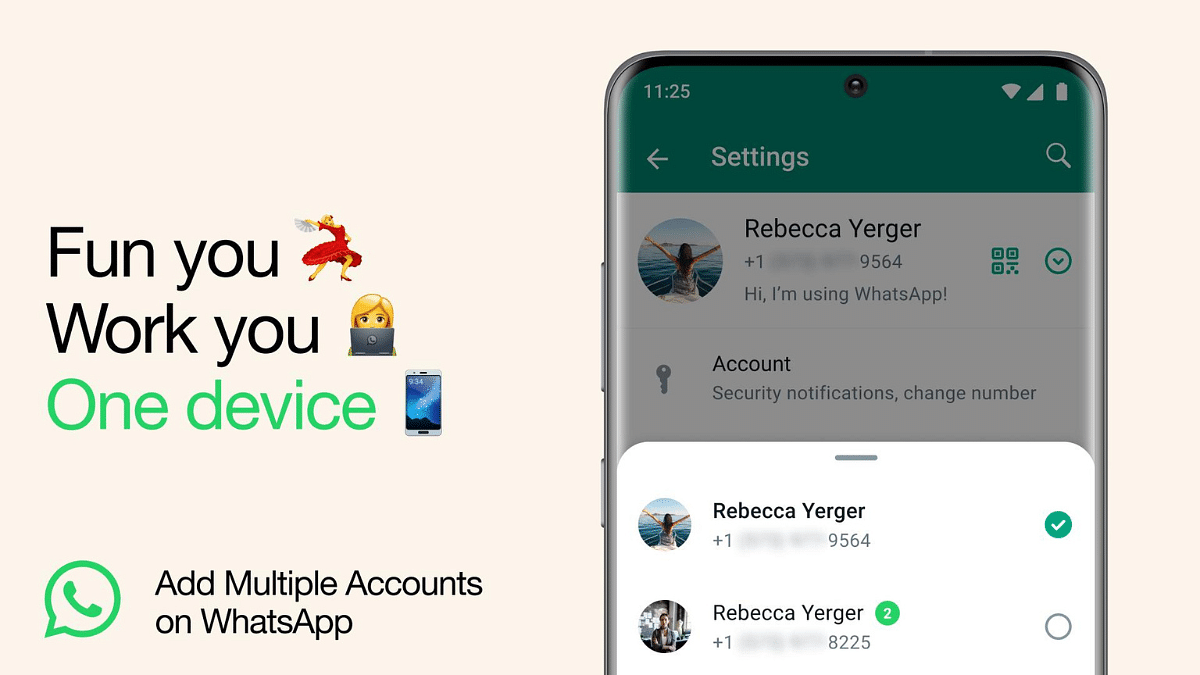
WhatsApp, owned by Meta, has introduced a feature that allows users to use multiple WhatsApp accounts on a single smartphone. This is particularly useful for individuals who need to manage different accounts, such as work and personal profiles, without the hassle of repeatedly logging in and out or juggling multiple devices.

In this step-by-step guide, we will walk you through the process of setting up multiple WhatsApp accounts on a single mobile device.

Also Read: WhatsApp Finally Allows Sending HD Photos: How To Send High Quality Photos On WhatsApp

What You’ll Need

Before you can set up multiple WhatsApp accounts, there are a few prerequisites to consider:

  1. Second Phone Number: You will need a second phone number to associate with the additional WhatsApp account. This could be a separate personal number or a work number.
  2. Physical SIM Card or eSIM: Your smartphone must support using multiple SIM cards or eSIMs if you want to use two different phone numbers for your WhatsApp accounts. Ensure your device is compatible with this feature.

Also Read: WhatsApp Phasing Out Support For These Old Android Smartphones: Time To Upgrade Your Device?

Setting Up Multiple WhatsApp Accounts

Now, let’s dive into the step-by-step process of setting up multiple WhatsApp accounts on your phone:

1. Access WhatsApp Settings

  • Open WhatsApp on your mobile device.
  • Tap on the three dots in the top-right corner to access the menu.
  • Click on “Settings” to access the settings menu.

2. Add a New Account

  • Within the settings menu, locate and click on the arrow icon next to your name or profile picture. This will take you to your profile settings.
  • In your profile settings, you will find the option “Add account.” Tap on it to initiate the process of adding a new WhatsApp account.

3. Link a Second Phone Number

  • WhatsApp will prompt you to link a second phone number to this new account. You can enter the phone number associated with your work or additional WhatsApp account.

4. Account Configuration

  • After entering the phone number, WhatsApp will guide you through the setup process, including verifying the phone number with a verification code.
  • Once the setup is complete, you will have two separate WhatsApp accounts on your device.

5. Individual Account Management

  • It’s important to note that each account is managed individually. You can customize privacy settings, notification preferences, and other account-specific configurations for each WhatsApp account.

Also Read: WhatsApp Web Update: Chat Search By Date Feature Coming Soon To Both Windows And Mac?

Staying Safe And Secure

Meta, the parent company of WhatsApp, emphasizes the importance of using the official WhatsApp application. Users are advised to avoid downloading copycat or counterfeit versions of WhatsApp to add more accounts to their device, as these can pose security risks.

Also Read: WhatsApp Passkey Available For Android, iOS, And Web: How To Use?

Categories
Apps Featured Info

Google Maps Partners With ONDC For Metro Ticket Booking In India

Key Highlights

  • Google Maps joins hands with the ONDC network
  • Users will now be able to book metro tickets using it
  • Additionally, Google Maps will provide reliable information about metro routes

At the Google for India event held on Thursday, Google unveiled its collaboration with the Open Network for Digital Commerce (ONDC) to offer metro ticket booking services. This development will be integrated into Google Maps, allowing users to not only book metro tickets but also access reliable information regarding metro transportation in various cities. The introduction of this feature in Google Maps is expected within the next few months, although the timeline depends on the readiness of service partners to integrate with the ONDC network. Also Read | Delhi Metro To Go Tokenless, Commuters Can Soon Use Their Mobile Phones To Travel

Book Metro Tickets via Buyer Apps On ONDC Network

The process for booking metro tickets through this initiative will be facilitated via buyer apps connected to the ONDC network. Although specific details about the booking process remain unclear, this move aims to enable users to seamlessly purchase metro tickets while searching for metro routes in supported cities. However, Google has not disclosed which metro services will be compatible with Google Maps, with more information expected as the feature becomes available in the near future.

ONDC Partnership To Empower Farmers And Sellers

Earlier this year, Google and ONDC initiated an accelerator program in India, encouraging sellers to transition to online platforms for selling their products. This initiative also encompasses open-sourcing and the establishment of the necessary infrastructure for the ONDC network’s operation. In a further extension of this partnership, Google announced its plans to enable Farmer Producer Organisations (FPOs) to sell their produce online, offering farmers additional revenue streams.

Alternative Ticket Booking Method

Apart from Google’s collaboration, Delhi Metro commuters can also book tickets through WhatsApp. To do so, users need to send a message with the keyword “Hi” to the number 9650855800. This service allows users to book up to six metro tickets at a time and operates between specific hours, from 6 AM to 9 PM. For the Airport Line, ticket booking is available between 4 AM and 11 AM, covering 228 metro stations.

Also Read | Delhi Metro Goes Digital: How To Use DMRC Travel App To Buy Tickets On Mobile

Categories
Apps Featured Info

X Introduces Not-A-Bot Subscription To Curb Spam: What You Need To Know

Key Highlights

  • X Introduces “Not-A-Bot” Subscription Program
  • Annual Fee for New Users to Verify Accounts
  • Combatting Spam and Bot Activity

X (formerly Twitter) has introduced a new subscription program called “Not A Bot” to address the ongoing issue of spam and bot activity on its platform. The program is currently being tested in New Zealand and the Philippines, and it requires new, unverified accounts to sign up for an annual subscription of $1.

This subscription will allow users to post and interact with other content on the platform. Existing users will not be affected by this change.

Here’s what you need to know about this approach to improving the X experience:


Also Read: Say Goodbye To Old Twitter: Elon Musk Debuts The New Name And Logo

A Solution To The Spam Problem

Spam and bot accounts have been a persistent issue on social media platforms, and X is taking steps to address this problem. The “Not A Bot” subscription service is designed to verify the authenticity of new user accounts. By requiring a small annual fee, X aims to discourage spammy and fake accounts from proliferating.

Not-A-Bot Subscription: How It Works

To create a new X account, users will first need to verify their phone number. Once the verification is complete, they can choose to subscribe to one of the available plans. The subscription, priced at $1 annually, grants users the ability to post content, like, reply, repost, and bookmark other users’ posts. It ensures that users are genuine and not automated bots or spammers.

What Happens to Non-Subscribers

Users who opt not to subscribe to the “Not A Bot” service can still use X, but with certain limitations. They will be able to read posts, watch videos, and follow other accounts, but they won’t have the full range of interactive features. This approach encourages users to opt for the subscription while maintaining accessibility to the platform for all.

Also Read: Elon Musk’s Twitter: Genuine Followers Or Fakes Dominating the 153 Million?

While the Not-A-Bot subscription program introduces a small fee, it is not intended as a profit-making venture for X. Instead, it is part of X’s commitment to reducing spam and bot activity, ultimately ensuring a more pleasant experience for its users. The program’s success in New Zealand and the Philippines suggests a promising solution to tackle these long-standing challenges on the platform, with plans to expand to more regions in the future.

Also Read: X (Twitter) To Soon Allow Video, Audio Calling Without Any Phone Number