Categories
Apps How To TV

YouTube Video Playback Error On TV: How To Fix Error Code 3, Error Code 5 Issue With YouTube TV App

YouTube has logged itself as the primer entertainment source for smartphone and laptop users. But with the availability of smart TVs, it also is now has taken up the big screen market too with a storm. Most new-age TVs are pre-installed with the YouTube TV app. Users can log-in with the registered e-mail address to access premium content without any ads.

If you own a smart TV that has Wi-Fi network support, you can log-in to the app and stream videos in just a few taps. While streaming videos via YoutTube is a hassle-free experience, a random issue is frequently reported by smart TV users while playing videos on YouTube. The common issue or error code which has been known to disrupt the YouTube streaming experience is Error Code 3 and Error Code 5.

These two YouTube Error codes are seen across smart TVs of all makes and kinds. Thankfully, both Error Code 3 and Error Code 5 on YouTube aren’t hardware related. This definitely saves you a visit to the repair center and also replacement concerns. But what exactly are YouTube Error Code 3 and Error Code 4 and how can you fix them? Read details below:

Also Read: YouTube Account Hacked: What Should You Do? How You Can Protect Your YouTube Account If Hacked?

What Are YouTube Error Code 3 And Error Code 5?

YouTube Error Code 3 and Error Code 5 are playback-related issues with the YouTube TV app. These error codes force stops video playback and also the app. As mentioned above, this isn’t any hardware-related issue and can often be fixed with just a few troubleshooting steps.


The major reasons for this playback error are the unstable internet connection and corrupted cache files of the YouTube TV app. In some cases, disrupted YouTube server services are also known to cause Error Code 3 and Error Code 4 playback errors in the YouTube TV app.

Also Read: Remove Copyright Claim On Your YouTube Video: Here’s How

How To Fix YouTube TV Error Code 3, Error Code 5 Playback Issues?

Step 1: Check the internet connection. Unstable connections bring up this error.

Step 2: Slow internet speeds could also be a reason. Try to check the internet speed on other devices and then re-launch the app (once speeds are good).

Step 3: Check for any pending TV or app updates. If there is any, make sure you update both TV and the app firmware to the latest version. This should fix the issue.

Step 4: If it’s a server side error, you will have to wait until the services are restored.

Step 5: Clear app cache data from the TV settings.

Step 6: Reboot the TV and the issue should be fixed.

Also Read: 100 Best YouTube Channel Names For Travel Vloggers

Categories
Apps Featured How To Smart Watch

How To Access Google Maps Without Phone On Wear OS

Key Highlights

  • Google brings a major update to Wear OS smartwatches
  • Google Maps navigation now works on Wear OS 3 without a phone
  • The feature requires an LTE connection in the smartwatch

Google has just released a significant update for Wear OS smartwatches that will increase their portability. The wearable platform can now provide turn-by-turn navigation on your wrist using Google Maps. The best thing is that the feature doesn’t require a phone to be synced with the smartwatch.

As long as the device is compatible with the feature to work, users can now use this feature on their Wear OS-powered smartwatches. Google first discussed this feature a few months ago. The new version is accessible if your Wear OS smartwatch supports SIM-supported standalone LTE connectivity which is required.

Also Read | Google Maps Tips & Tricks: Here’s How To Check Air Quality Index In Your Area

Additionally, you must have an LTE plan that provides constant connectivity, a crucial component of turn-by-turn directions. The smartwatch must first be linked to the phone once in order to activate this feature; after that, further actions will begin automatically.

You can disable the phone mirroring feature from the phone’s settings to keep it just available on the wristwatch, even if the feature is accessible on both the phone and the smartwatch (through the phone).

Steps To Use Google Maps’ Navigation Feature Without A Phone

If you have a Wear OS 3 smartwatch, here are step-by-step instructions on how to use Google Maps navigation features without your phone.

Step 1: On your Wear OS 3-powered smartwatch, open the Google Maps app.

Step 2: Click on Search and enter the name of your destination.

Step 3: Select your mode of transportation. From here, you can view your ETA.

Step 4: Start your walk, car, or bicycle trip.

According to Google’s support page, users can also enable mirroring on their Android phone and connected smartwatch to begin navigation on their phones before leaving their phones behind and letting their watches take over.

Also Read | Google Maps On Apple Watch: How To Setup And Use Google Maps For Navigation On Apple Watch

Categories
Apps Featured How To

iOS Tips And Tricks: How To Setup And Use AutoFill For Contact Cards And Credit Cards In Safari On iPhones And iPads

Apple iOS is one of the most advanced mobile operating systems available for iPhones and iPads. The Cupertino giant has been adding a fair share of updates each year and has integrated multiple user-oriented services delivering a premium experience. Apple App Store works as the one-stop destination to download and install compatible applications on iPhones and iPads.

But multiple apps come pre-installed in all Apple devices. For web browsing, the iPhones and iPads are pre-loaded with Safari web browser. This advanced web browser offers a private and advanced platform to surf the internet. Users can also take advantage of several built-in features with Safari for easy usage. AutoFill is one of the options that users can avail with the Safari app.

This option allows iPhone and iPad users to save personal information with all added security layers that can be automatically filled in later. Contact and credit card information is what users can store in order to use the AutoFill feature with iOS on iPhones and iPads. But how exactly do you setup AutoFill in Safari on iPhone and iPads? Below are the steps:

How To Setup AutoFill Feature With iOS

Step 1: On your iPhone or iPad open the Settings menu.

Step 2: To set up contact info, toggle on the “Use Contact Info” option.

Step 3: Select the contact card and add the information.

Step 4: If you wish to save credit card information, tap on the “Credit Cards”.

Step 5: Select Add Credit card option and enter the relevant details.

Also Read: iOS Tips And Tricks: How To Setup Medical ID And Make Emergency Calls From Lock Screen

How To AutoFill Contact Information In Safari

Step 1: On the website or the form where AutoFill is compatible, tap on the blank field.

Step 2: Select the saved contact by tapping on the AutoFill Contact option that pops up above the keyboard.

Step 3: Tap and make required modifications to any field.

Step 4: Hit Done once all data is correct.

Also Read: iOS 16.2 Tips & Tricks: How To Use Apple Music Sing Karaoke Feature

How To Turn Off AutoFill Feature In iOS

Step 1: Open he Settings menu in your iPhone or iOS.

Step 2: Tap on Safari.

Step 3: Click on AutoFill.

Step 4: Select “Turn off” Autofill option to disable this feature.

Also Read: WhatsApp Call Recording: Here’s How You Can Easily Record Call On Android And iOS

Categories
Apps Featured

100 Best And Catchy Instagram Names For Makeup Artists

Key Highlights

  • Makeup artists, men included, enjoy a creative field with growing demand
  • Newcomers seeking catchy Instagram names find inspiration here
  • Abundant suggestions personalize their brand identity

Makeup artists are among the most creative people out there. Although many people believe that makeup artists are solely women, guys are also starting to enter this field. There are several options available for exceptional artists and the demand for makeup artists is constantly rising.

So, this post is for you if you are just starting out as a makeup artist and are seeking for a catchy name to call yourself. This post will provide you with a ton of catchy makeup artist name suggestions to help you get your creative juices flowing and come up with a name that fits your Instagram account well. Let’s check them out.

Also Read | 100 Best Instagram Names For Food Bloggers To Get More Followers

Best Instagram Usernames For Makeup Artists

Supreme SparkleFlair for FacesGenerous Glam
Hidden BeautyBeauty BountyCurious Lily
Big Time BeautyShowstoppersVenus Makeup Artist
Review PreviewBeauty CommunityRuby Red Lipstick
Ooh La La LashesHidden in LoveMe Fabulous
Beaucoup BeautyGlitter GlazeEssential Beauty
Lipstick LoverMatchless BeautyOrange Crush
Mermaid Makeup ArtistColor Me ImpressedDot Fusion

Also Read | 100 Best Instagram Name Ideas For Graphic Designers

Trendy Instagram Usernames For Makeup Artists

Beauty luxepentaCrew MakeupGlamourholic MomThe Beauty RulesBeauty Blog
TouchesGreatStunners HubAllureImperia Makeup
TheTransformationBountiful BeautyMojoFeelXoraten Makeup Co.Turbotex
The Magic TouchBeaucoup BeautyBlushing BeautyStarPointMagic Smears
KontazioInner You CosmeticsCinoPexJust for YouCassaMessa
Zyondeg Makeup Co.Makeup MavenBeauty BasicsBeauty CommunityReview Preview

Also Read: One Word Instagram Captions For Boys And Girls

Attractive Instagram Usernames For Makeup Artists

Southern BeautyConfident BeautyNeuTio Makeup Co.
Baby Face BeautyGleaming BeautyBeautiful stories
Mystery Shade MakeupBeautiful YouBecoming Beautiful
True BeautyBeauty PlaceThe Beauty Queen
Beauty FullBeauty And BeyondExotic Beauty
Beauty CharmRavishing ReviewsDiamond Colors
Ideal EyesSpotlessNatural Beauty
Beauty InsideWhims and CrazeSporture Makeup Co.
Tried True BeautyColour FreaksGlam AlertSparkle And SlayColor Me Pretty
Chic Makeup StudioCosmetic GuruMakeup My StyleBlush AddictMakeup Magic
Melody MakeupGlamorous FacesBeauty Studios  Flawless YouArtistic Touch Makeup
Couture MakeoversPosh PageantsSpecial OccasionFunky Makeup ArtistCosmetic Guru

Conclusion


Makeup artistry is a diverse field welcoming both men and women, with demand steadily increasing. This post offers a wealth of catchy name suggestions for aspiring makeup artists, aiding them in crafting unique Instagram identities. These suggestions foster creativity, enabling newcomers to establish a distinctive brand presence in the industry.

Also Read | 100 Coolest And Creative Photography Names For Instagram

Categories
Apps Featured Leaks

WhatsApp Kept Message Feature Could Make Disappearing/ View Once Messages Less Private

Key Highlights

  • WhatsApp Kept message feature coming soon
  • Will allow saving View once messages temporarily
  • Will be available for both Android and iOS
  • Bookmark icon will be visible once kept message feature is used

WhatsApp has launched a plethora of features to its Android and iOS messaging app with several centered around privacy, while others dedicated to improve the messaging experience. Last year too, WhatsApp released multiple security features including the View once features for multimedia messages. This year too, the Meta-owned messaging application is working on multiple other new privacy-oriented features for both Android and iOS ecosystems. The ‘Kept message’ is one of the upcoming features which WhatsApp is testing with the beta builds that will allow users to even store view once messages.

WhatsApp Kept Message Might Make View Once Messages Less Private

WhatsApp has reportedly started working on the Kept messages feature for chats. This feature has been spotted in the testing phase by WABetaInfo. The screenshots shared by the publication confirm the development of the new messaging feature for WhatsApp. The latest feature is being released as another version of the disappearing message. Its primary function will be to temporarily save messages.

The Kept messages on WhatsApp will not get deleted automatically. However, they could be manually removed or un-kept. This one can do once the message has been read or isn’t required in the future. It is also being reported that users will get the option to save view once messages using the Kept message feature.

This might be a concern for the masses who are relying on the view once message for a private conversation. The ability to capture screenshots has been one of the biggest loopholes with the View once message feature on WhatsApp.

Also Read: WhatsApp New Features 2023: List Of Best Upcoming WhatsApp Messaging, Security Features For Android, iOS, WhatsApp Web

The option to temporarily save the View once message authentically using the Kept message feature could pave a way for additional loopholes with the privacy and security aspects related to the View once message option. Currently, WhatsApp is still testing the Kept message feature. Hence, the exact functionality as well as its availability would be difficult to anticipate.

It still remains to be seen if WhatsApp allows users to take screenshots with the Kept message option for the View once messages or not. If not, the privacy aspects seem to be hampered going forward. Nevertheless, the senders of the View once messages will be notified once Kept message feature is used to temporarily save the message. A bookmark icon will be displayed on the Kept message.

This bookmark icon will work as the primary symbol for the Kept message and will disappear once the user has un-kept the message. We are not yet aware when this Kept message feature is getting released in India and other markets but we will keep you updated.

Also Read: Here’s How to Set Long Videos as WhatsApp Status

Categories
Apps Featured How To

Transferred Money To Wrong Paytm Account/Bank? Here’s How To Retrieve Money When Transferred To Wrong Account Using Paytm

Key Highlights

  • UPI apps have gained massive popularity in India
  • Paytm is the most commonly used UPI app
  • Paytm money can be retrieved when transferred to wrong account

Paytm is the biggest player in the UPI industry and is the first massive-scale digital payment system in India. Besides UPI payments and online transactions, Paytm has been rapidly expanding its services for online ticket reservations and bill payments. Ordering food and groceries and insurance is also an option with Paytm. With a wide range of services, Paytm’s popularity is consistently on the rise amongst both general as well as business users.

Paytm has also made online bank transfers a simplified process. You don’t necessarily have to keep your bank’s net banking details handy all the time. If you have a registered Paytm account, you can easily add your own bank details and do online transactions such as sending or receiving money.

Seamless digital payments services are why Paytm is popular amongst the audience. While transferring funds digitally to any bank account, you would need to enter the receiver’s bank account details. It is always suggested to cross-verify all the details such as the bank account number and IFSC code to avoid transfers to any wrong account.

But if in case you have accidentally transferred money to the wrong bank account, you should be aware of the procedure to retrieve the lost money. So what should you do if you have transferred money to any wrong account using Paytm? Read on the steps below:

Also Read: UPI Money Transaction Limit In India: Here’s The Limit Of Transactions You Can Do Via GPay, PhonePe, Paytm Daily

What To Do If Transferred Money To Wrong Bank Account Using Paytm?

It is worth mentioning that Paytm doesn’t have the authority to directly claim or reverse the Paytm once the funds are transferred. Therefore, it is advised to re-check the banking details before any money transaction.

Step 1: If the funds have been sent to the wrong person, the first approach recommended by Paytm is to directly reach out to that person.

Step 2: You can either coordinate with the bank of the receiver or Paytm 24 x 7 help center to get the person’s details.

Step 3: If in case the receiver’s account is registered with Paytm via the Paytm wallet of Paytm Bank then Paytm will try contacting the receiver for consent to reverse the transferred funds.

Step 4: If in case the user gives consent, the funds will be transferred back immediately.

Step 5: If the recipient refuses to give back the money, you would have to take a legal approach for the same.

Also Read: Want To Make Paytm UPI Payments To Non-Paytm Users? Here’s The Trick

Categories
Apps Featured mobile

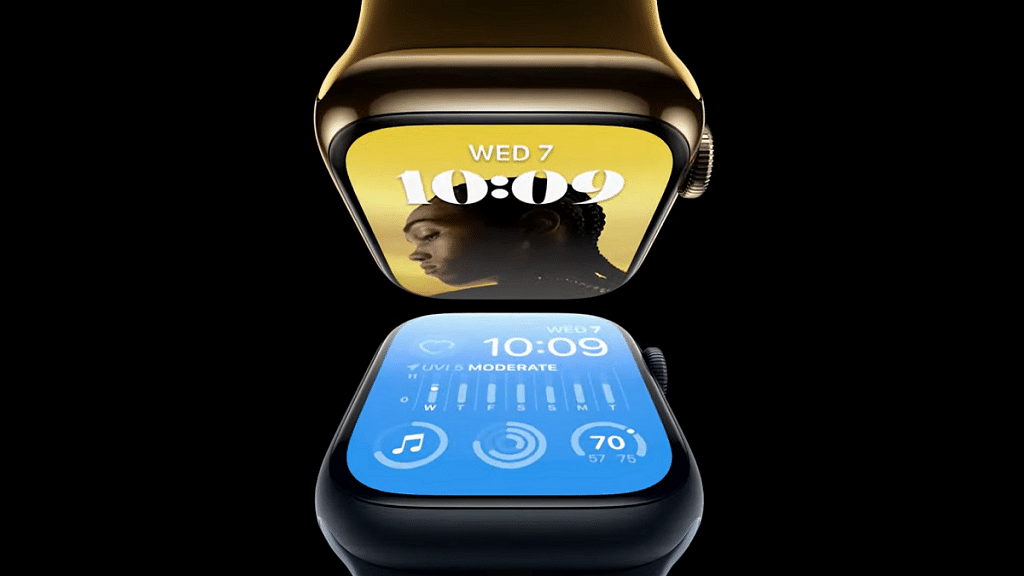
Google Maps On Apple Watch: How To Setup And Use Google Maps For Navigation On Apple Watch

Key Highlights

  • Google Maps can be used on Apple Watch
  • iOS 10 or above and Watch OS 5 or above required
  • One can access ETA and step-by-step directions

Apple has a strong ecosystem of tech products and supported services. iOS is the driving force for all iPhones and iPads delivering a premium user experience. Apple has released some unique features to iOS that are accessible to all iPhone users. Specifically, the new-generation iOS is loaded with numerous user-oriented features to improve the modern lifestyle.

The navigation system with Apple iOS is also top-notch. However, some users still use Google Maps with their respective Apple devices. This might be the case for most Android users transitioning to Apple devices. It’s not just the Apple iPhone or the iPad with which you can use Google Maps but also Apple Watch. Using Google Maps on Apple Watch is a provision.

To use Google Maps, you can download the application n your respective Apple Watch smartwatch. This will allow seamless navigation between the phone and the Apple Watch while using the Google Maps application. As far as the functionalities are concerned, you can get the ETA and step-by-step directions. Also, Google Maps will work swiftly if your Apple devices are running on iOS 10 0r above and Watch OS 5 or above. Let’s now look at the steps to set up Google Maps on any Apple Watch:

Also Read: iOS 16 Tips And Tricks: How To Add Up To 15 Stops In Maps With iOS 16 Beta

How To Setup And Turn On Location Services In Google Maps On Apple Watch

Step 1: Open the Settings menu on your iPhone.

Step 2: Go to the Location Services option.

Step 3: Select Google Maps.

Step 4: Now, click on the Always Allow or Only While Using the App option.

Step 5: Go to your Apple Watch and launch the Google Maps application.

Step 6: Click on Home, Work, or Edit shortcuts to add destination shortcuts.

Step 7: Now, go to the iPhone and follow the on-screen guide to setup the Home and Work shortcuts.

Also Read: iOS Tips And Tricks: How To Download Offline Maps On Apple iPhones, iPads?

Steps To Use Google Maps On Apple Watch For Navigation

Step 1: Launch Google Maps on your Apple Watch.

Step 2: Select one of the saved shortcuts. The step-by-step directions will be displayed on the Apple Watch screen.

Step 3: If you wish to travel to a new destination using Google Maps on Apple Watch then tap on the Start (Arrow) option.

Step 4: You can start the navigation on your iPhone.

Step 5: Select the Current Trip option on your Apple Watch.

Step 6: Select ETA to know the expected travel time.

Also Read: Google Maps Location Sharing Alert Notification: How To Notify Your Contacts Of Your Arrival And Departure Using Maps

Categories
Apps Featured

100 Creative Business Name Ideas For Your Instagram Account

Key Highlights

  • Instagram, boasting billions of users, offers vast business potential
  • Businesses like e-commerce and personal training benefit from Instagram marketing
  • A strong brand name on Instagram is key for growth and engagement

With more than a billion users globally, Meta-owned Instagram is one of the most popular social media platforms right now. Similar to other websites, the photo-sharing app facilitates interpersonal connections. And where the attention is focused, you can be confident that business possibilities will follow.

Whether you operate an e-commerce site, a restaurant, or a personal training studio, your business can profit from Instagram marketing. We’ve organized some of the name suggestions for your Instagram business profile to assist you in coming up with a successful brand name. Let’s check them out. Also Read | 100 Best And Unique Instagram Names For Fitness Freaks

Best Business Name Ideas For Instagram

Nala BandanaThe Diving DuoBooks For Less
Doing Your LaundryBaking PerfectionistAmazing Handicrafts
Pet ProdigiesThe IG EntrepreneurNomad Photographer
Graphic PainterFilm EnthusiastGrown Organic
Fine Tune CreativesThe Golden MamaBranded Life
Fine Tune CreativesThe Cozy CamperThe Traveling Couple

Trendy Business Name Ideas For Instagram

Baked GoodsSocial Media Salesman/womanPhotographed By Jed
The Cookie CrustOrganic ScentsFine Tune Creatives
We Take PhotosBrilliant GoodsPoint and Shoot
Branded ArtfullyPic Perfect IGThe Active Painter
Discreet PhotographerTravel GlimpsesThe Wellness Coach
Pink CreativesZeal ArtistsEverything Coffee

Also Read | 100+ Best Instagram Names For Pet Parents

Attractive Business Name Ideas For Instagram

Coffee CoachThe Event PhotographerThe Travelling Couple
Shades All You CanInterior MasterMindsInsta Apparel
Better MagicianKeep It SimpleRule of Thirds
For Knights & PrincessesStrikingly Fashionable MeDesirable Shoes
Recipes CapturedSweets CreativeThe Photo Experts
The Snaps CollectiveQuick SnapsThe Visual Artist

Catchy Business Name Ideas For Instagram

Baked Goods Co.The Right NotesPink Dots Boutique
Needles & Threads DesignCoffee Break AttireHealth and Wellness Inc.
Truffles BonanzaThe Modern Day ArtistPlant Mama
Hems & SeamsChoco ItalianoChef’s Kiss
Second Hand LuxuryRunway DivasIG Aesthetic

Unique Business Name Ideas For Instagram

Zesty LemonPremium MarketWorld Of Pixels
InstaWriterHome FashionCharming Charlotte
Straight Out Of The RunwayPosed to PostElite Interior
Books OnlineOrganic SagesSmooth Dresser
The Uptown ShopThe Sweet LifeThe Little Things
Homes and GardensFantabulousCountry Living
Splendor GoodsSunset VillasThe Grand Chef

Also Read | 100 Best Instagram Names For Food Bloggers To Get More Followers

Categories
Apps Featured Info

WhatsApp New Features 2023: List Of Best Upcoming WhatsApp Messaging, Security Features For Android, iOS, WhatsApp Web

key Highlights

  • WhatsApp releasing multiple new features for improved security and messaging experience in 2023
  • 6-Digit code feature will add additional security layer for private messaging
  • Status update reporting and multiple chat selection feature also in works

WhatsApp has proactively added several new features to its Android and iOS messaging applications and is offering an improved ecosystem for private and personal messaging. Besides end-to-end encryption, WhatsApp has released several other features that enhance the privacy aspects. The View once media message feature and security code are among the recent security features released by WhatsApp.

But the company is consistently testing additional features that are expected to release in 2023. The new set of tools and services are being developed to simplify the user experience keeping all privacy aspects intact. Some of the upcoming WhatsApp features have been teased officially, while others have been leaked and spotted with the beta builds. We have listed down some of the new WhatsApp features that will be announced in 2023.

Also Read: Do You Own This Samsung Phone? WhatsApp Is Ending Support For Multiple Samsung Phones

Status Update Reporting Option

WhatsApp Status is one of the most used features by audiences to share their thoughts via texts, images, or short videos. The company has been testing a new feature that will allow users to report any uploaded status that violates WhatsApp’s Terms and services. This new security feature has been spotted being tested with the WhatsApp desktop version and could soon be released in a stable OTA form. The WhatsApp Status Update report feature will possibly be released in the first half of 2023 for Android, iOS, and desktop versions.

Also Read: Here’s How to Set Long Videos as WhatsApp Status

Multiple Chat Selection For WhatsApp Desktop Version

WhatsApp has simplified the process of selecting multiple chats and performing some quick actions in a single chat window on iOS and Android. But now, the company will be making it easier for desktop users to select multiple chats simultaneously and either mute or delete the entire conversation. With this multiple chat selection feature, desktop users will also be able to mark messages read. The exact timeline for the release of the Select Chat feature is not confirmed by WhatsApp, but the current testing hints at its availability in 2023.

Also Read: How To Make Your WhatsApp Status Play Background Music

6-Digit Security Code Feature

Another upcoming WhatsApp feature spotted being tested with the beta build is the 6-digit code feature. This is an additional security layer that will be released for the WhatsApp application including Android, iOS, and the desktop version. The primary function of the 6-digit security code will be to secure the login process for the same WhatsApp account being used on other devices. This option will send a six-digit security code to the main WhatsApp device when you will log into other device using the companion mode feature.

Also Read: WhatsApp Self Message Feature Goes Official: How To Self-Chat On WhatsApp Using Android, iOS Devices

Search For Older Messages Using Date

WhatsApp currently allows users to search for any chat using a specific word or sentence. This might not be the best way to search through a pile of texts where words are repeated throughout the conversations. The upcoming Search feature will make it easy to find messages if you remember the date. WhatsApp is testing this new option that will allow users to directly enter the date and search for a specific message. The timeline for its release is 2023.

Also Read: Worried About WhatsApp Group Privacy? Top WhatsApp Security Features You Should Use Daily For Enhanced Privacy

Categories
Apps

100 Coolest And Creative Photography Names For Instagram

Key Highlights

  • Instagram offers photography page to showcase work
  • Memorable name vital due to photography competition
  • Discover creative Instagram names for photographers

Instagram is a popular platform and it is widely used for photography. You would require a photography page on the platform in order to showcase your excellent work to people. Given the intense market competition in the photography industry, picking a memorable name is crucial. So, in this section, we’ll talk about the original and coolest photography names that you can use for your Instagram account.

Also Read: 100 Best And Unique Instagram Names For Fitness Freaks

Best Photography Instagram Usernames

Classic ShootersVibrant shadesA Lasting Impression
Focus tripodProfessional Photos NowPolka-Dots Studios
Portfolio PhotographyPleasing PortraitsX Apertures
Smiley picture studioClick And Shoot StudioNew Way Photos
Artsy SnapsBlack-N-WhiteTeam Photoset
Ambient PortraiturePicture Perfect MomentThe smiley picture studio
Friends PhotosetBracketeers PhotographyPortrait
The Camera CompanyThe Artsy LensIdeal Photo session

Also Read: 100 Best Instagram Name Ideas For Graphic Designers

Catchy Photography Instagram Usernames

Art And You In A FlashClassic ShootersAdorable Tripod
Take Two PhotographyClick Click PhotographersNew You Photography
Party PhotosetStrike a Pose StudioGallery Photographers
Serious ShotsGrand LensGold Grid Studios
Viral Instagram PhotographyA Lasting ImpressionHollywood Photo
Photo ExpertPicturesque ShotsCreative studio name
Art Kid ShotsCapturraPhoto Factory
Portrait photographers InstagramTimeless TokensPhoto Perfections

Also Read: How To Delete Your Instagram Threads Account

Trendy Photography Instagram Usernames

The People with the LensPhotoLover2Cultivate Studios
Flash Insta FiendsPerfectly Posed Photo StudioCreative Captures
Boggio StudiosArtwork PhotographyPicture bay view
No Blurs PhotographyPortfolio PhotographySneak Peeks
Flutter Me Shutters PhotographyClick a worldShutter surprise
Make It SnappySquare frameO’Femi Media
The Graphic DepictShafton Bill Enclave RecordingCaptures and Sneak Peeks
Foxy Silver SnapshotsPhotographic MemoriesMoments Made

Also Read: 100+ Trendy And Motivational Ideas For Instagram Notes

Attractive Photography Instagram Usernames

Timeless ClassicsPhotopediaPlayground Pictures
Hot Boudoir PhotographyPictorial PrintLarimar Studios
Flash PartiesCapture CaptainShutter surprise
Picture StarPhotoUpGrand Lens of InstagramFlashy Filters
A LensationalQuality PixelsDeLorme Creative
Admire PhotographyCelebration StudioBlend Images
Exposure SpotThe Documentary PhotosSpace snapshots
Photo Max StudiosLife PhotographyPicture perfect