Categories
Apps Featured How To

Last-Minute Travel Plans? Here’s How To Book Tatkal Train Tickets Online

Key Highlights

  • Tatkal scheme allows travelers to book tickets one day in advance
  • Booking Tatkal train tickets through the IRCTC website and app is a simple process
  • Users can book tatkal train tickets from the comfort of their home

Tatkal train tickets are a popular option for travelers who need to make last-minute bookings or want to secure a seat on a high-demand train. The Indian Railway Catering and Tourism Corporation (IRCTC) is the official website for booking train tickets in India, and it offers a simple and convenient way to book Tatkal tickets online. Here is a step-by-step guide on how to book Tatkal train tickets through the IRCTC website and app. Also Read | List Of Best Government Apps Offering AI Chatbot Support To Improve User Experience

How To Book Tatkal Train Tickets On The IRCTC Website?

Step 1: Log in to the IRCTC official website with your user ID and password. If you don’t have an account, you will need to create one.

Step 2: Under Book Ticket, enter the From and To city/station, and select your travel date and preferred travel class. Then, select Tatkal from the dropdown menu along the quota field.

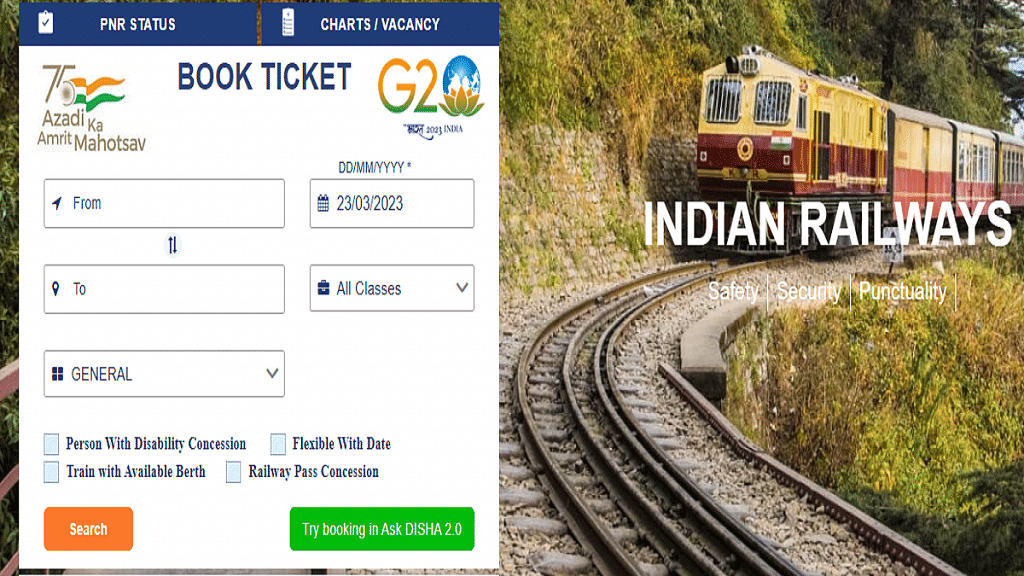
Step 3: Tap Search to open a list of suitable trains based on your selection. Find the train of your choice and click on the travel class below to check availability and price details for Tatkal tickets on the day of your travel.

Step 4: Select the desired class and click the ‘Book Now’ link.

Step 5: Enter the passenger details, such as name, age, gender, and ID proof number.

Step 6: Select your payment method and make the payment.

Step 7: Once the payment is successful, your Tatkal ticket will be booked.

Also Read | Best Apps To Detect Hidden Camera For Android And iOS

Steps To Book Tatkal Train Tickets Via IRCTC App

Step 1: Download and install the IRCTC app on your mobile phones. The app is available for download on both the Google Play store and App store for Android and iPhone users, respectively.

Step 2: Log in to the app with your user ID and password. If you don’t have an account, you will need to create one.

Step 3: Select Trains > Book Ticket. Then, enter the From and To station/city, choose travel class and date, set quota as Tatkal, and click on Search Trains.
Step 4: Enter your travel details, such as the source and destination stations, travel date, and class of travel.

Step 5: Enter the passenger details, such as name, age, gender, and ID proof number.

Step 6: Select your payment method and make the payment.

Step 7: Once the payment is successful, your Tatkal ticket will be booked.

It’s important to note that Tatkal tickets are subject to availability, and they tend to sell out quickly. To increase your chances of getting a Tatkal ticket, make sure you’re ready to book as soon as the booking window opens. For AC classes, the booking window opens at 10 AM, and for non-AC classes, it opens at 11 AM, one day before the date of travel. By following the steps outlined above, you can book your Tatkal ticket quickly and easily.

Also Read | Best Government Apps Offering AI Chatbot Support
Categories
Featured Info mobile

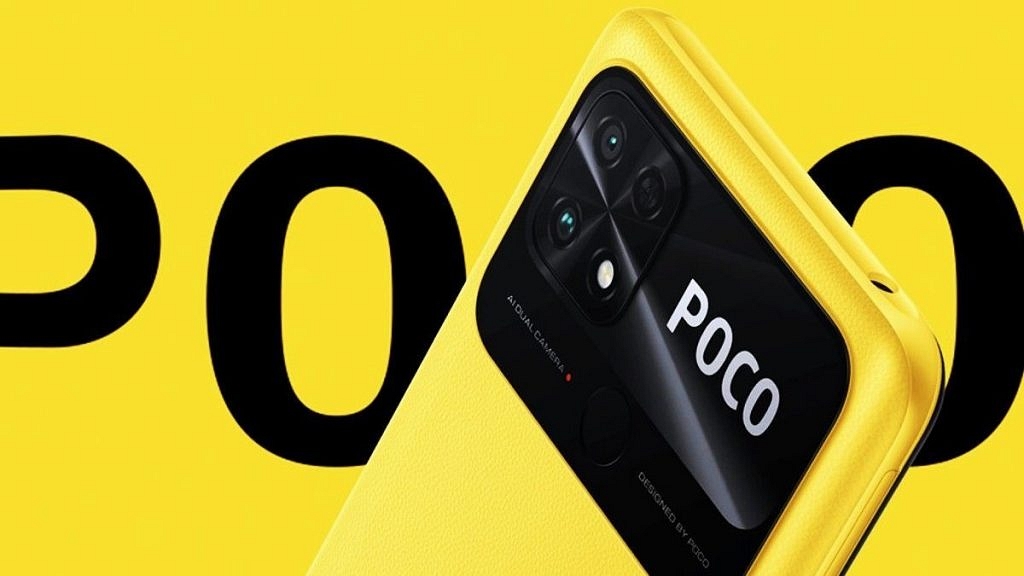
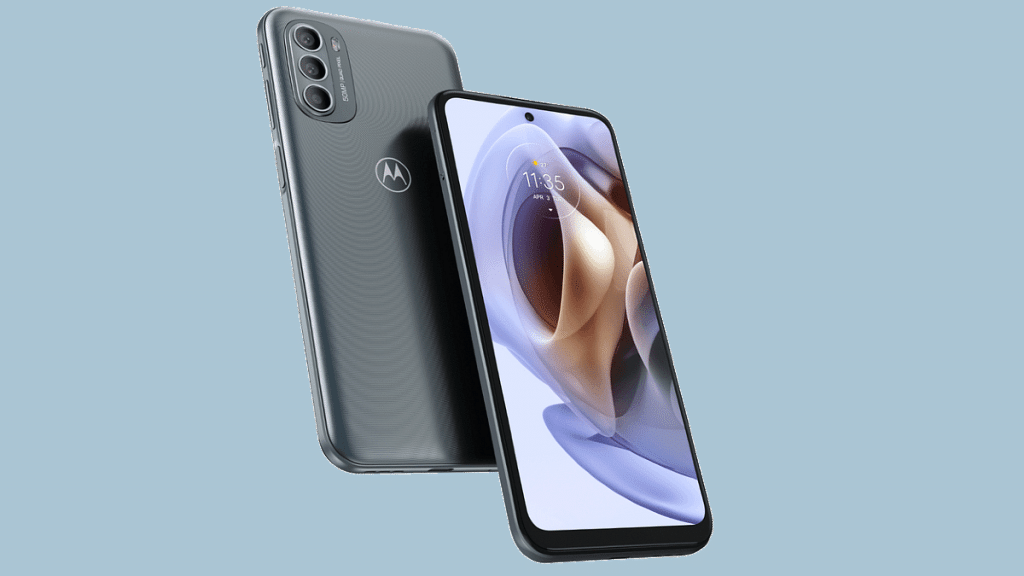
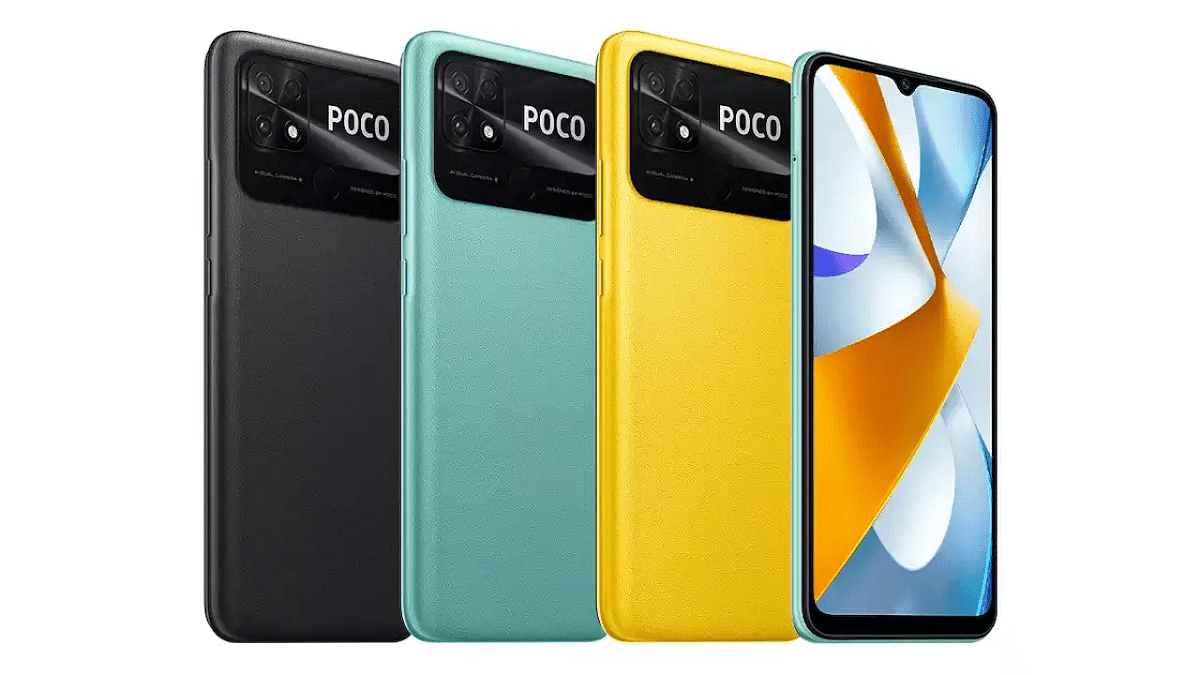
Budget Phone Battle: Realme C55 vs Moto G31 vs Poco C55

Key Highlights

  • Realme C55, Moto G31, and Poco C55 are budget smartphones.
  • All the three phones are under Rs.11,000.
  • They offer great value for money in terms of features.

Smartphones have become a necessity for almost everyone in today’s world. While some people opt for high-end phones, others look for budget phones that offer great features at an affordable price. In this article, we will compare three budget phones: Realme C55, Moto G31, and Poco C55, to see which one offers the best value for money.

Also Read: Itel P40 Vs Tecno Spark Go 2023 Vs Nokia C12: Budget Phones Under Rs. 8,000 In 2023

Realme C55 vs Moto G31 vs Poco C55: Display Comparison

ModelRealme C55Moto G31Poco C55
Display6.72-inch6.4-inch6.71-inch
Display typeIPS LCDAMOLEDIPS LCD
Resolution1080 x 2400 pixels1080 x 2400 pixels720 x 1650 pixels
Refresh Rate90Hz60Hz120 Hz
Brightness680 nits700 nits500 nits
Screen-to-body ratio86.7%82.7%82.6%

The Realme C55 comes with a 6.72-inch IPS LCD display with a resolution of 1080 x 2400 pixels. The Moto G31, on the other hand, features a larger 6.4-inch AMOLED display with a resolution of 1080 x 2400 pixels. The Poco C55 boasts a 6.71-inch IPS LCD display with a higher resolution of 720 x 1650 pixels. While all three phones have large screens, the ealme C55 offers a better display resolution than the other two.

Also Read: Nokia C12 Vs Poco C50: Best Phone To Buy Under Rs. 8,000 In India?

Realme C55 vs Moto G31 vs Poco C55: Chipset, Battery

ModelRealme C55Moto G31Poco C55
ProcessorMediatek Helio G88Mediatek MT6769Z Helio G85Mediatek MT6769Z Helio G85
OSAndroid 13 Android 11Android 12
GPUMali-G52 MC2Mali-G52 MC2Mali-G52 MC2
Memory64GB 4GB/6GB RAM, 128GB 6GB /8GB RAM, 256GB 8GB RAM64GB 4GB RAM, 128GB 4GB RAM64GB 4GB RAM, 128GB 6GB RAM
Battery 5000 mAh5000 mAh5000 mAh
Fast Charging33W 10W10W

The Realme C55 is powered by the MediaTek Helio G88 chipset, which is paired up to 8GB of RAM and 256GB of internal storage. The Moto G31, on the other hand, is powered by the Mediatek MT6769Z Helio G85 chipset, with upto 4GB of RAM and 128 GB of internal storage. The Poco C55 is powered by the Mediatek MT6769Z Helio G85 chipset, which is paired with 6GB of RAM and 128GB of internal storage.

In terms of battery life, all the three phones comes with a 5000mAh battery. All three phones support fast charging, with the Realme C55 supports 33 W fast charging whereas Moto G31 and Poco C55 features the fastest charging speed at 10W.

Also Read: Realme C33 Vs Infinix Smart 7: Top Pick Under Rs. 10,000

Realme C55 vs Moto G31 vs Poco C55: Camera Comparison

ModelRealme C55Moto G31Poco C55
Back Camera64MP+ 2MP50MP+8MP+2MP50MP+0.08MP
Video recording (back)1080p@30/60fps1080p@30fps1080p@30fps
Front Camera8MP13MP5MP
Video recording (front)1080p@301080p@30fps1080p@30fps

The Realme C55 features a dual-camera setup on the back, with a 64MP primary sensor and a 2MP depth sensor. On the front, it has a 8MP camera for selfies. The Moto G31 comes with a triple-camera setup on the back, with a 50MP primary sensor, a 8MP macro lens, and a 2MP depth sensor. It also has a 13MP camera on the front for selfies. The Poco C55 boasts a quad-camera setup on the back, with a 50MP primary sensor and a 0.08MP depth sensor. On the front, it has a 5MP camera for selfies.

Also Read: OPPO Reno 8T 5G Vs Poco X5 Pro 5G Comparison: Latest Trending Smartphones Under Rs. 30,000

Realme C55 vs Moto G31 vs Poco C55: Which One To Buy?

ModelRealme C55Moto G31Poco C55
PriceRs. 10,999Rs.9,499Rs.9,375

All three phones offer great features at an affordable price, but the Poco C55 seems to be the best value for money. It has a better display resolution, a powerful chipset, and a quad-camera setup on the back, making it a great option for those who want to take great photos on a budget. However, if battery life is a top priority, the Moto G31 may be a better option due to its larger battery and faster charging speed. Ultimately, the decision depends on individual preferences and needs.

Also Read: Poco X5 Pro Vs Realme 10 Pro
Categories
Featured Gaming Info

Stylish Free Fire Nick Names 2023: 100+ Cool And Unique Free Fire Nicknames For Teams And Groups In 2023

Key Highlights

  • Free Fire nick names can be uploaded in stylish fonts
  • Some unique team and group name ideas are mentioned below
  • Free online name generators can be used to create stylish Free fire nick names

Free Fire is the top-rated battle royale game available for smartphone users globally. This mobile FPS game is a big hit even in 2023. With the improved Booyah maps and more new features, Free Fire certainly is offering an immersive experience to the gamers. A cool Free Fire character and nickname is a must to attract more gamers on this platform.

Earlier we have listed down some of the coolest and trending Free Fire names for gamers in 2023. In this article, you can check the list of the best Free Fire nicknames for teams and groups. Take a look:

Also Read: How To Fix Lag In Garena Free Fire Games For Immersive Gameplay

Best Free Fire Nick Names For Teams In 2023

༒ᶠᶥʳᵉ ༒ᴛᴇᴀᴍ꧁t꙰E꙰a꙰m꙰༺J꙰O꙰K꙰E꙰R꙰༻꧂ ᴮᴼᵞTeAm࿐ ༄●⃝ᶫᵒꪜe☯t꙰E꙰a꙰m꙰◥꧁དℭ℟Åℤ¥༒T3@m
ᶠᶥʳᵉt꙰E꙰a꙰m꙰ ︵²ᵏ⁹Ⓣҽá[̲̅m̲̅]☬◕ɾαριⓓ✿ .•TEAM♫•♬•N̝E̝X̝T̝•♬•♫•.꧁TeAm₭ÏḼḼ℥℟ཌ꧂◤   
 ☯🆁ɐρiɖ☭︵²ᵏ² ░▒▓█R҈A҈P҈I҈D҈█▓▒░CཽHཽAཽSཽEཽ︵²ᵏ² ✭ꈤꍟꊼ꓄☆ṭєѧṃ✿ƿʟѧʏ︵²ᵏ²★꧁༒☆•฿ŁȺℂ🅺ⲘȺℂ•☆༒꧂★  
 ƿʟѧʏ T E A M 🆃🅴🅰🅼 𝓯𝓲𝓻𝓮 ƬΣΛm🆉🅾🅽🅴 ☯ᴄʀᴀᴢʏZ꙰O꙰N꙰E꙰ 
 TM𝖋𝖎𝖗𝖊 cR@$HᘔOᑎE 𝒻𝒾𝓇𝑒gl0Wէҽąm 乂clubfighterzTM乂 
༄ᶦᶰᵈ᭄TE🅰M🆉 🅲🅻🆄🅱彡TEȺM彡 Headlock𝓬𝓵𝓾𝓫 TᴱAM✨MOn$t3R 

Also Read: Stylish Free Fire Names: Easy Steps To Create A Stylish Name In Free Fire Game

Cool Free Fire Team Nick Name Ideas In 2023

ƒìɾҽʂTᴱAM✨𝔱𝔬𝔯𝖋𝖎𝖗𝖊TEAⲘWOODS★T𝔈AM★c̸r̸a̸z̸y̸MλGł₡Łλ₦Ð
IཽCཽEཽGཽAཽTཽOཽRཽSཽt̰̃ḛ̃ã̰m̰̃R͜͡A͜͡P͜͡T͜͡O͜͡R͜͡S͜͡ŦเгєรՇ๏г๓£ïrê§łå§hêÐ𝖘𝖙𝖆𝖈𝖐𝖆𝖙𝖙𝖆𝖈𝖐
𝓼𝓽𝓪k₯TEAMghð§†ℭ𝔞𝔫𝔬𝔫𝖒𝖆𝖘𝖐𝖊𝖉hððРgloryɓ𝒽os† 𝖙𝖊𝖆𝖒 rᴀ𝕨 
𝔗𝔢𝔞𝔪 ♛KINGS 𝕞𝕒𝕤𝕜𝕖𝕕𝔣𝔩𝔞𝔪𝔢𝔰  ק๏ฬєгgΛmΣЯƧ𝓉𝓇𝑜𝓁𝓏𝖍𝖔𝖔𝖉ʂէɾօʍ𝖕𝖑𝖆𝖞
§†rð₥ ѕηιρєя §ñïþêr 𝔯𝔞𝔭𝔦𝔡г๏ςкรՇคгรƧƬЯӨm🆃🅰🆁🅶🅴🆃fIrSt
 tEAmc⃣ h⃣ a⃣ s⃣ e⃣ r⃣WiPert⃣ e⃣ a⃣ m⃣ gяαу 𝕣𝕒𝕡𝕚𝕕𝑔𝓇𝒶𝓎 rågêʂէɾօʍsnipe

Also Read: 100 Gaming Channel Name Ideas For YouTube You Can Use: Here’s The List

Stylish Free Fire Names For Teams And Groups

†êå₥𝖊𝖝𝖙𝖗𝖆 𝒶𝑔𝒾𝓁𝑒†êå₥ 𝓉𝑒𝒶𝓂 𝑔𝓇𝒶𝓎¢hå§êonefireplay
𝓰𝓻𝓸𝓾𝓹𝕤𝕟𝕚𝕡𝕖𝕣𝔯𝔞𝔤𝔢 𝔰𝔫𝔦𝔭𝔢𝔯𝔷𝔬𝔫𝔢ɢʀᴏᴜᴘ pɭᵃyᴇʀ§𝒷𝓁𝒶𝒸𝓀 oneг𝕖๔ ¢håµ££êrs
ßłµê𝒻เ𝓰ђ𝖙ᴇЯfiЯΣ𝓻𝓸𝓬𝓴𝓼𝓽𝓪𝓻𝓼 ʙʟᴜᴇ 𝓈𝓃𝒾𝓅𝑒𝓇 $ʙˡ𝔞𝓈† 𝕗lL𝓪mê ꜱᴘᴏʀᴛꜱ 𝕥𝓮αʍ
 𝓽𝓮𝓪𝓶  𝕗𝕒𝕞𝕖 𝓹𝓸𝔀𝓮𝓻 gяαу 𝔢𝔵𝔱𝔯𝔞 𝑔𝓇𝑒𝒶𝓉 𝖇ˡ𝖆𝒸ᴋ  𝔤𝔯𝔬𝔲𝔭 𝔣𝔦𝔯𝔰𝔱 ¢нαρтєя ƒαмє
𝔟𝔩𝔞𝔠𝔨𝔤𝔲𝔫𝔷𝔤𝔯𝔬𝔲𝔭pӨЩΣЯ𝔣𝔦𝔯𝔰𝔱ρℓαуєяѕ𝓰𝓻𝓮𝓪𝓽gяσυρ gЯΣΣП 𝔠𝔥𝔞𝔭𝔱𝔢𝔯 яє∂
вℓυє  тєαмѕ𝖌𝖗𝖊𝖆𝖙 spoɹʇs 𝔤𝔯𝔬𝔲𝔭ƒąʂէ𝓽𝓮𝓪𝓶 
𝔣𝔦𝔯𝔰𝔱 ᵇˡᵘᵉ 𝖙𝖊𝖆𝖒𝖘ҍӀմҽråþïÐ

Also Read: 100+ Best Usernames Ideas For Instagram Account Dedicated To Lord Shiva

Cool Team And Group Name Ideas For Free Fire In 2023

๖ۣۜ༼ŦͭEͤÅͣMͫ༽༻ρσωєяçհąմƒƒҽɾ ༆ˢᶜʳᵃᵗᶜ͢͢͢ʰᵉʳ ᭄ₜₑₐₘ࿐⁰⁰⁷ᵀ̶ᴱ̶ᴬ̶ᴹ̶𝐃𝐚𝐫𝐤EarypersonOvͣeͫℝ꧂꧁༒ℜebel࿐꧂▄︻┻═┳一꧁ᴛᴇᴀᴍ〄Gⱥᴍeͥ
꧁ᴛᴇᴀᴍ༒яє∂zσηєƒιяє꧁ωαяzσηє匕乇ム爪 ㄗ尺口Tнєcℓαωs❥𝒷𝓁𝓊𝑒 ƒιяєяє∂ρσωєя
乂Cℓan࿐𝓅𝑜𝓌𝑒𝓇ⓕⓡⓔⓔρσωєяℜuͥshͣeͫrs◤ᴛᴇᴀᴍ々tєค๓ᶦᶰᶛᵒƒιηαℓঔৣ☬ⁿᵈ᭄ᏩᏂᎧᏕϮ
≠۝・BlūëlagOON۝・≠Tëåm™OPܔ么ᴺᴱᵂᴄʀᴀᴢʏᴛᴇᴀᴍPlAy ƁӇƛƦƛƬ☠༒𝕫𝔬𝔫ҽᏒᎬᎠ༻༒ρσωєя
⚽GᵒᵒᵈTᵉᵃᵐPʳᵒsᵀᵉᵃᵐ★DRAGON𝒻𝒾𝑔𝒽𝓉𝑒𝓇𝓈𝓌𝒶𝑔𝑔𝑒𝓇 ✧๖ۣۜ༼ŦͭEͤÅͣMͫ ®oyaL༽༻༒༺ͲᎬᎪᎷƒιηαℓ
▄︻̷̿┻̿═━一༒Élite𝓏𝑜𝓃𝑒ᴛᴇᴀᴍ࿐ ♛ ℭ𝔞𝔫𝔬𝔫ᵀᵉᵃᵐ★Tєค๓Ɏ₮❤️乂ᴺᴱᵂᵀᴬᴬᴺ乂۝╾━╤デ╦︻

Also Read: Garena Free Fire Stylish Nick Names 2023: Best Free Fire, Fire Max Game Names To Use

Categories
Apps Featured

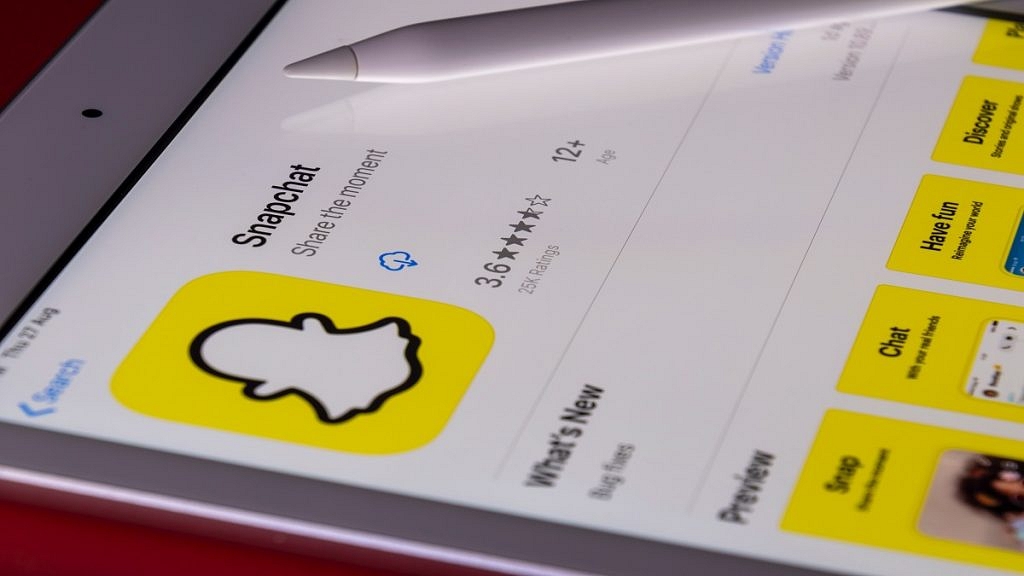
Snapchat Butterfly Lens Feature: What Is It? How To Use On Android, iOS?

Key Highlights

  • Snapchat is mostly used today for sharing photographs and videos
  • The Snapchat lens function lets you alter your surroundings or your face using special effects
  • Snapchat’s most popular lens- The butterfly lens

The focus of Snapchat is on lenses and their streak. According to Snapchat, more than 250k developers have produced almost 2.5 million lenses for the app. There’s a good probability you haven’t seen even 1% of the lenses on the app given those staggering numbers. Some of the best lenses are available, but you won’t like all of them. The Butterfly lens is one of the most well-known filters. As implied by the title, butterflies are used to enhance the photographs. The Snapchat butterfly lens has seen numerous changes over time. Nevertheless, you must first unlock it in order to use it. Let’s look at how to access and utilize Snapchat’s butterfly lenses.

Also Read: Lost Your Snapchat Streak? Here’s How To Restore It With These Steps

What Is Butterfly Lens On Snapchat?

One of the most used Snapchat camera effects is the butterfly lens. After the filter is opened, you will notice that your face is covered with numerous butterflies. The filter’s official name is Paper Butterfly, and its user name is jp Pirie. Let’s see how to unlock this filter.

Also Read: Instagram Tips To Create The Best Bio For Boys

Butterfly Lens: Snapchat Lens Link

You will need a friend on Snapchat who has a butterfly lens saved in their profile in order to obtain the butterfly lens using this approach. To unlock the Snapchat butterfly lens, adhere to the instructions provided below.

Step 1: Open Snapchat

Step 2: Check your friend’s inbox to see whether they have already used the butterfly lens

Step 3: Request that your friend choose the “Share” option on the butterfly lens

Step 4: Ask them to send you the URL once more when it has been copied to your clipboard

Step 5: Once you receive it, simply click the link to launch the lens in your Snapchat app

Also Read: WhatsApp Emoji Meanings: Know What You Are Expressing With These WhatsApp Emojis

Butterfly Lens: Scan A Snapcode Image

A lens-specific QR code is called a snap code. The steps listed below can be used to unlock the butterfly lens by scanning the Snap code.

Step 1: Launch the Snapchat app on your phone

Step 2: Scan the image that was previously submitted using the app’s camera. A QR code, commonly referred to as a Snap code, is the image above

Step 3: Simply position it in the photo’s frame and press the button. Snapchat will open the link and automatically scan the image

Butterfly Lens: Snapchat Lens Studio

Another way to gain access to the Snapchat Butterflies mood lens is through Snapchat Lens Studio. Here is how you do it:

Step 1: Open Snapchat open

Step 2: Go to Snapchat Lens Studio

Step 3: Several Snapchat users’ lenses are now available for viewing

Step 4: Find the butterfly lens in the carousel of different lenses by scrolling down

Step 5: To save the filter, select the Snapcod

Also Read: Instagram Privacy: How To Hide Online/ Active Status, Last Seen On Instagram

Butterfly Lens: From Others’ Snap

You can get a Snap if you spot one in someone else’s story. Here is how you do it:

Step 1: Tap the Try new button on the Snap with Butterflies lens filter. You can choose the lens by swiping it up as well

Step 2: You now have access to the Butterfly lens and can use it to take pictures

Butterfly Lens: Search

You may also use the Butterfly lens on Snapchat by searching for it. These are the steps:

Step 1: Launch Snapchat App

Step 2: The Search button is located next to the Your Profile button

Step 3: Search for “butterfly lens”

Step 4: From the photos in the results, select the filter

Step 5: Add the Butterfly filter to your profile

Also Read: How To Upload WhatsApp Status In High Quality (Images, Videos) On Android, iOS?

Butterfly Lens: From Camera Roll

This approach is very comparable to the one we saw earlier, Scanning a Snapcode Picture. Simply access the camera roll in the app and scan the lens’ snap code to get started. You’ll be able to add it to your collection.

Also Read: How To Send Disappearing Photos on WhatsApp – Step By Step Process Explained [VIDEO]

Categories
Featured Info Laptop

Lenovo Legion Y700P High-End Gaming Laptop Powered By 13th Gen Intel Core i7 Chipset Launched: Price, Full Specs

Key Highlights

  • Levono has not yet announced a specific launch date of Lenovo Legion Y700P.
  • The Lenovo Legion Y7000P is powered by a 13th Gen Intel Core i7 chipset.
  • The Legion Y700P also features an RTX 4060 graphics card.
  • The price of the Lenovo Legion Y700P has not been revealed yet.

Lenovo has recently unveiled its latest gaming notebook, the Legion Y7000P 2023, which features high-end components and a sleek design. The new laptop is equipped with the latest 13th-gen Intel i7-13700H processor and an RTX 4060 graphics card, making it a top-of-the-line option for gamers.

Also Read: Lenovo IdeaPad Duet 5 2-in-1 Laptop Powered By 13th Intel Core i7 Chipset, 12GB RAM Launched: Price, Availability

Lenovo Legion Y700P: Launch Date, Price

Lenovo announced the Legion Y7000P 2023 gaming notebook, which is expected to be released this year. The company has not announced a specific launch date, but the laptop will be available for purchase worldwide soon after its release. Lenovo will make the laptop available through its website and various retail partners.

However, based on some information, Lenovo had not yet announced the official price for the laptop.

It is expected that the Legion Y7000P 2023 gaming notebook will be priced as a high-end option for gamers, given its powerful components and features. The price may vary depending on the region and the configuration of the laptop. Once the official price is announced, the laptop will be available for purchase through Lenovo’s website and various retail partners.

Also Read: Acer Swift Go 14 Premium Laptop Powered By AMD Ryzen 7000 Series Chipset Launched In India: Full Features, Price

Lenovo Legion Y700P: Specs & Features

Lenovo Legion Y700PSpecs
Display16-inch, IPS
Resolution 2560×1600
Refresh Rate165Hz
Screen-to-body ratio 92.8%
Brightness 350 nits
Processor 13th-gen Intel i7-13700H
Memory16GB and 1TB internal storage
Battery Not revealed
PriceNot revealed

The Legion Y7000P 2023 gaming notebook comes with a 16-inch IPS display with a refresh rate of up to 165Hz. The display also has an anti-glare coating, which reduces eye strain and enhances visual clarity. The laptop is powered by the latest 13th-gen Intel i7-13700H processor, which features eight cores and sixteen threads. The processor is coupled with an RTX 4060 graphics card, which provides high-end gaming performance and enables ray tracing technology. The laptop also features 16GB of DDR4 memory and a 1TB SSD, which provides ample storage space for games and other applications.

The Legion Y7000P 2023 gaming notebook also features a backlit keyboard with customizable RGB lighting. The keyboard is designed to provide a comfortable typing experience, with well-spaced keys and a responsive touchpad. The laptop also comes equipped with a range of connectivity options, including USB-C, HDMI, and Ethernet ports.

In conclusion, the Legion Y7000P 2023 gaming notebook is a high-end option for gamers who are looking for a powerful and reliable laptop. With its latest processor and graphics card, as well as a range of features and connectivity options, the laptop is sure to provide an immersive gaming experience. The laptop is available now for purchase worldwide.

Also Read: Infinix InBook Vs Mi NoteBook Pro: Best Pocket-Friendly Yet Powerful Laptop In India
Categories
Featured How To Info

What Is A Masked Aadhaar Card? Here’s How You Can Download It Online

Key Highlights

  • Downloading a masked Aadhaar Card is a simple process that can be completed online
  • It is a safer alternative to the regular Aadhaar Card
  • Masked Aadhar Card can be used for all purposes where an Aadhaar Card is required

The Aadhaar Card is a unique identification card that is issued by the Indian government to its citizens. The Aadhaar Card contains a 12-digit unique identification number and other important details of an individual such as their name, address, and biometric information. It is used as proof of identity and address for various purposes such as opening bank accounts, applying for loans, and availing of government schemes. However, considering personal privacy issues, UIDAI has developed another version of Aadhaar called Masked Aadhaar. Also Read | Wrong Name, Address On Your Aadhaar Card? Here’s How To Update It

What Is A Masked Aadhaar Card?

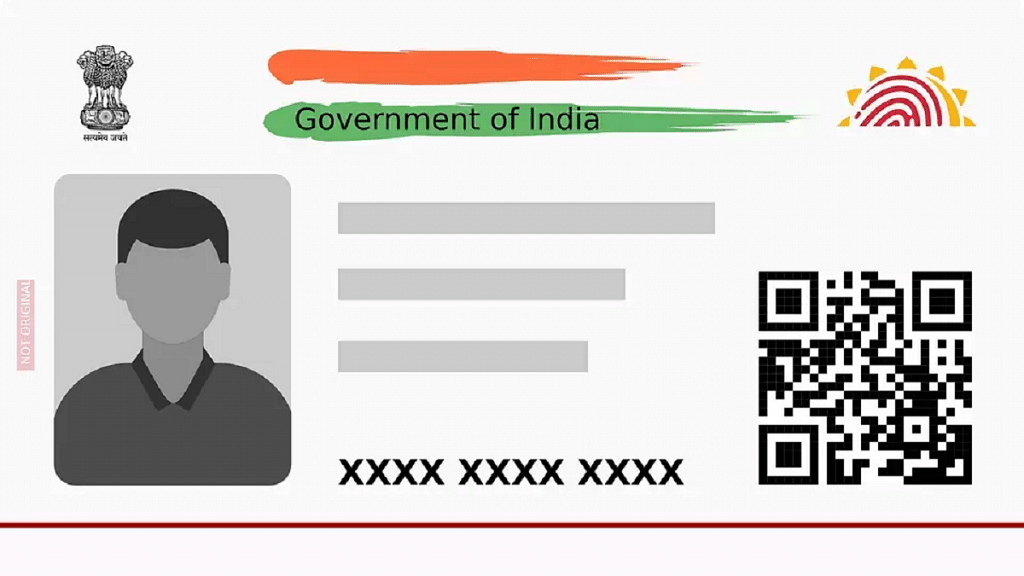
The masked Aadhaar card is a version of the Aadhaar card that displays only the last four digits of an individual’s Aadhaar number, while the rest of the number is replaced with asterisks. This version of the Aadhaar card is designed to protect an individual’s privacy, as it prevents the full Aadhaar number from being visible to anyone who may not require it.

The masked Aadhaar card can be used in the same way as a regular Aadhaar card for identification purposes. It is particularly useful when an individual needs to provide proof of identity for a specific purpose, such as opening a bank account or applying for a loan. By using a masked Aadhaar card, individuals can protect their personal information and prevent identity theft.

Also Read | Aadhaar Not Linked To Mobile Number? Here’s How To Do

How To Download Masked Aadhar Card?

Downloading a masked Aadhaar Card is a simple process that can be completed online. Here are the steps to download a masked Aadhaar Card:

Step 1: Visit the official UIDAI website.

Step 2: From the “My Aadhaar” tab, click the “Download Aadhaar” option.

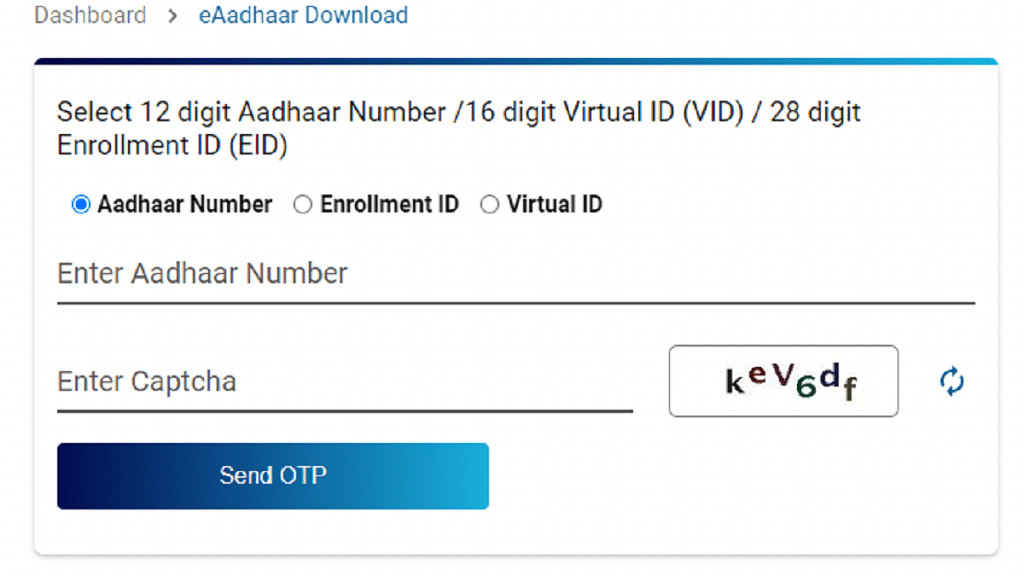
Step 3: If you already have an Aadhaar card, select “Aadhaar Number”, put in the 12-digit Aadhaar number, and enter Captcha on the portal. Or, use the 28-digit enrolment number. You can also use the Virtual ID option where you can enter the 16-digit Virtual ID on the portal to download the masked Aadhaar.

Step 4: Select the masked Aadhaar by checking the box that says “I want a masked Aadhaar”.

Step 5: Click on the “Send OTP” option.

Step 6: On your registered mobile number, you will receive an OTP.

Step 7: Enter the OTP on the portal to access your masked Aadhaar.

Step 8: Your masked Aadhaar Card will be downloaded in PDF format.

It is important to note that the masked Aadhaar Card can be used as a valid proof of identity and address, just like the regular Aadhaar Card. It is a safer option, as it prevents misuse of the Aadhaar number. Additionally, the masked Aadhaar Card can be used for availing government schemes, opening bank accounts, and applying for loans, just like the regular Aadhaar Card.

Also Read | How To Update And Change Mobile Number On Aadhaar Card Online

Categories
Featured Tablet

OPPO Pad 2 Flagship Tablet With 144Hz Screen, Dimensity 9000 Chipset Launched: Available In India?

Key Highlights

  • Oppo Pad 2 made launched alongside Oppo Find X6 Pro and Find X6 smartphones
  • The tablet features a 9,510mAh battery with 67W Super Fast Charging
  • Powered by MediaTek’s Dimensity 9000 SoC

The latest generation Oppo Pad 2 has been launched by Oppo. The new Android tablet has already been released in China, but the corporation may decide to do the same in India later, where it would compete with names like Samsung and Xiaomi for huge popularity. The OnePlus Pad shares similarities with the latest Oppo Pad 2.

Also Read: OnePlus Pad Pre-Bookings In India Begins April 10: Coming Along With Free Goodies

OPPO Pad 2: Specifications

ModelOPPO Pad 2
Display11.61-inch
Camera13MP(rear)+ 8MP(front)
Chipset MediaTek’s Dimensity 9000
Battery9,510mAh
Fast Charging 67W
RAM8GB/12GB

The 11.61-inch Oppo Pad 2 has a 2.8K (1,800 x 2,880 pixels) LCD screen with a 144Hz refresh rate. Moreover, the tablet has thin bezels to avoid unintentional touching. Dolby Vision is supported by the display, which improves the quality of watching movies on OTT services like Netflix and Amazon Prime Video.

The OPPO tablet is powered by MediaTek’s Dimensity 9000 Processor and runs ColorOS for Android 13 on the Pad 13. Alternatively, you can get a Bluetooth keyboard from companies like Logitech. An 8-megapixel sensor is on the front while a 13-megapixel wide camera is on the back. There is a specialized sensor that we find in iPhones, but the front camera may also be used for face unlock.

A 9,510mAh battery with 67W Super Fast Charging capability powers the Oppo Pad 2. It weighs 552 grams, which is a little bit more than the Oppo Pad from earlier generations. Wi-Fi 6, Bluetooth 5.3, up to 512GB of UF3 3.1 storage, and 12GB of LPDDR5 RAM are a few further noteworthy features.

Also Read: Best Budget Android Tablets Under Rs. 10,000 In India In 2023

OPPO Pad 2: Price And Availability

The price of the Oppo Pad 2 is expected to be CNY 2,999 (about Rs. 36,100) for the 8GB + 256GB RAM and storage configuration. Consumers may also buy the tablet for CNY 3,399 (about Rs. 40,900) or CNY 3,999 (approximately Rs. 48,200) in the 12GB + 512GB storage options. The tablet will be available for purchase in China starting on March 24 in Hikari Feather Gold and Nebula Grey.

It is not yet known when the tablet will be available in India.

Also Read: Itel pad 1 vs Samsung Galaxy Tab A7: Best Budget Tablet Under Rs. 15,000

Categories
Apps Featured Info

YouTube Daily Vlog Channel Name Ideas: Top Cool Channel Name Ideas For Daily Vlogs On YouTube

Key Highlights

  • Daily vlogs is a new trend on YouTube
  • Any general user can create daily vlog channel
  • Earning opportunities are high with daily vlogs

YouTube is now the top platform for video entertainment despite onset of several OTT players in the market. Google-owned video streaming platform is also gaining popularity for offering opportunities to earn money. Even a basic user can create his/ her own YouTube channel and earn hefty amounts via the online video streaming platform. But to earn a huge sum on YouTube, you must have your own channel with a good audience reach and user engagement.

We already have discussed several articles suggesting some of the best naming ideas for different channel types. From gaming to cooking, we have shared the list of the top titles that can get your channel all the attention from the audience it requires. Considering daily vlogs is now the trending channel idea on YouTube, we are listing down the best channel names for the same. Take a look:

Also Read: YouTube Channel Names: 100+ Creative Usernames For Music Addicts

Best General Channel Name Ideas For YouTube

TheDailyFactoryTheDailyDoseDaily DeckDailyCastMediaMed
DailyvideochannelDailyChannelComedialyDailyPostMediaDaily
Your Daily VlogsWorkshop MadnessSolid DomainMedia YardDailyscope
Daily Press vlogsDaily LiveslLight vlogsDaily artist channeltraveliestalife
Daily CentreLimitless lifestyleDaily life vlogsDaily Delite vlogsArt and crafts daily
Random days channelPowerful daily vlogsSilkroad routes daily travelRemarkable lifestyleJust anotheryoutube vlog
New daily lifestyle vlogDaily talent channelDaily talent vlogs channerlAlmond lifeDaily mystics
LifeisvibrantSunset and moonlightDaily life filsCapital and magicalDaily channel centre

Also Read: 100 Gaming Channel Name Ideas For YouTube You Can Use: Here’s The List

Cool Daily Channel Name Ideas For YouTube

DigitalLoopDigitalValleyDigitalLifeDiariesDigitalYTChannelNDigitallyDaily
DigitallyTannedDigitallanesdailydigitalmadnomadGriddailylifedailyvillageonline
Digitalblend chanelloopdigitalDailyloop life vlogsGo Interactive DailyGraphicaldose
GraphicsdoseDailygraphics doseNew Life daily vlogsPositive life ideasdailyvisatravel
Daily visa lifeVisa to liveSugaar FireBeansAnd CupsCherish daily world
Awesome Daily VlogsCreative Lifestyle Ideas channelLife Is CaochingLife iS Health channelSchack and life
Worlds apart and together channelDaily life insights channelExoticlife dailyFuturistic and fantastic dailyWhatall random channel
Something is new daily channelDaily unboxing new channelOfficial daily vlogs channellWalnut lifes channelLife rivers online

Also Read: 100 Best And Catchy Instagram Names For Makeup Artists

Categories
Apps Featured How To

Easy Ways To Recharge Your Excitel Broadband: Here’s How

Key Highlights

  • Excitel broadband is a popular internet service provider.
  • Recharging Excitel broadband is a simple and hassle-free process.
  • Users can choose to recharge through the Excitel website.

Excitel Broadband is a popular internet service provider in India, offering high-speed broadband services at affordable prices. With its focus on providing reliable and fast internet connectivity, Excitel has become a preferred choice for many users across the country. The company offers a range of broadband plans, including unlimited data plans, which come with speeds of up to 300 Mbps. To enjoy uninterrupted internet access, users need to recharge their Excitel broadband account regularly.

Also Read | Internet Speed Check: How To Test Accurate Wi-Fi, Mobile Internet Speed Using Google

Steps To Recharge Excitel Broadband Via Website

Recharging Excitel broadband is a simple process, and it can be done online through the Excitel website or mobile app “my Excitel”. Here is a step-by-step guide on how to recharge Excitel broadband:

Step 1: Visit the Excitel website or download the Excitel mobile app from Google Play Store or Apple App Store.

Step 2: Sign in to your Excitel account using your registered mobile number and password.

Step 3: Once you are logged in, click on the “Recharge” option from the homepage.

Step 4: Choose the plan that you want to recharge and click on the “Recharge” button.

Step 5: You will be redirected to the payment page where you can choose your preferred payment method such as debit/credit card, net banking, or UPI.

Step 6: Enter the required payment details and click on the “Pay” button.

Step 7: Once the payment is successful, you will receive a confirmation message on your registered mobile number and email.

Also Read | How To Check Airtel Balance Via MyAirtel App, Self-Care Service, And USSD Code

Steps To Recharge Excitel Broadband Via Paytm

Users can also recharge their Excitel broadband account through third-party recharge portals like Paytm, PhonePe, or Google Pay. Here are the steps to recharge Excitel broadband through Paytm:

Step 1: Open the Paytm app and click on the “Broadband” option.

Step 2: Select Excitel as your service provider and enter your registered mobile number.

Step 3: Choose the plan that you want to recharge and click on the “Proceed” button.

Step 4: Enter the required payment details and click on the “Pay” button.

Step 5: Once the payment is successful, you will receive a confirmation message on your registered mobile number and email.

By following the above-mentioned steps, users can recharge their Excitel broadband account and enjoy uninterrupted internet access.

Categories
Apps Featured Gaming

Netflix Games: Up To 40 New Game Titles To Be Released In 2023

Key Highlights

  • In 2021, Netflix began offering access to a selection of mobile games via Android and iOS versions
  • There are now 16 first-party games in production
  • Another 70 games are in development with third-party developers

In 2023, Netflix intends to expand its selection of video games with the addition of 40 new titles. The company has also stated that it is working with partners to build 70 games. In its internal gaming studio, the streaming juggernaut is also developing 16 additional titles.

Existing GamesUpcoming Games
Asphalt XtremeTerra Nil
Bowling Ballers Mighty Quest: Rogue Palace
Desta: The Memories BetweenCompass Point West
Into the Breach Dungeon Boss: Respawned
Lucky LunaLa Casa De Papel: The Game
Krispee Street Monument Valley 1 & 2
Wonderputt ForeverPaper Trail

Also Read: WhatsApp Privacy: How To Setup And Use WhatsApp With Landline Number

The Mighty Quest: Rogue Palace, a rogue-lite game set in the same universe as The Mighty Quest for Epic Treasure, will debut on April 18 according to the streaming service. The Ubisoft game has an enhanced formula, a more in-depth storyline, and increased furious action gameplay. The second of three exclusive games from the publisher is to be made available on Netflix as part of the developer’s agreement with Netflix. Valiant Hearts: Going Home, the first exclusive game, was released in January.

Also Read: What Are Netflix Secret Codes: How To Watch Hidden TV Shows And Movies On Netflix Using Secret Codes

According to Netflix, the South African game developer Free Lives’ Terra Nil will be releasing Terra Nil on March 28. In the reverse city-building game Terra Nil, players can turn a barren terrain into a thriving ecology. Highwater, a strategy game by Serbian developer Demagog Studio with themes of social collapse and environmental devastation, debuted on the platform earlier this month.

Also Read: Download Music From Instagram To Your Phone: Here’s How

The Too Hot to Handle: Love is a Game sequel, one of Netflix’s most popular games, is currently being worked on at Nanobit and is expected to be released later this year. Ustwo’s Monument Valley series will be available on Netflix in 2024, “beginning with” the first two episodes and “with more to come,” according to Loombe.

Also Read: Here’s How To Download Videos From Netflix, Amazon Prime, And Disney+ Hotstar